Cleaning products maker Clorox has reported losses of $49 million in connection to a cyberattack it suffered in August of last year.
On Monday, August 14, 2023, Clorox disclosed it had identified unauthorized activity on some of its IT systems. Despite a business continuity plan, the incident resulted in wide-scale disruptions to the company’s operations throughout the quarter, which ended September 30, 2023.
Clorox says it expects operational impacts from the cyberattack to continue into the second quarter, though the majority of order processing operations have returned to automated processes. Among other consequences of the cyberattack, net sales are expected to decrease between about $487 million and $593 million.
The company never revealed the nature of the attack, but based on a brief description, we must assume it was a ransomware attack. Ransomware experts have attributed the attack to ALPHV/BlackCat, but attribution is hard. This is especially true when the victim decides to pay the ransom, because their details aren’t made public by the attackers. When an organization refuses to pay, the attacking ransomware group will typically publish the organization’s details, along with its data, on their leak site, which are our main source of information about who did what to who.
The ALPHV ransomware gang is arguably the second most dangerous “big game” ransomware operator, as you can see in many of our monthly ransomware reviews.
The costs of the cyberattack, which included payments to third-parties that were hired to help investigate and remediate the attack amounted to $49 million.
Clorox was forced to shut down many of its systems due to the attack, which triggered order processing delays and significant product outages.
The fact that the disruptions lasted as long as they did, does not bode well for the business continuity plan. Add to that the suspicion that the ransom was paid, and we can conclude that backups were perhaps insufficient or not readily deployable.
These are things that, however cumbersome, need to be tested. Waiting for the actual emergency as the first test is never a good idea. Another indication that things may not have been up to par was the chief information security officer (CISO) leaving in November, while the company was still recovering from the cyberattack.
Prevent intrusions. Stop threats early before they can even infiltrate or infect your endpoints. Use endpoint security software that can prevent exploits and malware used to deliver ransomware.
Detect intrusions. Make it harder for intruders to operate inside your organization by segmenting networks and assigning access rights prudently. Use EDR or MDR to detect unusual activity before an attack occurs.
Stop malicious encryption. Deploy Endpoint Detection and Response software like ThreatDown EDR that uses multiple different detection techniques to identify ransomware, and ransomware rollback to restore damaged system files.
Create offsite, offline backups. Keep backups offsite and offline, beyond the reach of attackers. Test them regularly to make sure you can restore essential business functions swiftly.
Don’t get attacked twice. Once you’ve isolated the outbreak and stopped the first attack, you must remove every trace of the attackers, their malware, their tools, and their methods of entry, to avoid being attacked again.
Our business solutions remove all remnants of ransomware and prevent you from getting reinfected. Want to learn more about how we can help protect your business? Get a free trial below.
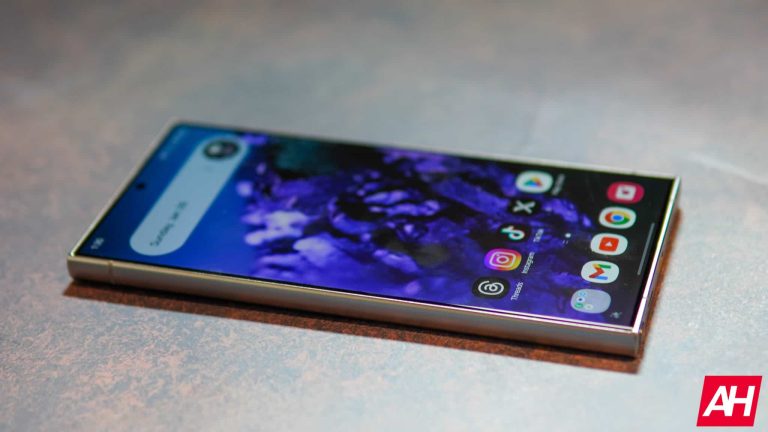
Well well well, it seems that the Galaxy S24 series cannot escape display issues. Not too long after the dull color display issue was revealed to be intended behavior, we got another report from an unfortunate Galaxy S24 customer. According to several reports, the Galaxy S24 Ultra is experiencing a green line screen issue.
Stories like these are always pretty ironic, seeing as Samsung is the display company. Its displays are some of the best you can get on the phone, yet there seems to be some issue going on internally.
In case you don’t know about the previous story, several Galaxy S24 Ultra users have been complaining about an issue with their displays. The colors of the displays seem very muted compared to previous Galaxy phones. What makes it worse since the fact that you cannot adjust them to bring them to their potential glory.
We’ve received two contradictory reports about this issue. One report says that a Samsung employee assured a customer that the issue would be fixed in a future update. However, another report says that a Samsung rep pointed to this as being intended behavior and that there was no fix coming. So, we’re going to have to wait and see which report is factual.
The Galaxy S24 Ultra is experiencing a green line screen issue
This is something that’s happened before, and we’re all wondering why it’s still happening now. There are some users on Reddit who have been experiencing an issue with their Galaxy S24 Ultra models. For some reason, they will randomly see a green line running down the screen vertically. It’s very noticeable and very distracting. Unfortunately, this is not an isolated incident. Several Galaxy S24 users are reporting this issue. One of them actually has a white line running horizontally across the screen as well.
This is not a good sign, as many of these people are just getting their phones. One user only had their phone for 6 days before it started acting up. Unfortunately, factory resetting the device does not help the issue. So, it might be a hardware issue. If that’s the case, then Samsung is going to have some upset customers. At this point, we don’t know how widespread this issue is. Hopefully, Samsung could get this patched up.
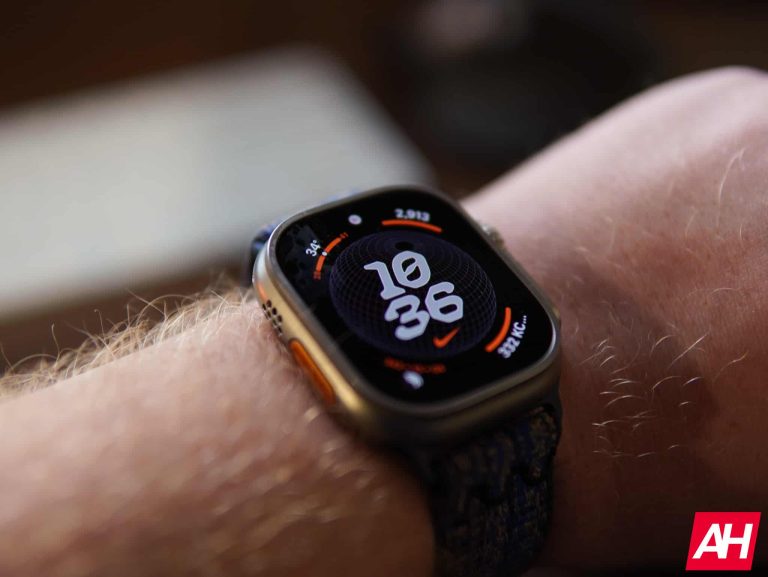
The Apple vs Masimo patent feud doesn’t seem to stop at any time. Both parties are currently in a legal dispute over patents related to the blood oxygen feature on the Watch Series 9 and Ultra 2. The International Trade Commission (ITC) had also temporarily banned Apple from selling the mentioned variants in the US. In response to the ITC’s decision to ban the sale of these watches in the US, Apple has chosen to appeal. Notably, despite the ongoing legal battle, Apple continues to sell the Watch Series 9 and Ultra 2 in the US. However, to comply with the dispute, they have disabled the blood oxygen feature via a recent software update.
Apple CEO believes there are many reasons to still buy the watch
Apple’s CEO Tim Cook recently talked about their plan in a one-to-one with CNBC. As spotted by Apple Insider, Cook said Apple doesn’t want to use Masimo’s technology and is more interested in challenging the Apple vs Masimo patent feud. In simpler terms, they’re not trying to make a deal with Masimo.
According to Cook, there are many reasons to buy the Apple Watch, even without the blood oxygen feature. Despite a short period where the Series 9 and Ultra 2 were not available on Apple’s official channels, the Wearables, Home, and Accessories reported $11.95 billion in revenue for fiscal Q1 2024, surpassing expectations.
“There are lots of reasons to buy the watch even without the blood oxygen sensor,” Tim Cook stated reportedly. Meanwhile, Masimo’s chief Joe Kiani wants to hold talks with Apple to find a solution. However, Cook’s statement shows that Apple is not ready for talks; they’re focused on the legal process instead.
According to WCCFTech, Masimo has won in similar cases before, even getting a billion-dollar deal. It has also pumped in about $100 million in the ongoing Apple vs. Masimo patent battle. Despite the possible money loss, Apple’s boss wants to fight the ban and keep selling watches in the US.
Once the Apple Watch vs. Masimo patent feud is over, the features will come back
The Apple Watch Series 9 and Ultra 2 don’t perform blood oxygen tracking, which was a major update over the previous iterations. For now, you can get both of these without the blood oxygen tracking, of course. The outcome of the fight is still unclear. It’s like a game that no one’s winning right now.
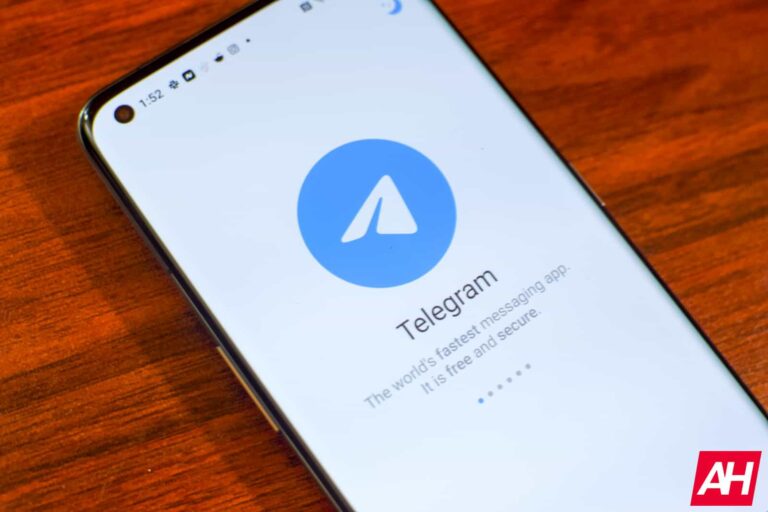
Telegram is one of the most popular messaging platforms on the internet, and it trades blows with platforms such as Facebook Messenger and WhatsApp. What do all three of these platforms have in common? Well, they’re always releasing new and useful features to keep the entire experience fresh. That’s exactly what Telegram did, as it just announced 10 new features that are launching for a big January feature drop.
The 10 new Telegram features launching on Telegram
These include fresh new additions and updates to existing features. Here’s a quick rundown of these features and how they’re helpful. As with large feature drops such as these, not all of the additions are guaranteed to be available at once, and some of them may not be available in all regions. This is just something to keep in mind. Telegram is launching 10 features, and some of them require a premium membership.
Save messages 2.0
You want to keep a log of some of the messages you send to people, so, this is where saved messages come in. This is a place to store certain types of messages like reminders, notes, and messages from other chats. It’s a great feature to have, but it was pretty limited before this update.
Well, the company introduced Save Messages 2.0. Along with saving the aforementioned messages, this feature allows you to save media, bookmarks, and links. It will act as an all-inclusive library for important messages that you want to keep track of.
Organizing your saved messages is also easy, as you can view them as a list or have them organized by chat. Also, you can apply tags to them to make searching them up even easier. Lastly, there’s a new Saved tab. It’s a place where you can access messages you saved from different chats.
View saved messages by chat
This feature was aforementioned, but we will dig a bit deeper into it. This is a handy feature if you want to make viewing your saved messages much more convenient. When you tap on your saved messages, you will see a feed of those messages. However, if you want to view a list of the chats your message was saved from, that’s where this feature comes in.
When you’re viewing your saved messages, tap on the Saved messages text at the top of the screen. Then, you’ll see a list of all the chat groups that you forwarded messages from. This makes it much easier to find particular saved messages that you’re looking for.
Tags for saved messages
This is another feature that can make navigating your saved messages much easier. If you have a bunch of saved messages, and you are tired of wading through them whenever you need to find a particular one, then this feature is for you.
This feature lets you apply specific tags to your saved messages. When you’re searching for your saved messages, all you have to do is tap on the tag that you applied to your specific message, and the app will filter the search results to include only those tags.
In order to use it, simply find the message that you want to apply the tag to, and hold your finger down on it. Then, you will see a selection of tags appear in a little toolbar above the drop-down menu. Tap on the tag you want to apply and it will be added to your message. Then, if you want to search for that message, tap on the search bar, and tap on the tag that you want to filter. You will see a horizontally scrolling carousel of tags right under the search bar.
Saved messages in shared media
On Telegram, there’s a unified media pool that holds all of the content you share through your messages. However, the app just added a new tab called the Saved tab. This tab will harbor all of the messages you forwarded to yourself.
Upgraded search
Telegram is announcing 10 features, so some of them aren’t going to be giant. This next addition is pretty small. The company added a few lifestyle improvements to make searching your messages easier.
One-time voice and video messages
This is for people who want to be surreptitious. Telegram has a feature called View-once messages. It allows you to send a message that can only be viewed once before it’s completely deleted. This is a large privacy feature, and it’s making its way to more types of media.
Now, you can send one-time voice messages and one-time video messages. Just like with text messages, once you completely view/ listen to the message, it will be deleted, and there’s no way for you to access it again. If you want to see it again, the sender will have to resend it to you. What’s neat is that after the message has expired, you’ll get a nice little Thanos snap animation.
Pause and resume recording
We all hate the feeling of having to completely trash a voice recording just because we tripped over our words or lost our train of thought. Well, if you’re making a voice message, and you need to stop for a second to catch your thoughts, you can pause the recording and resume it when you want to start talking again.
Read time in private chats
This could be really useful for people who are sending an urgent message that needs to be read ASAP. In private messages, you currently have the ability to check the read status of a message. It will tell you when your message is sent, and when it has been read. Now, the app will let you know exactly what time the recipient reads your message. This way, you can grill your friends about not instantly responding to your message.
One thing to know is that read times are only visible for seven days. This is a neat privacy and security measure.
One-way last seen and read times
This is a feature for you to keep your online status a secret while still being able to see other people’s online statuses. On Telegram, if you hide your last seen status or read times, you won’t be able to see that information from other people’s accounts. However, this new feature will allow you to hide your status while still being able to see other people’s statuses. However, this feature is only available for Telegram premium members.
Private message permissions
Here’s a feature for people who don’t want just anyone messaging them. Telegram is a pretty free platform, and you’re able to start conversations with people out of nowhere. However, if you have this feature, you will be able to make it so that you only receive messages from certain people.
There are three options for what kind of people can send you messages. There is Everyone, My Contacts, and PremiumUsers. The first one is self-explanatory, the second one means that only people on your contact list will be able to message you. The third one means that only people who are premium users can contact you. Speaking of that, you have to have Telegram Premium to use this feature
Improvements to stories
There’s not much to say about this one. Video stories will load at quadruple the speed, which is very impressive. Also, if you are a premium subscriber, you will be able to watch your stories in higher quality.
New shared contacts design
As you know, you are able to choose a color scheme and an emoji for your appearance in Telegram. Well, if someone shares your contact as a message, that message will reflect your color scheme and the Emoji that you chose. It gives them a more personalized Flair
Better video messages on iOS
At this point, we’re not certain when/ if these additions will come to Android users, but it is likely. When recording a video message, you can now enjoy sharper video along with the ability to switch between front and back cameras and video stabilization.
macOS icons
Lastly, if you use the Telegram application for macOS, you can now choose between 15 different app icons. Each icon has its own different style. You can access these icons by going to the Telegram settings and navigating to the bottom right of the screen. You will see a line of different app icons you can choose.
And there you have it, 10 new Telegram features! Make sure that your app is up to date.
Comcast, a cable TV company in the US, has agreed to discontinue its “Xfinity 10G Network” brand name after an appeal ruling from NARB (National Advertising Review Board) found the term to be misleading. The challenges were brought forth by Verizon and T-Mobile, who contested Comcast’s use of the term “10G.”
The National Advertising Division (NAD) ruled against Comcast in October 2023. Notably, the term “10G” doesn’t denote a technology’s 10th generation but refers to the potential of 10Gbps connection speed of the Comcast “Gigabit Pro” fiber.
NARB panel concluded that the term implies significantly faster speeds than 5G, which is misleading
While Comcast will no longer use the “Xfinity 10G Network” brand, the company disagrees with the decision, arguing that it makes 10Gbps speeds available to 98% of subscribers upon request. However, these high speeds require a specific fiber-to-the-home connection and are not part of standard cable service plans. The “Gigabit Pro” fiber connection providing 10Gbps speeds comes at a high cost, including a monthly fee of nearly $300, an installation charge of $500, and an activation charge of an additional $500.
The NARB stated that the recent availability of “10G” speeds through the Gigabit Pro service tier doesn’t support the claim for the Xfinity network as a whole. The absence of data on how many Comcast customers use this service contributed to the ruling. NARB considered the term “10G” as misleading due to the implied comparison with 5G wireless networks. The NARB panel concluded that the term implies significantly faster speeds than 5G, a claim not supported by data comparing speeds experienced by Xfinity network users with those on 5G networks.
Comcast will still use “10G” in advertising, but not in places where people may compare it to 5G
Despite the decision, when contacted by Ars Technica, Comcast informs that it will continue using “10G” in advertising but in a manner consistent with the panel’s recommendation. The ruling emphasizes the importance for cable broadband users to scrutinize advertised terms like “10G” and verify the actual speeds offered in their service plans.
We all know the feeling of getting the “Low storage” message on our phones. It’s never fun, and it means that sacrifices need to be made. However, this might not be the case for the next version of Android. According to a new report, Android 15 could bring native app archiving to the operating system.
The thought of offloading apps to save storage space is nothing new. In fact, if you remember the Nextbit Robin, that was a phone whose standout feature was its ability to archive apps. The Google Play Store currently archives apps automatically if you don’t use them for a while. This is a very useful feature, but it does have its limitations
For starters, this feature is tied to the Google Play Store. So, you won’t be able to archive apps that you got from third-party stores. Also, you’re not allowed to selectively archive apps. Apps are only archived if you opt-in to have them archived if they remain dormant for a while. Unfortunately, you’re not allowed to go to an app and archive it right then and there
Android 15 could bring native app archiving
Since we are still a while away from seeing anything official pertaining to Android 15, you’ll want to take this cautiously. At any point, Google could make drastic changes to what it’s working on. Along with this story, we also got the news that Android 15 could mandate apps to be edge-to-edge.
This app archiving feature was discovered by Mishaal Rahmen. He was digging through the latest QPR for Android 14, and he discovered some code alluding to a native app archiving feature in Android 15. Basically, when you archive an app, Android will delete major parts of the app from your device, and leave a highly stripped-down version on your device. You will still see an app icon on your screen. When you want to reclaim the app, your phone will redownload the data that’s been deleted and it will allow you to pick up where you left off.
This is a much better option compared to uninstalling the app and reinstalling it. Once you do that, you’ll have to set everything back up again. Also, you may lose whatever progress you’ve made if you were playing a game.
Since this could possibly be a native Android 15 feature, it seems likely that you will be able to archive your apps even if you did not download them from the Google Play Store. This could open this feature up to many more apps.
The tech industry layoffs don’t seem to stop anytime soon. And Snapchat just announced layoffs. Its parent company, Snap Inc., stated in a securities filing that it will be laying off 10% of the total workforce. Most importantly, it’s the company’s third round of layoffs in recent times, including a 20% cut in 2022 and a 3% cut last year.
Snapchat layoffs will affect more than 500 employees
According to a report from Variety, Snap had around 5,367 employees by the end of Q3 2023. Hence, the recent Snapchat layoffs will impact approximately 540 employees. While specific details about the affected positions or departments are limited, it’s safe to assume that Snap is focusing on areas that aren’t contributing enough to their profits. In response, Snap plans to set aside up to $75 million for severance and related expenses.
Notably, Snap’s shares went up by more than 2% before the stock market opened after the announcement. On the same note, Snap’s CEO Evan Spiegel has big plans for the year ahead. The company aims to increase daily users by approximately 17%, boost ad revenue by 20%, and double Snapchat Plus subscribers from the current 7 million, as earlier reported by The Verge.
It’s a part of “reorganizing” the team
A Snap spokesperson told CNBCthat this layoff is part of team reorganizing. “We are reorganizing our team to reduce hierarchy and promote in-person collaboration.” They added, “We are focused on supporting our departing team members and we are very grateful for their hard work and many contributions to Snap.”
Snapchat and similar apps make money mostly from online ads. But lately, the online ad market has been slow. If we quickly check Snap Inc.’s business, we see that Year-on-Year revenue growth was only 5% as of Q3, 2023. This means that Snap Inc. is finding it tough to keep up with the changes and competition in online advertising. We’ll know more about Snap Inc.’s money situation when the next report comes out on February 6th.
Samsung launched the Galaxy S24 series with a suite of AI features like Circle to search, real-time on-device language translation, note summarization, AI-powered photo editing, and more. These AI features are currently exclusive to Samsung‘s latest flagship series. However, there have been expectations of getting these (or at least some of these) AI features in older high-end devices. Nonetheless, Samsung didn’t reveal which specific features will become available in which predecessor models, until this point.
Now the company’s official website notes (via Tarun Vats on X) some of the exclusive AI features of the Galaxy S24 series as “Coming soon” for the Galaxy S23 Ultra. It seems that the Galaxy S23 series will get at least some AI features of its successor. Notably, Samsung mentions four AI features – Circle to Search, Live Transcript, Note Assist, and Photo Assist – that will become available on the Galaxy S23 Ultra.
As Tarun Vats notes, devices launched before 2023, won’t get any AI addition with the One UI 6.1 update. A comparison table on Samsung’s official site hints that the Galaxy S22 Ultra, the Galaxy Z Fold 4, and Galaxy Z Flip 4 won’t get any more intelligent.
AI additions to the Galaxy S23 Ultra
If you are using the Galaxy S23 Ultra and aren’t very familiar with the said AI features, here’s a brief description so that you get an idea.
The Live Translation feature allows you to translate a language you don’t understand into a language you do, in real time. It essentially lets you connect with more people in a better and easier way. Notably, all the processing happens on your phone, so there’s neither a poor signal nor a privacy concern that comes your way. There’s surely room for improvement when it comes to the response time, but it’s only expected to get better over time as Samsung improves its on-device models.
Another feature mentioned is “Note Assist” which summarizes text inside Samsung Notes and lets you grasp the information efficiently.
Circle to Search is another useful feature, it lets you search what you see very easily. While the feature utilizes Google Lens as its base, you just have to draw a circle around the thing you want to no more about. Your phone recognizes the subject and leverages Google’s system while you don’t even have to leave the app you are in.
The last AI feature you’re going to get on the S23 Ultra is Photo Assist. It helps you take better photos by smoothing out textures and sharp edges in Photo mode pictures. It can also help the camera choose the best lens based on the lighting, zoom, and distance.
MediaTek has reportedly offered Samsung an exclusive discount on its chipsets. The Taiwanese semiconductor firm wants the world’s second-largest smartphone vendor to increase the use of its processors in Galaxy devices. It is unclear if Samsung has accepted the offer.
We might see more Samsung phones with MediaTek processors
Samsung has been the world’s largest smartphone company for the past several years, until 2023. The Korean firm lost the crown to Apple last year, according to recent industry estimates. It still shipped more than 225 million Galaxy phones globally in 2023, comfortably leading the Android-only chart—distantly followed by Xiaomi with around 145 million shipments. Samsung’s annual shipment volume once topped 300 million units.
While Samsung makes some of the best and most expensive Android flagships, its budget and mid-range devices are volume drivers. These low-cost phones sell in incredibly high numbers in many price-sensitive markets. The company ships those phones with MediaTek, Qualcomm, or Samsung Exynos chipsets, sometimes opting for a dual-chip strategy for the same model. Flagship phones, such as the Galaxy S24 series, use Exynos and Qualcomm chips.
It appears MediaTek wants to increase its share in Galaxy phones. According to noted X tipster Revegnus, the Taiwanese firm recently offered special pricing for its chipsets exclusively to Samsung. Details are scarce—it is unclear whether the proposal was only for budget and mid-range SoCs or also flagships—but the firm is seemingly willing to take a hit on its profit to ship more chips to Samsung, which sells more Android handsets than anyone else.
The source also doesn’t make it clear when MediaTek approached Samsung with its offer and whether the talks have advanced further. The Korean firm has a bunch of new A, M, and F series products in the pipeline. The floodgates are expected to open in March, giving us a flurry of phones at every price point. If Samsung accepts the proposal, we should see more Galaxy devices with MediaTek chips this year.
Flagship Galaxy phones may stick to Qualcomm and Exynos SoCs
Over the past few years, MediaTek has emerged as a more viable competitor to Qualcomm in the flagship segment than it was before. However, Samsung might not switch over to the Taiwanese firm’s Dimensity chips for flagship Galaxy phones. It wants to increase the use of the in-house Exynos SoCs in the premium segment. Qualcomm is also its partner in this segment, so MediaTek likely doesn’t stand a chance, at least not anytime soon.
Here at AndroidHeadlines, we test and review a lot of phones. Just to put this in perspective, we have five people who write reviews here, and in January 2024, we published nine phone reviews. In 2023, we published 46 phone reviews throughout the year. That’s roughly one new phone review every eight days last year. So, how do we test these phones that we review here at AndroidHeadlines? Well, we do put each phone through a rigorous testing process, with many different benchmarks and tests that will tell us how good or bad different aspects of the phone are.
In this article, we are going over each test in depth. Explaining what it tells us and why we test in this method. This helps us be as transparent as possible and allows you, the reader, to know more about what to expect from our reviews.
How long does it take to review a phone?
Typically, we prefer to use a phone for at least a week before starting the review. In a perfect world, we’d be able to use it much longer than that. But with 46 phones coming across five editors’ desks in 2023, it’s pretty hard to use each phone for 15-30 days as we would like.
You’ll also find in each review, in the disclaimer section, that we tell you how we got the phone. Whether we bought it, were sent a review unit from the company, or it is a sponsored review. Again, to be as transparent as possible. We also tell you how long we used the phone, as well as the exact specs we are reviewing. For example, in this OnePlus 12 review, I stated that we had the 16GB/512GB Silky Black model, which is the top-end version of the OnePlus 12.
While we were using the phone during the week-long review period, we tested a lot of its features and used the phone as much as we could, like we would use our own daily driver. During that time, we take notes about things we like and things we dislike. Towards the end of the week, we start to run the tests that we’ll talk about next. Sometimes, we publish reviews before doing all of these tests. In those cases, we will go back and update the review with those test results and with more info about our experience using the phone.
Many phones, these days, are under review embargoes. And this is pretty obvious since you’ll see hundreds of reviews on the same phone going live at the same time. This does handicap us a bit, as we want to meet that deadline, but it’s not always a generous deadline. Some companies provide you a unit a month before reviews go live, while others give you a week if you’re lucky. These are the type of reviews that generally involve us going back and updating the review later on.
How we test phones
Now, let’s jump into the nitty gritty. There are six main areas that we are testing with these different benchmarks and tests. These include Performance (both CPU and GPU), Battery rundown and Charging, Camera, Audio, Thermal, and Display. Let’s start with the most straightforward testing, performance.
Performance
For performance, we run three tests. We designed two benchmarks and a separate test ourselves.
First up is Geekbench 6. This is a tried-and-true benchmark that has been used for many, many years. It has two tests that are run. One that tests the CPU and another for the GPU. It tests the raw performance of the CPU and GPU. If we notice that the result is much lower than we think it should be, we will opt to run it again. But not right away. We’ll wait 10 minutes before running it again to let the phone cool down and make things as fair as possible.
Next is the 3D Mark Wildlife Extreme Stress Test. This is a pretty cool and unique test that we run. It essentially runs a loop that lasts a minute, twenty times. So, the benchmark itself lasts the longest at about 20 minutes. In the end, it will give us three scores. A score for the Best Loop and the Lowest Loop. Those two also give us a Stability Score. This test will show us if the phone can handle a sustained load or not. Some phones have scored pretty poorly in the stability score, around 50%, while others have scored above 80%, which are typically those with great cooling systems.
Finally, we have a video test that we run. You might be thinking, what does that have to do with performance? Well, it’s a video export test. We have a video that I shot in Times Square; it’s exactly 60 seconds long. We bring that into Capcut, remove the ending that Capcut always adds, and put an effect onto the video. Then export at 1080p 30fps, which is the default setting for most phones. We time how long it takes to export, which, surprisingly, varies quite a bit. The reason for this test is many edit TikTok and Reels on their phones using Capcut. And it’s a test that phone manufacturers are less likely to “cheat” on, as we know they do on most other benchmark apps.
The scores for all of these tests are put into a spreadsheet that we then use to compare the phone we are working on reviewing with other similar phones. Or phones that we think people might be cross-shopping. For example, we compared the OnePlus 12 with the OnePlus Open, Pixel 8 Pro, and iPhone 15 Pro Max. A predecessor of sorts to the OnePlus 12, and all four phones have different processors. We then create graphs from the spreadsheet to include in the review. Giving the reader a visual representation of how the phone holds up with its competition.
Battery and Charging
Moving onto battery and charging, this test was pretty hard to put together. Since everyone uses their phones differently. But the way we found to test the phones the exact same every time was to run a YouTube video on the phone at full brightness until the phone dies. So we charge it up to 100%, open up the YouTube video, turn off auto-brightness, max out the brightness, and unplug it. The video we use is a 24-hour long video, and we record the time once the phone hits 1%. We do 100% to 1% because we want to record the time before it dies and then do a charging test from there since most people aren’t going to let their phone completely die.
Once the battery test is finished, we then plug the phone in and time how long it takes to get to 100%. We generally use the same 45W charger for these tests. The only exception is if the phone comes with a faster charger in the box – like OnePlus, OPPO, and Vivo. Then we test it with the charger in the box, as well as the same 45W charger. Giving the faster charging phone the benefit of the doubt and also testing it apples to apples with the competition.
These values are also put into a spreadsheet so we can compare them with other phones. Again, we compare with similar phones or phones we think people might be cross-shopping. So everyone can see how long the battery lasts versus similar competition and how quickly it can charge to 100%. We won’t compare a flagship phone with a mid-range phone, as that is unfair to the mid-range phone.
Camera
Perhaps the most subjective test on this list. Testing the camera is pretty difficult. But the test that we have come up with works pretty well for the default mode on most cameras.
We have a 12-inch x 12-inch photography light box in which we use a white background and put a Rubik’s cube in the center. The reason for using a Rubik’s cube is the sharp edges for background separation, as well as the different colors. It helps to see what colors are being blown out or coming in perfectly. This is also a way that we can produce the same environment across all five editors that review phones around the world.
We then put the phone upside down, with a card between the edge and the phone. This way, we know that every phone is the same distance from the Rubik’s cube. To make it as similar as possible and remove as many variables as possible.
We keep these photos in a folder so we can compare future phones with older phones that we may have sent back to the manufacturer. All of the settings are default here, at 1x. The only thing we do is tap to focus. Everything else is auto.
Audio
Audio is a very subjective test for phones or really any device. Especially when you have multiple people testing phones, like we do here. But we’ve done our best to get the best tests possible for testing the audio from phones. We have six test tracks that we listen to on each phone to see how good or bad the phone’s speakers are.
First up is the loudness and distortion test. We use a loud musical track that is meant to push the phone’s speakers to the limits. For this test, we turn the phone’s speaker up to 100% and see how loud it can get.
Next is the Bass test. This track for this test has a heavy emphasis on low-end audio, and we listen to see how well we can hear lower-end instruments in this track.
We have a test for the Treble as well. This next track has a heavy emphasis on higher-end audio, so here we are listening for clarity and how the higher tones stick out above the rest.
Next is overall balance. This is going to test out how the phone is able to balance the low and higher tones. Obviously, we don’t want one overpowering the other, otherwise it’s not a great experience.
Many of us listen to podcasts on our phones or watch YouTube videos, so vocals are also important. And that’s the next test. This track has the vocals with a little backtrack added, and we listen to see how clearly the singers’ voices stand out.
Finally, we have the immersion test. This track has a segment of a lush orchestral piece. With this track, we listen for how immersive the sound is. Does it feel like you’re fully immersed in the track or not?
Since these will all sound different to different people, we don’t track any of this in a spreadsheet. Instead, we describe how good or bad each test was on the phone in our review.
Thermals
Thermals are one of the least talked about but are the most important aspects of a phone. Why? You don’t want your phone overheating often, as that will damage the battery and potentially other components inside the phone. So, to test out the thermals, we have designed three tests that will likely come up with different results.
The first one is a test that we already ran in the performance section – the 3D Mark Wildlife Stress Test. Because this is pushing the phone to its limits for 20 minutes straight, phones get very hot here. This should be the highest temperature we see on a phone from the three tests. After the test was complete, we used our Thermal Heat Gun to check the temperature of the phone.
The next test is with Genshin Impact. We download the game onto our phone we are reviewing, and let the installation process begin, since it does have about 28GB of files to download, it’ll take some time. Then we launch the game, go directly into the Settings menu to make sure graphics are set to “high,” and play the game for an hour. After an hour, we used our Thermal Heat Gun to measure the temperature of the phone.
The final test is a 4K Video Recording test. You’ve likely noticed that recording video for quite some time can result in the phone getting pretty hot. So what we do here is we start a recording at 4K60 (we opted for 4K60 since not every phone has 4K120 or an 8K option), and use our Thermal Heat Gun to check the temperature at different intervals. We check at 5 minutes in and then again at 10 minutes in, to see how hot the phone really gets.
All three of these tests are done at full brightness. You’re likely playing Genshin Impact at full or almost full brightness, and if you’re recording video outside, it’ll be at full brightness. These results are recorded in a spreadsheet so we can compare the temperatures versus other phones. Some phones are known to run hot, while others have huge vapor chambers inside that should stay nice and cool.
Display
To test the displays on phones, we use a flashlight that shines at the light sensor. This forces the phone to go as bright as possible. Then, we use a Lux Meter to measure the Lux of the screen, which shows a plain white image across the entire screen. This is done in a dark room so that no other light source is affecting the results here.
We measure this for both Manual and Auto-Brightness. So, for manual, we will turn off auto brightness or adaptive brightness. Move the brightness slider to max, and measure the brightness of the white image on the screen.
For auto-brightness, we need to use a flashlight on the light sensor, which is normally at the top of the screen. This forces the phone to go as bright as possible, and from there, we can use the Lux Meter to measure the phone’s brightness.
The results from both of these tests are placed into our reviews. However, we do not record them in the spreadsheet since phones vary so much with their peak brightness and HBM numbers.
Reviews vs. Hands-On
To wrap things up here, I want to take a minute and explain the difference between a hands-on article and a review. These two typically get confused, and they really shouldn’t be confused with each other.
A hands-on article is typically our first thought on a product. They typically come from events where we get a chance to use the product in a controlled environment for a limited amount of time. The lighting is usually pretty good there, which affects how good the camera might look. And that’s why we wait to make judgments on the camera until we get it in our own hands.
Reviews are accompanied by a star rating out of five stars and might come with an Editor’s Choice award if it’s a good enough product. These articles are also much longer, usually over 4,000 words – lately closer to 5,000-6,000 words. While hands-on articles are more likely to be 500 words. Reviews also include all of the tests above, as well as our real-world usage.