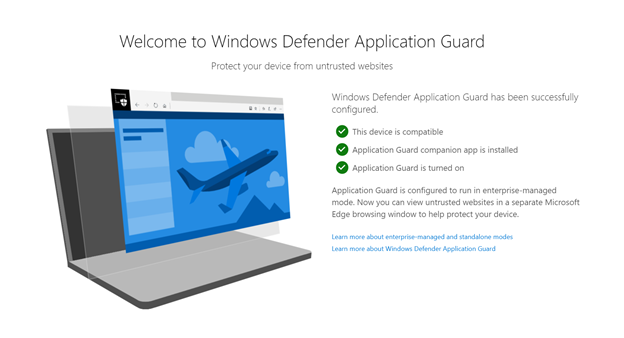
After serving users for several years, Microsoft Application Guard bids farewell as the tech giant deprecates the feature. The feature will no longer be available for some Edge for Business users. Nonetheless, they can look for other Edge security options to ensure browser protection.
Microsoft Deprecates Application Guard Feature
As announced recently, Microsoft deprecates the “Application Guard” security feature for Edge for Business users. This deprecation also applies to the Windows Isolated App Launched APIs.
Microsoft’s Application Guard emerged as a dedicated security solution for power users, protecting business apps like Microsoft Office and Edge browser. The feature helps users prevent threats from malicious sites by opening untrusted sites in a sandboxed environment.
This feature first became available for public in 2019 for Edge browsers. Later, Microsoft rolled out its browser extensions for other browsers like Mozilla Firefox and Google Chrome.
And now, after serving users for about five years, the feature reaches its end of life as Microsoft confirms no further updates to it.
Nonetheless, it doesn’t mean that the users are left vulnerable. Microsoft urged users to go through the Microsoft Edge for Business whitepaper to find other security options to apply.
While the tech giant hasn’t announced specific reasons for this step, it isn’t surprising since Microsoft previously deprecated the Application Guard for Microsoft Office. At that time also, the firm announced deprecating the Windows Security Isolation APIs. Besides, the tech giant advised users to switch to Microsoft Defender for Endpoint attack surface reduction rules, Protected View, and Windows Defender Application Control.
Besides this Application Guard security feature, Microsoft also announced deprecating other features, including Windows Mixed Reality (including the Mixed Reality Portal app and Windows Mixed Reality for SteamVR and Steam VR Beta), Legacy console mode (will only be available as an on-demand feature), and Windows speech recognition, which Microsoft has replaced with Voice Access. The deprecating features will no longer be updated and won’t be available for future releases.
December 29, 2023 – Ransomware gangs don’t always win, and when they don’t, it feels pretty great.
December 27, 2023 – We look at the three most common methods that ransomware groups use to avoid being detected.
December 26, 2023 – Cybercriminals now have AI to write their phishing emails, which might well improve their success rates. Here’s what to watch out for.
December 25, 2023 – A list of topics we covered in the week of December 18 to December 24 of 2023
December 21, 2023 – Xfinity has notified customers that due to exploitation of the Citrix Bleed vulnerability, attackers were able to access personal data of almost 36 million customers.
Heads up, Android users! Double-check your devices for possible Xamalicious infection, as the malware has flooded the Google Play Store with malicious apps. While Google removed the malicious apps from the Play Store upon knowing the matter, the malware may continue to run on infected devices unless removed manually.
Xamalicious Malware Infected Android Devices Via Play Store
McAfee Mobile Research Team researchers have reported detecting multiple malicious apps on the Google Play Store that are involved in spreading new malware. Identified as “Xamalicious,” the new malware flooded the Play Store with at least 25 different applications to target Android devices.
In brief, the researchers found this malware implemented as a backdoor with the Xamarin framework that supports Android and iOS app development with .NET and C#. Upon reaching the target device, the malware exploits the accessibility privileges to communicate with its C&C server and download the second-stage payload.
This second payload that injects as an assembly DLL at runtime level takes control of the device. It then acts as a trojan and spyware, performing various malicious actions without requiring user interaction.
Besides, the researchers also found an app, “CashMagnet,” associated with this malware, performing ad frauds on target devices.
The apps spreading Xamalicious have existed on the Google Play Store since mid-2020, garnering a huge user base. The researchers estimated around 327,000 devices to have suffered Xamalicious infections. The malware managed to stay undetected all along by exploiting the Xamarin framework alongside leveraging obfuscation techniques.
Google Removed The Malware From The Play Store
Upon discovering the malware campaign, the researchers promptly reported the matter to Google, which then removed all suspected apps from the Play Store.
Nonetheless, while the threat may no longer spread from the Play Store, the malware may continue its activities on infected devices. Hence, users must keep an eye on Google Play Protect warnings highlighting the malicious app if found running on the device. Moreover, users should remain careful when downloading apps, even from the Play Store, opting only for apps from trusted developers.
Murphy’s first law: “Anything that can go wrong will go wrong”. And, in the most inconvenient moment, of course.
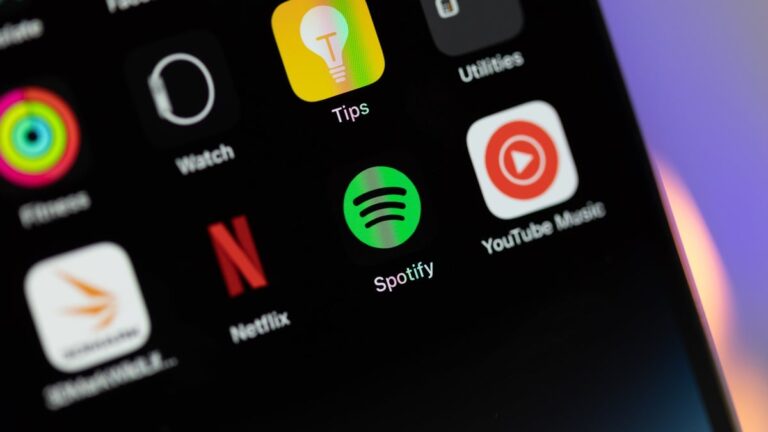
If you’re an Android user and you’re part of Spotify’s beta testing community, you might’ve experienced some showstopping bugs following the latest beta update (via 9to5Google).
If your Spotify app is constantly crashing on Android lately, you’re not alone. The latest beta update for Spotify on Android is causing the app to crash before it even fully opens.
The problem beta update was released in the past couple of days, amidst the holiday season when many people are carefully picking up tracks and building Spotify playlists.
The exact version of the beta is 8.9.2.169 and, in theory, you could get a working Spotify by simply removing the current crashing version and then re-installing a stable version from the Play Store. Don’t forget that in the uninstallation process the content you’ve downloaded for offline use will be removed as well.
The app’s latest beta problems started on December 30 and there are numerous X/Twitter reports on the issue stating that the app is completely inoperable and unable to open. “Unlike the last time a crashing issue hit the app, too, things aren’t left functional in connecting services like Android Auto. Spotify is just left not working in any capacity”, notes the 9to5Google article.
@SpotifyCares are there any known issues for the Spotify app on android 14 / Pixel 7 pro. The app keeps crashing on my phone (and did not in the past)
“In the coming months, if you choose to backup your WhatsApp chats on an Android device, your backup will start counting toward your Google Account storage limit”.
Remember this PSA? WhatsApp made it some time ago, as we covered it in mid-November (while the rumors have been floating for almost two years).
Now, it’s happening, as users who are part of WhatsApp’s beta testing program are reporting their chat and media backups are counted as part of their Google Drive storage limit (via Gizmochina). For free users, that’s 15GB in total (all of which is shared for your Google Drive, Google Photos, and Gmail).
That’s similar to what WhatsApp users on iPhone and iOS have been experiencing for years – the only difference is that the free cloud storage tier on the iOS is limited to 5GB, not 15GB like Google’s.
So, the plan is for Meta, WhatsApp’s parent company, to enforce the backup storage change to all Android users in the first half of 2024. Users will receive a 30-day notification beforehand, displayed as a banner in the app’s Chat Backup settings.
For those who do not want anything WhatsApp-related to occupy their Google Drive gigabytes, there are alternative options available:
You can do local backups and use the built-in WhatsApp Chat Transfer tool to seamlessly migrate your data to a new device.
Or you can be space-efficient and back up only text messages, excluding media files.
Malware known as the Chameleon Android banking trojan is being used by attackers to get into Android users’ banking and financial apps. Once these cyber criminals gain access to these apps, their goal is to steal all of their victims’ cash. The trojan was first spotted early this year and tricks victims into granting it permissions by pretending to be a legitimate app. Once the malware has access to a victim’s phone, it can monitor how the phone is being used and intercept credentials.
The Chameleon trojan wouldn’t be such a problem if it didn’t bypass the “restricted setting feature” introduced in Android 13 which allows the user to decide which apps can access certain features and settings on the device. This is done by tricking the victim into granting the trojan permission to use the “restricted setting feature” without the user’s consent. As a result, the malware can disable biometric security features such as facial recognition and fingerprint scanners and take control of a device.
Using a fake lock screen, the malware tricks you into providing your PIN giving it access to your phone
Now read this closely. Here is how the malware steals money from victims. The malware will display a fake lock screen asking the user to type in his/her PIN. The malware records the PIN and unlocks the phone allowing it to access the victim’s banking and financial apps while also obtaining other personal information. The malware can send money to the attackers’ accounts or purchase goods online without the knowledge of the owner of the phone.
Android device users need to protect themselves from the Chameleon Android banking trojan
According to The New York Post, there is a new and “improved” version of the Chameleon trojan that opens an HTML webpage. This site requests permission from the device owner to change his/her accessibility settings which will then be abused until the device asks for a PIN. The victim may never even notice that something is going on as a platform called Zombinder attaches the malware to regular apps that haven’t been attacked by the criminals.
With Zombinder, tasks can be scheduled. So if an attacker figures out the schedule of his victim, he can schedule the trojan to do its thing when the victim’s device is usually not being used which helps the attacker and the attack evade detection.
Change your passwords using a trusted device like your PC or Mac
The best way to protect your Android phone is to stay away from sideloading apps from third-party app stores, Stick to the Google Play Store or the Samsung Galaxy Store if you have a Galaxy-branded device. Also, to make sure that your Android phone is protected, make sure it is running the latest version of Android. If you have any updates pending, install them.
The Chameleon banking trojan uses a keylogger that records passwords when they are typed on the infected device. Change the passwords to all of your apps starting with the financial apps first. Here’s the thing though, do not use the infected phone to change the passwords such as your computer. Use strong and unique passwords. Also, check your online accounts and look for unusual activity. You should also go through your credit reports to look for signs of identity theft or fraud.
If you come across signs that your banking and credit card information have been obtained by attackers, inform the banks and credit card companies immediately. Tell your contacts to be on the lookout for messages from you that seem unusual and/or strange.
You can make sure that your device has no traces of malware left by performing a factory reset. Make sure that you have backed up your device before doing this, and restore it using a trusted device only. No one likes to perform a factory reset, but it could help protect you from having your financial accounts drained.
Microsoft has disabled the App Installer feature to protect users and prevent threat actors from maliciously exploiting its products and features.
The ms-appinstaller URI scheme, which allows users to download and install apps directly from websites using the MSIX package installer, is being abused in malicious activities, reports Microsoft Threat Intelligence.
Researchers found that ‘financially motivated’ threat actors use the ms-appinstaller URI scheme for malware distribution, prompting Microsoft to disable the protocol handler by default.
For your information, the ms-appinstaller URI scheme lets websites skip the download-and-install step, directly installing apps with seamless convenience.
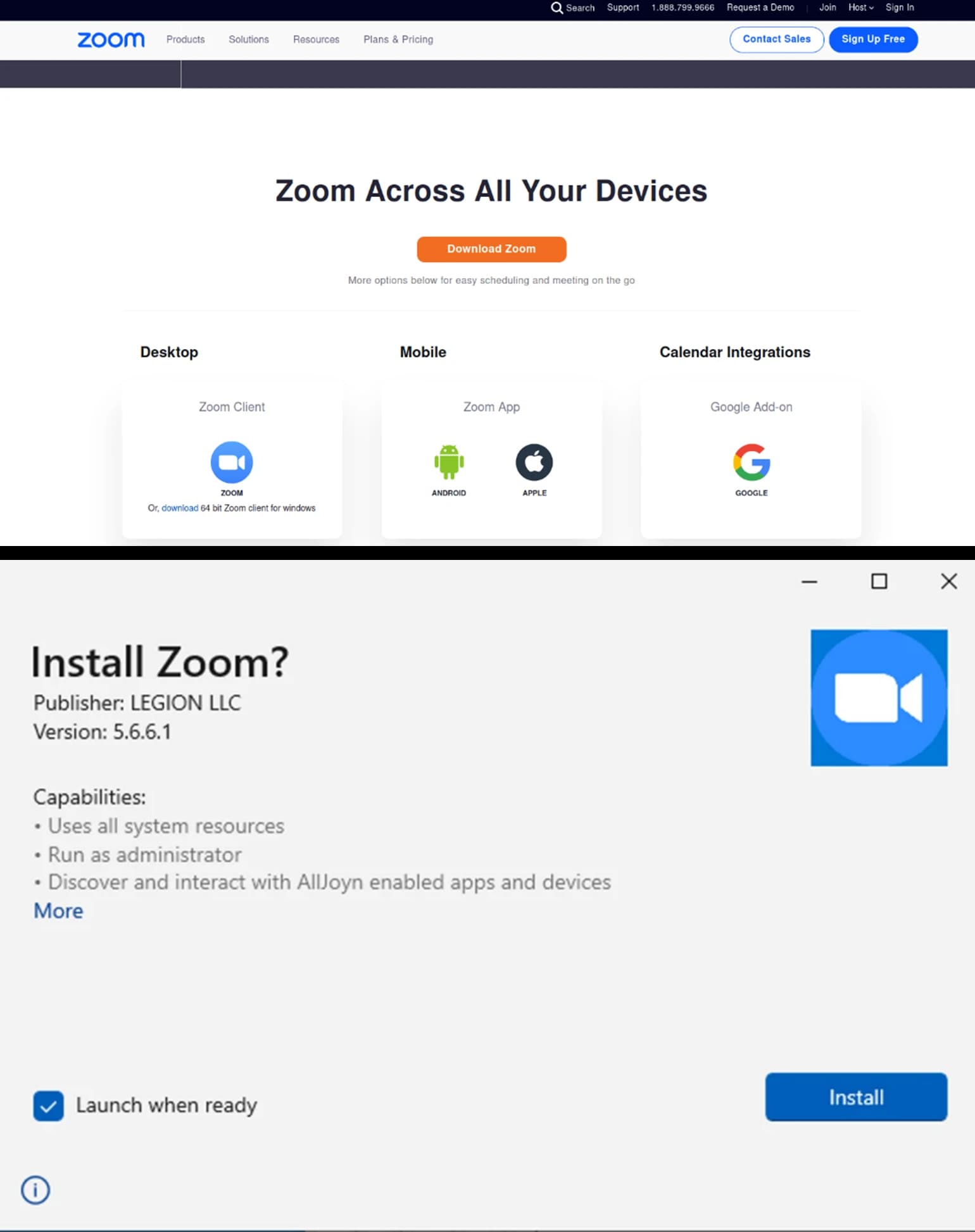
However, the Microsoft Security Response Center (MSRC) found that cyber criminals were abusing the feature through “social engineering and phishing techniques” to get people to download malicious apps via this protocol.
Reportedly, it is used as an access vector for malware, potentially leading to ransomware distribution. Cybercriminals are selling a malware kit that exploits the MSIX file format and handler. They distribute signed malicious packages through websites and malicious advertisements for popular software.
The threat actors likely chose this vector because it can bypass security measures like Microsoft Defender SmartScreen and browser warnings when downloading executables. The extent of this activity remains unknown. However, multiple threat actors are abusing this feature.
This vector is likely chosen because it can bypass security measures like Microsoft Defender SmartScreen and browser warnings when downloading executables. The extent of this activity remains unknown. However, multiple threat actors are abusing this feature.
Figure 1: Malicious Zoom landing page via deceptive search ad – Figure 2: Suspicious App Installer with misleading publisher information (Screenshot credit: Microsoft)
The same month, the cybercriminal group Sangria Tempest used EugenLoader and Carbanak backdoors to deliver malware implants. It also used Google ads to lure users into downloading malicious MSIX packages, leading to the delivery of POWERTRASH, which loads NetSupport and Gracewire, typically associated with Lace Tempest.
In early December, Storm-0569 was observed distributing BATLOADER through SEO poisoning, spoofing legitimate software downloads like Zoom, Tableau, TeamViewer, and AnyDesk.
Around the same time, Storm-1674 delivered fake landing pages through messages on Teams, spoofing Microsoft services like OneDriveand SharePoint. Tenants created by the threat actor lure users into downloading spoofed applications, likely dropping SectopRATor DarkGate.
The MSRC has released an “important” security update for CVE-2021-43890, which disables the ms-appinstaller URI scheme handler in App Installer build 1.21.3421.0. This means users cannot download and install apps from websites using this protocol.
Instead, the MSIX package is downloaded to a storage device, and users must manually install the app. Microsoft will continue to monitor malicious activity and advises against downloading or installing apps from unknown websites.
To reduce the threat, Microsoft recommends implementing phishing-resistant authentication methods for users, Conditional Access authentication strength for employees and external users for critical apps, and educating Microsoft Teams users to verify external tagging on communication attempts.
The individuals confessed to creating variations of ransomware, enhancing the software through the utilization of OpenAI’s ChatGPT, carrying out vulnerability scans, infiltrating networks to secure access, deploying ransomware, and engaging in extortion.
Chinese media has reported the country’s first major step towards countering the use of ChatGPT as four Chinese individuals have been arrested for developing ransomware using ChatGPT. This is the country’s first instance involving the popular yet officially banned chatbot.
The arrests should not come as a surprise, as cybercriminals have been eager to exploit the AI chatbot for malicious purposes. Those who could not exploit it have created their own versions of the malicious ChatGPT, infamously known as WormGPT and FraudGPT.
According to the South China Morning Post (SCMP), the cyber attackers came under the authorities’ radar after an unidentified company in Hangzhou reported a cybercrime. The hackers demanded 20,000 Tether to unblock/restore access to their systems.
In late November 2023, the police arrested two suspects in Beijing and two in Inner Mongolia. The suspects admitted to writing ransomware versions, optimizing the program using the popular chatbot, conducting vulnerability scans, infiltrating networks to gain access and implanting ransomware, and performing extortion.
The use of ChatGPT, a chatbot developed by OpenAI, is prohibited in China as part of Beijing’s initiatives to limit access to foreign generative artificial intelligence products. In response, China has introduced its own version of ChatGPT named Ernie Bot. However, the report does not provide clear information on whether utilizing ChatGPT is subject to legal charges in China.
According to SCMP’s report, three of the detainees were previously implicated in other criminal activities, including spreading misinformation and selling stolen CCTV footage through deep fake technology.
Despite OpenAI blocking internet protocol addresses in China, Hong Kong, and sanctioned regions such as North Korea and Iran, certain users find ways to bypass these restrictions by using VPNs and obtaining phone numbers from supported areas. However, engaging in such circumvention practices may expose users to potential legal consequences.
Legal cases involving the use of generative AI have increased in China due to its mass popularity and potential for crimes. In May 2023, reportedly, a man was detained in Gansu province for allegedly using ChatGPT to spread fake news about a train crash.
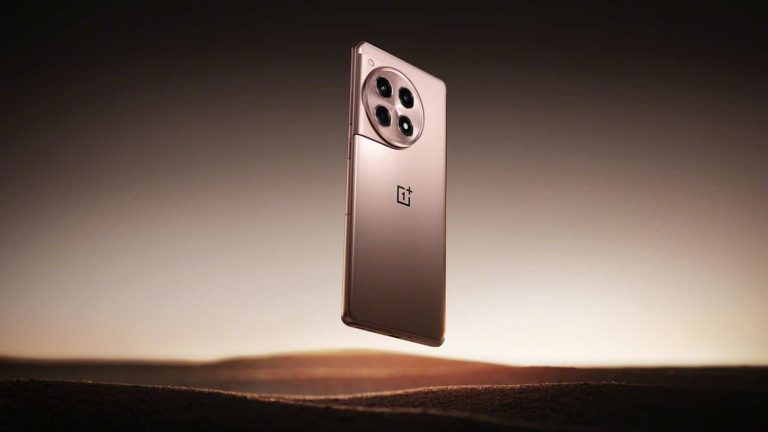
Recent leaks, sourced from the reputable leaker Ishan Agarwal via 91Mobiles, shed light on the storage, RAM, and color options of the OnePlus 12 and OnePlus 12R. OnePlus will release these two devices in the global market on January 23. The leak claims that the 24GB RAM variant of the OnePlus 12 will remain exclusive to the Chinese market.
The OnePlus 12 comes with the Snapdragon 8 Gen 3 chipset, a 6.82″ QHD+ OLED with 4500 nits local peak brightness support, and the 50MP Sony LYT-808 main sensor.
Agarwal specifies two configurations for the Indian market: one with 12GB of RAM and 256GB of storage, and another with 16GB of RAM and 512GB of storage. Interestingly, this mirrors the options available in the Chinese release, with the exception of the absence of a 24GB variant in India. The move aligns OnePlus more closely with competitors like the Google Pixel 8 Pro, which also features 12GB of RAM, while the Samsung Galaxy S23 Ultra continues to commence at 8GB.
The 24GB variant of the OnePlus 12 likely exists to meet specific regional preferences or market dynamics
The forthcoming OnePlus 12R on the other hand, is a more budget-friendly alternative. It introduces two variants. The base model offers 8GB RAM and 128GB storage. However, its higher-tier option brings you 16GB RAM paired with 256GB of storage. In addition to that, the OnePlus 12R will boast last year’s flagship chipset, the Snapdragon 8 Gen 2.
Anticipation for the global launch on January 23 intensifies with these revelations. OnePlus enthusiasts can expect enhanced performance and storage options, aligning the brand more competitively in the flagship smartphone market. The decision to forgo the 24GB tier in certain markets showcases a nuanced approach. It is possibly due to meet specific regional preferences or market dynamics.
Notably, the OnePlus 12 series, including the OnePlus 12R, is confirmed to reach markets across North America and Europe, promising a wider audience access to these upgraded devices. As the release date approaches, tech enthusiasts are eagerly awaiting the official unveiling of the OnePlus 12 series, eager to experience firsthand the advancements and innovations promised by this highly anticipated smartphone lineup.
Both Apple and Sony have rather compelling compact smartphones to offer at the moment. We’ll compare those two devices in this article, the Apple iPhone 15 Pro vs Sony Xperia 5 V. Both of these devices are the company’s flagship compact devices. They are overshadowed by their larger siblings, but if you’re not into huge smartphones, these two are quite compelling.
They do look quite different and are rather different in general. That should make this comparison rather interesting, though. As per usual, we’ll first list the specs of both smartphones. Following that, we’ll go over a number of categories and compare them. Those categories include design, display, performance, battery life, cameras, and audio. There’s plenty to talk about here, so let’s get started.
Specs
Apple iPhone 15 Pro vs Sony Xperia 5 V, respectively
The moment you lay your eyes on these two devices, you’ll notice how different they are. The iPhone 15 Pro has a pill-shaped display cutout and uniform bezels. The Sony Xperia 5 V doesn’t have a display cutout of any kind, but it does have slightly thicker bezels above and below the display. Considering that the Xperia 5 V has a tall and narrow display aspect ratio (21:9), it has an entirely different shape than the iPhone 15 Pro.
The iPhone 15 Pro has a 19.5:9 display aspect ratio, while the two devices have the same display size. The iPhone 15 Pro is shorter, while it’s also wider than the Xperia 5 V because of all this. The two devices are similar in terms of thickness, but they do feel entirely different in the hand. The display aspect ratios are only half the story, though. Both smartphones have flat sides with slightly curved edges, but the Xperia 5 V also has lines embedded into that frame.
The back sides of both smartphones are flat, but they do look different. The iPhone 15 Pro has a larger camera module with three cameras. The Xperia 5 V packs in two cameras on the back. Both camera islands are placed in the top-left corner. The iPhone 15 Pro corners are more rounded in comparison. Apple’s handset is also slightly heavier at 187 grams, compared to 182 grams of the Xperia 5 V.
They’re both IP68 certified for water and dust resistance. Both of them also feel like quality pieces of tech in the hand, and both are quite slippery too.
Apple iPhone 15 Pro vs Sony Xperia 5 V: Display
The iPhone 15 Pro includes a 6.1-inch 2556 x 1179 LTPO Super Retina XDR OLED display. That display is flat, and it has a 120Hz refresh rate (adaptive). Its maximum brightness is 2,000 nits, while the display aspect ratio is 19.5:9. The Ceramic Shield Glass protects this display. The iPhone 15 Pro has around 88% screen-to-body ratio, and there is a pill-shaped cutout on this display, while the bezels are uniform.
The Sony Xperia 5 V, on the other hand, has a 6.1-inch fullHD+ (2520 x 1080) display. That is an OLED panel with a 120Hz refresh rate. This is not an LTPO display, by the way. It supports HDR10 content, and it has a 21:9 aspect ratio. That panel is also flat, and the phone has an 83% screen-to-body ratio. The Gorilla Glass Victus 2 sits on top of the display in order to protect it.
Both of these displays do look very good. They are vivid, have deep blacks, and have great viewing angles. They’re sharp enough, and the touch response is also very good. The panel on the iPhone 15 Pro does have one advantage, though… its brightness. It does get noticeably brighter than the Xperia 5 V, even though the Xperia 5 V’s display is bright enough. This may be of importance to you if you spend a lot of time outdoors, especially if there’s plenty of sun outside.
Apple iPhone 15 Pro vs Sony Xperia 5 V: Performance
The Apple A17 Pro fuels the iPhone 15 Pro. That is Apple’s latest and greatest processor at the time of writing this. The phone also includes 8GB of RAM, and NVMe flash storage. The Sony Xperia 5 V, on the flip side, comes with the Snapdragon 8 Gen 2 SoC. It has 8GB of RAM on the inside, and UFS 3.1 flash storage. Both of these processors are quite powerful, but Apple’s has the edge in terms of sheer power.
That chip has the power to run some console games, like the Resident Evil Village. On the other hand, the Snapdragon 8 Gen 2 can run pretty much anything from the Google Play Store without a problem, even the most demanding games. Both smartphones can get quite warm during gaming, though. It remains to be seen how many console-quality games will become available for the iPhone 15 Pro moving forward.
If you’re not a gamer, you’ll be glad to hear that both smartphones shine in regular, everyday scenarios. They can open apps really fast, do great in terms of multitasking, and also shine in multimedia consumption, browsing, and all the other tasks that you can think of. We did not notice any outstanding problems with either phone, especially after a couple of initial software updates.
Apple iPhone 15 Pro vs Sony Xperia 5 V: Battery
The iPhone 15 Pro has a 3,274mAh battery on the inside. The Sony Xperia 5 V, on the other hand, includes a 5,000mAh unit. Apple’s iPhones usually have smaller battery packs, as they need less power to provide similar results, due to how iOS functions. That being said, they both do offer really good battery life, but the Xperia 5 V does have the edge, at least that was the case for us.
Both smartphones are capable of crossing the 7-hour screen-on-time level, presuming gaming is out of the question. The Xperia 5 V didn’t really have a problem going over the 8-hour limit, though, so… it does offer a bit better battery life. However, both of these devices will offer plenty of juice for the vast majority of people. Do note that your mileage may vary, of course, you’ll use these phones differently, with different apps, and different signal strengths.
When it comes to charging, the iPhone 15 Pro supports 20W wired, 15W wireless (MagSafe and Qi2), 7.5W Qi charging, and 4.5W reverse wired charging. The Xperia 5 V, on the other hand, supports 30W wired, 15W wireless, and 5W reverse wireless charging. Do note that neither smartphone includes a charger in the retail box.
Apple iPhone 15 Pro vs Sony Xperia 5 V: Cameras
There are three cameras on the iPhone 15 Pro, and two on the Sony Xperia 5 V. A 48-megapixel main camera (sensor-shift OIS, dual pixel PDAF) sits on the back of the iPhone 15 Pro. A 12-megapixel ultrawide camera (120-degree FoV) is also included, as is a 12-megapixel telephoto camera (3x optical zoom). The Xperia 5 V has a 48-megapixel main camera (OIS, dual pixel PDAF), and a 12-megapixel ultrawide camera.
You’ll be glad to hear that both of these smartphones try to keep images close to real life, while giving them some pop. They also do a great job at that, although the images do look a bit different, of course. The Xperia 5 V shots are a bit more contrasty, though during the day images from both smartphones do look great. They’re sharp, vivid, and have plenty of details. That goes for ultrawide cameras too, though they’re a level below the main shooters. The iPhone 15 Pro wins the telephoto battle easily, both day and night.
During the night, both phones can capture plenty of detail, though the styles are a bit different. The noise is either minimal or not there at all, and that goes for both phones. They both also handle street lights really well in such conditions. The point-and-shoot video recording is definitely better on the iPhone 15 Pro, but there are so many manual options on the Xperia 5 V (for both images and video).
Audio
You’ll find stereo speakers on both of these devices. Both smartphones do offer really good sound quality from those speakers, and they’re on the same level when it comes to loudness. We did hear better and louder speakers, but not many people will find many complaints here. These are good speakers.
There is an audio jack on the Sony Xperia 5 V, while you will not find one on the Apple iPhone 15 Pro. You can, however, use the iPhone 15 Pro’s Type-C USB port in case you want to connect your headphones via a wired. Both smartphones do offer Bluetooth 5.3, by the way.