Gemini is Google’s flagship AI model, and we can expect it to be used in several of the company’s new projects coming out. The company’s working on a project that will give you a deep insight into, well YOU. It’s called Project Ellmann, and it’s powered by Gemini, and it might just give you the creeps.
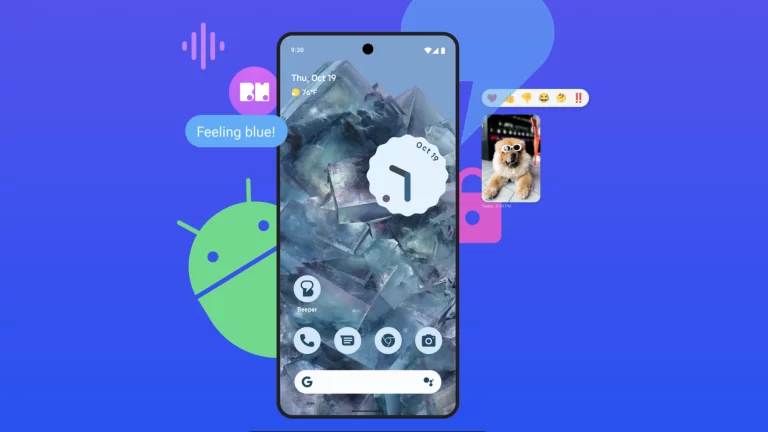
In case you don’t know what Google Gemini is, it’s the latest and greatest AI model launched by Google. It’s the model currently powering Google Bard, and it’s also been implemented into the Pixel 8 Pro’s Tensor G3 chip. At this point, there are only three versions of the model available, which are Gemini Pro (powering Bard) and Gemini Nano (powering the Pixel 8 Pro). These are the two smaller versions of the model. So, if you’re wondering how to use Gemini, there are two ways.
The largest version is called Gemini Ultra, and that’s not coming out until early next year.
Project Ellmann is powered by Gemini, and it’s a bit creepy
At this point, it’s obvious that companies like Google and Meta know more about us than we do. The data that they collect on us can tip the scales, and cause us to be a bit uneasy. We’ve seen Google use its massive amounts of data on us in different useful ways, but Project Ellmanm will take this to a new level.
“Imagine opening ChatGPT but it already knows everything about your life.” That’s a quote from Google, and it pretty much sums up what this project is all about. Project Ellmann will use the data that Google has on you (including picture data, search history, etc.) in order to answer questions that you ask. The company gave examples such as “When was the last time I saw my sibling?” and “Do I have a pet?”.
Ellmann will be able to pull from the information collected from you to answer these questions. It goes pretty deep, as it’s touted to be able to know your eating habits, which isn’t something that’s easy to discern from internet data. It might go by images of food that you take and food-related Google searches. Heck, it could even tell when a person was born, find information on their parents, and more stuff like that.
Uhh, creepy much?
So, any person reading this would, understandably, be concerned. However, this isn’t a user-facing project, and we don’t know if Google’s even going to launch it. The company stated that “This was an early internal exploration,” so it’s probably just a prototype at this point. “should we decide to roll out new features, we would take the time needed to ensure they were helpful to people, and designed to protect users’ privacy and safety as our top priority.”
Judging by what Google’s saying, it doesn’t look like the company even has any solid plans to release Project Ellmann. That’s a relief, as this seems like the kind of project that walks the line between innovative and invasive. Not many people want to know that an AI model has so much in-depth information on them. It’s to the point where you can expect some massive lawsuits against the company.
Instagram plans to introduce a new privacy feature that will allow users to select who can see their likes on posts and reels. The ability to control who gets to see your likes is meant to boost privacy and, hopefully, improve engagement.
A couple of screenshots captured from a beta version of Instagram confirm the new feature will offer four different options that users can choose from. Judging from the screenshots, you will only be able to choose one option from the four presented, unless Instagram decides to change things by the time the new feature goes live for everyone.
However, the four options below offer enough variation to allow users to customize their privacy settings as they see fit:
Allow everyone to see likes
Allow people that you follow to see likes
Allow close friends to see likes
Don’t allow anyone to see likes
Instagram is testing new features all the time. Some never see the light of day, while others go through many iterations that, in some cases, change the way they originally worked.Obviously, it’s difficult to say when exactly the ability to control who is going to see your likes on posts and reels will come out, but at least we know Instagram is working on a feature that will actually be helpful to many of its users.
I’ve been reviewing earbuds for a long time, and have checked out a number of them from Huawei over the years. Huawei did have some odd units over time, like the Huawei FreeBuds 5, which turned out to be really good despite a somewhat odd design. Those earbuds were a bit odd, but nothing compared to the ones we’re here to talk about. The Huawei FreeClip are the company’s new earphones, and this is our review of that product. I was quite surprised the first time I saw these earbuds, mainly because I wasn’t expecting a new audio launch from the company this year, let alone something like this.
So, what makes these earbuds so different? Well, first and foremost, these are truly wireless (TWS) earbuds. Second, the entire usage of FreeClip is different from the earbuds you’re used to. There are open-ear type earbuds, closed-type ones. Earbuds that come with earwings and ear tips, ones that come without, and so on. I’ve even used truly wireless earphones that go around your ear in a half-moon shape, and are meant for running. Well, think of Huawei FreeClip earbuds as something between those, and regular truly wireless earbuds. With that in mind, let’s talk about their design, shall we?
Table of contents
Huawei FreeClip Review: Hardware / Design
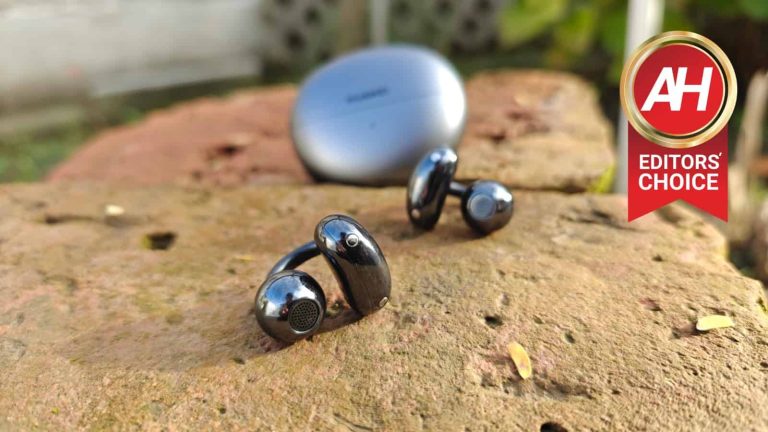
As already mentioned, the Huawei FreeClip earbuds are different. Instead of going in your ear directly, you attach these to the outer side of your ears, on the side. Half of them sit behind your ear, and the other half goes towards the inner side of your ear, but not inside it. The whole idea is for the sound to shoot to the inside of your ear without the earbuds technically being inside of it. Why? Well, mainly due to cleanliness. Huawei wanted to try out something new, and this is what the company came up with. Ear infections are not that rare when it comes to earbuds, and this basically prevents that from happening.
‘Acoustic Ball’ & ‘Comfort Bean’
Now, Huawei actually has names for different parts of these earbuds. The part which sits on the entrance to your ear cavity is called ‘Acoustic Ball’, while the part that goes behind your ear is referred to as ‘Comfort Bean’. Those two parts are connected by a rubberized bridge that stretches out when you place it on, and then holds the two pieces firmly on your ear. The whole contraption may seem unstable based on what you see in pictures, but I assure you, it sits in place very nicely once you place it on your ear.
They fit different ear types
In fact, I gave these earbuds to about 5 people to try out, just to make sure they’ll fit different ear types. Out of those 5 people, there were two females, and three males, plus me, of course. The earbuds fit everyone perfectly fine, though they needed to be placed under a slightly different angle, of course. I asked them all to shake their head as much as they can also, and the FreeClip earbuds didn’t budge. The same goes for my experience. This makes me think these earbuds are great for sports activities, actually. I ran with them sitting on my ears, and I rode my bike. They didn’t budget and I actually preferred these to in-ear earbuds in that sense. I actually think that’s the perfect use case for them, if I’m being honest.
The Huawei FreeClip earbuds are great for extended usage
The Huawei FreeClip earbuds were also quite comfortable to wear. I wore them for hours at a time, and didn’t feel discomfort, not at all. To be quite honest, I was surprised by how much this design worked for me, I was very, very skeptical when I first saw it. Each earbud weighs 5.6 grams, while the charging case weighs 44.5 grams. They’re both quite light.
The earbuds themselves are made out of plastic, shiny plastic, unfortunately. They come in two colors, white, and I used the gray model. They ship with a charging/carrying case, which is quite compact, and made out of matte plastic. It doesn’t attract fingerprints at all (at least the color that I used), which is something I very much appreciate. The earbuds are very easy to take out and place in the case, as the bridge that connects the two parts is sticking out when you open the case. So, all you need to do is grab it and pull them out. The earbuds automatically recognize in which ear they’re placed in, so you don’t have to think about placement, simply put them in whichever charging slot you want.
The entire surface of the earbuds acts as one huge touch sensor
Many of you are probably wondering do these have touch sensors, or something of the sort. Yes. In fact, the entire earbuds are one big touch sensor, essentially. You can trigger touch commands by tapping on the Acoustic Ball, Comfort Bean or the bridge that connects them, it’s up to you. Touch controls work beautifully, as I’ve come to expect from Huawei’s earbuds. I actually used that rubberized bridge the most for activating touch commands. You can choose between double and trip tap actions. More on that later.
Huawei FreeClip Review: Sound & Call quality
Considering how different this design is, I wouldn’t blame you if you wondered if the sound quality was any good. Well, yes, but there’s a caveat. Considering that these earbuds are not placed on the inside of your ear, you won’t have as great of an experience as you would have with the FreeBuds 5 and FreeBuds Pro 3, for example. That is especially true if you’re in a noisy area, actually.
They’re not great for loud environments
Considering the design of these earbuds, the noise does bleed into your ear easily. Outside noise, of course. I’ve tried wearing these inside a crowded bar, and next to a really busy street, and I really did notice the lack of soundproofing. I’m so used to ANC (Active Noise Cancelling) at this point, that this really is noticeable. That is the main negative when it comes to the product as a whole, actually. With that in mind, these earbuds have been made that way on purpose. You cannot really make something like this and offer soundproofing too, as the design basically prevents that.
The sound is good enough if it’s not loud around you
The sound was more than good enough in every other scenario, though, even though not as punchy as I’m used to… once again, that’s due to the design itself. When I sat down in a coffee shop to do some sort, there were not many people around, and I had a great time with these. The same goes for when I went for a run, biked my way around the neighborhood, and watched a bunch of Yellowstone episodes on the TV at home. Dual drivers are in play here, and you do notice the quality. The sound output was more than pleasing, and you also have some control over that via the AI Life app. More on that soon.
Another thing worth noting here is that the sound did not leak to people around me. I expected that would happen, despite Huawei’s claims, but it did not. I asked a number of people whether they heard anything while I was listening to music, and they said they did not, even when they came closer (into my personal space, basically). So that’s great to hear. There is, of course, a point when the sound is noticeable, but nobody will come that close to you, at least not when you’re out and about.
These are great for voice calls
What about voice calls? Well, the other end of the line said that I sound just fine. They didn’t really have any complaints, so they’re on the same playing field as most other Huawei earbuds I’ve used this year. When it comes to the incoming call sound, well, it was more than good enough, unless I tried to conduct a call in a very noisy environment. That was to be expected, though.
Let me touch on the connectivity for a bit. I didn’t have any issues with the earbuds being connected. I had one random disconnect, but that’s about it. Even when I walked out of the range, they connected instantly when I got back in range, and didn’t even bother notifying me of anything at that point. These earbuds also have a dual connectivity option, meaning they can be connected to two devices at the same time, and jump between them as needed.
Huawei FreeClip Review: Battery
Huawei has big battery life claims for the Huawei FreeClip. The company said you can expect 8 hours of music playback here, 5 hours of talk time, and up to 36 hours of battery including the charging case. Is that accurate? Well, it’s possible, though we were not able to test that specifically, as I did not wear them for 8 hours straight to see if they’ll die, nor did I conduct a 5-hour voice call. What I can say is that I used them for around 4 hours straight while listening to music and podcasts, and watching a TV show. I did drain more than half of the tank at that point, but only barely. So the numbers that Huawei shared could be accurate.
They do charge really fast, while wireless charging is an option
The earbuds themselves do charge really fast, it’ll take them around 40 minutes to fully charge. How about the case, though? Well, you’ll need around 60 minutes to get it to 100%, it took me 62 minutes. That goes for wired charging. If you opt for wireless charging, which is an option here, it’ll definitely take considerably more time, as it’ll change 3 times slower, approximately. Either way, there are plenty of options here, and once you get the charging case charged up, you’ll be able to stay away from the charger for quite some time.
Huawei FreeClip Review: AI Life app
In order to take full advantage of the Huawei FreeClip earbuds, you’ll need the company’s app. The app’s name is ‘AI Life’, and you can either grab it directly from Huawei’s website, or from the company’s AppGallery app (Huawei’s app store). It is not available in the Google Play Store, at least not the version you’ll need. That being said, the AI Life app is very simple, and it is useful. It allows you to not only see the battery level of both the earbuds and the charging case, but also do some customizations too.
You can customize gesture navigation via an app
You can change up the gesture navigation inside of this app. The app does give you access to double-tap and triple-tap functions for these earbuds. Unfortunately, swipe up and down action is not available. That is used to control the volume on other earbuds from the company, but it’s not on offer here, as these earbuds have a different orientation. The gestures themselves do work really well. I managed to activate both double-tap and triple-tap actions basically every time. Also, you don’t have to tap in a specific place, the entire surface of the earbuds are touch panels, including the bridge that connects them.
Inside the app, you can even control the sound output to a degree. You can use the ‘Default’ setup, or opt for one of the other three: Elevate, Treble boost, and Voices. You’ll also be updating the Huawei FreeClip without this app. It’s impossible to update them without AI Life, so keep that in mind.
Huawei FreeClip: Should you buy these earbuds?
Are the Huawei FreeClip the right pair of earbuds for you? Well, that’ll depend on a number of factors. The main one is… whether you need good noise cancelling or not. The Huawei FreeClip earbuds do not offer good noise isolation, and that’s their main drawback. Considering the design here, that is not surprising at all. These earbuds do not exactly go into your ears. On the flip side, they’re outstanding for sports activities, and they’re very, very comfortable to use for longer periods of time. So, it all depends on what you’re looking for in a pair of earbuds. Different people have different priorities. Maybe the list of pros and cons below will help you make your decision.
You should buy the Huawei FreeClip if you:
…are a sporty person, and want your earbuds to sit firmly in place …need comfortable earbuds for longer usage …are worried about ear infections …want to be different than the rest …need very good battery life …find most charging cases for TWS earbuds to be too big
You shouldn’t buy the Huawei FreeClip if you:
…are often in noisy environments, and you need noise-cancelling …need volume control on your earbuds …find regular-looking earbuds to be a good fit for you
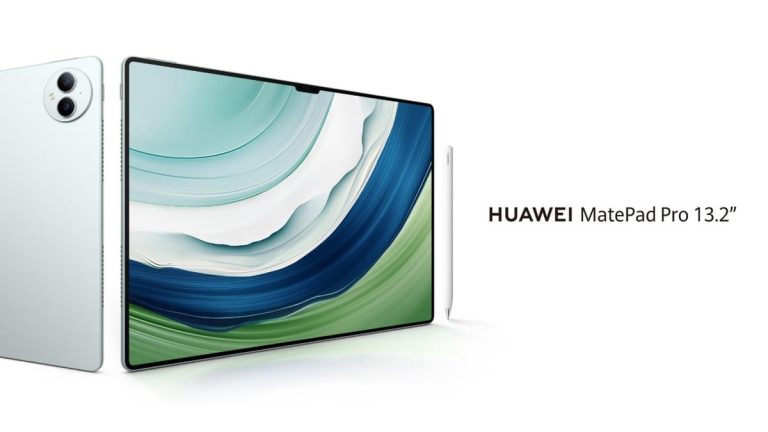
Huawei has announced its new flagship tablet, the MatePad Pro 13.2, in addition to the Huawei FreeClips earbuds. This is a truly large tablet, as its display measures 13.2 inches. So the display itself is almost as large as the panels on average laptops these days.
The Huawei MatePad Pro 13.2 is the company’s new flagship tablet
As you can see, in the provided images, the MatePad Pro 13.2 does have a display notch, and very, very thin bezels around the display. These could even be the thinnest bezels on any tablet to date. The tablet has a 94% screen-to-body ratio, which is outstanding.
The Huawei MatePad Pro 13.2 is only 5.5mm thick, and it weighs 580 grams. Needless to say, that’s great for such a gigantic tablet. It also has a 16:10 display aspect ratio. The device comes in Golden Black and Green colors.
Huawei is using the ‘X-True’ display technology here
The company is using the Huawei X-True display tech here. The display is big, bright, sharp, and seemingly color-accurate. It achieves professional color accuracy within the sRGB and P3 color gamut. It has a refresh rate of 144Hz, and a touch sampling rate of 360Hz. This is an OLED display, by the way, and it has a resolution of 1920 x 2880.
We’re not sure what SoC Huawei used here, but we’ll take a wild guess it’s the Kirin 9000s. The tablet comes with 12GB of RAM and either 256GB or 512GB of internal storage.
Two cameras are placed on the back, while advanced facial scanning is also supported
A 13-megapixel main camera (f/1.8 aperture, AF), is backed by an 8-megapixel camera (f/2.2 aperture, fixed focus) on the back. A 16-megapixel selfie camera (f/2.2 aperture), sits next to a dTOF sensor. This tablet does support advanced facial scanning.
A 10,100mAh battery is included in the package, and the Huawei SuperCharge (88W charging) is supported. Yes, the charger is also included in the package. Bluetooth 5.2 is also on board, as is USB 3.1 Gen1.
The Huawei MatePad Pro 13.2 has 6 speakers, and 4 microphones
This tablet has 6 speakers, and 4 microphones. It also supports the Huawei M-Pencil, the third-gen model is available separately. The same goes for a case/keyboard for the device. Both of those accessories magnetize to the Huawei MatePad Pro 13.2. Both are sold separately.
This tablet joins the Huawei MatePad 11.5-inch and Huawei MatePad 11.5-inch PaperMatte Edition devices. Those two devices are mid-range offerings, while the MatePad Pro 13.2 is Huawei’s flagship-grade tablet.
The price tag of the Huawei MatePad Pro 13.2 with 256GB of storage is priced at €999. The 512GB storage options costs €1,199, and it includes the Smart Magnetic Keyboard case. The Smart Magnetic Keyboard on its own costs €199, while the third-gen Huawei M-Pencil is priced at €99.
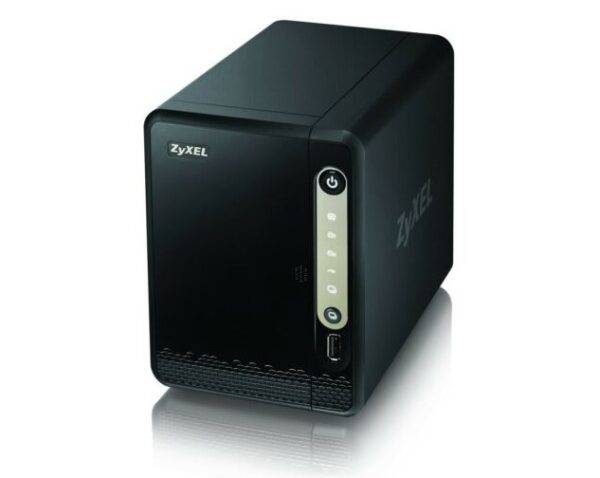
Zyxel NAS users must rush to update their devices at the earliest as the vendors have patched numerous security flaws. Exploiting these vulnerabilities could allow severe threats from unauthorized users.
Zyxel NAS Devices Exhibited Numerous Security Flaws
According to a recent advisory, Zyxel disclosed patching multiple security flaws affecting its NAS devices. Specifically, the vendor addressed six different vulnerabilities, including three critical-severity issues that could risk the devices’ security. These include,
CVE-2023-35137: An improper authentication vulnerability in the authentication module allowed an unauthenticated adversary to access system information. Exploiting the flaw required the attacker to send a maliciously crafted URL to the target device.
CVE-2023-35138: A command injection vulnerability in the show_zysync_server_contents function. An unauthenticated adversary could execute operating system (OS) commands on the target device by sending a maliciously crafted HTTP POST request.
CVE-2023-37927: This vulnerability could allow OS command execution to an authenticated attacker. The flaw existed due to improper neutralization of special elements in the CGI program in NAS devices.
CVE-2023-37928: A command injection vulnerability in the WSGI server allowing OS command execution attacks from an authenticated adversary.
CVE-2023-4473: A command injection vulnerability in the Zyxel NAS web server allowing OS command execution from an unauthenticated attacker.
CVE-2023-4474: The improper neutralization of special elements in the Zyxel NAS WSGI server could allow OS command execution from an unauthenticated attacker.
Zyxel acknowledged the researchers Maxim Suslov, Gábor Selján from BugProve, and Drew Balfour from IBM X-Force for separately discovering and reporting these vulnerabilities.
Regarding the vulnerable devices, these vulnerabilities affected the Zyxel NAS326 V5.21(AAZF.14)C0 and earlier, and NAS542 V5.21(ABAG.11)C0 and earlier. Following the bug reports, the vendor patched the vulnerabilities with Zyxel NAS326 V5.21(AAZF.15)C0 and NAS542 V5.21(ABAG.12)C0. Hence, to avoid potential risks, users must update their vulnerable NAS devices to the latest firmware releases to receive the patches.
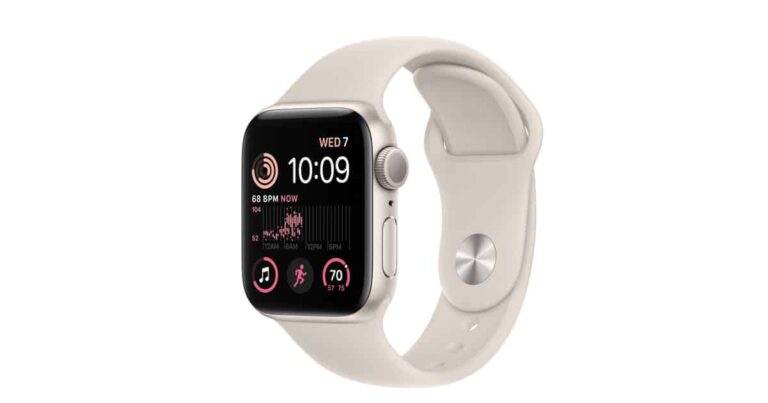
Best Buy currently has the Apple Watch SE down to just $199. This is not the cheapest that we have seen the Apple Watch SE (2nd Gen), it was a bit cheaper during Black Friday. However, we likely won’t see that price again. So if you missed that deal, now is the time to grab a new Apple Watch SE.
Why should you buy Apple’s Watch SE (2nd Gen)
Currently, the Apple Watch SE (2nd Gen) is the cheapest Apple Watch that the company sells. It is a little over a year old at this point, but that is perfectly fine. Apple only just stopped support for the Series 3 and 4, while the SE (2nd Gen) came out with the Series 8. So it’ll continue to be supported for quite some time.
The Apple Watch SE is one of my favorite Apple Watches actually. I did use it for a few months, before ultimately deciding to upgrade to the Apple Watch Ultra – huge upgrade, I know. The Apple Watch SE does a lot of great things, at a pretty low price. Not only can it deliver notifications to your wrist, but you’ll also get Apple Pay and all kinds of health metrics.
Apple’s health measurements are pretty much the industry standard these days. The Watch SE is able to measure your heart rate from your wrist and is actually very accurate. This is surprising since measuring your heart rate that far from your heart is usually very inaccurate. But scientific tests by companies not paid by Apple, have shown it to be super accurate. Apple also included crash detection here, so when it detects that you might have been in a crash, you can quickly call for help. There’s sleep tracking too, which to be honest, leaves a bit to be desired. It really only works if you set a sleep schedule, unlike most of its competitors.
Now, on the flip side, there are some things here that are missing from something like the Apple Watch Series 9 (also on sale). Like the ability to take an ECG. There’s also no always-on display here, and the bottom of the watch is made of plastic versus glass. There’s just glass around the sensors. This does help to make it lighter, though the 40mm was already pretty light.
If you want to get into the Apple Watch world without spending a ton of cash, this is an excellent way to do just that.
Your wireless internet speeds may soon get turbocharged. The Wi-Fi Alliance has announced that the final Wi-Fi 7 standard will see an official launch in Q1 2024. You can expect an exponential increase in the number of Wi-Fi 7-supported devices as the year progresses.
Wi-Fi 7 will be official in early 2024
Wi-Fi 7 has been in development for the past few years. A draft version of the next-gen wireless standard has been available for some time too. The few Wi-Fi 7 devices that you can buy today use the draft version of the standard as opposed to the final standard. A firmware update should move them to the final version once it is available.
The Wi-Fi Alliance hasn’t specified a date but says, “Wi-Fi Certified 7, based on IEEE 802.11be technology, will be available before the end of Q1 2024.” The organization adds that the next-gen wireless standard will “facilitate worldwide interoperability and bring advanced Wi-Fi performance to the next era of connected devices.”
Theoretically, Wi-Fi 7 can achieve peak speeds of over 40Gbps. That’s more than four times the peak speed of Wi-Fi 6 and Wi-Fi 6E (9.6Gbps). However, the real-world speed will depend on a lot of factors, including the implementation of the support specs by device manufacturers, location, and more. Nonetheless, you can expect massive improvements over the current Wi-Fi standards.
As Wi-Fi Alliance pointed out, Wi-Fi 7 will not only improve the throughput speed but also improve reliability and reduce latency and power consumption. You will get a more stable connection and speed with higher efficiency even in crowded networks. All of this is enabled by the addition of up to 320MHz superwide channel bandwidth, 16 spatial streams, Multi-Link Operation (MLO), and 4096-QAM (quadrature amplitude modulation).
For a quick recap, Wi-Fi 6/6E is limited to 160MHz channel bandwidth, 8 spatial streams, a single access point, and 1048-QAM modulation. Wi-Fi 6 only supports 2.4GHz and 5GHz frequency bands while Wi-Fi 6E supports the 6GHz band too. Wi-Fi 7 doesn’t add a fourth band. However, other upgrades mean it improves your wireless internet in pretty much every aspect.
Devices with Wi-Fi 7 are already here
Devices with Wi-Fi 7 have already started hitting the market, with the volume expected to grow next year. Samsung‘s Galaxy S24 Ultra may boast Wi-Fi 7 support. When connected to a compatible router, the device will deliver unprecedented wireless speeds. It may be a while before all of our household items move to Wi-Fi 7, though. Offices and commercial spaces may be the first to take full advantage of the next-gen wireless technology.
“Wi-Fi 7 brings cutting-edge capabilities to enable innovations that require high throughput, lower latency, and greater reliability across home, enterprise, and industrial environments, including key applications like augmented, virtual, and extended reality (AR/VR/XR), immersive 3D training, and ultra-high definition video streaming,” the Wi-Fi Alliance explains. Stay tuned for the launch of the final Wi-Fi 7 standard.
Chrome users may now experience better page viewing when navigating through different pages. Google decided to update the Chrome browser’s bfcache feature for storing cached pages for faster loading during back/forward navigation.
Google Chrome Updates bfcache For Improved Performance
In a recent post, Google announced the introduction of some performance improvements for its Chrome browser. Specifically, the performance boost would arrive from the updates to the Chrome bfcache for quick page viewing.
Google describes bfcache on its web.dev website as a dedicated in-memory cache for browser optimization. It stores a complete snapshot of the website as the user navigates back or forward to another web page.
While such browsing may cause the already-visited web pages to take longer to load, with bfcache enabled, users can quickly return to their destination web page as the browser presents them with the cache. However, this bfcache doesn’t store web pages cache upon detecting the Cache-control: no-store HTTP header. This causes trouble in restoring pages during back/forward navigation.
To tackle this issue, Google proposed improvising the bfcache to continue storing the web caches even upon this header. As described,
This would allow pages to enter BFCache and be restored as long as there are no changes to cookies or network requests that receive response with “Cache-control: no-store” HTTP header.
With this implementation, where the HTTP requests remain consistent (given no changes to cookies or network requests), restoring pages during back/forward navigation will become easier and faster.
Though it sounds impressive for performance, this proposal has also triggered some privacy concerns, particularly regarding restoring web pages with sensitive content. Ideally, users should no longer retain access to sensitive content when navigating away, implemented with the Cache-control: no-store (CCNS) header, and denying which means retention of sensitive data.
However, Google addresses this problem by selectively restoring the non-sensitive data only. Regarding the “sensitive” data type, Google elaborated that local data isn’t considered a part of it. Rather, it counts fetched documents, data received via fetch and XMLHttpRequest, and data received from WebSocket, WebTransport, and WebRTC, as sensitive information that will remain a part of CCNS.
More details about this proposal are also available on GitHub.
The whole saga between Beeper Mini and Apple this past week has been pretty entertaining to watch. And now we’re entering chapter 3 of this saga – the Return of Beeper Mini.
On Monday afternoon, Beeper Mini announced it was working again, using another workaround to get iMessage on Android. But it is only a matter of time before Apple shuts it down once again. Really what Beeper is doing here is helping Apple make iMessage a lot more secure than it already was.
With this new update for Beeper Mini, users will need to sign in with their Apple ID to register their device with iMessage. Previously, it would automatically register your phone number with iMessage, with no Apple ID needed. So now, the blue bubbles will come to and from your email address. It’s not as convenient, obviously, but it’s how it has to work for now.
Beeper has said that it is working on restoring phone number registration with iMessage.
Beeper Mini is now going to be free to use. Beeper wrote in a blog post on Monday that “things have been a bit chaotic, and we’re not comfortable subjecting paying users to this.” When Beeper Mini launched last week, it was charging users $2 per month to use the app, however everyone got a seven-day free trial – which means that no one has paid for the service anyways.
Beeper Mini and Apple are playing a cat-and-mouse game
No matter how many times Beeper Mini comes up with fixes for iMessage on Android, Apple is going to block and patch those attempts. But why? Well, the reason that Apple will give us is security. However, Beeper did object to Apple’s stance, stating that they would share the entire codebase with “a mutually agreed-upon third-party security research firm.”
What is the real reason why Beeper Mini will continue to be blocked by Apple? The iPhone. For Apple, a big selling point is iMessage. And if that is made available on Android, that could cost them a lot of iPhone sales, which Apple is not willing to give up.
Many will compare this to Google offering most of its services on other platforms, like Chrome, Gmail, YouTube, and much more on iPhone, and even paying Apple $18 billion per year to be the default search engine. But that’s a bit different than what Apple is doing here. Google makes almost all of its money from Search. So, no matter the platform, they want you to use their search engine. Apple, on the other hand, makes most of its money from selling hardware – like the iPhone.
I’m willing to bet that this new workaround for Beeper Mini won’t last more than 24 hours.
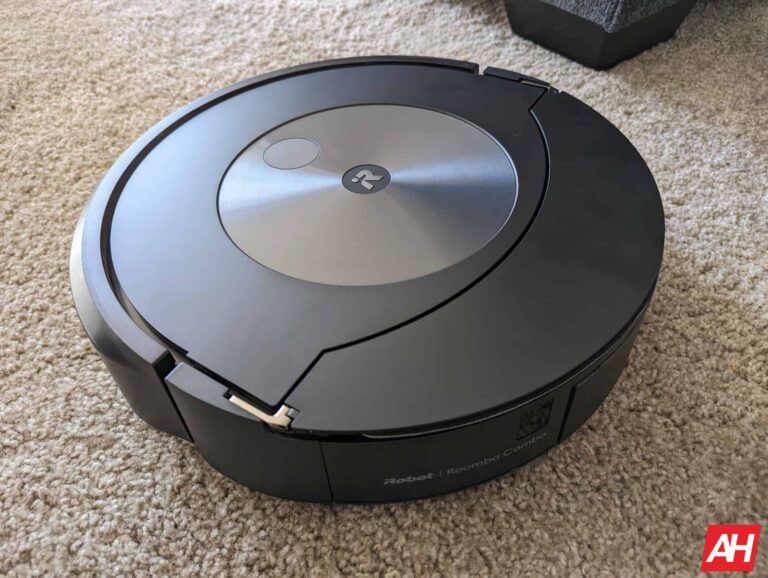
While Cyber Monday and Black Friday might be over, some fantastic deals on robot vacuums are still available. That includes the incredible iRobot Roomba Combo j7+. This robot vacuum is now $300 off, which will bring it down to just $699. That’s a really great price for this 2-in-1 robot vacuum.
The iRobot Roomba Combo j7+ is impressive because it does mopping and vacuuming. It does this by lifting the mop up and over the vacuum when it gets to the carpet. This keeps the mop from getting your carpet all wet and gross. It’s exciting how iRobot has done this, and it’s great to see both mopping and vacuuming in one here.
I’ve used the iRobot Roomba Combo j7+ for quite a few months and really enjoyed this robot vacuum. It doesn’t have a ton of settings for you to mess with. The idea here is for you to tell it to clean, and it does just that. It has pretty good suction, and the dual rubber roller brushes on the bottom work really well to get up as much dirt, dust, and other debris as they can.
It’s really good for those with pets since the roller brushes won’t get tangled with hair, and they get closer to the carpet to get all that hair up. It also has a camera in the front, as well as an LED light. This camera helps the robot vacuum see what is in front of it.
For a while there, iRobot had a serious problem where their Roombas were running over pet waste and smearing it around the house. iRobot has fixed that, and now their vacuums can identify and avoid objects. The LED light is used to see under beds, in dark rooms, and such.
This is a fantastic robot vacuum, and in fact, it’s one of the few that I would still recommend right now.
You can pick up the iRobot Roomba Combo j7+ from Amazon today at the link below.