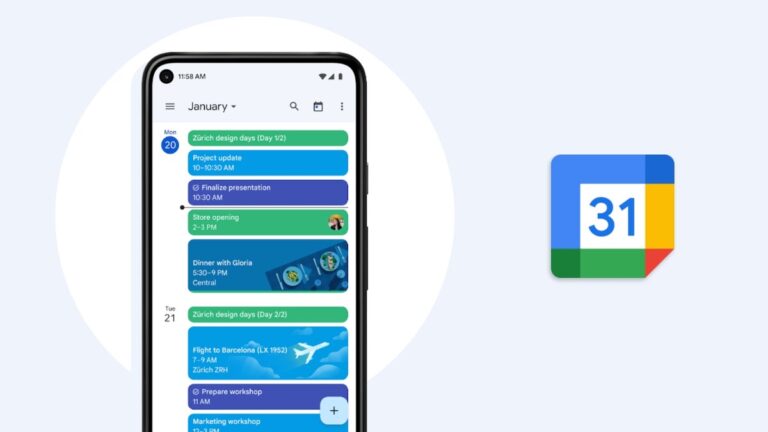
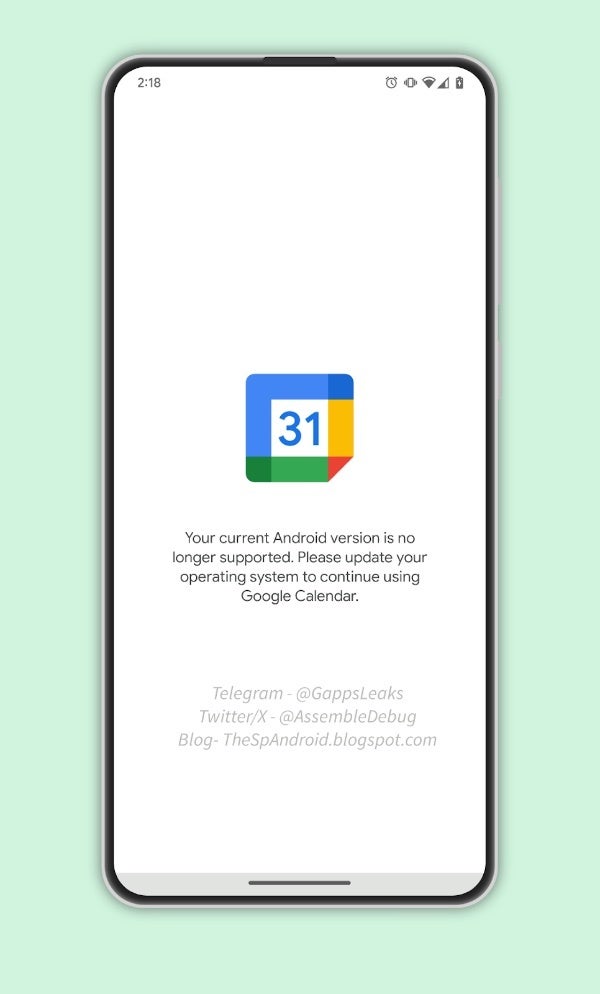
Google Calendar is a popular app that millions of people use to manage their everyday lives. It allows users to create events, schedule meetings, and set reminders. However, if you are still holding on to an older Android device running Nougat 7.1 or below, your days of using this app on your device are numbered.The change was first noticed by AssembleDebug from TheSpAndroid who discovered a new flag in the newest version of the Google Calendar app (v 2023.46.0-581792699-release) called “UnsupportedOperatingSystem__enabled,” which is used to display a message to users who are running an unsupported operating system. The particular message found within this flag informs users that they need to update their device to Android Oreo (8.0) or higher in order to continue using Google Calendar.
Source – TheSpAndroid
The reason for dropping support for older Android versions is likely due to security concerns. Older versions of Android are more vulnerable to hacks and data loss, and Google wants to make sure that its users are protected. Additionally, newer versions of Android offer a number of new features and improvements that are not available on older versions. As a result, Google is encouraging users to update their devices to the latest version of Android.
Google announced a similar change earlier this month for Chrome both on desktop and Android, stating that Chrome version 119 on Android would be the last version supported on devices running Nougat and lower. Chrome 120 on Android no longer supports Android Nougat.
It is important to note that this will most likely not be the last of Google’s apps that will undergo this change. Android Nougat 7.1, having been released back in 2016, is now a seven year old version of the operating system. Although Google has not yet made an official announcement about dropping support for Android Nougat for Google Calendar, the evidence found in the flags suggests that this change is imminent. As a result, users with older devices should start planning to update their devices to newer versions of Android.
Online buying set a record yesterday for Black Friday as Adobe Analytics (via TechCrunch) recorded $9.8 billion in U.S. sales for the first Friday after Thanksgiving, the official start to the holiday shopping season in the States. Not only was that a healthy 7.5% year-over-year gain, but the figure also topped analysts’ estimates calling for $9.6 billion in online Black Friday sales for 2023.
In a statement, Rob Garf, VP and GM of Retail at Salesforce, said, “Black Friday online sales performance exceeded any retail executive’s expectations. Retailers stepped up their discounting game and shoppers, in turn, clicked the buy button.” Adobe Analytics also noted that discounts being offered on Black Friday were as high as 35% off of the retail price. Sales made over a smartphone accounted for $5.3 billion of the $9.8 billion in online sales on Friday or 54%. Adobe Analytics says that this will prove to be the “norm” for this year with the volume of sales over smartphones expected to make up 51% of the total this holiday shopping season.
Vivek Pandya, lead analyst at Adobe Digital Insights, explained the strength in online Black Friday sales this year. “Black Friday re-asserted its dominance this season with record spend of $9.8 billion driven by new demand for the major sales’ day,” Pandya stated. “The decline in online prices over the last year has created a favorable environment for consumers with strong discounts this season that are tempting even the most price-conscious consumers.”
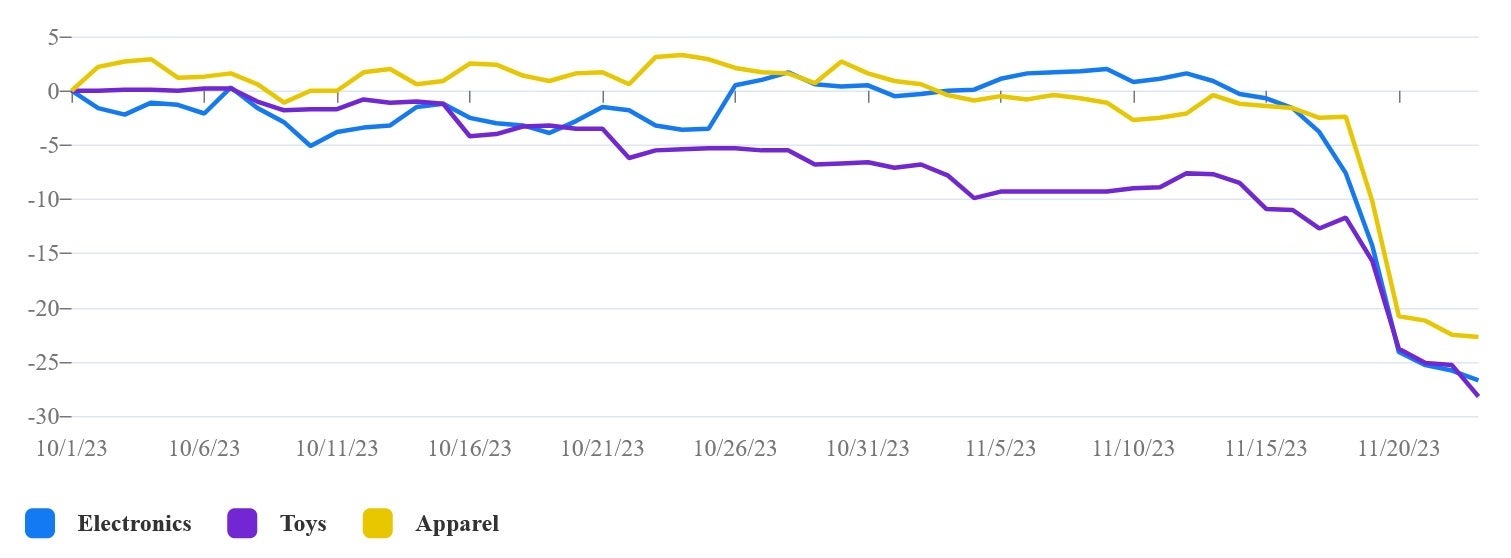
The closer we got to Black Friday, the steeper the discounts became
Consumers are willing to cut back on shipping this year as Adobe noted that 80.5% of online orders are being delivered with standard shipping. This certainly makes sense for Black Friday considering that the actual holiday is still a month away. In other words, there is no reason to shell out for faster shipping when it is not needed although this percentage may get lower as we get closer to Christmas Day.
Adobe also forecasts that the “Cyber Week” shopping period, which runs from Thanksgiving to this coming “Cyber Monday,” will generate $37.2 billion in online sales or 17% of all sales during the holiday shopping season.
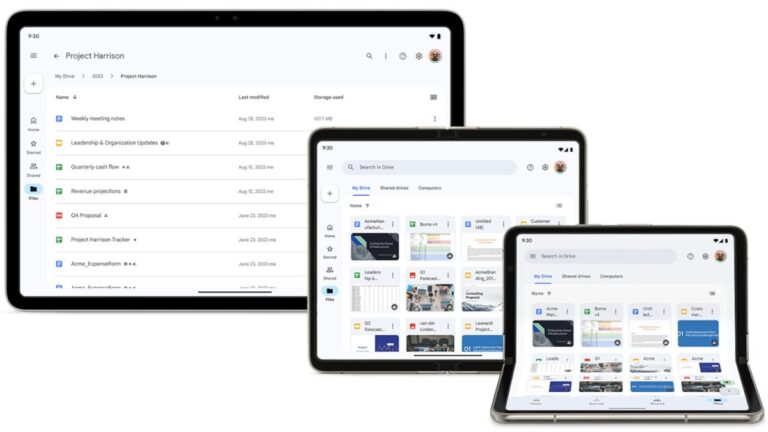
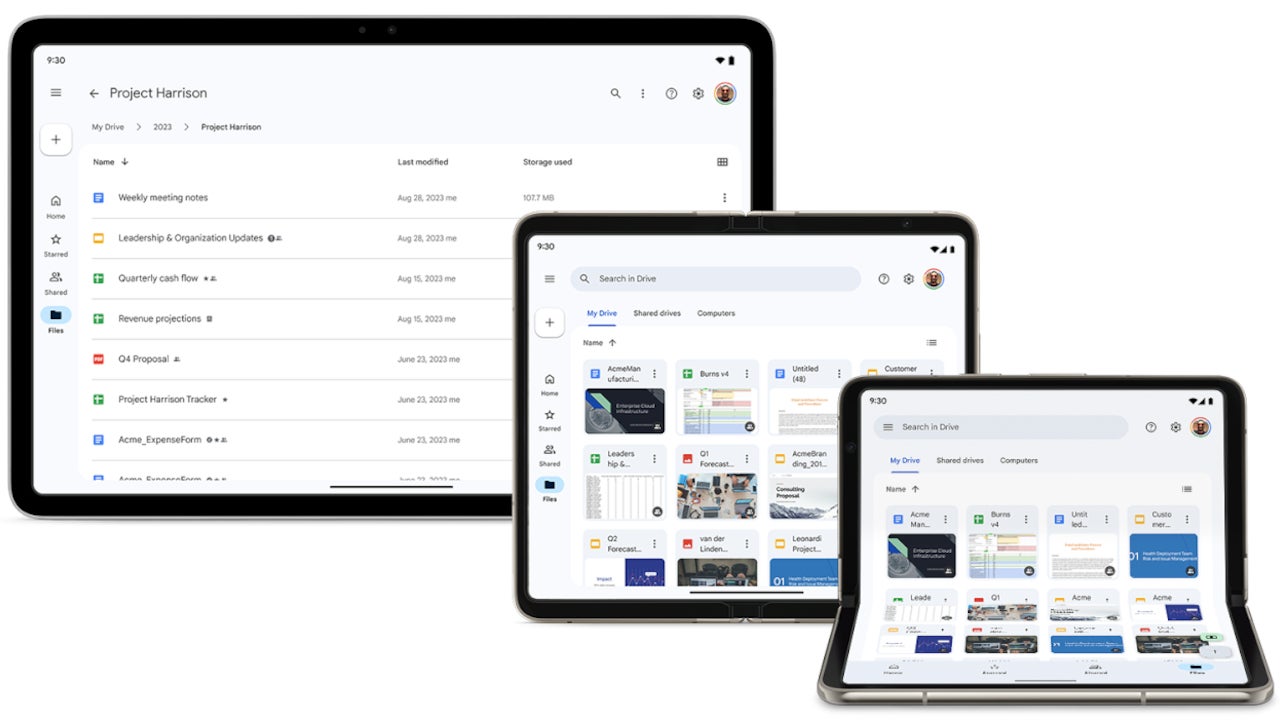
Google Drive users who own Android foldables and tablets will now have an easier time working with the app. Earlier this week, Google announced important improvements to the Google Workspace experience on large screen Android devices.
Thanks to the latest update, Google Drive’s tablet experience is now more inline with the web experience. Three major improvements have been added in the new version of Google Drive:
Above the main doclist, users will now see a tappable folder hierarchy for their current view. This allows a user to keep track of where they are in Drive and easily navigate out of nested folders.
Per-file data columns to show when a file was last modified and how much storage is used by each file.
A color palette that matches the Google Material Design 3 guidelines.
According to Google, these new features are now being rolled out to Rapid Release domains. However, a launch to Scheduled Release domains won’t start until November 27, so if you’re enrolled in this specific branch, you’ll have to wait a few more days.As far as availability goes, Google says that the improved Drive experience on Android foldables and tablets should be available to all Google Workspace customers and users with personal Google Accounts.
While Black Friday is technically over, the deals aren’t. A good number of them were live for Friday over, but not all of them. So in this roundup, we have all of the deals that are still available, along with a number of new deals ahead of Cyber Monday. So you can still save a good amount here.
Amazon, Best Buy, Walmart and many other retailers are keeping these sales live until Cyber Monday, and more throughout next week – dubbed ‘Cyber Week’. We’ve spent hours combing through all of the best deals to help you get the best deals for your money and make you standout this holiday season with the best gifts under the Christmas tree.
This list will be updated periodically throughout the day Saturday and Sunday. Adding the latest deals as they become available.
Black Friday Deals
Best Black Friday Deals
These are the best Black Friday Deals that you can grab right now. Many of these are at all-time lows, and they will not last very long.
Google Pixel 8 Pro
This is the latest and greatest from Google, with plenty of AI, camera smarts and the latest version of Android. Pixel 8 Pro comes with a stunning 6.7-inch QHD+ display with a 120Hz refresh rate and it gets insanely bright at up to 2,400 nits. When we reviewed the Pixel 8 Pro last month, we called it the “Smartest Android Phone”, and that’s because of the very many features powered by Artificial Intelligence. That includes the ability to use Google Assistant to summarize webpages, using generative AI for photos and so much more. Of course, we cannot forget that the Pixel 8 Pro does come with seven years of updates from Google. That means that it is going to get updated to Android 21, which is mindblowing.
If you’re on the fence about buying an air fryer, let me tell you, buy it. It’s perhaps the best decision I’ve ever made, and I really wish I had this air fryer. The Instant Vortex Plus XL is a really good option, not only because it’s larger, but it has two drawers that can cook food at two different temperatures. This is great for cooking meat and vegetables, which need to be cooked at different temperatures, at the same time. Of course ,an air fryer is definitely healthier, since you are frying with air and not oil. That eliminates the majority of the fat that you’d find with fried food.
The Fitbit Charge 6 is the latest fitness tracker from the company – now owned by Google. It offers all of the usual fitness features that you’d expect to see in a Fitbit. And that includes a seven-day battery life, which is what really sets this apart from other smartwatches and fitness trackers on the market today.
Samsung’s Galaxy S23 Ultra is the phone of the year, by most accounts, and right now you can pick it up for just $899. That’s $300 off of its regular price, and that does bring it down to an all-time low price.
The Galaxy S23 Ultra has a lot going for it, including some really impressive battery life, a stunning 6.8-inch QHD+ display, and the Snapdragon 8 Gen 2 for Galaxy inside powering the phone. Samsung also includes a stunning set of cameras here. With a 200-megapixel main camera that will take some amazing photos, along with two telephoto cameras that are 3x and 10x. Giving you up to 100x digital zoom. We can’t forget about the ultrawide camera that is also capable of macro shots. And now you can pick it up for under $900.
The Roborock S8 Pro Ultra is by far my favorite robot vacuum of 2023. And right now for Black Friday it is down to its all-time lowest price. So there’s never been a better time to pick one up. This robot vacuum is pricey, but it does just about everything for you. This includes having a way to empty the dustbin every time it docks. As well as cleaning the mopping pad, and refilling the water reservoir. In fact, Roborock’s vacuums can also use actual soap. So it’s really cleaning your floors instead of using cold water to clean them. Like I said, this one is pricey, but definitely worth the price.
These are all really great stocking stuffers, and gifts for your coworkers, or extended family. Those that you don’t want to spend an arm and a leg on, but still get them a really nice gift.
Streaming Deals
Black Friday is really the only time of the year that we see some really great streaming deals on a slew of streaming services. This includes Hulu, Paramount, Max, Peacock and more.
Hulu – 12 months for $0.99 per month (new and returning subscribers)
Paramount Plus – $1.99 per month for 3 months, or $3.99 per month for 3 months with SHOWTIME (new and returning subscribers)
Peacock – 12 months for $1.99 per month, or $19.99 for the whole year (new subscribers only)
Max – $2.99 per month for 6 months (new and returning subscribers)
STARZ – $3 per month for first 3 months (new and returning subscribers)
Computer component Deals
If you’re looking to build a computer, or maybe replace some parts in your current desktop gaming machine, Black Friday is definitely the time to buy some parts. Many of which are at all-time lows right now.
Google Pixel 8 Pro
Phones & Tablets Deals
For Black Friday this year, there are a ton of really great phone and tablet deals available, our favorites include the Galaxy S23 Ultra which is now at an all-time low. And for tablets, the Galaxy Tab S9 Plus is an incredible offer especially with that OLED display in tow.
TV and Soundbar Deals
Get a new TV in time for College Football’s Bowl season. Who doesn’t want to watch Georgia win their third-straight National Title on an upgraded TV?
You’re going to be spending a lot of time with your family over the next month, and not all of us really want to talk to them. So for Black Friday, you can pick up some new games and consoles at decent prices.
Laptop Deals
Save big on some of the best laptops that were released in 2023, and even a few older ones.
Put that vacuum down and let the robot do it for you. They are supposed to be taking over the world anyways.
Smartwatch & Wearables Deals
Whether you want to tell time, get notifications on your wrist or improve your health, a smartwatch or wearable is a really good gift, not at cheaper prices.
Apple Watch Ultra 2
Apple Device Deals
Get something good for your Apple-loving family and friends this holiday season, now at Black Friday prices.
When is Black Friday?
Black Friday officially starts on November 24, 2023. But as we all know, Retailers like Amazon, Best Buy, Walmart and many more, opt to start their Black Friday deals well before that date. In fact, Amazon started its Black Friday sale in earnest on November 17, 2023.
When is Cyber Monday 2023?
Cyber Monday is always the Monday after Black Friday, and this year, that happens to fall on November 27, 2023. Cyber Monday often times appears to be an after-thought, since Black Friday was just a couple of days before Cyber Monday.
How did AndroidHeadlines choose these deals?
These deals had to fit one of two questions we ask ourselves. That is, is this a deal that we want to buy ourselves? The second is, is this an all-time low price, or something that rarely goes on sale? If the answer is yes to either of those questions, then we list it as a deal. Just like all of you out there, we here at AndroidHeadlines like to save some cash on everyday items, and some items to splurge on, like a new robot vacuum.
In the perpetually evolving realm of cybersecurity, the reawakening of NetSupport RAT, a Remote Access Trojan (RAT), casts a looming shadow that beckons the attention of vigilant security professionals.
This insidious malware, initially conceived as a bona fide remote administration tool, has metamorphosed into a potent weapon wielded by nefarious actors to infiltrate systems and establish unbridled remote control.
NetSupport Manager, the progenitor of NetSupport RAT, emerged as a genuine remote technical support tool three decades ago, adorned with capabilities for file transfers, support chat, inventory management, and remote access.
However, the noble origins of this software have been marred by the malevolent intent of threat actors, who have adeptly exploited its functionalities for malicious endeavors.
DocumentFree Webinar
In the upcoming webinar, Karthik Krishnamoorthy, CTO and Vivek Gopalan, VP of Products at Indusface demonstrate how APIs could be hacked. The session will cover: an exploit of OWASP API Top 10 vulnerability, a brute force account take-over (ATO) attack on API, a DDoS attack on an API, how a WAAP could bolster security over an API gateway
The Surge Unveiled – NetSupport RAT on the Rise
A symphony of concern crescendos as the Carbon Black Managed Detection & Response (MDR) team, in harmonious collaboration with the Threat Analysis Unit, bears witness to a pronounced upswing in NetSupport RAT infections.
The victim was presented with a fraudulent update that appeared to be a legitimate Google Chrome browser update.
NetSupport RAT Fake Chrome Update
This surge orchestrates a profound impact on sectors integral to the societal fabric – Education, Government, and Business Services.
The distribution ballet of NetSupport RAT unfolds through a myriad of tactics, from the deceitful allure of fraudulent updates to the clandestine choreography of drive-by downloads.
Unlike its counterparts confined to the arsenals of specific threat actors, NetSupport RAT takes center stage in a diverse cast of malevolent entities, from fledgling hackers to seasoned adversaries.
NetSupport RAT’s intrusion choreography often involves beguiling victims into downloading counterfeit browser updates from compromised online stages.
The infection waltz varies, adapting to the methodology of each threat actor, leaving a nuanced imprint on the cybersecurity canvas.
Carbon Black’s Tactical Ensemble
In response to this cyber crescendo, Carbon Black’s MDR team orchestrates a tactical ensemble, showcasing advanced detection and mitigation strategies to counter NetSupport RAT incursions.
1. Behavioral Ballet: Employing avant-garde behavioral analysis techniques, Carbon Black identifies the esoteric movements and activities associated with NetSupport RAT, allowing proactive detection of evolving threats.
2. Intelligence Symphony: Infusing threat intelligence feeds into its algorithms, Carbon Black harmonizes its detection capabilities, swiftly recognizing indicators of compromise linked to NetSupport RAT, ensuring expeditious identification and mitigation.
3. Sentinel of Endpoints: Carbon Black stands as a stalwart sentinel, fortifying endpoints with robust security features.
It erects barriers against malevolent websites and thwarts the execution of deleterious files, staunchly resisting attempts to introduce NetSupport RAT.
4. Real-time Sonata: With the grace of real-time monitoring and response, Carbon Black detects suspicious movements, enabling security teams to perform a swift ballet, responding promptly to potential NetSupport RAT infections and curtailing the damage.
5. Incident Response Pas de Deux: In the event of a NetSupport RAT intrusion, Carbon Black orchestrates an efficient pas de deux, offering detailed insights into the attack.
This allows security teams to comprehend the breadth of compromise and execute apt remediation.
6. Harmony of Vigilance: Sustaining an unyielding vigil, Carbon Black rhythmically updates its threat intelligence databases and detection algorithms.
This ensures the system’s attunement to the nuances of new NetSupport RAT variants and emerging threats.
In conclusion, the re-emergence of NetSupport RAT serves as a poignant reminder of the dynamic nature of cybersecurity threats.
Carbon Black’s meticulous symphony of detection and mitigation strategies, coupled with its unwavering commitment to continuous updates, equips organizations to safeguard their systems against this resurgent threat and others that dance on the edge of evolution.
As the cybersecurity symphony continues to unfold, the harmony of defense must persist, ever vigilant against the clandestine rhythms of the digital underworld.
Experience how StorageGuard eliminates the security blind spots in your storage systems by trying a 14-day free trial.
Microsoft‘s Offensive Research and Security Engineering (MORSE) asked Blackwing Intelligence to evaluate if there’s any bypass for Windows Hello fingerprint authentication. To our surprise, the evaluation yielded a 100% reliable bypass for Windows’ fingerprint authentication system.
The team used three laptops from different OEMs for the evaluation process — the Dell Inspiron 15, Lenovo ThinkPad T14, and the Microsoft Surface Pro Type Cover with Fingerprint ID.
Blackwing’s research uncovered multiple vulnerabilities in all three fingerprint sensors. It allowed the team to successfully bypass Windows Hello authentication on the tested laptops. However, the objective of the evaluation was to assess the security of the fingerprint sensors embedded by original equipment manufacturers (OEMs) for Windows Hello.
All the fingerprint sensors they targeted were of the “match on chip” (MoC) type. That means they had a microprocessor and storage built into the chip. It enables secure fingerprint matching within the sensor. However, despite the benefits of MoC sensors, Blackwing found loopholes that allowed them to exploit the communication between the sensor and the host.
Two out of the three devices didn’t even use the secure protocol that Microsoft has created for Windows Hello authentication
Microsoft implemented the Secure Device Connection Protocol (SDCP) to secure the connection between the host and fingerprint sensor. However, the researchers found that two out of the three OEMs didn’t even enable SDCP. “Unfortunately device manufacturers seem to misunderstand some of the objectives.” says researchers at Blackwing (via SamMobile) .
“Additionally, SDCP only covers a very narrow scope of a typical device’s operation, while most devices have a sizable attack surface exposed that is not covered by SDCP at all.”
The findings underscore the importance of rigorous security measures in biometric authentication solutions. Blackwing recommends vendors manufacturing biometric authentication solutions to enable SDCP. They emphasized its crucial role in providing a secure channel between the host and biometric devices.
The compromised fingerprint authentication raises questions about the broader security landscape. Nonetheless, it needs sincere attention to prevent potential threats.
The full extent of the impact on user security and the OEMs’ response to these findings remains to be seen as cybersecurity experts and manufacturers grapple with enhancing the security of fingerprint authentication methods.
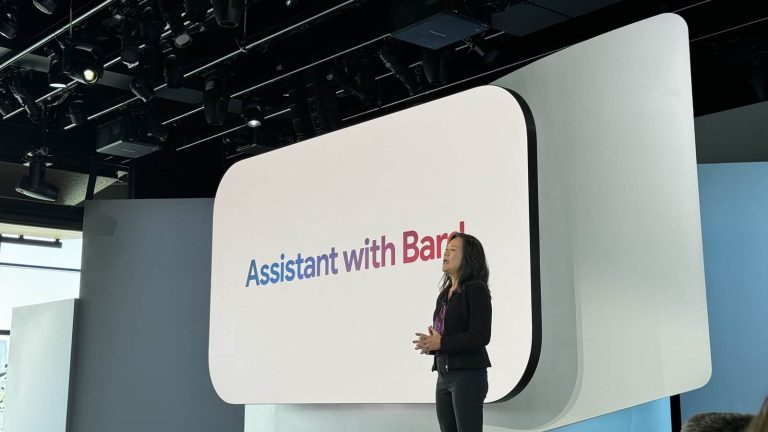
Google will let you switch back to what they’ve dubbed the ‘Classic Assistant’ over ‘Assistant with Bard’ when the AI assistant rolls out. The company announced the new assistant during the Google Pixel 8 launch that recently took place back in early October. But new findings show that despite the exciting possibilities an AI-powered assistant may present, Google understands some people might want to opt out of the experience.
Assistant with Bard will surpass Google Assistant
Mobile assistants like Google Assistant, Siri, and Bixby have been steadily improving over the years. Despite this, all of them have still left a lot to be desired. The sudden advancement of generative AI was reason for enthusiasts to be excited for mobile assistants once more. Google promises that Bard’s “generative reasoning capabilities” will revolutionize how people use Google Assistant.
‘Assistant with Bard’, as Google calls it, will be able to understand users a lot better than classic assistant. It will also be able to execute a lot more complex commands that classic assistant would have failed at. This is in part thanks to better speech-to-text capabilities of Large Language Models. Assistant with Bard will also be able to integrate with existing Google services like Gmail and Google Drive.
Why people might use Classic Assistant
Assistant with Bard sounds like a dream come true for most people. It might be the J.A.R.V.I.S users have wanted for so long. However, Google believes that some people would still prefer to use Classic Assistant over Bard. There are two main reasons why this might be.
For starters, Google has already announced that Assistant with Bard will not have all the capabilities of Classic Assistant during its initial rollout. This is most likely the primary reason people would want to switch between the two. According to AssembleDebug on X, who broke this news (via Android Police), users will reportedly be able to switch between both assistants from the Google app. Naturally, the need for this constant switching is likely to be phased out with future updates as Bard is improved.
The second reason people might want to use Classic Assistant instead is force of habit. As with all advancements in the tech sphere, some people might find the upgrade too jarring. These users will want to stick with what they know works. Google might eventually phase both assistant experiences together in the future to appeal to both classes of users.
Assistant with Bard is expected to roll out in the coming few months. For enthusiasts, this is going to be a fascinating change. And even the average consumer is going to notice just how much better their assistant has suddenly become. Google has made the first move, and other companies are sure to follow suit with their own AI assistants in the coming months.
The RedMagic 9 Pro now has a global launch date, and it’s just around the corner. Really, it’s coming sooner than you might think. If you’ve never heard of RedMagic before that’s understandable. It’s a gaming smartphone brand. And in the grand scheme of things, gaming smartphones don’t have a lot of notoriety with the population at large compared to behemoth brands like Samsung or Apple. Even well-known brands like ASUS who have consistently put out the top-performing gaming smartphone for years now have little recognition beyond mobile gamers.
And honestly that’s ok. But if you’re in that group of people who value having a smartphone made with specific gaming features, take notice of the RedMagic 9 Pro. Because it promises powerful specs at likely hundreds less than what ASUS will probably charge for its next gaming phone whenever that arrives.
This includes things like the Snapdragon 8 Gen 3 processor, up to 12GB of LPDDR5X RAM, and up to 512GB of storage. There will also be a 256GB model. RedMagic still hasn’t announced official US pricing yet. But its phones typically fall well under $800.
The RedMagic 9 Pro gets a global release on December 18
If you’re now curious about what the RedMagic 9 Pro has to offer, you’ll get to learn more about it next month. RedMagic has teased (spotted by Android Central) a global launch event for the middle of next month, specifically on December 18.
The global launch event will begin at 7am EST so it starts pretty early for folks over here on the West coast. But these won’t necessarily be flying off the shelves. So if you happen to be on the West coast and one of these things, you aren’t likely to have any trouble getting one. In addition to the launch date and time, RedMagic highlights some of the device’s other key specs. Such as the 6500mAh battery, and its ‘Ice 13.0’ cooling system for increased airflow. This system includes a larger vapor chamber than past devices and is designed to help keep your phone cranking out optimal performance no matter how hard you game.
Apple is reportedly expanding its in-house design efforts to include camera sensors for iPhones. For more than a decade, the Cupertino based giant has been using Sony‘s image sensors in their iPhones and iPads. However, now they are reportedly going for an even tighter integration between its camera hardware and software by manufacturing the image sensors in-house.
According to reliable insider information from Bloomberg’s Mark Gurman, Apple’s quest for perfect harmony between hardware and software will extend to various components beyond its well-known ‘A’ series and ‘M’ series processors and it will reportedly include camera sensors.
Tech giant aims for total control over hardware components
The photo and video capabilities in smartphones, including iPhones, have become major differentiators between successive generations in recent years. Observing the camera improvements in various scenarios within the Android space, it’s evident that Apple no longer holds a distinct lead in imaging.
However, with Apple’s demonstrated ability to elevate performance using its own hardware, it won’t be a surprise if the company takes back the lead by moving the camera design and manufacturing in-house.
Additionally, the importance of advanced camera technology for Apple goes beyond camera sensors for iPhones and extends to upcoming applications like mixed-reality devices and autonomous driving systems, points out Mark Gurman.
Some more beyond camera sensors
Camera sensors are not the sole focus of Apple’s in-house endeavors though. Gurman reveals that Apple is also working on bringing several other components under its umbrella, including a cellular modem, Wi-Fi and Bluetooth chips, microLED displays, a non-invasive glucose monitoring system for the Apple Watch, and batteries. Apple’s long-term strategy involves gaining control over the entire hardware ecosystem.
While Apple continues to push boundaries in photography, as evident in the recently launched iPhone 15 and iPhone 15 Pro, competition remains fierce. Rivals like the Samsung Galaxy S23 Ultra from earlier this year or the newly released Google Pixel 8 and Pixel 8 Pro are known for their excellent cameras. Apple’s move to design more hardware components in-house reflects its commitment to achieving greater control over the entire user experience.
In a surprising reversal of course, Elon Musk has announced that headlines will be making a comeback to Twitter/X link previews. This decision marks a significant shift from the company’s earlier stance, which had stripped away headlines from link previews in an attempt to promote original content and enhance user experience.The removal of headlines initially drew widespread criticism from users, who argued that the lack of context made it difficult to quickly understand the content of linked articles. In the past, sharing links on Twitter proved to be helpful for those that turned to the platform in order to quickly consume the latest news, a convenience that was taken away when the previews were removed.
In response to the growing user backlash, or perhaps due to his own broken user experience, Musk has now decided to reintroduce headlines to link previews. The new approach, expected to roll out in an upcoming Twitter/X update, will overlay the headline of a linked article in a semi-transparent manner over the article’s image. This compromise aims to balance the need for context with Musk’s desire for a cleaner tweet aesthetic.
Source – Elon Musk on X
Musk’s initial justification for removing headlines was based on aesthetic considerations, claiming it would enhance the visual appeal of tweets. However, users overwhelmingly disagreed, arguing that headlines were crucial for quickly grasping the essence of a linked article.
As a result, the return of headlines is a welcome development for many Twitter/X users, who can now more easily assess the relevance and credibility of linked articles before deciding to engage with them. Clearly, Musk’s penchant for rapid policy changes has actually worked in favor of the platform’s users this time around.
Only time will tell whether Musk’s newfound commitment to context will endure, but for now, users can appreciate the restored clarity and convenience that headlines bring to their Twitter/X experience.