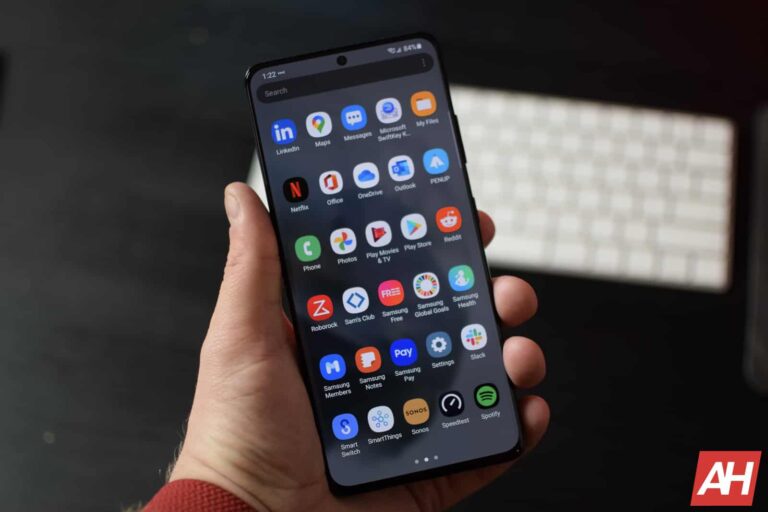
Samsung plans to update most of its eligible Galaxy devices to Android 14 before the end of the year. And if it maintains the current pace for the next few weeks, it might end up updating them all within 2023. Over the past few days, the firm has released the new Android version along with One UI 6.0 for about a dozen models. A couple more are joining that group today. The Galaxy A34 and Galaxy M53 are the newest entrants.
Samsung’s Android 14 update reaches the Galaxy A34 and M53
As of this writing, Samsung’s Android 14-based One UI 6.0 update is available to Galaxy A34 users in the UK. The updated firmware build number for the phone is A346BXXU4BWK2. First reported by X/Twitter user @tarunvats33, the initial rollout only covers users who participated in the beta program. The company will soon push the update to users on Android 13/One UI 5.1. A global release should be just around the corner too.
For beta users, the OTA (over the air) package weighs just 282MB. However, those updating from Android 13 will receive a much bigger file, possibly weighing more than 2GB. One UI 6.0 brings new camera features, UI revamp, smoother system animations, functional improvements, and more to your Galaxy A34. The November security patch, which fixes more than 60 vulnerabilities, is also part of this release.
The new features and security enhancements are also rolling out to the Galaxy M53. It is currently picking up the Android 14 and One UI 6.0 update in Russia with the build number M536BXXU4DWK2 (via SamMobile). Users in other parts of Europe and the rest of the world will receive it in the coming days. The M-series phone wasn’t sold as widely as the A-series model. It didn’t come to the US.
If you’re using the Galaxy M53 or Galaxy A34, you can check for updates from the Settings app. Samsung has also released Android 14 for the Galaxy S23 series, Galaxy S23 FE, Galaxy S22 series, Galaxy Z Fold 5, Galaxy Z Flip 5, Galaxy A54, Galaxy Tab S9 series, and Galaxy A73. We will let you know as soon as it pushes the new Android version to more models.
The Galaxy A54 is getting the update in more markets
Alongside pushing Android 14 to more devices, Samsung is expanding the availability of the big update to more markets. The Galaxy A54, which received One UI 6.0 in the US yesterday, is now picking it up in Europe. The new build number there is A546BXXU5BWK4 (A546USQU5BWK4 in the US). The November security patch is part of the package in both regions. Users in the remaining markets can expect to receive the update soon.
Scammers never miss an opportunity to make a quick buck, and love to piggy back on the latest trends. So what better way to kick off the scamming season than by offering Black Friday sales on one of the most popular products around: a Stanley cup.
We found an ad on Facebook offering a Stanley Quencher for the low price of $19:
Facebook ad for Stanley Quenchers
Normally these Stanley cups sell for $45 on Amazon. They’re very popular since they reportedly keep drinks cold for 11 hours and hot for seven hours. Even if your car burns out.
Clicking the advertisement takes you to a shady-at-best website where you can take your pick of Stanleys.
Website at domain d-sportinggoodsus[.]com
Hint: look at the domain name. Malwarebytes doesn’t like it either.
Malwarebytes customers are protected
Both the site and the payment processor are registered in Hong Kong and will happily pocket your money without doing anything in return.
To gain the buyer’s trust, the Facebook comments are populated by bots and/or compromised accounts.
Facebook comments of people claiming they received the goods
As always, use your best spidey senses to pick up on scams like these. With this particular scam, you’re likely to only lose the money you paid to the scammers, but other scams can end in much higher losses.
How do you avoid bad ads?
You probably have the URL you need. It’s sometimes easier to search a brand name than put in the full URL, but if you go directly there you won’t get caught by any bad ads lurking in your search results.
Careful searching. If you do need to go looking, cross reference the URLs you see in search engines with a search of your own. If it’s legitimate, you should see a large number of people and businesses referencing it.
Report bad ads. If a sponsored ad is up to no good, there should be a way to report from the search engine or social media platform in which you found it. You’re doing your part to help the next person who coes along to stay safe!
The thorny blocking issue. If you choose to block ads, be aware that the way you block may break functionality of the site you’re on. Some sites will insist you turn off your ad blocker. Others may simply not work anymore if you use script blocking or turn off JavaScript. It’s not so much a case of “job done”, as it is “job just getting started”.
Remember, if it’s too good to be true it probably isn’t true, and could mean someone is trying to trick you into paying for something you’re never going to get.
Black Friday sale
Save 50% on our Home bundles for a limited time only!
We don’t just report on threats—we remove them
Cybersecurity risks should never spread beyond a headline. Keep threats off your devices by downloading Malwarebytes today.
It’s that time of year, time for Android Headlines annual Holiday Giveaway, and this year, we’re making it a Pixel Christmas. In this giveaway, we are giving out a Google Pixel 8, Pixel 8 Pro, Pixel Fold, Pixel Tablet and (two) Pixel Watch 2 to six lucky winners. Read on to find out how you can enter to win this giveaway.
About the Giveaway prizes
This year, we’re giving away five prizes to five different lucky winners. So your chances to win this giveaway are much higher than on our previous giveaways. Here’s a bit more about each prize that we are giving away this year.
Google Pixel 8
Google Pixel 8
The Google Pixel 8 is one of the newest smartphones from Google, which launched in October of 2023. It’s a really impressive smartphone from the company, especially when you consider the price. We’re looking at a $699 price tag here, which we aptly called “The Android phone you deserve” in our Pixel 8 review.
There are some really cool features about the Pixel 8, including Magic Editor, which is by far my favorite camera feature. With Magic Editor, you are able to swap out the sky for golden hour, less clouds or more clouds, you can also remove people, and do so much more. This uses generative AI, so as things progress, Magic Editor will continue to get better and better.
Google also included a super bright display on the Pixel 8. It’s able to get up to 2000 nits of peak brightness. Meaning that you’ll have no trouble seeing it in direct sunlight. This is also an OLED 120Hz display, something that the iPhone 15 can’t tout. And now you have a chance to win one for free.
Google Pixel 8 Pro
Google Pixel 8 Pro
The highest end Pixel phone right now is the Pixel 8 Pro. This phone has everything that the Pixel 8 has, and a bit more. This year, Google decided to move to a flat display, instead of using a curved display, and when I reviewed the phone back in October, that was one of my favorite changes that Google made. This makes the phone a lot easier to hold onto, and far less accidental touches.
Much like the Pixel 8, the Pixel 8 Pro also has a stunning and bright display. It’s still a 120Hz OLED display, but now it can get up to 2400 nits of peak brightness. This is thanks to the Super Actua Display on Pixel 8 Pro. It looks amazing, and goes much further than just the brightness. Once you see this display, you won’t want to use any other phone.
Magic Editor is here, as well as AI Wallpapers. The AI Wallpapers feature is a really cool thing to have on a phone. Allowing you to make all sorts of different wallpapers, to make your phone really stand apart from everyone else with a Pixel. Google has the Tensor G3 processor inside with 8GB of RAM and 128GB of storage here too.
With the Pixel 8 and Pixel 8 Pro, Google is promising seven years of updates, that means these phones will get updates all the way until 2030.
Google Pixel Fold
Google Pixel Fold
Google’s Pixel Fold is their first foldable, and it’s honestly one of my favorite foldable devices. What really makes the Pixel Fold standout from the competition is that the front display is wider than others. Google made this phone to be the same size as a passport, and they achieved that too. That resulted in the front display being a 17.5:9 aspect ratio, kinda like the phones from a few years ago. What this does is it makes the phone be in “landscape” mode when you open it. Meaning that you get tablet apps without having to rotate the phone. Which does make a difference in usability.
The Pixel Fold has some pretty thick bezels, but honestly, after using it for about 4-5 months, they don’t bother me. By making the bezels thicker, Google was able to hide more of the hinge in the bezel, making it thinner. And also providing a decent quality front-facing camera, versus what you get on some other foldables with under-display cameras.
One of the best use-cases of the Pixel Fold is definitely Google Translate. With Google Translate, you are able to use both screens, and have a conversation with someone in another language very easily. This makes it a clutch feature for those that do a lot of traveling.
Google Pixel Tablet
Google Pixel Tablet
Google’s Pixel Tablet is the first tablet from the company in quite some time. Google did make a Pixel C tablet back in 2015, but that was before they started using the “Pixel” name for phones – it was only for Chromebooks. So this is the first tablet since then, under the Pixel brand, and it’s still a rather unique tablet. Honestly, I love this tablet for that reason.
Pixel Tablet comes with a speaker dock in the box. This speaker dock can transform your Pixel Tablet into a smart display (though Google doesn’t want to call it that). And that’s what makes this so great. You can have this sitting in the kitchen, or beside your bed and play videos from YouTube, Amazon Prime Video and more, then pick up the tablet and take it with you.
With the Pixel Tablet, Google has included a pretty good looking 10.95-inch display. Which has some rather large bezels, however they are fine. Remember with a tablet, you do need to be able to hold the tablet. So having bigger bezels isn’t as much of an issue compared to phones. It does also come with the Tensor G2 and 8GB of RAM.
Google Pixel Watch 2
Finally, rounding out products that we are giving away this year, is the new Pixel Watch 2. It looks a lot like the original Pixel Watch, but it did receive some quite nice upgrades internally, including a new processor. This helps make the Pixel Watch 2 a whole lot faster, compared to its predecessor. But let’s not forget, this is powered by Wear OS and Fitbit.
With Fitbit being at the center of this watch, that means it is going to be really good for tracking your sleep and workouts, as well as your activity throughout the day. With Wear OS being inside too, it gives you access to all of your favorite apps, including the new Gmail app that just launched a few weeks ago.
Pixel Watch 2 is still on the small size at 41mm. This includes a 1.2-inch circular display that has a resolution of 450 x 450 pixels. It’s one of the smaller watch displays out there actually. And pair that with a 306mAh capacity battery, it should get you through a full day.
How To enter
To be entered for a chance to win the Google Pixel 8, Pixel 8 Pro, Pixel Fold, Pixel Tablet or Pixel Watch 2, all you need to do is take part in the giveaway widget below. To get started, simply enter the contest with your email address.
Once you have entered, you’ll have the opportunity to gain additional entries by completing various actions, including visiting Android Headlines social media channels.
You are entitled to complete as many actions as you like, each action offers a unique number of entries and each entry has the potential to be the winning one.
This Pixel giveaway is a USA-ONLY contest and will close promptly at 2:59 pm PST on Friday, January 5, 2023.
Enter now for a chance to win a Google Pixel 8, Pixel 8 Pro, Pixel Fold, Pixel Tablet or Pixel Watch 2, courtesy of Android Headlines.
This is a USA-only Giveaway.
Entrants need to be of a suitable age to enter.
Shipping issues are not controlled by Android Headlines or our partners. You should be aware that things can go wrong. Android Headlines or our partners are not responsible for items lost in transit.
It only takes one email entry to win, so only enter using one email address. Entering with more than one email will not improve your chances of winning and may result in disqualification. Email addresses are checked and confirmed.
Winner(s) will be emailed and if no response is given within 48 hours, another entrant(s) will be selected.
Anyone deemed to be ‘spamming’ the contest will be disqualified.
Android Headlines reserves the right to make changes to this contest/giveaway.
Software updates are the necessary evil that tests our patience and self-restraint – there’s no feeling like the feeling when you open your favorite app and realize that something is very wrong and there’s no going back.
Thankfully, Google is about to introduce one major enhancement that is about to come with the option to be rolled back to its original state.
We’re talking about Google’s AI-turbocharged Assistant that was presented during the Pixel 8 launch: the new Assistant with Bard.
Of course, millions are hanging on the edge and are sick of waiting for the Assistant with Bard to be officially released. These will turn the spanking-new feature off when the cows come home. But there are some that probably would choose to do so, as it’s now reported that the new Assistant with Bard will not feature at start all the capabilities of the original Assistant. That’s why Google is working on a way to switch back to “Classic Assistant” once the new AI-powered experience rolls out (via Android Police).
The missing features from the non-AI Assistant version are not listed as of now, but noted Android expert AssembleDebug is the one who says users will be able to switch between modes:
Thread – • Choose between Assistant with Bard and the classic Google Assistant • To use this feature, change to classic Assistant in Settings • Not all of the classic Assistant settings will be available in Assistant with Bard.
Assistant with Bard combines Assistant’s personalized help with Bard’s generative reasoning capabilities, making it possible to interact not only with your voice and text but also with images. At the launch event, the company said the new experience is supposed to roll out over the coming months.
Samsung is in the process of updating its phones and tablets to Android 14—it has already updated over a dozen models. The big update, which includes One UI 6.0, went through a months-long beta phase and is quite stable with no major bugs. However, it doesn’t appear to be completely free of issues. Some users have noticed that the pixel shift feature is not working properly on One UI 6.0, leaving phones vulnerable to screen burn-in.
Galaxy devices running One UI 6.0 are vulnerable to screen burn-in issues
OLED displays use pixel shift technology to prevent screen burn-in issues. It periodically moves the picture on the screen around by a few pixels to avoid image retention on a pixel, effectively stopping the image from damaging the pixel. The feature is primarily noticeable on large OLED screens such as TVs and monitors but it exists on Samsung smartphones too. You can easily check if your Galaxy device has burn-in protection by following the steps below.
Firstly, take a screenshot with the status bar visible. Now turn on auto-rotate and rotate the screen between portrait and landscape orientations multiple times in quick succession. This ensures that the UI elements move a significant amount of pixels. Now go to Samsung Gallery and open the screenshot you took earlier. If pixel shift is working, you should notice that the status bar elements have moved a little.
However, a Galaxy S23 Ultra user noticed that this isn’t happening following the One UI 6.0 update. They say the status bar elements perfectly overlap the elements on the screenshot despite repeatedly switching the screen orientation in quick succession. This suggests that the UI elements are static and not moving to protect pixels from burn-in issues. This isn’t the case on the Galaxy Note 20 Ultra running One UI 5.1 (not eligible for Android 14).
This may be a bug in the new One UI version
The said user has already reported the issue to Samsung and has urged others to do the same. The Reddit thread where they posted the screenshots has a few more Galaxy users confirming the issue. Interestingly, pixel shift appears to be working fine for the navigation bar, as the button icons have moved a little. Only status bar icons are not moving. It may be a bug in One UI 6.0. Hopefully, Samsung is aware of this and working on a fix. We will let you know when we have more information.
Last week, a major leak revealed detailed specifications of Samsung‘s next-gen laptop offerings, the Galaxy Book 4 series. The same source has now shared images of the new laptops, giving us an early look at their design. The leaked renders show Samsung is keeping the design mostly unchanged from the Galaxy Book 3. We don’t yet have a launch date for the upcoming models.
Galaxy Book 4 laptops show up in renders
Samsung is readying a sequel to every model in the Galaxy Book 3 series. So we have five new laptops on the horizon. There’s the standard Galaxy Book 4 and a beefed-up Galaxy Book 4 Pro, with both models getting “360” versions. The latter laptops feature a 360-degree hinge, allowing you to rotate the screen all the way back for a tablet-like experience. The Galaxy Book 4 Ultra leads the line with the most powerful specs of the lot.
All five Galaxy Book 4 models sport a sleek and classy design with relatively thin display bezels. The presence of a full keyboard, including the number pad, means the touchpad isn’t positioned at the center. According to Windows Report, the source of these renders, Samsung is offering the same set of input/output ports. We have one USB 3.2 port, two Thunderbolt 4 ports, one HDMI port, a MicroSD card reader, and a 3.5 headphone/mic jack.
The images shared by the publication show the Thunderbolt 4 and HDMI ports on the left side of the laptop, with the other three ports on the right. A microphone hole can also be seen on the left side. The report suggests all five models will keep the same layout for holes and ports. The overall design is identical to the Galaxy Book 3 series, with Samsung seemingly focusing on performance improvements over aesthetics.
The entire lineup is powered by Intel processors
Samsung’s Galaxy Book 4 laptops feature Intel processors. The base Galaxy Book 4 and Galaxy Book 4 360 have the Core i5 chipset, while the two Pro models upgrade to the Core i7. If you pick the Galaxy Book 4 Ultra, you get the Intel Core i9 185H processor with a clock speed of 5.1GHz, 24MB of L3 cache, 32GB of LPDDR5X RAM, and 1TB of NVMe SSD storage.
The Korean firm is giving you AMOLED displays on all but one model—the base model has an LED panel. It also languishes with Bluetooth 5.1 and Wi-Fi 6, while the other four models have Bluetooth 5.3 and Wi-Fi 6E. The base Galaxy Book 4 shares an Intel graphics card with its 360 version. The Galaxy Book 4 Pro and Galaxy Book 4 360 Pro get Intel Arc Graphics. Finally, the Ultra model ships with the NVIDIA GeForce 4070 GPU.
MySQL stands out for its reliability and efficiency among the various database systems available. However, as with any technology that holds valuable data, MySQL databases are a lucrative target for cybercriminals.
This makes MySQL security not just an option but a necessity. This comprehensive guide’ll delve deep into best practices for securing your MySQL database.
From initial setup to advanced configurations, we’ll cover all necessary steps to safeguard your data effectively. Whether you’re a database administrator or a developer, this guide will be your roadmap to MySQL security.
Part I: Initial Security Measures
The first line of defense in securing your MySQL database starts with the initial setup. Taking the right steps at this stage can prevent a multitude of security issues down the line. In this section, we’ll focus on three key areas: Secure MySQL Installation, Restricting Remote Logins, and User and Privilege Management.
Secure MySQL Installation
The mysql_secure_installation command is a simple yet powerful tool that helps you secure your MySQL installation. Running this command allows you to:
Set the Root Password: It’s crucial to set a strong root password to prevent unauthorized access.
Disable Remote Root Login: This ensures that the root user can only access the database locally, reducing the risk of ransomware attacks.
Remove Anonymous Users: Anonymous users can pose a significant security risk; this step ensures they are removed.
Delete the Test Database: A test database is created by default, which can be a potential security loophole. Deleting it is recommended.
Restricting Remote Logins
Remote logins can be convenient but they can also expose your database to risks. To mitigate this:
Configure the Bind-Address Parameter: By setting this parameter to 127.0.0.1, you limit database access to the local machine.
Disable Skip-Networking: This ensures that MySQL listens for incoming TCP/IP connections, making it more secure.
User and Privilege Management
Proper user and privilege management can go a long way in securing your MySQL database. Here’s how to do it:
Create Application-Specific Database Users: Instead of using the root user for every application, create specific users with only the necessary permissions.
Avoid Unnecessary Privilege Grants: Don’t assign more permissions than necessary. Limit the scope of user privileges based on their role.
Revoke Unnecessary Permissions: Regularly review and revoke global, database, and table-level permissions that are no longer needed.
By taking these initial security measures, you lay a strong foundation for a secure MySQL database, setting the stage for more advanced security configurations.
Part II: Advanced Security Configurations
Once you’ve laid the groundwork with initial security measures, it’s time to delve into more advanced configurations. These steps will further fortify your MySQL database against sophisticated attacks and vulnerabilities. In this section, we’ll cover Changing MySQL Default Port, Enable Logging, File and Directory Permissions, Disabling Dangerous Functions and Features, Avoiding Wildcards in Account Names, and Password Policies.
Changing MySQL Default Port
The default MySQL port is 3306, and changing it adds an extra layer of security by obfuscation.
How to Change: You can change the port by editing the my.cnf or my.ini file and then restarting the MySQL service.
Why Change: Attackers often target default ports, so changing it makes automated attacks less effective.
You can read this comprehensive article for a more detailed guide on how to effectively use MySQL ports, including types of ports and secure connection methods.
Enable Logging
Logs are invaluable for auditing and identifying suspicious activities.
Enabling MySQL Logging: You can enable different types of logs like the error log, general query log, and slow query log.
Setting Appropriate Permissions: Ensure only authorized users can access these log files to maintain their integrity.
File and Directory Permissions
Improper file and directory permissions can expose your database to various risks.
Setting Appropriate Permissions: Use Linux file permissions to restrict who can read, write, or execute MySQL files and directories.
Disabling Dangerous Functions and Features
Some MySQL features can be exploited for malicious activities.
Disabling LOCAL INFILE: This prevents attackers from loading files from the server’s filesystem.
Disabling Specific Functions: Functions like load_file, outfile, and dumpfile can be disabled to prevent unauthorized file operations.
Avoiding Wildcards in Account Names
Using wildcards in account names can be risky.
Risks: Wildcards like % can allow users to connect from any host, making your database more susceptible to attacks.
Properly Defining Hostnames: Use specific hostnames or IP addresses to restrict where users can connect from.
Password Policies
Strong password policies are crucial for securing your database.
Regularly Changing Passwords: Encourage or enforce periodic password changes.
Using MySQL’s Password Validation Plugins: These plugins can enforce password complexity requirements, making it difficult for attackers to guess passwords.
By implementing these advanced security configurations, you not only make your MySQL database robust against common vulnerabilities but also prepare it for unforeseen security challenges.
Part III: Additional Security Layers
After setting up initial and advanced configurations, the next step is to add additional layers of security to your MySQL database. These extra measures further harden your database against sophisticated attacks and ensure that your data remains secure under various threat scenarios. In this section, we’ll explore Data Encryption, Using Security Plugins and Libraries, and the importance of Regular Updates.
Data Encryption
Data encryption is a crucial aspect of database security, ensuring that your data is unreadable to unauthorized users.
Encryption in Transit: Use SSL/TLS protocols to encrypt data that is moving between your MySQL server and clients.
Encryption at Rest: This involves encrypting the actual database files and backups, making it difficult for attackers to read them even if they gain access to the filesystem.
Using Security Plugins and Libraries
There are various plugins and libraries designed to enhance MySQL security.
Overview of Available Security Plugins: Some popular options include MySQL Enterprise Firewall, MySQL Enterprise Audit, and open-source plugins like GreenSQL. These plugins offer features like SQL injection protection, real-time monitoring, and more.
Regular Updates
Keeping your MySQL database up-to-date is a simple yet effective way to improve security.
Importance of Keeping MySQL Up-to-Date: New updates often include security patches for known vulnerabilities, making it crucial to update regularly.
How to Update MySQL Packages: Use package managers like apt for Ubuntu or yum for CentOS to update MySQL. Always backup your database before performing updates to avoid data loss.
By incorporating these additional security layers, you’re taking a comprehensive approach to MySQL security. This ensures the integrity and confidentiality of your data and prepares your database for evolving security threats.
Part IV: Monitoring and Maintenance
Ongoing monitoring and maintenance is the final piece of the puzzle in achieving a secure MySQL database. Even with the most stringent security measures, continuous vigilance is essential for identifying and mitigating new threats. In this concluding section, we’ll discuss Monitoring Tools and Practices and Backup and Recovery.
Monitoring Tools and Practices
Continuous monitoring is crucial for maintaining the security of your MySQL database.
Tools for Monitoring MySQL Security: Several tools are available, such as MySQL Enterprise Monitor, Percona Monitoring and Management, and open-source options like Zabbix. These tools can alert you to suspicious activities, performance issues, and other security-related events.
Backup and Recovery
Having a robust backup and recovery strategy is vital for any database system.
Best Practices for Secure Backup and Recovery: Always encrypt your backups and store them in a secure location. Use tools like mysqldump for logical backups or third-party solutions like Percona XtraBackup for physical backups. Regularly test your recovery procedures to ensure they are effective and reliable.
By implementing a robust monitoring and maintenance regimen, you can ensure that your MySQL database remains secure in the long term. This protects your data and provides peace of mind that you’re prepared for any security challenges that may arise.
Conclusion
In this comprehensive guide, we’ve navigated through the multi-layered landscape of MySQL security, starting from initial measures like secure installation and user management to advanced configurations involving data encryption and port changes.
We also delved into additional security layers and the importance of ongoing monitoring and maintenance. Security is not a one-time setup but a continuous process. Regular updates, constant monitoring, and periodic user privileges and configuration reviews are essential.
By implementing these best practices, you’re securing your MySQL database and fortifying the entire ecosystem it interacts with.
Remember, in the realm of cybersecurity, complacency is the enemy. Stay vigilant stay updated, and your MySQL database will stand as a fortress against security threats.
A couple of days ago, we reported about odd bumps popping up on some Pixel 8 Pro displays, and Google just decided to respond to those concerns. The company actually released a statement to address the concerns.
Google responds to concerns over display bumps on the Pixel 8 series
Google acknowledged that these bumps are visible “when the screen is turned off, not in use and in specific lighting conditions”. The company said that these are impressions from components in the device.
Most importantly, the company said that “there is no functional impact to Pixel 8 performance or durability”. So, this should not impact the device’s performance in any way, shape or form, not nor, or in the future. We’ll see if that’s true, of course.
Do note that the same seems to be happening to some Pixel 8 displays. It’s not a problem exclusive to the ‘Pro’ model of the Pixel 8. That’s why Google addressed the issue in general in its statement.
Users have started posting images showing these bumps recently, and it didn’t take Google long to respond. Let’s hope that the company is right, as this is not really a problem if it doesn’t affect the performance in some way.
These display bumps are only visible when the display is off, and under specific angle (on some units)
You really cannot see these bumps unless the display is turned off, and you really hit the right angle in terms of lighting. What’s interesting is that those bumps are not appearing on every unit, which is what concerns us.
Many people expressed fears that this could become a problem down the line. Google says it will not, however, so let’s hope that is the truth. If you’re seeing those bumps, you can try getting a replacement unit from Google. We’re not sure that will be possible, though, as Google doesn’t see this as a problem/defect at all.
Amid the OpenAI drama this week, Google has quietly enhanced its AI chatbot, Bard. Google Bard now has enhanced capabilities to understand and respond to YouTube video content. Bard’s YouTube extension leaps forward in understanding video content, enabling users to ask more in-depth questions like “How many eggs does the chef in this video recommend while cooking pancakes?”
Google Bard can now understand YouTube videos
Most importantly, this feature was introduced first with the launch of the YouTube extension with a previous September update. However, now, the feature works better. Google briefly explains the new feature in a changelog, and writes, “We’ve heard you want deeper engagement with YouTube videos. So we’re expanding the YouTube Extension to understand some video content so you can have a richer conversation with Bard about it.”
Google has been steadily rolling out new AI features to enhance its products. These include an AI conversational tool that answers questions about YouTube content and a summarizer. Moreover, Bard has recently opened access for teens in most countries.
How to use Google Bard with YouTube videos?
To integrate Google Bard with YouTube, you’ll first need to open Bard and sign in using your Google account. Next, locate the puzzle icon in the top right corner of the screen and enable the toggle next to YouTube. Head over to YouTube and select the video you want to analyze with Bard. Copy the video’s URL and paste it into the chat window within Bard. Finally, pose your question about the video, and Bard will provide a response based on its understanding of the content.
While it is mainly helpful for finding recipes, it isn’t the only thing it can do. You can also use it to ask for key takeaways from a video, the pros and cons of something, a synopsis of a story, or an explanation of the main point of a video. One thing to note is that if you are looking for answers related to sensitive topics; it is recommended that you switch to Google Search instead.
Altcoins, or alternative cryptocurrencies, diversify the crypto landscape, offering investors options beyond Bitcoin and influencing market dynamics. Their innovation and competition contribute to the evolution and maturation of the broader cryptocurrency ecosystem.
Alternative coins, or just shortly called altcoins, are a new trend in the crypto world. Evolving from the success of Bitcoin, these guys became an important part of the digital economic systems.
From their versatility and uniqueness to utility, there are many interesting things hidden behind the simple name of altcoins, and today, LI.FI is introducing you to the beginning, rise and bright future of altcoins. Let’s dive into it!
The genesis and evolution of altcoins
The term “altcoin” is derived from “alternative coin”. The name represents many different cryptocurrencies that were introduced thanks to Bitcoin.
Although it was a revolutionary project that sky-rocketed digital economics and created a big online trading trend, some individuals saw potential outside of it. That’s when the altcoins jumped on the scene. Their goal was clear – to give people everything Bitcoin wasn’t designed to.
Altcoins forever changed the concept of cryptocurrency. Thanks to it, we don’t just see digital cash when discussing crypto. The most famous altcoin is Ethereum. It introduced smart contracts and levelled up the security systems of DeFi. Celer Network gave us cbridge, and Monero gave us a privacy-oriented coin, Monero.
These coins operate on varied blockchain technologies and consensus mechanisms, representing the versatility and adaptability of cryptocurrencies. As a result, the altcoin market has become a colourful and dynamic component of digital finance, continuously evolving with new ideas and innovations.
Altcoins in today’s crypto marketplace
In the current cryptocurrency market, altcoins contribute significantly to the market’s diversity and liquidity. While some altcoins aim to function as digital currencies for daily transactions, others are designed to support specific blockchain-based applications and systems. Since there are so many different altcoins, investors can move away from Bitcoin and find potential hidden treasures in different currencies.
While full of potential, the altcoin market has its set of challenges. Most altcoins do not match Bitcoin in terms of market capitalization. This often leads to greater sensitivity to market shifts and more pronounced fluctuations in value. This environment offers a double-edged sword for investors. The potential for significant financial gains is there, but so is the risk of notable losses.
Additionally, the altcoin sector is characterised by its constant change. New tokens appear frequently, while others gradually lose relevance. We recommend you keep a constant eye on the events in the crypto world. This way you won’t miss the hot deals or big drops, and it will help you in choosing the best altcoins.
Conclusion
In wrapping up, it’s clear that altcoins represent more than just alternatives to Bitcoin. They are a dynamic and integral component of the broader cryptocurrency ecosystem, representing innovation and presenting a diverse range of digital financial solutions.
Altcoins open up new doors to investors. They are a great way to escape the mainstream currencies and explore new innovations in the world of crypto. Keeping up with the news of the community and the market will be of great help for navigating these waters, as they will serve as a compass to the new good deals.
For those engaged in the world of cryptocurrencies, exploring the depths of altcoins is crucial to successfully maneuvering through this diverse and ever-evolving domain.