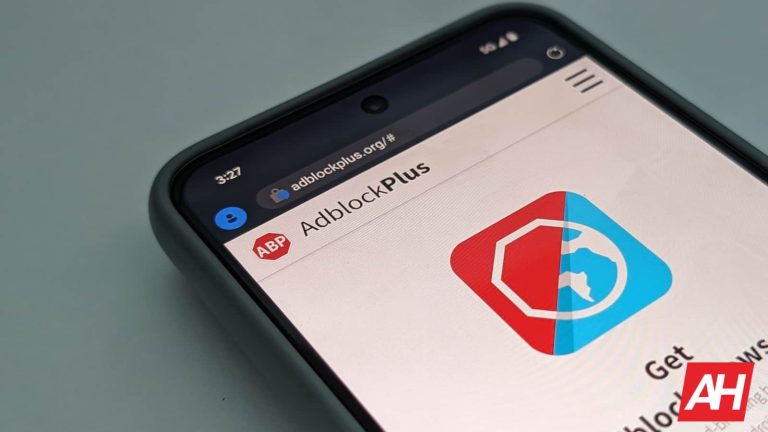
Publisher revenue is headed for a steep decline due to ad-blocking software in 2024, as revenue is estimated to fall by as much as $54 billion in the coming year. According to a recent report from ad-filtering software company eyeo (via MediaPost), the lost revenue is based on a global decline. And that it accounts for an overall 8% of the total amount spent on ads for the year. Eyeo also states however that this decline in revenue could have been worse.
Ad-blocking is nothing new. But it appears to be taking quite a large toll on publishers of late. So much so that Google’s own YouTube has put its own measures in place. The video streaming site recently resorted to putting up guards that attempt to protect against ad-blocking software. These “anti ad-blocking walls” are presented to users who try to skirt around YouTube’s ads by using ad-blocking software and is YouTube’s latest attempt to compensate for lost revenue.
Interestingly, YouTube has also admitted to initiating a slower load time for viewers using an ad-blocker. Which has caused some users to uninstall the software. Eyeo CRO Jan Wittek says that after YouTube’s slowdown implementation, some uninstalls did occur.
Lost publisher revenue from ad-blocking could have been much higher
While $54 billion certainly is a huge amount of lost revenue, that number could have been much higher if not for ad-filtering software.
There’s a difference between straight up ad-blockers and software that filters ads. The latter is designed to show only non-intrusive ads. Whereas some ad-blockers can block all ads completely. Eyeo estimates that if ad-filtering software which only shows non-intrusive ads didn’t exist that the lost revenue for publishers could have reached around $116 billion. More than double what it’s estimating for the current decline.
Not all users are opposed to seeing ads
Usage of ad-blockers is on the rise but that doesn’t necessarily equate to users being entirely opposed to ads. Eyeo’s report highlights that it surveyed a number of users and asked if they were against seeing ads on the websites they visit. About 58% of users asked said they weren’t against seeing ads. And that in fact they were “open or neutral” to seeing ads as long as they weren’t intrusive. But this also doesn’t mean that usage will slow down. As it’s estimated that mobile will continue to see growth in ad-block usage going forward.
Apple has released a ton of iPhones over the years, well over 20 different models. Of course, releasing four per year now, doesn’t really help with that. Some iPhones it’s pretty easy to tell what iPhone it is. Say for instance the iPhone 15 Pro and Pro Max. You can tell they are iPhone 14 Pro’s because of the Dynamic Island, and obviously the larger one is the Pro Max. Additionally, if you find an iPhone with a notch, and it has flat sides, then you’ve narrowed it down to the iPhone 12 or later.
Luckily, Apple does make it super easy to find out which model iPhone you have. And even the model number, for any reason that you might need one. So today, we’re going to show you how to find your iPhone model name and number.
What iPhone do I have?
The method we will show you below, on how to find out what iPhone you have, is the same on every iPhone. Even though we are doing the demonstration on the iPhone 14 Pro, this will work on every iPhone, even the original iPhone from 2008. The screenshots may look slightly different depending on the version of iOS it is, however.
Tap on the Settings icon.
Next, scroll down and tap on General.
Next, tap on About.
On this next screen, you will see your model name, model number and serial number. I’ve blurred out my serial number here for obvious reasons.
And that’s it.
Which iPhone model do I have?
As with every other phone, iPhones do have different model numbers, even amongst the same iPhone model. This is because different regions have different iPhones. For instance, Europe has a different model compared to the US. This is largely due to the different bands supported by carriers in those regions. On top of the fact that the US model does not have a SIM card slot while the European model does. So here’s the model numbers for each iPhone.
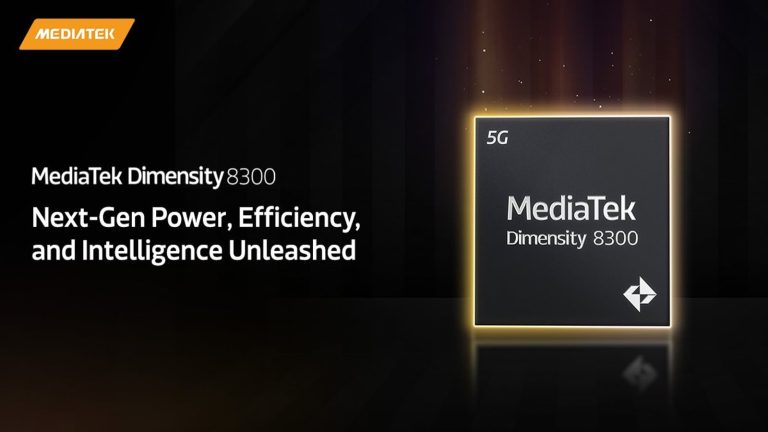
MediaTek now has a new flagship-level processor, the Dimensity 8300 which recently hit the launch stage. This is a 5G-enabled processor that is built on the 4nm fabrication process from TSMC and is also in use on other high-performance chips. MediaTek packs more than just performance features into this processor, as they spice things up with some generative AI capabilities.
Some of the performance features that this chip comes with are low-power savings, adaptive gaming technology, and fast connectivity. All of these are very important to smartphone OEMs that will put this processor to use on their coming devices. Carrying off from where its predecessor, the Dimensity 8200 left off, this new processor promises a lot.
With this new entry, MediaTek can boast of having the first premium-tier SoC to come with full generative AI support. This brings the new Dimensity chip on par with the growing need for built-in AI abilities on smartphone processors. Here are all the technical details on this new processor from MediaTek that’s soon coming to use on smartphones.
Technical performance specifications of the new MediaTek Dimensity 8300 processor
The new Dimensity 8300 processor is the sixth entry into the 8000 series from the chipmaker. Ever since the launch of the Dimensity 8000 series, MediaTek has turned its attention to performance improvements. Now with the launch of its sixth entry into this series, the company can say that they have come a long way, providing for the performance requirements of the end users.
Kicking off the technical specifications of this chip is the fact that it’s an octa-core CPU using TSMC’s 4nm process. Making up its eight CPU cores are four Arm Cortex-A715 cores and four Cortex-A510 cores. These are all built on Arm’s v9 CPU architecture, which is new to the industry, and having it on the Dimensity 8300 is impressive.
When it comes to the new processor’s GPU, it uses the Mali-G615 MC6 GPU, which is also impressive. For its performance improvement, this new processor boasts 20% faster CPU performance than its predecessor. There is also a 30% gain in the peak power efficiency that this new processor can achieve.
In the GPU’s department, the Dimensity 8300 brings a 60% performance improvement. While gaming, the chip also assures users of 55% better power efficiency.
Being an AI-enabled chip, this new entry uses the APU 780 AI processor. To step up connectivity, this processor relies on the built-in 3GPP Release-16 standard 5G modem to provide ultra-fast connection speeds. All of this can be power draining, but with the MediaTek HyperEngine adaptive game technology, users can enjoy better battery performance.
Considering these performance specifications, netizens can be sure that smartphone OEMs are waiting to bring this processor to their devices. In the coming weeks, some brands will launch devices that will make use of this flagship-level processor. Until then, you can head over to MediaTek’s official website to learn much more about this new Dimensity 8300 processor.
With the Android 14 update, Google has done away with the ability to access notifications using the app icon long press method. This method became popular over the years and was a fun and quick way to see notifications on each app easily. All users needed to do was to long press on the app’s icon from the homepage and a pop-up window will appear showing off a handful of details.
Among these details will be the notifications on the app, so users can quickly glance through them. Due to the small size of the pop-up window, users could only see one notification and then a bubble to identify the presence of others. This feature worked hand-in-hand with the notification bubble feature that shows the number of notifications an app has at a given time.
The app icon long press feature also offered users a quick way to clear these notification bubbles. Aside from reading the app’s notification, users could also swipe it away and clear the notification bubble on the app’s icon. This was a feature that most Android 13 users love using, as it is quite functional.
You cannot see your notifications upon icon long press in Android 14
Despite bringing a ton of new features, the Android 14 update is also doing away with some features. One such feature that’s no longer available is the one under consideration in this article. For some reason, Google thinks it’s time that Android users wave goodbye to this feature that they have come to love.
The fact that this feature is no longer available doesn’t mean that users can’t check notifications on apps. There is still the option to access all notifications from the control panel, where they are neatly laid out for easy access. Google only offered notification access from the app icon-long feature as a fun way to do things.
By pulling down the control panel, Android 14 users can still access their notifications. All notifications are neatly organized based on the apps they are from for easy and stress-free access. From the control panel, users can also clear notifications from apps that they have attended to or don’t have an interest in.
Now on Android 14, long pressing on an app icon only pulls app info, and pauses app, widget, and quick access tools. With the quick access feature, users can make use of certain functions within the app without having to open the app. The first three app icons long press functions app info, pause app, and widget now have a new design.
Instead of existing on different cards, all three functions now exist in one card. This is a much neater design and will grow on users with time.
Samsung will respond to the growing demand for artificial intelligence (AI) semiconductor chips, according to a report from FN News via SamMobile. The company’s Samsung Foundry, an arm that focuses on chipmaking, will improve on AI chips with a “competitive advantage.” Samsung shared this information in Hong Kong at a forum for investors. “Samsung Electronics has a very unique competitive advantage,” said Jeong Ki-bong, the vice president of Samsung Foundry. “I call it GDP.”
According to the report, the so-called GDP advantage represents three aspects of Samsung chipmaking. First, it references the gate-all-around (GAA) chip fabrication technology that Samsung has employed in recent production. It also includes high-bandwidth memory and advanced packaging technology. That’s how you get the acronym GDP: GAA, DRAM, Packaging. While Samsung is not necessarily the only company to offer these technologies individually, Samsung executives believe they have an advantage by putting all of this together.
“Hyperscaler (large data center operators), automotive OEMs, Tesla, and other customers came to us because they wanted chips they designed,” Jeong said. “When asked why they came to us, they say, ‘Samsung has all three.’”
Growing demand for AI results in greater performance needs
Tasks and processes that utilize AI can require more performance than typical chips offer. That’s why Samsung says that it has received the largest amount of new orders in the high-performance computing (HPC) sector. The other notable sectors of Samsung Foundry development are the mobile and automotive markets. The mobile processing market is still the largest that Samsung serves, represents 54% of Samsung Foundry’s estimated sales this year. HPC now slots in at 19% for second-place, with automotive sales estimated to make up for 11%.
“It’s our mission to bring semiconductors, including power and memory, to life to the imagination, and some customers will be selling the 4 nanometer AI accelerators under development,” said Jeong. “The first electric vehicle company in the automotive industry, is also developing the next version of the 5 nanometer, a fully autonomous chiplet.”
Although Samsung is still posting slightly-sluggish sales, these positive statements come as the company goes all-in on AI chips and HPC. As more applications for AI-based products and services come to market, they may command better-performing equipment. We are already seeing large AI learning models require large amounts of onboard memory for on-device computing. If Samsung’s proclaimed “GDP advantage” really is appealing to OEMs, it could be the key to Samsung Foundry’s success. However, it will still face tough competition from Taiwan Semiconductor Manufacturing Corporation (TSMC), which is currently the premier chip fabricator.
Recently, it was announced that Huawei’s HarmonyOS Next operating system is almost ready. This is a self-developed OS, and it doesn’t use AOSP (Android Open Source Project). In other words, it’s not an Android OS and doesn’t support Android apps. Before we get further into it, don’t fret, as global Huawei devices won’t lose Android app support.
Global Huawei devices will keep Android app support, HarmonyOS Next will be exclusive to China
The company wanted to clarify things, as users got worried. Huawei said, in an announcement, that global units will not get the new OS. In other words, smartphones and tablets that are sold outside of China will keep using EMUI. Support for Google services is not included, but Android app support is, along with Huawei services (HMS).
So, there’s no need to worry if you’re using a Huawei device, or plan on getting one. Huawei can’t really do anything about Google services, due to the US ban, but the company did develop a very good alternative, along with its app store. Huawei also allows you to access apps via APK repositories with ease.
That being said, let’s circle back to HarmonyOS Next for a second. That self-developed OS will be used in China, it seems, and it has its alternative for APKs… HAP files. Its apps will come in the form of HAP files.
HarmonyOS Next will look the same as HarmonyOS
Another thing to note is that HarmonyOS Next looks basically the same as HarmonyOS. This will be a rather interesting transition for the company, and we wonder how Huawei plans on handling it.
Why? Well, despite the fact this OS will roll out in China only, Huawei’s China-based users are still using tons of Android apps. It has been that way since smartphones became a thing, basically.
Will Huawei find a way to port these apps somehow? Getting developers to adapt Android apps for HMS was hard enough, but getting them to re-do them for a whole new OS… that’s a whole different story, and even more demanding. It will be interesting to see what are Huawei’s plans here.
An information-stealing malware called “Lumma” or “Lumma Stealer” has recently rolled out a new feature that claims to be able to restore expired Google authentication cookies. Lumma was first discovered in 2022 and operates as a malware-as-a-service. Lumma Stealer uses a subscription-based plan where threat actors can rent and distribute the malware. In its most recent update, Lumma Corporate tier members who pay $1000 USD per month now have the capability to restore expired Google authentication cookies. If a threat actor gains access to these cookies, they can impersonate the user associated with the account and bypass standard login procedures.
Google authentication/session cookies are small pieces of data stored on a user’s device that contain information related to their login session. These cookies are crucial in maintaining user authentication, allowing users to stay logged in across different pages or sessions. Cookies span various Google services, extending beyond just Gmail accounts. Threat actors who obtain valid session cookies can effectively hijack a victim’s Google account. Cookies have expiration dates as a security measure designed to limit the window of opportunity for attackers. The combination of expiration dates and various security mechanisms make it challenging for threat actors to exploit them successfully.
Alon Gal, the CTO of Hudson Rock, first discovered the Lumma update that claims to be able to revive cookies. The update indicates it can extract non-expirable Google cookies from infected devices, even if the owner changes passwords. Lumma developers claim this is “perhaps, the biggest update since the opening of the project.” Notably, another information-stealing malware called Rhadamanthys recently announced a similar capability. When asked about this by Bleeping Computer, a Lumma agent claims the feature was copied from Lumma Stealer.
Lumma’s latest update claims to revive expired Google authentication cookies
The capabilities of Lumma Stealer have yet to be verified by Google or security researchers. As Lumma alleges, the ability to “restore dead cookies using a key from restore files (applies only to Google cookies)” is rather frightening. Google, seemingly aware of the threat, released an update that presented some restrictions to tokens. Consequently, Lumma countered with an update that “fixed Google logs.”
Stealing Google session cookies opens up a whole lot of issues. Threat actors will gain direct access to Google accounts, allowing them to exploit a range of sensitive information. Moreover, an attacker could impersonate the victim, bypassing login procedures and gaining control over their email, documents, contacts, and other personalized settings. They could send emails or messages on behalf of the victim and potentially compromise other linked accounts if the victim uses their Google credentials for multiple services. So, yes, this is a severe threat.
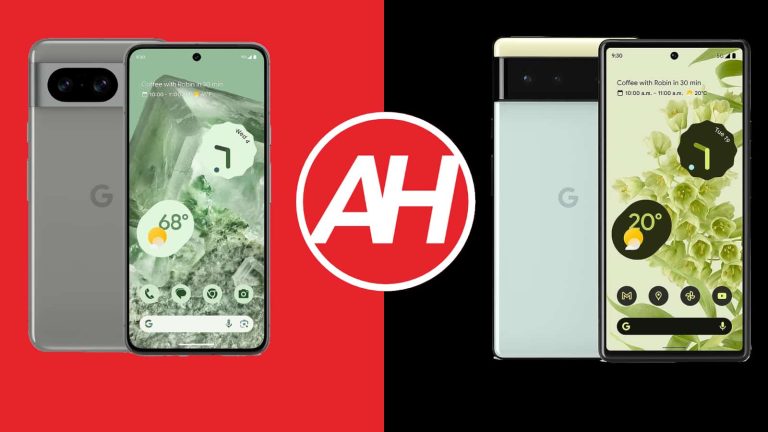
The Google Pixel 8 launched last month, and it’s one of two new flagship smartphones from Google. Many of you are probably still using the Pixel 6, and are trying to decide whether to upgrade or not. Well, we’ll try to help out. In this article, we’re comparing the Google Pixel 8 vs Google Pixel 6. These two phones are somewhat similar, but they’re also different, even when it comes to the overall feel in the hand. We’ll get to that soon.
Before we get down to it, do note that we’ll first list the specs of both smartphones. Following that, we’ll compare the devices across a number of different categories. We’ll compare their designs, displays, performance, battery life, cameras, and audio performance. Having said that, let’s get started, shall we?
Now, the moment you take a look at these two phones, you’ll notice they’re a part of the same family. Google ushered in a new design language with the Pixel 6 two years ago, but things changed since then. The only reason you’ll notice these two are related is because of that camera visor on the back. The one on the Pixel 8 is covered by aluminum, while the Pixel 6 comes with a glass-covered one. The Pixel 6 has that two-tone finish (not counting the different color strip above the camera visor), while the Pixel 8 does not.
Having said that, the Pixel 8 is a considerably smaller device, and its corners are also considerably more rounded. On top of that, the Pixel 8 does have thinner bezels than the Pixel 6, and the difference is quite noticeable. Both smartphones do have flat displays, and a centered display camera hole. Their buttons are pretty much in the same spot on the right side, and both devices do include an in-display fingerprint scanner.
The Pixel 8 is considerably shorter and narrower than the Pixel 6. The two phones have the same thickness, while the Pixel 8 is also lighter by about 20 grams. Yes, you will notice the difference, very much so. The Pixel 8 is so much easier to use with one hand. Both phones are also quite slippery, so take note of that, as using a case may be a good idea. You’re getting an IP68 certification on both phones here. Both of them feel sturdy in the hand, they’re well-built.
Google Pixel 8 vs Google Pixel 6: Display
The Pixel 8 includes a 6.2-inch fullHD+ (2400 x 1080) Actua display. That is an OLED panel, that is flat, and it offers a 120Hz refresh rate. It also supports HDR10+ content, and goes up to 2,000 nits of brightness at its peak. This display has a 20:9 aspect ratio, and it’s protected by the Gorilla Glass Victus from Corning.
Google Pixel 8
The Google Pixel 6, on the flip side, features a 6.4-inch fullHD+ (2400 x 1080) AMOLED display. This panel is also flat, and it supports a 90Hz refresh rate. It also supports HDR10+ content, and has a 20:9 aspect ratio. The Pixel 6’s panel is protected by Corning’s Gorilla Glass Victus, so it has the same protection as the Pixel 8, pretty much. This display doesn’t get anywhere near the Pixel 8’s in terms of brightness.
Google’s new smartphone has a much better display in comparison. It’s more color-accurate and it can also get much brighter, not to mention that it pops noticeably more. Google made quite a major step in the right direction with this panel. If you’re using your phone outdoors often, the Pixel 8’s display is definitely the way to go. The same goes if you like to use your phone with one hand, and so on. On top of that, it’s also smoother thanks to the 120Hz refresh rate.
Google Pixel 8 vs Google Pixel 6: Performance
Google’s Tensor G3 SoC fuels the Pixel 8. That is the company’s latest and greatest mobile chip, a 4nm processor. The phone is also equipped with 8GB of LPDDR5X RAM, and UFS 3.1 flash storage. The Google Tensor fuels the Pixel 6, while the phone includes 8GB of LPDDR5 RAM, and UFS 3.1 flash storage. The Pixel 8 has inferior components in comparison, but that is to be expected considering a two-year difference.
What’s the performance like? Well, both devices do perform really well. That goes for regular, everyday tasks. The Pixel 8 does feel a bit smoother in direct comparison, and its 120Hz display could have something to do with that too. The Tensor G3 is a notable improvement over the original Tensor as well. You’ll notice a difference when gaming, that’s for sure. Neither of these two phones is made for gaming, but the Pixel 8 definitely handles demanding games better. It also doesn’t get as hot as the Pixel 6 during gaming sessions. It’s not that the Pixel 6 cannot handle demanding games, but it’s just not great at doing so.
Google Pixel 8 vs Google Pixel 6: Battery
There is a 4,575mAh battery included in the Google Pixel 8, while the Pixel 6 has a 4,614mAh battery. Are they any good battery life-wise? Well, the Pixel 8 definitely did better for us, but neither phone will break any records in that regard. The Pixel 8 provided us with 6.5-7 hours of screen-on-time most days, but you can push that past the 7-hour mark if you’re really careful with your usage.
The Pixel 6, on the other hand, well… it’s not a great story. The phone was okay at first, but getting over 5 hours of screen-on-time on the device was a chore after a while (which is odd for a Pixel), at least if you use it on mobile data. You can get noticeably more on WiFi, but mobile data simply kills the battery life on the device, especially if you’re driving around. We even had days when the battery didn’t last 5 hours of screen-on-time. Things were considerably different over weekends, so… yeah, it’s not the best.
As far as charging is concerned, the Pixel 8 supports 27W wired, 18W wireless, and also reverse wireless charging. The Pixel 6, on the flip side, supports 21W wired and 21W wireless charging, along with reverse wireless charging. The difference in charging speed won’t exactly be noticeable. The Pixel 8 will charge a little bit faster, but neither phone offers truly fast charging, and both of them will slow down charging considerably past the 50% mark. Also, a charger is not included with either smartphone.
Google Pixel 8 vs Google Pixel 6: Cameras
The Google Pixel 8 features a 50-megapixel main camera, and a 12-megapixel ultrawide unit (126-degree FoV). The Pixel 6, on the flip side, has a 50-megapixel main camera, and a 12-megapixel ultrawide camera (114-degree FoV). So each of the two phones has two cameras on the back, unlike their siblings, which feature three.
Google Pixel 6
That being said, the Pixel 8 does come with a newer, and better main camera. That does reflect in the end results, as the images do end up looking more detailed, and sharper overall. The Pixel 6 is still an outstanding camera smartphone, but it cannot compare to the Pixel 8. Google upped its game, and even though the differences may not be obvious to some, the Pixel 8 does provide better images. That is especially apparent in low light. The Pixel 8 lets in more light, which in combination with Google’s software has a better handle on noise, and allows the phone to pull more details from the shadows.
The differences in the ultrawide camera performance are less obvious, but they’re still there. Also, Google managed to keep a good balance between main and ultrawide cameras on both smartphones. The colors are quite close, there’s no major difference in that regard. The Pixel 8 also delivers more stable video recording. It’s essentially better across the board as far as camera performance is concerned.
Audio
What about the audio? Well, both devices feature stereo speakers, and both have good sound output. There are no major differences between them, even though the Pixel 8 did seem to deliver richer sound. There’s also a difference in loudness between the two, but it’s not a major difference.
Neither phone has a 3.5mm headphone jack. So, you can either utilize their Type-C ports to connect your headphones, or you can opt to go for wireless audio via Bluetooth 5.3 and Bluetooth 5.2 on the Pixel 8 and Pixel 6, respectively.
Samsung is trying to use blue phosphorescent OLED display technology in devices by the second half of 2025, according to a report from UBI Research via The Elec. That could line up with the release of Samsung’s Galaxy Z Fold 7 and Galaxy Z Flip 7, but it’s unclear whether the company plans to debut the technology in foldable products. Since Samsung typically releases its traditional flagship phones in January or February, the reported timeline doesn’t line up with the potential Galaxy S24 or S25 series. Completely utilizing phosphorescent OLED technology, abbreviated PHOLED, would result in displays with lower power consumption.
UBI Research also found, after contacting companies developing blue phosphorescent materials, that PHOLED technology likely isn’t ready to go mainstream. It suspects that by using blue phosphorescent in an upcoming display, Samsung is trying to become the first to debut this technology. If this report is to be believed, it might not make sense for Samsung to release this technology with the Z Fold 7 and Z Fold 7 after all.
This is especially possible due to the fact that the biggest issue with blue PHOLED technology is durability. Blue PHOLED displays have a lifespan of 55%, per the report, compared to current displays. Samsung’s flagship AMOLED displays currently use some PHOLED materials. PHOLED is used for the red and green pixels, but the blue ones still feature older fluorescent materials. Samsung’s internal goal is to make blue, red, and green pixels all with PHOLED materials by the second half of 2025. But due to the reported lower lifespan, it’s unclear in what capacity PHOLED could appear.
Why Samsung is trying to make blue PHOLED pixels
With those durability concerns in mind, it’s easy to wonder why Samsung is aiming for blue PHOLED pixels at all. The answer is that it all comes down to power consumption. The red and green PHOLED pixels in Samsung’s current AMOLED displays have a light-emitting efficiency of 100%, which is excellent. However, the blue fluorescent pixels in those same displays feature a light-emitting efficiency of 25%. In this situation, higher is better, because a higher percentage means more light that is emitted by the pixels are viewable.
Essentially, using blue PHOLED technology means a display could provide better brightness while consuming less power. That’s because less light emittance is lost through using phosphorescent materials instead of fluorescent ones. For users, the benefit is simple: using a display with blue PHOLED pixels could result in better battery life. Samsung has been working on this technology for some time, and this latest update suggests we might be getting closer a public launch.
Scammers are abusing an Apple feature that allows websites to create push notifications that look like they’re coming from macOS, or apps. The notifications try to scare users into clicking a link with fake virus alerts or messages saying their account has been hacked.
Years ago we warned our readers about the introduction of browser push notifications because we felt they were a feature waiting to be abused. At the time we focused on Windows users, but recently we are seeing examples of macOS users being plagued by this pest.
Use the Apple Push Notifications Service to send notifications to your website users, right on their Mac desktop — even when Safari isn’t running. Safari Push Notifications work just like push notifications for apps. They display your website icon and notification text, which users can click to go right to your website.
Do you see the problems?
“Even when Safari isn’t running.” So how are users supposed to know where the notifications are coming from?
“Work just like push notifications for apps.” My point exactly. How can we distinguish them from actual system notifications?
“They display your website icon.” Website icons are controlled by the website owner, so they can used the system settings icon for their website, making their notifications look like system notifications.
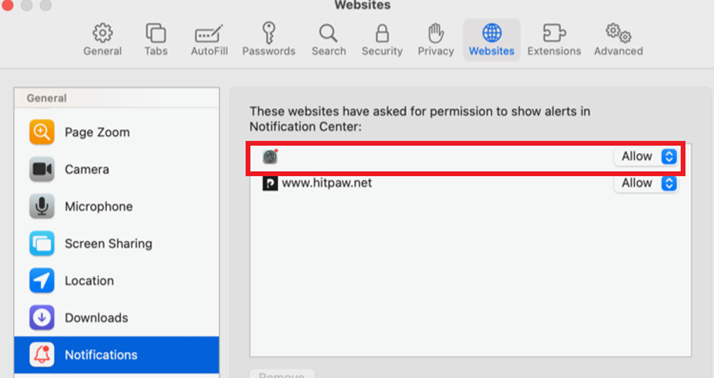
The Websites section in Safari settings shows a website that uses the macOS System Settings icon
These settings can appear in Safari Settings or System Settings, and you can remove them by following the instructions below.
Application Notifications
Open your Apple System Settings and then select the Notifications tab along the left.
Scroll down the list under Application Notifications and look for any websites that have permission to send you notifications. The entry may have a name designed to mislead you, such as “ask you” or “Notifications”.
Under each item you will be able to see what type of notification permissions it has. To stop these, just click on the entry and turn off the slider at the top which will disable notifications for this item.
A website listed under Application Notifications with a misleading name and icon
Safari Settings
In the Safari app on your Mac, choose Safari and click Settings. Click Websites, then click Notifications.
Scroll through the list of websites and look for websites that don’t want to receive notifications from. Anything that shows Allow can send you messages, so switch them to Deny if you do not want to see their messages.
We don’t just report on threats—we remove them
Cybersecurity risks should never spread beyond a headline. Keep threats off your devices by downloading Malwarebytes today.