During a recent Android Show interview, Dave Burke gave users a tip on what future Android version updates will bring. To Dave and lots of other Android users, quality is a major part of each upgrade, since it steps up the overall user experience. For this reason, the Android team has a goal to make each OS release better in terms of quality than the outgoing version.
This will affect how the team works on each update to the Android system to make it a bit more refreshing for users. Google now plans to change certain developer practices, especially those involving the work leading up to the update to the new Android version. The team will no longer work on updates for longer periods, but instead, bit by bit, to help them see areas where they can improve on the system’s quality.
Dave also points out some of the quality improvements that are available on the newly launched Android 14. These quality improvements will help impact the usage of this system for most Android fans around the world. Future updates to the Android system will all come with necessary upgrades in the overall quality of the entire system.
Overall quality is set to get some improvements on coming Android version update
According to Dave Burke, quality is the “number one feature” on every Android release. From little motion animations to the fluidity of the entire system, the quality has to be impressive. This is because users are constantly on their Android devices, hence the need for an exceptional experience at all times.
In the Android 14 update, there are a lot of areas where Google paid so much attention to quality. The new Android version also excels in terms of performance as well, making it stand out from its predecessor. Users can benefit from the various new features that Android 14 brings over Android 13.
This is what Google is looking to achieve over the coming years with future Android updates. To accomplish this aim, Google is looking to change some development practices that will lead to the launch of Android 15. The development of this update will be in chunks so that the entire process stays fresh throughout development.
By doing this, the team will pay more attention to various aspects of the update. The performance will also see a significant boost in the coming Android version update. Currently, Android 14 brings a ton of performance upgrades in comparison with its predecessor.
With each update, Google also aims to take the quality bar higher to help improve user experience. Developers will also benefit from the coming quality upgrade that will be available on Android 15. Details on what’s coming with the Android 15 update will become available in the coming months leading up to the update’s launch.
New reports point out that Elon Musk might block X users in Europe from accessing the platform. This is coming after the platform came under the EU’s radar on how they handled disinformation coming from the Israel-Hamas conflict. So, instead of fixing the issue on the ground, Musk might attempt to take the shortcut and block Europeans from the platform altogether.
In recent weeks, there has been a ton of disinformation from both parties on the Israel-Hamas content. The EU noticed such misleading information on the sad events and reached out to Elon Musk to control the spread of such information. There was also some pressure on X to give details on how it is fighting against the spread of disinformation on its platform, hence protecting unsuspecting users.
Failure on X’s part to fix this issue and keep things in check might result in penalties from the EU. Regardless of this looming possibility, Elon Musk doesn’t seem to care and might be planning a sneaky move. Instead of fixing his platform’s disinformation problems, the billionaire might be planning to block X users in Europe from accessing the platform.
Disinformation on X is a real problem, as the EU points out, but Musk’s fix might be to restrict access to X users in Europe
Musk’s plan to block X users in Europe from the social media platform might come as a result of various EU regulations. The social media owner seems to be fed up with having to comply with these regulations set on his platform. Most of these regulations are in the EU Digital Service Act, and the region’s government expects social media platforms to comply with its regulations.
Some of these regulations go against Elon Musk’s plans to make X the Everything app. After taking over the platform, Musk set the agenda to let users air their minds freely. Most users are now taking full advantage of this freedom X gives them, using it to spread lies on various topics.
In recent times, users on X have been bombarded by various misleading information on the Israel, Hamas conflict. Some video posts on X show what is going on in the affected areas with misleading context. In some cases, certain ill-meaning users post clips from video games, claiming that they are recordings of attacks.
With the influx of all this misleading information to X, the platform is losing its credibility. However, this doesn’t seem to move Elon Musk, as he still hopes to make X a hub where everyone can share their thoughts freely. Instead of fixing the disinformation issue on the X platform, the billionaire might opt to block users in the European Union from accessing the platform.
By doing this, he will no longer be accountable to the EU for content users post on X. If Elon’s plans pull through, then X users in the European Union regions will be blocked from the platform. This action will be sad and will in no way solve the disinformation issue the platform is facing.
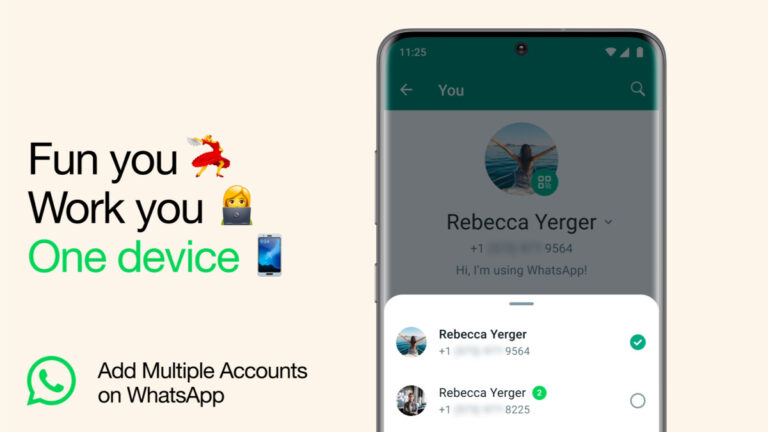
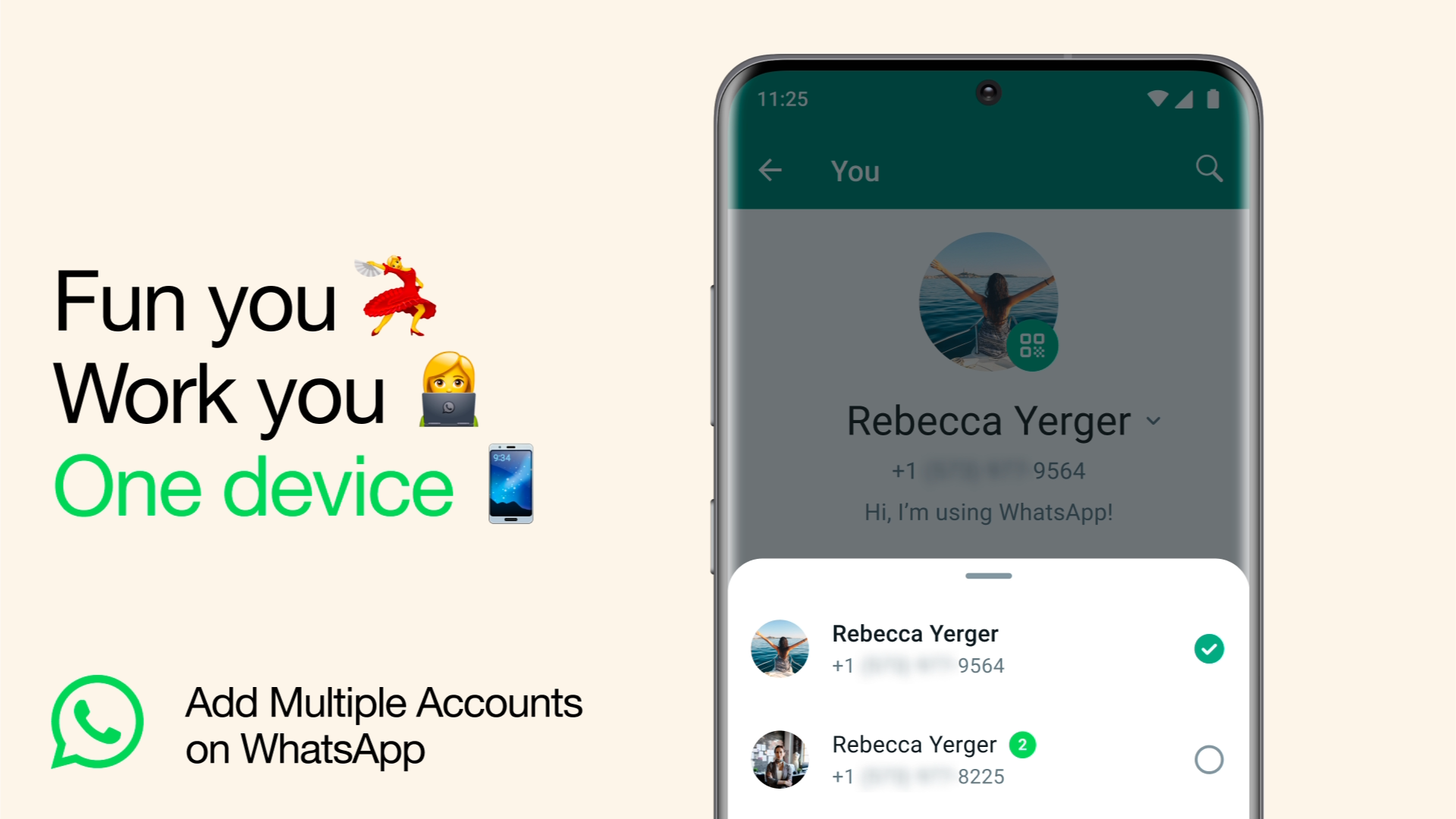
Earlier in August this year, we let you know that WhatsApp was testing a cool feature—support for multiple accounts—for its beta users. This nifty capability is especially handy for people juggling two SIM cards on their smartphones, one for personal use and the other for business. Now, the good news is this feature is making its way to all of WhatsApp’s 2.7 billion users.As per the official announcement, WhatsApp is rolling out the ability to have two accounts logged in simultaneously within the official app. This change is kicking off today, so keep an eye out for it on your Android and iOS devices.
With this new feature, you won’t need to go through the hassle of logging out each time or carrying two phones. Setting up a second account requires either a second phone number and SIM card or a phone that supports multi-SIM or eSIM.
To use two accounts, simply dive into your WhatsApp settings, click on the arrow next to your name, and hit “Add account”. You get the added bonus of controlling privacy and notification settings for each account separately.
Previously, people with two phone numbers had to either lug around two phones or deal with installing dual apps on specific Android skins and using the WhatsApp Business app on iOS, which, let’s be real, was a bit of a hassle. So, the support for two accounts at once is a welcome update.
There are powerful productivity computers that are meant for heavy lifting, but you’re not looking for anything like that. You’re in the market for a smaller, lightweight, and affordable computer that gets the job done. Well, let me introduce you to the Lenovo IdeaPad Slim 3. This computer fits the small, lightweight, and affordable category, but is it any good? We were given the opportunity to review the Lenovo IdeaPad Slim 3.
This is the type of computer that’s meant to give you plenty of bang for your buck. It’s a Chromebook that comes in at $319. So, you know that it’s not built to take on the latest Macbook. It’s the type of computer you get if your needs aren’t quite robust.
The thing about Chromebooks is that they’re both powerful and not powerful at the same time. They don’t typically come with the beefiest specs. However, they have a lot of productivity potential, as ChromeOS is heavily efficient, and Chromebooks are really good at the things they’re meant for. So, let’s dive into this review and see if the Lenovo IdeaPad Slim 3 is powerful enough for you.
Lenovo IdeaPad Slim 3 Review: Design
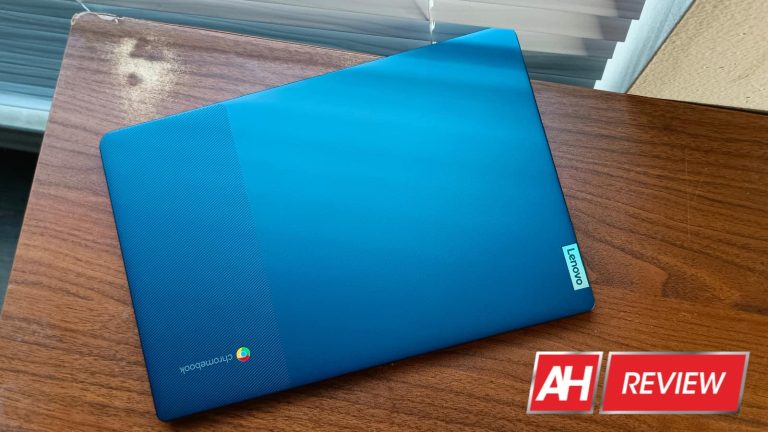
Lenovo has its own unique design language that it applies to its devices, and the Slim 3 has a pretty nice look to it. Like with some of Lenovo’s tablets, there’s a bit of a two-tone look to it. It’s not technically a two-tone look, but it gives off that appearance.
When closed, the majority of the top has a relatively smooth matte texture. About a quarter of the top, however, has a spree of slits running diagonally. The light will interact with this section differently than the rest of the top, creating an illusion that these are two colors. We see the Lenovo logo on the left side with the Chromebook logo on the right.
When open, we see the classic hallmarks of a Chromebook. There’s a giant trackpad with a fairly simple keyboard above. That keyboard is flanked by the large speaker grilles.
Display
As for the display, we’re looking at a 14-inch screen with some fairly slim bezels. The chin has the biggest bezel with the forehead in second place. This houses the front-facing camera. The side bezels are the thinnest and, while it has a pretty large chin, they give the computer an overall nice look. It almost has an edge-to-edge look to it.
Overall, I think that the IdeaPad Slim 3 lives up to its name. It’s not quite as slim as some of Lenovo’s other Chromebooks, but it’s still pretty sleek. I like that faux two-tone look to it as well. In terms of design, I have no complaints.
Lenovo IdeaPad Slim 3 Review: Build quality
The moment I picked up this computer, it hit me that it’s an affordable device. Now, this is not to say that it feels cheap. There are devices that pull tricks to make them seem like they’re more expensive than they are. They’ll either sport a lightweight metal design or have added heft to them.
That’s not the case with the Lenovo IdeaPad Slim 3. It doesn’t try to make you think that it’s more premium than it is. Rather, it makes you think that it’s higher quality in a different way. It lets you know that it’s well-built. The chassis is made from plastic, yes, but it’s a thick and sturdy plastic. It doesn’t buckle or creak when I apply pressure to it. That’s saying a lot, as I applied pressure to the top of the computer, which is usually the softest part of any laptop.
This continues to the inside of the device. The bottom of the computer houses all of the important internal components, so it’s important that it’s well-protected. Well, the bottom of the IdeaPad Slim 3 is solid. Applying some pressure to the computer, I couldn’t really get it to bend or creak.
The same thing goes for typing. It’s never a good sign when you’re typing, and you see the keyboard buckling under the force of your fingers. I tried aggressively typing on the IdeaPad, and couldn’t get it to move at all.
All in all
Overall, one of the things betraying this computer’s price is the build quality. Now, it’s not ultra-slim or clad in metal. Rather, it’s just solidly built. I can pick it up and feel confident about taking it out for work. I don’t get worried when I toss it in a bag or set it on my bed along with other items. Lenovo put a ton of attention into making this a sturdy device, and it shows. So, I can tell that it’s a cheaper device when I pick it up, but I know that it’s not cheap.
Lenovo IdeaPad Slim 3 Review: Display
The display on this computer never really stuck out to me until I started pushing it to its limits. With a price tag of $319, you wouldn’t really expect it to knock your socks off; you’d expect a pretty run-of-the-mill experience, and that’s partially true.
There are some elements of the screen that are pleasant and others that are average at best. There’s also one notable issue that will deaden the viewing experience for most people.
Colors
Starting off with the colors, it looks like Lenovo calibrated the display to have a pretty neutral white balance, but it leans slightly warm. It’s not too noticeable, but you’ll notice it if you put it next to most other displays.
In terms of overall saturation, I’d say the colors are pretty average. Starting off, this is an LCD display, so the colors are already lacking. Don’t get me wrong, there are plenty of companies whose LCD displays have extremely punchy colors (looking at you OnePlus and formerly LG). However, the saturation in this panel is just average.
I wouldn’t say that the screen is dull, however. The thing is that there are plenty of screens that are so saturated and colorful that they could make anything pop, even if it’s mundane. Also, there are displays that you really have to push to make the colors pop. You have to watch videos with extremely saturated and vibrant colors in order for you to get some nice colors; the Lenovo IdeaPad Slim 3 has the latter.
Looking at mundane pictures, UIs, videos, wallpapers, etc., everything just looks okay. It’s not until I watch heavily saturated videos (like those YouTube videos that have 4K HDR footage to REALLY flex your display) that I see some nice colors from this panel. Even then, they’re not much to write home about.
Contrast
When it comes to the contrast, it’s just like the colors. The contrast is very average. I wasn’t blown away by any exceptionally dark shadows or deep blacks. I wasn’t wondering what technological wizardry Lenovo pulled. I’m just looking at an average LCD display with average contrast.
Brightness
In terms of brightness, I had no issue using this computer in most lighting situations. For starters, at full brightness, my eyes started straining while indoors, so I usually keep it at about 60% brightness. When I moved to a different location like a brightly lit coffee shop, I still didn’t have any issues seeing the screen. I think that some of that can’t be attributed to the brightness.
In terms of raw brightness, it’s good enough to be visible in well-lit indoor environments and in the outdoors as well. One thing that helps the visibility is the material covering the display, however. It’s a matte plastic. This plastic is much less reflective than glass, and that adds greatly to the visibility. My current laptop has a max brightness similar to that of this Chromebook. However, using these two computers in the same environments and lighting conditions, I found that the Chromebook was much easier to see because it cut down on the reflections. My laptop’s glass display reflected just about everything.
Touch response
The Lenovo IdeaPad Slim 3 has a touch screen, which is a big plus over other laptops at this price point. You’re most likely not going to be using this laptop as a replacement for your tablet. However, there will come times when your best bet is to use the touch screen to navigate the screen.
I didn’t use the touch screen too terribly much, but my usage ramped up when I found myself in locations where I couldn’t access my mouse. The good thing about this is that the touch response is great. It’s not only great, but it’s about 1-to-1 with what you’d get with a tablet.
We’re all used to having to press hard and swipe slowly on lower-quality touch screens because they couldn’t keep up with the input. This is the kind of experience that you’d expect from a computer like this, but that’s not the case.
I’m used to tapping lightly and swiftly on tablets, and I was able to have the same experience while using the IdeaPad. Tapping, swiping, flicking, and drawing are all as fluid and seamless as on any smartphone or tablet.
Now, about that issue
So, what was this problem that I mentioned? Well, if you’re used to looking at fluid 60fps content, then you’re going to be disappointed with this screen. It can display the videos in 1080p at 60fps, but it can’t properly play the video at that frame rate.
The videos appear choppy for some reason, so you won’t get any fluid video playback. This is a major issue for people who really want to see smooth and fluid videos. They all come out rather choppy, which is a shame. Why is the video choppy? Well, I’ll explain later in the review.
Lenovo IdeaPad Slim 3 Review: Keyboard
I touched on how the keyboard doesn’t buckle, but I didn’t really talk about the keyboard itself. When it comes to the keyboard, the experience is pretty good. Obviously, this is no mechanical keyboard. You’re going to get extremely tactile keys with this computer. That being said, I didn’t find the keyboard to be really mushy.
The keys aren’t mechanical but they do all have a satisfying click to them. My main keyboard is a Redragon mechanical keyboard, but transitioning from that keyboard to this one wasn’t too much of a downgrade. There are definitely mushier keyboards out there on the market.
As for the arrangement of the buttons, it bears the layout innate to Chromebooks. Lenovo didn’t do anything to make this different from other Chromebooks. If you’re familiar with using these devices, then you should feel right at home. If not, then the lack of a caps lock key might be pretty jarring.
All in all, the keyboard isn’t exceptionally great, but it’s not bad by any means. Like most other aspects of this laptop, the keyboard is average; it gets the job done.
Lenovo IdeaPad Slim 3 Review: Speakers
Looking at the large speaker grilles on either side of the keyboard, I expected some nice-sounding speakers. I wasn’t only looking at the speaker grilles, as I saw the Waves Maxx Audio logo under the left grille. OEMs usually partner with professional audio brands to give their speakers a little bit of a boost. Let’s see if this partnership paid off.
Loudness
I’d say that the loudness and fullness of the sound are the best aspects of these speakers. The speakers on smaller laptops are usually overlooked or lacking in many regards. This goes especially for more affordable computers. Of all the things to focus on while making an affordable computer, the speaker quality isn’t always at the top of the priority list.
That being said, I was pleasantly surprised with how loud the speakers on the IdeaPad Slim 3 can get. They’re certainly loud enough to warrant the large speaker grilles. They’re definitely loud enough to replace your Bluetooth speaker when you want to fill a room with sound.
The speakers don’t only produce a loud sound, but they also produce a full-bodied sound. That’s probably more important than the loudness. Sure, the sound could be loud, but you won’t enjoy it if it’s thin and tinny. The speakers, however, give me a nice and hearty sound.
Low-end
While the sound is nice and full, the speakers still leave something to be desired. I think that the area they’re most lacking in is the low end. It’s pretty nonexistent at times. It doesn’t matter what genre of music I’m listening to, I just can’t hear the rumble.
There are some genres that put a heavy emphasis on the bass like mid-90s R&B and early 2000s pop. You can’t un-hear those strong synthetic bass hits of early 2000s pop. However, when I turn on music from those and similar genres, I just can’t hear the bass. I can hear most of the harmony, but I can’t hear the supporting lower tones.
For speakers this big, I would have liked to have some more bass along with the sound. The sound is really nice when it comes to the fullness, but the lack of bass really holds it back.
However, I can’t complain because this is still a very affordable laptop. When you’re selling a computer at this price point, you’re going to need to make some serious compromises. The sound is nice and full, but it came at the cost of the low end. You can’t have it all.
High end
The story of the high-end is a bit of a weird one. There’s a good amount of pleasant high-end to the sound, but it can be a bit much at times. This is because of the lack of low-end. I won’t go as far as to say tinny, but there are times when it starts to approach that level.
I think I know why the sound doesn’t go so far as to be tinny. There’s this emphasis on mid-range audio. I think that this is what gives it the fullness that I’ve been praising. While listening to a song with bass, voices, and a high hat, I could hear the voices around the mid-range more clearly. This goes for other songs as well; I can hear voices and instruments in the middle of the range more clearly.
That’s not particularly bad, but you also miss out on some of the higher tones, and voices don’t pop as much. Also, if you’re into listening to 80s pop, you won’t hear those higher “twinkle” tones as clearly.
All in all
The speakers on this computer are nice for the price. They give you a nice full sound that can fill your room. However, you’re missing out on some of the immersion that comes with more substantial bass. In general, they’re a bit lackluster, but they’re notably good for the price that you’re paying for the laptop.
Lenovo IdeaPad Slim 3 Review: Ports
Chromebooks don’t typically have a ton of ports, and this one is no exception. You have a USB-C port to charge the laptop, but you can also use it to plug in other devices for file transfers. There’s a USB-A port right next to it along with a 3.5mm headphone jack and a microSD card slot.
That’s about typical for most Chromebooks on the market.
Lenovo IdeaPad Slim 3 Review: Performance
So far, my emotion toward every aspect of this laptop has been “It’s pretty average. Not great, but not bad”. However, if there’s one thing I can say is truly bad about this Chromebook is the performance. I’m not going to mince words here, this laptop performs terribly.
Here’s the natural progression of most devices; they work smoothly out of the box, but they start to slow down as they age. I had a $200 Chromebook a while ago, and it took about a year before I started to see its performance tank. At that point, it would freeze up, apps would take a second to load, and the overall experience slowed down.
That’s the kind of performance I got with the Lenovo IdeaPad Slim 3 out of the box. From the moment I powered it on, I saw substantial stutter and slowdown throughout the software. I waited for the computer to properly wake up, and it persisted. I was surprised at how consistent the slowdown was throughout the software.
Basic things like opening web pages take longer than they should. While using YouTube Music, just about everything takes multiple seconds to complete, and this includes playing and pausing the music. Scrolling through feeds of any kind makes it look like I’m watching a slideshow.
Twisting this computer’s ARM
This, sadly, exemplifies that ARM-based processors are just not reliable for running a full desktop operating system (unless it’s in an Apple computer). From the moment I turned this Chromebook on, the MediaTek Kompanio chip was struggling just to run the operating system.
I could understand if I was trying to run demanding applications or opening up 100 Chrome tabs. However, I’m using it for modest writing work most of the time. It chugs while handling the YouTube Music website. If you’re wondering why the videos are choppy, well, here’s your answer. The computer is too weak to render the 60fps video.
There were multiple occasions when the computer would lock up completely and force itself to restart. This would happen on random occasions; it didn’t matter what workload I was dealing with.
Price is not an argument
Sure, the price is low compared to other computers, but $319 is still a lot of money to part with in general. If you’re going to pay for a device with that kind of money, you’d want it to perform its core tasks with some level of proficiency. I’m not using any software that didn’t come pre-installed on the device. Google Chrome is the main browser, and I never use more than about four tabs. I’m not doing anything that pushes this computer to its limits, but it’s constantly chugging.
I wouldn’t mind trading the MaxxAudio tuning for a slightly better processor. At $319, some slowdown is to be expected, but there’s just too much here.
Lenovo IdeaPad Slim 3 Review: Battery
Back on a higher note, the battery performance of this laptop is very good. I typically used the IdeaPad Slim 3 for extended working sessions with tons of video-watching. I’ve yet to kill this battery in one sitting.
Rather, I find myself using this computer for a few hours at a time per sitting and not having to reach for the charger until around my third or fourth. I’d say that, on average, I get about 10 hours of screen-on-time, which is nothing to scoff at.
The great battery life also transfers to the standby time. Part of the reason for this is due to Google rather than Lenovo. There’s a battery setting in ChromeOS that will disable all of the connection options when it goes to sleep. So, when I close the computer, the Bluetooth and Wi-Fi are shut off automatically. This definitely adds to the battery savings, and it’s a good setting to have. The only thing you have to know is that every time you open the computer, you have to reconnect to the Wi-Fi connection.
Charging
If you find yourself on a low or dead battery, it won’t really take long to get back to full. I’d typically have the battery charged fully in under two hours. A quick 30-minute charge is enough to get me through a full work session of about four hours.
Overall, the battery performance is one of the strongest parts of the user experience.
Lenovo IdeaPad Slim 3 Review: Webcam
This computer comes with a modest webcam on the front that you can use for video calls. Being a cheaper laptop, I didn’t expect gold with this webcam; however, I wasn’t quite disappointed.
To start off, this camera is a 720p camera which is a pretty decent resolution for a computer this cheap. As for the quality of the actual video, it’s pretty good. No built-in computer webcam is particularly amazing, but the camera on the IdeaPad Slim 3 is more than serviceable for the price. The video looks pretty good with limited digital noise.
I’m not sure if this is because of the lower quality or if the company planned it this way, but it looks like the company used some sort of face-smoothing technology. It definitely looked like it applied some sort of beauty filter over my face. It’s no big deal, as you’re not using this for the video quality or details. It’s rather nice for such an affordable computer.
A neat addition to this computer’s webcam is the privacy slider. Right above the actual camera lens, there’s a little slider. When you slide it, you’ll see a little red slip of plastic covering the camera lens. This means that you don’t have to worry about any apps gaining unauthorized access to the camera.
Who is this computer for?
The Lenovo IdeaPad Slim 3 is for people who are looking for an affordable computer they can rely on. This device is a well-built piece of hardware that you know will last you through a ton of usage. Nothing about the build quality lets me know that Lenovo skipped on the essentials.
This computer is for people who are constantly on their computers. When away from the charger, I never felt worried that I was going to run out of battery power. It didn’t matter if I had a full battery when leaving the house or half, I would be able to use it for as long as I needed with some battery to spare. Also, I never had to worry if I left it off of the charger for a few days. I’d open it to find that the battery barely dipped.
It’s for people who are looking for a computer with a loud set of speakers that have a nice and full sound. If you want to listen to music without using headphones or if you just want a device to play music, then you’ll like this computer.
If you’re planning on using this computer out in daylight, then it’s definitely for you. The brightness, in tandem with the matte material over the screen, means that you won’t have much trouble seeing your display when you’re working in bright environments.
You’ll also want to pick this up if you’re looking for a computer with a camera that gets the job done. The webcam’s performance is more than usable.
Who is this computer not for?
The Lenovo IdeaPad Slim 3 is not for people who are looking for a smooth experience. Ever since I turned it on for the first time, it’s been choppy and slow. Most things that I do on the computer cause it to chug, and that could be frustrating if you’re using it for work. Also, if you’re looking for a reliable software experience, then you’ll want to pass it up because I can’t trust that I can use it for an extended period of time without it locking up on me.
This computer isn’t for people who are looking for speakers with more bass. They’re loud, but they’re lacking in the depth department. So, if you typically listen to music without headphones, then you might grow tired of the higher tones of the speakers.
Final verdict
Reviews like these are tough to sum up. For the price of $319, you’re getting a computer with a pretty decent display, nice webcam, great battery life, pleasant keyboard, and nice speakers. It’s a nice computer in those respects with some aspects punching above the price tag.
However, features like those mentioned above don’t mean much if the performance is bad. It doesn’t matter if the speakers are nice if navigating to the music player is a pain each time. Those features do well to enhance an already strong performance; they don’t make up for poor performance, however.
I understand that the MediaTek processor is a more cost-effective offering and it lent to the battery performance, but the software experience was plagued from the start. I think that the performance of a brand-new computer shouldn’t be this bad, no matter how affordable it is. When you part with money for a new computer, no matter how economical it is, you’re still paying for a device that performs specific tasks. If it shows that it can’t perform those tasks, then what’s the point?
If this is the only option for you, then picking up this computer won’t be the worst thing. However, my recommendation is that you keep your options open. You should be able to find better-performing options for not too much more money.
In user interface (UI) and user experience (UX) design, the principle of “less is more” has emerged as a leading philosophy. Leading UI/UX design agencies, renowned for crafting visually captivating and user-centric digital experiences, serve as key champions of this minimalist philosophy.
The Essence of “Less is More” in UI/UX Design
Fundamentally, the “less is more” philosophy champions the ideals of simplicity, clarity, and minimalism in the domain of design. UI/UX design agencies incorporate this approach by:
Streamlining Visual Elements: “Less is more” encourages designers to eliminate unnecessary visual clutter. This entails employing a reduced colour palette, uncomplicated typography, and subtle design elements to craft a polished and visually appealing interface.
Focusing on Essential Content:Prioritizing vital content and features is key, as it guarantees users a seamless experience, making it effortless for them to discover and access what they require. This approach avoids overwhelming users with an excess of information or choices.
Enhancing User Flow: Simplifying navigation and user flows helps users accomplish tasks efficiently.
Impact on UI/UX Design
Improved User Engagement: A clutter-free and intuitive design encourages users to engage with the product or website. By removing distractions, designers can guide users’ attention to key elements and calls to action.
Elevated Visual Appeal: Embracing minimalist design frequently yields a more visually pleasing and contemporary aesthetic. The incorporation of ample white space and sophisticated typography can conjure up a visually captivating interface.
Increased Accessibility: Simplicity and clarity benefit all users, including those with disabilities. Minimalist design can enhance accessibility by simplifying content readability and navigation.
The “less is more” philosophy has become a foundational principle in UI/UX design, with a UI/UX design agency taking a leading role in its adoption. Embracing minimalism within UI/UX design elevates user engagement, visual appeal, accessibility, and brand perception. This, in turn, paves the way for more successful and enjoyable digital experiences for users worldwide.
Here are some vital points that shed light on the importance of UI/UX Design:
Enhanced User Satisfaction: Well-designed interfaces and experiences lead to greater user satisfaction. When users can easily navigate a website or application and accomplish their goals without frustration, they are more likely to have a positive perception of the product or service.
Increased Usability: Good UI/UX design ensures that a product is usable. It means users can interact with the product intuitively, reducing the learning curve and making it more accessible to a wider audience.
Retention and Engagement: A positive user experience encourages users to stay engaged with a product or website. They are more likely to return and become loyal customers if they have a pleasant and efficient experience.
Competitive Advantage: In a crowded market, having a well-designed UI/UX can set a product apart from competitors. It becomes a key differentiator and can attract more users.
Reduced Costs: Investing in UI/UX design upfront can lead to cost savings in the long run. When issues and usability problems are addressed during the design phase, it reduces the need for costly post-launch fixes.
Effective Communication: UI design communicates the brand’s identity and message visually. It can convey professionalism, trustworthiness, and the overall character of the product or company.
Accessibility and Inclusivity: Thoughtful UI/UX design includes considerations for accessibility, making the product usable by people with disabilities. This is not only ethically important but also necessary to comply with legal requirements in many regions.
User-Centered Design: UI/UX design processes often involve user research and testing, ensuring that the product is tailored to the needs and preferences of its target audience.
Reduced Abandonment: Users are less likely to abandon a task or transaction if the UI/UX is designed to guide them through the process smoothly.
Analytics and Improvement: Good UI/UX design is data-driven. Designers can use analytics to track user behaviour and make iterative improvements to the design over time.
In summary, UI/UX design is essential for creating products and services that are user-friendly, competitive, and capable of delivering a positive experience. It is not just about aesthetics but about functionality, accessibility, and the overall impact on users.
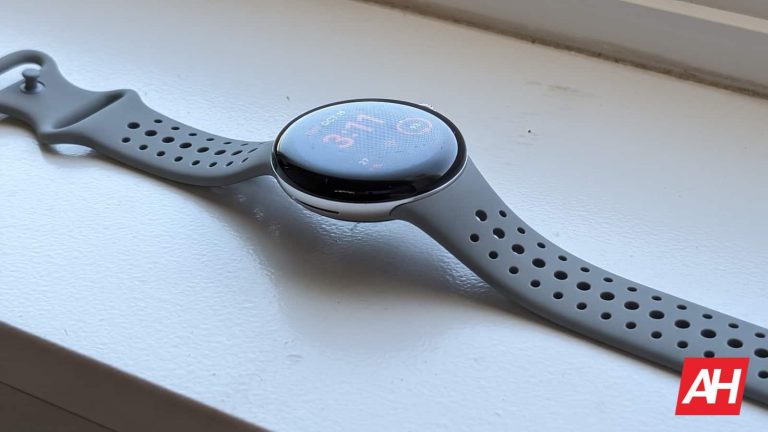
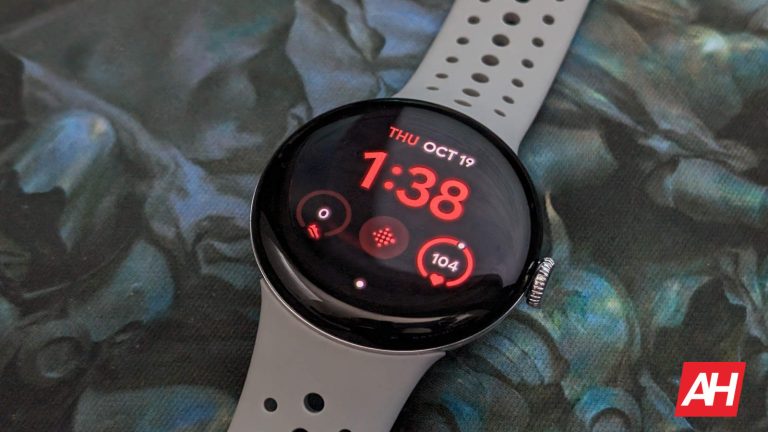
The Pixel Watch 2 comes with more than a couple of notable improvements over the original, including the ability to adjust the vibration levels to suit your personal tastes. This might seem like a minor thing. And perhaps to most it will be. But it’s still a nice option that allows users more control over how the watch functions.
Some users may find they don’t like the vibration intensity set all the way to max. And we get it. The haptics can feel kind of strong at this level. To the point where it might be more annoying than anything else. Luckily Google now lets you adjust the vibration intensity with the Pixel Watch 2 and it’s not just a blanket setting for all things.
Pixel Watch 2 vibration is split into three categories
This sort of granular control from Google is not a new thing. So it isn’t surprising to see this popping up Google’s 2nd gen smartwatch. Once you go into settings and find the Vibration and Haptics menu, you’ll see slider bars for Ring, Notifications, and Alarms. You can adjust the vibration levels for each one of these things individually. Meaning you can leave Ring at max level and tune the others down to something lighter if you prefer.
There’s also the possibility to disable vibration and haptics altogether if you just don’t want any of it. Additionally, there is one last toggle you can mess with in this menu. And that’s the interactive haptics. Here you’ll find toggles for both the touch feedback and using the digital crown. Disabling touch feedback makes it so there’s no haptic feedback when interacting with the touch display. On the same token disabling the crown toggle will turn off haptics for when you twist the digital crown.
More useful than any of these though I think, is the option to silence the watch when it’s not being worn. If you turn off this toggle then none of the notifications will make sounds or vibrate when the watch is off your wrist. This includes while the watch is charging. These are subtle little improvements but they certainly have an impact on the experience. A positive one at that.
Nokia has just announced a massive job cut. The Finnish telecommunications company plans to lay off up to 14,000 employees to reduce its operational costs amid declining earnings. The mass layoffs will affect 16 percent of its current global workforce.
Nokia to lay off 14,000 employees across its global offices
In its earnings report for Q3 2023, Nokia said its net sales declined 20 percent year-on-year (YoY). The company generated a revenue of €4.98 billion (roughly $5.25 billion) this past quarter, down from €6.24 billion it made during the same period last year. Its profit declined a whopping 69 percent YoY to just €133 million (roughly $140 million).
Nokia says it will take decisive actions on three levels to tackle this economic downturn. The first action is strategic, with its business groups getting “more operational autonomy” for accelerated execution of plans. Second, it’s embedding sales teams into the business groups for a more streamlined corporate structure.
Finally, Nokia plans to reduce its cost base to increase operational efficiency and protect profitability. The firm is aiming to lower its cost base on a gross basis by between €800 million and €1,200 million by the end of 2026 compared to 2023. It expects these actions to help it achieve an operating margin of at least 14 percent by 2026.
Unfortunately, this will mean a massive job cut too. Nokia says its total global workforce may drop to 72,000 employees over the next three years, which means 14,000 layoffs from the 86,000 workers it has today. It has yet to finalize this layoff plan, but the company expects to cut at least 9,000 jobs in the coming years.
Nokia assures that the mass layoffs will not affect its R&D efforts
Nokia is one of the largest telecommunications equipment makers in the world. It recently opened a first-of-its-kind 6G Lab in India. The lab will be its research hub for accelerating the development of foundational 6G technologies such as Network as a Sensor, Network Exposure, and Automation. The company assures that these layoffs and strategic decisions will not affect its R&D capacity and commitment.
A slowdown in 5G deployment in Nokia’s major markets, including India and the US, affected its earnings this past quarter. “We saw some moderation in the pace of 5G deployment in India which meant the growth there was no longer enough to offset the slowdown in North America,” Nokia CEO Pekka Lundmark said in a statement. It remains to be seen whether the plans work effectively to improve Nokia’s earnings in the coming years.
For those who don’t use Instagram at all of too rarely to recognize all the app’s features by their name, “broadcast channels” is a useful tool that allows creators to update followers about what’s happening in their lives without actually making a post on their page.
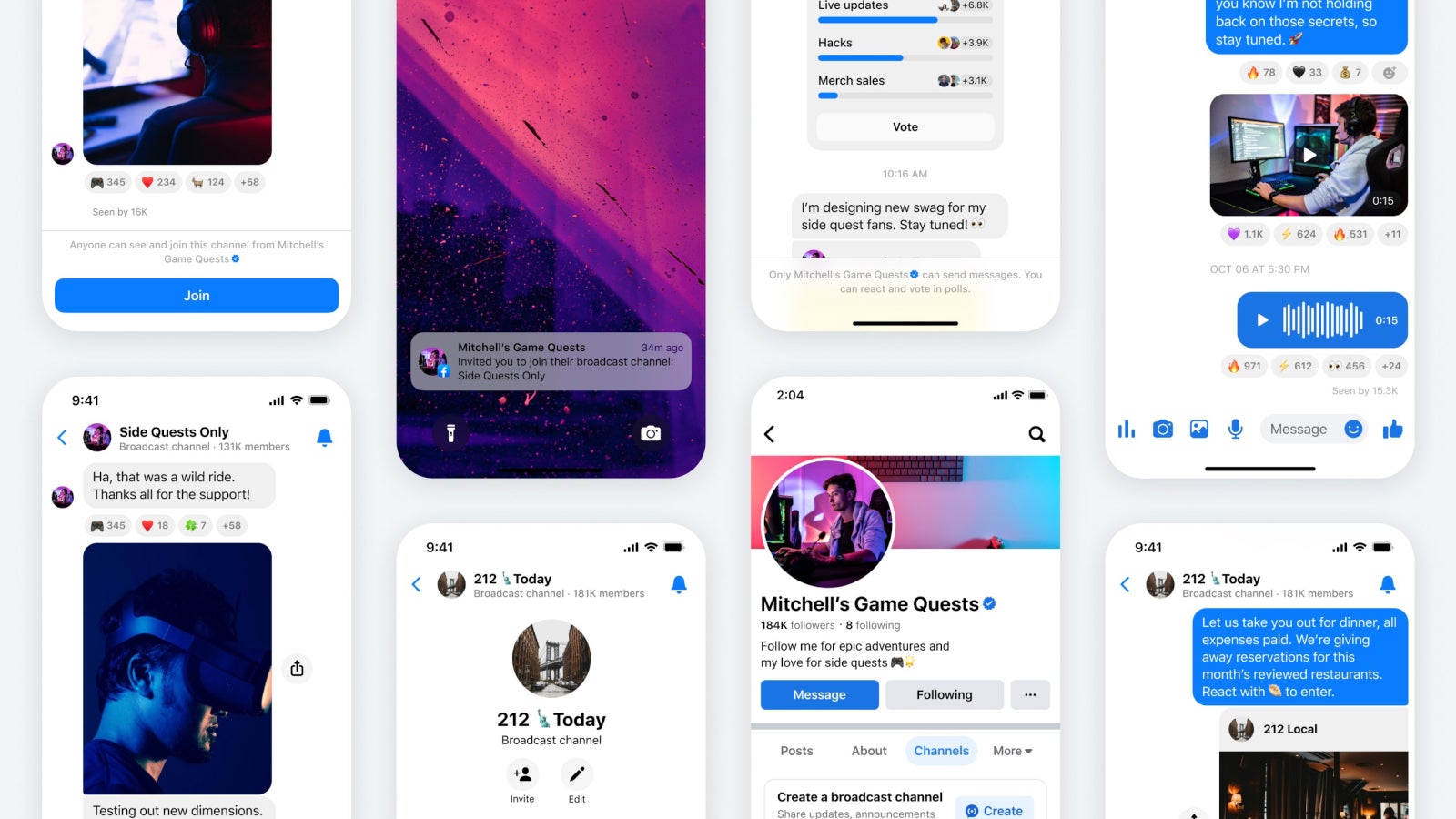
Today, Meta announced that the broadcast channels feature will be coming to Facebook and Messenger in the coming weeks. First off, the new feature will allow those who manage Facebook Pages to start using broadcast channels just like creators on Instagram.
Meta revealed that admins of Pages will be able to use multiple broadcast channel features including polls to get feedback from their community, send behind the scenes photos or videos, as well as use voice notes for a more familiar approach.
Additionally, Mark Zuckerberg confirmed that Meta is testing the ability for Pages to create broadcast channels, which will hopefully be ready for primetime in the coming weeks.
To start using the new features, those who manage Pages on Facebook can start a channel directly from their Page. It’s also possible to join a waitlist to be notified when the feature is available.
As soon as the broadcast channel is created and a message is sent, followers will receive a one-time notification to join the channel. It’s important to add that only the creator of the channel can send messages. Still, members of the broadcast channel will be able to react to messages and vote in polls since that’s the main idea of the tool.
Once the new feature arrives, Facebook and Messenger users will be able to join broadcast channels from their favorite Page’s profile. Keep in mind that once you join a channel, you’ll continue to receive notifications when content is posted, unless you mute them by tapping the “mute” icon at the top right corner of the channel thread.
The breach was discovered on October 11, 2023, affecting 91,921 users in Japan and 35,049 customers from 148 countries and regions.
Casio has disclosed a data breach that impacted customers of its ClassPad education platform in 148 countries. The breach was discovered on October 11, 2023, while the person in charge was attempting to work within the development environment, a database failure was discovered, prompting the company to assess the situation.
Upon further analysis, it was also determined that on the evening of Thursday, October 12, unauthorized access had occurred, leading to the exposure of personal information of residents from countries outside Japan.
The exposed data includes customer names, email addresses, countries of residence, service usage details, and purchase information such as payment methods, license codes, and order specifics.
Casio stated that the hackers did not infiltrate systems beyond the compromised database within the development environment and that the ClassPad.net app remains operational.
“Customers in Japan: 91,921 items belonging to customers, including individuals and 1,108 educational institution customers – Customers outside Japan: 35,049 items belonging to customers from 148 countries and regions.”
CASIO
Human Error!
In a data breach notification, Casio confirmed that the situation arose because certain network security settings within the development environment were unintentionally disabled due to an operational error within the responsible department, coupled with inadequate operational oversight. These factors are believed to have allowed an external party to gain unauthorized access.
The company is working with law enforcement authorities and has reported the incident to Japan’s Personal Information Protection Commission. Casio has also taken steps to secure the ClassPad platform and prevent future data breaches.
Roger Grimes, a Data-Driven Defense Evangelist at KnowBe4, commented on the breach, highlighting that it was indeed caused by human error. Grimes underscored the importance of employee cybersecurity training as a cornerstone for both small businesses and large corporations.
“This data breach was caused by human error which led to network and database compromise. It’s important that any changes impacting cybersecurity be reviewed prior to implementation and that all security settings be periodically reviewed for accuracy,“ said Grimes. “It shows the importance of change control and configuration control. These can be considered “boring topics” by some, but are must-haves if an organization is expected to stay secure as it can over the long run.“
What to Do If You Are a Casio ClassPad Customer
If you are a Casio ClassPad customer, Casio recommends that you take the following steps to protect yourself:
Change your ClassPad password immediately.
Monitor your ClassPad account for any suspicious activity.
Be wary of phishing emails or other scams that may attempt to exploit the data breach.
What Casio is Doing to Address the Data Breach
Casio has taken a number of steps to address the data breach, including:
Notifying affected customers of the data breach.
Working with law enforcement authorities to investigate the breach.
Securing the ClassPad platform and preventing future data breaches.
Reporting the incident to Japan’s Personal Information Protection Commission.
The Casio ClassPad data breach is a reminder that even large and well-established companies are vulnerable to cyberattacks. Customers of Casio ClassPad should take steps to protect themselves, such as changing their passwords and monitoring their accounts for suspicious activity.
Prior to Wear OS 4, if you wanted to take a screenshot of your smartwatch display you had to go through this whole cumbersome process. It required you going into the app and tapping a few menus to get the screenshot. Which would then be saved in the app that you could then transfer to your photo gallery.
With Wear OS 4 Google is making this simpler and more convenient. And dare I say it, faster. Not by much, mind you. And if I’m being completely honest things could have been even easier than they are now. Even with the improvements. When it comes to taking screenshots on smartwatches, Samsung still proves to be the best with its Galaxy Watch devices. As all you have to do is press and hold both the power button and the action button simultaneously for a few seconds. The screenshot then automatically transfers to your connected to smartphone. Done and done.
With Wear OS 4 on the Pixel Watch 2 it’s not quite that simple, but it is better than before since the process cuts out the requirement of the Wear OS app entirely. If you’re wondering how to take a screenshot on a Wear OS 4 device, like the Pixel Watch 2 (this excludes the Galaxy Watch devices on Wear OS 4 since they have their own method), we’ll walk you through the steps with this guide. The process is pretty quick and there aren’t too many things you need to do. With that’ let’s get into it.
How to take a screenshot on Wear OS 4
For the purposes of this how-to guide, we’ll be using the Pixel Watch 2 as an example. This will also work for the Pixel Watch since it has the same buttons. Keep in mind though that the process may change slightly with other watches. More specifically, another Wear OS 4 watch (once the update eventually rolls out to other watches) may have different buttons you need to press.
Connect your watch to your phone
For starters, you’ll need to make sure your watch is connected to your smartphone. This is a no-brainer since it’s always been this way. But it’s easy to understand that you might think this wouldn’t be needed. As the screenshot could just be taken on the watch with no connected phone and save to the watch’s internal storage. However, this isn’t the case. Screenshots are taken and then sent to a connected phone right away.
Press the digital crown and the recents button at the same time
Once your watch is connected to your phone you’re ready to take screenshots. All you will need to do when you want to take one is press the digital crown and the recents button at the same time. The recents button is more flat and sits just above the digital crown on the watch case. Tap these simultaneously just for a second and you’ll get your screenshot.
Send and share the screenshot on your phone
After you take a screenshot you’ll get a notification on your phone from the watch. A menu will pop up asking you where you want to send the screenshot. You’ll have plenty of options here including attaching the screenshot to an SMS message, or sending it through any number of social apps like Discord, Messenger, Google Meet, and even Gmail. Or you can choose to upload it to Google Photos.
Your chosen send method only needs to be selected once
Though you have the option to select a certain method every time, you don’t have to. For example, I chose to have my screenshots uploaded to Google Photos and opted to have this be the send method every time. From now on, every time I take a screenshot it will send directly to Photos. You will still need to upload the photo from the watch to your chosen app each time. So if you choose “upload to Google Photos” like I did, you will still need to upload it there. But you won’t have to select that app anymore. Alleviating one step of the process from the very first time you upload an image.
It’s still a little more tedious than it needs to be. But this is better than it was on Wear OS 3 and Wear OS 3.5. Here’s hoping Google will change it so screenshots upload automatically when grabbed. And that’s it. See, pretty simple and definitely better than it was before.