Three new vulnerabilities have been discovered in Junos OS: password disclosure, MAC address validation bypass, and Time-of-check Time-of-use (TOCTOU) Race Condition. The severity of these vulnerabilities ranges between 5.3 (Medium) to 6.1 (Medium).
Juniper Networks has released patches and security advisories for addressing these vulnerabilities. It is worth mentioning that there was a command injection vulnerability previously discovered in the SRX and EX series firewalls that affected more than 15,000 firewalls worldwide.
DocumentFREE Demo
Implementing AI-Powered Email security solutions “Trustifi” can secure your business from today’s most dangerous email threats, such as Email Tracking, Blocking, Modifying, Phishing, Account Take Over, Business Email Compromise, Malware & Ransomware
Vulnerability details
This vulnerability can be exploited by an authenticated threat actor with shell access to execute the ‘file copy’ command on the Junos OS evolved, which allows viewing passwords supplied on the CLI command line.
These credentials can later be used by threat actors for various malicious purposes, which include unauthorized remote access to vulnerable systems. The severity of this vulnerability has been given as 5.9 (Medium).
Products
Affected versions
Fixed in Versions
Juniper Networks Junos OS Evolved
All versions prior to 20.4R3-S7-EVO;21.1 versions 21.1R1-EVO and later;21.2 versions prior to 21.2R3-S5-EVO;21.3 versions prior to 21.3R3-S4-EVO;21.4 versions prior to 21.4R3-S4-EVO;22.1 versions prior to 22.1R3-S2-EVO;22.2 versions prior to 22.2R2-EVO.
Junos OS Evolved: 20.4R3-S7-EVO, 21.2R3-S5-EVO, 21.3R3-S4-EVO, 21.4R3-S4-EVO, 22.1R3-S2-EVO, 22.2R2-EVO, 22.3R1-EVO, and all subsequent releases
This particular vulnerability exists in insufficient validation in MAC address validation used blocking MAC addresses not intended to reach the adjacent LANs. This vulnerability allows a network-adjacent threat actor to bypass MAC address checking, causing a loop and congestion condition.
The severity of this vulnerability has been given as 6.1 (Medium). However, this vulnerability exists in the Junos OS Evolved: PTX10003 Series routers.
Products
Affected versions
Fixed in Versions
Junos OS Evolved on PTX10003 Series
All versions prior to 21.4R3-S4-EVO;22.1 versions prior to 22.1R3-S3-EVO;22.2 version 22.2R1-EVO and later versions;22.3 versions prior to 22.3R2-S2-EVO, 22.3R3-S1-EVO;22.4 versions prior to 22.4R2-S1-EVO, 22.4R3-EVO;23.2 versions prior to 23.2R2-EVO.
Junos OS Evolved: 21.4R3-S4-EVO, 22.1R3-S3-EVO, 22.3R2-S2-EVO, 22.3R3-S1-EVO, 22.4R2-S1-EVO, 22.4R3-EVO, 23.2R2-EVO, 23.3R1-EVO, and all subsequent releases.
This is a Time-of-check Time-of-use (TOCTOU) Race Condition vulnerability, which allows network-based authenticated threat actors to flood the system with multiple telemetry requests, which could cause the Junos Kernel Debugging Streaming Daemon (jkdsd) process to crash, resulting in a Denial of Service (DoS).
Furthermore, this denial-of-service condition persists due to the continued receipt and processing of multiple telemetry requests, which repeatedly crashes the jkdsd process. The severity of this vulnerability has been given as 5.3 (Medium).
Products
Affected versions
Fixed in Versions
Juniper Networks Junos OS
20.4 versions prior to 20.4R3-S9;21.1 versions 21.1R1 and later;21.2 versions prior to 21.2R3-S6;21.3 versions prior to 21.3R3-S5;21.4 versions prior to 21.4R3-S5;22.1 versions prior to 22.1R3-S4;22.2 versions prior to 22.2R3-S2;22.3 versions prior to 22.3R2-S1, 22.3R3-S1;22.4 versions prior to 22.4R2-S2, 22.4R3;23.1 versions prior to 23.1R2;23.2 versions prior to 23.2R2.
Junos OS: 20.4R3-S9, 21.2R3-S6, 21.4R3-S5, 22.1R3-S4, 22.2R3-S2, 22.3R2-S1, 22.3R2-S2, 22.3R3-S1, 22.4R2-S2, 22.4R3, 23.1R2, 23.2R1, 23.2R2, 23.3R1, and all subsequent
Users of these products are recommended to upgrade to the fixed versions to prevent these vulnerabilities from getting exploited.
Protect yourself from vulnerabilities using Patch Manager Plus to patch over 850 third-party applications quickly. Take advantage of the free trial to ensure 100% security.
All users are encouraged to upgrade to the latest version of Curl as soon as possible.
Two security vulnerabilities have recently been uncovered in Curl, a widely used open-source command-line tool and library designed for the secure transfer of data over network connections.
The first vulnerability, CVE-2023-38545, is a heap-based buffer overflow in the SOCKS5 proxy handshake that could allow an attacker to execute arbitrary code on the target system.
The second vulnerability; CVE-2023-38546 is a cookie injection vulnerability in Curl that could allow an attacker to insert cookies at will into a running program using libcurl, if a specific series of conditions are met.
The vulnerabilities, originally identified by Qualys, affect all versions of Curl from 7.69.0 to 8.3.0, which are used by millions of users and organizations around the world. Curl is used in a wide variety of applications, including downloading files, sending HTTP requests, and accessing web APIs.
The Curl team has released a patch for the vulnerability in Curl 8.4.0. Users are advised to upgrade to the latest version of Curl as soon as possible.
In addition to upgrading to the latest version of Curl, users can also protect themselves from this vulnerability by disabling the SOCKS5 proxy feature and being careful about which SOCKS5 proxies they use.
If you believe that you may have been exploited by this vulnerability, you should immediately contact your security team.
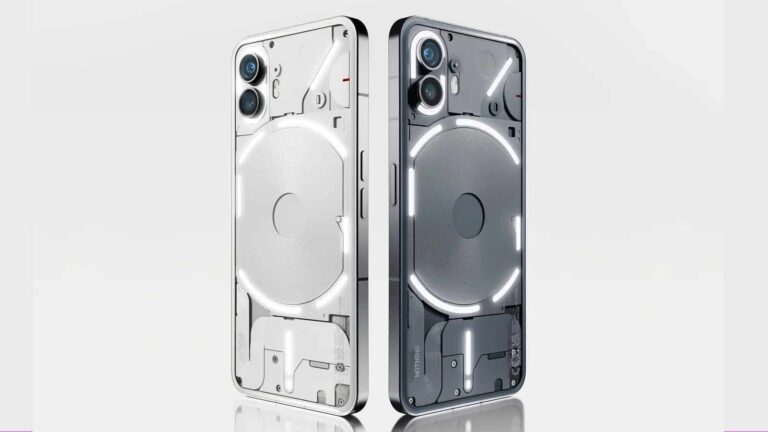
Nothing got a lot of stick from the public for taking too long to update the Phone (1) to Android 13. It appears the company has learned its lesson, as it is early at work on Android 14. The latest Android version is now available in beta for the Phone (2), with the Nothing OS 2.5 on top. The first-gen model will also get it before the end of the year.
Nothing opens Android 14 beta for the Phone (2)
The first Android 14-based Nothing OS 2.5 beta update is now available for the Nothing Phone (2). Interested users can install it to try out the new features and improvements and help the company refine the experience by providing relevant feedback. Joining the beta program involves a slightly intricate process, but it shouldn’t take long.
Before you start, don’t forget to create a backup of your important files and other data. While the update shouldn’t wipe out your data, you can never be sure with beta software. It may misbehave and force you into a factory reset. Moreover, Nothing says that rolling back your Phone (2) to Android 13 will result in a factory reset too, so creating a backup is a good idea.
If you’re ready, you can proceed with the following steps. Firstly, make sure that your Phone (2) is running Nothing OS version 2.0.3. Now sideload this APK on the phone (since it’s provided by Nothing, it should be safe). Once the APK is installed, open the Settings app on your phone and navigate to System > Update to Beta version. Here, tap on “Check for new version” and follow the on-screen instructions to install Nothing OS 2.5 Beta.
You can report bugs and other feedback to Nothing by heading to Settings > System > Feedback. You may also use the Nothing community. If you find Nothing OS 2.5 too stable to use on your daily driver, you can download the rollback package here. Once downloaded, navigate to Settings > System > Update to Beta version and tap on “Import file.” Select the file you just downloaded and follow the instructions.
This update brings plenty of changes
Nothing OS 2.5 is a major platform update and expectedly brings many changes to the Phone (2). Along with new Android 14 features, we have tweaks and add-ons from Nothing. The company has improved the widgets library interface and added a new photos widget. The screenshot editor menu offers more advanced editing features and quick deletions. You can capture screenshots with a three-finger swipe. The back gesture has been enhanced too.
Additionally, Nothing now lets you hide app icons from the app drawer and the home screen. You can customize the double-press of the power button to execute any function. Home Screen and Lock Screen also offer more customization options, including new wallpapers and filters for wallpapers. You can find the full changelog in this official announcement. Nothing has yet to reveal its plans for the stable Nothing OS 2.5 update.
Qualcomm just announced a new entry into its chip line-up, the Snapdragon X Series. This new entry will serve PCs and the chipmaker says that it’ll launch using the Oryon CPU, which will also launch in the future. Possibly, this coming series will succeed the already existing Qualcomm Snapdragon 8cx Gen 3.
The announcement of this coming chip was made a few days ago, and this is the first time Qualcomm is using this naming structure. A few years ago, names like the Snapdragon 888 were in use across the board for various Qualcomm chips. After a while, naming schemes like the Snapdragon 8 Gen 2 came to be in use across most Qualcomm chips. Now netizens are seeing the birth of something new, the Snapdragon X Series.
This won’t be a mobile processor, but instead, it’ll be a PC chip and it’ll power various laptops that’ll be launched in the future. At the moment, the Snapdragon 8cx Gen 3 is powering already existing laptops. It might be safe to say that the coming X chips will phase out the existing 8cx Gen 3 chips.
The coming Snapdragon X Series with Oryon CPU might give Qualcomm fighting ground in the PC industry
Despite being the largest chip manufacturer in the Android industry, Qualcomm still struggles in a major area. In the PC industry, at the moment, Qualcomm doesn’t have a worthy competitor to give the likes of Intel a run for their money. This doesn’t mean that Qualcomm doesn’t have a chip that is in use on PCs.
Currently, the Snapdragon 8cx Gen 3 processor can be found on certain Windows and is coming to Chrome OS laptops. However, its performance isn’t on par with the competition from Intel and other PC chipmakers. Regardless of the CPU upgrades the Snapdragon 8cx Gen 3 brought, it wasn’t still able to compete with most chips of its time.
With the coming Snapdragon X Series chip, Qualcomm aims to make some changes. These will be obvious in the performance of the coming chip, hence making it more competitive. One of the notable upgrades that this coming chip will have in comparison with its predecessor is the CPU.
Qualcomm will put the Oryon CPU to use on this coming X Series PC processor. The chipmakers claim that the Oryon CPU will bring a “quantum leap forward in performance and power efficiency.” So not only will this coming chip be performance-oriented, but it’ll also focus on power efficiency.
From this promise, netizens will be eagerly looking out for the Snapdragon X Series launch. The first entry into this chip series will hit the launch stage soon. After this launch, Qualcomm will proceed to work on a successor to join the X Series and also improve performance.
TikTok has been facing scrutiny from the US. Utah is now suing the company, while previously Indiana and Arkansas have brought similar lawsuits to the table, reports Reuters. TikTok is being accused of harming children by making them spend unhealthy amounts of time on its platform.
TikTok in hot waters with the US once again
Back in 2020, the possibility of banning TikTok over security concerns was first introduced. For the three years that followed, though, little has happened on the topic. Now though, we have three separate states aiming to limit TikTok in some capacity, with the latest one being the one from Utah.Right now, the situation with TikTok differs from state to state. Last month, California was aiming to enforce a law meant to protect children when they use the internet, which was blocked by a federal judge. Now, Utah is frowning at TikTok and alleges that the app is exploiting children into checking and watching the app compulsively.
Utah Attorney General Sean Reyes said that TikTok is lying to children and their parents that the app is safe, and there are terrible effects on their mental and physical well-being from spending too much time on the platform.
The lawsuit states that the social media platform uses “highly powerful algorithms and manipulative design features — many of which mimic features of slot machines”.
TikTok currently has more than 150 million users in the US, and has responded to the lawsuit stating that it has “industry-leading safeguards for young people, including an automatic 60-minute time limit for users under 18 and parental controls for teen accounts.”
The investigation by the state is ongoing. Utah is looking for civil penalties alongside an injunction that will prohibit TikTok from violating state law when it comes to deceptive business practices.
The latest stable version of Google Chrome (version 118.0.5993.70) has been released for Mac and Linux.
In contrast, the Windows version has been updated to 118.0.5993.70/.71. This update includes patching almost 20 vulnerabilities, ensuring improved user security.
In addition to the stable version, the extended stable version 118.0.5993.71 for Windows and 118.0.5993.70 for Mac has also been announced to be released in a few days.
Moreover, the details of these vulnerabilities have not been disclosed by Google.
According to the release notes, the highest severity bug seems to be an Inappropriate implementation in autofill, which was rewarded with $6000.
DocumentFREE Demo
Implementing AI-Powered Email security solutions “Trustifi” can secure your business from today’s most dangerous email threats, such as Email Tracking, Blocking, Modifying, Phishing, Account Take Over, Business Email Compromise, Malware & Ransomware
Fixed vulnerabilities
There were several vulnerabilities fixed and rewarded. Most of these vulnerabilities were associated with Inappropriate implementation of Fullscreen, Navigation, DevTools, Intents, Downloads, ExtensionsAPI, Autofill, Installer, and Input.
Apart from these vulnerabilities, there were three use-after-free vulnerabilities in Site isolation, Blink history, and cast. In addition, a heap buffer overflow vulnerability was also fixed as part of this stable release.
Source: Google
Additional details about changes in this new build can be found on the log page, as mentioned by Google. Google has recommended its users upgrade to the latest version of Google Chrome to prevent these vulnerabilities from getting exploited.
Protect yourself from vulnerabilities using Patch Manager Plus to quickly patch over 850 third-party applications. Take advantage of the free trial to ensure 100% security.
Google just announced the new Pixel 8, and this is one of the prettiest phones on the market. Any person who buys this phone would want to keep it that way; however, accidents happen. Fear not, for there are ways to keep your phone looking nice. Here’s a list of some of the best screen protectors for the Pixel 8.
We’ll go over the screen protectors that are either cost-effective, durable, convenient or any combination of those traits. We’ll keep this list updated every month with new items, so you’ll want to check back from time to time.
Lastly, you can pre-order these phones using the links below.
ZAGG – Invisible Shield Glass Elite screen protector for Google Pixel 8
This screen protector is nothing if not premium at $49.99. The ZAGG – InvisibleShield Glass Elite is made from strong tempered glass. If you don’t know what that is, it’s glass that’s been heat-treated to be sturdier than regular glass. This screen protector was tested to be up to 5x stronger than regular glass.
So, if your phone makes contact with a surface, the screen protector will crack before your actual screen. It can give your display a second wind after a fall. Not only is it durable, but you don’t have to worry about your phone not being compatible with your fingerprint. It’s crystal clear, so you’ll be able to use your under-display fingerprint scanner.
When you get the screen protector, you’ll get the EZ Apply installation tray to help you put it on. This is for people who worry about putting the protector on crooked. It gives you peace-of-mind when applying it.
Mr.Shield 3-Pack Screen Protector For Google Pixel 8
If you’re prone to dropping your phone multiple times, then you’ll want to look at this pack, It comes with three screen protectors, which is a nice deal at $6.95. So, if you break the first one, then you’ll have peace-of-mind knowing that you have two more spares. While these screen protectors are affordable, they’re still sturdy.
Just like other top-tier screen protectors, the Mr. Shield screen protectors are made from Japanese 9H tempered glass. This makes them impact-resistant, so you won’t have to be as precious with your phone. They’re not only resistant to impact, but they’re also resistant to scratches.
Mr.Shield took care to also eliminate the rainbow effect that you get with low-quality screen protectors. With those, you’ll see random colors pop up on the screen when you view your phone at certain angles. You won’t get that with these Mr.Shield screen protectors.
This is the screen protector pact to get if you want protection for both sides of your phone. This is a three-pack of screen protectors that are made from sturdy glass, as you can guess. It’s scratch and impact-resistant like other screen protectors. Like other items on this list, it’s fingerprint scanner-friendly, so you won’t have to disable it. This economic $9.99 screen protector set has a lot going for it.
One thing that this pack has over most other packs is the protection for the back. It comes with three glass sheets to protect the rear camera package. During a fall, the screen isn’t the only thing that’s vulnerable. You also risk breaking the glass over the camera. These sheets keep the back protected during a fall. so, the metal on the back can stay pristine.
Spigen Tempered Glass Screen Protector for Pixel 8
This is a great set to buy in general, but it’s amazing to use if you’re into using Spigen’s cases. For $15.99, you get two screen protectors. As you can guess, these protectors are made from strong tempered glass. So, your phone is protected during a fall and you won’t have to worry about scratches. Along with that, these screen protectors come with an oleophobic coating so that you won’t have to worry about fingerprints mucking up your screen.
This is the pack to get if you typically use Spigen cases. This screen protector set is Spigen case-safe. This means that you won’t need to worry about the case you get not fitting properly with the screen protector on. That’s a major plus for people who had to ditch their case because of their screen protector.
Worried about messing things up when you’re applying the screen protector? Well, this pack has the thing just for you. It’s called the GlasTR AlignMaster, and it’s a tool that will ensure that you line up your screen protector perfectly with your phone. This tool comes with the pack, so you won’t have to get it separately. This is a great deal if you’re a Spigen case fan.
Those looking for additional spares will want to look into this $9.99 pack. It sits apart from most other screen protectors for being made from hybrid film rather than being made from glass. It’s not fully made from glass, it’s made from a mixture of glass and PET. this material has a 7H hardness rating. So it’s not as hard as tempered glass, but it will still offer protection.
The thing about this set is that you get four screen protectors. That’s great for people who tend to drop their phones often. If you manage to break your screen protectors often, reapplying them won’t be an issue. This set comes with a useful alignment tool to help you get the protector back on without much hassle.
Samsung and Massachusetts General Hospital are now partnering up to study mental health using Galaxy Watches. This announcement came following the World Mental Health Day which took place a few days ago. The new partnership between the tech giant and the health institution aims to better understand the relationship between daily routine and mental health.
Around the world today, mental health-related issues are on the rise and there is a need to better understand its causes. Those who face mental health issues often toss it to the side, labelling it as stress, hence not paying attention to it. According to the World Health Organization (WHO), one out of eight people in the world suffer from a mental health-related condition.
These statistics show that mental health is a very important aspect of overall well-being. For this reason, Samsung and the Massachusetts General Hospital are seeking to better understand how people’s everyday activities can affect their mental health. With the abilities of the Samsung Galaxy Watches, this partnership will be able to track vital data to throw more light on mental health-related issues.
Samsung and the Massachusetts General Hospital are employing Galaxy Watch tech to study mental health
Over the years, lots of people have turned to Galaxy Watches as their go-to smart accessories. These smartwatches do not only pair with users’ smartphones for seamless operation, they also keep a tab on vital health data. This is possible with the use of a tracking sensor on the back of the smartwatches that can check a user’s heart rate, electric heart signals, breathing, steps, and so much more.
Thanks to these sensors, users get vital information on their health and with these they can make necessary improvements. Lots of people have also found Galaxy Watches useful when it comes to keeping track of their workout or sleep routine. Now the Massachusetts General Hospital is going to be using these smartwatches to learn more about mental health.
The health institution will use these watches to better understand how daily routines affect people’s mental health. All the sensors, health, and activity tracking features on the Samsung Galaxy Watches will be important in this research exercise. Gathering these data from various users will help the Massachusetts General Hospital better understand what triggers various mental health conditions.
One of the major questions that this research exercise aims to answer is whether exercise and good heart rates improve mental health. Once this question is answered, the health institution will be able to find solutions to mental health conditions people face today. More information on this research between Samsung and Massachusetts General Hospital will be available in the coming weeks.
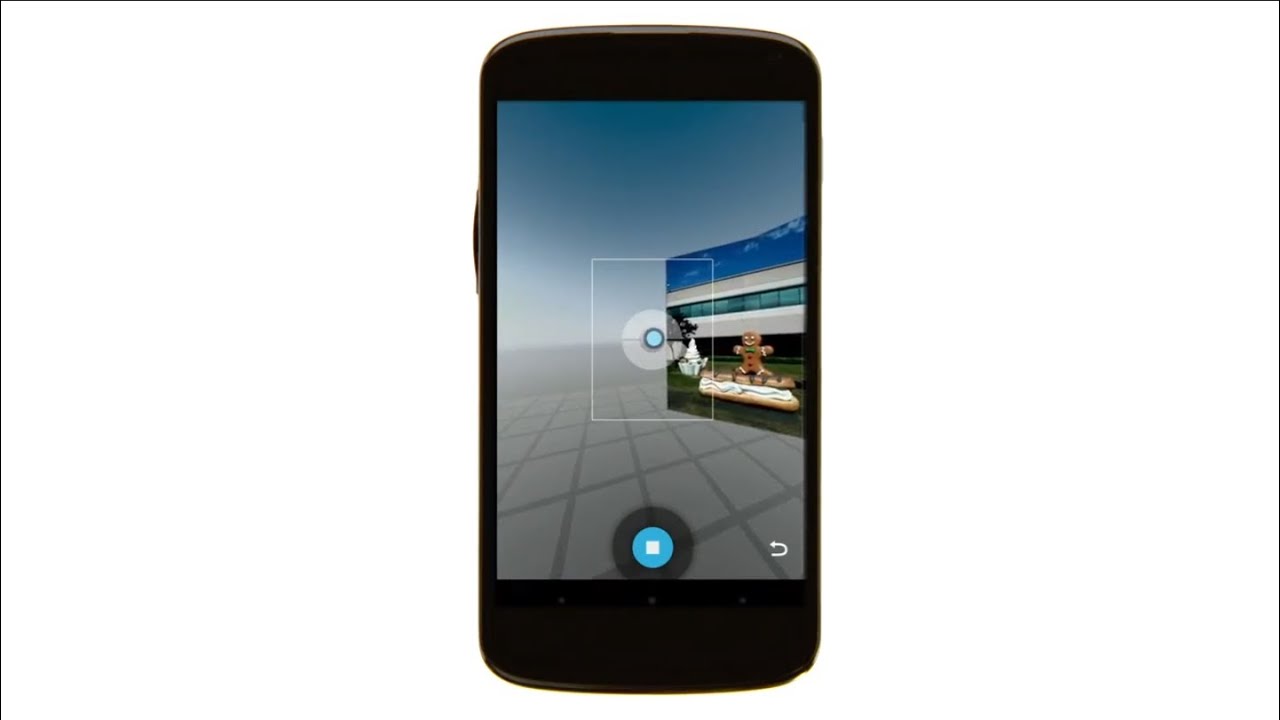
Ever wonder what the Photo Sphere feature is on the Google Camera app? Photo Sphere allows a Pixel user to take pictures and have them stitched together to produce 360-degree Street View-style panoramas. The feature debuted back in 2012 on the Nexus 4 and now Google is removing it from Google Camera app version 9.1 which is pre-installed on the Pixel 8 and Pixel 8 Pro.
Pre-order the Pixel 8 or Pixel 8 Pro right now and snag a free gift!
The feature remains on older Pixel models using the Google Camera app version 9.0 or older. Whether Photo Sphere will be removed once the older phones receive Google Camera app 9.1 is unclear at this point. Even though not too many Pixel users were using Photo Sphere, there are some users who are upset at Google for making this call.
One user wrote on Reddit, “Why in the world would Google remove Photo Sphere? Every time I used it around an iPhone they would be shocked that it’s in the regular camera app. What a disappointment man.” Another Reddit user had only kind words to say about Photo Sphere. “I’m so pissed about this, it’s my favorite camera feature. It captures places unlike anything else.”
While Google didn’t put too much thought into promoting Photo Sphere, about a decade ago it released a video that shows how to use the feature. If you create a worthy 360-degree Photo Sphere photo, you can submit it to Google Maps and you might find it published on the app.
Now that Photo Sphere is getting some attention (although this attention, ironically, is because the feature is being dropped on the Pixel 8 line), those with an older Pixel model who previously ignored Photo Sphere might start using it and discover that it is a feature that they really enjoy using. If you do have a Pixel 7 series phone or older, you still have the opportunity to use Photo Sphere so take some time to create some 360-degree images now just in case the feature is also removed from your Pixel phone.
Google is now on its eighth-generation of making its own smartphones. Previously, Google worked with Android manufacturers for its Nexus program, and then in 2016, Google debuted Pixel. Which was a phone that was built by Google (with some help from LG and HTC of course). Now, 7 years later, we have a pretty incredible set of phones from Google, and they are even starting to gain market share in many key markets. Will the Pixel 8 Pro help the company to grow that market share in countries like Japan and the US? Possibly. The Pixel 8 Pro has a lot going for it.
The phone has ditched the curved display in favor of a flat one, it has a slightly upgraded camera, and a massively upgraded processor in the Tensor G3. And of course, because this is Google, there are lots of AI features included here. And some that are coming in the future.
But is that enough to get you to spend $999+ on the new Google Pixel 8 Pro? Let’s find out in our full review.
Google Pixel 8 Pro Review: Hardware & Design
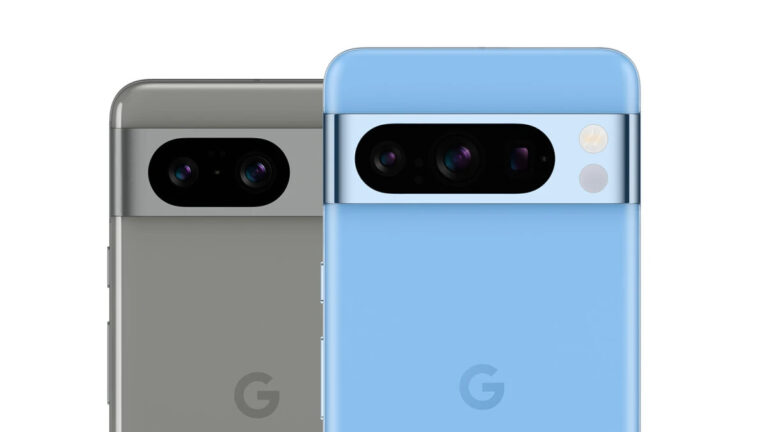
The Google Pixel 8 Pro still features a pretty familiar design here. The two major changes that you’ll see here compared to the Pixel 7 Pro, is going to be the camera bar and the backside of the phone. The camera bar now has one cut out for all three cameras. Compared to the Pixel 7 Pro which had a cutout for the wide and ultrawide cameras, then a separate one for the periscope 5x telephoto lens. That’s all one cut out now, and does definitely look much nicer here.
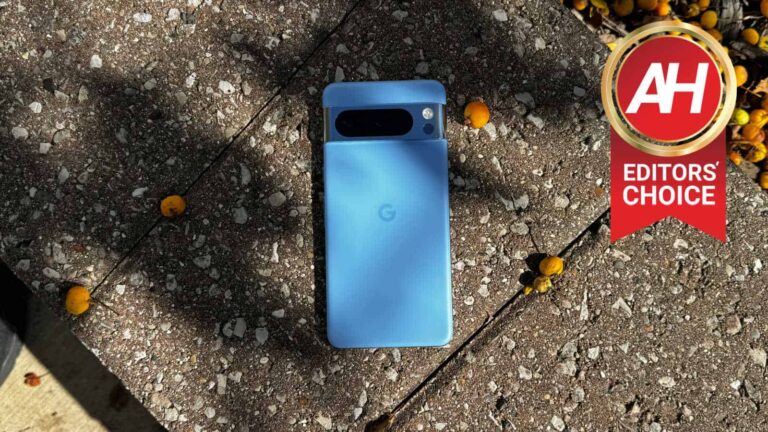
Then there’s the backside. What’s new here? Well, aside from the colors, it is now a matte finish. This is something that I wish Google had done with both Pixel 8 models, but instead it is only available on the Pixel 8 Pro. But the weird thing with this matte finish, is it still feels very slippery. Compared to the likes of the iPhone 15 Pro Max, the Motorola Razr+ and a few others with a matte finish, that are nowhere near this slippery. Honestly, I’ve spent most of the time with this phone, with it in a case. Luckily, along with the Bay blue Pixel 8 Pro, Google provided its matching Bay colored silicone case, which is quite nice. We’ll have a separate review on that, however.
Otherwise, the only other major change here is going to be that display. It’s now a flat display, instead of a curved display. Which was really my only complaint about the Pixel 7 Pro, besides the Tensor G2 chip. Though we’ll talk more about that display in a little bit, because it did get a really big update.
This year, on the Pixel 8 Pro, Google went with a glossy finish on the sides and the camera bar. On the Bay color that we have here, that camera bar is almost like a mirror finish, which means it is going to show scratches and fingerprints quite easily. If the Pixel 7 Pro is anything to go by, this camera bar is going to get scratched very easily. Yet another reason to go ahead and put a case on the Pixel 8 Pro.
Google Pixel 8 Pro Review: Display
The display on the Pixel 8 Pro actually got a really big upgrade this year. And no I’m not talking (entirely) about the display being flat. Though that is a really great change here, and Samsung is also rumored to be going with a flat display on the Galaxy S24 Ultra next year. But rather the brightness.
This year, Google is using a new display, which they are calling the “Super Actua Display”. This display is able to get super bright. We’re talking about a peak brightness of 2,400 nits. Now to put that in perspective, Samsung’s displays on the Galaxy S23 series, Galaxy Z Fold 5 and others are only 1,750. The new iPhone 15 Pro series are only seeing a peak brightness of 2,000 nits. So this is very impressive.
On top of that, the typical brightness is also fairly bright at 1,600 nits. Now, I don’t have any type of tool to measure how bright this is, but while I was in New York City, I did take a photo of the display in direct sunlight and with a dark wallpaper. A shot that would normally make the display look very dim and unreadable, with plenty of shadows. But you can actually read everything very clearly. This right here was very surprising to me, and really good to see.
Aside from that, I’ve used the Pixel 8 Pro outside in direct sunlight quite a bit over the past week, and never did I have any issues with seeing what’s on the display. And even in direct sunlight, the screen brightness is typically sitting at 96%. Meaning it could get even brighter. Which is just mindblowing. I really hope that this becomes a trend over the next year with smartphones getting much brighter displays – especially foldables.
The new king of smartphone displays
Typically, Samsung is the king of smartphone displays. This is because they make the majority of the displays on smartphones, and usually save the newest and greatest panels for their own phones. So when companies like DisplayMate grade the new display on their new phones, they get the highest grade. Usually beating out their previous flagship. But now, Samsung has some competition.
Now, we don’t yet know who made the Pixel 8 and Pixel 8 Pro displays, it might still be Samsung for all we know. But these displays are really incredible. Not only are they crazy bright, but they look really good too. Contrast is there, and really makes the icons on your home screen pop off the screen. Honestly, It’s going to be hard to go to another phone after using the Pixel 8 Pro, the display is just that good.
Google Pixel 8 Pro Review: Performance
The achilles heel of the Pixel 6 and Pixel 7 series had been the Tensor chipset. That is Google’s new chipset, that it designed entirely for the Pixel experience. But it’s really just an Exynos chipset that was custom-made for the Pixel. So just as many had issues with the Exynos-version of the Galaxy S22 series, Pixel owners had those same problems. This included the Tensor chipset being slow, getting hot for absolutely no reason, and battery life being subpar.
With the Tensor G3, Google says that it has greatly improved the processor. Every sub-system has been upgraded here, and so far, you can tell that there are some big upgrades in day-to-day use. I’ve used the Pixel 7, 7 Pro, 7a and Fold over the past year. Carrying the Pixel 7 Pro until the Fold came out and carrying the Fold until now. And the Tensor G2 was never really that great of a chipset. It started out pretty decent, but in the Pixel 7 Pro it was quite slow compared to the Snapdragon 8+ Gen 1. It would also get really warm, just sitting in your pocket. This improved with the Pixel Fold, but it would still get quite warm.
So far, that has not been the case on the Pixel 8 Pro. Which is really good to see. The phone has gotten a little warm, but that was really only when using the camera a lot, or watching video outside where the brightness is maxed out. And that would cause any phone to get pretty warm. Of course, we’re only a week into the Pixel 8 Pro’s life, so things could change, but so far, performance is looking pretty good.
Google Pixel 8 Pro Review: Battery Life & Charging
One of the bigger complaints with Tensor, since it debuted on the Pixel 6 a couple of years ago, was the battery life. Battery life has been pretty mediocre on the Pixel 6 and Pixel 7, and that seems to be the same this year on the Pixel 8 Pro.
Battery life is decent, but it’s still a step down from phones like the Galaxy S23 Ultra or the OnePlus 11, which use the Snapdragon 8 Gen 2 processor. During my testing here, I was able to get about seven to eight hours of screen on time. That’s enough to get you through the full day, unless you’re a super hard user on your phone. But it is well below those Snapdragon 8 Gen 2 phones, where we were getting double-digit hours of screen on time.
Now when it comes to charging. Google did make a pretty nice upgrade here. The Pixel 7 Pro was charging at a max of 23W, and now the Pixel 8 Pro is able to charge at 30W. It’s not a huge difference in charging speeds, but it is a big enough difference to notice it. I was able to charge the Pixel 8 Pro in a little over an hour, which is much faster than the Pixel 7 Pro actually. But keep in mind, you’ll only see this 30W charging speed when your phone is below 50%. So it’s going to be faster to 50% than before, but charging all the way to 100% is still going to be pretty long.
Overall, battery life and charging is not the best here on the Pixel 8 Pro, but it is an upgrade over the Pixel 7 Pro.
Google Pixel 8 Pro Review: Software
The Pixel 8 Pro’s second biggest feature is always going to be software. With the first being the camera, which we’ll talk about next. But before we even get into the actual software, there’s something else we need to talk about first.
That is updates. Google has stated in their launch event that they will be updating the Pixel 8 and Pixel 8 Pro until 2030. That’s seven years of updates. And no, Google isn’t talking just security updates, but Android OS updates, feature drops and more. That’s a huge deal, considering most of its partners/competitors are doing four years of updates, with Apple usually doing around six years. So this is a huge deal, but considering how Google is with its own products, many are skeptical about whether Google will kill the Pixel before then. Though, I don’t think they will, maybe a rebrand, but not killing it off altogether.
Now let’s get into the software. This is the first phone (along with the Pixel 8) to launch with Android 14. This update doesn’t bring a ton of user-facing updates to the Pixel, but there are a few smaller details here. Including the new clocks and lockscreen customization. The battery life screen is also much better this time around.
Having said that, Android 14 does change a lot under-the-hood. And the update itself has been pretty smooth on the Pixel Fold, even during the beta process. And it seems to run just as well on the Pixel 8 Pro here. That’s definitely great news.
Lots of new Generative AI features
This is Google, so we knew there’d be a good amount of AI included in the Pixel 8 Pro. One of those Generative AI features that Google announced, we’ll be talking more about in the Camera section, and that’s Magic Editor. It’s honestly one of my favorite Generative AI features out there. It lets you replace the sky, making it clear, cloudy, or even putting it in Golden hour. As well as letting you create portraits and do other styles. It’s really quite cool.
Aside from Magic Editor, another one of my favorite AI features is the AI Wallpaper. This is included in the wallpaper section of the phone, and it works pretty easily. You choose a topic, something like Imaginary, Luminous, Mineral, etc. Then you get a couple of other variables you can change, one usually includes colors. Then you can tap on “Create Wallpaper”. It’ll generate a handful of wallpapers that you can swipe through, and if you don’t like them, you can make it do it again. Once you set it as a home or lockscreen, it’ll appear in that section, so you can easily go back to it.
Unfortunately, there’s no way to extract these yet to use on other devices, like a Pixel Tablet, or maybe a Chromebook. Though that might come in the future. So far, Google is keeping this pretty limited, though that will change. Just in the week that we’ve been using the Pixel 8 Pro, we’ve seen four more topics added here.
The other cool AI features are part of Google Assistant. And one that I’ve actually used quite a bit, is the ability to summarize web pages. Once you go to a webpage, you can bring up the Google Assistant by long-pressing the home button or saying “Okay Google”. From there, you’ll get a couple of options, including Summarize. Tap on that, and you’ll get, usually, a three bullet-point summary. This works pretty well, especially on news articles. But on longer articles like reviews, it can be hit or miss.
Another option within the Google Assistant here, is the ability to read the webpage aloud. It’s pretty good actually, though it does use the more robotic voice of Google Assistant, but it works. You can also have it translate what it’s reading. So say you speak Spanish, and you’re on an English page. Assistant can read the English page aloud to you in Spanish. That’s a really crazy good feature, to be quite honest.
The AI stuff here is just the beginning really. As Google did also announce the Assistant with Bard is coming soon, likely in the December Feature Drop. Which is going to put Assistant on steroids. It’s going to be a really cool time for AI features on phones.
Google Pixel 8 Pro Review: Camera
It wouldn’t be a new Google Pixel phone without talking about the camera and all of the new AI tricks that Google has added here. One of the more impressive features that Google added to the camera, is a video feature. Last year, they debuted Magic Eraser, which was a cool way to get rid of people and objects from your photo. Now, they are doing the same thing, with audio. It’s called Audio Eraser.
Audio Eraser uses AI to identify a number of different sounds in your video. That includes Wind, Nature, Noise, Speech and Crowd. There’s likely more, but that’s what I’ve seen so far. You can choose to remove one, or all of them, and there are sliders available for all three, so you can remove some or all of the sound. I did this on a video I took in Times Square. As you might expect, there’s plenty of noise, people talking and crowd noise. After removing all three, there’s almost no sound on the video. I can also opt to keep the noise, and remove the speech and crowd noise. Which is really impressive. This will save your video as a copy, instead of overwriting the original video.
Google also added Magic Editor here on the Pixel 8 series, which they first teased back at Google I/O. It’s still in its early stage, and not fully baked, but it’s going to be basically Magic Eraser on steroids. It does a better job at erasing people and objects from your photo, but you can also make things bigger or smaller, and move them around. You can also change up the sky, all thanks to generative AI. It really makes you wonder, “what really is a photo anyways”. Google has said that they will be adding more AI features to Magic Editor too.
Below are a few pictures from Magic Editor. The first two are of the Empire State Building, with the first one putting it in Golden Hour, and the second being a stylized option. The third is a selfie, where the sky was changed to Golden Hour.
The other big AI feature in the Pixel 8 Pro’s camera, is Best Take. Now, when we started seeing leaks of this feature, we thought it was creepy, but now it seems pretty cool actually. Best Take is meant for group shots, where it’s hard to get everyone looking good at the same time, or even smiling. Basically what Google does here, is burst shots. And allows you to change up the persons face from another photo that the camera captured during that burst shot.
How good are the cameras, actually?
Okay, so, enough talk about all the AI features in the camera, how well does it actually take pictures? You know, just point and shoot and boom. Well, as it turns out, pretty good. Google still has three lenses here, a 48-megapixel ultrawide and telephoto and a 50-megapixel main sensor. That gives you four focal lengths actually, 0.5, 1, 2 and 5. Google is punching in on that 50-megapixel sensor to give you a 2x zoom, while the telephoto is an actual 5x lens.
Let’s start with that telephoto lens. It’s still one of my favorite camera lenses on any phone. These pictures are really sharp, and even when you zoom in, you don’t see a lot of artifacts. You may not always need a 5x zoom on your phone, but it is nice to have. The only downside I’ve seen here is that Google is not letting you do 5x portraits like the iPhone does. The periscope lens here doesn’t offer a lot of bokeh either. That is definitely something I’d like to see Google change in the future.
The main lens is also very good. As you would expect from Google. Pictures come out looking very sharp, and a pretty nice natural bokeh effect. Of course, you can also change that after the fact and add a lot more bokeh if we would like.
The real upgrade this year comes to the ultrawide, which is now a 48-megapixel sensor. This is a big deal, not because you need that much more resolution for taking photos of buildings, but because this lens is used for macro shots. And getting 48-megapixels of resolution for a macro picture is a big deal. Since you’re already super close to the object, you definitely need all the resolution you can get. Which results in some really great looking macro shots here.
Here are some camera shots from the Pixel 8 Pro, all unedited.
Google finally gave us Pro controls!
Another big feature on the Pixel 8 series this year, which I believe deserved its own section here, is Pro Controls. This is a feature that the Pixel has lacked for many years, and it always seemed odd. But it’s finally here, and it’s everything you could want.
Now in the camera app, you’ll see a little gear icon in the lower left-hand corner. Tap on that and you’ll see Photo Settings, with a General side and then a Pro side. On the Pro side, you can change from 12-megapixel to 50-megapixels, choose JPEG or JPEG and RAW and also choose whether you want the camera app to automatically switch cameras.
Over on the right side, you’ll see an icon that looks like three sliders. This is where all of the Pro Controls are. So you have options for Brightness, Shadow, White Balance, Focus, Shutter Speed and ISO. Most of this is stuff that we have seen before, but Google lets you do manual focus here, that’s not something we’ve seen on many other phones. You can do it on the iPhone, but with a third-party app, for example.
Will most of us use these features or settings? No, of course not. But it is really great to see them here. Giving the user more control over their photos.
Should you buy the Google Pixel 8 Pro?
This year, Google put a lot more of a difference between the Pixel 8 and Pixel 8 Pro, instead of just being about size and the telephoto camera. There’s a lot to like about the Pixel 8 Pro here, and it makes it an even harder decision between it and the Pixel 8. Especially with the price increase for both models, of $100. If you’re coming from a Pixel 7 series, the upgrade isn’t really worth it. But if it’s a Pixel 6 or older, then the Pixel 8 Pro is pretty worth it. And there’s loads of great trade-in options available right now.
You should buy the Google Pixel 8 Pro if:
– You really want that big display, or telephoto camera.
– You prefer Google’s Pixel software over Samsung or OnePlus’ software.
– You want the best camera in your pocket – even if it does need some software and AI trickery.