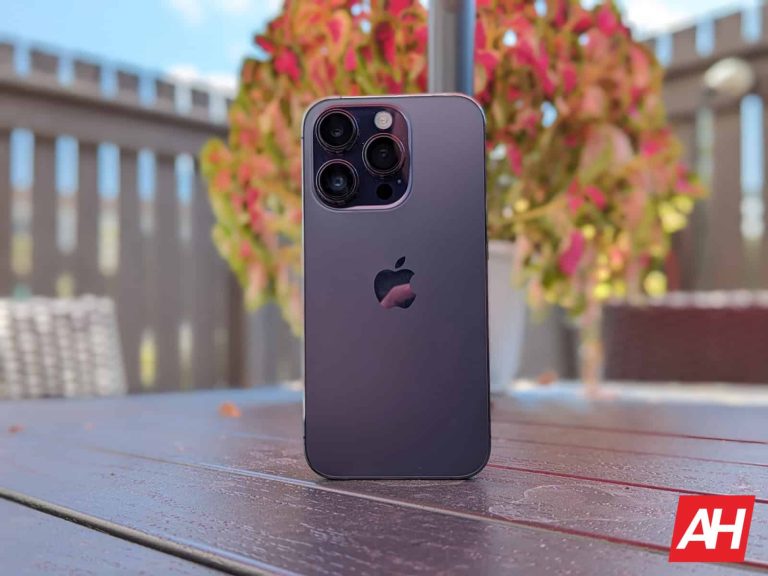
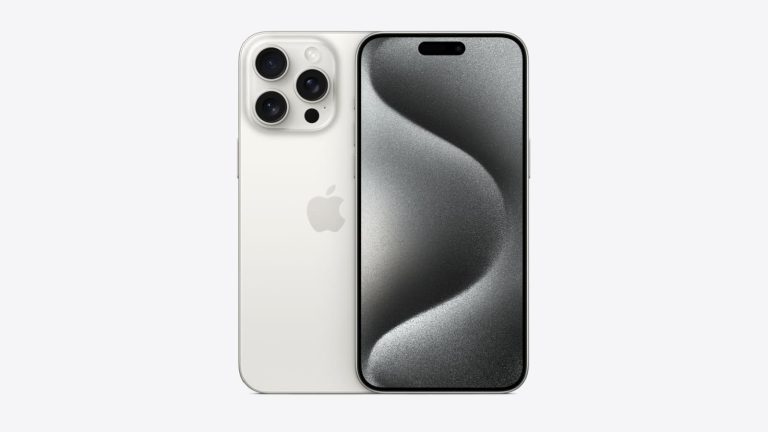
Apple has long enjoyed one of the highest levels of customer loyalty. However, when it comes time for iPhone users to upgrade, a new report from Consumer Intelligence Research Partners (CIRP) highlights that they mostly stick to the same iPhone model instead of opting for the Pro series.
Why aren’t iPhone users upgrading?
To examine this trend, CIRP analyzed iPhone purchase data spanning three full quarters following the debut of the iPhone 14 and categorized these purchases into three distinct tiers: the base models (excluding the iPhone SE), the premium models (Pro series), and the budget-friendly SE models.
Upon analyzing the data, the study revealed a remarkable trend of loyalty among iPhone purchasers, with the majority choosing to stay within the same tier they had owned previously. For instance, in the normal iPhone models category, which includes phones like the iPhone 12 and 13, a significant 66% of consumers opted for another base iPhone model as their next device, while only 29% decided to upgrade to a premium “Pro” iPhone. Additionally, 5% of users chose to downgrade to the iPhone SE model.
Similarly, when discussing the Pro models, a staggering 79% chose to stick with a Pro or Pro Max iPhone, while only 21% made the switch to a non-Pro or SE model.
However, when it comes to SE owners, considering the irregular launch cycle of such devices, they displayed a more balanced pattern. Approximately 40% of SE owners continued with the SE, and another 40% moved up to the base models. Interestingly, 25% of SE users decided to upgrade to the Pro models.
Insights from the study
While the research offers valuable insights into the buying habits of iPhone users, it also highlights that most base iPhone users do not find it worthwhile to spend the extra and upgrade to the Pro models. This could be attributed to the fact that despite Apple reserving features like the 120Hz display and triple camera setup for the Pro models, the base iPhones still offer substantial value to everyday consumers.
“We see very little switching among iPhone model tiers. The iPhone market is sort of like a one-way, two-lane road with a solid line between the lanes. One-way because iPhone ownership predicts continued iPhone ownership, of course, but the solid line is a bit of a surprise,” says the report.
At this point, you can bet that a fair amount of the content you see on the internet has been generated by AI. There are AI image generators, AI filters, AI voices, AI videos, AI music, etc. A lot of internet goers don’t like that and would like to know what’s been generated. Well, there’s good news for TikTok users. According to Engadget, TikTok is rolling out a feature that will let people label AI-generated content on the app.
TikTok has some features that take advantage of AI. For starters, there are AI filters that generate images based on pictures uploaded by the user. There’s also a tool that creates backgrounds generated by AI. So, the ByteDance-owned company is no stranger to generative AI.
TikTok will let people label AI-generated content
While TikTok has some powerful AI tools, it wants its users to let others know when they’re being used. The company will let people label their content if they use AI. When creating content, the AI tools will be renamed so that the user knows that it uses AI. Every filter that uses AI will have it in its name.
When the content is labeled, the viewer will see the text “Content labeled as AI-generated” on the bottom left of the video or image. The text will be inside a gray bubble, and it will be pretty out of the way. So, people will be able to know about it, and the label won’t take up much of the content.
Using this method isn’t actually required, however. You are able to label your content using other methods as well. You can use a sticker, text, or other ways. It just has to let the viewer know that they’re looking at AI-generated content.
There’s one issue with this method; it puts the power to label content in the creators’ hands. There’s always the chance that people will simply choose not to label their content. This is especially true if the user knows that doing so could lead to fewer viewers.
There are some people out there who use AI to create misleading content. Letting people know that their content uses AI would pretty much defeat the purpose.
But, TikTok is not done yet
Because of this, TikTok is working on a way to automatically detect when content uses AI and label it. This, while extremely difficult to pull off, will be a boon for people who hate seeing AI-generated content on the platform. As for when this tool will come out, we don’t know.
The tech industry is pretty much dominated by a handful of companies. We have Apple, Google, Samsung, and Meta among others. In that group, we have Amazon, the massive ecommerce mega-empire. It’s big, there’s no denying that, and because of this, it’s caught the attention of the US FTC (Federal Trade Commission). According to MarketWatch, Amazon could soon be in a huge antitrust lawsuit against the FTC.
There’s no doubt that the FTC has been on the tails of large companies because of the obstacles they pose for smaller companies. Apple will continue to have the smartphone market in a headlock for years to come and no company can touch Google’s ad business. This is why the FTC is looking to pounce on companies like these.
The FTC could be in an antitrust battle against Amazon
Right now, a ton of information on this case remains locked behind closed doors, so there’s not much to go on. According to the report, the FTC is seeking a “structural remedy” for the company’s market dominance. This means that, if Amazon loses the case, it may have to break up its business.
Amazon is one company, but it’s comprised of separate entities that handle different tasks. While they’re separate entities, they’re still under one head. If the company has to break up, then those entities could spin off into different companies.
There’s one odd detail about this case. Amazon did not reach an agreement with the FTC, which was the fuel for the case. However, as per the report, the FTC did not contact Amazon about the case beforehand. So, the company was not able to come to an agreement. How can a company come to an agreement on a subject it wasn’t informed about?
It seems like a sneaky move on the FTC’s part, but we’ll need more information on the case in order to make any claims. This is the kind of case that will last a while, so we’ll get more information on it as time passes.
Recently, a cryptocurrency firm, Fortress Trust, disclosed a theft of $15 million following a cyber attack. Investigating the matter revealed a design flaw in Google Authenticator that led to a series of incidents across multiple firms before the theft.
Google Authenticator Exhibits A Weird Design Flaw
Fortress Trust, a cryptocurrency custodian, recently disclosed a security incident that allowed the attacker to pilfer $15 million from the Trust’s customers. According to the firm, the breach did not affect the firm’s systems but instead impacted a “third-party vendor,” indirectly hitting the firm.
Last week, 4 Fortress customers were impacted by a third-party vendor whose cloud tools were compromised. Thankfully there is no breach within Fortress Technology or systems, impacted accounts were fully restored, and most importantly, of course, there is no loss of funds.
While Fortress Trust didn’t initially name the vendor, it turned out that the Trust referred to Retool – a cloud service provider. Retool partnered with Fortress Trust to facilitate its customers in accessing funds via a dedicated portal. However, according to Retool’s disclosure about the incident, the firm suffered a phishing attack that eventually impacted Fortress Trust customers, inducing financial losses.
As disclosed in its post, one of Retool’s employees fell prey to a vishing attack where the attackers impersonated the voice of one of the firm’s IT staff for the phishing call. The attacker first sent an email to the Retool, asking them to log in to the given Okta link (a fake URL). One of the employees engaged with the email and logged in to the attacker’s web page, making the attackers call the employee and trick them into sharing an MFA OTP.
Once done, the attackers accessed the victim employee’s Okta account, could generate their own OTPs onward, and even access the active GSuite on the device.
That’s where the actual flaw existed. Given the recent change with Google Authenticator that syncs MFA codes to the cloud, the compromised Google account let the attackers access all MFA codes associated with Retool and Okta. Ultimately, using these codes, the attackers breached the Retool systems and VPN and impacted Fortress Trust customers’ accounts.
What Google Has To Say?
While exploiting Google Authenticator, as demonstrated in the recent attack, is unique, it explicitly highlighted a major design flaw that, according to Retool, converted multi-factor authenticator to single-factor authentication for the admins.
Following this incident, Google provided the following statement, urging customers to switch to safer MFA approaches, like passwordless authentication. Besides, the firm also pledged to improve Google Authenticator.
Our first priority is the safety and security of all online users, whether consumer or enterprise, and this event is another example of why we remain dedicated to improving our authentication technologies. Beyond this, we also continue to encourage the move toward safer authentication technologies as a whole, such as passkeys, which are phishing resistant. Phishing and social engineering risks with legacy authentication technologies, like ones based on OTP, are why the industry is heavily investing in these FIDO-based technologies. While we continue to work toward these changes, we want to ensure Google Authenticator users know they have a choice whether to sync their OTPs to their Google Account, or to keep them stored only locally. In the meantime, we’ll continue to work on balancing security with usability as we consider future improvements to Google Authenticator.
Besides, Retool also confirmed facing no impact of the incident on its on-premise tool and complete restoration of all 27 hijacked accounts.
While now resolved, the entire fiasco explicitly highlighted the importance of staff training regarding cyber threats, phishing, and deepfakes to prevent such incidents.
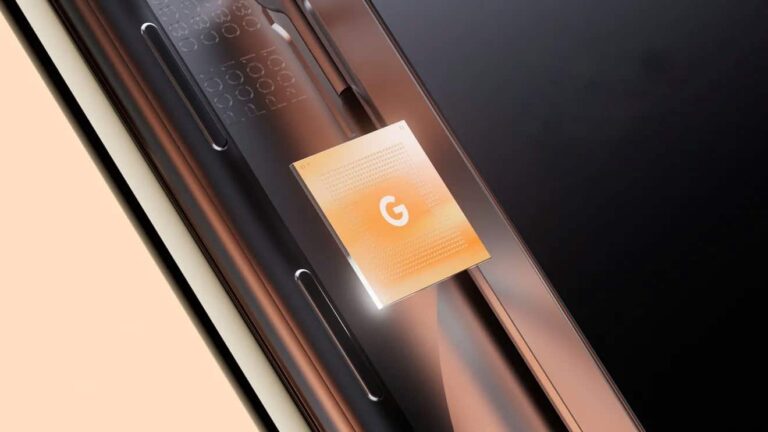
Google‘s Tensor processors for Pixel smartphones will be manufactured by Samsung Foundry for at least one more year. The Tensor G4, which will power the Pixel 9 series in 2024, will use the Korean firm’s 4LPP+ 4nm process, the same process as the Exynos 2400. The Pixel maker may switch to TSMC with the “fully-custom” Tensor G5 in 2025.
According to noted tipster Revegnus, aka @Tech_Reve, the Tensor G4 will feature ARM’s latest CPU cores: the Cortex-X4 prime core, Cortex-A720 mid-core, and Cortex-A520 efficiency core. The clock speeds and CPU arrangement are not known. Google will pair the CPU with ARM’s flagship Immortalis-G715. The tipster further confirms that Samsung will manufacture the chip using its 4LPP+ process. The long-awaited switch to TSMC has been pushed back to 2025.
Google will stick to Samsung Foundry for manufacturing the Tensor G4
Google has been using custom Tensor processors in Pixel phones since the Pixel 6 in 2021. However, these chips aren’t completely custom-made by the company. They are mostly rebadged Samsung Exynos SoCs optimized for the Pixel lineup, with some minor touches from Google. This means the recent Pixels have the same performance, power, and thermal issues that Exynos-powered Galaxy flagships have had for years.
Unsurprisingly, Pixel users wanted Google to change that. The change can only happen if TSMC manufactures the Tensor processors or if Samsung drastically improves its process. While the Korean firm does seem to have improved its advanced chip fabrication technologies, Google still planned to switch to TSMC for the manufacturing of Tensor G4 and forthcoming Tensor chips, at least for the foreseeable future.
However, earlier this year, a rumor surfaced that Google might stick to Samsung due to the high prices of TSMC. Tipster Revegnus has now revealed that the Taiwanese firm didn’t agree to manufacture the Tensor G4 due to low volume. Since it primarily manufactures chips for Apple and MediaTek, TSMC’s capacity is occupied almost all the time. A low-volume order from Google won’t be feasible for it without increasing prices.
These differences made Google use Samsung Foundry for the Tensor G4. Starting in 2025, the company plans to completely ditch the Korean firm and make fully custom Tensor processors and have TSMC manufacture them. It likely expects Pixel sales to go up in the coming years, leading to a surge in demand for Tensor chips. Or else, Google might run into a similar problem with TSMC.
The Tensor G3-powered Pixel 8 series debuts on October 4.
Reviews and unboxings of the new iPhone 15 started to go live today, as those that got the device early are now able to actually talk about it – other than what their impressions were from the event. And now we’re starting to get some more details on the new iPhones.
Though this little tidbit came from @Tech_Rave on X. And it’s not a good one, some might say it’s a “nasty surprise”. But the iPhone 15 can apparently reach temps as high as 48° Celsius, that’s about 118° Fahrenheit – or about as hot as a Summer day in Dallas, Texas. That’s not good. Definitely not good for battery health, and not good for the phone at all.
Basically, this comes from a thermal image of the iPhone 15 Pro (possibly Pro Max). It’s possible that the camera could be wrong, but I wouldn’t bet on it. The iPhone 14 Pro series also has some heat problems. While they don’t get quite that hot, they do still get pretty toasty, especially while wireless charging and using the phone.
Is this the next -gate for Apple?
There always seems to be some sort of -gate for Apple products. We’ve had bend-gate, antenna-gate, and many others. Though in recent years, they haven’t gotten as much as attention as those two. But I’d be willing to bet that most people will not see their iPhones get this warm. In order to hit this temperature, you’d need a sustained load of gaming, and charging – likely wireless charging.
Now, that does not mean that there is no problem here – because there is. Apple needs to figure out how to solve this, whether with a software update, or something else. Hot phones can lead to fires. Just ask Samsung about a few years ago. We should learn more about this in the coming days, especially after more people get the device in their hands on Friday.
The Canadian government, banking, and transportation industries have recently been the targets of many distributed denial of service (DDoS) attacks.
This criminal activity is linked to state-sponsored cyber threat actors from Russia. Since March 2022, NoName057(16), a pro-Russian hacktivist operator or group, has claimed responsibility for many Distributed Denial of Service (DDoS) operations against targets in perceived anti-Russian nations.
The back-end infrastructure of NoName057(16) is hosted in Russia and is probably run by individuals with knowledge of system design and maintenance.
The Canadian Centre for Cyber Security issued a warning to inform the public about these activities, draw attention to the possible effects on government services, and offer advice to organizations that could target criminal activity.
DocumentGet a Demo
With DoControl, you can keep your SaaS applications and data safe and secure by creating workflows tailored to your needs. It’s an easy and efficient way to identify and manage risks. You can mitigate the risk and exposure of your organization’s SaaS applications in just a few simple steps.
Using Denial-Of-Service Attack To Cause Disruption
The threat actors bother businesses by using denial-of-service attacks. This is performed by a group of computer systems acting as a botnet to hinder the operation of a targeted web server. The actors then make this degradation public.
DDoS is a type of cybercrime in which the perpetrator floods a server with internet traffic to keep people from accessing linked websites and online services.
These attacks are carried out by attackers who aim to knock down a company’s servers to make a statement, have fun by taking advantage of a cyber vulnerability, or show their displeasure.
“Actors leverage denial of service tools to harass organizations. This is accomplished through a collection of systems operating as a botnet that degrades a targeted web server’s ability to provide services”, reads the advisory.
Most of the time, on-premises solutions can control this issue; nevertheless, third-party DDoS solutions should be taken into consideration to help stop major and targeted hostile activity.
Once the actors have terminated the harmful behavior, websites usually resume regular functionality.
The Cyber Centre predicted in July 2022 that state-sponsored cyber threat actors in Russia will very definitely continue to carry out operations in support of the strategic and tactical goals of the Russian military.
Recommendation
Check the perimeter systems to see whether any related activity has taken place.
Review and put into practice the precautionary measures recommended in the Cyber Centre’s recommendations on defending your company from denial-of-service attacks.
Examine the guidelines for US agencies released by the Cybersecurity and Infrastructure Security Agency (CISA), which includes technological mitigation suggestions for handling DDoS activity.
Just about every big company in the world has implemented AI into its inner machinations. One of the largest video call platforms on the web, Zoom, has also jumped on the AI train. According to Techradar, Zoom is bringing a new update to its call center that will have some neat AI functions.
It should come as no surprise that Zoom is bringing these AI tools. AI, if used correctly, could really be a great addition to a workflow. It’s able to automate certain redundant and time-consuming tasks. So, companies are embracing it as a means of boosting productivity. This is what Zoom is doing.
Zoom is bringing some AI tools to its call center and business
The company introduced a new suite of tools called its Workforce Engagement Manager. This is a collection of different business tools that can help several in-house procedures.
One tool is called Quality Management, and it’s geared toward helping call center agents better interact with the customers. This tool will use AI to analyze conversations between agents and the customers. Doing this, it could keep an eye on how they’re doing. That sounds a bit creepy, but it’s just a way to see if the agent is asking the right questions.
This could be thought of as an assistant to the supervisor. In turn, it could take some of the workload off of the supervisor’s back.
The next tool is targeted more toward the company rather than the customers. It’s called Workforce Management, and it can be used to manage how many people are staffed in a call center. The tool will analyze certain bits of historical data, and it will actually generate schedules for people based on that data.
This is an example of AI being used to help out companies. We’re still waiting to see what else the company has in store.
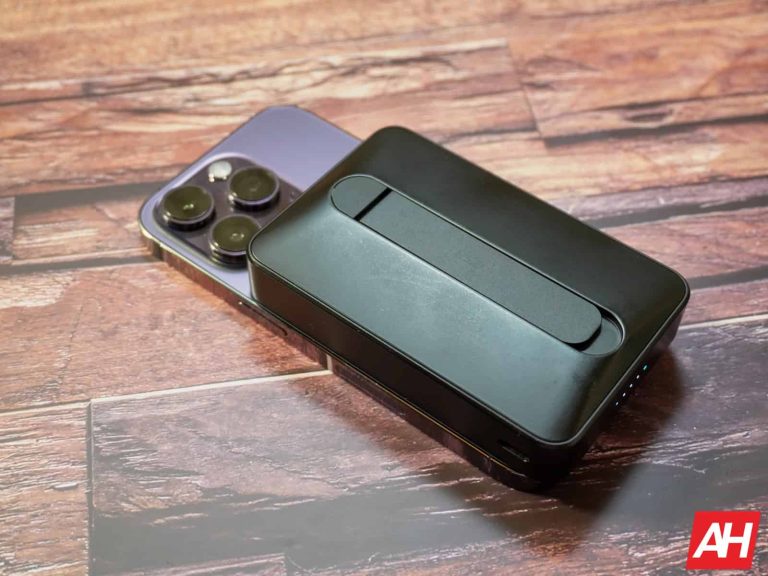
One of the cooler features of the iPhone using MagSafe for wireless charging is, the accessories. You see, Apple is using a circle magnet inside their phone, which allows the phone to snap onto a wireless charger with ease. Or other accessories like a wallet, or battery pack. And it won’t slide around either. One of my favorite MagSafe accessories are battery packs. They are really nice to have, when your iPhone is running low on battery, and can just snap into place and charge. Some of which include a kickstand too.
So, today, we are rounding up the very best MagSafe battery packs that you can buy in 2023. Some of these are pretty cheap, while others, not so much.
Anker 10K Foldable Wireless Portable Charger
If you need a ton of juice, this battery pack is a great one. And we’d say it’s the best MagSafe battery pack you can buy right now. For just $70, this battery pack offers up 10,000mAh worth of capacity. That’s enough to charge your iPhone at least once, probably twice. Depending on which iPhone it is.
This does come in three colors. So Anker offers black, blue and white here. There’s also a USB-C port available to use for wired charging, if you want some faster charging than what the wireless would offer.
ESR has quickly become one of our favorite brands for smartphone accessories. And this wireless power bank with MagSafe is one of our favorites. This has 10,000mAh capacity inside, and it also use its HaloLock technology. HaloLock uses a fan to help keep your phone nice and cool, so battery health isn’t an issue here.
At a 10,000mAh capacity, this is going to be enough to charge an iPhone 15 and 15 Pro about 1.7 times, and a 15 Plus and 15 Pro Max about 1.3 times. So not quite two full charges, but enough to top off a number of times.
This charger from Anker is a bit more bare-bones. It is the Anker Magnetic Portable Charger 5K and it costs $39.99. While it is magnetic, it does not have official MagSafe support, so it’s going to charge a bit slower. Now that could be a good thing, because that is going to help preserve your battery health.
At 5,000mAh it’s enough to charge your iPhone once, from zero to full and not much more. But on the flip side, it’s also a lot thinner and lighter than some of the others on this list. Making it a lot better to use and toss into a backpack without adding a lot of weight.
Baseus has their own Magnetic Power Bank and this one has a 6000mAh capacity. So it’s also pretty thin and lightweight too. It does offer USB-C PD at 20W. So if you need to plug in for a faster charge while on the go, you can do just that.
This battery pack also comes in a slew of colors, that includes pearl white, coral pink, misty blue and black. And it’s also pretty inexpensive, coming in at just $35.
ESR has some really nice iPhone accessories, including this Kickstand Wireless Power Bank, which I have been using on my iPhone 14 Pro for the past year and love it. This is about $35, so it’s not super pricey at all.
This MagSafe battery pack is great because it does have that kickstand built-in, so you can stand it up and watch content on it. This is great for traveling, whether that’s flying or on the subway. And at 5,000mAh, you should get at least a full charge if not a bit more.
This charger should get you close to two full charges on your iPhone here, at a 10,000mAh capacity. It also has indicator lights on the side that will help you see how much charge is left on your MagSafe Battery Pack.
This is a rather interesting battery pack from Anker, because it has a PopSocket built-in. This is great because it means you won’t lose your PopSocket while you’re charging your iPhone. This is the Anker MagGo 622, and it’s priced at $69.99.
Now, obviously having that PopSocket built-in is part of the reason why the price is so high here, and also why the capacity is only 5,000mAh. But that’s still enough to get through a full charge and then some. So there’s that.
Now this last entry in our list here, is actually not a MagSafe power bank and doesn’t even do wireless charging. It’s the Anker Nano Power Bank, which is going to cost you $29.99, and it has a USB-C connector. We recently reviewed the Anker Nano Power Bank and found it to be a very useful tool for travelers.
So what’s great about this? Well, it’s got a USB-C connector, so you can just plug it into the bottom of your phone and start charging. This is not limited to the iPhone either. It will work on any Android phone with USB-C as well. It’s a 5,000mAh battery pack, so you should get a full charge out of it. And it can charge at up to 22.5W, which is much faster than wireless charging, which is maxed out at 15W for MagSafe certification, 7.5W for just regular wireless charging.
Researchers have caught a new malware campaign in the wild that deploys a novel Rust-based malware to Azerbaijan targets. While not linked to a known threat actor group, the campaign still includes some false flags, possibly to hide the actual threat actors behind it.
New Rust Malware Targets Azerbaijan Users
According to a recent post from the Deep Instinct Threat Lab, their researchers have found a new malware campaign with a particular victim list.
Analyzing the malware revealed that the malware is a novel threat written in rust programming language and specifically targets Azerbaijan users.
In the sample the researchers analyzed, this file possessed the name “1.KARABAKH.jpg.lnk,” possibly hinting at the attackers’ attempt to exploit the recent political situation to lure victims into clicking the file.
Once done, the malicious file drops an MSI installer that implants a Rust-based malware alongside a decoy image file and an XML file for executing the implant.
According to the researchers, the new malware is written in Rust language, which hackers prefer due to its complexity for reverse engineering. The malware performs various malicious activities on the target systems, gathers system information, and transmits the data to the attackers’ server while avoiding sandbox and analysis environments.
Threat Actors’ Identity Remains Unclear
The researchers could not link the malicious campaign to a known threat actor. However, they did observe the use of a modified document in this campaign that the Storm-0978 group had used. Nonetheless, they consider it as a deliberate “false flag’, and also suggest the possibility of the entire activity as a red team exercise.
Whatever the case is, this new malware emphasizes the need to avoid interacting with unsolicited files/attachments to avoid such threats.



-1.webp)