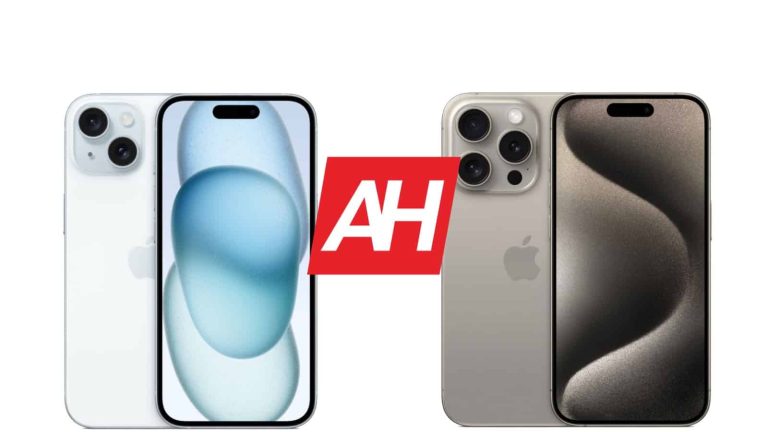
Apple iPhone 15 vs Apple iPhone 15 Pro

0
[ad_1]

Apple has announced its new iPhone 15 models. The company announced four models in total, and we’re here to check out two of them. In this article, we’ll compare the Apple iPhone 15 vs iPhone 15 Pro. Do note that nobody got the chance to review either of those phones yet, so this will be more of a comparison of what the two phones have to offer across a number of different categories.

That should help you out with your purchasing choice. Perhaps you don’t need the ‘Pro’ model, maybe the vanilla model is enough for you, as it did get a number of upgrades. Either way, we’ll try to help you. We’ll first list their specifications, and will then compare their designs, displays, and more.

Specs

Apple iPhone 15 vs iPhone 15 Pro, respectively

– Screen size:
6.1-inch Super Retina XDR display (60Hz, HDR, 2,000 nits)
6.1-inch Super Retina XDR display with ProMotion (120Hz, HDR, 2,000 nits)
– Display resolution:
2556 x 1179
– SoC:
Apple A16 Bionic
Apple A17 Pro
– RAM:
6GB
8GB
– Storage:
128GB/256GB/512GB
128GB/256GB/512GB/1TB
– Rear cameras:
48MP (f/1.6 aperture, sensor-shift OIS), 12MP (ultrawide, f/2.4 aperture)
48MP (f/1.78 aperture, second-gen sensor-shift OIS), 12MP (ultrawide, f/2.2 aperture, macro photography), 12MP (telephoto, f/2.8 aperture, 3x optical zoom)
– Front cameras:
12MP (f/1.9 aperture) + TrueDepth
– Battery:
N/A
– Charging:
20W wired, 15W wireless (charger not included)
– Dimensions (unfolded):
147.6 x 71.6 x 7.8mm
146.6 x 70.6 x 8.25mm
– Weight:
171 grams
187 grams
– Connectivity:
5G, LTE, NFC, Wi-Fi, USB Type-C, Bluetooth 5.3
– Security:
Advanced facial scanning
– OS:
iOS 17
– Price:
$799
$999
– Buy:
N/A (coming September 15)

Apple iPhone 15 vs Apple iPhone 15 Pro: Design

The two phones do look quite similar, but not identical, not even close. The iPhone 15 Pro has thinner bezels, three cameras on the back, and it’s also slightly shorter, narrower, and thicker. On top of that, you’ll notice that the phone is slightly heavier too, when you grab it. The iPhone 15 Pro weighs 187 grams, compared to 171 grams of the iPhone 15. That means that the iPhone 15 Pro is actually considerably lighter than its predecessor, as the iPhone 14 Pro’s weight was 206 grams.

The iPhone 15 Pro utilizes titanium for its frame now, though aluminum is also used in some capacity. The iPhone 15’s frame is made out of aluminum. That titanium build helped Apple reduce the weight of the phone. Considering that Apple also changed up the frame design a bit, the two phones also don’t cut into your hand nearly as much. The reduced weight on the ‘Pro’ model helps a lot too. The phone is simply more pleasant to hold and use now, it’s more ergonomic.

Both smartphones include a Dynamic Island now, while the rear cameras look very similar to the previous models, design-wise. The iPhone 15 retains a mute switch from its predecessor, but the same cannot be said for the iPhone 15 Pro. That handset has an Action Button on the left side, which is customizable. You can set it to activate the camera, for example, while the long-press will mute the phone. Once you’re in the camera, that button can also double as a shutter key.

Both smartphones are still quite slippery, but thanks to some changes in the frame design, and back glass, they’re a bit less slippery than their predecessors. Do note that both smartphones also come with IP68 certification for water and dust resistance. Another thing to note is that the iPhone 15 Pro supports USB 3.0 speeds, while the iPhone 15 is stuck on USB 2.0 speeds.

Apple iPhone 15 vs Apple iPhone 15 Pro: Display

Both smartphones do include a 6.1-inch display, but… we’re not looking at the same displays here, not at all. Both displays are plenty sharp at 2556 x 1179 pixels. However, the iPhone 15 Pro has a ‘ProMotion’ display. In other words, it supports a refresh rate of up to 120Hz, while the iPhone 15 is stuck at 60Hz, as was its predecessor. Both of these displays are flat, by the way, in case you were wondering. Both are also OLED panels.

Apple iPhone 15 Pro lineup hero 230912 Full Bleed Image jpg large

What about the brightness? Well, they both go up to 2,000 nits of peak brightness, which is great to see. Needless to say, that’s plenty bright for basically any scenario. HDR is supported by both displays. Only the iPhone 15 Pro has support for Always-On Display functionality, however. You will notice a Dynamic Island on both panels, as the notch became a thing of the past. Both displays are protected by the Ceramic Shield Glass.

Both panels are actually really good, based on initial impressions. They’re more than sharp enough, have great viewing angles, and the colors are quite vivid. The blacks are deep too. The iPhone 15 Pro has a huge advantage in the form of its higher refresh rate. Once you try using that display, it’ll be really hard to go back, even though Apple does a good job with 60Hz displays. It all depends from one person to the next, though, perhaps you won’t care.

Apple iPhone 15 vs Apple iPhone 15 Pro: Performance

The iPhone 15 is fueled by the Apple A16 Bionic chip. That is the same processor that fuels the iPhone 14 Pro and Pro Max models. It has a 6-core GPU, and a 5-core GPU, on top of a 16-core Neural Engine. The iPhone 15 Pro comes with the all-new Apple A17 Pro chip. The company ditched the ‘Bionic’ name. That is a 6-core CPU with a 6-core GPU, and a 16-core Neural Engine. The difference is also in the manufacturing process, the A16 Bionic is a 4nm chip, while the A17 Pro is a 3nm chip.

This new chip does offer notably better performance, at least on paper, and it should go easier on the battery too. We didn’t get a chance to test it yet, though. It will be able to run some crazy games, based on what Apple presented. The Apple A16 Bionic is a beastly chip, on the other hand, and even though it’s inferior to the Apple A17 Pro, it’s still a truly excellent processor, one of the best. When it comes to RAM, the iPhone 15 comes with 6GB, while the iPhone 15 Pro includes 8GB of RAM. We believe it’s LPDDR5, but we’re not sure.

Apple iPhone 15 vs Apple iPhone 15 Pro: Battery

Something that Apple didn’t confirm yet is the battery capacity. We don’t know what battery size do these two phones offer, but chances are we’ll get something similar to last year. The iPhone 14 included a 3,279mAh unit, while the ‘Pro’ model came with a 3,200mAh battery. It remains to be seen how similar battery capacities will be in the new models, but chances are they are not far off from this.

The iPhone 14 Pro didn’t exactly offer great battery life, so we’re hoping for some improvements in that regard. Apple didn’t really boast about anything of the sort for the ‘Pro’ models, which is a bit worrying. We’ll have to wait and see. Apple did boast about the iPhone 15 and 15 Plus battery life, though, promising a full day’s worth of battery life.

When it comes to charging, we’re once again stuck at 20W wired, and 15W wireless charging. The iPhone 15 models will support Qi2 charging too. Unfortunately, neither model will charge particularly fast, which is a bit disappointing. Also, don’t expect a charger to be included in the retail box.

Apple iPhone 15 vs Apple iPhone 15 Pro: Cameras

The iPhone 15 comes with two cameras on the back, while the iPhone 15 Pro has three. A 48-megapixel main camera from the iPhone 14 Pro is now included on the back of the iPhone 15. In addition to that, you’re getting a 12-megapixel ultrawide unit with an f/2.4 aperture. The iPhone 15 Pro, on the other hand, has a 48-megapixel main camera (f/1.78), which is technically better than the one on the iPhone 15 (larger sensor). A 12-megapixel ultrawide camera is also included here, as is a 12-megapixel telephoto camera (3x optical zoom).

iPhone 15 Pro series promo image 8394839

Both phones actually have the ability to change focus after taking an image, so you don’t have to specifically switch to ‘Portrait Mode’ before taking a shot. The iPhone 15 Pro should technically be able to take better pictures overall, thanks to the better main camera, but we’ll have to wait and see. Zoomed-in shots will be better on the iPhone 15 Pro, easy, as the iPhone 15 doesn’t have a telephoto camera at all. We will have to wait a bit in order to check out actual samples, and test out the phones.

Audio

Both phones do include a set of stereo speakers. The phones also support Dolby Atmos and Spatial Audio playback. The sound from those speakers will likely be similar to what the iPhone 14 Pro provided, so there’s nothing to worry about.

When it comes to an audio jack, neither phone has it, as expected. You can, however, utilize those Type-C ports to connect your wired headphones, you’ll need a dongle though. Bluetooth 5.3 is supported on both phones.


[ad_2]
Source link
The Files by Google app is about to become smarter with this upcoming feature

0
[ad_1]

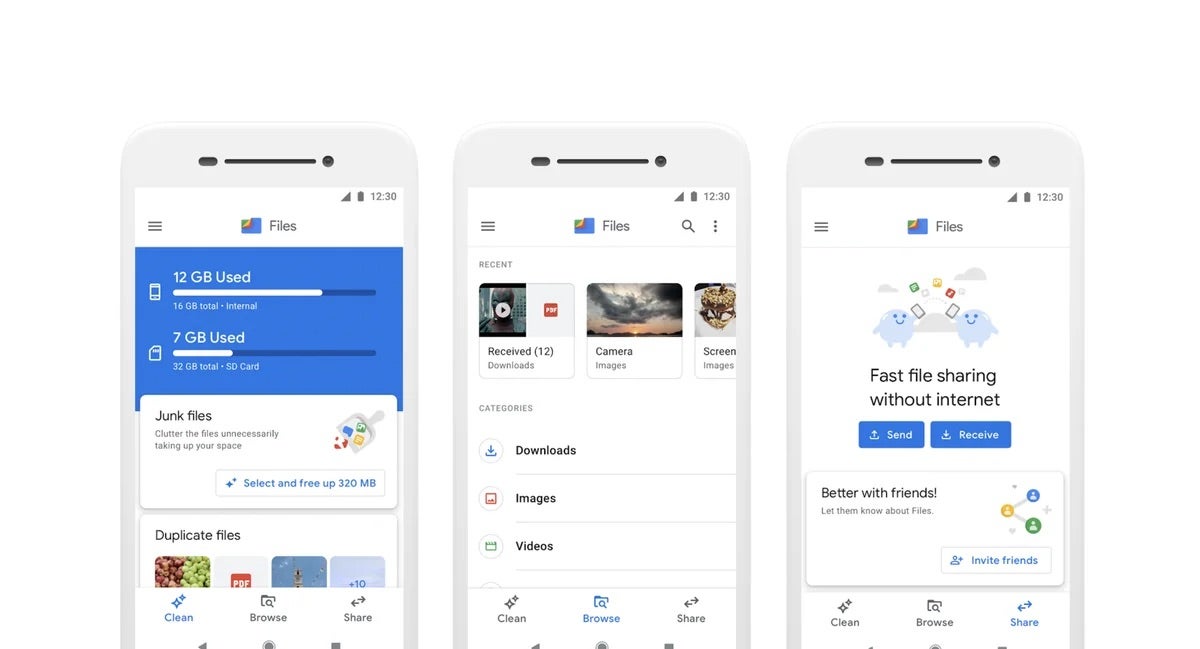
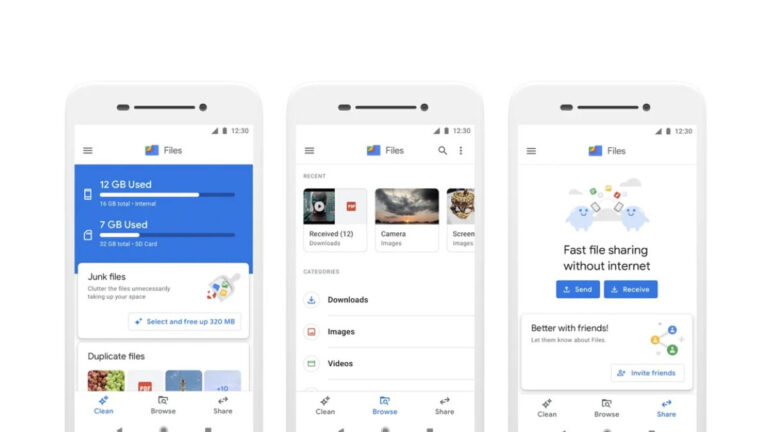
Google is reportedly working on a new feature for its Android Files app called Smart Search, which will automatically identify important documents and highlight them. This could make it easier for users to find the files they need, such as contracts, tax documents, or medical records.

Smart Search, not to be confused with Smart Storage which helps you save space on your device by deleting media that has already been backed up to Google Photos, is meant for files in the Documents folder of the Files app. It will use machine learning to identify important documents based on a variety of factors, including their content, file type, and creation date. Once a document has been identified as important, it will be highlighted in the Files app so that users can easily find it.

This was originally found and reported by @AssembleDebug on X, who was able to enable the feature via a flag. While testing, the leaker found that the feature will automatically and periodically scan and index your documents and images using something akin to OCR (Optical Character Recognition) to identify text within those files. Additionally, as the name implies, search will be available to find the related text and the document it is contained in.

Source – @AssembleDebug (X)

In addition to highlighting important documents, Smart Search will also be able to suggest related documents. For example, if a user opens a contract, Smart Search might suggest other contracts that the user has saved. This could help users to stay organized and find the documents they need more quickly.

Smart Search is still in development, but it is believed that it will be released in a future update to the Files app. It is a new and innovative feature that could make the Files app even more useful, especially in cases where an important detail contained within a document is needed right away.


[ad_2]
Source link

Chrome Zero-Day Vulnerability Exploited in the Wild

0
[ad_1]

Chrome’s Stable and Extended stable channels have been upgraded to 116.0.5845.187 for Mac and Linux and 116.0.5845.187/.188 for Windows as part of a security update.

One “Critical” security upgrade is included in this release. In the coming days and weeks, the upgrade will be implemented.

Critical Vulnerability Addressed

WebP has a serious flaw called (CVE-2023-4863), which is a heap buffer overflow.

In its security warning, Google said, “Google is aware that an exploit for CVE-2023-4863 is out there in the wild.”

On September 6, this was reported by the Citizen Lab at the Munk School at the University of Toronto and Apple Security Engineering and Architecture (SEAR).

The company is still not giving out more details about the hacks.

Google says, “Access to bug details and links may be limited until most users have been told about a fix.”

If a bug is found in a third-party code that is also used by other projects, we may need to keep some restrictions in place to keep our projects safe and secure.

Google said that if this problem hasn’t been fixed yet, it is very important that we keep putting limits in place to stop any harm or damage that could come from exploiting the vulnerability.

Document
Get a Demo

With DoControl, you can keep your SaaS applications and data safe and secure by creating workflows tailored to your needs. It’s an easy and efficient way to identify and manage risks. You can mitigate the risk and exposure of your organization’s SaaS applications in just a few simple steps.

Chrome Security Update

Google said, “The Stable and Extended stable channels have been updated to 116.0.5845.187 for Mac and Linux and 116.0.5845.187/.188 for Windows, which will roll out over the next few days or weeks.”

Chrome for Linux and MacOS: 116.0.5845.187

Chrome for Windows: 116.0.5845.187/.188

How to Update Google Chrome

  • On your computer, open Chrome.
  • At the top right, click More.
  • Click Help About Google Chrome.
  • Click Update Google Chrome. Important: If you can’t find this button, you’re on the latest version.
  • Click Relaunch.

The update should be implemented as soon as possible to prevent system and browser issues.

Keep informed about the latest Cyber Security News by following us on Google News, Linkedin, Twitter, and Facebook.


[ad_2]
Source link

Samsung Galaxy Z Fold 5 & more get September update

0
[ad_1]

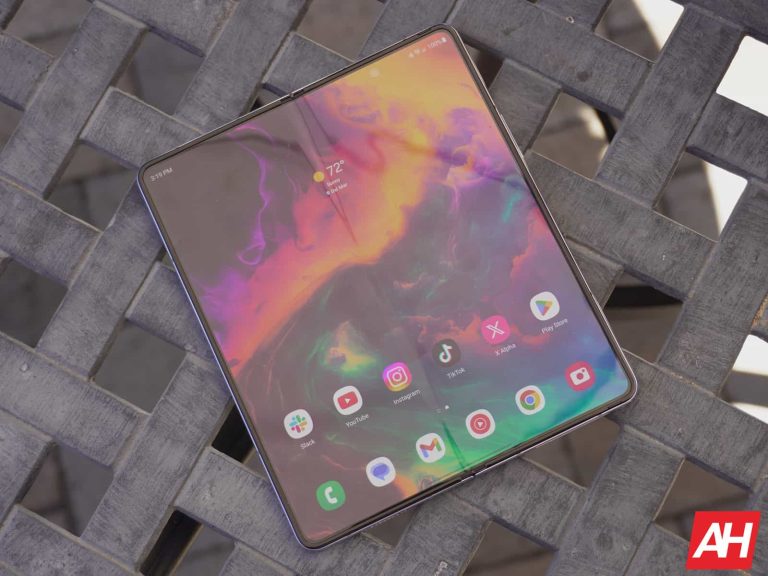
After a slow start, Samsung‘s September update rollout seems to have picked up steam. The company has just released the latest security patch for a bunch of devices. The Galaxy Z Fold 5, Galaxy Z Flip 5, Galaxy S20 series, and Galaxy Note 20 series are all now receiving the update.

The September SMR (Security Maintenance Release) for the latest foldable duo is available widely in Asia, Europe, and Africa. The Galaxy Z Fold 5 is picking up the update with the firmware build number F946BXXU1AWI3 in Europe and F946BXXS1AWI4 in the other two regions. The new build number for the Galaxy Z Flip 5 is F731BXXU1AWI3 and F731BXXS1AWI4, respectively.

The two foldables appear to be receiving some system stability and reliability improvements along with the latest security fixes. There may not be any new features in tow, though. The OTA (over the air) package for the Flip model weighs just shy of 400MB in Europe, SamMobile reports. Samsung will likely expand the release to the remaining markets, including the US, in the coming days.

This month’s security fixes are also rolling out to the Galaxy S20, Galaxy S20+, Galaxy S20 Ultra, Galaxy Note 20, and Galaxy Note 20 Ultra in various markets. The rollout for the three S-series models has begun in Europe, with 4G models getting the nod ahead of their 5G counterparts. The updated build number for the phones is G98*FXXSIHWHI. Samsung isn’t pushing anything extra here.

The Galaxy Note 20 lineup is also initially receiving this update in Europe. The new build number for the 4G-only Galaxy Note 20 and Galaxy Note 20 Ultra is N98xFXXS8HWI1. The 5G-enabled units are picking up the same update with firmware version N98xBXXS8HWI1. Once again, the update is all about the latest security fixes. A wider rollout of the September SMR for Samsung’s 2020 flagships should follow in the coming days.

Samsung’s September security update for Galaxy devices is quite big

Samsung is pushing more than 60 security fixes to Galaxy devices this month. The September SMR contains 23 Android OS patches, four of which were labeled critical by Google. The latest update also brings 35 Galaxy-specific patches and four security fixes from Samsung’s semiconductor division.

The Korean behemoth has already rolled out these patches to the Galaxy S23 series, Galaxy S22 series, and a few others. More devices have joined the party today, with other eligible modes to follow in the coming days. If you’re using a Galaxy device, you can check for updates from the Settings app.


[ad_2]
Source link

More companies join White House plan to develop responsible AI

0
[ad_1]

The White House initiative for developing responsible AI is getting new members. IBM, Nvidia, Adobe, plus five other AI companies have joined the program to develop safer and more responsible AI services for users.

In July, the US administration started a new program to encourage companies to develop AI responsibly. Meta, Google, and OpenAI were among the first notable companies that joined the program and agreed to invest more in cybersecurity and oversee AI development plans with more care. Now, a bunch of other tech companies are committed to acting more responsibly while developing and releasing AI tools.

Besides IBM, Nvidia, and Adobe, other companies that joined the White House AI program are Cohere, Palantir, Salesforce, Scale AI, and Stability AI. Of course, this is a voluntary commitment, and violators will not be punished. The Biden administration claimed it had consulted with several world leaders to develop this plan and its provisions.

IBM, Nvidia, and Adobe join the White House voluntary program for developing more AI responsibly

All companies that have joined this program must design internal and external testing of AI systems before releasing them to the public. Additionally, they’re committed to investing in security measures for protecting model weights and sharing information with peers to mitigate AI risks.

Other obligations include allowing third parties to report AI vulnerabilities. In addition to watermark AI-generated content, publicly report risks associated with their AI systems, and research societal risks. Finally, the AI systems developed by these companies must address society’s greatest challenges.

AI is becoming a national security matter for the United States and other world powers. Thus, governments rush to regulate AI and mitigate its potential societal risks. The US administration has introduced the AI Bill of Rights as a guideline for enacting new rules.

The European Union is also in contact with the United States to develop its AI regulations. However, many experts believe the speed of developing regulations can’t keep up with the pace of AI development. Because of this, DeepMind CEO Mustafa Suleyman has suggested the US government use Nvidia chips for AI rule enforcement.

Concerns about misusing AI are rising after Microsoft announced that Chinese actors post AI photos on social media to mislead American voters. These AI photos mostly try to widen the racial issues gap in the US.


[ad_2]
Source link

Chinese Redfly Hacked National Power Grid & Maintained Access for 6 Months

0
[ad_1]

Cybersecurity researchers at Symantec’s Threat Hunter Team recently discovered that the Redfly threat actor group used ShadowPad Trojan to breach an Asian national grid for 6 months.

Artificial intelligence-driven cyber threats grow as technology advances, significantly influencing and boosting threat actor sophistication.

Persistent espionage attacks by threat actors on critical national infrastructure (CNI) raise global concerns among governments and CNI entities.

In this security breach, the threat actors successfully stole the credentials and compromised computers.

The latest attack is part of the ongoing global CNI espionage wave, with the following countries on high alert after the Volt Typhoon’s U.S. infiltration:-

  • The U.S.
  • The UK
  • Australia
  • Canada
  • New Zealand

ShadowPad is initially a modular, short-lived underground RAT, now tied to espionage groups like APT41. Recent power grid attacks linked to Redfly, distinct from Blackfly and Grayfly.

Tools used

Here below, we have mentioned all the tools that the threat actors use in these attacks:-

Document
Get a Demo

With DoControl, you can keep your SaaS applications and data safe and secure by creating workflows tailored to your needs. It’s an easy and efficient way to identify and manage risks. You can mitigate the risk and exposure of your organization’s SaaS applications in just a few simple steps.

Technical analysis

Initial intrusion on February 28, 2023, followed by ShadowPad execution on May 17, confirming attackers’ presence. A suspicious 1.bat file ran on May 16, leading to PackerLoader execution in the %TEMP% directory.

Next, all-user access is granted to dump_diskfs.sys driver, potentially for file system dumps and exfiltration. From the following Windows registry, the credentials were dumped:-

  • reg save HKLM\SYSTEM system.save
  • reg save HKLM\SAM sam.sav
  • reg save HKLM\SECURITY security.save

On May 19, attackers returned, running PackerLoader and 1.bat, then with the help of a sneaky “displayswitch.exe” file, Redfly launched their malicious payload. 

While besides this, they later used PowerShell to spy on the writable drives. Apart from this, the displayswitch.exe was triggered in %TEMP% on May 26 and swiftly dumped the registry credentials and erased the security logs.

Next, the attackers used ProcDump on May 29 and Oleview on May 31 for malicious activities and possibly leveraged the stolen credentials for lateral movement.

Over the past year, threat actors have actively targeted and attacked the CNI organizations. Even their attack frequency has also significantly increased, which is now a concerning factor.

Threat actors maintaining a long-term presence on grids pose the risk of disruptive attacks in nation-states during political tension.

IOCs

IOCs (Source – Symantec)

Keep informed about the latest Cyber Security News by following us on Google News, Linkedin, Twitter, and Facebook.


[ad_2]
Source link

Samsung Galaxy Z Flip 4 & older foldables get new update in the US

0
[ad_1]

Samsung seems to be in a hurry to get done with its September update, which fixes over 60 security issues. Earlier today, it released the latest security patch for the Galaxy Z Fold 5, Galaxy Z Flip 5, Galaxy S20 series, and Galaxy Note 20 series. It has now started pushing the update to the Galaxy Z Fold 4, Galaxy Z Flip 4, Galaxy Z Fold 3, Galaxy Z Flip 3, and Galaxy Z Fold 2. All of these foldables smartphones are picking up the new SMR (Security Maintenance Release) in the US.

The September update is rolling out to both carrier-locked and unlocked variants of Samsung’s recent foldables in the US. The new firmware build numbers for the Galaxy Z Fold 4 are F936USQS3DWH9 and F936U1UES3DWH7, respectively. Likewise, those for the Galaxy Z Flip 4 are F721USQS3DWH9 and F721U1UES3DWH7, for the Galaxy Z Fold 3 are F926USQS4GWH9 and F926U1UES4GWH7, and Galaxy Z Flip 3 are F711USQS5GWH9 and F711U1UES5GWH7, respectively.

The Galaxy Z Fold 2, meanwhile, is currently receiving the September SMR on unlocked units only. The updated build number for the 2020 Fold model is F916U1UES4KWH9. Samsung has yet to release the latest security patch for the phone in any other markets. The 2021 and 2022 models are picking up the update in other regions as well. As said earlier, the Galaxy Z Fold 5 and Galaxy Z Flip 5 have already received the September patch in international markets. It should reach the US units soon.

If you’re using any of these Samsung foldables in the US, you should soon get a notification about a new software update. You can also manually check for updates From the Software update menu in the Settings app. Note that the rollout has yet to reach the devices on all networks. Carrier-locked variants of the Galaxy Z Fold 4, Galaxy Z Flip 4, and Galaxy Z Flip 3 are receiving these updates on Comcast and Xfinity Mobile’s networks only. A wider rollout shouldn’t be too far off, though.

Samsung will push the September update to more Galaxy devices

The latest expansion to the foldable lineup means Samsung’s September update is now available for more than 20 Galaxy models. Apart from the aforementioned devices, the company has also pushed the new SMR to the Galaxy S23 series, Galaxy S22 series, and a few mid-range devices. The update will reach more eligible models in the coming days. The Galaxy S21 series and premium A-series models should be the next in the pipeline. We will let you know when the rollout begins for these devices.


[ad_2]
Source link

Best Apple iPhone 15 Cases for 2023

0
[ad_1]

The Apple iPhone 15 is finally here and official. Which means, there are a ton of cases that are available to buy. And we really do mean a ton. In this article, we are rounding up the best cases that we have found so far. These are all going to be cases that are available to buy now, or very soon. Since this post is going up ahead of pre-orders, some cases aren’t quite available yet, but will be in a few days.

This list does have leather cases, something that Apple has decided to ditch this year. There’s also some cheaper TPU and silicone cases available, and of course, Apple’s own FineWoven case. Without further ado, here are the Best iPhone 15 Cases for 2023.

Nomad Modern Leather Case

image

The Nomad Modern Leather case is a fantastic case, and it’s actually one that I’ve used on my iPhone for the past two years. This is going to cost you $50, or if you want Horween Leather, it’ll be $70. This does come in a few colors, including black, brown and English Tan. Important to note that the English Tan is not available in Horween Leather.

So what makes this case better than Apple’s older leather cases? Well, for one, the leather doesn’t wrap all the way around the case. The sides are made of plastic. It’s a soft-touch plastic, so it still feels pretty high-end, but it keeps the leather looking good. And as expected, the leather is also going to age after some time – Horween Leather will take longer to show it’s age, however.

Nomad Modern Leather Case – Nomad Goods

Apple FineWove Case

best iphone 15 cases AH

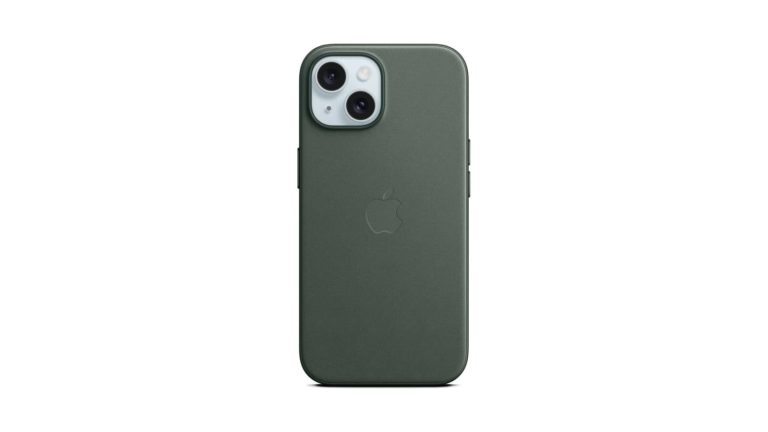
Apple, this year, has decided to declare war on Leather. And is moving to this FineWoven case, for the environment. This is made of durable microtwill which has a suede-like feel. So it still feels like leather, sort of, but it may not age like leather.

This case is available in five colors: Taupe, Mulberry, Evergreen, Pacific Blue and Black. Which look really good, and it’s good to see Pacific Blue back in the mix.

Apple FineWoven Case – Amazon

ZAGG Luxe Snap

51Xdx2pdkGL AC SL1500

This year, the ZAGG Luxe Snap might be one of the best cases you can pick up this year. It comes in a boatload of colors, and is only $39.99. This case is also durable, thanks to the new Graphene material that ZAGG is using this year. It has drop protection up to 10-feet and it’s still lightweight with support for MagSafe.

Perhaps even more important than that, the Luxe Snap also has a textured finish on the back. Which is going to give it a unique look, but also make it easier to hold onto. Which is definitely important here on the iPhone 15.

ZAGG Luxe Snap – Amazon

Nomad Rugged Case

image

Leather not your style? Well Nomad has a few other cases that you can pick up for the iPhone 15. It’s $60, so it costs more than their Leather case, surprisingly. But this is a really durably case, with a polycarbonate frame. It’s only available in black for the iPhone 15 and 15 Plus. The Ultra Orange and Atlantic Blue are saved for the Pro models.

Nomad Rugged Case – Nomad Goods

Spigen Ultra Hybrid

614mDAUyqOL AC SL1200

Looking for a cheap, and clear case? Spigen has you covered here. The Spigen Ultra Hybrid is available for $15, and is usually on sale too. Now this is a clear case, but it also comes in a slew of other colors, if you prefer a colored case.

This case from Spigen does have air cushions in the corners and on the sides, so that when your phone does get dropped, it is going to be protected. It also has long-lasting clarity. So this clear case is going to stay clear, for a long time. Instead of starting to yellow.

Spigen Ultra Hybrid – Amazon

ZAGG Manhattan Snap

61z JxAgjzL AC SL1500

The ZAGG Manhattan Snap might be the sleeper case for the iPhone 15. It’s a silicone case like what Apple offers, and it’s the same price – $49.99. But it is a much better case. If you’ve ever used one of Apple’s silicone cases, you likely know how it likes to hold onto fingerprints, dust and such. Well, this one, does not.

This also uses the Graphene material like its other cases, making it more durable, while keeping it pretty thin and lightweight. Making this a really great case to pick up.

ZAGG Manhattan Snap – Amazon

ZAGG Everest Snap

6165su8al3L AC SL1500

If you’re clumsy, or drop your phone a lot, then you might want to have a look at the ZAGG Everest Snap case. This is a rugged case with a built-in kickstand. It also doubles the drop protection from other ZAGG cases, at 20-feet.

This case has a triple-layer of protection. So even when you do drop your phone, it’s pretty unlikely that it will get damaged or destroyed. Which, let’s face it, that’s why you buy a case like this.

ZAGG Everest Snap – Amazon

Spigen Ultra Hybrid MagFit

61CR4aFYXwL AC SL1200

The Spigen Ultra Hybrid MagFit case is another good option for the iPhone 15, as it does come in at just $21. It comes in a few different designs, including the Zero One design which shows what the inside of your phone looks like.

This case has a raised lip that will protect your screen and the camera module on the back. It’s also got tactile buttons for solid feedback and an easy press. With a hole for the mute switch, which remains on the iPhone 15. It also uses Air Cushion Technology for shock absorption.

Spigen Ultra Hybrid MagFit – Amazon

TORRAS Magnetic Case

716BRXsUoEL AC SL1500

The TORRAS Magnetic Case is a really great looking case that comes in four colors – black, blue, green and pink. It also comes with a built-in kickstand and only costs $33.

It has the same great drop protection as just about every other case on this list, with air cushions in the sides and corners. Which is where your phone will usually hit when it is dropped.

TORRAS Magnetic Case – Amazon


[ad_2]
Source link

OpenAI-based Extension for Burp Suite

0
[ad_1]
ReconAIzer Burp Extension

Burp Suite, the renowned Bug Bounty Hunting and Web Application Penetration Testing tool, has been improvised with many extensions over the years. Many of Burp’s Extensions have been used by Bug Bounty Hunters and Security Researchers for various purposes.

It has been nearly a year since the introduction of ChatGPT by OpenAI. Several sectors have implemented ChatGPT for various business reasons. The Cyber Security sector has also been explored under any circumstances for the integration of the GPT model, which could help cover more threats and alerts.

ReconAIzer – OpenAI-based Burp Extension

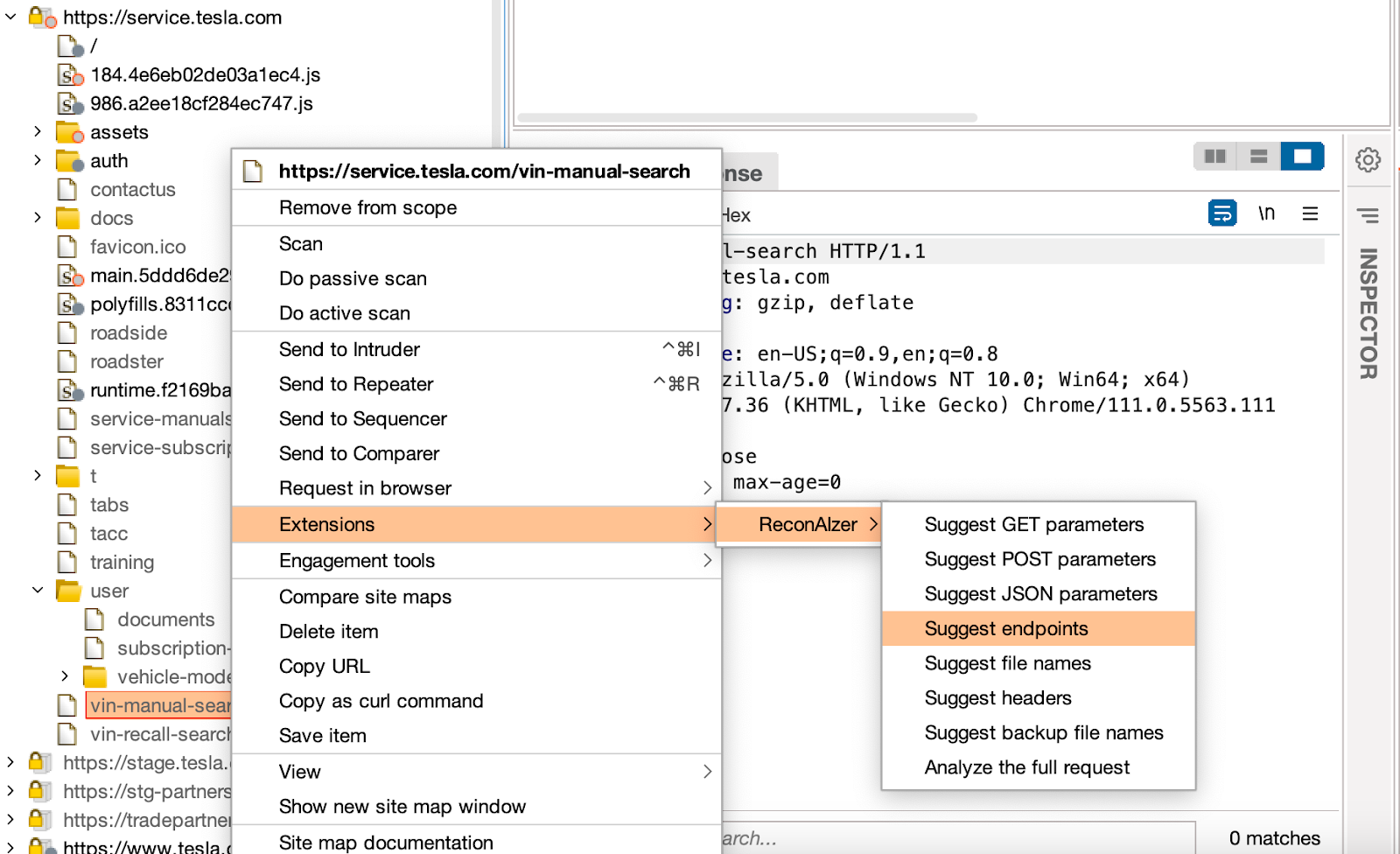
ReconAIzer has been introduced as an Open-Source Jython extension that uses OpenAI to help Bug Bounty hunters significantly improve their recon process. This extension is capable of discovering endpoints, params, URLs, subdomains, and much more.

The prerequisites of this tool are a Burp Suite Application and a Jython Standalone JAR, which helps to integrate Python and Java codes. Once this extension is added, it creates a contextual menu and a dedicated tab in Burp Suite for viewing the results.

For the prerequisites, the Jython standalone can be downloaded on this link.  This standalone installer can then be chosen from the “Extensions > Extensions settings” tab. Under the “Python Environment,” click on “Select file” and choose the downloaded Jython Standalone Installer.

Source: github.com/hisxo

After following the steps for installation mentioned in the GitHub repository, Users must configure their OpenAI API key on the “Config” tab under “ReconAIzer” tab. The OpenAI API key can be found in this link.

Source: GitHub/hisxo

Security researchers and bug bounty hunters can use this extension to improve their recon process, which could result in many more endpoints and URL findings that can be tested on a security basis. More details about this extension can be found here.


[ad_2]
Source link

A guide to using USI styli on the Pixel Tablet

0
[ad_1]

Most people may not know this, but the Google Pixel Tablet comes with stylus support. This means that you can use advanced styli with this tablet to help augment your experience. The Pixel Tablet is compatible with USI styli, and that opens it up to a wide array of pens that you can buy for the tablet.

If you have the Pixel Tablet, and you’re planning on picking up a stylus, then this guide should give you a bit more information about these styli and why you should use them. We’ll also talk about three fine examples of styli that you should consider. Hopefully, this will help you discover your new favorite stylus.

What is USI?

Before we get into this guide, it’s important to know what USI is and what it’s all about. USI (Universal Stylus Initiative) is a nonprofit organization that defines industry-wide standards for interoperable communication between an active stylus and touch-enabled devices such as phones, tablets, and computing and entertainment platforms.

USI logo

Basically, it defined standards for styli to work across different devices. Oftentimes, like the case of the Apple Pencil and Samsung’s S Pen, styli are proprietary devices. They only work with devices from their company.

However, USI has members including leading OEMs, stylus, and touch controller manufacturers such as Lenovo, Intel, Google & more. It makes high-quality styli more accessible to more users around the world.

We’re not talking about store shelf styli

Most of the time, when people think of styli, they think of the simple unpowered ones that you find on store shelves. Those are just pieces of plastic with a rubber material on the tip.

USI-certified styli are powered devices that communicate directly with your device. This way, your phone or tablet knows where the stylus is. This allows the stylus to have a much narrower tip for added precision. Unpowered styli need to have a wider tip because they rely on capacitance for your device to detect where they are. This can’t be done with a thinner tip.

However, with a USI stylus, you’ll be able to use it for precise tasks such as drawing and painting. In order to draw professional works, you need pen-tip precision. So, if you’re planning on picking up an unpowered stylus, you might want to consider a USI stylus instead. They’re more expensive, but they’re much more usable.

Three great USI styli for the Pixel Tablet

USI was nice enough to lend us a few styli to test out along with a Pixel Tablet. These are three fantastic styli that you can pick up if you’re in the market for a new pen. We’ll dive into what makes them great additions to your workflow.

HP USI Wireless Pen G2

This stylus is a pretty simple and straightforward device. It’s lightweight, which is good if you typically draw or write for extended periods of time. While it’s lightweight, picking it up, you can still tell that it’s solidly built. The soft-touch plastic feels nice to the touch. When you first pick it up, it almost feels like it’ll be slippery, but it’s easy to get a tight grip on it.

HP USI Pen Gen 2

Drawing with this pen, you’ll want to know that it’s pretty sensitive. It can be easy to draw lines a little thicker than you intend. However, it’s something that you’ll get used to.

The pen can last you a good while on a single charge. When you need to top it up, the charger part is cleverly hidden on the device. At the top of the pen (the end opposite the tip), it slides out to reveal the charging port. It charges via USB-C.

This pen costs $71.99 straight from HP, but you might be able to find some different prices through other retailers.

Panoval USI 2.0

The Penoval USI 2.0 is a premium stylus through and through. This stylus has a significant heft to it with its metal build. It’s great if you want a more premium-feeling stylus. It’s made from a soft matte metal that has a pleasant feeling in the hand.

Penoval USI pen

As for the functionality, the Penoval USI 2.0 has 4,096 levels of pressure, so your strokes should feel like natural pen strokes. This helps when you’re drawing intricate details or practicing calligraphy. Just like the aforementioned stylus, this pen has a pretty fine tip for ultimate precision. Not only that, but it has excellent palm rejection. This lets you rest your hand on the screen while writing. It makes writing and drawing feel more natural.

The Penoval USI 2.0 has its charging port on the end opposite the tip. All you have to do is plug it in for a few minutes to get several hours of usability. In fact, a 50-minute charge will get you about 90 hours of usage. so you can plug it in during any activity to do a quick top-up.

Lenovo USI Pen 2

The final pen on this list is from a familiar brand. Lenovo makes pens that are exclusive to its tablets, but the company also makes styli that other devices can use. The Lenovo USI Pen 2 is another premium-feeling pen with a predominantly metal body. It’s using a soft-touch metal, but there’s also a plastic clip on the top. This makes it feel more like a traditional pen.

The tip of this stylus is a bit more rounded than the other two on this list, but it’s still extremely precise, and you still get 4,096 levels of pressure with it. So, you’re covered when you’re writing and drawing. One thing to note is that this stylus is also rated to work on Chromebooks.

Lenovo USI pen 2

This one stands aside from the other styli on this list because of the battery that it takes. The Lenovo USI 2.0 uses a AAAA battery rather than a rechargeable one. This means that you’ll have to replace it. However, the battery life of this stylus is great, so you won’t have to worry about changing it for a long time.

Other Pixel Tablet accessories

Perhaps, you’re also looking for something else along with a stylus. Well, there are other additions you can purchase to add to your tablet experience. At Android Headlines, we have a constantly updated list of accessories that are perfect for the Pixel Tablet.

It encompasses devices like cases, styli, stands, audio devices, and more. You can keep checking back for new items being added each month. Check out our list of the Best Pixel Tablet Accessories.


[ad_2]
Source link