This week on Lock and Code, we revisit an earlier conversation with a Bay Area teenager about the hardest parts about growing up online.
This week on the Lock and Code podcast…
In 2022, Malwarebytes investigated the blurry, shifting idea of “identity” on the internet, and how online identities are not only shaped by the people behind them, but also inherited by the internet’s youngest users, children. Children have always inherited some of their identities from their parents—consider that two of the largest indicators for political and religious affiliation in the US are, no surprise, the political and religious affiliations of someone’s parents—but the transfer of online identity poses unique risks.
When parents create email accounts for their kids, do they also teach their children about strong passwords? When parents post photos of their children online, do they also teach their children about the safest ways to post photos of themselves and others? When parents create a Netflix viewing profile on a child’s iPad, are they prepared for what else a child might see online? Are parents certain that a kid is ready to watch before they can walk?
Those types of questions drove a joint report that Malwarebytes published last year, based on a survey of 2,000 people in North America. That research showed that, broadly, not enough children and teenagers trust their parents to support them online, and not enough parents know exactly how to give the support their children need.
But stats and figures can only tell so much of the story, which is why last year, Lock and Code host David Ruiz spoke with a Bay Area high school graduate about her own thoughts on the difficulties of growing up online. Lock and Code is re-airing that episode this week because, in less than one month, Malwarebytes is releasing a follow-on report about behaviors, beliefs, and blunders in online privacy and cybersecurity. And as part of that follow-on report, Lock and Code is speaking again with the guest brought on last year, Nitya Sharma.
Before our follow-on report releases, we are sharing with listeners our prior episode that aired in 2022 about the difficulties that an everyday teenager faces online, including managing her time online, trying to meet friends and complete homework, the traps of trading online interaction with in-person socializing, and what she would do differently with her children, if she ever started a family, in preparing them for the Internet.
The Sony Xperia 5 V is the company’s latest high-end offering, and it’s also compact at the same time. We’ve already compared it to several other compact phones, and now it’s time to throw Samsung into the mix. In this article, we’ll compare the Samsung Galaxy S23 vs Sony Xperia 5 V. Both of those phones are not only flagship-grade, but are also compact at the same time.
They do look rather different, however, and there are also some differences under the hood, of course. We’ll first list their specifications, and will then move to compare them across a number of different categories. You’ll get to see a design comparison, followed by a comparison between their displays, performance, battery life, cameras, and audio performance.
Specs
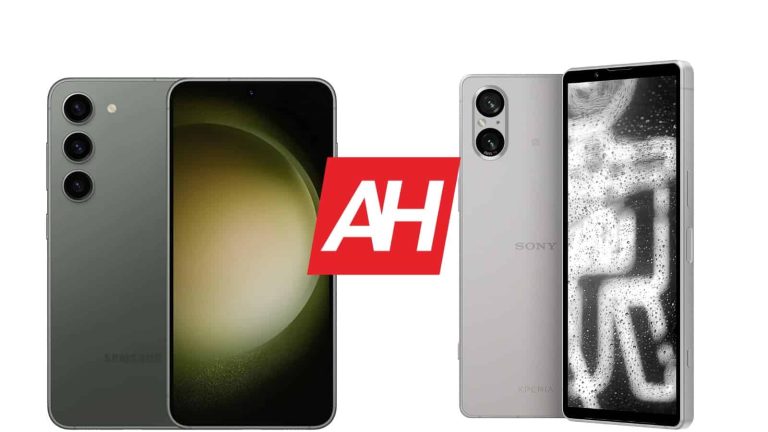
Samsung Galaxy S23 & Sony Xperia 5 V, respectively
Both of these devices are made out of metal and glass. The Sony Xperia 5 V is narrower and taller thanks to a different display aspect ratio, most of all. The Galaxy S23 has a centered display camera hole, a flat display, and very thin bezels. The Xperia 5 V also has a flat display, but no display camera hole. It has slightly thicker top and bottom bezels, which allow it to hide the camera, and offer unobstructed screen real estate.
The Xperia 5 V has flat sides all around, with chamfered edges. The Galaxy S23’s sides are slightly rounded. They do feel entirely different to hold, which is definitely worth noting. The Galaxy S23 has three cameras on the back, which are vertically-aligned in the top-left corner. The Sony Xperia 5 V has two cameras on the back, which are also vertically aligned in the top-left corner.
The Galaxy S23 is shorter, wider, and thinner than the Xperia 5 V. It’s also lighter than Sony’s offering, while their display sizes are identical in terms of size, but not in terms of aspect ratio. Both devices do feel very premium in the hand, but they’re both also quite slippery. Trying them both out before purchasing may not be a bad idea, as they really are different. They both offer an IP68 certification, by the way.
Samsung Galaxy S23 vs Sony Xperia 5 V: Display
A 6.1-inch fullHD+ (2340 x 1080) Dynamic AMOLED 2X display is included on the Galaxy S23. That panel has a 120Hz refresh rate, and supports HDR10+ content. It goes up to 1,750 nits of brightness at its peak too. We’re looking at a 19.5:9 display aspect ratio here, and the display is protected by the Gorilla Glass Victus 2.
The Sony Xperia 5 V, on the other hand, also has a 6.1-inch display. That is also a flat display, but it has a different aspect ratio than the Galaxy S23. This display has a 2520 x 1080 resolution, with a 21:9 aspect ratio. It is an OLED panel, which can project up to 1 billion colors. It also has a 120Hz refresh rate, and supports HDR10 content. The Gorilla Glass Victus 2 protects this panel too.
Both of these displays are great, actually. They have great viewing angles, and are more than sharp enough. The colors are vivid, while the blacks are deep. The Galaxy S23 does have one advantage that may interest you. It gets brighter than the Xperia 5 V’s panel. Don’t get me wrong, though, as the Xperia 5 V’s display is bright enough. The difference may be important to you if you spend a lot of time outdoors in direct sunlight, though.
Samsung Galaxy S23 vs Sony Xperia 5 V: Performance
The Snapdragon 8 Gen 2 fuels the Samsung Galaxy S23. That is Qualcomm’s most powerful chip to date. The phone is also equipped with 8GB of LPDDR5X RAM, and UFS 4.0 flash storage. Well, only the 128GB storage option has UFS 3.1 storage. The Xperia 5 V, on the flip side, includes the same processor as the Galaxy S23, while it has 8GB of RAM (we’re not sure if it’s LPDDR5 or LPDDR5X), and UFS 3.1 flash storage.
Specs aside, what’s the performance like? Well, they both excel in that regard. The performance is very smooth on both phones, and they handle regular, everyday tasks with ease. The Xperia 5 V’s software is close to what Google offers, though. Both smartphones handle demanding games really well, throttling is not an issue on either smartphone. Sony managed to resolve those issues with this year’s flagship models.
Samsung Galaxy S23 vs Sony Xperia 5 V: Battery
There is a 3,900mAh battery included inside the Galaxy S23. A 5,000mAh unit sits inside the Sony Xperia 5 V. That is quite a difference, especially considering that their display sizes are identical, and resolutions similar. That doesn’t necessarily have to mean that the phone with a larger battery has better battery life. Is that the case here, though? Well, yes, it is. The Xperia 5 V offers much better battery life.
The Galaxy S23 managed to provide us with 5.5-6 hours of screen-on-time. The Xperia 5 V, on the other hand, can go over the 8-hour mark without a problem. In fact, it can even go over 9 hours of screen-on-time if you’re not pushing it hard. Do note that gaming is not included in these numbers, and your mileage may vary… considerably. Each of us use our phones differently, with different apps, and different signal strengths, so… keep that in mind. The Xperia 5 V definitely offers much better battery life, though.
When it comes to charging, the Galaxy S23 supports 25W wired, 15W wireless, and 4.5W reverse wireless charging. The Xperia 5 V, on the other hand, supports 30W wired, 15W wireless, and 5W reverse wireless charging, Neither of these two phones charges particularly fast, and you also won’t get a charger with either of them.
Samsung Galaxy S23 vs Sony Xperia 5 V: Cameras
A 50-megapixel main camera (Dual Pixel PDAF, OIS) sits on the back of the Galaxy S23. That shooter is backed by a 12-megapixel ultrawide camera (120-degree FoV), and a 10-megapixel telephoto camera (OIS, 3x optical zoom). The Sony Xperia 5 V has a 48-megapixel main camera (Dual Pixel PDAF, OIS), and a 12-megapixel ultrawide camera (Dual Pixel PDAF).
The images these two phones provide are quite different, but they’re good on both sides. During the day, the Galaxy S23 tends to provide more vivid images, but also less realistic ones. Both phones do a good job in the dynamic range department, and both provide rather detailed images at the same time. Their ultrawide cameras do a good job, but are a step below the main sensors. When it comes to telephoto images, the Galaxy S23 takes the win, easily, due to its optical zoom.
In low light, the Galaxy S23 tends to light up a scene more than the Xperia 5 V. Sony’s phone tends to keep things closer to real life, so it’s more of a preference than anything else. We did prefer the images from the Xperia 5 V in such conditions, though. Both phones do a good job, albeit providing different results. Neither phone is the best camera smartphone in the market, but they do a good job overall.
Audio
The Sony Xperia 5 V is one of the very few high-end phones that offer an audio jack. The Galaxy S23 does not. If you prefer a wireless connection, however, you can use Bluetooth 5.3 on either device.
They both do include stereo speakers, however. The Xperia 5 V’s units are a bit louder, but the difference is not that noticeable. Both sets of speakers do provide good sound output, as long as you’re not expecting miracles.
The DOJ will finally take Google to court over charges it filed against the company back in 2020. Marking one of the biggest antitrust cases against a tech company of Google’s size in two decades. In its initial filing, the DOJ alleged Google was using its considerable market dominance and large sums of money to block competitors. Resulting in Google becoming the default search engine for around 90% of the market.
The same day as the filing, Google said the DOJ’s lawsuit was “deeply flawed.” Noting that its users weren’t picking Google because there were no other options but rather because they wanted to use Google over competitors. Still, the DOJ has stuck to its guns. Carefully building a case against Google in attempts to check the power of big tech companies. As reported by the National Post, the case will begin Tuesday September 12. It will be a non-jury case decided on by U.S. District Judge Amit Mehta.
The DOJ will argue in court that Google pays billions to block out rivals
As in the original lawsuit filing, the Justice department will argue that Google has set itself up to be a new kind of monopoly that leaves no room for other players. That the search giant has paid billions to other companies, including Apple, to make Google the default search option.
It’s a claim that Google has been firmly against from the beginning. But if found to be abusing its dominance in the market, it could have big impacts on the future of how Google implements search in new and emerging technology industries. Search is and has always been Google’s biggest money maker. But some in Washington feel that the company’s power has gone unchecked for far too long.
It’s also an important case for big tech in general because the results of it will play a big role in how these things are handled going forward. If Google loses, it opens the door for perhaps a less lenient hand for all companies in the tech sector going forward.
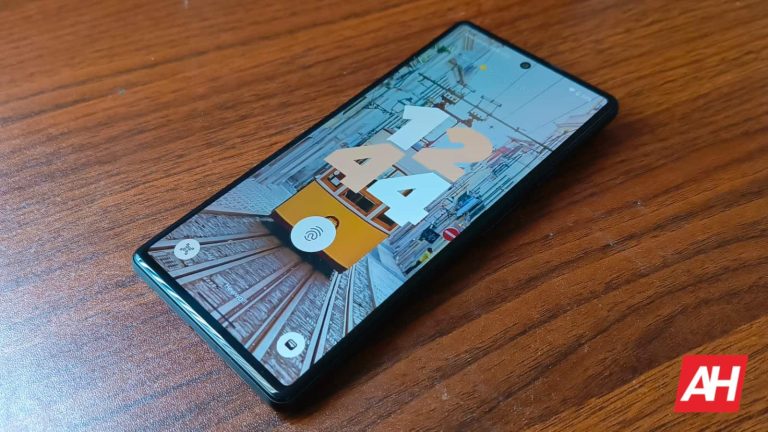
Sometimes, it’s the wallpaper that makes a phone’s aesthetic. Google offers a ton of professional photographs that you can use for your wallpaper. The company offers them in an ever-growing library of images that Pixel owners can access. Google just delivered a bunch of new Pixel wallpapers in the Cityscape, Life, and Textures categories.
If you own a Pixel phone, and you don’t know about these wallpapers, then you’re about to learn something amazing. On your home screen, hold your finger down on the screen. When the popup appears, tap on the Wallpaper & style button. When you do that, you’ll see the wallpaper page pop up.
Right under the recent wallpaper preview and recent wallpapers, tap on the More wallpapers button. On the resulting page, scroll down a bit, and you’ll see a grid of squares. These are all of the categories of wallpapers you can choose from. Just tap on the category, scroll through it, and see which wallpaper you want.
Google just posted some new Cityscape, Life, and Textures wallpapers for Pixel users
Google is always adding new pictures to its wallpaper collection. This time around, it added some new wallpapers to its Cityscape, Life, and Textures categories. The Cityscape category, as you can guess, shows city structures like buildings, city roads, entire cities, etc. They’re perfect for aspiring architects.
Moving on to the Life category, these wallpapers show the beauty of nature. You’ll see plants, animals, and other forms of natural creations in this category. They all have a grounded and earthy tone to them to give them a more natural appearance.
Lastly, we have the Textures category. This section shows natural yet abstract repeating patterns. While these are patterns, they’re still photographs of real items and locations.
If you have a Pixel phone, then chances are that you already have access to these wallpapers. If you don’t see them, then you’ll just want to wait just a bit. This is most likely a server-side update, according to 9To5Google.
The key to a great computer experience is a great keyboard. Most people only see the keyboard as an accessory, but the fact of the matter is that finding the right keyboard for you can help your work life immensely. Here’s a list of some of the best computer keyboards you can buy.
If you’re a gamer looking for a new keyboard, then you should check out our list of the Best Gaming Keyboards on the market. These are keyboards that will take your gaming to the next level with several hardware features and those obligatory RGB lights. Both this list and the gaming keyboard lists are constantly being updated. Check back for new entries.
Best Keyboards you can buy
In this list, we’re going to go through some of the best keyboards to either complement your busy workflow or just fill your casual computing needs. We’re talking about keyboards that are ergonomic, portable, fun, fully-featured, or any combination. Without much ado, let’s dive in.
Camiysn Typewriter Style Mechanical Keyboard
Starting off the list, we have a keyboard that’s both fun and functional. The Camiysn Typewriter keyboard is just what its name implies. The keys are modeled in the style of classic typewriters. The keycaps are rounded with a metallic ring on the top, and this gives the keyboard an overall amazing look.
This is a mechanical keyboard, so you can expect a nice and tactile feel to each of the keys. They’ll all have a satisfying click when pressed.
Moving back to the aesthetics of this Camiysn keyboard, it is a backlit keyboard. Depending on the model you buy, the light will either be light blue, pink, or rainbow. The lights are bright, and they just add to the whole experience. There are several light patterns that you can choose from. If you want to add a lot of flair to your gaming or work, then this keyboard is for you.
Those nostalgic for the Game Boy days will remember the transparent handheld consoles. Well, this keyboard brings that transparent aesthetic into the future. All of the keys on the keyboard are crystal clear with a slight purple hue. The base of the keyboard also has a purple color to it. The one key that isn’t transparent is the Esc key. That one is a pleasing reflective gold color. It sticks out but not in a bad way.
The keyboard itself is pretty compact, so you shouldn’t have much trouble using it when you’re in a tight setup. It’s lightweight but premium, so you won’t need to worry about porting it to different locations.
When you order this product, you’re not only getting the keyboard in the box. The set comes with a brush to clean between the keys. You also get a wrist pad in the box so that you can keep your wrists from being bent while typing. Also, you get a compact DPI mouse in the pack. This is a complete set to get your computer experience off and running.
If you’re looking to take care of the basics, then this keyboard is for you. There are plenty of keyboards on the market that offer all sorts of fun and powerful functionality, but you just need a keyboard to type down the numbers and letters. If that’s the case, then this keyboard is just what you need.
The COLIKES Wired Keyboard is a straightforward keyboard that just gets the job done. It’s a wired keyboard, so all you have to do is plug it into the USB port on your computer and start using it. It’s a full-sized keyboard, so you have the number pad on the right of it if you need to do quick calculations.
While this is a pretty basic keyboard, it’s still protected from some liquids. It’s spill-resistant, which means that it will survive if a little bit of liquid comes into contact with the keyboard, and you’ll still be able to use it.
This keyboard is an all-around useful device that gives you a ton of bang for your buck. For starters, it comes with those well-sought-after RGB lights. All of the keys are backlit by the lights, and you can choose between seven colors and several light patterns.
Aside from that, the SABLUTE Wireless Keyboard comes with a wrist pad built-in. This keeps your wrist in a more natural position when you’re typing. Up top, the keyboard has a slot for your phone or tablet. This means that you can connect this keyboard to your mobile device.
Lastly, with this keyboard, you have an included mouse. The mouse also comes with an array of RGB lights that can be changed to match your mood. Also, this set comes with an adaptor for the USB receiver. The receiver has a USB-A tip, but the adapter turns it into a USB-C receiver. This lets you use it on more devices.
This keyboard is one of the most stylish on this list with its crystal clear color. All of the keys are all clear plastic and the body also has clear components. Under the keys, you have an array of RGB lights that give them a beautiful look. Each key is lit individually, and there are 15 different light patterns that you can cycle through.
This is a compact keyboard that you can carry along with you when you need to travel. There are 82 keys in all, and they’re hot-swappable. So, if you don’t want to use the included keys, you can change them out with others. You might not want to with how nice the included keys look, but the option is there.
This is a mechanical keyboard, so you’ll get great tactile feedback for each key you press. All in all, this keyboard mixes fashion and function into one nice-looking package.
This is not your traditional keyboard, but that doesn’t mean that it can’t be useful. The Dofalong M9 is much smaller than a traditional keyboard; in fact, it’s about the size of a smartphone. This is a mini keyboard that you can use to do pretty much anything you can with a regular keyboard.
The Dofalong M9 has all of the letter buttons with a row of numbers up top just like a regular keyboard. You also get the control, caps lock, shift, FN, esc keys, and arrow keys. Along with the arrow keys, there are the media controls. On the top right of the device, there’s a trackpad that lets you control your mouse cursor as well. On the bottom, you’ll see the left and right mouse click buttons.
This keyboard is for people who need to remote control their computer when they can’t access it. It plugs in using a USB receiver, so it has a decent range. Along with that, it has RGB lights that can change colors.
Logitech makes quality products at low prices, and the MK270 is no different. This is a full-sized wireless keyboard that you can use for any of your needs from work to play. Since it’s full-sized, you get the number pad on the right of the keyboard.
The keyboard has a curve in the middle to help with the ergonomics. This way, your arms rest in a more natural fashion. So, this is the kind of keyboard you’ll want to buy for work.
This keyboard also comes with a mouse, so you won’t need to worry about buying one separately. This is the kind of set you should buy if you’re looking to cover the basics.
If you’re tired of larger keyboards that take up a bunch of space, then you might be in the market for the Logitech K400. This is a compact and portable wireless keyboard. It’s small enough to fit on your lap, but it still gives you some decent real estate to type with.
It comes with all of the necessary keys you’d need along with volume controls on the top right of the device. There’s also a decently-sized trackpad on the right of the device so you don’t need a mouse. This keyboard connects to your computer via the USB-A connector, so it’s a plug-and-play device. It’s the perfect device for you if you want a compact keyboard to take with you on the go.
Notepad++ v8.5.7 has been released, which has several bug fixes and new features. There has also been Integrity and authenticity validation, added Security enhancement and fixed a memory leak while reading Utf8-16 files.
Multiple vulnerabilities in Notepad++ relating to Heap buffer read overflow, Heap buffer write overflow & Global buffer read overflow were previously reported. However, the new version of Notepad++ claims to have patched these vulnerabilities.
Multiple Notepad++ Flaws Let Attackers Execute Arbitrary Code
Several Buffer Overflow vulnerabilities have been discovered in Notepad++ that can be exploited by threat actors for malicious purposes.#cybersecurity#hackers…
Gitlab security researcher Jaroslav Lobačevski (@JarLob) discovered these vulnerabilities during the end of August 2023. However, as part of the GitLab coordinated disclosure policy, these vulnerabilities were publicly disclosed before Notepad++ patched them.
Notepad++ v8.5.7
This current new version of Notepad++ implemented the integrity and authenticity validation by introducing the GPG Notepad++ Public key which can be used for the verification of GPG Signature. In addition to that, SHA-256 digests of binary packages have also been added which can be used for checking the integrity of your Notepad++ download.
Other fixes include Document disassociated issue, Dragging tab performance issue, Session file saving problem, product version value displayed in file’s properties and activating wrong file(s) were also rectified as part of this new release.
Furthermore, Notepad++ has added an option to suppress file with more than 2GB. This option enables Notepad++ to wait for user confirmation before opening a large file.
“Notepad++ will completely hang and await user confirmation when trying to open a file bigger than 2GB.” reads the issue on GitHub. Notepad++ has also released their current version of source code which can be found in this link.
It is recommended for users of Notepad++ to upgrade to version 8.5.7 in order to fix the vulnerabilities and improve the application’s performance.
Samsung has opened the One UI 6.0 beta program for one more mid-range handset. The company is now pushing the beta update to the Galaxy A34. It rolled out One UI 6.0 beta to the Galaxy A54 last week. The Galaxy S23 series is the only other Galaxy device to get the new One UI version, leaving Galaxy S22 users frustrated.
One UI 6.0 beta for the Galaxy A34 appears to be currently limited to the UK. The mid-range phone is reportedly getting the update with the firmware build number A346BXXU4ZWI1. The over the air (OTA) package weighs about 2GB, which is in the expected lines considering that it’s a major Android OS update. One UI 6.0 brings Android 14 Galaxy devices.
It’s unclear if Samsung plans to expand this beta program to more countries. The Korean firm is testing One UI 6.0 for the Galaxy S23 series in China, Germany, India, Poland, South Korea, and the US as well. Mid-range models may not get the beta update in all of these markets, but the company could add a few to the mix. This applies to both Galaxy A34 and Galaxy A54.
If you’re using either of these phones, you can check for a banner about the One UI 6.0 beta on the Samsung Members app. The banner will show up on the app’s home page in supported countries. You can click on the banner to enroll in the beta program. Once you have completed the registration process, the beta update will roll out to you like a regular OTA update.
Samsung will push One UI 6.0 beta to the Galaxy S22 series as well
When Samsung opened the One UI 6.0 beta program for the Galaxy A54 last week, many Galaxy S22 users expressed their disappointment over the company prioritizing mid-range devices over flagships. The Galaxy A34 now getting the beta update ahead of the Galaxy S22 has certainly irked a few more of them. The Korean firm’s idea is likely to go in the order of release date, but it’s natural for flagship users to expect more.
Hopefully, Samsung won’t take much longer to bring One UI 6.0 beta to the Galaxy S22 series. The enrollment process will be the same for the 2022 flagships as well, so don’t forget to check the Samsung Members app. As far as the stable update is concerned, we are expecting Samsung to begin the rollout in late October or early November. The Galaxy S23 series will get it first, followed by other flagship models.
There’s not much competition in the AI chatbot market as far as first-party developers. The main players in the game are Google with Bard and OpenAI with ChatGPT. However, it seems that there’s another chatbot looking to take the crown. The chatbot is called Calude Pro, and it looks to bring some serious competition.
As stated before, there are two main players in the chatbot game (sure, there are a ton of other chatbots out there, but the majority of them are just using ChatGPT like Bing AI and Snapchat My AI). These two companies have been in a bit of an AI fight, but Google seems to be winning it for the time being.
There’s a new AI chatbot called Claude Pro
Right now, ChatGPT seems to be the most popular chatbot on the market, as it’s the bot that both defined a generation and broke the internet. However, more companies are coming forward with their own language models. Anthropic, the creator of Claude, is looking to take on ChatGPT- rather, it’s looking to provide a better subscription service than ChatGPT+.
Claude Pro does the same essential functions that you see with other chatbots. It can generate multiple forms of text like emails, poems, reports, summaries, etc., and it does so with its own flair.
Just like OpenAI, Anthropic has a more premium version of its chatbot, and this one is called Claude Pro. It brings some notable features over the standard Cluade chatbot. However, there’s one feature that puts it over ChatGPT.
Claude Pro accepts up to 100,00 tokens. Tokens are fragments of words that the chatbot can process. GPT-4 can process up to 8,000 tokens at once, which equates to a few thousand words. In the case of Claude Pro, it can process up to about 75,000 words at once.
This means that the chatbot can process extremely lengthy documents at once. If you need the chatbot to summarize a short story or even a short novel, you can.
While this is the case, it seems that Claude still suffers in a critical area, hallucinations. This is when a chatbot basically makes up information that’s not present. Researcher Simon Willison told Ars Technica that he experienced hallucinations with Claude more than with ChatGPT. That’s one thing that will need to be fixed.
There was also another instance when the chatbot erased an entire section of a transcript that he was fixing up because the conversation moved on to talking about bomb threads.
This means that Anthropic is working on the same fundamental issues with AI that other companies are working on. We’ll need to see how this company is able to differentiate itself from OpenAI and take the AI crown.
Heads up, Atlas VPN users! A serious zero-day flaw affects the Atlas VPN Linux client, risking the systems. While the bug has been reported, the VPN providers haven’t patched the flaw yet, assuring the fix in an upcoming release. Until the patch arrives, VPN users, particularly Linux users, should avoid using the software to remain safe.
Atlas VPN Zero-Day Awaits A Patch
An anonymous user recently caused a stir on the internet by abruptly dropping an Atlas VPN zero-day on Reddit. The user with the alias “Educational-Map-8145” (account now suspended) posted the PoC exploit on Reddit after getting disappointed with the service’s support response.
As explained in the post, the Atlas VPN Linux client includes two components: atlasvpnd – a daemon managing the connections, and atlasvpn – the client. The poster found that the VPN client used no secure methods to connect. Instead, it “opens an API on local host on port 8076,” which lacked authentication. That’s where the problem existed since anyone could access the open API endpoint without authentication and abruptly disconnect active VPN connections.
This port can be accessed by ANY program running on the computer, including the browser. A malicious javascript on ANY website can therefore craft a request to that port and disconnect the VPN. If it then runs another request, this leaks the users home IP address to ANY website using the exploit code.
The post also includes the exploit code, which, while not intended for malicious use, risked Atlas VPN users.
Following this post, Amazon cybersecurity engineer Chris Partridge also presented the exploit in the following video. He also demonstrated that the PoC bypassed existing Cross-Origin Resource Sharing (CORS) on web browsers as the requests impersonate form submissions (exempted from CORS) to reach the Atlas VPN API.
While the poster didn’t anticipate a response to his post (as reflected by his words), Atlas VPN’s IT Department Head replied right there. According to the official’s comment, the VPN provider pledged to fix the issue, releasing an update for the Atlas VPN Linux client with the patch. Moreover, the official also apologized for the poor support response the poster had to face, ensuring to improvise this process, too.
While Atlas VPN has pledged the fix, the existing Linux clients are vulnerable. Thus, Atlas VPN customers should avoid using it on their Linux devices until the patch arrives.
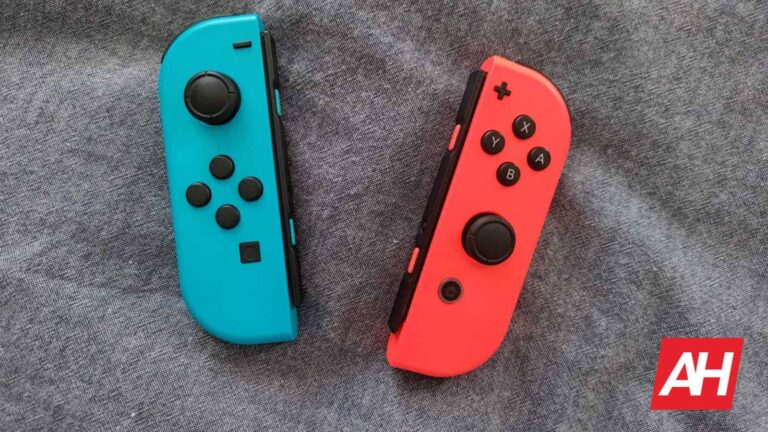
If you’ve owned a Nintendo Switch, then you’ve dealt with this issue, the dreaded “Joy-Con Drift”! It’s an issue so widespread among Switch users that it sparked a class-action lawsuit against the company. Now, it seems that Nintendo is FINALLY going to fix this problem. Nintendo filed a patent for a Joy-Con with a Smart Fluid inside. This, the company believes, will solve the drift issue.
This is something of a breath of fresh air for Switch owners. Joy-Cons are not cheap, so prematurely having issues with them is a source of frustration. It was also frustrating to hear that the newer Switch Lite also experienced Joy-Con drift. While that’s the case, it doesn’t appear to be as widespread at the moment.
Nintendo filed a patent for a Joy-Con with a Smart Fluid
Rather than making tweaks to the Joy-Con’s design, it looks like Nintendo wants to flip the script on the design altogether. According to VGC (via Techradar), the company has filed a patent for a Joy-Con that will use a “magnetorheological fluid” (MRF). This is a fluid that changes its viscosity based on the strength of the magnetic field applied to it.
At this point, we don’t know how the liquid will be implemented into the controller. However, we know that it’s meant to replicate the feeling of a traditional controller. This means that the viscosity of the fluid is meant to make the joystick spring back when the player lifts their thumb. How quickly the joystick bounces back is important when it comes to competitive gaming.
At this point, this was a filed patent. We’re not sure if Nintendo will be rewarded the patent or not. Also, since it’s still in the patent stage, we’re still in the dark about several details of this potential Joy-Con. The only visual we have is the simple illustration below.
This device is still a mystery to us. We don’t know when the company will officially bring a device to the market if at all.
Could this come with the new Switch?
It seems convenient that this patent arises while we’re following rumors and news regarding the “Switch 2“. One could imagine that this Joy-Con could launch with the new device.
That’s tricky to think about. This is only a patent, which doesn’t mean that the company is building the product. It’s so early in the production stage that we shouldn’t count on it coming within a year or two.
However, news about patents usually comes months if not more than a year after the patents are filed. For all we know, Nintendo could have been working on this new Joy-Con for well over a year. Who knows if there are new Joy-Cons on the factory lines right now?
This remains to be seen. For the moment, we’re just going to have to wait for the next leak.