Sony is taking things to the next level, to get you to buy a TV. And today it is bundling a new PlayStation 5 with the A80L 55-inch 4K TV. That bundle will cost you $1897. Which is the regular price of the TV (though the TV is on sale right now for $1,499, if you don’t want the PS5). I guess this means Sony has fixed the stock issues?
The A80L is already a really good TV to pick up. As this is a BRAVIA XR OLED TV from Sony, providing an incredible looking picture, for really a great price. Thanks to the Cognitive Processor XR, colors look much more real to life here, compared to other panels that you might see on other TVs. Which, for Sony, that’s important. Remember, Sony is also a movie studio, so they want their movies (and TV shows) to look great on their own TVs.
OLED is a really great technology to invest into, when it comes to TVs. Sure there is the burn-in thing, though that is pretty hard to get unless you keep the same thing on the TV for hours and hours a day. Think the TVs at the airport that have CNN playing all day, everyday. But OLED is able to produce more accurate colors, because each individual pixel is light up. Instead of using a backlight to light up the whole screen as LCD does. That’s why the blacks look more like gray on those panels, versus OLED actually being black, because those pixels are not on.
Now, where does the PS5 come into play? Well, this TV, like a few others from Sony, has some exclusive features for the PlayStation 5. This includes HDMI 2.1. That is going to offer you 4K60 gaming, as well as VRR (variable rate refresh), and a few other cool features. So if you want the best gaming experience possible on a TV with the PlayStation 5, this is going to be the way to go.
You can pick up the Sony A80L 4K Google TV and PS5 bundle from Amazon by clicking the link below.
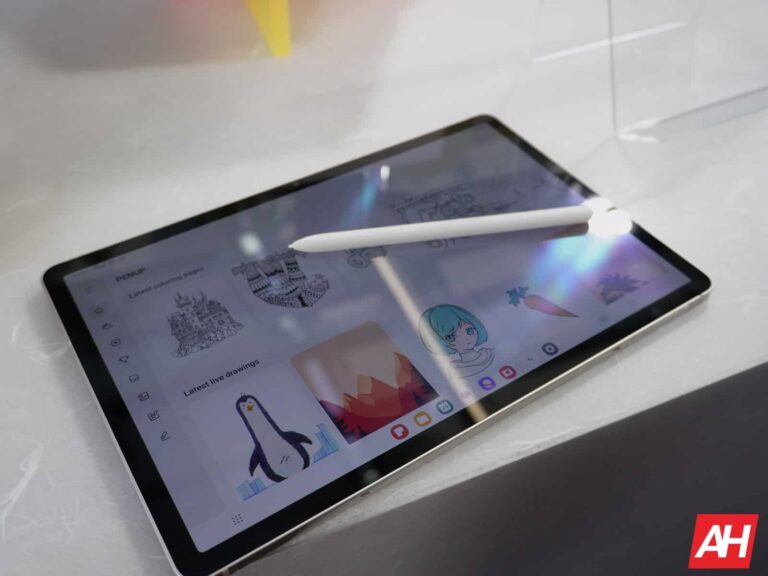
Samsung is gearing up to launch two new Fan Edition (FE) tablets — the Galaxy Tab S9 FE and Galaxy Tab S9 FE+. The company hasn’t announced the launch date yet but has begun preparations for their arrival. It has already added support pages for the tablets on its official website, while simultaneously obtaining regulatory approvals worldwide. The Plus model has just popped up on a couple more certification listings, confirming its battery capacity and charging speed.
The Galaxy Tab S9 FE+ recently passed through Thailand’s NBTC (National Broadcasting and Telecommunications Commission) and South Korea’s KTL (Korean Testing Laboratory) certification processes. Spotted by MySmartPrice, the listings mentioned the model numbers SM-X610, SM-X616B, SM-X616N, SM-X616C, and SCT22. We have seen these model numbers in various other certifications and benchmark entries in the past. They correspond to Wi-Fi and 5G versions of the same tablet, including some regional variants.
The KTL certification has something more for us to see, though. It reveals that the Galaxy Tab S9 FE+ will pack a 9,800mAh battery with support for 45W fast charging (10V/4.5A). Earlier leaks have stated that the device will feature a 12.4-inch display with S Pen support. It’s unclear whether Samsung will offer an OLED display or an LCD panel. The company is using its in-house Exynos 1380 processor here, paired with up to 12GB of RAM and 256GB of storage. The tablet will boast stereo speakers and dual rear cameras.
The Galaxy Tab S9 FE will also feature the same processor, RAM, and storage options. However, it will be slightly smaller in size with a 10.9-inch display diagonal. Naturally, it will get a smaller battery, but the charging speed should remain unchanged. The vanilla model will also share most other specs with its Plus sibling, including support for S Pen and stereo speakers. Samsung is offering a single camera on its back though. Both tablets will run Android 13 out of the box. They will be available in Graphite/Grey, Lavender, Mint, and Silver colors.
Samsung also has two A-series tablets in the works
The Galaxy Tab S9 FE and Galaxy Tab S9 FE+ aren’t the only new tablets Samsung is currently working on. It also has a couple of A-series models in the pipeline. The Galaxy Tab A9 and Galaxy Tab A9+ have received several regulatory approvals as well. While the FE tablets are premium offerings, the latter duo are budget models. It remains to be seen if the Korean firm launches all of them together. The company has the Galaxy S23 FE in the works too. We will let you know when we have more information about the official launch of these Samsung devices.
A second Adobe ColdFusion vulnerability that was patched in April has been added to CISA’s known exploited vulnerabilities catalog.
The Cybersecurity and Infrastructure Security Agency (CISA) has added a critical Adobe ColdFusion vulnerability to its Known Exploited Vulnerabilities Catalog, based on evidence of active exploitation. This means that Federal Civilian Executive Branch (FCEB) agencies need to remediate this vulnerability by September 11, 2023 to protect their networks against active threats.
Adobe ColdFusion is an application server and a platform for building and deploying web and mobile applications.
The Common Vulnerabilities and Exposures (CVE) database lists publicly disclosed computer security flaws. The CVE you need to patch is CVE-2023-26359, which has a CVSS score of 9.8 out of 10.
According to Adobe, Adobe ColdFusion versions 2018 Update 15 (and earlier) and 2021 Update 5 (and earlier) are affected by a Deserialization of Untrusted Data vulnerability that could result in arbitrary code execution in the context of the current user. Exploitation of this issue does not require user interaction.
Deserialization of untrusted data happens when an application uses data input to create an object. It is often convenient to serialize objects for communication or to save them for later use. However, untrusted data can’t be relied on to be well-formed. When there are not sufficient protections in place this can be abused to trigger self-execution during the deserialization process. Exploitation can lead to arbitrary code execution.
To patch the vulnerability Adobe has released security updates for ColdFusion versions 2021 and 2018. To successfully remediate against this vulnerability the latest updates for ColdFusion should be applied, specifically:
ColdFusion 2021 Update 6 or later
ColdFusion 2018 Update 16 or later
Another critical vulnerability tackled in this update is CVE-2023-26360—an Improper Access Control vulnerability that could result in arbitrary code execution in the context of the current user. Exploitation of this issue does not require user interaction. It affects Adobe ColdFusion versions 2018 Update 15 (and earlier) and 2021 Update 5 (and earlier).
In April Adobe noted:
“Adobe is aware that CVE-2023-26360 has been exploited in the wild in very limited attacks targeting Adobe ColdFusion.”
Therefore this vulnerability has previously been added to the Known Exploited Vulnerabilities Catalog. The remediation deadline for federal civilian executive branch agencies was April 5, 2023. With a second critical, and known to be exploited vulnerability, this really is a wake up call to install that update if you haven’t already.
We don’t just report on vulnerabilities—we identify them, and prioritize action.
A rather interesting rumor has surfaced online. It comes from Digital Chat Station, a trusted tipster from China. He claims that OnePlus will start using Snapdragon SoCs only starting from 2024.
OnePlus could start using Snapdragon SoCs only starting from 2024
The company is seemingly looking to stop using MediaTek processors, and focus on Qualcomm’s Snapdragon chips only. Not many people will object to that, as Qualcomm’s Snapdragon processors are highly regarded in the tech world.
Based on the shared information, the OnePlus 12 will feature the Snapdragon 8 Gen 3 processor, as expected. The OnePlus 12R is set to get the Snapdragon 8 Gen 2 SoC, while the Nord 4 or 5 will utilize the Snapdragon 7 Gen 3 chip.
Not many OnePlus phones used MediaTek chips either way, but some of them did. The OnePlus Nord 3 and Ace 2V are good examples, and also the OnePlus Pad, the company’s first-ever tablet.
The company did not confirm anything just yet, however. It’s possible we won’t get such a confirmation at all, it all depends. At times, the company will take advantage of the situation, and publicize such a decision. It remains to be seen if OnePlus will do so.
The OnePlus Open launch has been delayed
In any case, we’re eagerly awaiting the OnePlus Open launch, which has been delayed. That device will become OnePlus’ first-ever foldable smartphone, and it will be a book-style foldable phone.
It remains to be seen whether the OnePlus 11T will launch this year, or not. If it does, however, chances are it will be identical to the OnePlus Ace 2 Pro. That device already launched, and OnePlus will likely just rebrand it to the OnePlus 11T if necessary.
That phone is equipped with the Snapdragon 8 Gen 2 SoC, LPDDR5X RAM, UFS 4.0 flash storage, 150W wired charging, a gorgeous 120Hz AMOLED display, and more.
The new version of the DarkGate malware is currently actively being distributed via malspam, malicious ads and SEO poisoning.
In July 2023, we observed a malvertising campaign that lured potential victims to a fraudulent site for a Windows IT management tool. Unlike previous similar attacks, the final payload was packaged differently and not immediately recognizable.
The decoy file came as an MSI installer containing an AutoIT script where the payload was obfuscated to avoid detection. Upon analysis and comparison, we determined that this sample was an updated version of DarkGate, a multi purpose malware toolkit first identified in 2018.
Since the malware’s obfuscation and encryption features have been recently documented by other researchers, we will focus on two of its web delivery methods, namely the use of malicious ads and search engine poisoning.
The campaigns we observed coincide with an announcement from DarkGate’s developer in June as well, boasting about the malware’s new capabilities and limited customer seats.
New DarkGate
In its debut back in 2018 and later in 2020, DarkGate (also known as MehCrypter) was distributed via torrent sites and mostly focused on European victims and Spanish users in particular. The original blog post from enSilo (now Fortinet) also notes that its author may have been using email to spread malicious attachments.
In June 2023, a threat actor going by the handle RastaFarEye posted an advertisement in the XSS underground forum about a project known as DarkGate. As detailed by the ZeroFox Dark Ops intelligence team, the new version includes certain key features to evade detection while offering the expected credential stealing capabilities. The cost ($100K/year) and limited availability (10 customers) make DarkGate somewhat of an elusive toolkit.
Two blog posts came out in early August, identifying new DarkGate attacks:
Aon’s Stroz Friedberg Incident Response Services details how they encountered a recent incident from a group similar to ScatteredSpider (UNC3944) that was using this new version of DarkGate.
Researcher 0xToxin wrote about phishing emails distributing a loader leading to DarkGate, with a complete technical analysis of the malware.
Malvertising
While investigating malvertising campaigns, we observed the following Google ad on on July 13, 2023:
Advanced IP Scanner is a popular tool used by IT administrators. Victims who click on the ad are presented with a decoy site:
The downloaded file (Advanced_IP_Scanner_2.5.4594.1.msi) is an installer that contains the legitimate Advanced IP Scanner binary but also some extra files that are unpacked in the %temp% folder upon execution:
We recognize the familiar use of AutoIT which was already present in the very early versions of DarkGate.
Note: The same threat actor was also serving malicious ads via Bing as documented by Cyberuptive on August 8, 2023.
SEO poisoning
SEO poisoning is an old technique used by various threat actors and scammers who attempt to game search engines’ ranking system. Although it takes a little more time to roll out, it is an effective way to trick users into visiting malicious sites.
The following search result appeared on Google:
The domain advancedscanner[.]link was created on 2023-07-28 and is used to redirect to the decoy page hosted at ipadvancedscanner[.]com. The downloaded file, IPAVSCAN_win_vers_1.1.3.msi, also has the same AutoIt encrypted payload:
Anti-VM and other checks
We noticed that several of the newly registered domains associated with these campaigns had implemented advanced fingerprinting checks. We recently documented this trend which could soon become the norm due to its ease of use.
Here’s another lure, this time for Angry IP Scanner, with a domain (ipangry[.]com registered 2023-07-29):
The payload, angry_win_0.47_installer.msi and its AutoIt script:
By using a combination of evasion techniques, the threat actors behind these campaigns are able to distribute DarkGate with a minimal system footprint. They are also diversifying their delivery techniques by leveraging malspam, malvertising and SEO poisoning.
Malwarebytes’ anti-malware engine detects this malware as Backdoor.DarkGate and our web protection blocks its known command and control servers.
Finding the right gift is never easy, and some of you don’t even like to go shopping. Well, what if we told you that there are apps that can make things a whole lot easier. There are quite a few apps in the Google Play Store that can make gift-giving a breeze. Well, we’ve looked through the Play Store in order to find such apps, and present them to you, so that your gift-shopping and sending experience ends up being easier.
In the list below, you’ll find 10 of the very best gift-giving Android apps, well, these are at least our favorite ones. The list is actually quite diverse, as some apps will help you buy gifts, others will provide you with ideas, and so on. We’ve tried to be as diverse as possible here, just to keep it interesting. Do note that these apps are not listed in any specific order. You will find quite a few additional information for all of these apps down below.
Best Gift-Giving Android apps 2023 downloads
Below is a little more information on each app, and a direct link for easy downloading.
All download links go to the app’s Google Play Store listing. Users are always recommended to download apps from Google Play or an authorized app store.
Amazon Shopping
– Price: Free to download – In-app purchases: $0.99-$149.99 – Size: Varies with device – Google Play rating: 4.1 out of 5 stars
Amazon is one of the best places to shop online. If you live in a country where the service is supported, you’re in luck. Amazon has a great app in the Play Store that makes gift-shopping a breeze. The app even has a gift search feature, which will make things even easier. Amazon can gift-wrap whatever you buy, and we all know how quickly that fit can arrive at its destination, this is Amazon after all.
The app supports 1-click ordering, it has great customer support, while it allows you to set up wish lists as well. You can do all of your shopping via this app, and you’ll have a great time doing it. If you use Alexa, it can help you make shopping via voice commands as well. On top of everything, Amazon also has a great UI. It’s very simple and straightforward, and that’s what you want from an app like this.
– Price: Free to download – In-app purchases: No – Size: Varies with device – Google Play rating: 4.7 out of 5 stars
If you need flowers delivered to someone, like your better half, 1800Flowers is the way to do it. There is a huge selection of flowers available via the application, and that’s not all. This app, even though it’s called 1800Flowers, is not limited to flowers only. It allows you to send plants, gift baskets, gourmet food, and a wide variety of other gifts. This has turned into a full-fledged gift-sending app.
The best of all? This service is located in the US, but it’s not limited to the States. 1800Flowers delivers flowers to 195 countries around the world. Order tracking also gets provided, by the way. Now, we did notice that the app received quite a few negative reviews recently, at least that was the case at the time of writing this article. Users are complaining that the service became unreliable. Let’s hope that’s just a temporary issue.
– Price: Free to download – In-app purchases: No – Size: Varies with device – Google Play rating: 3.9 out of 5 stars
Giftster is an app that will help you avoid duplicate gifts, and much more than that. It allows you to create a group with your family or friends for gift-giving. This will not only make things less stressful for you, but it will make sure you get the right gift. Also, thanks to this app, you’ll never buy a duplicate gift, as everyone will know what you’re getting, aside from the person who is supposed to receive the gift.
You can use this app every time you need to buy a gift, regardless of the occasion. It’s great for Christmas, Easter, birthdays, and so on. Think of it as a lifetime gift registry. It also offers the ‘Fetch’ option to auto-add items from any website in the world. The design of this app’s UI is also kind of good. it’s simple, and quite functional. All major options are at the bottom of the display, so they’re easily accessible.
– Price: Free to download – In-app purchases: No – Size: Varies with device – Google Play rating: 4.4 out of 5 stars
If your friends, who you’re buying a gift for, loves alcohol, Drizly is the way to go. This app is also great for getting booze for parties and similar occasions. Essentially, Drizly can deliver booze right at your doorstep, all you have to do is find what you want, order and pay for it, and you’re good to go. It’s also worth noting that it was announced recently that Drizly is becoming a part of Uber’s portfolio, as an acquisition is taking place.
Drizly offers 1-hour delivery to certain regions. If you’re not located in a “Drizly city”, in other words, if you live in the US, but outside of Drizly’s direct reach, you can still get your alcohol within 2-3 days. Drizly allows you to compare prices of alcohol from liquor stores in your area as well. The app is excellent, to say the least. The UI looks great, it’s highly functional, and the app works really well in general.
– Price: Free to download – In-app purchases: No – Size: Varies with device – Google Play rating: 3.4 out of 5 stars
Giftagram is a great app if you need access to curated gift packages. It makes gifting easy, basically, and doesn’t require you to put much effort into it. This service is especially great if you’re looking for gifts for your employees, for example, or something similar to that. This app really shines when it comes to bulk gifting of any sort. It may not be the most personal way to get gifts, but it’s highly effective.
Still, it can serve for that purpose as well, as the company will do its best to present the gift in the best light. You can order gifts for birthdays, anniversaries, Christmas, and more. New gifts are added weekly, and picked by Giftagram’s “experts”, as the company calls them. You can shop for tech gifts, sweets, alcohol, flowers, gourmet gifts, and so much more. This app is also great if you need some gifts for your kids.
– Price: Free to download – In-app purchases: No – Size: Varies with device – Google Play rating: 4.5 out of 5 stars
If redeemable gifts are what you’re after, Guusto will serve you more than fine. Via this app, you can send various gifts that can be redeemed at any of Guusto’s 60,000+ partner locations. This is yet another great way of showing appreciation for your employees, for example. All you have to do is choose the gift, and its value, and Guusto will help you out. You can even attach a personal message with the gift.
It’s easy to buy the wrong gift, something that a gift-receiver doesn’t need or won’t appreciate. Sending them a gift card that can be used in a ton of stores of their choice could be a much better idea. It may not be the most personal way of handling things, but for some occasions, it’s the best way. This app’s UI design is also quite simple, which is a good thing, you’ll find what you’re looking for in no time.
– Price: Free to download – In-app purchases: No – Size: Varies with device – Google Play rating: 3.6 out of 5 stars
Slice is essentially a package tracker. It’s really good at what it does, and it can send you push notifications for updates. It automatically tracks your packages, you don’t even have to enter a tracking number. Slice’s service doesn’t stop when you receive a package, not at all, this app has your back. It will keep monitoring for recall alerts and price changes, and it’ll even help you get refunds in some cases.
Slice supports all major US shipping carriers, including USPS, UPS, FedEx, DHL, OnTrac, Lasership, and Prestige. Slice also monitors purchase activity by tracking spending habits, categorizing products purchased, and saving receipts to facilitate returns, exchanges, and warranty claims. On top of all that, a barcode scanner is built into the application for label-scanning.
– Price: Free to download – In-app purchases: No – Size: Varies with device – Google Play rating: 4.7 out of 5 stars
FreePrints Gifts is an app / service for sending personalized gifts. This app offers a huge selection of personalized gifts, and even one free gift each and every month. You can, by using this app, create a customized product perfect for the occasion you’re buying it for. You can make it ultimately personalized with a photo, or by including the initials, for example. Yes, engraving is an option.
This app offers personalized choices for every occasion, pretty much. You can buy for birthdays, anniversaries, engagements, weddings, graduations, Christmas, and even religious gifts are on offer. These are only some options that are available, there are really tons to choose from. There’s a reason why this app has such a high rating in the Google Play Store. Even its UI is excellent.
– Price: Free to download – In-app purchases: No – Size: Varies with device – Google Play rating: 4.8 out of 5 stars
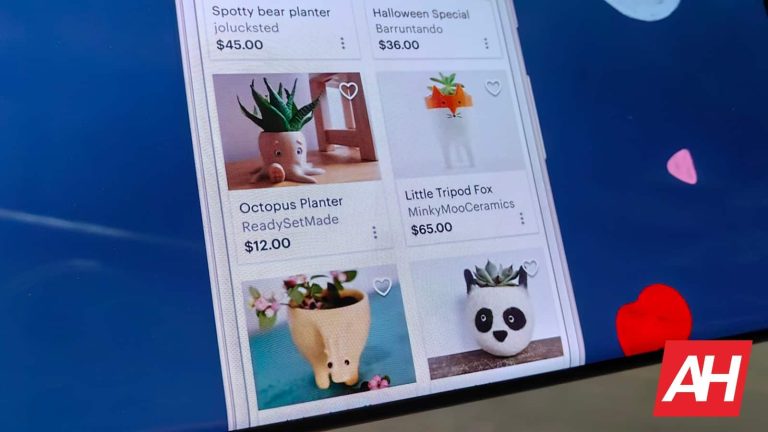
Etsy is an online marketplace for buying and selling unique items, pretty much. You’ll find a ton of unique items to purchase here, and those can make perfect gifts. A lot of people sell handmade items on Etsy, so you’ll find a lot of products you won’t find anywhere else. There are tons of different products on offer, so regardless of what you have in mind, chances are Etsy can help.
The app design is excellent. It’s easy to navigate, and it also looks great at the same time. There is a reason this app has such a high rating in the Play Store. You can also chat with shop owners, and many items can even be customized for your needs. Some of them offer such an option from the get-go, while for others perhaps you can agree with store owners. Etsy can also notify you when your favorite shop adds new items, or when your favorite items go on sale.
– Price: Free to download – In-app purchases: No – Size: Varies with device – Google Play rating: 2.6 out of 5 stars
Goody is a very interesting app. It’s a gift-giving app, but it works in a really interesting way. The first thing you’ll need to do is browse the app to find the perfect gift. At that point, you need to provide contact information for the person you’d like to send that gift to. At that point, Goody will send the recipient gift information, but it’s not what you think. It won’t send them the physical gift, not yet.
The recipient will be able to experience a virtual unwrapping of the gift you got him/her. If he/she decides to accept the gift, well, him/her will need to add address information. At that point, you’ll be able to pay up, and finish the process, not before it. This is actually a really interesting way of sending gifts, a unique one that the other side will certainly be surprised with.
After in-depth research and findings, BeenVerified points out AT&T and T-Mobile scammer’s best picks. The findings leading up to this conclusion went on for two good years and gave a lot of insight into the matter. On top of the list of scammers’ favorite carriers were two VoIP (Voice over Internet Protocol) providers.
These carriers are Onvoy and TextNow and scammers have a serious reason why they love these providers. Following these two are AT&T and T-Mobile, which are cellular carriers popular among Americans. The first two carriers on this list are not as popular as the third and the fourth, thanks to the different ways they operate.
Onvoy and TextNow require an internet connection to place or receive calls, this means scammers don’t need to purchase a call plan. For AT&T and T-Mobile, users are required to acquire a call plan before they can make or receive calls without internet access. While VoIP networks are a more favored choice of scammers, a lot of them still make use of cellular carriers.
How scammers put services from network carriers like AT&T and T-Mobile to use
A popular attacking method among scammers over the years has been calls and text messages. To get this done, these scammers need to access the services of carriers in the location of their unsuspecting victims. Sadly, most scammers pick victims within America and for this reason, make use of American carriers to carry out their attacks.
BeenVerified has come up with a comprehensive list of the top 11 carriers that scammers turn to. Topping the list are VoIP carriers, and following these are AT&T and T-Mobile. AT&T accounts for over 46% of all wireless subscriptions in America and T-Mobile boasts of better 5G coverage attracting users.
Due to their popularity, it is easy for these network carriers to be the top choice of scammers. They access these services to call and text victims in a bid to scam them of their money or possessions. Usually, these scams (texts and calls) masquerade as technical support from services that Americans actively use.
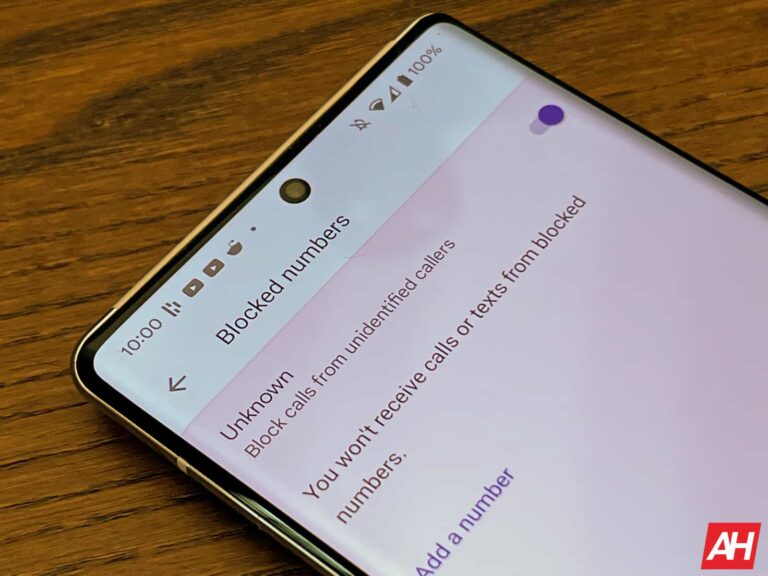
Hoping to understand more about or fix these ‘issues’ unsuspecting individuals fall into the hands of scammers. It is important to be alert when you receive any technical support text that you aren’t sure of its source. If possible, you can reach out to the providers of the service in question (via their official email or contact lines) to confirm if they reached out to you via text or call.
If the service provider confirms that they didn’t contact you with that number, you can report it as a spam caller. This will help protect other users of various network carriers from scammers. While the fight against scammers is growing stronger, you can play your part to protect yourself and others.
Remember not to give out your personal information to anyone online without proper verification. If you aren’t sure of the number that calls or texts, you can search it on Google. Taking these steps can protect you from scammers, but you must always be cautious while receiving calls or texts from unknown numbers.
The attack seems to be a retaliatory effort from Killnet following the diplomatic tensions between the two countries.
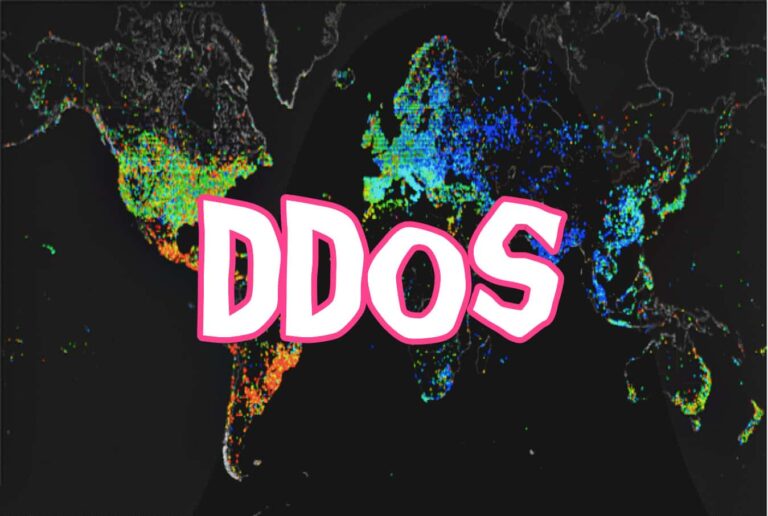
Pro-Russia threat actors Killnet have targeted Lithuania government institutions and networks in a series of highly disruptive DDoS attacks (distributed denial of service attacks). The country’s National Cyber Security Center (NKSC) confirmed the attack impacted the Secure National Data Transfer Network and private and public sector firms.
This “intense” attack occurred on 27 June 2022 and prevented users from accessing services. Although the attack has been managed now, and most of the sites are back online, the possibility of another attack cannot be ignored.
“It is highly probable that such or even more intense attacks will continue into the coming days, especially against the communications, energy, and financial sectors.”
Jonas Skardinskas – Director NKSC
The Bone of Contention- Kaliningrad
The attack seems to be in reaction to the diplomatic row between Russia and Lithuania regarding the Russian exclave of Kaliningrad. For your information, it is situated on the Baltic Sea shores and was previously a part of Germany before WWII and then a part of the Soviet Union. Kaliningrad was later cut off from Russia after Lithuania became independent in 1990 as there were no ground routes.
After Russia’s invasion of Ukraine, Lithuania supported the EU ban on Russian exports after it was implemented across EU territories and blocked the transport of key materials like metals, coal, and construction materials to Kaliningrad, infuriating the Kremlin.
[wp-ad-camp-1]
Killnet Response
The Russia-aligned hacktivist group Killnet claimed responsibility for the DDoS attack in a video and added that the group would again target the country until it lifted the blockage on Russian exports.
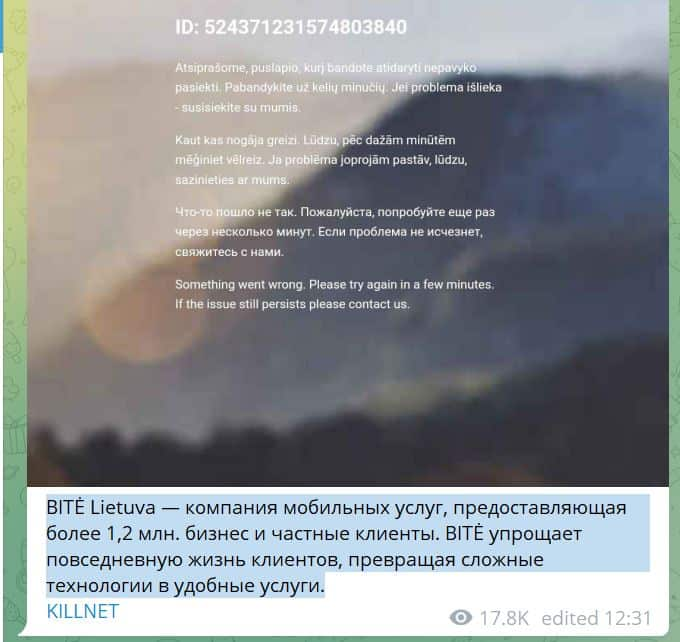
The group’s spokesperson told Reuters that Killnet demolished 1,652 web resources and plans to cause more damage soon. As seen by Hackread.com, Killnet is currently active on Telegram posting a list of Luthinian sites targeted by the group. In one of its statements in the Russian language, the group claimed the following:
In 39 hours, we achieved the isolation of 70% of the entire network infrastructure in Lithuania. I will explain on the fingers: Web integration of Lithuanian websites and electronic systems is in the “Blockade”, that is, “Geo block”, web traffic and other means of communication are available only within the republic. Thus, we are disrupting Lithuania’s network interaction with the rest of the world. At the moment, Lithuania is in sadder conditions than Kaliningrad. And we keep our promise! 😉
Impact of the Attack
Lithuania’s government stated that the DDoS attack flooded several institutions’ websites with malicious traffic. Some of the websites taken down by Killnet include Lithuania’s State Tax Inspectorate (STI) and the country’s leading accounting services provider B1.lt among others.
[wp-ad-camp-1]
The attack disrupted the Secure National Data Transfer Network, which is among the most critical components of the country’s national security in the cyber world, particularly during wartime. Lithuania’s Core Center of State Telecommunications is currently identifying the impacted sites to offer DDoS mitigation.
Killnet on Telegram
Previous Coverage
Killnet angered the hacktivist collective Anonymous after declaring allegiance to Russia after the latter invaded Ukraine and started a war. Since the allegiance, Killnet has been active on its Telegram channel ‘We Are Killnet.’
Flashpoint researchers observed chats between the group members in which they mentioned a large-scale, coordinated attack on June 27 2022, which they referred to as Judgment Day.
The attackers selected Lithuania as its target for closing transit routes to Kaliningrad. The group has also targeted European institutions. Hackread.com previously reported that the group leaked the private info of Killnet hacktivists in a data dump and took the group’s website Killnet.ru offline.
There is some uncertainty about whether a vulnerability in Ivanti Sentry is being exploited in the wild, but why take the risk when you can patch?
Ivanti has published a security blog post about a vulnerability in Ivanti Sentry, formerly MobileIron Sentry. Successful exploitation of the vulnerability would enable an unauthenticated attacker to access some sensitive APIs that are used to configure Ivanti Sentry on the administrator portal (commonly, MICS).
Ivanti Sentry is a gateway technology that allows organizations to manage, encrypt, and protect traffic between mobile devices and backend systems. The technology helps organizations to securely access enterprise applications and devices using personally owned and corporate-issued mobile devices.
This vulnerability impacts all supported versions (Versions 9.18. 9.17 and 9.16). Older versions are also at risk. This vulnerability does not affect other Ivanti products or solutions, such as Ivanti EPMM, MobileIron Cloud or Ivanti Neurons for MDM.
Ivanti has made RPM scripts available now for all supported versions. It recommends customers first upgrade to a supported version and then apply the RPM script specifically designed for their version. More detailed information is available in this Security Advisory. Each script is customized for a single version and if the wrong RPM script is applied it may prevent the vulnerability from being remediated or cause system instability.
The Common Vulnerabilities and Exposures (CVE) database lists publicly disclosed computer security flaws. The CVE patched in this update is CVE-2023-38035, which has a CVSS score of 9.8 out of 10. It’s described as a security vulnerability in MICS Admin Portal in Ivanti MobileIron Sentry versions 9.18.0 and below, which may allow an attacker to bypass authentication controls on the administrative interface due to an insufficiently restrictive Apache HTTPD configuration.
A remote, unauthenticated attacker could exploit this vulnerability to change configuration files, run system commands, or write files to the system.
Reportedly, Ivanti customers have seen exploitation of CVE-2023-38035 in Sentry when port 8443 is exposed to the Internet. Port 8443 is commonly used for HTTPS (encrypted) web traffic. Users that are not ready to update to a supported version or don’t have the opportunity to run the script, are advised to close port 8443.
Ivanti recommends that customers restrict access to MICS to internal management networks and not expose this to the internet, which would then require any attacker to gain internal access first.
While we are not completely sure if this vulnerability is used in the wild, two previous vulnerabilities in Ivanti Endpoint Manager Mobile Authentication (EPMM) listed as CVE-2023-35078 and CVE-2023-35081were both subject to active exploitation.
We don’t just report on vulnerabilities—we identify them, and prioritize action.
Google might not be axing its smart glasses project after all, but it might take a different turn to make the product available. The tech giant might be on the lookout for a partner to work with for the development and launch of this product. Working with a partner will mean sharing ideas both on the hardware and software of the pair of smart glasses.
For a few years, the internet has been expecting the launch of the Google smart glasses. This product was not just hearsay or the mere speculations of some popular tipster. Google had shown off this product and given fans hope of its existence to the point of showcasing its functionality during an event.
However, just a few months ago, Google visited the smart glasses project with their infamous axe, bringing its existence to an end. Well, it now seems like Google did not finish the project off entirely, as they are now looking for a partnership. According to recent reports, the smart glasses aren’t dead but will bring a partnership between Google and another company.
Google smart glasses might launch in 2025 with an impressive microLED display and software features
Ever since its inception, Google smart glasses have seen a lot of challenges. Most people say that these challenges are internal problems that teams working on this project have to face. These include leadership changes and an unclear vision for the final product.
For this reason, Google had to end the project and focus its attention on other things. One of the areas they turned their attention to is the XR industry. Google and Samsung are now partnering up to create a pair of XR glasses that will run on Android software.
Working with Samsung on this project will mean that Samsung gets the hardware ready and Google perfects the software. This might also be the case with the smart glasses that Google’s fans have been expecting. By partnering with another company, Google might get to focus on perfecting the software this product will run on.
However, reports also have it that Google is working on the glasses’ display technology. These might be microLED screens and will be designed by Raxium, a company Google now owns. While some hardware aspects of this project are on hold, the software development is still on throttle.
Google aims to launch this pair of smart glasses by 2025, bringing tech in front of users’ eyes. Once available, this product will bring a new way to interact with your smart devices. More details on this product’s development will be made available in the coming months.