Google has announced a new security feature for Pixel devices. Called Pixel Binary Transparency, the feature doesn’t improve the security of the devices but gives users a way to verify that their Pixel isn’t compromised or hacked. It’s available for Pixel 6 and newer models, including the Pixel Tablet and Pixel Fold.
Android smartphones, including Pixels, pass through various supply chain processes before reaching consumers. Along with the Android OS, these devices come with add-ons from manufacturers and carriers. You’ll also find many third-party apps and services, as well as open-source libraries and codes on your phone out of the box.
Devices are at risk of being compromised at any of these stages. While there are measures in place to ensure a safe and secure passage through the supply chain, bad actors can still somehow exploit these processes and insert malware into the devices. If not detected early, consumers will unbox malware-infected devices, compromising their security from the get-go.
As pointed out by Google in a recent blog post, these supply chain attacks target “the systems that create software to install a backdoor into the code, allowing attackers to access and steal customer data.” On Pixel devices, the company counters such attacks by auditing the firmware, AKA factory image, before release. It thoroughly checks the software for backdoors.
Once the phone reaches a consumer and is turned on for the first time, Android Verified Boot runs a check to ensure that it is running the same audited code released by Google. This eliminates the risk of supply chain attacks. But consumers still have no way to verify all of this themselves. Well, not until the company introduced the Pixel Binary Transparency feature.
Pixel Binary Transparency lets users check for supply chain attacks
Pixel Binary Transparency uses a public, cryptographic log to check for supply chain attacks. The log records metadata about official factory images of new Pixel phones. The feature lets users manually verify that their Pixel came out of the box running the same firmware build that the log records.
According to Google, this log is append-only. In simpler terms, it accepts new entries, but no one can ever change or delete an existing entry. This makes it impossible for supply chain attacks to pass through without detection. Even if bad actors alter the factory image on the device, they can’t alter the metadata Google added to the log. The company has shared technical details of this feature here.
Researchers have been monitoring a phishing campaign that uses QR codes and Bing redirects to lead targets to phishing sites.
Researchers have published details about a phishing campaign that uses QR codes to phish for Microsoft credentials.
A QR (Quick Response) code is a kind of two-dimensional barcode that holds encoded data in a graphical black-and-white pattern. The data that a QR code stores can include URLs, email addresses, network details, Wi-Fi passwords, serial numbers, etc.
While QR codes are generally safe, they can easily be manipulated by scammers because they all appear similar to the human eye. A malicious QR code may lead you to a spoofed website designed to drop different malware types or steal your sensitive data, like your password, credit card information, or money.
The use of QR codes in malicious campaigns is not new, and because they can provide contactless access to a product or service they grew in popularity during the pandemic. And because QR codes are images (sent as PNG or PDF attachments in the campaigns reported here) their content is more likely to make it past email filters.
The researchers have been monitoring a campaign since May of 2023 that, although it targeted users from a wide array of industries, seemed to focus on a major energy company based in the US. This undisclosed target received 29% of the over 1,000 emails containing malicious QR codes.
The links in the QR codes used open redirects from legitimate domains associated with Bing, Salesforce, and Cloudflare to send the targets to phishing sites that were after Microsoft credentials. Since the subject of the emails were often spoofed Microsoft security notifications the Bing URLs would not have looked out of place to any victims who noticed them.
The campaign has reportedly shown a significant growth since it was discovered with the volume increased by more than 2,400% since May 2023.
Example of a malicious QR code (courtesy of Cofense)
For cybercriminals, the use of QR codes usually has the disadvantage that they need to be scanned by a mobile device, which is more complex than simply giving targets a link to click on. But in a corporate environment this can also be an advantage as the mobile device might be outside of the protection of the enterprise environment.
The researchers showcase a Bing redirect URL which is likely to be seen as legitimate in light of the other Microsoft mimicry used in this campaign. Many search engines, social media, and other platforms use some form of open redirect, which cybercriminals use to make their links look legitimate.
example of a Bing redirect URL (Courtesy of Cofense)
Recommendations
When it comes to QR codes they are nearly impossible to recognize as malicious by humans, so it takes some extra attention. Some pointers:
Treat QR codes like any other link in an unsolicited mail, or possibly even with more caution. If you receive a QR code either in the mail or sent to you by a friend, get in touch with them first and verify that they have indeed sent you the code.
When scanning a QR code your device should display the site it will take you to. Pay close attention to that link. Be wary of legitimate domains that are known to use redirects and URL shorteners.
Use the built-in scanner through your smartphone’s camera to scan for QR codes. There is no need to download another one from the app store since there are fake QR code scanners and ones that come bundled with unwanted extras.
Malwarebytes EDR and MDR removes all remnants of ransomware and prevents you from getting reinfected. Want to learn more about how we can help protect your business? Get a free trial below.
Games these days have some of the most beautiful worlds to explore, and they’re also increasingly more graphics intensive. The two don’t necessarily go hand-in-hand though. You can have a graphically intensive game that looks good, but wouldn’t necessarily be considered a title that has a beautiful world for the player to roam around in. On the reverse, games with gorgeous visuals may not be as demanding on hardware.
Crucial, which makes RAM and storage devices, recently put together lists of games that are most popular for game photography and the most demanding on their hardware due to photorealistic graphics. If you play a lot of different games, you likely won’t be surprised by some of the games on these lists. Especially if you spend any amount of time on social media sites or apps like Instagram.
Based on Crucial’s findings, these were some of the most popular games for photography. Thanks to stunning vistas, sprawling landscapes, and some of the best photo modes any game has to offer.
The most beautiful games for photography
It goes without saying that Ghost of Tsushima is on this list. Which you might have guessed based on the image above. And it’s earned its spot. The islands of Tsushima and Iki have some of the most gorgeous locations for in-game photography of any modern game. And that’s only improved by the game’s excellent photo mode. However, it’s far from the only game with a photo mode or some excellent backdrops. Other notable games include Red Dead Redemption 2, Marvel’s Spider-Man, Cyberpunk 2077, Gran Turismo 7 and more. You can view the full list of games in the screenshot below.
Which factors in things like total number of Instagram posts, the number of photography posts, and the percentage of posts that were game photography. Of course, graphically intensive games are a different story.
Games that are extremely graphically intensive
As mentioned above, the most beautiful games aren’t necessarily the most graphics intensive. Worth noting of course is that some of the games in the list above aren’t the most graphics intensive because they’re PS4/PS5 titles. And you can’t really adjust the graphics much.
For PC games though, many games offer a wide variety of graphics settings. And tuning them to output some insanely good visuals can require a really powerful rig. Crucial ranked these games based on titles are known for being challenging to run. Then organized them based on their recommended PC requirements. Games like A Plague Tale: Requiem have a recommended spec of 16GB of RAM and at least an RTX 3070 or Radeon RX 6800 GPU. Check out the full list below to see some of the most graphics intensive games based on spec requirements.
We take a look at news that Chrome will soon start asking users if they want to remove outdated extensions.
Retroactive removals are finally on the way for malicious Chrome browser extensions. Beginning with Chrome 117, Chrome will “proactively highlight to users when an extension they have installed is no longer in the Chrome web store”.
Previously, if you installed an extension which was subsequently unpublished by the developer or removed by Google, the extension you installed would remain in place, even if it was malicious. If, for example, the extension was some sort of data stealer, it would simply continue to steal your data (assuming the infrastructure it sent the data to had not been shut down).
Now, when an extension is pulled from the web store in one of the following three situations, Chrome users will be notified:
The extension has been unpublished by the developer.
The extension has been taken down for violating Chrome Web Store policy.
The item was marked as malware.
If we’re talking about an “under review” situation, no notification will take place. For example, if a developer is notified that they may have potentially violated one of Google’s policies and has been given time to address or appeal the issue, then a notification will not be triggered.
Violations themselves can result in a wide range of possible outcomes, from immediate suspensions and permanent disabling of extensions to warnings and re-enablement if a violation is addressed to Google’s satisfaction. If the violation involves malware, there’s a good chance there is no way back into Google’s good books. From the violations information page:
The Chrome Web Store Review team has special procedures for egregious policy violations. In cases such as malware distribution, deceptive behavior designed to evade review, repeated severe violations indicative of malicious intent, and other egregious policy violations, more drastic measures are necessary.
To limit the potential for these developers to further harm users, the Chrome Web Store team intentionally does not provide details regarding these violations. Additionally, in more severe cases the developer’s Chrome Web Store account will be permanently suspended.
In the Privacy and Security settings of Chrome, users will find a “Review” option under the Safety Check setting. It will read as follows:
Review [x amount of] extensions that were taken down from the Chrome web store
Clicking the Review button will take users to their extensions page where they will be given the option to remove all listed extensions. They can also choose to hide the warning and keep the extension if they really want to.
Malware is the exception here though. Extensions flagged as malware are automatically disabled, as they have been in previous versions of Chrome. For everything else, Chrome will state the following:
Review these extensions that were taken down from the Chrome web store. These extensions might be unsafe. Chrome recommends that you remove them.
Users can select each flagged extension individually, or just hit a “Remove all” button and wipe the lot in one go. If you don’t want to wait for the new feature to roll out in Chrome 117, Bleeping Computer notes that you can give it a try right now by switching on Chrome 116’s experimental “Extensions Module in Safety Check” feature.
We don’t just report on threats—we remove them
Cybersecurity risks should never spread beyond a headline. Keep threats off your devices by downloading Malwarebytes today.
This time around, we’re comparing two rather compact smartphones. We’ll be comparing the ASUS ZenFone 10 vs Xiaomi 13. The ZenFone 10 did launch later than the Xiaomi 13, the difference is about 6 months, but they’re both a part of the same generation of phones. They’re both somewhat compact, though the ZenFone 10 considerably more so, actually. They do have the same SoC, but are very different phones overall, which should make this comparison interesting.
We will first check out their specifications, and will then compare them across a number of categories. We’ll compare their designs, displays, performance, battery life, cameras, and audio performance. There’s a lot to talk about here, actually, so… let’s get started.
At first glance, at least from the front, these two phones are somewhat similar. They both have flat displays, though the bezels around the ZenFone 10’s are a bit thicker. The Xiaomi 13 also has uniform bezels, which the ZenFone 10 does not, as its bottom bezel is slightly thicker than the rest. The display camera hole does sit in different spots on these two displays, though both have it.
Both smartphones do have flat sides, with chamfered edges, and all of their buttons sit on the right-hand side. The ZenFone 10’s doubles as a fingerprint scanner. It also serves as a touchpad, actually, for different actions when you use the phone. The Xiaomi 13 includes an in-display fingerprint scanner. You will also notice that their backplates do look different, mainly thanks to different-looking cameras. The ZenFone 10 has two cameras, each of which is its own camera island. The Xiaomi 13 includes three cameras inside a single camera island, and Leica lenses are also included here
The ZenFone 10 features a textured backplate, which does add grip to the phone. The Xiaomi 13 comes in both glass back and eco leather backplate options. The ZenFone 10 is lighter than the Xiaomi 13, which is to be expected considering the fact it’s smaller. They’re both quite light, though, the ZenFone 10 weighs 172 grams, while the Xiaomi 13 weighs 185 or 189 grams, depending on the model. The ZenFone 10 is shorter, narrower, and thicker than the Xiaomi 13. Both smartphones do offer IP68 certification for water and dust resistance too. They both feel great in the hand, and are quite compact compared to most of their competitors.
ASUS ZenFone 10 vs Xiaomi 13: Display
The ASUS ZenFone 10 includes a 5.92-inch fullHD+ (2400 x 1080) Super AMOLED display. That is a 144Hz Super AMOLED panel, but it goes up to 144Hz only in some games. That panel is flat, and it supports HDR10+ content. It goes up to 1,100 nits of peak brightness. This panel is protected by the Gorilla Glass Victus.
The Xiaomi 13, on the other hand, features a 6.36-inch fullHD+ (2400 x 1080) AMOLED display. That panel is also flat, and it supports a 120Hz resolution. This panel supports Dolby Vision, and HDR10+ content too. This panel goes up to 1,900 nits of brightness, and it’s protected by the Gorilla Glass 5. Both displays offer a 20:9 aspect ratio.
Both of these displays are very good, but there are some notable differences. They both offer vivid colors, deep blacks, and good viewing angles, along with good touch response. However, the Xiaomi 13’s display gets considerably brighter, which is a difference you’ll need in direct sunlight. The ZenFone 10, on the other hand, offers better display protection, though the difference between Gorilla Glass 5 and Victus is not that big.
ASUS ZenFone 10 vs Xiaomi 13: Performance
The Snapdragon 8 Gen 2 fuels both smartphones, actually. That is Qualcomm’s most powerful processor out there, and one of the most powerful in the market. In addition to that, both smartphones utilize LPDDR5X RAM, though the ZenFone 10 goes up to 16GB, while the Xiaomi 13 offers up to 12GB. You’ll also find UFS 4.0 flash storage inside both devices. Only the 128GB variant of the Xiaomi 13 has UFS 3.1 storage.
Do such powerful specs reflect on the performance in a good way? Well, yes, they do. Both smartphones are immensely fluid. They’re both based on Android 13, but their skins are completely different. The ZenFone 10 is basically stock Android on steroids, basically, while MIUI is a whole different story. If you prefer stock Android but also want customization, the ZenFone 10 is for you. If you liked MIUI in the past, chances are you’ll like it now too.
Both devices are very fluid in day-to-day performance, and also while gaming. Quite frankly, it’s all a matter of preference. Some people will prefer the ZenFone 10 due to its software, others the Xiaomi 13. You don’t have to worry about fluidity, so make a choice based on other factors. Both can handle pretty much anything you throw at them.
ASUS ZenFone 10 vs Xiaomi 13: Battery
A 4,300mAh battery sits inside the ASUS ZenFone 10, while a 4,500mAh unit can be found inside the Xiaomi 13. The ZenFone 10 does have less battery capacity, but it’s also a smaller phone. It does offer better battery life, though, at least based on what we’ve seen. The difference is also quite noticeable.
We’ve been able to pull out over 8 hours of screen-on-time on the ZenFone 10. We didn’t spare the phone or anything like that. Gaming is not included in this equation, though. The Xiaomi 13, on the other hand, can provide around 6-6.5 hours of screen-on-time, based on what we’ve seen. So, if you’re looking for great battery life, the ZenFone 10 is the better choice here. The Xiaomi 13’s battery life isn’t bad, though, not at all. Also, your mileage may vary, this is our experience, which does not necessarily mean you’ll get similar results. There are a lot of factors to consider here.
Xiaomi’s handset does offer considerably faster charging than the ZenFone 10, though. It supports 67W wired, 50W wireless, and 10W reverse wireless charging. The ZenFone 10 is stuck with 30W wired, 15W wireless, and 5W reverse wired charging. No matter if you’re charging your phone via a wire, or wirelessly, the Xiaomi 13 will charge up faster. Both smartphones do include a charger in the box, by the way.
ASUS ZenFone 10 vs Xiaomi 13: Cameras
There is a 50-megapixel main camera on the ASUS ZenFone 10, and a 13-megapixel ultrawide camera (120-degree FoV). The Xiaomi 13 includes three cameras. It has a 50-megapixel main camera, a 10-megapixel telephoto camera (3.2x optical zoom), and a 12-megapixel ultrawide camera (120-degree FoV). Leica lenses are also included on the Xiaomi 13, along with some software, of course.
Both smartphones provide vibrant images with great details, and sharpness. The ZenFone 10 doesn’t have the problem of oversharpening that its predecessor had. The Xiaomi 13 has two shooting modes, authentic and vibrant. The first has a vignetting effect, while the second is quite vibrant. The Xiaomi 13 does tend to brighten up the shadows more, and also brighten up low light images more too. Both do a good job in low light, while their ultrawide cameras are also not bad, overall.
In regards to video, the ZenFone 10 does offer better stabilization, though the video output from the Xiaomi 13 is not bad either, not at all. The Xiaomi 13 does handle light flares better, by the way, overall. The bottom line is, most people will be happy with either of these phones, cameras wise.
Audio
Both of these phones include a set of stereo speakers, and both sets are quite good. The output is rich, and loud enough. It is worth noting that the Xiaomi 13 manages to provide louder output, though.
The ZenFone 10 does include an audio jack too, unlike the Xiaomi 13. So if you’re still using a wired set of headphones, you can easily connect them to this phone. If you opt for a wireless connection instead, however, Bluetooth 5.3 is supported on both devices.
Malwarebytes’ new Trusted Advisor makes security easy with a comprehensive, at-a-glance, real-time assessment.
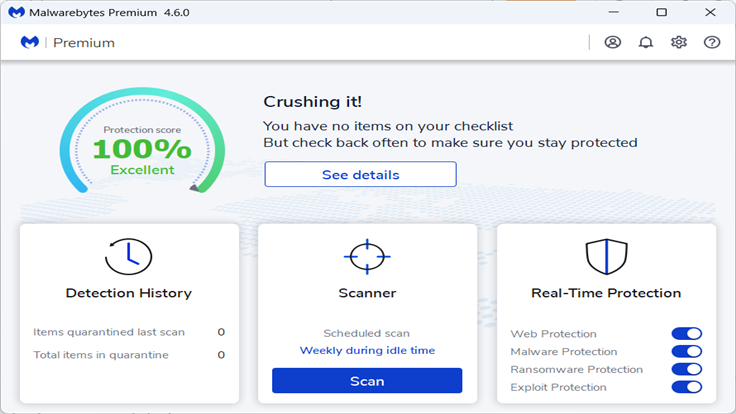
Malwarebytes’ new Trusted Advisor dashboard provides an easy to understand assessment of your security with a single comprehensive protection score, and clear, expert-driven advice.
Computer security can be difficult and time consuming. Getting it right means knowing what software needs to be updated, whether your system settings are configured securely, running active protection that can block and remove malware, and performing regular scans to uncover hidden threats.
Getting it wrong means leaving gaps in your defences that malware, criminal hackers, and other online threats can sneak through.
Trusted Advisor takes away the guesswork by delivering a holistic assessment of your security and privacy in a way that’s easy to understand, making issues simple to correct. It combines the proven capabilities of Malwarebytes with the knowledge of the brightest industry experts to give you an expert assessment that puts you one step ahead of the cybercrooks.
Protection score
At the heart of Trusted Advisor is a single, easy to understand protection score. If you’re rocking a 100% rating then you know you’re crushing it.
If your score dips below 100%, we’ll explain why, and offer you a checklist of items to improve your security.
Trusted Advisor’s recommendations are practical and jargon-free, so they’re easy to understand and action.
Six steps to security
Trusted Advisor monitors six broad categories of information. Each one affects your protection score according to its impact on your overall security:
Real-Time Protection monitors your computer continuously, stopping and removing threats like malware as they appear. It’s vital for keeping you safe from the most destructive threats and the most common methods of infection, so Trusted Advisor will alert you if you aren’t fully protected.
Software updates fix the coding flaws that cybercriminals exploit to steal data or put malware on your system. Staying up to date is one of the most important things you can do for your security, so Trusted Advisor has your back here too.
General settings covers settings within Malwarebytes, Windows, or your network preferences. Trusted Advisor checks for settings that may not be configured correctly.
Device scans are routine scans that seek out hidden threats on your system. Malwareybytes’ Smart Scan technology schedules scans so they run when your device isn’t in use. If you get behind and need to run a scan manually, Trusted Advisor will tell you.
Online privacy helps you take a proactive stance on your privacy by hiding your IP address and blocking third-party ad trackers, making you’re harder to track on the web. Trusted Advisor monitors this so you only part with the personal information you intend to.
Device health guards against slowdowns and other performance problems. Trusted Advisor helps you get the most out of your system so that you aren’t left guessing whether it was malware grinding your device to a halt.
Try it today
If you’re an existing Malwarebytes customer you will get Trusted Advisor automatically, but if you’re in a hurry, you can go to Settings > About > Check for updates and get it right now. If you aren’t, you can get Trusted Advisor by just download the latest version of Malwarebytes.
On this Episode of “Elon Musk Doesn’t Know How To Run A Social Media Site”, we see that the company’s CEO is in support of Musk’s latest misstep. The company’s newly-appointed CEO, Linda Yaccarino, is also on board to remove the block feature from the platform, according to NDTV.
If this sounds cartoonish and foolish, that’s because it is. In a shocking announcement, Elon Musk stated that Twitter is getting rid of the blocking feature. Being able to block an account is a major part of any social media experience, and people are wondering why it’s going away.
In a tweet, Elon did say that the blocking feature will still apply to DMs. Other than that, you’re still able to mute accounts throughout the platform. However, muting an account is different from blocking an account. When you block an account, it means that you want to cut yourself off from the account altogether. They can’t interact with you at all and vice versa.
Muting an account just means that you can’t see posts from the muted account. The account in question could still interact with you and tweet at you. This means that, if you blocked an account for harassing you, that account can continue the harassment.
Linda Yacarrino is all for moving the block feature
At this point, we’re not sure how the new CEO is going to steer Twitter over the course of time. Right now, the main changes we’re seeing with Twitter are through Elon Musk. We were hoping that Yacarrino would be a second voice to keep Elon from making haphazard decisions.
However, it seems that Yacarrino is on board with removing the block feature. In a tweet, she stated “Our users’ safety on X is our number one priority. And we’re building something better than the current state of block and mute. Please keep the feedback coming.”
The tweet lets us know two things. 1.) She and Elon are buddy-buddy on this decision and probably other questionable decisions. 2.) The team is planning something new to replace the blocking feature. We’re not sure what they’re going to do.
It’s still confusing why they chose to remove the tried and true blocking feature. “If it ain’t broke, don’t fix it”, they say, and removing the blocking feature is an answer to a question that no one asked.
However, we don’t know what Elon and Linda are cooking up, so we can’t say that it won’t be an improvement. In all fairness, there’s no telling if they’re working on something that’s actually ingenious. We don’t know at this point, so all we have to do is wait until it happens.
Chinese APT group Bronze Starlight uses stolen Ivacy VPN certificate to sign malware for the Southeast Asian gambling sector.
Stolen certificate makes malware appear legitimate, bypassing security and blending in with regular software.
Attacks began in March 2023, linked to earlier Operation ChattyGoblin discovered in 2022.
Bronze Starlight, known for political campaigns, deploys malware via chat apps and fake software versions.
Malware targets vulnerable software, and avoids execution in some Western countries; DigiCert revoked certificate; no statements from PMG PTE LTD or Ivacy VPN.
SentinelLabs researchers have discovered that a Chinese APT group known as Bronze Starlight has been signing off malware with a valid certificate. This certificate is used by Ivacy VPN, and the hackers’ target is the gambling industry in Southeast Asia.
Using this technique, hackers can ensure that malware bypasses all security measures without raising suspicion and invades target devices. It can also easily blend into legitimate software traffic.
It is worth noting that the issue was first reported by MalwareHunterTeam on X (previously known as Twitter) on 29 May 2023 and later analyzed by SentinelLabs. According to researchers, this stolen certificate belongs to Singapore-based VPN vendor PMG PTE LTD, the developer of Ivacy VPN.
In SentinelLabs’ blog post authored by Aleksandar Milenkoski, the first wave of attacks was observed in March 2023; however, it could be a continuation of an already ongoing hacking campaign dubbed Operation ChattyGoblin (discovered by ESET in late 2022).
Bronze Starlight (aka DEV-0401 and SLIME34) is a Chinese ransomware group that mostly runs espionage and politically motivated campaigns instead of financially motivated ones. The group’s primary weapon is ransomware, including LockFile, LockBit 2.0, NightSky, AtomSilo, Pandora etc, as reported previously by SecureWorks and Microsoft.
The attack starts with delivering .NET executables such as AdventuresQuest.exe onto the targeted device through compromised chat applications. This particular file was first observed by MalwareHunterTeam’s cybersecurity expert, and they later reported it on X.
Per MalwareHunterTeam’s observation, the certificate used in this attack was similar to the one used in authentic Ivacy VPN installations.
“PMG PTE. LTD.” signed “AdventureQuest.exe”: 43fb2d2e7596bed395bba6e012d0ee13ed61856cd63db47bf94160881d3e3ac7 www.100helpchat[.]com 🤔 pic.twitter.com/OqLfTPwdGX
— MalwareHunterTeam (@malwrhunterteam) May 29, 2023
The executables then retrieve password-protected ZIP archives from Alibaba storage repositories through fake or infected versions of popular programs vulnerable to DLL hijacking, such as Microsoft Edge, Adobe Creative Cloud, and McAfee VirusScan.
Further research from SentinelLabs revealed that the executables used geo-restrictions for preventing malware from getting executed in certain, pre-defined Western countries, e.g., the USA, France, Germany, Russia, India, Canada, and the UK. This could be because the hackers are either not interested in targeting these regions or are deliberately avoiding them to raise the chances of this campaign’s success.
Researchers believe that the VPN vendor doesn’t seem involved in this hack even though Ivacy VPN’s certificate has been used, also available on the PMG PTE LTD website.
“It is likely that at some point the PMG PTE LTD signing key has been stolen – a familiar technique of known Chinese threat actors to enable malware signing.”
Aleksandar Milenkoski – Senior Threat Researcher at SentinelLabs
This is a common practice as VPNs frequently become targets of APT groups because of the trove of sensitive data and communications these may offer. It is unclear what kind of data Chinese hackers could be obtained through Ivacy VPN. For your information, the certificate has now been revoked by DigiCert.
Surprisingly, neither PMG PTE LTD nor Ivacy VPN has issued any official statement regarding this issue.
Samsung shipped the Galaxy S23 series with a Snapdragon processor globally, but the Galaxy S24 series is rumored to come in two processor variants. The Korean firm will use a new Snapdragon chip in markets like China, South Korea, and the US. The rest of the world will get its in-house Exynos chip. The company is already working on the Exynos 2400 for its 2024 flagships. A leak has now revealed its detailed specifications, including a 10-core CPU.
Exynos 2400 leak confirms a 10-core CPU
Rumors about the Exynos 2400 powering the Galaxy S24 series in some markets have been around for a while now. Leaks suggested that Samsung is confident about going back to Exynos after exclusively using Snapdragon this year thanks to the improvements from its foundry division. The company believes it has left the Exynos woes behind and is ready to rebuild its reputation as a flagship smartphone chipmaker. Early specs have been quite promising too.
A new report coming from China now tells us more of the same. As rumored earlier, the Exynos 2400 will feature a 10-core (deca-core) CPU with a 1+2+3+4 quad-cluster arrangement. We have one ARM v9.2 Cortex-X4 core clocked at 3.1GHz, two Cortex-A720 cores at 2.9GHz, three more Cortex-A720 cores at 2.6GHz, and four Cortex-A520 cores at 1.8GHz. The adoption of ARM’s v9.2 cores means the chip will be 64-bit-only, dropping support for 32-bit apps.
Samsung has paired the CPU with a new AMD RDNA2-based custom GPU. The Xclipse 940 GPU reportedly has twice as many graphics computing units as the Xclipse 920 GPU found in Exynos 2200, the Korean firm’s last flagship processor. The upcoming chipset also brings enhanced AI (artificial intelligence) capabilities. The integrated Exynos 5300 modem can deliver a downlink speed of up to 10Gbps and an uplink speed of up to 3.87Gbps.
The Exynos 2400 supports UFS 4.0 storage and LPDDR5X memory with an 8.5Gbps bandwidth. It can handle up to a 320MP camera with support for 8K video recording at 60fps (frames per second). The new Exynos processor may also boast a two-way satellite communication system. Rumors are rife that Samsung will add satellite connectivity to its flagship phones next year. The Galaxy S24 series could debut the technology.
The new Exynos chip will compete with the Snapdragon 8 Gen 3
The Exynos 2400 will be Samsung’s equivalent for Qualcomm’s Snapdragon 8 Gen 3, which will power the Galaxy S24 series in some markets. The latter is also a 64-bit-only chip featuring one Cortex-X4 and five Cortex-A720 CPU cores. But its octa-core (8 cores) design means there will be only two Cortex-A520 cores here. It remains to be seen which chip ends up being better overall. If Exynos fails to trump or at least match Snapdragon again, Samsung may find it hard to sell its new flagship phones. The Galaxy S24 series will arrive in early 2024.
Samsung is slowly moving towards the launch of the Galaxy S24 series. The company has already started picking up regulatory approvals for components such as batteries, while leaks reveal key specs of the upcoming devices. Internally, it has reportedly begun the firmware development for the new phones.
Sources have confirmed to SamMobile that Samsung has started developing the firmware for the Galaxy S24, Galaxy S24+, and Galaxy S24 Ultra. The company has three separate regional versions of the firmware in development: Europe, India, and the US. More precisely, only European and the US versions of the former two models are in development. The Korean firm is readying the firmware for the Ultra model for all three regions.
As expected, the initial build of the Galaxy S24 firmware is based on Android 14. The devices will launch in early 2024 running the latest version of Android out of the box. Samsung will ship the flagship trio with either One UI 6.0 or One UI 6.1, with the latter being more probable. The phones should get updates until Android 14. The Korean firm’s update policy currently guarantees four major Android OS updates and five years of security updates.
The Galaxy S24 series will come in two processor variants
Samsung shipped the Galaxy S23 series with Qualcomm’s Snapdragon 8 Gen 2 “for Galaxy” chipset globally. The “for Galaxy” version of this chipset, which also powers the Galaxy Z Fold 5 and Galaxy Z Flip 5, has a slightly faster CPU and GPU than the standard version. It was initially exclusive to Samsung, but Qualcomm recently started supplying this overclocked chip to other brands as well.
Next year, Samsung will once again use an overclocked “for Galaxy” version of the Snapdragon 8 Gen 3 in the Galaxy S24 series. However, not everyone may get this processor. The company is rumored to be going back to Exynos. The Galaxy S24 trio will ship with the Exynos 2400 in some markets, including Africa, Europe, and India. The new Snapdragon chip will reportedly be limited to China, South Korea, and the US.
Considering the history of Samsung’s flagship Exynos chips (all those performance, thermal, and power issues), some of you might not be best pleased with the company going back to Exynos next year. But the Korean firm is confident that its recent foundry improvements have mitigated those problems. Time will tell whether it has left behind the Exynos woes for once and all. If not, Samsung might find it tough to sell the Exynos 2400-powered Galaxy S24.