Researchers have found almost 2000 backdoored Citrix NetScalers, many of which were patched after the backdoor in the form of a web shell was dropped.
Fox-IT has uncovered a large-scale exploitation campaign of Citrix NetScalers in a joint effort with the Dutch Institute of Vulnerability Disclosure (DIVD). Over 1900 instances were found to have a backdoor in the form of a web shell. These backdoored NetScalers can be taken over at will by an attacker, even when they have been patched and rebooted.
A web shell is a malicious script used by an attacker with the intent to escalate and maintain persistent access on an already compromised web application. The scripts are placed on internet-facing servers and devices so they can be reached remotely.
In July, the Cybersecurity and Infrastructure Security Agency (CISA) added a critical unauthenticated remote code execution (RCE) vulnerability in Citrix NetScaler ADC and Citrix NetScaler Gateway to its Known Exploited Vulnerabilities Catalog, based on evidence of active exploitation.
The Common Vulnerabilities and Exposures (CVE) database lists publicly disclosed computer security flaws. The CVE that the cybercriminals used to plant the backdoor is listed as:
CVE-2023-3519 (CVSS score 9.8 out of 10): a Citrix NetScaler ADC and NetScaler Gateway code injection vulnerability. The vulnerability can lead to unauthenticated RCE. It affects appliances configured as a Gateway (VPN virtual server, ICA Proxy, CVPN, RDP Proxy) or as an authentication, authorization and accounting (AAA) virtual server.
Fox-IT (in collaboration with the Dutch Institute of Vulnerability Disclosure) scanned for the web shells to identify compromised systems. As of August 14th, 1828 NetScalers remain backdoored, 1248 of those have been patched but still remain vulnerable. So, it seems that many administrators saw the need to patch for the vulnerability, but didn’t realize that patching was not enough to deal with an already established backdoor.
Several factors indicate that the biggest part of this exploitation campaign took place between late July 20th and early July 21st. Some systems have been compromised with multiple web shells. In total, the scans revealed 2491 web shells on a total of 1952 compromised NetScalers.
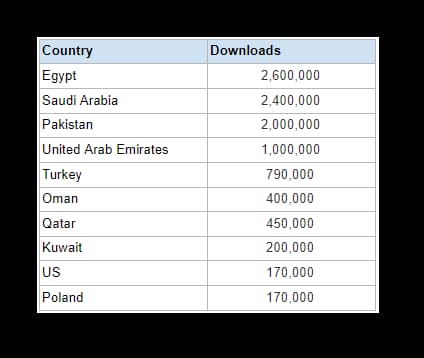
The campaign was likely targeted at European organizations. Of the top five affected countries, only one is located outside of Europe, in Japan. Germany alone accounts for over 500 backdoored instances.
On August 10, 2023, the DIVD started reaching out to organizations affected by the web shell. It used its already existing network and responsible disclosure methods to notify network owners and national CERTs. There is no reason to wait for such a notification however.
Prevention, detection and response
If your Citrix server hasn’t been updated to a secure version, we strongly advise you to patch it as soon as possible, especially if you’re utilizing any of the following features:
SSL VPN
ICA Proxy
CVPN
RDP Proxy
AAA virtual server
If you are not using one of these servers, we still recommend that you patch to a non-vulnerable version to prevent your appliance from becoming vulnerable when you start using one of these functions in the future.
Regardless of whether and when the patch was applied, it is recommended that you perform an Indicator of Compromise check on your NetScalers.
There are several resources available that document the in-the-wild exploitation of Citrix appliances where forensic artifacts can be found:
Mandiant has provided a bash-script to check for Indicators of Compromise on live systems. Be aware that if this script is run twice, it will yield false positive results as certain searches get written into the NetScaler logs whenever the script is run.
If you find that your Citrix NetScaler has been compromised, make sure to set up a clean system from scratch, or at the very least backup/restore from a safe snapshot. But first, or from a forensic copy of both the disk and the memory of the appliance, investigate whether the backdoor has been used by the attackers. Usage of the web shell should be visible in the NetScaler access logs. If there are indications that the web shell has been used to perform unauthorized activities, it’s essential to perform a larger investigation, to see whether the adversary has successfully taken steps to move laterally from the NetScaler.
We don’t just report on vulnerabilities—we identify them, and prioritize action.
Did you know that you could have Verizon’s award-winning network, with unlimited data and pay as little as $25 per month? Well, you can, thanks to Visible.
Visible is a prepaid carrier owned by Verizon, and thus runs on the Verizon network. It’s an inexpensive way to be able to use Verizon’s 4G and 5G networks, and get the same great coverage and speeds. Visible’s plans start at just $25 per month for unlimited data.
So what do you get for $25 per month on Visible? As it turns out, quite a bit. As mentioned, you do get unlimited talk, text and data. In addition to that, you get unlimited mobile hotspot, unlimited talk and text to Canada and Mexico, as well as Spam Protection.
Visible offers a second more expensive plan, called Visible+. This plan is $45 per month, and offers access to Verizon’s Ultra Wideband (mmWave and C-Band) network. It does have unlimited data, however Visible notes that you might be throttled after you surpass 50GB of usage in a month. This plan offers everything that the base plan does, and it also includes unlimited talk, text and data roaming in Canada and Mexico, International Calling from the US to over 30 countries and International Texting from the US to over 200 countries.
That sounds like a pretty sweet deal at $45 per month, right? Well, Visible is making it even sweeter. With our exclusive code, VISIBLE35 you can get the Visible+ plan for just $35 per month when you bring your own device. As long as you stay an active member of Visible and do not change plans, you will continue to pay just $35 for the plan. This promotion for Visible+ expires on August 31, 2023.
No hidden fees, what you see is what you pay
In the base rates that Visible shows on their website, that is what you’ll be paying. Taxes and fees are all included in that price. So if you switch to Visible, and sign up for the base Visible plan, that’s $25 per month, or the Visible+ plan, that’s only $35 per month. Nothing more, and nothing less.
With Visible, there’s also no annual contract, you can leave Visible whenever you want, and bring your number with you. And this can all be done online. No more waiting in a carrier store to get help, Visible has fast and helpful customer service, which can be reached through online chat.
Let’s not forget that you can also get the latest phones through Visible. There are tons of phones available to purchase directly through Visible that will work on their network. Including the latest from Samsung, Apple and Google, like the Galaxy S23 series, the iPhone 14 series and even the new Pixel Fold. You can finance these new devices, though Visible hands that off to Affirm which offers 24- or 36-month payment plans, depending on the price of the phone.
You can bring your Apple Watch over to Visible as well, or buy a new one. Their wearable plan is $5 per month, allowing you to get phone and watch connectivity for as low as $30 per month. However, the wearable plan is currently limited to just the Apple Watch.
Finally, if your current phone does not work on Visible’s network, they will replace it for free with a compatible device. This is called Visible Swap, and it makes it easier to switch to Visible without worrying about if you have to buy a new phone. Once your phone number ports over to Visible, they will overnight you the Swap phone. Which will also come with a prepaid return label so you can send in your old phone. And poof, you now have a phone that works on Visible. It really couldn’t get much easier.
With Visible, you’re getting a lot of value, for not a lot of money. You can switch over to Visible by clicking here. It takes just a few minutes, as long as your phone is compatible and uses eSIM. If your phone is older and doesn’t support eSIM, don’t sweat it, Visible will overnight a physical SIM to you. So you’ll be up and running in no time.
The launch of ChatGPT late last year prompted many tech giants, such as Google, to develop their own AI chatbots like Bard. However, according to a new report from The Information, it looks like Google is already preparing to launch Bard’s successor named Gemini.
Developed in collaboration with Google and DeepMind, the new chatbot could reportedly launch as early as this Autumn and potentially reshape the AI chatbot landscape. This is because an insider source revealed that Google’s Gemini aims to merge the textual capabilities of large language models (LLMs) with the creative potential of AI-generated images. This innovative approach has the potential to unlock a world of new possibilities, as Gemini will not only function as a text generator but also as a contextual image creator. Furthermore, Google’s vision also includes features such as chart analysis, the creation of graphics accompanied by textual descriptions, and the ability to manipulate software using text or voice commands.
Although the specific details about how Google plans to implement Gemini in its services remain unclear, the company could draw inspiration from Microsoft’s strategy by integrating Gemini into Google Docs and Sheets as a helping hand to users who lack technical expertise.
Moreover, to help make Gemini the next leap forward in the world of generative AI, Google has assembled a team of prominent figures from Google Brain and DeepMind. Among them are Paul Barham, a senior Google researcher, visionary Tom Hennigan from DeepMind and Google’s co-founder, Sergey Brin, who plays a pivotal role in the evaluation and refinement of the AI models.
How is Google training Gemini?
Instead of using traditional methods of training AI models, which often involve collecting data from social media platforms, Google has chosen a unique path by using YouTube video transcripts to train its Gemini AI model. This approach taps into the extensive content library of YouTube, enabling Google’s model to amass knowledge across an extensive array of domains.
Nevertheless, the path toward Gemini will not be without challenges due to Google’s recent legal struggles related to the use of copyrighted data for AI model training. However, to address this, the company is committed to maintaining compliance with copyright regulations and has also proposed a new “opt-out” feature, providing publishers with the ability to prevent their works from being utilized for AI training purposes.
This tech support scam is one of the most long running and covert ones we have ever seen.
Back in January 2020, we blogged about a tech support scam campaign dubbed WoofLocker that was by far using the most complex traffic redirection scheme we had ever seen. In fact, the threat actor had started deploying infrastructure in earnest as early as 2017, about 3 years prior to our publication.
Fast forward to 2023, another 3 years have gone by and this campaign is still going as if nothing has happened. The tactics and techniques are very similar, but the infrastructure is now more robust than before to defeat potential takedown attempts. This change may have been in response to the work we did with web hosting companies and registrars, which only put this operation out of business temporarily.
It is just as difficult to reproduce and study the redirection mechanism now as it was then, especially in light of new fingerprinting checks. By connecting previous indicators of compromise we were able to expand our knowledge about the first iteration of WoofLocker and its new setup.
While we still do not know a lot about who is behind this scheme, we believe it may be the work of different threat actors that specialize in their area of expertise. WoofLocker may very well be a professional toolkit built specifically for advanced web traffic filtering and used exclusively by one customer. Victims that fall for the scam and call the phone number are then redirected to call centres presumably in South Asian countries.
This blog post summarizes our latest findings and provides indicators of compromise that may be helpful to the security community.
Overview
Contrary to other tech support scam campaigns that often rely on malvertising as a delivery vector, we only observed WoofLocker being distributed via a limited number of compromised websites. The threat actor appears to have gained access to two categories: non adult traffic and adult traffic. That distinction can be seen in the unique redirection URL created for each victim with a parameter called “nad” and “ad” respectively.
Malicious JavaScript embedded in the compromised websites is used to retrieve the WoofLocker framework directly into the DOM from one of a handful of domain names. The code used by WoofLocker is highly obfuscated and makes use of steganography, a technique that embeds data inside of images.
Each victim that visits the compromised site is fingerprinted to determine if they are legitimate or not. Numerous checks are performed to detect the presence of virtual machines, certain browser extensions and security tools. Only genuine residential IP addresses are considered, provided they have not already been fingerprinted.
Figure 1: WoofLocker version 2 diagram
The information from victims is sent back to the server as a PNG image (the data is hidden inside thanks to steganography) and followed by two possible outcomes. Users deemed not interesting will not see anything further, while potential victims will get redirected to another domain via a URL generated on the fly, with a unique ID only valid for this specific session.
This redirection shows the familiar browser locker screen with a fake warning about computer viruses. That part of the code is relatively straightforward and inspired by existing templates.
Compromised sites
As mentioned earlier, the threat actor is using two different types of traffic: adult and non adult. The majority of websites loading WoofLocker are adult sites and this is not a coincidence as it plays into the scam’s social engineering tactics.
Originally, the injected code was not obfuscated and contained the fingerprinting checks but in 2021 the threat actors changed it, to simply the injection and move some of the logic outside:
Figure 2: Code injected into compromised sites (comparison)
In the image below, we are using Chrome’s Developer Tools to see malicious code dynamically injected into the DOM. As a website administrator going directly to the raw HTML page, you might not see anything injected.
Figure 3: Code viewed in developer tools
This code allows the threat actor to connect with their fingerprinting and redirection infrastructure, which in this case is located at cdncontentstorage[.]com.
Fingerprinting
We previously described the fingerprinting mechanism in detail and it remains very similar. There were a few additions though, such as the check for specific Chrome extensions (GeoEdge, Kaspersky, McAfee). There also seems to be some kind of proxy detection, or perhaps detection specific to web debugging tools like Fiddler. This makes it much harder for security researchers to get a traffic capture as evidence of malfeasance.
Figure 4: Chrome extensions checks
The following Python script can be used to decode the PNG image containing the fingerprinting JavaScript (thank you to the person who shared it with us)
from PIL import Image
import sys
# Driver Code
if __name__ == '__main__' :
image = Image.open(sys.argv[1], 'r')
data=""
imgdata = image.getdata()
tt = []
for i in range(len(imgdata)):
tt.append(imgdata[i][0])
tt.append(imgdata[i][1])
tt.append(imgdata[i][2])
for i in range(len(tt)):
ar = 57 ^ tt[i]
if ar >= 32:
data += chr(ar)
open(sys.argv[1]+'.decode', 'w').write(data)
Figure 5: Decoded output from PNG image
URL redirection
We were able to identify the redirection URL this time, after numerous replays and debugging attempts:
Figure 6: Browser locker URL is sent hidden in PNG image
Again, the threat actor uses steganography to include JavaScript code inside of an image. The browser reads that response via the getImageData function and executes it. Here, we can see the URL that is unique to this session (uid) and used for the redirect to the browser locker page.
Web traffic
We were able to record a full traffic capture despite WoofLocker’s evasion techniques. As mentioned previously, it appears that certain tools that involve proxying traffic may be detected. We had to use a different mechanism to get this traffic without being detected.
Sequentially, we see the fingerprinting checks being done with the use of steganography. The absence of the specific Chrome extensions the threat actor is looking for also generates some traffic. The final part is the user data validation and creation of a unique id (uid). The code once again uses steganography to load the malicious URL corresponding to the browser locker page.
Figure 7: Traffic capture showing the fingerprinting and redirection mechanisms
Infrastructure comparison
Since our original blog post, we were able to identify additional parts of the WoofLocker infrastructure. What is most interesting is how the threat actors completely changed it and went with hosting providers that appear to give them stronger protection against takedowns.
Figure 8: WoofLocker version 1
The ASNs are located in Bulgaria and Ukraine:
Figure 9: WoofLocker version 2
Conclusion
WoofLocker is an advanced fingerprinting and redirection toolkit that appears to have been built for a single customer. While it could be used for any web threat as an evasion framework, it has been pushing tech support scams for the past 6 years.
Unlike other campaigns that rely on purchasing ads and playing whack-a-mole with hosting providers and registrars, WoofLocker is a very stable and low maintenance business. The websites hosting the malicious code have been compromised for years while the fingerprinting and browser locker infrastructure appears to be using solid registrar and hosting providers.
Malwarebytes users have always been protected against this threat thanks to our heuristic detection engine.
We’ve already compared the Google Pixel Fold with Samsung’s latest book-style foldable, the Galaxy Z Fold 5. It’s now time to do the same with its predecessor. In this article, we’ll compare the Google Pixel Fold vs Samsung Galaxy Z Fold 5. Many of you probably still have the Galaxy Z Fold 4, and are trying to decide whether to upgrade to the Pixel Fold or not. On the other hand, maybe you’re thinking about whether to buy one of these devices one of these days. Either way, we do hope that this comparison will be able to help you make your decision.
We’ll first list the specs of both smartphones, and will then move to compare them across a number of categories. We’ll compare their designs, displays, performance, battery life, cameras, and audio performance. Having said that, let’s get started.
Specs
Google Pixel Fold & Samsung Galaxy Z Fold 4, respectively
– Screen size (main): 7.6-inch Foldable OLED display (120Hz, HDR10+, 1,450 nits) 7.6-inch Foldable Dynamic AMOLED 2X display (120Hz, HDR10+, 1,200 nits) – Screen Size (cover): 5.8-inch OLED (120Hz) 6.2-inch Dynamic AMOLED 2X (120Hz) – Display resolution (main): 1840 x 2208 1812 x 2176 – Display resolution (cover): 2092 x 1080 2316 x 904 – SoC: Google Tensor G2 Qualcomm Snapdragon 8+ Gen 1 – RAM: 12GB (LPDDR5) 12GB (LPDDR5) – Storage: 256GB/512GB (UFS 3.1) 256GB/512GB/1TB – Rear cameras: 48MP (wide, f/1.7 aperture, OIS), 10.8MP (ultrawide, 121-degree FoV), 10.8MP (telephoto, 5x optical zoom, OIS) 50MP (wide, f/1.8 aperture, OIS), 12MP (ultrawide, 123-degree FoV), 10MP (telephoto, 3x optical zoom) – Front cameras: 8MP (main display, f/2.0 aperture), 9.5MP (cover display, f/2.2 aperture) 4MP (under display, main display, f/1.8 aperture), 10MP (cover display, f/2.2 aperture) – Battery: 4,821mAh 4,400mAh – Charging: 21W wired, 7.5W wireless (no charger) 25W wired, 15W wireless, 4.5W reverse wireless (no charger) – Dimensions (unfolded): 158.7 x 139.7 x 5.8mm 155.1 x 130.1 x 6.3mm – Dimensions (folded): 139.7 x 79.5 x 12.1mm 155.1 x 67.1 x 14.2-15.8mm – Weight: 283 grams 263 grams – Connectivity: 5G, LTE, NFC, Wi-Fi, USB Type-C, Bluetooth 5.2 – Security: Side-facing fingerprint scanner – OS: Android 13 Android with One UI – Price: $1,799 $1,799 – Buy: Samsung Samsung
Google Pixel Fold vs Samsung Galaxy Z Fold 4: Design
Both of these phones are book-style foldables, but they’re quite different design-wise. The Google Pixel Fold leans towards a horizontal layout when unfolded, while the Galaxy Z Fold 4 has a different aspect ratio, and is closer to a square aspect ratio when unfolded. Also, when folded, the Galaxy Z Fold 4 offers a considerably narrower screen to use, despite the fact it’s technically bigger than the Pixel Fold’s. Most people will want to use the Pixel Fold’s cover screen more due to its “normal” aspect ratio.
Both phones are made out of metal and glass, and both have a rather noticeable crease on the main display. The Pixel Fold also has thicker bezels above and below the main display, while it hides a selfie camera in them. The Galaxy Z Fold 4 has thinner bezels, and hides the camera on its main display under the panel itself. You’ll notice a display camera hole is located on the cover display of both phones.
There are three cameras located on the back of both of these phones, though the camera islands do look considerably different. The Galaxy Z Fold 4 is taller than the Google Pixel Fold, while it’s also narrower. It’s actually considerably narrower when folded, the difference is huge. The Pixel Fold is a bit thinner, though, in both folded and unfolded states. The Pixel Fold is, however, heavier than the Galaxy Z Fold 4 by about 20 grams, and the Fold 4 is already quite a chunky phone. There are considerably thinner book-style foldables already available. Both phones do offer an IPX8 rating for water resistance.
Google Pixel Fold vs Samsung Galaxy Z Fold 4: Display
The Pixel Fold includes a 7.6-inch 1840 x 2208 Foldable OLED display. That panel offers a 120Hz refresh rate, and supports HDR10+ content. It has a peak brightness of 1,450 nits. The cover display on the phone measures 5.8 inches, and has a resolution of 2092 x 1080. That is an OLED display with a 120Hz refresh rate, and a peak brightness of 1,550 nits. It is protected by the Gorilla Glass Victus.
Google Pixel Fold
The Galaxy Z Fold 4, on the other hand, has a 7.6-inch 1812 x 2176 Foldable Dynamic AMOLED 2X display. That panel has a 120Hz refresh rate, supports HDR10+ content, and has a peak brightness of 1,200 nits. The cover panel on the phone measures 6.2 inches, and has a resolution of 2316 x 904 pixels. That is a Dynamic AMOLED 2X panel also, but a non-foldable one. It has a 120Hz refresh rate, and it’s protected by the Gorilla Glass Victus+.
All four displays on these two phones are quite good. They’re bright, vivid, and have good viewing angles. The blacks are also deep, and the touch response is good. Quite frankly we don’t have any major complaints about them. They’re also well-optimized, and the scrolling is as smooth as you’d expect. The display crease is quite noticeable, on foldable displays of both phones.
Google Pixel Fold vs Samsung Galaxy Z Fold 4: Performance
The Google Tensor G2 fuels the Pixel Fold. The phone also includes 12GB of LPDDR5 RAM, and UFS 3.1 flash storage. The Galaxy Z Fold 4 comes with the Snapdragon 8+ Gen 1 processor, 12GB of LPDDR5 RAM, and UFS 3.1 flash storage. When it comes to RAM and storage, they’re on the same playing field, basically. The Snapdragon 8+ Gen 1 is technically more powerful than the Google Tensor G2, but it’s not the latest SoC Qualcomm has to offer at this point, as the Galaxy Z Fold 4 launched last year.
Both phones do perform really well, though. They’re very smooth during day-to-day use, and both can handle games, even those graphically-intensive ones. The Galaxy Z Fold 4 will handle such games a bit better, though. They’re both great and multitasking, and we didn’t have any lag worth noting while multitasking. Both companies provide plenty of software features that allow you to take advantage of those large displays, though Samsung is still ahead. The Galaxy Z Fold 4 is simply packed with such features.
Google Pixel Fold vs Samsung Galaxy Z Fold 4: Battery
A 4,821mAh battery is included inside the Pixel Fold, while a 4,400mAh unit sits inside the Galaxy Z Fold 4. A higher battery capacity doesn’t necessarily mean better battery life, but in this case, the Pixel Fold does have better battery life. So, in this case, it is true, at least for us. We were able to cross the 8-hour screen-on-time mark on the Pixel Fold, a number of times. The Galaxy Z Fold 4 lingered around 6-6.5 hours of screen-on-time most of the time, though 7 hours is doable.
Do note that your mileage may vary, considerably. There’s a lot to consider here, when it comes to battery life. There are two displays on each phone, while you’ll also be using different apps, in different ways. Your signal strength will also be different, and so on. Also, do note that we did not play games on either phone outside of testing. So, during regular days, no games were played on either. Playing games will surely affect battery life in a negative way.
The Google Pixel Fold supports 21W wired, and 7.5W wireless charging. The Galaxy Z Fold 4, on the other hand, supports 25W wired, 15W wireless, and 4.5W reverse wireless charging. Neither phone charges super fast, but the Galaxy Z Fold 4 is a bit faster across the board. It also offers reverse wireless charging, while the Pixel Fold does not. Do note that neither phone ships with a charger, though.
Google Pixel Fold vs Samsung Galaxy Z Fold 4: Cameras
The Google Pixel Fold includes a 48-megapixel main camera, a 10.8-megapixel ultrawide unit (121-degree FoV), and a 10.8-megapixel telephoto camera (5x optical zoom). The Galaxy Z Fold 4 has a 50-megapixel main camera, a 12-megapixel ultrawide camera (123-degree FoV), and a 10-megapixel telephoto camera (3x optical zoom).
Samsung Galaxy Z Fold 5
So, both phones do have three cameras on the back, though the results they provide are quite different. The Pixel Fold has that contrasty look that we’re used to seeing from Pixel phones. It’s great for HDR photos, and even though the images it provides are not exactly close to real life, they do look great. That’s what most people prefer anyway. The Galaxy Z Fold 4, on the other hand, provides detailed and sharp images, but tends to oversaturate them during the day.
Both phones brighten up low light shots quite a bit, but the Pixel Fold manages to retain more detail, more often than not. Ultrawide cameras are good on both devices, though a level below the main shooters. When it comes to the telephoto shooter, the Pixel Fold is the one we prefer, as it manages to offer better image quality at longer zoom ranges.
Audio
There are stereo speakers included on both of these phones. They’re loud enough on both, and also provide detailed enough sound. These are not the best speakers we’ve heard, but are not bad at all. You’re also getting some bass here.
What you will not find on either phone is a 3.5mm headphone jack. You’ll have to utilize their Type-C ports in order to connect your headphones via a wire. If you prefer to go wireless, both phones offer Bluetooth 5.2.
AI is making waves in various industries, but most IT decision-makers (ITDMs) aren’t impressed. The majority of these firms share a similar idea on the subject of AI, and it’s a bit negative. The ideas of AI innovations from these firms concern their businesses and how they stand to benefit from their implementation.
To get the ideas of these firms, AMD conducted a survey where they sorted their opinion on AI innovation. In this survey, AMD sorted out 2500 IT decision-makers for their take on the latest trend that is making waves in the tech industry. A little above half of these firms don’t see themselves venturing into the AI industry or implementing its technology in their business practices.
The viewpoint of these firms has to do with how they run their business and the availability of hardware infrastructures. Without the necessary tools, these firms are much handicapped concerning AI implementation. However, these firms do not deny the fact that the industry is seeing a massive shift towards AI innovations and adoption.
The dangers of AI might delay its adoption by some IT decision-makers in the tech industry
Although AI is bringing a boom in the tech industry, it still poses some threats. While the adoption of AI technology in various businesses is helping to step up performance, there are some details to take to mind. This is an area that some IT decision-making firms are deeply concerned about.
From AMD’s survey, the majority of these firms hope that AI will be able to take the tech industry to new heights. Part of these improvements have to be with simplifying the workload for staff and stepping up security. Also, a good number of these firms have concerns that AI and its implementation can pose a threat.
Some IT decision-making firms say that AI might introduce some security risks to users. This has to do with how this technology handles user data in the possession of various firms. Over the past few months, governmental bodies have been pushing to regulate AI and the amount of data it can access.
For these regulations to be put in place, businesses using AI will need to invest a bit more into improving the technology. Additional investments will also go into training workers on how to use AI-enhanced equipment and tools in the workplace. So most businesses will need a few years to be able to fully blend in with the AI industry and its implementation in how they work.
While some businesses are keen to bring AI into their activities, IT decision-making firms are quite skeptical. These firms are not only considering areas where AI technology can boost their business but also the risks that it poses. In the coming years, various tech industries will begin to see improvements in how AI’s usage within their industries.
Believe it or not, Spotify was one of the first streaming music services that offered more than just a personalized radio service – like Pandora. It actually launched in 2008, ahead of YouTube Music (or Google Play Music), Apple Music, Amazon Music and even Tidal.
It’s also the most popular music streaming service in the world right now, which is pretty surprising, considering we have Amazon, Google and Apple all in the streaming music race. But are you getting the most from your Spotify subscription, whether that’s free or premium? Let’s find out and go over everything that you need to know.
What is Spotify?
Spotify is a streaming music service, which is based in Sweden, surprisingly. It came to fame in the late 2000s and early 2010s, thanks to offering a free plan. Making it easier for people to get their favorite music, without having to buy albums or individual tracks. Which was really the only way to do it back in the day. Now, that seems very archaic.
Currently, Spotify boasts about 70 million songs in its catalog, that might sound like a lot, but Apple Music has more. Apple Music boasts around 75 million. While YouTube Music is around 40 million, and Amazon Music is a bit less. This means that you’ll have plenty of songs to choose from on Spotify, even if it doesn’t have every song.
In recent years, Spotify has aimed to move past just offering streaming music. It has added podcasts to the platform, and even signed an exclusive multi-year deal with Joe Rogan worth around $100 million. it also purchased podcasting networks like Gimlet Media and Parcast.
The company has also debuted Spotify Live, which is basically like Twitter Spaces, but on Spotify. It’s a cool place for people to record a podcast live, or just chat with their followers. It obviously, works better for artists who already have a lot of followers on Spotify and can bring in a huge audience.
How does Spotify work?
Spotify is probably the simplest streaming music service out there, and that might explain its dominance. Simply open the Spotify sign up page to sign up and get started. After you have signed up, you’ll be directed to download the Spotify app for whatever platform you are on. Spotify has apps for basically every platform. Windows, macOS, Android, iOS, Android TV, Apple TV, and everything in between. So you can use it on every platform.
It’s also available on Android Automotive and Tesla’s own infotainment system.
On the home page of Spotify, you’ll see playlists that you’ve played recently, followed by your own curated mixes which is based on your previous listening. Below that, you’ll find other playlists that Spotify thinks you’ll like to listen too. Of course, all of this will improve the more you listen to Spotify. As it sees what you like and don’t like. Even though in the initial setup, you did select your favorite artists and genres.
Is Spotify available in my country?
Spotify is currently available virtually everywhere. That includes Europe, Africa, North America and more. There are a couple of countries that do not have Spotify, and they probably don’t surprise you. That’s Russia and North Korea. Here’s the full list, by continent:
Algeria
Angola
Benin
Botswana
Burkina Faso
Burundi
Cameroon
Cape Verde
Chad
Comoros
Côte d’Ivoire
Democratic Republic of the Congo
Djibouti
Egypt
Equatorial Guinea
Eswatini
Gabon
Gambia
Ghana
Guinea
Guinea-Bissau
Kenya
Lesotho
Liberia
Libya
Madagascar
Malawi
Mali
Mauritania
Mauritius
Morocco
Mozambique
Namibia
Niger
Nigeria
Republic of the Congo
Rwanda
São Tomé and Príncipe
Senegal
Seychelles
Sierra Leone
South Africa
Tanzania
Togo
Tunisia
Uganda
Zambia
Zimbabwe
Armenia
Azerbaijan
Bahrain
Bangladesh
Bhutan
Brunei Darussalam
Cambodia
Georgia
Hong Kong
India
Indonesia
Iraq
Israel
Japan
Jordan
Kuwait
Kyrgyzstan
Lao People’s Democratic Republic
Lebanon
Macao
Malaysia
Maldives
Mongolia
Nepal
Oman
Pakistan
Palestine
Philippines
Qatar
Saudi Arabia
Singapore
South Korea
Sri Lanka
Taiwan
Tajikistan
Thailand
Timor-Leste
United Arab Emirates
Uzbekistan
Vietnam
Åland
Albania
Andorra
Anguilla
Ascension
Austria
Azores
Balearic Islands
Belarus
Belgium
Bermuda
Bosnia
British Virgin Islands
Bulgaria
Canary Islands
Cayman Islands
Ceuta
Croatia
Cyprus
Czech Republic
Denmark
Estonia
Falkland Islands
Faroe Islands
Finland
France
French Guiana
French Polynesia
Germany
Gibraltar
Greece
Greenland
Guadeloupe
Guernsey
Hungary
Iceland
Ireland
Isle of Man
Italy
Jersey
Kazakhstan
Kosovo
Latvia
Liechtenstein
Lithuania
Luxembourg
Madeira
Malta
Martinique
Mayotte
Melilla
Moldova
Monaco
Montenegro
Montserrat
Netherlands
New Caledonia
North Macedonia
Norway
Pitcairn Islands
Poland
Portugal
Romania
Réunion
Saint Barthélemy
Saint Helena
San Marino
Saint Martin
Saint Pierre and Miquelon
Serbia
Slovakia
Slovenia
Spain
Svalbard
Sweden
Switzerland
Tristan da Cunha
Turkey
Turks and Caicos Islands
Ukraine
United Kingdom
Wallis and Futuna
American Samoa
Antigua and Barbuda
Bahamas
Barbados
Belize
Canada
Costa Rica
Curaçao
Dominica
Dominican Republic
El Salvador
Grenada
Guam
Guatemala
Haiti
Honduras
Jamaica
Mexico
Nicaragua
Northern Mariana Islands
Panama
Puerto Rico
St. Kitts and Nevis
St. Lucia
St. Vincent and the Grenadines
Trinidad and Tobago
United States
US Minor Outlying Islands (Navassa Island, Baker Island, Howland Island, Jarvis Island, Johnston Atoll, Kingman Reef, Midway Atoll, Wake Atoll)
US Virgin Islands
Argentina
Aruba
Bolivia
Brazil
Chile
Colombia
Ecuador
Guyana
Paraguay
Peru
Sint Maarten
Suriname
Uruguay
Venezuela
Australia
Bonaire
Christmas Island
Cocos (Keeling) Islands
Cook Islands
Fiji
Kiribati
Marshall Islands
Micronesia
Nauru
New Zealand
Niue
Norfolk Island
Palau
Papua New Guinea
Saba
Samoa
Sint Eustatius
Solomon Islands
Tokelau
Tonga
Tuvalu
Vanuatu
How much does Spotify cost?
Spotify is available for free, or you can get the premium version too. The premium version of Spotify is typically available for $10.99 across the world. Though there are some other plans like student plans, family plans and even duo plans with Hulu. Which we’ll explain more in a minute.
Are there student discounts?
Spotify actually offers a really incredible deal for students. You can get Spotify Premium for just $5.99 per month, which is already half off. But it also bundles in Hulu (ad-supported plan) for that price. That’s a pretty good price with Hulu added in, which costs more than that plan on its own.
Now you will need to prove that you are a student at a “Title IV accredited institutions in the US”, according to its page. You can see all of the terms and conditions here.
Spotify free vs Premium
With Spotify Free, you will get a basic, ad-supported experience with the service. You’ll get unlimited access to its catalog of music, and podcsts. But there are frequent ad breaks. Spotify will typically play five to six songs before playing an ad. So it’s not super intrusive, but can be annoying. You can still play any playlists, but you can’t create your own playlists. So you’ll have to stick with the pre-made ones from Spotify, or ones that others have made.
Otherwise the experience is identical. With the same social features and the same curation for music based on your tastes.
Now with Spotify Premium, you’ll get no ads at all. You also get better audio quality, if that’s important to you. The free plan does up to 160kbit/s, while the premium version doubles that to 320kbit/s. You’ll also be allowed to download songs to play offline. But there are a couple of caveats there, if you cancel your subscription, those downloaded songs will no longer be available. And you can only download 10,000 songs across five devices. You likely won’t run into that issue, but good to keep in mind.
Finally, Spotify Premium also gets you unlimited skipping. Of course, that really matters for radio stations within Spotify. But it’s a good feature to have.
Different Spotify plans
Spotify offers regular free and premium plans, but it also has a few others available. Here’s a rundown on those other plans:
Duo: For $14.99/month, you’ll get two premium accounts. Great for couples wanting separate recommendations, living under one roof.
Family: For $16.99/month, you’ll get six accounts. Along with the ability to block explicit songs, and the Spotify Kids app. That’s an app that is separate and made just for kids.
Student: For $5.99 per month, students can get Spotify bundled with Hulu (ad-supported) and SHOWTIME.
Spotify will also routinely run specials where you can sign up and get three months of Premium for free, or for the price of one month.
What is Spotify Connect?
If you’ve talked to any Spotify user, they probably mentioned Spotify Connect as a killer feature that no other platform has. It’s honestly, a very simple feature that Spotify has had built into its platform for almost a decade now.
Basically on the music screen, or down by the playback controls you’ll see an icon that looks like a computer with a speaker over it. If you click on that, you’ll see every device on your WiFi network that can play music from Spotify. These include smart speakers, smart displays, Bluetooth speakers, smart TVs and even other mobile phones. Which makes it super easy to start playing music on a Sonos Roam, or a Nest Audio, without having to go through the Google Assistant.
It’s a very simple feature, like I mentioned already, but no other platform has anything close. YouTube Music has something somewhat similar, but it is not very stable and does disconnect quite often.
Spotify recommendations and discovery
Another killer feature for Spotify is its recommendations and discovery. It’s among the best in the business. Spotify will generate a handful of playlists just for you, each week. There are six Daily Mix playlists, which follow different genres and artists, based on your recently played tracks. One might be more Rap based, while another is more Pop based, and another be more Country. So you can choose what you want, and even discover new music in that playlist.
Other playlists that Spotify has is Discovery Weekly. This is a new playlist that, as the name indicates, is updated weekly with new music that it thinks you’ll like based on other songs you have played and/or liked. Here are some other playlists that Spotify has:
Daily Drive: A mix of news and music made for you.
Daily Wellness: A mix of music and wellness to guide you through your entire day.
Release Radar: Catch all the latest music from artists you follow, plus new singles picked for you. Updated every Friday.
All of these playlists are updated weekly, some are at the beginning of the week, while others are at the end. As with other features of Spotify, the more you listen to music on Spotify, the better these will get. It’s also a good idea to skip songs you don’t like and thumbs down songs you don’t like, while thumbs up-ing those you do. As that helps improve the algorithm too.
Recommended songs for playlists
With your own playlists, Spotify does a great job of helping you find more songs to add to your playlist. At the bottom, there’s a “Recommended” section with about 10 songs to choose from. You can play them, and/or add them to your playlist. There’s a refresh button at the bottom that you can use to refresh the list. This list is curated based on what is in the playlist already, and what kind of music you’ve been listening to.
Spotify Wrapped
Every year, usually around the first week of December, the streaming service will unveil Spotify Wrapped. This is a way to visualize how much music you listened to for the year. While also showing you what were your favorite artists, genres and tracks. Spotify will also create a playlist for you based on your most listened to songs from the year. Which is cool playlist to have automatically created for you.
In recent years, it has overhauled Wrapped a bit so it’s set up more like an Instagram Story. And it makes it super easy to share some of these stats on Twitter, or other social media. Here’s how you can access Spotify Wrapped.
Should I sign up for Spotify?
If you’re looking for a good streaming music service, then Spotify is the way to go. I’ve actually tried Amazon Music, Apple Music, and YouTube Music over the past year, after using Spotify for almost a decade, and found that while some were good, none were as good as Spotify. And the good thing is, they are all the same price, however Spotify is the only one with a legit free tier.
The Spotify music streaming service has over 70 million songs, it has the exclusive rights to the Joe Rogan Experience, and has really great discovery available. Making it a great one-stop shop for everything that you might need. Not to mention the fact that its apps are much better than most other services, since it isn’t relying on just web apps like some other services.
The former head of Google, Eric Schmidt, is now in charge of an AI startup that is focused on biotech and scientific research. Schmidt’s new company will be a non-profit.
Eric Schmidt has previously warned about the dangers of unregulated AI and how it can affect the 2024 election. He said AI could turn the upcoming US election into a “mess,” and its abuse can even put people’s lives in danger. The former tech executive now wants to dive deep into AI by launching an AI science company.
According to the people familiar with the case, Schmidt started to hire top scientists for his new organization. Two of the most prominent scientists who joined Schmidt’s startup are Samuel Rodriques, founder of the Applied Biotechnology Laboratory at the Francis Crick Institute, and Andrew White, a University of Rochester professor. Andrew White also specializes in the application of artificial intelligence in chemistry.
Former Google CEO Eric Schmidt starts an AI-science company
The name of Schmidt’s startup is yet to be discovered, but it’s said to be an OpenAI-like organization. OpenAI is the ChatGPT parent company and one of the leading companies in AI development. It also first started as a non-profit organization. However, it changed its strategies after launching ChatGPT and accepting an over $10 billion fund from Microsoft.
Schmidt will personally fund this new company, but he might also accept investments. He’s offering competitive salaries and resources to hire more top scientists. There are no further details about the goals and prospects of this company.
In an article for MIT Technology Review, Schmidt said, “With the advent of AI, science is about to become much more exciting — and in some ways unrecognizable.” The former Google CEO added, “The reverberations of this shift will be felt far outside the lab; they will affect us all.”
Eric Schmidt and his wife also support other AI-science projects. Including the non-profit AI2050 and the AI in Science Postdoctoral Fellowship Program.
Web servers are a prime target for threat actors due to their open and volatile nature. However, these servers must remain open to provide various web services to users.
Web services that are provided on Windows servers by the Web servers include the following elements:-
Cybersecurity researchers at AhnLab Security Emergency Response Center (ASEC) recently identified that threat actors are actively targeting the web servers and their services that are vulnerable, improperly managed, and not yet patched.
On most infected systems, researchers found an account named “tripod,” which is exploited by the threat actors and this characteristic enables experts in identifying the threat actors.
Tripod user account (Source – Asec)
Cyber Criminals Attacking Web Services
Moreover, it’s been revealed that weak Apache Tomcat and JBoss PACS servers were also targeted for installing Metasploit Meterpreter by threat actors.
Windows servers in domestic companies often employ IIS web servers, frequently hit in attacks like Dalbit and Chinese hacking incidents.
Attacks focus on vulnerable systems, especially IIS or MS-SQL servers, where multiple attackers target the same system persistently. However, among various malicious codes and attack logs, identifying a specific attacker is challenging.
Typical IIS attacks reveal the following common tools that are often linked to Chinese-speaking hackers:-
Some attackers mask code in VMP or create custom tools to evade file scans, leading to attack categorization, and besides this, in the following path the attackers primarily craft the malicious code:-
%ALLUSERSPROFILE%\Microsoft\DeviceSync\
%SystemRoot%\debug\WIA\
In these attacks, threat actors also employ a command-executing tool, Sy_Runas, that takes advantage of the web shell to gain the privileges of a specific user.
Sy_Runas (Source – Asec)
The attack tools are often open source, due to which they lack attacker info like PDB, and not only that, even Chinese ties were also found in tools and malware used by the attackers.
Malicious Codes Developed & Malware Used
Here below, we have mentioned all the malicious codes that the attackers develop:-
Threat actors use the RunasCs and Sy_Runas, with higher Sy_Runas use per logs, but, most of the systems also show the “.Net-based RunasCs” presence.
RunasCs tool (Source – Asec)
For remote control, threat actors used:-
Cybersecurity analysts affirmed that since 2019 APT attacks are constantly targeting local companies’ web servers.
However, the motive behind these attacks is to inject malicious ads on the homepage of the companies, but now the current attack logs suggest ransomware deployment alongside.
The trick to making a great app is to make it usable. Intuitive navigation can add a lot to the user experience, and Google Maps has this. However, according to 9To5Google (via Android Police), a new swipe gesture in Google Maps will make it just a bit less intuitive.
If you wanted to use Google Maps without the search bar and other UI elements, you’d only need to tap on the screen. This would give you a clean interface to look through. If you wanted to place a pin, you’d just need to tap and hold on an empty spot on the map. That’s how it’s been for years, but Google is making a small tweak that might inconvenience some people.
Google brings a new swipe gesture for Google Maps
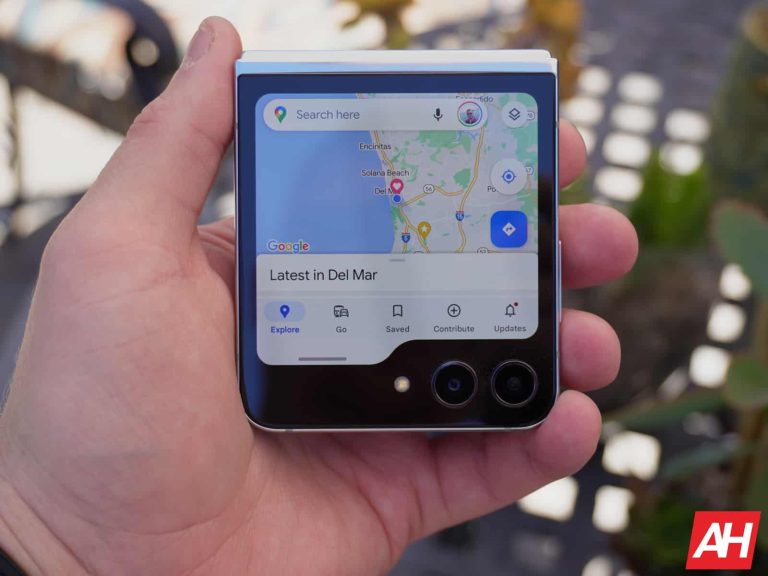
The company has been testing this new change out since February, and people are starting to see it. When you’re using Google Maps, instead of tapping on the screen, you’ll need to swipe up on the search bar to clear out the UI. That’s not the hardest gesture to perform, but it brings unnecessary hand gymnastics into the equation. It involves you reaching up to the top of the screen to perform this.
Now, if you tap on the screen, the app will drop a pin. So, people will open the app and start dropping pins thinking that they’re going to clear the interface. However, Google does show a little notification telling you about the new gesture.
It’s weird that Google chose to do this. There didn’t seem to be a problem with the old method. You were able to clear the screen and drop pins without changing your grip on the phone. This won’t particularly break the Google Maps experience, it will be a bit of an inconvenience.
In any case, if you don’t see this change, Google is still rolling it out. It should reach your device soon.