Healthcare data is one of the most sensitive pieces of information. However, in a recent development, the Colorado Department of Health Care Policy & Financing (HCPF) fell victim to a malicious supply chain attack, resulting in the breach of sensitive medical and health information belonging to millions of Americans.
How did the breach work?
The notorious hacking group, Clop, which previously targeted various financial institutions, including 1st Source and First National Bankers Bank, has claimed responsibility for this attack.
To execute the breach, the threat actors exploited a zero-day vulnerability in IBM’s MOVEit file transfer software, which the HCPF used to manage vulnerable demographics, such as low-income families, the elderly, and individuals with disabilities, under the Health First Colorado (Medicaid) and Child Health Plan Plus programs. While the exact extent is still a subject of debate, reports suggest that the breach has impacted over four million customer records. These records include full names, Social Security Numbers, income specifics, demographic details, birthdates, physical addresses, and other means of contact.
To make matters worse, hackers also managed to access critical Medicaid and Medicare ID numbers alongside health-related and insurance data. The substantial volume of compromised data could potentially facilitate identity theft by threat actors.
Furthermore, the vulnerability, known as CVE-2023-34362, has highlighted broader risks associated with the MOVEit software, as threat actors can use it to acquire additional privileges, thereby gaining unauthorized access to even more sensitive environments.
Response to the breach
In light of the breach, HCPF has committed to providing two years of credit monitoring services through Experian. And although these measures may appear modest, the department is actively enhancing its cybersecurity defenses and managing the repercussions stemming from the MOVEit supply chain breach. Furthermore, HCPF has issued a warning to victims, advising them to take proactive measures to safeguard their personal information, such as monitoring account statements, reviewing free credit reports, and placing fraud alerts.
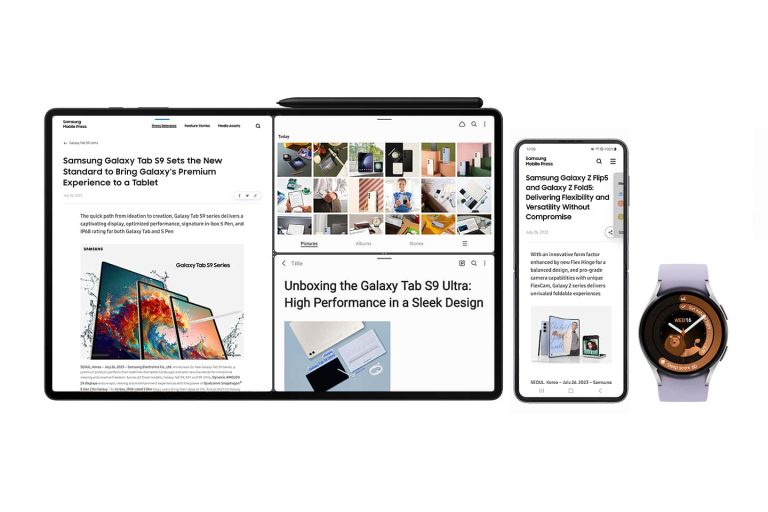
Samsung announced today that it is bringing Galaxy Z Fold 5, Flip 5, Watch 6 and Tab S9 features to older Galaxy devices, thanks to the wider rollout of One UI 5.1.1 and One UI 5 Watch.
Samsung says that One UI 5.1.1 will start to roll out to the Galaxy Z Fold 4 and Flip 4 devices this month. With Galaxy Z Fold 3, Flip 3, Fold 2 and Flip getting the update a bit later on. As far as tablet updates go, Samsung is going to be updating the Galaxy Tab S8, Tab S8+, Tab S8 Ultra, Tab S7, Tab S7+, Tab S7 FE, Tab S6 Lite, Tab A8, Tab A7 Lite, Tab Active 3 and Tab Active 4 Pro. Though Samsung is not specifying when these devices will be updated just yet.
Finally, when it comes to One UI 5 Watch, the Galaxy Watch 5 series, and Watch 4 series will get updated. This update does include Wear OS 4.0, which came standard on the Galaxy Watch 6 series.
One UI 5.1.1 will bring personalized panel management and better multi-tasking. With the update, users will be able to choose whether they want to show or hide the panel when in Flex Mode. Users will also be able to see the media play bar within the Flex Mode panel when watching videos. With the new multi-tasking features, Samsung is making it easier to browse the internet on the Galaxy Z Fold 4, Flip 4 and Tab S8 devices. So that users are able to simultaneously watch content, giving users a more intuitive multi window practice and a seamless drag-and-drop action too.
One UI 5 Watch brings more sleep capabilities and fitness tools
Now when it comes to One UI 5 Watch, it does bring Wear OS 4 from Google. But in addition to that, it also brings in some nice new sleep capabilities. Samsung is introducing new sleep management features including Sleep Score Factors, Sleep Consistency readings and Sleep Animal Symbols analyses. This is all in addition to the sleep coaching access and sleep mode invisible LED infrared sensor that helps users optimize their night of sleep.
One UI 5 Watch also brings some new fitness tools to Galaxy Watch owners. This includes a personalized heart rate zone, irregular heart rhythm notifications, the ability to track run and custom workout features. Meanwhile, Galaxy Watch 5 Pro users will get access to their GPX file database, which will allow them to explore new workout routes.
LG is bringing its wonderfully weird StandbyMe Go TV to the US later this month, and although it might seem like a very strange product (because it is), it’s also a cool product that could easily have many practical uses.
The StandbyMe Go from LG is a TV in a briefcase that feels like the sort of TV you might find being carried around in a 60s Bond film. You know, because Bond gets all those cool gadgets that look like other things but really aren’t those things. At first glance this is just a simple briefcase. But then you open it up and surprise, it’s not a simple briefcase. Instead, it’s a portable TV with a 27-inch 1080p LED display. Powered by LG’s webOS, and housing a battery that lasts for up to three hours.
The display is touch-enabled too, so you could technically use this browsing the web, or just interacting with other apps. It even has built-in 20-watt speakers and has support for Dolby Vision and Dolby Atmos according to LG’s press release. Plus, there’s one single HDMI port. So this would be the perfect companion for, dare I say it, console gaming on the go. It’s the kind of bizarre product that you don’t see come around too often but you’re glad it did.
The LG StandbyMe Go launches later this month
LG initially launched this TV internationally earlier this year, and now it’s making an official US debut later this month. It’s up for pre-order right now for $999 and is supposed to ship by August 28. LG is also giving those who pre-order a free XBOOM 360 Bluetooth speaker (normally $299).
While $999 seems pricey for a small, portable TV, it’s worth remembering what this will allow you do. It’s a full-fledged TV. So that means watching anything you want on things like Apple TV+, Netflix, Prime Video and other apps as long as there’s a Wi-Fi connection. All on the go. And because it has an HDMI port you could use this for hooking up your PS5, Xbox Series X|S, or Nintendo Switch. Should you want to pack those things up to go along with this thing.
If you have the dock you could also hook up the Steam Deck which is infinitely more portable than the PlayStation or Xbox consoles.
LockBit’s leadership vanished for two weeks in August 2023. This suggests that the gang may have been compromised or that there was internal conflict.
LockBit has been unable to consistently publish victim data. This has led to victims refusing to pay ransoms and affiliates leaving the program.
LockBit’s updated infrastructure is not as effective as it claims to be. This is evidenced by the fact that LockBit is still struggling to publish victim data.
LockBit’s affiliates are leaving for its competitors. This is because LockBit is not providing the support and resources that affiliates need.
LockBit ransomware gang missed its most recent release date. This suggests that the gang is struggling to develop new ransomware variants.
LockBit wants to steal ransomware from its rivals. This is a sign that LockBit is desperate and is willing to resort to unethical tactics to stay ahead of the competition.
LockBit, a prominent but infamous ransomware gang that has wreaked havoc across numerous industries, recently vanished from the cybercriminal scene, leaving affiliates and partners in a state of uncertainty. However, their reemergence after a brief hiatus has raised questions about their operational integrity.
A new report from Jon DiMaggio, Chief Security Strategist at Analyst1, “Ransomware Diaries: Volume 3 – LockBit’s Secrets” exposes LockBit’s activities, their targets, and the challenges they’ve been facing.
Dimaggio delved deep into LockBit’s operations and uncovered critical shortcomings within the gang’s modus operandi. In his extensive report, the researcher has highlighted LockBit’s struggles with data publication, deteriorating affiliate partnerships, and a lack of timely support responses. DiMaggio believes LockBit may have been compromised.
In 2022, LockBit reigned as the foremost ransomware group and Ransomware-as-a-Service (RaaS) provider globally. In a shift from traditional ransomware groups, LockBit’s unique approach involves maintaining the ransomware’s functionality, leasing access to it, and assisting affiliates in deploying attacks.
The model has enabled LockBit to foster a wide network of attackers, resulting in diverse tactics, techniques, and procedures employed during ransomware incidents. Affiliates employing the LockBit RaaS model have targeted entities spanning various sectors, including finance, education, healthcare, and government, leaving no industry immune to its malicious grip.
However, Lockbit’s reputation as a ransomware group has taken a serious hit following a series of events that DiMaggio’s exposé of the gang reveals. Earlier this year, they successfully breached and compromised Royal Mail, the United Kingdom’s largest postal service provider, and Maximum Industries.
The gang went on to claim to breach an aerospace manufacturing company with connections to SpaceX. But they failed to publish the data? This, too, after numerous claims that the data will be publicly available if ransomware demands were not met.
LockBit did the same in April 2023 when it announced compromising Darktrace, a British cybersecurity company. The claims were investigated and quickly dismissed by the company, and researchers never saw the claimed data. Instead, publicly available photos of Darktrace founder Poppy Gustafsson were published by the gang.
Photos of Poppy Gustafsson published by LockBit as proof of hack (Screenshot: Hackread.com)
Intriguingly, LockBit has started to rely on empty threats and propaganda to pressure victims into paying the ransom, even though it struggles with publishing victim data consistently due to backend limitations and bandwidth issues. This strategy, coupled with a strong narrative on criminal forums, is an attempt to maintain LockBit’s reputation which frankly, everyone can see through.
Not to mention, instead of the usual roster of legitimate victims, LockBit populated its site with entirely fictitious company names and websites, such as “1.com” and “123.com.” The situation took a funnier twist when LockBit issued a deadline for these fabricated entities to pay a relatively modest $60,000 ransom or face the publication of their nonexistent data.
A threat intelligence company casts doubt on the claims of the LockBit ransomware gang.
The abnormality of the situation became apparent to keen observers. First, the choice of victims itself raised eyebrows – LockBit was demanding an unusually low ransom, inconsistent with their usual greedy demands. Cybersecurity analysts noted that if this had been a genuine case, LockBit would have typically demanded a much larger sum.
Seeing LockBit’s dramatic antics and failure to live up to expectations, affiliate partners, essential for LockBit’s operations, are increasingly dissatisfied due to the gang’s struggles with data hosting and communication.
The research indicates that many affiliates have left LockBit’s program in favour of its competitors, driven by frustrations with unresolved support queries and the gang’s inability to deliver on its data publication promises.
The gang’s use of the secure communication application Tox has led to a growing issue of prolonged wait times for affiliates seeking support. LockBit’s high volume of attacks and expanding partner network has overwhelmed its communication infrastructure, resulting in frustrated affiliates struggling to obtain timely responses to critical queries.
While LockBit has hinted at the possibility of implementing a ticketing system, challenges in ensuring security and confidentiality remain a significant obstacle.
LockBit’s supposed commitment to innovation is challenged by its inability to release significant ransomware updates. Despite their previous successes with LockBit Red and LockBit Black, recent attempts at an update have fallen short, and the gang was found to be using outdated or stolen ransomware from other criminal groups.
According to DiMaggio, the once-feared LockBit ransomware gang appears to be grappling with a cascade of issues, from faulty data publishing and strained communication to outdated ransomware variants and attempts to acquire competitors’ technology.
Overall, the report paints a picture of a ransomware gang that is in decline. LockBit is facing a number of challenges, including technical problems, internal conflict, and competition from other ransomware gangs. It is likely that LockBit will continue to lose ground in the coming months.
The Federal Bureau of Investigation has released an announcement stating that cybercriminals are using mobile-beta testing applications to target victims for malicious purposes. These apps are often distributed through phishing or romance scams.
These applications are capable of stealing personally identifiable information, financial account access, or device takeovers. The mobile-beta testing application resides inside a mobile-beta testing application environment.
Cybercriminals communicate with the victims luring them to test these mobile applications as they promise large incentives and financial payouts. Most of these applications are cryptocurrency exchanges that enable the theft of personal data and money.
Victims are contacted by dating and networking apps directing them to download these malicious applications. Lack of awareness among some victims leads to providing their original account details in those cryptocurrency investment apps.
Victims believe that their money is invested in cryptocurrency, but instead, the application extracts money from the victim as the applications lure for fake investments, as stated by the FBI.
Red Flag Indicators
Identifying malicious applications can be accomplished by paying attention to key warning signs, such as abnormal depletion of mobile battery life, the appearance of unauthorized apps that the user did not install, recurring ad pop-ups, and apps with a high number of downloads but very few reviews.
These indicators may suggest that the app is up to no good and could pose a security threat to the user’s device and personal information.
Recommendations
To prevent this kind of malicious applications, always
Check for the legitimacy of the developer of the application before downloading the app.
Do not download applications from any third-party websites
Do not provide any personal information through email or message
Do not respond to unsolicited emails including links
Be aware of emails that shows a sense of urgency or threats as they are potentially phishing emails
Restrict unwanted app permissions and uninstall applications that are no longer used.
Do not click on any URLs from unsolicited emails
Never open any attachments from senders that you may not know
Users should take up any cybersecurity awareness training and be aware of these kinds of emails to prevent threat actors.
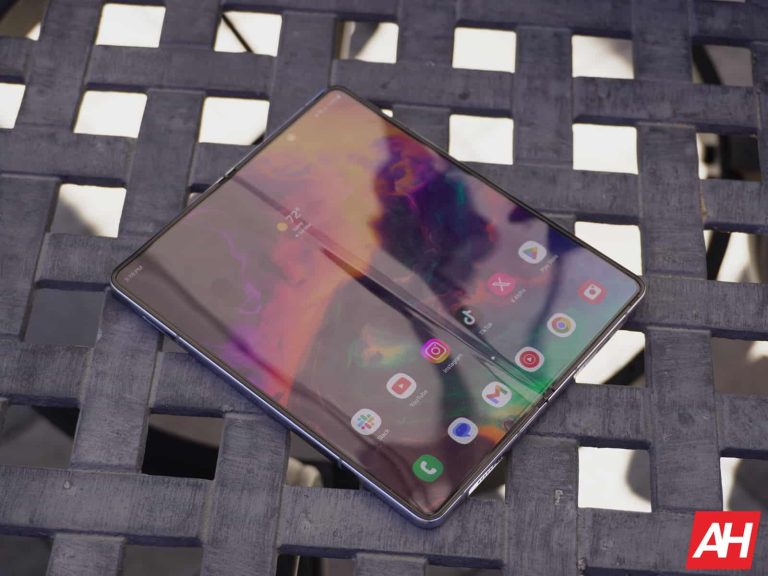
Samsung’s newest foldable – the Galaxy Z Fold 5 – is finally here, and it’s time to go over some tips and tricks for the new foldable. So that you can get the most out of your newest device. Some of this tips and tricks you might already know, while others you may not.
Get an S Pen
To really take full advantage of your new Galaxy Z Fold 5, it’s a good idea to get a S Pen. Now while you can use the S Pen Fold Edition, it’s smarter to get the new Slim S Pen Case. That’s because you’re going to have a case to house the S Pen. It’s also just $99 which includes the S Pen. And normally that S Pen costs around $70 or more. So it’s a pretty good value.
We have already done a round up on the best cases for the Galaxy Z Fold 5, but our number one option is the Eco-Leather Case. This is a really good looking case for the Galaxy Z Fold 5, and comes in both phantom black and icy blue colors. So it can match your Galaxy Z Fold 5, depending on the color you picked up. This case is about $80, but if you want something a bit cheaper, check out our round up here.
A pretty cool feature that is located in Labs (Settings > Advanced Features > Labs) is the Flex Mode Panel. Essentially, this allows to have the Flex Mode Panel in any app.
So when you open the Galaxy Z Fold 5 and have it at a 90-degree angle, you’ll get a control panel on the bottom half with the actual app on the other side. Basically, the bottom half of the phone will give you a trackpad, with a few other shortcuts on the left-hand side. Making it easier to navigate through your Galaxy Z Fold 5.
Using the taskbar makes life easier
Surprisingly, this is a feature that Google actually added to foldables with the Android 12L update. It’s a taskbar that’s similar to what you’d see on a laptop or desktop. At the bottom of the screen, you’ll see the apps from your dock there, along with four of the most recently opened apps. And on the far left side, there’s a button for the app drawer. This allows you to quickly switch between apps. And even drag-and-drop apps into multi-window and pop-up view.
This is close to what you’d see with DeX enabled, but not quite.
Get used to using multi-window and pop-up view
Two features that Samsung has really leaned on with its foldables are: multi-window and pop-up view. Of course, multi-window is not new. This is something Samsung has had since the early Galaxy Note days. But it has continued to get better over the years, especially with foldables.
You can drag and drop apps onto the left, right, bottom or top of the display and use two apps at the same time. Samsung does allow you to use up to three at a time.
Another feature is pop-up view. Which is exactly what it sounds like. It’s basically like having a window open in a desktop device like your computer. You can drag and resize it as well. This is really good since a lot of apps don’t work all that well on the Galaxy Z Fold 5, since many are being forced to stretch to fill the whole screen. Keep in mind that this screen is almost a square, and not a rectangle like most phones.
Never use the front-facing camera again
While we will be doing a separate article on tips and tricks for the Galaxy Z Fold 5 camera system, this is a pretty good tip to include here. With the Galaxy Z Fold 5 having that front-facing or outer display, there’s really no reason to use that front-facing camera on either display. Instead, use the back cameras.
Open your Galaxy Z Fold 5, and then tap the button on the upper right corner. It will look like a square with one side being filled in. This is going to put the view finder on the front display. So you can take a selfie with the rear cameras, and still see yourself to frame the picture correctly.
Use different home screens for each display
Did you know that you can keep both home screens the same, or set up different layouts for each display? Well, you can on the Galaxy Z Fold 5 – you can’t on the Pixel Fold, interestingly. Head into Settings > Home Screen > Cover Screen Mirroring.
By turning off Cover Screen Mirroring, you can set up two entirely different home screen layouts on your Galaxy Z Fold 5. Or if you prefer them to be mirrored, you can leave it on. Just remember that the main display will hold fewer icons this way, so it can mirror properly.
Download Gboard and ditch Samsung’s Keyboard
You should always download Gboard if it is not the default keyboard, but especially on a foldable. Google has done a good job at making its keyboard work really well on larger displays like foldables and tablets. That includes having the split keyboard, making it easier to type on this larger display. Gboard also offers all sorts of other great features, like the ability to theme with your wallpaper.
Get experienced with Good Lock
Good Lock is a must-download app for any Samsung device. And with a foldable, there’s so many more features available with Good Lock. Basically, Good Lock is a customization app that has a bunch of other apps that plug into it. And can essentially change every part of the phone. From the look and feel, to even changing some of the settings. This includes forcing apps to go from the main display to the cover screen (by default it does it the other way around only). Or filling in the under-display camera with black pixels, so it stands out a bit more.
These are really just the beginning of what Good Lock can do.
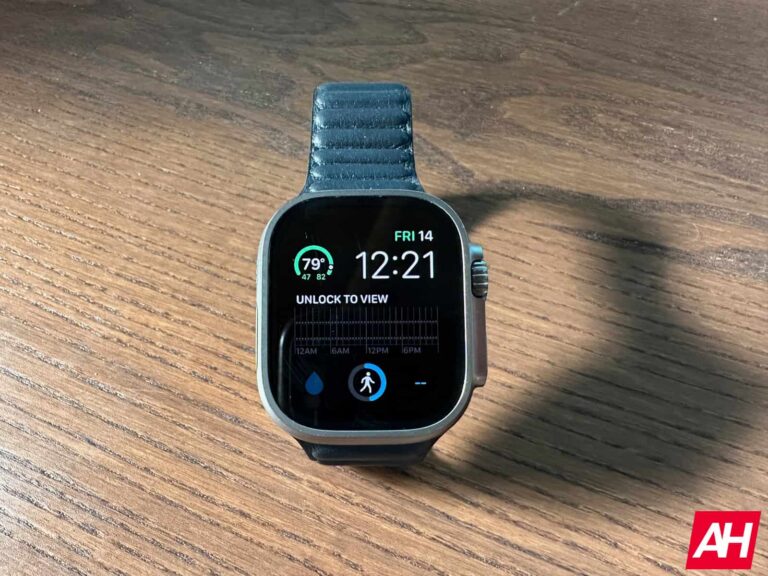
Apple is reportedly planning to launch its Apple Watch X in 2024 with some substantial upgrades. The watch comes to celebrate the lineup’s tenth anniversary.
Apple fans are now excited about the company’s September 12 event to get their hands on the iPhone 15 lineup, Apple Watch Series 9, and the Apple Watch Ultra 2. While the upcoming Apple watches are unlikely to get a revolutionary upgrade, Mark Gurman from Bloomberg now reports that the company is preparing a special product for 2024: Apple Watch X.
Next year will be the tenth anniversary of the Apple Watch lineup. The product is now the best-selling smartwatch in the world, holding around 30% of the market. According to the Bloomberg report, Apple Watch will get a “major overhaul” in 2024. This upgrade could help Apple Watch to continue with its reign in the smartwatch market.
Apple Watch X will launch in 2024 to celebrate the lineup’s tenth anniversary.
We’re over one year away from the Apple Watch X’s official debut, and some details about the watch are still unknown. However, the report revealed that the product gets a new microLED display that outperforms the current OLED displays.
Apple now relies on Samsung and LG for its watches displays. But a Bloomberg report already said Apple will start using in-house screen technology in 2024. Additionally, the transition process starts with the company’s highest-end Apple Watches. So maybe we can expect Apple Watch X to land with an Apple-made display. The outlet continued that Apple in-house displays will also come to other products like iPhones.
More advanced technology for blood pressure monitoring and a new magnetic band attachment system are other upgrades that might land with Apple Watch X. It remains to be seen how the final product in 2024 differs from the current leaks.
Apple Watch Series 9 and the Apple Watch Ultra 2 that make their debut on September 12 could be a disappointment for Apple fans. The watches are said to get a faster processor with some new colors for aesthetic. That’s all you get for 2023, but for 2024, you can rest assured that Apple will do its best to make the lineup’s tenth anniversary more specific.
Texting between iPhones and Android is broken as Apple devices use the company’s dedicated iMessage message service which is not available to Google users. So while Android users can send messages to iPhone owners, the experience is not seamless and with Apple’s refusal to embrace RCS on Google’s insistence, things are unlikely to get better anytime soon. That’s where a new messaging app called Beeper comes in.
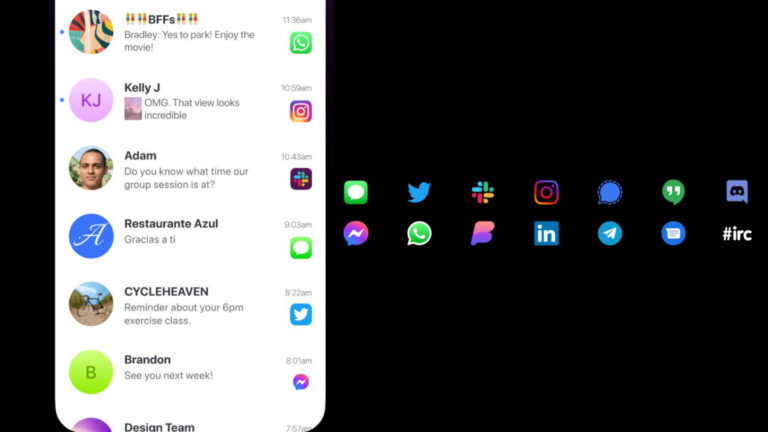
Most of us have multiple messaging apps on our phones, such as WhatsApp and Facebook Messenger and at times, it can get tedious to keep up with all of them. Beeper aims to be a universal chat app that puts chats from different apps in one app.
It supports 15 networks at the moment, including iMessage, Google Chat, Discord, Facebook Messenger, Instagram, Slack, WhatsApp, LinkedIn, Twitter/X, and Telegram. All messages are encrypted and messages from other chat networks that support encryption are re-encrypted.
It’s available on Windows, Mac, Linux, Chrome OS, iOS, and Android and is invite-only at the moment but Gizmodo got early access to it. You’ll have to set up a new account and connect your messaging apps to it.
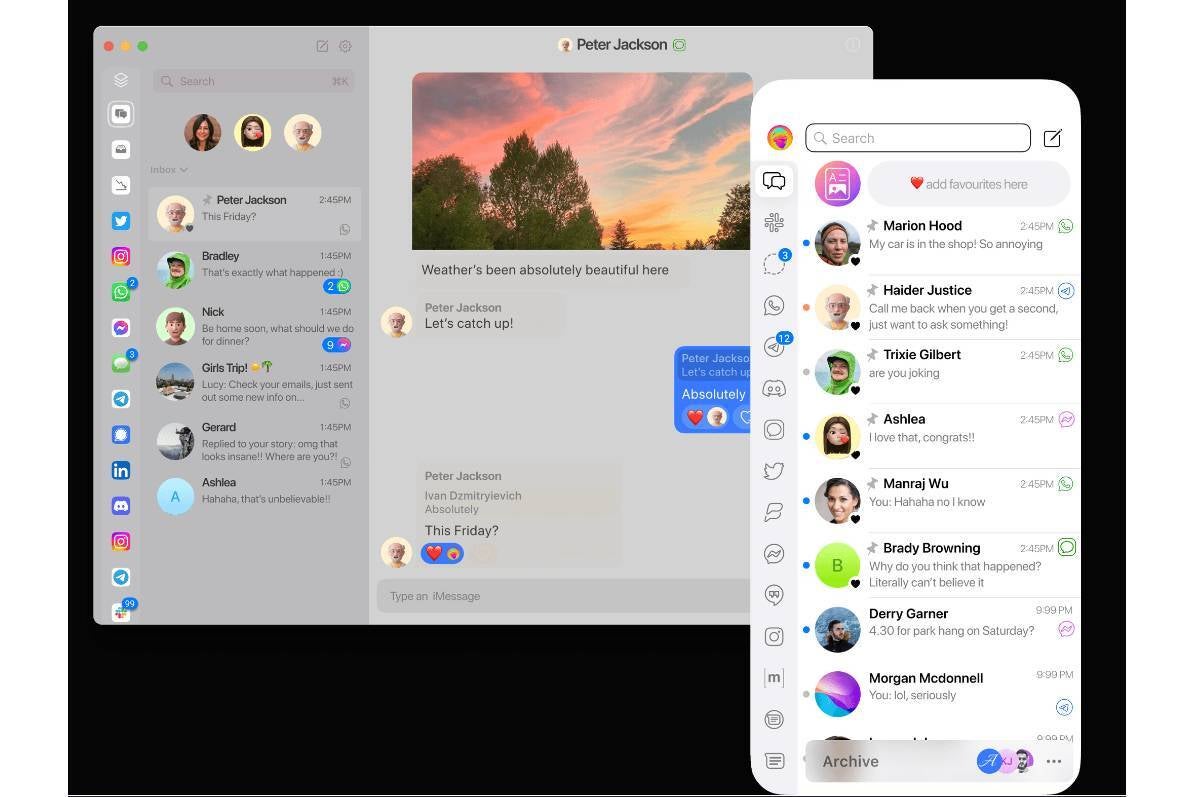
Beeper’s interface
The experience doesn’t exactly sound smooth. For starters, for iMessages, Beeper uses the Apple ID information to sign in as you on a Mac mini which is used as a server for relaying messages to and from your inbox. This could lead to you receiving a few messages about someone else using your account.
Other than that, not all functions are available and occasionally, you might need to go back to original apps for some advanced features.
Since Beeper includes support for iMessage, it should technically let Android users use iMessage, as BGR points out. They will still need to create an Apple ID and borrow someone’s iPhone or iPad to set it up to work with the Apple ID email address.
Since Apple knows that iMessage is one of the things that keep users from defecting to Android, the company may ask Beeper to remove iMessage. But for now, this is a smart way for Android users to text friends who use an iPhone without having to worry about green bubbles, pixelated media, missing read receipts, and no messaging over Wi-Fi.
ScrutisWeb is a secure solution that aids global organizations in monitoring ATMs, enhancing issue response time, and this solution is accessible through any browser.
The following things could be done with the help of this secure solution:-
Monitor hardware
Reboot a terminal
Shut down a terminal
Send files
Receive files
Modify data remotely
Monitor the bank card reader
Cybersecurity researchers at Synack recently discovered several vulnerabilities in the ScrutisWeb ATM fleet monitoring software developed by Iagona.
Flaws Discovered
In total, four vulnerabilities were discovered by the researchers at Synack, and here below, we have mentioned them:-
Successful exploitation of these flaws could enable threat actors to hack ATMs remotely. Exploiting flaws, threat actors can do the following things:-
Access server configurations.
Access server logs.
Access server databases.
Run arbitrary commands.
Get encrypted admin passwords.
Decrypt the encrypted administrator passwords using a hardcoded key.
Remote command execution flaw enables hackers to erase files and establish a foothold, potentially escalating the exploitation in client infrastructure and creating a pivot point for the threat actors.
The CVE-2023-33871 exposes the file access, aiding web app download, while the CVE-2023-38257 and CVE-2023-35763 enable admin log in to the ScrutisWeb console.
Moreover, the hackers gain control to monitor the ATM fleet and perform actions like:-
Management mode
File uploads
Reboots
Shutdowns
More analysis is needed to check if personal ATMs can get custom software for card theft or illicit transactions, but extra tests were beyond the assessment’s scope.
Recommendations
Here below, we have mentioned all the recommendations offered by the US Cybersecurity and Infrastructure Security Agency (CISA):-
Reduce online access for control devices to prevent internet exposure.
Make sure to place the control networks and remote devices behind firewalls, segregating them from corporate systems.
Prefer secure options like VPNs for remote access, and always update to the latest versions.
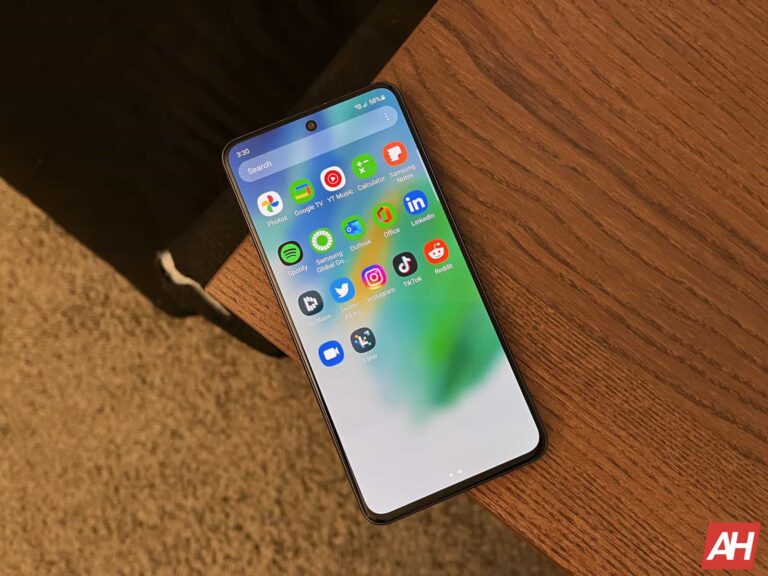
Samsung is rolling out the August 2023 Android security patch to a few more Galaxy devices in the US. The Galaxy S21 FE, Galaxy A53 5G, and Galaxy A52 5G are all receiving the latest security update stateside. The new SMR (Security Maintenance Release) has already reached dozens of other Galaxy smartphones.
As of this writing, Samsung is pushing the August SMR to carrier-locked variants of the Galaxy S21 FE in the US. The update is live for users on T-Mobile, Metro, and Dish networks with the firmware build number G990USQS8EWG3. The official changelog confirms that the device isn’t getting anything more than this month’s security fixes.
These security fixes will soon reach unlocked Galaxy S21 FE units in the US. Meanwhile, Samsung is rolling out the same update in Europe with the build number G990BXXS6EWG9. Users in other parts of the world, such as Asia, Africa, and Latin America, can also expect to receive the August SMR in the coming days.
Galaxy A53 5G and A52 5G also get Samsung’s August update in the US
Along with the Galaxy S21 FE, Samsung is also rolling out the August update to Galaxy A53 5G and Galaxy A52 5G in the US. Once again, the update is limited to carrier-locked units. The new build numbers for the duo are A536USQS7CWH1 and A526USQSAEWG9, respectively. Samsung’s official changelog reveals that the update doesn’t bring anything apart from the latest security patches.
While the Galaxy A53 5G and Galaxy A52 5G aren’t getting the August SMR anywhere else, the rollout is live for the 4G/LTE version of the latter in Asia and Europe. The update comes with firmware version A525FXXS6DWG2 and shares the changelog with the 5G version. Note that the Galaxy A53 wasn’t sold in a 4G flavor, while the 4G version of the Galaxy A52 never arrived in the US.
While the Galaxy S21 FE, Galaxy A53 5G, Galaxy A52 5G, and Galaxy A52 may not be getting any new features or improvements with the August update, the latest SMR contains plenty of vulnerability fixes. To be specific, it patches 86 vulnerabilities across the Galaxy family. At least three of those were critical security flaws, Google and Samsung confirmed earlier this month.
If you’re using any of these Samsung smartphones and have yet to receive the August update, you should soon. Watch out for a notification prompting you to download the OTA (over-the-air) update. You can also manually check for new updates from the Settings app on your phone.




.webp "Hackers Using Beta-Testing Apps")