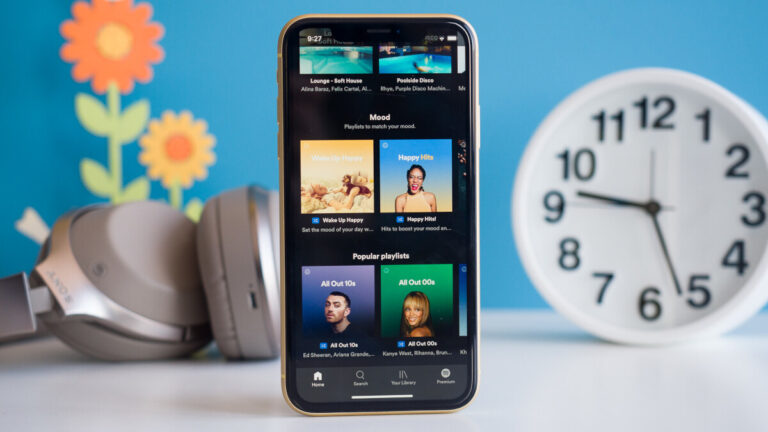
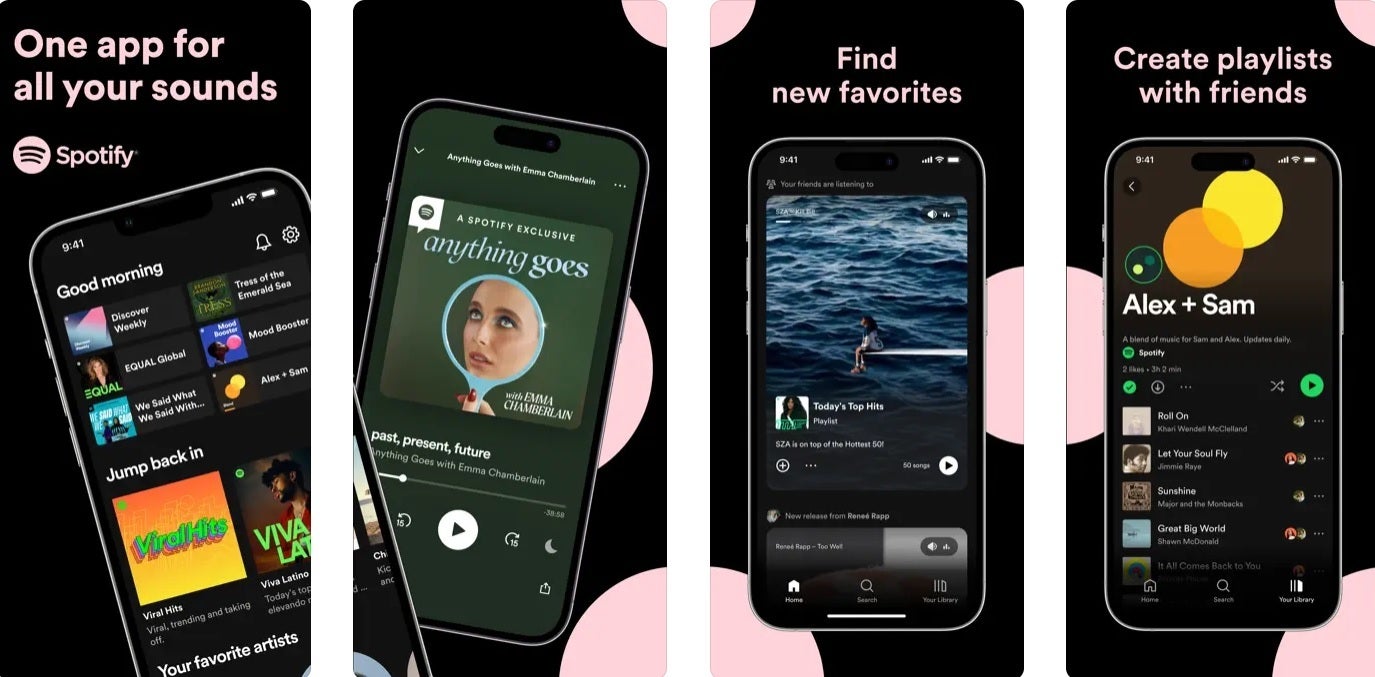
Since May 2016, subscribers to Spotify’s Premium tier have not been allowed to pay for their service through Apple’s App Store. That’s because Spotify is not happy with the up to 30% cut of in-app transactions that Apple takes to process in-app payments made through the App Store. Prior to May 2016, Spotify’s Premium subscribers had a window from June 2014 to May 2016 during which they could opt in to make their payments via the App Store.
But Spotify has decided to no longer allow these grandfathered Premium tier subscribers to continue making their payments through the App Store. In an email, Spotify told these subscribers, “We’re contacting you because when you joined Spotify Premium you used Apple’s billing service to subscribe. Unfortunately, we no longer accept that billing method as a form of payment.”
Spotify is telling these subscribers that at the end of their next billing period their account will “automatically switch to our Free, ad-supported service… If you wish to keep your Premium subscription, you will need to re-subscribe after your last billing period has ended and your account has been moved on to the Free account.” If the subscriber decides that he wants to rejoin the Premium tier, he will then have to decide how to pay for the Premium service using a payment method that Spotify accepts including credit cards and PayPal.
Spotify will no longer allow even grandfathered Premium subscribers to pay for service via the App Store
A Spotify rep said that it informed “a small number of users that a legacy payment method that their Premium account is attached to, is being deprecated. Users notified by email will automatically move to a Free account from their next billing cycle. Users will then have the option to upgrade to a Premium account by logging into their account at Spotify.com. These actions will help ensure that we can continue to provide a consistent best-in-class subscription experience for all our users.”
In other words, once their current Premium subscription ends, those Spotify members who have been allowed to pay via the App Store will have to join the ad-supported free tier of service unless they resubscribe to Premium and pay through Spotify’s processing platform using a payment method accepted by Spotify.
As it turns out, only a small number of Spotify’s Premiumn subscribers pay for their subscriptions through the App Store A regulatory filing from 2019 revealed that Apple took a 15% cut on only 680,000 Spotify Premium subscribers compared to the more than 100 million Premium tier members that the streamer had.
Spotify filed a complaint with the European Commission back in 2019 over the 30% Apple Tax. Apple accused the music streamer of using the App Store to help it grow over the years “without making any contributions to that marketplace.” While Spotify has also complained about the 30% cut Google takes from in-app transactions made through the Play Store, Spotify and Google agreed last year to give those who are paying for Spotify via the Play Store the option to pay through Google Pay billing or via Spotify’s billing platform.
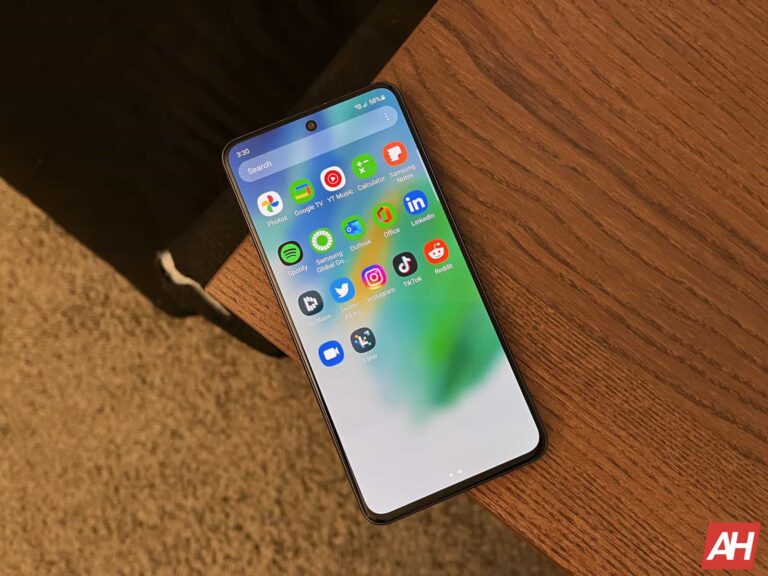
Samsung recently confirmed that it will re-launch the Galaxy S21 FE in India with the Snapdragon 888 processor. While a precise launch date is still missing, the company seems to have ramped up preparations for its arrival. It has supplied training modules to its sales representatives, and those have found their way onto the internet.
Published by TheTechOutlook, Samsung’s official training materials for the Snapdragon-powered Galaxy S21 FE detail its specs. It confirms that the company is bringing the existing Snapdragon version of the phone to India. For the uninitiated, this phone was originally launched in two processor variants. India and a few other markets got the Exynos 2100, while the rest of the world got the Snapdragon 888.
There will be a couple of changes, though. Firstly, Samsung is doing away with 6GB RAM and 128GB storage versions. The Snapdragon-powered Galaxy S21 FE will come with 8GB of RAM and 256GB of storage. It will not be available in any other memory configuration. Additionally, it will offer the phone in a new color option: Navy Blue. This is in addition to the existing Graphite, Lavender, and Olive colors.
Everything else will remain the same. For a quick recap, the Galaxy S21 FE features a 6.4-inch FHD+ Dynamic AMOLED 2X display with a 120Hz refresh rate. It comes with Corning Gorilla Glass Victus protection and an aluminum body. The device features three cameras on the back, including a flagship-grade 12MP primary shooter with OIS (Optical Image Stabilization), 8MP zoom camera (3x), and 12MP ultrawide lens. On the front, we have a 32MP camera.
A 4,500mAh battery fuels this phone with support for 25W fast wired charging and 15W wireless charging. The Galaxy S21 FE also supports reverse wireless charging. Other highlights include stereo speakers, an under-display fingerprint scanner, Samsung DeX support, Samsung Knox security, Wi-Fi 6, NFC, and an IP68 rating for dust and water resistance. It’s unclear if Samsung will ship the Snapdragon version with Android 13 out of the box, though.
Samsung is pitting the “new” Galaxy S21 FE against the iPhone 12
Samsung has already identified the competitors for the Snapdragon-powered Galaxy S21 FE in India. Its training materials compare the phone with the iPhone 12, iPhone 11, and OnePlus 11R. The latter phone is currently priced at ₹39,999 (roughly $490) in the country, a price tag that the new Samsung phone is also rumored to carry. Anything higher and the device might be a tough sell for the company. Stay tuned for the official launch, which may take place within the next few days.
ChromeOS round edges are one of the most anticipated upgrades to the system. But finally, some ChromeOS users are noticing this feature pop-up with a new upgrade. However, this feature isn’t available as a stable upgrade and only some users can get access to it for now.
For now, the rounded edges on ChromeOS are only available to developers. This design tweak is accessible via the ChromeOS Canary latest upgrade, and it gives a glimpse into the future. Soon, ChromeOS users will be able to enjoy rounded edges on their apps and other areas of the interface.
Over the past few months, Google has added the Material You feature to the ChromeOS interface. These additions bring laptops and tablets running on this software up to par with the design elements on Android devices. Adding rounded edges to the interface would be the next thing to follow.
Get ready for rounded edges that are coming to ChromeOS soon
If you are an Android user, you should be accustomed to seeing rounded edges across the user interface. This cuts across apps to the control center and even widgets. Round edges make the entire Android operating system a bit more beautiful to look at and use.
However, this has not been the case with ChromeOS, because Google owns both operating systems. While certain parts of ChromeOS play around with round edges, the majority of the system feels blocky. While working with a lot of apps across the screen, you’d notice the sharp edges of the apps’ layouts.
Minimizing the apps would also show pointy edges, unlike the round ones found on Android devices. This is a bit of an eyesore for some users, and Google is working on that. With the new ChromeOS Canary, developers can activate the rounded-window flag and step up the entire design.
Not only does the latest Canary update bring round edges, but it also allows users to customize how round the edges get. They can go from slight curliness to more pronounced curves on the edges of the UI elements. So, not only is Google stepping up the design of ChromeOS, but also giving users customization control.
For now, this update is only available to users of ChromeOS Canary and not the stable version. Google will make this update available to regular ChromeOS users in the coming months. While the exact date for its release isn’t clear, you can expect it to arrive with a coming system update.
As the number of self-driving cars increases, so does the number of cameras on the roads. This creates a possible privacy issue.
Self-driving cars peel off an extra layer from our privacy, says security expert Bruce Schneier.
Theoretically, if you know the location of all the closed-circuit television (CCTV) cameras in a neighborhood, you might be able to move around without one of them ever catching a glimpse of your face. Although depending on where you live, that might already be hard to accomplish.
But dashcams and the recordings made by self-driving vehicles are an entirely different matter. Their locations and camera angles are unpredictable, so they may catch us off-guard at any given moment. Waymo’s sensor suite, for example, works together to construct a detailed 3D picture of the world, showing moving and still objects. You could be one of those objects without realizing it.
Schneier quotes a Bloomberg article which highlights a few cases where serious crimes and accidents were the reason for law enforcement to request camera recordings from self-driving fleets such as Waymo and Cruise. In addition to a San Francisco homicide, Bloomberg’s review of court documents shows police have sought footage from Waymo and Cruise to help solve hit-and-runs, burglaries, aggravated assaults, a fatal collision, and an attempted kidnapping.
And many will point that out as the positive side of this privacy dilemma. We want these criminals to get caught, but on the other hand we don’t like the idea of being followed around. Police have already used footage from CCTV cameras to monitor the movement of people around crime scenes and help identify suspects. As the number of self-driving cars increases, so does the number of cameras that can be used to accomplish this.
If you look at Russia, where almost every car has a dashcam due to insurance fraud reasons, no major event happens outside that isn’t caught by multiple dashcams. But this is a different problem because the dashcam footage is stored locally and can be used at the discretion of the owner. That doesn’t increase your privacy, but lessens the chance of the footage being used.
The same is true for some video doorbells and security camera’s although there have been cases where the police went over the owner’s head and asked for footage directly from companies such as Amazon.
Self-driving fleets store the recorded data for long durations to help improve their capabilities. This makes requesting the data from all the self-driving cars in an area at a certain point in time a lot easier and more effective.
The continuous recording creates an enormous amount of stored data and it’s obvious why the police have begun tapping into them for law and order enforcement. But it has already become clear that employees can’t always resist the temptation to share such footage for much less noble causes.
Last year, the EFF said:
“There are always going to be situations in which it might be expedient for public safety to be able to get around some of the usual infrastructure and be able to get footage very quickly.”
But the problem is that the people who are deciding what constitutes exigent circumstances and what constitutes the type of emergency, all of these very important safeguards, are the police, who have already decided they need the data, and tech giants like Google and Amazon that already have a bad reputation when it comes to our privacy.
Malwarebytes EDR and MDR removes all remnants of ransomware and prevents you from getting reinfected. Want to learn more about how we can help protect your business? Get a free trial below.
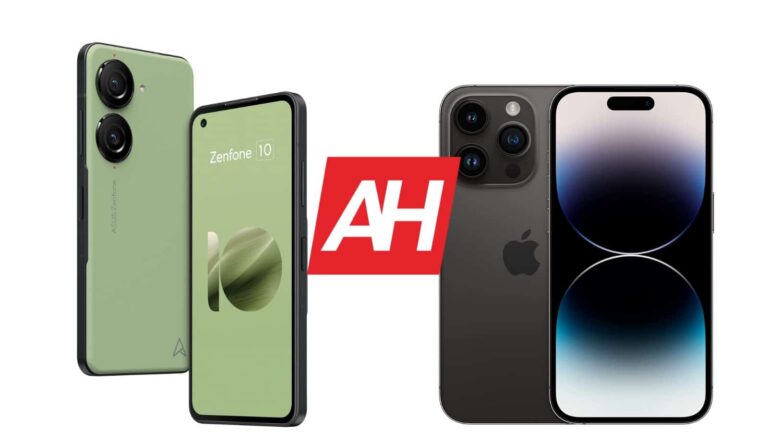
The ZenFone 10 is the latest flagship from ASUS, and it’s a very interesting one. This is a compact powerhouse, and that’s not something we see often these days. Apple has a somewhat compact powerhouse of its own, and those are the two phones we’ll be comparing here. We’ll compare the ASUS ZenFone 10 vs Apple iPhone 14 Pro. The ZenFone 10 is a bit more compact, while it’s also more affordable than Apple’s offering.
We’ll first list their specifications, and will then move to compare their designs, displays, performance, battery life, cameras, and audio performance. These two phones are considerably different, and this comparison could turn out to be quite interesting, actually. The ZenFone 10 is a great phone, it turns out, so let’s see how it compares to the iPhone 14 Pro.
Specs
ASUS ZenFone 10
Apple iPhone 14 Pro
Screen size
5.9-inch FullHD+ Super AMOLED display (up to 144Hz refresh rate, 1,100 nits peak brightness)
6.1-inch LTPO Super Retina XDR OLED display (120Hz refresh rate)
Both devices come with rounded corners and flat sides. ASUS did a better job of adapting the phone for in-hand comfort, though, due to the fact it has a soft-touch back, which is not flat with the frame, it curves out. The iPhone 14 Pro has a glass backplate, on the other hand. The ZenFone 10 has a frame made out of aluminum, while the iPhone 14 Pro comes with a stainless steel frame.
Both smartphones have flat displays, with different front-facing camera setups. The ZenFone 10 includes a display camera hole in the top-left corner. The iPhone 14 Pro has a pill-shaped cutout at the top, which is centered. Apple’s implementation is more of an eyesore, due to its size. Apple does try to minimize that by including that cutout into iOS itself via animations and whatnot.
The bezels around the display on both smartphones are quite thin, though the ones on the iPhone 14 Pro are also uniform. The ZenFone 10 has two cameras on the back, each of which has its own camera island. The iPhone 14 Pro features three cameras on the back, all of which are a part of the same camera island. The ZenFone 10 is slightly shorter, noticeably narrower, and a bit thicker. It’s also a lot lighter at 172 grams, compared to the 206 grams of the iPhone 14 Pro.
Both smartphones offer IP68 certification for water and dust resistance. The ZenFone 10 is easier to use with one hand, and also more pleasant to hold in general. Both devices feel like premium pieces of tech in the hand, though.
ASUS ZenFone 10 vs Apple iPhone 14 Pro: Display
You will find a 5.9-inch fullHD+ (2400 x 1080) Super AMOLED display on the ZenFone 10. That display is flat, and it has 144Hz refresh rate support. It also supports HDR10+ content, and its brightness gets up to 1,100 nits. The panel has a 20:9 aspect ratio, while the Gorilla Glass Victus is placed over the panel. Do note that the 144Hz refresh rate is available only during gaming, though.
The iPhone 14 Pro, on the other hand, has a 6.1-inch 2556 x 1179 LTPO Super Retina XDR OLED display. That panel is also flat, and it supports a 120Hz refresh rate. HDR10 content is also supported, as is Dolby Vision. This panel goes up to 2,000 nits of peak brightness and has a 19.5:9 aspect ratio. The Ceramic Shield glass is placed on top of the display, for protection purposes.
Both of these panels are great. They’re more than sharp enough and offer good viewing angles, and touch response. The colors are vivid, and the blacks are deep. The iPhone 14 Pro’s panel does have one major advantage, its brightness. If you use your phone under direct sunlight often, the iPhone 14 Pro is definitely the better choice. The ZenFone 10’s display is not exactly dim, but when you’re in direct sunlight, you’ll notice the brightness difference. In all other aspects, however, both displays are bright enough.
ASUS ZenFone 10 vs Apple iPhone 14 Pro: Performance
The Snapdragon 8 Gen 2 SoC fuels the ZenFone 10. ASUS also included up to 16GB of LPDDR5X RAM inside of this phone, and up to 512GB of UFS 4.0 flash storage. The iPhone 14 Pro is fueled by the Apple A16 Bionic processor, while it includes 6GB of RAM, and up to 1TB of NVMe storage. Neither phone offers a storage expansion, by the way.
The performance is outstanding on both smartphones. Needless to say, they have entirely different software pre-installed, but both perform great. They’re both very smooth, and that goes for overall performance and scrolling. They multitask like nobody’s business and can handle pretty much every game in their respective app stores. We did not notice any outstanding bugs or anything of the sort. Both phones are also expected to perform great for years to come, but it remains to be seen.
It is worth noting that the ZenFone 10 does get hotter during gaming, but nothing out of the ordinary. This phone is a bit smaller, so… it’s normal. We did not really have issues during gaming, even though we did not play that many games. During our testing, however, they performed really well, as did the iPhone 14 Pro.
ASUS ZenFone 10 vs Apple iPhone 14 Pro: Battery
ASUS included a 4,300mAh battery inside the ZenFone 10. The iPhone 14 Pro, on the flip side, has a 3,200mAh battery. Now, both smartphones do offer good battery life, but the ZenFone 10 simply dwarfs the iPhone 14 Pro. The iPhone 14 Pro can cross the 7-hour screen-on-time mark without a problem, even push over the 8-hour mark in some instances. Well, with the ZenFone 10, we’ve managed to reach the 10-hour screen-on-time mark a number of times, and even reach the 11-hour level on one occasion.
Needless to say, this is outstanding battery life from the ZenFone 10, especially considering its size. The phone just keeps on going. Your mileage may vary, though, of course. You will be using different apps, and will be using the phone in a different way altogether. On top of that, your signal strengths will be different. If you’re a gamer, the battery life will be considerably lower on both phones, so keep that in mind.
As far as charging is concerned, that’s another comparison that goes in the ZenFone 10’s favor. The phone supports 30W wired, 15W wireless, and 5W reverse wired charging. The iPhone 14 Pro supports 20W wired, 15W wireless (MagSafe) and 7.5W wireless (Qi) charging. Do note that the ZenFone 10 ships with a charger, unlike the iPhone 14 Pro.
ASUS ZenFone 10 vs Apple iPhone 14 Pro: Cameras
ASUS included a 50-megapixel main camera on the ZenFone 10, and a 13-megapixel ultrawide unit (120-degree FoV). The iPhone 14 Pro, on the other hand, has a 48-megapixel main camera, a 12-megapixel ultrawide camera (120-degree FoV), and a 12-megapixel telephoto camera (3x optical zoom). Both phones do a great job with these cameras, but there are quite a few differences.
First of all, let’s just say that the ZenFone 10 doesn’t include a telephoto camera. So if you plan on zooming in, all you get is digital zoom. The main cameras on both phones do perform well, but offer different results. The images from the ZenFone 10 do end up looking more saturated, and have a more processed look to them. The iPhone 14 Pro provides images that are closer to real life.
The HDR performance is good on both, but the iPhone 14 Pro does mess up the highlights here and there. The ZenFone 10 is more reliable in that regard. On the flip side, we did notice some autofocus issues on the ZenFone 10, but we do hope they’ll be fixed soon. In low light, both phones do a great job, though the iPhone 14 Pro likes to keep things a bit darker and closer to what you actually see.
The ZenFone 10 has superb stabilization, and it can rival the iPhone 14 Pro in that regard, without a problem. The overall footage does still look a bit better on the iPhone 14 Pro, but the ZenFone 10 is not far behind, not at all. We’d even say its stabilization is better overall.
Audio
There is a set of stereo speakers on each of these phones. Both are loud enough, but nowhere near the loudest ones we’ve seen. In direct comparison, the iPhone 14 Pro speakers are a tad bit louder, but not by much. Both sets of speakers are well-tuned and sound good overall. They even offer a bit of bass.
If you need an audio jack, one is located on the ZenFone 10. You will not get one on the iPhone 14 Pro, however. You’ll need to use the phone’s Lightning port. As far as wireless audio is concerned, both phones support Bluetooth 5.3.
According to @GhostyTongue, a Twitter account sharing exclusive information about the alleged Nickelodeon data leak, two individuals apparently involved in the leak have reportedly faced action from law enforcement.
Nickelodeon is adored by millions across the globe but lately, rumors circulating on the internet suggest that the renowned children’s entertainment network has fallen victim to a significant data breach or leak.
According to several internet forums and tweets, approximately 500GB of data, including unreleased television shows, scripts, and other materials, have been compromised.
Reportedly, Nickelodeon’s legal team has taken swift action, aggressively pursuing Digital Millennium Copyright Act (DMCA) takedowns. Merely mentioning the contents of the leak has resulted in severe consequences for the individuals involved.
Allegedly, the leaked data is said to have originated from Nickelodeon’s “consumer products and experience” portal. An authentication issue within the system allowed unauthorized users to gain access to the Nickelodeon animation department’s sensitive content.
Although the leak was initially observed in January 2023 on Discord, Nickelodeon has since addressed the vulnerability and patched the portal.
On June 29th, a Twitter user with the handle @GhostyTongue disclosed details about the alleged leak in Nickelodeon’s animation department. According to @GhostyTongue, two individuals involved in the leak, known by their Discord usernames as “BowDown” and “IncidentalSeventy,” have reportedly faced action from either law enforcement or Nickelodeon itself.
Adding to the claims, @GhostyTongue stated on July 2nd that a private Discord server had recently circulated a URL to download an entirely new leak. This time, it allegedly contained the source code for all Nickelodeon Flash Games.
Nickelodeon flash games and video content as shared by @GhostyTongue
In a separate development, a user on 4chan claimed to possess insider information regarding the breach. The user asserted that Nickelodeon’s internal database had been compromised for over a year, potentially impacting all current productions.
According to their account, numerous private communities have been sharing portions of the leaked files, with trusted members having access to more extensive leaks containing assets such as PSDs, scripts, and animation files.
The user estimated that the breached data amounts to over 500GB and includes thousands of files from various shows, including high-profile series like SpongeBob.
It is also worth noting that the claims of 4chan user match with the list of leaked content shared by @GhostyTongue on their Twitter account:
Hackread.com has also seen a list of Nickelodeon’s animation pitch bibles that have been making rounds on the Internet. However, we will refrain from sharing screenshots or downloadable links due to legal reasons.
Some among many of the leaked animation pitch bibles (Screenshot credit: Hackread.com)
It is crucial to note that the authenticity of these claims and the nature of the data leak remain unverified. Furthermore, the origins of the incident are still uncertain, leaving open the question of whether it was an internal security lapse or an external cyberattack. Hackread.com has undertaken an investigation to shed light on these matters.
The Déjà vu of the HBO Breach
The recent rumors surrounding a potential data breach at Nickelodeon bring to mind the notorious HBO data breach that occurred in 2017. During that incident, hackers infiltrated HBO’s systems and leaked unreleased episodes of the popular series Game of Thrones, along with other sensitive data.
The HBO hacking saga lasted for several months, causing significant distress for the network and its viewers. It wasn’t until later that an Iranian citizen named Behzad Mesri emerged as the alleged perpetrator behind the HBO hack. Mesri was subsequently charged and indicted for his involvement in the cyberattack. To this day, he remains wanted by the FBI.
While drawing parallels between the Nickelodeon rumors and the HBO data breach is natural given the nature of the alleged incidents, it is essential to treat the current situation as a separate and distinct event. Investigations are still ongoing, and concrete evidence regarding the extent and nature of the Nickelodeon data leak is yet to be confirmed.
As more information becomes available, Hackread.com will continue to provide updates on the alleged Nickelodeon data breach, clarifying the extent of the incident and its implications for the entertainment industry giant.
We take a look at a change to Google’s Privacy Policy which indicates the use of public data for AI training.
Additions to Google’s Privacy Policy are making some observers worry that all of your content is about to be fed into Google’s AI tools. Alterations to the T&Cs now explicitly state that your “publicly available information” will be used to train in-house Google AI models alongside other products.
From the Privacy Policy page:
In some circumstances, Google also collects information about you from publicly accessible sources. For example, if your name appears in your local newspaper, Google’s search engine may index that article and display it to other people if they search for your name. We may also collect information about you from trusted partners, such as directory services who provide us with business information to be displayed on Google’s services, marketing partners who provide us with information about potential customers of our business services, and security partners who provide us with information to protect against abuse. We also receive information from advertising partners to provide advertising and research services on their behalf.
You may be wondering where the reference to AI comes into play here. Me too! I’ve given talks on EULAs and privacy policies regarding some of the most excessive privacy policies around. I waded through every section tied to the privacy policy page, and I couldn’t find the relevant section. It eventually had to be pointed out to me that what look like hyperlinks leading off-site are actually links to pop open additional information on the terms used.
With this in mind, going back to the above extract, we need to click on “Publicly accessible sources” to see the following:
For example, we may collect information that’s publicly available online or from other public sources to help train Google’s AI models and build products and features, like Google Translate, Bard and Cloud AI capabilities. Or, if your business’ information appears on a website, we may index and display it on Google services.
Given the controversy over AI use generally, it might not seem like the best idea to have this information be easily missed on a page where it should perhaps be a lot more prominent.
What does this mean in plain terms? In pre-AI times, if you posted something online, whether a blog, a photograph, a piece of music or something else, there’s a good chance it would end up scraped by a search engine. This is how search engines work, and this is how you find the content you’re looking for when entering search terms.
But what Google is saying here is that from now on, all of the above will still happen. It’s just that the new addition means your text, photos, and music could end up helping to train its products and “AI models”.
As Gizmodo notes, previously it only referenced the popular Translate tool. Now Bard and Cloud AI are thrown into the mix. Bard is Google’s AI chat service, and if you were wondering: it does indeed make use of images. It ran into teething problems shortly after release, sharing false information in its own announcement. It’s no wonder that Google would try and make as much data as possible up for grabs with regard to feeding the ever-hungry AI tools with more information.
With so many AI tools doing things like falsely claiming that people have written articles or just running into copyright trouble generally, we have no real way to know if this will actually improve anything. You may have had some objections to search engines making bank from content you post online, but there is some positive return there in the form of your content being placed in front of people. Now we have AI spam posing a threat to said engines, while your content is potentially being monetised twice over with new AI policies coming into force.
Although the initial outlook for AI-generated content and scraping looks grim, it’s arguable if the current spam laden system is much better. The problem is we may just be trading one set of poor results and faulty tools for another.
Malwarebytes EDR and MDR removes all remnants of ransomware and prevents you from getting reinfected. Want to learn more about how we can help protect your business? Get a free trial below.
Who’s going to be the last man standing? There are tons of games out there that ask that question. The Google Play Store is home to a lot of them. If you’re on a journey to find the best battle royale games on the Play Store, then look no further. Here’s a list of games that you should be playing if you love this genre.
This is a list of games that fit the classic definition of a battle royale game. These are games that pit you against other opponents in a large open space. You gather items as you go on and you win the match if you’re the last one standing. The entire game could center around this or it could be a mode.
Top 10 Best Battle Royale Android Games
Here’s a quick overview of the apps including the prices and in-app purchases associated with them.
Game
Download Cost
In-app cost (per item)
Call of Duty Mobile
Free
$0.99 – $99.99
PUBG MOBILE
Free
$0.49 – $394.99
CRSED
Free
$1.49 – $99.99
ZombsRoyale.io
Free
$1.99 – $99.99
Zooba
Free
$0.99 – $394.99
Farlight 84
Free
$0.99 – $49.99
Battle Prime
Free
$0.99 – $99.99
Free Fire MAX
Free
$0.29 – $144.99
OVERDOX
Free
$0.99 – $99.99
Call of Guns
Free
$0.99 – $100.00
Call of Duty Mobile
Download Cost: Free
In-App Cost: $0.99 – $99.99
Size: 2GB
Google Play Rating: 4.3 stars out of 5
Call Of Duty Mobile was a smash hit when it launched, and it’s continuing to pump out seasons. While most of the game follows the core CoD gameplay, there’s a battle royale mode that you can play. This shouldn’t come as a surprise seeing as Tencent was a company that worked on the game.
This brings the classic battle royale gameplay to the game’s already fun mechanics. Like with most other battle royale games, your character is deployed from an airship, and you need to descend to the area that you want to land in. When you land, you’ll need to quickly find items like weapons, ammunition, armor, and more. Make sure that you are well-equipped to take on the enemies that you run into.
This pretty much characterizes most of the other battle royale games out there. With this game, you’ll feel comfortable if you’re a fan of this game. All of the gameplay mechanics and controls are the same, so you might have the edge over the competition.
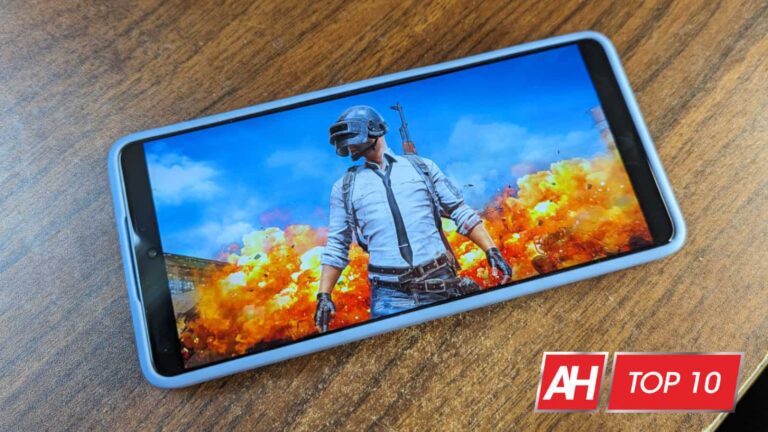
No list of best battle royale games would be complete without one of the pioneers of the genre. PUBG Mobile has been a crowd favorite since it hit the mobile scene several years ago. This game laid the groundwork for other battle royale games to come about.
The thing about this game is that it’s always full of fun activities and events that keep the audience interested. Whether there are partnerships with notable figures, promos for upcoming movies, or just cool exclusive events, there’s always something to keep the experience fresh.
As for the gameplay, there’s not much that differentiates it from the other games. But, as stated, this is one of the first to bring on the gameplay, so that’s to be expected. You’ll need to be the last one standing in the round to bring home the gold. In PUBG, it’s called a “Chicken Dinner”.
CRSED is a battle royale game that ditches one of the trademarks of the genre, but this could be a good thing. Your character doesn’t deploy from a plane. Instead, your character starts off on the ground and you thrust right into the action. Another difference is that you don’t start off empty-handed. You start off with a knife.
However, there aren’t many other differences that set this game apart from other battle royale games. Shortly after you start the round, the play area will start to restrict. Once you’re outside of the play area, your character will start automatically losing health. This is a tactic to squeeze all of the players into one area to finish off the round.
Overall, this game is pretty simple compared to other games in the genre. That works to its credit, however. CRSED is a game that you can pick up and casually play to pass the time.
ZomsRoyale.io takes the fun of battle royale games and brings it into the 2D world. Just like with other games in the genre, you’ll be deploying from a plane and landing in an area. When you land, you’ll need to load up on items to make you a 2D tour de force.
Most of the mechanics you’d find in a 3D battle royale game are replicated in 2D. You’re still able to go into buildings and snoop around for weapons. Also, you’ll still load up on items to heal you and help you out in other ways. Also, you’ll see the play area shrinking as time goes on.
This is definitely a nice and casual version of a battle royale game that you can play. There’s not much fanfare when you’re starting a round. You just drop off, collect items, and unleash hell.
The only thing that makes a battle royale game better is a cast of adorable and deadly woodland creatures. Zooba is a battle royale game that sits apart from other games because of this fact. Each character has their own personality and voice, so you’ll definitely find one to get attached to.
When you start around, you won’t descend from the sky. Instead, you’ll start on the ground, and you’ll need to start gathering weapons and items to fight off the enemies. You’ll be able to gather different types of weapons like spears, guns, and explosives.
As with other battle royale games, the play area will close in on you, locking you and your enemies in. You’ll need to stay within the play area to avoid losing your health.
Flight 84 captures the spirit of bigger battle royale games, and it has a distinct Fortnite-esque aesthetic. While it’s not as well-known, it still looks great. When you start, you’ll be able to choose from a cast of creative characters. The characters are one of the main reasons to play this game.
This game plays like the other battle royale games on the market. Instead of parachuting from a jet, you’re launched from your own separate pod. After you land on the ground, it’s go time. You’ll need to gather weapons to use in battle, and there are a bunch of different types of items to pick up. This is a futuristic game, so there are teleporters, shields, and other forms of tech.
It’s like Fortnite and Apex Legends had a baby. That’s convenient because Fortnite is no longer on the Google Play Store and Apex Legends Mobile was shut down. If you’re looking for a game to help fill that void, look no further.
Battle Prime is a battle royale game that takes some inspiration from games such as Call of Duty. It has the whole grounded aesthetic that contrasts games like Fortnite and Apex Legends. It’s a fun game to play if you’re a fan of more realistic games.
While Battle Prime is more realistic, there are still some futuristic weapons and items that you can gather. In fact, the game takes place in a futuristic battle simulation.
When it comes to the gameplay, it’s pretty straightforward. You’ll use the virtual joystick on the left of the screen to move and the buttons on the right side to perform actions.
Free Fire MAX, in terms of its overall charm, is like similar to PUBG. It has a serious and grounded nature to it, but it’s not afraid to throw some weird curveballs at you. For example, your character can descend from the plane riding a snowboard. In fact, the overall visual aesthetic is similar to PUBG’s.
The gameplay is as you’d expect. Once you land, you’ll need to gather weapons and items to help you battle with the other players. It’s definitely a much smaller scale than the other games. Rather than being filled with 100 people, the map is filled with 20. This makes the gameplay short and sweet. So, if you’re into faster battles, then you might want to try out this game.
This game sits apart from other battle royale games because of the perspective. Instead of being a 3rd-person game, it actually has an isometric point of view. It’s similar to Ubisoft’s Survivor’s Arena. It’s an interesting concept for a battle royale game, and it’s executed well.
What also makes this game stand apart is the gameplay. Your character will use a selection of melee weapons like swords and axes to do battle rather than guns. This contrasts the heavily futuristic look and feel of the game.
With these differences, the gameplay is still what you’d expect. When you start the round, you’ll need to combat your enemies to be the last one standing. As you play, the play area will close in on you. It’s a refreshing take on the battle royale genre and worth a shot.
In terms of its overall aesthetic, this game is different from the other battle royale games on this list. The characters, weapons, and environments have a low-poly look to them. It’s a bit cartoonish, but it still manages to have a serious tone to it.
When it comes to the gameplay, you’ll use the joystick on the left of the screen to move and the buttons on the right to attack. Speaking of attacks, there are different types of weapons that you can use. You can either grab a gun or pick up a melee weapon to do damage. This game is a refreshing change of pace if you’re looking for something new.
Next time you need to track a package, be aware that malicious ads could be leading you to sites that steal your banking information.
We often think of malvertising as being malicious ads that push malware or scams, and quite rightly so these are probably the most common payloads. However, malvertising is also a great vehicle for phishing attacks which we usually see more often via spam emails.
Threat actors continue to abuse and impersonate brands, posing as verified advertisers whose only purpose is to smuggle rogue ads via popular search engines. In this blog post, we review a recent phishing attack that was targeting both mobile and Desktop users looking up to track their packages via the United States Postal Service website.
A Google search returned an ad that looked completely trustworthy. Yet, it redirects victims to a malicious site that first collects their address, credit card details and, requires them to log into their bank account for verification.
This elaborate phishing scheme is a reminder that malvertising via search results remains an issue that affects both consumers and businesses who place their trust behind well-known brands.
Malicious ad looks 100% legitimate
This malvertising campaign was first spotted by Jesse Baumgartner, Marketing Director at Overt Operator. In his LinkedIn post, he shares several screenshots of his experience while attempting to track a package and instead ending up on a scam website.
We were able to immediately find this same campaign by performing a simple Google search for “usp tracking”. Incredibly, the ad snippet contains the official website and logo of the United States Postal Service and yet, the “advertiser” whose verified legal name is Анастасія Іващенко (Ukraine), has nothing to do with it.
This fake advertiser had 2 different ad campaigns, one that appears to target Mobile and the other Desktop users:
Address verification and update just a trick to get banking credentials
One may wonder how threat actors are able to use the official URL in the ad and redirect victims to their own different website. The URLs shown in the ad are pure visual artifacts that have nothing to do with what you actually click on. When you click on the ad, the first URL returned is Google’s own which contains various metrics related to the ad, followed by the advertiser’s own URL. Users never get to see this, and that is what makes malvertising via brand impersonation so dangerous.
Victims that click on the ad land on a website that asks them to enter their tracking number(s), just as they would expect it. However, upon submitting that information they receive an error stating “Your package could not be delivered due to incomplete information in delivery address.“
It is not unusual to receive this kind of notification either. Users are then asked to enter their full address again but also need to pay a small fee of 35 cents by submitting their credit card information. This is the first clue that there is something amiss here.
Victims are entering their credit card number into a phishing website. The small fee is completely irrelevant as there is much more damage that can be done by reselling this stolen data on criminal markets.
The final step consists of asking users to enter their credentials for their financial institution. The phishing page is dynamic and will generate a template based on the card number previously inputed. For example, here we have a VISA card and the associated bank is JP Morgan:
For a different card such as MasterCard, here’s the associated phishing page:
Falling for malvertising remains too easy
In the security field, we often speak about and recommend user education and training. When it comes to malvertising, awareness is important but training can only go so far. The example from this blog post shows why: malicious ads often look entirely legitimate and we can’t expect users to run queries on domain names and infrastructure to discern any malfeasance.
Brand impersonation is a huge problem and the solution to combat it starts with search engines applying stricter controls. When it comes to software downloads, one solution that comes to mind is reserving a placeholder for the official download page and never allowing an ad to take this spot. Microsoft’s Bing has done that quite well for the most part and such a policy would have a drastic impact on the safety of millions of users.
Security vendors like Malwarebytes will continue to protect their users thanks to browser protection tools available for businesses and consumers. The malvertising killchain can be disrupted from the initial ad, all the way to the payload (malware, phishing or scam). Only a full protection suite with real time protection can target those critical distribution points.
We have reported this incident to Google and Cloudflare has already flagged the domains as phishing.
Malwarebytes EDR and MDR removes all remnants of ransomware and prevents you from getting reinfected. Want to learn more about how we can help protect your business? Get a free trial below.
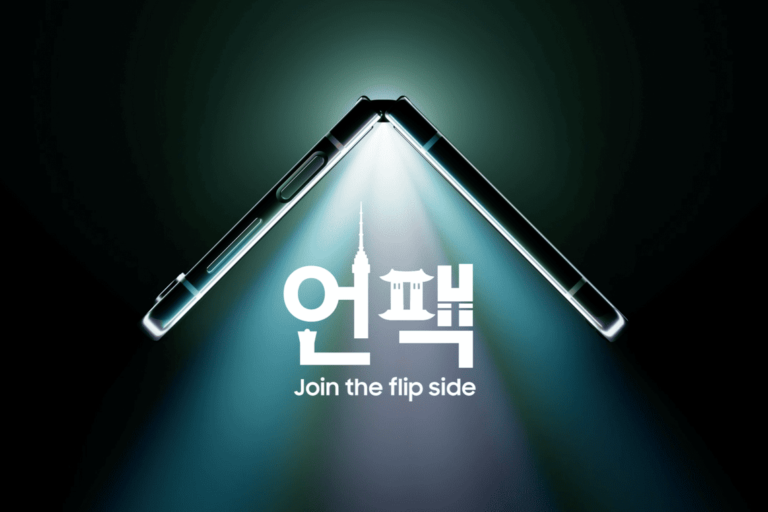
It’s official. Samsung Unpacked is taking place July 26, live from Seoul, South Korea. On the event invites, Samsung is using the tagline “Join the Flip Side”, so that pretty much confirms that the new foldables are coming – Galaxy Z Flip 5 and Fold 5. Which is what we expected, as the last two years, we got foldables at this event.
This is the fall event for Samsung, so that means there’s a whole lot of other devices coming at this event. That includes the Galaxy Tab S9, S9+, S9 Ultra, Galaxy Watch 6, Galaxy Watch 6 Classic and possibly a new pair of Galaxy Buds. So this is going to be a really big event for Samsung, and will debut their fall lineup, ahead of the iPhone.
Reserve your Galaxy now, get $50 off
Along with tonight’s announcement of Unpacked, Samsung is also opening Galaxy Reserve. This is where you can reserve your next phone, by giving Samsung your email and name, and you’ll get $50 off. Now, in the past, we have seen this a bit higher, but hey this is still a free $50.
This is a no-commitment offer. All you need to provide Samsung is your full name and email, and that’s it. This is not a commitment to buy any of these devices. And Samsung is not collecting payment info either.
You can head to Galaxy Reserve here and reserve your next phone, tablet or watch. And this is going to be available until July 26.
Officially, this offer is available until July 26, but remember that this is happening in South Korea this year. So the event is going to be early in the morning on July 26. Since Korea is about 13 hours ahead of the East Coast and 16 hours ahead of the West Coast. So you’d better do this by July 25. To ensure you get your $50 off.