Motorola Razr+ vs Motorola Razr 2022

0
[ad_1]

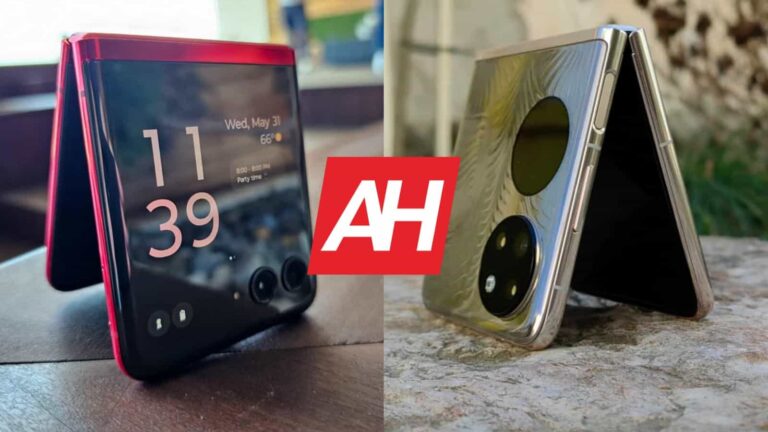
Motorola launched its new flagship clamshell smartphone recently, the Motorola Razr 40 Ultra, or as it’s known in the US, the Motorola Razr+. Having said that, we’re here to compare that phone to its predecessor, we’ll compare the Motorola Razr+ vs Motorola Razr 2022. This new model not only brings a larger outer display, but also a number of improvements under the hood, amongst other things.

We’ll first list the specifications of both devices, and will then move to compare them across a number of categories. We’ll compare their designs, displays, performance, battery life, cameras, and audio performance. They are very similar in some ways, but… spoiler alert… it’s hard to deny the Razr+ is the better phone overall. Still, for some of you, the upgrade may not be worth it. So, let’s dive in.

Specs

Motorola Razr+ Motorola Razr 2022
Screen size Main: 6.9-inch fullHD+ LTPO AMOLED (foldable, 165Hz)
Secondary (Cover): 3.6-inch AMOLED display (flat, 144Hz)
Main: 6.7-inch Foldable P-OLED display (foldable, 144Hz)
Secondary (Cover): 2.7-inch G-OLED display (flat, 60Hz)
Screen resolution Main: 2640 x 1080
Secondary (Cover): 1056 x 1066
Main: 2400 x 1080
Secondary (Cover): 573 x 800
SoC Qualcomm Snapdragon 8+ Gen 1 Qualcomm Snapdragon 8+ Gen 1
RAM 8GB/12GB 8GB/12GB (LPDDR5)
Storage 256GB/512GB (UFS 3.1), non-expandable 128GB/256GB/512GB (UFS 3.1), non-expandable
Rear cameras 12MP (f/1.5 aperture, 1.4um pixel size, OIS, PDAF)
13MP (f/2.2 aperture, 108-degree FoV, 1.12um pixel size)
50MP (f/1.9 aperture, 1.0um pixel size, OIS, PDAF)
13MP (f/2.2 aperture, 121-degree FoV, 1.12um pixel size, auto HDR)
Front cameras 32MP (f/2.4 aperture, 0.7um pixel size) 32MP (f/2.5 aperture, 0.7um pixel size, auto HDR)
Battery 3,800mAh, non-removable, 30W fast wired charging, 5W wireless charging
Charger included (not in the US)
3,500mAh, non-removable, 33W wired charging
Charger included
Dimensions Unfolded: 170.8 x 74 x 7mm
Folded: 88.4 x 74 x 15.1mm
Unfolded: 167 x 79.8 x 7.6mm
Folded: not available
Weight 184.5/188.5 grams 200 grams
Connectivity 5G, LTE, NFC, Bluetooth 5.3, Wi-Fi, USB Type-C 5G, LTE, NFC, Bluetooth 5.2, Wi-Fi, USB Type-C
Security Side-facing fingerprint scanner Side-facing fingerprint scanner
OS Android 13 Android 12
MYUI 4.0
Price $999 N/A
Buy Amazon Motorola

Motorola Razr+ vs Motorola Razr 2022: Design

The Motorola Razr+ is actually a lot narrower than the Razr 2022. It is also slightly taller, and slightly thinner. You’ll definitely feel the narrower form factor, as the difference is quite considerable, 74mm vs 79.8mm. When folded, the Razr+ is almost two millimeters thinner. The Motorola Razr 2022 does have more aggressive curves on its corners. The difference is not huge, but it’s noticeable.

The Motorola Razr+ definitely feels better in the hand overall. Both phones have a centered display camera hole, and thin bezels. The Razr 2022’s top and bottom sides are also curved to a degree (from left to right), unlike what we see on most smartphones. Both devices do have two cameras on the back, and rather large displays. The Motorola Razr+ does have a larger outer panel, though, at 3.6 inches, compared to 2.7 inches on the Razr 2022.

Both devices do have good crease control, but the Motorola Razr+ does feel a bit more sturdy. Neither phone has a proper IP rating, but they do have a water-repellent coating that we’re used to seeing from Motorola. Both devices are also quite slippery, unless you get the eco leather variant of the Motorola Razr+, in which case you’ll get a better grip. On top of everything, the Motorola Razr+ is also lighter than the Razr 2022, 184.5/188.5 vs 200 grams.

Motorola Razr+ vs Motorola Razr 2022: Display

There is a 6.9-inch fullHD+ (2640 x 1080) display on the Motorola Razr+. That panel is foldable, and it offers a 165Hz refresh rate. Do note that it’s an LTPO panel, so it offers an adaptive refresh rate. HDR10+ content is supported here, and this display goes up to 1,400 nits of brightness at its peak. The second display on the phone measures 3.6 inches, and offers a resolution of 1056 x 1066. It is an AMOLED display which supports up to 1 billion colors, and a 144Hz refresh rate. HDR10+ content is also supported here, and the display goes up to 1,100 nits when it comes to brightness. The Gorilla Glass Victus protects this panel.

Motorola Razr plus 2023 review AM AH12

The Motorola Razr 2022, on the flip side, has a 6.7-inch fullHD+ (2400 x 1080) AMOLED display, which is foldable. It offers up to 1 billion colors, and has a 144Hz refresh rate. HDR10+ content is also supported here, and the panel has a 20:9 aspect ratio. The cover display on the phone measures 2.7 inches, and offers a 573 x 800 resolution. That is an AMOLED panel too, and has a 60Hz refresh rate.

The displays on both smartphones are good enough, when it comes to image reproduction and general look. They’re vivid, and offer good viewing angles. They also offer good touch response. The Razr+’s 165Hz refresh rate is not always active, of course, due to battery life reasons. Both main displays are well-adapted to the content, and the scrolling is smooth. The cover display on the Razr+ has a higher refresh rate, but the difference won’t be as noticeable as it would have been on larger panels.

The Motorola Razr+ does have better displays overall. Outer displays on both phones are quite useful, as you can run basically anything on them. Any app, which is not something we can say for clamshell foldables from other companies, at least not out of the box.

Motorola Razr+ vs Motorola Razr 2022: Performance

The Snapdragon 8+ Gen 1 SoC can be found in both smartphones. Motorola coupled LPDDR5 RAM with that SoC in both phones, while you’ll also find UFS 3.1 flash storage in both smartphones. So, in terms of performance-related hardware, they’re basically on the same level. Does that reflect on actual performance, though? Well, both phones do perform admirably, to be quite honest.

The Motorola Razr 2022 can keep up with the Razr+ when it comes to performance, without a problem. That’s a good thing, of course. From that standpoint, you do not have a reason to upgrade. Both devices do a great job when it comes to regular, everyday tasks, and also more intense tasks, such as playing games. They do get warm, but never to the point they felt uncomfortable to use. The Razr+ seemed to be a bit cooler, but it could just be a placebo effect. They’re quite similar in that regard.

Motorola Razr+ vs Motorola Razr 2022: Battery

The Motorola Razr+ includes a 3,800mAh battery on the inside, while the Razr 2022 comes with a 3,500mAh battery. The Motorola Razr+ does have a larger battery pack, and that does reflect on battery life too, despite the fact it also has a higher refresh rate on its displays, and a larger outer display. Getting over 7 hours of screen-on-time on the phone is not a problem. In fact, we were able to get around 7.5-8 hours of screen-on-time on it, consistently. That’s a great result for a flip phone.

The Motorola Razr 2022, on the other hand, doesn’t offer bad battery life, but it’s not nearly as good as what the Razr+ offers. At first, it offered over 6 hours of screen-on-time without a problem, but the updates did improve that. Getting over 6.5 hours should not be much of an issue, but that’ll depend on how much you use the outer display, of course. The battery life on these two phones can vary a lot, depending on your usage in general. Which display you use more, and by what margin. There are also apps to consider, signal strength, and more. In other words, you may get entirely different results, so keep that in mind.

When charging is concerned, they’re on the same level, when it comes to wired charging, at least. 30W charging is supported here. The Motorola Razr+ also offers 5W wireless charging, which is something the Motorola Razr 2022 doesn’t have, at all. The Motorola Razr 2022 does include a charger in the box, while that may depend on the market for the Razr+. So take note of that, you may need to get a charger separately.

Motorola Razr+ vs Motorola Razr 2022: Cameras

The Motorola Razr+ includes a 12-megapixel main camera, and a 13-megapixel ultrawide camera (108-degree FoV). The Motorola Razr 2022, on the flip side, has a 50-megapixel main camera, and a 13-megapixel ultrawide unit. The images during the day do look good on both phones, but a bit different. Neither phone tends to punch up the saturation to liven up shots, they prefer to keep things closer to real life.

Motorola Razr plus 2023 review AM AH10

That is a problem at times, as the images can look a bit dull. The Razr+ tends to provide underprocessed images at times, and also miss in HDR situations from time to time, but rarely. That’s something Motorola can fix via an update, and chances are it will happen. Ultrawide cameras are a step below the main ones, and that is especially noticeable on the Motorola Razr 2022.

When it comes to low light shots, the Motorola Razr+ is an easy winner. It does a really good job in low light, even in demanding scenarios with neon lights, and street lights in the same scene. It also manages to keep noise in check, unlike the Razr 2022, where noise is often visible in low light images. The Razr 2022 also has a yellowish hue in low light, which is not exactly flattering.

Audio

Both of these phones include a set of stereo speakers, and they’re both good enough. They’re actually very similar too. The loudness seems to be about the same, and the quality as well. You will get good audio, as long as you’re not expecting miracles.

What they do not have is a 3.5mm headphone jack. You’ll need to use their Type-C ports for wired audio connections. If you prefer to go wireless, do note that the Razr+ supports Bluetooth 5.3, and Razr 2022 Bluetooth 5.2.


[ad_2]
Source link

Meta Quest+ is like PlayStation Plus for VR games

0
[ad_1]

Meta today announced a new service for its Quest headset lineup called Meta Quest+, a subscription service that is designed to get new games into your hands for a recurring monthly fee.

It’s sort of like PlayStation Plus, but without the discounts on games. Although perhaps that will be added at a later date. If you’re big into VR though and you own either a Quest 2 or Quest Pro, signing up gives you a nifty benefit. The service will also be available for the Quest 3 when it launches later this year.

If you’re member, Meta will give you two games for free every month. You claim these just like you would with PlayStation Plus titles. Meta also says games will be handpicked. So you’re getting a curated selection of titles that rotate on a monthly basis. It’ll cost you $7.99 a month, or you can pony up $59.99 for the annual subscription.

Meta kicks off the Quest+ subscription with Pistol Whip

The service is live starting from today and you can already claim your first two titles. These include Pistol Whip and Pixel Ripped 1995. If you’ve not tried either of these games yet, now is probably a good time to check them out.

Meta has also laid out its two curated games for August. Starting August 1, subscribers can claim Mighty Coconut’s Walkabout Mini Golf and MOTHERGUNSHIP: FORGE. There’s also an incentive to sign up earlier. As Meta will offer you the subscription for $1 for the first month, but you’ll need to sign up by July 31 to get that deal.

You also get to retain access to every game you claim as long as your subscription remains active. You also don’t lose the games you claimed if you ever cut the subscription off at any point. You’ll just need to resubscribe if you want to play them again.

It seems like a pretty good deal if you play games on your Quest 2 or Quest Pro headset often. Meta says new games will pop up in the service on the first of every month too.


[ad_2]
Source link

CISOs are More Concerned with Lawsuits, and API Security

0
[ad_1]

Digital initiatives play a crucial role in business today; they bring new business opportunities, fostered creative partnerships, and deliver new customer conveniences across multiple industries.

But all these innovations pose the biggest challenges for CISOs/CSOs, and they don’t want companies to sacrifice security for speed.

According to the Survey report share with Cyber Security news by Salt Security’s “State of the CISO 2023,” mentions that nearly 90% of CISOs say Digital Transformation Introduces Unforeseen Risks.

Challenges from the Rapid Digital Transformation

The effects of digitization are felt most keenly by businesses in the financial services and healthcare sectors.

Following are the challenges Digital economy provides;

  • Lack of qualified cybersecurity talent to address new needs (40%)
  • Inadequate adoption of software (36%)
  • The complexity of distributed technology environments (35%)
  • Increased compliance and regulatory requirements (35%)
  • Difficulties justifying the cost of security investments (34%)
  • Getting stakeholder support for security initiatives (31%)

While 37% of CISOs worldwide “very much agree” that digital services increase risk, this number rises to 43% among financial services CISOs and 47% among healthcare, reads the report.

Almost all CSOs and CISOs (99%) said they face personal & professional challenges from the rapid digital transformation.

Most CSOs (48%) are worried about being sued due to a breach, followed by increased risk and personal accountability (45%).

After ex-Uber employee Joseph Sullivan’s conviction for covering up a 2016 data breach, security experts have become fearful of being held personally liable for security mistakes.

CISOs identify supply chain or third-party vendors (38%), API adoption (37%), and cloud adoption (35%) as the top three security control gaps resulting from their digital initiatives.

While AI has been identified as a significant concern by CISOs worldwide, other major problems include the state of the economy and international politics.

Eighty-two percent of CISOs say their security spending is higher than two years ago.

The spending power of CISOs has dropped as a percentage of revenue over the past two years, even though the revenue of these same organizations has increased by 87%.

In addition to the trends impacting CISOs’ role, AI is a top issue of concern as cyber attackers are already using AI to conduct sophisticated attacks.

Manage and Secure Your Endpoints Efficiently – Free Download


[ad_2]
Source link

9 basic security tips for seniors

0
[ad_1]

Help the people around you that are less computer literate with some basic security tips and settings.

Before we get into the tips: a caveat. We know many seniors who are digitally more up to date than people 20 years younger, but for those who aren’t, this guide is for you.

If you’re offended by the word seniors in the title, feel free to replace it with “computer illiterate people.” And keep in mind that this piece was written by a 60-year old who happens to be the “computer guy” among his family and friends. 

With the world’s increasing digitalization, even those that are not a big fan of computers are compelled to use them for various urgent reasons. Seniors in a digital world can be overwhelmed by all the new technology. And just when you think you’ve caught up, something new’s been invented. 

In security terms, it can feel like there’s a lot to do in order to keep your data and devices secure. Multiple passwords, reading through EULAs, website cookie notifications, and more. All of this can contribute to a serious case of security fatigue.

Many of today’s most dangerous threats are delivered through social engineering, i.e., by tricking users into giving up their data, or downloading malware from an infected email attachment. Therefore, knowing more about what not to click on and what not to download can keep a good portion of threats out the door.

So, with that in mind, here are 9 basic security tips for seniors:

  1. Do not click on links asking to fill out your personal information. Banks and other financial institutions will not send emails with links, especially if those links are asking you to update your personal information. If a website promises you something in return for filling out your personal data, they are likely phishing. In return for your data, you will probably get lots more annoying emails, possibly an infection, and no gift.
  2. Don’t fall for too-good-to-be-true schemes. If you get offered a service, product, or game for free, and it’s unclear how the producers of the service or item are making money, don’t take it. Chances are, you will pay in other ways, such as sitting through overly-obnoxious ads, paying for in-game or in-product purchases, or being bombarded with marketing emails or otherwise awful user experiences.
  3. Don’t believe pop-ups and phone calls saying your computer is infected. Unsolicited phone calls and websites that do this are known as tech support scams. The only programs that can tell if you have an infection are security platforms that either come built into your device or antimalware software that you’ve personally purchased or downloaded. Think about it: Microsoft does not monitor billions of computers just to call you as soon as it notices a virus on yours.
  4. Don’t download programs that call themselves system optimizers. We consider these types of software, including driver updaters and registry cleaners, potentially unwanted programs. Why? They do nothing helpful—instead, they often take over browser home pages, redirect to strange landing pages, add unnecessary toolbars, and even serve up a bunch of popup ads. While not technically dangerous themselves, they’re unneeded and could let other nasties in through the door.
  5. Disable web push notifications. These are almost never useful to the user, they can be easily spoofed, and they are regularly used for social engineering and obtrusive advertising purposes.
  6. Keep your browser up-to-date. Major browsers such as Firefox, Safari, and Chrome all have their own strengths and weaknesses, so it’s a matter of personal preference which one you use. However, browsers regularly have vulnerabilities and any updates should be applied as soon as possible. Remember: You must restart your browser in order for updates to take effect.
  7. Look for HTTPS and the padlock sign. Just because there is a padlock next to the address bar doesn’t mean the site is safe, but it does mean all the traffic between your computer and the website is encrypted. That means that if someone tried to snoop on what you were sending the website, they’d get nowhere because the data would be scrambled.
  8. Use multi-factor authentication wherever you can. You can set this up on most sites and usually involves you entering a code from either an app or a text message, after you’ve entered your password. Bonus points for healthcare or banking organizations with logins that use passkeys, a hardware key, or behavioral biometrics.
  9. Use a password manager. They help you create and remember safe passwords and they won’t automatically put your passwords into fake sites, which helps you tell if something is a phishing site. This step might require some time and help from someone more technical, but it makes things much safer in the long run.

We don’t just write about threats—we remove them

Cybersecurity risks should never spread beyond a headline. Keep threats off your devices by downloading Malwarebytes today.


[ad_2]
Source link

Microsoft reenables Windows 11 File Explorer update after testing

0
[ad_1]

In a recent blog post from Microsoft, they make it clear that they will turn back on the Windows 11 File Explorer update. This version of the app was available to Windows Insiders for the past few weeks. These testers put the app update through scrutiny, and they found it lacking in certain areas.

Microsoft made a few upgrades with this testing version, which they made available to their insider program. Most testers were excited to try out the new update but didn’t expect to find anything wrong with the update. But things didn’t go as planned, as the update fell short in various areas.

Well, the majority of the faults with this update came from the power usage aspect of things. Testers have brought the shortcomings of this update to Microsoft, who have in turn offered a solution. This involves turning back on the update and letting users stick to the existing version while fixing any shortcomings.

Microsoft puts user experience first as they dismissed the Windows 11 File Explorer update

Just like with every app update out there, the Windows 11 File Explorer update came with some new features. These features were to help improve the user experience while simplifying app usage. Once it was made available a few weeks ago, users of the Windows Insider program began playing around with these features.

Some new features include changes to folders, improvement to key pass access, showing drive letters, and hiding protected OS files. The improvements to this app are aimed at stepping up the user experience. Power users also saw the folder option on the Windows 11 File Explorer taken away with the update.

Most of these users find the folder options very useful for their work and everyday usage. Taking this feature away from them would cripple them and force them to find other ways around the new limitation. For a while, they were able to keep up with this change before crying out to Microsoft for an urgent change.

Impressively, Microsoft didn’t turn a deaf ear to its Windows Insider users and testers of this update. They were able to take down the update and let users enjoy the old version. This will give them access to tools that they need to work while Microsoft works on fixing the flaws with this current update.


[ad_2]
Source link

Orders for the Humane Wearable AI Projector kick off this year

0
[ad_1]

The Humane Wearable AI Projector which will soon be on sale is proof that technology is rapidly evolving. This piece of technology took the spotlight during a TED Talk about a month ago. Most people present really had to take in a lot regarding how much this AI projector is able to do.

The idea of this projector is to further shrink technology and make it blend into our everyday life. Over the past few years, netizens have seen a decrease in the size of tech products, from bulky monitors to AR glasses. Technology is evolving and Imran Chaudhri the CEO of Humane is positive that his new product will reshape the tech industry in drastic ways.

With the Humane Wearable AI Projector, netizens can say goodbye to screens and interact with their palms and other surfaces. That sounds like something straight out of a Star Wars movie right? Possibly the company, Humane, got the idea of their coming product from a sci-fi movie, but it’s still worth having a look at.

Humane Wearable AI Projector aims to push the boundary of technology a bit further

At the moment there is no official image of this product, but there is a demo. Humane is bringing AI into the picture with the design of what they feel is the future of technology. Although AI has been rustling a lot of bushes, it still plays a vital role in the world of technology.

So what exactly is this AI Projector from Humane, and how does it work? The first thing you need to note, asides from its reliance on AI, is that this projector is a wearable device. It aims to interact with the real world along with its use as they go through their daily activity.

Interacting with the real world might get some people uneasy due to privacy concerns. But Imran Chaudhri assures users that this product is privacy-oriented and safe to use. Can netizens take his word for it and order this AI Projector once it becomes available for purchase this year?

Maybe and maybe not, but, it is good to note that this device will not need any smartphone to pair with before it can function. Well, the full details of this product remain bleak, but during the TED talk it sits on the pocket level of Imran Chaudhri’s jacket. It seems to be a very compact device that brings AI into the everyday life of users.

Currently, there is a waitlist for those willing to purchase this device later this year. Its pricing is not clear, but since it aims to replace smartphones, it should have similar pricing to what is attainable in the smartphone industry. More information on this product will be made available in the coming months.


[ad_2]
Source link

NHS Psychiatrist Jailed; Dark Web Forum and 7,000 Images Seized

0
[ad_1]

Dr. Kabir Garg was administering “The Annex,” a notorious dark web platform for child sexual abuse, which had over 30,000 registered members.

An Indian psychiatrist who worked at South London and Maudsley NHS Trust has been sentenced to six years in prison for his involvement in a large-scale dark web child sexual abuse scandal. He was arrested by the UK’s National Crime Agency (NCA) in November 2022.

The Annex

According to the NCA, 33-year-old Kabir Garg from Lewisham, London moderated a dark web chat site called The Annex, which boasted 90,000 members worldwide.

He was responsible for sharing hundreds of links to indecent images of children daily on this site, maintaining decorum, and helping other visitors how to share images on the forum and evade law enforcement. Members of the site used the Tor anonymity browser to access the platform.

Kabir Garg: Image Courtesy National Crime Agency

A Shocking Crime!

The special prosecutor for the Crown Prosecution Service’s Organised Child Sexual Abuse Unit, Bethany Raine, claimed that it was a shocking crime, considering that Garg was an NHS psychiatrist whose primary duty was to treat vulnerable members of society. He should have understood the devastating impact of sexual abuse on children’s psyche.

Thousands of Indecent Images Uncovered

When the NCA searched his apartment, they recovered several devices, including a laptop and an SD card, from which they found around 7,000 indecent images. Out of these, 522 were category A images, which is the most serious category of indecent material.

In addition, they discovered medical journals and articles on the psychological impact of sexual abuse on children, with titles such as “Puberty and Adolescent Sexuality,” “Effects and Aftermath of Rape,” and “A Study on Child Abuse in India.” This indicates that Garg was well aware of the impact of his actions on children.

Accused Pleaded Guilty

At the hearing on January 9th, the accused pleaded guilty to one count of facilitating the exploitation of children, three counts of sharing indecent images of children, one count of possessing prohibited images of children, and three counts of making indecent images of children. Raine stated that, given the evidence recovered from his residence, Garg had no choice but to plead guilty, and such platforms should not have any place in society.

According to the Crown Prosecution Service press release, the Woolwich Crown Court sentenced Garg on June 23rd, and he was jailed on Friday. Garg will be registered as a sex offender for life and will also be subject to a Serious Harm Prevention Order.

Indian Psychiatrist Jailed in UK: Dark Web Forum and 7,000 Images Seized
Profile of Kabir Garg

A Sigh of Relief

After Garg’s sentencing, the NHS Foundation Trust released a statement hoping that it might bring a “sense of justice and closure” to the victims of his “deplorable actions.”

On the other hand, the General Medical Council has temporarily suspended Garg until the results of a full GMC investigation are received. Once the results arrive, the GMC will decide whether to refer this case to a full tribunal hearing to determine Garg’s fate as a doctor.

Thankfully, the Annex is now defunct. It was revealed that during its active period, it had 30 administrators. Garg was initially a member and became a moderator after impressing the admins with his dedication and “hard work”. He completed his MBBS from King George Medical University, Lucknow, and worked for the National Institute of Mental Health and Neurosciences before moving to the UK.

  1. Authorities seize world’s biggest dark web child abuse site
  2. 100,000 Hacked ChatGPT Accounts Discovered on Dark Web
  3. Unreleased Music Stolen and Sold on Dark Web: Hacker Fined
  4. Microsoft sued for alleged misuse of stolen Dark Web credentials
  5. Google’s Latest Android Feature Drop: Dark Web Search for Gmail ID

[ad_2]
Source link

Serious IDOR Vulnerability Found In Microsoft Teams

0
[ad_1]

Researchers found a severe security vulnerability in Microsoft Teams that allows malware distribution. Specifically, an IDOR vulnerability riddles Microsoft Teams, permitting malicious file delivery from external sources. Exploiting the vulnerability risks organizations using Microsoft Teams for routine work.

Microsoft Teams IDOR Vulnerability

According to a recent advisory from JUMPSEC Labs, two researchers, Max Corbridge, and Tom Ellson, discovered the malware-introducing IDOR vulnerability in Microsoft Teams’ latest version.

As explained, their researchers noticed the flaw with the default Microsoft Teams configuration that allowed bypassing client-side security controls. In turn, it allowed an adversary to deliver malware via maliciously crafted files to a target user, tricking the user into accepting the file from external tenants.

Although, an incoming message from an external tenant usually comes with a warning banner clearly mentioning the external sender. However, despite being a clear alert, users often ignore such prompts and interact with incoming messages. That’s where the attackers succeed in attacking the target systems with malware.

But Microsoft Teams prevents such threats by restricting easy interactions via client-side controls, particularly regarding file delivery, from external tenants.

However, JUMPSEC researchers could bypass those security controls using a traditional IDOR technique. The researchers switched the internal and external recipient ID on the POST request, usually at /v1/users/ME/conversations/<RECIPIENT_ID>/messages. Next, the malware actually hosted on a SharePoint domain appears as a file to the victim user instead of a link. Hence, the target user will likely download the malware without any warnings.

This technique typically bypasses almost all existing anti-phishing measures. Hence, it posed a huge threat to organizations, where potential attackers could abuse Microsoft Teams to target their networks.

Recommended Mitigations Until (And If) A Fix Arrives

Following this discovery, the researchers reported the vulnerability to Microsoft. While the tech giant acknowledged the bug’s legitimacy, it did not consider it to “meet the bar for immediate servicing“.

That means the vulnerability still exists and threatens the organizations. Therefore, the researchers advise Microsoft Teams users to remain careful when interacting with emails from external tenants. This includes implementing everything from reviewing external tenant permission to message the firm’s staff to maintaining allow-lists for trusted external tenants and training the staff for tackling such threats.

Let us know your thoughts in the comments.


[ad_2]
Source link

Nothing Phone owners can create their own Glyph ringtones

0
[ad_1]

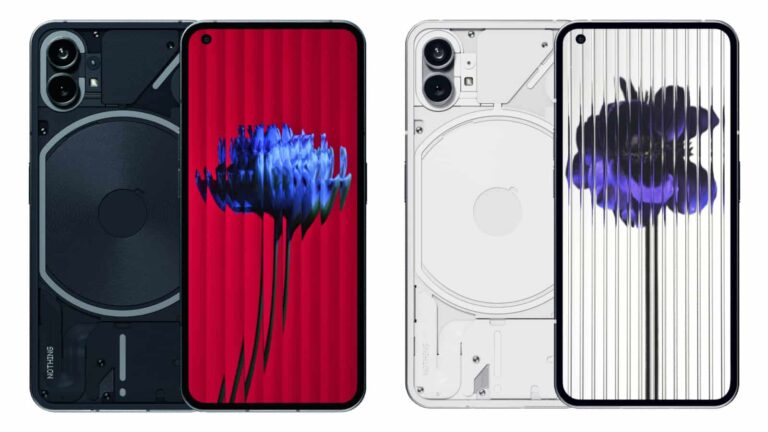
Nothing is preparing to launch the Phone 2 soon, and in celebration of that the company is adding a Glyph Composer feature. Coming to both the Nothing Phone 1 and Nothing Phone 2, the Glyph Composer will let you create your very own Glyph ringtones.

If you’re unfamiliar with the Glyph ringtones, they’re a neat feature of the device. They’re a combination of the actual ringtone and the flashing lights on the back. So you’ll see the lights flash in sync with the tone.

The feature is a collaboration with Swedish House Mafia. Who helped create a special sound pack that Nothing Phone owners can use to make the tones. To create a Glyph ringtone, users can hit a record button inside the composer and select from a series of different tones. There’s 5 different tones and sound mixes total that can be used. Complete glyph ringtones are also a composition of 8-10 seconds in length and are set as “multitrack audio files,” Nothing says.

The Glyph Composer will launch alongside Nothing Phone 2

While the new Glyph Composer feature will come to the first phone, it’s not available just yet. Nothing says it’ll launch alongside Phone 2. Which is supposed to happen in July. July 11 to be specific. So there’s still a bit of a wait.

Nothing will likely show this feature off during the launch event. If you’re curious to see it in action, then you’ll want to watch. Because that’ll be your best chance to see it prior to testing it on your own device.

In addition to composing your own Glyph ringtones, the compose includes a pre-made one created by Swedish House Mafia. You can use this if you aren’t up to creating your own. Though creating your own is likely more fun. That being said, the Swedish House Mafia Glyph sound pack and Glyph ringtone will be available sometime this Summer. So it might not launch right when the Glyph Composer does.


[ad_2]
Source link

The European price for the Sony WF-1000XM5 might upset you

0
[ad_1]

Sony is a leading company in the wearable audio market, and we’re all looking forward to the Sony WF-1000XM5. These are the company’s upcoming TWS earbuds, and they promise to be an improvement over the previous version. Well, according to the European price, it seems that the Sony WF-1000XM5 might have a price increase.

Sony’s new earbuds have been popular, but the Sony WF-1000XM4 were a hit among audiophiles. If you’re looking for a great audio experience, you don’t want to spend too much money, and you don’t mind using an older set of earbuds, then you can look into picking up a pair of those earbuds. You can find them on Amazon as low as $199 if you look.

The European price of the Sony WF-1000XM5 point to a price bump

When the Sony WF-1000XM4 launched back in 2021, they retailed for €279. While that’s still a hefty price, the Sony WF-1000XM5 could see a 15% price increase. According to Notebookcheck.com (via Techradar), the Sony WF-1000XM5 might cost €319.99 in Europe. That’s about a €40 increase. If this is true, then we might be looking at a price of $319.99 in the US and £287 in the UK.

That’s unfortunate for people who were expecting a comparable price to 2021’s release. However, as you can expect with a two-year jump, the Sony WF-1000XM5 are going to be a notable improvement over the Sony WF-1000XM4.

Rumors have it that these earbuds will come with two in-house chips that will give them superior audio quality. Aside from that, the microphones will also see an improvement along with the drivers. Also, they’re expected to be almost 20% lighter at about 5.9g.

Right now, it’s hard to tell if these earbuds will be worth the extra money, but it seems like they will. If you’re a fan of Sony’s earbuds, then you might just have an amazing experience with these new earbuds.


[ad_2]
Source link