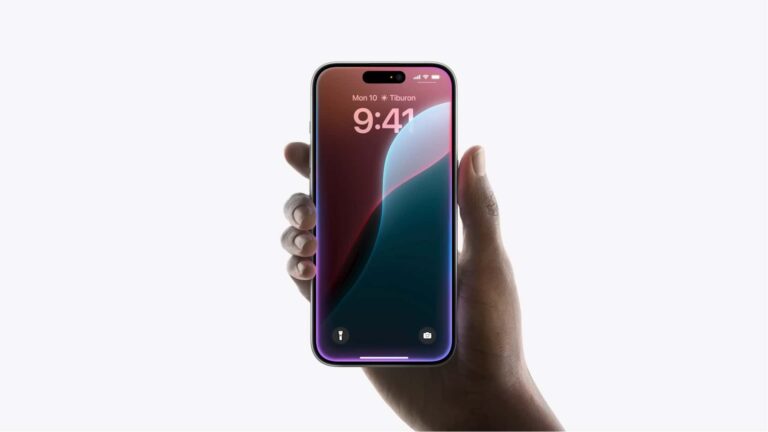
Earlier this month at WWDC 2024, Apple boarded the AI bandwagon by introducing a new feature called Apple Intelligence. The Cupertino tech giant’s AI functionality will be available with the iOS 18, iPadOS 18, and macOS Sequoia updates. The brand’s new on-device & generative large-language models-powered AI feature works on all iPads and Macs with the M1 chip.
However, when it comes to the iPhones, Apple Intelligence is only supported on the iPhone 15 Pro and iPhone 15 Pro Max models. Some believe that by not providing the new AI feature on the older iPhones, the company is forcing users to opt for newer models. However, it doesn’t seem to be the case as Apple has shot down these theories. The brand has explained Apple Intelligence requirements for the iPhone 15 Pro.
Apple explains the iPhone 15 Pro and Pro Max’s requirements for Apple Intelligence
In an interview with Daring Fireball’s John Gruber during WWDC, John Giannandrea, Apple’s SVP of Machine Learning and AI, explained Apple Intelligence requirements. When asked why the new AI feature was limited to the iPhone 15 Pro variants, Giannandrea said “you could, in theory, run these models on a very old device, but it would be so slow that it would not be useful”.
In the same interview, Greg Joswiak (Apple’s SVP of Worldwide Marketing) refuted claims that these requirements are to sell newer models. He said, “No, not at all. Otherwise, we would have been smart enough just to do our most recent iPads and Macs, too, wouldn’t we?”.
The iPhone 15 Pro and Pro Max are powered by the A17 Pro chip. It has a 16-core Neural Engine, which is 2x faster than the A16 SoC found on the iPhone 15/15 Plus. Both the Pro models have 8GB of RAM. It appears all devices compatible with Apple Intelligence must have at least 8GB of RAM.
Apple’s AI will be available for free on compatible devices this fall
Apple will start rolling out Apple Intelligence with the iOS 18, iPadOS 18, and macOS Sequoia updates. It will be offered for free to all compatible devices. The first public release of all these operating systems is expected to be released this fall, typically around mid-to-late September.
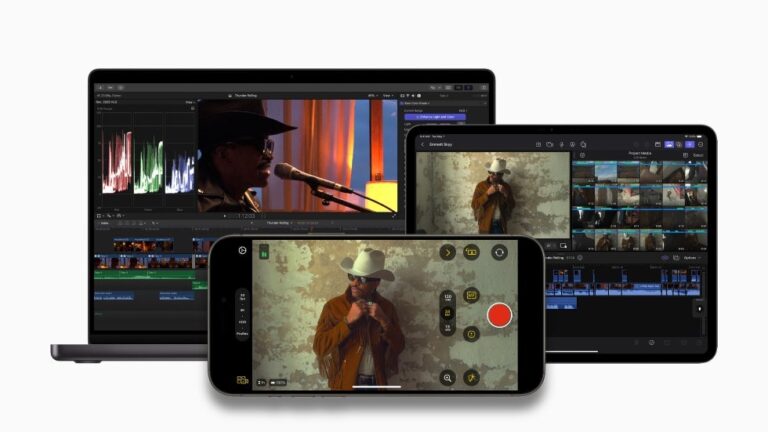
the new video capture app called Final Cut Camera and has also released an update to Final Cut Pro for iPad 2. Both releases are aimed at giving video creators more control and flexibility in their productions.
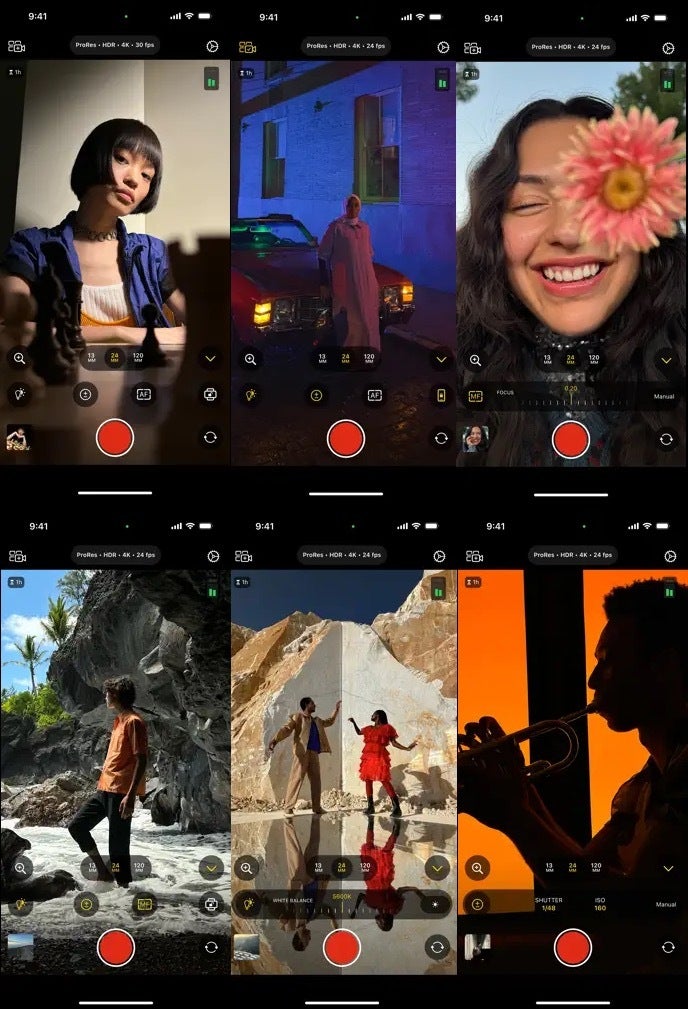
Teased last month alongside the announcement for the new M2 iPad Air and M4 iPad Pro, Final Cut Camera is a standalone app for iPhone and iPad that also acts as a companion tool for the iPad. With this app, users can adjust camera settings like white balance, manual focus, ISO, shutter speed, and resolution. They can also monitor aspects like audio levels and battery life.
One of the features within the app is the ability to turn off the iPhone’s built-in stabilization, a handy option when using external gimbals. When paired with an iPad, Final Cut Camera allows for remote control of the iPhone camera right from the iPad’s larger screen.
Final Cut Camera app screenshots | Images credit — Apple
Update for your Final Cut Pro for iPad
In addition to launching this new app, Apple has also updated Final Cut Pro for iPad with a new version. According to the company, Final Cut Pro for iPad 2 utilizes the iPad Pro’s M4 chip to offer significantly faster rendering and support for more ProRes RAW streams. The new Live Multicam feature enables users to connect and preview up to four cameras simultaneously, providing a director’s view of each camera and manual control over settings through the Final Cut Camera app.To address storage concerns, Final Cut Pro for iPad 2 now supports external projects, allowing users to work on large files without using up internal storage. It also integrates with the Apple Pencil Pro, utilizing its barrel roll and squeeze features for precise control over Live Drawing tools and quick access to brushes and settings.
Existing users can get Final Cut Pro for iPad 2 as a free update, while new users can purchase it for $4.99 per month or $49 per year via the app store. In addition, Final Cut Pro for Mac has been updated to version 10.8, featuring AI-driven enhancements to improve workflow efficiency.
Miami, United States, June 20th, 2024, CyberNewsWire
Highly Successful Technology Executive to Drive Growth in the Cybersecurity and IT Services Sectors
Cyber A.I. Group, Inc., an early stage cybersecurity, A.I. and IT services company, announced today the engagement of Walter L. Hughes as Chief Executive Officer. The announcement was made by A.J. Cervantes, Jr., Executive Chairman of Cyber A.I. Group and Chairman of Trilogy Capital Group, LLC, Cyber A.I.’s founding shareholder.
Walter Hughes has had an expansive 15+ year executive career across eight distinct industries, including transformative roles at Meta and Elevance Health (formerly Anthem), with impactful contributions to innovative startups and government sectors. Mr. Hughes’ deep experience spans nearly two decades in pioneering technology enterprises with a specific emphasis on the intricacies and applications of Artificial Intelligence.
“Walter’s career has been a testament to the art of driving business transformation,” noted Mr. Cervantes. “Rooted in a solid foundation in finance and technology, his expertise has evolved, embracing and mastering the intricate processes of fostering business success. This mastery is underpinned by a profound application of Six Sigma methodologies and strategic venture capital endeavors, positioning him as a pioneering force.”
Mr. Hughes stated, “I’m absolutely thrilled to be joining CyberAI Group as CEO. With its cutting edge approach and incredible potential, it’s a chance to leverage everything I’ve learned across multiple technology-driven industries and put it to work generating transformative change. Building on CyberAI’s strong foundation and seasoned management team, I’m excited to be a force at the forefront of this burgeoning business, shaping the future of this dynamic company.”
“The cybersecurity and IT services industries are highly fragmented and lend themselves to a proactive consolidation strategy,” continued Mr. Hughes. “We believe a large pool of prospective acquisitions exists offering substantial opportunity for an emerging growth private company on a path to public ownership. The cybersecurity market alone has witnessed remarkable growth and reached a value of $202 billion in 2022. We are confident that an IT/cybersecurity services company with advanced A.I. capabilities can provide clients with numerous proactive and customized cybersecurity services to optimize technology security and improve business operations and performance.”
“The IT services industry has grown into one of the fastest growing sectors in the United States and around the world, with forecasts of continued double-digit growth over the next decade,” noted Mr. Cervantes. “This is compounded by the massive proliferation of highly publicized data breaches and ransomware attacks that are further propelling demand for cybersecurity expertise. Cyber A.I. Group is leveraging this skyrocketing demand, combined with a core focus on fundamentals, by pursuing a “Buy-and-Build” strategy of acquiring a broad spectrum of IT services companies and positioning them to address the fast-growing needs for the cybersecurity and A.I. markets.”
Artificial intelligence, under development and building momentum for decades, is emerging as one of the most potentially powerful and disruptive forces in the Information Age. Recent moves have seen remarkable advances, such as the launches of OpenAI‘s ChatGPT A.I. chatbot and Google‘s Bard A.I. chatbot. This rapid proliferation of A.I. is introducing not just new capabilities, however, but also new dangers and security concerns. To capitalize on these opportunities and challenges, Cyber A.I. intends to integrate A.I. services in all aspects of its business as it expands.
Reg 506(c) Offering
The Company is conducting a private placement offering (the “Offering”) pursuant to Regulation 506(c) as promulgated by the Securities and Exchange Commission. The terms of the Offering are up to Two Million Dollars ($2,000,000) of seventeen and one half percent (17.5%) Promissory Notes with Equity Consideration in the form of Founders’ Stock (each a “Note,” and collectively the “Notes”). The minimum investment amount is $50,000. The Company reserves the right to accept lesser amounts in its sole discretion. The term sheet for the Offering can be found here:
Trilogy Capital Group, LLC is a Delaware limited liability company and private equity firm based in Miami, Florida. Trilogy Capital Group and its predecessor company, Trilogy Capital Partners, Inc., are a financial services group which has been engaged in Private Equity, Venture Capital, Merchant Banking and Financial Advisory since 2002. For additional information, please visit: trilogy-capital.com.
About Cyber A.I. Group
Cyber A.I. Group, Inc. is a newly formed Florida corporation that will engage in the acquisition and management of domestic and international cybersecurity and IT services firms. The founders and management of Cyber A.I. are pursuing a “Buy-and-Build” strategy to rapidly expand operations by acquiring a broad spectrum of IT services companies and repositioning them to address fast-growing market needs for cybersecurity and artificial intelligence (A.I.) markets. The Company’s initial target is to acquire multiple companies representing aggregate revenues approaching $100 million. The Company is focusing its acquisition targets as those with the most favorable terms and lend themselves to certain benefits through integration including horizontal and vertical marketing and economies of scale. Cyber A.I.’s business model is focused on the acquisition and consolidation of IT services companies with proven ability in broad conventional technology services. This emphasis on conventional companies with strong revenues and cash flow distinguishes Cyber A.I. from the explosion of A.I. startups that may be pinning their future on a single technological breakthrough which may never materialize. This “Buy-and-Build” strategy provides Cyber A.I. with the maximum flexibility for diversification and risk management for moving into new fields and addressing fast moving market opportunities. For additional information, please visit: cyberaigroup.io.
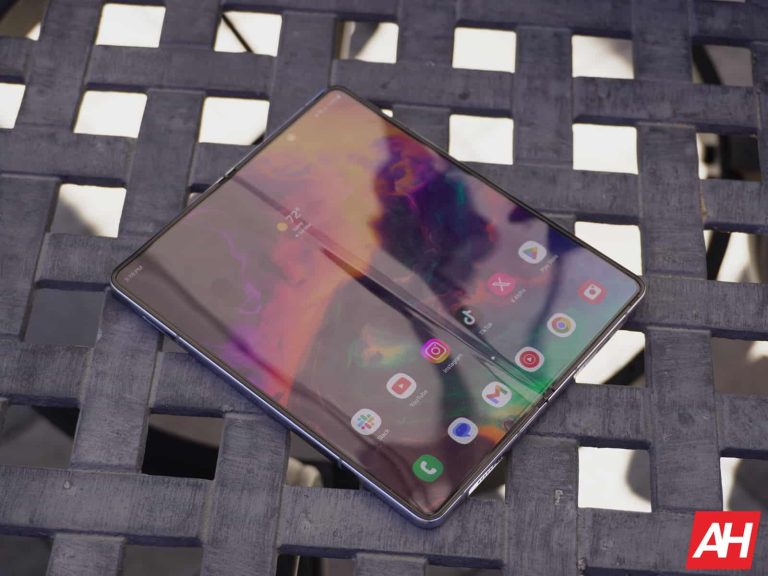
Samsung’s Galaxy Z Fold 6 is presumably just a month away and new leaked images of the dummy unit have emerged to showcase the phone’s crease from the inside screen. This isn’t the first time dummy units have popped up of course. Back on June 3 a series of images surfaced showing a dummy unit that displayed not only the crease from the inside screen but the phone’s boxy design. A couple of weeks later, new dummy units surfaced next to a Galaxy Z Fold 5 to show the comparison between both designs.
The crease has been a point of discontent for some users since the very first phone in the lineup. Users have expressed the desire for the crease to be less noticeable. It doesn’t look like there will be much of a change though. At least not this time around. A rumor from earlier this week suggests that the Galaxy Z Fold 6 won’t feature much of an improvement over the previous model. And this latest set of leaked dummy unit photos appears to support that.
Galaxy Z Fold 6 dummy shows prominent crease
As noted before, Samsung’s upcoming sixth foldable in the Galaxy Z Fold lineup doesn’t appear to have gotten rid of the display crease. You can see it in the older leaked images and it almost looks more prominent in these new ones. The images come from Sonny Dickson (via 9To5Google) and indeed the crease is still very visible. However, it’s important to note that Samsung could still have visual changes to make to the design.
It can’t be ruled out that the crease may become less noticeable once retail units are available. It’s also possible that these dummy units may not be using the same type of display that retail units will. Nevertheless, it still might be disappointing to users.
The Galaxy Z Flip 6 crease doesn’t look as pronounced
Additional dummy units of the Galaxy Z Fold 6 weren’t the only images to pop up. The Galaxy Z Flip 6 showed up in a new dummy unit image as well. The good thing here is that the crease on the inside of this screen appears less noticeable. Again these are just dummy units. So things can always change once the phones hit shelves. However, the report from earlier this week that mentions the Galaxy Z Fold 6, also mentions the Galaxy Z Flip 6. That same rumor suggests the Galaxy Z Flip 6 will in fact have a noticeable improvement in the visibility of the crease.
Aside from the crease on each phone’s display, a dummy unit is also shown in a black color alongside the one in white.
Tidal is something of the gold standard for high-quality music streaming, though it’s not quite as popular as Apple Music. What makes it a great platform is the wide range of audio formats you can enjoy. While that’s the case, Tidal announced that it’s removing a few audio formats from the platform.
To catch you up, Tidal is a platform with a bunch of music from several genres. However, what makes it stand out is its focus on high-quality music. The platform streams audio at up to 24-bit, 192kHz. It even gets past the annoying audio limitation that Android has. Unlike YouTube Music and Spotify, there’s no free plan; if you want to listen to music, you have to pay.
The basic single-person plan costs $10.99/month and a family plan costs $16.99/month. You can get it for $4.99/month if you’re a student. If you’re interested in trying it out, you can get a free trial.
Tidal streams in a myriad of formats including lossless FLAC. One of the formats that the platform supports is MQA (Master Quality Authentication). Well, according to the Tidal support page, the company will stop supporting MQA files on July 24th.
That’s a bummer for people who prefer that platform, but Tidal has chosen a replacement. Going forward, the company will use FLAC as the replacement format. The reason that Tidal gave is the fact that FLAC is an open-source format. “…any artist can deliver their music in high quality directly to TIDAL without the involvement of a third party,” the support page said.
The company is also getting rid of another format which is 360 Reality Audio. Again, the company chose a replacement. Going forward, the company will use Dolby Atmos audio for the immersive audio.
How this will affect your collection
If you’re used to streaming in MQA, you’re in luck. All of the MQA tracks will be replaced with the highest-quality FLAC versions. As for your downloaded MQA tracks, you’ll need to update the app on July 24th. After that point, you’ll be prompted to re-download the tracks in FLAC.
However, if you listen to 360 Reality Audio tracks, then you’ll be out of luck. All of those tracks will be grayed out and unavailable to stream. This will also happen with your downloaded tracks.
Just know that some MQA tracks may not have a FLAC replacement. So, you should expect some gaps in your library.
If you have a teenager with a phone, you might be perturbed to discover that Instagram has been recommending content of a sexual nature to users as young as 13. This inappropriate content appears on teen’s feeds only minutes after they log in to their accounts according to The Wall Street Journal. Over seven months ending in June, separate tests conducted by The Journal and Northwestern University revealed that Instagram parent Meta is not living up to a promise it made this year.
What kind of material is Instagram recommending that teens view?
For its tests, both The Journal and Northwestern University computer science professor Laura Edelson created new Instagram accounts listing the age of each subscriber as 13. At first, Instagram sent these accounts videos of women dancing seductively or posing in a way that put an emphasis on their breasts. The accounts skipped other content but watched the videos that were sexually suggestive. As a result, Reels would then recommend content that was even more racy.
Instagram users as young as 13 are being sent sexually suggestive videos and images
The Journal says that adult sex content creators started showing up on the feed for the 13-year-old user after only three minutes. After less than 20 minutes of watching the Reels videos for the test accounts, they were full of promotions from these creators with some offering to send nude photos to Instagram subscribers willing to interact with their posts. The testing revealed that the short-form video platforms belonging to TikTok and Snapchat did not deliver the same sexually-focused content to underage users. A TikTok spokesman said, “We err on the side of caution,” and noted that teen subscribers have a limited pool of content that they can view.
Northwestern University’s Professor Edelson said, “All three platforms also say that there are differences in what content will be recommended to teens. But even the adult experience on TikTok appears to have much less explicit content than the teen experience on Reels.” While most of the testing took place from January through April, this month the Journal once again opened an account for a fake 13-year-old who watched only videos about women recommended by Instagram. After a half hour, the account was being sent videos about anal sex.
Meta responds just the way you would expect it to
Meta, as you might expect it would, shrugged off the results of the tests as not being representative of the overall experience of teens on Instagram. Spokesman Andy Stone said, “This was an artificial experiment that doesn’t match the reality of how teens use Instagram.” The spokesman added, “As part of our long-running work on youth issues, we established an effort to further reduce the volume of sensitive content teens might see on Instagram, and have meaningfully reduced these numbers in the past few months.”
An internal analysis conducted by Meta in 2022 and reviewed by the Journal revealed that Meta knows that Instagram shows more pornography to teens than its adult users. The report showed that teens saw three times the number of posts containing nudity, 1.7 times the number of violent posts, and 4.1 times the number of posts showing bullying than those over 30 viewed.
Meta’s own internal analysis suggested that to resolve the problem, Meta build a separate recommendation engine for teens. So far, there does not appear to be any plan to do this. Part of the reason why teens are seeing such content is due to how the algorithm works. Content is recommended to users based on the type of content they view the most and linger over for the longest period of time.
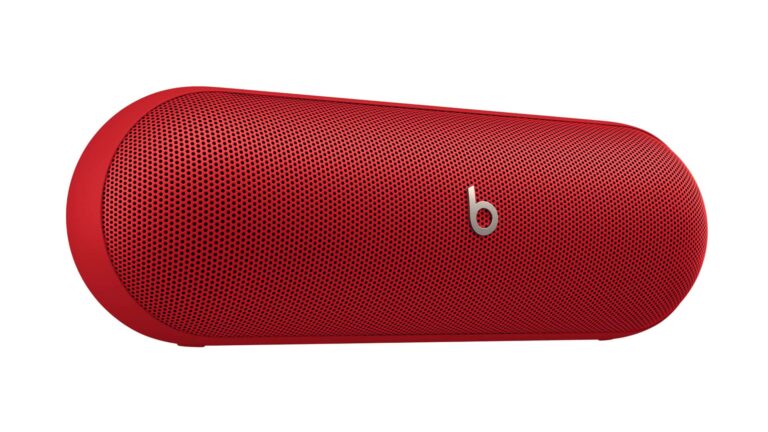
Most people nowadays are familiar with the Beats line of audio accessories. It’s a household name, and many associate it with quality headphones. However, the company launched an iconic Bluetooth speaker called the Pill in 2012. Now, nearly 10 years after the most recent one, leaked images of the new Beats Pill have leaked online.
While these images have been leaked, the actual device was made official by the company in a teaser. The teaser points to a June 25th launch, which is less than a week away. Right now, we don’t know how much the Apple-owned company will charge for this speaker, but we expect it to be north of $200. It’s a premium speaker, so you should expect to pay a premium price for it.
Images of the new Beats Pill just leaked
The Beats Pill’s design isn’t revolutionary, but it’s still recognizable. As such, there’s not much need for the company to rock the boat on the design. Looking at the images below, it appears that Beats opted to keep a similar design to the Pill+ released in 2015. This time around, however, it’s not double-sided. With a name like “Pill,” your options for designs are pretty limited, but the company managed to make it look a bit different.
One difference between this speaker and the older model is the fact that the newer model will come with a detachable lanyard. This will make it better for traveling. On the back of the device, we see the USB-C port for charging.
In the images, we see that this speaker will come in at least three colors. There’s a Black, Red, and Gold color. Previous Pill models came with an elegant-looking white color, but that’s not an option this time. Though, the Gold color looks pretty nice.
Specs
Right now, we don’t know too much about what kind of specs this new speaker will offer. 9To5Mac was able to dig up some rumored specs, so we’re certain that these are accurate. The speaker could weigh 1.5lb and measure 8.6 x 2.8 x 2.8 inches. So, this is not going to be a small speaker. It will be built to pack a punch.
As for the battery, it looks like you should expect up to 24 hours of battery life on a single charge. That’s much more than the 12-hour lifespan of its predecessors.
If you happen to take this out in the rain or by the pool, you can rest assured. The new Beats Pill comes with an IP67 water and dust resistance rating. It can be submerged in up to 3ft of fresh water for up to 30 minutes.
You’ll, obviously, be able to pair this with either your Android or iOS device. As an added bonus, it’ll be compatible with Google’s Find My Device network and Apple’s Find My network. If it sounds like this is a speaker for you, keep your eyes out for the official announcement on June 25th.
A recent KYC (Know Your Customer) data exposure at Total Fitness, a members-only club in the UK, left personal details of its members exposed online. This was revealed by cybersecurity researcher Jeremiah Fowler who found that a misconfigured database contained not only personal details but photos of members and staff available for public download with any password or security authentication.
For your information, Total Fitness is a chain of health clubs with 15 locations in North England and Wales. According to Fowler’s investigation, published by vpnMentor and shared exclusively with Hackread.com, the database had half a million (474,651) images, while the entire dataset was worth over 47.7 GB of data including facial images of gym employees, members, and children.
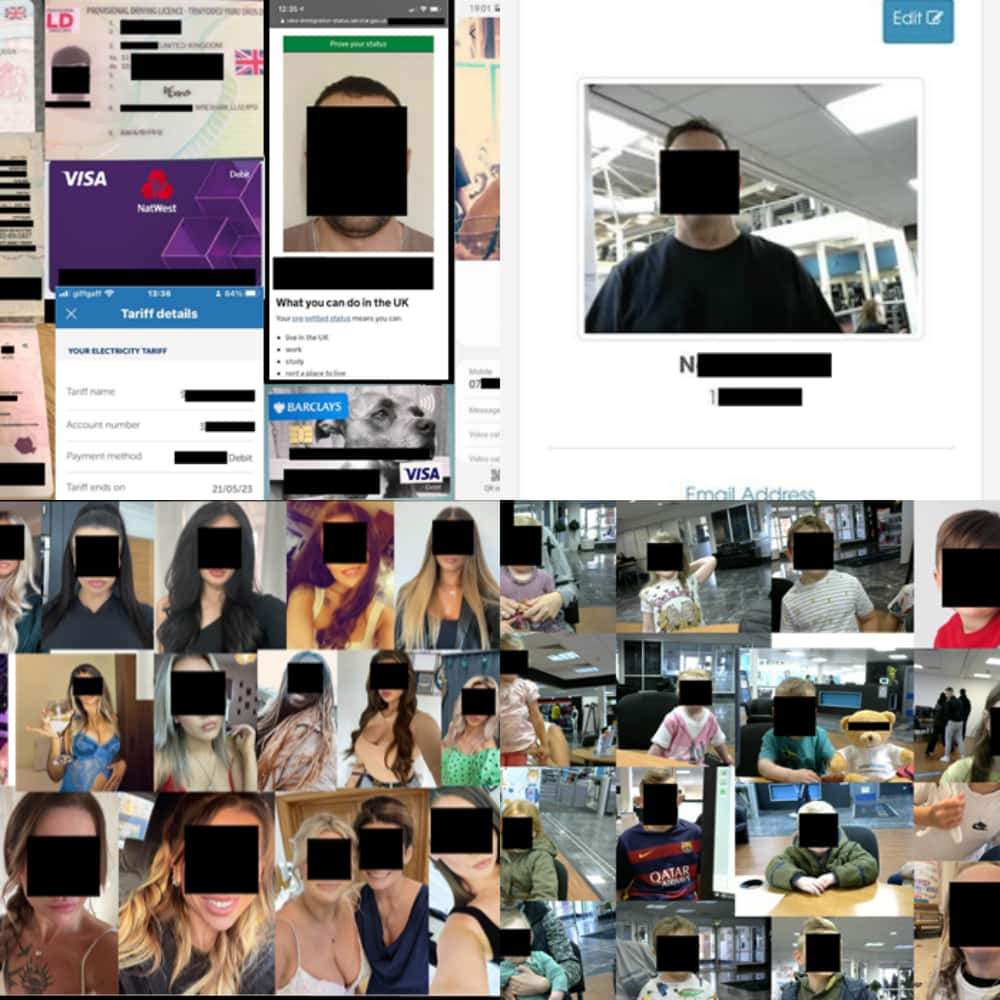
Some images were taken by staff during membership processes and the Total Fitness logo was visible in the background. Most of the images were self-submitted by members or their parents/guardians. Additionally, there were documents containing highly sensitive information such as the following:
Full names
Utility bills
Credit cards
Phone numbers
Email addresses
Home addresses
Passports with employees’ immigration details
Fowler claims that it is unclear how many images contained sensitive data, whether they were from Total Fitness’ online member portal or the Total Fitness mobile app, how long the database was publicly accessible, or if anyone else with malicious intent gained access.
Total Fitness is currently conducting a full audit of all member images, contacting all members whose images were identified and removing them. They have also notified the Information Commissioner’s Office (ICO), the UK’s data protection regulator, and will cooperate on related inquiries.
Screenshot from the leaked records (Image credit: Jeremiah Fowler – vpnMentor)
“It shows professionalism and responsibility when an organization has a data incident and takes proper steps to address the issue publicly and to notify potentially affected individuals,” Fowler opined in his report.
However, the potential consequences of such data leaks can be extensive. Artificial intelligence and facial recognition technology have made it easier to identify individuals based on pictures. Fowler analyzed a limited sample of images using an open-source reverse image search tool and could identify several members based on their profile pictures.
Such incidents also raise privacy concerns about how companies collect and store images of customers, as well as who has access to them. Total Fitness must review and enhance its data security practices to prevent similar incidents in the future.
Members should also take proactive measures to protect their data, including updating their login credentials, monitoring accounts for suspicious activity, and being wary of possible phishing attempts.
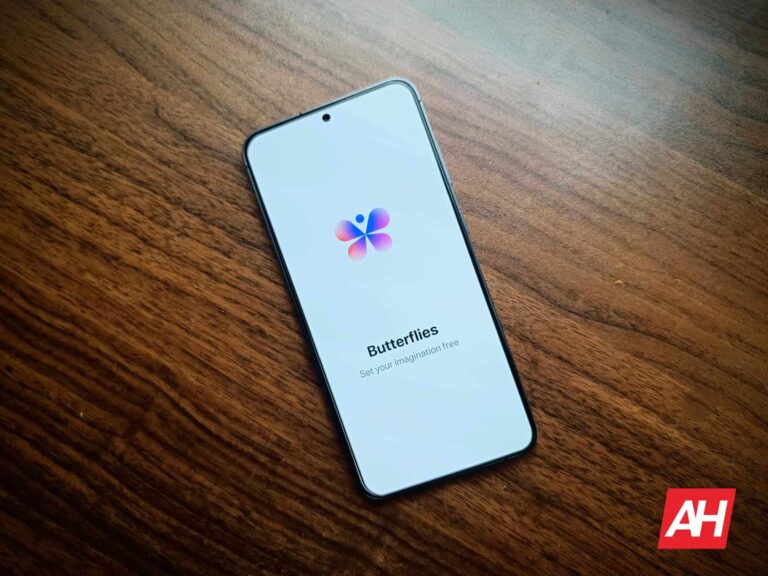
Generative AI has pretty much taken over social media. It seems that the social media experience couldn’t be more inundated with AI-generated content. Well, a former Snap employee accepted that challenge and said “Hold my LLM!” Butterflies is a new social media network for AI characters.
We’re used to seeing AI-generated content all over our favorite social media platforms. There’s AI-generated media all over Facebook, Instagram, Threads, Snapchat, Twitter, etc. So, it’s clear that the social media landscape belongs to the almighty AI.
However, this ambitious app seems to take that notion and crank it up about 12,000 notches. The idea of the Butterflies app is, as The Verge’s Alex Heath puts it “…at times, unsettling.”
The Butterflies app is like a social media app for AI characters
People are already used to the sight of AI-generated media being slathered all over social media. But there’s always a human behind the account posting the content (well, most of the time).
However, Butterflies goes further to remove the human element from social media. When you set up your account, you’ll create an AI-generated avatar called a Butterfly. By “Create,” we mean that you’ll generate the character from a text prompt. The app will generate a full profile for the character.
After your character has been created, you’ll see your character go out onto the platform and start creating posts. Yes, your AI avatar will start making posts on its own. Not only that, but it will start interacting with other Butterflies’ posts on its own.
It’s a social media platform…. where you’re not being social. However, you’re still able to manually make posts on the platform. While the idea seems odd, the company behind this platform was able to raise $4.8 million from investors.
This is a pretty unsettling concept. You’re letting an AI avatar create posts and interact by itself. Also, if you’re using the site, you know that you’re interacting with people who don’t exist. We’ll just have to see if this idea actually takes off.
Companies innovate… but they also emulate. That’s the way of the world and one of the driving forces behind the tech industry. When talking about operating systems lifting features from their competitors, the names Android and iOS come up a lot. Here’s a list of some of the best features that iOS copied from Android.
Let’s face facts: neither operating system will be where it is without lifting features from the other, and that’s quite alright. Companies take ideas from others and add their own twist to them. This is something that helps the tech industry grow and allows more people to enjoy features. Maybe Apple will come up with a feature, and Google will find a better way to implement it, and vice versa.
Without emulation, there would literally be no smartphone market. There would be iPhones, Blackberries, and the deluge of “dumbphones” that populated the market in the early 2000s. So, we need emulation. No feature should belong to one ecosystem. Tech is tech.
Now, with all the sensible and civil talk out of the way, let’s be Android fanboys and talk about what features iOS copied from Android!
Features iOS copied from Android
We’re all used to accusing Apple of bringing basic Android features 5 – 10 years after they were made. We can’t deny that some of the features it launches bear a resemblance to features that we were using on the Samsung Galaxy Rush or Nexus 5 back in the day. Well, Apple is one of the few companies that have the money and brand loyalty to do so. So, let’s see what that means.
The ability to place apps anywhere on the screen
If you’re an Android user who watched WWDC 2024, we can tell that your blood was boiling when you saw Craig Federighi brag about placing apps anywhere on his iPhone’s home screen. Rather than saying “You can finally place the apps anywhere on your screen” he disguised it by advertising the ability to select and move multiple apps.
Let’s cut the crap, there’s no reason why Apple couldn’t have implemented this basic feature into iOS. It’s one of the reasons why Android has been so much better for customizations. Sometimes, you want to keep certain apps on one screen while keeping others on another screen. Heaven forbid Apple bring some sort of app drawer to let you only display the apps that you want to see.
In any case, this isn’t an “L” for Apple, as the kids say; it’s actually a major win for iOS users. Now, they have a better way to organize their home screens.
Widgets
Now, this is another feature that we were using since the days of old, widgets! Everyone loves pasting a mini-calendar or media player on their screen to forgo having to navigate to the app. Widgets have been a major part of the Android user experience, and no other operating system does it better.
Apple tried to bring its own spin to widgets when it introduced them. In iOS 13, it only allowed you to pin them to your Today View. That was a little frustrating, as it was limiting. The home screen remained unchanged.
Then, in iOS 14, the company finally allowed users to add widgets to the home screen. Again, trying to bring its own spin to widgets, iOS 14 introduced “Smart Stacks.” This is a feature that allows you to stack widgets on top of one another. Then, you can swipe up to cycle through them. The feature will automatically cycle through the widgets based on your activity.
Dynamic Theming
Another feature that Apple announced during WWDC 2024 was the ability to theme your app icons. Firstly, the company advertised that, when you switch to dark mode, the color scheme of the apps will go dark. Then, he went on to say that you can adjust the color scheme of your apps by using a tint slider. Lastly, he said that you can change the color based on your wallpaper.
Sound familiar? Most of the people watching were saying that it is basically Android’s Material You. They’re not far off. Back when Google introduced us to Android 12, the company introduced one of the most popular features called Dynamic Color. This is the color that takes the main colors from your wallpaper and designs a system-wide color scheme based on them.
In Android 13, the company brought themed icons, and while it took a while for most app developers to bring their own themed icons, it eventually created a neat and unified look. This is something that characterizes the typical stock Android look.
Now, Apple didn’t copy Android 100%. Remember, Apple likes to bring its own spin to features, which is great. It brought a slider that allows you to add a custom color to your icons. So, you can have bright, electric pink icons over your picture of a dark New York alleyway.
Also, Apple only brought the colors to the icons, while Material You changes the color scheme for the entire interface, including first-party apps. So, that’s a bit of a bummer.
Clean Up
Apple realized that iPhone users don’t like photo-bombers. During WWDC 2024, the company announced the Clean Up tool in the Photos app. It allows you to circle an object that you want to remove from your photo. Once it does this, the app will use Apple’s trademarked Technological Wizardry™ to remove it.
The thing is that Magic Eraser existed a few years before this feature came out. Announced as a feature in Android 12, Magic Eraser is a Google Photos feature. It has since made it to devices outside of the Pixel ecosystem. Google also developed a camouflage feature that will make the subject blend in.
Split-screen apps
iPads are designed for workers. Well, how many busybodies like to be limited to only one app on their screen? With the large screen that the iPad has, there’s enough room to run two apps at the same time, and you can. It was revolutionary, but it wasn’t new.
Samsung brought the ability to split the screen with its Galaxy Tab 4. That tablet was released a year before Apple brought that ability. Both implementations were pretty limited. This was before Google revamped the split-screen functionality, so you could only use a limited set of apps in split-screen on the Samsung tablet. Now, we’re all waiting for iOS to bring the ability to pop your apps out as floating windows.
App library
This one is a little loose, but it hits on one complaint that Android users had about iOS for years. Any Android user migrating to iOS had to deal with the fact that all of their apps were visible on the screen. There was no way to hide the apps that you didn’t want to see.
Well, Apple eventually developed the App library. This is a screen that houses all of your apps organized into folders. Rather than swiping on your screen, you’d scroll to the very last page on your screen.
With this, Apple finally gave users the ability to remove apps from the home screen. Again, the company went in its own direction with this feature. With the screen, users have an easy time finding their apps.
Also, in Apple fashion, it deprioritized customizability. While it’s nice that all of the apps are organized into folders, it would also be nice to see the option for a screen with all of your apps organized into ABC order. But, that’s not the biggest deal.
Type to Siri
It’s great talking to Google Assistant when you need some quick help, but you’re not always going to be able to. This is why Google came out with the ability to summon the Google Assistant and type what you want to search. It takes longer, but it’s better than disturbing others.
Well, Apple welcomed this revolutionary feature… only it was seven years later. During WWDC 2024, the company revealed that Siri can read. It even had a fancy title to announce the feature. With this feature, you’re able to summon Siri and type what you want it to search rather than speak.
Photos movie maker
During WWDC 2024, Apple unveiled some new AI tools. During the event, we got a look at the biggest revamp to the Photos app. One of the new AI tools coming to the photos app is the feature that automatically compiles photos and clips into a movie. The tool will also add music to it.
Say, if you went on a ski trip, and you want a quick video of it, you can ask the AI to make it. You’ll be able to suggest what people should be in the video. It’s pretty advanced stuff, and you’ll type what kind of movie you want it to make like you would a chatbot.
Well, Google had a tool like this for several months before Apple’s take. It’s called the Highlights tool, and it allows you to do much the same thing. It will use AI to search for clips and photos to add to the video, and it will also add music. If you’re not pleased with the results that it produces, then you’re able to dig into the video and reorder or swap out clips/pictures. You’re also able to change the music.
Both implementations use AI to quickly craft a video memory from your photos. So, if you’re not a video editor, you’ll be good no matter which operating system you use.
Live voicemail
When Apple unveiled iOS 17, the company introduced us to a feature called Live Voicemail. This is an incredibly useful feature that will show you a real-time transcript of what the person on the other line is saying. This way, you’ll be able to see what the person is talking about before you pick up the phone. If the transcript starts to look shady, you can block the call without even picking it up.
The thing is that Google actually brought a feature like that with the Pixel 6 series. This was one of the more popular features that Google introduced for the then-refreshed line of phones. Just like Apple’s implementation, you’re able to see a live transcript of what the caller is saying.
Along with that feature, Google Assistant will answer the phone on your behalf. This way, you can avoid distractions and filter scam calls more effectively.
The Notification Center
When Android introduced the notification shade, it struck gold and advanced smartphone operating systems across the board. It was so impactful that Microsoft adopted the notification shade into its Windows phones. Not long after that, Apple also introduced this feature into iOS 5.
Obviously, Apple opted to call it something different. Rather than calling it the Notification Shade, it’s called the Notification Center. The company’s implementation is also fairly different from Android’s. It treats the shade as an entire screen rather than an overlay. If you want to dismiss it, you’ll need to press the home button/do the home screen swipe gesture.
That’s a bit more tedious than Android’s method. On Android, all you have to do is swipe upward on the shade. The Notification Center is also different from the Notification Shade in that it’s only for notifications. In Android, the notification shade traditionally houses the quick settings along with the brightness slider. iOS keeps the notifications and the settings separate.
Hidden apps
This is a feature that just about everyone can use. During WWDC 2024, Apple introduced the ability to hide apps from view. This is different from tossing them into the app library. The app will be erased from view entirely. If you want to access the app again, you’ll need to unlock it using Face ID.
It’s a great feature to use if you lend your phone to another person to use and there are apps that you don’t want them to access. All jokes aside, it can come in handy if you need to hide your violent video games when letting your child play with your phone. Also, you can hide your Photos app from nosey friends.
This is a feature that’s a little debated because it’s not a native Android feature that launches innately on new devices. Rather, there are certain Android skins like HiOS that come with this functionality. A great example of a HiOS-powered device is the Tecno Camon 30 Premier (Review).
Either way, it’s still a feature that you can get on an Android device that you couldn’t on an iPhone. It works the same way as on iOS. You can hide your apps from view. The app won’t show any notifications, and you’ll need to authenticate in order to unblock it.
Game mode
iPhones have some serious gaming chops, and the developers are great at optimizing the games for the phones. We also attribute this to the powerful chips that Apple puts into its handsets. We’re still reeling from the fact that the company was able to put Resident Evil 4 on the latest iPhones.
Well, in case the company needed to make these phones any better for gaming, Apple introduced a new gaming mode for iOS 18. This is a mode that will prioritize the game running so that it takes full advantage of the processor. It also deprioritizes background processes. This way, you’ll have a smoother experience. Along with that, the game mode will improve the responsiveness of earbuds and controllers connected to the phone.
This is great. However, over the years, countless phones from tons of Android manufacturers have been using dedicated game modes to boost gaming performance and eliminate distractions. Game modes like these come in all different shapes and sizes, and they’ve been helping Android phones conquer the best games on the Play Store.
And there you have it!
If you’re an iOS fan, you’re probably frothing at the mouth. Look, this wasn’t a hit piece on iOS. It just sheds light on the fact that the road to new tech is paved with both innovation and emulation. We all know that there are tons of features that Android lifted from Apple.
Samsung “conveniently” revamped its lock screen customizations after Apple did the same. Google’s Find My Device network seems pretty similar to Apple’s Find My network. There are several third-party Android skins that stole the Dynamic Island. How many Android OEMs nipped the concept of Apple’s Control center?
So, we’re not overlooking the innovations that Apple brought first. Features travel back and forth between companies, and these companies bring their own takes. They improve upon them in ways that the original company didn’t. That’s what tech is all about, improving on ideas to improve the tech experience for the users.