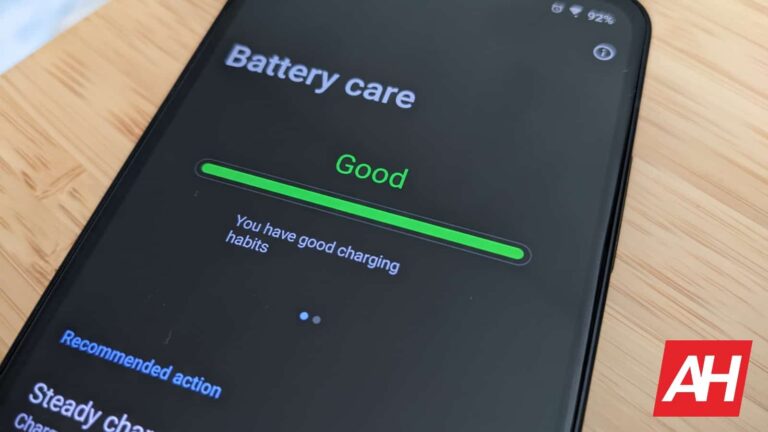
According to 9to5Google, Google is developing separate notification and ringtone volume sliders for Android, which is a long-requested feature. With this new feature, users will be able to change the volume of their ringtones and notifications separately. As a result, they can now lower the volume of their notifications while maintaining a greater volume for their ringtone.
In December, an ADB command was found in Android 13 QPR2 Beta 1 that alluded to separate notification and ringtone volume sliders. The feature was available in the Settings > Sound & Vibration menu. However, the stable QPR2 that landed in Match didn’t bear the feature.
In response to a user’s request for separated volume bars for notifications and ringtones, Google said, “The requested feature will be available in a future build.” The company also changed the request status to “Fixed.”
Separate notification and ringtone volume sliders are coming to the Android
It remains to be seen whether the feature will arrive in Android 13 QPR3. The update is scheduled for June, and we should wait to see if feature lands in QPR3 or if the company is preparing it for Android 14. Some users have also reported that a separate ringtone volume slider has appeared in Android 14 Beta 1.
Users will like this new feature’s convenience and usefulness. For example, you may now turn down the volume of your notifications in a conference or quiet area without worrying about missing crucial calls. On the other hand, you can turn up your ringtone’s level if you’re in a noisy setting to avoid having to deal with obnoxiously loud notifications.
With the new separate volume sliders, users can also customize their phone’s sound settings to their liking without compromising on one or the other. Previously, Android users had to adjust the volume of their notifications and ringtones together, which frequently resulted in missed calls or loud and annoying notifications.
A separate slider for notifications and ringtones is a small but significant improvement that makes Android more user-friendly and customizable.
Back in March, it was reported that both the iPhone 15 Pro and Pro Max will have the thinnest bezels on the market. Well, the same source that shared that info just shared more information about the iPhone 15 Pro Max, reconfirming that the phone will offer razor-thin bezels.
The iPhone 15 Pro series to offer razor-thin bezels
This information comes from Ice Universe, one of the most prominent tipsters out there. He once again mentioned the iPhone 15 Pro Max without the ‘Pro’ model, but based on previous info, they will have the same bezel thickness.
In any case, this time around, Ice Universe not only shared a screen protector of the iPhone 15 Pro Max (ignore the size of the cutout at the top), but a render of what the device is expected to look like. You can check out both of those in the gallery below.
As you can see, the bezels on here are extremely thin. They are noticeably thinner than the ones on the iPhone 14 Pro models, that’s for sure. The iPhone 14 Pro’s bezels measure 2.17mm when it comes to thickness.
The Xiaomi 13 is the current record holder when it comes to bezel thinness
The current record holder is the Xiaomi 13, though. Its bezels measure 1.81mm. Well, the iPhone 15 Pro and iPhone 15 Pro Max are expected to trump that too, says Ice Universe. He did not share the exact thickness of those bezels, however. Based on some previous info from ShrimpApplePro, however, those bezels will be curved a bit.
The thinner the bezels, the better the phone looks, aesthetically. The iPhone 15 Pro and Pro Max will still include the Dynamic Island cutout at the top, however, which, of course, kind of ruins the immersiveness of the display.
All iPhone 15 models are expected to launch later this year, in September. The iPhone 15 Pro models were tipped to include solid-state buttons, but it seems like that won’t be happening. The all-new Action Button may be a thing, though, to replace the mute switch.
All iPhone 15 devices will include a Type-C USB port at the bottom, and the ‘Dynamic Island’ cutout. The ‘Pro’ models will differentiate from the vanilla models, and the ‘Pro Max’ is even tipped to include a better camera setup than its sibling this time around. We’ll see if that’ll pan out.
Many iPhone users have a difficult decision to make when traveling; do they use reliable Google Maps to help them get from point “A” to point “B” safely, or do they turn to Apple Maps which Apple is constantly improving. Either way, both platforms deliver an incredible amount of information to drivers (and passengers since technically you are not allowed to drive while looking at your phone) that might be hard for them to comprehend on a smartphone screen.
Looking to make things easier to understand, per Autoevolution, Apple has filed a patent application titled, “Navigation application with novel declutter mode.” This is actually a brilliant idea since it allows an Apple Maps user to press a button on the UI to switch from full mode to declutter mode. The latter would remove all of the names of the restaurants and businesses you pass and focus solely on the route and map information that will take you to your destination.
Besides removing business and restaurant names, the only street names that you will see in declutter mode will be the one you’re currently driving on, and the one where you make your next turn. And to make the interface less confusing, there would be no arrows highlighting your journey except for the ones telling you where you make a turn. Voice guidance could also change. So instead of hearing the instruction to “turn right on 3rd Street,” you would hear, “turn right after the Bank of America building.” At the same time, all buildings except for the Bank of America building would disappear from the screen.
When making a turn, a building could be used as a landmark in declutter mode
And once you finally arrive at your destination, instead of hearing that “your destination is on the right,” a satellite view might appear on your screen to show you precisely where your destination is. The reason why this is such a great idea is that it would focus Apple Maps on getting the user to his destination quickly and without distractions. If the user doesn’t mind, the feature can be disabled and the full Apple Maps UI can return with the tap of a button.
Declutter mode UI when arriving at a destination
Since Apple hasn’t even received a patent yet for the idea, we don’t expect this to be implemented soon. But for those who find it hard sometimes to navigate using Google Maps or even Apple Maps because there is too much information presented on the screen all at once, there might be a solution coming eventually.
Cisco SPA112 2-Port Phone Adapters have been reported to be vulnerable to arbitrary code execution via a malicious firmware upgrade. Cisco has classified this vulnerability as Critical, with a CVSS Score as 9.8
CVE-2023-20126 – Port Phone Adapters RCE Flaw
Malicious actors can exploit Cisco Web-based management interface on Cisco SPA 112 2-Port Phone adapters to execute arbitrary code.
This vulnerability existed due to a missing authentication in the firmware upgrade function. Threat actors can exploit this vulnerability by upgrading the affected device with malicious firmware.
Successful exploitation results in arbitrary code execution on the Cisco adapter.
Cisco said they wouldn’t release a firmware update on this issue as the product (Cisco SPA112 2-Port Phone Adapters) reached End-of-life in June 2020.
To resolve this issue, Cisco requested their customers to upgrade to Cisco ATA 190 Series Analog Telephone Adapter.
The last support date for these products was mentioned on May 31, 2025. In their End-of-Sale and End-of-life announcement they mentioned the product migration options for this adapter and stated the milestones for ending the services relating to this product.
Affected Products
All firmware releases of Cisco SPA112 2-Port Phone Adapters are affected by this issue.
Cisco released their security advisory for this issue on 3rd May 2023 to the public to alert their customers.
Amazon has spilled the beans on the Google Pixel Tablet days before the official launch. The new tablet is slated to debut this Wednesday, April 10, during the Google I/O conference. But the e-commerce biggie jumped the gun to list the product on its Japanese website prematurely. It has since removed the listing, but not before the internet could get a grasp of the device’s detailed specs, release date, and local pricing structure.
The briefly-online Pixel Tablet page on Amazon Japan (via) confirmed that the device features a 10.95-inch LCD screen with a 2560×1600 pixels resolution and 500 nits of peak brightness. It supports USI 2.0 stylus. Under the hood is Google‘s second-gen custom processor Tensor G2, which also powers the Pixel 7 lineup. The company has paired the SoC with 8GB of LPDDR5 RAM and 128GB/256GB of UFS 3.1 storage. The tablet seemingly doesn’t take in a MicroSD card for expandable storage.
The Pixel Tablet has two cameras in total, one each on the front and back. Both are 8MP sensors that can capture 1080p videos at 30fps (frames per second). Google will include features like Eraser Magic and Photo Unblur here. The table also boasts three microphones, a quad-speaker setup, a USB Type-C 3.2 Gen 1 port, and a 4-pin accessory connector. Connectivity options will include Wi-Fi 6, Bluetooth 5.2, and Ultrawide Band (UWB), while the batlet should boot to Android 13. The whole package is fueled by a 27 Wh battery that gives you “up to 12 hours of video streaming.”
Amazon also revealed the Pixel Tablet’s price and release date
The now-deleted Amazon listing for the Pixel Tablet mentioned a June 20 release date for the tablet, at least in Japan. It’s unclear if Google will bring the device to the market earlier in other regions. It isn’t looking likely, though. There haven’t been as many leaks about the new tablet as the Pixel 7a, which will debut on the same day (April 10) and is expected to go on sale next week. Wednesday’s event will also bring the Pixel Fold, Google’s first-ever foldable smartphone.
While we wait for the official confirmation about Pixel Tablet’s release date, the Amazon listing revealed that the tablet will cost ¥79,800 (roughly $591) for the 128GB storage option. It may cost slightly more in some other markets, though. An earlier leak quoted a price of €600-650 (roughly $660 to $720). The tablet will come with a charging and speaker dock in most markets if not all. It will be available in two colors — Porcelain with a beige rear panel and white bezels and Hazel in a green and black combination. Stay tuned for the official launch in a couple of days.
Do you want to make a skin for your expensive smartphone? Have you spent more time making a mobile skin but still need the phone cover you want? There are many different kinds of skin templates on the market. You can choose the skin that best fits your wants and preferences. The skin came with thousands of templates for all mobile devices and laptops. The person can choose the template that works best for them. The colored skins that can be removed and put back on help make mobile devices look better. You can put logos, photos, text, and other things on the mobile case.
Why use a design for a mobile skin template?
Skins for mobile phones are a great way to save time and get more done. They are often made by professional teams and companies, so you don’t have to worry about the design being bad. Also, they are made to be easy to use, so you don’t need to be a creator to use them. They are a great way to give your device a new look without having to get into the technical details of design. The best thing about them is that they help you save money. If you hired one or more artists to make a new look for your device or change the way it works, it could cost you thousands of dollars. With a mobile skin template , all you have to do is change the images and text. This is much cheaper than paying a designer.
Armobileskin is a great platform to learn how to make mobile apps. Mobile app themes are ready-made cutting files with animations, graphics, and designs that are easy to use and user-friendly. If you’re considering buying a mobile skin template for your next business venture like iPhone 13 Pro Max skin template, here’s how to make the most of it. Armobileskin allows customers to order designs in any size they desire. The cutting of these templates does not require the use of a machine. It offers all skin template sizes, so you can choose the one that best fits your device and gadgets. There are a lot of styles to choose from, making it hard to pick the right one. Before buying a template, you need to think about many things. What kind of color is it going to be? How much do you want to pay for the template?
Buy a template that is relevant to your business and hobbies. Think about what material you want your file to show and choose a template based on that. For example, if you want to make a file for a pet store, you’ll need a theme with colors and images connected to animals.
Make sure that each part fits with your overall plan. There are a lot of different templates, but some might not work for the niche or business you’re looking for. Before you spend money on anything, make sure that each part fits with your goal. This will save you time and money in the long run.
Keep it easy! The more bells and whistles a file has, the harder it is to find your way around the different screens and pages. Make your app easy for your customers to use on the go by only adding the most important features.
Getting a clear idea of what you want mobile skin template
You need to know how your app should look before you can start making it. Your mobile skin template is a great place to start, saving you time and money in the long run. You’ll be able to see how the file will work and look before you make any big decisions or spend a lot of time writing it. This will give you time to change anything that needs to be changed before you spend too much time and energy on an idea that might not work out.
Because they are already set up for screens of all sizes, mobile themes also save you the trouble of changing your file to fit each device. Mobile skins can be changed, so all you have to do is add a brand or name, and everything else will be ready for you. This gives you a more professional look and saves you a lot of time, money, and effort you would have spent making your plan from scratch.
Even if you don’t know much about design, this is a great way to tell your customers about your brand. They can help you test your idea. You can try out different designs and see what your customers like and don’t like to help you improve your next makeover.
Easy to use: you don’t need any design skills, just change the images and words.
They are very cheap because you can add your own pictures and text or choose from a huge number of pre-made themes, services, and layouts.
Help you share your brand: Even if you don’t know much about design, this is a great way to tell your customers about your brand.
They can help you test your idea. You can try out different designs and see what your customers like and don’t like to help you improve your next makeover.
They let you try out your idea: You can find out how well your app works before you start making it.
Conclusion
If you need help finding a mobile skin template, this blog post will give you some ideas. The first thing you should do is choose a website to narrow down your search. Armobileskin is a best place to purchase skin template. Search by term or look through all the templates until you see something you like. Once you’ve found a template that works for your desired design, look more closely at its features. Does the template come with everything you will need? If not, keep looking! The more complex your needs are, the easier it will be for you and your business to find the right mobile skin template.
Google announced earlier this month new improvements coming to the Chat experience on mobile. The ability to quote a preview message in Google Chat should appear for users on mobile and web by the end of the month, Google said in a blog post.
The feature that’s already available in so many messaging apps has been missing from Google Chat. In any case, once the new feature pops up on your device, you’ll be able to quote a previous message when sending a reply in a direct message, group message, or space.
In certain scenarios, the new feature is very useful and comfy to use, especially since it will help users provide context to a message response by allowing them to directly reference a previous message. The new feature has been implemented in a way that messages quotes will appear in the main message stream, not in in-line threading, where message responses are shown in a separate thread.
According to Google, the new quote reply feature will be gradually rolled out over the next two weeks. It will be available to all Google Workspace customers, as well as legacy G Suite Basic and Business customers. Users with personal Google Accounts will get this feature too.
OnePlus finally gave us its long-awaited tablet, and it really struck a chord with reviewers. There’s a lot to love about it, but there are some things that, unfortunately, hinder the experience. So, let’s talk about the bad. Here are the reasons you shouldn’t buy the OnePlus Pad.
Now, this isn’t a review (you can read that here), and it’s not to say that the tablet is generally bad. Actually, it’s a great tablet, and I have a list of the reasons why you should buy it here. These are just some of the things that might turn you away from this tablet if you have certain expectations.
Why you shouldn’t buy the OnePlus Pad
So, the OnePlus Pad is great, but it’s not perfect. All of the announcements and advertising copy for this tablet only show you the best aspects of it. Well, what are the bad parts of the experience?
The performance
So, this is one of the more important gripes that I have with this tablet. The OnePlus Pad uses the MediaTek Dimensity 9000 SoC. Now, people often associate the name MediaTek with bad performance, but the company’s Dimensity series of processors have some serious potential. However, the OnePlus Pad’s performance makes me doubt that.
Don’t get me wrong, the performance on the OnePlus Pad is far from terrible. It’s smooth for the most part. I’m able to glide through the software and perform my tasks with only mild stutters. But, the thing is that this performance is more akin to what you’d get from a mid-range device, not a tablet running a flagship processor.
It lags more than I’d like to see from a device that’s fresh out of the box. The issue might lie with OnePlus‘ optimization or with MediaTek. In any case, it’s not as much of an issue now, but if the tablet’s stuttering now, it will only get worse as time goes on.
The speakers
The speakers on this tablet were a big letdown. Of course, OnePlus made a big show about the quad speakers. They are powerful, yes. They get loud enough to fill a room with sound, yes. If you’re looking for speakers that emit sound, well, you’re covered.
But, the sound that the speakers emit is nothing to write home about. The thing about the speakers is that the sound they emit is so flat. It honestly sounds like I’m listening to a very loud $300 phone rather than a set of Dolby Atmos-tuned drivers.
Nothing really sticks out about the sound. It didn’t matter what I listened to, it all sounded flat. The high hats in early 90s rap, the crunchy bass in late 80s pop, the vocals in 70s rock, the warm encompassing sound of classical- nothing popped. There was just no immersion. The speakers in my cheaper Honor Pad 8 performed circles around these speakers.
It didn’t matter which Dolby Atmos preset I used either. The sound just didn’t live up to the hype that OnePlus established.
The storage options
One bummer is the fact that there’s only one storage option for this tablet. That’s 128GB. While that’s not bad, there are people who definitely need more storage. 128GB used to be immense, but apps are getting bigger. Genshin Impact grew from 8GB to 22GB in two years. DragonBall Z Dokkan Battle ballooned up to 10GB since it was created.
If you’re a person who will be downloading a lot of large games or storing a bunch of large files, then you’ll need to be careful with your storage.
This is especially true because the OnePlus Pad does not have expandable storage. I’m not saying that the tablet should come with 256GB at the $479 price. It’d just be nice to have the option for a 256GB variant.
What’s mediocre about this tablet?
Truth be told, the good in the OnePlus Pad far outweighs the bad. Consequently, the list of gripes is pretty short. So, here are the aspects of the tablet that aren’t bad per se. They aren’t horrible, so they aren’t major reasons why you shouldn’t buy the OnePlus Pad. They’re just minor gripes.
The Rear camera
I put the rear camera in this section because it’s not a major part of the user experience. Not many people use their tablets for their cameras, so this is more of a footnote.
The rear-facing camera on the OnePlus Pad is really bad. Even taking pictures in well-lit environments is a struggle. The images come out extremely soft and the contrast is terrible. The only thing I’d say is that the colors are pretty nice, but that’s like seeing a broken-down car with a nice paint job.
Still, I can’t fault the company for the camera performance. It just wasn’t the company’s priority. The OnePlus Pad is an affordable tablet, so the rear camera is where OnePlus needed to cut some corners.
The gaming (out of the box)
This one’s a little hairy because the gaming on this tablet is really good. The thing is that it requires an extra step to reach this tablet’s gaming potential, and it’s not obvious to the user. When you start a game, you’ll see the option to access the gaming hub. This is a little window that gives you options like screen recording, notification settings, and more.
There’s the option to utilize the processor’s full potential and maximize the gaming performance. However, that option’s not obvious to the user, so they’re most likely playing on the default settings.
Using the default settings, gaming performance is good for the most part. 2D games and most 3D games run smoothly without any hiccups. Games like DragonBall Legends and Asphalt 9 ran as smooth as silk.
Once you start to get into the more graphically intensive games like Genshin Impact, you’ll start to see the performance dip. Playing Genshin Impact with the out-of-the-box settings is a stuttery experience with jitters throughout. Honkai Star Rail ran better, but there were still performance issues.
Conclusion
So, to sum things up, the OnePlus Pad was a great first try with its flaws. This article wasn’t to discourage you from buying this tablet. Rather, it’s to help you in your search for your dream tablet. If you’ve been eyeing the OnePlus Pad, and performance, speakers, and camera performance are a priority for you, then you shouldn’t buy it. Otherwise, feel free to pick it up!
We’ve been waiting for OnePlus to release a tablet, and that day has finally come. Now that the OnePlus Pad is out, you’re probably wondering what makes this tablet worth the money. Well, don’t worry, I’ll tell you the reasons why you should buy the OnePlus Pad.
This isn’t an official review of the device; you can read the review right here. Instead, I’ll be going over the best aspects of this tablet and why it should be in your tech collection. If you want to know why you shouldn’t buy this tablet, click here.
Why you should buy the OnePlus Pad
So, let’s get started. There’s actually a lot to love about this tablet, so there’s a pretty good list of positives for this device.
The display
Starting off with probably the best aspect of this tablet, the OnePlus Pad has an absolutely gorgeous display. OnePlus has always been the brand to give their devices nice displays, and the OnePlus Pad is no different.
Let’s start off with the resolution. A lot of tablets on the market have 1080p+ displays (around 1920 x 1200), and some of the pricier ones have WQXGA displays (around 2560 x 1600). The latter is like the tablet equivalent of 1440p. The OnePlus Pad has a display with a resolution of 2880 x 2000. That’s 40% more pixel-dense than a WQXGA display of the same size.
The pixel-dense display is only helped by the pleasant use of color. The way that the display is tuned really matches the aesthetic of the software. The colors pop as colors do on OLED displays, but they keep from going overboard. It strikes a good balance that I really like.
I can’t talk about the display without talking about the 144Hz refresh rate. Gliding through the software is so silky smooth and pleasant to the eyes. The combination of the resolution, colors, and refresh rate strikes an amazing balance.
The screen aspect ratio
It seems weird to give the aspect ratio its own section, but it really stands out compared to other tablets. The OnePlus Pad has a unique 7:5 aspect ratio. The company calls it the ReadFit display, and it’s geared toward presenting reading material in a more comfortable manner.
If you see it in portrait mode, it’ll look like someone took a typical tablet and stretched it upward. It’s a lot more square compared to other Android tablets. It’s similar to iPads but just a bit longer length-wise.
This aspect ratio really boosts the reading experience if you’re using it for e-reading. I tested reading textbook pages and reading books on both Kindle and Google Play Books, and compared the experience to my Honor Pad 8. I much preferred the OnePlus Pad’s aspect ratio. The aspect ratio is close to that of a sheet of notebook paper, and that makes reading documents much more natural-feeling.
Gaming (when optimized)
So, the story of the gaming performance is a little weird. Out of the box, the gaming performance is good but not the best. The tablet tackled 2D games without any trouble and all but the best-looking 3D games. Obviously, that list includes Genshin Impact.
However, you have the ability to utilize the processor to its fullest potential and boost the gaming performance. When you do that, you’ll see a big difference. With this mode enabled, I was able to play the nice-looking Star Rail without any stutters. With Genshin Impact, it ran very smoothly with only minor stutters that were few and far apart. This is with all of the graphic settings maxed out, as well.
The front-facing camera
Now, companies don’t really give their tablets good cameras, as people don’t really use them as their main photography devices. The rear-facing camera on the OnePlus Pad is pretty bad, but the one up front is actually pretty good.
It’s not quite good enough to outshine a phone with a decent selfie camera, but it’s more than good enough for video calls. I was actually impressed when I activated the selfie camera. Even on the large display, the picture was pretty crisp. Using this tablet for your video calls will definitely look better than what you’ll see with most laptops.
The software
There are two sides to the software story, and the first one is the operating system. As you know, Google has been working on making Android a better operating system for tablets over the past couple of years. The OnePlus Pad has Android 13, so the software is intrinsically suited to work on larger screens.
Since the OnePlus Pad uses an Android skin, and since this is OnePlus‘ first tablet, one wouldn’t expect the experience to be as seamless as it is. However, OnePlus did a great job implementing the tablet optimizations into OxygenOS. All of the animations run smoothly and all of the apps and UI elements scale perfectly to fit the screen and its radical screen ratio.
The second side is the Android skin. The OnePlus Pad runs on OxygenOS 13, and it comes with a handful of neat customization options that let you tailor the software to your liking. It’s impressive how many customization options you have.
You have basic options like applying the wallpaper colors to your theme, adjusting the font size, and choosing the home screen animations. However, the company goes even deeper with its customizations. Not happy with the speed of the animations? Well, you can change them.
These tools really shine when adjusting the app icons. You have your choice between five different app icon shapes, and you can adjust how rounded the corners are on the first option. Not only that, but you can dial in the exact size of the icons as well. You also adjust the size of the app names and even disable them altogether.
The Stylus support
Given that the aspect ratio is closer to what you’d get with a piece of paper, you can imagine that drawing, writing, and signing documents is a breeze. This is why it’s great that this tablet comes with stylus support. You can add on the OnePlus Stylus if you’re looking to use this as an art station.
The stylus works well with the display, and I was able to draw on it pretty easily. It’s an additional purchase, but it’s worth it if you’re looking into getting the OnePlus Pad.
The RAM usage
When it comes to productivity, the OnePlus Pad comes with 8GB of RAM. That’s pretty standard for flagship tablets, but you can increase it by another 4GB using your onboard storage. So, you can boost the RAM up to 12GB if you really need it. Using the tablet, it really shows.
The price
Lastly, we get to the price. The OnePlus Pad costs a cool $479. That’s less than several premium mid-range phones on the market. At this price, it undercuts some of the more premium Galaxy Tabs and iPads. It reaches a great middle ground between affordable and capable, and you won’t feel cheated by your purchase.
Conclusion
So, these are the primary reasons to buy the OnePlus Pad. If you’re looking for a beautiful display, well-optimized software, a great reading experience, great RAM management, and a nice front-facing camera, then you should pick it up.
Google just can’t seem to keep its devices under wraps. A number of previous Pixel phones leaked at length prior to launch, and the Pixel 7a is no different. We’ve seen the device’s official renders, hands-on video, eBay listings, and more. Well, now, we get the best look at the phone yet as the Pixel 7a appeared in a lengthy YouTube video.
A lengthy pre-launch video shows us the Pixel 7a in detail, along with its camera samples
This video has been published by the ‘munchy’ YouTube channel, and at the time of writing this article, it was still live. The video itself has a duration of around 16 minutes, and it contains a lot of information.
The YouTuber managed to get ahold of the Arctic Blue model of the phone. He talks about the device in the video quite a bit, weighs the phone, and you can even check out a bunch of camera samples too.
The device is both wider and taller than the Pixel 6a, despite the fact it has the same display size. It’s also considerably heavier at 193 grams, compared to 178 grams of the Pixel 6a.
The YouTuber confirms that the phone has a 90Hz panel too, and that it packs in 8GB of RAM. The Tensor G2 SoC is also confirmed here, as is a 4,300mAh battery. So, the device has a slightly smaller battery than the Pixel 6a, despite the fact its display has a higher refresh rate.
Face Unlock is also confirmed in this video
We also get to see the Face Unlock feature confirmed in this video, as rumored. The camera samples you’ll see in the video are taken by a 64-megapixel camera, but that results in 16-megapixel images due to pixel-binning. You also get to check out some ultrawide shots.
These camera samples do look really nice, but that’s not a surprise. Even some older budget phones from the company still shoot great photos, such as the Pixel 4a, for example.
In any case, the Google Pixel 7a will become official on May 10, during the company’s Google I/O keynote. It is rumored to cost $499, and it will launch alongside the Pixel Fold and Pixel Tablet.