Reports of the forthcoming iPhone SE and Apple 5G modem have been circulating for a while now. Here’s everything we know about the chip and the phone.
Yesterday, Jeff Pu claimed Apple could release an iPhone SE with a custom-designed 5G modem in 2025. In a research note with Haitong International Securities, the analyst further noted that Apple’s chip supplier, TSMC, would manufacture the modem.
It turns out that Pu was on to something. Earlier today, analyst Ming-Chi Kuo confirmed that Apple could start mass-producing its in-house modem as soon as 2025.
While an iPhone SE with a custom-designed 5G modem may be in work, Kuo points out that it’s an internal prototype. In other words, Apple does not intend to mass-produce the device for public release.
Earlier in the year, Kuo predicted that the iPhone SE 4 would have the same design as the iPhone 14 lineup — a 6.1-inch OLED display with Face ID technology in a notch. But that model may never make it to market this year, based on the analyst’s latest report.
“I previously predicted that the iPhone SE 4 would be a derivative model of the iPhone 14,” says Kuo. “However, my latest research indicates that this derivative model will likely be an engineering prototype for Apple in-house 5G baseband chip technology and mass production validation, and there are no plans for mass production and sales.”
So when can we expect the Apple modem?
Possible Release Date of the In-House Apple 5G Modem
According to Kuo, mass production of the Apple in-house 5G baseband chip depends mainly on the engineering prototype’s test result.
That means mass production of the chip will only commence in 2025 — as Jeff Pu’s report suggested — upon successful testing. However, Kuo says Apple may push the schedule to 2026 or later if the testing falls below expectations.
“The advanced-node technology to be employed for mass production of Apple’s in-house 5G baseband chip will depend on the mass production schedule,” the analyst concludes.
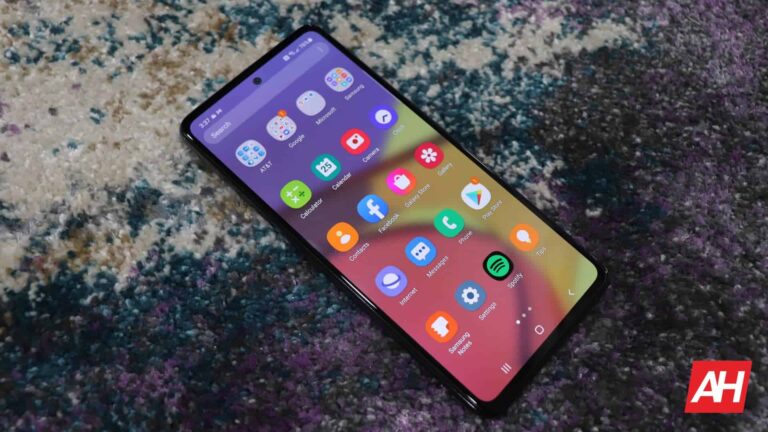
Samsung has updated the Galaxy A52s to the April security patch. The company has also released the April security update for the Galaxy A52 5G in the US. The 4G version of the latter has already received the latest SMR (Security Maintenance Release).
This month’s security update for the Galaxy A52s is currently available in Latin America. To be precise, the rollout has begun in Brazil with the firmware build number A528BXXU2EWC5. A global release should follow in the coming days. This phone wasn’t sold in the US but Samsung did make it available widely in Asia, Africa, and Europe.
The firmware version suggests this update brings more than just the latest security patch to the Galaxy A52s. Unfortunately, Samsung hasn’t updated its update tracker to reflect this release, so we don’t have the changelog yet. In fact, the company has kept the update tracker for the 2021 premium mid-range smartphone in Brazil unchanged since the Android 12 update over a year ago. We will have to wait for the new release to reach more markets for the content details.
While the Galaxy A52s didn’t arrive in the US, the Galaxy A52 5G did. And it is now picking up the April update too. The rollout began recently for the factory-unlocked variants. The new firmware version is A526U1UES8EWC2, and it doesn’t bring anything apart from the latest security fixes. Samsung should soon expand the rollout to carrier-locked units too. The April SMR isn’t yet available for the Galaxy A52 5G in other markets. Its 4G model, meanwhile, received the update in Latin America last week but Samsung hasn’t expanded the release elsewhere.
The April update brings dozens of security fixes to these Galaxy smartphones
The April SMR for Galaxy devices contains fixes for more than 70 vulnerabilities, Samsung revealed earlier this month. These include 23 Galaxy-specific issues and 50 Android OS flaws. At least five of these vulnerabilities were critical, the Korean firm confirmed. The vast majority of the remaining issues were labeled “high-severity” by Samsung and Google. Some of the vulnerabilities patched this month could lead to remote code execution.
If you’re using a Galaxy A52s or Galaxy A52 5G, these security fixes should soon be available for your phone with the April update. Samsung will also continue to push the latest SMR to more eligible Galaxy devices in the coming days. To check for new updates on your Galaxy smartphone, go to the Settings app, tap on Software update, and then on Download and install.
Mother’s Day is, believe it or not, right around the corner, on May 14. So now is the time to start looking for a gift to get your mom. And we have quite a few good options to pick up for your mom this year.
Whether that be a robot vacuum, so she can sit on the couch drinking wine while it cleans, or a new phone to replace her aging one, or something else. We have loads of ideas here, and there’s something for every budget.
Best Mother’s Day Gifts
As mentioned, this list has a ton of different gifts, all of which are going to be great to get your Mother this year for Mother’s Day. Now these are mostly tech centric Mothers Day gifts. So do keep that in mind.
The Samsung Jet Bot AI+ is one of the best robot vacuums that you can get your mom, this Mother’s Day. It’s pretty pricey, but not too pricey for a robot vacuum, actually. So as the name indicates, this robot vacuum does use artificial intelligence. That is used to recognize objects and avoid them. So you don’t need to worry about it running over cords, running into shoes, scales and a whole lot more.
There is a camera included on the vacuum, that’s part of how it is able to recognize objects. That camera can also be used to stream the cleaning when you’re not home. So you can see what it is getting stuck on, or seeing what it’s doing and much more. It does have some pretty good suction power, and an automatic self-empty station. Making cleaning even easier for Mom.
Who doesn’t need an insulated water bottle? No matter how old your mom is, this is a great gift for Mother’s Day. It’s available at Target, and it’s available in a slew of different colors.
With the BlendJet 2, you can blend smoothies, protein shakes, lattes, and so much more, on-the-go. It’s battery powered, and can last for about 15 blends. It is also powered by USB-C, so the same charger you use for your smartphone, will work here.
As if that wasn’t enough reasons to buy the BlendJet 2, it can also clean itself. Just add in some water, a drop of soap and blend.
The Google Pixel Watch is a great gift for Mom this year, because it’s a smaller smartwatch and it also looks more like jewelry than some other smartwatches.
This is Google’s first smartwatch, which was released last year, and offers up some really great features. Like Fitbit being built in. Allowing you to track your heart rate, sleep, activity and so much more. You can also use Google Assistant, Google Pay and much more here.
The Theragun Mini is a great gift for anyone, even something you might want to snag for yourself. It’s a handheld portable massage gun, that has a 150-minute battery and comes with a travel pouch. This is great to use after working out, as well as when you’re getting old and everything starts to hurt.
It has three speeds, so you can customize treatments on the go. It’s also small enough that it can fit in a gym bag – or let’s face it, most purses.
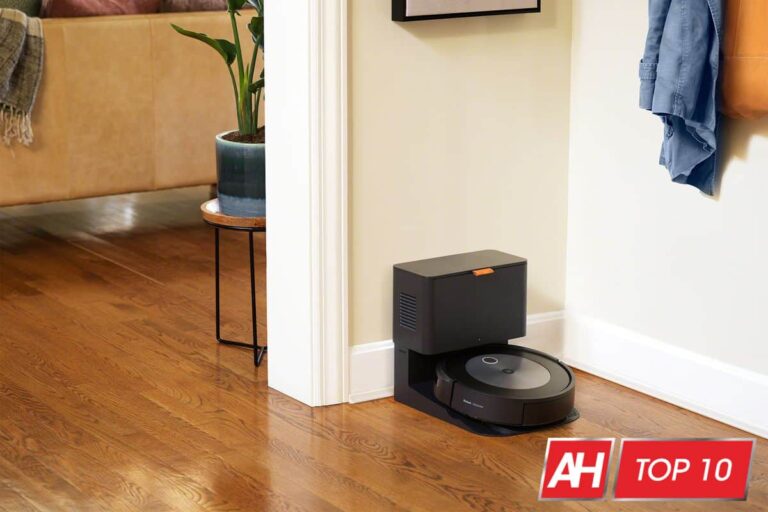
The new iRobot Roomba j7 uses a camera in the front, which is able to identify obstacles better, in your home. Obstacles like cords, shoes and even pet waste. In fact, iRobot is so sure that it will avoid pet waste, that it is guaranteeing that it will avoid it.
It does come with a new auto-empty dock that can still hold up to 60 days of dirt and debris. It’s a great option for hands-free cleaning, as it can empty itself and avoid other obstacles around your home. Of course, if you don’t want to get the auto-empty dock you can get it with the regular dock for a few hundred bucks less.
The Galaxy S23 Ultra is no surprise as our pick for the best overall smartphone right now. It checks literally every box out there, including having a stylus. And that makes it the perfect gift for Mom.
Samsung has outfitted the Galaxy S23 Ultra with a massive 6.8-inch QHD+ 120Hz AMOLED display, the Snapdragon 8 Gen 1 processor, starting at 12GB of RAM and 256GB of storage. It does go up to 1TB of storage though, for additional costs. It also has some slightly updated camera sensors compared to the Galaxy S22 Ultra, and the S Pen is no built-in. And no longer an additional purchase.
Technically, this is not a robot vacuum. But we’d thought we would include it since a lot of the mopping on other robot vacuums that include it, just isn’t good. But with the Braava Jet M6, it is really good. You can often times bundle this with another Roomba robot vacuum at a pretty good price, so that is worth checking out.
The Braava Jet M6 on the other hand, is pretty incredible. It has a precision jet spray, which is good for getting up tough grease and other dirt off the floor. It still uses the smart mapping that other iRobot Roomba’s use, so it can run back and forth until it has cleaned the entire house.
Finally, this is really great for open spaces. Obviously, it is not something that a lot of people are going to buy, unless the majority of their house is not carpeted. If just your kitchen and bathroom are not carpet, then it’s not really worth it to buy this.
Why not get your mom a new TV for Mother’s Day? The Sony A9G is the newest OLED TV from Sony, and it’s one of the best OLED TVs out there right now. Of course, it’s price does indicate that.
This is part of the MASTER series from Sony, which means that it was calibrated by film makers to make sure that you see the picture they intended. Meaning that the picture is more true-to-life than almost anything on the market.
It’s powered by the X1 Ultimate processor, which is Sony’s best processor and it analyzes content to bring out OLED’s intense contrast with pure blacks, peak brightness and natural colors. It’s also a really great TV to pair with the PlayStation 5. With a dedicated gaming mode for a smoother and more responsive gaming experience.
If you have a nice pathway from the curb or sideway, to your front door, then you’ll want to grab the Ring Solar Pathlight. These are pretty inexpensive at $25 each, and also are smart. So they can turn on whenever you need them too. Whether that is when you get home from work, or when the sun goes down.
But perhaps the best part of this light is the fact that it is solar-powered. So you won’t need to worry about paying electricity for leaving these on all night long. That is really nice.
If you own other Ring products, like the doorbell, or floodlights, then this is the route to go. As it does also work with your other Ring products, all within the same app.
LIFX Beam is another one of our favorite smart accent lighting pieces that you can pick up for Mother’s Day. These can be placed anywhere really, but honestly, it’s great to put on the wall behind a TV, or around a door frame. Giving you a really cool look.
The LIFX Beam is super simple to setup. Beams click together end to end. Included command strips allow you to place them exactly where you want. Simply download the app, connect to Wi-Fi and you’re ready to go.
Connected Lighting and scenes for your space, time of day, and mood. Choose from 16 million colors with flexibility to dim. And it works with your favorite digital assistants, no matter what platform you use.
Anker has been embracing GaN chargers in the last couple of years, and the Nano Pro is a really impressive charger from the company. It’s a dual USB-C charger, so you can charge two USB-C devices at the same time here. It can output 40W total, or 20W each port. So even if you plug in something else, you’re still going to get the full 20W.
This is a great charger for everyone, whether you use an iPhone, Galaxy, OnePlus or even want it for a laptop. Though it will charge a laptop pretty slowly since it is only 20W.
If you are among the people, who are interested and actively participating in the trading of stocks, crypto and even NFTs, then you know how important it is to have access to up-to-date and reliable information. Hence, Twitter is often a go-to choice.
But users also need a solid and reputable platform, where they can apply that knowledge in order to gain… well, literal gain. One of the most popular choices is eToro, which offers insight, the ability to trade and even the ability to copy someone else’s trading habits.
After all that info, in the specific phrasing, do you see how it makes sense for the two companies to join forces? This new collaboration opens the door to improved $Cashtags — think hashtags, but for financial stuff — the way the information is displayed and a nifty little button that would take users straight into eToro so that they can act as quickly as possible.
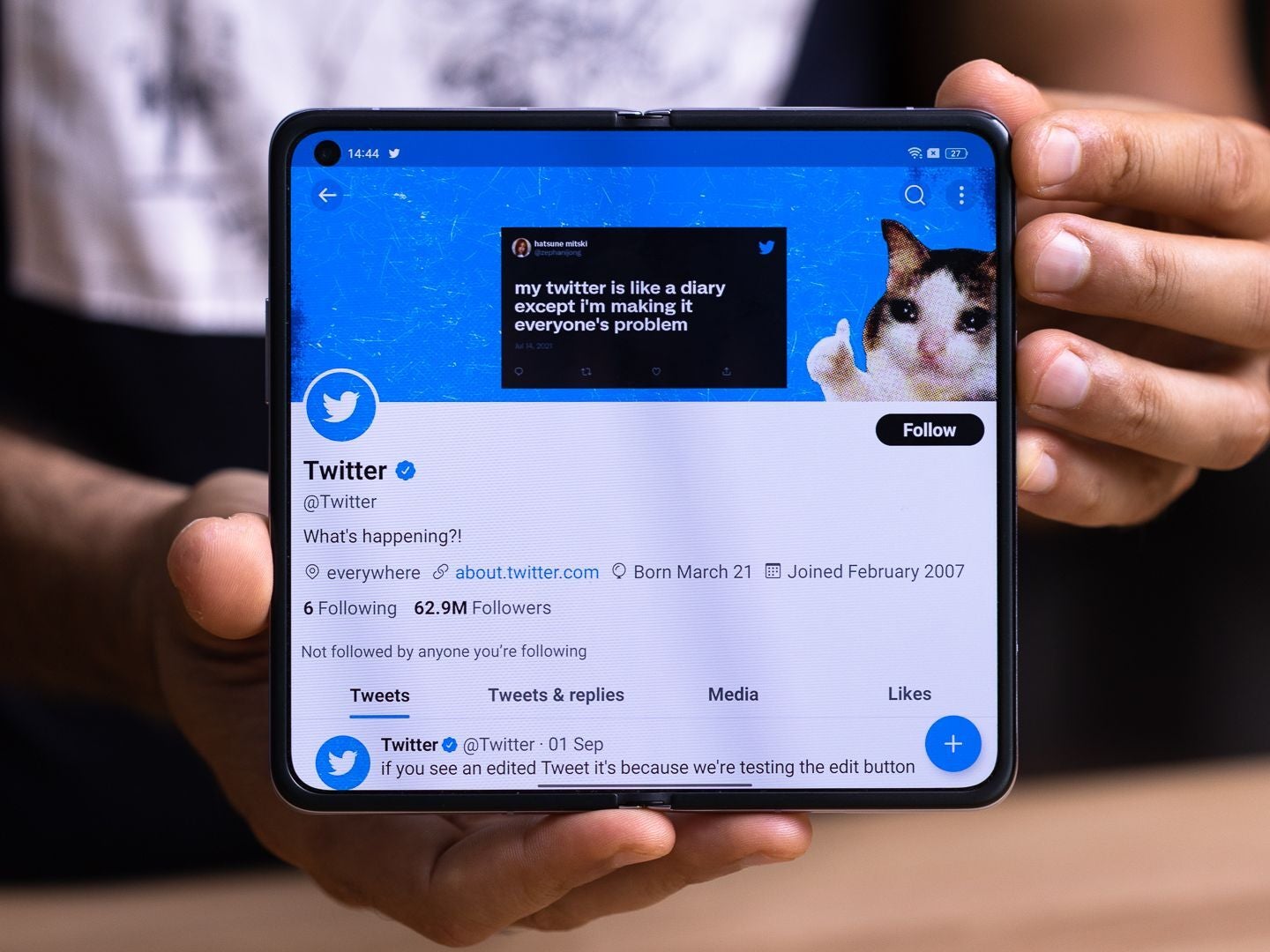
Yep, the Galaxy Fold phones are optimized for Twitter too! | Image credit – PhoneArena
That being said, the general info, which cashtags use will still be provided by the same platform, namely — TradingView. The changes here are meant to improve the clarity of the information and the accessibility of action related to the latest market trends.
While this doesn’t mean that eToro is truly integrated into the Twitter platform, it does still improve the way the two apps interact with each other. For example, this would in theory increase monetary gains from campaigns such as referral bonuses, which are typically expressed through user-generated links and shared on social media.
Given how Twitter looks to be the ultimate place for such activities, there may be some gain for the company there as well. Especially when we take into consideration the change that cashtag related data is reportedly going to be more up-to-date than ever.
It feels refreshing to share a story about Twitter, which isn’t related to the now pedestrian drama surrounding Musk’s takeover of the company. That being said, this is an interesting direction for the platform and it will be interesting to see where the developers take it from here on out.
This week marked the scheduled release of monthly security updates from Microsoft. With April 2023 Patch Tuesday updates, Microsoft addressed 97 different security flaws across different products. The most notable fix includes a zero-day patch for a privilege escalation vulnerability that remained unexploited despite disclosure.
Microsoft Patch Tuesday April Updates
As elaborated in Microsoft’s advisory, an important severity privilege escalation flaw affected the Windows Common Log File System Driver. The vulnerability, identified as CVE-2023-28252, could allow an attacker to gain system privileges on the target device.
According to ZDI, fixing a similar vulnerability in a two-months time hints the repatching of the same issue as the previous one didn’t work. However, Microsoft hasn’t officially confirmed anything in this regard. Whether it’s the same issue or not, the fact remains that the Windows CLFS driver developed a zero-day twice within a short time.
Besides this important update, Microsoft patched 96 other vulnerabilities across different products, including 7 critical severity vulnerabilities. All the vulnerabilities could lead to remote code execution when exploited.
Alongside these bug fixes, the tech giant patched 89 other important-severity vulnerabilities, fixing a bunch of security issues in Windows Kernel, Windows DNS Server, Microsoft PostScript and PCL6 Class Printer Driver, and more. The impact of these vulnerabilities following malicious exploitation ranged from remote code execution to privilege escalation and information disclosure.
One of these flaws includes an RCE bug in Microsoft Word. Identified as CVE-2023-28311 (CVSS 7.8), the vulnerability seemed easily exploitable as an adversary could trigger the flaw by merely luring the target user into clicking a maliciously crafted document. Nonetheless, Microsoft confirmed discovering no active exploitation for the flaw before the fix.
Alongside these bug fixes, the April Patch Tuesday also includes patches for some already-known low-severity vulnerabilities in Microsoft Edge.
Although, the entire update bundle would reach Microsoft users automatically. Yet, it’s still safe to ensure updating the systems manually to receive the bug fixes soon and avoid malicious attacks.
The new Python-based Legion malware is being linked to a potential Indonesian developer.
Cloud forensics and incident response platform startup, Cado Security Ltd., has revealed details of a new credential harvester and hacking tool called “Legion.”
According to researchers, Legion is being sold on Telegram and is designed to exploit various services for email abuse. The tool is believed to be linked to the AndroxGh0st malware family which was first reported in December 2022.
The use of Telegram for selling Legion malware should not come as a surprise, as the popular messaging platform has often been associated with illegal activities. In fact, just last week, it was reported that threat actors are leveraging Telegram to automate phishing attacks, highlighting the platform’s role in facilitating cybercriminal activities.
Legion specifically targets web servers running content management systems, PHP or PHP-based frameworks. It has the ability to retrieve credentials for a wide range of web services, including email providers, cloud service providers, server management systems, databases, and payment platforms like Stripe Inc. and PayPal Holdings Inc. Additionally, Legion can hijack SMS messages and compromise Amazon Web Services Inc. credentials.
One notable feature of Legion is its availability of modules that can enumerate vulnerable SMTP servers, conduct remote code execution, exploit vulnerable versions of Apache, and brute-force cPanel and WebHost Manager accounts.
It also interacts with the Shodan Search Engine‘s API to retrieve a target list and has modules focused on abusing AWS services. Researchers have also highlighted Legion’s ability to send SMS spam messages to mobile network users in the United States across all carriers, which sets it apart from other similar tools.
Legion is being sold on various Telegram channels and is being promoted on YouTube through tutorial videos, suggesting that it is widely distributed and likely paid malware.
While the origin of the malware is not confirmed, comments found in Bahasa Indonesia suggest that the developer may be Indonesian or based in Indonesia. A GitHub Gist link leads to a user named “Galeh Rizky” with a profile indicating residence in Indonesia.
As a precaution, Cado Security researchers recommend in their report that users of web server technologies and frameworks like Laravel review their existing security processes and ensure that credentials are appropriately stored.
Ideally, sensitive information such as credentials should be stored in a .env file outside of web server directories to prevent unauthorized access.
Legion splash screen (Cado Labs)
The discovery of Legion highlights the ongoing threat of credential harvesting and hacking tools in the cybersecurity landscape. It serves as a reminder for organizations to prioritize robust security measures and stay vigilant against evolving cyber threats.
On the other hand, the trend of using Telegram as a platform for buying and selling malware is concerning, as it provides a convenient and anonymous means for cybercriminals to conduct illicit activities.
ASUS has returned this year with the ROG Phone 7 and the ROG Phone 7 Ultimate to follow up last year’s ROG Phone 6 and ROG Phone 6 Pro. As one would probably expect, the new device duo from one of gaming’s most premium brands has quite a few improvements. Promising an even better mobile gaming experience than before. But not just a better mobile gaming experience, a better overall phone experience.
That being said, this is still a gaming phone. Most features are going to be gaming-centric. Even the design is tailored to the mobile gamer. While this is a smartphone first, gaming is the main focus. And it shows with the advancements ASUS has made to the device this year. Like past devices though, the ROG Phone 7 and ROG Phone 7 Ultimate are going to be expensive. Are they worth all that money? Is this a device that you should consider buying?
I’ve spent the past couple of weeks using this phone as my daily driver so I could answer those questions. So let’s dive in see what makes this phone great, and where it can improve.
ASUS made the ROG Phone 7 Ultimate with gaming-centric ergonomics
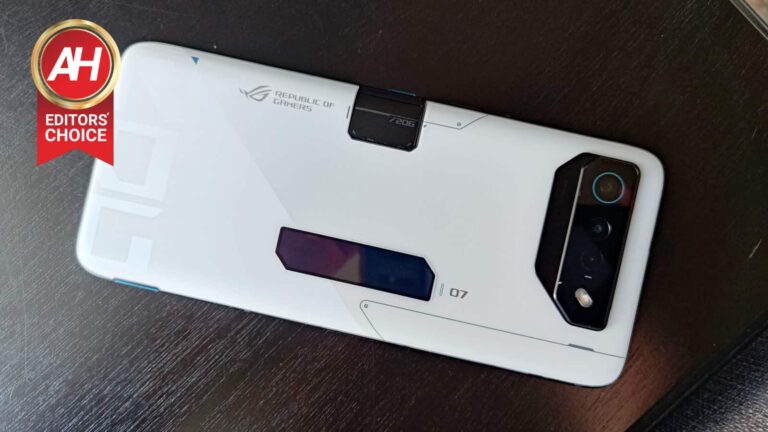
As with past devices, the design of the ROG Phone 7 and ROG Phone 7 Ultimate features ergonomics that cater to mobile gamers. What I mean by this is that the design moves beyond having those typical “gamer” aesthetics you might expect to see. The gamer aesthetic is definitely still there. An RGB ROG eye logo can be seen on the back of the ROG Phone 7. While the ROG Vision display is on the back ROG Phone 7 Ultimate. Other more subtle details, like the Republic of Gamers branding, are still present as well.
But that’s not what I mostly want to focus on here. It’s the ergonomics. ASUS specifically designed the ergonomics of the ROG Phone 7 and 7 Ultimate to cater to landscape mode. Because most AAA mobile games are designed to be played this way. Big surprise right?
With that in mind, the latest ROG phones continue to offer features and ergonomics that work well with the phone being held this way. For starters, the AirTriggers are still up top for additional controls. Which I find come in really handy when playing Call of Duty: Mobile. I use these as my aim down sight and fire controls. So my thumbs can stay on the movement.
The side-charging USB-C port makes a return as well so you can plug the device in and keep the battery topped up while you play. Or, you can simply use this with bypass charging to power the phone instead of juicing up the battery. You’ll also notice two new magnet connector pins. These are for the AeroActive Cooler 7, which now includes a 5-magnet super linear subwoofer for enhanced audio during gaming. Plus you still have front-facing stereo speakers tuned by Dirac for exceptional audio without the subwoofer.
All of these things might seem small. But when you put them together, they make a really big difference if you play a lot of mobile games. And bigger aspects of that ergonomic design, like the AirTriggers and side-facing USB-C port for charging ensure you can hold the phone as comfortably as possible while you play.
ROG Phone 7 Ultimate design
For the most part, nothing has really changed here. ASUS kept the same design for the ROG Phone 7 Ultimate as it had for the ROG Phone 6 Pro. Save for two things – the new magnet connector pins on the side and the AeroActive Portal on the back. Aside from those two things, the design doesn’t change much.
And that’s a good thing because the design last year was great. You still have the metal frame with rounded corners, bottom-facing off-center USB-C port and bottom-facing 3.5mm audio port. There’s also Gorilla Glass Victus covering the display and Gorilla Glass 3 on the back. Even the colors are the same as last year. Phantom Black and Storm White. Although the Ultimate model only comes in Storm White. There are of course very subtle differences in the design compared to the ROG Phone 6 series.
The back of the ROG Phone 7 Ultimate for instance now has a large ‘ROG’ branding slapped across the bottom edge. ASUS also took away most of the line graphics. Both the ROG Phone 7 and ROG Phone 7 Ultimate now feature a two-toned color scheme as well. The colors are still technically the same, but one side of the back has more of a matte finish while the other side gives off a slight but noticeable sheen.
It’s still very much a gaming-style aesthetic but just a little less loud. Overall it’s a nice design and I hope ASUS continues this trend for future phones. I definitely don’t want to see them going back to style of design that was present on the ROG Phone 2.
The AeroActive Cooler 7 feels less needed than ever, and that’s a good thing
There was a time when the ROG Phones were not only exceptionally powerful mobile gaming devices, but they also became quite hot. To the point that they were uncomfortable to hold after only an hour’s worth of playing games.
Every year ASUS has improved the cooling of its ROG Phones to counteract this. And while they have gotten better, the phones still needed a little extra help. So ASUS began packaging the devices with the AeroActive Cooler. This year’s model, the AeroActive Cooler 7, is the best it’s ever been. Using the same Peltier cooling chip-based design as with the AeroActive Cooler 6 for advanced airflow and cooling.
But, it just doesn’t feel as needed as it used to be. Don’t get me wrong, I still often like using it. Because in the end it cools the phone better than without it. But if you don’t use it, I’ve noticed less heat buildup than on the ROG Phone 6 Pro after longer gaming sessions. And a significant improvement over the ROG Phone 5 Ultimate and previous devices.
This is all thanks to the new GameCool 7 cooling system. ASUS revamped the internal structure so that heat dissipation is more efficient. It also redesigned the ROG Rapid-Cycle vapor chamber with special liquid return channels that help to dissipate heat up to 2.1 times more. This is in addition to using larger graphite sheets to help spread heat more evenly. This way heat doesn’t get trapped in the middle of the phone like it did before.
The end result, is a cooler phone under extended heavy loads with AAA, graphically demanding games. Though as I mentioned before, there are still reasons to use and enjoy the AeroActive Cooler 7 attachment. Even if it isn’t really needed as much as it used to be.
Why you should consider using the AeroActive Cooler 7
Even though the phone doesn’t get as hot without this excellent accessory as past devices did, you should still consider using it. The phone doesn’t feel as hot to the touch anymore. But that doesn’t mean that heat is not still impacting the device in other ways. The most significant of these is performance. The hotter the chip gets, the likelier it is you’ll see dips in performance over time. Which isn’t what you want if you’re in the thick of a gaming session. Especially if those games are competitive in nature.
Aside from helping the phone stay cool more efficiently, it also has the added back buttons you can map to on-screen touch controls. Plus, this new model includes the subwoofer for enhanced audio. It doesn’t make a massive difference to the sound. But it does improve it and it just makes the experience better. In addition to these things it also includes a bottom-facing 3.5mm audio port. So if you decide to use wired headphones, you can plug them in on the bottom instead of on the side.
It’s definitely a bigger cooler attachment than last year’s. But definitely worth carrying around with you if you have a bag or sling to slip it into.
Stellar battery life as expected
One of the best things about ASUS’s ROG Phone series is the battery life. Both the ROG Phone 7 Ultimate and the ROG Phone 7 feature the same 6,000mAh capacity battery as past devices. Letting you game for hours upon hours or just have a phone that lasts for literal days.
There’s not really a whole lot to say about the battery here since it’s the same battery as the ROG Phone 6 series. Which is a 6,000mAh dual-cell battery module that supports 65w Hyper Charging. Basically the battery is just as good as last year’s and once again makes the ROG Phone a standout device when it comes to how long the battery lasts.
There is one notable improvement though. It charges up faster than before. According to ASUS, the ROG Phone 7 series will charge from 0% to 100% in just 42 minutes. Which is about 10 minutes faster than the ROG Phone 6 series. That might not make a huge difference for every user. But faster charging is faster charging. And I certainly did appreciate the phone getting back to full quicker than I was used to.
Near stock Android software with that gamer touch
The software experience on ASUS’s ROG Phone series has always been pretty decent, and the same is true with the ROG Phone 7 and ROG Phone 7 Ultimate. You get your choice of the ROG UI or the updated Zen UI. The two are pretty similar but the Zen UI has a more stock Android look and feel.
Which is what I personally prefer and have used on this device throughout my time with it so far. The device comes with Android 13 out of the box so you get all the benefits of that as well.
But where the software really shines in my opinion is with the Game Genie. While the Game Genie isn’t new there are some new features being added to it this year. X Sense and X Capture are two that could end up being pretty cool for some gamers. With X Sense, it lets the software detect key moments throughout your game. It can then use those detections to aid you with what to do next. X Capture meanwhile also detects key moments, but instead of assisting with decision making it saves clips for you to share.
The only problem is that right now the support for these seems to be limited to a very small number of games. X Capture for instance only seems to support the Garena version of Arena of Valor. And I suspect X Sense is the same way. There’s also Background Mode, which simply keeps the game running in the background.
The most interesting is the new Vibration Mapping feature. With this you can set zones on the device where the haptics will come into play so the vibration interacts with what’s happening in your game at certain moments. This can give your games a more immersive feel and I think it’s probably the best of the new features. All-in-all the software is good just like it was last year.
Should you buy the ROG Phone 7 or ROG Phone 7 Ultimate?
ASUS has outdone itself once again when it comes to making what really does feel like the best phone available for mobile gaming. With a few key improvements to the cooling, and updated hardware for even better performance, the ROG Phone 7 and ROG Phone 7 Ultimate are the cream of the crop in this small niche of the smartphone market.
But neither phone is perfect and they won’t be for everyone. No matter how good the device is, there are simply going to be more suitable options for some users. And that’s ok. Not everyone is into mobile gaming or into it enough to warrant spending the higher price that ASUS demands. Not to mention the camera definitely takes a backseat to all the gaming features. While more than fine for my personal needs, there are better smartphone cameras out there. And you may be a user that values that more than what ASUS is offering here.
ASUS plans to launch the ROG Phone 7 and ROG Phone 7 Ultimate in the US sometime in late Q2. Which probably puts the official US release closer to Summertime. As for pricing, the phone will start at $999.99 for the ROG Phone 7. Pricing for the Ultimate model hasn’t been confirmed yet. If you don’t want to wait for the new model, ASUS is still selling it’s excellent ROG Phone 6 and ROG Phone 6 Pro devices.
Buy the ASUS ROG Phone 7 or ROG Phone 7 Ultimate if:
You want the best mobile gaming phone there is
Battery life is important to you
You want the extra features and accessories geared towards gamers
Don’t buy the ASUS ROG Phone 7 or ROG Phone 7 Ultimate if:
Apple rumors have been a real rollercoaster lately. The iPhone 15 Pro drama surrounding solid-state buttons is currently in, and now we have some iPhone SE 4 info to share. The iPhone SE 4 won’t arrive before 2025, if the latest rumor is to be believed.
The iPhone SE 4 may not launch before 2025
This information comes from a well-known analyst, Jeff Pu (via MacRumors). The analyst says that the iPhone SE 4 will launch “with a custom-designed 5G modem in 2025”.
Why is this odd? Well, for one, the phone was previously rumored to launch next year, in 2024. The source of that info was probably the best-known Apple tipster, Ming-Chi Kuo. The same source said that Apple canceled the iPhone SE 4, which was back in December. Since then, the company obviously changed its mind.
In any case, if Jeff Pu is to be believed, the iPhone SE 4 won’t arrive as soon as we thought. A 2025 launch is what he thinks we’ll see. It remains to be seen if Ming-Chi Kuo will have a response to this.
In any case, the phone is also expected to get a custom-designed 5G modem, as Apple will sort of test it via that phone. The company is probably looking to move further away from Qualcomm.
It will be the first ‘SE’ device to feature a different design
The iPhone SE 4 will be a rather interesting launch, as it will be the first ‘SE’ device from the company to feature a different design. The first three models offered the iPhone 8 design, so it’s time for Apple to change things up.
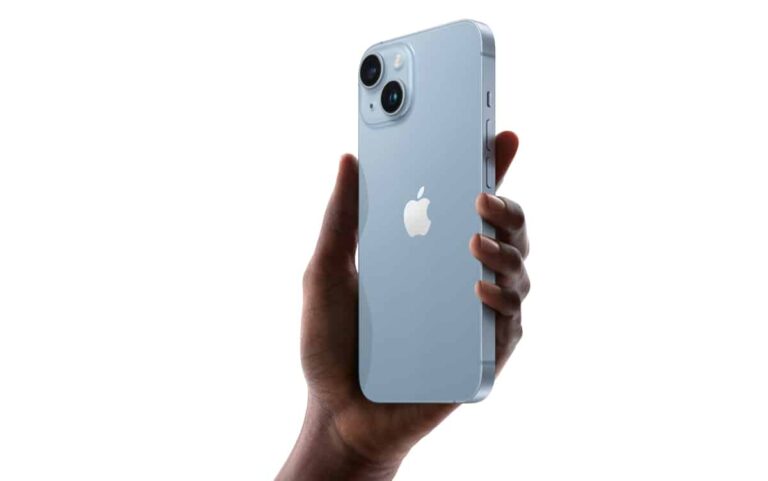
The iPhone SE 4 is expected to look more like the iPhone 14, than the iPhone 8. It may not be the same chassis, Apple may use chassis from one of the previous iPhones, as they’re all very similar. It remains to be seen.
That means it will be considerably larger than the previous iPhone SE models. It likely won’t have a horrible battery life, though, and will finally adopt an OLED display.
Cybercriminals are hijacking Facebook pages and using sponsored posts to offer downloads of ChatGPT and Google Bard AI, which in reality spread RedLine Stealer malware.
According to a report from security automation startup Veriti, threat actors are attempting to exploit the popularity of OpenAI’s chatbot ChatGPT and Google Bard to distribute malware and steal sensitive data. These attempts underscore the risks associated with generative AI platforms.
It should come as no surprise that ChatGPT’s popularity has been exploited for malicious purposes since its launch. As a result, OpenAI, ChatGPT’s parent company, recently introduced its first-ever bug bounty program.
Attack Mechanism
Veriti researchers have observed that attackers first hijack Facebook business or community pages, carefully selecting pages with thousands of followers. They then post seemingly legitimate sponsored ads on these pages, offering free downloads of ChatGPT and Google Bard. Unsuspecting visitors fall into the trap and download the malicious files, which then unleash the RedLine information-stealing malware on their devices.
“These posts are designed to appear legitimate, using the buzz around OpenAI language models to deceive unsuspecting users into downloading the files. However, once the user downloads and extracts the file, the RedLine Stealer malware is activated and can steal passwords and download further malware onto the user’s device,” reads Veriti’s report.
For reference, RedLine Stealer is sold on online hacker forums as a malware-as-a-service (MaaS) platform, with a primary focus on targeting browsers to collect users’ data. This commoditized malware is often favoured by cybercriminals due to its low cost, priced at $100 to $150.
What are the Dangers?
When a victim installs the malicious file from one of these sponsored ads, their device is hijacked by the RedLine infostealer, which can then steal confidential data, disrupt critical infrastructure, and compromise financial accounts.
By targeting web browsers on the infected device, RedLine Stealer can steal credentials, credit card information, or other payment card details, as well as conduct system inventory to identify vulnerabilities for further attacks.
Furthermore, RedLine Stealer has the capability to upload/download files and execute commands, providing even novice hackers with extensive opportunities to carry out various types of cyberattacks.
Who are the Targets?
Researchers detected this campaign in January 2023 and observed a peak in March. So far, dozens of Facebook accounts have been hijacked across ten countries to distribute RedLine Stealer through malicious ads.
The highest number of victims were identified in Greece, followed by India, Mexico, the USA, and Bangladesh. Approximately 77% of the attacks were observed in the USA, with Canada at 9%, Mexico at 6%, India at 4%, and Portugal at 2%.
This campaign serves as an early warning of what may lie ahead, as the soaring popularity of AI-based chatbots has made them lucrative targets for threat actors. They can exploit the versatility of these products, which can be packaged in different forms such as open source or mobile applications, allowing them to create trojanized downloads.
The potential impact is significant, as attackers can steal anything from private to financial data and target critical infrastructure.
Researchers suggest that enterprises should upgrade their cybersecurity practices, educate employees about the risks associated with downloading files from unauthenticated or unknown sources, and ensure strong security configurations to prevent system compromise.
Limiting the downloading of executables and implementing sandboxing of executables before downloading can also reduce the risk of infecting corporate IT infrastructure.
The ASUS ZenFone 10 has surfaced on Geekbench, and some of its specs got confirmed that way. The phone appeared on the benchmarking platform under the ‘ASUS_AI2302’ model.
Some ZenFone 10 specs got revealed by Geekbench
First and foremost, let’s just say that the phone managed to score 2,008 points in the single-core test, and 5,454 points in the multi-core test. Those are excellent results, though unsurprising, as the device will be fueled by the Snapdragon 8 Gen 2 SoC. Keep in mind this is not a final unit, though, so don’t pay much attention to those benchmarking scores.
That is actually one detail that this benchmarking site revealed, the phone’s SoC. Another detail that popped up is its RAM count. The ZenFone 10 will include 16GB of RAM in one of its models. That will probably be the highest-end offering, as the ZenFone 9 also offered up to 16GB of RAM.
Android 13 is listed here for the device, and that’s the OS it will run once it launches, as it’s expected to arrive in the summer. The ZenFone 9 launched in July last year, so the ZenFone 10 is expected around that time this year. ASUS may, of course, change its release cycle, but that’s not as likely.
It will be considerably larger than its predecessor, allegedly
Now, based on previous leaks, the ZenFone 10 will be larger than its predecessor. The phone is tipped to include a 6.3-inch panel. The ZenFone 9 arrived with a 5.9-inch display, that’s quite a change, needless to say.
The device will feature a 120Hz display, and offer 256GB/512GB of internal storage. A 200-megapixel main camera with OIS support was also mentioned, as was IP68 certification. Take that info with a grain of salt, though, of course.
We are only a couple of months away from the launch event, so more info should start coming in soon, including the phone’s design.