Update now! April’s Patch Tuesday includes a fix for one zero-day

0
[ad_1]

One fixed vulnerability is being actively exploited by a ransomware gang and many others were fixed in this month’s Patch Tuesday updates.

It’s Patch Tuesday again. Microsoft and other vendors have released their monthly updates. Among a total of 97 patched vulnerabilities there is one actively exploited zero-day.

Microsoft classifies a vulnerability as a zero-day if it is publicly disclosed or actively exploited with no official fix available. The Common Vulnerabilities and Exposures (CVE) database lists publicly disclosed computer security flaws. The actively exploited zero day is listed as CVE-2023-28252.

CVE-2023-28252 is an elevation of privilege (EoP) vulnerability in the Windows Common Log File System (CLFS) driver. An attacker who successfully exploited this vulnerability could gain SYSTEM privileges, which is the highest level of privilege on Windows systems. This is the type of vulnerability that we can expect to see chained with other vulnerabilities. Once an attacker has access, EoP vulnerabilities allow them to exploit that access to the fullest.

CISA has already added the CVE-2023-28252 Windows zero-day to its catalog of Known Exploited Vulnerabilities, which means federal (FCEB) agencies have until May 2, 2023 to patch against it.

Given the reach and simplicity of exploitation, this vulnerability is bound to be very popular among cybercriminals, and so it should be patched as soon as possible. CLFS is present in all Windows versions and so is the vulnerability. Exploitation does not require any user interaction and the vulnerability is already in use by at least one ransomware gang.

Another vulnerability to keep an eye on is CVE-2023-28231, a DHCP Server Service remote code execution (RCE) vulnerability. It is rated as critical with a CVSS score of 8.8 out of 10. Even though the attacker would need access to the network to successfully exploit this vulnerability, Microsoft has it listed as “Exploitation more likely.”

Another one that Microsoft deems more likely to be exploited is CVE-2023-21554, an RCE vulnerability in Microsoft Message Queuing (MSMQ) with a CVSS score of 9.8 out of 10. To exploit this vulnerability, an attacker would need to send a specially crafted malicious MSMQ packet to a MSMQ server. This could result in remote code execution on the server side.

A few others we can expect to see, especially in the form of email attachments, are several RCE vulnerabilities in Microsoft Office, Word, and Publisher [2]. All these vulnerabilities require the user to open a malicious file. So this is something we can typically expect to see a lot in phishing campaigns.

Other vendors

Other vendors have synchronized their periodic updates with Microsoft. Here are few major ones that you may find in your environment.

Adobe has released security updates for several products:

Apple released emergency updates for two known-to-be-exploited vulnerabilities.

Cisco released security updates for multiple products.

Google has released updates for the Chrome browser and for Android.

Mozilla has released security advisories for vulnerabilities affecting multiple Mozilla products:

SAP has released its April 2023 updates.


Malwarebytes removes all remnants of ransomware and prevents you from getting reinfected. Want to learn more about how we can help protect your business? Get a free trial below.

TRY NOW


[ad_2]
Source link

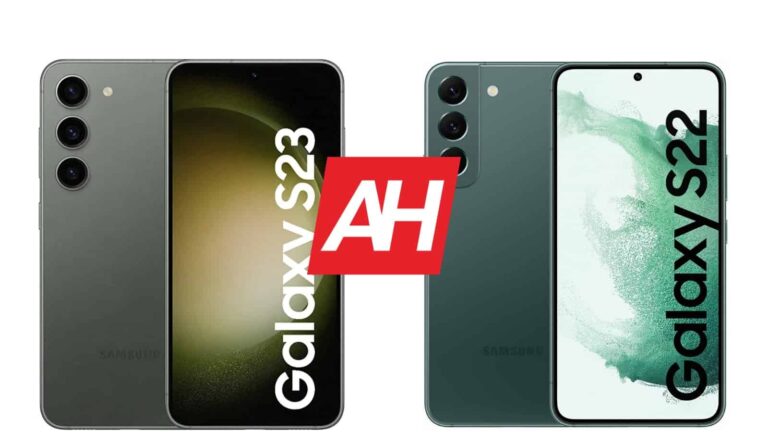
Samsung Galaxy S23 vs Samsung Galaxy S22

0
[ad_1]

The Samsung Galaxy S23 is one of the best compact smartphones in the market at the moment. Well, ‘compact’ is a relative term in the world of smartphones, but it is smaller than most flagship-grade phones out there. In this article, we’ll pit it against its predecessor. We’ll compare the Samsung Galaxy S23 vs Samsung Galaxy S22. You may find this useful if you plan on upgrading, or are trying to decide whether to get last year’s model, or a new one.

Now, these two phones are quite similar in many ways, but the Galaxy S23 does have several advantages you may be interested in. Samsung did improve some main aspects of the phone this time around. We’ll first list their specifications, and will then compare them across a number of categories. Those categories include design, display, performance, battery, cameras, and audio.

Specs

Samsung Galaxy S23Samsung Galaxy S22
Screen size6.1-inch fullHD+ flat AMOLED display (120Hz refresh rate, 1,750 nits peak brightness)6.1-inch FullHD+ Dynamic AMOLED 2X display (120Hz adaptive refresh rate, 1,300 nits peak brightness)
Screen resolution2340 x 10802340 x 1080
SoCQualcomm Snapdragon 8 Gen 2 for GalaxyQualcomm Snapdragon 8 Gen 1 or Samsung Exynos 2200
RAM8GB (LPDDR5X)8GB (LPDDR5)
Storage128GB (UFS 3.1)/256GB (UFS 4.0)/512GB (UFS 4.0), non-expandable128GB/256GB (non-expandable), non-expandable
Rear cameras50MP (f/1.8 aperture, 24mm lens, 1.0um pixel size, OIS, Dual Pixel PDAF)
12MP (ultrawide, f/2.2 aperture, 13mm lens, 120-degree FoV, 1.4um pixel size)
10MP (telephoto, f/2.4 aperture, 70mm lens, 1.0um pixel size, OIS, 3x optical zoom, PDAF)
50MP (f/1.8 aperture, 24mm lens, OIS, Dual Pixel PDAF, 1.0um pixel size)
10MP (f/2.4 aperture, 70mm lens, telephoto, 1.0um pixel size, OIS, PDAF, 3x optical zoom)
12MP (ultrawide, f/2.2 aperture, 13mm lens, 120-degree FoV, 1.4um pixel size)
Front cameras12MP (f/2.2 aperture, 26mm lens, Dual Pixel PDAF)10MP (f/2.2 aperture, 1.22um pixel size, 26mm lens, Dual Pixel PDAF)
Battery3,900mAh, non-removable, 25W wired charging, 15W wireless charging (Qi/PMA), reverse wireless charging
Charger not included
3,700mAh, non-removable, 45W wired charging, 15W Qi wireless charging, 5W Wireless PowerShare
Charger not included
Dimensions146.3 x 70.9 x 7.6mm146 x 70.6 x 7.6mm
Weight168 grams167/168 grams
Connectivity5G, LTE, NFC, Bluetooth 5.3, Wi-Fi, USB Type-C5G, LTE, NFC, Bluetooth 5.2, Wi-Fi, USB Type-C
SecurityIn-display fingerprint scanner (ultrasonic)In-display fingerprint scanner (ultrasonic)
OSAndroid 13
One UI 5.1
Android 12 (upgradable to Android 13)
One UI 4.1
Price$799/$849/TBA$799
BuySamsungSamsung

Samsung Galaxy S23 vs Samsung Galaxy S22: Design

These two devices do look very similar. The main differentiating factor can be found on the back. The Galaxy S22 has a dedicated camera island, which has all three camera sensors in it. That camera island connects to the frame on the side. The Galaxy S23, on the other hand, has three cameras sticking out of its backplate, without a special camera island or anything of the sort. Other than that, the two phones are very similar.

They both combine a metal frame with a glass back, and have rounded corners with rounded display corners. The bezels are very thin on both phones, while both devices also have a display camera hole that is centered. The physical buttons are located on the right-hand side in both cases. The protection on the back is different, though. The Galaxy S23 includes a newer Gorilla Glass Victus 2, while the Galaxy S22 features Gorilla Glass Victus+.

In terms of size, there’s not much difference either. The Galaxy S23 is 0.3mm taller, and 0.3mm wider, but you won’t notice that, as the difference is so minimal. They’re also about the same weight, at 168 grams. Well, the regular Galaxy S22 model is 1 gram lighter, while the mmWave variant weighs 168 grams as the Galaxy S23. That’s really not a difference at all, they feel very similar in the hand, and that goes for the weight too. Both phones do feel quite premium, and they’re quite slippery. If you’re looking for a compact, premium-feeling handset, they’re both ready for the part.

Samsung Galaxy S23 vs Samsung Galaxy S22: Display

Both of these phones include a 6.1-inch fullHD+ (2340 x 1080) Dynamic AMOLED 2X display. That display offers a 120Hz refresh rate on both phones, and the same goes for HDR10+ support. We’re also looking at the same display aspect ratio of 19.5:9 here, and also the same pixel density, of course. Both of those panels are flat, but they are not identical, though. The Galaxy S23 does have two advantages.

Samsung Galaxy S23 Plus Review AM AH 02

The Galaxy S23’s display does get considerably brighter. It goes up to 1,750 nits of peak brightness, while the Galaxy S22’s display can reach 1,300 nits maximum. This can be achieved through adaptive brightness only, though, you can’t go that high via the manual slider. Another advantage that the Galaxy S23 has is display protection. It comes with the Gorilla Glass Victus 2, compared to the Gorilla Glass Victus+ on the Galaxy S22. That’s not exactly a big difference, though.

Both of these displays look great. They’re vivid, sharp, and offer good viewing angles. The touch response is also good, we had no issues with either device. That brightness difference could be a major advantage for some of you, though. If you do spend a lot of time outside, in direct sunlight, you will notice the difference. The Galaxy S22’s panel is plenty bright in general, though.

Samsung Galaxy S23 vs Samsung Galaxy S22: Performance

The Galaxy S23 is the more powerful phone of the two, of course. It’s a generation newer, but it does not only come with a better SoC, but also with newer and faster RAM and storage units, which is not always the case from one generation to the next. The Galaxy S23 includes the Snapdragon 8 Gen 2 for Galaxy SoC worldwide, along with LPDDR5X RAM and UFS 4.0 flash storage (except the 128GB base model, which has UFS 3.1 storage). The Galaxy S22 is fueled by the Snapdragon 8 Gen 1 in the US and most markets, while the Exynos 2200 fuels it in Europe. The Galaxy S22 also includes LPDDR5 RAM and UFS 3.1 flash storage.

Now, the Snapdragon 8 Gen 2 for Galaxy is a considerably better SoC than its predecessor. Not only is it more powerful, but it’s way better when it comes to power consumption. It also doesn’t heat up as much. Newer and faster RAM and storage will also help with future-proofing. So, if you do have a choice, getting the Galaxy S23 may be a better idea from a performance standpoint. That’s not the only reason for it, but it is one of the main reasons.

Having said that, both phones do perform well. With the exception of the Exynos 2200 variant of the Galaxy S22, which does tend to stutter more often. The Galaxy S22 with the Snapdragon 8 Gen 1 can easily keep up with the Galaxy S23 at this point. That is to be expected, as it’s Samsung’s flagship for last year. They both can handle pretty much any game out there, but the Galaxy S23 will provide better performance with the most demanding titles. Slightly better, but still. The Galaxy S23 is definitely the better performer of the two, but that is to be expected.

Samsung Galaxy S23 vs Samsung Galaxy S22: Battery

There is a 3,700mAh battery inside the Galaxy S22, while the Galaxy S23 includes a 3,900mAh unit. That may not seem like a big difference, but when you take the SoC, RAM and storage into account, it does make a difference. The Galaxy S23 actually offers considerably better battery life than its predecessor. The Snapdragon 8 Gen 2 for Galaxy is better with power consumption, and new RAM and storage do help as well.

The difference can be quite big actually. The Galaxy S23 should be able to go up to 6 hours of screen-on time if you’re not really pushing the device over the edge. Well, 5.5-6 hours of screen-on time. It will all depend on your usage, though. The Galaxy S22, on the flip side, couldn’t really go over the 4.5-hour mark for us, even landing lower than that at times. Your mileage may vary considerably, of course, but for us, the Galaxy S23 provided a lot better battery life, though still not the level of its bigger siblings, not even close.

When the charging is concerned, they’re basically identical. They both support 25W wired, 15W wireless, and 4.5W reverse wireless charging. Neither phone includes a charger in the box. The Galaxy S22 will charge slightly faster due to the fact it has a smaller battery, but the difference is not that big. It would be nice to see faster charging here, considering that the battery life is not outstanding on either phone, but… there you have it.

Samsung Galaxy S23 vs Samsung Galaxy S22: Cameras

As far as camera hardware is concerned, these two phones are quite similar. They both include a 50-megapixel main camera, a 12-megapixel ultrawide unit (120-degree FoV), and a 10-megapixel telephoto camera (3x optical zoom). The performance is not identical, however. We did notice some improvements with the Galaxy S23 over the Galaxy S22. First of all, the shutter is faster, and that is something you will notice straight away if you’ve used the Galaxy S22.

Samsung Galaxy S23 Plus Review AM AH 20

The pictures are, in some cases, better optimized. That goes for HDR shots, and shots where there’s not a lot of light in the scene. Both phones tend to brighten up low light shots quite a bit and pull plenty of detail from the shadows. Images from both devices are more than sharp enough, and are generally very pleasant. They’re not too saturated, but tend to look a bit processed for effect. That’s what most people prefer either way.

The telephoto and ultrawide cameras do a good job on both phones. Not to the level of some other flagship-grade phones, but still, chances are most people will be happy with the performance. You’re getting a 3x optical zoom on both phones. The video recording is good, but nothing to write home about, that goes for both devices, as there are better phones for shooting videos out there, like the Galaxy S23 Ultra, for example.

Audio

There are stereo speakers included on both of these phones. They are tuned by AKG, and considering the size of both devices, they’re not bad. They sound really good, and are detailed enough. The sound is well-balanced, even though it cannot compete with the loudness of some larger phones, but that is to be expected. The output is loud enough, though. The Galaxy S23 does seem to have an edge in more than one way, though (details, bass and sound stage). It’s worth noting that the difference is minimal, though.

What you will not find on either phone is a 3.5mm headphone jack. You can connect your headphones via the Type-C port, which is included on both phones. If you opt for a wireless connection, Bluetooth 5.3 is supported on the Galaxy S23, while Bluetooth 5.2 support is included with the Galaxy S22.


[ad_2]
Source link

Parent groups rally to ban smartphones for children under 16

0
[ad_1]

It’s no secret that in this day and age, smartphone addiction poses a significant threat to children. The constant barrage of notifications, social media updates, and addictive games can make it difficult for children to put their phones down, leading to negative impacts on mental health, relationships, and academic performance. As a result, the parent group UsforThem has launched a campaign urging the UK government to ban smartphones for children under 16 and implement “tobacco-style health warnings” on mobile phone packaging.

The campaign has already gained traction amongst experts and MPs, including school reformer Katharine Birbalsingh, who believes that banning smartphones for children under 16 is necessary.

Birbalsingh argues the law already bans children from engaging in activities like drinking alcohol, smoking cigarettes, and watching certain films, so it makes sense to also ban smartphones. Additionally, British actress Sophie Winkleman, who also supports the movement, stated that the regular use of phones and social media apps, such as TikTok, hampers children’s ability to learn.

“The internet is a toxic wilderness we’re letting children stumble through without protection. I lived in California and spent time with bigwigs in Silicon Valley, and tellingly they did not let their children anywhere near screens,” said Winkleman.

Limiting children’s smartphone usage with parental controls

While the idea of banning smartphones for children may seem extreme, considering the increasing use of online classes, parents can still limit their children’s use of these devices without resorting to a ban.

Both iOS and Android offer parental control features that allow parents to set limits on their children’s app usage. For instance, Screen Time on iOS and Digital Wellbeing on Android both allow parents to set up usage restrictions, app limits, and content and privacy filter. Moreover, parents can also require approval for app installations and manage in-app purchases. Still, even with these parental management tools, it seems that some feel a ban is a more appropriate measure.


[ad_2]
Source link

Edifier QD35 Review: Eye-catching design, ear-catching sound

0
[ad_1]

For some people, it’s not enough that their speakers sound good, they also have to look good. Edifier just unveiled its QD35 speaker, and it’s a device that strives to match great audio with great visuals. It’s a speaker with a built-in array of LED lights.

Android Headlines was given the opportunity to review this speaker, and we spent about three weeks testing it out. So, is this speaker worth your money, or is it just a big light show? Let’s find out.

Edifier QD35: Design and build quality

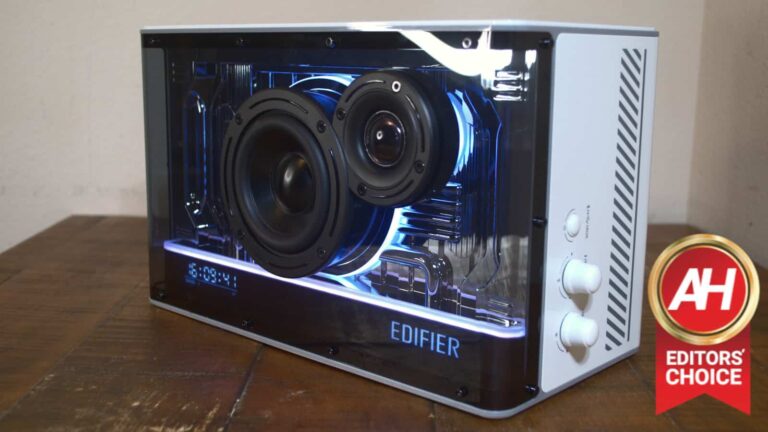
Without a doubt, the design is the most notable aspect of this speaker. The Edifier QD35 is a beautifully-crafted piece of hardware that’s a treat for the eyes as much as it is for the ears.

It almost has the aesthetic of devices from Carl Pei’s Nothing devices. The front of the device is made from transparent plastic, and it lets us see the LED light strips that line the bottom of the speaker and encircle the two drivers.

Edifier QD35 7

The lights and the drivers all sit against a reflective backing that resembles circuitry, and it looks stunning when it reflects the LED lights. When the lights are shining, it’s a sight to behold. Edifier really hit a home run with the design of the QD35.

Build quality

The build quality is another area where this speaker shines. When picking it up or touching it, you can feel that it was built using quality materials. The chassis is made from plastic, but it doesn’t feel cheap at all. Picking it up, you can feel a significant heft to it.

There are several buttons on the speaker, and none of them jiggle in their sockets or feel mushy. They’re all clicky and tactile. I have no complaints about the build quality. It’s a $200 speaker that feels like a $200 speaker.

Edifier QD35 sound quality

Now, let’s get down to the sound. As you can see, there are two drivers jutting from this speaker’s chassis. The smaller one is responsible for the higher frequencies and the larger one is for the lower frequencies. This tweeter/woofer combo makes for a great audio experience.

In my testing, it’s been able to produce a pleasantly balanced sound out of the box. It gets the job done with no complaints- but it’s not the greatest, to be honest. However, this is where the EQ presets and the custom equalizer come in handy. When you press the top knob twice, you’ll switch between different EQ modes. There’s a music, cinema, gaming, and custom EQ mode.

Edifier QD35 6

Each preset has its own characteristics, but using the custom EQ setting will give you more control over your sound. In order to customize your EQ, you’ll need to download the Edifier Connect app on your device. When you tap on the EQ option, you’ll be able to switch between the modes there too. When you go to the DIY setting, you’ll be able to tailor the sound to your liking.

Custom EQ

The app has a 6-band EQ- the bands are 62Hz, 250Hz, 1KHz, 4KHz, 8KHz, and 16KHz- that lets you tune the sound. When you make the adjustments, you’ll hear them take effect right away.

Edifier QD35 1

With a few adjustments to the EQ, the sound really takes on a whole new feeling. The sound quality of this speaker is good out of the box, but can really shine when you make your adjustments.

 LDAC

If you want a higher bitrate when you’re listening to your music, you have the option to enable the LDAC audio codec on the speaker. This will give you higher-quality audio, which is great for audiophiles.

When you enable it, you’ll have two options. There’s the option for a sampling rate of 48KHz/44.1KHz. This gives you a high-quality sound with lower latency. However, if you want clearer audio, you can opt for the 96KHz sampling rate. This will have the best audio, but there will be a higher latency.

Edifier QD35: Lights

A huge part of this speaker’s aesthetic is the set of LED lights that sit on the inside of it. The lights reflect off of the glossy plastic back, and it makes for a heck of a show. On the right side of the speaker, there are two knobs. The bottom one adjusts the lights. Pressing it in will cycle through the five preset patterns.

Edifier QD35 5

Each pattern gives the speaker a certain personality. Rotating the knob adjusts the brightness of the lights. If you want to turn the lights off completely, you’ll just need to turn the brightness all the way down.

Customizing them

You’ll really see the potential of these lights once you open the Edifier Connect app. In the app, you’ll see unique customizations for each preset, and these customizations go deep. When you tap on the preset, you’ll see a grid of 34 colors that you can assign to the lights.

If you want more granular controls, you can tap on the preset button again to dial in the exact color you want. You can either enter the RGB values or the HEX code. If you want to save that color as a preset, you can press the “+” button on the bottom.

Not only that, but you can also change the speed of the light pattern. Most patterns have some sort of motion to them. Some pulsate and some light individual LEDs to create all types of motion. There’s a button that lets you control how fast the lights move and operate.

Edifier QD35 2

Additional light patterns

You can cycle through five patterns using the hardware button, but there are more that you can access in the app. There’s a stationary setting that keeps the lights on and four more that can be accessed in the More section. You, unfortunately, don’t have as many customization options for those, but they’re still nice to have.

Gripes

There are a few gripes that I have with this speaker and their minor at best. For starters, there are only 16 volume levels. This makes it tough to find the right volume at times.

The only other gripe is that you can’t turn off the front display. On the front of the speaker, you’ll see the time along with which EQ mode you’re using. It’d be nice if there was a way to turn it off completely. They’re pretty bright, especially at night.

Edifier QD35 3

Conclusion

All in all, Edifier did a knock-out job on the QD35. The sound is well-balanced and very customizable. Also, it’s a beautiful piece of hardware that really catches the eye. For the price of $200, I highly recommend that you pick it up.

Curious about other Edifier products?

If you want to read more AH reviews of Edifier products check these out:


[ad_2]
Source link

Elon Musk described owning Twitter as “quite painful”

0
[ad_1]

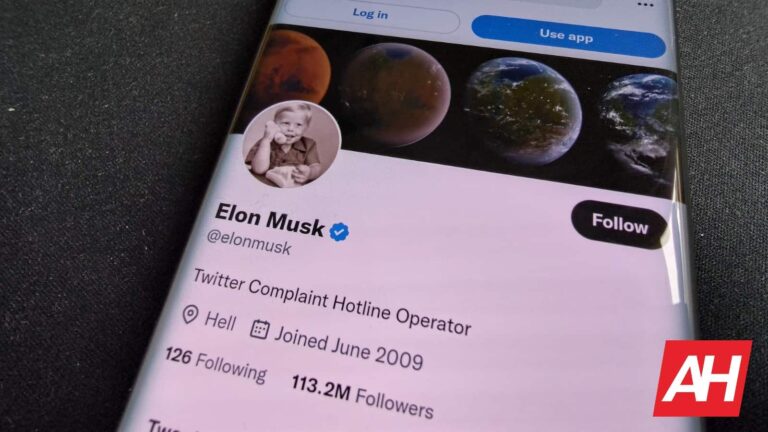
In an interview with BBC, Elon Musk said his experience of owning Twitter has been “quite painful” and like a “rollercoaster.”

The billionaire took over Twitter for $44bn in October last year. Since then, he has been making the headlines for various reasons, including laying off staff or adding new features to the platform. In a recent interview with BBC, Musk talked about his experience as the Twitter owner and the way he’s running the company.

First, Elon Musk said he bought Twitter because a judge would probably force him to complete the purchase after the initial buyout offer. To renew your memory, Musk wanted to withdraw his offer to buy Twitter because he believed the company lied about the number of users. Twitter later tried to sue him because of his withdrawal.

The interesting thing about the interview is Twitter has recently labeled BCC as a government-funded media while it claims it’s a publicly funded network. Musk said he would change the label while he knows “BBC is generally not thrilled about being labeled state media.”

Elon Musk talks about his “painful” experience owning Twitter, defending everything he has done so far

The billionaire added that he has been in a “really quite a stressful situation over the last several months” but never regretted the decision and believed it was the right thing to do. Additionally, everything in the company is going “reasonably well.” Musk also alluded to his habit of sleeping in the office, saying he has a couch in a library “that nobody goes to.”

One of the most controversial decisions by Elon Musk was reducing the Twitter staff from over 8,000 to about 1,500. Musk said he didn’t fire employees in person because it’s impossible to talk to many people face to face. He also believes the decision was not “uncaring” because “if the whole ship sinks, then nobody’s got a job.”

Lastly, the second richest man on the planet says the company is now “roughly breaking even” as advertisers are returning. “We could be profitable, or to be more precise, cash flow positive this quarter if things keep going well. I think almost all advertisers have come back or said they are going to come back.” He added.


[ad_2]
Source link

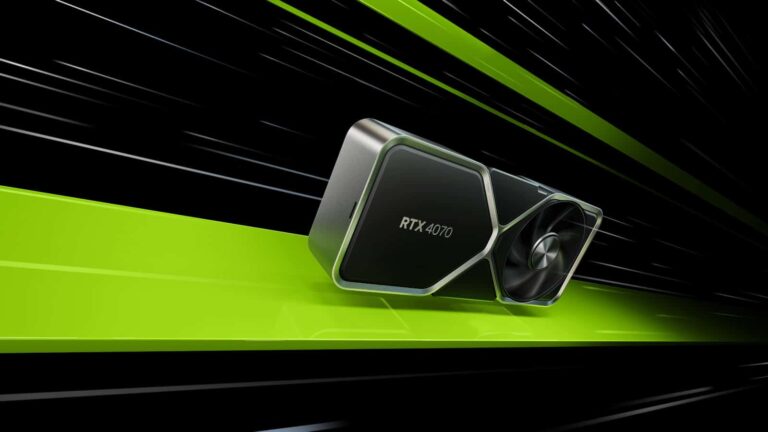
NVIDIA’s RTX 4070 GPU will launch at a pretty affordable $599

0
[ad_1]

NVIDIA’s 40-series cards have been available in a few models since last year, but none of them were the RTX 4070, which the company just announced today alongside its official retail price. Of course, what NVIDIA charges for the MSRP of its in-house card compared to what its partners may charge is another story.

Not to mention the card could make its way to third-party sellers who will charge a premium, as has been the case since the 30-series cards launched a few years ago. But if you’re lucky enough to snag one at its normal price, you’ll be looking at paying a mostly reasonable $599.

Compared to the asking price of GPUs like the RTX 4090, the upcoming 4070 shouldn’t be out of the question for many PC gaming enthusiasts. Sure, it won’t have the performance power of the high-end cards. But if the absolute pinnacle of gaming graphics isn’t your main concern, it should serve to be a great upgrade for consumers who are on older GPUs. It may even be worth upgrading to if you’re on an RTX 3060. Of course that all depends on your personal wants as a gamer.

The RTX 4070 GPU will launch at a $599 price on April 13

Those who have been waiting on the RTX 4070 won’t have to wait much longer to purchase one. As NVIDIA confirms the newest GPU in its 40-series lineup will go on sale on April 13. It’ll be available from select retailers and should be available directly from NVIDIA. Though where you’re able to find one might depend on available stock. And considering the reasonable price, stock may not last long.

In addition to the Founders Edition card, the RTX 4070 will also be available from NVIDIA’s partners. Including PNY, ASUS, Colorful, Gainward, GALAX, GIGABYTE, INNO3D, KFA2, MSI, Palit, and Zotac. Prices for the partner models aren’t mentioned but they should be relatively close to what NVIDIA is offering.

Should you end up buying one of these cards between April 13 and May 8, you’ll get the Overwatch 2 Ultimate Battlepass as a freebie. Which comes with 2,000 Overwatch 2 coins, 20 tier skips and a bunch of other extras. Of course, you could also just sign up for GeForce NOW’s Ultimate tier which gives you RTX 4080 performance in the cloud if a new GPU isn’t in your budget.


[ad_2]
Source link

One of the best games on PS5 is coming to PlayStation Plus

0
[ad_1]

Kena: Bridge of Spirits is coming to PlayStation Plus this month, and if you didn’t get a chance to play this beautiful PS5 game when it came out, now is a great time to dive in and give it a shot.

This is an action-adventure title that mixes in elements of puzzle solving and action combat. And everything is wrapped up with a neat little bow in some beautiful graphics with some pretty stunning art direction. It also has a really cool narrative with some pretty adorable characters. It’s just an all-around wonderful game from indie studio Ember Lab.

For a time it was also on our Best PS5 Games list, and that spot was well-earned. Now you don’t have to purchase the game in full if you already subscribe to PlayStation Plus. Though even at full cost the game is certainly worth the money.

Kena: Bridge of Spirits comes to PlayStation Plus on April 18

While the game is available to buy on PS5 right now, Kena: Bridge of Spirits won’t be on PlayStation Plus for about another week. If you’ve held off this long on playing it, you won’t have trouble waiting six more days.

The one things players want to be aware of is that this is not one of the April free games. Though you probably already know if you subscribe to the service. This will be a title added to the PlayStation Plus game catalog. So you’ll need either PlayStation Plus Extra or Premium to access the game without buying it on the console.

If you’d prefer to just buy it, you can buy the Standard Edition for only $18 right now. However, that sale price ends today, April 12, then it goes back up to $39.99. You can also currently pick up the Digital Deluxe Edition for $22.49 (normally $49.99), and that sale lasts until April 26. And honestly, the Deluxe Edition is the better deal.


[ad_2]
Source link

What is Max? Everything you need to know

0
[ad_1]

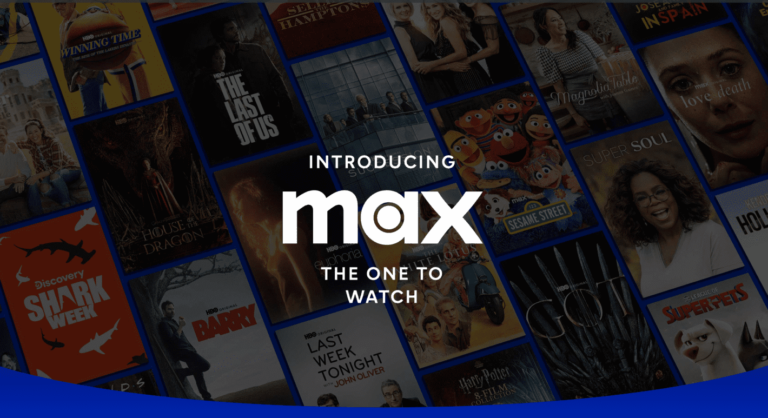
Warner Bros Discovery has finally given us more information on the new combined, streaming service that is set to launch this Spring. The service is going to simply be called “Max”. It’s going to combine HBO MAX and Discovery+ into a single mega streaming service. And in this article, we’re going to go over everything you need to know.

What is Max?

To put it simply, Max is going to be the name of the combined service of HBO MAX and Discovery+. Warner Media (now back to its original name of Warner Brothers) merged with Discovery last year. Which is why we’re seeing this merger of the streaming services.

While HBO MAX was the merger of Warner Media and HBO, putting all of the Warner Bros library onto HBO. Now with this rebranding, the library is growing even more. With Discovery content being added. That means content from HGTV, TLC and much more will be available.

1681320051051

Will it replace HBO MAX?

Yes. When Max launches, it will replace the existing HBO MAX app on all platforms in the US. Much like HBO MAX replaced HBO Go on all platforms.

Will discovery+ be replaced too?

Yes and no. Discovery+ content will be added to Max, but the streaming service Discovery+ will continue to remain on its own. WBD executives decided to keep it around even after Max launches, because they didn’t want to lose those customers that only want Discovery content. And considering discovery+ starts at $4.99, that would be a pretty big price increase for Max. Going from $5 to $10 per month.

When does Max Launch?

According to Warner Bros Discovery, Max is going to launch in the US on May 23. It will take over the current HBO MAX app. So on May 23, you’ll see the app get a slight makeover (we don’t yet know how much of a makeover), with all the new content.

Where will Max be available?

At launch, it’ll only be available in the US. WBD has stated that it will start to roll Max out to international markets where HBO MAX is currently available, starting with Latin America in the later part of 2023. With other countries across Europe and Asia in 2024.

How much will Max cost?

Pricing for Max is pretty similar to what HBO Max was. But now, WBD has added a third tier. Here’s how the tiers break down.

  • Max Ad-Lite: $9.99/month or $99.99/year. 2 concurrent streams, 1080p resolution 30 offline downloads, 5.1 surround sound.
  • Max Ad Free: $15.99/month or $149.99/year. 2 concurrent streams 1080 resolution, 30 offline downloads, 5.1 surround sound quality
  • Max Ultimate Ad Free: $19.99/month or $199.99/year. 4 concurrent streams, up to 4K UHD resolution, 100 offline downloads, Dolby Atmos sound quality

What kind of content will be available?

To put it simply, everything on HBO MAX and Discovery+ will be available on Max. But it’ll also bring in some other content and originals too.

Screenshot 2023 04 12 at 2 56 26 PM

Max will bring HBO Max’s can’t-miss programming and Discovery+’s engaging real life entertainment content together to create a complete viewing experience for all ages. The service will feature a regular freshness of content with an average of more than 40 new titles and seasons every month. With a library of iconic favorites, Max will offer a world-class collection of globally recognized brands, franchises, series, and characters, making it a truly unprecedented offering. Audiences will be able to explore the iconic worlds of HBO, the DC Universe, and Harry Potter, plus hit movies, original series, and fan-favorite genres like true crime, reality, food, and comedy, all in one place.

“The Max service is a wide-ranging mosaic of content that will be unmatched in the breadth, reach, and excellence of its offerings,” said Casey Bloys, Chairman and CEO, HBO and Max Content. “We are unique because we have the best-in-all-categories across the board by any measure – be they ratings, awards, fandom. We know we can satisfy any craving because we have the brands that people love. At Max, they will find what they want, when they want it.”

Newly announced titles include a Max Original Harry Potter series, a faithful adaptation of the beloved original book series by J.K. Rowling, who will serve as executive producer; a Max Original comedy series derived from The Big Bang Theory; an HBO Original “Game of Thrones” prequel A Knight of the Seven Kingdoms: The Hedge Knight; a Max Original drama series based on The Conjuring films; Magnolia Network’s Fixer Upper: The Hotel; Discovery Channel’s Survive the Raft; Max Original Peter & the Wolf from Bono; Adult Swim’s Rick and Morty: The Anime; Investigation Discovery’s Lost Women of Highway 20; Cartoon Network’s Tiny Toons Looniversity; and TLC’s Love & Translation.

Max also provided first looks today at additional highly anticipated upcoming titles including Max Originals The Penguin starring Colin Farrell; HBO Original drama series The Sympathizer, an espionage thriller and cross-culture satire based on the Pulitzer Prize-winning novel of the same name; HBO Original limited series True Detective: Night Country starring Jodie Foster and Kali Reis; HBO Original limited series The Regime starring Academy Award®-winner Kate Winslet; Max Original six-part docuseries SmartLess: On The Road, following Jason Bateman, Will Arnett, and Sean Hayes as they take viewers on an exclusive behind-the-scenes look at the sold-out live tour of their podcast; and Max Original kids series Gremlins: Secrets of the Mogwai. In addition to Max original programming, a first look at HGTV’s four-part Barbie Dreamhouse Challenge hosted by Ashley Graham, which will also be available to stream on Max, was shown during the presentation.

What features will be available at launch?

While HBO MAX has been out for a few years already and has put out some really nice features, Warner Bros Discovery are also promising some features for the launch of Max. These include:

  • Premium Video Playback: A new video playback experience will deliver smooth and cinematic video to users, wherever and however they prefer to watch. Whether binging their favorites, watching offline on-the-go, or tuning in on Sunday nights for the latest episode of Succession, users can count on seamlessly diving into their preferred worlds.
  • Personalization: Max will expand personalization beyond just the home page, offering a differentiated and high-performing experience for every user across the whole service.  By significantly increasing our investment in machine learning while maintaining an editorial voice, Max will deliver a unique human and machine approach that will help surface the best content for our users.
  • More Prominent Kids Experience: At launch, Max will introduce a default kids profile for new subscribers along with accompanying parental controls. Parents can choose to customize settings and select to limit content for the kids profile by ratings: little kids (tv-y), big kids (tv-y7, tvy7-fv), big kids plus (tv-g, g), preteens (tv-pg/pg), or teens (tv-14, pg-13). Parents will also have the ability to set individual profile PINs to lock access to their adult profiles, as well as a parent code to lock their children inside of the Max kids experience.
  • Simplified Navigation: Max works harder so viewers don’t have to. Streamlined categories, improved content details pages, shortcuts, dedicated brand hubs and thematic content rails, make exploring the app and discovering new interests easier. The updated design coupled with a better personalization engine will help consumers quickly find and discover the best of what they are looking for.
  • 4K UHD: The Ultimate Ad-Free tier of Max will have an expanded catalog of content available in 4K UHD including key programming such as Game of Thrones, The Last of Us, Harry Potter, Lord of the RingsThe Dark Knight Trilogy and more. All Warner Bros. movies released this year and going forward will also be available in 4K UHD when they arrive on Max following their theatrical windows.

You can check out Max’s new website here.


[ad_2]
Source link

OpenAI Launched Bug Bounty Program

0
[ad_1]
OpenAI Launched Bug Bounty

It’s been almost half a year since the revolutionary ChatGPT was released. Amazingly, it reached 100 million users in just two months.

ChatGPT has an unimaginable potential to answer things that need a lot of research. Due to its increasingly demanding usage, securing it from threat actors is also essential. 

The Microsoft-backed platform has launched its Bug Bounty Program on BugCrowd. Many Security researchers have already found some vulnerabilities on ChatGPT, and we’re posting them now and then.

However, it is now an excellent opportunity for security professionals to report their bugs and get rewarded for their work.

Their rewards are below as per their Bug bounty program and the VRT (Vulnerability Rating Taxonomy) of Bugcrowd.

  • P4 – $200 – $500
  • P3 – $500 – $1000
  • P2 – $1000 – $2000
  • P1 – $2000 – $6500

The program also mentioned that the reward can go up to a maximum of $20,000, making it a huge reward for critical bugs. So far, 14 Vulnerabilities have been reported on the program.

Scope of the Program

The following applications are in scope.

  • ChatGPT, ChatGPT Plus, Logins, Subscriptions, OpenAI-created Plugins created by users, and all other functionalities.

Bugs that can be reported include,

  • XSS or Stored XSS
  • CSRF
  • SQLi
  • Authentication and Authorization Issues
  • Data Exposure
  • Payment based bugs
  • Cloudflare Bypass to send traffic to unprotected endpoints
  • Running queries on private models that are not available to the Public
  • Browsing or Code Interpreter Plugins created by OpenAI
  • SSRF
  • OAuth Flaws
  • Credential Security and making plugin calls to unrelated domains

Since OpenAI has access to the entire internet, issues related to Google Workspace, Asana, Trella, Jira, Monday.com, Notion, Hubspot, and many more related issues related to OpenAI can also be reported.

However, there are restrictions to perform additional security testing on these companies.

Subdomains of openai are also included in the scope of the program. The subdomains of OpenAI can be found at 

Out-of-Scope Vulnerabilities

Though most bugs are eligible for reporting, some of the bugs listed below are out of the program’s scope.

  • Issues based on the Model
  • Brute Forcing API
  • Fuzzing, password spraying unauthorized attacks
  • Stolen or Leaked Credentials stemming
  • Clickjacking
  • SSL/TLS Cipher security issues with PoC
  • Server error messages without exploit proof
  • Old/EoL browser/ plugins related issues and much more

For more information, refer to the Out-of-Scope topic on BugCrowd.

Struggling to Apply The Security Patch in Your System? – 
Try All-in-One Patch Manager Plus

Related Read:


[ad_2]
Source link

Best headphones & earbuds under $100

0
[ad_1]

We’re always being taunted by the extremely pricey headphones and earbuds from top companies. They harbor all of the best features like noise cancelation, customizable sound profiles, high-quality audio, and more. The more expensive the headphones, the better they are, it seems.

However, that’s not always the case. There’s a treasure trove of headphones and earbuds that give you some great features at a reasonable price. They bring features that you’d see in more expensive products. Not only that, but they also utilize those features well. If you’re looking for the best headphones for under $100, here’s a list that you’ll find useful.

Best Headphones & earbuds under $100 summary – Updated April 2023

If you’re looking for a quick rundown of the items on this list, you can simply look at this table. It shows you the product, the price, and where you can buy them. It’s useful to get started on your search quickly. If you want a more in-depth explanation of these devices, you can read below the table.

Audio-Technica ATH-M20x

Audio Technica ATH M20x


Audio-Technica is one of the more popular brands in the audio world, and its headphones are some of the most recommended. The ATH-M20x is a pair of headphones for people who want to prioritize saving. For $49.99, you get a pair of closed-based headphones that keep the audio in.

They have a set of powerful 40mm Neodymium Magnet Drivers to give you some punchy audio. They come with an embedded 9.8ft aux cord that’s more than long enough for your needs. These headphones are a great offer for the low price.

Audio-Technica ATH-M20x

Behringer BH470NC

Behringer BH470NC


If you need headphones to listen to in a noisy environment, then you’ll want to look at the Behringer BH470NC. This is a pair of headphones that have active noise cancelation. This will cancel out the ambient noise and help you better hear your music or podcast.

These headphones have a set of 40mm drivers that will give you a nice full sound. Also, these headphones have a set of soft ear cup covers. This means that you’ll be able to listen to them for extended periods of time without them being uncomfortable.

Behringer BH470NC


Soundcore by Anker Life Q30

Soundcore Life Q30

The Soundcore Life Q30 are for people who want to have a little more control over the sound of their music. For starters, these headphones come with a set of 40mm drivers, and they can produce hi-res audio. Along with that, they also come with ANC for those who listen in noisy environments.

If you like to tinker with your audio, then these should appeal to you. The companion app that these headphones come with a built-in EQ. You’re able to adjust the audio to suit your needs.

The Soundcore Life Q30 come with rather massive batteries that promise to deliver excellent life. With the ANC on, you should get up to 40 hours of playback time. That’s impressive on its own, but with the ANC turned off, they’re rated to last up to 60 hours.

Soundcore by Anker Life Q30

Philips SHP9500

Philips SHP9500


These headphones are made for those who are going to be using them for extended periods of time. They come with a dual-layer headband cushion for added comfort. This is especially useful for people who work in audio and need to use headphones for hours at a time.

They’re made with audio quality in mind with their large 50mm neodymium drivers. So, if you’re a composer or audio engineer, you’ll feel right at home with these headphones. Just know that they’re open back. This means that there’s nothing to keep outside noise out, so you’ll ideally use them in the studio.

They come with a detachable cable that’s 1.5 meters long. It’s more than long enough for your needs.

Philips SHP9500

Audio-Technica ATH-AVC200 SonicPro

Audio Technica ATH AVC200 SonicPro


If you’re really looking to save money, then you’ll want to look at these headphones. They’re closer to your standard-quality headphones. They come with an embedded dual aux cord to plug into a 3.5mm headphone jack. Also, these headphones come with a 1/4-inch adaptor.

While these headphones are affordable, they still come with sizable 40mm drivers to provide a powerful sound. They’re closed-backed, so they might not be ideal for professional recording, but they’re great for casual listening. They’re a nice offering for the price.

Audio-Technica ATH-AVC200 SonicPro

Edifier W240TN

Edifier W240TN 1

The Edifier W240TN are a set of pretty simple and straightforward TWS earbuds. You have a nice balance of features with these earbuds that you won’t find with some others. The audio that you get from them is solid, and it’s paired with some excellent ANC. Along with that, you also have ambient mode.

If you’re the type of person who likes to tinker with the audio, then these will be great for you. The Edifier Connect app has a built-in EQ that lets you adjust the frequency range of each of the four bands. Also, you can adjust the Q factor of each band.

Each earbud has a physical button, and you’re able to select which function you want them to perform. You can assign actions for a double-press and a triple-press of each button.

Edifier W240TN

JLab Go Air Pop

JLab Go Air Pop

These are perfect for people who want a light pair of earbuds. The JLab Go Air Pop are the company’s smallest and lightest yet. They could be great for those looking to work out while wearing them. Also, the touch controls mean that you can easily control them while on a run.

When it comes to battery power, the JLab Go Air Pop will last you the day. They’re rated to last you about 8 hours on a single charge. If you use the charging case, that number gets a boost to 32 hours. Also, speaking of charging, the case comes with a built-in charging cable.

JLab Go Air Pop

Jabra Elite 3

Jabra Elite 3 Pic 3

The Jabra Elite 3 offer some great audio quality for the low price. They’re comparable to the Jabra Elite 4 Active earbuds. Android Headlines did a review on them, and if you want more information on them, you can click right here.

The Jabra Elite 3 give you some powerful sound with a pleasant amount of bass. It’s not overwhelming, so you’ll still have a relatively balanced sound. If you want to tune your sound more, you can use the Jabra+ app has a built-in EQ. You can adjust the EQ to your liking.

The only drawback is the fact that these don’t have ANC. While that’s the case, these earbuds do have ambient mode, and it works just fine. Overall, a great pair of earbuds for the price.

Jabra Elite 3

Tibit BTH92

Tribit Wireless Earbuds

The Tibit BTH92 bring some nice bang for your buck. At $39.99, these are some of the least-expensive earbuds on this list, but they still bring some nice features. For starters, they have touch controls, so you can easily control them with a tap. The charging case gives you a useful battery indicator so you know when to charge them.

As for other features, these earbuds have an IPX8 water resistance rating. This means that they can be submerged under a meter and half of freshwater for 30 minutes. You’ll just want to be careful about salt water and pool water. If you want to prioritize savings, you’ll want to consider getting these earbuds.

Tibit BTH92

WYZE Wireless Earbuds

Wyze buds

The WYZE earbuds are meant for those who are into sports and fitness. They come with IPX5 water resistance for those who like to work out with their earbuds in. This means that you won’t have to worry about your sweat getting into them and messing them up.

As for the other features, each earbud comes with a 10.5mm driver that will give you a powerful sound. Also, each bud comes with two microphones for top-notch ANC. In terms of battery life, you can expect to get about 7 hours of playback on a single charge. With the case included, you’re looking at about 20 hours.

WYZE Wireless Earbuds


[ad_2]
Source link