Google reveals 18 chip vulnerabilities threatening mobile, wearables, vehicles

0
[ad_1]

We take a look at multiple vulnerabilities highlighted by Google’s Project Zero team, and what you can do to ward off the threat of attack.

Google’s Project Zero is warning of multiple significant vulnerabilities found across many models of mobile devices including Samsung Galaxy, Google Pixel, Vivo, and several forms of wearable and vehicles using certain types of components.

Between late 2022 and early 2023, Project Zero reported 18 vulnerabilities in a chip powering those devices. Of those 18, a total of four vulnerabilities are tagged as “top-severity” which could allow for silent compromise over the network.

Which devices are affected?

The list of impacted technology is as follows:

  • Mobile devices from Samsung, including those in the S22, M33, M13, M12, A71, A53, A33, A21s, A13, A12 and A04 series
  • Mobile devices from Vivo, including those in the S16, S15, S6, X70, X60 and X30 series
  • The Pixel 6 and Pixel 7 series of devices from Google
  • Any vehicles that use the Exynos Auto T5123 chipset

The four most severe vulnerabilities could allow attackers to remotely compromise a device, with no physical interaction required at any stage of the proceedings. The only thing an attacker requires for the compromise to take place is knowledge of the intended victim’s phone number.

The other fourteen, while still bad, are nowhere near as severe, and for them to be successful requires either a malicious mobile network operator or an attacker with local access to the device.

Meanwhile, the Google Security research team believes that the most severe vulnerabilities would allow skilled attackers to create an operational exploit in a short space of time.

Patching and scope of threat

While Google mentions that patching will be dependent on manufacturer, PIxel phones (for example) have already been patched against CVE-2023-24033 in the March security update. If a patch isn’t forthcoming for your own device yet, Google has some suggestions to help keep your technology safe from harm. If your device allows you to, switch off two settings called:

  • Wi-Fi calling
  • Voice-over-LTE (VoLTE)

This will prevent the risk of exploitation. One potential ramification of disabling VoLTE is that in recent years it has become something of a necessity for some mobile networks. If you’re able to turn it off, then based on the information available you may experience poor call quality and lack of certain features and functionality. On the other hand, VoLTE is “not available everywhere on every network, or on every handset” so it may not matter too much anyway depending on your make and model.

As for scope, depending on where your device is from you may not be running the vulnerable type of chip needed for the exploit to be successful. The Verge notes that phones sold outside of Europe and some African countries” use something else altogether. In those instances, you should be fine.


Malwarebytes removes all remnants of ransomware and prevents you from getting reinfected. Want to learn more about how we can help protect your business? Get a free trial below.

TRY NOW


[ad_2]
Source link

Samsung’s Galaxy S23 trade-in offer massively reduces the cost

0
[ad_1]

If you are trying to purchase any device in the Galaxy S23 series, then you might want to consider the new Samsung trade-in offer. The available offers can earn a buyer up to $700 to assist them with their purchase. But only a few buyers have access to these offers on the Samsung website and official retail stores.

Samsung fans will find these trade-in offers very interesting, as it rewards them for being loyal customers. So if you are a Samsung fan, head over to their official smartphone website and grab yourself a new Galaxy S23 series device. Two devices in the series are available for purchase with this new trade-in offer.

These devices are the S23 and the S23+ both of which are great flagship devices. In this article, we will take a look at the available trade-in offers for Samsung users. Which devices will be accepted, and which ones have the best trade-in value?

The new Samsung trade-in offer has a lot to offer existing Samsung users

The new Samsung Galaxy S23 and S23+ are both impressive devices that pack a ton of features. If you are into smaller yet powerful devices, then the S23 is the perfect choice for you. But, if you want something bigger with a larger battery, then the S23+ will suit your taste.

Both devices make use of the Snapdragon 8 Gen 2 processor for Galaxy devices and pack 8GB memory capacity. They also feature the same rear and front-facing camera setup, bringing similar imagery performance. The smaller S23 retails at $799 and the larger S23+ retails at $999 without the new trade-in offer.

If you already own a Samsung device (smartphone or tablet) purchasing either the Galaxy S23 or S23+ will be more affordable. Samsung’s new trade-in offer is a trade-in offer for these devices that can help you pay just $99 for the S23 and $299 for the S23+ (128GB option). To get this amazing deal, all you need to do is trade your current device back to Samsung while purchasing any of the S23 devices.

All Samsung devices from the Galaxy S7 down to the Z Fold 4 are on a trade-in promotion. With any device within this range, you can get a discount ranging from $110 to $700 on the Galaxy S23 series. This massive discount is courtesy of the new Samsung trade-in offer.

To Apple users, there is no need to feel left out as Samsung is also giving you a similar trade-in offer. From the iPhone 6s to the iPhone 14 Pro Max, this trading offer gives you a $30 to $700 discount. If you are considering switching over to Android, this is the best time for you. Simply trade in your iPhone and get the latest Samsung flagship devices.

Pixel, OnePlus, and LG users also get similar deals, with the Pixel 7 Pro having the highest trade-in offer. It is good to note that the new Samsung trade-in offer is exclusive to certain regions. Head over to the official website in your region to see if you can benefit from this trade-in offer. You also stand a chance to win the Samsung Galaxy S23 Ultra by clicking on this link.


[ad_2]
Source link

Snapdragon 7+ Gen 2 yields much better AnTuTu score than its predecessor

0
[ad_1]

The Snapdragon 7+ Gen 2 got announced last week, and its AnTuTu score just surfaced. Abhishek Yadav, a tipster, shared the AnTuTu score of the SoC, and compared it to what its predecessors offered.

The Snapdragon 7+ Gen 2 offers a much better AnTuTu score than its predecessor

The tipster said that the Snapdragon 7+ Gen 2 managed to reach a score of 1,000,000, while the Snapdragon 7 Gen 1 scored 600,000 on AnTuTu. The Snapdragon 778G managed to hit 555,000 points.

As you can see, the difference between the Snapdragon 7+ Gen 2 and Snapdragon 7 Gen 1 is much bigger than the difference between the Snapdragon 7 Gen 1 and Snapdragon 778G.

That could be one of the main reasons why Qualcomm went with the Snapdragon 7+ Gen 2 name, instead of using the Snapdragon 7 Gen 2 name as everyone expected. The company completely skipped over the Snapdragon 7 Gen 2 naming.

This processor comes with a 1+3+4 architecture, and it’s a 4nm processor. The Kryo CPU included here offers a 50% performance improvement, claims Qualcomm, while the Adreno GPU also offers a performance boost.

This chip is also more power efficient

The chip is also more power efficient, as Qualcomm states a 13% improvement over its predecessor. The Auto Variable Rate Shading (VRS) is included here, and the same goes for Volumetric Rendering and Snapdragon Sound with Qualcomm aptX.

The Qualcomm AI Engine offers a 2x improved AI performance, while there’s also an 18-bit Triple ISP included. Qualcomm also included the Snapdragon X62 5G modem on the inside, and Bluetooth 5.3 support.

This chip has support for LPDDR5 RAM up to 3,200MHz, and Quick Charge 5 technology. It also supports displays up to QHD+ resolution and 120Hz refresh rate. Qualcomm does expect quite a few phones to utilize this chip.


[ad_2]
Source link

Google Calendar will let you add custom birthday reminders

0
[ad_1]

Google Calendar is always here for you when you need to remember important dates like a birthday. Right now, Google is working on a new feature that will help you set up custom reminders so you can surprise that special someone on their special day.

Right now, this feature is not available to the public. We’re not even sure it’s in testing. According to Android Police, you can only access the feature in version 2023.08.2-511758217 of the app. Even then, you’ll need to enable several flags. So, you’ll want to take this information with a grain of salt.

Google Calendar will make setting birthday reminders better

If this feature comes out, you’ll see a popup appear when you open the app. It will give you the option to add a birthday when making a reminder. This might seem weird to some people because you’re able to get birthday reminders automatically. When you add a birthday to a contact, the calendar will automatically make a birthday reminder.

However, this feature will give you more options when setting up a reminder. You’ll have just as much control over it as if you’re making standard reminders. So, when adding a birthday reminder, you can choose what kind of notification to get. Also, you’re able to set what date you want it to go off.

So, if you want to get a reminder of the birthday beforehand or afterward, you can. This could be helpful if you’re bad at remembering birthdays. You could get an early reminder and make preparations.

At this point, we don’t know when the company plans on launching this feature. For all we know, Google could pull it before launch. If you’re excited about the feature, then you might want to keep an eye on your app. Make sure that it’s always up to date.


[ad_2]
Source link

iPhone 15 Pro Max to have the thinnest bezels on the market

0
[ad_1]

According to a well-known tipster, Ice Universe, the iPhone 15 Pro Max will have the thinnest bezels on the market. The tipster did share some specific info too, but it’s interesting he mentioned only the Pro Max, not the regular Pro. This could suggest the iPhone 15 Pro will have thicker bezels than its sibling.

The iPhone 15 Pro Max tipped to have the thinnest bezels on the market

In any case, the iPhone 15 Pro Max’s bezels will be 1.55mm thick, says the tipster. Thus far, out of the phones that are available, the Xiaomi 13 Pro holds the lead. Xiaomi’s latest flagship has bezels that are 1.81mm thick.

For comparison’s sake, the tipster did share the bezel thickness of the Galaxy S22, S23, and the iPhone 14 Pro. The bezels on those three phones measure 1.95mm (S22 & S23) and 2.17mm (14 Pro).

The upcoming iPhones will probably have uniform bezels, by the way, as we’re used to seeing from Apple. That means that every single bezel on the iPhone 15 Pro Max will measure 1.55mm.

The iPhone 15 Pro seemingly won’t have the same bezel thickness

We do hope that the iPhone 15 Pro won’t have noticeably thicker bezels than the Pro Max. Well, presumably that they’ll be thicker at all, as the tipster mentioned the ‘Pro Max’ model specifically.

The iPhone 15 series is expected to launch in September this year. This time around, all phones in the series will include a Dynamic Island, even the non-Pro models. That is a feature that was reserved for the iPhone 14 Pro and Pro Max last year.

All phones will also include a Type-C port at the bottom, due to the new EU rule. The ‘Pro’ iPhones are tipped to include solid-state buttons this time around, and perhaps even some new materials for the frame, we’ll have to wait and see.


[ad_2]
Source link

Galaxy Z Fold 5 to be much thinner and lighter than Fold 4

0
[ad_1]

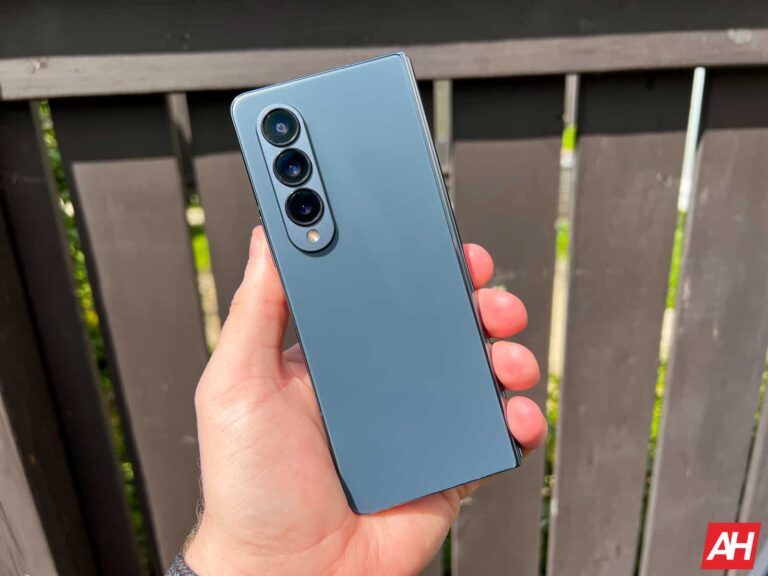
A recent leak revealed that Samsung is changing a lot of things on the Galaxy Z Flip 5. The new clamshell foldable will get a much bigger cover display and narrower bezels on the inside. The Galaxy Z Fold 5, on the other hand, may not look too different from its predecessor. That’s according to the same source Ice Universe.

The new Fold model will reportedly get the same 6.2-inch display on the outside. They don’t detail the aspect ratio but there’s little hope Samsung would make it any wider, something a few users and fans have asked for. With the handset itself not getting any dimension changes, the only way the company can make the cover display wider is by reducing the bezels. But that doesn’t seem to be its priority this year.

Speaking of priority, Samsung is trying to make its foldables thinner. It has developed a new type of hinge that allows the devices to close shut when folded. According to the new leak, the Galaxy Z Fold 5 will be just 0.2mm thinner than the Galaxy Z Fold 4 (6.3mm thick) when unfolded. However, thanks to the new hinge, it measures “13.x mm” when folded, down from 14.2-15.8 mm that last year’s model measured.

Another advantage of the new “waterdrop” hinge is its uniform thickness on folding. There is no gap on the hinge side like last year. The weight of the device will also come down from 263 grams to 254 grams. This change will reduce the crease on the inner folding display as well. What makes it all more impressive is that Samsung hasn’t compromised on waterproofing to achieve this. The Galaxy Z Fold 5 will boast an IPX8 rating for water resistance, the same as last year. The foldable will still lack protection against dust, though. The same goes for the Galaxy Z Flip 5 as well.

Samsung will use Galaxy S23’s processor inside the Galaxy Z Fold 5

Samsung will use the same Qualcomm chipset that powered the galaxy S23 series in its 2023 foldables. Both Galaxy Z Fold 5 and Galaxy Z Flip 5 will be powered by the overclocked version of the Snapdragon 8 Gen 2. This chipset is only available to the Korean brand and features a faster CPU and GPU than the regular version. Reports are that this partnership between Qualcomm and Samsung will continue for at least one more year. The Galaxy S24 series will also use a special Qualcomm chip. Stay tuned for all the latest information about these upcoming Samsung devices.


[ad_2]
Source link

Apple’s Echo Show competitor gets delayed until next year

0
[ad_1]

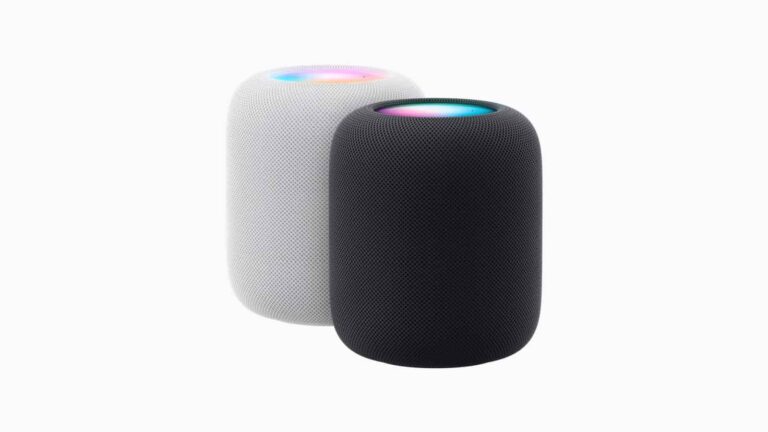
Apple has been rumored to be working on a HomePod that has a screen. Basically a competitor to the Echo Show. The mock ups for it look pretty good. But apparently, it has been delayed. Due to a series of cost-cutting measures and belt-tightening efforts at Apple.

Bloomberg says that the delaying of this project will allow Apple to allocate its R&D budget to more pressing projects. Which includes its mixed reality headset, which many believe will launch at WWDC in June.

This is being done to contain costs and enable the company to maintain stability. Even in an unstable economy, as tech giants like Amazon, Microsoft, Google and Meta are all laying off employees. While Apple has yet to do so.

Apple’s Echo Show

The HomePod with a display from Apple looks pretty nice actually, in the mock ups. And rumors point to it having a 7-inch display, that would arrive in the first half of 2024 at the earliest.

Basically, it looks like the HomePod Mini, but in a pill shape, with a screen angled on the front. There’s likely a camera hidden somewhere, as Apple would be fools to not make Facetime available on this product.

Of course, this would work with HomeKit. So you’d be able to control your smart home products from this display, a lot like the Echo Show from Amazon and the Nest Hub from Google. Currently, the HomePod doesn’t do a whole lot, other than sounding good and playing Apple Music. So hopefully with the HomePod with a screen, it’ll add more functionality.

It’s likely that Apple would also launch a few different sizes of this device, which Bloomberg’s Mark Gurman first mentioned back in 2021. Though a 7-inch model would likely come out first, as it would be cheaper, and easier to put into your home on a table in the living room or your bedroom.


[ad_2]
Source link

Galaxy Z Flip 5 to feature bigger cover display, narrower bezels

0
[ad_1]

Samsung‘s next-gen foldable smartphones may still be several months away, but leaks have already revealed plenty about the devices. Rumors are that the Galaxy Z Fold 5 and Galaxy Z Flip 5 will feature a new type of hinge that reduces the crease on the display and also allows the foldables to shut close when folded. The latter will get a bigger cover display as well. Reputed tipster Ice Universe has now shared more information about the upcoming clamshell foldable.

According to the tipster, the new waterdrop-type hinge will not affect the waterproofing of the Galaxy Z Flip 5. Samsung will still offer an IPX8 rating for water resistance, with no guaranteed protection against dust. There have been rumors about the Korean firm working on making its foldables dust resistant, but those efforts don’t seem to be bearing fruit just yet. The Galaxy Z Flip 5 will need extra care when used outdoors. Dust could cause issues with the hinge.

In line with earlier reports, the source says that the cover display on the Galaxy Z Flip 5 would be much bigger than on the Galaxy Z Flip 4. We are talking about a 3.4-inch panel here, up from 1.9 inches last year. But instead of a vertical display like on the Oppo Find N2 Flip (3.26-inch), Samsung is fitting its new foldable with a square screen on the outside. It reportedly has an aspect ratio of 1:1.038, which is almost a square.

The changes don’t limit to outside, though. The new report says that Samsung has reduced the display bezels on the inside as well. We don’t have visuals to tell you how different the Galaxy Z Flip 5 looks from its predecessor when unfolded. But narrower bezels are always a welcome change. The new foldable will also reportedly feature a new touchscreen technology. It’s unclear what advantages this new folding display will bring over the existing solution.

Galaxy Z Flip 5 will use the same processor as the Galaxy S23

Samsung used a special version of the Snapdragon 8 Gen 2 processor in the Galaxy S23 series. Qualcomm made this chipset exclusively for Galaxy, and the Korean firm will now use it in its upcoming foldables as well. Both the Galaxy Z Fold 5 and Galaxy Z Flip 5 will reportedly be powered by the Snapdragon 8 Gen 2 for Galaxy, which has an overclocked prime CPU core and GPU. You can expect to hear more about the upcoming foldable duo in the coming months. The devices will arrive in the second half of 2023, probably in August.


[ad_2]
Source link

Comparing all Fire TV Sticks & Cube

0
[ad_1]

So you’ve decided that you want to get a Fire TV for your TV at home, work or wherever. While that might sound like case-closed, you know what to buy, it’s not quite the easy. Amazon has four different Fire TV Sticks to choose from, along with an Amazon Fire TV Cube. So how can you choose which one to get? That’s what we are here for.

In this article, we are going to compare all of these options, to help you figure out which one is best for your TV.

Specs

First up, we need to talk specs. That’s not something you generally think about when comparing streaming devices, but it is pretty important. Luckily, Amazon does provide a nice table showcasing all five options, side-by-side. Which you can see below.

Screenshot 2022 12 26 at 1 58 18 PM

As you can see, they all use basically the same processor, except for the Cube, which has twice the cores, and has faster clock speeds too. The other thing to take a look at here is RAM and storage. The 4K models do have more RAM, with the 4K Max and Cube having the most here. And the Cube also has the most storage. 8GB of RAM is likely plenty for most people, since Fire TV apps are pretty small. But always good to have a bit more storage.

HD vs 4K

The next question you should ask yourself is, whether your TV is a 4K TV or not? And if you want to future proof your streamer. If you don’t need 4K, then a Fire TV Stick can be pretty inexpensive. But if you need 4K, that still leaves you with three options.

If you choose HD

If you are okay with HD (that’s up to 1080p resolution), then the Fire TV Stick Lite is going to be just fine for you. This model starts at $29.99, but is often times on sale for much less. We’ve seen it as cheap as $15. The major differences between the Fire TV Stick Lite and the Fire TV Stick is the audio support and the remote. The Fire TV Stick does support Dolby Atmos while the Lite model has HDMI passthrough support for Dolby encoded audio. The Lite model also has less buttons on the Fire TV Stick remote. But you can buy different voice remotes from Amazon for this one.

If you choose 4K

Now, if you do want 4K resolution from your Fire TV Stick or Cube, then that makes the next choice a bit tougher. That’s because, there’s not a lot of differences between the Fire TV Stick 4K, 4K Max and the Cube.

So the next question to ask yourself is, do you need or want WiFi 6 or WiFi 6E, or if WiFi 5 is fine? If you need WiFi 6, that does narrow it down to the Fire TV Stick 4K Max or the Fire TV Cube. While the Fire TV Cube does have WiFi 6E for even faster WiFi connectivity, as well as an Ethernet port.

amazon fire tv cube 2022 review AM AH 1

Do you want Hands-free Alexa?

Now the next thing here is going to be, hands-free Alexa. Do you want to be able to control your Fire TV with Alexa, without pressing any buttons first? If so, the Fire TV model to buy is easy then. That’s the Fire TV Cube, since it is the only model that supports hands-free Alexa.

Unfortunately, since the other sticks are plugged into your TV and are “off” when the TV is off. They can’t do hands-free Alexa. So why would you want hands-free Alexa? Well it allows you to control the TV without a remote, even with the TV off. If also allows you to basically replace your Echo in the living room, or wherever you Fire TV Cube is going to be. Which is really nice to have.

The absolute best Fire TV device for 2023

We’ve talked about resolution, we’ve talked about specs, and we’ve talked about hands-free Alexa. Now, which is the best model? Well we would recommend the Fire TV Cube or the Fire TV Stick 4K Max. Let’s explain why we’d recommend each model.

Fire TV Cube

The Fire TV Cube is the best of the best. It’s the very best Fire TV experience on the market right now. That’s because it has an octa-core processor inside, it has more RAM and more storage. Making it perform really well. That’s surprisingly very important for a streamer. As a lot of companies skimp on those things, to offer a cheaper streamer. But Amazon did not do that here.

Now, the Fire TV Cube is fairly expensive for a streamer. It’s $139, which puts it on the same level as the Apple TV. And that’s why we’d also recommend the Fire TV Stick 4K Max. Which is about half the price.

Fire TV Stick 4K Max

If you don’t need hands-free Alexa, then the Fire TV Stick 4K Max is the best Fire TV device. I’ve actually been using the Fire TV Stick 4K Max for a few months now, and really like it. I was not a big Fire TV user before, as I didn’t really like the OS, and preferred Google TV. But Amazon has done what Google won’t, add enough horsepower so that the streamer actually performs well. It also supports Dolby Atmos, Dolby Vision and has picture-in-picture available.

Unless you’re buying a Fire TV Stick for an older TV and you don’t plan to upgrade it anytime soon, you shouldn’t be looking at any other Fire TV devices other than the Fire TV Stick 4K Max or the Fire TV Cube.


[ad_2]
Source link

How To Set & Manage Default Apps In Android

0
[ad_1]

When you’re performing certain tasks on your phone, you’ll often only want one app to do it for you. This is where default apps come in, and it’s pretty easy to set, change, and remove them on your Android device.

While it’s easy, newcomers to the platform might not know how to manage them. Well, have no fear. Here’s a handy guide telling you how to set and manage default apps on your Android phone.

As a disclaimer, there are several manufacturers, and many of them offer their own take on the Android operating system. Thus, managing your default apps on certain phones will be different from what’s explained in this article. In this article, we’ll explain how to do this on stock Android. Most phone makers use stock Android, so, chances are that this method will work for you.

 What are default apps?

So, in case you don’t know what we’re talking about, here’s a quick rundown. When you want certain tasks completed on your phone, you’ll often want only one app to perform them. Familiarity is a big part of the whole smartphone experience.

So, an app that’s assigned to perform a task every time is called a default app. A web browser that always opens when you tap on a link is the default browser. A photo editing app that always opens when you tap on the edit photo button is the default photo editor. Having default apps really speeds up your workflow, especially if there are apps that you have to use on a constant basis.

Setting an app as the default

There are a few different ways that you can manage your default apps. You can either go through the settings or go to each app’s menu. Let’s start with setting default apps.

For this example, we’ll use a PDF reader. If your phone only has one PDF reader, then it will automatically assign that as the default app. But, if you download an additional one, then you’ll be able to choose the default. The quickest way is to just try opening a PDF reader. In this example, we’re opening a file from an email.

When you try opening a PDF file with more than one reader installed, you’ll see a pop-up appear showing you all of the apps that can open this type of file. The previous default app will be at the top of the list, and you’ll see some options right below it.

You can tap on the Just once button to only use the app on that occasion. If you use that option, then you’ll get the popup again when trying to open that type of file again. Tapping on the Always button will set that app as the default.

Set default app 1

Under the previous default app, you’ll see a list of the other apps that can open that file. Tapping on one of those apps will open it, but it won’t set it as the default. When you try to open that type of file again, you’ll get the popup once more. This time, that app will be at the top, and you’ll be able to set it as the default.

Changing default apps

So, you’ve selected a default app, but you want to change it to another app. Well, as mentioned before, if you go and download a new app, you’ll have the ability to set that app as the default. But, if you want to change it to an app that you’ve already installed, then it’s pretty simple.Set default app 4

First, you’ll want to go to the current default app. On the home screen, hold your finger down on that app. You’ll see a little popup appear with some options. Tap on the App Info button (the “i” in a circle). There, you’ll see useful information and settings for that app. Scroll down to the Open by default section.

When you tap on that section, you’ll see a button on the bottom reading Clear default preferences. When you do that, the system will unassign this app as the default.

After that, go to the file or link that you want to open. You’ll get the popup again showing you the options for apps. This time around, since there are no apps assigned, the top app will not app be the only one with the Just once and Always buttons. Those buttons will be available to all of the apps. When you tap on one, you’ll see them appear at the bottom.

Using the settings menu

Since some people still use older versions of Android, they might not be able to use the App Info page. If you don’t get the popup when you hold your finger down on an app, you can go through your settings.

In the setting, scroll down until you see the Apps section. You should see a Default apps button. There, you’ll see a list of the apps that have defaults assigned. Look for the app that you want to unassign, open the page, and clear the default.

You can go on without setting a default app

Setting a default app isn’t required. There are people who like to have different options when opening files. A person might ping-pong between using the native Google Photos editor and Picsart. If you don’t want to assign a default app you can just tap on the Just once button whenever you’re trying to open a file.


[ad_2]
Source link