Hackers Leak 221,470 Users’ Data in “Tech in Asia” News Outlet Breach

0
[ad_1]

A data breach at Tech in Asia has exposed the personal information of 221,470 users. Learn more about the hack attributed to IntelBroker and the ongoing response to secure user data.

A database owned by Tech in Asia, a prominent technology news outlet focusing on startups and technological innovations across Asia, has been compromised. The breach was announced by a hacker known by the pseudonym “Sanggiero,” linked to the infamous hacking collective, IntelBroker.

Hackers Leak 230,000 Users' Info in Tech in Asia News Outlet Data Breach
Screenshot from the hacker’s post on Breach Forums (Credit: Hackread.com)

Tech in Asia, which has received backing from Eduardo Saverin, the co-founder of Facebook, operates from bases in Singapore and Jakarta. The platform is a critical resource for news on technological advancements and entrepreneurial ventures in the region.

Details of the breach were disclosed late last night on several dark web forums, including the infamous cybercrime and data leak forum Breach Forums. Sanggiero claimed responsibility for the hack, stating that it occurred in June 2024 and impacted over 221,470 individuals.

As seen by Hackread.com, the leaked information includes user data such as the following:

  • Roles
  • Full names
  • Display names
  • Email addresses
  • Date of registration.
Hackers Leak 230,000 Users' Data in "Tech in Asia" News Outlet Breach
Hackread.com analysed the leaked data

As confirmed by Tech in Asia to Hackread.com in an exclusive statement, these records belong to its users. However, the good news is that no passwords were leaked. According to Sanggiero, the data was accessed by exploiting several critical vulnerabilities in Tech in Asia’s API and other bugs that allowed access to the internal services of the website.

“We confirm that the Tech in Asia Indonesia site was compromised, but the main Tech in Asia site remains secure. The situation has been contained. We apologise to users affected by this incident and will contact them with safety measures. Only email addresses and names were leaked; account passwords remain secure. We are taking further measures to ensure that our users’ data remains safe.”

Tech in Asia

The motives behind the breach are obvious. Additionally, IntelBrokers has been known for targeting high-profile companies and top security agencies. Some of the group’s previous hacks include Europol, Home Depot, ICE, USCIS, HSBC and Barclays Bank.

This incident leaves a critical lesson for all companies: Cybersecurity isn’t a one-time setup but a continual process. As cyber threats become more complex and frequent, it’s vital that businesses consistently enhance security. Doing so not only protects sensitive data but also builds and maintains the trust of its users.

Follow our dedicated cybersecurity news coverage for updates on this story and more.

  1. AT&T Confirms Data Breach Affecting 73 Million Users
  2. Massive Data Breach Exposes Info of 43 Million French Workers
  3. API Misuse: Hacker Exposes 2.6M Duolingo Users’ Emails & Names
  4. American Express Cardholders Impacted by 3ed-Party Data Breach
  5. Dell Discloses Data Breach As Hacker Sells 49 Million Customer Data
  6. Ticketmaster Suffers Data Breach: 560M Users’ Info for Sale at $500K

[ad_2]
Source link

Microsoft Recall snapshots can be easily grabbed with TotalRecall tool

0
[ad_1]

Microsoft’s Recall feature has been criticized heavily by pretty much everyone since it was announced last month. Now, researchers have demonstrated the risks by creating a tool that can find, extract, and display everything Recall has stored on a device.

For those unaware, Recall is a feature within what Microsoft is calling its “Copilot+ PCs,” a reference to the AI assistant and companion which the company released in late 2023.

The idea is that Recall can assist users to reconstruct past activity by taking regular screenshots of a user’s activity and storing them, so it can answer important questions like “where did I see those expensive white sneakers?”

However, the scariest part is that Recall does not perform content moderation. It will not hide information such as passwords or financial account numbers and that data may be in snapshots that are stored on your device.

Many security professionals have pointed out that this kind of built-in spyware is a security risk. But Microsoft tried to reassure users, saying:

“Recall data is only stored locally and not accessed by Microsoft or anyone who does not have device access.”

The problem lies in that last part of the statement. Who has device access? Although Microsoft claimed that an attacker would need to gain physical access, unlock the device and sign in before they could access saved screenshots, it turns out that might not be true.

As a warning about how Recall could be abused by criminal hackers, Alex Hagenah, a cybersecurity researcher, has released a demo tool that is capable of automatically extracting and displaying everything Recall records on a laptop.

For reasons any science fiction fan will understand, Hagenah has named that tool TotalRecall.  All the information that Recall saves into its main database on a Windows laptop can be “recalled.“

As Hagenah points out:

“The database is unencrypted. It’s all plain text.”

TotalRecall can automatically find the Recall database on a person’s computer and make a copy of the file, for whatever date range you want. Pulling one day of screenshots from Recall, which stores its information in an SQLite database, took two seconds at most, according to Hagenah. Once TotalRecall has been deployed, it is possible to generate a summary about the data or search for specific terms in the database.

Now imagine an info-stealer that incorporates the capabilities of TotalRecall. This is not a far-fetched scenario because many information stealers are modular. The operators can add or leave out certain modules based on the target and the information they are after. And reportedly, the number of devices infected with data stealing malware has seen a sevenfold increase since 2023.

Another researcher, Kevin Beaumont, says he has built a website where a Recall database can be uploaded and instantly searched. He says he hasn’t released the site yet, to allow Microsoft time to potentially change the system.

According to Beaumont:

“InfoStealer trojans, which automatically steal usernames and passwords, are a major problem for well over a decade—now these can just be easily modified to support Recall.”

It’s true that any information stealer will need administrator rights to access Recall data, but attacks that gain those right have been around for years, and most information stealer malware does this already.

Hagenah also warned that in cases of employers with bring your own devices (BYOD) policies, there’s a risk of someone leaving with huge volumes of company data saved on their laptops.

It is worrying that this type of tools is already available even before the official launch of Recall. The risk of identity theft only increases when we allow our machines to “capture” every move we make and everything we look at.


We don’t just report on threats – we help safeguard your entire digital identity

Cybersecurity risks should never spread beyond a headline. Protect your—and your family’s—personal information by using identity protection.


[ad_2]
Source link

Next Week, the iPhone will get its Biggest Android Update Ever

0
[ad_1]

On Monday, Apple’s CEO Tim Cook will take the stage at WWDC to kickoff the unveiling of iOS 18, iPadOS 18, macOS 15, watchOS 11, tvOS 18 and visionOS 2. The keynote is expected to be a pre-recorded video once again, but that’s not the point; with iOS 18 (and iPadOS 18), we’re expecting a ton of new software features that have been available on Android for quite some time. And this time around, it could be the biggest Android update the iPhone has ever seen.

Starting off with the small stuff, Apple is slated to bring RCS to iOS with iOS 18. This is because of the EU and its DMA that forced USB-C onto the iPhone last year. Though, those on Android have had RCS since around 2019 – the standard first debuted all the way back in 2012 however. One of the reasons that Apple didn’t want to support RCS is because it won’t change anything for its users since iMessage exists. But it didn’t want to open iMessage to other platforms, so it had to add RCS; what a great ultimatum from the European Union.

Siri is going to become more like Google Assistant and Gemini

Siri is also slated for a nice overhaul this year with iOS 18, and it’s set to come with more natural responses. You know, like what the Google Assistant has been doing for nearly a decade. Siri has become the laughingstock of Apple’s products. There are plenty of jokes made about how bad it is. In fact, I only really use it to set timers or check the weather. Anything more complicated and Siri is useless.

Additionally, Siri is set to get more AI features, like providing auto-generated replies for emails and messages, a lot like what Gemini is already able to do. Apple is also reportedly working on smart summaries of the notifications you missed. Now, that’s something Android doesn’t have, but I would not be surprised to see that come in the very near future with an update to Gemini.

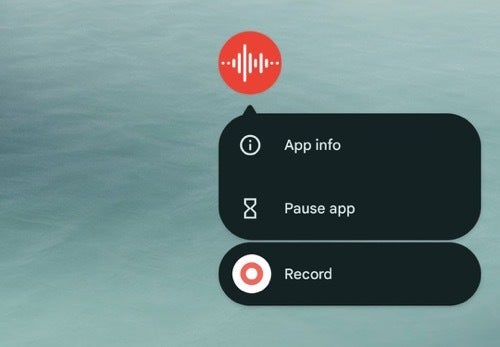
The ability to transcribe voice recordings is also coming with an updated Siri. This reminds me quite a bit of the Recorder app on the Pixel, which I absolutely love. In fact, it’s the main reason why I still carry a Pixel with me when I travel.

iphone 15 pro max AM AH 16

Apple will let you place icons….anywhere!

Even as someone who uses both platforms, I find this to be funny and a bit hard to believe. However, it is rumored that Apple will finally allow users to place their apps anywhere on their home screens with iOS 18. Stop me if you’ve heard this before, but Android had this feature since the beginning. I can’t remember a time when that wasn’t possible on Android.

But that’s not all; iOS is also set to allow users to change the color of app icons. Mark Gurman of Bloomberg is claiming that you would be able to change categories of apps to a certain color too. For example, all social apps are blue, and finance apps are green. That’s not something I’m excited about seeing, it seems more childish than actual customization, but hey, it’s an option.

A few years ago, Apple finally allowed users to no longer have every app on their home screen with the addition of the App Drawer. Something else Android had since basically the first version. It was a pretty big change, but it is still fairly locked down since you can’t control what groups apps get put into. But it’s better than it was before.

Let’s not forget about the AI!

Apple is also very heavily rumored to be bringing in a ton of new AI features across all of its software platforms. It recently made a deal with OpenAI, which will likely bring ChatGPT into the iPhone and be more than just an app you can download from the App Store. Apple was also developing its own LLM (Large Language Model) called Ajax and even open-sourced it a few months ago. So it’s not even a secret anymore. Mark Gurman, a popular and very accurate Apple leaker, has also posted Apple’s AI Strategy, which makes plenty of sense.

According to Gurman, Apple will use its own on-device LLM and a cloud-powered LLM while outsourcing a Chatbot to OpenAI (Google was also in the mix for this). He continued by saying that Apple isn’t building its own chatbot, but it does know that the market wants one. So, it’s willing to outsource that to OpenAI.

What kind of AI features are we expecting? Plenty of photo editing features using generative AI, of course, a way to transcribe recordings, and much more. Really, with AI, the possibilities for new features are endless. And with Gemini now being at a system level on Android devices, there’s plenty of competition for the iPhone.

ChatGPT on tablet

Apple is always so far behind Android

We get it: Apple has always been behind the competition in a number of areas because it wants to perfect things before it rolls them out to its users, which is cool. But some of these features are decades overdue. IOS 18 looks like it might actually be the biggest Android update ever for the iPhone. We’re excited to see what WWDC 2024 brings for the iPhone, iPad, Mac, Apple Watch, and Vision Pro, with the show kicking off on Monday at 10 AM PT/1 PM ET.


[ad_2]
Source link

Microsoft and Google ignore outcry about their controversial AI tools

0
[ad_1]

AI Overviews; Windows Recall. These are some of the biggest AI features announced by Google and Microsoft this year, and both companies have high hopes for them. Well, SOMEONE has to, as the majority of the tech world despises these tools. They both spell bad news, but the companies making them aren’t taking our complaints to heart. Instead, Google and Microsoft are ignoring the outcry about their controversial AI tools.

First up, AI Overviews

Let’s catch you up: Back during Google I/O 2024, Google introduced the public to AI Overviews. This is the tool that provides AI-generated overviews of the things you search on Google. Rather than surfacing relevant web pages, the tool will just summarize what you’re searching for.

Why is it bad?

Well, this is a tool that can greatly diminish the traffic that many websites get, thus killing their ad revenue. Without enough ad revenue, many websites and associated companies will need to shut down. News websites rely on this ad revenue to survive, but Google just doesn’t care.

What makes things worse is the fact that Google has started showing ads on the AI Overviews. That’s a huge slap to the face of the companies that split ad revenue. Whenever people travel to a site and click on an ad, both the website and Google get a cut of the ad revenue. Now, Google will be able to forgo displaying those websites and keep the ad revenue for itself.

That’s not all, but this tool has been showing some very odd and potentially dangerous answers to queries. Famously, it advised someone to put glue on pizza to help the cheese stick. Sure, that’s not the most dangerous answer, but if it’s messing up on something as simple as that, it could definitely mess up on something that’s not so obviously dangerous.

A recent report states that the AI Overviews are showing up less frequently. That’s good, at least.

Next, Windows Recall

This next tool is from Microsoft’s camp. Windows Recall is an interesting tool that will basically have the system continuously take screenshots of everything you’re doing on your computer. It will then store that data locally. So, if you need to recall something that you were doing at a certain point, you can ask Copilot to search through those screenshots.

Say, if you saved a file in a folder a few days back, and you forgot where you put it, you can ask Copilot “Where did I put [File name]”. Ostensibly, it will be able to look through the screenshots, identify the file, and tell you.

Why is it bad?

Sure, this could be a useful tool to help you recall certain actions. However, it doesn’t sit well with the community for several reasons. Firstly, not many people are hip to the thought of EVERYTHING you do on your computer being watched and documented. We can always make the joke that “Microsoft will see all the porn websites you visit [dopey laughter]”. But, in all seriousness, you’re handling sensitive documents, inputting passwords, storing banking information, communicating with clients, etc. on your computer. All of this stuff could potentially be documented.

Along with the fact that it’s creepy, there’s another issue; another MAJOR issue. As discovered by cybersecurity editor Kevin Beaumont, the feature saves everything you do on your computer as a plain text SQLite database on your computer. Users can actually locate the file on their computer just by going to the AppData folder. So, while it’s stored locally, a five-year-old can access it.

Google and Microsoft are ignoring the outcry about their controversial AI tools

It really gets us how companies can develop and ship features that they know will not sit well with the community. The executives at Google know that AI Overviews could topple the news industry; our aforementioned five-year-old can get the logic behind that. Obviously, many news organizations, who are already salty about the march of AI, have a major issue with it. However, in interviews, Google/Alphabet CEO Sundar Pichai said that people will use the overviews as a jumping-off point. What’s the use of a jumping-off point if you get everything you need in an instant?

Seriously, how many people will read the overviews and think to dig deeper? Sure, there are some people who will do this, but not enough to properly sustain the ad revenue of news websites.

In the case of Microsoft, who thought that, in the age of zero privacy, introducing a feature that literally records everything you do on your computer would be a hit? The company introduced a privacy and security nightmare that stores the data behind a 1-foot tall gate. These are industry professionals here; they’re all highly trained and very intelligent. However, they pull stunts like these. People are cracking into this feature and finding major security flaws that should not be there.

The outcry is unheard

The community is unhappy with having these blatantly destructive AI tools, and all the companies can do is defend them. Despite so much public backlash, Google continues to work on AI Overviews. Fixing the odd responses doesn’t fix the core issue; the issue is that people don’t want it because it can cost a ton of people their jobs. This is why guides on how to disable AI Overviews popped up A DAY after it was launched.

Microsoft clarified that Windows Recall is opt-in only. In all honesty, that’s a good thing (with that, it’s already a step ahead of AI Overviews). It will also require Windows Hello authentication. However, that’s not the core issue. The issue is that the feature is extremely intrusive and as secure as a paper mache lock.

The tech community is tired of being ignored by large tech companies that pull this crap. They launch AI tools that are major red flags and they ignore the backlash. They just issue statements saying that they will fix the issue and hope that the people forget. However, there are things that a scripted comment from a spokesperson can’t cover up.

The community is crying out for companies to stop shipping these features and only hear silence. We’re at a point where AI could cause some major damage, and these major tech brands need to realize that, if they keep going down this path, they’re going to reach a point where they do irreparable damage.


[ad_2]
Source link

Turns out, the Spotify Car Thing is already open source, but its hardware is useless

0
[ad_1]

Image credit: Spotify

The recent news of Spotify’s plan to shut down all Car Thing devices by the end of the year has caused quite a stir. The streaming giant discontinued sales of the device a while back, but the announcement to completely deactivate functional units has drawn criticism from users who were hoping for a more sustainable solution.A tech enthusiast, Josh Hendrickson, recently shed light on an interesting detail about the Car Thing that Spotify hadn’t publicized. It turns out that the device is, in fact, open source. Hendrickson shared his findings on Twitter, revealing that the Car Thing runs on Linux and the source code for its U-boot and Linux kernel is readily available on GitHub. Additionally, the Amlogic chip used in the device allows users to run custom code and even add their own software.
So, why didn’t Spotify make this information public? Hendrickson believes it’s due to the Car Thing’s hardware limitations. With a weak Amlogic processor, limited storage, and minimal RAM, the device struggles to run anything beyond its intended purpose as a lightweight web-based music player. Although the Car Thing is technically open for modifications, its underwhelming performance makes any significant repurposing rather pointless.This new information adds another layer of disappointment to the Car Thing saga. Hendrickson even refers to the device as “open-source e-waste.” For those interested in the technical details, he plans to release a comprehensive video delving deeper into the inner workings of the Car Thing.

Looking back, it seems questionable for Spotify to have invested in creating a $100 device solely for playing music from the web. There were arguably more efficient and environmentally friendly alternatives available, such as improving integration with existing car infotainment systems or leveraging the capabilities of smartphones.

While the open-source nature of the Car Thing might have offered a glimmer of hope for repurposing, its hardware limitations ultimately render it impractical for anything beyond its original function. As Spotify moves forward, it’s hoped that the company will consider more sustainable and practical solutions for its future hardware endeavors.


[ad_2]
Source link

4 Arrested as Operation Endgame Disrupts Ransomware Botnets

0
[ad_1]

Europol led Operation Endgame, the largest operation against botnets to date, focused on dismantling the infrastructure of malicious dropper networks that enabled ransomware attacks.

In a major crackdown on cybercrime, Europol announced on Monday the successful completion of Operation Endgame, a massive international effort to disrupt and dismantle dropper networks, including IcedID, SystemBC, Smokeloader, Trickbot, Pikabot, and Bumblebee.

The three-day operation, coordinated from Europol’s headquarters, resulted in the arrest of four suspects, the execution of over 16 searches, and the takedown of over 100 servers and 2,000 domains linked to these criminal activities.

For your information, Droppers are malicious software tools designed to bypass security measures and deploy additional harmful programs, such as viruses, ransomware, or spyware, onto a target system. They are often used during the first stage of a malware attack and play a major role in the deployment of ransomware.

Operation Endgame, the largest-ever operation against botnets, targeted the infrastructure of these dropper networks, which facilitated attacks with ransomware and other malicious software.

The operation was led by France, Germany, and the Netherlands and supported by Eurojust, Denmark, the United Kingdom, and the United States. Other countries, including Armenia, Bulgaria, Lithuania, Portugal, Romania, Switzerland, and Ukraine, also supported the operation with various actions, such as arrests, searches, and seizures of servers and domains.

The operation was also supported by several private partners at national and international level, including Bitdefender, Cryptolaemus, Sekoia, Shadowserver, Team Cymru, Prodaft, Proofpoint, NFIR, Computest, Northwave, Fox-IT, HaveIBeenPwned, Spamhaus, DIVD, abuse.ch, and Zscaler.

The operation resulted in the arrest of one suspect in Armenia and three in Ukraine, as well as the execution of 16 searches in Armenia, the Netherlands, Portugal, and Ukraine. Over 100 servers were taken down or disrupted in Bulgaria, Canada, Germany, Lithuania, the Netherlands, Romania, Switzerland, the United Kingdom, the United States, and Ukraine. Additionally, over 2,000 domains under the control of law enforcement were seized.

Further investigations, as per Europol’s press release, revealed that one of the main suspects earned over €69 million ($74 million – £58 million) in cryptocurrency by renting out criminal infrastructure sites to deploy ransomware. The suspect’s transactions are being monitored, and legal permission to seize these assets has been obtained.

The operation is a major blow to the dropper industry and a step in the fight against ransomware and other forms of cybercrime. However, Europol warned that Operation Endgame does not end here and that new actions will be announced on the official website of Operation Endgame.

The success of this operation shows cyber criminals may have become sophisticated but law enforcement agencies would always be a step ahead. It also highlights the need for continuous funding and innovation in cybersecurity measures and the importance of international cooperation in addressing online criminal activity.

  1. Finnish Dark Web Marketplace PIILOPUOTI Seized
  2. FBI Disrupts Chinese State-Backed Volt Typhoon’s KV Botnet
  3. LockBit Ransomware Gang Domains Seized in Global Operation
  4. Goldoon Botnet Targeting D-Link Devices, Exploits 9-Year-Old Flaw
  5. Operator of Major Proxy Botnet ‘IPStorm’ Arrested, Pleads Guilty in US

[ad_2]
Source link

Good cameras, sleek design, average performance

0
[ad_1]

The Vivo V30 is a premium mid-range smartphone and a watered-down version of the Vivo V30 Pro we reviewed in March. The vanilla model has the same design language as the Pro, meaning you get an incredibly slim phone with curved edges that offer no grip. The device still feels fairly premium thanks to a well-built body and a glass back. However, it is significantly different from the Pro internally. Most notably, the Vivo V30 comes with only two 50MP rear cameras in some regions. Vivo offers a third 2MP camera in select markets but our review unit lacks it.

This device also lacks a ZEISS partnership for enhanced image quality. Additionally, it features a less powerful processor and an older storage standard (UFS 2.2 instead of UFS 3.1). On the brighter side, it retains a 1.5K display, up to 12GB of RAM and 512GB storage, and a 5,000mAh battery with 80W charging. The overall package looks solid for the money you pay. But it is ultimately the everyday performance that matters the most. In this review, we evaluate how the Vivo V30 holds up during moderate and heavy usage.

Vivo V30 AH SA 19

Table of contents

Vivo V30 Pro Review: Hardware & Design

The Vivo V30 is an incredibly slim phone, measuring just 7.45mm in thickness. It is Vivo’s slimmest phone with a 5,000mAh battery, alongside the Pro. The vanilla model is 2 grams lighter too, weighing in at 186 grams. The device is 164.4mm tall and 75.1mm wide, making it comfortable to hold and use with one hand. Its dual-curved design with glass on the front and back makes it a bit slippery but the bundles transparent cover adds the required grip without concealing its design much.

The phone has a plastic frame with a glossy finish that perfectly complements the shiny rear glass. Vivo says the frame has reinforced corners with a cushioning structure for better shock absorption. The Vivo V30 has its frame slightly recessed on the top and bottom. Like the Pro, it has “PROFESSIONAL PORTRAIT” inscribed on the top. This is despite the phone lacking a dedicated portrait camera. There are no stereo speakers here, so you get a single bottom-firing speaker alongside the SIM tray, USB Type-C port, and a microphone.

Brilliant colors, clicky buttons

Vivo offers the V30 in four colors, each with a unique finish that adds to its aesthetics. We have the Waving Aqua variant with a Rippling Magnetic Particle effect. The Bloom White version has a 3D Petal Pattern, the Lush Green has a color-changing rear panel, and the Noble Black has Fluorite AG Glass. The company gets full marks for the color scheme. The vertical rectangular camera bump is also designed nicely. It is divided into two rounded squares. The top one houses the two 50MP cameras, while the bottom has the Aura Light ring and an LED flash.

Like other Vivo phones, the V30 has power and volume buttons on the right side. Both buttons are at a comfortable height and fairly clicky. The curved nature of the phone, which doesn’t leave much space for a wide frame, makes the buttons a little sharp, but nothing uncomfortable. Going back to the front, the earpiece is hidden nicely under the frame, while the punch-hole cutout for the selfie camera is also small. I would have preferred the under-display fingerprint scanner at a slightly higher position, but it doesn’t take long to get used to it.

Vivo V30 Pro Review: Display

The Vivo V30 has a 6.78-inch AMOLED display of 1,260 x 2,800 pixels (1.5K resolution) or 453ppi pixel density. The company has slapped a curved Schott Alpha glass protective panel on the screen. It is a high-end display with a 120Hz refresh rate, 300Hz touch sampling rate, 10-bit color depth, and an 8,000,000:1 contrast ratio. Vivo says the screen can reach a local peak brightness of a whopping 2,800 nits. That is the maximum it can go when viewing certain HDR content.

In everyday usage, the Vivo V30 Pro can achieve a peak brightness of 1,200 nits. That is more than enough for a comfortable viewing even in the brightest environment. In our testing, we reached a maximum brightness of 870 nits by manually sliding the controller. In automatic mode, the brightness went up to 1,191 nits when a bright beam of light was directed onto the sensor. Overall, the Vivo V30’s display gets adequately bright depending on the surroundings, with the screen getting even brighter when displaying HDR content.

At night, when you need the display to dim, the phone benefits from 2160Hz PWM (pulse-width modulation) dimming. We recorded a minimum brightness of just 2 nits. The screen colors appear decent even at low brightness. The Vivo V30 also boasts hardware-level low blue light certification and anti-fatigue technology to make for a comfortable viewing experience at night. The screen is one of the strengths of this phone, and there are more reasons for it.

Highly-customizable screen colors

The screen colors on the Vivo V30 are amazing. You get vibrant colors with excellent color depth, saturation, and contrast ratio. And if you do not like the default color scheme, you can customize it to your liking. Vivo offers three color presets—Standard, Professional, and Bright. You can select between those and manually adjust the color temperature to get the desired colors on the screen.

Excellent colors coupled with Widevine L1 DRM support make the Vivo V30 a great phone for media consumption. You can stream content in Full HD across all popular platforms, including Netflix and Amazon Prime Video. The phone also has HDR10 support for an enhanced viewing experience. If you aren’t using earphones, you might rue the lack of stereo speakers as a single speaker doesn’t quite give you an immersive experience. That said, it is fairly loud (more on the speaker quality later).

Vivo V30 Pro Review: Performance

The Vivo V30 is powered by Qualcomm’s Snapdragon 7 Gen 3 chipset. It is a 4nm SoC manufactured by TSMC and released in early 2024. It boasts an octa-core CPU with one Cortex-A715 prime core clocked at 2.63GHz, three more at 2.4GHz, and four Cortex-A510 efficiency cores at 1.8GHz. The setup includes an Adreno 720 GPU and supports LPDDR5 RAM. Vivo has paired the setup with 8GB/12GB RAM and 128GB/256GB/512GB UFS 2.2 storage.

The company sent us the 12GB+512GB variant, the beefiest of the lot. In everyday usage, the phone delivered reliable performance with no noticeable hiccups. It handled background apps efficiently, and switching between apps was fairly smooth. The Vivo V30 also did well in graphic intense games at moderate graphics settings. Pushing it to the highest graphics caused some stutters that we expected from it, though the phone didn’t get too warm. You can find more about its performance and thermals below.

Benchmarks

We run several benchmark apps on smartphones we review. We treated the Vivo V30 similarly. The run began with a Geekbench test. Since the Snapdragon 7 Gen 3 is a mid-range chipset, we didn’t expect miracles and we were right. The phone scored 1,137 in the single-core CPU test on Geekbench v6 and 3,184 in the multi-core test. It achieved a score of 3,557 in the GPU test. Here’s how these scores compare against some other phones.

Vivo V30 Geekbench

Next up, we ran the 3D Mark Wildlife Extreme Stress Test on the Vivo V30. It is an intense, 20-minute test designed to simulate prolonged heavy use. It pushes the device to its limits to determine how it holds up. The scores we got were within the expected range. Its best loop score was 1,489, while the lowest loop score was 1,236. The phone delivered a decent performance stability of 83%.

We also run a Capcut test on devices that arrive on our desks. This is a test we have put together here at Android Headlines and is aimed at determining its performance speed. We use Capcut to export a 1-minute video (the same video on every phone) and note the time a device takes to complete the job. The Vivo V30 took about 26 seconds to complete the export. You can compare its performance with other phones in the graph below.

Vivo V30 Capcut

The phone is surprisingly good at handling thermals

Thermal performance is critical to determining how good a phone is. It is not ideal if the phone delivers excellent performance but heats up too much. Hence we run thermal tests on devices we review to give you an insight into its cooling system. Firstly, we checked the device’s body temperature immediately after the 20-minute-long 3D Mark Wildlife Extreme Stress Test, which we ran with the screen brightness at maximum.

On the screen side, the Vivo V30 reached a maximum temperature of 113.9 degrees Fahrenheit/ 45.5 degrees Celcius. Our heat gun recorded the highest temperature of 111.1 degrees Fahrenheit/ 43.9 degrees Celcius on its back side. These figures are notably less than the Pro model, which reached a temperature of 123.6 degrees Fahrenheit after the 3D Mark Wildlife Extreme Stress Test. Its non-Pro sibling is surprisingly good at handling thermals.

Interestingly, Vivo says both phones have the same cooling system. It claims a total cooling area of 35,141 mm², an ultra-large vapor chamber measuring 3,002 mm², and 11 temperature sensors to keep the system temperature in check. That doesn’t seem to be helping the Pro model much. Perhaps its aging processor is the main culprit. The Vivo V30 has a newer chip and it is good at thermals. The phone also cooled down fairly quickly.

The Vivo V30 also did a better job at handling thermals during camera usage. After 5 minutes of 4K video recording at 30fps (the device doesn’t support 4K videos at 60fps), its body temperature measured a maximum of 104.1 degrees Fahrenheit/ 40.05 degrees Celcius. It reached 106.7 degrees Fahrenheit/41.5 degrees Celcius after 10 minutes. The device’s maximum temperature after playing Genshin Impact in high graphics settings for 30 minutes was 104.5 degrees Fahrenheit/ 40.3 degrees Celcius.

Vivo V30 Pro Review: Audio

The Vivo V30 has a single speaker at the bottom. Many competing phones offer dual-stereo speakers, so this is one of its weaknesses. However, the single bottom-firing speaker is quite loud, particularly when you enter Audio Booster mode. It’s automatically enabled when you press the volume up button after reaching 100% volume level. Pushing the volume to the highest level doesn’t affect the audio quality, which is great.

Like on other phones, we tested the Vivo V30’s speaker output quality across five different parameters. We used the same five audio tracks to test the phone’s loudness and distortion, bass, treble, vocals, and overall balance. It did well overall, though we found it a bit lacking in bass. Of course, everyone has their preference when it comes to audio settings, but this phone shouldn’t disappoint with its audio quality. If anything, the lack of stereo speakers makes content consumption not as immersive as you’d like.

Vivo V30 Pro Review: Battery life & Charging

Like its Pro sibling, the Vivo V30 packs a 5,000mAh battery. More importantly, it turned out to be more efficient than we expected. The device could comfortably run us through the day even with relatively heavy usage involving some gaming sessions, photography, video streaming, and video calling. In our three weeks of using the phone as a daily driver, we never had to charge it twice a day. We charged it in the morning, used it throughout the day, and were still left with a decent amount of battery every single day.

To give you a better insight into the Vivo V30’s battery endurance, we ran a YouTube test on it. We charged the device to 100% and played a YouTube video in 1080p resolution with 100% sound and maximum manual brightness till it ran out of battery. The device lasted 19 hours and 45 minutes before the battery dropped to 0. That’s the best we have achieved on any mid-range phone. To recall, the Vivo V30 Pro lasted for 18 hours and 5 minutes.

Vivo V30 Charging Test

Impressive charging speed

The Vivo V30 not only lasts long on a single charge but replenishes itself fairly quickly when you run out of battery. The phone supports 80W wired charging with the company including a charger in the box. Starting at 0, it reached 13% charge in just five minutes. By 10 minutes, we had a 26% charge, which reached 38% in 15 minutes. A 50% charge took about 20 minutes, while we achieved a 73% charge in 30 minutes. It took another 13 minutes (43 minutes in total) to reach 100%, though a “Fully Charged” notification only showed up after 47 minutes of charging.

Vivo V30 Battery Life

Vivo V30 Pro Review: Camera

Vivo has always focused its V series on camera and photography. The V30 Pro featured four excellent 50MP cameras. Its non-pro sibling lacks the dedicated portrait shooter (2x optical zoom lens) and the ZEISS partnership but it is no slouch when it comes to the camera performance. The main camera has a 1/1.55-inch optical format size with an f/1.9 aperture, 23mm focal length, and 1.0µm pixels. It boasts PDAF (phase-detection autofocus) and OIS (Optical Image Stabilization).

Vivo V30 AH SA 15

In daylight conditions, it gives you brilliant photos with a great amount of detail, dynamic range, and vibrancy. We occasionally ran into exposure issues, particularly in scenes with shadows. However, the Vivo V30 captures satisfactory photos if there is enough light. In indoor conditions with less light, some images may contain noise in darker areas. The colors are still fine though. The stock camera app lets you switch between three preset color modes—Vibrant, Natural, and Textured.

Zoomed-in photos aren’t as amazing as expected

The Vivo V30 is a mid-range smartphone and expectedly lacks a dedicated zoom camera. However, we have seen companies use powerful software algorithms to produce almost lossless 2x zoom photos using the main camera. Sadly, we can’t say the same for this phone. While 2x photos are nice overall, they lack fine details. They get worse in darker environments. Vivo seems to be softening the images the make them look good on the small screen.

2x zoom samples:

Beyond 2x, the quality of zoom photos deteriorates fast. The amount of noise is too high in dark patches. Some photos up to 4x or 5x zoom come out decent enough for uploading to social media but nothing special. Considering how Vivo has focused the V30 on photography, it should have worked on improving its zoom algorithm. Maybe software updates can improve the quality of zoomed-in photos.

5x zoom samples:

A better ultrawide camera than the competition

The Vivo V30’s 50MP ultrawide camera has a 15mm focal length, an f/2.0 aperture, and 0.64µm pixels. It boasts autofocus but no PDAF or OIS. However, the images we get from the ultrawide camera are commendable. They contain plenty of detail, sharpness, and vibrancy, all with excellent color accuracy and dynamic range. Since most competing phones have a lower-resolution ultrawide camera, this Vivo phone impresses with its ultrawide image quality.

An excellent selfie camera

The Vivo V30 also impressed us with its selfie camera. The phone has a 50MP unit with an f/2.0 aperture, 20mm focal length, and 0.64µm pixels. The image quality is comparable to the main rear camera. Selfies capture skin tones well while giving you excellent details and sharpness. Of course, you can always soften the skin tone using various built-in camera tools. But if you like the natural look of your face, this phone doesn’t disappoint.

Vivo V30 Pro Review: Software

Vivo ships this phone with Android 14-based Funtouch OS 14. Funtouch OS has always been one of the most heavily customized, and highly customizable, Android skins. It lets you customize almost every aspect of the UI, from wallpapers and lock screen to AOD (Always-on Display), fonts, animations, and more. You get several built-in styles and customization options for various UI elements.

As far as software features are concerned, Vivo offers a sidebar where you can keep your most frequent apps for quick access from anywhere. The sidebar can be pulled on top of any app, letting you enter a new app without going back or entering the Recents menu. Speaking of which, the Recents screen can be customized at the tap of a button. You can quickly switch between a single and a two-row tile layout with live preview.

For gamers, the built-in Ultra Game Mode lets you enhance your gaming experience with extra controls over calls,  notifications, and more. The Quick Settings panel has a standard experience with two large pills followed by smaller circular buttons. It can be customized fairly easily. We would have liked it better if Vivo moved the Settings shortcut above the Quick Panel. You have to pull down the full panel to get the shortcut, which is a little inconvenient.

The overall software experience on the Vivo V30 is smooth. Funtouch OS is known for its customizability and the latest version doesn’t disappoint. You can even customize system sounds, which can be helpful for people with hearing problems or older people with impaired hearing. If anything, Vivo’s poor update support is a big disappointment.

Poor software update support from Vivo

Vivo’s software update support for its V series phones has always been poor. Despite many competing brands improving their support, Vivo stays adamant. The V30 series, including the Pro model, is only eligible for two major Android OS updates, i.e., you will get updates up to Android 16. Security patches are promised for three years, so those will come until sometime in 2027. We expected better from Vivo— at least three Android OS updates and four years of security patches—but it disappointed us again.

Vivo V30 Pro Review: Should you buy it?

Vivo made the V30 for people who want excellent cameras without breaking the bank. We found its zoom algorithm somewhat lacking but the main cameras produce amazing regular photos. The Vivo V30 doesn’t disappoint much in everyday usage, thanks to a large curved display, a big battery with fast charging, and highly customizable software. But if cameras aren’t your primary need, you might find some great alternatives. After all, the mid-range Android market is full of amazing phones.

Vivo V30 AH SA 13

You should buy the Vivo V30 if you:

…want amazing cameras
…like a dual-curved design
…want an excellent display
…want great battery life

You should not buy the Vivo V30 if you:

…want stereo speakers
…prefer strong protection against dust and water
…want an excellent gaming mid-range phone


[ad_2]
Source link

Sticky Werewolf Weaponizing LNK Files Group Attacking To Attack Organizations

0
[ad_1]

Sticky Werewolf, a cyber threat group, has shifted its targeting strategy from sending phishing emails with download links to malicious files to using archive attachments containing LNK files, which act as shortcuts to malicious executables hosted on WebDAV servers. 

When a user clicks on the LNK, a batch script is triggered, which in turn launches an AutoIt script designed to deliver the final payload, which bypasses traditional phishing tactics and injects malware directly if the user executes the LNK file. 

Infection Chain

A cyberespionage group, Sticky Werewolf, is targeting the aviation industry with phishing emails disguised as business invitations from a legitimate Russian aerospace company, AO OKB Kristall, where the emails contain an archive attachment with two malicious LNK files masquerading as DOCX documents and a decoy PDF file.

With ANYRUN You can Analyze any URL, Files & Email for Malicious Activity : Start your Analysis

Clicking the LNK files triggers a Batch script that launches an AutoIt script to ultimately deliver the final payload, which is a significant shift from Sticky Werewolf’s previous tactics of using links to download malware directly from file-sharing platforms. 

Phishing Email

A phishing email with a decoy PDF attachment targets enterprises related to Russian helicopters, as the PDF mentions a video conference and references two malicious LNK files disguised as meeting documents. 

Clicking the LNK files triggers an NSIS self-extracting archive, a variant of the CypherIT crypter, to download and run a malicious executable from a network share.

The extracted files land in the Internet Explorer temporary files directory, and then a batch script is executed. 

Pdf

Two malicious LNK files, disguised as Word documents, target users, and clicking either LNK triggers a sequence of events, as first, the LNK adds a registry entry to run a compromised WINWORD.exe on login persistently. 

Then, it displays a decoy error message to distract the user. The first LNK copies a potentially deceptive image file, while the second LNK behaves similarly, launching a malicious WINWORD.exe. 

Batch Script

A batch script within the LNK delays execution if specific antivirus processes are running and potentially renames files to evade detection.

Finally, the script combines a legitimate AutoIt executable with a malicious script and executes them. 

Processes monitored by the Batch script and their corresponding security vendors. 

This malicious AutoIT script aims to evade detection, establish persistence, and check for signatures of security environments and debuggers. It injects a clean copy of ntdll.dll to bypass hooking, effectively unhooking any monitoring attempts. 

Persistence is achieved through scheduled tasks or startup directory modifications, where the payload, hidden within the script, is decrypted using a two-stage RC4 process with a user-defined passphrase. 

According to Morphisec, the decrypted and decompressed payload is injected via process hollowing into a legitimate AutoIT process, making it harder to detect.

Looking for Full Data Breach Protection? Try Cynet's All-in-One Cybersecurity Platform for MSPs: Try Free Demo 


[ad_2]
Source link

Husband stalked ex-wife with seven AirTags, indictment says

0
[ad_1]

Following their divorce, a husband carried out a campaign of stalking and abuse against his ex-wife—referred to only as “S.K.”—by allegedly hiding seven separate Apple AirTags on or near her car, according to documents filed by US prosecutors for the Eastern District of Pennsylvania.

The documents, unearthed by 404 Media in collaboration with Court Watch, reveal how everyday consumer tools, like Bluetooth trackers, are sometimes leveraged for abuse against spouses and romantic partners.

 “The Defendant continued to adapt and use increasingly sophisticated efforts to hide the AirTags he placed on S.K.’s car,” US attorneys said. “It is clear from the timing of the placement of the AirTags and corroborating cell-site data, that he was monitoring S.K.’s movements.”

On May 8, the US government filed an indictment against the defendant, Ibodullo Muhiddinov Numanovich, with one alleged count of stalking against his ex-wife, S.K.

The stalking at the center of the government’s indictment allegedly began around March 27, when the FBI first learned about S.K. finding and removing an AirTag from her car. Less than a month later, on April 18, the FBI found a second AirTag that “was taped underneath the front bumper of S.K.’s vehicle with white duct tape.”

The very next day, the FBI found a third AirTag. This time, it was “wrapped in a blue medical mask and secured under the vehicle near the rear passenger side wheel well.”

This pattern of finding an AirTag, removing it, and then finding another was punctuated by physical and verbal intimidation, the government wrote. After a fourth AirTag was removed, the government said that Numanovich called S.K., followed her to a car wash, and “banged on her windows, and demanded to know why S.K. was not answering his calls.” Less than one week later, during a period of just 10 minutes, the government said that Numanovich left five threatening voice mails on S.K.’s phone, calling her “disgusting” and “worse than an animal.”

During the investigation, the FBI retrieved seven AirTags in total. Here is where those AirTags were found:

  1. Found by S.K. with no detail on specific location
  2. Duct-taped underneath the front bumper of S.K.’s car
  3. Underneath S.K.’s car, near the passenger-side wheel well, wrapped in a blue medical mask
  4. Within the frame of SK’s driver-side mirror, wedged between the mirror itself and the casing around it
  5. “An opening within the vehicle’s frame” which, documents say, was previously sealed by a rubber plug that was removed
  6. Underneath the license plate on S.K.’s car
  7. Undisclosed

For two of the retrieved AirTags, the FBI deactivated the trackers and then, away from S.K., placed the AirTags at separate locations. At an undisclosed location in Philadelphia where the FBI placed one AirTag, FBI agents later saw Numanovich “exit his vehicle with his phone in his hand, and begin searching for the AirTag.” At a convenience store where the FBI placed a second AirTag, agents said they again saw Numanovich.

The FBI also received information about attempted pairings and successful unpairings with Numanovich’s Apple account for three of the Apple AirTags.

In addition to the alleged pattern of stalking, the government also accused Numanovich of abusing SK both physically and emotionally, threatening her in person and over the phone, and recording sexually explicit videos of her to use as extortion. After a search warrant was authorized on May 13, agents found “approximately 140 sexually explicit photographs and videos of S.K.” stored on Numanovich’s phone, along with records for “numerous” financial accounts that transferred more than $4 million between 2022 and 2023.

In a follow-on request from the government to detain Numanovich before his trial begins, prosecutors also revealed that S.K. may have been brought into the US through a “Russian-based human smuggling network”—a network of which Numanovich might be a member.

According to 404 Media, a jury trial for Numanovich is scheduled to start on June 8.

Improving AirTag safety

Just last month, Apple and Google announced an industry specification for Bluetooth tracking devices such as AirTags to help alert users to unwanted tracking. The specification will make it possible to alert users across both iOS and Android if a device is unknowingly being used to track them. We applaud this development.


We don’t just report on threats—we remove them

Cybersecurity risks should never spread beyond a headline. Keep threats off your devices by downloading Malwarebytes today.


[ad_2]
Source link

The Oppo Reno 12 Pro 5G was spotted on Geekbench

0
[ad_1]

Oppo is a major smartphone brand worldwide, and it’s a shame that its phones are not available in the States. The company has its Reno series of phones, and it recently released its Reno 12. Well, according to a new source, the Oppo Reno 12 Pro 5G was spotted on Geekbench.

The Oppo Reno 12 series debuted in China not too long ago, and we’ve been waiting for the company to bring the global variant so that everyone can join in on the fun. The base Reno 12 uses the very capable MediaTek Dimensity 8250, and it has a 6.7-inch 120hz display. Other specs include a 50MP main camera, a 5,000mAh battery, 12GB of RAM, and 256GB of storage.

There’s a Reno 12 Pro, and it shares several specs with the base version. The only main difference is the more powerful Dimensity 9200 Plus. These are very nice-looking and capable phones, and they’re sure to provide a great experience for their users.

The Oppo Reno 12 Pro 5G was spotted on Geekbench

While the phone has already launched, these leaked Geekbench scores are significant because they’re for the global variant of the phone. So, this means that a global launch shouldn’t be far away. Looking at the scores, we’re seeing a decently capable device. It’s important to note that benchmark scores aren’t an objective indicator of a phone’s real-world use. The phone is showing a single-core score of 1043 and a multi-core score of 2944.

The benchmarks don’t indicate the specific processor that the global variant is using. You might think that it will use the Dimensity 9200 Plus, but most likely won’t be the case. Based on the motherboard (k6878v1_64) and the cores that it’s using (four 2.5GHz performance cores and four 2GHz efficiency cores), it looks like this phone will use the Dimensity 7300. That’s a bit of a bummer, as it will be coming with a less powerful chip.

Another downgrade might be with the battery. This variant was spotted with a slightly smaller battery capacity of 4,880mAh. That’s not a huge drop in capacity, so users shouldn’t be too concerned with the battery life.


[ad_2]
Source link