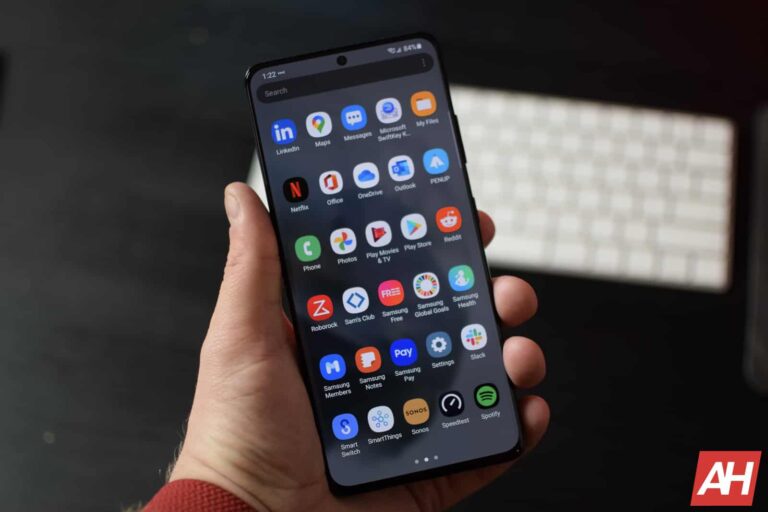
Samsung‘s One UI 5.1 update is rolling out to the Galaxy S21 series, Galaxy Z Fold 3, and Galaxy Z Flip 3 in the US. The latest One UI version brings a host of new features and improvements to the devices. The February 2023 Android security patch is also part of this update.
Samsung debuted One UI 5.1 with the Galaxy S23 series earlier this month. But, even before the new flagships reached their early buyers, the company rolled out the new One UI version to older Galaxy devices. The Galaxy S21 series picked up the update in international markets over a week ago. Samsung also released an update for the phones in the US a few days ago. The release only covered factory-unlocked units and brought nothing more than the February SMR (Security Maintenance Release). It is now seeding One UI 5.1 to the carrier-locked units.
The latest update for the carrier-locked Galaxy S21, Galaxy S21+, and Galaxy S21 Ultra in the US comes with the firmware build number G99*USQU5EWAI (via). As of this writing, the update is rolling out to users on Xfinity Mobile and Comcast networks. Samsung should widely release the new One UI version for these phones over the next few days. Since the February SMR is bundled here, there will not be a separate security update. But for unlocked units, which recently received a security update, One UI will arrive as a separate release.
The Galaxy Z Fold 3 and Flip 3 are also getting One UI 5.1 in the US
The Galaxy Z Fold 3 and Galaxy Z Flip 3 also received the One UI 5.1 update in international markets on the same day as the Galaxy S series. And call it a coincidence or not, but the US versions of all of these phones are now getting the new One UI update together again. The rollout for the foldable duo is live for carrier-locked units on Xfinity Mobile’s network. The new firmware versions are F926USQU2FWAC and F711USQU3FWB1, respectively. Users on other networks or those with unlocked units should also get this update in the coming days.
One UI 5.1 brings new camera features, improved multitasking, new gestures, Samsung Notes collaboration, English support for Bixby Text Call, and much more goodies. The February SMR, meanwhile, contains more than 50 vulnerability patches, including five critical ones. All of these new features and vulnerability fixes will be available to all Galaxy S21 series, Galaxy Z Fold 3, and Galaxy Z Flip 3 users in the US within the next few days. Samsung will also update other eligible devices to One UI 5.1 soon, including the Galaxy S21 FE. We will let you know when the rollout begins.
Security researchers at Bitdefender have discovered a new malware that targets Facebook and YouTube users. Dubbed S1ideload Stealer, this malware campaign steals saved login credentials from infected devices and tries to hijack the user’s social media accounts. It also uses the device to mine cryptocurrencies.
According to Bitdefender’s Advanced Threat Control (ATC) team, the threat actors behind this campaign use social engineering and Facebook and YouTube comments to trick users into downloading the malware on their computers. They push a legitimate, digitally-signed executable in archives (.zip files) that mostly come in adult-themed names.
The executable itself is named similarly. But it doesn’t contain what those that download it are expecting. Instead, it loads malicious code the moment they click on it.
S1ideload Stealer relies on DLL sideloading techniques to avoid detection by the computer’s antivirus and other defense systems, hence that name. Once the malware is active, it connects to the command-and-control (C2) server to allow the threat actors remotely push commands to it.
As detailed by Bitdefender, the malware can download and run a headless Chrome browser in the background. It opens various Facebook posts and YouTube videos to artificially boost views without the victim’s knowledge.
This malware can also deploy a stealer to obtain saved login credentials. And if it gets access to a Facebook account, the malware can analyze whether the account manages any pages or groups, pays for ads, or if it has a linked business manager account.
This helps the attackers determine how valuable an account is, so they can execute commands accordingly. Last but not least, S1ideload Stealer can download and run a cryptocurrency miner. The attackers use the victim’s device to mine BEAM cryptocurrency.
S1ideload Stealer infected hundreds of users last year
The S1ideload Stealer malware campaign has been active since at least last year and infected hundreds of users. Bitdefender says it “detected more than 600 unique users infected with this malware” in the last six months of 2022, i.e. between July and December.
As anyone would do, the security firm encourages users to avoid downloading executable files from unknown sources. Always make sure that you are aware of what you are installing on your computer.
“Bitdefender products detect S1deload Stealer in all execution stages. We encourage users to never click on EXE files downloaded from untrusted sources. Additionally, users should never ignore alerts from security software,” a Bitdefender researcher said in a blog post (via). If you want to dive into all the technical details about this malware campaign, you can read Bitdefender’s whitepaper here.
The ethical hacker reportedly works for the Dutch security organization, the Dutch Institute for Vulnerability Disclosure (DIVD).
Amsterdam’s cybercrime police arrested three individuals suspected of launching ransomware attacks against businesses in the Netherlands and worldwide. The suspects are allegedly involved in hacking, issuing threats, stealing data, laundering money, and extorting. These criminals extorted small and large businesses worldwide after hacking into their networks, generating €2.5 million.
Suspects Details
The detainees are all young males aged between 18 and 21. They were arrested on January 23rd, 2023 and are accused of stealing the private information of tens of millions of users from their targeted networks and blackmailing the victims for ransom.
The 21-year-old hailed from Zandvoort and was in contact with an 18-year-old suspect from Rotterdam; the third, also 18, was arrested in Naaldwijk. One of the suspects is an ethical hacker who works for the Dutch security organization, the Dutch Institute for Vulnerability Disclosure (DIVD).
The accused are detained in restrictive custody and can only contact their lawyer. The accused arrested in Zandvoort had 45,000 euros in cash and 550,000 euros worth of Bitcoin. Reportedly, the accused used Bitcoin to launder €2.5 million.
Stolen Data
According to Dutch media, thousands of businesses were targeted, including online stores, social media networks, training and educational institutions, software firms, hotels, and critical infrastructure and services-related entities.
Moreover, the accused damaged property worth millions of euros. The stolen data includes names, addresses, dates of birth, phone numbers, credit card numbers, passwords, bank account details, license plate numbers, passport data, and citizen identification numbers. The victims paid large sums to the hackers, sometimes as much as €700,000.
Investigations
The investigation was launched in March 2021 by the Amsterdam Police Cybercrime Division after receiving a report from a prominent Dutch firm. The firm reported that its computer systems had been hacked and a trove of data had been stolen.
Dutch police noted that private and sensitive data had been stolen, and national and international businesses had become victims of hacking and data theft.
One of the victim organizations is Ticketcounter, which sells amusement park and zoo tickets online. Troy Hunt of HaveIbeenPwned also tweeted about the Ticketcounter data breach on March 1st, 2021.
I’ve spent a bunch of time talking to Ticketcounter over the last week, and this is a really tough situation for them. The exposed database was human error; one bad mistake made in August last year that’s now come back to bite them nearly 7 months on. https://t.co/u4xrMZDpGZ
Other victims include a reputed educational institution and a meal-delivery service. Further probing revealed that the hackers had invaded the computer systems of their targets and sent a threatening email, asking the victims to pay a ransom in Bitcoin; otherwise, they would destroy the company’s digital infrastructure or leak the data online. Many victims paid the ransom.
“According to what we know so far, the demand ranges from more than €100,000 to €700,000 and, in addition, the stolen information has often already been sold online,” investigators revealed.
Dutch Police Tackle Cybercrime
Although cybercrime in the Netherlands, like any other country, has increased in recent years, Dutch authorities are known for playing a major role in tackling it locally and globally. In fact, Dutch police were behind the shutdown and seizure of the infamous and one of the largest dark web marketplaces Hansa.
Back in April 2020, Dutch authorities took down 15 DDoS-for-hire services. It took them merely one week to complete the operation. Most recently, in October 2022, Dutch police were even able to successfully trick the Deadbolt ransomware gang into sharing decryption keys.
The group also announced launching a cyber war against the Russian government.
Hackers hacked and defaced at least 32 Russian websites and uploaded a video showing the Kremlin on Fire. The incident happened on the anniversary of the Ukraine invasion. The exact number of defaced websites is still unknown; it is also unclear how the hackers defaced them.
A group of hackers going by the online handle of “CH01” took responsibility for the attack, stating that it was to show solidarity with the “entire civilized world, in order to restore justice and the triumph of the forces of light and goodness.”
More Context
In its messages on the Telegram app, the hackers called Russia a dictatorial regime that invaded a “strong and independent Ukraine.” In a message translated from the Russian language via the Telegram translation bot, the hackers said:
Hacker group CH01, in solidarity with the entire civilized world, in order to restore justice and the triumph of the forces of light and good, on the anniversary of the terrorist invasion of dictatorial Russia in a strong and independent Ukraine, we declare cyber war to the dictatorship and totalitarianism and idiocy of Putin’s criminal regime.
CH01
The hackers also played a song by a renowned Russian rock band from the 1980s called Kino, whose lyrics were freedom-based. A QR code is also part of the video that redirects to a Telegram channel, where the hackers claimed responsibility for the attack. CH01 has created a Twitter account and posted a video on the social media app, too.
As Ukraine’s invasion by Russia marked its anniversary, Ukrainian President Volodymyr Zelensky released a statement claiming that this will be the year of their “invincibility” and “victory.”
This is not the only cyber attack that Russian cyber infrastructure has suffered on the anniversary of the Ukraine invasion. On February 23, 2023, Anonymous hacktivists hacked into several radio stations across Russia and defaced the ongoing transmission with announcements about fake missile alerts.
CRN named Malwarebytes one of the “Coolest Endpoint And Managed Security Companies” on the 2023 CRN Security 100.
CRN, a trusted source for IT channel news and analysis, has named Malwarebytes one of the “Coolest Endpoint And Managed Security Companies” on the 2023 CRN Security 100 list.
The CRN Security 100 highlights channel-friendly cybersecurity vendors across a number of market segments including Endpoint and Managed Security, Identity Management and Data Protection, Network Security, and more. Solutions that leverage cloud-native technologies and provide more comprehensive detection capabilities are featured prominently on the list.
By featuring Malwarebytes on their list of key cybersecurity vendors for 2023, CRN recognizes the strides we’ve made to best serve our channel partners in the past year, including:
Expanding our partner network to more than 3,000 global MSP partners and over 250 percent growth YoY
Forming new strategic partnerships with Addigy, Atera, ConnectWise, GCN Group, Kaseya/Datto, Sherweb, TeamViewer, and Pax8, among others.
Growing the MSP sales and marketing team 175 percent YoY to support partners across geographies and industries.
Continuing to expand the Malwarebytes OneView platform to offer Vulnerability & Patch Management, Application Block, DNS Filtering and MDR in combination with award-winning EDR.
And on the Value Added Reseller (VAR) front:
Continuing to strengthen key partnerships with distribution and partners, including TD Synnex, Carahsoft, CDW, SHI, Insight, and Howard Technologies.
Increasing transactions 100 percent YoY with VARs in the US.
Working to align with key partners and distributors in EMEA and APAC, including Climb Channel Solutions, Sysob, BlueChip, and ACA Pacific.
Focusing on the K-12 market with VAR partners and distributors and bringing our brand new mobile solution to schools to secure the more than 50 million Chromebooks being used in K-12 globally.
As the attack surface gets bigger and bigger for businesses, it’s become clear that Managed Service Providers (MSPs) need a solution that both grows their business and meets the security needs of their customers.
But there’s a problem.
Constrained staff resources, skyrocketing costs, and the complexities of managing multiple solutions all make it difficult for MSPs to adapt to the constantly evolving cybersecurity landscape, leading to lengthy incident response times and business inefficiencies that limit growth.
In fact, Kaseya’s 2022 MSP Benchmark Survey shows that the second and third most common business challenges for MSPs right now are security and hiring, respectively.
In 2022, 39 percent of all ransomware attacks targeted service providers, followed by 12 percent for healthcare and 9 percent for the manufacturing industry.
Many MSPs must support multiple tools in various environments with limited people. Multiple licenses and vendors equals higher cost and less visibility.
MSPs need to maintain multiple compliance requirements for their customers, including HIPAA, PCI DSS, and GDPR.
Malwarebytes OneView
Enter Malwarebytes OneView, a powerful and affordable security management platform that gives MSP security teams maximum control. For Value-added Resellers (VARs), Malwarebytes Nebula is the equivalent platform.
Precise, thorough remediation
As threats occur, OneView and Nebula offer intuitive and automated controls for rapid response powered by our award-winning Endpoint Detection and Response (EDR) technology. We offer seven layers of protection, multi-mode isolation, 72-hour ransomware rollback, and more.
Single multi-tenant console
OneView’s multi-tenancy enables MSPs to streamline operations with centralized management of customer server and workstation endpoints, license subscriptions, reporting, and global policies.
Subscription management
Intuitive design in OneView allows MSPs to easily track and manage customer license subscriptions across sites and provide a higher level of service and attention.
Integrations
With native integrations into leading remote monitoring and management (RMM) and professional services automation (PSA) platforms, Malwarebytes OneView enables your MSP team to streamline operations.
Malwarebytes OneView dashboard view
Constantly expanding
Malwarebytes has only continued to build upon both OneView for MSPs and Nebula for Value-Added Resellers (VARs), adding three new modules that simplify breach prevention within the same cloud interface MSPs already trust for detection and remediation:
Vulnerability and Patch Management
Enables MSPs to take control of their full vulnerability assessment and patching process, helping ensure defenses are up to date across their clients’ environments.
DNS Filtering
Regulate access to websites and other content on company-managed networks, which in turn reinforces the security of company data.
Application Block
Protects endpoints by preventing unauthorized software from executing across your clients’ sites.
For VARs, Malwarebytes Mobile Security is a new offering in Nebula which provides unified protection for Chromebooks, Android, and iOS mobile devices.
We plan to continue expanding OneView and Nebula with further product innovation, including adding more modules and in-platform integrations for OneView with other top remote monitoring and management (RMM) and professional services automation (PSA) platforms.
Launched last year, our purpose-built managed detection and response (MDR) offering for MSPs helps alleviate these challenges.
With our elite team of MDR analysts monitoring your customer endpoints 24×7, Malwarebytes MDR simply and effectively closes your security resources gap, reduces the risk of unknown threats to your customers, and increases your ability for new business growth.
Value-Added Resellers (VARs) bolster their clients’ cybersecurity with Nebula
Our commitment to the channel doesn’t stop at MSPs.
By reselling our powerful solutions, VARs can combat the world’s most harmful threats and solve your customers’ unique security challenges.
Malwarebytes is committed to VAR success and has significantly invested in the channel with offerings that include sales and technical training, tools, and certifications.
Partner Portal
Our partner portal app is an easy way to access sales and marketing resources, register deals, and provide your customers with free trials.
Sales and Technical Training
Whether on-demand or onsite, Malwarebytes has the training curriculum to provide you with the necessary skillset to sell and support Malwarebytes solutions.
Marketing Resources
Malwarebytes will support your marketing initiatives and provide branded marketing and sales materials that can help you win deals.
Malwarebytes Nebula dashboard view
Dedicated to MSP partner growth
Malwarebytes is honored to receive the 2023 ‘Coolest Endpoint And Managed Security Companies’ award by CRN—and we have no intentions of slowing down.
Samsung‘s brand-new Galaxy S23 phones are getting their first software update in the US. The rollout began earlier today for all three models. The update is already widely available for both carrier-locked and unlocked units. All users should receive it shortly.
The Galaxy S23, Galaxy S23+, and Galaxy S23 Ultra started getting their first software update just a few days after Samsung opened sales. European versions of the phones received the update ahead of others, but the company quickly brought it to more markets.
And in no time, it became live for users in the US as well. If you’re using a carrier-locked unit, the new firmware build number for your Galaxy S23 device is S91*USQU1AWBD or S91*USQU1AWBE depending on your network provider. The build number for factory-unlocked units is S91*U1UEU1AWBE.
Like in international markets, Galaxy S23’s first update in the US doesn’t bring anything notable. At least not according to Samsung’s official changelog. The company only mentions “improved security” in the release notes, which is nothing but the February 2023 Android security patch.
This month’s SMR (Security Maintenance Release) contains over 50 vulnerability patches. Seven of those are Galaxy-specific patches, while the rest are fixes for flaws in Android OS and other partner components. Five vulnerabilities patched this month were critical issues.
Apart from these security improvements, the Galaxy S23 may also be getting some optimizations that improve the overall functionality of the phone. Unfortunately, Samsung didn’t share anything more. Don’t go looking for new features, though. The phones have just hit the market and have plenty to offer.
The Korean firm may add some features to them in the coming months, but not just yet. We already know that it is working on the next big One UI update. It could be One UI 5.1.1 and may debut with the Galaxy Z Fold 5 and Galaxy Z Flip 5 foldables later this year. In the meantime, install the latest update to improve the security of your brand-new Galaxy S23.
How to update your new Galaxy S23 phone?
If you’re upgrading to the Galaxy S23 from another Samsung phone, you are probably familiar with One UI and know how to manually update the phone. But for those who are new to the Galaxy ecosystem, simply navigate to Settings > Software update and tap on Download and install. Your phone will then look for available updates.
If it finds any, you will be prompted to download it. Once the download is complete, install it to complete the process. Note that Samsung phones don’t support Seamless Updates. So your brand-new Galaxy will be unusable throughout the installation process, which can take several minutes. It will restart automatically to complete the update.
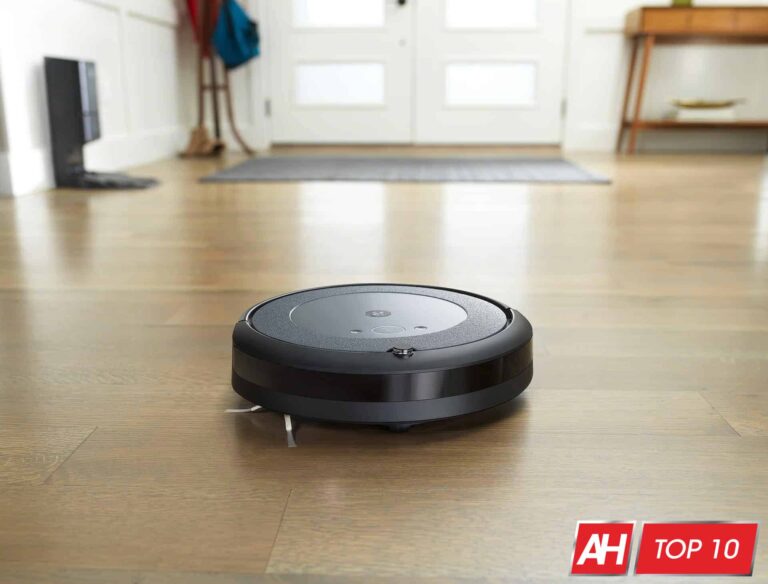
iRobot, or rather Roomba, has become synonymous with robot vacuums. Similar to searching and Googling, or Galaxy and Android. iRobot was really one of the first companies to start putting out robot vacuums, and it has some of the best robot vacuums on the market.
However, iRobot also has a lot of robot vacuums on the market right now. From the Roomba 690 to the Roomba i7 and many in-between. We are here to help you decide which iRobot Roomba robot vacuum is the best for you to pick up, out of the many robot vacuums on the market.
Some of these robot vacuums are also on our top 10 best robot vacuums, which you can see here.
Best iRobot Roomba Robot Vacuums
One of the strengths of iRobot’s portfolio of robot vacuums, is that it has something for everyone. Whether you’re looking for something cheap, or are able to spend nearly a grand on a robot vacuum, iRobot has something for you.
All of the iRobot Roomba robot vacuums on this best of list offer support for the iRobot HOME app which is available on Android and iOS. With this app, you have the ability to schedule cleanings, tell the Roomba when (and where) to clean. As well as see where it has cleaned in your home.
Additionally, these all work with Amazon Alexa, Google Assistant and Siri/Homekit. Allowing you to use your voice to control all of these robot vacuums. Which is a really nice addition here.
The Roomba Combo j7+ is the company’s first robot vacuum that also has a mop built-in. Typically, iRobot would make a mop that was separate. But not this time around. This is based off of the j7+ that is listed below, but now with mopping.
What iRobot did here was create a dustbin that was also a water tank. The water tank looks rather small, but it’s actually not that small. Just be careful to fill the right section with water – there are instructions. Now with the mop, iRobot will lift up the entire mop over the robot vacuum, so that your carpet won’t get wet. That’s a really cool way to solve this problem. And also explains why this is so much more expensive than the j7+.
The Roomba j7+ is the latest self-emptying robot vacuum from iRobot, but this one hits a bit different. This one features a camera that is able to identify objects and avoid them around your home. That includes avoiding pet waste – which was a pretty big problem for Roombas in the past.
Of course, with the plus model you also get the self-emptying dock, which can hold dirt and dust for around 60 days. So you can have it run around your home every day and then not worry about emptying it when it’s done.
The Roomba S9+ is perhaps the best Roomba you can buy right now. This vacuum from iRobot does a really good job at cleaning up pet hair, dust, dirt and more. It also has 40x the suction power, compared to the competition. So it won’t leave anything behind, and that’s always great to see.
With the new D-shaped body, and an enhanced brush design, you’re going to get a really clean house. The S9+ is also able to go back and pick up anything that it might have left behind.
What really makes the Roomba S9+ impressive, and on this list of the best iRobot robot vacuums, is the fact that it can empty itself. This is one of three self-emptying Roomba robot vacuums on the market. When it is docked, it will automatically empty itself into the base. And after a month, just empty the base and you’re all set. It’s that simple, and definitely a life-saver.
There is a Roomba S9 and S9+. The only difference is that the S9+ comes with the self-emptying base, while the regular S9 does not.
The Roomba 960 is a really great value from iRobot. While it’s not the best iRobot vacuum out there, it does hit the sweet spot of offering some great suction, great features at a lower price. This comes in at around $500 or less normally.
It doe still sport the three-stage suction and brush system that iRobot has become very popular for. It is equipped with rubber brushes that work well on both hard floors and low carpets. This also works with the filter that will trap 99% of dust and allergens. It’s not a HEPA filter, but it is very close. And you can easily wash this one out every so often.
Roomba 960 can run for around 75 minutes on a charge. If it does not finish cleaning your home before it runs low on battery, it’ll return to the dock and charge. Once it is fully charged, it will then finish cleaning up.
The Roomba 692 is perhaps the most bare-bones robot vacuum on this list of the best iRobot vacuums. It’s also one of the newest ones. But the Roomba 692 comes in at under $300, and does ditch some of the popular features of other Roombas, however it does keep the impressive cleaning ability.
This includes the three-stage cleaning system, so it won’t miss anything on your floors, and it also has the adaptive navigation. Which means that it is going to map out your entire home, so it can easily do some spot cleaning as well as cleaning rooms more accurately.
Roomba 692 has a pretty decent battery that will last around 90 minutes on a single charge.
Robot vacuums that can empty their own dust bins, is one of the newer features that we are starting to see on robot vacuums these days. It’s a really cool feature, because you don’t need to worry about forgetting to empty it, or spilling it on the ground after it has cleaned up. iRobot was first to do this, and now it’s bringing it to even cheaper models. The Roomba i3+ was announced in September 2020, making it the newest iRobot Roomba available.
With the new Roomba i3+, you get the ability to self-empty the dustbin. But you also get improved cleaning with the longer brushes and better suction.
Even though there is no LiDAR module on the top of the i3+, there is still connected mapping, as well as Amazon Alexa and Google Assistant available.
Similar to the S9 series, the i3 series comes in two models. With one offering up the self-emptying base the and the other without it – at a much cheaper price tag.
iRobot has a couple of robot vacuums on this best list that are under $300, and here’s another one. The iRobot Roomba e5. This is a really great robot vacuum that is routinely priced around $299.
It has most of the innovative Roomba features that you’d expect. Coming with plenty of sensors for the adaptive navigation, as well as the three-stage cleaning system. And it even has WiFi support for the iRobot HOME app, as well as Google Assistant and Amazon Alexa.
Additionally, the battery on the iRobot Roomba e5 also lasts for around 90 minutes. Making it very similar to every other robot vacuum on this list. So why should you pick up any of the others, over the Roomba e5? Well the differences mostly come down to the suction and cleaning ability. The Roomba e5 does a really good job, there’s no doubting that. But if you are one that has pets, has high carpets, or even a mostly carpeted home, you may want to get a different Roomba.
The Roomba e5 is really great for those that have mostly hardwood or laminate floors, and no pets.
The Roomba i7+ is also a self-emptying robot vacuum, but the reason it is on this list in addition to the i3+, is its better cleaning power. The i7+ is able to clean better than the i3+, thanks to having more suction and better power. So if you mean business and possibly have pets, then this is the one to get.
With the i7+, you still get the ability to map out your home, as well as do a deep cleaning. This also allows for the Roomba i7 to go ahead and clean specific rooms and run back and forth in a room until it is completely cleaned. Unlike some of the cheaper robot vacuums on the market, that run in a random pattern, hoping it got everywhere in your home cleaned.
There is also the ability to use the Google Assistant or Amazon Alexa to start cleaning. So instead of opening the iRobot app, you can just ask Google or Alexa to tell Roomba to start cleaning. Now that is some really cool stuff.
There is the Roomba i7 and the i7+. The only difference between the two is the self-emptying bin, which does normally cost you another $200. For some, that might be worth the $200, but for others, not so much.
Technically, this is not a robot vacuum. But we’d thought we would include it since a lot of the mopping on other robot vacuums that include it, just isn’t good. But with the Braava Jet M6, it is really good. You can often times bundle this with another Roomba robot vacuum at a pretty good price, so that is worth checking out.
The Braava Jet M6 on the other hand, is pretty incredible. It has a precision jet spray, which is good for getting up tough grease and other dirt off the floor. It still uses the smart mapping that other iRobot Roomba’s use, so it can run back and forth until it has cleaned the entire house.
Finally, this is really great for open spaces. Obviously, it is not something that a lot of people are going to buy, unless the majority of their house is not carpeted. If just your kitchen and bathroom are not carpet, then it’s not really worth it to buy this.
On January 20, 2022, News Corp identified cyberattacks on a business email and document storage system utilized by numerous News Corp businesses.
According to the inquiry, News Corp has learned that, between February 2020 and January 2022, a third party illegally acquired access to some business documents and emails from a small number of its employees’ accounts in the compromised system. Some of these emails contained personal data.
“Our investigation indicates that this activity does not appear to be focused on exploiting personal information”, News Corp reports.
Research suggests that this activity doesn’t seem to be focused on utilizing personal data. The Wall Street Journal, the New York Post, and the publishing company’s news activities in the UK were all impacted by the incident.
“We are not aware of reports of identity theft or fraud in connection with this issue. We nonetheless are providing you notice of this issue because the investigation has determined that some of your personal information was contained in the relevant materials”, News Corp.
What Details Were Involved?
Your name, date of birth, Social Security number, license number, passport number, financial account information, medical information, and health insurance information might have been among the personal data that was compromised.
“As soon as we became aware of the activity, we notified U.S. law enforcement and launched an investigation with the assistance of a leading cybersecurity firm”, says the company.
“We have no evidence of ongoing unauthorized access to our systems. We take our obligation to safeguard personal information very seriously and are alerting you about this issue so you can take steps to help protect yourself”.
For a period of 24 months, the company provides free identity protection and credit monitoring services through Experian. So it advises you to sign up for the free credit monitoring service.
The New York Post, The Wall Street Journal, Dow Jones, MarketWatch, Fox News, Barron’s, The Sun, and the News UK British daily publisher are just a few of the properties owned by News Corp.
Also, the media giant said that the attackers are connected to a “foreign government” and that they exfiltrated some data while they had access to its systems when it initially revealed this security incident last year.
The email claims “if you not update your card information in the next 24 hours, your membership benefits will be cancelled.”
Over the last few days, scammers have been sending out phishing mails that disguise bogus URLs with something called Slinks—shortened Linkedin URLs.
The shortened URLs redirect users to a different URL when they are clicked. If you’ve ever seen a Tiny URL, or a Bit.ly link, you’ll already be familiar with how these work. Shortened links are a common tool in the phishing armoury because they obscure the final destination of their links, and because familiar shortening services may be seen as more trustworthy.
As you would expect, a LinkedIn shortened link is going to carry a certain amount of trust for someone on the receiving end. This has been put to the test a number of times. For example, in February of last year Slinks were being used to send people to IRS and PayPal phishes. As Brian Krebs notes, this tactic has been around for some years and was spotted in 2016 being sent out via Skype spam.
Now they’re being used in a scam based on Amazon’s popular Prime membership.
Fake Prime email
The email claims to have been sent from “Prime” and has the subject “New Membership Statement : Renewal Prime Membership statement was ended – Your renewal scheduled on February 21, 2023.” The text reads:
Due to a problem with your card, we were unable to charge your ac͏count $12.99 and applicable taxes for the next 1 month of Amazon Prime.

Your membership benefits are currently on hold.

If you not update your card information in the next 24 hours, your membership benefits will be cancelled. To continue enjoy your membership benefits, please update your payment information.

We are sorry for any inconvenience this may have caused.

Sincerely

Prime Team
The email includes an Update Now button. Hovering over it reveals the Slink URL, and hitting it redirects you to a site resembling an Amazon login page.
Some folks may wonder why an Amazon email contains LinkedIn links, but many won’t. Some won’t notice, and some will assume it’s OK, becasue they’ve been trained that way. Email newsletters and promotions often use shorteners and tracking links. As a result, odd-looking URLs won’t necessarily alarm recipients as being unusual.
Fake Amazon login
The phishing site asks for an email or phone number tied to an Amazon account.
Next, the site directs you to a tailored password page, using the information you just entered. For example, entering a Gmail address leads to a page asking for the Gmail password. Enter a Microsoft address, and you’ll be directed to a Microsoft-centric password request page, and so on.
With these details out of the way, the phishers move on and begin collecting even more personal information. First up, via a “Security Checkup”, the site asks for
Mother’s maiden name
Phone number
Date of birth
Next up:
Address
City
State/province/region
Zip / postal code
Finally, the site asks for credit / debit card information.
Cardholder name
Card number
Security code
Expiration date
In terms of damage done, someone filling these sections in and hitting submit has potentially handed over their password, credit card details, and a lot of answers to common security questions.
Not good at all.
How to avoid phishing attacks
Block known bad websites. Malwarebytes DNS filtering blocks malicious websites used for phishing attacks, as well as websites used to spread or control malware.
Don’t take things at face value. Phishing attacks often seem to come from people or brands you know, and use themes that require urgent attention, such as missed deliveries, account suspensions, and security alerts.
Take action. If you receive a phishing attempt at work, report it to your IT or security team. I you fall for a phish, make your data useless: If you entered a password, change it, if you entered credit card details, cancel the card.
Use a password manager. Password managers can create, remember, and fill in passwords for you. They protect you against phishing because they won’t enter your credentials into a fake site.
Use a FIDO2 2FA device. Some forms of two-factor authentication (2FA) can be phished just as easily as a password. 2FA that relies on a FIDO2 device can’t be phished.
We don’t just report on threats—we remove them
Cybersecurity risks should never spread beyond a headline. Keep threats off your devices by downloading Malwarebytes today.
Before the innovation of MP3 players and streamable media, there was the good old radio that satisfied your music-listening needs. Well, the most popular music streaming service on the web wants to bring the radio experience back. Spotify is bringing a new AI that will act as your own personal radio DJ, according to XDA Developers.
AI is becoming quite the center of attention nowadays. Right now, ChatGPT is the lede for a ton of headlines going around. Now, more companies are jumping on the AI train, so it’s no surprise that Spotify has hopped in. For better or worse, AI is becoming a big part of tech.
Spotify is bringing an AI DJ
Spotify does bring some neat features to make it stick out among the music streaming services. This one is definitely an interesting one. On the radio, you have your DJ who announces the next songs to come up and gives some commentary on it. This adds personality to the whole experience.
Sure, you can listen to music at your will using streaming services, but a lot of people become attached to the radio personality presenting the songs. This is what Spotify is going for.
The company released a trailer showing off the feature in action. You’ll be greeted by an AI-generated voice that will engage you personally. Since it’s generated by AI, the commentary is tailored to each person. The voice will communicate with you in real time and announce the songs coming up next in a randomly-generated playlist.
The voice won’t just announce the next song. It will simulate a human introducing and talking just a little bit about the song. “Up next, I know you’ve been on a summer song kick lately, so I went back for some of your old summertime favorites. See if it warms you up.” That’s an example of how the AI will speak. It will, as AI tends to do, try to sound like a real human being.
You can try this feature out if you’re a premium subscriber in the US and Canada. Make sure that your app is fully updated. Then, go to your Music Feed and tap on the DJ card.