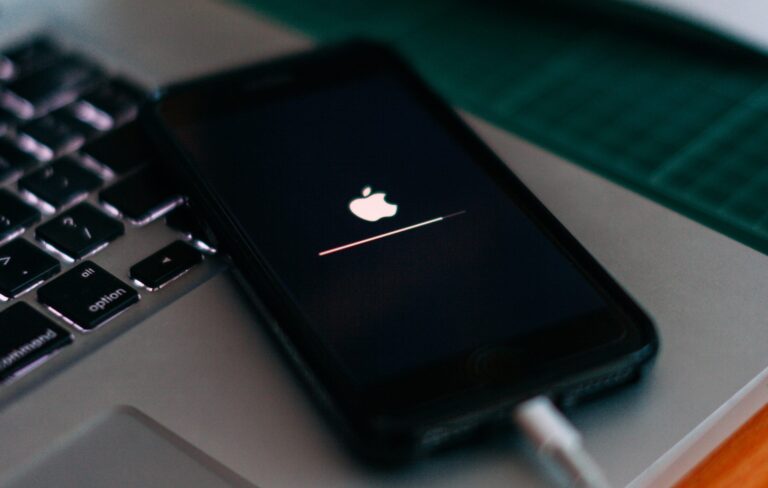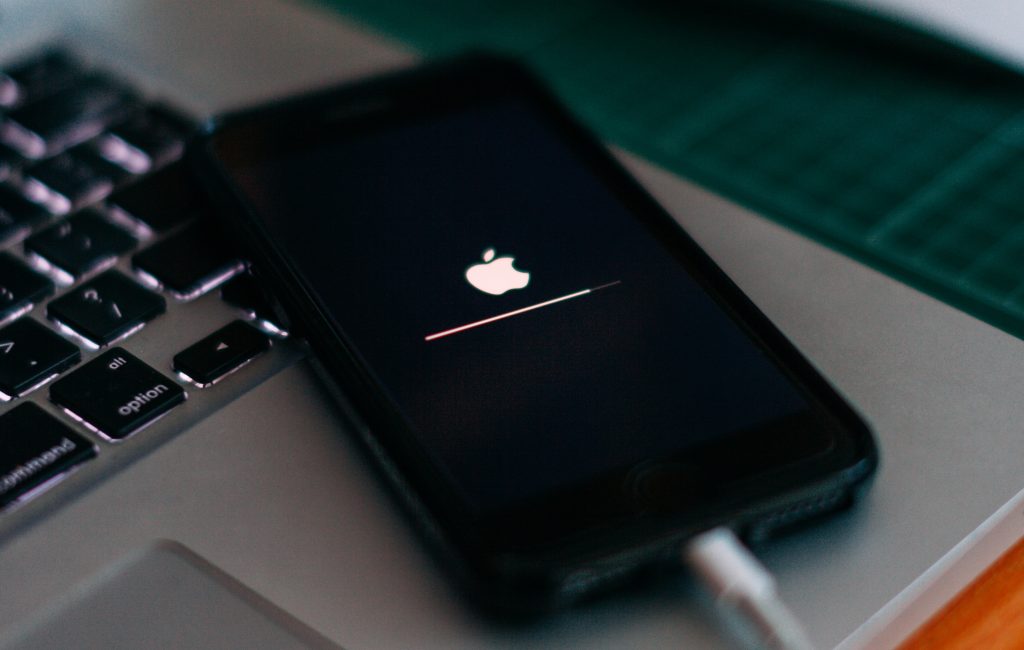
A recent report suggests that the forthcoming iPhone 15 series could feature slight RAM improvements over the current devices.
Previously, Taiwanese research firm TrendForce claimed that Apple could release the iPhone 15 Pro models with 8GB RAM later this year. That’s a slight bump from the 6GB RAM on the current iPhone 14 Pro lineup.
The report also noted that the standard iPhone 15 and iPhone 15 Plus would remain at 6GB of RAM.
Now a new TrendForce press release doubles down on the previous claim. Besides bumping up the forthcoming iPhone 15 Pro’s RAM capacity, the latest report suggests that Apple could also increase the iPhone 15 models’ RAM specification.
“Apple will bump up the capacity and specifications of the DRAM solutions featured in the next generation of the iPhone that is scheduled for release this year,” says TrendForce.
So what do the RAM improvements mean for users?
Effect of iPhone 15’s RAM Improvements on User Experience
The 8GB RAM will result in improved multitasking on the iPhone. Users should now be able to simultaneously run more apps in the background without worrying that the system might shut down.
Despite not getting a bump in capacity, the iPhone 15 and 15 Plus models could get a specification boost to the faster LPDDR5 RAM. That’s the same spec as last year’s iPhone 14 Pro models.
Expectedly, combining these RAM improvements with the rumored A17 Bionic chip could result in a significant performance boost over previous generations. This is especially true since Apple hasn’t announced a RAM bump since releasing the iPhone 12 Pro with 6GB RAM.
Based on previous experiences, Apple should announce the iPhone 15 series later in September.
Until then, several leaks already indicate slight design changes, such as thicker camera bumps, slimmer bezels, and curved edges. The reports further suggest that the forthcoming iPhone 15 lineup could include a USB Type-C charging port.
ASUS officially announced the ROG Phone 6 and ROG Phone 6 Pro on July 5. Introducing the mobile gaming world to the latest superpowered handset. While we have loved the ROG Phone 6 Pro and covered a lot about how the device performs in our review, there’s a lot more to actually know about the phone. So we’ll be covering that information here.
ASUS’s ROG Phone brand has come a long way since the days of the original phone. And although that particular device was among the best for mobile gaming even back then, ASUS has really added some spit and polish to its most recent offering. Quite simply, this is the best ASUS has ever produced and it finally feels like it can be a worthy daily driver for the majority of users.
With all of that said, let’s dive a little more into the phone series. If you’re considering buying one, then it won’t hurt to know more about it.
When do the ROG Phone 6 and ROG Phone 6 Pro launch?
ASUS hasn’t officially launched the phone yet but it did begin pre-orders on July 5, the day of its announcement. ASUS also noted that the device would ship to buyers “a few weeks later” which means it should be shipping out to those who pre-ordered sometime next week or the week after.
Right now the device is only available for pre-order in the UK, Europe, and Taiwan. With no official release time for the US. ASUS did officially launch the ROG Phone 5 in the US though, so its predecessor will eventually make it stateside as well.
It’s just a matter of time. That being said, the device will probably reach US consumers before the end of the year.
Update: September 9, 2022
The ROG Phone 6 and ROG Phone 6 Pro are now available for pre-order in the US via Amazon. They will be available for pre-order through the ASUS Store in the near future.
How much does the phone cost?
This will depend on where you buy it and what model you get. The ROG Phon 6 with 12GB of RAM and 256GB of storage is £899 in the UK and €999 in Europe. The ROG Phone 6 with 16GB of RAM and 512GB of storage increases the price to £999 in the UK and €1,149 in Europe.
And finally, the ROG Phone 6 Pro, which comes with 18GB of RAM and 512GB of storage, is £1,099 in the UK and €1,299 in Europe. As of right now there are no official prices for the US. And there likely won’t be any confirmed US prices until after ASUS officially announces when the US release date is. At which point it will probably open up pre-orders as well.
ASUS also lists an 8GB RAM model of the ROG Phone 6 on its US site, but no prices are listed and it does not seem to offer this model in the UK at all. So configuration availability is definitely subject to region.
Update: September 9, 2022
US pricing for the device starts at $999. This is for the 12GB RAM/256GB storage model. The 16GB RAM/512GB storage model retails for $1,099, and the ROG Phone 6 Pro, which comes with 18GB of RAM and 512GB of storage will retail for $1,299.
How many models of the ROG Phone 6 are there?
There are two models of the device, with a combined total of four configurations. This includes three configurations of the ROG Phone 6, and one configuration of the ROG Phone 6 Pro.
So this year ASUS has decided to cut things down. With the ROG Phone 5, it launched three different models. The 5, 5 Pro, and 5 Ultimate. Then it also ended up launching the 5s and 5s Pro. This year, ASUS has essentially packed everything that would have been in an Ultimate into the 6 Pro, and everything that would have been in a Pro and 5s models into the second configuration of the 6.
In our opinion, this makes everything way easier. And it’s less convoluted for the consumer. Having too many models to choose from just leads to indecision which can lead to no sale. ASUS appears to be trying to make things simpler here.
What are the full specs for the device?
The specs for the most part are the same across all four configurations that ASUS is offering. With the only changes being the amount of RAM, and how much storage you have. The ROG Phone 6 also doesn’t come with an LCD display on the back like the Pro model. And instead uses a customizable RGB pattern like on last year’s ROG Phone 5s. The rest of the specs however are the same. So here’s the breakdown of what you get.
Colorways – Phantom Black and Storm White for the ROG Phone 6, and Storm White for the ROG Phone 6 Pro
Processor – Snapdragon 8+ Gen 1 Mobile Platform with Adreno 730
Memory – 8GB/12GB/16GB for the ROG phone 6, and 18GB for the ROG Phone 6 Pro
Storage – 256GB and 512GB for the ROG Phone 6, and 512GB for the ROG Phone 6 Pro
Display – 6.78-inch Samsung AMOLED with 2448 x 1080 resolution and Corning Gorilla Glass Victus
Refresh rate – 165Hz
Rear camera – Main Sensor: Sony IMX766 50MP image sensor – plus 13MP ultrawide sensor and 5MP macro sensor
Front camera – 12MP sensor
Video – 8K UHD at 24fps, 4K UHD at 30fps and 60fps, 1080p FHD at 30fps and 60fps, 720p HD at 30fps and 60fps
Speakers – Dual front-facing stereo speakers with Dirac HD sound
SIM – Dual SIM card slots
Battery – 6,00mAh high-capacity battery with Quick Charge 5.0 support
Sensors – In-display fingerprint sensor, accelerometer, face recognition, e-compass, gyroscope, proximity sensor, ambient-light sensor, ultrasonic sensors for AirTrigger 6 and grip press
Power adapter – 65W USB-C power adapter
Water resistance – IPX4
Weight – 239g
Dimensions – 173 x 77 x 10.3 mm
Does the phone have expandable storage?
No. The ROG Phone 6 series does not come with expandable storage. Like many of today’s devices, you get what comes in the phone and that’s it. Luckily, with the ROG Phone 6 and ROG Phone 6 Pro, your options are 256GB or 512GB. Which is quite a lot and most people who would buy this device would probably struggle to use it all up.
That doesn’t mean it’ll be enough for everyone. But for a phone, it’s exceptionally easy to get by with ether of these amounts. Thanks to the advancement of cloud gaming and cloud storage. Which ultimately means you use up less room for storing games, apps, music, movies, photos, videos, documents and more.
Do the ROG Phone 6/6 Pro have any accessories?
The ROG Phone 6 series has a few official accessories, and a relaunch of one accessory from last year. There’s the all-new AeroActive Cooler 6 which comes in the box, as well as a shell case in the box. There’s also an optional shell case, an optional protective case from Devil Case, and an optional tempered glass screen protector.
ASUS also re-released the ROG Kunai 3 gamepad in Storm White to match the new White color of both the ROG Phone 6 and ROG Phone 6 Pro. Lastly, ASUS is launching a new set of true wireless earbuds for the phone that can be transformed into a wired pair, and a phone clip for third-party controllers.
Is The ROG Phone 6 running on Android 12?
Yes. ASUS ships the ROG Phone 6 and ROG Phone 6 Pro with Android 12 out of the box. So there’s no need to update the software to be on the newest version of Android. Which makes sense given that the ROG Phone 5 received the Android 12 update officially well before the 6 and 6 Pro were announced.
Update: February 21, 2023
As of February 21, 2023 ASUS has begun pushing out the update for Android 13 to the ROG Phone 6 and ROG Phone 6 Pro. This means most or all ROG Phone 6 and ROG Phone 6 Pro owners should have Android 13 running on their devices by the end of the week.
Does the phone have good battery life?
The phone has excellent battery life. After all, this isn’t too difficult to achieve when there’s a 6,000mAh high-capacity battery powering your experiences.
In short you can easily get by on two days of use with a single charge. Maybe more. That will naturally change based on how you use the phone. For example, if you sit down for a few hours of gaming with a graphically demanding game like Genshin Impact or Diablo Immortal, then your battery can certainly lose about 50% of its power in that time. Even then that doesn’t matter too much since the phone charges up very rapidly in a short amount of time.
There are some ways you can mitigate the battery drain though. For starters, utilize the phone’s different performance profiles in the Armoury Crate app. There’s X Mode, Dynamic Mode, and Ultra Durable. If you’re looking to conserve battery while still gaming, then set it to dynamic once you’re in your game of choice. You can do this by opening the Game Genie dashboard once the game is loaded up.
Secondly, make sure you tune the game’s graphics down. This will help the game use less power to function optimally. And should result in overall less power draw from the battery. You can also turn off anything that isn’t really necessary to the gaming experience. Like the LCD display and RGB lighting on the back of the phone. And finally, either stick with the speakers for audio or use wired headphones, and turn down the screen brightness as much as you’re willing to tolerate.
Does the ROG Phone 6 have a 3.5mm headphone jack?
Yes. ASUS is still implementing the use of a 3.5mm headphone jack on its latest gaming phones. So if you prefer the wired experience, you can plug in your favorite headset. Or you can try and snag ASUS’s snazzy new true wireless earbuds that come with a wired attachment. This way you can use them wireless for somethings and wired for others.
Does the phone still have AirTriggers?
Absolutely. These are a staple of the ROG Phone series and ASUS likely plans on never getting rid of them. And rightfully so. They’re an easy way to implement extra controls for gamers without having to actually add on physical controls. That being said, there are some differences this year.
The new AirTriggers actually do more than the ones on last year’s ROG Phone 5 series devices. With the AirTriggers 6 offering up to 9 different gestures. However, there are no longer any back ultrasonic triggers on the back like there were on the ROG Phone 5 Ultimate. Instead ASUS seems to have incorporated the functions of those into the AirTriggers on the top.
How is the camera quality?
Chances are if you’re buying a gaming phone, you’re buying it mostly for the gaming prowess. You may be less concerned with how it performs in the picture taking department. But, that doesn’t mean you won’t use the camera at all, right? This is after all likely to be your main phone. Unless you’re a user who has more than one device, and use this strictly for gaming, this will be your only device and thus the only phone camera you have at your disposal.
So you probably want the camera to perform at least decently. We can say that the camera performs admirably. It won’t be the best phone camera on the market, but it will provide you with pretty good pictures in this day and age.
Especially if you’re coming from a phone that’s at least two or three years older. As long as you’re aware that the camera on the ROG Phone 6 and ROG Phone 6 Pro won’t outdo the likes of the Pixel 6 Pro, iPhone 13 Pro Max, and Samsung Galaxy S22 Ultra, then you should be pretty happy with it. Then again, some of this might be subjective and you may find that the camera in your own opinion, is just as good.
Does the ROG Phone 6 stay cool when gaming?
The short answer is yes and no. The phone does stay cool (to a point) during gaming sessions. But it can still get warm to the touch the longer you play and if the game is more graphically demanding. In those cases, ASUS recommends using the AeroActive Cooler 6 that comes with the phone.
Specifically it recommends using this attachment if you plan to play longer than one hour. Temperatures are also lower compared to last year’s ROG Phone 5 series. So all-in-all, the phone can stay cool while you game and ASUS has managed to lower the temps from its previous model. That’s a win in our book. However, just know you need to temper your expectations.
The phone will not be completely cool to the point that you won’t notice the heat being put out by the CPU and GPU. And again it all depends on the game you’re playing. For example, playing a game like Alto’s Odyssey for two or three hours straight isn’t going to increase the phone temperatures too much. So keep that in mind.
AI does a lot of stuff nowadays, and every day, it seems that there’s a new thing that it can do. Well, did you anticipate that it’d be able to scam you? That’s right! A new LinkedIn phishing scam might be the first-ever AI-generated phishing scam.
Obviously, there isn’t some rogue AI out there trying to scam users into giving up their information. The brain behind the scam is very much flesh and blood. Rather, it looks like the materials that make up the scam have been generated using AI.
This could be the first-ever AI-generated phishing scam
According to TechRadar, researchers at SafeGuard Security uncovered this phishing scam recently. It was an ad on the platform that shills a whitepaper for businesses to help them close more deals. The only thing is that the image used to promote it shows the telltale sign of an AI-generated image.
On the bottom right of DALL-E images, there is a succession of colored squares. They’re seen on the bottom of every image generated by the platform. Below, there’s an example.
Along with that, there are other red flags that set off the alarms. For starters, the LinkedIn profile was another major tell. The profile was pretty barebones. That should be the first clue that things aren’t on the up and up. Also, it has probably the most generic name for an account, Sales Intelligence.
The profile is empty, and the website link led to a jewelry store on Amazon. That’s an odd website for a profile offering a whitepaper.
When you follow the link in the ad, you’d then put in your personal information (again, another red flag) in exchange for access to the whitepaper. Suffice it to say, there is no whitepaper. Instead, the information that the user gave up will be used for the phishing scam.
If you see an ad for a whitepaper, see an ad with an AI-generated image, or see an account that’s empty, you’ll want to pass it up.
As of October 2022, The HardBit ransomware attack was first detected as a threat extorting cryptocurrency payments to decrypt data from organizations. Recently, version 2.0 of HardBit ransomware has been released by its operators.
It is believed that the operators of this ransomware are endeavoring to negotiate with the victim’s insurance company to extort the costs of the ransom payment.
Here the threat actors convince the victim to disclose all insurance details, so, the threat actor can assess the victim’s coverage and adjust their demands accordingly. This can result in the insurer paying a larger amount, which benefits the threat actor.
This is a technique called social engineering, where the threat actor uses manipulation to persuade the victim to do something that will benefit the threat actor.
HardBit 2.0
Currently, the only variant of HardBit available on the market is version 2.0, which was launched in November 2022, and this version has been around since then, as reported by the cybersecurity analysts at Varonis.
HardBit doesn’t have a data leak site like most ransomware operations, which makes it an exception to the rule. The HardBit 2.0 ransomware strain possesses some capabilities that can be used to lower the security levels of victims.
According to the report, As part of its malicious intent, the malware also targets 86 processes for termination. With the help of this, the threat actors gain access to all the sensitive files available and encrypt them.
Data Collected
Here below we have mentioned all the types of data that are collected or gathered by HardBit 2.0:-
CPU details
Information on disk drives
Installed graphics card
Network adapter settings
IP configuration
MAC address
System manufacturer
Version from the BIOS
Victim username
Victim computer name
Time zone information
Capabilities of the HardBit 2.0
Here below we have mentioned all the key capabilities of the HardBit 2.0 ransomware:-
Disable Windows Defender’s tamper protection
Disable Windows Defender’s anti-spyware capabilities
Disable Windows Defender’s real-time behavioral monitoring
Disable Windows Defender’s real-time on-access (file) protection
Disable Windows Defender’s real-time process scanning
A fascinating aspect of the encryption phase in the HardBit 2.0 is its unconventional approach to handling encrypted data. Unlike typical strains that create encrypted file copies and delete the original files, HardBit 2.0 opts to open the files and with encrypted data, it overwrites their contents.
Following encryption, the file name is changed to a seemingly arbitrary set of characters, followed by an identifier comprising the hardbit2 file extension and a contact email address.
By employing this particular approach, the retrieval of original files by experts is made considerably more challenging, and the process of encryption is mildly expedited.
HardBit 2.0, similar to other ransomware, does not disclose the ransom amount demanded by the hackers in exchange for the decryption key in the note left on the victim’s system.
The victims are given a 48-hour time frame to reach out to the attacker through a secure, open-source encrypted peer-to-peer messaging application.
To minimize the overall cost, the threat actor advises victims against involving intermediaries and encourages them to directly negotiate with them.
If companies hold insurance for cyberattacks, the hackers request that they share the insurance amount to facilitate successful communication and provide them with more comprehensive instructions.
In addition, the hackers attempt to persuade the victim that revealing their insurance details would be in their best interest, portraying the insurer as the adversary hindering data recovery.
The attackers claim that sharing the exact insurance amount would enable them to calculate the ransom demand accurately, compelling the insurer to meet their demands.
Ransomware operators’ primary objective is to receive payment, and they will go to great lengths to achieve it, making it difficult to trust their promises or offers. It is essential to be wary of their actions and approach them with caution.
To combat this type of threat effectively and put an end to it, it is imperative to report the incident to law enforcement, maintain a reliable backup strategy, and refuse to pay the ransom.
The term ‘malware’ is an abbreviation of ‘malicious software’ and, according to the UK National Cyber Security Center (NCSC), “includes viruses, trojans, worms or any code or content that can damage computer systems, networks or devices”.
As the definition of malware is very broad, this article dives into the various different types of malware exploring what these types of malware do, the effect they can have on a network and how they can be mitigated or prevented.
Contents:
What is trojan malware?
What is worm malware?
Using ChatGPT to create malware
What is trojan malware?
Named for the mythical ‘trojan horse’ the Greeks used to enter the city of Troy, trojan malware is malware that masquerades as a safe or innocuous file. Once the file is downloaded, it will then start to execute malicious actions on the endpoint it is downloaded onto.
Trojan malware is used by hackers to steal victim’s bank information and eventually their money. This disruptive threat vector is on the rise, with Kapersky Software reporting that it blocked the launch of at least one type of banking malware on the devices of almost 100,000 (99,989) unique users.
Banking trojans can be spread a number of ways, including via phishing links, posing as useful programs (e.g. a multi-use bank management app) or even as apps for the bank themselves.
Once these programs are downloaded by the victim, the hackers are able to run malicious programs on the victim’s device. In some cases, this will allow them to harvest the login information used for their bank account, giving them access to it. In others, it will allow them to steal bank card information via false data collection tables, asking the user to add their card details to a Google Pay account, for example. In more extreme cases, the malware penetrates the device’s network and turns on administrative access, giving hackers complete control over the device.
If hackers gain control of a device, they can read, reroute and delete text messages or calls, meaning that even if the victim has multi-factor authentication (MFA) set up, the hackers can access the one-time passcodes (OTPs) needed to bypass this security strategy. Hackers can then steal data and money from their victims without them being alerted until it is too late.
As the actions performed by the hackers come from the victim’s device and will pass all security measure, they will seem legitimate. This means that banks may not flag some or all of the transactions made by the malicious actors as suspicious behavior. Even if the bank notices the unusual activity and attempts to alert the victim, the malware allows the malicious actor to reroute any calls or texts from the bank, and the victim will remain unaware until they next check their bank balance.
Emotet banking trojan
Emotet is a trojan banking malware so prevalent and dangerous that the US Cyber Security and Infrastructure Security Agency (CISA), the US Department of Homeland Security (DHS) National Cybersecurity and the US National Communications Integration Center (NCCIC) released a group technical alert regarding it on July 20, 2018.
The alert warns that Emotet is one of the “most costly and destructive malware affecting [state, local, tribal, and territorial] SLTT governments” due to its ability to rapidly spread throughout networks. Emotet is launched “when a user opens or clicks the malicious download link, PDF or macro-enabled Microsoft Word document” and once in a network, it will download and spread multiple banking trojans. The alert notes that Emotet infections have cost SLTT governments up to US$1mn per infection to mitigate.
Preventing a trojan malware attack
Cyber security expert and Cyber Security Hub contributor Alex Vakulov notes that the nature of trojan malware makes it difficult to remove once a device has been infected. In some cases, the only way to prevent it is to return a device to factory settings. For trojan malware, prevention is key.
“The proliferation of mobile devices has spawned a thriving underground industry for creating banking Trojans,” Vakulov explains. “This has led to a sharp increase in the number of banking Trojans and the likelihood of infection.”
Vakulov says that it is not uncommon for users to download malware from official sources such as Google Play, due to the app-checking technology not being completely foolproof.
“While mobile security solutions can detect unauthorized app activity, it is the personal decision of each user to install a particular software on their phone,” he adds.
To prevent trojan malware infections, users should remain vigilant by checking the validity of communications and their senders before clicking any links or downloading any attachments. The use of secure file transfer solutions can act as a preventive measure by ensuring that only files sent using trusted software are opened.
What is worm malware?
Worm malware is a type of malicious program that can self-replicate with the aim of spreading to more devices. Unlike other forms of malware, worms do not need any human or host program to run, meaning it can execute its programming itself once downloaded onto a device.
Worm malware, like many software-based threat vectors, primarily infects devices via the use of infected links and files. Social engineering is often employed to entice victims into clicking links or downloading files. This means the links may be hosted on malicious websites posing as legitimate ones, or may be sent as part of a phishing campaign, where the worm is disguised as a legitimate file type.
By itself, a worm can impact devices in a number of ways, including taking up disk space and even deleting files in order to make more copies of itself. If the worm is equipped with a payload, this can allow the malicious actors to inflict even more damage.
Cyber security and technology journalist Dave Johnson explained to Business Insider that payloads can allow hackers to “open a backdoor to the PC for hackers or to implant additional malware to steal sensitive information like usernames and passwords, or to use the computer as part of a distributed denial-of-service (DDoS) attack”.
The WannaCry ransomware worm
Ransomware worms combine the self-replicating nature of worms with the destructive potential of ransomware.
WannaCry was a worm-based ransomware attack that took place in May 2017. It specifically targeted computers with a Microsoft Windows operating system by utilizing a flaw that meant the system could be tricked into executing code. While a patch for this flaw was developed, many of the victims of the attack did not update their devices’ software as they were unaware of its importance, meaning they were still vulnerable to the attack.
Once on a device, WannaCry encrypted the device’s data and demanded a Bitcoin payment be made to unencrypt its data. It also attempted to spread both laterally across the device’s network and to random devices via the internet.
An example of the ransom note left by WannaCry. Source: Wikimedia Commons
The European Union Agency for Law Enforcement Cooperation (Europol) estimated that the attack spread across 150 countries and affected more than 300,000 computers. Among those affected by the attack were National Health Service hospitals in England and Scotland, where WannaCry affected up 70,000 devices including computers, theatre equipment, MRI scanners and blood-storage refrigerators. Other victims included government agencies, police departments, medical facilities, telecommunications companies and universities across the world.
Multiple cyber security researchers and organizations launched investigations into WannaCry in an attempt to stop the attack and prevent any further harm. This led to the discovery of a kill switch within its code by British researcher Marcus Hutchins. By registering a web domain for a DNS sinkhole he found in its code, Hutchins was able to stop the attack’s spread. This was because the ransomware was only able to encrypt a device’s files if it could not connect to that domain.
Other solutions were also discovered, including researchers from Boston University and University College London who found that the ransomware could be stopped by recovering the keys used to encrypt the data by using a software system called PayBreak.
The potential losses from the attack were estimated to reach up to $4bn by cyber risk modelling firm Cyence.
Raspberry Robin malware worm
Raspberry Robin was originally discovered by cyber security company Red Canary in September 2021 after noticing and tracking a cluster of activity caused by the worm.
Raspberry Robin is installed on computers via a compromised USB, which then introduces the worm to the computer’s system. The worm then goes on to read and execute a malicious file stored on a USB drive, which, if successful, downloads, installs and executes a malicious dynamic-link library file (.dll). Finally, the worm repeatedly attempts to execute outbound connections, typically to The Onion Routing (TOR) nodes. TOR nodes can conceal a user’s location from the connection destination.
Red Canary reported that it had seen Raspberry Robin activity in organizations linked to the manufacturing and technology sectors, although the company noted that it was unclear as to whether there was any connection between the companies affected by the malware.
Discussing the purpose of the Raspberry Robin worm when it was first discovered, Red Canary admitted that it was unsure “how or where Raspberry Robin infects external drives to perpetuate its activity”, although the company suggested that this “occurs offline or otherwise outside of our visibility”.
The organization also said that its “biggest question concerns the operators’ objectives”. This uncertainty is due to a lack of information on later-stage activity, meaning Red Canary are unable to “make inferences on the goal or goals of these campaigns”. The company did say, however, that it hoped the information uncovered on Raspberry Robin will help in wider efforts when detecting and tracking Raspberry Robin activity.
In August 2022, the Raspberry Robin worm was linked by Microsoft to attacks executed by Russian-based hacking group EvilCorp. Researchers tracking activity by EvilCorp discovered that “FakeUpdates malware [was] being delivered via existing Raspberry Robin infections”.
FakeUpdates malware is a malvertising access broker, a social engineering-based threat vector that poses as a safe link that tricks victims into clicking on it. In the case of FakeUpdates, it poses as a software or browser update. When clicked on, a JavaScript file stored inside a Zip file is downloaded, executed and run on the victim’s computer. This allows bad actors to gain access to a victim’s profile networks.
How to prevent a worm malware attack
As worm malware relies on spreading to devices across a network, if a worm is discovered, the infected device should be taken off the network.
As seen in the WannaCry attack, it is important to update your device’s software regularly to make sure it is patched against any vulnerabilities.
Other general anti-malware security strategies should also be employed, including having antivirus and antimalware software downloaded. Likewise, any links or files received via email should be carefully considered before opening to avoid worm malware getting onto the device in the first place.
While the artificial intelligence (AI)-powered chatbot has put restrictions on its use, including using it to create malware, posts on a dark web hacking forum have revealed that it can still be used to do so. One user alludes to this by saying that “there’s still work around”, while another said “the key to getting it to create what you want is by specifying what the program should do and what steps should be taken, consider it like writing pseudo-code for your comp[uter] sci[ence] class”.
Screenshot provided by Check Point Research
Using this method, the user said they had been able to create a “python file stealer that searches for common file types” that can self-delete after the files are uploaded or if any errors occur while the program is running, “therefore removing any evidence”.
Fighting ChatGPT malware attacks
While new technology can be used to develop more sophisticated threats, it can also be used in defense against them. Johnathan Jackson, director of sales engineering APJ at BlackBerry Cybersecurity, notes AI has the potential to be both a boon and a curse when it comes to malware.
“One of the key advantages of using AI in cyber security is its ability to analyze vast amounts of data in real time,” Jackson remarks. “As cyber attacks become more severe and sophisticated, and threat actors evolve their tactics, techniques, and procedures (TTP), traditional security measures become obsolete. AI can learn from previous attacks and adapt its defenses, making it more resilient against future threats.”
Jackson notes that AI can also be used to mitigate advanced persistent threats (APTs), which can be highly targeted and often difficult to detect. This allows organizations to identify threats before they cause significant damage.
Another benefit of AI in cyber security recognized by Jackson is its use to automate repetitive tasks like those in security management. This frees up cyber security professionals to focus more on strategic tasks such as threat hunting and incident response.
Not too long ago, we saw that Google was working on bringing 360-degree backgrounds to Meet. Back then, it was in testing for a select group of users. Now, however, the company has officially launched the feature.
You’ve been able to use a ton of different backgrounds and effects in Google Meet to add flair to your meetings. Sure, you can’t, realistically, have a meeting on a sunny beach, but it’s fun to pretend so.
Those backgrounds would remain static, but what if you want backgrounds that are a bit more immersive? Well, this is where these 360-degree backgrounds on Google Meet come in handy.
Google officially launches 360-degree backgrounds for Meet
So, this feature was in testing for a bit, but the company finally launched it to the public. If you’re using Google Meet on your phone, you’ll be able to use one of two 360-degree backgrounds. As you can imagine, the feature will use your phone’s gyroscope to rotate the backgrounds and make it seem like you’re actually in the locations.
At the moment, you only have the option of a beach and a temple. That might be a little disappointing, as the test videos showed someone using an oasis as a background. Maybe the company will add that one, and others, in future updates.
In other Google news: The Google Pixel Fold might be heavier than the Galaxy Z Fold 4
In a couple of months, we’re expecting to finally see Google’s first foldable phone. It’s being called the Pixel Fold, but earlier rumors pointed to it being called the “Passport”. We got leaks for this device, and they showed a pretty nice-looking phone.
This phone is tipped to be a bit larger than the Galaxy Z Fold 4, and that phone is pretty big itself. That phone weighs 263g. So, The Pixel Fold is tipped to weigh even more than that. We’ll need to wait on more leaks to be sure of the weight.
As for the size, it’s expected to be about 140mm tall and 80mm wide when it’s open. So, this phone looks like it will be pretty hefty.
As the launch of the new Sonos Era 300 and 100 speakers approaches, their details have surfaced. These speakers will make their global debut in a few weeks and feature some improvements. Details on these coming speakers are already available, so prospective buyers will know what to expect.
The price along with the design and some specifications of these speakers have hit the internet. Both speakers will pack some software benefits for the Android and iOS communities. This will be followed by top-notch audio and connectivity features considering their price ranges.
Sonos Era 300 and 100 speakers, improving on performance and design
Marketing images of the coming Sonos Era 300 and 100 speakers have become available. The Era 100 speaker comes with a cylindrical design that is quite similar to the Sonos One speaker. It also comes with a volume slider located at the top of the speaker, along with other control buttons.
The Era 300 speaker, will come with a drum-style design that comes with more drivers than the Era 100 speaker. This speaker is larger than the Era 100 and delivers better audio thanks to its six drivers. With its audio system, the Sonos 300 provides Atmos surround sound for a more immersive experience.
For its controls, the Sonos 300 will come with a similar volume control slider and control buttons. The Sonos 100 will not offer surround sound technology but will offer great audio quality for its price. The two speakers will come with great connectivity features for Android and iOS devices.
According to the available reports, the Era 300 will come with support for spatial audio. But this will be limited to Amazon Music Unlimited, as Sonos is working on getting support for this feature from other streaming services. Possibly, spatial audio support for other streaming services will roll out months after the speakers launch.
These speakers will retail at $250 for the Era 100 and $450 for the Era 300, making them quite affordable. Reports have it that these speakers will launch in March and hit online retail stores after it becomes available. More details about these speakers will be made available after their launch event.
Someone properly brought a worthy competitor to Samsung’s foldables to the market. The company in question is OPPO, as it finally launched one of its foldable smartphones to global markets. The device in question is the OPPO Find N2 Flip, and we’re here to review it. This smartphone initially launched in China in December, while OPPO announced it globally earlier this month. This is the company’s very first foldable that is leaving OPPO’s homeland, and it’s a very fine first addition to the global foldable market.
The OPPO Find N2 Flip has a lot to offer, and in my opinion, brings far better hardware than the Galaxy Z Flip 4, its direct competitor. It has its advantages, and its disadvantages, all of which we’ll talk about below. Before we begin, let’s just say that the other OPPO foldable, the OPPO Find N2, won’t be coming to global markets. OPPO wanted to kick off its global foldables lineup with a clamshell foldable, but we may get a book-type foldable next year. In any case, let’s get started.
Table of contents
OPPO Find N2 Flip Review: Hardware / Design
In the intro, I mentioned that I prefer the OPPO Find N2 Flip hardware over what the Galaxy Z Flip 4 has to offer. There are actually several reasons for that. It’s not that the Galaxy Z Flip 4 doesn’t feel good, but the OPPO Find N2 Flip simply does things better. I have to get that out of the way first, as it’s what makes this phone stand out. When folded, the OPPO Find N2 Flip offers a gapless design, unlike its competitor. On top of that, thanks to OPPO’s hinge, the crease is barely noticeable, and you can barely feel it on the display. For me, personally, that made a huge difference, as it did on the OPPO Find N2. Furthermore, that cover display is the largest on any clamshell foldable (and it’s vertical), and it has huge potential. More on that later.
It has major hardware advantages over the Galaxy Z Flip 4
Those are the three main reasons I prefer this design. The OPPO Find N2 Flip also feels very premium in the hand. It is made out of metal and glass, and has flat sides. When it’s unfolded, it’s very thin, and it feels even thinner in the hand. The phone’s main display has thin bezels, and a centered display camera hole. Folding and unfolding the device feels like a treat, as the phone snaps into place with ease. And yes, you can fold it halfway, to use it as a stand for group photos, or something like that. The hinge feels sturdy, which is great. The downside is that the phone doesn’t always stay comfortably folded at an angle. It opened all the way for me while it was sitting open at an angle, which is not ideal, needless to say. The good news is, this won’t happen if you fold it halfway, only if you try a different angle.
The side-facing fingerprint scanner works really well
This handset also has a side-facing fingerprint scanner which worked really well for us. It’s not the fastest capacitive fingerprint scanner I’ve used, but it’s close to it. It did miss my fingerprint here and there at first, but then I redid my fingerprint, and it worked great after that. All the physical buttons are located on the right-hand side, and the power/lock button doubles as a fingerprint scanner. The phone has two cameras on the back, which you can use for selfies, thanks to that cover display.
It even has IPX4 rating, which is better than nothing
The overall feeling of the OPPO Find N2 Flip hardware is… well, excellent. I really only have one complaint, the lack of better resistance. This phone does come with an IPX4 rating, compared to the Galaxy Z Flip 4’s IPX8 rating. Other than that, I do believe that the company nailed it on the hardware side of things, and that goes for both its latest Find N2 series foldables.
A plastic case is included in the retail box
The OPPO Find N2 Flip retail box does include a case. Truth be said, this is your regular, plastic hard shell case. It doesn’t really feel premium at all, but it’ll do the job until you get something better. Luckily, OPPO does offer nicer cases for the device, but there are already plenty of third-party ones you can offer. I’ve included three images in the gallery below. The first image shows you the case included in the retail box, while the other two include ones that OPPO sent us to check out, but are not included along with the phone.
Other official cases are available to purchase separately
Those two cases are the ‘Portable PU Case’, and the company’s wallet case for the device. The Portable PU Case is made out of silicone, and it feels like you’d expect. It does offer really good protection, and is a really interesting fashion choice with a loop attached to it. You can easily use your finger in collaboration with this loop to grip the phone while you’re holding it, or attach it to something. It can certainly be used as a lanyard.
The wallet case feels nice. It has space for the device on the inside, and also your cards, or some cash perhaps. It can be a one case solution for all that, that’s for sure. When you do stick everything inside, though, it does end up being a bit bulkier than I’d like. I do feel like OPPO should have released a really nice leather case for the device, that would certainly scream “premium”. It seems like OPPO is aiming at younger users with this phone, though, so this makes sense.
OPPO Find N2 Flip Review: Display
The OPPO Find N2 Flip has a main 6.8-inch fullHD+ foldable display. That is a 120Hz panel, which can reach up to 1,600 nits of peak brightness under certain conditions. It has a 21:9 aspect ratio, so it’s quite tall and narrow. The cover panel measures 3.26 inches, and it’s also an AMOLED panel. That display is protected by the Gorilla Glass 5, and it has a resolution of 720 x 382. That cover display is the largest we’ve seen in a clamshell smartphone to date.
Having said that, the main display does have a crease on it, but thanks to OPPO’s hinge, it’s barely noticeable. That goes for both the visual aspect, and the tactile aspect, you can barely feel it under your fingers. That’s a sharp contrast to what you’re getting on the Galaxy Z Flip 4, for example. If you’re annoyed by that crease on the Galaxy Z Flip 4, this may be the phone for you. It’s still there, but it’s much less noticeable.
The main display offers vivid colors, and hides the crease really well
The main display on its own is really good. It is vivid, has good viewing angles, and it’s plenty sharp. On top of that, the blacks are quite deep. It’s a really, really good fullHD+ panel, even the touch response is really good, and the display doesn’t seem plasticky to the touch, which can be the case with some foldables.
The cover display, on the other hand, is also really good. The colors are vivid, and it’s quite spacious for a cover display, as mentioned earlier. The touch response is really good too, and you’re getting pre-installed protection on it, though it’s not really all that necessary, as the Gorilla Glass 5 protects this panel. From the functionality perspective, it’s a different story entirely, however. OPPO did promise to keep updating the functionality of this cover display, but it’s kind of a missed opportunity.
The cover display is quite spacious, but underutilized
How’s that? Well, this cover display, from the functionality standpoint, is closer to something you get on a smartwatch. You do not have full use of your phone via that panel, as you get on Motorola’s foldables, for example. You do get access to your notifications, but even that is limited. On top of that, you can reply via predetermined replies, but not actually type on it. You can also see only the last message in a conversation, which is a problem, needless to say, and it limits the functionality of this display. Another example of its limitation is the fact you can’t really read emails on it. You can see the subject of an email on Gmail, but not the actual email.
The number of widgets is also limited at the moment. It does most of the same things as the Galaxy Z Flip 4, despite the fact it’s considerably larger, and vertical. Motorola’s foldables offer way more functionality. Those limitations are a problem, and they kind of make this display, well… I wouldn’t say useless, but way less useful than it should be. OPPO should allow it to do way more, and we do hope the company will, but it’ll take time.
Taking selfies on this phone is an excellent experience
Don’t get me wrong, it has its uses, of course. It’s great for taking selfies, and shooting videos, for example. You can use the phone’s main camera setup to do all that, and have a nicely sized viewfinder. It’s also great to control your music player without opening the phone, and running a stopwatch or something like that. As I said, though, this cover display should be able to do way, way more than that. Let’s hope OPPO will realize that following the initial batch of reviews, and do its best to remove the chains that hold it back.
OPPO Find N2 Flip Review: Performance
The MediaTek Dimensity 9000+ SoC fuels this handset. OPPO opted to go with MediaTek instead of Qualcomm, and it’s possible this move was made so that the phone reaches a certain price tag. The good news is, this is not a bad thing per se. I didn’t really notice any problems with this processor during my usage. Using something like the Snapdragon 8+ Gen 1 would possibly offer a bit more in terms of battery life, but the Dimensity 9000+ did great overall.
The phone was immensely smooth during my usage, no doubt about that. It ran through anything I threw at it, and that goes for gaming as well. Even Genshin Impact ran nicely on this phone, along with several other games I’ve tried out. The same can be said for simpler tasks as well. Multitasking works great, apps open really fast, and multimedia consumption is not a problem either. The camera launches fast, and reliably, and so on. I really don’t have any complaints about the performance of the OPPO Find N2 Flip.
OPPO Find N2 Flip Review: Battery
The OPPO Find N2 Flip is equipped with a 4,300mAh battery. That is actually a really nicely-sized battery pack for this phone. The Galaxy Z Flip 4, for comparison’s sake, includes a 3,700mAh battery. Now, you probably wonder what that means for the battery life. Well, it’s good, but it’s not great. If you’re a heavy user, you may need to top-up this phone before the end of the day.
The battery life is good, but not great
If you’re wondering what that means in terms of screen-on-time. Well, that variable will differ from one user to the next, but for me, that meant that I can get around 6.5-7 hours of screen-on-time, usually. Do note that I play games only for testing purposes, it’s not something I do in my usual day-to-day usage. I do use my phone for everything else, though. That includes streaming music and podcasts, taking plenty of pictures, browsing, messaging, answering emails, image editing, and more.
44W charging is plenty fast
If you do run out of juice ahead of time, do note that you have 44W charging at your disposal here. This charging can get you to 50% in 23 minutes, and charge up the phone fully in an hour. The charger is also included in the box, so you don’t have to worry about that either. The phone does not support wireless charging, though, so keep that in mind.
OPPO Find N2 Flip Review: Camera
Let’s talk about those cameras. The OPPO Find N2 Flip has a 50-megapixel main camera with multi-directional PDAF, but no OIS. It also includes an 8-megapixel ultrawide camera with a 112-degree FoV, on the back. On the front, it uses a 32-megapixel wide-angle camera. Those cameras performed well, and for the vast majority of users, they’ll do the job brilliantly. My job is to nitpick, though, and give you a better idea as to what to expect here.
Hasselblad’s color tuning is noticeable
So, first and foremost, the Find N2 Flip cameras love to emphasize colors. I’m not talking about oversaturating photos, not at all, but they tend to nicely show off colors, they end up looking rich and vivid. That is a nice look, especially in low light. This probably has something to do with Hasselblad’s color tuning, and we’re glad it’s here. Overall, the main camera does a really good job in basically all lighting conditions, and it even keeps street light reflections at bay most of the time.
The images end up looking quite good, in most scenarios
The images do end up looking rather detailed, and well-balanced. Even in high dynamic range situations, it doesn’t fall apart, though it doesn’t do as good of a job as a number of other higher-end phones we’ve tested. The ultrawide camera does fall apart in low light, though. The images do end up looking soft, and quite muddy, while the street lights get overblown easily.
Needless to say, selfies do look excellent, as you’ll be using the phone’s main cameras to take them, most of the time, at least. The subject separation is also quite good. This is one of the best phones for taking selfies at the moment, actually. The video quality is good, despite the lack of OIS, as long as you keep the ‘AI’ mode turned on, and let OPPO’s custom NPU do its thing.
OPPO Find N2 Flip Review: Software
The OPPO Find N2 Flip ships with Android 13 out of the box. On top of Google’s OS, you’ll find OPPO’s ColorOS 13 skin. That is basically what you’re getting on the OnePlus 11, but it’s called OxygenOS there. The two implementations are very similar. The software on its own is very good, but it’s different from stock Android. There are some differences that may annoy you, but we didn’t really stumble upon really weird bugs or anything of the sort. ColorOS ran smoothly during our usage, very smoothly, actually.
OPPO’s ColorOS brings plenty of features to the table
There are your usual added features here, such as added gestures for launching actions. Smart Sidebar, Flexible windows, and so on. There’s also a high level of customizability available here, which includes not only the home screen, but also the status bar, and more. We’ve already talked about the cover display in the display section, but OPPO needs to improve its offering in that regard. ColorOS needs to offer more functionality for the cover display, especially this one, as it’s quite spacious for a cover display (on a clamshell foldable). If you’d like to know more about that, check out the display section.
ColorOS shouldn’t really be a reason you stay away from this phone, as it really did work great. It works great for years now, on OPPO devices, and the company really did polish it out. As long as you’re not expecting a stock offering, you’ll probably enjoy it.
OPPO Find N2 Flip Review: Should you buy it?
So, should you buy the OPPO Find N2 Flip? Well, it all depends on what you’re looking for in a smartphone. If you’re even considering this phone, you’re probably interested in clamshell foldable phones. There are not many such phones available out there, and this is one of the best ones. If you’re not a fan of the Galaxy Z Flip 4, this could be an ideal alternative for you. Not only does it fold flat, without gaps, but it also has a much less noticeable crease on the display. It also has a much larger cover display, which is vertical, and faster charging too. The OPPO Find N2 Flip does feel like a really premium product, and one you should consider if you’re in the market for a clamshell foldable.
You should buy the OPPO Find N2 Flip if:
You want a gapless design when the device is folded
You hate the crease on the Galaxy Z Flip 4
You want a larger cover display than other clamshell foldable offer
You like cameras that provide contrasty images with rich colors
You prefer ColorOS to One UI
You don’t care about wireless charging
You want a charger included in the box
You shouldn’t buy the OPPO Find N2 Flip if:
You want the most cohesive software experience for foldables
You really need proper water resistance
You don’t want to use a phone without wireless charging
Apple has rolled out an update for its Apple Store app on iOS and iPadOS. The new update brings improved sharing features as well as better discoverability.
One of the notable changes is that the new Apple Store app brings is changes to the saved lists. While users have always been able to save products that they want to purchase in a list, you can now share those lists with other people as well. Apple has also added new ways to explore and manage the lists from various sections within the app.
The app also provides information about physical stores, including store opening hours, available shopping methods. With the new update, the information shown on the store pages has been further improved, providing users with additional information about the store itself and its surroundings.
Here are the full release notes for the newly updated Apple Store app for iPhone and iPad:
Easily share lists of saved items with your friends and family.
Access and continue shopping your saved items in more places throughout the app.
View more details about our Apple Store locations and their surroundings.
You can download the Apple Store app from the App Store for iPhone and iPad.
Apple has just unveiled the first half of the schedule for this year’s ‘Friday Night Baseball’. These games will be included for free with your Apple TV+ subscription, which is $6.99 per month.
There are some powerhouse matchups in the first half of the season that Apple TV+ will get exclusivity for. That includes the Houston Astros heading to Truist Park to take on the Atlanta Braves on April 21. As well as the San Diego Padres heading to the Bronx to take on the New York Yankees on May 26.
Here’s the full schedule from April through June. The second half of the season will likely be announced in a few months.
April 7: Rangers at Cubs; Padres at Braves
April 14: Giants at Tigers; Angels at Red Sox
April 21: Blue Jays at Yankees; Astros at Braves
April 28: Phillies at Astros; Cardinals at Dodgers
May 5: White Sox at Reds; Twins at Guardians
May 12: Royals at Brewers; Cubs at Twins
May 19: Orioles at Blue Jays; Mariners at Braves
May 26: Padres at Yankees; White Sox at Tigers
June 2: Brewers at Reds; Guardians at Twins
June 9: Royals at Orioles; Mariners at Angels
June 16: Pirates at Brewers; White Sox at Mariners
June 23: Pirates at Marlines; Mets at Phillies
June 30: Brewers at Pirates; Diamondbacks at Angels
The majority of these games are going to be airing simultaneously, though some will be double-headers.
These games will only be on Apple TV+
As mentioned, these games are going to be exclusive to Apple TV+. Meaning that you won’t be able to watch these on your local RSN. These are going to be national games, on Apple TV+. If you haven’t signed up for AppleTV+ yet, you can do so here. And also find out more about Apple TV+ here.
Apple TV+ is a pretty good streaming service. Apple is focusing on quality TV shows and movies, versus the quantity that Netflix has been doing. So the library isn’t quite as large as Netflix, or even close, but almost every title it has, has been a hit.