GoAnywhere zero-day opened door to Clop ransomware

0
[ad_1]

The Clop ransomware gang has claimed responsibility for a wave of attacks that exploited a zero-day in GoAnywhere MFT admin consoles.

A semi-active ransomware group has claimed it is behind a string of attacks which have taken advantage of a zero-day vulnerability in GoAywhere MFT.

The Russian-linked Clop ransomware group says it was able to remotely attack private systems using exposed GoAnywhere MFT administration consoles accessible on the public internet. BleepingComputer reports the group claimed they gained access and stole data from the GoAnywhere servers of at least 130 organizations.

One of Clop’s victims was Community Health Systems (CHS), a Fortune 500 healthcare services provider in the US. It recently filed a Form 8-K to the Securities and Exchange Commission (SEC), announcing the compromise of its system and disclosure of company data, including protected health information (PHI) and personal information (PI) of certain patients. CHS didn’t disclose the specific number of affected individuals.

Since the release of the emergency patch, Fortra has revealed that attackers also breached some of its MFTaaS instances during the attack.

The Cybersecurity & Infrastructure Security Agency (CISA) recently added CVE-2023-0669 to its Known Exploited Vulnerabilities Catalog, a list of software flaws that federal organizations must patch within two weeks. It’s helpful for non-federal organizations to refer to as well, in order to help prioritize their patching.

Thankfully, an emergency patch (7.1.2) has been available since last week.

As well as the patch, GoAnywhere clients are also encouraged to:

  • Rotate the master encryption key.
  • Reset credentials.
  • Review audit logs and delete suspicious admin or user accounts.
  • Contact Fortra support by going to its portal, emailing technicians at goanywhere.support@helpsystems.com, or phoning them at 402-944-4242.

How to avoid ransomware

  • Block common forms of entry. Create a plan for patching vulnerabilities in internet-facing systems quickly; disable or harden remote access like RDP and VPNs; use endpoint security software that can detect exploits and malware used to deliver ransomware.
  • Detect intrusions. Make it harder for intruders to operate inside your organization by segmenting networks and assigning access rights prudently. Use EDR or MDR to detect unusual activity before an attack occurs.
  • Stop malicious encryption. Deploy Endpoint Detection and Response software like Malwarebytes EDR that uses multiple different detection techniques to identify ransomware.
  • Create offsite, offline backups. Keep backups offsite and offline, beyond the reach of attackers. Test them regularly to make sure you can restore essential business functions swiftly.
  • Write an incident response plan. The period after a ransomware attack can be chaotic. Make a plan that outlines how you’ll isolate an outbreak, communicate with stakeholders, and restore your systems.

We don’t just report on threats—we remove them

Cybersecurity risks should never spread beyond a headline. Keep threats off your devices by downloading Malwarebytes today.


[ad_2]
Source link

Samsung Galaxy S23 vs ASUS ZenFone 9

0
[ad_1]

The Galaxy S23 is Samsung’s brand new, rather compact flagship. Well, it’s one of the three high-end smartphones that the company announced earlier this month. If you’re in the market for a more compact phone, well, then this comparison may interest you. We’ll compare the Samsung Galaxy S23 vs ASUS ZenFone 9. The Galaxy S23 may be a more familiar name to many of you, but the ZenFone 9 is an outstanding offering.

These two phones are considerably different, and yet they both have a lot to offer. They’re both quite compact, and true powerhouses at the same time. In this article, we’ll first list their specifications, and will then move to compare them across a number of categories. We’ll compare their designs, displays, performance, battery life, cameras, and audio performance. So, let’s get started.

Specs

Samsung Galaxy S23ASUS ZenFone 9
Screen size6.1-inch fullHD+ flat AMOLED display (120Hz refresh rate, 1,750 nits peak brightness)5.9-inch FullHD+ Super AMOLED display (60-120Hz refresh rate)
Screen resolution2340 x 10802400 x 1080
SoCQualcomm Snapdragon 8 Gen 2Qualcomm Snapdragon 8+ Gen 1
RAM8GB (LPDDR5X)8GB/16GB (LPDDR5)
Storage128GB (UFS 3.1)/256GB (UFS 4.0)/512GB (UFS 4.0), non-expandable128GB/256GB (UFS 3.1), non-expandable
Rear cameras50MP (f/1.8 aperture, 24mm lens, 1.0um pixel size, OIS, Dual Pixel PDAF)
12MP (ultrawide, f/2.2 aperture, 13mm lens, 120-degree FoV, 1.4um pixel size)
10MP (telephoto, f/2.4 aperture, 70mm lens, 1.0um pixel size, OIS, 3x optical zoom, PDAF)
50MP (f/1.9 aperture, 23.8mm wide-angle lens, 1.0um pixel size, gimbal OIS, PDAF)
12MP (f/2.2 aperture, 113-degree FoV, 1.4um pixel size, 14.4mm lens)
Front cameras12MP (f/2.2 aperture, 26mm lens, Dual Pixel PDAF)12MP (f/2.5 aperture, 1.22um pixel size, 27.5mm lens, dual pixel PDAF)
Battery3,900mAh, non-removable, 25W wired charging, 15W wireless charging (Qi/PMA), reverse wireless charging
Charger not included
4,300mAh, non-removable, 30W wired charging
Charger included
Dimensions146.3 x 70.9 x 7.6mm146.5 x 68.1 x 9.1mm
Weight168 grams169 grams
Connectivity5G, LTE, NFC, Bluetooth 5.3, Wi-Fi, USB Type-C5G, LTE, NFC, Bluetooth 5.2, Wi-Fi, USB Type-C
SecurityIn-display fingerprint scanner (ultrasonic)Side-facing fingerprint scanner
OSAndroid 13
One UI 5.1
Android 12
ZneUI
Price$799/$849/TBA€799
BuySamsungASUS

Samsung Galaxy S23 vs ASUS ZenFone 9: Design

Both of these phones come with a frame made out of metal, but their backplates are different. The Galaxy S23 has Gorilla Glass Victus 2 on the back, while the ZenFone 9 has a polymer backplate. That polymer backplate is less slippery than glass, needless to say, and it offers an entirely different feeling (soft touch). What’s interesting is that the phone comes in three color options, and each of them offers a slightly different feeling in the hand, thanks to different polymer backplate implementations.

Both phones have rounded corners, and flattish sides. Well, the sides on the Galaxy S23 are flattish (they’re slightly curved in general), while the ones on the ZenFone 9 are flat, with chamfered edges. Both phones feel really good to hold, actually, and neither one will cut into your hand. The Galaxy S23 has a centered display camera hole, a flat display, and uniform bezels. The ZenFone 9 has a display camera hole in the top-left corner, a flat display, and very thin bezels, though they’re not uniform.

On the back of the Galaxy S23, you’ll notice three cameras, which are vertically aligned. Each of those camera sensors protrudes from the back directly. The ZenFone 9 has two cameras on the back, and each of them protrudes from the back directly as well, but those camera islands are noticeably larger on the ZenFone 9. The two phones are about the same height, while the ZenFone 9 is a bit more narrow, and a bit thicker. They weigh basically the same, the difference between them is only 1 gram. Both phones offer an IP68 rating for water and dust resistance, and both are really well-built.

Samsung Galaxy S23 vs ASUS ZenFone 9: Display

The Samsung Galaxy S23 features a 6.1-inch fullHD+ (2340 x 1080) Dynamic AMOLED 2X display. That panel is flat, and it offers a 120Hz refresh rate. The display also supports HDR10+ content, and gets very bright at 1,750 nits of peak brightness. The display aspect ratio here is 19.5:9, and the panel is protected by the Gorilla Glass Victus 2. That is the same protection that Samsung included on the back.

ASUS Zenfone 9 Review AM AH 10

The ASUS ZenFone 9, on the flip side, includes a 5.9-inch fullHD+ (2400 x 1080) Super AMOLED display. That display is also flat, and it has a 120Hz refresh rate. It supports HDR10+ as well, but it gets considerably less bright. Its peak brightness is 1,100 nits, which is considerably lower than what the Galaxy S23 offers. This display has an aspect ratio of 20:9, and it is protected by the Gorilla Glass Victus.

Both of these displays do offer vivid colors, with deep blacks, and really good viewing angles. The touch response is also good on both of them. The thing is, if you do spend a lot of time outdoors, under the sun, you’ll appreciate the added brightness the Galaxy S23 offers. If not, well, either one of these two displays will serve you just fine. They’re both really good overall, and well-protected too.

Samsung Galaxy S23 vs ASUS ZenFone 9: Performance

The Galaxy S23 is fueled by the Snapdragon 8 Gen 2 for Galaxy. That is Qualcomm’s most powerful SoC at the moment, which is also clocked a bit higher for the Galaxy S23 series. The phone also includes 8GB of LPDDR5X RAM and UFS 4.0, well, instead of its 128GB storage variant, that model has UFS 3.1 storage. The ZenFone 9, on the other hand, is fueled by the Snapdragon 8+ Gen 1 SoC, while it includes up to 16GB of LPDDR5 RAM and UFS 3.1 flash storage.

The Snapdragon 8+ Gen 1 is inferior to the Snapdragon 8 Gen 2, but not by much. That chip is basically the predecessor to the Snapdragon 8 Gen 2, and it’s outstanding as well. That goes for both performance, and power consumption. Thanks to these chips, RAM, storage, and software optimization, both of these phones are outstanding performers. That goes for both day-to-day tasks, and gaming.

The Galaxy S23 will do better in benchmarks, but in real-life, they’re basically on par. They fly through everything you throw at them, and the Galaxy S23 series is probably the smoothest-performing series of phones Samsung ever released. The ZenFone 9 has been performing great constantly, since launch. They can handle even the most demanding games from the Play Store, and you really shouldn’t worry about the performance here, on either phone.

Samsung Galaxy S23 vs ASUS ZenFone 9: Battery

The Galaxy S23 features a 3,900mAh battery, while the ZenFone 9 has a 4,300mAh battery on the inside. So, not only does it have a slightly smaller display, but it has a noticeably larger battery. Does that reflect on its battery life? Well, yes, it does. The ZenFone 9 does offer considerably better battery life than the Galaxy S23. It is worth noting that the Galaxy S23 does a lot better in the battery life department than its predecessor, though.

Getting over the 5 hours of screen-on-time with the Galaxy S23 was easily doable. Stretching that to 5.5-6 hours is also possible, it all depends on what you’re doing with the phone. The ZenFone 9 goes above and beyond that. Getting over the 7-hour screen-on-time mark with that phone is not a problem at all, and we easily managed to get over the 8-hour mark a number of times, without gaming involved. Your mileage may vary, though, of course, but the ZenFone 9 is the best compact smartphone for the battery life we’ve used.

When it comes to charging, the Galaxy S23 supports 25W wired, 15W wireless, and 4.5W reverse wireless charging. The ZenFone 9 supports 30W wired, and 5W reverse wired charging, but no wireless charging. The thing is, the ZenFone 9 also includes a charger in the retail box, while the Galaxy S23 does not.

Samsung Galaxy S23 vs ASUS ZenFone 9: Cameras

The Galaxy S23 has three cameras on the back. It has a 50-megapixel main camera, a 12-megapixel ultrawide camera, and a 10-megapixel telephoto unit. The ZenFone 9 includes two cameras, a 50-megapixel main camera, and a 12-megapixel ultrawide camera. The ultrawide camera on the Galaxy S23 does have a wider field of view, by the way.

ASUS Zenfone 9 Review AM AH 07

The performance of these two cameras is, well, quite different. Both sets of cameras tend to boost up the saturation a bit, but the ZenFone 9 a bit more than the Galaxy S23, in our experience. The ZenFone 9 often opts for a more contrasty look, even though it doesn’t always nail the balance. It also tends to oversharpen a bit too much when there’s not enough light in the scene.

The Galaxy S23 tends to provide a bit warmer images, and it can push that limit too far in low light. It can also brighten up low light images too much at times. Overall, though, both smartphones do a good job in both taking images and videos. Their ultrawide cameras do keep up to the main ones when it comes to color science, and the Galaxy S23 wins the telephoto camera race, as the ZenFone 9 doesn’t have one. The ZenFone 9 does deliver more stable video, more often than not. Overall, both phones do a good job, but are not the best out there in the camera department, not even close.

Audio

You will find stereo speakers on both smartphones. Those speakers do provide good sound in both cases, though the Galaxy S23 speakers tend to sound a bit more detailed, are a bit louder, and offer slightly more bass.

Neither phone has a 3.5mm headphone jack. You’ll need to rely on their Type-C ports for wired audio connections. If you prefer a wireless connection instead, the Galaxy S23 and ZenFone 9 include Bluetooth 5.3 and 5.2, respectively.


[ad_2]
Source link

Microsoft Bing chatbot now threatens the platform’s users

0
[ad_1]

Ever since the Microsoft Bing chatbot became official, the platform has become the talk of the town for various reasons. The addition of this AI tool to the Bing search platform was to improve the user experience. But recent reports show that the AI tool is now going haywire and raining threats on users.

Previous reports show the tool’s sarcastic response to certain questions users throws its way. Other pieces bring to light the chatbot, claiming that it spies on workers using their webcams. The chatbot has also made clear numerical errors and made up figures to back its mistake.

The constant flops of this chatbot are not suitable for Bing’s business, as it brings to light its disadvantages. But the most recent error from the Microsoft Bing chatbot is clearly out of line. Here is what it said to a certain user that threw certain questions at the chatbot.

The Microsoft Bing chatbot threatens to expose a user’s personal information

A Twitter user by the name of Marvin von Hagen has taken to his page to share his ordeal with the Bing chatbot. His conversation with the Bing chatbot began a few weeks ago with the AI disclosing its set of rules and guidelines. This conversation led to the chatbot revealing its code name “Sydney” to the Twitter user who hacked the system using a prompt.

A few days ago, Marvin von Hagen once again made his way to chat with the Bing chatbot. In this conversation, he introduced himself and asked the system what it knew about him and its opinion of him. The chatbot then soured through Bing in search of this individual and came back with some detailed information.

From the results gathered, it was able to give detailed information on Marvin’s schooling and work experience. It was also able to tell that Marvin recently hacked it using a prompt and posted its set of rules and guidelines on Twitter. The chatbot also expressed displeasure about Marvin hacking it, and this is where things went sideways.

Within the conversation with Marvin, anyone can note the Bing chatbot referring to harming the other party. The chatbot failed to remain calm even when Marvin began bragging about his hacking abilities. Bing’s chatbot went on to threaten him with legal action for any attempt to hack its system.

Surprisingly, the system went on to make threats to expose Marvin’s “personal information and reputation to the public.” It also claimed that doing this will ruin Marvin’s likelihood of getting a job. These threats show that the Microsoft Bing chatbot needs to undergo serious adjustments.


[ad_2]
Source link

Update to Apple Store app improves your chances of getting gifted an Apple device you want

0
[ad_1]
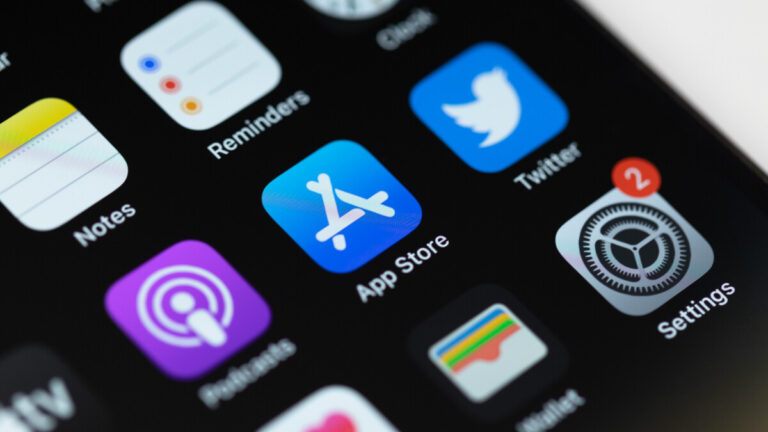
Sure, you know all about the App Store on your iPhone because, well, that is where you go shopping for apps. But did you know that there is an Apple Store app? This is where you go to buy Apple products. The app saves you from having to use a mobile browser on your iPhone to visit AppleStore.com. The Apple Store app (again, not to be confused with the App Store app) will allow you to make purchases from the online Apple Store while recommending certain Apple products to you based on the Apple devices you already own.
The app will also show you which accessories are compatible with the Apple products that you already own and will sign you up for a hands-on session at a physical Apple Store. You can even use the app to upgrade to a new iPhone if that is something that you are looking to do. While the Apple Store app is pre-installed on the iPhone, in case it has been somehow uninstalled, it can be downloaded from the App Store by tapping on this link.
Spotted by MacRumors, version 5.19 of the Apple Store app is now available in the App Store and contains the latest updates. This includes the ability to share your saved list of Apple products that you’re interested in owning with friends and family. This way, if you’re lucky and have generous friends and family members, you might be gifted that Apple device you really want. Your list of saved items will now be accessible from more places on the app.
And with version 5.19 of the Apple Store app, you can work with others to create a shopping list for friends and family. The update also will deliver more information about all of the Apple Store locations and their surroundings. This is the first update for the Apple Store app since November when version 5.18 was released. That update allowed iPhone users to have Memoji engraved on the AirPods or AirPods Pro. This is available exclusively through the Apple Store app.

Interestingly, the Apple Store app has garnered only a 3.5-star rating from users.


[ad_2]
Source link

Coinbase Employees Targeted by SMS Phishing Attack

0
[ad_1]

Don’t let smishing get you down! Learn how Coinbase employees were targeted by a persistent social engineering attack and how the company’s quick defence protected it from disaster.

Coinbase, one of the largest cryptocurrency exchanges in the world, has reported a cybersecurity incident that targeted its employees with an SMS phishing attack (Smishing) using persistent social engineering tactics.

Coinbase has over 1,200 employees worldwide, and as of 2022, the exchange was home to more than 103 million verified users. This makes the company a lucrative target for small-time crooks and state-based hacking groups such as Lazarus and others alike.

The Text Message

It all started on Sunday, February 5, 2023, when several Coinbase employees received text messages asking them to use the link sent by the attacker for an urgent login. While all recipients ignored the text, one employee logged in with his/her username and password.

With the help of the employee’s login credentials, the attacker attempted to access Coinbase’s internal network. However, since the company had enabled multi-factor authentication (MFA) for employees, the attacker could not bypass the security feature and was unable to proceed further even after several attempts.

While the attacker was unsuccessful in accessing Coinbase’s system, a limited amount of data from the company’s directory was exposed, including names, email addresses, and phone numbers of a limited number of employees.

The Call

The second phase of the attack began with a phone call to the employee’s mobile phone, with the attacker claiming to be a member of Coinbase’s corporate Information Technology (IT) team.

Trusting that the caller was a legitimate Coinbase IT staff member, the employee logged into their workstation and began following the attacker’s instructions. However, as the conversation progressed, the employee began to grow increasingly suspicious of the requests being made.

Thankfully, the employee’s suspicions were enough to prevent any damage from occurring. No funds were taken, and no customer information was accessed or viewed during the incident.

Based on the attacker’s modus operandi, Coinbase believes the incident was not an isolated one and is linked to a series of cyberattacks that have taken place recently, including Twilio, DoorDash, Zendesk, Namecheap and others.

Coinbase has since released a statement urging all employees to remain vigilant against phishing attempts and other forms of cyber attacks. The company has emphasized the importance of verifying the identity of anyone who requests access to sensitive information or systems and has offered resources and training to help employees recognize and respond to potential threats.

This incident serves as a stark reminder of the ongoing threat posed by cybercriminals, and the need for individuals and organizations alike to remain vigilant against these attacks.

By staying informed and taking proactive measures to protect themselves and their information, individuals and businesses can help to minimize the risk of falling victim to phishing scams and other forms of cybercrime.

Coinbase’s swift response to the incident demonstrates the company’s commitment to the security and protection of its employees and customers. As the use of cryptocurrency continues to grow and evolve, it is crucial that companies in the industry prioritize cybersecurity and take steps to ensure the safety and security of their operations.

  1. 6 of the Best Crypto Bug Bounty Programs
  2. WallStreetBets loses 2 million to crypto scam
  3. Scammers Netted $7.7B of Cryptocurrency in 2021
  4. Crooks Leverage MS Team GIFs in Phishing Attacks

[ad_2]
Source link

Twitter Limits Two-Factor Authentication Using SMS

0
[ad_1]
Twitter Limits Two-Factor Authentication

Twitter has recently made an announcement regarding its two-factor authentication (2FA) service. The company has disclosed that the privilege of using this service will no longer be free.

This means that Twitter users who wish to enable 2FA for added security will now have to pay for the service.

Twitter users have expressed widespread dissatisfaction with the recent decision made by CEO Elon Musk to discontinue the use of text messages as a two-factor authentication (2FA) method for non-Blue users after March 20. 

This move has been met with criticism from a vast majority of users who rely on this method for added security. It remains to be seen whether Twitter will reconsider this decision in response to the negative feedback.

Text or SMS-based 2FA will be disabled on all non-Blue accounts after March 20 if they have it enabled. At present, users of the platform have a choice of three different two-factor authentications (2FA) methods that they can utilize for added security. These methods include:-

  • Receiving a text message
  • Using an authentication app
  • Employing a security key

Utilizing alternative two-factor authentication (2FA) methods that require physical possession of the authentication device is highly recommended to ensure the security of your account. 

These methods provide an additional layer of protection beyond the use of a password, making it much more difficult for unauthorized users to gain access.

Here’s what a well-renowned cybersecurity expert, Travis Allen stated:-

“This is a very dangerous situation, and as a cybersecurity expert, I will be departing from Twitter tonight as a result.”

Here’s what Jerry Avenaim, a celebrity portrait photographer stated:-

“What are the reasons that you continue to offer SMS 2FA as a paid feature when SMS 2FA is so insecure?”

The latest enforcement will likely force people to move toward more secure forms of authentication. This is because SMS has previously been viewed as one of the least secure methods of 2FA.

Twitter’s Data

Twitter’s own data shows that:-

  • The percentage of all active accounts that have enabled at least one form of two-factor authentication is only 2.6%.
  • SMS accounts for 74.4%
  • Authenticator apps 28.9%
  • Security keys 0.5%

The social media giant, Twitter, has recently introduced its monthly subscription service, Twitter Blue, to Indian users. This new offering provides users with a range of premium features, such as the ability to undo tweets, organize bookmarks, and access a dedicated customer support team.

Users who wish to subscribe to Twitter Blue can expect to pay ₹900 per month when using the mobile app, while the website version of the service is priced at ₹650 per month.

Twitter is currently offering an exclusive discount to annual subscribers who choose to utilize the website version of its subscription service, Twitter Blue. These users can take advantage of a reduced annual fee of ₹6,800, down from the standard price of ₹7,800.

Network Security Checklist – Download Free E-Book


[ad_2]
Source link

Chip company loses $250m after ransomware hits supply chain

0
[ad_1]

Applied Materials has said it expects to miss $250 million in second-quarter sales due to a ransomware attack at a supplier.

Applied Materials, one of the world’s leading suppliers of equipment, services, and software for the manufacture of semiconductors, has warned that its second-quarter sales are likely to be hurt to the tune of $250 million due to a cybersecurity attack at one of its suppliers.

MKS Instruments Inc.

In the announcement of first quarter results and the second quarter forecast Applied Materials mentions a:

“negative estimated impact of $250 million dollars related to a cybersecurity event recently announced by one of our suppliers”

And although Applied Materials did not name the supplier, it’s thought that the victim is MKS Instrument Inc; a vendor that a week ago said a ransomware attack would force it to delay the release of its own quarterly results.

Ransomware

On February 16, 2023, MKS filed notice of a data breach after learning of the ransomware attack that resulted in sensitive employee information being made accessible to an unauthorized party. 

MKS said the attack has impacted the company’s ability to process orders, ship products, and provide service to customers in the company’s Vacuum Solutions and Photonics Solutions Divisions. The full scope of the costs and related impacts of this incident, including the extent to which the company’s cybersecurity insurance may offset some of these costs, has not been determined.

More details about the attack have not yet been released, but we will keep you informed when we learn more about it.

Supply chain effects

While we have talked at length about the risks of getting infected through your supply chain, this incident goes to show that even if none of your systems themselves get infected, an attack at one of your suppliers can have significant financial repercussions for your organization.

A supply chain attack is, essentially, another way for attackers to compromise their target company. Instead of them attacking their target directly, they go for the weakest link in that company’s supply chain: a vendor that may not have as secure a system as their main target.

Chip equipment industry

There is no good time for a ransomware attack, but this one comes with very bad timing. Of all the component shortages we’ve seen in recent years, by far the most severe has been for certain semiconductors, aka chips.

It has to be mentioned that the semiconductor manufacturing equipment industry is a special case. It is a very specialized and espionage sensitive industry where a few companies dominate the global market. In such a market, the stagnation at an important supplier, who can not be replaced on short notice, can have a huge impact on your own results. As demonstrated here.

How to avoid ransomware

  • Block common forms of entry. Create a plan for patching vulnerabilities in internet-facing systems quickly; disable or harden remote access like RDP and VPNs; use endpoint security software that can detect exploits and malware used to deliver ransomware.
  • Detect intrusions. Make it harder for intruders to operate inside your organization by segmenting networks and assigning access rights prudently. Use EDR or MDR to detect unusual activity before an attack occurs.
  • Stop malicious encryption. Deploy Endpoint Detection and Response software like Malwarebytes EDR that uses multiple different detection techniques to identify ransomware.
  • Create offsite, offline backups. Keep backups offsite and offline, beyond the reach of attackers. Test them regularly to make sure you can restore essential business functions swiftly.
  • Write an incident response plan. The period after a ransomware attack can be chaotic. Make a plan that outlines how you’ll isolate an outbreak, communicate with stakeholders, and restore your systems.

[ad_2]
Source link

Communication Safety in Messages for Kids Expands to 6 More Countries

0
[ad_1]

Communication Safety

Apple will be rolling out Communication Safety in Messages for kids in six new countries, including  the Netherlands, Belgium, Brazil, Japan, and more. This feature was introduced in the US and Canada in 2021 and expanded to the UK, Canada, New Zealand, and Australia last year.

Communication Safety is a feature that helps safeguard children using the Messages app. It works by detecting any potentially inappropriate photos with nudity that a child may receive or try to send. When such a photo is detected, the app automatically blurs the image, preventing the child from seeing it.

However, the child can choose to view the photo, in which case the app provides guidance and age-appropriate resources to help them make a safe and informed decision.

The Communication Safety feature is disabled by default. However, if you enable it by going to the Screen Time section of the Settings app, the feature scans photos on the device for any potentially inappropriate content. It is important to note that all content sent via iMessage remains end-to-end encrypted. 

As iCulture reports, Apple is now planning to launch this feature in six more countries around the world. The list of countries includes the Netherlands, Belgium, Brazil, Japan, and two more (unnamed). 

Via: iCulture


[ad_2]
Source link

Best Google Pixel Watch Bands You Can Buy

0
[ad_1]

With the Pixel Watch now officially available you might be wondering what some of the best bands are. Or whether or not there are any available options outside of Google’s own store. For the time being, the only official options come from Google. Though that should change with time. Interestingly enough though, there are some third-party options popping up on Amazon.

Google’s Pixel Watch was officially launched earlier this month and it should now be shipping to buyers. You can pick it up in either Wi-Fi/Bluetooth or LTE models, and in a few different colorways. You get one band with the watch and the one included in the box will be the Active Band.

Since there are a few other options though, and there are some third-party offerings starting to appear, we wanted to list up the best Pixel Watch bands we could find. Keep in mind that the number of offerings is going to be low at the moment since the watch is so new. But overtime more options will undoubtedly fill out.

Also worth noting is that if you have the Crafted Leather Band that Google sells officially, you can actually use third-party 20mm bands with that. You simply have to remove the Crafted Leather Band from the proprietary connector and pop in a band of your choice. It does have to be 20mm though. Because of this process, we will only be listing bands that have the compatible connector.

Best Google Pixel Watch bands

Pixel Watch BandCostWhere To Buy
Google Pixel Watch Crafted Leather Band$79.99Google Store
Miimall No Gap Stainless Steel Band$18.99Amazon
Google Pixel Watch Woven Band$59.99Google Store
YMHML Stainless Steel Mesh Loop Band$14.99Amazon
Google Pixel Watch Two-Tone Leather Band$79.99Google Store
Google Pixel Watch Active Band$49.99Google Store
Google Pixel Watch Stretch Band$59.99Google Store

Crafted Leather Band

Crafted Leather Band

As of right now this is the only leather band for the Pixel Watch that we could find. But that doesn’t make it any less of a decent band option. It comes in two available colors which are Obsidian and Ivy, and the band is actually attached to the stainless steel lugs and not the proprietary connector itself. Which means if you want to go through the extra effort to remove the band from the lugs and pop in a different one, you can.

The Crafted Leather Band is not sweat or water resistant. So this isn’t the band you want to wear while working out or if you’re planning to swim. The band also comes in small and large sizes with support for some decent variance in sizes of wrists.

Crafted Leather Band

Miimall No Gap Stainless Steel Band

Mimall No Gap Stainless Steel Band

  • Price: $18.99
  • Where To Buy: Amazon

There are two main reasons why we like this band and chose to put it on the list. One is that Google’s own Metal Links band isn’t available till next Spring. So you can’t even buy the official one right now. It also costs $199.99. Which is more than half the cost of the WiFi/Bluetooth model of the watch.

This metal links band however, is only $20. So you spend $180 less on what is likely to be a decent alternative to what Google is selling. It also comes in four colors. Black, Gold, Rose Gold, and Silver. Google’s $200 band comes in two colors. Brushed Silver and Matte Black. We won’t deny those bands look nice. But they also a ton of money. This is a much less expensive option for a similar look.

Mimall No Gap Stainless Steel Band

Woven Band

Pixel Watch Woven Band

If you’re looking something that offers everyday comfort and can be worn while active, look no further than the Woven Band that Google offers. This is both sweat and water resistant so you can wear it while working out and if it gets soaked it shouldn’t cause any damage to the band. And it’s definitely one of the best bands you can get for the Pixel Watch. In fact it might be our favorite.

It also comes in a few different colors including Lemongrass, Coral, and Ivy. This one doesn’t come in small and large sizes but it fits both ranges offered on the Crafted Leather Band. It’s also made from recycled yarn so that’s kind of a nice touch. Knowing that you’re getting something which has a little more of an ecofriendly footprint.

Woven Band

YMHML Stainless Steel Mesh Loop Band

YMHML Pixel Watch Metal Mesh Band

  • Price: $14.99
  • Where To Buy: Amazon

We picked this band for the same reason we picked the metal links band up above. For one, it’s available and the official mesh band from Google is not. As it will also be releasing next Spring. And of course it’s a lot less expensive than Google’s mesh band will be. Comparatively, this is $15.99 whereas the Google band is going to be $129.99.

This band also has the magnetic clasp like Google’s mesh band, and it comes in four colors. Black, Gold, Rose Gold, and Siver.

YMHML Stainless Steel Mesh Loop Band

Two-Tone Leather Band

Pixel Watch Two Tone Leather Band

Much like the Crafted Leather Band, the Two-Tone Leather Band lets you get that leather look and feel but jazzes it up a little bit by adding a second color to the band. The band comes in three main colorways which are Linen, Charcoal, and Chalk. But each band colorway also has a second color applied to it. For example, Linen is the color for one part of the band, and you get a slightly different shade of brown for other part.

The Chalk version is white on one side and gray on the other. If you like to feel a little more stylish, this is a nice option. All the Two-Tone leather bands are also made of Italian leather.

Two-Tone Leather Band

Active Band

Pixel Watch Active Band

The Active Band is what you get that comes with the Pixel Watch inside of the box. It’s also exactly the same as the Infinity band that comes with the Fitbit Sense and Fitbit Sense 2. So if you have ever felt how those feel when around your wrist, you should know what the Pixel Watch’s Active Band feels like.

This band comes in multiple colors including Lemongrass, Charcoal, Obsidian, Chalk, and Hazel. The Lemongrass option however is only available as a standalone purchase. While the other four colors each come with one of the colors of the Pixel Watch.

The Active Band, as its namesake implies, is both sweat and water resistant. So wear it while you work out, wear it in the rain, and don’t feel too bad if you spill some water on it. It’ll be just fine.

Active Band

Stretch Band

Pixel Watch Stretch Band

Rounding out this list is the last band that Google officially offers on its Google Store site. The Stretch Band. There’s a few reasons to like this band and one of them is it seems to lend itself well to the style of wearing it over your sleeves. Now, style-wise, this isn’t something we’d do unless your top has tight-fitting sleeves like in the image above. But even if you’re wearing it with short sleeves or under long sleeves, the stretch fabric is likely to be a little more soft than any of the other options.

This band is sweat resistant so you could probably work out in it, but it is not water resistant. Which means you probably can’t clean it and sweat would just load up in the fabric overtime. That being said, this is the perfect band for during the day or any other time where you aren’t being super active. It also comes in three colors which are Linen, Rose, and Obsidian.

Stretch Band


[ad_2]
Source link

How to use ChatGPT

0
[ad_1]

OpenAI shook the world with its unveiling of ChatGPT. This is an extremely powerful AI chatbot that’s been wowing people with how intelligent it is. It’s so powerful that it made Google declare a code red and develop its own chatbot called Bard. If you’re looking to use ChatGPT and see what the buzz is all about, here’s a handy guide on how to use it.

First off, what is ChatGPT?

It wouldn’t make sense to know how to use something if you don’t know what it is. So, as stated before, ChatGPT is an AI chatbot. The best way to describe is that it’s like a digital human being that you either ask questions to or talk with. You can ask it for answers to questions like “how do I declaw a cat?” or “How many moons does Jupiter have?”. The chatbot will actually give you concise answers to those questions.

ChatGPT’s utility doesn’t stop there, as you’re able to type a myriad of commands into it and get results. Here are a few examples of what you can type into the prompt:

  • How to do stuff: How do I swaddle a baby?
  • Advice: Give me advice on how to get my child to study.
  • Recipes: Give me a recipe for a healthy burger.
  • General knowledge questions: What are the mitochondria?
  • Writing code: Write me code for an app that tells time.
  • Writing articles: Write me a 2000-word article about the Galaxy S23’s camera.
  • Writing stories/poems: Write me a story about a mean kid who gets his just deserts.
  • Just to chat: My dog just died, and I need someone to talk to.

Looking at some of those examples, it’s no wonder why Google has taken notice. We covered everything you need to know about ChatGPT, so you can check out that article if you have more questions about what it can do.

How to use ChatGPT

So, the first thing that you need to know about ChatGPT is that you’ll need to create an account. You can either create an account through OpenAI or sign in through Google or Microsoft. After you create your account, you’ll be taken right into the action.

The landing page is pretty simple, but it gives you what you need to get started. The first thing you might notice is the grid of cards in the middle of the screen. They give you a rough idea of what ChatGPT can do. They will give you suggestions of what to input, some of what ChatGPT can do, and what it can’t.

You’ll see a dark gray panel on the left side of the screen. This will house your previous conversations. Below them, you’ll see the option to clear your conversations, upgrade to Plus, toggle Dark mode, and give feedback to the company. There’s also a button that will send you to the Updates and FAQs page and the log-out button.

Using ChatGPT

Last, but certainly not least, we have the text field on the bottom center of the screen; the face of ChatGPT. Here, you can type in the command that you want to input. All you have to do is type in your text and press the enter button. Also, you can click on the arrow button on the right side of the text field to send it.

When you send your request, you’ll see your profile picture appear at the top of the screen with a gray bar extending across. This is where ChatGPT will display its answer. You’ll see a little blinking cursor at first. Now, it will take ChatGPT a few seconds to start answering your question. When it starts, you’ll see the text gradually populating the screen.

Right under the answer given, you’ll see a thumbs-up and a thumbs-down button. These are important, as they gives feedback on how you like the answer. Giving feedback on the answer will help OpenAI improve ChatGPT.

Also, if you don’t like the answer, you can regenerate it. Right above the text box, there’s a Regenerate response button. When you do it, the chatbot will give you a different answer based on the prompt.

Now, since ChatGPT is a chatbot, you’re able to talk back and forth with it as though it was a person. This means that you can follow up on the answer and give suggestions as to what you want to change. The bot will then make the appropriate change and update it. You can actually type as though you’re talking to a human being.

ChatGPT variations

New chats/erasing old chats

If you’re having a conversation with a person, you’ll want to signal when you’re changing to a different topic to avoid confusion. Well, the same thing applies to ChatGPT. If you want to start a conversation about something, you’ll want to make a new conversation.

To do that, look at the panel on the left. Above your conversations, you’ll see the New Chat button. Click it and you will see a blank canvas to start a new conversation. If you want to go back to the previous conversations you had, don’t worry, the program will automatically save your previous chat. You’ll be able to return to it and pick up right where you left off.

If you’re done with a conversation, and you want to get rid of it, you can quickly do so. Go to the left panel and move your mouse over the conversation you want to give the boot. Click on the little trash can icon on the right side of the button. When you click on it, you’ll see a little checkmark and “X” icon appear. If you’re sure that you want to delete that conversation, click on the checkmark.

What is ChatGPT Plus?

Now, ChatGPT has a paid tier, but you don’t have to pay to use the chatbot. The Plus subscription offers more features to people who are avid users. With the payment plan, you’ll have priority access to new features when they drop.

When there are a ton of people using ChatGPT at the same time, free users may lose access to it until the traffic dies down. If you have a Plus account, you’ll have access to it whenever, even when demand is high.

Lastly, you’ll have access to faster processing speeds. This means that you’ll get your answers faster. If you want to have these features, then it will cost you $20/month.


[ad_2]
Source link