As of October 2022, The HardBit ransomware attack was first detected as a threat extorting cryptocurrency payments to decrypt data from organizations. Recently, version 2.0 of HardBit ransomware has been released by its operators.
It is believed that the operators of this ransomware are endeavoring to negotiate with the victim’s insurance company to extort the costs of the ransom payment.
Here the threat actors convince the victim to disclose all insurance details, so, the threat actor can assess the victim’s coverage and adjust their demands accordingly. This can result in the insurer paying a larger amount, which benefits the threat actor.
This is a technique called social engineering, where the threat actor uses manipulation to persuade the victim to do something that will benefit the threat actor.
HardBit 2.0
Currently, the only variant of HardBit available on the market is version 2.0, which was launched in November 2022, and this version has been around since then, as reported by the cybersecurity analysts at Varonis.
HardBit doesn’t have a data leak site like most ransomware operations, which makes it an exception to the rule. The HardBit 2.0 ransomware strain possesses some capabilities that can be used to lower the security levels of victims.
According to the report, As part of its malicious intent, the malware also targets 86 processes for termination. With the help of this, the threat actors gain access to all the sensitive files available and encrypt them.
Data Collected
Here below we have mentioned all the types of data that are collected or gathered by HardBit 2.0:-
CPU details
Information on disk drives
Installed graphics card
Network adapter settings
IP configuration
MAC address
System manufacturer
Version from the BIOS
Victim username
Victim computer name
Time zone information
Capabilities of the HardBit 2.0
Here below we have mentioned all the key capabilities of the HardBit 2.0 ransomware:-
Disable Windows Defender’s tamper protection
Disable Windows Defender’s anti-spyware capabilities
Disable Windows Defender’s real-time behavioral monitoring
Disable Windows Defender’s real-time on-access (file) protection
Disable Windows Defender’s real-time process scanning
A fascinating aspect of the encryption phase in the HardBit 2.0 is its unconventional approach to handling encrypted data. Unlike typical strains that create encrypted file copies and delete the original files, HardBit 2.0 opts to open the files and with encrypted data, it overwrites their contents.
Following encryption, the file name is changed to a seemingly arbitrary set of characters, followed by an identifier comprising the hardbit2 file extension and a contact email address.
By employing this particular approach, the retrieval of original files by experts is made considerably more challenging, and the process of encryption is mildly expedited.
HardBit 2.0, similar to other ransomware, does not disclose the ransom amount demanded by the hackers in exchange for the decryption key in the note left on the victim’s system.
The victims are given a 48-hour time frame to reach out to the attacker through a secure, open-source encrypted peer-to-peer messaging application.
To minimize the overall cost, the threat actor advises victims against involving intermediaries and encourages them to directly negotiate with them.
If companies hold insurance for cyberattacks, the hackers request that they share the insurance amount to facilitate successful communication and provide them with more comprehensive instructions.
In addition, the hackers attempt to persuade the victim that revealing their insurance details would be in their best interest, portraying the insurer as the adversary hindering data recovery.
The attackers claim that sharing the exact insurance amount would enable them to calculate the ransom demand accurately, compelling the insurer to meet their demands.
Ransomware operators’ primary objective is to receive payment, and they will go to great lengths to achieve it, making it difficult to trust their promises or offers. It is essential to be wary of their actions and approach them with caution.
To combat this type of threat effectively and put an end to it, it is imperative to report the incident to law enforcement, maintain a reliable backup strategy, and refuse to pay the ransom.
The term ‘malware’ is an abbreviation of ‘malicious software’ and, according to the UK National Cyber Security Center (NCSC), “includes viruses, trojans, worms or any code or content that can damage computer systems, networks or devices”.
As the definition of malware is very broad, this article dives into the various different types of malware exploring what these types of malware do, the effect they can have on a network and how they can be mitigated or prevented.
Contents:
What is trojan malware?
What is worm malware?
Using ChatGPT to create malware
What is trojan malware?
Named for the mythical ‘trojan horse’ the Greeks used to enter the city of Troy, trojan malware is malware that masquerades as a safe or innocuous file. Once the file is downloaded, it will then start to execute malicious actions on the endpoint it is downloaded onto.
Trojan malware is used by hackers to steal victim’s bank information and eventually their money. This disruptive threat vector is on the rise, with Kapersky Software reporting that it blocked the launch of at least one type of banking malware on the devices of almost 100,000 (99,989) unique users.
Banking trojans can be spread a number of ways, including via phishing links, posing as useful programs (e.g. a multi-use bank management app) or even as apps for the bank themselves.
Once these programs are downloaded by the victim, the hackers are able to run malicious programs on the victim’s device. In some cases, this will allow them to harvest the login information used for their bank account, giving them access to it. In others, it will allow them to steal bank card information via false data collection tables, asking the user to add their card details to a Google Pay account, for example. In more extreme cases, the malware penetrates the device’s network and turns on administrative access, giving hackers complete control over the device.
If hackers gain control of a device, they can read, reroute and delete text messages or calls, meaning that even if the victim has multi-factor authentication (MFA) set up, the hackers can access the one-time passcodes (OTPs) needed to bypass this security strategy. Hackers can then steal data and money from their victims without them being alerted until it is too late.
As the actions performed by the hackers come from the victim’s device and will pass all security measure, they will seem legitimate. This means that banks may not flag some or all of the transactions made by the malicious actors as suspicious behavior. Even if the bank notices the unusual activity and attempts to alert the victim, the malware allows the malicious actor to reroute any calls or texts from the bank, and the victim will remain unaware until they next check their bank balance.
Emotet banking trojan
Emotet is a trojan banking malware so prevalent and dangerous that the US Cyber Security and Infrastructure Security Agency (CISA), the US Department of Homeland Security (DHS) National Cybersecurity and the US National Communications Integration Center (NCCIC) released a group technical alert regarding it on July 20, 2018.
The alert warns that Emotet is one of the “most costly and destructive malware affecting [state, local, tribal, and territorial] SLTT governments” due to its ability to rapidly spread throughout networks. Emotet is launched “when a user opens or clicks the malicious download link, PDF or macro-enabled Microsoft Word document” and once in a network, it will download and spread multiple banking trojans. The alert notes that Emotet infections have cost SLTT governments up to US$1mn per infection to mitigate.
Preventing a trojan malware attack
Cyber security expert and Cyber Security Hub contributor Alex Vakulov notes that the nature of trojan malware makes it difficult to remove once a device has been infected. In some cases, the only way to prevent it is to return a device to factory settings. For trojan malware, prevention is key.
“The proliferation of mobile devices has spawned a thriving underground industry for creating banking Trojans,” Vakulov explains. “This has led to a sharp increase in the number of banking Trojans and the likelihood of infection.”
Vakulov says that it is not uncommon for users to download malware from official sources such as Google Play, due to the app-checking technology not being completely foolproof.
“While mobile security solutions can detect unauthorized app activity, it is the personal decision of each user to install a particular software on their phone,” he adds.
To prevent trojan malware infections, users should remain vigilant by checking the validity of communications and their senders before clicking any links or downloading any attachments. The use of secure file transfer solutions can act as a preventive measure by ensuring that only files sent using trusted software are opened.
What is worm malware?
Worm malware is a type of malicious program that can self-replicate with the aim of spreading to more devices. Unlike other forms of malware, worms do not need any human or host program to run, meaning it can execute its programming itself once downloaded onto a device.
Worm malware, like many software-based threat vectors, primarily infects devices via the use of infected links and files. Social engineering is often employed to entice victims into clicking links or downloading files. This means the links may be hosted on malicious websites posing as legitimate ones, or may be sent as part of a phishing campaign, where the worm is disguised as a legitimate file type.
By itself, a worm can impact devices in a number of ways, including taking up disk space and even deleting files in order to make more copies of itself. If the worm is equipped with a payload, this can allow the malicious actors to inflict even more damage.
Cyber security and technology journalist Dave Johnson explained to Business Insider that payloads can allow hackers to “open a backdoor to the PC for hackers or to implant additional malware to steal sensitive information like usernames and passwords, or to use the computer as part of a distributed denial-of-service (DDoS) attack”.
The WannaCry ransomware worm
Ransomware worms combine the self-replicating nature of worms with the destructive potential of ransomware.
WannaCry was a worm-based ransomware attack that took place in May 2017. It specifically targeted computers with a Microsoft Windows operating system by utilizing a flaw that meant the system could be tricked into executing code. While a patch for this flaw was developed, many of the victims of the attack did not update their devices’ software as they were unaware of its importance, meaning they were still vulnerable to the attack.
Once on a device, WannaCry encrypted the device’s data and demanded a Bitcoin payment be made to unencrypt its data. It also attempted to spread both laterally across the device’s network and to random devices via the internet.
An example of the ransom note left by WannaCry. Source: Wikimedia Commons
The European Union Agency for Law Enforcement Cooperation (Europol) estimated that the attack spread across 150 countries and affected more than 300,000 computers. Among those affected by the attack were National Health Service hospitals in England and Scotland, where WannaCry affected up 70,000 devices including computers, theatre equipment, MRI scanners and blood-storage refrigerators. Other victims included government agencies, police departments, medical facilities, telecommunications companies and universities across the world.
Multiple cyber security researchers and organizations launched investigations into WannaCry in an attempt to stop the attack and prevent any further harm. This led to the discovery of a kill switch within its code by British researcher Marcus Hutchins. By registering a web domain for a DNS sinkhole he found in its code, Hutchins was able to stop the attack’s spread. This was because the ransomware was only able to encrypt a device’s files if it could not connect to that domain.
Other solutions were also discovered, including researchers from Boston University and University College London who found that the ransomware could be stopped by recovering the keys used to encrypt the data by using a software system called PayBreak.
The potential losses from the attack were estimated to reach up to $4bn by cyber risk modelling firm Cyence.
Raspberry Robin malware worm
Raspberry Robin was originally discovered by cyber security company Red Canary in September 2021 after noticing and tracking a cluster of activity caused by the worm.
Raspberry Robin is installed on computers via a compromised USB, which then introduces the worm to the computer’s system. The worm then goes on to read and execute a malicious file stored on a USB drive, which, if successful, downloads, installs and executes a malicious dynamic-link library file (.dll). Finally, the worm repeatedly attempts to execute outbound connections, typically to The Onion Routing (TOR) nodes. TOR nodes can conceal a user’s location from the connection destination.
Red Canary reported that it had seen Raspberry Robin activity in organizations linked to the manufacturing and technology sectors, although the company noted that it was unclear as to whether there was any connection between the companies affected by the malware.
Discussing the purpose of the Raspberry Robin worm when it was first discovered, Red Canary admitted that it was unsure “how or where Raspberry Robin infects external drives to perpetuate its activity”, although the company suggested that this “occurs offline or otherwise outside of our visibility”.
The organization also said that its “biggest question concerns the operators’ objectives”. This uncertainty is due to a lack of information on later-stage activity, meaning Red Canary are unable to “make inferences on the goal or goals of these campaigns”. The company did say, however, that it hoped the information uncovered on Raspberry Robin will help in wider efforts when detecting and tracking Raspberry Robin activity.
In August 2022, the Raspberry Robin worm was linked by Microsoft to attacks executed by Russian-based hacking group EvilCorp. Researchers tracking activity by EvilCorp discovered that “FakeUpdates malware [was] being delivered via existing Raspberry Robin infections”.
FakeUpdates malware is a malvertising access broker, a social engineering-based threat vector that poses as a safe link that tricks victims into clicking on it. In the case of FakeUpdates, it poses as a software or browser update. When clicked on, a JavaScript file stored inside a Zip file is downloaded, executed and run on the victim’s computer. This allows bad actors to gain access to a victim’s profile networks.
How to prevent a worm malware attack
As worm malware relies on spreading to devices across a network, if a worm is discovered, the infected device should be taken off the network.
As seen in the WannaCry attack, it is important to update your device’s software regularly to make sure it is patched against any vulnerabilities.
Other general anti-malware security strategies should also be employed, including having antivirus and antimalware software downloaded. Likewise, any links or files received via email should be carefully considered before opening to avoid worm malware getting onto the device in the first place.
While the artificial intelligence (AI)-powered chatbot has put restrictions on its use, including using it to create malware, posts on a dark web hacking forum have revealed that it can still be used to do so. One user alludes to this by saying that “there’s still work around”, while another said “the key to getting it to create what you want is by specifying what the program should do and what steps should be taken, consider it like writing pseudo-code for your comp[uter] sci[ence] class”.
Screenshot provided by Check Point Research
Using this method, the user said they had been able to create a “python file stealer that searches for common file types” that can self-delete after the files are uploaded or if any errors occur while the program is running, “therefore removing any evidence”.
Fighting ChatGPT malware attacks
While new technology can be used to develop more sophisticated threats, it can also be used in defense against them. Johnathan Jackson, director of sales engineering APJ at BlackBerry Cybersecurity, notes AI has the potential to be both a boon and a curse when it comes to malware.
“One of the key advantages of using AI in cyber security is its ability to analyze vast amounts of data in real time,” Jackson remarks. “As cyber attacks become more severe and sophisticated, and threat actors evolve their tactics, techniques, and procedures (TTP), traditional security measures become obsolete. AI can learn from previous attacks and adapt its defenses, making it more resilient against future threats.”
Jackson notes that AI can also be used to mitigate advanced persistent threats (APTs), which can be highly targeted and often difficult to detect. This allows organizations to identify threats before they cause significant damage.
Another benefit of AI in cyber security recognized by Jackson is its use to automate repetitive tasks like those in security management. This frees up cyber security professionals to focus more on strategic tasks such as threat hunting and incident response.
Not too long ago, we saw that Google was working on bringing 360-degree backgrounds to Meet. Back then, it was in testing for a select group of users. Now, however, the company has officially launched the feature.
You’ve been able to use a ton of different backgrounds and effects in Google Meet to add flair to your meetings. Sure, you can’t, realistically, have a meeting on a sunny beach, but it’s fun to pretend so.
Those backgrounds would remain static, but what if you want backgrounds that are a bit more immersive? Well, this is where these 360-degree backgrounds on Google Meet come in handy.
Google officially launches 360-degree backgrounds for Meet
So, this feature was in testing for a bit, but the company finally launched it to the public. If you’re using Google Meet on your phone, you’ll be able to use one of two 360-degree backgrounds. As you can imagine, the feature will use your phone’s gyroscope to rotate the backgrounds and make it seem like you’re actually in the locations.
At the moment, you only have the option of a beach and a temple. That might be a little disappointing, as the test videos showed someone using an oasis as a background. Maybe the company will add that one, and others, in future updates.
In other Google news: The Google Pixel Fold might be heavier than the Galaxy Z Fold 4
In a couple of months, we’re expecting to finally see Google’s first foldable phone. It’s being called the Pixel Fold, but earlier rumors pointed to it being called the “Passport”. We got leaks for this device, and they showed a pretty nice-looking phone.
This phone is tipped to be a bit larger than the Galaxy Z Fold 4, and that phone is pretty big itself. That phone weighs 263g. So, The Pixel Fold is tipped to weigh even more than that. We’ll need to wait on more leaks to be sure of the weight.
As for the size, it’s expected to be about 140mm tall and 80mm wide when it’s open. So, this phone looks like it will be pretty hefty.
As the launch of the new Sonos Era 300 and 100 speakers approaches, their details have surfaced. These speakers will make their global debut in a few weeks and feature some improvements. Details on these coming speakers are already available, so prospective buyers will know what to expect.
The price along with the design and some specifications of these speakers have hit the internet. Both speakers will pack some software benefits for the Android and iOS communities. This will be followed by top-notch audio and connectivity features considering their price ranges.
Sonos Era 300 and 100 speakers, improving on performance and design
Marketing images of the coming Sonos Era 300 and 100 speakers have become available. The Era 100 speaker comes with a cylindrical design that is quite similar to the Sonos One speaker. It also comes with a volume slider located at the top of the speaker, along with other control buttons.
The Era 300 speaker, will come with a drum-style design that comes with more drivers than the Era 100 speaker. This speaker is larger than the Era 100 and delivers better audio thanks to its six drivers. With its audio system, the Sonos 300 provides Atmos surround sound for a more immersive experience.
For its controls, the Sonos 300 will come with a similar volume control slider and control buttons. The Sonos 100 will not offer surround sound technology but will offer great audio quality for its price. The two speakers will come with great connectivity features for Android and iOS devices.
According to the available reports, the Era 300 will come with support for spatial audio. But this will be limited to Amazon Music Unlimited, as Sonos is working on getting support for this feature from other streaming services. Possibly, spatial audio support for other streaming services will roll out months after the speakers launch.
These speakers will retail at $250 for the Era 100 and $450 for the Era 300, making them quite affordable. Reports have it that these speakers will launch in March and hit online retail stores after it becomes available. More details about these speakers will be made available after their launch event.
Someone properly brought a worthy competitor to Samsung’s foldables to the market. The company in question is OPPO, as it finally launched one of its foldable smartphones to global markets. The device in question is the OPPO Find N2 Flip, and we’re here to review it. This smartphone initially launched in China in December, while OPPO announced it globally earlier this month. This is the company’s very first foldable that is leaving OPPO’s homeland, and it’s a very fine first addition to the global foldable market.
The OPPO Find N2 Flip has a lot to offer, and in my opinion, brings far better hardware than the Galaxy Z Flip 4, its direct competitor. It has its advantages, and its disadvantages, all of which we’ll talk about below. Before we begin, let’s just say that the other OPPO foldable, the OPPO Find N2, won’t be coming to global markets. OPPO wanted to kick off its global foldables lineup with a clamshell foldable, but we may get a book-type foldable next year. In any case, let’s get started.
Table of contents
OPPO Find N2 Flip Review: Hardware / Design
In the intro, I mentioned that I prefer the OPPO Find N2 Flip hardware over what the Galaxy Z Flip 4 has to offer. There are actually several reasons for that. It’s not that the Galaxy Z Flip 4 doesn’t feel good, but the OPPO Find N2 Flip simply does things better. I have to get that out of the way first, as it’s what makes this phone stand out. When folded, the OPPO Find N2 Flip offers a gapless design, unlike its competitor. On top of that, thanks to OPPO’s hinge, the crease is barely noticeable, and you can barely feel it on the display. For me, personally, that made a huge difference, as it did on the OPPO Find N2. Furthermore, that cover display is the largest on any clamshell foldable (and it’s vertical), and it has huge potential. More on that later.
It has major hardware advantages over the Galaxy Z Flip 4
Those are the three main reasons I prefer this design. The OPPO Find N2 Flip also feels very premium in the hand. It is made out of metal and glass, and has flat sides. When it’s unfolded, it’s very thin, and it feels even thinner in the hand. The phone’s main display has thin bezels, and a centered display camera hole. Folding and unfolding the device feels like a treat, as the phone snaps into place with ease. And yes, you can fold it halfway, to use it as a stand for group photos, or something like that. The hinge feels sturdy, which is great. The downside is that the phone doesn’t always stay comfortably folded at an angle. It opened all the way for me while it was sitting open at an angle, which is not ideal, needless to say. The good news is, this won’t happen if you fold it halfway, only if you try a different angle.
The side-facing fingerprint scanner works really well
This handset also has a side-facing fingerprint scanner which worked really well for us. It’s not the fastest capacitive fingerprint scanner I’ve used, but it’s close to it. It did miss my fingerprint here and there at first, but then I redid my fingerprint, and it worked great after that. All the physical buttons are located on the right-hand side, and the power/lock button doubles as a fingerprint scanner. The phone has two cameras on the back, which you can use for selfies, thanks to that cover display.
It even has IPX4 rating, which is better than nothing
The overall feeling of the OPPO Find N2 Flip hardware is… well, excellent. I really only have one complaint, the lack of better resistance. This phone does come with an IPX4 rating, compared to the Galaxy Z Flip 4’s IPX8 rating. Other than that, I do believe that the company nailed it on the hardware side of things, and that goes for both its latest Find N2 series foldables.
A plastic case is included in the retail box
The OPPO Find N2 Flip retail box does include a case. Truth be said, this is your regular, plastic hard shell case. It doesn’t really feel premium at all, but it’ll do the job until you get something better. Luckily, OPPO does offer nicer cases for the device, but there are already plenty of third-party ones you can offer. I’ve included three images in the gallery below. The first image shows you the case included in the retail box, while the other two include ones that OPPO sent us to check out, but are not included along with the phone.
Other official cases are available to purchase separately
Those two cases are the ‘Portable PU Case’, and the company’s wallet case for the device. The Portable PU Case is made out of silicone, and it feels like you’d expect. It does offer really good protection, and is a really interesting fashion choice with a loop attached to it. You can easily use your finger in collaboration with this loop to grip the phone while you’re holding it, or attach it to something. It can certainly be used as a lanyard.
The wallet case feels nice. It has space for the device on the inside, and also your cards, or some cash perhaps. It can be a one case solution for all that, that’s for sure. When you do stick everything inside, though, it does end up being a bit bulkier than I’d like. I do feel like OPPO should have released a really nice leather case for the device, that would certainly scream “premium”. It seems like OPPO is aiming at younger users with this phone, though, so this makes sense.
OPPO Find N2 Flip Review: Display
The OPPO Find N2 Flip has a main 6.8-inch fullHD+ foldable display. That is a 120Hz panel, which can reach up to 1,600 nits of peak brightness under certain conditions. It has a 21:9 aspect ratio, so it’s quite tall and narrow. The cover panel measures 3.26 inches, and it’s also an AMOLED panel. That display is protected by the Gorilla Glass 5, and it has a resolution of 720 x 382. That cover display is the largest we’ve seen in a clamshell smartphone to date.
Having said that, the main display does have a crease on it, but thanks to OPPO’s hinge, it’s barely noticeable. That goes for both the visual aspect, and the tactile aspect, you can barely feel it under your fingers. That’s a sharp contrast to what you’re getting on the Galaxy Z Flip 4, for example. If you’re annoyed by that crease on the Galaxy Z Flip 4, this may be the phone for you. It’s still there, but it’s much less noticeable.
The main display offers vivid colors, and hides the crease really well
The main display on its own is really good. It is vivid, has good viewing angles, and it’s plenty sharp. On top of that, the blacks are quite deep. It’s a really, really good fullHD+ panel, even the touch response is really good, and the display doesn’t seem plasticky to the touch, which can be the case with some foldables.
The cover display, on the other hand, is also really good. The colors are vivid, and it’s quite spacious for a cover display, as mentioned earlier. The touch response is really good too, and you’re getting pre-installed protection on it, though it’s not really all that necessary, as the Gorilla Glass 5 protects this panel. From the functionality perspective, it’s a different story entirely, however. OPPO did promise to keep updating the functionality of this cover display, but it’s kind of a missed opportunity.
The cover display is quite spacious, but underutilized
How’s that? Well, this cover display, from the functionality standpoint, is closer to something you get on a smartwatch. You do not have full use of your phone via that panel, as you get on Motorola’s foldables, for example. You do get access to your notifications, but even that is limited. On top of that, you can reply via predetermined replies, but not actually type on it. You can also see only the last message in a conversation, which is a problem, needless to say, and it limits the functionality of this display. Another example of its limitation is the fact you can’t really read emails on it. You can see the subject of an email on Gmail, but not the actual email.
The number of widgets is also limited at the moment. It does most of the same things as the Galaxy Z Flip 4, despite the fact it’s considerably larger, and vertical. Motorola’s foldables offer way more functionality. Those limitations are a problem, and they kind of make this display, well… I wouldn’t say useless, but way less useful than it should be. OPPO should allow it to do way more, and we do hope the company will, but it’ll take time.
Taking selfies on this phone is an excellent experience
Don’t get me wrong, it has its uses, of course. It’s great for taking selfies, and shooting videos, for example. You can use the phone’s main camera setup to do all that, and have a nicely sized viewfinder. It’s also great to control your music player without opening the phone, and running a stopwatch or something like that. As I said, though, this cover display should be able to do way, way more than that. Let’s hope OPPO will realize that following the initial batch of reviews, and do its best to remove the chains that hold it back.
OPPO Find N2 Flip Review: Performance
The MediaTek Dimensity 9000+ SoC fuels this handset. OPPO opted to go with MediaTek instead of Qualcomm, and it’s possible this move was made so that the phone reaches a certain price tag. The good news is, this is not a bad thing per se. I didn’t really notice any problems with this processor during my usage. Using something like the Snapdragon 8+ Gen 1 would possibly offer a bit more in terms of battery life, but the Dimensity 9000+ did great overall.
The phone was immensely smooth during my usage, no doubt about that. It ran through anything I threw at it, and that goes for gaming as well. Even Genshin Impact ran nicely on this phone, along with several other games I’ve tried out. The same can be said for simpler tasks as well. Multitasking works great, apps open really fast, and multimedia consumption is not a problem either. The camera launches fast, and reliably, and so on. I really don’t have any complaints about the performance of the OPPO Find N2 Flip.
OPPO Find N2 Flip Review: Battery
The OPPO Find N2 Flip is equipped with a 4,300mAh battery. That is actually a really nicely-sized battery pack for this phone. The Galaxy Z Flip 4, for comparison’s sake, includes a 3,700mAh battery. Now, you probably wonder what that means for the battery life. Well, it’s good, but it’s not great. If you’re a heavy user, you may need to top-up this phone before the end of the day.
The battery life is good, but not great
If you’re wondering what that means in terms of screen-on-time. Well, that variable will differ from one user to the next, but for me, that meant that I can get around 6.5-7 hours of screen-on-time, usually. Do note that I play games only for testing purposes, it’s not something I do in my usual day-to-day usage. I do use my phone for everything else, though. That includes streaming music and podcasts, taking plenty of pictures, browsing, messaging, answering emails, image editing, and more.
44W charging is plenty fast
If you do run out of juice ahead of time, do note that you have 44W charging at your disposal here. This charging can get you to 50% in 23 minutes, and charge up the phone fully in an hour. The charger is also included in the box, so you don’t have to worry about that either. The phone does not support wireless charging, though, so keep that in mind.
OPPO Find N2 Flip Review: Camera
Let’s talk about those cameras. The OPPO Find N2 Flip has a 50-megapixel main camera with multi-directional PDAF, but no OIS. It also includes an 8-megapixel ultrawide camera with a 112-degree FoV, on the back. On the front, it uses a 32-megapixel wide-angle camera. Those cameras performed well, and for the vast majority of users, they’ll do the job brilliantly. My job is to nitpick, though, and give you a better idea as to what to expect here.
Hasselblad’s color tuning is noticeable
So, first and foremost, the Find N2 Flip cameras love to emphasize colors. I’m not talking about oversaturating photos, not at all, but they tend to nicely show off colors, they end up looking rich and vivid. That is a nice look, especially in low light. This probably has something to do with Hasselblad’s color tuning, and we’re glad it’s here. Overall, the main camera does a really good job in basically all lighting conditions, and it even keeps street light reflections at bay most of the time.
The images end up looking quite good, in most scenarios
The images do end up looking rather detailed, and well-balanced. Even in high dynamic range situations, it doesn’t fall apart, though it doesn’t do as good of a job as a number of other higher-end phones we’ve tested. The ultrawide camera does fall apart in low light, though. The images do end up looking soft, and quite muddy, while the street lights get overblown easily.
Needless to say, selfies do look excellent, as you’ll be using the phone’s main cameras to take them, most of the time, at least. The subject separation is also quite good. This is one of the best phones for taking selfies at the moment, actually. The video quality is good, despite the lack of OIS, as long as you keep the ‘AI’ mode turned on, and let OPPO’s custom NPU do its thing.
OPPO Find N2 Flip Review: Software
The OPPO Find N2 Flip ships with Android 13 out of the box. On top of Google’s OS, you’ll find OPPO’s ColorOS 13 skin. That is basically what you’re getting on the OnePlus 11, but it’s called OxygenOS there. The two implementations are very similar. The software on its own is very good, but it’s different from stock Android. There are some differences that may annoy you, but we didn’t really stumble upon really weird bugs or anything of the sort. ColorOS ran smoothly during our usage, very smoothly, actually.
OPPO’s ColorOS brings plenty of features to the table
There are your usual added features here, such as added gestures for launching actions. Smart Sidebar, Flexible windows, and so on. There’s also a high level of customizability available here, which includes not only the home screen, but also the status bar, and more. We’ve already talked about the cover display in the display section, but OPPO needs to improve its offering in that regard. ColorOS needs to offer more functionality for the cover display, especially this one, as it’s quite spacious for a cover display (on a clamshell foldable). If you’d like to know more about that, check out the display section.
ColorOS shouldn’t really be a reason you stay away from this phone, as it really did work great. It works great for years now, on OPPO devices, and the company really did polish it out. As long as you’re not expecting a stock offering, you’ll probably enjoy it.
OPPO Find N2 Flip Review: Should you buy it?
So, should you buy the OPPO Find N2 Flip? Well, it all depends on what you’re looking for in a smartphone. If you’re even considering this phone, you’re probably interested in clamshell foldable phones. There are not many such phones available out there, and this is one of the best ones. If you’re not a fan of the Galaxy Z Flip 4, this could be an ideal alternative for you. Not only does it fold flat, without gaps, but it also has a much less noticeable crease on the display. It also has a much larger cover display, which is vertical, and faster charging too. The OPPO Find N2 Flip does feel like a really premium product, and one you should consider if you’re in the market for a clamshell foldable.
You should buy the OPPO Find N2 Flip if:
You want a gapless design when the device is folded
You hate the crease on the Galaxy Z Flip 4
You want a larger cover display than other clamshell foldable offer
You like cameras that provide contrasty images with rich colors
You prefer ColorOS to One UI
You don’t care about wireless charging
You want a charger included in the box
You shouldn’t buy the OPPO Find N2 Flip if:
You want the most cohesive software experience for foldables
You really need proper water resistance
You don’t want to use a phone without wireless charging
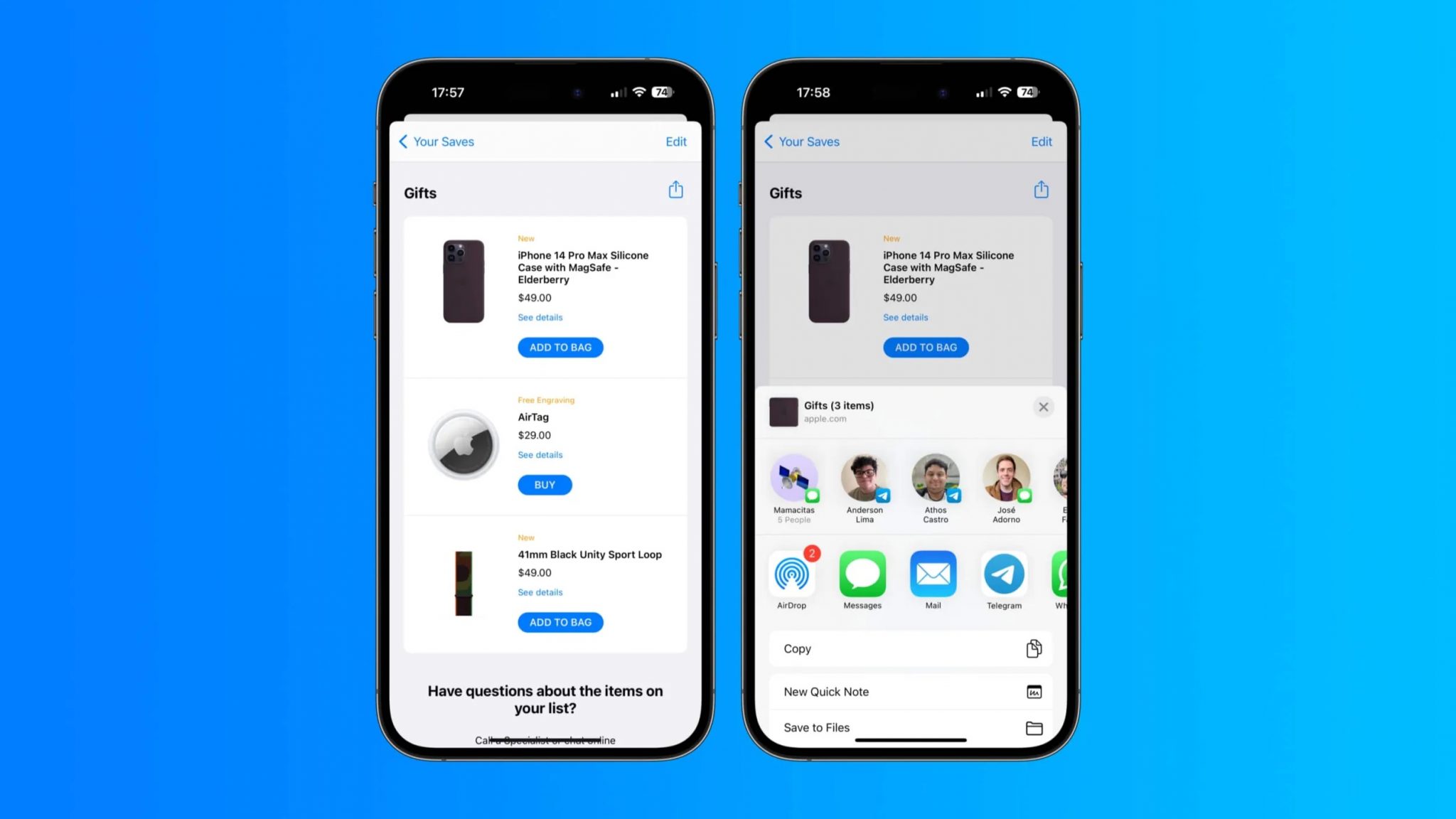
Apple has rolled out an update for its Apple Store app on iOS and iPadOS. The new update brings improved sharing features as well as better discoverability.
One of the notable changes is that the new Apple Store app brings is changes to the saved lists. While users have always been able to save products that they want to purchase in a list, you can now share those lists with other people as well. Apple has also added new ways to explore and manage the lists from various sections within the app.
The app also provides information about physical stores, including store opening hours, available shopping methods. With the new update, the information shown on the store pages has been further improved, providing users with additional information about the store itself and its surroundings.
Here are the full release notes for the newly updated Apple Store app for iPhone and iPad:
Easily share lists of saved items with your friends and family.
Access and continue shopping your saved items in more places throughout the app.
View more details about our Apple Store locations and their surroundings.
You can download the Apple Store app from the App Store for iPhone and iPad.
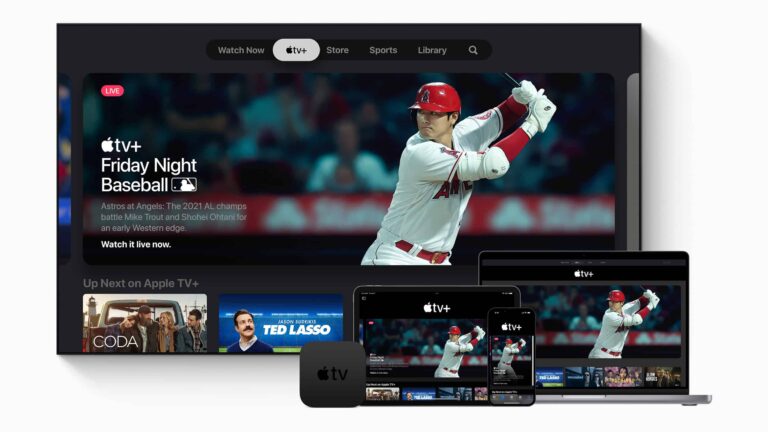
Apple has just unveiled the first half of the schedule for this year’s ‘Friday Night Baseball’. These games will be included for free with your Apple TV+ subscription, which is $6.99 per month.
There are some powerhouse matchups in the first half of the season that Apple TV+ will get exclusivity for. That includes the Houston Astros heading to Truist Park to take on the Atlanta Braves on April 21. As well as the San Diego Padres heading to the Bronx to take on the New York Yankees on May 26.
Here’s the full schedule from April through June. The second half of the season will likely be announced in a few months.
April 7: Rangers at Cubs; Padres at Braves
April 14: Giants at Tigers; Angels at Red Sox
April 21: Blue Jays at Yankees; Astros at Braves
April 28: Phillies at Astros; Cardinals at Dodgers
May 5: White Sox at Reds; Twins at Guardians
May 12: Royals at Brewers; Cubs at Twins
May 19: Orioles at Blue Jays; Mariners at Braves
May 26: Padres at Yankees; White Sox at Tigers
June 2: Brewers at Reds; Guardians at Twins
June 9: Royals at Orioles; Mariners at Angels
June 16: Pirates at Brewers; White Sox at Mariners
June 23: Pirates at Marlines; Mets at Phillies
June 30: Brewers at Pirates; Diamondbacks at Angels
The majority of these games are going to be airing simultaneously, though some will be double-headers.
These games will only be on Apple TV+
As mentioned, these games are going to be exclusive to Apple TV+. Meaning that you won’t be able to watch these on your local RSN. These are going to be national games, on Apple TV+. If you haven’t signed up for AppleTV+ yet, you can do so here. And also find out more about Apple TV+ here.
Apple TV+ is a pretty good streaming service. Apple is focusing on quality TV shows and movies, versus the quantity that Netflix has been doing. So the library isn’t quite as large as Netflix, or even close, but almost every title it has, has been a hit.
It’s no secret that Google pays Apple approximately $15 billion each year to be the default search engine on Apple devices, a relationship that authorities have criticized for some time. However, a new report from The Register has shed light on a previously unknown financial arrangement between the two companies. The report claims that on top of the $15 billion that Google pays, Apple also receives a percentage of Google Chrome search revenue on iOS in return for Google staying the default search engine.
While the exact nature of the benefits is still unknown, this report has raised eyebrows among regulators and sparked a lawsuit against the two tech giants. The suit, filed in the United States District Court for the Northern District of California Oakland Division, claims that Apple and Google violated sections 1 and 2 of the U.S. Sherman Antitrust Act by agreeing not to compete in the search business, thus eliminating the possibility of Apple being a competitor to Google.
Moreover, the suit questions Apple’s agreement to include Google Chrome as the initial search engine on all Apple devices as it gave “Google a substantial and unfair anti-competitive advantage over other search providers, actual and potential, including Yahoo!, DuckDuckGo, Bing, and others.”
Financial agreements between top executives
The lawsuit also alleges that Steve Jobs, then-CEO of Apple, and Eric Schmidt, former CEO of Google, had financial agreements to suppress and eliminate potential search providers that Google did not favor and that both companies negotiated these agreements regularly. The filing states that this agreement “substantially, adversely, and anti-competitively affected” the prices, production, innovation, and quality of the search business.
Although Google is seeking to dismiss the case, the report has piqued the interest of the UK’s Competition and Markets Authority (CMA), which was already investigating the financial relationship between the two companies. It remains unclear how this case will unfold, but it is apparent that the financial arrangement between Google and Apple has raised concerns among regulators and could have significant implications for the search market and the tech industry as a whole, potentially leading to significant changes.
Car makers Hyundai and Kia have rolled out an emergency update for multiple car models, addressing an actively exploited vulnerability. The vulnerability has been under attack for a few months, triggering a rise in car theft incidents. Therefore, users must update their car firmware immediately to avoid any mishaps.
Hyundai, Kia Rolled Out An Emergency Patch
According to a recent press release, the automakers Hyundai and Kia have released an emergency patch for a serious vulnerability under attack. Exploiting the flaw allows attackers to steal target vehicles using a USB cord.
The attack involves using a USB cord to hot wire older car models (2010-2021) that use mechanical keys. After its discovery, the unidentified discoverers quickly transformed it into a viral craze. Eventually, this car hacking trick emerged as a TikTok challenge in 2022, resulting in a surge in car thefts.
According to the reports, most thieves included youngsters, who took only a few seconds to steal a vulnerable car.
While the matter remained unaddressed for several months, the makers of the vulnerable car models, Hyundai and Kia, have now released a patch.
According to a press release from the National Highway Traffic Safety Administration (NHTSA), United States Department of Transportation, both automakers will provide the anti-theft software to car owners free of cost. Moreover, Hyundai will also provide relevant stickers indicating the cars’ equipment with anti-theft protection to fend off thieves.
In a separate press release, Hyundai shared the list of vulnerable car models, including over 4 million vehicles. From these, the software update will first roll out for the over 1 million vehicles belonging to the following models in February 2023.
2017-2020 Elantra
2015-2019 Sonata
2020-2021 Venue
Whereas the following models will receive the updates by June 2023.
2018-2022 Accent
2011-2016 Elantra
2021-2022 Elantra
2018-2020 Elantra GT
2011-2014 Genesis Coupe
2018-2022 Kona
2020-2021 Palisade
2013-2018 Santa Fe Sport
2013-2022 Santa Fe
2019 Santa Fe XL
2011-2014 Sonata
2011-2022 Tucson
2012-2017, 2019-2021 Veloster
While NHTSA has confirmed updates from KIA as well, the carmaker hasn’t made an official announcement yet.
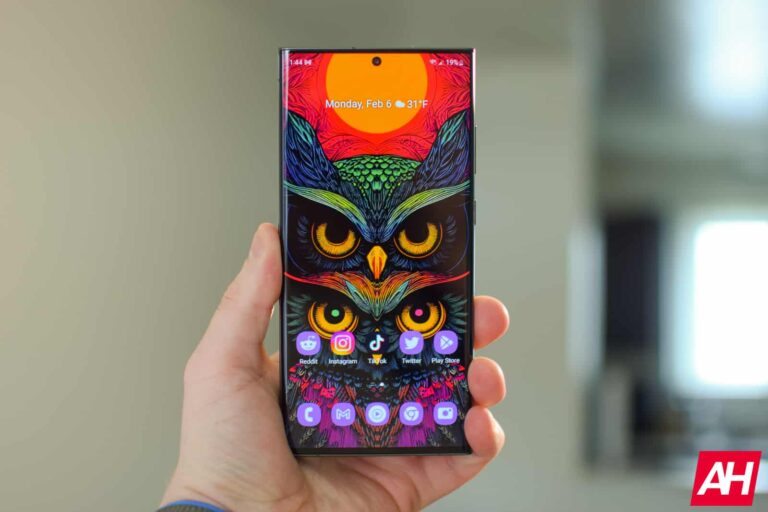
Samsung has responded to reports that the Galaxy S23 Ultra has a screen defect. The company has rubbished the claims saying that what people are calling a manufacturing defect is a protection layer on the display. The phone is perfectly fine. There’s no reason for buyers to worry.
Samsung launched the Galaxy S23 series on February 1 and immediately started taking pre-orders for the devices. The new Galaxy flagships started reaching their first customers last week amid positive word of mouth from reviewers.
But some early buyers of the Galaxy S23 Ultra noticed some sort of bubble or deformity on the screen. The deformity appeared either on the bottom left or right corner of the display and can be seen under direct light. For some, it was present on both sides.
Soon, online platforms like Reddit, Twitter, and Samsung’s own community forums were full of complaints from Galaxy S23 Ultra users. Many said they returned the phone and asked for a replacement unit. Some people noticed that every unit in their nearby retail stores had the same display “defect”.
The situation became very alarming for prospective Galaxy S23 Ultra buyers. After all, we were talking about an ultra-expensive Samsung smartphone costing $1,200 and more.
This turns out to be a false alarm, according to the company. The Galaxy S23 Ultra has no screen defect, Samsung confirmed. Responding to a user complaint on Twitter, the company said that the phone has “several laminated layers of window glass” on top of the display. These layers are pressed firmly to ensure waterproofing and dust proofing.
This pressing process may sometimes make the laminated layer appear “squashed” under direct light. But there’s nothing to be worried about. “This is not a product defect. Everything is fine with your phone,” Samsung’s customer service said.
This screen “defect” is not new to the Galaxy S23 Ultra
It may have become more apparent this time around, but these “deformities” are not new to Samsung phones. The Galaxy S22 series had similar bubbles or lines on the display last year. Earlier Galaxy flagships likely had those too.
The Korean firm has a dedicated support document explaining the issue. The document, which was published last year, says that the lines may appear due to the refraction of light.
More importantly, they don’t affect the functionality of the phone or the display. If you notice anything as such on your brand-new Galaxy S23 Ultra, you can simply ignore it and keep using the device.
If you shine a strong light on the display, some parts may appear to be squashed/pressed, this happens because of the pressing process for waterproofing and dustproofing. This is not a product defect. Everything is fine with your phone. ^DT 2/2