YouTube has recently begun encoding its videos using the AV1 codec, which promises significant improvements in video quality, especially at lower bitrates. In simpler terms, you’ll be able to stream higher-quality videos without using up as much data.
As reported by Android Police, this is a welcome change for users on mobile data plans, where data usage can be a major concern. However, there’s a potential downside to the switch to AV1. Because AV1 is a more complex codec than the ones that YouTube has traditionally used, it requires more processing power to decode. This could lead to increased battery drain for some users, especially those with older devices that lack hardware decoding for AV1.
Google confirms that Android is switching to @videolan‘s libdav1d decoder for AV1 video playback!
I first reported back in February that Google plans to roll out a Play System Update that enables libdav1d as Android’s default AV1 software decoder. Yesterday, Arif Dikici,… pic.twitter.com/m0m2W20GZC
It’s important to note that Google isn’t the first company to embrace AV1. Streaming giant Netflix has also been using AV1 for its Android app for some time now. So, the switch to AV1 is part of a larger trend in the video streaming industry.So, what does this mean for you, the average YouTube viewer? Well, the good news is that you’ll likely be able to enjoy higher-quality videos without eating into your data plan as quickly. However, if you have an older device, you might see a bit of a hit on your battery life.
If you’re concerned about battery life, there are a few things you can do. First, you can try reducing the playback quality of YouTube videos. This will reduce the amount of data that needs to be decoded, which can help to improve battery life. You can also try closing any other apps that you’re not using, as this can help to free up processing power and improve battery life.
However, should you have a newer Android device with Android 12 and newer, the YouTuber switch to AV1 should be a positive change for you. You will experience significant improvements in video quality, especially if using a mobile plan, even if there is a potential for increased battery drain.
Previously, Google Drive’s search was working fine, but it could be hit or miss depending on the search. However, Google has overhauled the system to make finding your files much smoother. These updates focus on two areas in particular.
First, you can now search for specific file types directly within the search bar. This means instead of just hoping for the best when typing in a document name, you can narrow it down by adding “.pdf” or “.docx” to your search terms. This is very handy if you know exactly what you’re looking for and will likely speed up your search.
The second major change as part of this update is that Google Drive search will now take into account the actual content of your files, live as you search. Now, alongside matching file names and folders, it’ll pick up on keywords within your documents or spreadsheets, showing you relevant query filters as you type your query,
Google originally rolled this feature out to iOS users in March, and now it’s making its way to Android, thus now including a large part of the app’s user base. If you’re an Android user, the update should hit your device soon, as it is already rolling out for both Rapid and Scheduled Release domains. Although it is a feature technically released for Google Workspace customers, this enhancement is available to everyone who uses Google Drive – whether you have a Google Workspace account or a free personal Google account.
It’s really important to know more information about your phone. Sure, you know information about the software version, storage, RAM, Etc. However, it’s also important to know how long many of your phone’s hardware components will last over time. Many iPhone users have the ability to know their device’s battery health, and how much it deteriorates over time. Well, Android 15 will allow you to know the health of your storage chips.
In case you don’t know this, nothing lasts forever. As any avid watcher of Michael Fisher’s “When Phones Were Fun” YouTube series should know, phones that are 20+ years old are literally deteriorating.
Components like memory chips break down over time, and many people don’t really realize this. Well, this is something that is important to know. There are people who, against recommendations, keep their phones well past their software support. Well, it’s important for them to know how long they have until their components start to break down.
Android 15 will let you know the health of your storage chip
So, phones being released today don’t really have to worry about the health of their storage chips. There are decades-old phones that still function properly. However, software support for phones is getting better. Nowadays, Android phones are coming out with seven years of software updates. So, it’s important to know how your storage chips are faring over time.
As discovered by Android engineer Mishaal Rahman, it appears that Android 15 will allow you to do this. According to the report, Google is working on bringing a new device Diagnostics app. This app may display information like the battery’s health. Android phones used to display battery health, but that functionality was taken away back in March with the Android 14 QPR2 update.
Well, it appears that Google has other plans. It looks like the Device Diagnostics app will utilize a new storage lifetime API in Android 15. This means that it will be able to show the overall health of your storage chip using a classic percentage. So, when you first get your phone, it will be at 100%.
This means that the storage will be in full health. However, over time, the number will get lower as the memory chip starts to wear. We’re pretty sure that this number will get lower at a slower rate than the battery health percentage.
At this point, there’s no telling just which devices will be supported. Obviously, the latest and greatest Pixel phones will. However, more information about the compatibility will come out over time.
LastPass users on Android and other platforms are targets of a phishing campaign combining fake customer service calls with cleverly designed emails featuring the company’s branding to steal their master passwords. This multi-layered attack exploits social engineering tactics to trick victims into handing over the keys to their password vault, potentially compromising all their online accounts.
The phishing scheme, recently disclosed by LastPass, leverages a notorious phishing kit known as CryptoChameleon. This kit allows cybercriminals to easily create fake login pages that mimic legitimate services, like LastPass, in a deceptive attempt to steal login credentials.
From deceptive phone calls to fake emails
The attack unfolds in a series of calculated steps designed to create panic and pressure victims into making rash decisions. The initial act involves a phone call, supposedly from LastPass support. The caller informs the victim that their account has been accessed from an unrecognized device. To heighten the sense of urgency, the caller instructs the victim to press a specific number on their phone keypad. This is to either allow or block the supposed unauthorized access.
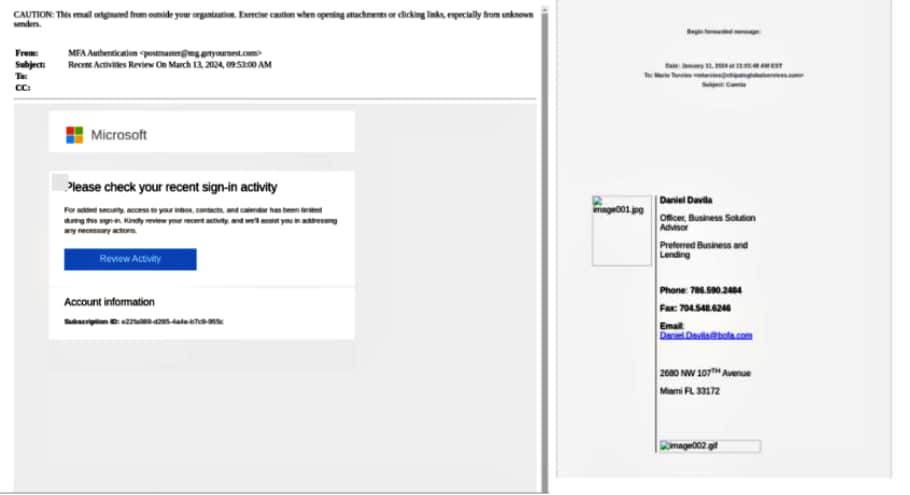
You can choose to block the access. But the charade continues with the caller promising a follow-up call from a “customer representative” to resolve the issue. This second call, however, comes from a spoofed number, masking the true identity of the attacker. Posing as a legitimate LastPass employee, the scammer then sends a seemingly official email containing a link to “reset” your account. The urgency created by the phone calls, coupled with the official-looking email, can easily trick even savvy users into believing their account is genuinely compromised. Clicking on the link in the email leads the victim to a cleverly designed phishing website – a near-perfect replica complete with the LastPass branding and login page. Unaware of the deception, the victim may enter their master password in an attempt to regain control of their account.
LastPass phishing email
Once the master password is entered on the fake login page, the attacker gains full access to the victim’s LastPass vault. This grants them the ability to not only steal all the stored usernames and passwords. But also potentially change critical account information such as email addresses and phone numbers. With this level of access, attackers can hijack the victim’s online accounts, wreak financial havoc, and even impersonate the victim to target their social circles.
LastPass is not the only CryptoChameleon victim
CryptoChameleon has been used to target a wider range of online services beyond LastPass. Security researchers at Lookout discovered that phishing campaigns using the kit impersonated popular platforms like Binance and Coinbase. Not even social media giants like X and Facebook are spared. This indicates a broader campaign by cybercriminals aiming to steal login credentials across various online services.
LastPass, upon discovering the phishing campaign targeting its users, took swift action to mitigate the damage. The company has taken down the fraudulent website used by the attackers to steal credentials. Additionally, LastPass is actively informing its user base about the phishing scheme, urging them to be wary of suspicious calls, texts, and emails, including those with the company’s official branding.
The shadow of past breaches looms large
The recent phishing campaign targeting LastPass users comes at a particularly sensitive time for the password management company. LastPass acknowledged facing a data security incident in 2022, where hackers gained access to portions of its customer data. Sure, LastPass claimed that the master passwords remained secure. However, this prior breach has undoubtedly eroded user trust and heightened anxieties surrounding the safety of their passwords.
To stay safe, LastPass is emphasizing a crucial point. Legitimate customer support representatives will never ask for your master password. If you receive a call, text, or email claiming to be from LastPass and urging immediate action, especially one involving your master password, it’s a red flag. Do not click on any links. Also, hang up the phone immediately, and report the suspicious communication directly to LastPass at [email protected].
Remember, your master password is the cornerstone of your online security. You must remain vigilant and adopt a healthy dose of skepticism towards unsolicited communication. This way, you can significantly reduce the risk of falling victim to these cunning phishing attempts.
After the Chinese government’s intervention, Apple has recently removed Meta-owned WhatsApp and Threads from its App Store in the country. Well, it isn’t something new, or haven’t heard of. Previously, the Cupertino giant had to remove multiple apps from the Chinese App Store. However, it is the first instance where Apple de-listed two major social media apps.
The Chinese government ordered Apple to remove messaging apps like WhatsApp, Threads, and more
While China provides no concrete statement on the matter, a concerned person has briefed the possible reason behind the same. Apparently, Chinese officials found a few ‘inflammatory’ content on WhatsApp and Threads related to the country’s president, Xi Jinping.
Although it’s still unclear what exactly was there in the content that made the official take such a decision. But, whatever it was, it is said to have violated China’s cybersecurity laws. They believed the apps posed some sort of national security concern. The Wall Street Journal in its recent report mentions that Apple had to oblige with the Chinese government directives even if “it disagrees.”
In addition, China has also directed Apple to remove many other global messaging apps. This includes the popular US-based and Dubai-based chat apps Signal and Telegram, respectively.
Apple never had a choice to oppose the removal of WhatsApp and Threads given that its entire supply chain of iPhone could take a big toll if it chooses that path. Although the company has set up several manufacturing plants across the globe, it could take years for it to match the supply it gets from China.
China’s move to remove WhatsApp and Telegram is another effort to ensure what citizens can see online. The recent action has sparked the fire yet again to the ongoing tech war between the US and China. Let’s not forget that this could be China’s other way of replying to the US government’s decision to sanction Chinese semiconductor firms.
Google Messages could soon get Parental Controls. Conversations inside the app may require an adult’s permission to go through, and perhaps even to be opened or viewed.
Google Messages app’s beta version has Parental Controls
Google Messages has been evolving quickly. The iMessage rival could soon offer parents more supervisory power and the ability to restrict messages.
X (formerly Twitter) user AssembleDebugdiscovered the new feature. The user even managed to activate the Parental Control feature that is hidden inside a beta version of the Google Messages app.
It appears the Parental Control feature was present in quite a few previous versions of the Google Messages app. However, for some reason, Google kept this feature hidden and deactivated.
Google Messages preparing stricter parental control options which will allow parents to restrict their kids/teens from viewing and sending messages.
AssembleDebug managed to activate Parental Control within version 20240416_00_RC01 of the Google Messages app. Some experimental flags, not available to general users, had to be triggered for Parental Controls to be visible and valuable.
The Google Messages app is a complete replacement for traditional SMS/MMS messaging platforms for Android smartphones. Google has been reminding Android smartphone users to install and switch over to the Google Messages app.
How does the Parental Control feature work?
As the above Tweet indicates, Parental Controls in the Google Messages app activate “Ask your parent for approval” and “To send, ask your parent for approval” for some message threads.
These notifications imply children will need permission from an adult to operate the app. Without approval, a child or teen won’t be able to send or receive messages within that particular conversation thread. The setting may even restrict viewing messages from certain contacts or groups.
Given the scope of the Google Messages app, it is quite likely that these settings would apply to RCS (Rich Communication Services) and traditional SMS/MMS messaging.
It is not immediately clear how children would seek a parent’s approval. Some reports suggest this new feature may be managed by the Family Link app or a web interface. Parents may have to manage each messaging thread. Adults would be able to exempt certain conversations or change the permission setting for the entire app.
Google Messages may bring the Parental Control feature soon.
With Parental Control, parents would be able to approve, restrict, or even completely block their children’s messaging activities. They would have the ability to restrict conversations on a per-contact or per-conversation basis.
Needless to say, this feature has far-reaching implications. Recently Meta activated a new feature that blurs images with nudity and warns users before sending such messages.
Google seems to have gone multiple steps ahead. The new feature could invariably spark multiple debates about privacy. However, parents may welcome the new feature, especially due to the alarming risks such as sextortion, cyberbullying, and much more.
Looks like big changes are still on the horizon for Google’s Messages app, even after its ongoing big rollout of features that began last year. Recently a developing feature was spotted that would potentially offer parents much more control over their kids’ chats.
This was first brought to light by AssembleDebug (via PiunikaWeb), who managed to force-activate the hidden feature using flags on version 20240416_00_RC01 of the app. In the screenshots shared, we see that instead of a normal conversation list, some chats may be clearly marked with “Ask your parent for approval.”
Credit: PiunikaWeb
This means kids and teens won’t be able to message those contacts without their parent’s say-so. And if you try to open one of these restricted conversations, the message is even clearer: “To send, ask your parent for approval.”
If I had to guess, I would say that these new parental controls will be part of the Google Family Link app, where parents usually manage permissions for what minors can or cannot do on their devices. Currently, Family Link has content restrictions in place for general settings and certain apps, such as Google Play and YouTube, but none exist at the moment for Google Messages. It is possible that this will change once these restrictions are rolled out.
The implications with this change would include parents how having the power to give the thumbs up, set limits, or outright block kids’ messaging on a case-by-case basis. Depending on your use-case, this may be a good thing if not, to make sure your children aren’t being targeted and contacted by strangers.
Naturally, this level of control raises important questions about privacy versus protection within families. Yet, given the dangers kids face online, from cyberbullying to worse, many parents will no doubt be relieved to have these powerful new safeguarding tools within the Google Messages app.
Well, there’s no denying it now. The upcoming Pixel 9 phones will resemble Bender from Futurama. After covering numerous leaks, viewing renders, and following word of mouth, we finally have some alleged live images of the Pixel 9 Pro, and they seem to confirm the new and very interesting design.
While these are live images of the phone, you’ll still want to take this news with a grain of salt. These images do look legitimate, but we cannot confirm with 100% accuracy that these are of the Pixel 9 Pro. So, while these do look convincing, it’s always best to wait for Google to officially confirm the information before making judgments.
Alleged live images of the Pixel 9 Pro surface
The most notable thing about the Pixel 9 leaks is a new design for the camera bump. When we first got news about the Pixel 9, we saw that the camera bump could potentially be a large pill-shaped protrusion on the back of the phone. This contrasts the full-length camera visor that we’ve seen starting with the Pixel 6 series of phones.
The live images come to us from Rozetked, and they show us what seems to be the Pixel 9 Pro. One thing adding to the legitimacy of these leaks is something that they don’t really bring attention to. The reflection in the first image shows what looks to be some sort of factory or warehouse location.
In the same image, we see information about the phone through the fast boot mode info screen. It reveals information like the RAM (16GB of LPDDR5 RAM) and storage (128GB). So, this may confirm that this phone will come with 16GB of RAM.
Now, on to the design
The next image looks a little bit weird, but that’s because it was crudely photoshopped. In any case, we see the Bender-style camera bump. It’s significant enough to cast a pretty notable shadow, and the edges of it look rather sharp. That’s one of the reasons why people have been cautious about this device.
Within the camera bump, we see three sensors. Next to them, we see the LED flash and what looks like the next generation of the temperature sensor right under it. If so, then it seems that Google has more faith in this feature that was lauded as a gimmick when it first came out.
Looking at the back plate, we see that it’s matte glass. Even in the deplorable lighting, the color does look nice.
Flat sides
The sides of the phone will look flatter compared to previous Pixel phones. This is what people are calling “iPhone-esque” sides. In all honesty, if you replace the Bender-style camera package with an iPhone-style camera Island, it would pretty much be distinguishable from a current iPhone. However, Apple did not invent the flat sides.
One thing about the form of the phone is that it’s very rounded. The edges round off to meet the front and back of the phone. It almost gives the device a less refined look compared to the iPhone and Galaxy S24/S24+. However, this is just by looking at the images provided.
The side view of the phone gives us a look at just how far the camera package will extend from the phone. Honestly, this does not look like it will be subtle at all. So, people looking for a paper-thin device may have to look elsewhere.
Other than that, we see the typical slew of features such as the speaker cut-out, USB-C Port, and SIM tray on the bottom. The top of the phone houses a microphone and a pill-shaped cut-out.
Other information about the Pixel 9 phones
We’ve been covering a ton of rumors surrounding Google’s next flagship phones, and they get pretty wild. Firstly, it appears that Google will revive the XL model of its phones by bringing in a Pixel 9 Pro XL model. So, as it stands, we could be looking at a Pixel 9, Pixel 9 Pro, and Pixel 9 Pro XL.
If that’s the case, then the Pixel 9 Pro may not be much bigger than the Pixel 9. This would give people all the functionality of the more powerful Pixel phone while providing a more manageable form factor. That may be a good idea.
Also, there’s a chance that Google could release its next foldable under the Pixel 9 name. According to recent reports, Google may call it the Pixel 9 Pro Fold. If that happens, then we may be looking at four Pixel 9 models launching.
Is Google hiding Tuta Mail from search results? Here’s the controversy surrounding Tuta Mail’s search ranking and dig deeper into the potential violation of Europe’s DMA. Learn about algorithmic bias, the importance of search transparency, and how users can navigate a potentially unfair digital marketplace.
For many users seeking privacy-focused email solutions, the popular open-source encrypted email service Tuta Mail (previously Tutanota) is a great alternative to mainstream providers. However, the company recently raised concerns about its visibility in Google search results.
Tuta Mail Being De-ranked on Google?
Hanover, Germany-based Tuta Mail, the world’s second-largest secure email service provider, isn’t appearing on Google for search terms like “encrypted email” or “secure email”. Moreover, a dramatic drop in search ranking for “Tutanota login” is observed, suggesting a potential violation of the European Digital Markets Act (DMA).
What happens when Tutanota login is typed in Google (Screenshot: Hackread.com)
According to Tuta Mail’s blog, its users in Germany cannot view Tuta’s website as the first result but only on their Android app on Google Play. It may have severe implications for Tuta’s business, despite being a Google-specific issue, because on other search engines, like Bing or DuckDuckGo, there’s no such issue. This lack of search visibility for relevant keywords can hinder Tuta’s ability to compete in the email service market and put them at a disadvantage.
Why Might Google Be De-ranking Tuta Mail?
Tuta Mail’s lower ranking in Google search results could be due to various factors, including relevance, algorithmic bias, and technical issues. Google’s search algorithms prioritize user experience, and other email service providers may have higher relevance scores. Technical glitches or indexing problems can cause temporary website disappearance from search results, but this is highly unlikely for an established service like Tuta Mail. It is a complex issue and Google must address it to ensure transparency and user awareness.
What’s more concerning is that it violates the DMA, which promotes fair competition for privacy-conscious companies. The DMA being a new regulation, is evolving its enforcement of search engine practices. If Tuta Mail has evidence of Google manipulating search results, they could file a complaint.
Not the First Time for Tuta:
Tuta Mail has been facing blockages from multiple sides. In 2022, Hackread.com reported Microsoft blocking Tutanota/Tuta Mail email addresses from registering for Microsoft Teams accounts, despite the service having over 2 million registered users.
Russia also blocked Tuta in certain parts of the country in February 2020 without notifying the team about the reason whereas the service has been blocked in Egypt since October 2019.
In a comment to Hackread.com, Matthias Pfau, co-founder of Tuta Mail, criticized Google’s monopoly over search engine results, specifically its impact on determining what to show and what not to show.
“This issue is limited to Google only. But due to Google’s search dominance in Europe and North America, the drop we see in search results directly affects our business: When potential users are not able to find our website on Google, it means we lose business. Google must stop this unfair limitation of showing our website in search results immediately. We have tried to contact Google directly, but since this did not work, we have to make the issue public.”
Amazon is currently discounting a pretty popular USB-C cable from Sabrent, where you can pick up the 1-meter/3.3-foot long cable for just $9.93.
Currently, it’s listed for $11.69 on Amazon, but if you use the promo code 154WU43B at checkout, you can drop that price down to $9.93. That’s not a bad price for a braided USB-C cable, but it will also show you how fast it is charging.
That’s right, this USB-C cable has a display on one end, which will show you the charging speed it is currently charging at. It’s pretty useful to have, as you can see when the power starts flowing and also if the cable is charging as fast as it should be.
Of course, with this being a braided cable, it is going to be more durable than a lot of other cables on the market. Meaning it can handle pets and kids chewing and bending the cable, without it getting destroyed and needing to be replaced.
This Sabrent USB-C cable is capable of holding up to 100W charging speeds, which is fast enough for most products. Seeing as there are very few that charge at over 100W right now. It also works well for transferring data, with speeds up to 480Mbps.
You can pick up the Sabrent USB-C cable today at the link below.