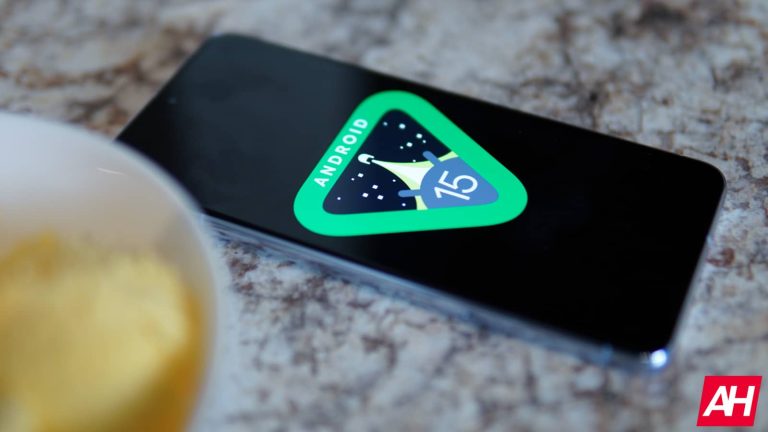
Android 15 could add adaptive screen timeout to save battery

0
[ad_1]

Android 15 may add a new option for screen timeout settings. Code strings spotted in the second Developer Preview (DP2) released last month hint at an “adaptive timeout” setting that automatically turns off the screen when the device is not in use. The feature isn’t live on DP2 but Google could add it to the next build.

Android 15 may automatically turn off the screen when not in use

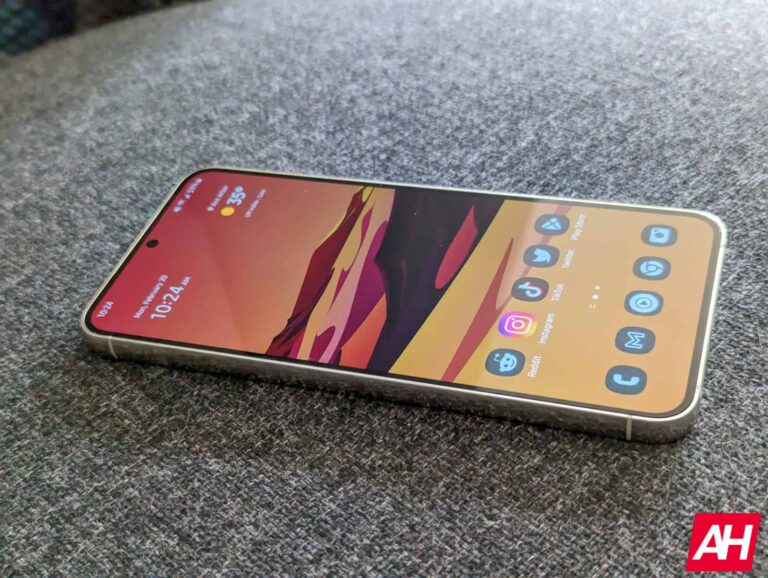
Android OS offers several options for screen timeout settings. By default, the screen is turned off after 30 seconds of inactivity and the device is locked five seconds later. Depending on the device, you can set screen timeout to as high as 30 minutes of inactivity, with a lower limit of just 15 seconds. Some OEMs also offer the ability to customize how long the device stays unlocked after the screen goes off.

Additionally, you get a toggle to keep the screen on as long as you are looking at it, even beyond your existing timeout duration without any activity. The feature uses your phone’s front camera to detect if you are staring at the screen. The new “adaptive timeout” feature will seemingly work the other way around. It will check whether someone is looking at the screen; if not, it will turn off the screen.

Spotted by Android expert Mishaal Rahman, the new setting “automatically turns off your screen early if you’re not using your device.” Say, you have set the screen timeout at two minutes. Currently, the screen will remain on for two minutes even when not in use. This unnecessarily drains the battery. Google aims to address this issue with the new feature. It automatically turns off the screen when you aren’t using it.

The strings and descriptions spotted in Android 15 DP2 don’t detail how Google plans to detect whether someone is looking at the screen. It will likely use the front camera or other sensors on the device to determine that. The feature is currently in development. More details may be available in due course. The first public beta build of Android 15 is scheduled to arrive sometime this month.

Android 15’s adaptive screen timeout may be Pixel-exclusive

These code strings were found in the settings app of Android 15 DP2 and belong to “classes under the com.google.* namespace.” This suggests Google won’t make the adaptive timeout feature part of the open-source version of Android (AOSP). Instead, it could keep the feature exclusive to Pixel devices. Screen attention also isn’t available in AOSP out of the box, so that makes sense. Stay tuned for more on Android 15.


[ad_2]
Source link

Progress Flowmon Vulnerability Let Attackers Inject Malicious Code

0
[ad_1]

A new critical vulnerability has been discovered in Progress Flowmon, assigned with CVE-2024-2389.

Progress Flowmon is a Cloud Application Performance monitoring solution that can help analyze network and application traffic.

Moreover, it can also be used for several purposes, such as Troubleshooting, network visibility, bandwidth monitoring, attack evidence and analysis, network capacity planning, and many others.

Last year, the progress software’s MOVEit Vulnerability was exploited widely by CL0P Ransomware Group.

Document
Run Free ThreatScan on Your Mailbox

Trustifi’s Advanced threat protection prevents the widest spectrum of sophisticated attacks before they reach a user’s mailbox. Try Trustifi Free Threat Scan with Sophisticated AI-Powered Email Protection .

However, this new vulnerability has been patched and a security advisory has also been released for addressing this vulnerability.

According to the advisory, the existence of this vulnerability has been confirmed in Flowmon versions v11.x and v12.x.

This vulnerability could allow an unauthenticated remote threat actor to gain access to the web interface of flowmon.

Once this access has been gained, the threat actor can then issue a specially crafted API command that will let the attacker execute arbitrary system commands without any authentication.

The severity for this vulnerability has been given a maximum of 10.0 (Critical).

Furthermore, this vulnerability also affects all the platforms of Flowmon versions 11.x and 12.x. Nevertheless, it has been confirmed that versions prior to 11.0 are not affected by this vulnerability.

However, there has been no evidence of threat actors exploiting this vulnerability in the wild.

Progress has immediately acted upon this vulnerability and has released the patched versions of Flowmon 12.3.5 and Flowmon 11.1.4.

In order to upgrade these versions, users can use the automatic package download feature on their Flowmon appliance or download the releases manually.

It is recommended that users of these product versions upgrade to the latest versions to prevent threat actors from exploiting this vulnerability.

Is Your Network Under Attack? - Read CISO’s Guide to Avoiding the Next Breach - Download Free Guide

[ad_2]
Source link

Samsung is getting ready to build the Galaxy S24 FE

0
[ad_1]

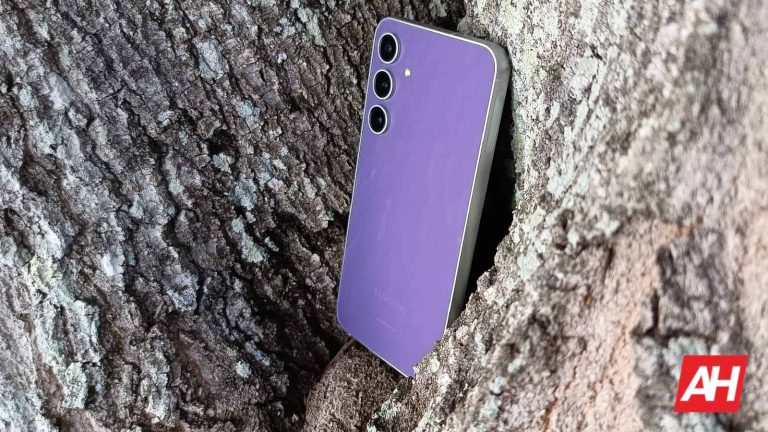
Last year, Samsung released the Stellar Galaxy S23 FE (Review). This is a phone that was able to get a five-star review here at Android Headlines, and it’s still an amazing option today. However, if you’re looking forward to the next generation of Fe devices,  then you’ll be happy to know that Samsung is getting ready to build the Galaxy S24 FE.

At this point, details about this device are very scarce. Firstly, since we’re dealing with early information, it should be taken with a grain of salt. Also, we don’t expect to see this device hit the market For at least another half a year. So, we will be getting more information as time goes on.

Samsung is getting ready to build the Galaxy S24 FE

Right now, the company is starting to put together the blueprint for this phone and gather suppliers for key components. According to the report, Samsung was able to secure a supplier for the display driver ICs (integrated circuits). The company is Korea-based Anapass.

Reports also state that the Galaxy S24 FE will have a rigid OLED display panel. Also, it could employ chip-on-film packaging for the display driver. Regardless of what the company does with the display, it will be a great-looking display. The Galaxy S23 FE has an absolutely beautiful screen, and it lives up to the standard that Samsung has established for its phone displays.

Also, Samsung is no stranger when it comes to working with Anapass, so it’s familiar with using the company’s ICs.

Galaxy S24 FE speculated specs

Right now, we have no information about this phone to go on. However, based on information that we have on past FE phones, there are some assumptions that we can make. Firstly, we can expect this phone to have a modestly sized display that’s similar to the Galaxy S24’s display 6.2-inch. We know that the display is going to be OLED, and we expect it to be the standard 1080p+ resolution.

As for the processor, it seems likely that Samsung will go for the Qualcomm Snapdragon 8 Gen 2 for this phone. Backing that up, we could see 8GB of RAM and up to 256GB of storage.

As far as the design goes, we feel like Samsung will opt for the flatter edges of the S24 rather than the rounded edges of the Galaxy S23. In any case, we expect the Galaxy S24 FE to be a fantastic device and continue the FE brand’s legacy


[ad_2]
Source link

WhatsApp plans to add picture-in-picture option for videos

0
[ad_1]
One of the world’s most popular messaging apps, WhatsApp is getting better and better each month. Meta has been quite consistent when it comes to keeping the app updated.

Aside from the usual improvements and bug fixes, WhatsApp is getting new features every month, while the beta version introduces new features almost on a weekly basis.

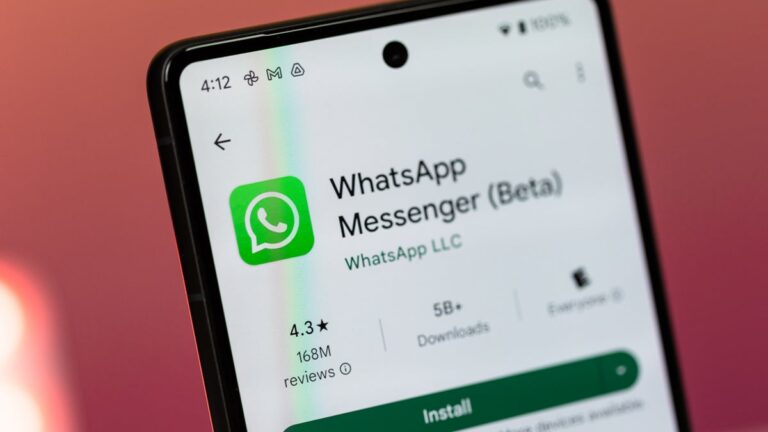
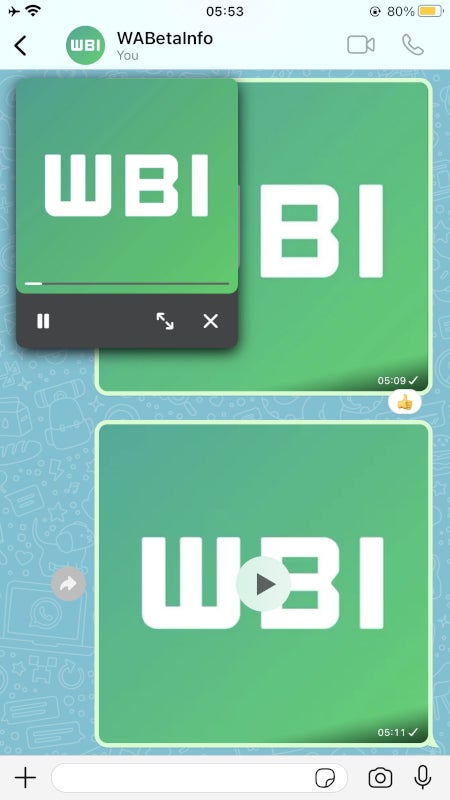
One of the recent updates for the beta version of WhatsApp introduces a very important feature: picture-in-picture mode for videos. The folks over at WABetaInfo have learned that WhatsApp for iOS 24.6.77 features the ability to watch videos while browsing through multiple chats or other parts of the app.

Currently, WhatsApp allows users to take advantage of the picture-in-picture mode, but only when watching YouTube and Instagram videos. The latest beta version of WhatsApp makes it possible to use picture-in-picture even when watching videos shared directly within the app.

According to the report, the improved picture-in-picture feature is limited to watching videos in the app, so it’s not possible to use the mode when switching to another app.

[ad_2]
Source link

Bing Ads Exploited by Hackers to Spread SecTopRAT

0
[ad_1]

Hackers have been exploiting Microsoft Bing’s advertising platform to launch a malvertising campaign that impersonates the reputable VPN service NordVPN.

This sophisticated scheme aims to trick users into downloading a Remote Access Trojan (RAT) known as SecTopRAT, which poses security risks.

The campaign was discovered when users searching for “nord vpn” on Bing were presented with a fraudulent ad.

The ad’s URL featured a domain name, nordivpn[.]xyz, registered only a day before its discovery on April 3, 2024.

The domain’s name, intentionally misspelled, is a tactic to deceive users who may not scrutinize the URL closely.

Clicking on the ad redirects users to another deceptive site, besthord-vpn[.]com, also registered recently.

This site is a near-perfect replica of the legitimate NordVPN website, designed to convince visitors of its authenticity.

Document
Run Free ThreatScan on Your Mailbox

Trustifi’s Advanced threat protection prevents the widest spectrum of sophisticated attacks before they reach a user’s mailbox. Try Trustifi Free Threat Scan with Sophisticated AI-Powered Email Protection .

The Deceptive Download

Unlike the genuine NordVPN, which requires users to sign up, the fake site offers a direct download link for the installer, hosted on Dropbox.

As reported by Malwarebytes, The file named NordVPNSetup.exe is misleadingly digitally signed to appear as if it originates from the official vendor.

However, the signature is fraudulent. The executable contains not only the NordVPN installer but also the SecTopRAT malware.

The malware is designed to inject itself into MSBuild.exe, a legitimate process, and establish a connection to a command and control server located at 45.141.87[.]216 on port 15647.

This traffic pattern is associated with the Arechclient2 Backdoor, another name for SecTopRAT.

Industry Response

Upon discovery, the malicious Bing ad and its associated infrastructure were reported to Microsoft.

Dropbox has taken swift action to remove the malicious download link.

The cybersecurity community, including ThreatDown, is working with industry partners to dismantle this malvertising operation.

Malvertising illustrates the ease with which malware can be distributed using legitimate software.

Threat actors can rapidly deploy infrastructure to evade content filters and target unsuspecting users.

For organizations looking to safeguard against such threats, DNS Filtering is a robust solution.

ThreatDown customers can enable rules to block online ads, significantly reducing the risk of malvertising. This preventative measure can be applied across an organization or tailored to specific areas.

The exploitation of Bing ads to spread malware is a stark reminder of the ever-evolving landscape of cyber threats.

Users must remain vigilant when downloading software and ensure they use official sources.

Organizations should consider implementing additional security measures, such as DNS Filtering, to protect against sophisticated attacks.

Stay updated on Cybersecurity news, Whitepapers, and Infographics. Follow us on LinkedIn & Twitter.


[ad_2]
Source link

Google Discover feed may be causing Galaxy S23 touchscreen issues

0
[ad_1]

For a week now, several Galaxy S23 series users have been reporting touchscreen responsiveness issues. This coincided with the rollout of the One UI 6.1 update, so those affected suspected that it was a bug in the OTA. However, according to Samsung, the origin of the problem would be in the Google Discover feed.

All Android users can access the Google Discover feed if they have it enabled in their launcher. All you need to do is slide from the homescreen to the left until the end. This feed is basically the integration of the Google app directly on your homescreen. However, it could be negatively impacting the user experience of multiple Galaxy S23 owners.

According to reports, the One UI 6.1 update was causing lag, loss of responsiveness (touch getting stuck), and more touchscreen issues. At one point, they thought it was only happening on units with replaced screens. However, reports of affected devices with original screens also emerged.

Samsung blames Google Discover feed for Galaxy S23 touchscreen issues

It seems that the multiple complaints reached Samsung’s ears, and a mod made a post about it on the Korean official support forum. The post states that the situation is due to “compatibility issues with some Google app features (Discover)”. As a potential solution, the mod suggests deleting all data from the Google app, installing the latest app version and restarting the phone.

To delete the Google app data on your Galaxy S23 device, the post suggests doing it as follows:

Run Google Play Store > Search for ‘Google’ app > Update > Settings > Applications > Google > Storage > Delete data

There is a workaround that could help you

That said, if the problem is in the Google Discover feed, there is another potential workaround that could help you. Basically, you can try to completely disable the feed so that it does not appear on your homescreen. You can do it by pressing and holding down a blank zone on your homescreen > sliding right to the Google Discover page > tapping the switch above Google Discover:

It’s noteworthy that both workarounds are temporary. According to Samsung, it is up to Google to fix the compatibility problem in its app. Let’s hope that the solution does not take long to arrive, since there are many users who access the Discover feed daily to read news, get sports results, check financial information, etc. Additionally, there are still other problems apparently related to the update, such as the vanishing fingerprint icon.


[ad_2]
Source link

Multiple Ivanti Connect Secure Flaw Let Attackers Execute Remote Code

0
[ad_1]

Four new vulnerabilities have been discovered in the Ivanti Connect Secure and Policy Secure Gateways. These vulnerabilities were associated with Heap overflow, null pointer dereference, and XML entity Expansion.

These vulnerabilities have been assigned with CVEs CVE-2024-21894, CVE-2024-22052, CVE-2024-22053, and CVE-2024-22023.

These vulnerabilities range in severity from 5.3 (Medium) to 8.2 (High). However, Ivanti has patched them and released a security advisory to address them appropriately. 

It is worth denoting that threat actors previously exploited Ivanti Connect Secure and Policy Secure vulnerabilities in the wild in February 2024.

Document
Run Free ThreatScan on Your Mailbox

Trustifi’s Advanced threat protection prevents the widest spectrum of sophisticated attacks before they reach a user’s mailbox. Try Trustifi Free Threat Scan with Sophisticated AI-Powered Email Protection .

Vulnerability Details

According to the security advisory, these vulnerabilities affect all supported versions of Ivanti Connect Secure and Policy Secure versions 9.x and 22.x.

Nevertheless, Ivanti also specified that there has been no evidence of these vulnerabilities being exploited by threat actors in the wild.

CVE-2024-21894 And CVE-2024-22053: Heap Overflow Vulnerability

These vulnerabilities exist in the Ivanti Connect Secure and Ivanti Policy Secure versions 9.x and 22.x, which could allow an unauthenticated threat actor to send specially crafted requests that could result in a DoS attack. 

These vulnerabilities can also be leveraged in certain cases to execute arbitrary code on the affected products. The severity of these vulnerabilities has been given as 8.2 (High). 

CVE-2024-22052: Null Pointer Dereference Vulnerability

A threat actor can exploit this vulnerability by sending specially crafted requests that could cause the service to crash, thereby performing a Denial-of-Service Attack on the vulnerable device.

The severity of this vulnerability has been given as 7.5 (High).

CVE-2024-22023: XML Entity Expansion Vulnerability

This vulnerability exists in the SAML component of Ivanti Connect Secure and Ivanti Policy Secure version 9.x and 22.x that could allow an unauthenticated threat actor to send a specially crafted request, which could result in causing resource exhaustion and subsequently a limited a Denial of Service attack.

The severity of this vulnerability is given as 5.3 (Medium).

Ivanti has stated that the patches for fixing these vulnerabilities are now available and can be downloaded from the download portal.

Additionally, customers of these Ivanti Products are recommended to immediately secure their products by applying appropriate patches.

Affected Products And Patched versions

ProductsAffected VersionsPatched Versions
Ivanti Connect Secure9.x and 22.x22.1R6.2, 22.2R4.2, 22.3R1.2, 22.4R1.2, 22.4R2.4, 22.5R1.3, 22.5R2.4, 22.6R2.3, 9.1R14.6, 9.1R15.4, 9.1R16.4, 9.1R17.4 and 9.1R18.5.
Ivanti Policy Secure9.x and 22.x22.4R1.2, 22.5R1.3, 22.6R1.2, 9.1R16.4, 9.1R17.4 and 9.1R18.5.

Users of these products are recommended to upgrade to the latest versions to prevent threat actors from exploiting these vulnerabilities.

Is Your Network Under Attack? - Read CISO’s Guide to Avoiding the Next Breach - Download Free Guide

[ad_2]
Source link

Expert RAW update adds Auto ND Filter to Galaxy S23 & Fold 5

0
[ad_1]

Samsung has added a handy new feature to the Expert RAW app for the Galaxy S23 series and Galaxy Z Fold 5. The company has updated the app to add an Auto option for ND Filter. Earlier, you could only manually adjust the strength of the ND Filter feature, with no automatic adjustment.

Samsung brings Auto ND Filter to Galaxy S23 with Expert RAW update

ND Filter, aka Neutral Density Filter, is a feature that reduces the intensity of light entering the camera sensor. Professional photographers use it for better control over exposure and shutter speed, so they can capture a shot the way they want. The feature helps improve the overall quality of the image.

Samsung added a digital ND Filter feature to its Expert RAW app, which offers professional-grade camera features on supported Galaxy devices, with the One UI 6.0 update last year. Users could adjust the strength of the filter across ten different levels. While it was a great addition, the lack of automatic adjustment made it difficult for people to perfect the intensity of the filter, particularly those getting started with the feature.

The company fixed this issue on One UI 6.1, which debuted with the Galaxy S24 series. Last week, it released the new One UI version for the Galaxy S23, Galaxy Z Fold 5, Galaxy Z Flip 5, and Galaxy Tab S9. Samsung said it will soon follow up with an update for Expert RAW to bring an Auto mode for ND Filter to supported devices. As promised, the update is now available on the Galaxy Store (link below).

With Expert RAW version 3.0.05.12, you get a button to switch between Manual and Auto modes for ND Filter. The button appears on the left of the ND Filter slider. When in Auto mode, the strength is adjusted automatically depending on the amount of light coming to the camera sensor. If you manually adjust the slider after the device has selected a filter strength, it automatically switches to Manual mode.

Galaxy S23 Expert RAW update ND Filter Auto

Older Galaxy flagships and foldables don’t support the feature

ND Filter on Expert RAW is only available on the Galaxy S24 series, Galaxy S23 series, and Galaxy Z Fold 5. Samsung says it won’t be available on older flagships due to compatibility issues. The app still offers plenty of additional camera tools on those devices. If you haven’t already updated the app to the latest version, you can download it from the Galaxy Store. If the update isn’t available for you today, wait a few days and check again.


[ad_2]
Source link

WhatsApp Channels to get audio file attachments

0
[ad_1]

WhatsApp Channels could soon have audio file attachments. It is surprising to note that the instant messaging platform took so long to first add the Voice Note feature, and now audio attachments, to this interesting space designed for broadcasting.

WhatsApp is actively testing the ability to share audio attachments on WhatsApp Channels. The feature essentially allows users to share audio files, and broadcast pre-recorded information.

WhatsApp testing audio file attachments in Channels

WhatsApp Channels has been a surprising addition to the instant messaging platform. While group chats are common, WhatsApp Communities allow users to club several group chats in a single place.

WhatsApp Channels offer one-way communication to a large audience. There’s no group structure and no member restrictions. Simply put, WhatsApp Channels are broadcast channels that allow users to send out communication to their followers.

Earlier this year, WhatsApp unlocked the ability to post voice notes and create polls in Channels. Now the platform is reportedly allowing users to add audio files as attachments inside their Channels.

WhatsApp has allowed sending an audio file in a regular chat or group for quite some time. However, Channels may get the feature soon a beta version of WhatsApp revealed. Android Developer AssembleDebug, managed to activate a hidden feature within WhatsApp, which unlocked the ability to add and share voice files inside Channels.

The new feature for Channels works just like sending an audio file in a regular chat or group. Shared music files are represented by a headphone icon, presumably to differentiate them from regular voice notes, which are denoted by a microphone icon.

Will WhatsApp allow other multimedia content?

WhatsApp Channels offer a pathway to broadcast multimedia content. Hence, it is not clear why the messaging platform didn’t allow multimedia content sharing sooner.

One of WhatsApp’s main rivals, Telegram, has some of the biggest channels in the instant messaging space. Telegram has been allowing most content types in these Channels without restrictions. WhatsApp may soon start allowing audio files.

WhatsApp hasn’t confirmed if users would be able to broadcast other multimedia content such as videos. However, considering the very nature and format of Channels, multimedia broadcasts may arrive sooner rather than later.


[ad_2]
Source link

Feds Patching Years-Old SS7 Vulnerability in Phone Networks

0
[ad_1]

The FCC’s Public Safety and Homeland Security Bureau is seeking input on how communication service providers are securing SS7 and Diameter protocols to prevent location-tracking vulnerabilities. 

The protocols are crucial for call routing, network interconnection, and data exchange in mobile and fixed-line networks, as recent security concerns about SS7 potentially enabling unauthorized location tracking of mobile devices prompt the FCC to investigate service providers’ security measures. 

The Diameter protocol, used for authentication and mobility in mobile networks, has vulnerabilities similar to the older SS7 protocol, allowing attackers to spoof their network identity and potentially gain access to user location or other sensitive information. 

To mitigate these risks, recommendations include using firewalls and filters to limit access to user data, collaborating with signaling aggregators for broader network visibility, and encouraging users to adopt encryption technologies. 

Continuous security assessments and information sharing are crucial for detecting and preventing attacks, as well as securing next-generation protocols like Diameter, which is essential for future mobile network security. 

CSRIC VI identified location tracking as a major attack method for SS7 and Diameter vulnerabilities, where attackers can exploit the vulnerabilities to track a target’s general location (city-level) by retrieving a cell ID or serving an MSC /MSS address. 

While not as precise as GPS coordinates, the information can still be valuable for attackers targeting VIPs or government officials, and to mitigate the attacks, CSRIC VI recommends secure domains and security gateways at network boundaries to reduce unauthorized access. 

The FCC has encouraged implementing these recommendations and continues to monitor the industry’s progress, while Senator Wyden recently expressed concerns about these vulnerabilities and urged the FCC to take further action. 

Document
Run Free ThreatScan on Your Mailbox

Trustifi’s Advanced threat protection prevents the widest spectrum of sophisticated attacks before they reach a user’s mailbox. Try Trustifi Free Threat Scan with Sophisticated AI-Powered Email Protection .

The Federal Communications Commission (FCC) is seeking comments on the effectiveness of security measures to prevent unauthorized location tracking using SS7 and Diameter protocols. 

It includes information on incidents where attackers exploited these protocols to track users, the specific vulnerabilities used, and the response taken by communication service providers, as it is also interested in learning about any misuse of leased global titles for location tracking in the US. 

Information on how cell phone providers are securing customer location data transmitted via SS7 and Diameter protocols, as they are interested in specific measures taken to address location tracking vulnerabilities, including adherence to CSRIC recommendations and GSMA best practices. 

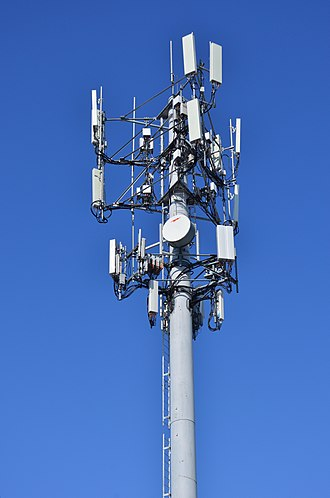
Top of a cellular radio tower

The FCC also wants to understand how providers are preventing location information exploitation during roaming and by companies with leased global titles, as they inquire about challenges faced by providers in implementing security measures and how to gain better visibility into these practices across all service providers.  

It is inviting interested parties to submit comments electronically via ECFS or on paper, where paper filings must be addressed with specific instructions.

Is Your Network Under Attack? – Read CISO’s Guide to Avoiding the Next Breach – Download Free Guide


[ad_2]
Source link