AI music is facing backlash. In an open letter on Medium.com organized by the Artists’ Rights Alliance, over 200 musicians took part including Billie Eilish, Nicki Minaj, Katy Perry, and Frank Sinatra’s estate, raising concerns about AI’s predatory use within the music industry.
AI music backlash is stirring the web as 200+ artists join together to stop AI-driven music
AI adoption devoid of control may be dangerous in music production, as pointed out by the artists in an open letter organized by the Artist Rights Alliance. The musicians warn that if not properly regulated, Artificial Intelligence could lead to a “race to the bottom” and undermine human songwriters and artists’ craft.
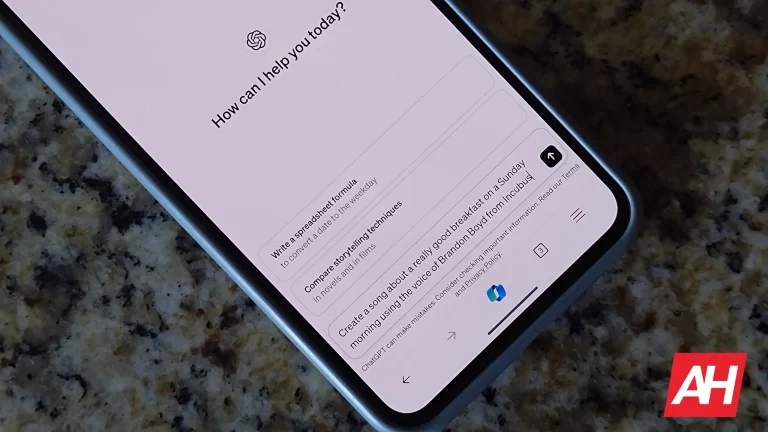
According to BBC, artists are concerned that tech giants like YouTube are experimenting with AI-based tools for creating music because they believe that this might infringe on creative rights and devalue their work. These companies want these organizations to pledge not to create AI that could replace or undermine human creativity or deny fair payment to creators of art.
Taking into consideration such trends Tom Kiehl from UK Music gave unauthorized use of works belonging to musicians as training data for AI “music laundering.” For him, it’s important for artists to give their consent and get proper credit as well as remuneration due to them having contributed to AI systems.
When a song made by AI mimicking Drake and The Weeknd went viral, the question became prominent. Moreover, Drake did not like the song because this was an example of the challenges that musicians face when trying to defend their work against AI-generated products. Sting also insisted on keeping the human touch in music production saying that “the musical building blocks are ours.”
Some artists still support AI, saying it’s a great tool to generate copyright-free tracks
However, there are musicians who support AI in music. For instance, Grimes has encouraged her fans to create tracks with her voice using AI without infringing copyright while offering to share royalties for successful songs created by AI. David Guetta is another musician who supports the use of artificial intelligence tools.
Hence, it can be seen that the arguments concerning artificial intelligence and music have been illusory and must consider moral implications as well as safeguarding artists’ intellectual property rights. Recently BBC has asked Google for its comments on this topic.
Ibis Budget guests were left vulnerable after a security flaw in self-check-in kiosks exposed room access codes. Learn how this major security breach could have impacted travelers and what steps you can take to stay safe.
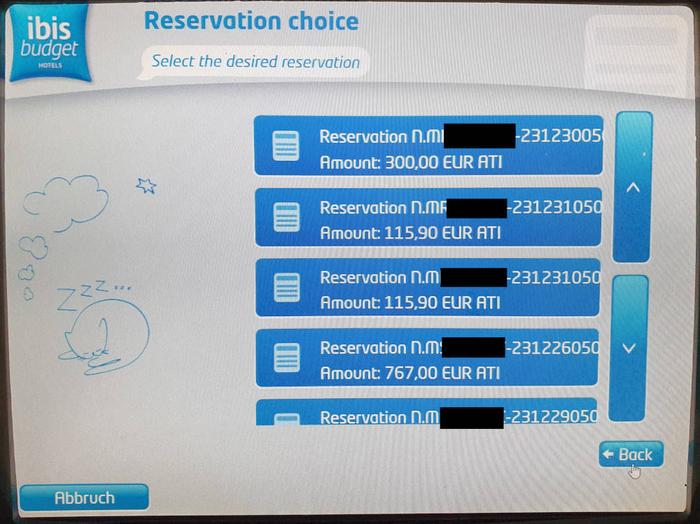
A data security issue at Ibis Budget hotels across Europe raised concerns for guest safety after a vulnerability in their self-check-in kiosks allowed anyone to see room access codes.
The issue came to light in late 2023 when a team of hackers from Swiss firm Pentagrid discovered the flaw in a kiosk at an Ibis Budget hotel in Germany. Their investigation revealed that the kiosks displayed the room access codes on the screen after check-in, potentially compromising the security of any guest who used the kiosk.
While Pentagrid only confirmed the vulnerability in a single German hotel, they believe it likely impacted a wider range of Ibis Budget locations. The budget hotel chain, owned by hospitality giant Accor, boasts over 600 locations across 20 countries.
According to Pentagrid, it promptly notified Accor about the security hole. The hotel group responded swiftly and within a month, a patch was rolled out to address the vulnerability and prevent further exposure of room access codes.
Although a fix is now in place, cybersecurity experts warn that such vulnerabilities can have serious consequences. With access codes exposed, anyone could potentially gain unauthorized entry to a guest’s room, putting them and their belongings at risk.
It is worth mentioning that hotels are a lucrative target for cybercriminals. There have been cases where threat actors infected hotel door lock systems with ransomware, or security researchers identified critical security vulnerabilities in electronic key software used by thousands of hotels worldwide, allowing hackers to unlock hotel rooms.
Watch the Demo Video
Despite the potential severity of the issue, Accor has not yet issued a public statement regarding the vulnerability in their Ibis Budget kiosks. This lack of transparency has raised concerns among security researchers and potential guests.
Nevertheless, security experts advise travellers using Ibis Budget hotels to be cautious and consider alternative check-in methods if available. Additionally, remaining alert about personal belongings and reporting any suspicious activity to hotel staff is crucial.
The Ibis Budget kiosk vulnerability shows the growing importance of cybersecurity in the hospitality industry. As hotels increasingly rely on technology to streamline operations, ensuring vital security measures are in place is vital to protect guests and maintain trust.
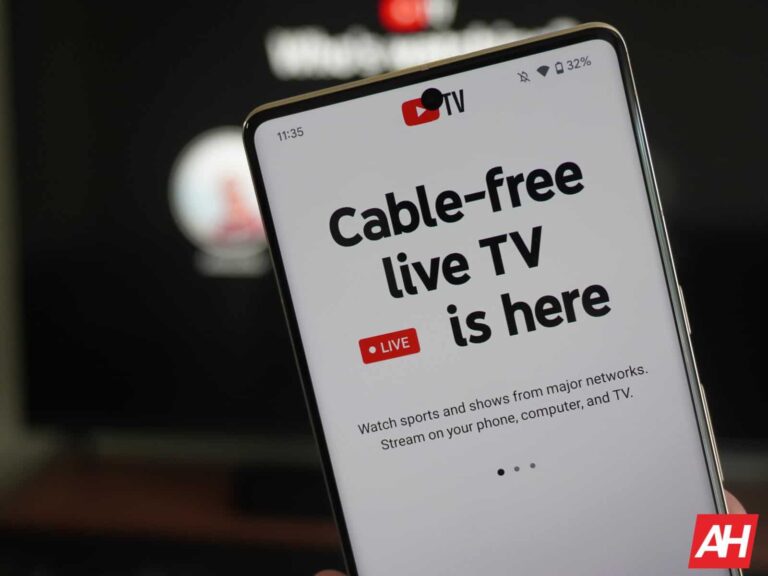
Allegedly in 2026, Google’s YouTube TV will become America’s biggest pay-TV service overtaking rivals like Comcast’s Xfinity TV and Charter’s Spectrum TV as per media analyst Michael Nathanson. He predicts extensive growth for YouTube TV by the end of 2026 with 12.4 million paying subscribers expected.
YouTube TV will soon overtake Comcast and Spectrum as a top TV service provider
Conversely, pay TV subscribers will likely keep dropping over the next two years at both Comcast and Charter. If projections are to hold, YouTube TV might take first place in the U.S. pay TV market thereby changing everything within the industry.
Despite its potential growth, limited reporting by Google and YouTube makes it difficult to determine exactly how many people are willing to pay for subscriptions on YouTube TV. Furthermore, issues like promotional rates, extended free trials, or referral discounts greatly complicate subscriber data analysis making precise figures hard to come up with.
Nevertheless, a competitive pricing model adopted by YouTube TV has made it an attractive option among budget-conscious consumers who want a full channel lineup without cable-like fees associated with traditional cable & satellite services.
Despite remaining unprofitable from the time it started until now, some believe that the platform’s position will change in 2026 and estimate a short-term margin of six percent. In the virtual pay-TV industry, YouTube TV might be heading in an upward direction with its predicted financial performance.
The projections seem solid as we see a decline in traditional cable TV services
This platform’s growth is fueled by telecom companies leaving traditional cable TV businesses for more broadband-intensive offerings. Last year, we saw the announcement of several regional cable operators who have chosen to terminate their cable TV services in favor of live entertainment, news, and sports programming on streaming platforms like YouTube TV.
Jason Cohen, CEO of video streaming marketplace MyBundle projects that hundreds of other cable providers will join them shortly advancing the transition to internet-based television solutions. With the growth in subscriber numbers, consolidation, and a secure position as one of the primary players in the industry, YouTube TV seems imminent to change market dynamics and lead a new age of televised content.
Google has started dropping updates and changes to its smart home products, and it’s affecting Works-with-Nest, Dropcam, and Nest-Secure users. The Works with Nest (WWN) developer program officially shut down on September 29, 2023. Dropcam and Nest Secure will follow suit on April 8th.
Google’s last-minute appeasement offers for Works-with-Nest and Dropcam users
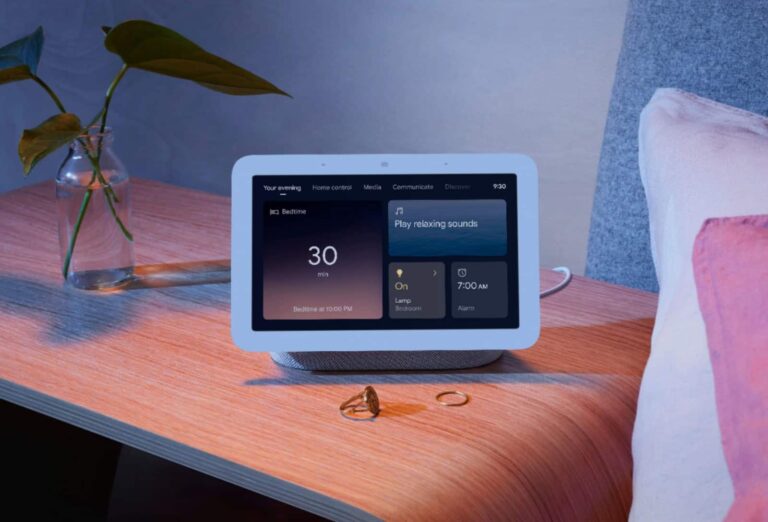
While the Works-with-Nest developer program closed last year, 9to5Google confirms that existing connections will remain active until the time they become entirely inaccessible (between 5-60 days). One of the alternatives Google is introducing is the Google Home script editor in a few months where users can create advanced home automation for existing devices.
As of April 8, 2024, Dropcam and Dropcam Pro cameras will no longer be functional in the Nest app. As a result, those who wish to access anything related to these devices must download their video history before this date. In addition, owners of Dropcams that have been active during the past twenty-eight days will receive an email containing a free Nest Cam subscription before the shutdown date.
Also as part of the transition process for current Nest Aware subscribers, people can either get one free or half-priced Nest Cam, as entailed by the outgoing emails. There is also free recycling for all Dropcam devices provided by Google (if they were sourced from official channels).
Nest Secure is also shutting down leaving the Nest app obsolete
After April 8th, 2024, the Nest Secure system will completely halt and the Nest app will also stop functioning by the end of that day. Eligible U.S customers whose Nest Secure systems were still operational within the last four weeks would receive an opportunity for a free ADT Self Setup System comprising Smart Home Hub, door/window sensors, motion sensors, and twelve-month professional alarm monitoring.
On the other hand, if customers don’t want ADT, they may opt for a $200 Google store credit instead. This move follows Google’s discontinuation of NEST Secure products in 2020 while ADT introduced a modern alternative built around their legacy users.
These updates demonstrate how Google continues its efforts towards streamlining its smart ecosystem for home applications thereby creating new solutions for users’ home security and automation needs. To this end, users should remember these dates and the relevant offers so that they would have an easy time.
Telecommunications giant AT&T has finally confirmed that 73 million current and former customers have been caught up in a massive dark web data leak. The leaked data includes names, addresses, mobile phone numbers, dates of birth, and social security numbers.
The data came to light a few weeks ago when it was put up for sale on an online cybercrime forum, but the seller, a hacker calling themselves “MajorNelson”, claimed it had been stolen from AT&T three years prior.
In 2021, a hacker named “Shiny Hunters” put a database apparently containing the personal details of 70 million AT&T customers up for sale, but AT&T denied the leak was its data, and denied it again when the data appeared on the dark web last month. It has since revised its position as it wrestles with the thorny problem of investigating what happened on its computers three years ago.
In its latest statement, the company confirmed that the leak contained “AT&T data-specific fields,” but said it had not yet determined the source of that data.
AT&T has determined that AT&T data-specific fields were contained in a data set released on the dark web approximately two weeks ago. While AT&T has made this determination, it is not yet known whether the data in those fields originated from AT&T or one of its vendors. With respect to the balance of the data set, which includes personal information such as social security numbers, the source of the data is still being assessed.
However, it also said that it believes that the leak affects 7.6 million current customers, and the leaked data is “from 2019 or earlier”.
Based on our preliminary analysis, the data set appears to be from 2019 or earlier, impacting approximately 7.6 million current AT&T account holders and approximately 65.4 million former account holders.
It has come to our attention that a number of AT&T passcodes have been compromised. We are reaching out to all 7.6M impacted customers and have reset their passcodes. In addition, we will be communicating with current and former account holders with compromised sensitive personal information.
Personal information like names, addresses, phone numbers, passcodes, and social security numbers are prized assets for cybercriminals because they can be used to make scams much more believable.
In particular, this information will make it easier for criminals to pose as AT&T, and all 73 million people affected by this breach will need to be on their guard for scammers using it as a pretext to send personalised, AT&T-branded emails and messages.
Protecting yourself from a data breach
There are some actions you can take if you are, or suspect you may have been, the victim of a data breach.
Check the vendor’s advice. Every breach is different, so check with the vendor to find out what’s happened, and follow any specific advice they offer.
Change your password. You can make a stolen password useless to thieves by changing it. Choose a strong password that you don’t use for anything else. Better yet, let a password manager choose one for you.
Enable two-factor authentication (2FA). If you can, use a FIDO2-compliant hardware key, laptop or phone as your second factor. Some forms of two-factor authentication (2FA) can be phished just as easily as a password. 2FA that relies on a FIDO2 device can’t be phished.
Watch out for fake vendors. The thieves may contact you posing as the vendor. Check the vendor website to see if they are contacting victims, and verify any contacts using a different communication channel.
Take your time. Phishing attacks often impersonate people or brands you know, and use themes that require urgent attention, such as missed deliveries, account suspensions, and security alerts.
Set up identity monitoring.Identity monitoring alerts you if your personal information is found being traded illegally online, and helps you recover after.
Check if your data has been breached
Our Digital Footprint records now include the AT&T data so you can check if your information has been exposed online. Submit your email address (it’s best to submit the one you use most frequently) to our free Digital Footprint scan and we’ll send you a report.
Telegram is trying to expand its base to compete with WhatsApp Business and Facebook Business by allowing users to convert their personal accounts to business accounts. Telegram’s Business Accounts will enable its users to display information like hours, locations, a customized start page, and more.
Telegram Business Accounts have varied features at their disposal
After getting a business account, the suite will allow its users to craft Quick Replies. Quick replies are preset shortcodes that include formatted text, links, images, stickers, and even PDFs. For instance, a coaching institution can effortlessly send the schedule or brochure of the batch with a preselected PDF file. As of now, Quick Replies are accessible only for personal chats by typing ‘/’ into the message bar.
For the one who is contacting the business for the first time, an Automated Greeting Message is the tool. This mechanism sends instant replies with the predetermined message, which can be any crucial information about the business, FAQs, or Away messages (when closed).
Telegram Business makes the segregation of customers easier. It allows to label chats with different tags like Delivery, Feedback, Order, etc. In individual chats, you can create links to chat with your business. These links work within the Telegram ecosystem or outside the app. Each link shows live performance tracking.
AI-enhanced Chatbots for Businesses
Business users can connect Telegram bots, that will reply on behalf of the owner. The owner can integrate it with existing tools and workflows, and even add AI assistants that manage these chats. In case the user feels the chats are sensitive, they can easily be excluded.
“This opens a new era for Telegram Bots – we welcome all developers to create new services that will help businesses automate and improve their communication with Telegram users.”, says Telegram.
Telegram Business is a very strategic move by Telegram founder, Pavel Durov, to widen its users by inviting businesses to AI-powered chatbots for enhanced customer service. Telegram Business is an excellent mode to adopt some of the best monetization practices. However, Telegram has a long way to cover the 200 million active WhatsApp Business users. The earning model of Telegram Business heavily depends on subscription fees, meanwhile, its competitor relies on the type of conversations.
It’s been a while since I’ve checked out anything from Vivo, in fact, I can’t remember the last time I used a Vivo device. It’s been at least 8 years? The point is, in that time Vivo has done some truly amazing work with its phones. Case in point, the X100 Pro is a smartphone that comes with a very impressive camera. And that’s probably to be expected since this phone isn’t really cheap. On the contrary, it’s actually quite expensive.
Now it is worth noting that this isn’t a phone you can officially buy a US version of. You can buy it on Amazon in the US, but only as the unlocked Chinese version of the phone. And the cheapest it’ll end up being is around $929. Price aside, as soon as I pulled the X100 Pro out of the box for the first time and held it in my hands, I knew this was going to be a pretty good phone.
I won’t lie, I thought the rear camera system was a little over the top at first. At least in terms of size. The camera bump is positively massive. But there’s a reason for that. Vivo partnered with Zeiss Optics on the camera and all of that space is because Vivo has packed some serious camera hardware in here. And that led to some amazing results. Bar none, the Vivo X100 Pro produces the best portrait mode photos I’ve ever seen from a smartphone. And that isn’t an exaggeration. They’re excellent. It might even be my favorite new camera on a smartphone.
They’re so good I really just didn’t want to use anything else when snapping shots for this review. But, we’ll dig into that a bit more in the camera section. Let’s dive in and see how this phone stacks up as a whole.
Vivo X100 Pro Review: Hardware & Design
Phone designs have gotten to a point where it feels like everyone just keeps putting out the same stuff. Year after year. I haven’t really used anything from Vivo in quite a long time so I can’t compare the design of the X100 Pro to previous devices. What I can do is say that the design of the X100 Pro is nice. There are a few things I am not overly fond of. Such as the very large camera bump on the back from the absolutely massive camera system.
And I said this in my OnePlus 12R review. I dislike curved displays on smartphones. Curved monitors are another story. I loved curved monitors. Curved phone screens though, not really my style. That said, Vivo has done a decent job at putting together a nice-looking phone. While I don’t personally care for some of the design aspects, those are just my personal tastes. The phone still looks and feels premium and I think that’s what’s most important when looking at the Vivo X100 Pro from a design standpoint.
I do like that the sides of the phone frame are somewhat contoured as this makes it a little more comfortable to hold in the hand. And when browsing for longer periods of time or playing games this is more important than you might think. You want the phone to feel comfortable to hold. And the ability for the phone to provide that to you is directly linked to the design. This is definitely a comfortable phone to hold.
Hardware build quality
Have you ever had a phone that looked really nice but it just felt really cheap or low-quality? If you have and know what I’m talking about, the Vivo X100 Pro is most certainly not like that. It feels very well-made and I absolutely adore that fact. There’s nothing that bums me out more when it comes to phones than having something that costs a lot and looks great but just feels poorly put together.
So I was extremely happy to see that Vivo put together a very premium-feeling device. Nothing creaks or rattles. The power and volume buttons have a nice tactile feel to them when pushing them in. And I was pleasantly surprised to find that the SIM tray was easy to eject. One of my main (also admittedly minor) gripes about the RedMagic 9 Pro was that the SIM tray was unreasonably difficult to eject for some reason. That wasn’t the case here at all. I didn’t have to use what felt like excessive force just to get the tray out so I could put a SIM card in.
This tells me that Vivo thought about even some of the most minor details when building this phone. All-in-all I think the design is mostly pretty solid and the build quality is good too. In terms of placement for everything, you’ll find the volume rocker and power buttons on the right side of the frame, with the SIM tray, USB-C charging port, and bottom speaker on the bottom part of the frame. The left side of the frame is completely empty and on the top, you have the mic and a tiny IR blaster. It also has a second speaker under the top part of the screen.
Vivo X100 Pro Review: Display
I’ve never been a fan of curved displays and after using the Vivo X100 Pro, that hasn’t changed. I still prefer a display that’s flat when it comes to smartphones but curved edges or not, the display on the Vivo X100 Pro is still nice. The curved edges add that waterfall effect which can be visually pleasing for certain content. Although I do find it a bit weird for content in landscape mode, like when watching videos on YouTube or playing games like Genshin Impact and Honkai Star Rail.
Colors also appear just a little bit flat compared to some other phone screens I’ve used recently but not really by much. I’ve found that what has been more important is that the display has good brightness.
The display is 6.78 inches in size and it’s an LPTO AMOLED panel with a 120Hz refresh rate, and a peak brightness of 3,000 nits. Now 3,000 nits is pretty bright but you generally aren’t going to see the brightness go that high. In my testing, the display didn’t go far above 1,000 nits at its peak, though I still found this to be more than bright enough for anything I was doing. The size and the refresh rate make this a pretty good gaming device, especially for any games that support higher frame rates. Plus the higher refresh rate is nice for scrolling through content on social or browsing the web.
Resolution on the display is default set to 2800 x 1260 right out of the box. However, there is an option to dump this down to 2400 x 1080 if you want more of a Full HD resolution. This could help with battery life but in my experience, the 2800 x 1260 resolution was perfectly fine. So this is what I stuck with during my time with the phone.
Now remember how I said the colors were a little flat? You don’t have to live with this. The Vivo X100 Pro does have a few different screen color options for you to choose from. Standard is what you’re working with out of the box. But you can change it to “Pro” or “Bright” as well. Bright helps make the colors pop a little more and it takes those mildly flat colors with the default “Standard” color setting and amps them up a bit. This made my games like Genshin Impact look a little nicer. Especially with all of the colors from special effects that fill the screen during certain parts of gameplay.
As for the Pro mode, this actually makes the colors look more flat than that of the Standard setting. So I never used this personally, but you might prefer it if you want stuff to look less saturated. Overall the display is nice-looking and if you don’t mind curved edges you’ll probably love it.
Vivo X100 Pro Review: Performance
The Vivo X100 Pro is the first phone to have come with MediaTek’s Dimensity 9300 chipset and as a competing chipset to Qualcomm’s Snapdragon 8 Gen 3, I was very curious to see how it would perform. Qualcomm’s flagship Snapdragon line is always held in high regard when it comes to performance under heavy GPU workloads. And that’s why you’ll see it being used in so many gaming phones. That being said, it does end up coming with a more premium price for manufacturers.
Which ends up shooting the cost of the phones up a little. Vivo’s choice to go with the MediaTek Dimensity 9300 over Qualcomm likely helped keep the cost of the phone lower. It’s still a premium flagship phone though, and it comes with a premium price. It’s just probably not as high as it would have been if Vivo went with Qualcomm.
With all of that said, I was quite pleasantly surprised with the overall performance of the device for most tasks. Casual gaming, using the camera, general browsing, all of these things were fine. Where the phone started to struggle just a tiny bit was with high-end gaming. Spending at least a few hours in a game like Genshin Impact or Honkai Star Rail proved to be pretty taxing on the GPU. And in the end, the phone. As it became quite warm in the later parts of a longer gaming session. This didn’t hamper game performance too much. But I did notice the frame rate suffered a little because of the heat.
You’re not really buying this phone for hardcore high-end gaming though. So I suspect this wouldn’t be much of a problem for most people who would buy it. When it comes to benchmarks, the Vivo X100 Pro actually didn’t do too badly.
Benchmarks
We’ve been running all of our phone reviews through a series of benchmarks for the past month or two so we can see how they perform on paper. The results from these tests aren’t necessarily what you should expect from your own experience. But they’re still important because they give you a baseline of what performance will probably be like for you. Of course, this does vary from person to person. Mainly because how you use the phone is probably different from how we would use it.
With that said, we run the phone through Geekbench 6, as well as 3D Mark’s Wildlife Extreme Stress Test. On top of these two tests, we also do our own test that we came up with which we like to call the CapCut test. For this, we simply load up a one-minute video and we add a simple animation to it, then we export it to the phone storage to see how fast it goes.’
Starting with the Geekbench 6 test, the Vivo X100 Pro does better than I honestly expected for its scores. It received a single-core score of 2159 and a multi-core score of 7189. And for the GPU score it received 14561. So overall, pretty good scores across the board. And to its credit, the phone does feel snappy in most day-to-day tasks. The only time it ever really struggles is with more GPU-intensive tasks like high-end gaming as mentioned above. And even then, it’s not bad, it just isn’t on par with things like the ROG Phone 8 Pro Edition, the Galaxy S24 Ultra, or the OnePlus 12 in real-world use.
Next up is the 3D Mark Wildlife Extreme Stress Test. This is geared more towards high-quality 3D-rendered graphics and it runs a one-minute loop video 20 times. So you really get a sense of how intensive the task is going to be on the GPU. For this test, the Vivo X100 Pro scored 4920 on its best loop, and 2532 on its worst loop with a stability of 51.5%. Those scores aren’t great compared to some of the other flagship phones.
Lastly, there’s the CapCut test, and here the X100 Pro did ok, with a total export time of 16.45 seconds. It’s far from being the fastest time to export the video but by no means the slowest. And if you’re using this phone a lot for photos and videos, you might be doing a lot of editing and exporting for uploading to social apps like TikTok or YouTube. So it’s good to know where this phone stands in how quickly it can do those tasks for you.
Thermals
Now let’s discuss the thermals. This might be something you don’t really think about a whole lot, but it’s an important aspect of the phone. You want to know how warm it’s going to get after doing the tasks you might use the phone for on a regular basis. To check the thermals we do three different thermal tests with each device. We look at the temperatures after the 3D Mark Wildlife Extreme Stress Test, as well as after one hour of Genshin Impact gameplay, and after recording 4K video. For the video recording, we check the temperature at both the 5-minute and 10-minute intervals to see how it progresses.
Starting with the 3D Mark Wilflife Extreme Stress Test, the Vivo X100 Pro ended up with a temperature of 114. Fairly manageable compared to a few other devices I’ve recently tested. While the phone did get warm, it wasn’t too hot to hold afterward like the RedMagic 9 Pro. For the Genshin Impact test, it ended up with a temperature of just 105.2 which is again not too bad. And finally with the camera testing the thermals ended up at 88.7 after 5 minutes and 95.9 after 10 minutes. For the most part, temperatures are decent and the phone shouldn’t have any issues with overheating.
However, if you do end up using this phone for gaming, just know that extended use beyond an hour is likely to cause you to run into some performance issues. Specifically, just some drops in things like the frame rate. But overall still usable, just not optimal.
Vivo X100 Pro Review: Battery Life and Charging
One of the most important factors of a smartphone for me and many others is battery life. I use my phone a lot so I need to make sure it’ll last throughout the day. And anything beyond a day is icing on the cake. Not entirely necessary but definitely helpful. We test the battery life on phones by bringing up a 24-hour long 4K video and letting it play with the screen at max brightness to see how long it takes before the phone battery dies.
In the Vivo X100 Pro’s case, the battery died in 18 hours and 25 minutes. I think this is pretty good considering some phones we’ve tested with larger batteries didn’t last as long. Keep in mind that this isn’t how long the battery will last during normal use. You’ll be doing a combination of things on the device every day. In my testing I was able to easily get about 7-8 hours of screen-on time with a mix of YouTube, Reddit, gaming, chatting with friends in apps like Discord and Telegram, and general web browsing. This is also with the screen brightness all the way up.
With that in mind, you’re likely to see some better battery life if you turn the brightness down to about 50% or 75%. In terms of charging the Vivo X100 Pro took longer than I expected to get back from 1% to 100%. In my testing, it took about 59 minutes and 8 seconds. Not terrible but definitely slower than some of the more recent phones I’ve tested. That being said, the charger I used was only charging at 80W, so it wasn’t charging the phone at the full speed it supports.
The X100 Pro comes with a 100W charger but it uses a Chinese plug, and I had no way to use this plug to charge the phone. Keeping this in mind, it would most certainly charge faster if you’re using this charger. The nice thing is that at least you get a wall adapter in the box. Whereas the most recent Pixel devices give you just a cable.
Vivo X100 Pro Review: Software
The Vivo X100 Pro runs Funtouch OS 14 which is Vivo’s UI on top of Android 14. Everything here feels pretty familiar and surprisingly, not too different from what I’m used to with stock Android on the Pixel 8 or the version of Android on the ROG Phone 8 Pro Edition. It doesn’t look the same, of course, but using it didn’t feel very different from either of those two phones.
By default apps show up on the home screen so you can swipe to the left to bring up the next page. This is a design I’ve never personally been too fond of but thankfully you can turn this off with a toggle in the settings. It’s also worth noting that Vivo is not the only manufacturer to do this and most Android phones offer the option. I just think it makes things look too busy and I prefer the standard app drawer that I’ve gotten so used to and grown to enjoy.
Outside of this very minor design choice, the software experience is very polished and there’s nothing I had any issues with. That is to say, nothing was broken or worked incorrectly in any shape or form. There are a lot of small touches with the software that I actually quite like. For instance, there’s a “Guest Mode” you can enable from the Quick Settings menu.
This wouldn’t be particularly useful to me since I’m the only one using my phone. However, I could see the Guest Mode being extremely useful to anyone who shares a device from time to time. Let’s say you have a younger cousin or niece or nephew come over and they want to play games on your phone for example. You could easily enable the Guest Mode so they don’t have access to all of your stuff. There’s also an Ultra Game Mode feature you can enable from Quick Settings. This type of thing isn’t unique to the Vivo X100 Pro, but not all phones have something like it. So I always enjoy it when it’s included.
With Ultra Game Mode you can toggle a few different things to make sure your gaming sessions happen unencumbered. I used this a ton so I wouldn’t get notifications while gaming. It’s also a great way to avoid turning on the Do Not Disturb Mode. Which I have turned on before but then forgot it was on after I was done playing games. Ultra Game Mode helps avoid situations like that. You can also enable a toggle to bring up the game bar while playing.
This little bar comes in from the left side of the screen and shows a few different stats like CPU and GPU usage, battery remaining and there are toggles to boost performance. As well as buttons for motion control and turning off background calls. Overall it’s a pretty useful tool for your game sessions.
One thing that I have never really gotten to use before is reverse wireless charging. The Vivo X100 Pro supports this and there’s a nifty little Quick Settings toggle for it. You can’t use it when the battery gets below a certain point. But it was nice to have for those few times when I wanted to charge up a pair of true wireless earbuds. Overall I think the software experience on the Vivo X100 Pro is pretty good. And I’d be perfectly happy with this being my software experience every day.
Vivo X100 Pro Review: Camera
The camera is really where this phone shines the most, and that’s by design. The Vivo X100 Pro was built to be a phone that focuses on the camera as its main selling point. That’s evident by the absolutely gargantuan camera bump on the back. This huge bump is needed of course since Vivo is using a bigger sensor in here than you’ll see in a lot of smartphones. It also paired with Zeiss Optics to fine-tune a lot of the camera features. And honestly, the results are very, very good. I would even venture to say this is quite possibly the best camera I’ve ever used on a smartphone.
Vivo has gone with a 50MP main sensor, a 50MP periscope telephoto lens with 4.3 times optical zoom, and a 50MP ultrawide lens. All of these play a big role in making this a stellar camera for a phone.
I’ve always been a big proponent of the Pixel as the go-to phone for taking photos. But this is mostly down to Google’s camera software which is just, really, really good. The X100 Pro just takes things up a notch. Not only is its camera software good, but the improved sensors result in some exquisite image quality. Even with the simplest of subjects. As an example, I took a picture of this little shelf I have with some Naruto figures on it. There are also a few other nerdy knick knacks, like my Tears of the Kingdom Link Amiibo and some Final Fantasy XIV stuff.
I took this photo with both the Vivo X100 Pro and the Google Pixel 8 to see how they would compare. It looks more detailed with noticeably more vivid colors in the image taken with the X100 Pro. Google’s camera software adds some neat smarts. Like with Magic Eraser, Magic Editor, and similar AI-powered tools. But the Vivo X100 Pro camera I think offers better overall quality for photos. Not just simple photos using the basic photo mode. But through some of the other features too.
There were some images I noticed looked a little washed out but I think this was more due to the weather outside at the time than the phone’s camera. What I found really cool was the collection of different bokeh effects you could add to photos before taking them. You’ll need to switch to Portrait Mode for these to be available. Once you do that, there’s a button across the top right that has the Zeiss label on it. Tap that and it brings up various different bokeh effects like Cine-flare that adds a lens flare to the image.
There’s a pretty cool Landscape and Architecture mode as well. I thought this was pretty interesting because this mode has two lines on the camera UI that you are supposed to fit the subject in the middle of, and then the edges get blurred a little similar to how they would with a bokeh effect. Why I found this cool is because you can change the angles of these lines. So the parts of the outer image that get blurred can change with them. It allows you to potentially get some pretty cool and interesting shots of stuff you may not have thought to take pictures of.
Overall, I found that the X100 Pro camera is good for many reasons. But I think one of the best reasons is because it just takes some excellent photos with the basic photo mode. So if you have somebody who is just getting into photography and doesn’t know much, they can still pump out some really good-looking pictures by doing nothing special at all. Then once they get a little more practice, there’s all this other stuff to play with. I know I already said this before, but I do think this is probably better than the Pixel 8.
Don’t get me wrong, the Pixel 8 camera is great too. But the Vivo X100 Pro was designed with the camera specifically in mind. And if top-quality photos are your main goal, I think this is hard to beat. At least from any of the phones I’ve personally tested recently.
Should you buy the Vivo X100 Pro?
I honestly really do like this phone. Way more than I thought I would. And that’s due a lot to the camera quality and how good the images come out. I think depending on what you’re looking for, the X100 Pro could be an amazing phone choice. The only major issue for people in the US is that you really can’t get this phone officially. You can buy it on Amazon and it would be unlocked. But you’re likely to pay a little bit of a premium. On top of that, it isn’t going to work with all the US bands.
So you’d probably have trouble connecting it to your network towers at least some of the time. But those things aside, this phone works perfectly when mobile data is out of the equation. Connecting it to WiFi for anything that needs data, and then just using it for its camera features, this phone shines brightly. I don’t think that’s enough to warrant buying it if you want the best possible experience for using it with your wireless carrier. But for anyone outside the US where this phone is being sold, like in China and India, and soon to be some countries in Europe, I think this is a fantastic option.
You should buy the Vivo X100 Pro if:
You want a top-notch smartphone camera
Gaming features aren’t your main focus
You want a super-fast charging battery
You shouldn’t buy the Vivo X100 Pro if:
Full carrier network compatibility is important to you inside the US
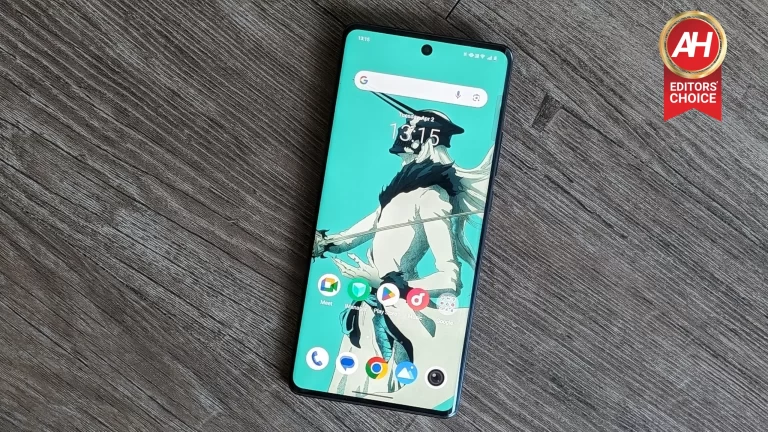
We’ve been following rumors surrounding the latest Oppo mid-range handset to hit the surface, and now we have a glimpse of the phone. The phone in question is the Oppo A3 Pro 5G. Well, a new leak of the Oppo A3 Pro 5G shows us the device and all its glory.
While this information was leaked from @Onleaks, a reputable leaker, you will still want to take this news with a grain of salt. Since this is not official information, anything could change between now and the official launch of this device. So, take the news cautiously.
A new massive leak shows off the Oppo A3 5G Pro with 5K renders
Aside from its flagship phones, Oppo has a series of mid-rangers under its A series of phones. These are pretty capable phones despite having lower prices. We’ve been waiting for information about the Oppo A3 Pro 5G. Well, we have a new series of leaked renders in a video showing us just about every inch of this device. They leave nothing to the imagination.
In the leak, we see a phone with some rather thin bezels. They are definitely thin for a mid-ranger, and they can give many flagship phones a run for their money. It looks like the chin bezel is slightly thicker than the forehead bezel. However, the overall look of it is still rather beautiful. Also, we see a rather small punch hole in the center.
Back panel
On the back, we see a large circular camera bump. It appears that the camera bump is made of brushed metal. Also, there appears to be a metal rim around the camera package to add to the overall aesthetic. It’s hard to tell what the back material is made from, but it appears to be a matte plastic.
Both the display and the back of the phone seem to have a notable curve. So, this could make it very comfortable to hold in the hand. It might remind most of us of the LG velvet.
From Giznext X @Onleaks
The frame of the OPPO A3 Pro 5G appears to be made from glossy metal, and it looks to have a slight curve to it. So, the frame will most likely be made of metal if not glossy plastic. We will have to wait to get the phone to find out.
We see the power button and volume rocker on the right side of the frame while the left side of the phone is Barren. The microphone, USB type-C port, and speaker live at the bottom while the top only has a microphone.
One thing we can tell from the leak is that this phone will most likely come with an under-display fingerprint scanner. We see no spot on the side of the phone for a side-mounted fingerprint scanner.
Leaked specs
Starting off with the dimensions, this phone is expected to measure 162.7 x 74.5 x 7.8mm. It’s also expected to have a large 6.7-inch display. However, we don’t know what technology or resolution it will be. We can reasonably expect it to be a 1080p+ OLED display because that’s pretty standard for mid-range phones nowadays.
As for the rest of the specs, we are still in the dark. We will have to wait for more information to arise.
Reportedly, Microsoft is testing an AI chatbot for its Xbox which will provide customer support to users. The Xbox Virtual Support Agent (chatbot) automates support tasks and responds to questions from players using AI.
Microsoft’s new AI chatbot might soon take over Xbox customer support responsibilities
Sources indicate that the chatbot connects to the Xbox network and ecosystem support documents, thus providing a range of answers to various user support queries. While currently in the test phase, it might expand to cover Xbox customers worldwide is a few months.
Haiyan Zhang who is responsible for gaming AI at Xbox confirmed the existence of the Xbox Support Virtual Agent describing it as an internal prototype that can deal with support topics using natural language mined from existing Xbox Support pages. She highlighted that it will make it easier and faster for gamers to get help whenever they need it.
In any case, details regarding the rollout timeline for this chatbot remain undisclosed but a credible source reveals that it’s currently in the testing phase against support queries about Minecraft Realms. Therefore there are high chances that this chatbot may soon go live after successful tests.
Also apart from responding to user questions and inquiries, this bot could assist them in getting refunds after game purchases on Microsoft’s website which further amplifies its duties as a customer service agent.
The company also has some other plans for its AI customer support chatbot
Besides having an AI chatbot, Microsoft also has plans to incorporate AI into other aspects of its Xbox platform such as developing AI-powered Copilots for moderation tasks which include content moderation and enforcement processes.
On the other hand, while most of Microsoft’s AI initiatives have primarily been directed towards developers within Xbox, a wider integration of AI tech into consumer-facing areas also seems imminent. Collaborations with InworldAI (an NPC creator endowed with Artificial Intelligence) and the probable introduction of upscaling solutions through Artificial Intelligence techniques in images, clearly indicating how determined Microsoft is to improve gaming experience via advanced AI applications.
Microsoft is still improving on their artificial intelligence-based projects used on their X-box systems hence they intend to have more efficient models for gaming, which will take time.
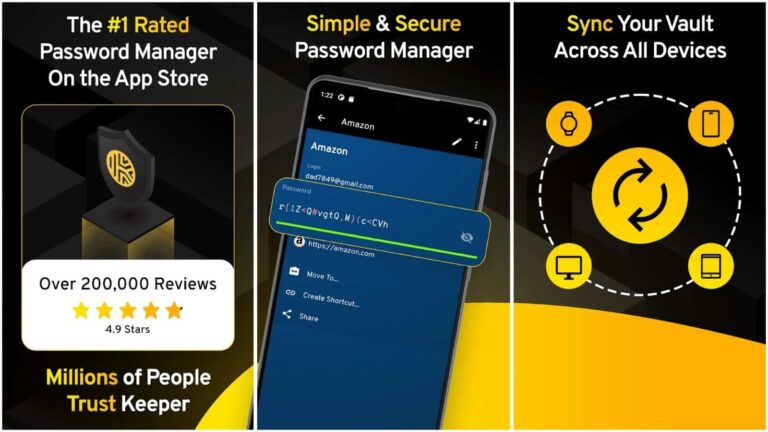
Keeper Security will add Passkeys support to its smartphone apps. Using the Passkey password manager, mobile users will be able to store and use all their logins and passwords with an added layer of security.
While websites are still struggling with user authentication techniques, password managers are embracing Passkeys. Keeper will get Passkeys support, as indicated by the company.
How will Android and iOS smartphone users use the Keeper Passkeys feature?
Passkeys allow users to ditch the traditional username and password combination to securely log in to a website, app, or other digital services. Although users have to save their login credentials initially, Passkeys enhance security by adding another authentication layer. Passkeys also eliminate the need to enter traditional passwords on multiple devices.
Incidentally, Google and Apple already have Passkeys authentication on the backend. However, many smartphone users desire a reliable third-party password manager. Needless to say, there are several password manager apps on the iOS App Store and Android Play Store.
Keeper Security Announces Passkey Support on Mobile Devices: Today, password management leaders Keeper Security have announced support for passkey management on iOS and Android mobile devices. With Keeper, passkeys are created, stored and managed in the… https://t.co/7BIFz1c8lEpic.twitter.com/Lds758xXGj
Keeper Security has reportedly confirmed that it will deploy Passkeys support for its iOS and Android apps. What this means is that Android and iPhone users will be able to manage their password-less authentications via the Keeper app.
Keeper offers dedicated browser extensions, which act as password managers. These extensions received Passkeys support last year. The iOS and Android apps will have Passkeys soon. In other words, Keeper could be one of the first cross-platform password managers to offer Passkeys support across major operating systems.
What is Passkey’s passwordless authentication?
FIDO-approved Passkeys is a backend user authentication system. The FIDO Alliance is a cross-industry association comprised of big tech industries and password management companies.
Passkeys essentially generate two cryptographic keys for every account. One key is outward-facing and is shared with the supporting website or apps. The other key is considered a “Private key”, which is stored locally.
Instead of the traditional username and password combination, Passkeys rely on interaction between the Private and Public keys for user authentication. Moreover, Passkeys don’t share or exchange these keys. Instead, the keys are merely matched to authenticate users.
How do you go passwordless? #Passkeys, #SSO and Keeper are a great place to start.
To begin the user authentication process, platforms merely ask users to unlock their devices. Users can opt for conventional methods such as fingerprint, face, or PIN.
Passkeys are usually more secure than passwords. This is because neither the end-user, the platform asking for user authentication, nor even the password manager, knows these keys.