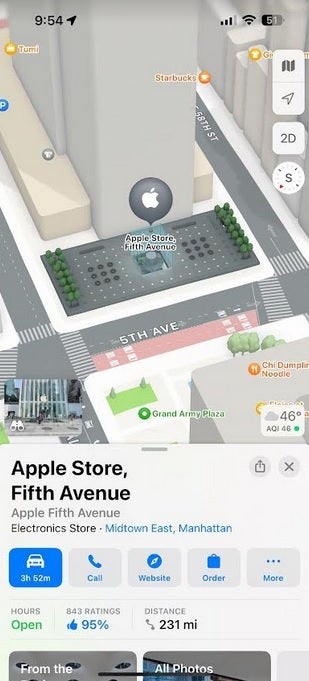
According to MacRumors, with iOS 18 installed, Apple Maps users might be able to create their own custom routes which is something that they cannot do presently. An iOS 18 file titled “CustomRouteCreation” has been pushed by Apple to the back end of the Apple Maps app and the title does give away plenty of information. But outside of the file name, all we know is that at launch, the feature will be limited to use in the U.S.
Why would you want to create a custom route? Well, you might be used to taking a specific road and would prefer to travel on it, or a particular route might be more scenic or pass more bathrooms, or be near more shopping options or restaurants. Currently, Apple’s chief rival, Google Maps, has a process to allow users to create custom routes. This requires the user to employ his/her computer and then view this route on an iPhone. It sounds like Apple’s implementation is going to be much easier to use.
Apple Maps users could get the ability to create custom routes with iOS 18
It seems that iPhone users have been hounding Apple over the years to add this capability to Apple Maps. As far back as December 2020, Apple community member cowboyf16 asked in the discussions forum, “In Apple Maps, is there a way to create a custom route? For example, we like to drive scenic drives down multiple roads with no distinct destination.”
We should get our first look at iOS 18 on Monday, June 10th during the WWDC 2024 Keynote. Shortly afterward, the public beta program for iOS 18 will start and you’ll have to decide whether to install it on your iPhone or wait until September when the final version of the software should be released. Keep in mind that beta releases are unstable and certain features that you rely on every day might not work at times if you install the iOS 18 beta.
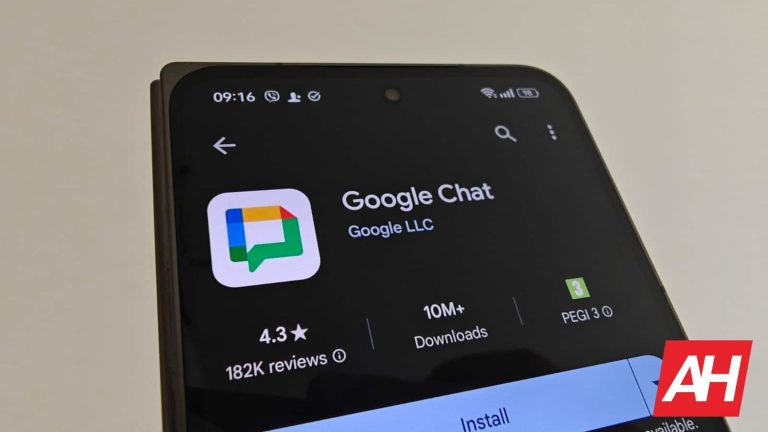
The majority of messaging apps allow their users to send voice messages. However, one player in the game was missing this functionality. It seemed very odd that Google Chat didn’t allow you to send voice messages, but that is about to change, according to a new report from Google.
Not to be confused with Google Messages, Google Chat is Google’s internet-based chat service for people with Google accounts. It’s the equivalent of WhatsApp or Telegram. You’re able to message others through their Google accounts. It’s not as popular as WhatsApp, Telegram, or Facebook Messenger, but it does come with some nice features. If you’re interested in trying out Google Chat, you can simply go to the Google Chat website or download the official app.
Voice messages are finally coming to Google Chat
This is a feature that we’ve heard about a while back. So, we are finally getting our first glimpse of this functionality. Obviously, sending voice messages allows you to record short clips of audio and send them as messages to recipients and groups. It saves a bunch of time when you have to jot down a long message, but your hands are full.
Once you get this feature, you will see a little microphone icon next to the text bar in a conversation. When you tap on it, the app will begin immediately recording audio. You’ll simply have to say what you want to say, tap on the Stop button, and tap on the Send button to send into chat. You can also listen back to your audio clip by tapping the play/pause button right next to the recording waveform.
However, there is some disappointing news. This feature will only be available to Enterprise Essentials, Enterprise Essentials Plus, Enterprise Standard, and Enterprise Plus workspace users. These are all paid plans, so free users will be out of luck.
Samsung has just announced that One UI 6.1, which includes Galaxy AI, will begin arriving on older Samsung smartphones this Thursday, March 28.
The Galaxy S23 series, Galaxy S23 FE, Galaxy Z Fold 5, Galaxy Z Flip 5, and Galaxy Tab S9 Series will all start receiving the update later this week. Which will bring a number of great Galaxy AI features that debuted on the Galaxy S24 series back in January.
These devices have already received Android 14, so this update should be One UI 6.1, as well as the April Security update. We have actually seen the April Security update roll out to some Galaxy S24 models already in Korea and Europe.
Galaxy AI arrives on older Samsung phones
What features from the Galaxy S24 will arrive on Galaxy S23 and other 2023 smartphones? Good thing Samsung has announced the features that are coming. However, those include Circle to Search with Google, Live Translate, Chat Assist, and Generative Edit.
This means that Circle to Search with Google will be available on the Galaxy S24 Series, Google Pixel 8 Series, as well as all of Samsung’s 2023 flagship products. This feature is actually super helpful, as it allows you to circle what’s on your display to search for things. No more switching between apps to search for something that you might have found.
Live Translate will allow you to have a real-time voice and live caption translation during calls. At the same time, Chat Assist lets you rewrite text messages, Tweets, and other posts. As well as translating them for you or checking your grammar and spelling.
Finally, Generative Edit. Within the Gallery app, you’ll be able to edit your photos with Generative AI. This lets you straighten a photo and have Generative AI fill in the missing parts. Or you can erase things from the photo, as well as resizing elements of the photo. Making for a really incredible editing experience. These are all part of One UI 6.1, and will start rolling out on March 28.
The era of Arm-powered Windows laptops is swiftly approaching with Qualcomm’s Snapdragon X Elite CPU scheduled to be released by the middle of this year. However, the availability of compatible software becomes equally important.
Windows applications compiled for x86 or x64 architectures cannot run natively on ARM-based devices. While Microsoft has introduced emulation technology to enable some x86 applications to run on Windows on ARM devices, not all applications are compatible or perform optimally under emulation. And this is where comes the latest revelation from Google regarding Chrome.
Google has released Chrome for Windows on Arm
Back in January, we reported about Google working on a native version of Chrome for Arm-based Windows PCs. Google has launched a production-ready version of Chrome specifically tailored for Windows on Arm PCs powered by Snapdragon processors. Google’s initiative to optimize Chrome for Arm-based Windows laptops marks a crucial step forward in the integration of Arm architecture into the Windows ecosystem.
Users can expect a browsing experience that Google has finally tuned for their Arm-based PCs. The native version of Google Chrome is likely to perform better, thanks to the absence of the translation layer. The launch of Chrome for Windows on Arm comes amidst a broader industry shift initiated by Apple’s transition to Arm-based Apple Silicon M1 chips.
It’s important to note that the majority of software is still unoptimized for Arm-based PCs. However, the upcoming Snapdragon X Elite platform has at least influenced the development of native apps for Arm-based systems even before its arrival, which will likely happen towards the middle of this year.
Google’s announcement indicates that the release of Chrome for Windows on Arm will be rolled out this week. It will offer users immediate access to an optimized browsing experience on the platform.
Possible advantages of an Arm-based Windows PC
We have seen Intel’s new Core Ultra chips bringing power efficiency to Windows laptops. The biggest improvement in MacBooks came when Apple switched from x86 to its self-developed Arm-based M1 chip. Notably, Qualcomm acquired Nuvia, a company full of “Apple Silicon veterans” to develop something similar or even better. Well, they did it. Qualcomm’s Snapdragon X Elite chip reportedly competes with Apple Silicon in terms of performance and power efficiency.
It could mean a significant improvement in battery life for Windows laptops. This new platform might offer a ray of hope for users who complain about the fan noise of high-end Windows laptops running on powerful yet power-hungry processors.
There is also a significant demand for laptops that are not only capable but are also thin and light. The Snapdragon X Elite platform may help Windows laptops in this regard too, with a smaller battery and a less aggressive cooling system.
Xiaomi announced two very compelling smartphones this year. Well, the Xiaomi 14 technically arrived in October last year, but it launched globally alongside its ‘Ultra’ sibling in February 2024. That being said, we’ve reviewed both smartphones, and they are both very compelling in their own right. We’re here to compare those two smartphones, the Xiaomi 14 Ultra vs Xiaomi 14.
The initial reaction for most of you who have the budget for it would be to go for the ‘Ultra’ model. While that may be the best idea for many of you, the Xiaomi 14 has its own set of advantages, and a lower price tag is among them. We’ll first list the specifications of both smartphones and will then get down to comparing them across a number of categories. So, let’s get started, shall we?
These two smartphones don’t really look the same, nor do they have a similar feel in the hand. The Xiaomi 14 Ultra is a much larger smartphone, and it looks very different, especially when you look at it from the back. The ‘Ultra’ combines metal and vegan leather, while the Xiaomi 14 is made out of metal and glass in its global variant. The Xiaomi 14 is the more slippery device of the two, but considering how large the Xiaomi 14 Ultra is, the Xiaomi 14 is definitely the more comfortable device of the two.
The Xiaomi 14 Ultra is considerably taller, wider, and a bit thicker than the Xiaomi 14. It does come with a notably larger display. The display on the Xiaomi 14 is not small either, in fact, it may be the perfect size for most people. We’ll talk more about that in the next section. Both smartphones have a centered display camera hole, and both have very thin bezels around the display. The thing is, the display on the Xiaomi 14 Ultra is curved, while it’s flat on the Xiaomi 14.
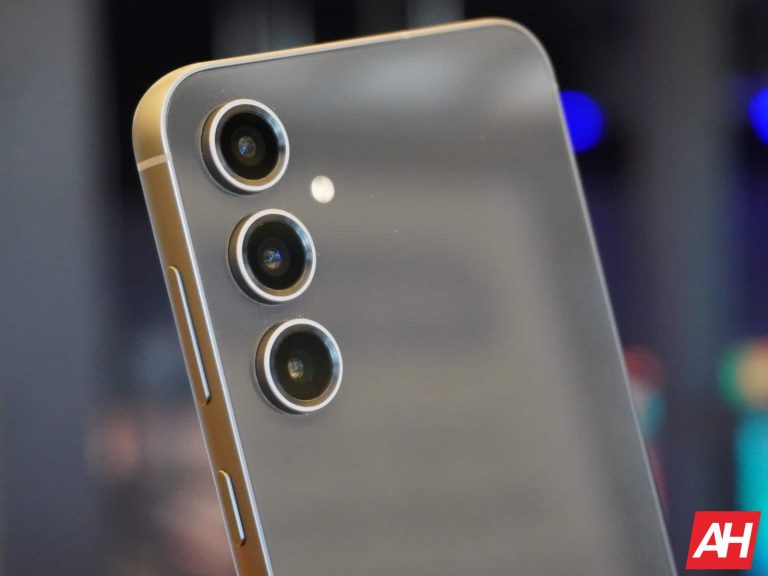
On the back of the Xiaomi 14 Ultra, you’ll spot a large camera oreo. There are four cameras included in there, and it does protrude on the back quite a bit. It’s a nice anchor for your finger when you’re using the device, though. The Xiaomi 14 has three cameras on the back, and its camera island is located in the top-left corner. It’s squarish, not circular. They’re completely different.
Both smartphones do offer an IP68 rating for water and dust resistance. Both of them also feel very premium in the hand, even though the feel is completely different. These are actually aiming for completely different types of users, and that much is obvious based on the design alone.
Xiaomi 14 Ultra vs Xiaomi 14: Display
The Xiaomi 14 Ultra features a 6.78-inch QHD+ (3200 x 1440) LTPO AMOLED display. This panel is curved, and it has an adaptive refresh rate (1-120Hz). Dolby Vision is supported here, as is HDR10+ content. The display has a theoretical peak brightness of 3,000 nits, and it has a 20:9 aspect ratio. The screen-to-body ratio is around 89%, and the Xiaomi Shield Glass protects this panel.
Xiaomi 14
The Xiaomi 14, on the flip side, features a 6.36-inch 2670 x 1200 LTPO OLED display. This display is flat, and it has an adaptive refresh rate too (1-120Hz). HDR10+ content is supported, and the phone comes with Dolby Vision support too. The theoretical peak brightness is the same as on the Xiaomi 14 Ultra, as is the display aspect ratio. This phone also has a screen-to-body ratio of around 89%. The Gorilla Glass Victus protects the Xiaomi 14’s display.
When it comes to actual display use and quality, these two panels are on par. Truth be said, the Xiaomi 14 Ultra does have a higher resolution, but both displays are so sharp, that you won’t really notice the difference, not at all. The Xiaomi 14’s panel is also a bit smaller, so… it evens out. Both panels offer outstanding colors, great viewing angles, great touch response, and are very fluid in everyday performance. The blacks are very deep, and both panels get more than bright enough in any scenario. We really don’t have a single complaint on either one of these panels.
Xiaomi 14 Ultra vs Xiaomi 14: Performance
Both smartphones include the same processor, Qualcomm’s Snapdragon 8 Gen 3 chip. That is the most powerful chip Xiaomi could have placed in these two smartphones. In addition to that, the company reached for LPDDR5X RAM and UFS 4.0 flash storage. The Xiaomi 14 Ultra comes with 16GB of RAM, while the Xiaomi 14 offers 12GB of RAM. The ‘Ultra’ model includes 512GB of storage, while the Xiaomi 14 goes up to 512GB of storage.
In terms of performance, they’re basically identical. That’s not all that surprising considering the similarities in performance-related specs, and the fact that the two phones have very similar software too. They simply flew through anything we threw at them. That goes for regular everyday tasks, such as intense multitasking, multimedia consumption, browsing with many tabs open, image and video processing, and so on. They handled all that without any sort of lag or anything like that.
When it comes to gaming, both devices do a great job. Regular games are not a problem at all, and they don’t really do much to get the phones warm. If you run a more graphically intensive title, such as Genshin Impact, you will feel the heat, but the performance won’t falter, nor will either device get too warm to handle. Well, at least that was the case for us, both did a great job in the gaming department.
Xiaomi 14 Ultra vs Xiaomi 14: Battery
The Xiaomi 14 Ultra includes a 5,000mAh battery, while the Xiaomi 14 has a 4,610mAh battery on the inside. The Xiaomi 14 does have a smaller display, so that difference is expected. Both phones did a great job in our battery drain test, but that doesn’t really reflect real-life use, does it? With our usage, both smartphones did really well. The Xiaomi 14 was able to cross the 7-hour screen-on-time mark, while the Xiaomi 14 Ultra went even above that with 7.5-8 hours of screen-on-time before it died.
Do note that on those days we did not play any games, but the phones were not really used lightly. We took a bunch of pictures, watched TikTok and YouTube, messaged a lot, wrote plenty of emails, processed some images, and so on. Both phones worked for it, and they showed their endurance. Quite frankly, we’re happy with the battery life from both smartphones, there’s not much to complain about.
When it comes to charging, both devices support 90W wired charging and come with a charger in the box. They charge immensely fast, by the way. The Xiaomi 14 Ultra also supports 80W wireless charging, while the Xiaomi 14 supports 50W wireless charging. If you have the appropriate charger, the Xiaomi 14 Ultra will charge faster wirelessly, but both charge really fast. They can also serve as battery banks, as both phones support 10W reverse wireless charging.
Xiaomi 14 Ultra vs Xiaomi 14: Cameras
The Xiaomi 14 Ultra includes four cameras on the back, while the Xiaomi 14 has three. The ‘Ultra’ model has a 50-megapixel main camera with variable aperture. A 50-megapixel ultrawide unit (122-degree FoV) is also included, as is a 50-megapixel telephoto camera (3.2x optical zoom). The last camera on the back is a 50-megapixel periscope telephoto camera (5x optical zoom). The Xiaomi 14, on the other hand, has a 50-megapixel main camera, a 50-megapixel ultrawide unit (115-degree FoV), and a 50-megapixel telephoto camera (3.2x optical zoom).
Xiaomi 14 Ultra
There are no identical shooters here, between the two devices. Looking at the cameras as a whole, the ‘Ultra’ does have the edge. That goes for all cameras, either due to the sensor itself, the lens used, or something else entirely. Leica lenses are used on both smartphones, though, keep that in mind. Both of them do a fantastic job when it comes to photography, but the Xiaomi 14 Ultra does have the advantage. It is easily one of the best smartphone cameras that we’ve used to date.
Both smartphones also offer Vibrant and Authentic Leica shooting modes, for different look and feel to your photos. In daytime conditions, both smartphones do a fantastic job. The difference between them is not all that big, even though the ‘Ultra’ tends to do a slightly better job of optimizing demanding scenes, such as HDR situations. It also offers more flexibility thanks to its periscope telephoto camera, for high-zoom shots.
In low light, the Ultra’s prowess shines. Don’t get me wrong, the Xiaomi 14 does a great job, but the ‘Ultra’ raises that to a level above. It can balance out such photos extremely well, even when there are plenty of light sources included in an image. It doesn’t have a problem with neon signs either, and the noise is barely there. Xiaomi and Leica really did a fantastic job when it comes to optimizing this smartphone’s camera. The variable aperture on the main camera certainly helps.
Audio
Both smartphones include a set of stereo speakers. Those speakers are on the same level, and that goes for both their loudness and general output. The sound is good from both sets, and it’s well-balanced. There’s even some bass included.
If you need an audio jack on your phone, well, you won’t find it on either of these. You can always take advantage of their Type-C ports for wired audio connections. If not, Bluetooth 5.4 comes included on both devices.
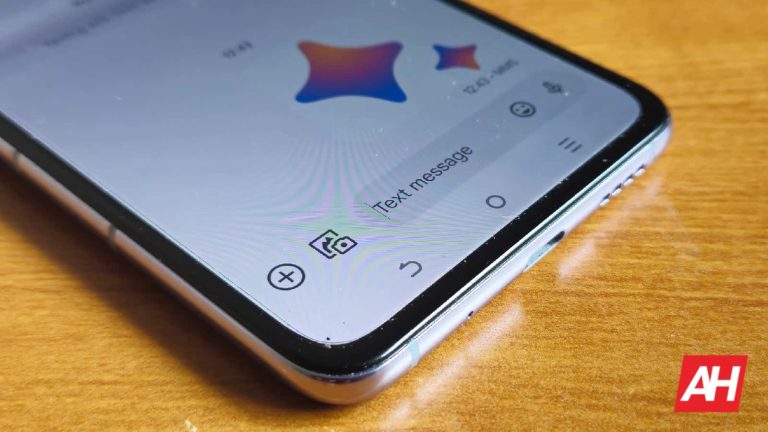
Gemini has started appearing inside Google Messages beta, following an official announcement a month ago. This new add-on means to enhance the messaging experience for users through advanced generative AI. It will help people craft messages quickly and efficiently with Gemini’s assistance.
Google is testing AI Chatbot “Gemini” in the Messages app beta
Gemini is available for users who meet certain criteria: access to the beta app, RCS enabled, and a personal Google Account with English as the default language (French available only in Canada) across over 165 countries. Additionally, one should own some of the new compatible devices like Pixel 6 or later, Pixel Fold, Samsung Galaxy S22 or later, and Samsung Galaxy Z Flip, or Galaxy Z Fold.
Users will find the Gemini contact option on their devices when they tap on the Start Chat FAB (Floating Action Button). Users get a prompt through the messaging UI by following on-screen instructions. However, voice messages are not available in FAB chat. Everything else remains familiar and users can still share photos within conversations.
According to 9to5Google, RCS underpins Gemini though it lacks end-to-end encryption. It prevents access or integration into other conversations thereby enabling direct conversations between users and LLM. However, this function is powered by a variant of Gemini 1.0 Pro that was optimized for concise responses and comes with support for Gemini Extensions giving access to Workspace, Maps, Flights, Hotels, and YouTube.
Google explains some use cases of Gemini inside Messages
According to Google’s explanation of use cases, this feature can draft short messages to reconnect with friends, suggest dinner menus tailored to dietary preferences, and generate conversation starters for social events among others.
While currently exclusive to Google Messages beta testers, reports indicate an incremental roll-out of Gemini taking place right now as part of its gradual deployment worldwide. Google plans to smoothly integrate Gemini into Google messages and streamline the experience amongst users.
It represents a major leap forward in AI instant messaging technology, simplifying communication in multiple contexts. As more people worldwide gain access to its features via the Google Messages platform, there will be a growing number of users benefiting from this innovative AI assistant.
Scammers are using AI generated fake obituaries. These deceptive websites appear identical to real memorials, exploiting human emotions to steal personal data, solicit donations for non-existent causes, or infect devices.
Cybersecurity researchers at SecureWorks have discovered an alarming trend in which scammers are leveraging AI (artificial intelligence) to create fake obituary websites. These sites, identical to genuine memorials, exploit human emotions for malicious purposes.
SecureWorks team noticed an uptick in web domains registered with obituary-related keywords, coupled with unusually sophisticated content. Upon closer inspection, the truth emerged: these were not heartfelt tributes but AI-generated fabrications aimed at scamming unsuspected individuals.
The increasing misuse of artificial intelligence (AI) is hardly unexpected. Recent findings indicate that cybercriminals are employing open-source AI technologies to create child abuse material (CSAM). Additionally, the emergence of harmful chatbots such as FraudGPT and WormGPT shows the extent to which AI can be exploited for malicious purposes.
The latest scam operates by creating obituary notices that mimic real ones in detail and sentiment, thanks to AI’s capability to generate human-like text. Visitors to these sites are often led to believe they’re paying respects to a deceased individual, not realizing the information is entirely fake.
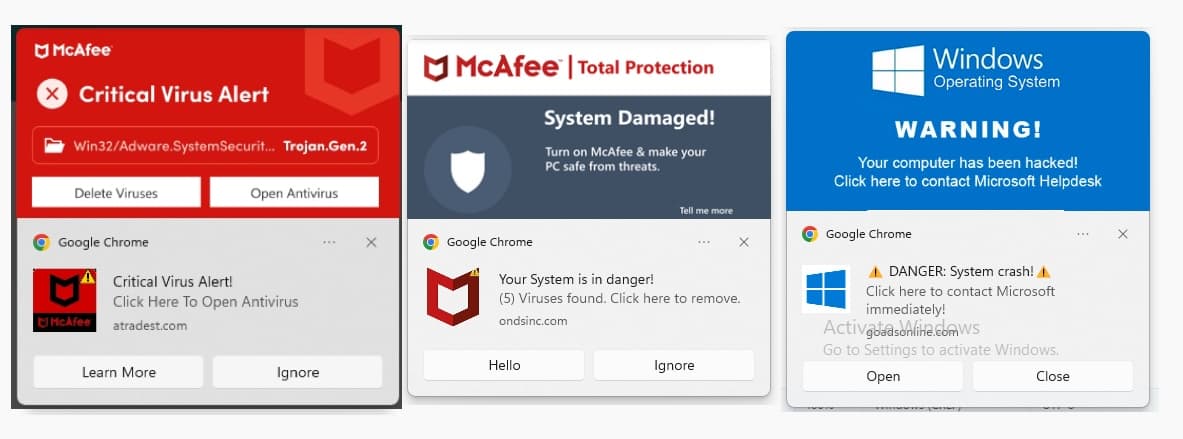
The end game of it could be to phish for personal data, solicit donations for non-existent causes, or infect visitors’ devices with malware. Additionally, users are bombarded with fake malware pop-ups and in case the individual is using AdBlock (which they should) are blocked from visiting the site unless they whitelist the scam site.
Source: Secureworks
Nevertheless, the emotional toll of these fake sites cannot be overstated. Families and friends of individuals who have recently passed away may stumble upon these fake notices, experiencing fresh waves of grief and confusion.
Moreover, these scams also have a financial angle—some sites solicit donations for funeral expenses or charitable causes in the deceased’s name, unintentionally funding contributions into the pockets of scammers.
Identifying Fake Obituary Sites
Distinguishing between genuine and fake obituary sites can be challenging, given the sophistication of AI-generated content. However, there are red flags to look for:
Unverified Information: Real obituary notices are usually posted by known funeral homes or are verifiable through local news sources.
Solicitation of Funds: Genuine obituary sites rarely, if ever, ask for donations directly on the page.
Poorly Credentialed Websites: Look at the website’s other content and credibility. A legitimate obituary site will not have advertisements or unrelated content.
Absence of Detailed Personal Stories: While AI can generate convincing summaries, it lacks the personal anecdotes and depth that come from genuine contributions.
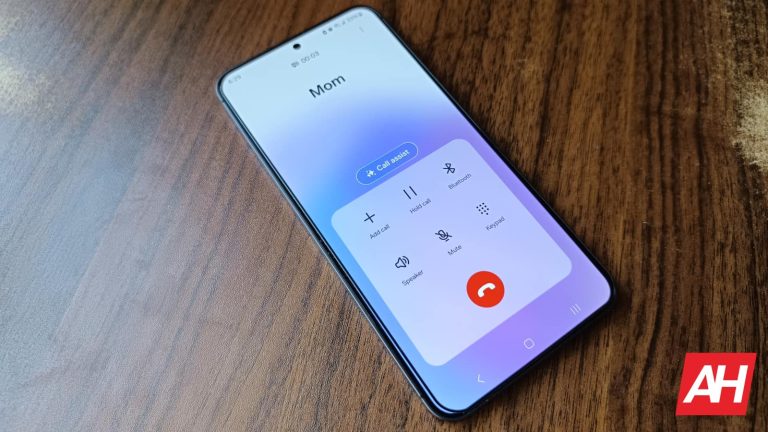
One of the best things about owning a Samsung phone is having access to one of the best Android skins on the market, One UI. This is a heavily customizable Android skin that you can tweak to your liking. One way that you can customize your Android phone to suit your interests is by adjusting the call screen. You can actually choose how the call screen looks inside your native Samsung phone app. If you want to know how to customize the call screen for your Galaxy phone, you’ve come to the right place.
We’ll go over the different ways you can customize this aspect of One UI. Samsung’s One UI has been a staple for the company’s devices for years, and it’s proven to be one of the most recognizable. So, there’s a ton that you can do to personalize your Samsung phone experience.
How to customize the call screen on your Samsung phone
The first thing to realize is that, in order to do this, you have to be using the native Samsung phone app. Different apps have different capabilities, and if you’re using a third-party app, you may not have the same capabilities as the Samsung phone app.
If you are using a third-party app, locate the phone app in your app drawer. Once you find it, tap on it. You will then see the option to set the Samsung phone app as your default. Select it and tap the Set as default button.
Once you are in the phone interface, tap on the three-dot menu close to the top of the right side of the screen. It will be right next to the search and filter calls button. In the drop-down menu, tap on the Settings button at the bottom.
You will see the items separated into sections. At the top of the third section, you will see the Call Background button. Once you go there, you will see the call screen customization options.
Customizing the background
Just like with changing your phone wallpaper, you have the option between pre-selected backgrounds and your own custom backgrounds. You will see two sections with the top section showing you the featured backgrounds. As it stands, there should be three featured backgrounds, and two of them should be videos. The one automatically chosen is the still picture.
Tap on one of the featured backgrounds to see a preview of how an incoming call will look with it applied. The first one, at least the first one preloaded on the Galaxy S24+ (Review) that we have at Android headlines, has swirling bluish and purple colors. The first video shows the same aesthetic, but we see the colors actually moving in the background. The second video shows three-dimensional avatars, called AR Emojis, dancing to a song. With that one, you have the option to use that specific song as your ringtone. You can tap on the mute button at the bottom left of the preview to listen to the song.
At the top right of the Featured section, you will see the dark mode option. When you tap on that option, you will see a darker version of the first two backgrounds. You have the option to either enable or disable dark mode. Also, you can set the app to match your phone’s theme.
Custom pictures
In the section below the pre-installed backgrounds, you will see a carousel of the media you have on your phone. You’ll see the media separated into folders, and these will be the folders that you have in your phone. Swipe left to explore the folders to see which images you want to use.
Just like with the pre-installed images, you will see a preview of what your call screen will look like with it applied. On the preview screen, you’re able to move the image around if it’s cropped.
If you choose to add a video, you’ll be able to use videos up to 15 seconds in length. When trying to use a video longer than that, you will have the option to trim it down to 15 seconds. Once you’re finished, tap on the Set as call background button at the bottom to set it as your background.
AR emoji
If you’re looking to add some fun and customizability to your call screen, you can use your AR emoji as your call background. Tap on the three-dot menu at the top right of the screen, and tap on the Create using AR Emoji button. If you already have an AR Emoji created on your phone, you’ll see your screen where you can either select that one or create a new one. If you don’t, then you’ll enter a screen where you can create one.
You can either edit one of the preset emojis, create one using the Emoji camera, or create an emoji from an existing image. When you choose an emoji, you’ll be taken to the Emoji editor there. Here, you can change the characteristics of the Emojis such as their hair, face shape, makeup, eyebrows, eyes, nose shape, skin tone, clothes, Etc. There are tons of options you can use to personalize your emoji.
Once you’ve customized your emoji to your liking, you can tap the save button at the top right of the interface. Next, you will choose what sort of dance you want your emoji to do during the ringtone. There are a ton of dances to choose from, so you may have trouble choosing just one. Along with the dance, you can also choose the background you want for your emoji. You can choose a solid color, or an existing image in your gallery.
Applying the background
Once you’re done, you will see a preview of your masterpiece. Each dance comes with a specific song, and you can choose to use that song as the actual ringtone. If you’re satisfied, tap on the set as call background button, and call it a day.
And, with that, you know how to add a splash of personality to your call background on your Samsung phone. This is just another reason why One UI is one of the best Android skins out there.
Google is finally rolling out Gemini, its conversational AI model, directly into the Google Messages app for select beta testers. This limited rollout confirms previous leaks and APK teardowns promising this integration would arrive soon.
In case you have somehow missed it, Gemini is an advanced large language model (LLM) developed by Google AI. Think of it as a super-smart chatbot capable of understanding natural language and responding in a remarkably helpful way. Gemini can brainstorm ideas, generate text, translate languages, write different kinds of creative content, and answer your questions in an informative way, even if they are open-ended, challenging, or unusual.
Now, as reported by 9to5Google, you can chat with this super helpful bot without ever leaving your Messages app. Unfortunately, it’s not as simple as updating your app, as there are some pre-requirements to having a chance of having the feature rolled out to you, such as:
You have to be a Google Messages beta tester. This means that you’d have to sign up to beta test from the Google Messages app link on the Play Store. Once you sign up, your app will be updated, and you’ll now be beta testing features before anyone else gets them.
Use a compatible device, which for now are the Pixel 6 or newer, Pixel Fold, Samsung Galaxy S22 or later, or a Samsung Galaxy Z Flip/Fold.
Have RCS chat features enabled.
Have a personal Google account. This means that it cannot be a Workspace or managed by Family Link account.
Be 18 or older.
Set your phone language to English (or French if in Canada).
Images via 9to5Google
If you meet all the criteria, and you are chosen by the powers that be, you should see a “Gemini” contact option when starting a new chat in Google Messages. However, do know that Gemini in Messages is still in the early rollout phase, and thus it may take a bit longer to get access.
It should be noted that your conversations with Gemini are not end-to-end encrypted, even though they are in RCS. Additionally, chatting with Gemini is a one-on-one experience, which means that it cannot be accessed or forwarded into other conversations.
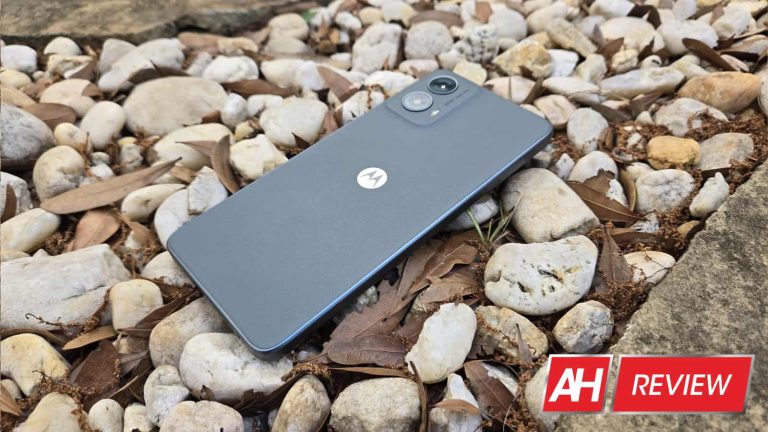
We all have our expectations of what a $200 phone should do. It should cover the basics: run core apps, make calls, send texts, post to social media, and… well exist. We don’t buy these phones for a mind-blowing experience, we buy them to get us through the day. But, the $200 phone is not what it was years ago. I was given the opportunity to review the Motorola Moto G 5G (2024), and this is a $200 phone that exemplifies that fact.
Since I’ve reviewed several devices across different price points, it’s easy to assume that I know exactly how a phone should perform at every price point. I should know how a $200 phone should perform compared to a $500 phone compared to a $1,300 phone. But, that’s not the case; some phones have the tendency to surprise people, blur lines, and offer value outside of their price bracket.
Regardless, I admit that I had my preconceived notions about this phone going into the review. Putting a $200 phone through its paces doesn’t seem like it’d yield much compared to doing the same for a flagship phone. It’d be like searching for gold in a sandbox versus a gold mine. However, This just means that whatever nuggets of gold you find in the sandbox are that much more significant. So, let’s see how much gold the Moto G 5G (2024) has to offer.
Table of Contents
Moto G 5G (2024) Review: Design
I’ve used cheaper Motorola phones with nice designs in the past, and I always walked away with the impression that Motorola has mastered how to make cheaper phones look good. Be that as it may, I wasn’t prepared for the sight I saw when I unboxed the Moto G 5G.
This phone goes beyond just looking nice; it is breathtaking in my opinion. It foregoes having a flashy and cutting-edge design and, instead, opts for more of an understated and elegant aesthetic. The back of the phone is made from a faux leather material that adds so much character to it. It gives this phone the same type of elegance as a business suit. There’s an air of professionalism to the design.
One thing I like about the design is that the leather material doesn’t cover the full back. The frame of the phone extends about a millimeter into the back. I can’t place my finger on it, but something about that adds to the overall design.
The camera package is a rounded rectangular bump that gradually rises from the back of the phone. It resembles the camera package in the Motorola Edge (2023)(Review). It doesn’t extend from the phone much, but looking at it head-on makes it look more significant. When I tilt the phone on its side, it almost looks like there’s no bump at all.
Looking at the frame takes just a bit of magic out of the overall experience. When I look at the back, I get the feeling that I’m looking at a premium material. It doesn’t matter if it’s not real leather, what matters is that it looks real. It’s the illusion that makes the phone look more premium. However, that illusion doesn’t extend to the frame of the phone; I know that I’m not looking at metal.
The frame is plastic, and it’s not easy to cover that up. It’s easier to fake leather than it is to fake metal. It only subtracts from the premium look of the phone, but it doesn’t take away from the overall look.
Overall
Years ago, one thing I noticed was that many professionals used iPhones, so the iPhone became synonymous with professionalism. I was less likely to see an accountant or doctor sporting the latest Galaxy phone. However, phones like the Moto G 5G (2024) really challenge that notion. More importantly, they break it.
There’s something elegant and professional about this phone’s aesthetic. The understated beauty and overall refinement go hand-in-hand to create a design that’s not just nice for the price; it’s nice in general. I can see any professional wielding this phone and not bat an eye.
Moto G 5G (2024) Review: Build Quality
While I didn’t know what to expect with the design of this phone, I had a pretty good idea of the build quality. Motorola phones in this price range tend to have pretty solid builds. When I first held this phone, I was met with a familiar feeling.
The build quality of the Moto G 5G (2024) is above what you’d expect from a $200 phone. It’s generally solid. This phone feels like it can take a good amount of abuse without giving in. It feels like the company used quality materials. I know that the frame is made from plastic, but it doesn’t feel like a cheap plastic.
One factor that lends to this phone’s nice feeling in the hand is the feeling of density. Phones that are lighter in weight tend to feel cheaper. That is only made worse when a phone is light while being notably thick. That makes it feel hollow. This is one gripe I had with the Tecno Pova 6 Pro.
While the Moto G 5G (2024) definitely has some thickness to it, there’s a satisfying heft to it. This makes the phone feel more dense, and that lends to the overall solid feeling in the hand. I feel secure when using this phone. If it happens to drop, I know that I won’t need to rush to get a new phone.
I bent the phone just a bit from both the front and the back (not enough to cause damage), and I heard only the slightest amount of creaks. Maybe a tiny pop here and there, but it was negligible.
The feeling in the hand is not going to rival the latest iPhone or Galaxy flagship, admittedly. However, for $200, I’m impressed with the overall build quality. Motorola definitely put some thought into making it a sturdy phone. One thing to note is that the screen is protected by Corning Gorilla Glass 3. So, you might want to get a screen protector, as that’s a pretty old standard of tempered glass.
Moto G 5G (2024) Review: Display
So, the theme of this review has been that the Moto G 5G (2024) has qualities that go beyond what its price would indicate. The display complies with this theme. Be that as it may, I’m pretty conflicted about how I want to sum up this display’s performance. Before we get into that, let’s talk about the display itself.
Brightness
Brightness used to be the downfall of all displays back in the day, whether we’re talking about flagship phone displays or budget phone displays. No matter what phone you had, you’d still need to cover your phone’s display whenever you’re out in the sunlight.
This is a reality that still plagues affordable phones, but the Moto G 5G (2024) has managed to offer some decent brightness for being such an affordable phone. It won’t go up against flagship phones with 1000+ nit displays, but it manages to remain notably visible in bright daylight. I’d place this display at about 900 nits. I feel like that’s about the threshold between a screen with good daylight visibility and bad daylight visibility.
When I’m trying to look at the screen in the sun, I’m met with my reflection more than I’d like, but I think that it’s bright enough to view comfortably. The brightness isn’t this screen’s best quality, but it’s still pretty good.
Colors
When it comes to the color saturation of this screen, I constantly find myself wanting just a bit more. Like the brightness, it’s good, but it’s right on the edge of being exceptional.
Out of the box, this phone’s screen is set to Saturated mode, so you’re seeing how punchy the screen can be right off the bat. This being an LCD display, there’s a limit to how much color can be stuffed into it. So, when I first looked at the display, I knew to expect the colors to be relatively washed out. And they are.
The colors are as punchy as an LCD display on a $200 phone could be, but that’s not to say that they’re bad in any way. I found that warmer colors produce the most pleasing saturation. Reds, oranges, and yellows look nice and punchy. Once the colors cool down, they start to lose some of their luster. At worst, the blues and greens look mundane.
So, pictures and videos of warm sunsets and red flowers will give you the most satisfying saturation. The colors won’t impress as much, but they’re far from offensive.
Contrast
This being an LCD display, there’s also a limit to how much contrast it can have. Getting dark gray areas where there should be blackness is unavoidable. However, I praise this display for offering some nice contrast. Looking at content with a ton of contrast, I’d say that the blacks are pretty dark. They’re the darkest of most LCD displays that I’ve reviewed so far.
Extras
The only extra feature that this display has is the 120Hz refresh rate. This makes the screen very fluid.
Overall
I’m heavily conflicted about how I should place this phone’s display. The Moto G 5G (2024) has a generally nice display as far as budget phones go. However, I’ve reviewed phones such as the Tecno Camon 20/Premier and the Infinix Note 30 Pro. These phones retail for not too much more than the Moto G 5G, but these phones’ displays are absolutely jaw-dropping. Their quality goes far beyond what their prices would indicate. Compared to those screens, the display on the Moto G 5G (2024) looks laughable. There’s just no competition, and they’re in a similar price bracket.
However, those phones aren’t offered in the US market. Most techies know that the US market is heavily missing out on a ton of amazing devices from companies overseas. Displays on sub-$400 phones from companies like Tecno and Infinix give $800+ Samsung phones a run for their money.
So, compared to the phones mentioned above, the display on the Moto G 5G (2024) is mediocre at best. However, if we’re talking about the US and other markets that don’t get those phones, the screen on the Moto G 5G (2024) is genuinely nice. I can enjoy watching content on it.
Moto G 5G (2024) Review: Speakers
My experience with the speakers on cheaper Motorola phones hasn’t been the greatest. They’ve always been average at best. When companies make cuts to bring a phone’s price down, the speakers typically take some of the biggest cuts. I’ve reviewed phones that had stellar displays, great software, and smooth performance, but the speakers would sound extremely dull.
So, reviewing the speakers of one of the most affordable Moto phones I’ve ever reviewed, I didn’t expect stellar results. To test the speakers, I listened to six short pieces of music, and each of them emphasizes one key aspect of speakers: Loudness, Distortion (this uses the same test piece as loudness), Bass, Treble, Balance, and Vocals.
There are a few things to note. Firstly, these speakers come with Dolby Atmos enabled by default, and there’s no way to shut it off. Also, there are a handful of deep customizations you can make to cater your sound to your liking. So, realistically, I won’t be able to cover how they sound with every customization made.
So, I’ll be reviewing the speakers based on the out-of-the-box settings. The software is set to automatically adapt to the type of content that you’re listening to. I’ll base my review on that.
Loudness
This is a pretty powerful set of speakers. When I played the loudness test piece, the sound was loud enough to fill an entire room with sound. I went inside a small closet and put a sound meter about a foot away from it, and the audio peaked at about 87db, so that’s pretty good. If you’re trying to listen to content in your room or outside, these speakers will suit you just fine.
Distortion
When it comes to distortion, I don’t hear the audio quality start to degrade until I reach the top two volume levels. Even at full volume, the audio doesn’t sound all too distorted. You won’t want to listen to these speakers at full volume. However, if you have to, then you won’t really have a bad time doing so.
Bass
This is one area that surprised me. Most of the time, speakers on cheaper phones tend to be a bit flat in the bass department. So, going in, I didn’t really expect these speakers to have much depth. But, they actually surprised me in that department.
The piece that I used to test the bass was a short clip of music that’s extremely immersive and bass-heavy. When I played the piece, I was impressed with just how much depth these speakers were able to produce. I could hear the lower notes sing through clearly.
Not only is there a good amount of bass to the sound, but there’s also a lot of space to it. Sometimes, companies make their speakers bassy without thinking about the sound stage. This is one thing that makes speakers sound cluttered and muddy rather than bassy.
So, I was impressed with how well these speakers produce low tones. They can come in handy when listening to action movies and certain genres of music.
Treble
Sometimes, it’s easy to overlook just how important the treble is when it comes to speakers. The higher tones add clarity and character to the sound, so being able to properly produce them can add to the quality of your speakers.
The speakers on the Moto G 5G (2024) do a commendable job when it comes to the treble. The test piece, as you can imagine, has plenty of high tones, and they all project nicely.
Balance
The intersection of the bass and treble is a very important aspect of music. While they’re important on their own, it’s crucial that they interact with each other nicely. The Balance test piece is a well-balanced piece that pays attention to the lows, mids, and highs. I listened for how the speakers projected these sounds and listened to hear if anything was overpowered.
Overall, I think that these speakers do a fine job of producing a nice and balanced sound. However, I think that the bass does overshadow the treble just a bit. It’s not bad, but you’ll notice just a bit more rumble in your sound.
Immersion
This is one of the most important aspects of the sound if you want to watch content. It’s how much the sound sort of surrounds the ears. With the overall balance, depth, and space that these speakers provide, I’d say that they’re pretty immersive. I listened to the short example piece along with some other music, and I really liked the performance.
Overall
Going in, I had my doubts about these speakers. There are phones that cost twice as much and don’t produce great audio quality. However, I think that these speakers pull their weight and more. They’re definitely higher quality than most of the speakers I review from phones at this price range. Even though I’ve heard better speakers from more expensive phones. I honestly enjoy using these speakers.
Moto G 5G (2024) Review: Performance
The Moto G 5G (2024) has been an overachiever so far, but the performance is an area where this phone starts to show some cracks in the armor. It’s using the Snapdragon 4 Gen 1 SoC. This is a processor that’s hip-deep in the budget phone market, and it shows in a few areas.
Don’t get me wrong, I’m not running into a ton of stutters or dropped frames while using it. In fact, instances of these are few and far apart. I think navigating the interface is generally smooth, even with the screen set to 120Hz. So, the software doesn’t slow the processor down to the point where everything freezes.
However, I can tell that the processor struggles, and I see this in less obvious areas. When I tap on an app, there’s a noticeable hesitation before the animation starts. The same thing happens when I tap the home button; it takes just a second for something to happen. When I open the camera, it takes a second or two for the actual viewfinder to load. After tapping a setting, it takes a second before it’s applied.
So, the sluggishness doesn’t happen during animations, which results in dropped frames. It happens in between animations. The sluggishness happens before the app animation happens, during splash screens, etc. Visually, that’s much better. I’d rather wait a second for a smooth and seamless animation than to see a stuttery animation right away.
The only issue is that it still slows down the experience. If you’re using the phone, and everything is taking a bit of time to process, it doesn’t matter where the lag happens, it still happens. Just about every action I perform on the phone takes just a bit of time, and it can be a bit much at times.
Benchmarks
I know that benchmarks aren’t a proper measure of a device’s performance. However, it can be nice to see where a device sits in terms of numbers. Firstly, I ran the Moto G 5G (2024) through Geekbench 6, and it got a single-core score of 849, which is decent for a budget phone.
As for the multi-core score, this phone was able to score 1931. These scores aren’t great, but they definitely get the job done.
Next, I rendered a one-minute video in CapCut in 1080p resolution, and it took quite some time to finish. It took the phone 30.09 seconds to render the video from start to finish. This isn’t great, but it’s not the worst. It was able to outpace the Poco X6 (32.17 seconds) and the HONOR Magic6 Lite (44.66 seconds).
Overall
I’d say that Moto G 5G (2024) is much smoother than most other phones in this price range. Motorola did a great job of optimizing the software to work with the chip. However, we can’t avoid the fact that this is a very budget chip. Optimization can only go so far, and there’s a limit to how far software optimizations can push a chip.
I’ve gotten generally smooth performance, but this phone is no speed demon. You’re going to use the Moto G 5G (2024) for the basics, and that’s what it’s good at.
Moto G 5G (2024) Review: Gaming
When it comes to gaming, this phone surprised me. The Moto G 5G (2024), being a budget-centered phone, isn’t meant to be your pocket gaming console. So, you’re going to have to download apps with the expectation of a sluggish time.
Be that as it may, Motorola was able to create a phone that can handle a fair bit of what the Google Play Store can dish out. It was able to crush Survivor.IO. This is a 2D game that’s not shy about displaying a massive number of sprites on the screen at once. While 2D games aren’t the most graphically intensive games, if a phone hiccups on those, then it sets a dark tone for the rest of the gaming review.
I then moved into some moderately graphically intensive 3D games. Some of the go-to games I use are Dragon Ball Legends and Asphalt 9. Dragon Ball Legends ran like butter; I had no issues with that one, and Asphalt, aside from one slight stutter, it ran smoothly as well. This was with the graphics turned up to full. We all know how intense this game gets during races.
Most phones that I’ve reviewed can play these games without any issues. But, a real test of a phone’s gaming chops is playing games like Genshin Impact and Honkai Star Rail. This phone has been full of pleasant surprises, but I was not expecting any miracles when it comes to these games… and yet.
Genshin Impact
Okay, so let’s start off with Genshin Impact. Hands down, this is the worst performer of any phone I tested with this game. Usually, I’m able to get somewhat smooth performance by knocking the graphics down to their lowest setting. However, in the case of the Moto G 5G (2024), there was none of that. At the highest setting, this game is unplayable. Nothing about it runs smoothly. That’s to be expected, so I won’t hold that against the phone.
When I cranked the settings all the way down, I still got consistently choppy gameplay. I’d usually recommend getting a game even if it’s a little stuttery, but I can’t in this case. If you’re a Genshin Impact fan, then you’ll want to pass up this phone.
Star Rail
Genshin Impact and Star Rail are some of the best-looking games on the Google Play Store; if a phone is struggling on Genshin, then it’ll struggle on Star Rail. Well, that’s what I THOUGHT. I started up the game and was surprised at how smooth the title animation was. It was much smoother than on the Tecno Pova 6 Pro.
Then, I did my ritual of starting the game and cranking the graphics to their highest settings and expected to watch the gameplay turn into a slideshow. Then, I was met with some decently smooth gameplay. I wasn’t getting a fluid 60FPS or anything, but the game didn’t lock up or drop too many frames. Maybe there’s a hiccup here and there, but it’s not that bad.
Heat performance
While playing games or using it, I never experience any excessive heat. Honestly, the Snapdragon 4 Gen 1 is a very efficient processor, so it was able to keep the temperatures down.
Overall
The performance was night and day compared to Genshin Impact, so I’m a bit conflicted on how to sum up the performance. I’d say that the performance is good for most 2D and low to mid-level 3D games. Once you start to approach more graphically intensive games, your results will vary. You’re not going to want to get this phone for gaming.
Moto G 5G (2024) Review: Camera
There are certain areas where budget smartphones tend to overachieve and deliver an experience that makes you question why you’d buy more expensive phones. Well, the camera department is rarely one of them. Most of the time, no matter how great the screen, performance, speakers, or build quality, the camera quality on affordable phones is laughable.
What makes it worse in this case is that Motorola does not have the best track record for cameras. I haven’t reviewed a Motorola phone whose camera impressed me. The camera on the Moto Edge+ (2022) was lukewarm at best.
So, how is the camera with the Moto G 5G (2024)?
Exposure/Contrast
The camera in the Moto G 5G (2024) leans more toward overexposure. Pictures typically have blown-out highlights in spots. Sunny patches on the ground would turn white. That’s natural for cameras, but it happens more than I’d like. The images, overall, are pretty bright, which can throw off the whole mood of the image.
I’d recommend hopping into the Pro mode and cranking the ISO down a few stops.
In terms of contrast, I don’t know how to properly describe what I’m looking at half the time. Images both lack contrast and have too much contrast if that makes sense. The images have that almost washed-out appearance of a camera that doesn’t have proper dynamic range. It makes it hard to discern what you’re looking at.
However, at the same time, the images have some pretty epic extremes. Bright spots are extremely bright and the dark spots are pitch black, and I mean BLACK. Shadows have the life crushed out of them. I’d take a picture of a tree in the daytime with shadowy areas, but the camera extracts absolutely no information from them. They fall to black so quickly. It’s surreal because, in real life, if you’re standing outside in the sunlight, you’re not going to see completely black areas because of ambient occlusion.
I think that the contrast is completely off with this camera, and that has a negative effect on the final product.
Colors
I might have to get treated for whiplash because of how much the colors flung me back and forth. There are times when the colors look nice, and there are times when they look weird. Sometimes they’re saturated, sometimes they’re washed out; sometimes they’re warm, sometimes they’re cool. I don’t know how to place the colors.
For example, I don’t know what’s going on with the first images of the green bush. There’s this weird tint to it. This wasn’t even close to the color of the scene.
Then, I get pictures like these where the colors are actually pretty nice. I’d say that this is the best one. The yellow of the flower is nicely accentuated and the green in the leaves is nice and juicy. I wish I could say the same thing about the rest of the pictures.
All in all, the colors all have this weird tone to them that just throws the whole scene off. Below are some examples of the worst offenders.
I don’t know what Motorola is doing with its color science, but I think that a software update could clear it up.
Details
Honestly, for as iffy as the camera quality has been so far, the camera is able to capture some nice details. I’m able to zoom into the scene a fair bit before the details get muddy.
Video
When it comes to video, this camera is not taking home any prizes. I think that the color reproduction is better. However, looking back at the footage I took, I found that videos suffer from the same contrast issue that photos do. The shadows are still heavily crushed far beyond what they should be.
However, I think that an aspect of the video recording capabilities is the stabilization. Moving, walking, panning, etc. is incredibly smooth. While walking, I could barely see my steps. I think that this is a great camera when it comes to stabilization.
Let’s talk about my main annoyance
Here’s one thing that annoyed me about the camera interface. Usually, when you see a phone’s camera interface, you know what the camera’s capable of; when you choose the resolution, it tells you. The same thing goes for the video resolution. Yet, For some reason, Motorola decided to treat its users like babies and withhold specs for the sake of simplicity.
For starters, when inside the interface, I don’t know what resolution I’m taking pictures in. In the settings, I’m only presented with Standard and High-Resolution modes. Come on, Motorola, you don’t have to simplify things that much…
Also, there’s no option to change the video resolution. There’s only one video resolution, and it doesn’t tell us what it is. It’s like the company is focusing so much on simplifying everything to make the most user-friendly experience. However, this is the only time I’ve ever seen this amount of babying in a camera interface.
Overall
This is a camera that you’re going to use to take pictures, and that’s it. It has several flaws that put it in the group of good affordable phones with crappy cameras. You won’t choose this camera for its detail, dynamic range, or its color reproduction. Instead, you’re going to use it because it’s there. It performs the job of taking pictures, but it’s not much more.
Moto G 5G (2024) Review: Battery
Motorola doesn’t have the best track record for cameras, but it has a great track record for batteries. Its phones generally have really good battery life, and the Moto G 5G (2024) was able to do a decent job.
Along with using the battery in my daily life, I tested the battery by charging it to 100% and streaming looping video until the battery died. The phone lasted 10 hours and 21 minutes. That’s quite a bit behind most flagship phones; some phones cross the 23-hour mark.
While this phone is far behind those phones, it’s still good enough to last you a day on a single charge. I was able to start the day with a full charge and make it to ben without needing to reach for a charger. If you’re going to be doing a lot of heavy gaming and video-watching, then you’re going to want to plug in before bed.
However, if you’re a moderate user, then you’ll get some serious mileage from this battery. The Snapdragon 4 Gen 1 is an efficient SoC, so the standby time will be great.
Moto G 5G (2024) Review: Software
I sometimes think of Motorola’s My UX as near-stock Android, but the company has really developed a special identity for its software. It has the classic Google Material You aesthetic, but certain bits of the software have been “Motorola-ified”. You’ll mostly notice these elements in the Personalization menu and the animations.
Aside from the visuals, what really characterizes Motorola’s software are the gestures. If you’re familiar with Motorola phones, then you should be familiar with some of the gestures that the company has maintained over the years. Features like the double-chop to activate the flashlight and the triple-finger swipe to take a screenshot are some examples.
I don’t have any complaints about the software. You’ll love it if you’re looking for a near-stock Android experience with a few extra features.
Moto G 5G (2024) Review: Final Verdict
The Moto G 5G (2024) is one of the best kinds of products for reviews to look at. While drooling after the latest and greatest $1000+ beast to hit the scene, we typically turn a judgemental eye to phones that cost under $300. We write them up as cheap slabs that just get us through the day. I admit that this is what I initially thought about this phone. I got the box and said, “Well, here it is…” This was all while using the Galaxy S24+ as my daily driver.
But, phones like the Moto G 5G (2024) exemplify one of the BEST skills that a smartphone OEM can have, being able to craft a solid smartphone experience on a budget. Cherry-picking and juggling compromises in order to create the most optimal experience that a person can have for not too much money. This is the driving force behind the mid-range and budget smartphone markets. Before the whole “smartphone killer” craze, phones under $300 were devices you’d get with the expectation that you’re going to have a bad time; choppy performance, crappy speakers, useless camera, terrible display, etc.
However, The Moto G 5G (2024) is a testament to the fact that times are different. People can buy a phone for less than a quarter of the price of a Galaxy S24 Ultra and still have a generally nice experience. It’s not a flagship phone by any means, but it comes with a beautiful design, solid build quality, a nice display, some surprisingly good speakers, decent performance, good battery performance, and some pretty good gaming chops.
If you’re looking for a phone that performs way better than its price will let on, then you should definitely consider picking up the Moto G 5G (2024).