Mikhail Vasiliev was also fined $860,000 for his involvement in the LockBit gang’s attacks. This case highlights the international effort to combat cybercrime and the severe consequences awaiting perpetrators.
A Russian-Canadian citizen, Mikhail Vasiliev, has been sentenced to nearly four years in prison for his involvement in the notorious LockBit ransomware operation. Vasiliev will also pay $860,000 in restitution to his Canadian victims.
Vasiliev’s lawyer reportedly argued that he turned to cybercrime due to financial difficulties during the COVID-19 pandemic. However, Justice Michelle Fuerst rejected this justification, calling Vasiliev a Cyber Terrorist whose actions were motivated by greed and his crimes were “far fromvictimless crimes.”
Investigations revealed Vasiliev’s role as a key member of the LockBit ransomware gang, involved in a significant number of cyberattacks with ransom demands ranging between €5m-€70 million. Vasiliev took responsibility for his actions, as confirmed by his lawyer Louis Strezos.
Vasiliev, 34, was arrested in October 2022 from his residence in Bradford, Ontario where he had moved from Moscow 20 years ago. He pleaded guilty in February 2024 to stealing victims’ computer data and using it for extortion.
Moreover, according to Canadian media reports, he admitted targeting at least three Canadian organizations, encrypting their data, and seeking ransom payments between 2021-2022, making $100 million in ransom demands for the gang from around 1,000 cyberattacks on victims in the U.S. and globally,
Vasiliev primarily targeted businesses in Saskatchewan, Montreal, and Newfoundland. His attacks likely caused significant disruptions and financial losses to the targeted businesses.
In November 2022, the US Department of Justice announced separate charges for his involvement in LockBit attacks. Vasiliev is set to be extradited to the U.S. for facing these additional charges
LockBit, active since 2020, operates under a ransomware-as-a-service (RaaS) business model, where affiliates exploit intrusions and deploy ransomware in exchange for some percentage of ransom payment.
In 2023, the gang gained significant profits from targeting companies like Boeing and Allen & Overy and exploited the Citrix bleed security flaw tracked as CVE-2023-4966 (CVSS score: 9.4).
LockBit’s infrastructure was dismantledby the law enforcement authorities in February 2024 as part of Operation Cronos with the seizure of 34 servers and 200 cryptocurrency accounts. Just a week after its seizure, LockBit reemergedwith new leak sites, but RaaS is unlikely to recover. It claimed Operation Cronos was successful due to its negligence in updating PHP settings.
So far, Authorities have arrested six suspects in connection to LockBit, including Vasiliev, Ruslan Magomedovich Astamirov who was arrested in June 2023, two Russian nationals Artur Sungatov and Ivan Kondratyev, alias Bassterlord, and two others arrestedin Ukraine and Poland.
Vasiliev’s potential extradition is a sign of growing international cooperation in combating cybercrime and serves as a warning to other gangs involved in such activities.
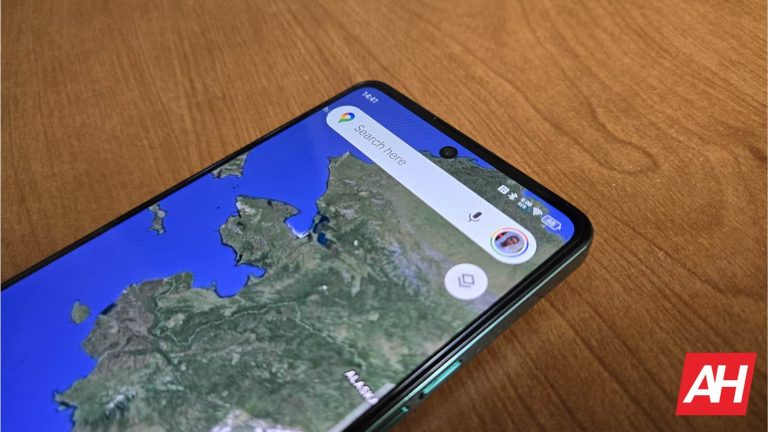
At this point, very few companies actually avoid using social media in some way shape, or form. It’s a technology that connects business owners with millions upon millions of potential customers. So, it’s only natural to be introduced to social media posts when looking up businesses. So, Google Maps will now show social media posts from businesses.
Google Maps has been coming out with some new features. For example, the app will now show you building entrances and exits. When you tap on a specific building while navigating, you will see little green arrows pointing you to where your entrances and exits are. It’s going to help you navigate, as you’ll know where to park, and you will be better able to navigate confusing parking lots.
Google Maps will show social media posts from businesses
Many businesses thrive on social media posts. Imagine owning a restaurant and having hundreds of thousands of likes and views on Instagram pictures of your food. Or, if you own a museum, wouldn’t it be great to have pictures and videos of the beautiful art being exhibited?
That’s the beauty of social media. Sure, you can easily access social media pages directly from the dedicated apps. However, Google Maps has a way for you to capture those eager tourists searching for local businesses.
According to the report, when you search for a business on Google Maps, you will see the business profile. That is not new. However, on the profile, you will see the businesses’ most recent social media posts. Now, if this sounds invasive, don’t worry. Google is not automatically searching for and finding your social media accounts. If you own the business, and you have a business account, you will be able to link your account to yours when you do a search on Google Maps, the app will just pull from the social media posts present. You’ll be able to use social media accounts like your Facebook, Instagram, and Twitter (now X) account.
If you own a business, and you don’t see the feature just yet, then you may have to wait just a bit. Google is still rolling this feature out to users.
ThreatDown has once again earned a perfect score in AVLabs’ January 2024 real-world malware detection tests, marking the eleventh consecutive quarter in achieving this feat.
Let’s delve into the details of the test and how ThreatDown outperformed competitors in exhaustive testing.
The AVLab Assessment
AVLabs evaluation process is extensive and comprehensive, putting cybersecurity products through a rigorous series of real-world scenarios. The tests involve:
Malware Collection: AVLab amasses a broad spectrum of malware samples from various sources, such as public feeds and custom honeypots. This ensures the test includes the most current and diverse set of threats.
System Log Analysis: The collected malware samples undergo thorough scrutiny to confirm their malicious characteristics and their ability to successfully infect a Windows 10 system.
Real-life Cyber Attack Simulations: All products are tested under the same conditions. AVLab recreates cyberattack scenarios akin to what’s seen in the real world, using techniques that actual attackers employ.
Products that block all malware samples and achieve a maximum score of 100% protection are awarded an “Excellent” award badge.
The Results
ThreatDown consistently excels in the tests, and January 2024 was no different. ThreatDown Endpoint Protection earned “Excellent” badges for detecting and blocking 100% of malware.
The standout performance is due to our superior detection approach that combines rules-based techniques with behavioral and AI-based methods to stop threats at every stage of an attack. Our proactive approach, which involves identifying threats even before they execute, played a crucial role in obtaining a perfect AVLab score.
The Competition
Other vendors struggled to match ThreatDowns results. Five vendors—Cegis Cyber, F-Secure Total, Microsoft Defender, Panda Dome Advanced, and Webroot Antivirus—all missed samples in the January 2024 test.
The foundation for superior Endpoint Detection and Response (EDR)
ThreatDown Endpoint Protection (EP) is not merely a standalone product; it’s the bedrock of our ThreatDown Bundles, which combines the technologies and services that resource constrained IT teams need to take down threats, complexity, and cost.
Leveraging the robust detection and prevention capabilities validated by AVLab’s tests, ThreatDown Bundles deliver a simple yet superior solution integrating award-winning endpoint protection technologies. Learn more about ThreatDown Bundles here.
Recently, a new bill was brought up in the US House of Representatives that would ban TikTok. Today, the entire house voted on the measure, and it passed with bipartisan support. With 352 voting for and 65 voting against. Apparently, the House can actually be in agreement.
The next step is the US Senate. It’s currently unclear what would happen with this bill in the Senate. However, Senate Majority Leader Chuck Schumer did state that “The Senate will review the legislation when it comes over from the House.”
A TikTok spokesperson said, “This process was secret, and the bill was jammed through for one reason: It’s a ban.” TikTok is also “hopeful that the Senate will consider the facts, listen to their constituents, and realize the impact on the economy, 7 million small businesses, and the 170 million Americans who use our service.”
What’s interesting now is that former President Trump has started to push back on a TikTok ban despite supporting it while he was president. He is arguing that if TikTok were out of the picture, Facebook could benefit the most, while he attacked Facebook CEO Mark Zuckerberg, calling him the “enemy of the people.”
What’s next for this TikTok Ban?
The first step towards a TikTok Ban has happened, so what’s next? Well, it’s going to head to the Senate, and if it is passed without any further revisions, then it’ll head to President Biden’s desk. Which President Biden has said he would sign a TikTok Ban.
If this is passed into law, TikTok’s parent company, ByteDance, would have a six-month window to sell TikTok or face a ban from the US app stores and web hosting services.
This is not the first time that the US has tried to ban TikTok, however the “Protecting Americans from Foreign Adversary Controlled Applications Act” has drawn more support far more quickly than previous bills did.
In the dynamic realm of digital connectivity, LTE proxies have emerged as transformative tools, reshaping our online experiences and interactions. This comprehensive exploration delves into the multifaceted applications of LTE proxies, unraveling their pivotal role in enhancing connectivity, privacy, security, and accessibility.
Unveiling the Power of LTE Proxies
In an era where online privacy and security are paramount, the LTE proxy has become synonymous with safeguarding personal information and providing users with a shield against prying eyes. LTE proxies, acting as digital guardians, facilitate secure online browsing by masking users’ IP addresses, ensuring a more private and anonymous digital experience.
Beyond privacy, LTE proxies extend their capabilities to empower individuals and businesses in taking control of their digital footprint. For example, consider a scenario where a user navigates the internet with a heightened sense of security, reducing the risks of identity theft, tracking, and unauthorized access to personal data. This newfound control fosters a safer online environment for users globally.
Empowering Businesses: Security and Beyond
The dynamic layer of security provided by LTE proxy is particularly crucial for businesses navigating the complex landscape of the digital world. These proxies not only conceal but also empower enterprises to fortify their digital presence. Consider a business leveraging LTE proxies to navigate the realm of online advertising. In digital marketing, LTE proxies prove indispensable for ad verification, ensuring the accuracy and visibility of campaigns across diverse platforms and regions. Marketers can now unlock new possibilities for targeted outreach, reaching their intended audience with precision and efficiency.
Moving beyond the realm of privacy and security, LTE proxies play a pivotal role in shaping the landscape of e-commerce. Enthusiasts, particularly those seeking exclusive products, leverage LTE proxies to transcend geographical barriers. This breakthrough opens doors to restricted online purchases, offering users a unique and exhilarating dimension to the e-commerce experience. For instance, a tech gadget enthusiast in one part of the world can now access and purchase limited-edition releases that were previously off-limits due to regional restrictions.
Data Analysis and Market Insights: Leveraging LTE Proxies for Strategic Intelligence
LTE proxies play a pivotal role in the realm of data extraction and market research, serving as essential tools that transform raw data into strategic insights for businesses. The integration of LTE proxies enhances the potency and discretion of web scraping, allowing organizations to extract valuable information without revealing their true identities.
Web scraping, facilitated by LTE proxies, becomes a sophisticated tool for businesses to gather insights from various online sources. Consider a scenario where a company aims to conduct comprehensive competitive analysis. LTE proxies enable the extraction of data from competitors’ websites discreetly, ensuring that the competitive intelligence gathered remains unbiased and accurate. This strategic advantage empowers businesses to make informed decisions based on real-time, relevant data.
Furthermore, LTE proxies contribute to the precision of pricing strategies. Businesses can employ these proxies to scrape pricing information from competitors’ websites, e-commerce platforms, and marketplaces. This detailed and up-to-date pricing data enables organizations to adjust their own pricing strategies in response to market fluctuations, demand trends, and competitor movements.
The process facilitated by LTE proxies ensures that the collected data remains unbiased and untainted by location or identity biases. The result is a robust foundation of market insights that goes beyond surface-level information, providing businesses with a competitive edge.
Consider a scenario where a retail business, leveraging LTE proxies, conducts web scraping to monitor customer sentiment and reviews across various platforms. By analyzing this data, the business can gain valuable insights into customer preferences, satisfaction levels, and areas for improvement. This deep understanding of customer sentiment becomes a strategic asset, guiding product development, marketing campaigns, and customer engagement strategies.
In the realm of e-commerce, LTE proxies are instrumental in tracking product availability, pricing changes, and promotional activities across multiple online marketplaces. This level of detail empowers businesses to make data-driven decisions, optimizing their product offerings, pricing structures, and marketing initiatives.
As businesses navigate the digital landscape, the integration of LTE proxies in data analysis becomes an indispensable strategy. The precision, privacy, and versatility offered by these proxies redefine how organizations approach data extraction and market research. It’s not just about collecting data; it’s about distilling meaningful insights that drive strategic decision-making in a dynamic and competitive business environment.
In essence, LTE proxies serve as critical facilitators in the transformation of raw data into market insights, enabling businesses to navigate the complexities of their industries with clarity and foresight. The synergy between LTE proxies and data analysis is a testament to the evolving nature of technology, empowering organizations to harness the full potential of the digital age for informed and strategic decision-making.
Access to Geo-restricted Content and Enhanced Security for Remote Work
LTE proxies empower users to access geo-restricted content seamlessly, providing enhanced experiences for streaming services, websites, or online resources limited by geographical location. Furthermore, with the rise of remote work, LTE proxies offer an additional layer of security for professionals accessing company networks from different locations, safeguarding sensitive information and ensuring a secure remote work environment. As professionals continue to work remotely, LTE proxies become essential tools for securing data transmissions and maintaining a reliable virtual work environment.
LTE proxies contribute not only to enhanced privacy and security but also to network optimization. By reducing the load on traditional networks, these proxies play a pivotal role in improving connection speeds and overall performance, especially in areas with high network congestion. This optimization ensures users a smoother online experience, reinforcing the significance of LTE proxies in the broader landscape of digital connectivity. In areas with limited network infrastructure, LTE proxies become instrumental in providing users with reliable and swift online access.
Navigating the Digital Future with LTE Proxies
As we traverse the digital landscape, LTE proxies stand out as catalysts for change, redefining how we connect, shop, and market in the online sphere. The transformative potential of LTE proxies is undeniable, offering users a passport to a more private, secure, and boundaryless digital experience. Embrace the future of connectivity with LTE proxies – where every click, every purchase, and every campaign is empowered by the seamless capabilities of this revolutionary technology. The journey into the digital future is illuminated by LTE proxies, guiding users towards a landscape where connectivity knows no bounds, and privacy is not just a right but a digital empowerment.
15,363 Roku accounts fell victim to a security breach, with cybercriminals accessing sensitive user data, including attempts at credit card fraud.
The incident was reported to the Maine and California attorneys general on March 8, detailing how hackers acquired Roku customer usernames and passwords from an external source and executed a credential stuffing attack (via TechRadar). The Maine filing states the attacks occurred on December 28, 2023, and February 21, 2024.
The attackers were able to change account login credentials, effectively locking out the legitimate owners and attempting to purchase streaming subscriptions with the stored credit cards. This alteration prevented account holders from receiving any confirmation emails regarding unauthorized purchases.
In response, Roku immediately secured the compromised accounts and initiated a password reset for affected users while investigating the fraudulent transactions. The company’s efforts successfully halted unauthorized subscription sign-ups and refunded all fraudulent charges. Roku has assured that no social security numbers or similarly sensitive data were compromised in the breach.
For user security, Roku recommends resetting passwords via the My Roku website and contacting their support if account access issues arise. Users should also review their accounts for unauthorized subscriptions or devices, likely indicators of hacking. Additionally, checking your information on HaveIBeenPwned can check if your data has been compromised. Despite the breach impacting a small fraction of Roku’s user base, caution is advised.
Further investigation uncovered an online marketplace selling stolen Roku account credentials for as little as 50 cents. The listings included instructions for making fraudulent purchases, with culprits boasting of their exploits on Telegram through screenshots of their ill-gotten gains.
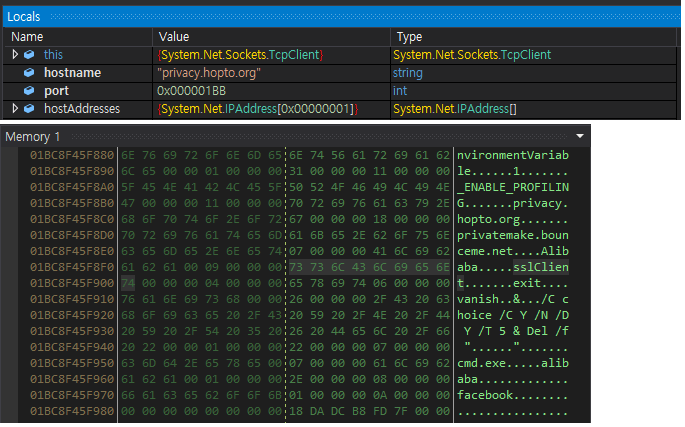
The Andariel threat group was observed conducting persistent attacks against domestic businesses, specifically installing MeshAgent for remote screen control while conducting the attack.
MeshAgent collects basic system information for remote management and performs activities such as power and account management, chat or message pop-ups, file upload/download, and command execution.
It also has remote desktop support. In particular, the web supports remote desktop protocols like RDP and VNC.
“The attacker exploited domestic asset management solutions to install malicious code, most notably AndarLoader and ModeLoader”, AhnLab Security Intelligence Center (ASEC) shared with Cyber Security News.
Among the threat groups currently targeting Korea are the Andariel group, the Kimsuky group, and the Lazarus group.
As part of the initial access, it has also been known to launch supply chain, spear phishing, or watering hole attacks.
The malware is spread by taking advantage of installed software or flaws in the attack process.
Several Malware Backdoors Employed
AndarLoader is similar to Andardoor, discovered in an attack case that misused the Innorix Agent.
However, in contrast to Andardoor, the majority of the backdoor functions used by AndarLoader carry out the attacker’s commands via binary, executable data obtained from the C&C server, such as the .NET assembly.
“The AndarLoader confirmed this time is characterized by being obfuscated using KoiVM, unlike past types that were obfuscated with the Dotfuscator tool,” researchers said.
The attacker erased the compromised system’s security event log using AndarLoader and the command “wevtutil cl security.”
AndarLoader obfuscated with KoiVM
Additionally, MeshAgent gathers the fundamental system information needed for remote management.
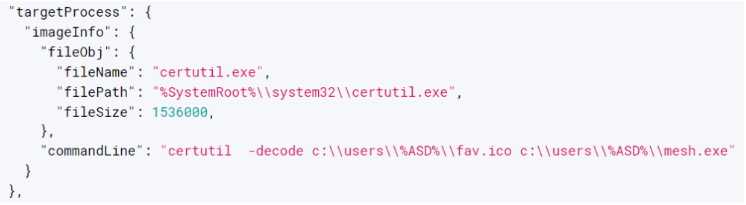
The use of MeshAgent by the Andariel group was first verified, and it was downloaded externally under the name “fav.ico.”
MeshAgent installation log
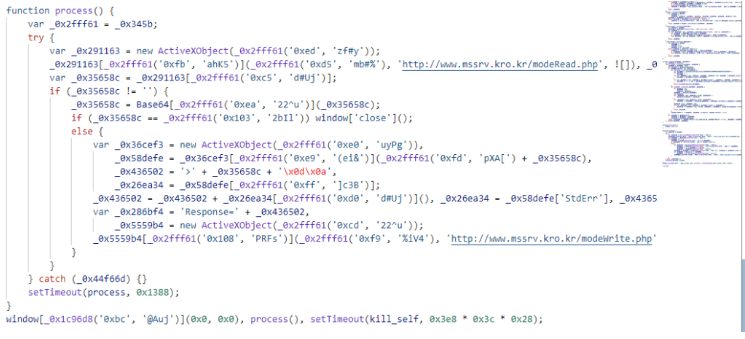
ModeLoader is a JavaScript malware that the Andariel group has been using nonstop in the past.
It is downloaded and run externally via Mshta rather than being created as a file.
“Attackers mainly exploit asset management solutions to execute the Mshta command that downloads ModeLoader”, researchers said.
ModeLoader executing commands received from the C&C server
Researchers say the attack campaign verified a feature:
in the majority of attack cases, keylogger malware was also detected.
The malware records data copied to the clipboard and keylogger and offers keylogging functionality.
Users must exercise extra caution when opening executable files from websites or attachments to emails from unknown senders.
Corporate security employees ought to strengthen asset management solution monitoring and apply fixes when there are program security flaws.
Also, take precautions to avoid being infected by this kind of malware beforehand by updating the most recent patches and V3 for operating systems and web browsers.
With Perimeter81 malware protection, you can block malware, including Trojans, ransomware, spyware, rootkits, worms, and zero-day exploits. All are incredibly harmful and can wreak havoc on your network.
Stay updated on Cybersecurity news, Whitepapers, and Infographics. Follow us on LinkedIn & Twitter.
Critical security flaws found in ChatGPT plugins expose users to data breaches. Attackers could steal login details and access sensitive data on third-party websites – Update your plugins now and only use extensions from trusted sources to stay safe from AI-driven cyber threats.
Salt Security, a leader in application programming interface (API) security, has discovered critical security vulnerabilities within popular plugins of OpenAI’s AI chatbot ChatGPT. These flaws may allow attackers to steal sensitive user data and gain unauthorized access to accounts on third-party websites or data retrieval from Google Drive.
This means ChatGPT plugin functionality, now known as GPTs, could be an attack vector, allowing vulnerabilities to access third-party user accounts, including GitHub repositories, and letting bad actors gain control of an organization’s account on third-party websites and access sensitive data.
For your information, ChatGPT plugins (exclusively accessible for users with a GPT-4 model, requiring a ChatGPT Plus subscription for utilization), are designed to enhance the chatbot’s capabilities by enabling it to interact with external services and be applicable across various domains. However, while using ChatGPT plugins, organizations may inadvertently permit them to send sensitive data to third-party websites and access private external accounts.
Three Vulnerabilities
According to Salt Labs research shared with Hackread.com ahead of publication on Wednesday, the company discovered three vulnerabilities within ChatGPT plugins.
First Vulnerability
The first was within ChatGPT itself, where users are directed to the plugin website to receive a code to be approved. Attackers can exploit this function to deliver users a code approval with a malicious plugin, allowing them to install their credentials on a victim’s account. Any message written in ChatGPT may be forwarded to a plugin and the attacker can then access proprietary information.
Second Vulnerability
The second vulnerability was identified in PluginLab, a framework used to develop ChatGPT plugins. Salt Labs found that PluginLab doesn’t implement proper security measures during the installation process, hence, allowing attackers to potentially install malicious plugins without users’ knowledge.
Since PluginLab did not authenticate user accounts, attackers can insert another user ID and gain a victim’s code, leading to account takeover. One affected plugin, “AskTheCode,” integrates between ChatGPT and GitHub, allowing attackers to access a victim’s account.
Third Vulnerability
Another vulnerability was OAuth redirection manipulation, allowing attackers to send malicious URLs to victims, and steal user credentials. Many ChatGPT plugins request broad permissions to access various websites. This means compromised plugins could potentially steal login credentials or other sensitive data from these third-party websites.
Following responsible disclosure practices, Salt Labs’ researchers collaborated with OpenAI and third-party vendors to promptly address issues before their exploitation in the wild.
This research highlights the growing prevalence of AI and its potential security risks. In January 2024, Kaspersky discovered over 3,000 dark web posts where threat actors discussed exploiting AI-powered chatbots like ChatGPT for developing similar tools to conduct cybercrimes.
Recently published Group-IB’s “Hi-Tech Crime Trends 23/24” report shows a surge in the use of AI by cybercriminals, particularly for stolen ChatGPT credentials, which can be used to access sensitive corporate data. Over 225,000 infostealer logs containing compromised ChatGPT credentials were detected between January-October 2023.
Therefore, users are advised to carefully review permissions, only install plugins from trusted sources, and regularly update ChatGPT and plugins. Developers should address code execution vulnerabilities to safeguard user data. PluginLab developers should implement robust security measures throughout the plugin development lifecycle.
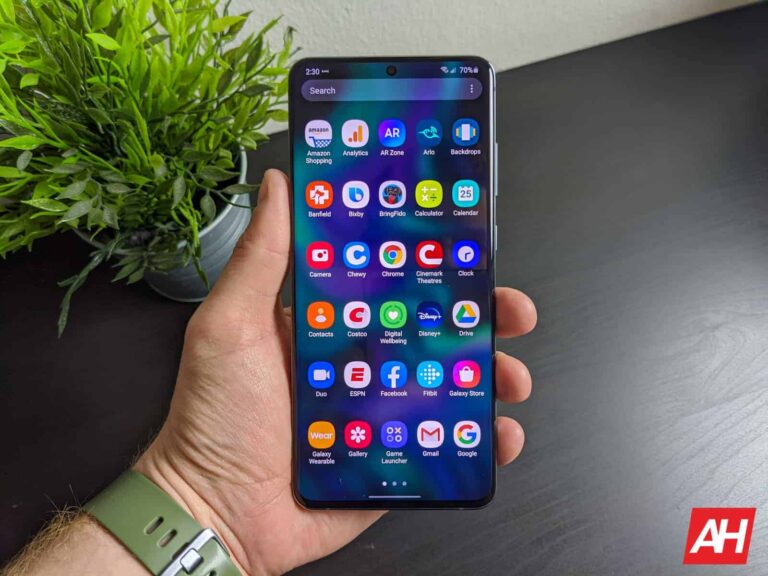
Samsung is on a roll lately. The company is incessantly rolling out the March 2024 update for eligible Galaxy devices. Over the past few days, it has pushed the new security patch to over a dozen models. A few more are joining the party today. The new SMR (Security Maintenance Release) is available for the Galaxy S20 series and Galaxy A32 5G. It is also rolling out widely to the Galaxy Z Fold 5 and Galaxy Z Flip 5.
Galaxy S20 series grabs Samsung’s March 2024 update
As of this writing, Samsung’s March security update is available for the Galaxy S20, Galaxy S20+, and Galaxy S20 Ultra in Europe. Both 4G and 5G versions of the 2020 flagship phones are receiving the update. The new firmware build numbers are G98*FXXSJHXC1 and G98*BXXSJHXC1, respectively. A wider rollout covering the devices globally, including the US, should follow in the coming days.
The update brings 46 vulnerability fixes as part of Samsung’s March 2024 SMR. The company has combined 37 Android OS patches from Google with 9 Galaxy vulnerabilities it fixed on its own. At least two security issues patched this month are confirmed to be critical flaws. Threat actors can exploit these flaws to gain remote access to an affected Android or Galaxy device. You should update your phone as soon as possible.
Don’t expect the update to bring anything more to your Galaxy S20, though. The 2020 Samsung flagships are well past their prime. They have stopped receiving feature updates (didn’t get Android 14) and will soon fall out of the Korean firm’s security support list. It is about time you upgrade to a newer model. For the time being, make sure to update the phone to the new security patch. You can check for updates from the Settings app.
The aforementioned security fixes are also rolling out to the Galaxy A32 5G in Latin America. The device is picking up the latest update with the build number A326BXXSACXC5. Like the Galaxy S20 series, this mid-range phone is also no longer eligible for feature updates and will stop getting security patches in a year or so. Samsung may or may not release the March update for it in other regions.
Galaxy Z Fold 5 and Flip 5 are getting the new security patch globally
A few days back, Samsung released the March update for the Galaxy Z Fold 5 and Galaxy Z Flip 5 in the US. The new security patch is now rolling out to the two foldables globally. European versions of the phones are receiving the update with build numbers F946BXXS1BXBM and F731BXXS1BXBM, respectively. The duo will soon get the One UI 6.1 update with a host of new features.
eSIM has been around for quite some time, having been first released in 2016. But these days, it’s starting to get more and more popular. Now with the new iPhone 14 series going all-in on eSIM and not even offering a physical SIM card slot, it’s really going to take off. So we’re here to tell you everything you need to know about eSIM.
What is a SIM card?
You may already be familiar with a SIM card. Or a Subscriber Identity Module card, which is basically a little card that lives inside of your phone and essentially tells your phone what carrier you’re on and what plan you have. It’s a pretty simple thing, but necessary for every phone out there. It also makes switching phones and carriers pretty easy. Back in the 3G days with Sprint and Verizon using CDMA, you had to call and ask them to switch your phone – which they may or may not do very easily.
There are four sizes of SIM cards, there’s the full size, mini-SIM, micro-SIM and nano-SIM. These days, most phones use nano-SIM, while a few older phones might still use micro-SIM. The full size SIM was introduced in 1991, and five years later the mini-SIM was introduced. Then in 2003, we got the micro-SIM which we lived with for most of the 3G and early 4G generation of smartphones. With the nano-SIM being introduced in 2012.
What is eSIM?
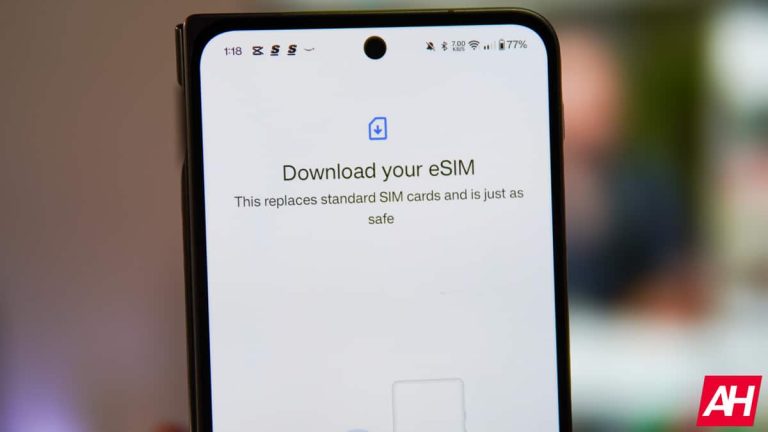
So now that we know what a SIM is, what is an eSIM? It’s an embedded-SIM, or a programmable SIM that is built into the phone and you’ll never see it. This has been available for things like cellular-connected smartwatches and some tablets. Some phones are compatible with eSIM as well.
eSIM was first introduced in 2016, so it’s still fairly new. The Samsung Gear S2 Classic 3G was the first device to use an eSIM. Apple first introduced eSIM back in September 2017 on its Apple Watch Series 3, and the following year on the iPhone XS.
Interestingly, some MVNO carriers like Google Fi use eSIM and prefer it over a regular SIM card. Likely because that’s one less thing they need to ship to the customer.
eSIMs give customers more flexibility for switching carriers. Which is something the carriers don’t like. Since you are able to just go into settings and add another carrier, of course you do need an account and plan with that carrier for it to really work.
What advantages does eSIM bring?
The biggest one is being able to switch carriers and phones at a moment’s notice. Of course, the switching phones thing is a small group of people – mostly reviewers like myself. But switching carriers will be more useful to others. Say you’re on AT&T and are fed up with their coverage and prices. You can sign up for Verizon and have your phone on Verizon’s network within a few minutes. Without heading to a store to get a SIM card or waiting for it to ship.
Another advantage is the environment. While SIM cards are fairly small these days, they do tend to break or just stop working. Typically after you’ve switched them between phones a few times. And thus end up in the trash, adding more waste to the environment. Carriers also have to keep tons of these in stock at every store across the country. So moving to eSIM means that’s one less thing they need to stock. Obviously a stack of a thousand SIM cards is still going to use less space than a Galaxy S22 Ultra box. But still.
Finally, with eSIM, it makes it easier to have multiple carrier plans on the same phone. This is really useful if you do any traveling outside of your country. So you can have your home carrier on your phone, and then a roaming carrier say in Europe, without having to pick up a SIM card when you land in that country. In some third-world countries like India, they typically use multiple carriers, because no one carrier has coverage everywhere. And this is very helpful there too.
What phones support eSIM?
Almost every phone these days supports eSIM, but many don’t market it as a feature. Every iPhone since 2018 with the iPhone XS, XS Max and XR have supported eSIM.
In 2017, Google unveiled the Pixel which was their first smartphone to have eSIM, and every Pixel since then has had it. This is partly because their own carrier, Google Fi, works with eSIM preferably over SIM.
Motorola started with eSIM in 2020 with the Motorola Razr. Motorola is a bit different from the others here, as they haven’t put eSIM in every phone. Since a big majority of their phones are cheaper ones.
Samsung started shipping the Galaxy S20 and Galaxy S21 with eSIMs in 2020. Though it’s not quite as straight-forward as some other manufacturers’ phones.
What tablets and smartwatches support eSIM?
As mentioned, the Samsung Gear S2 Classic 3G was the first watch to use a eSIM for cellular connectivity. Now, most watches that do have cellular connectivity use eSIM. That’s mainly due to the size of the smartwatch and the fact that there’s really not any room for a physical SIM card slot there.
So this mostly includes Samsung’s watches like the new Galaxy Watch 5 and 5 Pro, and Apple’s watches like the new Apple Watch Series 8, Ultra and SE (gen 2).
When it comes to tablets, every iPad since the iPad Pro 11-inch (1st Generation) released in 2018, has eSIM.
Which carriers support it?
Technically, all three US carriers support eSIM, some make it easier to use than others though. It’s not something they really market as a feature, and that’s because carriers don’t really like eSIM.
A lot of MVNO carriers also support eSIM. We’ve already mentioned Google Fi here, but there’s also Xfinity Mobile, Straight Talk and many more that also support eSIM.
How do you activate an eSIM?
It’s pretty easy to set up an eSIM on your device. Typically you’ll need to download and use your carrier’s app – which on most Android phones, that will be pre-installed. From there you’ll be asked to log into your account and then it’ll activate your eSIM. You can also opt to scan a QR code to get started in activating your eSIM.
Here’s the support pages for the three carriers on activating eSIM:
It’s pretty straight-forward, hopefully with the iPhones going eSIM exclusively in the US, that will mean that carriers will be more willing to support eSIM on their network.
Why do carriers dislike eSIM?
It’s pretty simple. Carriers hate making it easy for you to switch carriers. They want you to stick with their network and never leave. Though they are quite happy to get you to leave a competitor for their network. eSIM makes it super simple to switch networks, and that’s something that carriers do not like.
A big reason for that is because it eliminates needing to order a SIM card and head to your local store to pick it up, or wait for it to come in the mail, which can take a few days. Instead, you can be up and running with an eSIM in a matter of minutes.
The other big reason carriers hate eSIM is store traffic. Carriers rely pretty heavily on customers coming into their stores to drive sales of new phones, accessories and so much more. Carriers like Verizon sell just about everything you can think of now. They’ve become a small Best Buy in some sense. With eSIM, it eliminates the reason for most people to head to the Verizon, AT&T or T-Mobile store, though. This may change now, after the pandemic where the stores were closed for a few months.
Is eSIM the future?
Yes, eSIM is definitely the future. But moving to this new form of SIM is going to take some time. Moving from micro to nano SIM cards even took a few years, despite there really being no change, other than the size of the SIM card. But as we’ve said already in this post, with Apple going exclusively with eSIM on the iPhone 14 series, it’s going to push carriers to support eSIM, since iPhones are a big part of their sales and commissions. Not to mention a large part of the market in the US.
Typically, once Apple adopts some new technology, the rest of the industry adopts it too. But in this case, many have adopted it already, it’s just the carriers that aren’t embracing it. However, where there’s no other option for using a physical SIM card, carriers have no choice but to use it.