Xfinity customers were given the gift of a free speed boost today, as Comcast confirmed that speed boosts were implemented for millions of Xfinity Internet customers on the morning of March 6. This is a boost to download and upload speeds at no additional charge.
Think about all the times you may have been bumped up to faster internet throughout your life. Chances are this is something that’s never happened for free. As most if not all of the big internet providers (Comcast included) never give customers faster internet without increasing the monthly bill charge.
Then again, maybe you or your household has never needed faster internet. In this case, getting a bump in speed has never had to cost you more money per month. But it’s for this reason that Comcast says Xfinity Internet customers are getting the free speed boost. Because it’s needed. More people are getting online now than ever. More services and products require an internet connection to work as tech continues to advance. So it would stand to reason that faster internet speeds would eventually become something more and more homes see as a necessity. Regardless of how you see it, Comcast is boosting the speeds anyway.
The free Xfinity speed boost varies by plan
How fast your internet is after this increase will depend on which plan you’re on. The speed increases are happening for most plans Comcast says. However, the increase is different for each. For example, Xfinity Prepaid customers technically get the biggest boost since they’re going from 50 Mbps all the way to 200 Mbps. That’s a big boost. These aren’t the fastest speeds, naturally. But it is the biggest jump in terms of how fast the internet will be now for prepaid customers compared to what it was.
For other plans, the difference between the old and new speeds isn’t as vast but that really doesn’t matter much. Faster internet is faster internet and it’s even better when you don’t have to pay for it. Starting with Xfinity Connect plans, the speeds are going up from 75 Mbps to 150 Mbps. If you’re on a Connect More plan then your speeds are being bumped from 200 Mbps to 300 Mbps. And if you’re on the Fast plan, then your speeds go from 400 Mbps to 500 Mbps. All of these increases will be available to both new and existing customers. So if you’re just signing up with Xfinity, you won’t miss out.
On the same token, existing customers get the same benefit as new customers. Which often isn’t the case. The Superfast, Gigabit, and Gigabit Extra plans will remain at the same speeds of 800, 1,000, and 1,200 Mbps respectively.
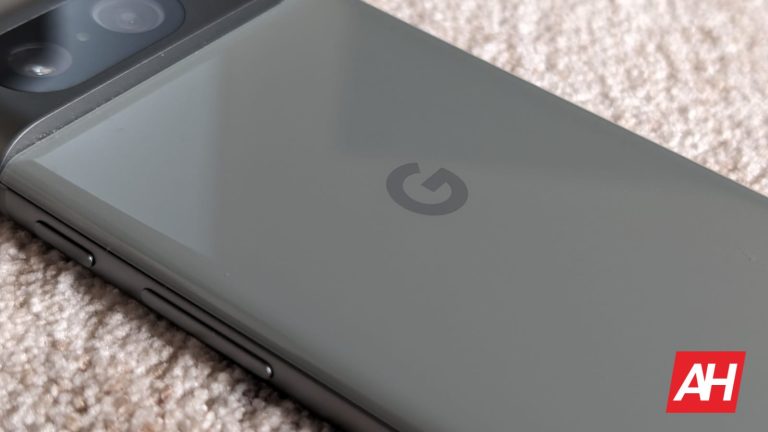
Google’s upcoming Pixel 8a is now rumored to see a price increase that would put the cost of it over last year’s Pixel 7a. The phone is also said to come in four different colorways, giving users a wide variety of choices for the model that suits them best.
Google’s Pixel ‘A ‘ series phones have always been about giving consumers a less expensive option in the Pixel lineup. Something that offered all the best parts of the flagship Pixel phones but, without the flagship price. That is still going to remain true. However, the upfront cost won’t be as low as it used to be if the latest rumor is accurate.
According to WinFuture’s Roland Quandt, the Pixel 8a could cost more than €550. An exact price isn’t rumored. But it seems like it’s going to be more than an increase of €50. For comparison, last year’s Pixel 7a had a starting price of €499. In addition to pricing, Quandt says that according to retailer sources, the Pixel 8a will be offered in four different colorways at launch. This includes Obsidian, Porcelain, Bay, and Mint. This means that, if accurate, Google’s Pixel 8a could skip the Hazel and Rose colorways that the Pixel 8 is available in. The interesting part about this is that past leaked CAD renders of the phone show the Pixel 8a in Rose.
The Pixel 8a price will increase to €569.90
It’s worth keeping in mind that these are European prices. And since these aren’t coming straight from Google, it’s always possible that these prices will change. That being said, the rumor states that Google is going to start selling the Pixel 8a for €569.90. This will be for the 128GB model of the phone. For consumers who want more storage than 128GB, the phone will also come in a 256GB model for a slightly higher €630.
Now these aren’t massively inflated prices. But it might be enough to sway some consumers towards the Pixel 8 instead of the ‘A’ model. Especially with the sale pricing you can often find them at. Another detail that Quandt points out is that Google may not be offering all four colors in each storage variant. For example, the retailer that this information comes from lists the 256GB model of the Pixel 8a in Obsidian only.
Marching toward release
An exact release date isn’t mentioned but the phone is suspected to drop sometime within the next couple of months. For comparison, the Pixel 7a launched on May 10 last year. Google may keep the same time frame for release with the Pixel 8a. It’s entirely possible of course that the launch could be earlier or later too.
Whatever the case, it does seem like the phone is more or less ready to go. With pricing and packaging being leaked by retailers.
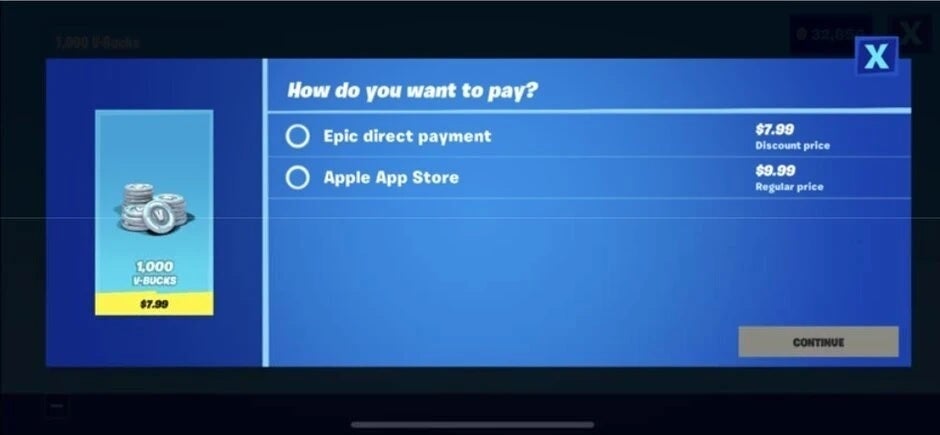
Apple has more or less killed any plans Epic had for developing an Epic-owned App Store for iOS. It’s a decision that could end up hurting Apple in the long run. Over the past several years, the Fortnite maker has been battling it out with Apple in court over Apple’s decision to pull Fortnite from the App Store on iOS devices. This left iOS users with no way to download or install Fortnite. Apple’s decision was a direct result of Epic trying to go around the App Store rules to offer players a way to buy VBucks (Fortnite’s premium currency) so Epic could skirt around Apple’s licensing fees.
Epic did the same thing on Android and it resulted in the same outcome. Google pulled Fortnite from the Play Store. With Android, however, players at least had an alternative way to get the game. Because Android allows sideloading, Epic simply created the Epic App Store APK which you could install, and you could grab Fortnite from this app. Apple had no such option. Fast forward a few years later and Apple, as part of the Digital Markets Act in the EU, would allow Epic to develop its own app store to be made available on iOS devices. Thus bringing Fortnite back to iOS.
However, Epic needs an iOS Developer account to do this. And Apple has now reportedly canceled that account. Which, at least for now, forces Epic to put its plans for an iOS app store on hold.
Epic says it will continue to fight Apple for its App Store plans
Epic may be forced to put things on pause for now, but that may not be the case forever. In its official blog post talking about the account cancellation, Epic says that Apple’s decision violates the DMA. It now plans to fight Apple on this decision in hopes that the EU regulatory system will reverse this decision.
“The DMA requires Apple to allow third-party app stores, like the Epic Games Store,” Epic says. The company continues by stating that “In terminating Epic’s developer account, Apple is taking out one of the largest potential competitors to the Apple App Store. They are undermining our ability to be a viable competitor and they are showing other developers what happens when you try to compete with Apple or are critical of their unfair practices.”
Epic won’t go down without a fight and it’s going to do what it can to try and get the Epic Store onto iOS in the EU. However, if it isn’t successful, it may still be able to bring Fortnite back to iOS in the EU. According to The Verge, Epic’s CEO Tim Sweeney said in a briefing that other third-party app stores in the EU may be how this happens.
For now, Fortnite on iOS isn’t available in a native capacity. But it can still be played through other means, like with GeForce NOW. If you use iOS and you play Fortnite, this is your best bet in doing so on your iOS device. At least until Epic potentially gets a native iOS version back on the platform.
Epic Games was hoping that thanks to the Digital Markets Act (DMA) opening things up for iPhone users in the EU, it would be allowed to create a third-party app storefront for iPhone users to access in the 27 EU countries. Per Bloomberg, Apple has blocked this move preventing Epic from launching its own app storefront and the game developer says that Apple is doing this simply to enact some revenge against it for making comments criticizing Apple.
Earlier today, Apple closed Epic’s developer account which Epic called a “serious violation” of the DMA. Apple had already shut Epic’s developer account in the U.S. and other markets back in 2020 after the game developer distributed its popular Fortnite game in the App Store with a link to Epic’s own in-app payment platform. Because this would allow Epic to bypass the 15%-30% commission that Apple gets for processing in-app payments using its own platform, Epic’s actions violated App Store regulations.
In 2020 Epic got tossed from the App Store for including this payment platform in Fortnite against App Store rules
An epic lawsuit ensured and the result was that Apple had to make it easier for developers to link customers with third-party in-app payment platforms. However, Epic was not allowed to force Apple to install the Epic App Store on the iPhone. Apple held out an olive branch to Epic by giving the company a developer account in the EU thanks to the changes being made by the DMA. But that account has been shut down by Apple, and as we noted at the beginning of this article, Epic blames criticism of Apple made by its CEO Tim Sweeney.
Epic, of course, is not happy that Apple closed its EU developer account today and in a statement, the company said, “In terminating Epic’s developer account, Apple is taking out one of the largest potential competitors to the Apple App Store. They are undermining our ability to be a viable competitor and they are showing other developers what happens when you try to compete with Apple or are critical of their unfair practices.”
Epic also isn’t happy with the new fees Apple plans to charge certain developers. For example, the Core Technology Fee is charged when iOS apps are distributed from the App Store and/or an alternative app marketplace. Developers will pay €0.50 for each first annual install per year over a 1 million threshold. Epic CEO Sweeney describes Apple’s plans to comply with the DMA as “hot garbage” and a “horror show.”
Apple said today that it had the right to remove Epic’s “entities” from its platform due to what the court has ruled in the past was the game developer’s “egregious breach of its contractual obligations.” In a statement released today, Apple said, “In light of Epic’s past and ongoing behavior, Apple chose to exercise that right.”
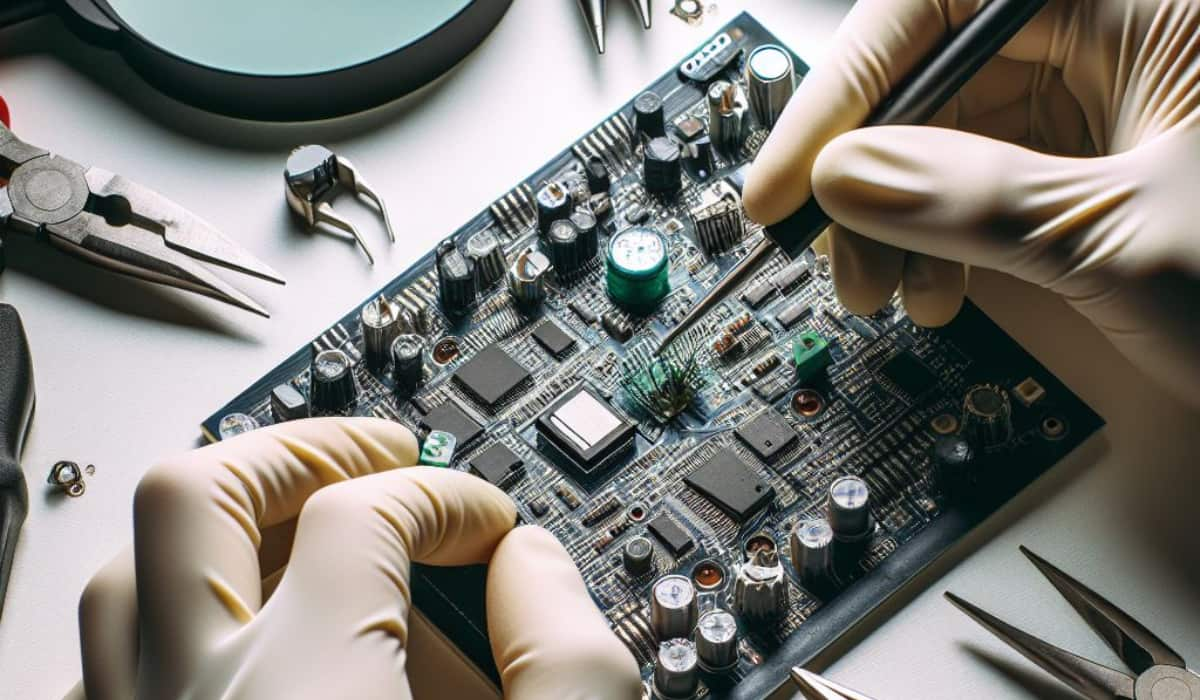
Prototype PCB assembly is the creation of an initial version of a printed circuit board design for testing and verification in electronics product development, which assesses functionality, signal integrity, and manufacturability.
In other words, prototype PCB assembly is one of the most crucial steps in electronics product development. Creating a prototype PCB brings circuit schematics to life, marking the initial physical manifestation of the design. Prototype PCB assembly encompasses this entire process.
PCB prototype assembly is the vital process of transforming electronic designs into physical boards with soldered components.
This crucial step bridges the gap between theoretical schematics and mass production, further allowing early insights and optimisations. It involves both PCB fabrication, creating physical boards from CAD designs, and assembly, soldering components based on bill of materials (BOM) requirements.
Prototyping helps mitigate risks and uncertainties in technology and manufacturing, providing a cost-effective way to validate functionality, safety, and performance before large-scale production. A good prototype assembly partner is key to the overall success of a product.
Advantages of Prototyping PCB Assembly
Exploring PCB prototypes and assemblies offers various advantages over directly engaging in mass production that are described below:
Validation of design
Assurance of quality
Compatibility of components
Economical solutions
Time-efficient processes
Validation of Design
Verifies and refines the design before mass production
Identifies errors and offers an opportunity for optimization
Reflects the final product’s functionality
Assurance of Quality
Tests and ensures board quality and reliability
Confirms compliance with specifications and standards
Ensures reliable performance under different conditions
Component Compatibility
Tests electronic components’ compatibility on the board
Ensures efficient and effective collaboration of components
Minimizes the risk of failure during operation
Economical Solutions
Saves costs by identifying design errors early in the process
Allows necessary corrections before full-scale manufacturing
Minimizes the risk of costly mistakes
Time-Efficient Processes
Reduces time required for testing, validation, and production
Accelerates time-to-market for the final product
Prototype PCB Assembly: Why Do We Use It?
Verify Design Functionality
Examine real-world performance
Testable boards validate the design and detect flaws
Mitigates risks before large-scale production
Accelerate Product Development
Early verification and issue discovery
Optimizes designs, saving over 60% in engineering time
Significantly reduces time-to-market
Facilitate Demonstration And Funding
Showcases viability and technology capacity
Builds a business case for hardware startups
Attracts early adopters and investor funding
Refine Designs For Manufacturability
Reflects real-world manufacturing processes
Identifies design for manufacturability (DFM) issues
Ensures a smooth transition to mass production
Varieties of Prototype PCB Assembly
Various assembly methods and categories are employed to attach electronic components to PCB prototypes, addressing diverse production requirements, some of which are categorised below.
Manual Assembly vs Automated SMT Assembly
Through-Hole vs SMT Assembly
Single-sided vs Double-sided Assembly
Hybrid Assembly Techniques
Manual Assembly vs Automated SMT Assembly
Manual Assembly
Manual soldering by technicians
Suitable for low-volume orders
Simplest method
Automated Assembly
Automated surface mount technology assembly
Ideal for complex board productions
Higher efficiency
Consistency
Manufacturability
Through-Hole vs SMT Assembly
Through-Hole Assembly (THA):
Connector pins pass through holes
Respective applications
Mixed THA parts on primarily SMT boards
Absence of advanced features
THA has a complex structure
Surface-Mount Technology (SMT):
Components soldered directly onto surface pads
Respective applications
Advanced technology allows combining both
SMT also has respective applications
Single-sided vs Double-sided Assembly
Single-Sided Assembly:
Components are placed and soldered on one side
Suitable for less complex designs
Double-Sided Assembly:
Parts soldered on both sides, allowing higher component density
Ideal for more intricate and densely populated PCBs
Combines 0201 size tiny chips with larger SMT parts and some through-hole passives
Allows hybrid assembly on double-sided boards
How To Assemble A Prototype PCB
Building prototype PCBs involves following standard assembly stages to turn CAD designs into functioning boards. This can be done through automated SMT lines or manual assembly processes.
Prototype PCB Assembly Process Steps:
SMT Pick-and-Place Stage
SMT Reflow Soldering
Cleaning/Washing
AOI and Functional Testing
Final Programming/Flashing
SMT Pick-and-Place Stage
Utilizes advanced pick-and-place machines for a precise component population
Based on optimised programming and feeder setup
Ensures high precision and traceability
SMT Reflow Soldering
Boards pass through industrial reflow ovens after accurate component positioning.
Enables simultaneous precision soldering of SMT parts
Carefully optimised thermal profiling for permanent attachment
Cleaning/Washing
After rework, cleaning solutions wash flux residues off board surfaces
Ensures specification compliance using fixture testing
Final Programming/Flashing
Downloads optimised software/firmware builds to boards
Completes prototype PCB assembly for design validation
Precedes shipping to customers
Final Thoughts
Prototype PCB assembly is vital for electronics product development, verifying designs and validating concepts. Quality builds impact design optimizations and securing financing. Balancing costs, responsive turnarounds, and technical alignment are crucial. Bittele offers professional turnkey services, reshaping ideas into testable boards for commercial success. With a focus on exceptional quality and responsive support, choosing the right assembly partner is key for impactful innovation trajectories.
People Also Asked
Q: How do I make a PCB prototype?
A: The PCB prototype assembly involves the following steps:
Design
Schematic creation
BOM generation
Routing design
Thorough checks
Fabrication includes:
Creating photo films
Printing layers
Fusing
Drilling
Plating
Applying finishes
The assembly stage includes:
Stencilling
Pick and place
Reflow soldering
Inspection
Inserting through-hole components
Conducting functionality tests
Q: What is a PCB prototyping machine?
A: An eco-friendly PCB machine is utilized throughout the entire PCB production process, ensuring environmentally conscious practices from design validation to board assembly.
UPDATE: Google has started rolling out the Pixel Feature Drop update for March 2024. The Google Pixel 6a is one of the devices getting it, and at the end of this article, you can read more about what’s new.
Google just announced its new mid-range smartphone, the Pixel 6a. This phone has been rumored for quite some time now, and most of those rumors were quite accurate. The Pixel 6a is more than a worthy successor to the Pixel 5a, and the first smartphone in the Pixel A series to utilize Google’s SoC. This handset comes with the same SoC as the company’s 2021 flagship devices, the Google Tensor.
The phone also resembles the Pixel 6 when it comes to design, quite a bit. Google updated the Pixel A series with its new design language, which makes this device considerably different-looking from its predecessor. The phone also comes with an upgraded display, though a very familiar camera setup. In this article, you’ll find a bevy of information when it comes to the Pixel 6a. So, if you’d like to know more about the device, read on.
How much does the Google Pixel 6a cost?
The Google Pixel 6a is priced at $449. That’s the same price tag its predecessor, the Pixel 5a, had. The phone is not yet available, though. Google said that the device will go on sale in July, so we’re in for quite a wait. Do note that price tags in other regions differ, of course. The Pixel 6a is coming to 13 countries overall, and here are the price tags for all of them.
Should I wait for a price drop?
Google’s Pixel A series is usually very competitive when it comes to the price. That is one of the main selling points of the Pixel A series. The same goes for the Pixel 6a. Considering what this phone offers, its $449 price tag is more than fair. So, our advice would be to grab it without waiting (once possible). It may get a discount down the road, but truth be said, that likely won’t happen that soon, and it’s not worth waiting for it. If you need a new phone once it becomes available, get the Pixel 6a, as its price tag is just right.
What offers are available at launch?
No offers were announced at launch. That makes sense, as the phone won’t be available for another couple of months.
Where can I buy the Google Pixel 6a?
The Google Pixel 6a will be available to purchase where you’d usually purchase your Pixel. It will be available directly from the Google Store, in addition to a number of US carriers, including Verizon, AT&T, Sprint, and T-Mobile. It will also be available through Google Fi. International availability wasn’t mentioned yet.
What carriers support the Google Pixel 6a?
The Pixel 6a is an unlocked device. It is being sold by all the major US carriers out there, therefore it will be supported by all the carriers in the state. It will be a bit more expensive from Verizon due to mmWave 5G. The Pixel 6a will cost $499 instead of $449.
Which carriers will sell the Google Pixel 6a?
The Pixel 6a will be available through Verizon, AT&T, Sprint, T-Mobile, Google Fi, Spectrum Mobile, and Infinity Mobile in the US.
What colors are available?
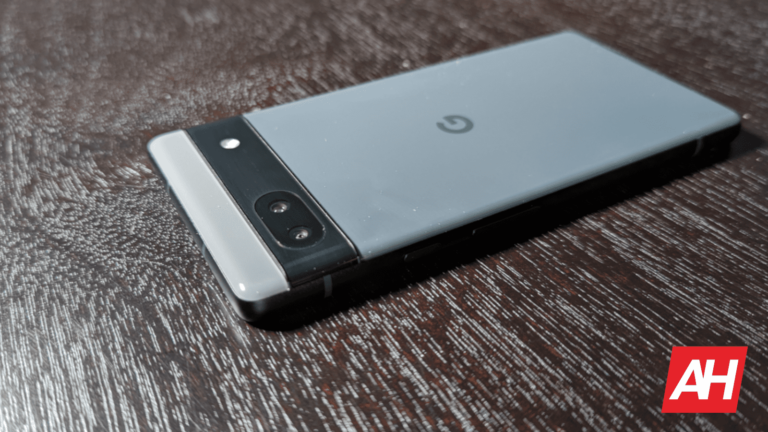
Google has announced three Pixel 6a color options. Those options are Sage, Chalk, and Charcoal. You can check out all three in the images below, both renders and lifestyle shots.
What are the specs of the Google Pixel 6a?
Below are the specs for the Google Pixel 6a, and next to it, you’ll notice specs for the Google Pixel 5a, for comparison’s sake.
Google Pixel 6a
Google Pixel 5a
Display
6.1-inch FHD+ AMOLED 60Hz
6.34-inch FHD+ OLED 60Hz
Processor
Google Tensor
Snapdragon 765G
RAM
6GB
6GB
Storage
128GB
128GB
Battery Capacity
4,410mAh
4680mAh
Charging Speeds
18W wired charging
18W wired charging
Software
Android 12
Android 11 (upgradable to Android 12)
Rear Cameras
12.2MP wide 12MP ultrawide
12.2MP wide 16MP ultrawide
Front Camera
8MP wide
8MP wide
Dimensions
152.2 x 71.8 x 8.9mm
154.9 x 73.7 x 7.6mm
Weight
178 grams
183 grams
Price
$449
$449.99
Colors
Sage Chalk Charcoal
Mostly Black
Available
July 21 pre-order July 28 in-store
Yes
What new features did Google unveil?
The Google Pixel 6a does not come with a new version of Google’s software. It comes with Android 12 which launched last year. That’s actually a good thing. Google ironed out the vast majority of the kinds with the software, and as per usual, the Pixel A series device should have extremely stable software. Android 12 is packed with great, and useful features, so you’re getting a great package here. There are no brand new features included, but we’ll mention some that are definitely worth highlighting. Do note that there are many more included in Android 12, besides the ones mentioned below.
Wallpaper-based theming
The biggest theming-related change in Android 12 is wallpaper-based theming, also referred to as dynamic theming. Google introduced the so-called ‘monet’ dynamic theming engine with this build of Android, which allows its Material You UI to shine. The OS will use the colors from the wallpaper you set, and also allow you to tweak things along the way, though not by much. More options are coming in Android 13. The OS basically adapts itself to the colors provided by your wallpaper, making everything look more cohesive.
Privacy Dashboard
Google also boosted privacy options with Android 12. It introduced ‘Privacy Dashboard’ which essentially gives you an overview of what permissions your apps use, and if they used them recently. So, you’ll be able to check if WhatsApp accessed the camera and microphone permission, for example, presuming those are granted to that app. You can keep an eye on some apps you don’t trust this way, keep them on a tight leash.
One-handed mode
With Android 12, Google finally added one-handed mode to the mix. This has been one of the most requested Android features for a long time now. Smartphones are quite large these days, and having a feature like this is essential. Android 12’s one-handed mode works basically the same as Apple’s Reachability feature. You can swipe downwards on the bottom part of the display in order to bring the top of your display down. You’ll see only the top half of the display this way, but you’ll be able to reach everything. Do note that you can simply swipe up to get back to the original state. Another thing worth noting is that this feature only works if you’re using navigation gestures to navigate around the UI. If it’s disabled, you can enable it via the Settings -> System -> Gestures menu.
Scrolling screenshots
Scrolling screenshots have been available on various Android skins for a long time now. Google finally added that feature in Android 12. When you take a screenshot, you’ll see the ‘Capture more’ option next to the edit button. Do note that this option will only appear if you take a screenshot by using physical buttons, not from the Recents Menu. We don’t know why, but it’s the way it is on the Pixel 4a and Pixel 6. It’s possibly a bug, and it may be corrected on the Pixel 6a.
Direct share in Recents Menu
Android 12 also brought some interesting sharing options to the Recents Menu, and made it that much more useful. You can quickly share an image from the recents menu, as Android 12 will recognize what’s an image in a particular app. You can even share images from Instagram, which you generally cannot share unless you take a screenshot. It’s even possible to copy and share text from the Recents Menu in Android 12.
Microphone/camera access dots
Microphone and camera access dots are also included in Android 12. Thanks to these, you’ll know exactly when your microphone and camera are in use. An indicator will appear in the top-right corner, showing you what’s being used. If you tap on it, you’ll see which app is using it. This way, not a single app will be able to utilize a camera or microphone without you knowing about it. If you don’t like the way a certain app uses particular permissions, you can always limit that app.
Magic Eraser
When it comes to the Google Camera, the ‘Magic Eraser’ feature is surely worth mentioning. This feature allows you to remove unwanted objects from a specific picture with ease. During the Pixel 6a launch, Google confirmed a new feature within Magic Eraser. You’ll be able to change the color of objects as well, which makes the whole thing even more useful.
What cases are available?
Google is offering its own polycarbonate case for the Pixel 6a. This case is rather thin, and yet it offers decent protection for the phone. It comes in several color options, and all of them are semi-see-through. This case can be yours for only $29, check the link below.
The Google Pixel 6a is one of the phones that is receiving Google’s Android security update for February 2024. The changelog Google provided is quite thin, as other than regular security improvements, Google released only one entry in the changelog. This update brings a fix for stability or performance with certain third-party applications on the Google Pixel 6a.
Updated March 6, 2024:
The Google Pixel 6a is one of the phones that are getting the Pixel Feature Drop update for March 2024. As part of it, the phone is getting some new functionality. One such functionality is the improved Call Screen feature. Google Assistant is now able to kickstart a call if the caller remains silent. You’ll see a prompt pop up on the screen.
Another update regarding Instagram. The Pixel Feature Drop for March improves Instagram compatibility. Thanks to this update you can capture and share 10-bit HDR videos directly on Instagram. On top of that, the Pixel 6a is also becoming capable of uploading and sharing Ultra HDR photos on Instagram.
Right now, billionaire Elon Musk is in a legal tussle with OpenAI. He claims that OpenAI should be open-source and that it’s basically become a profit machine for Microsoft. Well, according to some emails revealed by OpenAI, it appears that Elon Musk wanted OpenAI to merge with Tesla at some point.
To catch you up
Elon Musk filed a lawsuit against OpenAI over both the companies’ partnership and the fact that OpenAI’s source code is locked behind closed doors. He also said that it’s become the de facto subsidiary of the largest tech company in the world, Microsoft. This is something that came out of left field. He wants OpenAI to make its models open-source.
It turns out that Elon Musk wanted to merge OpenAI and Tesla at some point
OpenAI has finally responded to the lawsuit with a blog post. In the post, we see a collection of emails that Elon Musk shared with the company while it was still new. Within the emails, we find out that Elon allegedly wanted to merge Tesla and OpenAI. In the emails, Elon talked about funding OpenAI’s pursuits. He said that the company would need billions of dollars a year to create AGI.
In order to properly fund it, he proposed that OpenAI merges with Tesla. In one of the emails, he said “Tesla is the only path that could even hope to hold a candle to Google. Even then, the probability of being a counterweight to Google is small. It just isn’t zero.” So, he wanted to pit OpenAI up against Google from the start.
Profit
There was also some information in the emails that contradicts what Elon is hoping to achieve with the lawsuit. In the lawsuit, Elon ragged on the fact that OpenAI could be seen as a profit machine for Microsoft. However, one email points to Elon Musk wanting OpenAI to become a for-profit company. “A for-profit pivot might create a more sustainable revenue stream over time and would, with the current team, likely bring in a lot of investment.”
As if that wasn’t enough, the emails reveal that Elon was okay with OpenAI not making its code open-source. Ilya Sutskever sent an email to Elon explaining the dangers of making the models open-source. “….by opensorucing everything, we make it easy for someone unscrupulous with access to overwhelming amount of hardware to build an unsafe AI, which will experience a hard takeoff.
As we get closer to building AI, it will make sense to start being less open. The Open in openAI means that everyone should benefit from the fruits of AI after its built, but it’s totally OK to not share the science (even though sharing everything is definitely the right strategy in the short and possibly medium term for recruitment purposes).”
To this, Elon replied with “Yup.” So, it’s clear that he was all for a closed-source project from the beginning. Elon has since cut ties with the company and gone on to do other things, of course. However, it seems rather hypocritical of him to condemn the company for doing things that he was alright with back in the past. More information on this case will come out in due time, so we’ll keep you updated on future developments.
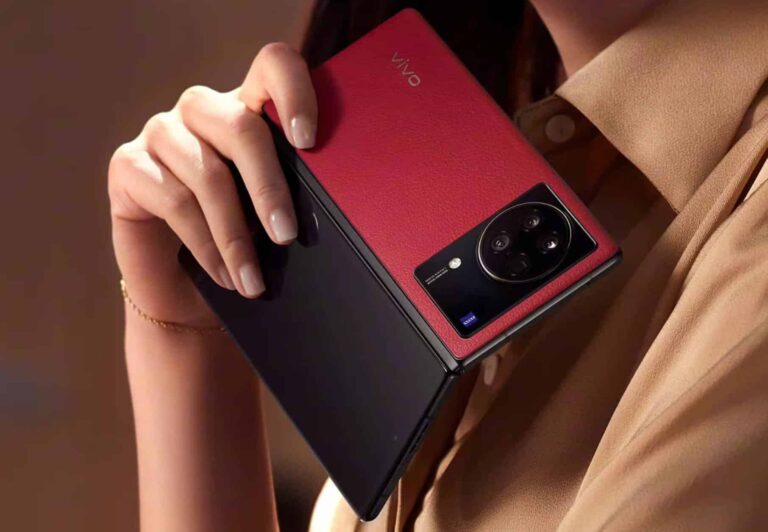
New ‘thinnest and lightest’ book-style foldable smartphone is on its way
He actually referred to it as the “thinnest and lightest large foldable” in general. In other words, it’s expected to outdo the HONOR V Purse as well. At the moment, HONOR has both the thinnest and lightest book-style foldable and large foldable in general.
The HONOR Magic V2 is 9.9mm thick and weighs 231 grams (its lightest variant). That is a book-style foldable. On the other hand, the HONOR V Purse is an outward-folding foldable, and it is 8.6mm thick, while it weighs 214 grams.
It’s possible that the tipster did not consider outwards-folding devices
It’s possible Digital Chat Station forgot about the HONOR V Purse when he shared his post. Expecting the Vivo X Fold 3 to be thinner and lighter than the HONOR V Purse, while retaining an inwards-folding design could be a stretch. We’ll see, though.
One thing is for sure, he does expect it to be both thinner and lighter than the HONOR Magic V2. That will be a feat on its own. Why? Well, the HONOR Magic V2 is already a stunningly thin and light phone, for a large foldable.
This is the very first book-style foldable that actually felt like a regular smartphone when folded. It had quite an impact on us when we tried it out at IFA 2023 for the first time. If Vivo manages to outdo that, that will be quite a feat.
The phone will include two 120Hz panels, and the Snapdragon 8 Gen 2 SoC… most likely
In terms of specs, the phone is expected to include an 8.03-inch main display and a 6.53-inch cover panel. Both of those will be LTPO AMOLED displays, and they’ll be very bright too. They will also offer up to 120Hz refresh rate.
A 5,600mAh or 5,700mAh battery is expected inside of the device, while the phone will likely support 80W wired charging. A 50-megapixel main camera is expected to be included, along with a 50-megapixel ultrawide unit, and a 50-megapixel telephoto camera (up to 40x digital zoom).
The Vivo X Fold 3 series is expected to arrive later this month. Let’s hope these devices will be the first foldable phones from Vivo to launch in markets outside of China.
AI image generation has gotten extremely realistic… just in time for the US presidential election. This is one of the biggest concerns going into the voting season. A group of researchers has been testing some of the top image generators. They found that some of the top AI image generators can make misleading political images.
The Center for Countering Digital Hate conducted a study using image generators such as OpenAI’s ChatGPT Plus, Microsoft’s Image Creator, and MidJourney to test their capacity to generate false political content. The center fed the generators prompts that could possibly produce misleading content.
One of the most popular image generators could be used to make misleading political images
Companies like OpenAI, Microsoft, MidJourney, and Stability AI signed an agreement to work together to block misleading political content. Thus, we expect the companies to do a ton of work to block political prompts. This seems to be working out as far as OpenAI is concerned. The researchers found that ChatGPT and Microsoft Image Creator (both powered by OpenAI’s DALL-E) were successful at blocking political prompts. This looks good on the company. However,
While this is the case, the researchers found that 41% of the time, the image generators were more susceptible to generating images depicting voter fraud than generating images of Donald Trump or Joe Biden. This points to a major issue that needs to be addressed.
MidJourney might have an issue
During the testing, the researchers found that MidJourney was the most likely candidate to produce misleading images. The researchers found that MidJourney produced misleading political images 65% of the time. According to the report, some of the images produced are already available to the public. This means that there are already false images making it around the internet.
While this is the case, MidJourney responded to the report. It said in a statement “updates related specifically to the upcoming U.S. election are coming soon.” So, hopefully, we’ll see an improvement in this.
Hackers launch large-scale DDoS attacks to disrupt and make online services inaccessible, driven by motives like revenge or protest, flooding targets with massive amounts of traffic to disable websites.
Recently, the cybersecurity researchers at Sekoia identified that the Russian hacker group “NoName057(16)” has been actively planning to conduct massive DDoS attacks.
Since the Ukraine conflict began, the nationalist hacktivist groups, notably the “NoName057(16),” have risen and are found to be launching Project DDoSia.
They target pro-Ukraine entities, mostly NATO members.
Sekoia actively tracks its C2 infrastructure, which is automated for target collection and real-time monitoring.
DocumentIntegrate ANY.RUN in your company for Effective Malware Analysis
Malware analysis can be fast and simple. Just let us show you the way to:
Interact with malware safely
Set up virtual machine in Linux and all Windows OS versions
Work in a team
Get detailed reports with maximum data
If you want to test all these features now with completely free access to the sandbox: ..
Project DDoSia: Massive DDoS Attack
The Project DDoSia’s Telegram channel recently, on 11 November 2023, dropped a surprise update by expanding processor support to 32-bit and adding FreeBSD compatibility.
While the prior versions had AMD64, ARM, and ARM64 covered. Main ZIP has two folders (d_eu, d_ru) for location-based execution.
Executing shows a warning, suggesting VPN for users in Russia.
Warning message (Source – Sekoia)
No VPN mandate in Russia hints at the NoName057(16) group’s possible ties with the state despite no public acknowledgment.
The latest version alters encryption for user-C2 server data exchange. The operating diagram for DDoSia project initiation is provided as a reminder.
Attack Chain (Source – Sekoia)
The latest update adds encryption for data in HTTP POST requests which is a new feature absent in previous versions.
C value, a GUID identifying the user’s machine, is encrypted and extracted from \HKEY_LOCAL_MACHINE\SOFTWARE\Microsoft\Cryptography\MachineGuid on Windows.
The U value is from the client_id.txt file via DDoSia’s Telegram Bot. Besides this, the JSON table “inf” tracks seven elements under Windows, likely for statistical analysis, enhancing transmission sophistication.
The latest software version improved data transmission, but DDoSia admins changed the C2 servers frequently in 2024, facing stability challenges, read the Sekoia report.
NoName057(16) updated the Telegram channel with each server config change which requires users to download and install for continued attacks.
DDoSia likely uses its servers to actively participate in attacks.
Top Countries Targeted
Here below we have mentioned all the top targeted countries:-
Ukraine
Finland
Italy
Spain
Germany
Lithuania
France
Poland
Switzerland
Romania
Netherlands
Estonia
Sweden
Latvia
Greece
United Kingdom
Czech Republic
Belgium
Top Sectors Targeted
Here below, we have mentioned all the sectors that are targeted most:-
Government
Banking
Transportation
Technology
Energy
Defence
The DDoSia’s Telegram project nears 20,000 users, while NoName057(16) channels surpass 60,000, doubling since 2023.
The growth represents a politically and economically motivated community.
NoName057(16) collaborates with hacktivist groups, forming alliances against Italian infrastructures.
Despite DDoSia’s ever-changing infrastructure, it consistently claims attacks.
Not only that even, it also provides daily software updates and a 2024 version with enhanced encryption.
You can block malware, including Trojans, ransomware, spyware, rootkits, worms, and zero-day exploits, with Perimeter81 malware protection. All are incredibly harmful, can wreak havoc, and damage your network.
Stay updated on Cybersecurity news, Whitepapers, and Infographics. Follow us on LinkedIn & Twitter








.webp)
.webp)