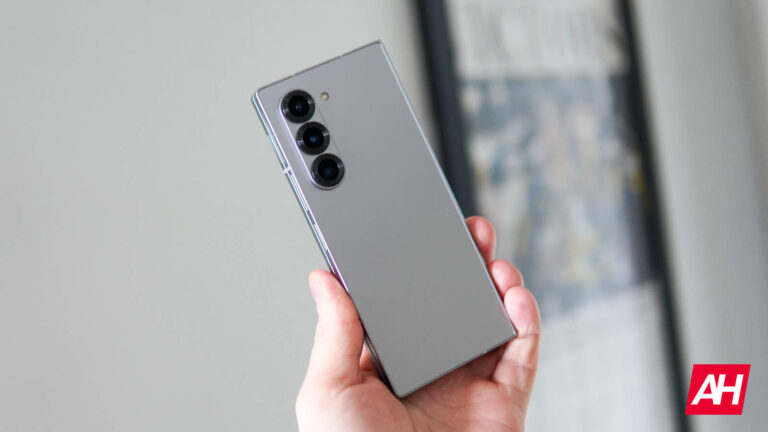
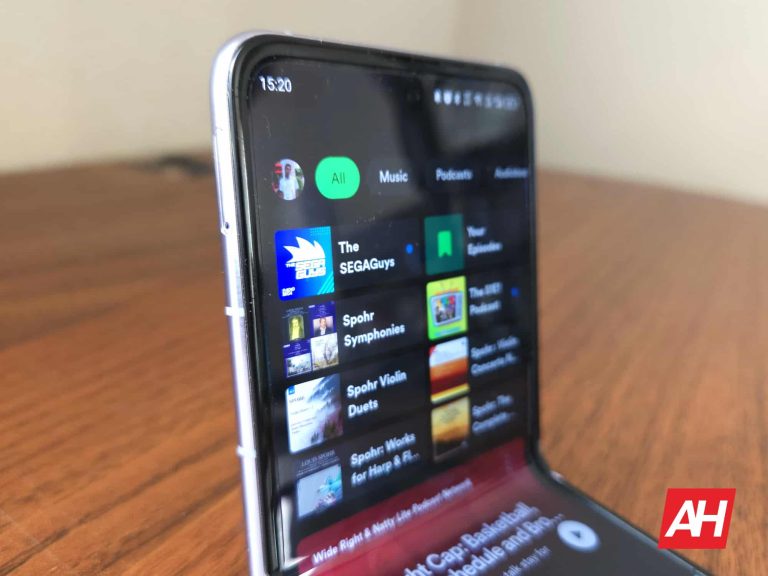
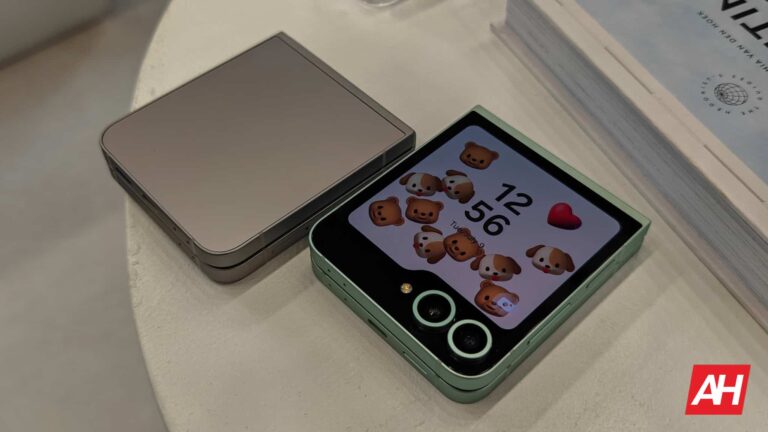
One UI 6.1.1 brings some changes related to security and privacy. Now, starting with the latest Galaxy phones (Z Fold 6 and Z Flip 6), app sideloading is not allowed by default. However, you can change this setting if you wish.
Auto Blocker is a One UI feature designed to keep the device safe from malicious files or USB hacking attempts. It has been available since the Android 14-based One UI 6 update. However, the company has improved the option in One UI 6.1.1 with more capabilities.
App sideloading not available by default on the Galaxy Z Fold 6 and Flip 6
The automatic app sideloading lock is debuting on the Galaxy Z Fold 6 and Z Flip 6. There’s a dedicated page that will appear during your phone’s initial setup. The page shows the items that Auto Blocker can act on, now including a “Blocks apps” entry. You may skip this page, either accidentally or because you’re in a hurry. In this case, the app sideloading from APKs will not be available on your Galaxy phone by default. You’ll get the error message below every time you tap in an APK file.
This security and privacy option can be quite useful in certain cases. For example, for people who surf the Internet carelessly. There are malicious websites that even try to trigger the automatic download of a malware-infected APK file. Depending on the browser, the user will receive a warning about a potential “harmful file” as a first layer of security. However, if somehow the download completes, Auto Blocker will be there to protect the device.
That said, for more experienced users, the option can be somewhat annoying. Fortunately, even if you skip the initial setup page, you can disable Auto Blocker from your phone’s Settings. You just have to go to Settings > Security and privacy > Auto Blocker, then tap the switch.
Source: 9to5Google
New Maximum Restrictions option for more security
Interestingly, there is another new Auto Blocker option called “Maximum Restrictions.” Its name and description suggest that it will block both the installation and downloading of APKs, among other things. It is likely that, starting with the One UI 6.1.1 update, Auto Blocker will prevent app sideloading by default on all compatible Galaxy devices. So, now you will have to be more attentive to the initial setup of your device.
Spotify is ready with a Spotify Supremium tier, hinted the company’s CEO Daniel Ek. Priced noticeably above the prevalent Spotify Premium plan, it would offer “Hi-Res Audio” for almost all of the content available on the platform.
What is Spotify Supremium tier and how much will it cost?
Spotify has long hinted about a “Supremium” tier. As the name indicates, this subscription sits above the Spotify Premium plan, and it has been officially confirmed by the company’s CEO.
During Spotify’s latest earnings call, Spotify’s CEO referred to Spotify Supremium as, “sort of a deluxe version of Spotify that has all of the benefits that this normal Spotify version has, but a lot more control, a lot higher quality across the board.”
Exciting news for Spotify users: “Supremium” subscription tier set to launch this year.
Daniel even indicated that the Spotify Deluxe or Spotify Supremium would, “probably [be] around a $17 or $18 price point.”
The prevalent Spotify Premium tier costs $11.99 in the US. In other words, the new tier would cost about $5 more per month. The Premium tier offers ad-free listening, “high audio quality”, offline or download rights, and other benefits.
As Spotify currently charges $11.99 for a standard/individual premium subscriber, if “Supremium” was to be an add on, we’ll be looking at a slightly lower cost of $16.99 in total, providing that it is the minimum of the $5 increase.
Spotify Supremium would have to offer significantly more benefits to attract subscribers. Interestingly, Spotify as a company isn’t too concerned about customer acquisition and retention.
Spotify’s paying customers remain loyal even after price hikes
Spotify has been able to get subscribers comfortable with paying a premium for an ad-free, high-quality audio listening experience. Moreover, the company even managed to retain customers even after a price hike earlier this year.
Spotify’s total number of monthly active users reportedly grew 14 percent year-over-year to reach 626 million. Daniel observed, “We’re seeing less churn in this round of increases than we did in our prior one”. What this means is that a price increase pushed far fewer subscribers to cancel their Spotify subscription.
Spotify launches a new “Basic” plan in the US at $10.99/month! All Premium benefits minus audiobooks. Great for music & podcast lovers! 🎧 Plus, a “Supremium” plan with high-fidelity audio is on the way. #Spotify#TechNewspic.twitter.com/U2XbIeZ14c
Spotify does offer a $10.99 per month ad-free plan but this tier does not include audiobooks. Additionally, the company offers ad-supported tiers in several developing countries.
Now that Spotify has officially acknowledged the existence of Spotify Supremium, it is only a matter of time before the company launches the new tier. When probed about a launch date, Daniel indicated the tier is coming, but refused to commit to a launch date.
The durability of a smartphone is a key point for potential buyers. On foldable phones, whose structure is inherently more susceptible to damage than traditional ones, it is especially important. If you are interested in the Galaxy Z Flip 6, there is already a severe durability test to clear up your doubts.
Zack from JerryRigEverything carried out the Galaxy Z Flip 6 durability test. The video begins by highlighting the few design differences it has compared to the Z Fold 5. Basically, there’s a less visible screen crease, a squarer design on the outside edges, and 4 top audio slits instead of 3. Starting with the test, there are 3 stages: scratch resistance, burn resistance, and bending resistance.
Galaxy Z Flip 6 is tortured in extreme durability test
The screens of foldable mobile devices are not the most resistant to sharp objects. This is inevitable when using plastic materials to achieve a flexible structure. In the scratch resistance test, the Z Flip 6’s inner foldable screen got visible scratches at level 2. At level 3, it showed deeper grooves palpable with a finger. It is on par with the Z Fold 5 in this section.
The story is pretty different on the 3.4-inch AMOLED external display. This one is protected by a layer of Corning Gorilla Glass Victus 2, similar to other multiple flagship phone screens. As expected, it withstood the test much better, getting visible scratches at level 6, and deeper ones at level 7. While this year’s model got a more resistant aluminum frame, Zack managed to scratch it with his razor. On the other hand, the camera lenses proved to be resistant enough not to be scratched with daily use.
The Galaxy Z Flip 6 durability test also showed its resistance to dust ingress. However, it was done in an extreme way to test its limits. Zack covered the device (including the hinge openings) with sand. After testing the fold/unfold mechanism under these conditions, the device held up well, but the hinge began to make a slight sound. In any case, it is not a situation that you will encounter in your daily life.
Foldable display still functional after burning test
There’s also a burn resistance test. The inner foldable screen lasted around 14 seconds in front of a lit cigarette lighter. While the display showed permanent burn marks, it continues to function without problems.
In the bending test, the Z Flip 6 again shows to have a solid structure. Neither the screen nor the hinge was damaged when Zack tried to break it in half. He then showed that the inner foldable screen is much more fragile after removing the plastic layer, causing notable damage with the razor.
Z Flip 6 proved to be solid and resistant for normal use
Overall, the Galaxy Z Flip 6 structure proved to be pretty solid for a foldable phone. It shouldn’t give any problems for normal daily use and could even withstand some accidents. In any case, as is normal, a traditional phone is still much more resistant. However, there’s a notable leap compared to the fragility of the first foldable models.
Are you among those conscious parents who don’t want kids to have smartphones but care enough for their safety and well-being when they’re outdoors? Well, T-Mobile SyncUP KIDS Watch 2 is here to take care of all your worries. The SyncUP KIDS Watch 2 is an upgraded version of the 1st-gen SyncUP KIDS Watch launched back in 2021.
As far as design is concerned, the SyncUP KIDS Watch 2 looks a bit similar to the previous edition. The upcoming smartwatch still features the same old bulky case. Whereas, the large AMOLED display aims to offer kids enough entertainment from within their wrists.
T-Mobile’s affordable SyncUP KIDS Watch 2 features Bluetooth, an LED flashlight, dual cameras & more
As T-Mobile notes, SyncUP KIDS Watch 2 is suitable for kids ages 5 to 12 years and comes with loads of features. In comparison to the original SyncUP KIDS Watch, this one comes with Bluetooth connectivity for seamless pairing with wireless earbuds. There’s an LED flashlight feature for additional safety, night photography, and more.
What’s more interesting is this smartwatch comes with dual cameras which is something you don’t even really see in high-end Android smartwatches. The dual-camera setup within the watch allows taking selfies and is quite handy for making video calls. All thanks to the in-built games, your kids will have all the fun during car rides and free time at home.
One of the major highlights of T-Mobile SyncUP KIDS Watch 2 is the talk and text feature. As the name suggests, this feature ensures that your kids text, call, or video chat with approved contacts while keeping them far from spam and wrong numbers.
Real-time tracking and emergency features help keep your kids closely monitored
Real-time location tracking makes sure that you always have your kids back even when they aren’t around you. There’s also a dedicated help button that provides alerts to the emergency contacts of the kids. Plus, it also makes calls to 911 in case of an emergency.
Next, you have the virtual boundary alerts feature that notifies parents when kids leave the designated areas. Talking of durability, this smartwatch is water-resistant and splash-friendly. On top of that, there’s a pre-installed screen protector for additional durability and protection.
T-Mobile is set to officially launch this watch online tomorrow, Wednesday, July 24. So, if you are keen enough to get this wearable for your beloved child, you can grab it online. It is worth noting that new and existing T-Mobile customers can pick the SyncUP KIDS Watch 2 for free when adding a $174 SyncUP KIDS Watch standalone plan. If not, you can also grab it for just $7.25/month on a 24-month T-Mobile equipment installment plan.
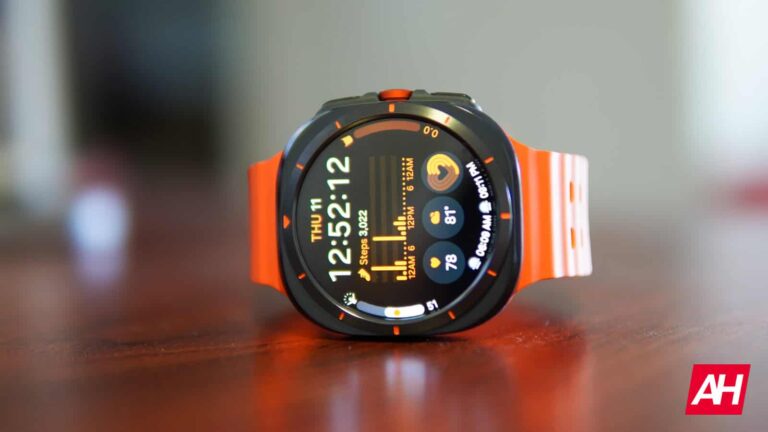
Samsung’s Galaxy Watch Ultra is here and if you pre-ordered the watch or are thinking about picking one up, then one question on your mind is likely “Which band should I go with?” Samsung offers a few options directly, all of which are available through its online store. It also offers these in multiple colors, and they only come in one size, medium/large, since the watch itself only comes in one size.
One important thing to note about the Samsung Galaxy Watch Ultra is that it comes with unique bands. Not just unique in their style but they also have a different attachment system to other Galaxy smartwatches. This includes the Galaxy Watch 7. While the Galaxy Watch 7 is compatible with bands from older models, or really any 20mm watch band you can find around, the Galaxy Watch Ultra uses a specific attachment system that will not work with these bands. So unfortunately they aren’t interchangeable.
At least, not right out of the box. Luckily, you can pick up an adapter of sorts that hooks into the Galaxy Watch Ultra’s watch lugs, and then you can attach any band you want to the adapter. It’s an ingenious creation that will make finding a band you love much, much easier. So with that said, we’ve rounded up the best bands you can get for the Samsung Galaxy Watch Ultra. So let’s dive in and see what there is on offer.
Galaxy Watch Ultra Marine Band
If you’re looking to use this watch for any sort of adventure that involves water, whether that’s surfing, ocean swimming, kayaking, or anything else, then you want the Marine Band. Heck, it’s even good if you’re in swimming pools a lot. Thanks to its rippled style with two holes down and across the surface of the band in addition to holes that go through the middle of it, water and sweat can easily drain off to help your wrist dry more quickly.
It also comes with a titanium buckle that’s made to be durable just like the titanium watch case. The Marine Band comes in multiple colors as well. These colors include Green, Orange, White, and Dark Gray. If you choose the Marine Band when you buy the watch, you’ll get one of these color choices. It also never hurts to have additional colors for style purposes, if that’s something that matters to you.
If you choose to go with a different band when buying the watch, then this a good option to pickup for something more well-suited to any water-based activities. The Marine Band also uses Samsung’s one-click system which makes it super easy to swap bands. So if you do decide to get more than one band, this is going to make taking them on and off a lot faster. What I personally really love about this band is that it’s comfortable. The holes through the middle of the band almost make it feel “cushy” in a way.
As for the price, it’ll set you back $80, but that’s about what to expect from many of Samsung’s bands these days. So the price isn’t really a surprise. Especially since this is Samsung’s most expensive smartwatch to date.
Trail runners, hikers, cyclists, and anyone who enjoys going on long walks through outdoor terrain will want to consider the Trail Band. This is your go-to for the everyday casual band that also lends itself well to outdoor adventures that don’t necessarily involve water. You could certainly wear the Trail Band during water-based activities, but the Marine Band is definitely more well-suited to them.
All of that being said, the Trail Band is an excellent option for those who love bands that use fabric for the material. The Trail Band also features a nice triangle and hook clasp to lock the band in place when you’re wearing the watch. What’s nice too is that it has the same ripple design as the Maine Band. The only difference is that it doesn’t have the holes that go across the surface of the band, just through it. Still, this helps with airflow and helps wick away sweat during more intense activities like trail running or other workouts.
The Trail Band only comes in three colors, which are White Sand, Orange, and Dark Gray. So you get fewer choices here for colors but you do still have some options. This band also retails for $80 and comes in the medium/large size.
The Peakform Band for the Galaxy Watch Ultra is really cool because it’s kind of a hybrid between a sport and fabric band. It uses a silicone material for the base of the band which then has fabric laid on top of it for the surface that isn’t touching your wrist while you wear it. It’s designed as a very sturdy watch band that Samsung says can “handle everyday activities with ease.”
True to form the Peakform Band should be a great option if you want something you know will be long-lasting. Although, all three of these bands from Samsung should have no trouble lasting you the duration of how long you use the watch. Assuming you don’t upgrade out of it next year.
The Peakform Band is also a good blend of durability and style. If you want something stylish that will stand the test of time, this is it. The fabric that’s on the top is also nice and soft, which is great even if it won’t really be sitting against your skin. Like the other bands it comes with the one-click system that makes swapping bands very quick and easy. It also comes in three colors which are Orange, Dark Gray, and White Sand.
It doesn’t have the exact same ripple design as the other two, but it should still help sweat and such wick away quickly so your wrist doesn’t get super sweaty. Plus, if you can’t decide between the Marine Band or the Trail Band, the Peakform Band is a nice compromise since you get a little bit of both.
Samsung doesn’t make any metal link bands, or any metal bands for that matter, that work with the Galaxy Watch Ultra. But that doesn’t mean you should be locked out from using them with this watch. And you don’t have to be! This metal link band from SPGuard is perfect for those who love the look and feel of a metal band for their smartwatches. Using a classic metal link style, this band from SPGuard comes in two different colors which are black and silver.
These colors are meant to match the color of the metal that the watch case comes in. So unfortunately you won’t find them in Rose Gold or anything else. This is a no-gap metal band which means you can easily remove links from the band if needed. You would do this if the band doesn’t fit your wrist as is upon receiving it. If it’s too large for your wrist, for example, remove one of the links and see if that makes things more snug. Then just repeat as necessary until you have enough links removed to where the band is secure and fits properly once closed.
It also has quick-release pins so there are no tools required to take the band off of the watch if you ever want to swap it out. It’s not as quick and easy as Samsung’s one-click system, but it should do just fine. And since Samsung doesn’t offer any metal options for the Galaxy Watch Ultra, you have to really take what you can get in this case. While the Galaxy Watch Ultra is meant to be more of an outdoorsy adventure watch, you won’t always be in outdoor adventure settings. Sometimes you might be somewhere where something a little more classy is the better choice.
IN those situations, you can’t go wrong with a nice metal link band.
Spigen has been making Rugged Armor Pro bands for the Galaxy Watch for a few years now, and it wasn’t going to stop with the Galaxy Watch Ultra. This is the perfect band for anyone who wants something ultra-durable to match the ruggedness of the watch itself.
The nice thing about the Rugged Armor Pro band is that it’s more than just a band. It actually comes with a rugged case that fits around the watch case itself. So you won’t have to worry about dings or scratches on the watch case if it accidentally bumps up against stuff. There’s nothing like a little peace of mind for your expensive tech. And Spigen knows this. That’s why it made a Rugged Armor Pro band for the Galaxy Watch Ultra.
You’re going to likely be doing more strenuous activities with this watch if you’re using it for what it was designed for. And unfortunately, that opens the door for more possible accidents to befall your watch. But the Rugged Armor Pro band can help prevent those accidents from damaging the device.
The whole thing is a unibody case with carbon fiber accents and it has cutout holes for all of the buttons. So you won’t have to worry about not being able to use any of them. The TPU material that’s used helps to keep the band and case durable, and there’s also a little locking mechanism for the loop that you fit one end of the band through so it stays put and doesn’t come undone too easily. Spigen calls this Smart Lock technology. The case is also shock-resistant. So a little ding here or a little bump there likely isn’t going to hurt it.
The Ritche Silicone Watch Band is a tried and true option for smartwatches. For any watch really. It’s been a staple on many of our lists for the best watch bands. Now remember, this uses the same kind of pin attachment system as the Galaxy Watch 7. So to use it you will need the Galaxy Watch Ultra adapters that we mentioned at the beginning of this post, which are also linked up above. But for convenience, you can also find them at this link here.
This is a great band that’s not only secure for all your sporting activities, workouts, and what have you. But it’s also pretty comfortable with the silicone material feeling nice and supple against your skin. It comes in a variation of colors as well, which is always nice. Because it’s great to have options. Now you’ll need to get this band in a 22mm size for it to work with the Galaxy Watch Ultra adapters. So that does take away one or two color options. However, you still have plenty to choose from.
At current, the Ritche Silicone Watch Band in 22mm comes in 9 different color options. This includes Black, Black and Blue with a black buckle, Black and Blue with a silver buckle, Black and Gray with a black buckle, Black and Gray with a silver buckle, Black and Orange with a silver buckle, Black and Red with a black buckle, Black and Red with a silver buckle, and Black with a silver buckle.
Since these are made of silicone they’re weather-resistant and should be fine if worn in the rain or in water from other sources, such as swimming in the pool or natural bodies of water. The silicone is also going to be pretty resistant to any minor damage like scratches or scuffs. Plus, the band is only $18 so it’s much less expensive than the options from Samsung.
There’s nothing like a nice leather watch band for numerous reasons. They’re stylish, they feel nice against your skin, and over time most of them will probably develop a nice patina look due to the oils and weathering from older material. It gives the leather some character and really brings out the true, timeless style that you really only get with leather. When it comes to leather watch bands, Barton makes some of the best ones available. At least when it comes to ones that won’t cost you an arm and a leg.
We’ve had the Barton leather bands on our lists many times and there’s a lot of things to love about them. They’re a little more pricey than the Ritche Silicone band, but that’s what you get with high-quality genuine leather. This Barton Top Grain Leather Band comes in multiple color options too. So you can choose the color of leather that fits your style the best. Keep in mind that you will need the 22mm size to work with the Galaxy Watch Ultra adapters.
As for colors, you can choose from quite a few options, but the Carmel Tan Leather is our personal favorite. There are also a few options for black leather with different colored stitching and there’s a blue leather option as well if you want something more fun. Cost-wise you’re looking at about $29 which is pretty reasonable for a watch band, especially one made of leather.
This band also uses a T-Buckle design with two loops to secure the band in place. Which is a pretty common style that most people should be familiar with in terms of fit and putting the band on your wrist.
It’s pretty easy to see why these bands are on this list. They mimic the design of the Galaxy Watch Ultra’s Marine Band that Samsung makes, but they come in several colors that Samsung doesn’t offer. This includes multiple blue options, as well as black, and even a dark crimson color.
There’s also the matter of price. These bands cost $11. So if you don’t like the idea of paying $80 for an extra Marine Band, these should give a similar fit and will give a similar style to the watch. Plus, that $11 gets you three bands as these are set up as a three-pack. This means you can swap bands more often and you get a few different colors that Samsung isn’t selling. Like the official Marine Band, these have the ripple design. This helps to wick away sweat and water to help keep your wrist dry.
They’re also designed specifically for the Galaxy Watch Ultra. Because they’re designed for the Galaxy Watch Ultra you don’t have to use the adapters, either. While the adapters are nice, it’s also nice not to have to use them. Another benefit of these bands is that because they come in a three-pack and they’re only $11, if they end up getting damaged down the line it won’t cost much to replace them. And trust me, it’s always good to have inexpensive options for replacements if needed.
Magnetic D-Buckle Sport Band for Galaxy Watch Ultra
it’s important to note that this is not a band that comes directly from Samsung, despite its name. But since it’s designed exactly like the Magnetic D-Buckle Band that Samsung offers, this was the easiest way to describe it. And that is exactly the kind of band it is.
If you want to use or really love the official Magnetic D-Buckle Band from Samsung, you can. You just have to grab those adapters for the Galaxy Watch Ultra that are linked at the beginning of this post. Keep in mind that Samsung’s band costs quite a bit more, though. The nice thing about this band is that it was designed like that magnetic band. But it also was designed for the Galaxy Watch Ultra specifically. So there’s no need for the adapters.
What’s great about this band is the magnetic clasp. This is by far the easiest watch band I’ve ever used in terms of fastening. It’s quick and easy to both latch and unlatch. And that means taking the watch off your wrist or putting it on is done in the blink of an eye. Another really nice thing about this band compared to Samsung’s is the number of color options. It’s great to have choices. And this band comes in several color options to fit your personal style.
Orange, Wine Red, Midnight Blue, Light Blue, Gray, you name it. There are ten colors total so there are plenty of choices for you. Not to mention, this band only costs $10. Which means you can get more than one color if you like to accessorize with different outfits.
Nylon bands are pretty awesome and so is this band from Cagos that was made for the Galaxy Watch Ultra. It’s made from 550 paracord that’s durable and surprisingly comfortable on your wrist. You also won’t have to worry about it getting banged up since it’s not made of metal. It comes in small and large wrist sizes so there’s some variance there in which one you might want to choose. For reference, the small size fits wrists that are 6.5 – 7 inches. Meanwhile, the large size fits wrists that are 7 – 8 inches around. So you might want to measure your wrist before buying this for your Galaxy Watch Ultra.
if for nothing else, to make sure you get the right size. But also to make sure that either size will actually fit your wrist. It’s a pretty good value as well since it only costs $20. Worth noting is that this band does come in three colors according to Cagos. There’s Black, Blue, and Green.
This band also comes with a stainless steel buckle and a magnetic connector to secure the band to the watch case. It also has a Velco-style fastener. This is great because you just have to pull the strap up and around to unfasten it. This is almost as easy as the Magnetic D-Buckle clasp. That being said, it should also allow for some variance in the wrist size. Because you can pull the fastener tighter or make it looser if needed.
An iPhone with a foldable screen has been rumored for a long time. The company would have been experimenting with different form factors for months. Now, a new report claims that Apple has already made the decision and is working on a foldable phone with a “flip” design.
Apple is not usually the first to implement new technologies, and that is evident in the foldable phone segment. Other large companies have been launching multiple models for years. However, the Cupertino giant has not yet revealed any device based on the foldable display technology. Recently, Samsung announced the Galaxy Z Fold 6 and Z Flip 6. Well, it seems that the latter would be the “inspiration” for the first foldable iPhone.
Apple reportedly working on a foldable flip phone by 2026
As reported by The Information, Apple’s first foldable phone would use a clamshell design. That is, it would fold horizontally to hide a longer screen. In February, the same source claimed that Apple was deciding between two foldable phone prototypes. The product is expected to hit the market in 2026, so there is still some time ahead.
Possibly, one of the prototypes was similar to the Galaxy Z Fold series. Considering that Z Fold devices are quite expensive, Apple’s one would have been too. Perhaps the company wanted to avoid repeating the same pricing mistake of the Apple Vision Pro. In any case, Apple would have already reached an agreement with Samsung to use their foldable screens.
Apple’s foldable flip phone reportedly uses the codename “V68.” The source notes that the device is already “in development with suppliers.” The company would still be looking for ways to reduce the display crease as much as possible. They would also want to make it thinner than the current prototype. Additionally, the dimensions of the device would be similar to those of a traditional iPhone (when unfolded).
Lastly, this wouldn’t be the only future Apple device built around this technology. The brand would also be working on an M5-powered foldable MacBook and a foldable iPad.
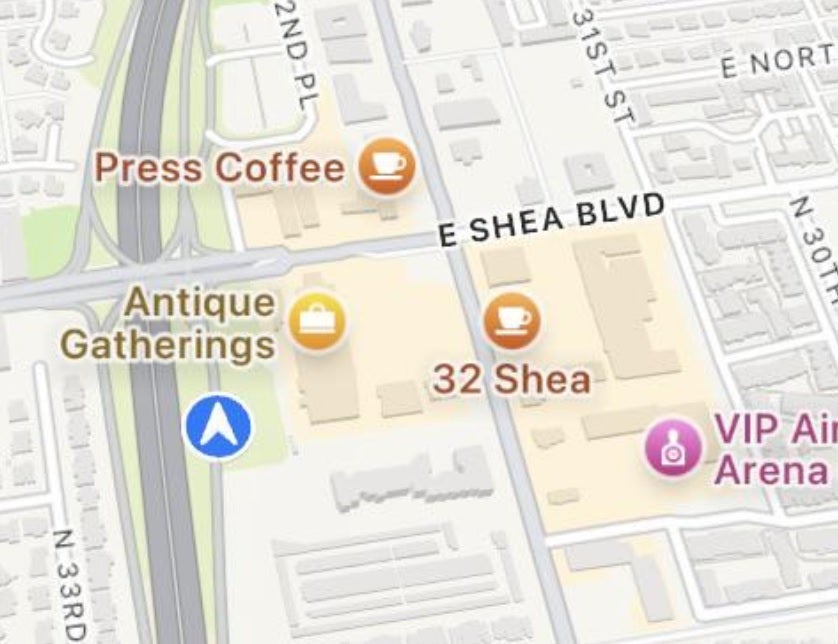
If you’ve rolled the dice and decided to install the iOS 18 Public Beta release on your eligible iPhone device, you might have noticed something other than a drop-off in your battery life and some of the new features that we have written about. There has been a change made to Apple Maps that not all users are thrilled with. In iOS 18, some businesses, restaurants, and stores have larger fonts and icons helping them stand out on the map. Colored fonts are employed to make these places stand out.
Some of these locations were described as “suggested” or “sponsored” places according to Apple Maps users on Reddit. Apple is essentially highlighting these locations which stand out when compared to street names and other places which are printed in smaller gray and black fonts. This appears to be a way for Apple to monetize the Maps app and users are not happy with what they see as advertisements being placed all over the map.
In iOS 18, certain businesses get larger fonts that stand out on the Apple Maps app. | Image credit-Reddit
Not all Apple Maps users agree with that assessment and state that Apple is making these businesses stand out on Maps to help users more quickly and easily find where they are on the map and where to turn. While it sounds as though some of these users might have had a sip of the Cupertino Kool Aid, there might be some truth to this. Business owners on Reddit whose stores are highlighted on Apple Maps say that they are not paying any money to Apple.
“I’ve seen threads where people talk to business owners who are showing up like this on Apple Maps. The businesses claim they are not paying for this, it is not a monetization effort or ads. Here is what this actually is: for easier navigation. You can notice signs for those things and know where you are and where to turn. If you actually start navigating somewhere, these will no longer cover up the road or intersections on the map.”-Reddit user StillChillBuster
Apple Maps wouldn’t seem to require using business locations to help users navigate since the app already does a great job of using stop signs and traffic lights as landmarks to tell you when to make a turn. Still, for those who don’t listen to the spoken turn-by-turn directions on Apple Maps, using certain businesses as landmarks would make sense. For example, knowing that you make a right at Starbucks might prevent you from missing the turn.
No iPhone user is going to install the iOS 18 Public Beta just for this change to Apple Maps. However, the pre-release version of iOS 18 will allow you to customize your Hone Screen app icons, schedule messages to be sent at certain times, open any app from your Lock Screen, and more.
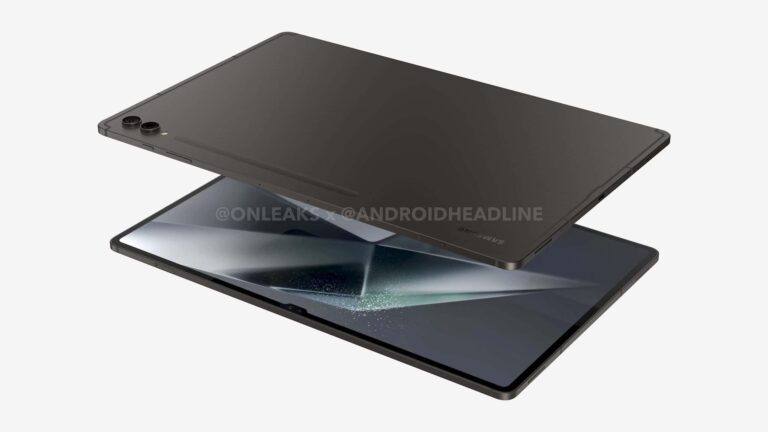
Samsung‘s Galaxy Tab S10 series may not be too far off. The new flagship Android tablets reportedly enter production in August. A global launch may happen in October. The company has already confirmed that its next-gen flagship tablets will arrive before the end of the year.
Galaxy Tab S10 production starts in August, global launch is likely in October
For the past few years, Samsung has maintained a 1.5-year gap between its flagship tablets. The Galaxy Tab S7 arrived in August 2020, Tab S8 in February 2022, and Tab S9 in July 2023. We expected the company to launch the Galaxy Tab S10 in early 2025 alongside the Galaxy S25 series. However, the Korean firm had other plans. Since the beginning of this year, it looked like the new tablets would arrive early, and Samsung recently confirmed that.
Rumors said the company plans to launch its next-gen flagship Android tablets in October, though there have been a few alternate theories. We now have word from a reliable source hinting at an October launch of the Galaxy Tab S10. According to Ross Young, a display industry veteran, Samsung will start production of the tablets in August. Typically, new Galaxy devices go official about two months after the first production run. You can connect the dots.
Young, who is the CEO of Display Supply Chain Consultants (DSCC), also revealed the color options for the new Samsung tablets. The Korean firm is readying both the Galaxy Tab S10+ and Galaxy Tab S10 Ultra in Gray and Silver colors. The source says they haven’t seen a base Galaxy Tab S10 “on the panel or tablet production side” yet. There have been rumors that Samsung will only launch two models this year. The latest report adds fuel to those rumors.
It’s worth noting that the Plus and Ultra models have already popped up in various certification and benchmark listings but the base model has yet to show up anywhere. This could mean Samsung has canceled it or the device would arrive a few months later. Maybe the company plans to introduce it alongside the Galaxy S25 series in early 2025. We should get a clearer picture in the coming weeks once the Korean firm begins the production of the tablets.
Samsung also has a high-end smartphone and a foldable in the pipeline
Alongside the Galaxy Tab S10 series, Samsung has the Galaxy S24 FE and Galaxy Z Fold 6 Slim/Ultra in development. These devices are also expected to arrive later this year. Maybe the company plans to launch them all in October. The Galaxy S23 FE did launch in October last year. Expect leaks about these devices to get more frequent and richer in information as we inch closer to their rumored launch. For the first time, Samsung’s flagship tablets could run a MediaTek chip.
Adobe Photoshop can create AI-generated images from text prompts. The feature, powered by Adobe Firefly is now widely available but promises, a “commitment to creator-friendly AI”.
Does Adobe Photoshop offer acceptable AI-generated images?
Just like Large Language Models (LLMs) such as Dall-E, Mid-Journey, and several others, Adobe Photoshop now offers AI-generated images. The text-to-image journey is handled by Adobe Firefly, a Generative Artificial Intelligence (Gen AI) that Adobe had started teasing in April.
According to some early adopters, Adobe’s Gen AI, now widely available via Photoshop, can spit out decent images. However, the usual anomalies, inconsistencies, and inaccuracies systemic to other popular Gen AI image creators, can reportedly be observed in Photoshop.
One of the biggest advantages of Adobe Photoshop’s Gen AI is that creators are already inside one of the most popular and versatile image editors. Hence, users can either tweak their text prompts to get better results or use Photoshop to fix any errors or undesired elements.
Adobe introduces “Enhance Detail” to add patterns and features using AI
Adobe Photoshop has had the Generative Fill feature for some time now. Until today, it allowed users to add, extend, or remove specific parts of an image.
Similar to the recently introduced AI-generated images, Photoshop relies on Adobe Firefly Gen AI for Generative Fill. Specifically speaking, the Firefly Image 3 model is powering these features.
#Adobe propose de nouvelles fonctionnalités d’IA générative dans #Illustrator et #Photoshop pour accélérer les flux de travail créatifs. Illustrator bénéficie du nouveau modèle Firefly Vector AI, offrant des outils comme le remplissage génératif de formes et l’amélioration de la… pic.twitter.com/UYJq75nS2E
The Generative Fill feature is now getting an Enhanced Detail add-on. It allows creators to quickly add details or patterns to an image using simple text prompts. Needless to say, these features could significantly lower the time taken to create or edit an image.
Adobe has reaffirmed its “commitment to creator-friendly AI”. This may imply the company’s Gen AI engines aren’t “training on customer content.” But this isn’t always the case.
Adobe has promised it would have a creator-friendly approach as part of its AI ethics principles of accountability, responsibility, and transparency. However, these claims could soon be put to the test when images created using Adobe Photoshop’s new AI-generated images started getting out into the public domain.
Samsung has released a statement explaining why it is switching from Samsung Messages to Google Messages. Moving forward, Google Messages will be the default messaging app for all Samsung Galaxy Android smartphones.
Why is Samsung switching over to Google Messages for its smartphones?
Samsung recently started informing Galaxy smartphone owners that new devices would have Google Messages. For now, the company will cease to preload its version on new devices.
Specifically speaking, starting with the upcoming Samsung Galaxy Z Flip 6 and Z Fold 6, Samsung won’t preinstall its messaging app. Needless to add, the company has long included its solution with One UI, the custom Android layer powering the company’s Galaxy smartphones.
RCS is a lacking feature and most people prefer google messages. Recently there was a issue with google meet because of Samsung messages
Attempting to explain why Google’s app will be the default platform on a Samsung smartphone, the South Korean tech giant has stated,
“Samsung and Google have been closely working together on many communication service areas and this collaborative effort to make Google Messages the default common messaging platform for the Android mobile ecosystem will accelerate the adoption of Rich Communication Services (RCS) and deliver a more robust and engaging mobile messaging experience to Galaxy users.”
Is Google forcing its way into Samsung’s One UI?
Samsung has currently limited the switchover to the US market. However, the company could include other countries as Google already has a drop-in replacement ready.
Samsung may have claimed that RCS was the reason for the switchover. However, according to several industry experts, Samsung’s solution currently outperforms Google Messages.
Samsung messages is tied into bixby and the galaxy watch.
Only the Samsung messages app has a shortcut on the watch face.
So I just hope Samsung/google integrates their app better.
Samsung’s app can send uncompressed images via RCS, which means it can deliver high-quality photos. Google is known to excessively compress images. Some reports indicate Google is altering this behavior in future releases.
It is important to note that Galaxy Android smartphone owners will not be forced to switch. In other words, the company’s app should continue to function without any issues.
Samsung has even mentioned that its app will remain available on the Galaxy Store. This means even new Galaxy smartphones will have ready access to this app, and buyers can switch, should they desire.