The resurgence of the Anatsa banking Trojan has sparked concerns among cybersecurity experts as it targets European financial institutions, posing a significant threat to mobile banking security. Over the past four months, the Anatsa campaign has exhibited a dynamic evolution, with five distinct waves targeting specific regions, including Slovakia, Slovenia, and Czechia, in addition to previous targets like the UK, Germany, and Spain.
Fraud detection company ThreatFabric detected a resurgence of the Anatsa banking Trojan in November 2023
The latest iteration of the Anatsa campaign, detected by ThreatFabric, demonstrates a sophisticated modus operandi. It employed multiple tactics to infiltrate mobile devices and execute malicious activities. Despite enhanced detection and protection mechanisms on Google Play, Anatsa droppers have successfully exploited AccessibilityService. It enabled them to automate the installation of payloads.
One notable aspect of the recent Anatsa campaign is the use of manufacturer-specific code targeting Samsung devices. This tailored approach suggests a strategic adaptation by threat actors to maximize the impact of their malware. While the campaign directly impacted Samsung users in this phase, the threat of similar tactics targeting other device manufacturers remains a concern.
Anatsa campaign has effectively bypassed AccessibilityService restrictions imposed by Android 13
Furthermore, the Anatsa campaign has effectively bypassed restrictions imposed by Android 13, enabling droppers to install payloads while evading detection. This technique, coupled with dynamically loaded DEX files, enhances the malware’s stealth capabilities. It poses challenges for security engines and increases the risk of successful infections.
The potential for device takeover by a malicious program poses a severe threat, with each installation increasing the risk of fraudulent activity and unauthorized access to sensitive information.
Beeping Computer has noted five applications that are linked to the Anatsa campaign. These include Phone Cleaner – File Explorer (com.volabs.androidcleaner), PDF Viewer – File Explorer (com.xolab.fileexplorer), PDF Reader – Viewer & Editor (com.jumbodub.fileexplorerpdfviewer), Phone Cleaner: File Explorer (com.appiclouds.phonecleaner), and PDF Reader: File Manager (com.tragisoap.fileandpdfmanager).
Google has responded to the matter
A Google spokesperson has informed BeepingComputer that Google Play has removed all of the five apps associated with this campaign. He added that Google Play Protect already protects Android devices against known versions of this malware. This is on by default on Android devices with Google Play Services.
The latest Zoom release addressed numerous security vulnerabilities in the software, including a critical flaw. Users should ensure to update their devices with the latest releases to avoid potential threats.
Critical Zoom Flaw Patched With Other Security Vulnerabilities
According to the latest security bulletin, at least seven different vulnerabilities existed in the video conferencing software Zoom. These vulnerabilities affected different Zoom clients, exposing users to global security threats.
These vulnerabilities even include a critical security fix for a privilege escalation flaw. Identified as CVE-2024-24691 (CVSS 9.6), Zoom described this vulnerability as an improper input validation that could allow an unauthenticated adversary to gain elevated privileges via network access. It affected the Zoom Desktop Client for Windows, Zoom VDI Client for Windows, Zoom Rooms Client for Windows, and Zoom Meeting SDK for Windows.
The other six vulnerabilities include the following.
CVE-2024-24697 (high severity; CVSS 7.2): This vulnerability affected Zoom 32-bit Windows clients, letting an authenticated adversary gain elevated privileges via local access by exploiting an untrusted search path.
CVE-2024-24696 (medium severity; CVSS 6.8): Improper input validation with Zoom in-meeting chat could lead to information disclosure to an authenticated attacker via network access.
CVE-2024-24699 (medium severity; CVSS 6.5): Business login error with Zoom clients’ in-meeting chat. Exploiting the flaw could result in information disclosure to an authenticated adversary.
CVE-2024-24690 (medium severity; CVSS 5.4): A denial of service vulnerability due to improper input validation.
CVE-2024-24698 (medium severity; CVSS 4.9): An information disclosure flaw that existed due to improper authentication, facilitating a privileged user with local access.
Zoom patched these vulnerabilities with different software releases, addressing some with Zoom version 5.16.5 and the rest with version 5.17.0. Given that the recent release, at the time of writing this story, is Zoom version 5.17.7, users should consider updating their systems with this release to receive all security fixes.
Besides, users must always ensure they use the latest software releases for any product to avoid exploits.
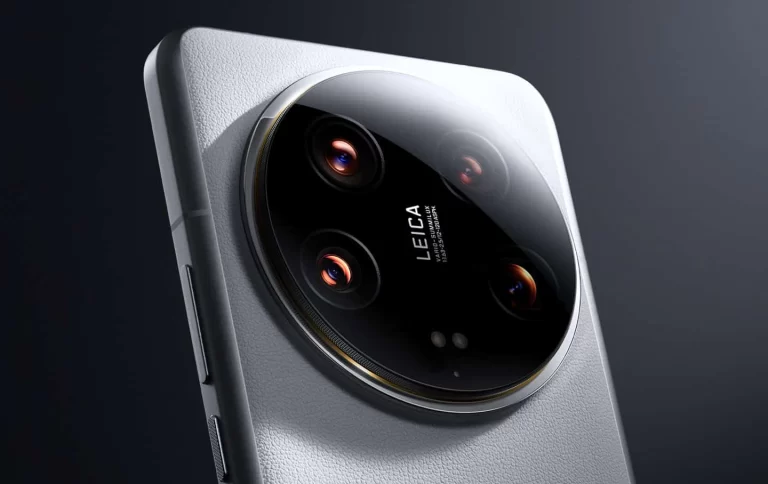
Official Xiaomi 14 Ultra camera samples are now available. The company shared them via its official Weibo account prior to the February 22 launch. Do note that the phone will launch in China on that date, while its global launch will follow on February 25.
Xiaomi revealed many camera specs of the phone yesterday, and now we get to see what the phone can do. The phone will include a 50-megapixel main camera (Sony’s LYT-900 camera sensor) with a variable aperture (f/1.63 – f/4.0). Xiaomi says that the light intake has increased by 136% compared to the Xiaomi 13 Ultra.
Two periscope telephoto cameras are also included here, both utilizing Sony’s IMX858 sensor. One is a 75mm equivalent lens with an f/1.8 aperture and 3.2x optical zoom. The second one has a 120mm focal length and is paired with an f/2.5 aperture (5x optical zoom). The fourth camera is a 50-megapixel camera too, and it has a 12mm focal length and a 122-degree FoV. That information is new.
Official Xiaomi 14 Ultra camera samples are here, and they look outstanding
With that in mind, the company shared a bunch of camera samples that you can check out below. Do note that these images have been compressed, however. You can check them out via the company’s official Weibo page in their original form.
Xiaomi focused on images from the phone’s telephoto cameras here, but there are some main camera samples too. You’ll find some really nice low-light camera samples in there, and the ones that look especially impressive, are the ones taken at sunset.
These camera samples look outstanding. The exposure is great, as is the detail. We’ll have to test out the camera ourselves to see if it’s really all that capable, as we always take official camera samples with a grain of salt.
The company also shared a bunch of portrait shots
If you check out the gallery below, however, you’ll see a bunch of portraits that the company shared. These also look great and do provide plenty of detail, while the shadows also look great.
Needless to say, this smartphone will be camera-focused, but it will have a lot to offer in general. We’re only a couple of days away from its launch event.
Progress has been made – but it remains to be seen if it’s towards a bright future or a bleak dystopia. Neuralink’s first human patient is now able to move a mouse through thinking about it, a Reuters report reads.
Last month, Neuralink implanted a chip in the brain of a human, after receiving approval for human trial recruitment in the Fall of 2023.
Back in 2022, the Neuralink project entered its human trial phase – prior to that, Neuralink carried out testing with primates, killing 15 of the 23 test monkeys.
Now, the patient zero with a brain chip appears to have fully recovered. This is great, but it’s remarkable that the patient is able to control a computer mouse using their thoughts, the startup’s founder Elon Musk said.
“Progress is good, and the patient seems to have made a full recovery, with neural effects that we are aware of. Patient is able to move a mouse around the screen by just thinking”, Musk said in a Spaces event on social media platform X.
Musk said Neuralink was now trying to get as many mouse button clicks as possible from the patient.
How is it done?
“In many ways, it’s like a Fitbit in your skull, with tiny wires,” Musk said of Neuralink’s device during the 2021 livestream event. The technology uses up to 1,024, 5-micron diameter wires “stitched” into a patient’s gray matter to make connections with neighboring neurons, delivering high-resolution sampling of the brain’s electrical emissions, and translating between analog electrical impulses and digital computer code.
As the report reads, the study uses a robot to surgically put a brain-computer interface implant in a region of the brain that controls the intention to move. The initial goal is to enable people to control a computer cursor or keyboard using their thoughts.
That’s great, can you do that to scroll through TikTok?
Musk has grand ambitions for Neuralink, saying it would facilitate speedy surgical insertions of its chip devices to treat conditions like obesity, autism, depression, and schizophrenia.
Threat actors use stealers to collect sensitive information from unsuspecting users covertly.
These tools are favored for their ability to infiltrate systems, remain undetected, and extract valuable data, which threat actors can exploit for financial gain and several malicious purposes.
Stealers offer a low-risk and high-reward method for threat actors to access valuable assets without a direct fight.
Cybersecurity researchers at Cisco recently discovered and warned of Agniane stealer attacking users to steal financial data.
Agniane Stealer Attacking Users
Agniane Stealer is a crypto-targeting malware that surged in August 2023. Researchers recently uncovered new insights into its URL pattern, file collection methods, and C2 protocol.
DocumentLive Account Takeover Attack Simulation
Live attack simulation Webinar demonstrates various ways in which account takeover can happen and practices to protect your websites and APIs against ATO attacks.
The malware was actively marketed on Telegram (@agnianebot) and uses ConfuserEx Protector with a unique C2 method.
In November 2023, researchers’ threat hunting revealed passbook.bat.exe, a named PowerShell binary linked to Agniane Stealer.
Infections start with ZIP downloads from legit websites, following this URL pattern:-
http[s]://<domain name>/book_[A-Z0-9]+-\d+.zip
Extracted files drop passbook.bat with obfuscated payload by spawning passbook.bat.exe. This renamed PowerShell binary executes a series of obfuscated commands.
Execution chain (Source – Cisco)
Then, it dynamically builds and invokes an XORing payload from a BAT file by decompressing and loading it into memory reflectively.
Besides this, reversing the payload helps in getting the objectives of the threat actors.
The payload triggers a C# assembly that results in an executable with hash 5640c02b6d125d4e14e19709296b29b8ea34fe416e18b3d227bd79310d54b8df.
The file was unknown to online sandboxes, and emulating its activity on Cisco Secure Malware Analytics revealed anti-sandbox techniques.
However, the binary, which was obfuscated with ConfuserEx, restricts the dynamic analysis.
Content of the passbook.bat file (Source – Cisco)
The sample lacked a ConfuserEx signature but had similar obfuscation. On reversing, another binary that emerged in its resources was loaded reflectively.
This C# sample held the final payload, which was obfuscated directly with ConfuserEx.
The Passbook.bat.exe executes PowerShell to deobfuscate passbook.bat, then runs the tmp385C.tmp (header file name). This, in turn, reflectively loads the _CASH_78 C# app, which concludes with the Agniane Stealer.
Malware execution chain (Source – Cisco)
The Agniane Stealer steals credentials and files via a basic C2 protocol. It checks domain availability by requesting a specific URL and adds active C2 domains to a list. Then, it gathers file extensions from a C2 URL pattern.
Afterward, it requests a remote json file for error details and progresses based on the response.
The stealer employed many obfuscation and anti-detection methods to collect and exfiltrate files, credentials, passwords, credit cards, and wallets.
Moreover, its evasion tactics and broad data targeting could lure more threat actors to exploit its capabilities in the future.
IoCs
IoCs (Source – Cisco)
Stay updated on Cybersecurity news, Whitepapers, and Infographics. Follow us on LinkedIn & Twitter.
An individual residing in Vinnytsia, aged 31, has been apprehended for purportedly pilfering confidential data of Android users and exploiting their Google accounts belonging to citizens of the United States and Canada.
The cybercrime incident resulted in the perpetrator acquiring a total amount of more than UAH 3.5 million.
Modus Operandi of Hacker
In Vinnytsia, Ukraine, a hacker has developed multiple websites providing free software downloads. These downloads are often pirated and potentially contain malware or viruses that compromise the security of the user’s device.
The individual initiated a comprehensive online advertising initiative to promote the websites and enhance their credibility. This involved various technical strategies aimed at increasing the trustworthiness of the websites.
After users download and install software for free, they inadvertently install concealed malware within the programs.
The malware in question could infiltrate the devices without the user’s knowledge, providing the hacker unrestricted access to the system.
The perpetrator successfully monetized the unauthorized access by selling the exfiltrated data to nefarious actors on the internet. The proceeds generated from the sale were utilized to purchase a Mercedes-Benz GLE car, reads the report.
The Investigation:
Assisted by the KORD special force, the law enforcement personnel successfully located and apprehended the perpetrator.
Authorities conducted three comprehensive searches and confiscated a vehicle worth approximately 2.5 million hryvnias. We also obtained other crucial pieces of evidence during the operation.
The accused is liable for a maximum prison term of 8 years and seizure of assets due to charges of engaging in money laundering, hacking activities, and developing and circulating malicious software.
The investigation is underway to ascertain the identities of any possible accomplices involved in the case.
Stay updated on Cybersecurity news, Whitepapers, and Infographics. Follow us on LinkedIn & Twitter.
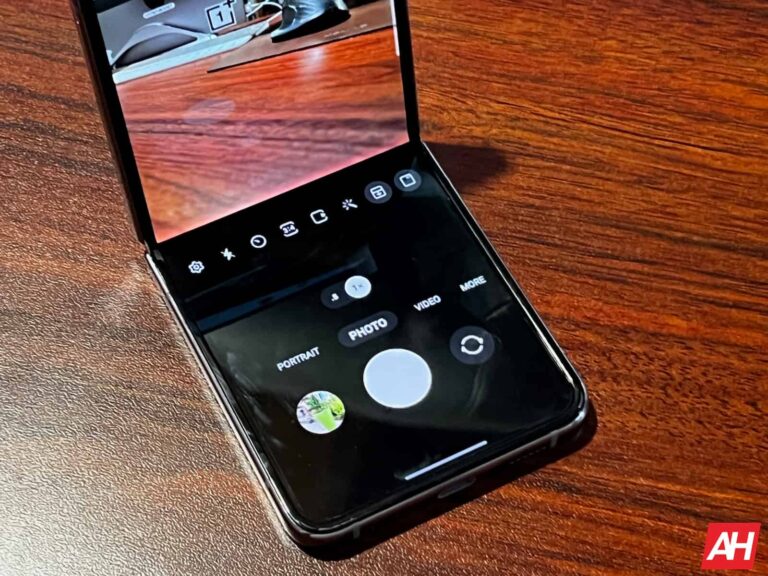
UPDATE: Samsung’s Galaxy Z Flip 4 foldable has started getting a new update. The Android security update for February 2024 is now rolling out to devices in the US. You can read more about it at the very end of the article.
Samsung announced two foldable smartphones on August 10, one of them is the Galaxy Z Flip 4. The Galaxy Z Fold 4 is a more powerful device, and a considerably more expensive one, but the Galaxy Z Flip 4 may appeal to more people. The Galaxy Z Flip 3 sold really well for Samsung, and the company hopes those numbers will be even higher with the Galaxy Z Flip 4.
If you’re at all interested in the company’s latest clamshell foldable, you may find this article useful. We’ll try to group a lot of information about the Galaxy Z Flip 4 in a single place. Therefore, you can get properly informed before pulling the trigger. We have a lot of Galaxy Z Flip 4 content on the site already as well, in case you’d like to read more about specific aspects of the device.
When does the Samsung Galaxy Z Flip 4 come out?
The Galaxy Z Flip 4 pre-orders kicked off on August 10, the same day the phone launched. The phone became available on August 26, and since then it has been available to purchase either online or offline.
How much does the Samsung Galaxy Z Flip 4 cost?
The Samsung Galaxy Z Flip 4 comes with 8GB of RAM and 128GB, 256GB, or 512GB of internal storage. The phone’s pricing, for an unlocked variant, starts at $999.99. That is the case price tag that its predecessor had when it launched. In other words, that was the Galaxy Z Flip 3’s price tag a year ago.
There are plenty of really neat offers for the Galaxy Z Flip 4 in the US. Samsung has its offers, as do the major US carriers. We’ll talk about all of those separately below.
Samsung offers
If you opt to pre-order the Galaxy Z Flip 4, which starts today (August 10), you will receive a complimentary memory upgrade to double the storage. You’ll also get up to $900 off with an eligible trade-in, and a Silicone Ring Case or Strap Case.
Samsung is also offering Samsung Care+ to those who purchase the Galaxy Z Flip 4. For $8 or $11 a month, you can get 24/7 expert support, cracked screen repairs for as low as $29, protection against drops and spills, battery replacements, and more.
AT&T offers
If you’re an AT&T customer, you can get the Galaxy Z Flip 4 for free. That is possible if you trade in your existing Galaxy phone. The discount will depend on the phone you trade in, of course.
There are also some added perks for those of you who pre-order the device. You can get a free memory upgrade (double the storage), and a Samsung case with the Galaxy Z Flip 4.
Verizon offers
Verizon is offering up to $800 off the Galaxy Z Flip 4 with a specific trade-in, only on a qualified 5G Unlimited plan, though. You can also grab a $200 Verizon eCard in this case.
For a limited time, Verizon is also offering 50 percent off on select Samsung phone cases, 25 percent off select Samsung chargers, and if you purchase the Galaxy Z Flip 4, you can get $75 off the Galaxy Buds 2 Pro.
Where can I buy the Galaxy Z Flip 4?
The Samsung Galaxy Z Flip 4 became available to purchase on August 26, 2022. You can get the device from Samsung.com, the Samsung Experience Store, and all major carriers and retailers. Some links are listed below.
What carriers support the Galaxy Z Flip 4?
All major carriers support the Galaxy Z Flip 4.
Which carriers will sell the Galaxy Z Flip 4?
All major carriers will sell the Galaxy Z Flip 4. As far as the US goes, the phone will be sold by AT&T, T-Mobile, and Verizon.
Can I get an unlocked Galaxy Z Flip 4?
Yes, you can buy the Galaxy Z Flip 4 unlocked. You can get it unlocked from both Samsung.com and Best Buy. That device will also be eligible to run on any US carrier, including AT&T, T-Mobile, and Verizon. The same goes for MVNOs that run on those networks.
What colors are available?
The Galaxy Z Flip 4 was announced in four color options. Those variants are Graphite, Bora Purple, Pink Gold, and Blue. The Graphite color is basically a very dark gray color, while the Bora Purple is… well, purple. Pink Gold color is more gold than pink, and there’s also a light blue variant. Now, that’s not all. These are the four standard colors, but up to 75 unique combinations will be available with Bespoke Studio. You’ll be able to choose the front and back panels, and frame/hinge styles, presuming the option is available where you live. Check out all standard colors below.
Folded: 84.9 x 71.9 x 17.1mm Unfolded: 165.2 x 71.9 x 6.9mm
Folded: 86.4 x 72.2 x 15.9-17.1mm Unfolded: 166 x 72.2 x 6.9mm
Weight
187 grams
183 grams
Price
$999
$999
Colors
Graphite Bora Purple Pink Gold Blue
Phantom Black Green Lavender Cream White Pink Gray …and more.
Available
Pre-order
Yes
What new features did Samsung unveil?
The Samsung Galaxy Z Flip 4 has all the Android 12 features you’d expect, in addition to Samsung’s One UI additions. On top of that, it has some features unique to the Z Flip line, which have been improved this time around. Those are the features we’ll talk about below (software and hardware ones), the ones you should know about.
FlexCam
FlexCam is a feature you can use while the device is in Flex mode. Flex Mode supports angles between 75 degrees and 115 degrees. What does FlexCam allow you to do? Well, you can shoot hands-free video, for example, or capture selfies with a ton of people, as you can set the phone somewhere and tilt it to the appropriate angle. FlexCam is optimized for Instagram, WhatsApp, and Facebook, thanks to Samsung’s partnership with Meta.
Quick Shot
Quick Shot has been upgraded on the Galaxy Z Flip 4, says Samsung. This feature allows you to take a quick photo from the cover screen while utilizing the phone’s main cameras. You can also start recording video in this mode, and then even switch to Flex mode seamlessly, without the need to stop video recording. You can even take selfies in Portrait Mode now, in this mode, and see previews on the cover display.
Improved camera sensor
Samsung claims that it included a 65-percent brighter camera sensor in the Galaxy Z Flip 4, compared to the Galaxy Z Flip 3. The Snapdragon 8+ Gen 1 is included in the camera equation, and Samsung also says that photos and videos are “crisper and more stable – day and night”.
Slimmer hinge
The Galaxy Z Flip 4 offers a slimmer hinge than its predecessor. The edges have also been straightened, by the way. That makes the phone look even more appealing to the eye, especially when folded.
What accessories are available?
Samsung announced five accessories alongside its Galaxy Z Flip 4 foldable. All those accessories are actually cases, and you can read more about them below.
Flap Leather Cover
The Flap Leather Cover is a leather case for Samsung’s new clamshell foldable. It comes in three colors, Peach, Serene Purple, and Black. As its name says, it’s made out of leather, and it’s not thick at all. it’s priced at $89.99.
The Silicone Cover with Strap, as its name says, is the company’s silicone case for the Galaxy Z Flip 4. It comes with a strap, as you can see, so that you have a better grip of the device. This case is available in two colors, White and Black. It is priced at $39.99.
The Silicone Cover with Ring is also a silicone cover for the device. This one comes with a built-in ring, which will add some security while you’re holding the device, though different than the previous case we talked about. This case comes in five colors, and it’s priced at $39.99.
If you like to keep things simple, you can grab the Clear Slim Cover for the Galaxy Z Flip 4. It is see-through, and made out of silicone. This case is priced at $24.99.
The last case on the list is the Clear Cover with Ring. It’s essentially the same as the previous one we talked about, but it adds that ring for additional security while holding the device. This case is also see-through. It is priced at $29.99.
The Samsung Galaxy Z Flip 4 is now getting a new update, alongside the Galaxy Z Fold 4. The update in question is the Android security update for February 2024, and the units in the US are currently getting it. Do note that other regions will follow suit if they haven’t already. This update comes with a firmware version ‘F721U1UES4EXAD’, and it’s currently rolling out to Metro PCS and T-Mobile networks. Other networks will either start rolling them out soon or have done so already. This update delivers fixes for 72 security vulnerabilities.
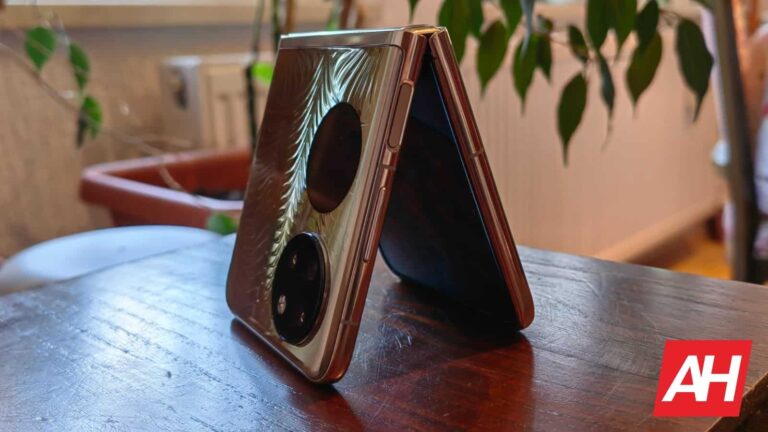
Huawei’s third flip phone foldable is coming, the company has officially announced its launch date. The device will become official on February 22. It will launch in Huawei’s homeland, and it remains to be seen if we’ll see a global launch after that.
The launch date of Huawei’s third flip phone is now official
The name of this handset is the Huawei Pocket 2. That name was rumored, and Huawei just confirmed it. The launch event will kick off at 2:30 PM on February 22, and Huawei’s teaser image obviously hints at two circle islands on the back of the phone.
That teaser actually goes hand-in-hand with the leaked images of the phone. You can check out those images below. Three colors are shown, and as you can see, two circular islands are included on the back.
The device will have two circular islands on the back, and come in at least three colors
The top circle is reserved for cameras. It seems like Huawei will fit three cameras up there. The bottom circle is there for a second display. Huawei is going for a small display here, as it did on the two previous flip phone foldables.
The phone will come in at least three color options, as you can see here. The black sand white models will have glass on the back, while the purple variant may include vegan leather, but we’re not sure
We don’t really have any spec information at this point, but the device could include the Kirin 9000S processor from Huawei. That is the chip that Huawei uses in all its higher-end phones these days.
This will probably be a higher-end device, but we’re not sure
We presume that the Huawei Pocket 2 will be a higher-end phone. Huawei announced the Huawei P50 Pocket back in 2021, which was a higher-end phone. The Huawei Pocket S came in November 2022, and that was a mid-range offering from the company.
It’s a bit odd Huawei is not using the ‘P’ branding for this phone, which managed to confuse us a bit. Still, we do expect this to be a higher-end device. It remains to be seen. It’s a bit odd the company doesn’t plan to include a larger cover display, though.
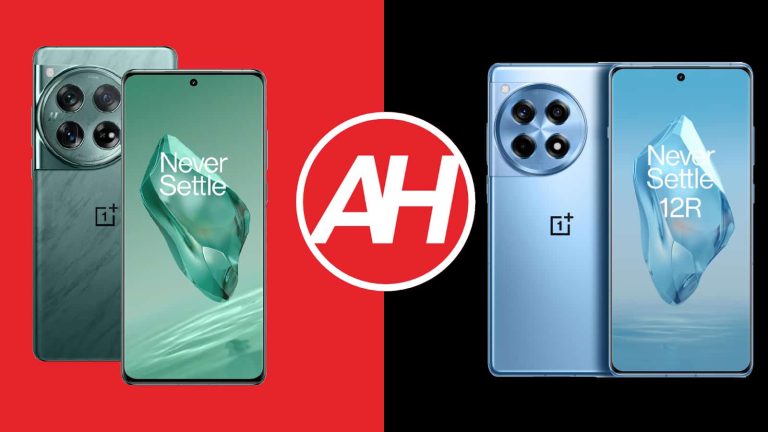
OnePlus announced two rather compelling smartphones for global markets last month. We’re here to compare those phones, the OnePlus 12 vs OnePlus 12R. We’ve reviewed both devices, and both are available in both the US and Europe, in addition to other markets. The OnePlus 12 even launched back in December originally, as it arrived to China way before it made its way to global markets.
Having said that, the two devices do look quite similar, but they’re not identical in terms of design. There are also quite a few differences when it comes to their internals. There’s a reason the OnePlus 12R is considerably more affordable in comparison. We’ll first list their specifications, and will then move to comparing their designs, displays, performance, battery life, cameras, and audio performance.
As you can see, the two phones are quite similar. The OnePlus 12 does have a larger camera island on the back, but not much else is different. Both smartphones include a curved display with very thin bezels around it. They both have a centered display camera hole too. The power/lock button sits on the right-hand side, right below the volume up and down buttons. All the physical buttons are on the right.
On the left side, you’ll find an alert slider on both phones. That’s a physical switch, not a button. It’s a three-level switch, as per usual. If we flip them around, there’s a circular camera island in the top-left corner on both of them. As already mentioned, the one on the OnePlus 12 is larger. The camera sensors are different, but they do sit in the same spots when you compare the design of the two camera islands.
The OnePlus 12 is slightly larger than its sibling, by 1mm, and it’s also a bit wider (less than 1mm). On top of that, it’s 0.4mm wider. The OnePlus 12 does have a slightly larger display than its more affordable sibling, so that size difference is to be expected. Despite having a slightly smaller battery, however, the OnePlus 12 is also heavier at 220 grams. The OnePlus 12R weighs 207 grams.
The OnePlus 12 comes with an IP65 rating for water and dust resistance. The OnePlus 12R has an IP64 rating for water and dust resistance. Both phones feel really good in the hand, but both are very slippery as well.
OnePlus 12 vs OnePlus 12R: Display
OnePlus flagship, the OnePlus 12, features a 6.82-inch QHD+ (3168 x 1440) LTPO AMOLED display. That panel is curved, and it can show up to 1 billion colors. It has a refresh rate that goes up to 120Hz, and it supports Dolby Vision and HDR10+ content. The theoretical max brightness of this display is 4,500 nist. The panel that OnePlus used here is protected by the Gorilla Glass Victus 2 by Corning.
OnePlus 12R
The OnePlus 12R, on the other hand, has a 6.78-inch 2780 x 1264 LTPO4 AMOLE display. That panel is also curved, and it can show off up to 1 billion colors. It has a refresh rate that goes up to 120Hz, and HDR10+ content is also supported here. The display also has Dolby Vision support and a maximum theoretical brightness of 4,500 nits. The Gorilla Glass Victus 2 is here to protect the OnePlus 12R’s display.
Both of these displays are great, in all honesty. These are the same displays, basically, but are different in size and resolution. You won’t really notice either the difference in size or resolution, and both panels get more than bright enough. The colors are vivid, and the viewing angles are great too. The touch response is also really good on both panels. Both smartphones also offer PWM dimming of 2,160Hz, which is worth highlighting. You’ll be happy with either one of these displays, that’s for sure.
OnePlus 12 vs OnePlus 12R: Performance
The OnePlus 12 has more powerful performance-related hardware specs, that’s for sure. It is fueled by the Snapdragon 8 Gen 3 processor from Qualcomm. That chip is backed by up to 16GB of LPDDR5X RAM globally, and up to 24GB of LPDDR5X RAM in China. UFS 4.0 flash storage is used here. The OnePlus 12R, on the flip side, is fueled by the Snapdragon 8 Gen 2 processor. That phone has up to 16GB of LPDDR5X RAM and utilizes UFS 3.1 flash storage.
So, the OnePlus 12 does have a more powerful processor and faster storage. That’s not something you’ll notice all that much during regular performance, however. Both smartphones are extremely snappy in day-to-day use, regardless if we’re talking about launching apps, switching between them, or processing images. Yes, the OnePlus 12 will occasionally get there slightly faster, but the difference is not big at all.
What about gaming? Well, the OnePlus 12 is the phone that is more suitable for gaming due to its more powerful processor, but the Snapdragon 8 Gen 2 inside the OnePlus 12R is still extremely capable. In all honesty, you’ll be able to play any game from the Play Store on the OnePlus 12R too. The difference is not all that big, but the OnePlus 12 is the better choice. OnePlus also included considerable vapor chambers in both devices, so heating up during gaming is not an issue.
OnePlus 12 vs OnePlus 12R: Battery
There is a 5,400mAh battery included inside the OnePlus 12, while the OnePlus 12R packs in a 5,500mAh unit. Both of these battery packs are quite large, and both should be more than enough to keep these phones powered on during your busy days. Are they, though? Well, yes, but the OnePlus 12 managed to hold a charge for considerably longer than its more affordable sibling, despite the fact the OnePlus 12R has a larger battery pack.
That was the case in our battery drain test, and also during usage, actually. We were able to cross the 9-hour screen-on-time mark with the OnePlus 12 a number of times while getting well over 8 hours of screen-on-time was not a problem at all. The OnePlus 12R had good battery life, but it was closer to around 7 hours of screen-on-time. Do note that these numbers go for days when gaming was not a part of our usage, but various other tasks were, and the phones were used quite a bit. We’re not sure why the OnePlus 12 has such an advantage, as the Snapdragon 8 Gen 2 is very power efficient, but there you have it. Regardless, it does offer really good battery life too.
Both of these smartphones support 100W (80W in the US) wired charging. Getting them to 100 percent to a full charge will take less than half an hour, and maybe a couple of minutes over 30 minutes if you’re charging them in the US. The OnePlus 12 also supports 50W wireless charging, which will charge the phone in less than an hour. The flagship model does offer 10W reverse wireless charging too. A charger comes included with both phones.
OnePlus 12 vs OnePlus 12R: Cameras
The OnePlus 12 includes a 50-megapixel main camera, along with a 48-megapixel ultrawide unit (114-degree FoV), and a 64-megapixel periscope telephoto camera (3x optical zoom). The OnePlus 12R, on the flip side, has a 50-megapixel main camera, an 8-megapixel ultrawide unit (112-degree FoV), and a 2-megapixel macro camera. OnePlus had to cut corners somewhere, and it definitely did that in the camera department.
OnePlus 12
The OnePlus 12 has better cameras overall, it goes for all three camera sensors, even the main one. Yes, it does provide better images in pretty much every situation, in our experience. The OnePlus 12R managed to do a better job during the day, at times, but those occasions were rare. The OnePlus 12 generally offered more vibrant images with a bit more detail when it comes to the main camera. The ultrawide and telephoto cameras were a lot better than what the OnePlus 12R has to offer. That phone doesn’t even have a telephoto camera, by the way.
Something similar can be said for low light too. The OnePlus 12 managed to attain more detail and balance the shots better. The ultrawide camera did a considerably better job too. That 2-megapixel camera on the OnePlus 12R is not something you’ll want to use, during the day or night. You’ll get far better shots with the main camera. 2-megapixel macro cameras should not be a thing in phones at this point.
Audio
Both devices feature stereo speakers. What is a bit surprising is that the OnePlus 12R’s speakers ended up being a bit louder. The difference is not big, but it’s there. Both sets of speakers are well-balanced, and both are more than loud enough.
If you were hoping to get an audio jack on either phone, well, you won’t. Neither one has it. You can always make use of their Type-C ports and connect your headphones that way. The OnePlus 12 supports Bluetooth 5.4, while the OnePlus 12R offers Bluetooth 5.3 support for wireless connectivity.
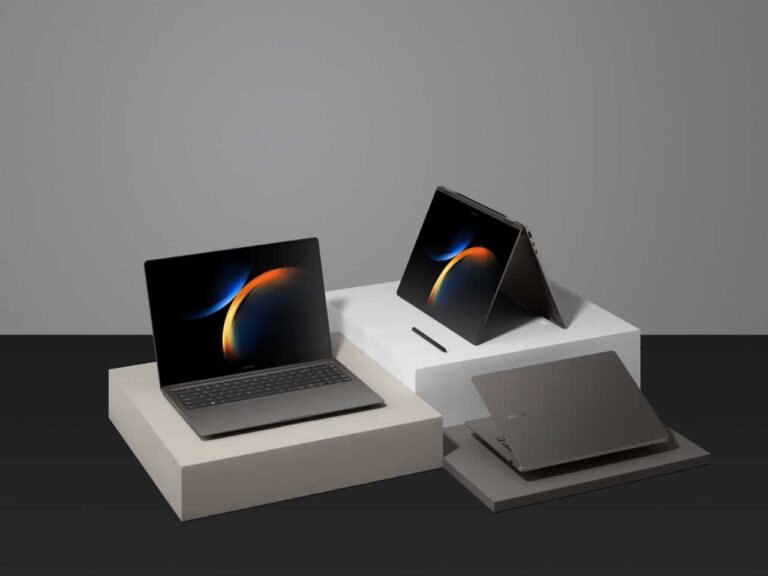
Along with its phones and tablets, Samsung also sells a line of top-of-the-line laptops under its Galaxy Book series. The latest computers from the company are in its Galaxy Book 3 series. These bring a slew of powerful specs to help you get tons of work and play done.
If you’re looking for a powerful computing experience, and you’re looking for what Samsung has to offer, then you’ll want to order one of these computers. Here’s a handy guide to show you how to place your order for a new Galaxy Book. We’ll go through how to navigate the ordering process on the Samsung website.
If you’re curious about some other Samsung products, there are some others from the Korean tech giant that you’ll want to check out. For starters, there are the new Galaxy S24 phones that bring the powerful Galaxy AI features. We have reviews for the Galaxy S24+ (Review) and the Galaxy S24 Ultra (Review).
If you’re looking for a wearable, then you should think about getting a Galaxy Watch 6 (Review). This is the latest and most powerful smartwatch from Samsung.
How to order the Galaxy Book 3 computers
Getting your order isn’t all that hard, but there are a few details that you’ll want to pay attention to. For starters, go to the order page. There, you’ll see the different models that you can choose from. You have the option to grab a Galaxy Book 3, Galaxy Book 3 Pro, Galaxy Book 3 360, Galaxy Book 3 Pro 360, and Galaxy Book 3 Ultra.
First, go to Samsung.com. On the landing page, you’ll see the Galaxy S23 front and center. On the top bar, look for the Computing section. Under that section, you’ll want to navigate to the Galaxy Book 3 computers. Select which model you want from that drop-down menu.
When you select the model you want, you’ll be taken to the landing page for the Galaxy Books. On this page, you can look at a bunch of the specs and features that the company is hyping up. On the top right of the page, you’ll see the blue order Now button. Clicking on that will bring you to the order page. Just make sure you choose the correct mode that you want.
When you see the order page, then you’ll all of the options available for that model. Now, don’t be fooled by the price that you see at first. Samsung will present you with the lowest possible price for the device. This includes promotions and trade-in deals.
Customizing your computer
On the right side of the screen, you’ll see the options for customizing your Galaxy Book. Going down the list, you’ll see the options for your model, operating system (there’s only one option for this computer), processor, screen size, memory configuration, and color. Depending on the model you’re looking to get, you may only see one option available.
Extra stuff
Under that, there are some other options that will have an effect on the price. For starters, the company is heavily pushing the trade-in program. If you have an old device that you want to trade in, you’ll have the option to do so. Doing this can knock some money off of the price.
When you first enter the page, the price you see at first will be the price you pay if you have a trade-in. That’s why you shouldn’t take the first price you see to heart. If you do have an eligible device to trade in, you can choose what type of device it is, its condition, and what brand it’s from. You’ll see the price change depending on what device you choose. If you choose the No Trade-in option, you’ll see the price shoot up to the full price.
Under that, you’ll see any special promotions that the company is having at the time. If any of those appeal to you, you can add those to your order.
Next, Samsung will present you with the Samsung Care+ membership. This is an insurance policy for your Samsung device. This plan ensures that your device is covered in the event of damage. It costs $89/year, and with it, you have unlimited repairs for drops, spills, and mechanical breakdowns. It also promises you 24/7 customer service. If you want to make sure you’re protected in the case of an accident, you might want to consider it.
Short on cash? There’s financing for your Galaxy Book 3 order
Lastly, you’re able to finance your new Galaxy Book. Let’s not mince words here; these computers are expensive. Not everyone just has $2k lying around to buy fancy laptops. Because of this, Samsung offers you the option to split your payment up into installments.
You have the option to pay off your computer using monthly payments. If you can swing a bit more and you want it to get it over with faster, you can choose to split your payment into four installments paid every two weeks.
Just know that you’ll be subject to a credit check if you choose these options. If you don’t have good credit, you may be denied.
After that, you’re good to go. Just press the order now button and you’ll be able to complete your order. Above it, you’ll see a summary of your order. Be sure to check it and make sure that you’ve customized your Galaxy Book to your liking. Also, look at the price.
When you press the order button, you’ll be able to enter your payment information. If you have an account, then you should have your payment information saved. If not, then you’ll enter your credit card information.
Just know that, since you’re ordering this device, it will be a bit of a while before you can get your hands on it. The Galaxy Book 3 Pro and the 360 models officially launch on February 17th, so you’ll get your computer around that time. As for the Ultra model, that one will officially launch a bit later on February 23rd.
If you want to know more about these computers, you can take a look at our rundown of everything you need to know about them.







.webp)
.webp)
.webp)
.webp)

.webp)