Stalkerware App “TheTruthSpy” Hacked Again, 50,000 Device Data Stolen

0
[ad_1]

TheTruthSpy, a seemingly harmless surveillance application, has been secretly gathering sensitive data from users worldwide, despite its advertised purpose of monitoring children or employees. A flaw in the system allows unrestricted access.

TheTruthSpy, a consumer-grade spyware operation, got hacked twice in 2022 and may have broken a world record by being hacked for the fourth time in the same manner, making around 50,000 Android devices vulnerable to cyberattacks. TheTruthSpy has been reportedly monitoring large clusters of victims across Europe, India, Indonesia, the US, and the UK, the latest data being from December 2023.

Switzerland-based hacker Maia Arson Crimew wrote in a blog post published on 12th February 2024. In December 2023, two independent hacking groups ByteMeCrew and SiegedSec discovered and exploited an IDOR vulnerability in the 1Byte-owned TheTruthSpy stalkware, which allows data retrieval directly from TheTruthSpy servers without verifying the client’s right to do so.

Originally reported by TechCrunch, this yet unfixed vulnerability allows for easy enumeration and scraping of data that is typically difficult to access otherwise.

The hacking led to granting access to over 140,000 mobile devices. The affected data includes application logs, text logs, call history, contact logs, browser history, location info, photos, notes, call recordings, IMEI, phone OS, and version.

Stalkerware App "TheTruthSpy" Hacked Again, 50,000 Device Data Stolen
A screenshot from Telegram shows the data accessed by the hackers (Credit: Hackread.com)

Maia, who, according to their blog post, had exclusively received a cache of breached data from ByteMeCrew, collaborated with tech journalist Zack Whittaker to investigate the issue. Whittaker reached out to server hosts and payment providers, forcing the company to switch to a Moldovan host company called AlexHost, and via crypto, they moved checkouts to p2p payments through their support portal.

Their investigation involved monitoring a daily English pronunciation training app website using Firefox developer tools. Multiple IDOR vulnerabilities were found, allowing access to user data and analytics tracking data without authentication. Matching this data with employee names provided personal email addresses and phone numbers.

TheTruthSpy app is known for its advanced surveillance capabilities, with the ability to stay hidden on home screens, but fails to prioritize the security of the data it steals, as it continuously uploads the victim’s phone contents to a dashboard accessible to the abuser.

SiegedSec and ByteMeCrew reportedly, discovered Android device identifiers of every phone and tablet compromised by TheTruthSpy up to December 2023, totaling approx. 50,000 new devices. TechCrunch expanded its free spyware lookup tool to identify more compromised devices.

In their Telegram post, the hacking groups stated they would not disclose the data for being highly sensitive as it includes IMEI numbers and advertising IDs of thousands of Android phones.

Stalkerware App "TheTruthSpy" Hacked Again, 50,000 Device Data Stolen
Screenshot from Telegram (Credit: Hackread.com)

For your information, stalkerware is malicious software that monitors a victim’s device without their knowledge, often used by abusers and stalkers to track activities, knowingly violating their privacy rights.

The investigation reveals that 1Byte’s stalkerware platform and other ventures, including educational tools under the VardyTest brand, are gravely insecure. TheTruthSpy is posing a serious security and privacy risk to thousands of Android users due to a simple security flaw that its operators have not fixed. Given the number of times it got hacked, the only way forward is to shut down operations and disband to show user safety, Maia concluded.

  1. Hacker erase 1 terabyte of data from spyware developer server
  2. Parental spyware app Family Orbit hacked; 281 GB of data exposed
  3. Iranian Stalkerware ‘Spyhide’ Steals Data from 60,000 Android Devices

[ad_2]
Source link

visionOS 1.0.3 makes resetting Vision Pro easier when you forget the passcode

0
[ad_1]

Apple has rolled out a significant update for its Vision Pro headset with the release of visionOS 1.0.3. This is the first update since the Apple Vision Pro‘s launch. The visionOS 1.0.3 brings a crucial feature that allows users to reset their Vision Pro headset themselves if they forget their passcode. It eliminates the need to visit an Apple Store to reset the device.

However, users of the ‘spatial computing‘ platform will still need to wipe everything stored on the device. The update just makes it a bit easier with the option to leverage the Apple ID password that they used while setting up the device. After resetting the Vision Pro, users who have already backed up their data such as images, videos, and messages to iCloud will be able to regain access to those files.

Users can now access this feature by navigating to the settings app and selecting the software update section to install the latest update.

The reset option in visionOS 1.0.3 is noteworthy for its simplicity and accessibility

If a user forgets their passcode and attempts to unlock the device unsuccessfully for four times in a row, they receive a prompt that says your device is disabled. From here, the user needs to reset the device to use it again.

Furthermore, Apple has provided detailed instructions on how users can initiate the reset process directly from their Vision Pro headset. By tapping the “Forgot Passcode?” button after four incorrect passcode attempts, users can start the reset procedure and follow on-screen prompts to erase the device and set it up again. This streamlined process ensures that users can regain access to their devices quickly and efficiently without the need for external support.

Apple’s release notes for visionOS 1.0.3 highlight the importance of the update, stating that it provides essential bug fixes and adds the option to reset the device in case of a forgotten passcode. This enhancement reflects Apple’s commitment to continuously improving the user experience and addressing customer feedback to enhance the functionality of its products.

Overall, the inclusion of an easy reset option in visionOS 1.0.3 represents a significant improvement for Vision Pro users, offering greater convenience and peace of mind in managing their device’s security settings.


[ad_2]
Source link

Elon Musk has to testify in SEC’s probe over his Twitter acquisition

0
[ad_1]

Elon Musk’s purchase of Twitter is still making headlines. In the most recent case, a judge has ordered Musk to testify in the SEC’s probe into his purchase of the company. The billionaire and the SEC now have one week to determine the time and place of testimony. If they fail, the court will decide for them.

The US Securities and Exchange Commission (SEC) started investigating Twitter’s (later rebranded to X) takeover by Elon Musk in 2022. The agency wants to find the reason behind Musk’s late disclosure of his initial Twitter stake. Before taking over the whole company, Musk bought 5% of Twitter shares. The move allowed him to purchase more shares without notifying other shareholders.

In December, US Magistrate Judge Laurel Beeler ruled that Musk should testify before the SEC, and the recent ruling forces the billionaire to comply. Musk has tried multiple times to evade testifying about his Twitter purchase.

A federal judge obligates Elon Musk to testify before the SEC

As per Reuters, the ruling came after Musk didn’t appear in his testimony meeting in September. And later didn’t even appear in a rescheduled interview. In response, Musk said he had done the interview two times, and even accused the SEC of harassment. He said the subpoena was issued by a staff member appointed by the SEC’s Director of Enforcement.

However, the judge rejected these claims and noted that the SEC has the authority to issue a subpoena. The SEC further claimed it had found some new documents related to Elon Musk’s purchase of Twitter and that he needs to answer some questions.

Elon Musk has faced multiple lawsuits and investigations since his bid to buy Twitter was accepted in October 2022. Since then, he has been sued multiple times by former employees, lawyers, and US government agencies over his way of governing the platform.

Musk and the SEC also had a brawl in 2018 when Musk tweeted “funding secured” after he decided to take Tesla private. The SEC later ordered Musk to consult with lawyers before tweeting about Tesla. The agency sued the billionaire in 2019 for breaching the agreement. As a result, Tesla paid $20 million in fines and Musk left his role as the company chairman. Elon Musk’s alleged use of drugs in private parties has also made shareholders rethink of his ability to run the company.


[ad_2]
Source link

Everything you could want, at a price you can afford

0
[ad_1]

Ulefone is a name that we cover pretty often here at Android Headlines. However, we very often don’t review their phones. This is simply because their phones don’t work 100% in the US, which is the case with a lot of phones destined for the Chinese and even the European market.

However, the Ulefone Armor 23 Ultra really caught our eyes because it has just about everything you could want at a price you can actually afford. Let’s talk about a few of the specs here. Ulefone has included a 5,280mAh capacity battery, which can be charged at 120W wired or 50W wireless. It also comes with 512GB of storage, 12GB of RAM, and a pretty good-looking 6.78-inch 120Hz display. All of that (and more) for under $600. That’s a pretty incredible value.

This is a rugged phone from Ulefone, which is pretty evident by how thick the phone really is. This is a 12.75mm thick phone that weighs 332 grams. By comparison, one of the heaviest foldables on the market – Google’s Pixel Fold – is only 283 grams. It’s a heavy one, but you know what? When using this phone, I never worried about dropping it. Because I knew it was protected.

Those looking for a rugged phone to use, is this the ultimate one to get? Let’s find out in our full review.

Ulefone Armor 23 Ultra Review: Build and Design

Rugged phones are pretty well-known for being thick, heavy, and ugly. While the Ulefone Armor 23 Ultra hits two of those things, it’s actually not that ugly. I really like how this phone looks. It sports a cool carbon fiber back, that is a tiny bit slippery, but because the phone is so thick, it’s pretty tough to drop.

Interestingly, despite this phone being 12.75mm thick, there’s still a pretty sizeable camera bump on the back. It’s not as thick as some other phones – like the OnePlus Open – but definitely still there.

Ulefone has added a few ridges to the side of the Armor 23 Ultra, which does feel like it’s metal, but it is plastic. These really help to make it easier to hold onto the phone and use all of the different buttons on this phone.

With the Armor 23 Ultra, there is a power and volume button on the right side, and on the left side, there is a SIM card slot plus a custom key that can be mapped to do just about anything. I’ve got it mapped to the camera, as I usually do with buttons like this. On the top, there is an SOS button, as well as the IR blaster. This is the second phone I’ve reviewed in 2024 with an IR Blaster, surprisingly. The SOS button will immediately open the Bullitt app to do SOS via Satellite. Speaking of which, the Ulefone Armor 23 Ultra is capable of two-way satellite text messaging. Surprisingly, that’s something the iPhone can’t do.

On the front, there’s a pretty big lip over the display, which also has some thick bezels, particularly on the bottom. This is what really makes me feel okay with dropping this phone, as the screen definitely won’t touch the ground.

Probably one of the best-looking rugged phones on the market. That’s saying a lot too, since it’s still not the best looking phone on the market. But this is one that I could see myself carrying day-to-day.

Able to withstand 1.8m drops!

Ulefone claims that this phone is able to withstand up to 1.8 meter drops. While we did not test that, we did test the rest of the MIL-STD-810H spec, which includes dirt and water. I dropped it from about five feet up into dirt and got it nice and dirty. Then washed it in the kitchen sink, and it works perfectly fine still.

Ulefone Armor 23 Ultra AM AH 18

That’s what makes this a rugged phone, the fact it can get dirty and then washed without any issues. As well as the drop protection.

Ulefone Armor 23 Ultra Review: Display

I was shocked at how good this display actually is. Given the fact that this is a rugged phone that is under $600, I really did not expect this type of display here. It’s a 6.78-inch FHD+ display with 120Hz refresh rate. It also uses Corning Gorilla Glass Victus, meaning that it’s going to be pretty resistant to shattering.

The downside is, this is an LCD panel. So it’s not OLED like we’ve seen on virtually every other phone in the past few years. However, the color reproduction is really good here. Comparing the video we use for battery rundown tests on the Galaxy S24 Ultra to the Ulefone Armor 23 Ultra, it’s pretty incredible how similar the two are. Obviously, Samsung is going to do better colors here, since it’s an AMOLED display versus an LCD panel. It’s not the best, but for an LCD, it’s really good.

Ulefone Armor 23 Ultra AM AH 02

We did test out the display to measure how bright it gets. To do this test, we essentially go into a dark room, bring up a fully white picture onto the display, and shine a flashlight on the light sensor. This allows it to get as bright as it can. We measured 500 lux on the panel here. You can read more about our testing procedures for reviews.

Obviously, that is a lot less bright compared to other flagships we’ve tested lately. However, the important thing is, can you see it outdoors? And the answer is yes. I’ve taken it outside and had no problem seeing the display, however it has been pretty cloudy the last few days here in Michigan. So, I was unable to really test it in direct sunlight.

If you’re looking for a phone with the best and brightest display, the Ulefone Armor 23 Ultra is not the one for you. But you probably expected that given this is a rugged phone and under $600.

Ulefone Armor 23 Ultra Review: Performance

Inside the Ulefone Armor 23 Ultra, we have a MediaTek Dimensity 8020 with 5G chipset, 12GB of RAM, and 512GB of storage, which is an interesting setup. This processor is a 6nm processor, up to 2.6GHz, and the Arm Mali-G77 graphics are on board. So it’s a high-end processor, but not relatively as high-end as the Qualcomm Snapdragon 8 Gen 3.

So, I was pleasantly surprised at how good the performance actually was on this phone. Typically, MediaTek chipsets are somewhat slow and sluggish compared to Qualcomm. But that’s not the case with the Dimensity 8020.

While playing games and browsing through Twitter/X, Facebook, etc., I’ve had no problems with the phone getting hot or slowing down either. So I have very little complaints about this phone’s performance, which is surprisingly another area that rugged phones tend to skimp on.

Benchmarks

Now let’s talk benchmarks. As we’ve done with every other major phone, we’ve put this through three benchmarks. Let’s go over the results.

Starting with Geekbench 6, we use this test to check out the raw performance of the CPU and the GPU. The results here were 997 for the single core, and 3369 for the multi-core while GPU scored 4,185. So, where does this rank among other phones? It’s similar to the Tensor G3 in the Google Pixel 8 and Pixel 8 Pro. It’s not crazy low in raw performance, but it’s also not the best.

The next benchmark we run is 3D Mark Wild Life Extreme Stress Test. This is a test that will run the same benchmark 20 times (it lasts about a minute per round). The purpose of this test is to push the phone to its limits and see it holds up. Here, we get three scores: Best Loop Score, Lowest Loop Score and then the Stabiliy. Typically, phones will store around 50% to 70% on this test. The Ulefone Armor 23 Ultra scored 99.1%, with a Best Loop score of 4,274 and a Lowest Loop score of 4,234. We’ve really only seen this kind of stability scores on lower-end processors, like the HONOR Magic 6 Lite with the Snapdragon 6 Gen 1. The Snapdragon 8 Gen 2 and Gen 3 phones are all between 50% and around 80% stability, which is rather interesting to say the least.

The third benchmark we run on every phone is Capcut. Basically, what we do here is we take a 60-second video, import it, add an effect, and then export it. We time how long it takes to export. For the Armor 23 Ultra, it took 23.34 seconds to export the 60-second video. That is right in the middle of our testing. It is quite a bit faster than the Pixel 8 Pro, however, which clocked in at just over 40 seconds. But given the GPU score from Geekbench 6, we kind of expected this type of time in the Capcut test.

Thermals

Another important part of this phone is the thermals. I fully expected that this phone would not heat up all that much, given how much space it has to dissipate the heat.

With the thermals, we again run three tests. The first one is done while running the 3D Mark Wildlife Extreme Stress Test. This benchmark is known to really heat up phones and push them to their limit. Typically, it’s the highest temperature of the three tests, and the Ulefone Armor 23 Ultra clocked in at 97.5 degrees Fahrenheit. That’s honestly a really good temperature reading. Most phones are over 100 degrees Fahrenheit when doing this test.

The next test is the camera. We do a video recording in 4K60 for 10 minutes, checking the temperature at 5-minutes and 10-minutes to see the difference. Typically this test is lower than the 3DMark stress test benchmark, and that’s the case here. The Armor 23 Ultra barely got warm, coming in at 94.3 degrees Fahrenheit.

Finally, we play Genshin Impact for an hour at the maximum settings and maximum brightness. It’s one of the most resource-intensive games on Android (and iOS) right now. This test typically lands between the camera and the 3DMark benchmark, and after an hour of Genshin Impact, it recorded a temperature of 95.4 degrees Fahrenheit.

Honestly, these readings are all really impressive but also not surprising. As mentioned before, this phone has a lot more space to dissipate heat than the Armor 23 Ultra. I would have been more surprised if any of these had readings above 100 degrees Fahrenheit.

Ulefone Armor 23 Ultra Review: Battery Life and Charging

Let’s start out with the good, charging. As mentioned before, the Ulefone Armor 23 Ultra is capable of doing 120W charging with the charger that’s in the box. Unfortunately, that charger is an EU plug, and we’re testing this in the United States. So instead, I plugged it into my 96W charger for my MacBook Pro, and it performed beautifully. It was able to fully charge in under 30 minutes. That’s rather incredible, and it’s a feature I wish more companies in the West would jump on.

It also charges at up to 50W wireless, and we were sent Ulefone’s new 50W wireless charging to test this. It performed really well. Just under an hour to go from 1% to 100% on the 50W wireless charger. That’s something we can get behind, though Qi2 would have been even better.

Now, battery life. It’s, well, average. Honestly, given the specs of this phone, I was really expecting some great battery life, especially after seeing how good the thermals were here. But even with a 5,280mAh capacity battery, the battery life was just average here. It will get you through the day, but don’t expect much more than that. It’s pretty clear that there’s some areas that are not optimized here, and I’d be willing to bet its the processor and the software. We’ll get to the software next, but it is essentially stock Android, with almost no changes on-board. That’s nice to see, but optimization does need to be done so that the battery lasts longer.

Ulefone Armor 23 Ultra AM AH 01

In our battery test, which takes a YouTube video and plays it until the phone dies at full brightness, the Ulefone Armor 23 Ultra actually performed the worst out of any phone we’ve run this test on. Which is rather surprising, it scored a time of 10 hours and 20 minutes. That’s more than an hour less than the HONOR V Purse, which scored just under 12 hours in this same test.

The skinny is, it’s a charging champ but not a battery champ. Luckily, it charges very fast, so you can top it if you need to.

Ulefone Armor 23 Ultra Review: Software

Ulefone ships the Armor 23 Ultra with Android 13 on-board. However, we don’t know when it will get Android 14. There’s not a lot of changes between Android 13 and Android 14 anyway. Ulefone has stuck with a basically stock Android approach to its software. It essentially looks exactly like AOSP, with Google Mobile Services (or GMS) built-in. So, you can use this with your favorite Google services and apps.

One of the downsides to that is that there are not a lot of features here. It’s pretty barebones. However, one of the features that Ulefone did include is a big deal for those who want a rugged phone. And that’s Satellite SOS. There is a button on the top of the phone that’s in red. If you push that, the Satellite SOS app will open up. It’ll tell you to only use this in a genuine emergency, and you can send a message over satellite and provide your location too.

default

The Satellite Service is brought to you by Bullitt, which does require an additional subscription. You can get the Essential plan, which offers up to 30 messages per month. Everyday plan offers up to 80 messages per month; Freedom offers up to 250 messages per month; and Premium offers up to 300 messages per month. These are priced from 5 Euro to 30 Euro per month.

There is also a Custom Key on the side of the phone, which you can use to map to just about anything you can think of. This is very useful for a slew of different things, including the camera, screenshots, and more. Ulefone also included the Outdoor Toolbox, which is an app with a bunch of features you’d want to use on a hike or when you’re outdoors, including a flashlight, compass, and much more.

The software is pretty good, though it lacks a lot of features that many flagship phones have these days. But again, this is a rugged phone, which is normally pretty barebones when it comes to features, and it’s also under $600.

Ulefone Armor 23 Ultra Review: Camera

On the camera front, I was actually very impressed. Typically, phones running AOSP, with the stock camera app, offer a pretty mid-camera experience. The Ulefone Armor 23 Ultra is above that. It’s still below the flagships, which cost two to three times as much. But there’s one camera in the quad setup that really impressed me: the night vision camera. I can’t say it’s something I’d use often, but I still really like it.

Ulefone has included four sensors on this phone: a 50-megapixel primary sensor, 64-megapixel night vision, a 50-megapixel 3.2x telephoto sensor, and a 50-megapixel ultrawide sensor that has a 117.3-degree field of view.

default

These are all decent cameras, and they will take some pretty good pictures for you. But the night vision camera is really cool, actually. It’s in black and white, but takes some really good pictures in next to no lighting. I used it in my basement to find the fuse box when a fuse blew a couple of days ago. Obviously, I could have used a flashlight, but I thought that this would be cooler, and it was. No lights on in the basement, and I got a really great picture that’s pretty much crystal clear. You can see it below.

IMG 20240212 104220 111

Obviously, this is not a feature that everyone is going to love or want on their phone. Or even use all that much. However, it is nice to have, especially for those that might be buying this phone. That includes contractors, construction workers, and more.

With the other cameras, I was pleasantly surprised at how good they were. Again, it’s hard not to compare these to the Galaxy S24 Ultra, which I just reviewed, but that’s gonna happen. The bokeh effect on all three lenses is really good, actually. This is without using any type of portrait mode, so you’re getting the natural bokeh effect here. You can check out a few of the pictures from the different rear sensors on the Ulefone Armor 23 Ultra below.

Then there’s the front-facing camera. I was honestly surprised at how good this picture came out. Again, this is in the basement, where the lighting isn’t the best. I’m to the left of a light bulb hanging from the ceiling, and I was lit pretty well. If you zoom in, it does tend to fall apart. But it did also do a good job of separating the foreground from the background. Typically, phones have trouble with my glasses, but that’s not the case with the Armor 23 Ultra. It did it nearly perfectly.

IMG 20240207 111751 101

Finally, we tested the main, default sensor in our photography test. This basically is taking a photo of a Rubik’s cube in the same position across multiple phones. Below, you can see it compared to the Galaxy S24 Ultra and iPhone 15 Pro Max. And to be quite honest, I prefer the Ulefone Armor 23 Ultra. The whites are more white in that image, versus what Samsung and the iPhone are offering up. It’s also a tad sharper. Very interesting results here.

camera comparison

Should you buy the Ulefone Armor 23 Ultra?

The Ulefone Armor 23 Ultra is built for a very small portion of the population. If you are someone who is in need of a highly rugged phone due to your occupation, then this might be the best one you can buy. Based on specs, nothing comes close to the Armor 23 Ultra for the money. However, if you do want some other features, like maybe some AI add-ons, then you will want to look elsewhere, but you will lose that MIL-STD-810H rating.

You should buy the Ulefone Armor 23 Ultra if:

  • You are in construction and need something that can hold up.
  • You want something that can be dropped often and is cheap.
  • You want something that is waterproof but also offers a lot of storage at a low price.

You should not buy the Ulefone Armor 23 Ultra if:

  • You want the latest features.
  • You want the best camera on the planet.
  • You want the best battery life available.

[ad_2]
Source link

DarkGate Malware Opens RaaS Financially Motivated Hackers

0
[ad_1]

Following the FBI’s shutdown of Qakbot infrastructure in August 2023, security analysts at EclecticIQ observed a surge in the use of the DarkGate loader.

EclecticIQ believes DarkGate is primarily in the hands of financially motivated groups like TA577 and Ducktail and RaaS operators like BianLian and Black Basta.

These groups focus on European and American financial institutions, employing double extortion ransomware attacks to squeeze maximum profit

Overview of DarkGate version 5 activity

They exploit legitimate services like Google’s DoubleClick advertising network and cloud storage to trick victims into downloading the malware.

Document
Live Account Takeover Attack Simulation

Live attack simulation Webinar demonstrates various ways in which account takeover can happen and practices to protect your websites and APIs against ATO attacks.

DarkGate offered on Forums

On June 16, 2023, a cybercriminal known as RastaFarEye advertised a dangerous service on online forums: DarkGate Malware-as-a-Service (MaaS). 

This service gave hackers tools to control victims’ devices and steal their data remotely.

Persona RastaFarEye advertising DarkGate on a cybercrime forum.

Phishing Scam

Security researchers at EclecticIQ believe cybercriminals behind DarkGate malware primarily target financial institutions. 

One example involves a phishing attempt against Bank Deutsches Kraftfahrzeuggewerbe (BDK), the second-largest independent bank in Germany’s automotive sector.

The attackers sent an email with a malicious PDF attachment using an automotive-themed lure, likely to exploit BDK’s industry focus.

Clicking the “Open” button in the PDF redirected victims to a phishing website designed to download DarkGate.

The phishing site delivered the malware disguised within a ZIP compressed file, a common tactic to bypass security measures.

Automotive-themed lure in PDF document

Recommendations Suggested

Look for activity where wscript.exe or cscript.exe are used to run .vbs files, especially from temporary folders. 

Tools like the SIGMA rule “Suspicious Script Execution from Temp Folder” or an Elasticsearch KQL query can help detect this.

Monitor network traffic for unusual patterns, such as redirects to strange domains like “adclick.g.doubleclick.net” with suspicious parameters or downloads of .CAB files.

Stay updated on Cybersecurity news, Whitepapers, and Infographics. Follow us on LinkedIn & Twitter.


[ad_2]
Source link

The latest Android 14 beta hints at an adaptive touch feature

0
[ad_1]

When using a touchscreen phone, you run the risk of not being able to use it under certain conditions. For example, if it’s extremely cold outside, and you have to wear gloves, they can make it tough to use your screen. This is why you change the screen sensitivity. Well, Google could be testing an adaptive touch feature to let your phone adjust the screen sensitivity by itself.

This was discovered while digging into the latest version of the Android 14 beta. So, it’s not a guarantee that this feature will come out. Google puts strings of code inside current versions of Android that hint at future features. However, Google didn’t officially announce it. So, there’s a chance that the company could take the feature away. Don’t count on this feature coming out.

Google could be testing an adaptive touch sensitivity mode

Right now, the Google Pixel 8 (Review) is one of the smartest phones out there. Google designed the phone’s software to be as intuitive as possible. When it comes to screen sensitivity, the phone can actually detect whenever you are using a screen protector. Once it does, it’ll prompt you to turn on screen protector mode. This will adapt to the screen sensitivity to work best while a screen protector is on.

That’s great to hear, but it appears that Google wants to further automate this process. Mishaal Rahmen found strings of code within the Android 14 QPR3 Beta 1 pointing to a setting that will allow your screen to adapt its sensitivity automatically. The Strings read:

<string name=”adaptive_touch_sensitivity_summary”>Touch sensitivity will automatically adjust to your environment, activities and screen protector</string>

<string name=”adaptive_touch_sensitivity_title”>Adaptive touch</string>

So, as the strings state, the phone will detect what’s going on in your environment and activities, and adjust the screen sensitivity automatically to accommodate. We don’t know what environmental events will trigger Adaptive Screen mode. It’s possible that it could adjust for the rain, gloves, screen protectors, and other situations like that.

Hopefully, we’ll get more details about it when/if the feature actually drops. It’s speculated that this feature could be a part of the June feature drop. If so, then we definitely have quite a bit of time to wait.


[ad_2]
Source link

There’s a slight chance iOS 18 design could be inspired by visionOS

0
[ad_1]

iOS 18 is already touted to be the most significant update yet as per past reports. Now a new leak courtesy of Israeli publication The Verifier reveals that iOS 18 could come with a revamped design inspired by the visionOS. For those unaware, visionOS powers Apple’s Vision Pro mixed-reality headset.

iOS 18’s revamped design could be inspired by the visionOS

The Verifier reports that Apple may incorporate visual elements from the visionOS in the iOS 18 version. The publication gives an example of the Apple TV app in the tvOS 17.2 version that released last year. It has a floating translucent navigation bar and the design of this menu draws similarities to what users find in the visionOS apps. The report also points out to the new iMessage design makeover in the iOS 17. It includes a new floating menu that includes rounded app icons. The round icons are something you would also find on the visionOS.

Apple is also expected to redesign various stock apps and system menus to resemble the software powering the Vision Pro headset. The visual elements in visionOS feature rounded corners, shadows, and depth because the windows are always floating and overlapping a complex background. iOS has never adopted these design elements because they exist within watchOS or macOS.

It’s worth noting that The Verifier has a mixed track record of sharing rumors related to Apple. Hence, we will have to wait and see if iOS 18 will indeed feature visual design changes inspired by the visionOS.

Apple TV translucent navigation bar

Regardless, iOS 18 is already expected to be a major update

Per Bloomberg’s reliable analyst Mark Gurman, iOS 18 is tipped to be the biggest and most ambitious update in years. The next build is said to be loaded with generative AI features. This is because Apple is lagging behind Samsung and Google in the AI space. Gurman had also stated that the next-generation iPhone 16 series may not pack any significant hardware upgrades. The iOS 18 will be the key USP of the smartphones.

The Cupertino-based tech giant is expected to announce the iOS 18 build at its annual WWDC in June this year. It will be released to the public in September, the same time when iPhones are announced.


[ad_2]
Source link

Double-tap, react: Google Messages might borrow a feature from Instagram

0
[ad_1]

Messaging has been the preferred choice for communication for quite some time now (especially among youngsters), and messaging apps are constantly aiming to make it faster and easier. Google Messages is joining the trend, testing a new feature that is already familiar on Instagram, Messenger, and more.

Reportedly in the works, Google Messages may soon allow users to react to chats by double-tapping instead of the usual long-press for emoji reactions. Code strings hinting at this feature were discovered in the latest Google Messages beta APK by 9to5Google. However, as of now, the option is not active in the beta or the stable version of the app.


Currently, long-pressing a message provides a list of reactions along with additional options like copy, star, delete, and more. The potential double-tap gesture for reactions could separate these choices, offering a streamlined experience.


While the double-tap may not significantly speed up the reaction process, as users would still need to choose the emoji after double-tapping, Google might simplify it further by assigning a specific action, like “hearting,” to the double-tap. The exact mechanics remain unclear from the available code.


RCS (Rich Communication Services) is like a modern upgrade to SMS messaging, offering features like high-res media sharing, typing indicators, and read receipts. It’s supported by major carriers, and while not universally available yet, RCS is expected to grow and become the standard for mobile messaging, even bridging the gap between different platforms.


[ad_2]
Source link

Warzone RAT infrastructure seized | Malwarebytes

0
[ad_1]

On February 9, 2024, the Justice Department announced that an international operation had seized internet domains that were selling information-stealing malware. Federal authorities in Boston seized www.warzone.ws and three related domains, which sold the Warzone RAT malware.

The Warzone RAT malware, a sophisticated Remote Access Trojan (RAT), enabled cybercriminals to browse victims’ file systems, take screenshots, record keystrokes, steal victims’ usernames and passwords, and watch victims through their web cameras, all without their knowledge or permission.

On February 7, 2024, two suspects were arrested in Malta and Nigeria, accused of selling the malware and supporting cybercriminals who used it for malicious purposes.

The operation was led by the FBI, and supported by Europol and the Joint Cybercrime Action Taskforce (J-CAT).

Anyone who is a victim of a Warzone RAT computer intrusion is urged to report it to the FBI via its Warzone RAT Victim Reporting Form.

Signs of infection

There are some know Indicators of Compromise (IOCs) for recent versions of the Warzone RAT (aka AveMaria Stealer):

SHA 256 hashes:

0246d4eb99473ba449b98548167d0767b68b075749a8962d0573851f505689b5

19dba570adb979d9063882d8dd6d880d1f37f25e600cc07097646946ebc947a2

7de4fbda4834453be39c6e20697ab0cde46cf417c953a2f1ba3ab63442d49981

94f836d1cd5bfe8a245a0b66076c86506f53b2fae38ed5da7b2f13cfa07b6cac

b66c5ebef83e48811156c3499b79c798c178d5655d6448403cb070061aba4f4d

dd1fa6cb67aa97468e62afeec6bfa9c1cb52f5acf029ab77a0fdd2e34cd50a21

de492c6384df2afd8c36f3f8ca910d93a21a2981b3c3a80e8a858d643122d488

Warzone RAT is usually spread by emails that use social engineering methods to trick the receiver into downloading and triggering the infection.

General signs that a RAT is active on your system may be:

  • A slow computer and seemingly slow internet connection.
  • Unknown processes in Task Manager.
  • Missing or altered files on your system.
  • Unknown entries in the list of installed programs/software.

Prevention

To keep RATs off your systems, the most general rules of security apply:

  • Keep your software and internet connected devices updated.
  • Only download apps and other software from trusted sources.
  • Be careful about which sites you visit and which emails you open.
  • Never open unsolicited email attachments.
  • Use an up-to-date anti-malware solution.

Malwarebytes and ThreatDown products will detect the Warzone RAT as:

  • Trojan.MalPack.PNG.Generic
  • Trojan.MalPack.MSIL.Generic
  • Generic.Malware.AI.DDS
  • Malware.AI.2990474738
  • Trojan.MalPack

Our business solutions remove all remnants of ransomware and prevent you from getting reinfected. Want to learn more about how we can help protect your business? Get a free trial below.


[ad_2]
Source link

Nothing Phone (2a) will launch on March 5: Official

0
[ad_1]

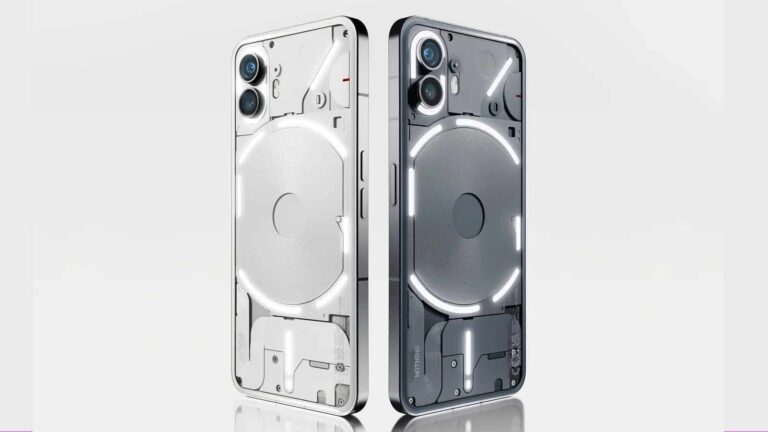
Nothing has just officially confirmed the launch date of its third smartphone. The Nothing Phone (2a) will launch on March 5.

The Nothing Phone (2a) will launch on March 5, the company has confirmed

The launch event of the Nothing Phone (2a) will take place on March 5 at 11:30 AM GMT / 6:30 AM EST / 3:30 AM PST / 12:30 PM CET. So it’s launching after the Mobile World Congress (MWC) after all.

One thing to note is that it won’t see a wide launch in the US. Nothing is planning to launch it as part of a limited ‘Developer Program’ in the States. The Nothing Phone (2) has seen a “normal” release in the States, so this is a bit odd, but there you have it.

An official 10-minute video talks about the phone

Nothing actually released a 10-minute video on YouTube in which it talks about the goals behind this handset. No specs were given, however, nor was the design of the device revealed. But if you’re interested, the video is embedded below.

Now, this ‘Developer Program’ release is reminiscent of a ‘Beta Membership’ program for the Nothing Phone (1). We don’t know the details just yet, however, so this will likely be a bit different in comparison.

The Nothing Phone (2a) is supposed to be inferior to the Nothing Phone (2). The company did not exactly flat-out confirm it, but that’s what’s expected based on rumors and the name of the phone itself.

MediaTek’s Dimensity 7200 SoC will likely fuel the device

The device is tipped to include a MediaTek Dimensity 7200 processor, 8GB of RAM, and 128GB of internal storage. Android 14 is said to ship out of the box on this phone, with the company’s Nothing OS skin.

Now, the Nothing Phone (2a) may not launch at MWC, but Nothing will likely share more info about the device either way. The company has an event scheduled for February 27. Also, this handset is expected to cost less than €400.


[ad_2]
Source link