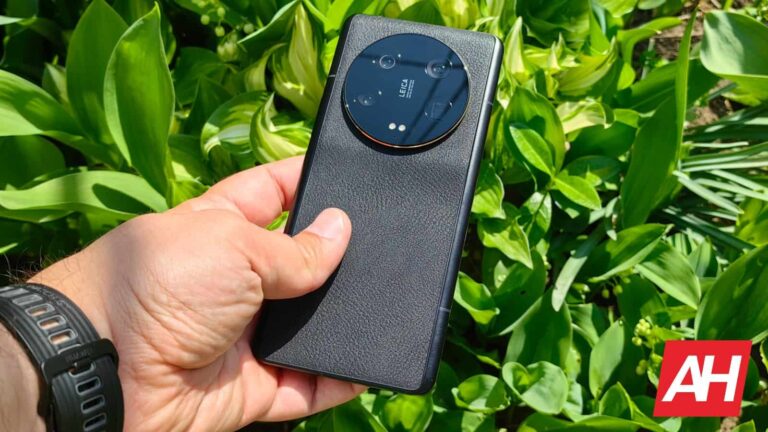
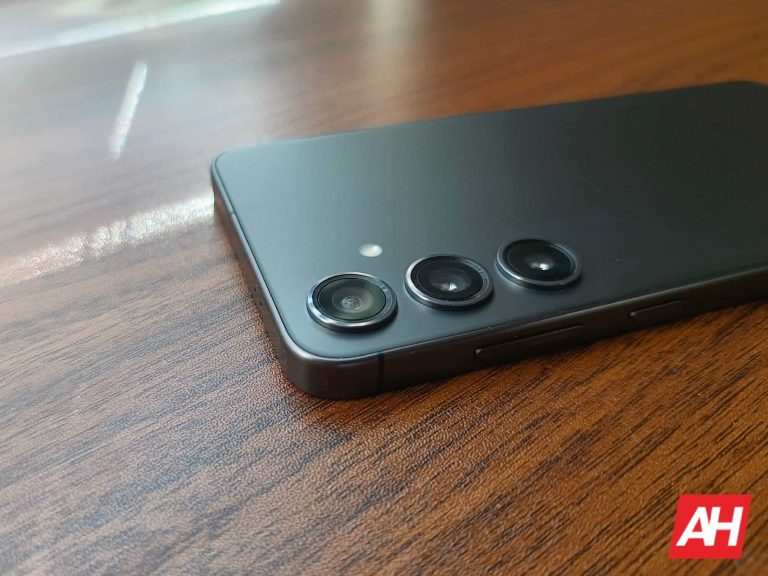
It’s not exactly a secret that the Xiaomi 14 Ultra will launch at this year’s Mobile World Congress (MWC) in Barcelona. The Xiaomi 14 Ultra will launch alongside the Xiaomi 14, and the price of the company’s ‘Ultra’ phone may shock you.
Now, there’s also mention of some coupons that surfaced in Europe, on the company’s official website (in Netherlands). If those coupons are taken into consideration, the price will be much closer to what the Xiaomi 13 Ultra cost when it got launched.
It is also suggested that the Xiaomi 14 Ultra will go on sale in early March, so we will get some sort of a pre-order period for the device. As a reminder, the Xiaomi 14 Ultra could launch in China a couple of days before its global launch.
The Xiaomi 14 & Xiaomi 14 Ultra will arrive to global markets on February 25
The global launch for the device is tipped for February 25, in Barcelona. The phone could launch in China on February 22, though. That would not surprise us, as that’s what Xiaomi usually does with its products.
In fact, the Xiaomi 14 launched in China back in November last year, alongside the Xiaomi 14 Pro. We had to wait quite a bit of time to get the Xiaomi 14 in global markets. That phone will launch alongside the Xiaomi 14 Ultra on February 25.
What about the Xiaomi 14 Pro? Well, based on everything we’ve seen thus far, that phone will not arrive to global markets. It will remain exclusive to China, as the Xiaomi 14 Ultra kind of replaced it on the global scene.
Do note that Xiaomi will also bring its new Xiaomi SU7 electric car to Barcelona. That is the company’s very first EV, and it does look quite compelling.
It looks like Google’s Meet app received special attention from the search giant in the last couple of weeks. Several updates have already made their way to Google Meet users this year and more are expected to arrive in the coming months.
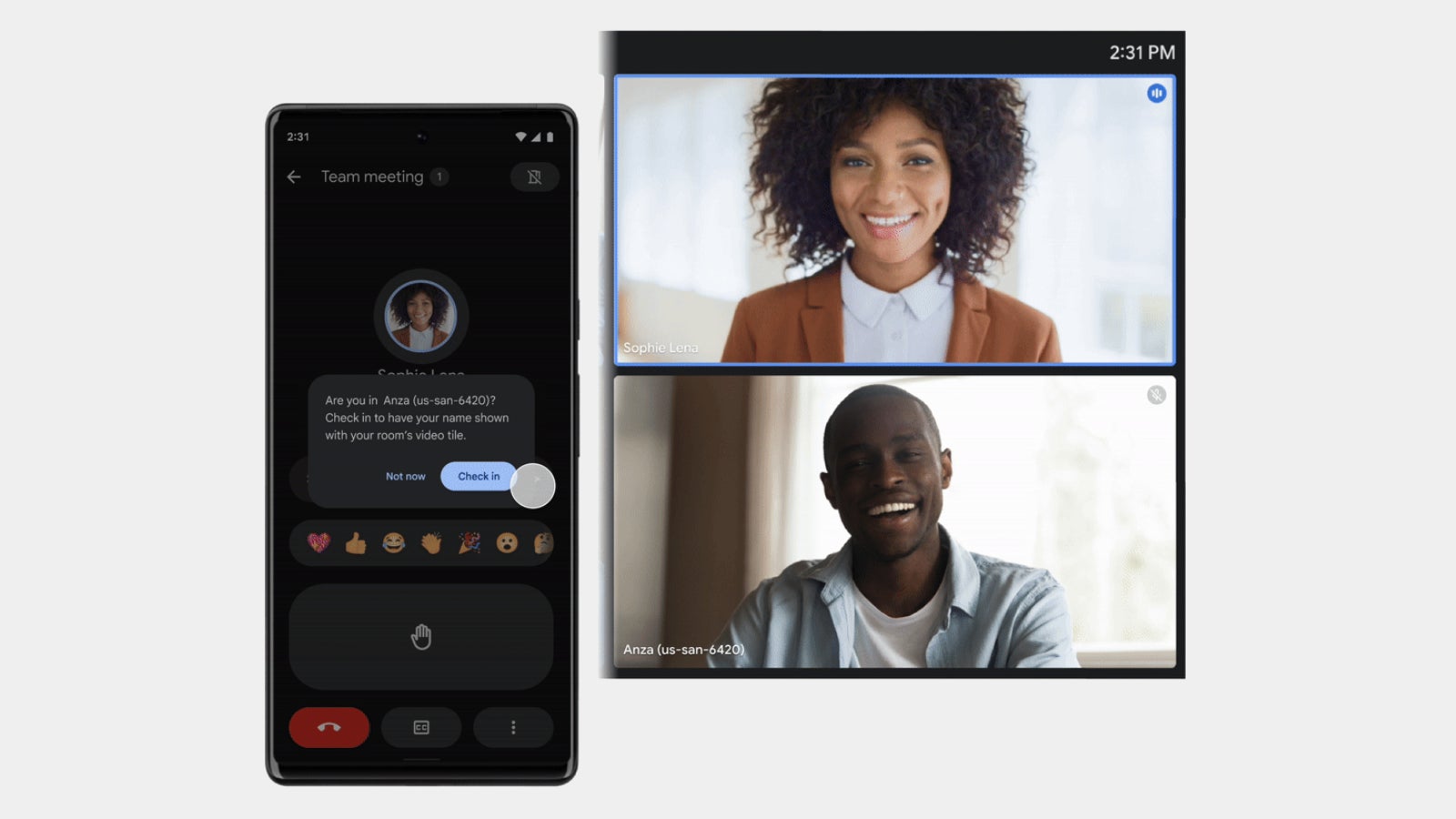
The latest Google Meet update brings companion mode to mobile devices. Up until now, companion mode was only available from a laptop or desktop device. However, starting this week, Google Meet users will be able to take advantage of the companion mode on their Android and iOS devices.
Companion mode can be useful in meeting spaces where you can’t use a bigger device like a laptop or desktop. For those who haven’t used companion mode yet, here are some of its key features:
Check-in to the room to be identified by name.
Share an emoji reaction without interrupting the speaker.
Raise your hand to indicate that you’d like to speak.
Turn on captions to view subtitles as everyone speaks during a meeting.
Exchange chat messages with other meeting participants.
View and zoom in on presented content to easily follow along with the presenter on your own device.
Google has already started the roll-out of this feature, but it will take about two weeks for everyone to be able to use it. Companion mode is available to all Google Workspace and Individual customers, as well as users with personal Google accounts.Keep in mind that you’ll need at least Google Meet version 229 and Gmail version 2024.01.28 on Android. If you’re using an iPhone, you’ll need at least Google Meet 225.0 and Gmail 6.0.231231.
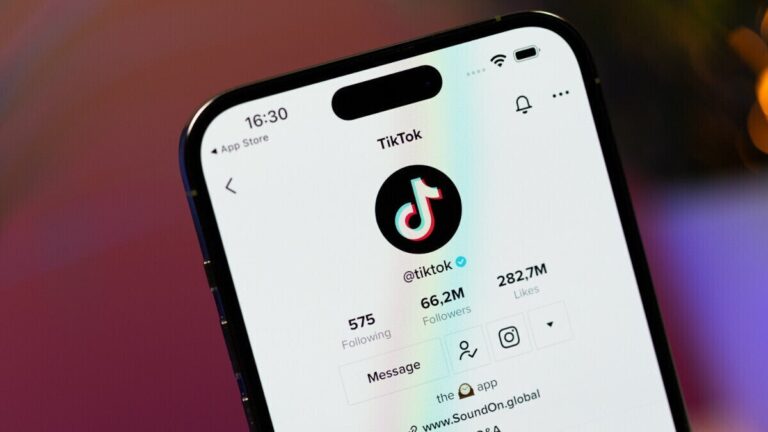
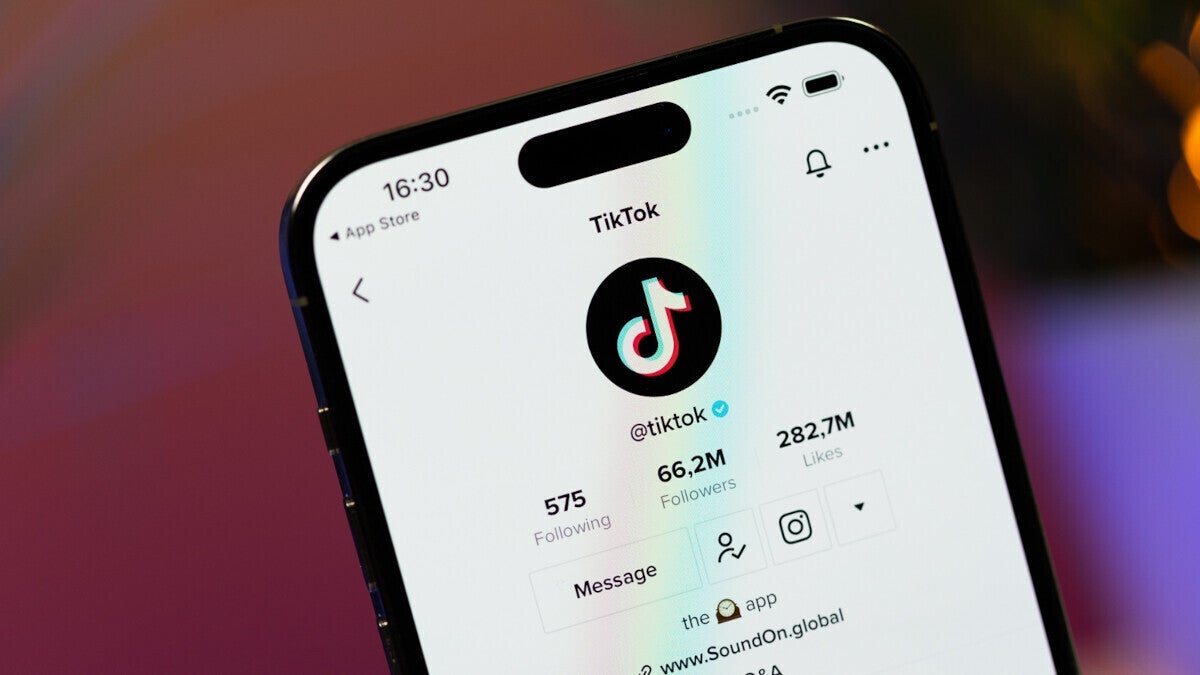
In a ‘lol hey guys’ captioned video, Joe Biden made his TikTok debut and this isn’t going too well among his own team, as a Democratic Senator said he’s “concerned about the national security implications of Chinese-owned TikTok and the Biden campaign decision to join”.
Reuters reports on Democratic Senator Mark Warner’s concerns: “I think that we still need to find a way to follow India, which has prohibited TikTok. I’m a little worried about a mixed message”.
The “mixed message” is, of course, mentioned because Joe Biden signed legislation in 2022 blocking most federal government devices from using TikTok over homeland security concerns.
Hundreds of millions of people in the US – many of whom are young and just entering the wonderful world of being able to vote – are not preoccupied with such concerns and use TikTok all the time. Last month, TikTok told Congress that 170 million Americans now use the short video app, up from 150 million a year earlier.
That’s exactly why Biden’s TikTok appearance in an election year is not accidental – the TikTok demographic is seen as potential voters, so corners have to be cut. Mr Biden’s TikTok account will not be run by the president himself, but by his campaign team, aides told US media, but that’s hardly a surprise, given recent press conferences of the POTUS.
The heat on Biden’s TikTok debut is not coming solely from the left, but from the right, too: the report states that a number of Republican lawmakers have also criticized the campaign’s decision to join TikTok, citing national security grounds.
The Biden campaign now has more than 57,000 followers on TikTok. The Biden campaign said Sunday it was taking “advanced safety precautions around our devices and incorporating a sophisticated security protocol to ensure security” as it works to court young voters who use the app.
Meanwhile, the Big House is not preoccupied with this. White House spokesperson John Kirby said “nothing’s changed about the national security concerns, from the (National Security Council) perspective, about the use of TikTok on government devices. That policy is still in place”.
The Nothing Phone (1) is no longer the best smartphone Nothing has to offer. The Nothing Phone (2) launched in 2023 and succeeded the company’s first-ever smartphone.
The Nothing Phone (1) was one of the most hyped-up phones in recent memory. The company released a ton of information about the device beforehand, while leaks filled in the blanks. We knew almost everything about the phone even before it launched. The device became official on July 12, though, and gave us a full picture. In this article, we’ll try to offer all the relevant Nothing Phone (1) information in one place.
We’ll talk about the phone’s price, specifications, accessories, variants, and more. The Nothing Phone (1) surely is an interesting device. From the design standpoint, it may even be the most interesting smartphone of the year, at least as far as regular smartphones are concerned. Its uniform bezels and see-through backplate with LED notification lights surely attract attention, to say the least.
How much does the Nothing Phone (1) cost?
First and foremost, please note that the Nothing Phone (1) is not available in the US. It was kind of confirmed it wouldn’t be coming to the States before it even launched. We’re not sure why that is, but it could have something to do with the carriers. In any case, the phone is available in a number of other markets, including both Europe and India. The device does come in three different variants, though.
The Nothing Phone (1) comes in 8GB and 12GB flavors, and three storage options overall. The 8GB RAM model is available in both 128GB and 256GB flavors, while the 12GB RAM model includes 256GB of storage. In Europe, the three models are priced at €469, €499, and €569, respectively. In India, the prices are INR32,999, INR35,999, and INR38,999, for those three variants, respectively.
Considering that the Nothing Phone (1) is the very first of its kind, we’re really not sure where things will go from here. The Nothing Phone (1) is the first smartphone ever from the company. We cannot know if Nothing plans any discounts, but chances are the device will keep its price for the foreseeable future. If we had to guess, we’d say that the phone may get discounted, but only when its successor ends up being close by, or for some sort of a special occasion. In other words, we don’t expect it to get a significant discount anytime soon.
What offers are available at launch?
There are no launch offers available in Europe, at least not directly from Nothing. In India, all three variants did launch with discounted, limited-time price tags. The three variants, with the discount included, cost INR29,999, INR32,999, and INR35,999. Do note that both in Europe and India, the device is available to pre-order, open sales will open on July 21. Well, unless you joined the waitlist prior to launch, in which case you received a purchase link already.
Where can I buy the Nothing Phone (1)?
In Europe, you can purchase the phone directly from the company. There are also some carrier partnerships that Nothing put in place, though, in case you’d like to get it on a payment plan or something of the sort. So, for example, in the UK, it’s available exclusively from O2, as far as carriers go. In Germany, Telekom got the exclusive. In India, you can grab the phone from Flipkart, one of the largest retailers in the country.
What carriers support the Nothing Phone (1)?
The Nothing Phone (1) is an unlocked device. So, as long as you buy it in the country it’s officially available in, you should be good to go. That is not the golden rule, though, as there are still carriers that do things differently, with CDMA and whatnot. The device is not available in the US at all, though. You can try to import it, but be sure to check the carrier compatibility before you do.
Which carriers will sell the Nothing Phone (1)?
In the US, the Nothing Phone (1) is not available at all, not even through carriers. In the UK, O2 has the exclusive rights to sell the phone. The same goes for Telekom in Germany. That’s all that we know as far as carriers are concerned.
What colors are available?
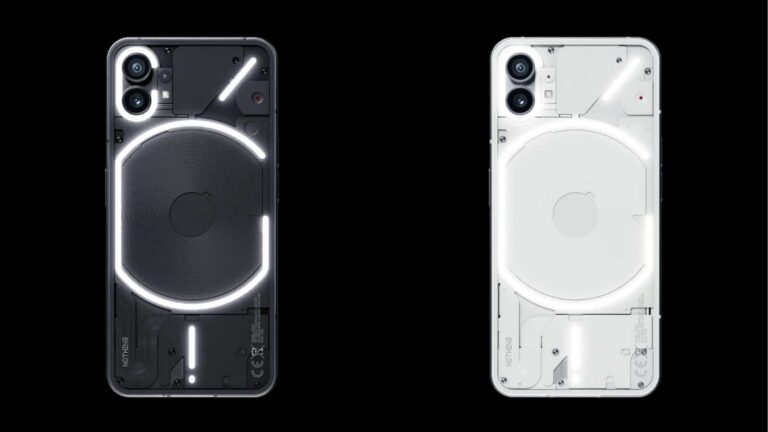
The Nothing Phone (1) comes in two color options. The device is available in Black and White color options. The company decided to keep it simple for the launch of its first smartphone, and that makes sense. One thing is for sure, the phone’s Glyphs aka LED notification lights on the back definitely pop out more on the black variant of the phone. Both variants are priced the same, and both come in all three different RAM + storage setups we’ve talked about earlier.
The Nothing Phone (1) ships with Android 12, and the company’s Nothing OS skin on top of it. Nothing OS is very similar to stock Android, and the company focused on introducing some interesting features, rather than adding bloat to the system, and changing things that work perfectly well. Also, the Nothing Launcher runs things. In addition to some software features, there are also hardware-software ones related to the Glyph interface, but we’ll talk more about that as well.
Glyph Interface
The Glyph Interface is arguably the coolest part of the Nothing Phone (1), well, at least its design. There are a number of LED notification lights on the back of the phone, beneath the see-through glass. Now, you do have control over those lights. You can, for example, set up specific (pre-set) patterns for specific contacts. They can light up in a specific pattern when you get a call from your girlfriend, and in a completely different fashion when your mom is trying to reach you. Do note that it doesn’t work for texts or other types of notifications, at least out of the box. Nothing may change that via an update.
That’s not all, though. When you plug in the device to charge, the bottom LED will let you know what’s the charge status. It won’t be on all the time, but shaking the device will show the status again. These LED notification lights can be really useful, actually, and you can even use them to get some light on objects in low light, as long as they’re really close to the camera.
Uniform bezels
This is not exactly a feature per se, but it’s definitely worth noting. Nothing managed to keep the bezels perfectly symmetrical, they’re all the same thickness. That’s something we’ve seen on the Google Pixel 5, but not on many other phones. Just to be clear, iPhones don’t really count due to that huge forehead, which breaks the uniformity of the bezels.
Next-gen display
The OnePlus 9 Pro did arrive with an LTPO display which was able to refresh between 1Hz and 120Hz. Well, the OnePlus 10 Pro can do the same, but it can do it even faster. The device comes with an LTPO2 display, and it will consume less power than the panel on the OnePlus 9 Pro. It is still extremely bright, large, curved, and vibrant, while it also offers a great touch sampling rate.
Huge app icons
The Nothing Launcher allows you to supersize app icons. You can, for example, make the Instagram app icon be truly large on the home screen if you want. You can do that with any icon, for any app that is installed on the phone. Such large icons definitely attract attention.
Bundled quick toggles
Bundling quick toggles in the Nothing Launcher is also possible. You can group some quick toggles under the same group, in which case the toggle folder of sorts will appear, and take up a bit more space. So, for example, you can place Wi-Fi, mobile data, and Wi-Fi hotspot quick toggles under the same roof. Then, when needed, you can simply shift through them by swiping left and right.
LED notification when recording
When you start recording a video, a red LED light will start flashing on the back of the phone. Unlike all the other LED lights, this one is red, not white. It will flash until you stop recording. That’s a nice touch, something you wouldn’t expect, that’s for sure.
What accessories are available?
Nothing has announced three different accessories for the Nothing Phone (1). We’re talking about a case, a screen protector, and a charger. All three of them are now available to purchase. Read more about them below.
See-through case
A case is available for the Nothing Phone (1), and it’s a see-through polycarbonate case. It is available in white and black variants, though black is not exactly black, considering it’s see-through. Both color options cost the same, by the way, they’re priced at €25.
A tempered glass screen protector is also available for the device. It is scratch and drop-resistant, and it comes with an applicator kit. It also minimizes fingerprints, by the way. This screen protector can be yours for €19.
Nothing also introduced a 45W PD3.0 charger for the Nothing Phone (1). Do note that the device itself supports 33W charging, max, so you won’t be able to take advantage of the full speed of this charger. if you end up using it, though, you’ll be able to charge up the device fully in about an hour, which is not bad at all.
The Nothing Phone (1) was second in line to get Android 14 from the company’s lineup, and the update started rolling out in February 2024. It arrived in the form of the form of Nothing OS 2.5.2 update, which is the company’s OS that runs on top of Android. This update added new home screen and lock screen customization options, wallpapers, wallpaper effects, and even themes for additional personalization. The Glyph interface has been improved too, and various other improvements and optimizations have been added. You can read more about it here.
Threat actors target financial institutions due to the potential for significant financial gains and access to sensitive customer data.
These entities are attractive targets for threat actors seeking lucrative opportunities and avenues for money laundering, fraud, and ransom.
While successfully compromising, the financial institutions can deliver valuable information to the threat actors for future attacks.
The Turkish nationalist hacker group Turk Hack Team recently attacked the world’s largest cooperative financial institution, Crédit Agricole Group.
DocumentLive Account Takeover Attack Simulation
Live attack simulation Webinar demonstrates various ways in which account takeover can happen and practices to protect your websites and APIs against ATO attacks.
Hackers Attack on Cooperative Financial Institution
HS banking services faced disruptions as Crédit Agricole’s website and app in France went offline for hours recently, citing ongoing maintenance.
With 25 million customers affected, access issues persisted, but some users reported restoration by the afternoon’s end.
Customers flooded social media with complaints about Crédit Agricole’s inaccessible site and app.
The bank acknowledged a “technical incident,” promising swift resolution, though the message was later removed.
The issue appeared to stem from a DDOS attack by flooding servers to render them inaccessible, reads Le Parisien report.
Turk Hack Team, which was formed in 2022, has claimed responsibility, pledging further attacks on infrastructure and banking systems by aiming to escalate their attacks.
The group made the headlines for attacking La Poste Services (Postal service company) and ANSSI, the French cybersecurity agency, with possible damage in Belgium.
Threat actors were motivated by politics, and they targeted French entities in response to arms deliveries to Armenia.
Last October, France’s former head diplomat mentioned agreements for future military equipment deliveries to Armenia, which sparked the group’s actions.
Despite traditionally relying on Moscow for arms and hosting Russian troops and a military base, Armenia seeks new Western partners as tensions with Russia rise.
Stay updated on Cybersecurity news, Whitepapers, and Infographics. Follow us on LinkedIn & Twitter.
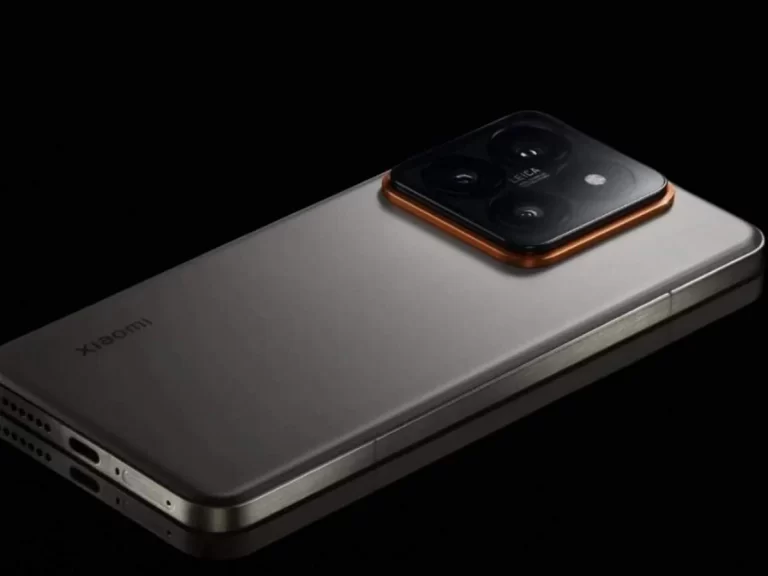
A bevy of Xiaomi 14 Ultra info surfaced in a very short time span. We’ve decided to group all those rumors and leaks into a single article. It seems like we’ll be getting a titanium model of the device, its specifications surfaced, along with the first images, and more. So, let’s take it one step at a time.
The Xiaomi 14 Ultra is coming in a titanium variant, and it could launch early in its homeland
The Xiaomi 14 Ultra is seemingly coming in a titanium variant. The regular Xiaomi 14 Ultra will have an aluminum frame. The Xiaomi 14 Ultra will be available in three storage variants in China, with up to 24GB of RAM. We’re not sure how many models will be available globally, but we’ll likely get one.
Just to be clear, Xiaomi is expected to announce both the Xiaomi 14 and Xiaomi 14 Ultra globally. The Xiaomi 14 was already launched in China last year, but it took the company quite a bit of time to deliver it to more markets.
A powerful set of specs it tipped, including four 50MP cameras
Now, the phone’s specs did surface as well. Do take these with a grain of salt, though. The info is coming from Yogesh Brar. He claims that the phone will include a 6.73-inch QHD+ AMOLED LTPO display with a 120Hz refresh rate.
The Snapdragon 8 Gen 3 SoC is also mentioned, as is Android 14 with HyperOS on top of it. A 5,300mAh battery has been mentioned by the tipster as well, and the same goes for 90W wired charging.
Wireless charging will likely be on offer as well, but the tipster did not mention it. We’ll likely get 50W wireless charging. The charger will be included in the box (charging brick and cable).
A 50-megapixel 1-inch type camera is tipped (Sony’s LYT-900 sensor, almost certainly), along with a 50-megapixel ultrawide unit, a 50-megapixel telephoto camera (3.2x optical zoom), and a 50-megapixel periscope telephoto camera (5x optical zoom).
A 32-megapixel selfie shooter was also mentioned, and the same goes for in-house chips. Do note that Leica optics will once again be a part of the package, and the main camera will likely offer variable aperture.
The blue screen of death (BSOD), a notorious symbol of system failure in Windows operating systems, represents a significant technical challenge for users. This critical error, characterized by a blue screen with a stop code, indicates a severe issue that causes the system to halt completely. However, with the right knowledge and tools, resolving and preventing these errors is achievable.
Understanding the Blue Screen of Death
BSODs occur when Windows encounters a critical error it cannot overcome, forcing a shutdown to prevent damage. These errors can stem from hardware failures, driver incompatibilities, software conflicts, or corrupted system files. The key to resolving a BSOD is in the error message and stop code displayed on the screen, which points to the specific issue at hand.
Updating Drivers: A Crucial Step
Outdated or corrupt drivers are frequent culprits of BSODs. Drivers facilitate communication between the operating system and hardware components. When they are outdated, this communication can break down, leading to system crashes. Regularly updating drivers is essential for maintaining system stability. Users can manually check for driver updates through Device Manager in Windows or use automated tools provided by hardware manufacturers.
Checking Hardware Components
Faulty hardware is another common cause of blue screens. Issues with RAM, hard drives, graphics cards, and other components can lead to system crashes. Tools like Windows Memory Diagnostic can test RAM for errors, while the chkdsk command can identify and resolve hard drive issues. Physically checking hardware connections and looking for signs of damage can also help diagnose the problem.
Resolving Software Conflicts
Newly installed software or updates can sometimes conflict with existing system components, resulting in a BSOD. Booting the computer in Safe Mode—a diagnostic mode where only essential programs and services run—allows users to identify and remove problematic software. Restoring the system to an earlier point using System Restore can also revert changes that might have triggered the blue screen.
Regular System Updates
Keeping the operating system up to date is vital in preventing BSODs. Microsoft releases updates that address security vulnerabilities and software bugs. These updates can resolve underlying issues that might lead to system crashes. Setting Windows to update automatically ensures that the system receives these important updates promptly.
Addressing Corrupted System Files
Corrupted system files can cause a variety of issues, including blue screens. The Windows System File Checker (SFC) tool scans for and repairs corrupted files. Running this tool can resolve issues stemming from system file corruption.
Seeking Professional Help
For users who find the process of diagnosing and fixing BSODs daunting, professional assistance is a valuable resource. Tech support professionals can provide expert diagnosis and resolve issues efficiently. They can also offer advice on maintaining system health to prevent future problems.
Preventive Maintenance
Preventive measures play a crucial role in avoiding blue screens. Regular system maintenance, such as cleaning dust from internal components, ensuring proper ventilation to prevent overheating, and conducting hardware diagnostics, can significantly reduce the likelihood of BSODs.
Backup and Data Recovery
In the event of a BSOD, the risk of data loss is a significant concern. Regularly backing up important files and having a data recovery plan in place can mitigate the impact of system crashes. Using cloud storage services or external hard drives for backups ensures that data can be recovered even if the system fails.
Leveraging Online Resources
For additional support, online resources like how to fix blue screen of death offer comprehensive guides on troubleshooting and resolving BSODs. These resources provide step-by-step instructions and tips for users of all skill levels.
While a blue screen of death can be intimidating, understanding its causes and implementing effective solutions can minimize its impact. From driver updates and hardware checks to software management and system maintenance, these strategies help maintain a stable computing environment. By being proactive and utilizing available resources, including professional assistance and online guides, users can navigate the challenges of BSODs, ensuring a more reliable and efficient computer experience.
Certification reveals that the Pixel 8a could have a much bigger battery than its predecessor
This smartphone got certified under the model number ‘GH2MB’ over at the UL Demko. This certification authority reports that the phone has a 4,942mAh battery, though it doesn’t confirm this is the Pixel 8a.
That is the next phone in Google’s lineup, though. The Pixel 7a was launched back in May last year, and its successor is tipped to arrive in May this year. The Pixel 9 series is not expected until October this year.
Having said that, the Pixel 7a includes a 4,385mAh battery on the inside. If this newly-certified smartphone does end up being the Pixel 8a, its battery capacity will offer 557mAh more capacity, which is quite a considerable difference.
This battery could be marketed as a 5,000mAh unit
Do note that Google will likely market this 4,942mAh battery as a 5,000mAh unit. That’s at least our guess, but it remains to be seen. Now, the Pixel 8a has surfaced already, several times, and it’s expected to have a similar display size to its predecessor.
If that ends up being the case, this added battery capacity will surely make a difference. Some power efficiency benefits are also expected out of the new chip that the phone will feature, compared to the Pixel 7a.
The Google Pixel 8a is expected to be fueled by the Tensor G3 processor. That is the chip that fuels the Pixel 8 and Pixel 8 Pro flagships from the company. It also fuels the Pixel Fold, Google’s first foldable smartphone.
In addition to that, and a 6.1-inch fullHD+ display, the phone is expected to include two cameras on the back, and have a similar design to its predecessor.
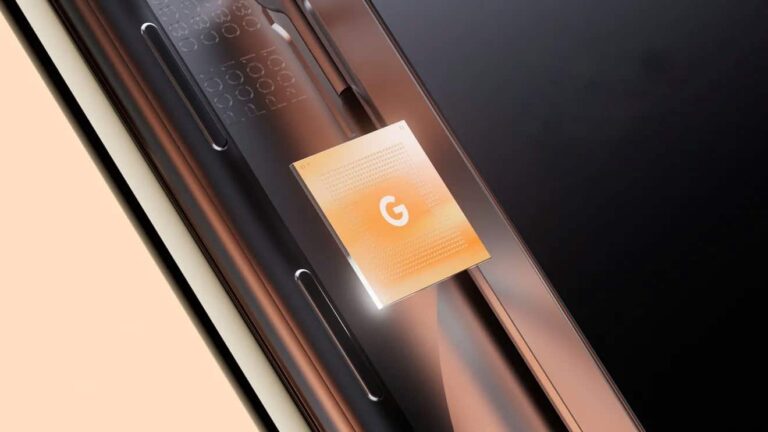
Google‘s Tensor processors for Pixels may no longer use an ARM-based CPU designed by Samsung. The Tensor G4, which will power the Pixel 9 series later this year, could feature a Google-designed CPU based on ARM’s latest CPU cores. However, the chip might still use Samsung’s Exynos 2400 as its base.
Tensor G4 could feature a Google-designed CPU based on ARM cores
In 2021, Google introduced its Tensor chips for Pixel devices. The company teamed up with Samsung to customize the latter’s latest Exynos processors for Pixels. The first-gen Tensor chip for the Pixel 6 series used the Exynos 2100, which powered the Galaxy S21 series in some markets, as its base. Google kept the CPU and GPU configurations unchanged.
The next year, the Tensor G2 arrived as a modified Exynos 2200 but with an ARM-based GPU designed by Google. Last year’s Tensor G3 is also said to be a modified Exynos 2300, which never saw the light of day (Samsung didn’t use an Exynos chip in the Galaxy S23 series). Early rumors said the story will remain unchanged in 2024, with Google finally designing the CPU on its own with the Tensor G5 in 2025.
However, a recent Geekbench entry suggested that the Tensor G4 will come with an octa-core CPU setup. Since the Exynos 2400 has a deca-core CPU (Tensor G3 has nice CPU cores), it appeared to be a custom solution from Google. X tipster @OreXda recently claimed that it was the case. If true, the upcoming tensor chip will be the first in the lineup to feature Google’s custom CPU.
Interestingly, the source said the Tensor G4 will still be based on the Exynos 2400. While Google may have taken the responsibility of designing the CPU, GPU (uses ARM’s Mali-G715 GPU), and backend system for the chip, it might be using Samsung’s fabrication and packaging technologies. The Exynos 2400 is the first Samsung chip to feature the FOWLP (Fan-out Wafer Level Packaging) technology. It enhances the chips’ thermal management capabilities.
The Pixel Fold 2 might also feature the next-gen Tensor processor
Google launched the Pixel Fold in May 2023 with the Tensor G2 chipset. It was expected to follow up with the Pixel Fold 2 this May, with the Tensor G3 under the hood. However, rumors are that the company will delay the launch of the new foldable until the fall and ship it with the next-gen Tensor, i.e., the Tensor G4. We should get a clearer picture in the coming months.
As for the washed-out display issue, Samsung announced that it’s going to address this issue in a new update. Right now, we’re not quite sure when this update is going to come, but we know that Samsung was going to bring a vibrance slider that will allow you to adjust how saturated the colors are. This will give you more control over the color saturation than what we saw with previous Galaxy devices. On older Galaxy devices, you can only switch between Natural and Vivid modes.
The Galaxy S24 is coming with grainy displays
Many people are reporting this issue, but we’re not quite sure how widespread it is. It doesn’t seem to be affecting every display, as the Galaxy S24+ (Review) we have at Android Headlines doesn’t have a graining display. However, this is still an issue that needs to be addressed.
According to the initial report from Redditor u/odeloeht, when looking at dark gray backgrounds (the gray in the report has the hex code #333333), they saw visible grain as the screen was struggling to maintain a consistent brightness level. After looking through a powerful microscope at their Galaxy S24 Ultra display, they were to spot some inconsistent brightness across the sub-pixels of the phone’s display. This was most evident while looking at dark gray colors with the display down to 10%. At 30%, it wasn’t quite as noticeable, and it was nearly impossible to see at 50%. So, the issue isn’t consistent throughout all brightnesses.
Thankfully, you’re not likely to be looking at your screen at 10% brightness throughout most parts of the day. Also, this points to a very specific shade of gray. In any case, it’s still unfortunate to see this. Samsung is the display company, adding some of the most gorgeous displays to its phones. So, it’s unfortunate to see Samsung phones having so many display issues.