The Xiaomi 14 Ultra might go official in less than a month. According to a new report coming from China, the new Android flagship will launch by the end of February. The phone recently popped up on Geekbench with Android 14 and 16GB RAM.
The Xiaomi 14 Ultra nears its launch
In October 2023, Xiaomi announced the Xiaomi 14 and Xiaomi 14 Pro as the first two phones with the Snapdragon 8 Gen 3. Three months later, the company has yet to bring the devices to global markets. They are limited to Xiaomi’s home country, China. In the meantime, the firm is readying a third model in the series. The Xiaomi 14 Ultra is expected to top the lineup with the beefiest specs of all.
A recent leak revealed that the new phone will bring a camera upgrade to the table. It will feature a 50MP primary rear camera, which is a Sony LYT-900 1-inch-type sensor with a variable aperture of f/1.6 and f/4.0. The 50MP periscope telephoto zoom camera will reportedly have a f/2.5 lens and 120mm focal length. The device also has a 50MP ultrawide camera and a second 50MP zoom camera.
Other rumored specs of the Xiaomi 14 Ultra include a curved OLED display with a 2K resolution and a 120Hz refresh rate, a Snapdragon 8 Gen 3 processor paired with up to 16GB of LPDDR5X RAM, up to 1TB of UFS 4.0 storage, a 5,180mAh battery with 90W wired charging and 50W wireless charging, an ultrasonic in-display fingerprint scanner, two-way satellite communication, and Android 14-based HyperOS.
Noted Chinese tipster Digital Chat Station recently suggested that Xiaomi will unveil the phone at the end of February. While we don’t have a precise date, the reported timeframe aligns with MWC 2024 in Barcelona. The company might announce a global launch of all three Xiaomi 14 models at the event. Hopefully, the Ultra will be available globally. Xiaomi limited the 11 Ultra and 12S Ultra to China.
The phone showed up in a new Geekbench listing
As we wait for the Xiaomi 14 Ultra’s launch, the phone showed up in a new Geekbench listing earlier today. The 16GB RAM variant scored 9,317 in single-core CPU tests and 26,523 in multi-core CPU tests on Geekbench v4. For reference, the Exynos 2400-powered Galaxy S24+ scored 9,043 and 25,655, respectively. So, the scores are on par with what is expected from the Snapdragon 8 Gen 3. We will let you know when we have more information about the Xiaomi 14 Ultra, including its launch date.
Deepfake images of Taylor Swift have really made some serious waves. Explicit images of the popstar, generated by Artificial Intelligence (AI) were posted on social media and Telegram. The images were viewed millions of times.
The impact of the deepfake was enormous. Social media platform X (formerly known as Twitter) even blocked searches for Taylor Swift’s name, saying:
“This is a temporary action and done with an abundance of caution as we prioritize safety on this issue.”
X’s policies say it explicitly prohibits the sharing of “synthetic, manipulated, or out-of-context media that may deceive or confuse people and lead to harm”, as well as the posting of Non-Consensual Nudity (NCN) images. But apparently it was not easy to quickly remove the images and take actions against the accounts that were posting them.
Searches for Taylor Swift and some related terms were also blocked on Instagram, instead displaying “the search terms used were sometimes associated with activities of dangerous organizations and individuals.”
The uproar about the fake images of the popstar was so loud that some politicians started calling for laws to prohibit the creation of deepfakes. While in many countries and some US states, the creation of deepfakes is prohibited, there are currently no federal laws against the sharing or creation of deepfake images.
In 2020 we discussed deepfake legislation in the United States. In a rare example of legislative haste, roughly one dozen state and federal bills were introduced in 2019 to regulate deepfakes, mostly out of fear that they could upend democracy.
Although it is doubtful that any law would have stopped the creation of the images, it might have blocked or dampened the rapid way in which the images were spread.
However, deepfakes started as a new form of pornography and most of the deepfakes created and posted online today are still of a pornographic nature. They also disproportionally target women, which should make appropriate legislation a bigger priority than being able to recognize deepfakes.
Like Adam Dodge, founder of the nonprofit End Technology-Enabled Abuse, or EndTAB, said a few years ago:
“The reality is, when it comes to the battle against deepfakes, everybody is focused on detection, on debunking and unmasking a video as a deepfake. That doesn’t help women, because the people watching those videos don’t care that they’re fake.”
Well-known women, like actresses and musicians, are particularly at risk of falling victim to this type of abuse.
Taylor Swift herself is furious about the AI images circulating online and is considering legal action against the sick deepfake porn site hosting them.
Taylor Swift has a legal team at her disposal, but if you are the victim of “revenge porn” or other forms of non-consensual nudity, you should know it’s much easier to take down nonconsensual porn content than it used to be. A growing number of companies will voluntarily take down nonconsensual porn on their platforms, regardless of whether the victim owns the copyright.
Beeper, the messaging app that attempted to unify various messaging platforms, has officially thrown in the towel in its battle with Apple over iMessage. The company announced on Monday that it is disabling new iMessage connections on Beeper Cloud, essentially marking the end of its services related to iMessage. This decision comes after the company abandoned Beeper Mini, and redirected its focus to the main Beeper app. The move is a response to users being banned from using iMessage on their devices after setting up Beeper Cloud or Beeper Mini through their Mac.
In a post on X, Beeper explained that users who set up Beeper Cloud or Beeper Mini through their Mac faced bans from using iMessage on that specific device. The company, acknowledging user reports, revealed that the ban affected 30 out of its 3,500 users who set up iMessage in Beeper since December 21. Apple reportedly imposed the ban without any warning or notice, prompting Beeper to reach out to Apple, with no initial response.
Beeper decided to move on, but Apple didn’t
Beeper implemented the server-side measures following a December 21 software update. The company had previously used its own Macs for iMessage authorization, and Apple didn’t ban any of those computers. Beeper contacted Apple regarding the matter but they reportedly got no reply. However, the situation took a turn after Beeper reached out to The New York Times and it contacted Apple about the issue. Two days later, Apple started unbanning affected Macs, a move deemed by Beeper as “appalling” if the reasons for the bans were related to “spam.”
While Beeper received user reports that Apple unbanned their computers starting on January 24, the company decided to disable new iMessage connections to Beeper Cloud in response to the bans. This means iMessage on Beeper, whether through Cloud or Mini, is now completely inactive. Although Beeper could potentially restore access in the future, the present focus is on the Beeper mobile app, which serves as a universal hub for 14 messaging apps.
For users who set up a Beeper Cloud client after December 21, the company provides instructions on how to remove it. Meanwhile, Beeper advises users who are still experiencing the iMessage bans on their Mac to contact Apple Support and report the issue through the Beeper app.
Back in 2021, Samsung and Google both announced that they were working closer than ever before. The result was that the two companies worked to co-develop Wear OS. It essentially merged Wear OS and Tizen together, and now Wear OS is actually really good. We’ve continued to see the two working closer and closer together recently, and with the Galaxy S24 series, Samsung and Google took another step closer.
Samsung’s Galaxy S24 Ultra definitely looks like a Samsung phone. It has all of the design cues that you come to expect from Samsung, as well as One UI on board. But now it has a lot of the features from Google’s Pixel phones that really made those phones some of my favorites. This is thanks to Google Gemini, which is powering all of the Galaxy AI features Samsung has debuted. Surprisingly this a pretty Google-y phone. And for the first time in a long time, I’m actually considering making the Galaxy S24 Ultra my main phone.
With Galaxy S24 Ultra, think of having the Galaxy S23 Ultra and the Pixel 8 Pro having a baby. That’s the Galaxy S24 Ultra in a nutshell. The best of both phones, in a single phone.
But the Galaxy S24 Ultra is more than just artificial intelligence. If it was, that’d be a high price to pay for some AI features since it is $1,299 this year. Samsung has also brought along the best hardware that you can buy right now in a phone. With the latest processor, plenty of RAM and storage, an incredibly bright display, and a huge 5,000mAh capacity battery inside. So is it worth the $1,299? Let’s find out in our full review.
Samsung Galaxy S24 Ultra Review: Hardware and Build Quality
Samsung has been making phones for a long time. I mean, we are in our 15th year of the Galaxy S series, and Samsung was making phones well before that. So they know how to make phones and make them feel rather solid. This year, Samsung decided to opt for titanium rails on the Galaxy S24 Ultra. I was honestly a bit surprised at this, since Samsung wasn’t using stainless steel before, it was using Armor Aluminum (which is basically a stronger version of aluminum).
So the Galaxy S24 Ultra didn’t really lose any weight – it lost about one gram – and the phone barely feels any different. This could be the Apple effect, though I’m fairly certain that Samsung had titanium in the Galaxy S24 well before the iPhone 15 Pro and Pro Max were announced last September. Seeing as these phones are pretty much final design about a year before they are announced.
Having said that, the titanium rails do feel nice in the hand. I wish the sides were a bit more flat, like the Galaxy S24 and S24 Plus models. The semi-curved sides and the flat top and bottom just don’t do it for me, and I never really have. That’s a big reason why I was never a huge Galaxy Note fan – other than for the battery life.
The design on the Galaxy S24 Ultra is basically what we’ve seen for the past few years on the “Ultra” phones from Samsung, and that’s perfectly fine. Samsung has landed on a design that looks great and is iconic to their brand. The same thing happened with Apple’s “stove”-like camera setup and the Pixel’s camera bar. It helps you immediately see “that’s a Samsung phone!”.
On the bottom of the phone, you have the USB-C charging port, the speaker grille, and the S Pen slot with the SIM card slot on the opposite side of the charging port. The volume and power buttons are located on the left side. And the top has a couple of microphone holes. The back is pretty plain, with the four cameras, laser auto-focus, and dual flash. There is a Samsung logo on the back, but it’s the same color as the phone, so it does blend in quite nicely. Gone are the days when Samsung (and carrier partners) blast their logo all over the phone. Does anyone remember the Galaxy S4 Mini, which had the Verizon logo on the back as well as on the physical home button? Yeah, that was bad.
On the front is the display, which has some incredibly narrow bezels. However, if you put it next to a Galaxy S23 Ultra, the sides don’t look as narrow because of the curved display. Samsung opted for a flat display this year, and I absolutely love it. The bezels are also symmetrical this year. Previously, the bottom bezel was a tiny bit thicker than the top and sides, likely due to some sensors that needed to be put in there. Looking at the phone straight on, it just looks so incredibly sexy.
Samsung Galaxy S24 Ultra Review: Display
Since Unpacked, we’ve talked a lot about this display on Galaxy S24 Ultra. It’s just such a stunning display. But we expect that from Samsung. The company makes displays and generally saves the best for their own phones. Some might say this is unfair, but hey, when you make the component, you can choose who gets it first.
The feature, however, that most reviewers are fanboying (or fangirling) out over is actually from Corning. It’s the new Corning Gorilla Armor. This is a new smartphone cover material that helps with durability and is also anti-reflective. The difference is quite noticeable, actually. Corning says that it has better anti-reflective performance than typical glass, and that’s absolutely true.
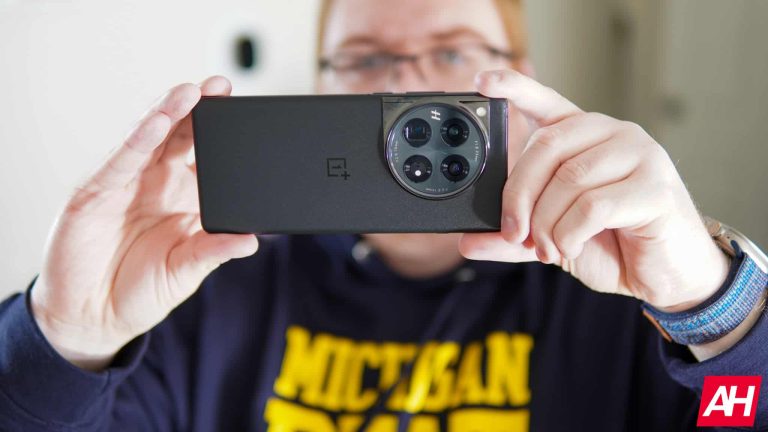
I took the OnePlus 12 outside, along with the Galaxy S24 Ultra, to see the difference, and it was quite impressive. Of course, outside is where you’re really going to notice this because you have the sun glaring down on the screen, reflecting trees, clouds, buildings, and more off of the screen. You can still see those reflections, but far less than normal. Even inside, it’s quite noticeable to me. It’s a feature that Samsung spent about 5 seconds on during Unpacked, and I really believe they should have spent more time on it. It’s quite a big deal for Galaxy S24 Ultra.
Now, let’s talk about how the display looks. Samsung did up the brightness this year, which they kinda had to. Google, OnePlus, and a few other manufacturers are shipping much brighter phone displays these days. The Galaxy S24 Ultra can now hit 2,600 nits of peak brightness. And can even hit 3,000 nits in certain conditions. That brings it on par with the Pixel 8 Pro and just about the same as the OnePlus Open.
When you combine the Corning Gorilla Armor and the brighter display, the Galaxy S24 Ultra is easy to see outdoors. In fact, I tested it on a particularly bright day. Here in Michigan, we had a few inches of snow on the ground last week (now it’s basically gone, thanks to the warmer weather), and the skies were clear, surprisingly. That meant the sun was out and reflecting off of the snow, making it insanely bright. Even my glasses, which are transitions, couldn’t keep up. So I took the Galaxy S24 Ultra outside and took a picture with my Sony mirrorless camera, and you could pretty easily see the screen. There’s a tiny bit of reflections there, but you can see the screen with ease. And honestly, it was a little bit brighter than the camera was showing there. That, by far, is the most important feature of a smartphone to me these days. Any smartphone can have a good battery life or a good camera.
As for the colors, they look incredible. Everything really seems to jump off the screen at you. Coming from my iPhone 15 Pro, this display is definitely more saturated. And I prefer that look, to be honest. Samsung has two display modes: Vivid and Natural. It defaults to Vivid, so that’s what I tested it at during this review. But I think I might prefer Natural a bit more.
Samsung’s Galaxy S24 Ultra, all things considered, has one of the best displays I’ve ever seen on a smartphone.
Samsung Galaxy S24 Ultra Review: Performance
The Galaxy S24 Ultra is a pretty powerful smartphone. Inside, we’re looking at a Snapdragon 8 Gen 3 for Galaxy, 12GB of RAM and 256GB of storage here. That’s pretty much as high-end as you can get. While you could get more RAM, it likely wouldn’t make that much of a difference.
In my experience, the performance of the Galaxy S24 Ultra has been top-notch. The phone is quite speedy, and I haven’t once seen it slow down at all. That’s fairly impressive, given what I’ve put it through. Now, it did get very hot, once. That one time was when I was running different benchmarks for this review, which we’ll talk about in a minute. Obviously, that is to be expected, and with the titanium sides, it does get much hotter than normal.
While more RAM would indeed be nice to have around these parts, 12GB of RAM is plenty. I never experienced any apps being reloaded after a few minutes in another app. Typically the only apps that had to reload, were those that hadn’t been opened in a good 24 hours or so. That’s understandable. And Samsung is a bit aggressive with closing apps for battery life, but nowhere near as aggressive as they were say 4 years ago.
The Benchmarks
Now, let’s talk about the benchmarks. As per usual, we ran three benchmarks on the Galaxy S24 Ultra. The first one is Geekbench 6. This benchmark is used to test the raw power of the CPU and the GPU. It tests both the single-core and multi-core power on the CPU, and it’s rather impressive, actually. So here, we are comparing this with the OnePlus 12, Pixel 8 Pro, and the iPhone 15 Pro Max. All recent phones with flagship processors. The OnePlus 12 was chosen since it’s the same Snapdragon 8 Gen 3 chipset, but a slightly slower clock speed. The Pixel 8 Pro uses the Tensor G3 processor, and the iPhone 15 Pro Max uses the A17 Pro.
As you can see in the graph above, the Galaxy S24 Ultra beat everything except for the iPhone in the CPU tests. On the GPU side, the OnePlus 12 did inch out a win over the Galaxy S24 Ultra, but the iPhone 15 Pro Max still destroyed everyone with an incredible 27,178 score. That’s more than twice what the OnePlus 12 has. The important thing to remember, especially on the GPU side, is that Geekbench 6 uses Vulkan on Android and Metal on iOS. So not quite an apples-to-apples comparison. But still fun to compare.
The next benchmark is the 3D Mark Wildlife Extreme Stress Test. This test is designed to push the device to its limits, and see how stable it is, at its limits. It runs a 60-second benchmark twenty times. So it lasts about twenty minutes. We then get three scores, a Best Loop score, a Lowest Loop score and then a stability score. The Galaxy S24 Ultra performed quite well, just behind the OnePlus 12. So its best loop was 4,376, with a lowest loop of 2,231. And it had a stability score of 51%. That’s close to double what the Pixel 8 Pro and iPhone 15 Pro Max scored, however their stability scores were much higher, 76.5% and 85.6% respectively.
The final benchmark we run, for performance is one we designed with video exporting. Essentially, we open Capcut, upload a 60-second video – it’s the same video across every device. Add a simple animation to the beginning and then export. Now the reason why we need to add an animation is because otherwise, the export would be done instantly. This does not give us a good opportunity to test out the CPU and GPU of the Galaxy S24 Ultra. Obviously, Geekbench 6 does this for us already, but this test serves two purposes. It’s something we all do on our phones from time to time, and it keeps the phone from “cheating” in a benchmark, which is quite common.
So let’s talk about the results. The Galaxy S24 Ultra had the fourth fastest time we’ve seen since starting this test. It took 7.75 seconds to fully export this video. Two of the phones that beat it were also Snapdragon 8 Gen 3 phones – ASUS ROG Phone 8 Pro Edition and RedMagic 9 Pro. The third device was the Galaxy Tab S9 Ultra. Still, 7.75 seconds is nothing to sneeze at, considering it’s half the time of the iPhone 15 Pro Max, and the Pixel 8 Pro was out of this world with a time of 40.05 seconds.
The Galaxy S24 Ultra holds up quite nicely with other Snapdragon 8 Gen 3 devices and is a pretty nice jump in performance over its predecessor – Snapdragon 8 Gen 2. The good news here is that all Galaxy S24 Ultra devices do ship with the Snapdragon 8 Gen 3 chipset, while the Galaxy S24 and S24 Plus do use Exynos outside of the US.
Samsung Galaxy S24 Ultra Review: Battery Life and Charging
I will admit, the first day of usage with the Galaxy S24 Ultra, the battery life wasn’t that great. But the thing I had to keep running through my head was that it wasn’t normal usage for me. The first day, I got 4 hours and 36 minutes of screen time, using about 88% of the battery. That definitely doesn’t sound good at all. However, the thing to remember here is that I used the camera a ton. If you check out my post on X, the camera actually came in at 9.8%. That’s because Samsung took the media out on a Cultural day in San Jose, and the entire group used the camera a ton. On top of that, for a good chunk of the day, there was no signal, which is known to drain batteries quite a bit. But I figured it would get better.
And it did. The next day was a travel day, so I didn’t really count it, as the phone was in airplane mode for a good eight hours or so. Still not normal use, in my opinion. But on the third day, I was back home, using the phone as I normally would, and I got 10 hours and 15 minutes with 79% of the battery used. That’s pretty much on par with what I was getting with the Galaxy S23 Ultra last year. This day was a lot more like my normal usage, with plenty of TikTok, X, Chrome, Reddit, Instagram, and Threads. A little bit of the camera, but not as much.
The next day, I didn’t use it as much, as I was using the OnePlus 12 and finishing up that review. But last week, I continued to get really good battery life here. Including a day where I got 7 hours and 24 minutes of screen time and barely used half of the battery. That was really impressive and makes me think this might be the early battery champ for 2024.
The bottom line is that in the real world, the Galaxy S24 Ultra will either meet or exceed the battery life of the Galaxy S23 Ultra.
Charging could use some work, honestly. It does still top out at 45W wired charging, but you won’t see that 45W for very long, so a 25W charger will be just fine. Wireless charging is still 15W, which is fine, in my opinion. I really only do wireless charging overnight, so as long as it’s full when I wake up, I’m not going to complain. After using the OnePlus 12 and being able to charge that 9% larger battery in just 32 minutes, the Galaxy S24 Ultra does seem very slow, however. The saving grace here is that battery life is really incredible.
Benchmarking the battery
Now, let’s talk about benchmarks. As we’ve done for the last few months, we’ve run a few benchmarks for the battery life and charging. These are our own benchmarks that we designed, so you can’t really compare these to other sites out there, as they do these tests differently.
For the battery life, what we do is we charge to 100% overnight. This is to make sure it’s truly full and not just almost full but still showing 100%. Then we turn the brightness up to the max setting and play this YouTube video. It’s a 24-hour video, and that tells us how long the battery lasted by the time it got down to 1%. We try to stop it at 1% so we get an accurate number instead of letting it turn off. For the Galaxy S24 Ultra, we got 25 hours and 35 minutes. That’s the longest time I’ve ever seen on a phone since we started doing this test. It even beats out the RedMagic 9 Pro, which has a crazy 6,500mAh capacity battery inside.
Here, we are comparing it to the same three phones as in the performance section: the OnePlus 12 (5,400mAh), Pixel 8 Pro (5,050mAh), and iPhone 15 Pro Max (4,441mAh). It dethroned the iPhone 15 Pro Max by almost exactly 4 hours. That’s rather insane, as the Pro Max models have always been seen as battery champs.
Now for charging. The Galaxy S24 Ultra didn’t do quite as well. Out of those four phones, the only one it beat was the iPhone 15 Pro Max. Which ironically has the smallest battery.
Samsung’s Galaxy S24 Ultra charged from 1% to 100% using a 45W charger in one hour and twenty-six minutes. Honestly, that’s not too bad, however, the OnePlus 12 is out here charging at 80W and able to go from 1% to 100% on a larger battery in just 32 minutes. So Samsung has some work to do there.
Samsung Galaxy S24 Ultra Review: Software
The big story with the Galaxy S24 Ultra this year is, far and away, the software. There are a few aspects here that really make this the big thing to talk about. Firstly, it’s launching with Android 14 and One UI 6.1. There are a few changes here from One UI 6, but not a lot. This is the first time I’ve used One UI 6, so I’m noticing a lot of other changes, like the differences in the battery stats page, as well as the quick settings. Both of which are way better than before.
Secondly, software updates. Samsung has gotten really good with updates over the past four or five years. Once upon a time, you’d buy a Samsung phone, and you never knew when you were getting the latest version of Android. It might be in a few weeks or 6 months from now. That’s no longer the case with Samsung. Most of its flagship phones had Android 14 within a month of the Pixel getting it. And speaking of the Pixel, Samsung is also offering 7 years of updates to the Galaxy S24 series. Those are OS updates and security updates. I really hope that more and more phone makers copy this approach too. First Google, and now Samsung; who’s next?
Third, AI is everywhere. It’s 2024, so if your product does not have AI, what are you doing? Samsung announced Galaxy AI on the Galaxy S24 series, which is powered by Google’s Gemini and that’s their latest AI model. That is also why a lot of these features seem to be very similar to what Google has on its phones – and that brings us full circle back to the title of this review.
Galaxy AI is actually good
When I logged into the briefing for the Galaxy S24 series in early January, I knew we were getting Galaxy AI, thanks to the countless leaks. And I thought these were going to be features that were pretty pointless and only existed so Samsung could talk about AI. You know the latest buzzword. Even after the briefing, I still kind of leaned that way. It wasn’t until I got to Las Vegas for CES and took an Uber away from the Strip to Samsung’s hands on event for the Galaxy S24 series, that I learned, these are helpful features and not just bloat.
Below, I’m going to talk about all of these AI features, ranging from my favorite and most used to my least favorite and least used.
Circle to Search, which is powered by Google, is such a clutch feature. I’ve had the Galaxy S24 Ultra for a little over a week so far, and I’m still using Circle to Search all the time. Basically, you can long-press on the gesture bar or the home button if you are using software keys still, and then circle what you want to search. Google is able to search the web for it, and get you some pretty good results.
Now, Circle to Search is not perfect. It can only search what you are circling. So for instance, I circled to search a picture I took of the Galaxy S24 Ultra in a MagSafe case. The picture had no markings of a logo at all from that case company. So the results weren’t very accurate. It basically gave me anything that was a MagSafe case for the Galaxy S24 Ultra.
It can also be used to circle text and search for it. Circle to Search will give you pictures, videos, web results and so much more. And the best part? You don’t need to leave your current app. It’s all done in an overlay on top of that app. This makes it so much easier. The best part, is that it’s currently rolling out to the Pixel 8 series, so it’s not exclusive to the Galaxy S24.
Then there’s Chat Assist. This is my second most-used feature out of the Galaxy AI suite. These are actually two features that I find really useful. Unfortunately, to use Chat Assist, you do need to use the Samsung Keyboard, which is not my favorite keyboard but it has started to grow on me.
Chat Assist will use AI to rewrite your message in any app. If you tap on the Galaxy AI icon on the keyboard after you’ve written some text, you can choose the writing style or spelling and grammar. If your message is all set, let it run the spelling and grammar check so you aren’t embarrassed. But if you want it rephrased, Chat Assist can do that, too. It will give you a few options like Professional, Casual, #social, Polite, and Emojify. So no matter who you’re sending the message to, you’re covered.
Now, the other feature that I really like is translating, which is technically part of Chat Assist. You can tap on Translate and choose the language you want to translate into. Now if you’re texting someone, it’ll show both languages in each message. So both of you can follow along. By default, only Spanish and English are downloaded, but you can download additional languages to use. These languages include Chinese, English (India), English (United Kingdom), French, German, Hindi, Italian, Japanese, Korean, Polish, Portuguese, Spanish (Mexico), Spanish (Spain), Thai and Vietnamese. I’d fully expect more to come too.
Speaking of translating, another feature I really like but haven’t really been able to test out just yet, is Live Translate. This works on the phone as well as in person. So if you’re calling a restaurant while you’re traveling in another country, you can speak to them. From the few demos I did try out, it wasn’t perfect, but it was close. When you do call someone with this feature turned on, the phone does tell the other person that a translation service is being used. So they understand the long pauses and don’t hang up right away.
One last Galaxy AI Feature is Note Assist. This will allow you to summarize your notes. Say you’re in a meeting, and you’re writing down notes pretty quickly; there are probably lots of ramblings going on, typos, and more. Galaxy AI is able to summarize it into a few bullet points. Making it easier to share with others. I haven’t really had many meetings since getting my Galaxy S24 Ultra, so I haven’t used this all that much. But this, mixed with Google’s Recorder app, might be game-changers for journalists.
And that’s all of the non-camera AI features. None of them really are gimmicks, and that’s what I love most about Galaxy AI. Samsung added features to help out their customers. Whether they are traveling, or maybe they suck at spelling and grammar, or being polite to their boss in text messages. Samsung is there to help.
Samsung Galaxy S24 Ultra Review: Camera performance
For this portion of the review, I’m going to do something new that I haven’t done before in a review. Take you on a journey of about a day and a half of usage with the Galaxy S24 Ultra camera. Talk about using it in real life versus having to get shots specifically for this review. So let’s start with picking up my review unit from Samsung, just hours after Unpacked.
After picking up my review unit, I went to my hotel room and shot a quick unboxing which I uploaded to Instagram and TikTok. Then jumped on the Caltrain and headed up to San Francisco. It was quite the ride, but it helped me simulate battery testing for those that have to commute to work everyday. While waiting on the CalTrain, I took a few photos of the train and the station. Below, you’ll see a 1x and 10x shot of the train that was already in the station. The 10x still looks quite nice, I do wish it was a little more detailed however. But still very good for posting on social media.
A couple of trains and a bus later, I was at Fisherman’s Wharf in San Francisco. I love this part of San Francisco, especially for taking photos with a Samsung camera because the Golden Gate Bridge is still pretty far away, great way to test out the 100x zoom on the Galaxy S24 Ultra, right? So I did just that. It was a cloudy day, raining off and on most of the day, with the sun starting to go down. So not perfect conditions to test out the 100x zoom, but when will you ever have perfect conditions? Below, there are shots at 1x, 3x, 5x, 10x, 30x, and 100x. They look pretty good, 30x is actually a bit usable, but 100x is still pretty watercolored, unfortunately.
While I was over at Fisherman’s Wharf, I also noticed that there was a ferris wheel pretty far away. Which I thought would be another good option for testing out the zoom capabilities. So I did the same thing there. Took pictures at 1x, 3x, 5x, 10x, 30x and 100x. They all came out quite good, except for 100x once again. 30x would have probably been almost perfect if the ferris wheel wasn’t moving. But since it was, it’s not quite as sharp as it should be.
The next day, Samsung had plans to take a group of the media on a little tourist trip. Going to a few places throughout the day. But before the day even started, San Jose treated us with an impressive cotton candy sunrise, which looks amazing on the Galaxy S24 Ultra. This is at 1x, through a fairly dirty hotel room window. I absolutely love this photo, and it has zero edits whatsoever. But the second photo in this gallery, is missing a building from the first photo. Which you can tell was edited based on the Galaxy AI watermark in the corner. It’s subtle, but Generative Edit did a really good job with this.
The first stop of the day was The Mystery Spot in Santa Cruz, which is a gravitational anomaly and it’s located in the redwood forest. It provided for some rather interesting nature shots. And some cool portrait mode pictures. One last thing I’ll say here is that the camera was straight for the pictures of the cabin. Using the level and the gridlines on the Galaxy S24 Ultra, it allowed me to take some great photos that really illustrate the crazy gravity anomaly at The Mystery Spot.
Our next stop was a train ride through the Redwoods forest, which presented a bunch of cool environments to test out this camera. Including zoom shots on a moving train. Now it wasn’t moving that fast, but still fast enough that anything higher than 3x was going to be somewhat blurry, unfortunately. Here are a bunch of shots from Roaring Camp at the Redwoods. Here, I was able to get a couple of great portrait shots at 5x zoom. The Galaxy S24 Ultra does take some really great 5x portraits, I’m always shocked at how good they come out.
Our last stop was the Winchester Mystery House. Which was the house that Sarah Winchester continuously built and remodeled for almost 40 years. It’s a pretty wild story, you should definitely check it out if you haven’t heard the story. But we arrived as it was getting dark, so this made for a perfect time to take some low-light photos as well. And I have to say, I was quite impressed with some of these.
Generative Edit is just enough AI
One thing many people dislike is all of the AI being used to edit photos. Now we’re at the point where you can remove things, change the sizes of things in the photo and so much more. What Samsung has done with Generative Edit, I feel is just enough AI. It will suggest things that you can do to edit your photo, like remove reflections, change the background blur, small things like that. But if you go into the Generative Edit, you can also circle objects you want to increase or decrease the size of, move or even erase. It’s not quite as robust as what Google has on the Pixel 8 Pro.
Below, I’ve included a few photos I edited with Generative Edit. The before and the after for each one.
Overall, I think the camera is quite good. Is it the best on the market? No. And I’m sure an update or two will help change that. But for most people, this camera is perfectly fine.
Should you buy the Samsung Galaxy S24 Ultra?
So far I’ve written 5,000 words in this review about the Galaxy S24 Ultra. And if you’re still undecided about whether you should buy it or not, well here’s one last thing to consider. Samsung has knocked it out of the park in terms of battery life, software updates, AI features, the camera, and the hardware. The only thing that might be holding you back is the $100 price increase of the Galaxy S23 Ultra. Which does sting a bit, and honestly, if you have a Galaxy S23 Ultra or Galaxy S22 Ultra, I wouldn’t recommend upgrading right away. For one, the S23 Ultra is getting the AI features anyway. Other than that, there’s not much change year-over-year. But if you’re coming from a Galaxy S20 or S21, you’ll see a huge change here.
You should buy the Samsung Galaxy S24 Ultra if:
You want an impressive camera setup.
You want all day and then some battery life.
You want the power of Google AI, on Samsung hardware.
You want a phone that will continue to get updates in the 2030s!
You should not buy the Samsung Galaxy S24 Ultra if:
Peach Sandstorm APT targets defense contractors globally via the FalseFont Backdoor, which can access remote systems and exfiltrate data.
In this campaign, the malware offers the user a realistic user interface and behavior while posing as a legitimate application from US Defense and Intelligence Contractor Maxar Technologies.
“Most of the features target user files and data structure considering the lure of this malware, the actors are likely to plan to extract US Defense / Intelligence related documents,” the Nextron Threat Research Team shared with Cyber Security News.
The Peach Sandstorm advanced persistent threat, also known as APT33, Elfin, Holmium, or Refined Kitten, is an Iranian nation-state cyber attack group that Microsoft has previously seen attempting to spread the FalseFont backdoor to many organizations in the global infrastructure that supports the development of military systems, subsystems, and weapons.
DocumentRun Free ThreatScan on Your Mailbox
Trustifi’s Advanced threat protection prevents the widest spectrum of sophisticated attacks before they reach a user’s mailbox. Try Trustifi Free Threat Scan with Sophisticated AI-Powered Email Protection .
Gaining Remote Access and Exfiltrate Data
While analyzing Maxar Technologies’ website, the victim is asked if they want to log in as a guest or with their account. Entering as a guest will require providing some personal information for registration.
Many questionable actions were noticed after trying to log in using randomly selected credentials. The files that are dropped into AppData and the rapid changes made to the autostart registry keys are important events to consider in this case.
Researchers discovered that all logins are routed to a host different from the C2 that manages the remote access features. The guest login will display a fake registration and urge the user to wait for a response from the Maxar team, or most likely the threat actor in this instance.
The agent verifies that the password meets the requirements. If the credential server acknowledges receipt of the credentials and returns a success message. The user will see a new form from the client requesting personal information such as complete name, address, email, and previous employment history with Maxar Technologies.
The real backdoor is launched when the application is first starting up, installing persistence and creating a connection with the real C2 server to enable remote access. The malware communicates via the Command and Control (C2) interface using the SignalR protocol.
Providing information about the malware’s capabilities
Final Words
Here, another data exfiltration method is the ability to record screen content, which gives actors access to potentially sensitive information from non-disk data such as chat or email messages.
FalseFont also has a browser credential stealer in addition to the typical file exfiltration, which could facilitate the compromise of valuable online accounts.
Finally, despite the malware’s complexity, the security method ignores strings and other potentially dangerous indicators, permitting the binaries to be detected rather easily.
Silver Spring, Maryland, January 30th, 2024, Cyberwire
Aembit Becomes the First Workload IAM Platform to Integrate with the Industry-Leading CrowdStrike Falcon Platform to Drive Workload Conditional Access
Aembit, the Workload Identity and Access Management (IAM) platform that enables DevOps and security teams to discover, manage, enforce and audit access between workloads, today announced the availability of a new integration with the industry-leading CrowdStrike Falcon® platform to give enterprises the ability to dynamically manage and enforce conditional access policies based on the real-time security posture of their applications and services. This integration signifies a significant leap in Aembit’s mission to empower organizations to apply Zero Trust principles to make workload-to-workload access more secure and manageable.
Workload IAM transforms enterprise security by securing workload-to-workload access through policy-driven, identity-based, and secretless access controls, moving away from the legacy unmanaged, secrets-based approach.
Through this partnership, the Aembit Workload IAM solution checks to see if a CrowdStrike Falcon agent is running on the workload and evaluates its real-time security posture to drive workload access decisions to applications and data. With this approach, now enterprises can protect their workloads from unauthorized access, even against the backdrop of changing conditions and dynamic access requirements. Additional customer benefits from this partnership include:
Managed Workload-to-Workload Access: Enforce and manage workload access to other applications, SaaS services, and third-party APIs based on identity and policy set by the security team, driving down risk.
Seamless Deployment: Drive consolidation by effortlessly integrating the Aembit Workload IAM Platform with the Falcon platform in a few clicks, providing a unified experience for managing workload identities while understanding workload security posture.
Zero Trust Security Model: Embrace a Zero Trust approach, ensuring that every access request, regardless of the source, is verified before granting access rights. Aembit’s solution enforces the principle of least privilege based on identity, policy, and workload security posture, minimizing potential security vulnerabilities.
Visibility and Monitoring: Gain extensive visibility into workload identities and access permissions, enabling swift detection and response to potential security threats. Monitor and audit access logs based on identity for comprehensive security oversight.
This industry-first collaboration builds on the recent CrowdStrike Falcon Fund strategic investment in Aembit, underscoring the global cybersecurity leader’s commitment to fostering innovation within the space. The investment reflects the recognition of the growing demands for securing workload access.
Aembit Workload IAM is available in the CrowdStrike Marketplace, a one-stop destination and world-class ecosystem of third party products. See more here.
Supporting Quotes:
“Today’s attacks are increasingly identity-based, which is why enforcing identity-protection across the enterprise at every layer is critical for modern security. The CrowdStrike Falcon platform is rapidly becoming the center of cybersecurity’s ecosystem. This integration with Aembit enables organizations to secure machine identities as part of a holistic approach to security.” said Daniel Bernard, chief business officer at CrowdStrike.
“The launch of the Aembit Workload IAM Platform on the CrowdStrike Marketplace represents a significant advancement in our joint mission to securely manage workload-to-workload access,” said David Goldschlag, CEO and co-founder at Aembit.
“We are excited to bring the power of Aembit’s Workload IAM to the CrowdStrike Marketplace. This collaboration enables us to deliver Zero Trust for workload access in a way that simplifies and automates the evolving security challenges faced by DevOps and DevSecOps teams,” said Apurva Dave, CMO at Aembit.
Aembit is the Workload Identity and Access Management (IAM) Platform that lets every business safely build its next generation of applications by inherently trusting how it connects to partners, customers, and cloud services. Aembit provides seamless and secure access from your workloads to the services they depend on, like APIs, databases, and cloud resources, while simplifying application development, delivery, compliance, and audit. Follow Aembit on LinkedIn.
Very few of the companies you see nowadays stick to one thing. A lot of the time, companies dip their toes into different industries in order to expand their appeal. For example, we all know TikTok as the video streaming company. Well, The ByteDance-owned app is also looking to be an e-commerce company. According to a new report, TikTok is working on a feature to add shoppable links to any video.
The company is actually putting a lot of work and effort into becoming an e-commerce company. It’s been working on building its e-commerce business in the States for some time. In fact, TikTok hopes to make $17.5 billion this year by selling products in the U.S. Its plans are to be an alternative to Amazon, giving people a friendly and video-first interface to navigate when looking for new products to buy.
TikTok wants shoppable links in every video
This sounds like the kind of overbearing AI-driven feature that Google would unveil. According to a new report, TikTok wants to let people shop for items from every video on the platform. Right now, creators can promote an item on their video and post a link to where people can buy that item. However, this approach only allows people to buy a limited number of devices.
What the company wants to do is develop a feature that can analyze objects inside of videos and identify them. When it does that, it will be able to find a link to where you can buy that item. So, if a person is using a certain type of iPhone in the video or a certain dress, the technology will be able to analyze that and provide a link to where a person can buy one of those items.
Obviously, this picture will not be 100% accurate, and not every item in a video will be available to buy. However, TikTok will still analyze the video and give you links to similar objects. So, if a user is wearing a certain shirt that cannot be bought anywhere, then TikTok will give you a link to buy a similar-looking shirt.
Right now, this feature is in early testing, so there’s no telling when exactly it’s going to launch to the public. We will just have to wait for it to surface.
After receiving the green light from the FDA last year, a Neuralink chip has been implanted into a human in a revolutionary first. The announcement came from Elon Musk himself on his social media platform, X. Musk is the founder of Neuralink, though he does not actively hold an executive position at the company. The tweet was short and didn’t divulge much, but it seems the operation has been a success.
What is Neuralink?
Neuralink is one of the most ambitious projects eccentric billionaire Elon Musk has ever fathered. His record includes super quick electric cars, autonomous driving, and rockets that can land back on Earth, amongst other notable achievements. Neuralink, like the projects mentioned above, is a science fiction concept trying to be made a reality.
The company envisions an implantable brain-computer interface. This interface will allow users to control devices using just their thoughts. Musk hopes this technology will one day let people experience completely alien realities. The company lauds its product as “cosmetically invisible”, which would translate to many more potential customers.
The First Neuralink human test run is a go
The FDA gave Neuralink permission last year to begin recruiting human testers. Candidates with quadriplegia and ALS were preferred for the trial runs. Neuralink had mentioned then that their initial goal would be allowing users to “control” a keyboard and computer cursor. Understandably, it’s no surprise the company saw many willing candidates hoping for a solution to their disabilities. On January 30th, 2024, Elon Musk tweeted the following:
The first human received an implant from @Neuralink yesterday and is recovering well.
Initial results show promising neuron spike detection.
That’s not much to go on, but it seems the operation was a success. “promising neuron spike detection” possibly alludes to the chip functioning within acceptable and expected parameters.
Reception to the news
Neuralink has always had its fair share of critics, and there was no shortage of people citing their skepticism. These critics only gained more fuel when the company’s initial tests on monkeys led to some serious complications. For example, the test subjects had suffered from seizures, brain swelling, and paralysis. Elon Musk later confirmed that no monkey had actually died from a Neuralink implant.
As expected, memes also flooded the replies to Musk’s tweet above. This isn’t surprising, especially considering Musk himself often tweets out memes. Lastly, as is unavoidable nowadays, lots of users also brought politics into the conversation.
If the first human tester recovers well and Neuralink does its job, it could signal a completely new age of transhumanism. It would also mean that, as Neuralink and similar technologies improve, many more uses will start opening up. And lastly, this technology has the potential to revolutionize the entertainment industry completely. VR headsets will be looked at as a crude tool from a bygone era if Neuralink becomes what Musk wants it to become.
Despite several warnings about the risks, Apple will allow European iPhone owners to install apps obtained from outside the official App store (sideloading).
These drastic changes are brought about to comply with the European Union’s (EU) Digital Markets Act (DMA). The Digital Markets Act (DMA) establishes a set of clearly defined objective criteria to identify “gatekeepers”. Gatekeepers are large digital platforms providing so called core platform services, such as for example online search engines, app stores, and messenger services.
The Digital Markets Act aims to regulate the gatekeeper power of the largest digital companies. The EU designated iOS, Safari, and the App Store as “core platform services” under the Digital Markets Act. According to the DMA, Apple as it is now has a monopoly in the App Store, and will no longer be allowed to use that to enforce a monopoly in payments in apps.
For reference, something similar happened when the US accused Microsoft of illegally monopolizing the web browser market for Windows. A few law cases later they reached a settlement in which Microsoft agreed to modify some of its business practices, opening up the opportunity for Windows users to switch to other browsers.
“The changes include more than 600 new APIs, expanded app analytics, functionality for alternative browser engines, and options for processing app payments and distributing iOS apps.”
But Apple also warns very firmly about the consequences.
“The new options for processing payments and downloading apps on iOS open new avenues for malware, fraud and scams, illicit and harmful content, and other privacy and security threats.”
Another big change is that web browsers won’t be forced to use Safari’s WebKit engine, opening the space for Chromium based browsers and a more desktop-alike feel for Firefox.
The fact that Apple only allows other browsers to drop WebKit in Europe means that browser developers are forced to make hard choices. Mozilla spokesperson Damiano DeMonte tells The Verge it’s extremely disappointed with the way things turned out.
“We are still reviewing the technical details but are extremely disappointed with Apple’s proposed plan to restrict the newly-announced BrowserEngineKit to EU-specific apps. The effect of this would be to force an independent browser like Firefox to build and maintain two separate browser implementations — a burden Apple themselves will not have to bear.”
We asked Malwarebytes Director of Core Technology and resident Apple expert Thomas Reed how he felt about the announced changes and the associated risks.
Thomas is waiting for more details as well, but he expects that Apple will use the experience it gathered with macOS by nature of its openness and only open it up only as much as it is forced to, and no more. Thomas expects Apple to impose notarization on iOS apps from outside the App Store, just as they did for macOS.
“If they completely open up iOS to the same degree as macOS, I think there will be some inevitable malware, adware, and PUP issues. The biggest problem with iOS currently is PUPs and scam apps that manage to get past the review process. I think those will also be a problem with apps from outside the App Store, and I think Apple will combat those similarly. Which is to say, far from perfectly.”
Developers can get acquainted with these changes on the Apple Developer Support page and start testing new capabilities in the iOS 17.4 beta. The new capabilities will become available to users in the 27 EU countries around the beginning of March 2024.
Don’t rely on the fact that this will be limited to the EU. Although the most significant app policy changes apply only to EU countries, other shifts concerning cloud gaming and in-app purchases will take effect worldwide.
We don’t just report on iOS security—we provide it
Google Chrome is unifying its options for adding a website to the home screen on your Android device. While the overall experience remains mostly unchanged, you will not encounter two different options on different websites. The company is housing both options under a single button.
Google unifies the “add to home screen” button on Chrome for Android
Google Chrome for Android lets you add website shortcuts to the home screen. Not only the browser’s home page but the home screen of the device. You get an app icon with the website’s logo. Tapping it takes you directly to that website in Chrome. It’s a convenient way to access websites that you visit frequently.
Currently, there are two different options to get these website shortcuts via Chrome for Android. On most sites, the overflow menu (three vertical dots in the top right corner) shows an “Add to Home screen” button. Tapping it lets you customize the name of the app icon before placing it on the home screen of your device.
However, on some websites, you will see an “Install app” button instead of the “Add to Home screen” button. This might be confusing if you just wanted to add a shortcut to the website without installing a separate app unless you are aware that this button serves the same purpose differently.
The “Install app” only appears on websites that have a Progressive Web App (PWA). Tapping it installs the PWA, which feels like a native Android app but is handled by your browser rather than the Google Play Store. Along with a home screen shortcut, PWAs also get an icon on the app drawer with the website’s logo.
Google seemingly knows that only showing users one or the other option could be confusing. It is now testing a unified interface. As spotted by WindowsReport, the latest Canary builds of Chrome for Android have a new flag to enable the “PWA Universal Install” feature.
Once enabled, you will find an expandable “Add to Home screen” button on the overflow menu on all websites in Chrome. Tapping it will let you pick between a home screen shortcut and a PWA, likely depending on availability. This is a welcome change that gives users more flexibility and clears confusion.
Google is still testing this change
As of this writing, the unified “add to home screen” button on Google Chrome for Android is non-functional. The company might still be working on this change while testing the new layout among a small group of users. We will let you know when this update rolls out publicly.