It’s a major pain in the rear when you are dying to text someone and it turns out they don’t use the same messaging apps as you.
– I’ve got WhatsApp, Telegram and Viber. You? – I’m on Signal, Messenger and Direct. – Whoa, it’s been nice knowing you. Beat it! – Yeah, same to you, buddy!
Instead of downloading and setting up a (yet another) new messaging app, it could be great to text your WhatsApp friends from your Signal. That’s the inclusivity we, as a society, should be after, right?
Well, WhatsApp is working on exactly that, apparently.
Enter interoperability!
The latest report from the always informative and highly useful WABetaInfo platform is about the latest WhatsApp beta for iOS (version 24.2.10.72) and the features it’s all about.
The latest one is a chat interoperability feature to comply with new EU regulations, and it will be available in a future update.
Interoperability stands for “the ability to work together with other systems or pieces of equipment”, as put by the Cambridge Dictionary. Applied to the mobile tech world, that means it enables cross-platform communication and data exchange between two different apps.
“Interoperability enables someone on a different messaging app, like Signal, to send messages to a WhatsApp user, even without a WhatsApp account”, the beta report reads. This facilitates more inclusive and diverse communication channels, enhancing the overall user experience. It’s important to mention that users will have to maintain control over this feature, as they are required to manually enable the interoperability service and have the option to opt out, as the EU regulations insist.
End-to-end encryption will have to be preserved in interoperable messaging systems, ensuring a good level of security for users engaged in cross-platform communication. After all, the idea is not just to connect the Capulets with the Montagues, but to prevent sudden tragedies like security breaches.
The EU’s Digital Markets Act (DMA) aims to regulate the behavior of large tech companies, particularly those considered “gatekeepers” – WhatsApp is counted as such – which have a significant impact on the digital market. One key aspect of the DMA is the requirement for these companies to enable users to communicate with each other using various apps.
Threads is testing something similar with Mastodon, as Zuckerberg explained not so long ago: “Starting a test where posts from Threads accounts will be available on Mastodon and other services that use the ActivityPub protocol. Making Threads interoperable will give people more choice over how they interact and it will help content reach more people. I’m pretty optimistic about this.”
In the murky depths of the digital world lurks a cunning predator – Parrot TDS, a cyber campaign that has flown under the radar for years, leaving a trail of compromised websites and vulnerable users in its wake.
Parrot TDS identifies itself through a whisper in the code – keywords like Ndsj, Ndsw, and Ndsx.
These cryptic markers serve as a beacon for researchers, revealing the campaign’s vast reach and persistent nature.
DocumentFree Trial
Open Suspicious Files & Links in the ANY RUN Sandbox Safely; Try All Features for Free. Understand malware behavior, collect IOCs, and easily map malicious actions to TTPs — all in our interactive sandbox.
While the recent discovery of Parrot TDS by Palo Alto researchers, the service used to inject malicious scripts into existing JavaScript code on servers, has garnered significant attention, this tactic isn’t entirely new to the campaign’s history.
Here’s a closer look at its evolution in this area:
Early Days (2019-2020):
Limited Code Injection: Parrot TDS primarily relied on appending malicious code to the end of legitimate JavaScript files. This approach was relatively crude and easier to detect.
Basic Obfuscation: The injected code often employed basic obfuscation techniques, making it slightly more challenging to read but not significantly hindering analysis.
Evolving Tactics (2021-2022):
More Sophisticated Injection: The attackers moved towards injecting code into the middle of existing JavaScript functions, disrupting their normal operation and making detection more complex.
Advanced Obfuscation: Increased use of techniques like string encryption and variable renaming made analyzing the injected code significantly more time-consuming.
Recent Developments (2023-Present):
Dynamic Injection: Parrot TDS has started leveraging server-side scripting languages like PHP to dynamically inject malicious code into JavaScript files at runtime. This makes detection even more challenging, as the injected code may not be present in static website scans.
Targeted Injection: The attackers are now focusing on injecting code into specific JavaScript libraries or plugins known to be used by targeted websites, further increasing the effectiveness of their attacks.
The Payload Takes Flight:
Parrot TDS has morphed through four distinct versions of its landing script, each iteration cloaked in increasingly sophisticated obfuscation techniques.
Version 1, a simple yet effective trespasser, paved the way for its more cunning descendants, V2, V3, and V4, each armed with layers of complexity designed to evade detection.
Beyond the landing script lies the true payload – the malicious code that delivers the coup de grâce.
Identified by the keyword Ndsx, these scripts come in nine distinct versions, with V2 reigning supreme, constituting over 70% of the observed samples.
Unlike its seemingly harmless V1 counterpart, most Parrot TDS payloads are armed to the teeth.
They can download scripts from malicious URLs, weave intricate webs of obfuscation, and ultimately compromise your online security.
A Global Flock:
Parrot TDS is not a regional nuisance; it’s a global pandemic.
Its victims span diverse industries and nationalities, united by one common thread – vulnerabilities in popular content management systems like WordPress and Joomla.
The attackers exploit these weaknesses like a predator finding an open door, infiltrating servers, and turning them into unwitting pawns in their digital game.
Vigilance is the watchword against Parrot TDS.
Website administrators must become hawk-eyed detectives, scanning their servers for telltale keywords and suspicious code.
Marcus Hutchins, Malware Analyst: “Parrot TDS’ adaptability shows the need for AI-powered detection systems that can identify suspicious code patterns and anomalies, regardless of obfuscation techniques.”
Threads has a lot going for it, but it’s been missing one of the most core features of any social media app, and that’s the ability to DM people. Well, for a while, we’ve known that the company has been wanting to bring DM’s to Threads, but it’s been struggling. Thanks to a few lines of code found in the app, it appears that Threads might be implementing DMs through Instagram.
Threads has been a proper competitor to X (that’s especially true, as it just landed in Europe), but it’s been really short on features compared to the nearly 20-year-old platform. It’s slowly gaining features, and it’s hopefully regaining that momentum it lost ever since its peak.
DMs are probably one of the biggest features that the platform is missing. Adam Mosseri, Instagram CEO, explained that it’s working on bringing DMs to the platforms, but there’s an issue. Since Threads is so tightly integrated with Instagram, there’s no doubt that Threads’ DMs will basically be Instagram DMs. The problem is that Mosseri doesn’t want users to get duplicate messages. We’re not sure that you want to get a DM through Instagram AND a DM through Threads. I can get very annoying very fast.
New code indicates that Threads could get DMs through partial Instagram integration
This information was found through an APK deep-dive, so you’ll want to take it with a grain of salt. Strings of code found in the latest version of Threads (v315.0.0.29.109) let us know that this feature is in the works. However, Meta could change this at any moment or take it out.
<string name=”APKTOOL_DUMMYVAL_0x7f12004b”>When you message people on Instagram, your most recent chats will show up here.</string>
<string name=”APKTOOL_DUMMYVAL_0x7f12004c”>”You don’t have any chats yet”</string>
<string name=”APKTOOL_DUMMYVAL_0x7f120046″>To see your chats here, open Instagram and log in first.</string>
Some of these lines hint that you’ll be able to see your Instagram messages while in Threads. For instance, the first line of code says “When you message people on Instagram, the most recent chats will show up here.” So, it’s possible that all of your DMs will be handled through Instagram. You may receive only notifications for Instagram DMs. However, you may have the ability to access and read your Instagram DMS through Threads. This will essentially bring DMs to Threads through Instagram.
At this point, we’re not entirely sure about what Threads is planning on doing. So we’re going to have to wait to see how this whole thing pans out.
Netflix has a gift, but are you ready to unwrap it? Instead of giving, it’s the kind of gift that takes from you – Netflix will soon put an end to the cheapest ad-free plan (the one that costs $11.99/month).
Back in October 2023, Netflix did another no-no – the then price hike crossed the psychological $20 barrier for the Premium plan and went from $19.99/month to $22.99/month.
Also in October 2023, the price hike applied to the Basic plan – it went from $9.99/month to $11.99/month. Back then, the Basic plan wasn’t available to new subscribers anymore. It was only existing Netflix users that could switch to it.
What were the plans like until now?
Standard with ads – $6.99/month
Basic (available to existing subscribers only) – $11.99/month
Standard – $15.49/month
Premium (it offers 4K content) – $22.99/month
What are the plans going to look like soon?
Standard with ads – $6.99/month
Standard – $15.49/month
Premium (it offers 4K content) – $22.99/month
The move is a result of Netflix’s shift into ad-supported streaming after relying on subscription revenue alone for years (via 9to5Google). Netflix wants subscribers to its basic ad-free plan to instead become ad-viewing subscribers or pay more for the streaming service.There’s a letter to Netflix shareholders, here’s an excerpt from it:
Scaling our ads business represents an opportunity to tap into significant new revenue and profit pools over the medium to longer term. In Q4 ‘23, like the quarter before, our ads membership increased by nearly 70% quarter over quarter, supported by improvements in our offering (e.g., downloads) and the phasing out of our Basic plan for new and rejoining members in our ads markets.
The ads plan now accounts for 40% of all Netflix sign-ups in our ads markets and we’re looking to retire our Basic plan in some of our ads countries, starting with Canada and the UK in Q2 and taking it from there. On the advertiser side, we continue to improve the targeting and measurement we offer our customers.
So, for now, the US users are “safe” – the first to see their Basic plan go will be those from the UK and Canada.
Hackers use supply chain attacks to breach a target by gaining access to and taking advantage of weaknesses in the vendor, partner, or supplier network.
Threat actors can enter the target firm by distributing malware, influencing software upgrades, and gaining illicit access by breaching a reliable party in the supply chain.
Recently, cybersecurity researchers at Oversecured a supply chain attack, which is dubbed “MavenGate,” which let threat actors hijack Java and Android apps.
DocumentFree Trial
Open Suspicious Files & Links in the ANY RUN Sandbox Safely; Try All Features for Free. Understand malware behavior, collect IOCs, and easily map malicious actions to TTPs — all in our interactive sandbox.
MavenGate Supply Chain Attack
Over 18% of dependencies are vulnerable, which could escalate the project risk. Exploiting allows code injection, build process risk, and infrastructure access. However, researchers reported more than 200 companies, including Google, Facebook, Signal, and Amazon.
Gradle projects have dependency repositories specifying where to find dependencies.
Dependencies use groupId:artifactId: version format, and there are two repositories:-
Private (like Google)
Public (like mavenCentral())
Here, the security concern is how to prevent attackers from replacing public dependencies. To fix this, researchers advised doing identity confirmation via DNS TXT records for group ID registration by preventing substitution and ensuring safe usage of trusted dependencies.
Defense relies on adding DNS records, but abandoned projects pose a risk. The attack plan finds abandoned dependencies and then buys the domain.
Developers often use one repository, which makes it vulnerable. While the attacker can claim rights via DNS TXT in a repository without account management.
If the groupId is registered then the threat actors may contact support with a reason for access. Besides this, the procedures for transferring permissions can vary across repositories without a common standard.
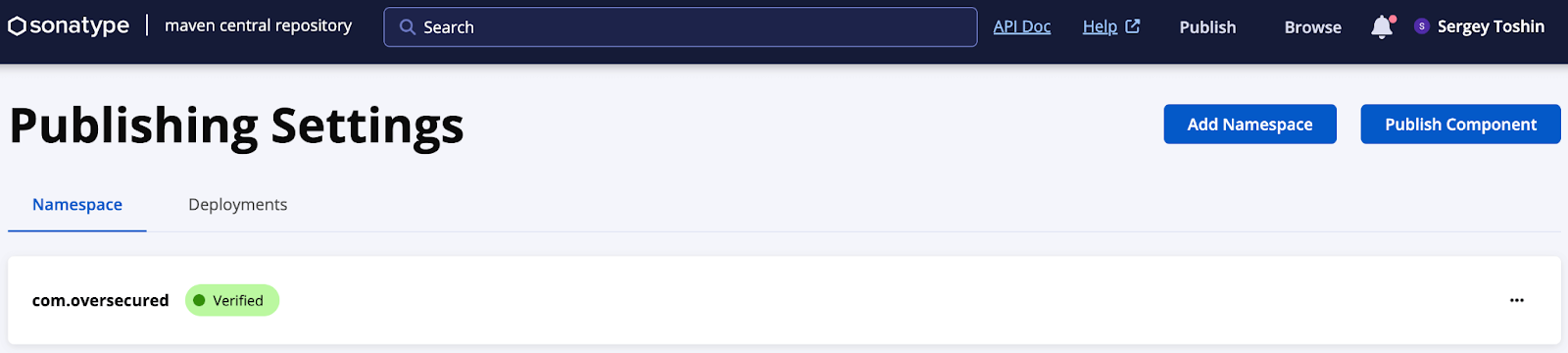
Ethical concerns prevent testing on real dependencies. Besides this, for onboarding new projects, researchers focused on com.oversecured groupId by studying the processes in mavenCentral and jitpack repositories.
Mavencentral verified (Source – Oversecured)
Types of Attacks
Web and mobile app attacks:-
Attack on existing library versions: The attacker’s repository higher on the list replaces library copies with malicious code (Existing Defenses considered).
Attack on new versions: The attacker’s repository lower on the list releases a new version with embedded malicious code; many apps don’t check digital signatures.
Library Attacks:-
Make sure to check library groupId hijackability.
Library dependencies checked in the using project, transitive but searched based on the project’s repository declarations.
To gauge the issue of unsigned dependencies and missing public keys, experts suggest running ‘./gradlew –write-verification-metadata pgp,sha256 –export-keys.’
It reveals a high number of unsigned dependencies from Google. Apache dependencies lacked validation due to missing public keys. MavenCentral, which is a key repository, discloses statistics, while other repositories may not.
Vulnerability disclosures were sent to major companies, including Google, Facebook, Amazon, Microsoft, Adobe, LinkedIn, Netflix, and over 200 others.
Earlier this month, Samsung launched a new rugged Android tablet, the Galaxy Tab Active 5. The company initially only announced its pricing and availability details for Europe. The Korean firm now appears ready to bring the tablet to other regions, including the US. It has revealed the device’s US price and a tentative release date.
Samsung’s Galaxy Tab Active 5 is headed to the US soon
Targeted at field and industrial workers, the Galaxy Tab Active 5 is the newest rugged tablet from Samsung. It is a mid-range product designed to survive and function efficiently in the harshest environments. The device boasts a MIL-STD-810H military standard build and IP68 dust and water resistance. The S Pen, which comes in the box, has an IP68 rating too.
Samsung ships the tablet with a protective case that has a holster to keep the S Pen. In this case, the Galaxy Tab Active 5 is resistant to drops from up to 1.8 meters. Even if you don’t use the case, the device is sturdy enough to handle the wear and tear of everyday use. A side-mounted fingerprint scanner, physical navigation buttons, and enhanced touch sensitivity also make it ideal for industrial use.
The Korean behemoth plans to sell the rugged tablet in an Enterprise Edition model in the US. Enterprise Edition Galaxy devices come with customized software and tools that help companies configure and manage the machines. The Galaxy Tab Active 5 will be available through the Samsung Business website in March. Prices start at $548.99 for the LTE version. The 5G version will cost more.
It is a decent mid-range tablet
While ruggedness is the primary selling point of the Galaxy Tab Active 5, the specs on offer are fairly decent too. You get an 8-inch TFT LCD screen with a Full HD+ resolution and a 120Hz refresh rate. Samsung has protected the display with a layer of Corning’s Gorilla Glass 5.
The tablet is powered by Samsung’s Exynos 1380 processor, the same chipset found inside the Galaxy Tab S9 FE. The company is offering 6GB RAM and 128GB storage, with a microSD card slot for expanding the storage capacity. A 5,050mAh user-removable battery fuels the Galaxy Tab Active 5. It supports charging via a USB Type-C port and Pogo pins. You can also use the tablet without a battery.
For imaging, the device has a 13MP rear camera and a 5MP selfie camera. The former supports 4K 30fps video recording while the latter records 1080p videos. Other highlights include Wi-Fi 6, Bluetooth v5.3, NFC, a 3.5mm headphone jack, Dolby Atmos audio, GPS, a customizable Active Key, Samsung Knox security with Samsung Knox Vault, and face recognition. The device runs Android 14 out of the box.
Today, managing and organizing documents effectively is decisive, especially in a data room environment. Data rooms play a critical role in many business transactions, like due diligence processes during mergers and acquisitions, fundraising, and others. Helpfully managing documents within a data room is essential for arranging smooth and secure information exchange. In this article, we will explore tips for streamlining document management within a data room environment.
The importance of virtual data rooms for mergers and acquisitions
The mergers & acquisitions strategy involves complex negotiations and meticulous due diligence, where information is a critical asset. Virtual data rooms (VDRs) have become a fundamental part of M&A transactions. They provide a secure and organized platform for sharing confidential documents between parties. These platforms facilitate the exchange of information in a controlled and detectable manner. As a result, they help to enhance the overall efficiency of the deal-making process.
Choosing the right virtual data room provider
A virtual data room review is essential to understand the features, security protocols, and user-friendliness of different platforms. So, here you should compare virtual data rooms. The virtual data room solutions ensure that you choose a product that coordinates with your specific needs and provides the necessary tools for effective document management. When choosing the VDR, there are several features to think about: security, user-friendly interface, customization, document management tools, analytics and reporting, 24/7 support and integration capabilities.
Organizing documents within the data room
Once a suitable virtual data room has been selected, proper organization of documents is key. Creating a logical and intuitive folder structure within the dataroom ensures that all relevant information is easily accessible to authorized users. Categorizing documents based on their nature, such as financial statements, legal contracts, and intellectual property, can significantly enhance the efficiency of due diligence efforts.
Standardized naming conventions
Creating standardized naming conventions for documents intensifies the ability to search and comprehend. Logical naming practices provide clarity. That makes it easier for users to identify and locate specific files. Include relevant information such as date, version, and document type in the file names.
Implementing document indexing and search functionalities
Then, take advantage of indexing and search functionalities provided by virtual data room providers. This allows users to search for specific terms, reducing the time spent manually sifting through files. It is particularly valuable when dealing with large volumes of information, enabling users to locate crucial documents swiftly.
Setting access controls and permissions
Security is predominant and virtual data rooms offer robust access control features. It is essential to set granular access permissions, ensuring that only authorized individuals have access to sensitive information. This includes strict access based on roles, departments, or even specific documents. By implementing severe access controls, you can safeguard confidential data and maintain the integrity of the due diligence process.
Monitoring document activity and auditing
A proactive approach to document management involves monitoring document activity and conducting regular audits within the virtual data room. The data room providers typically offer tracking features that allow administrators to see who has accessed specific documents and when. Regular audits help identify any unauthorized access or unusual activity, providing an additional layer of security during sensitive M&A transactions.
Utilizing collaboration tools for efficient communication
Effective communication is crucial in M&A transactions, and virtual data rooms often come equipped with collaboration tools. Utilize features such as comments, annotations, and Q&A sections to facilitate communication between parties. Clear communication within the virtual data room environment can streamline the due diligence process and address any queries or concerns promptly.
Regular backups and data room maintenance
Of course, it is essential to implement regular backups and conduct routine maintenance of the virtual data room. This involves archiving outdated documents, updating access permissions, and verifying the overall functionality of the platform. Regular maintenance helps prevent data loss, arranges data room efficiency, and contributes to a smooth due diligence process.
Training users on virtual data room best practices
This process is important for effective document management within a virtual data room. Familiarizing users with the platform’s features, security protocols, and best practices guarantees that everyone operates within the established guidelines. Training sessions can significantly reduce the likelihood of errors and enhance the overall efficiency of document management.
Conclusion
Effectively managing documents within a data room environment is a multifaceted task that requires careful planning and adherence to best practices. A well-organized and secure data room not only expedites business transactions but also safeguards sensitive information. By carrying out the mentioned tips, organizations can enhance their document management processes and contribute to the success of critical business aims within the data room environment.
Penetration Testing Companies are pillars when it comes to information security; nothing is more important than ensuring your systems and data are safe from unauthorized access; many organizations have a flawed security culture, with employees motivated to protect their information rather than the organizations.
This sets up an opportunity for attackers seeking ways into a company to exploit it and get access to critical data and secrets.
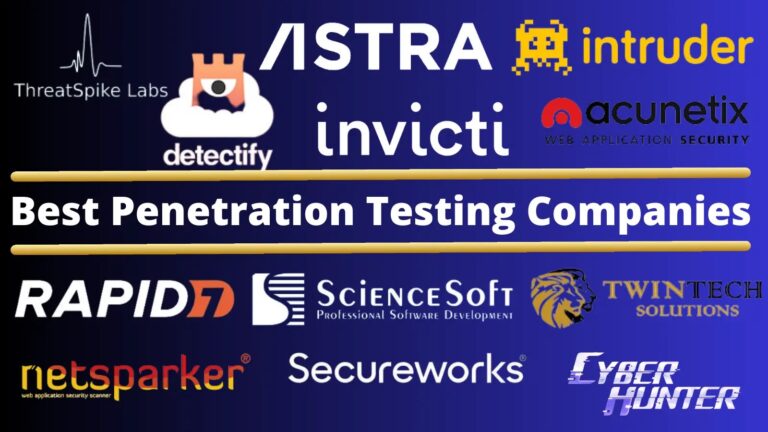
In this article, we will see the 10 best penetration testing companies and understand what penetration testing is. We will also discuss its importance, different types of tests, and how they are conducted.
Penetration testing is a critical aspect of cybersecurity, where specialized companies assess IT infrastructure security by simulating cyberattacks.
The ability to offer comprehensive security solutions, cutting-edge methodologies, and expertise sets apart the best penetration testing companies. These companies typically offer various services, including network penetration, application security, and social engineering tests, tailored to identify and exploit vulnerabilities in various IT systems.
The term “penetration testing” refers to checking an application’s or network’s security by exploiting any known vulnerabilities.
These security flaws might be found in various places, such as system configuration settings, authentication methods, and even end-user risky behaviors.
Apart from assessing security, pentesting is also used to assess the effectiveness of defensive systems and security tactics.
The cyber security condition is shifting at a breakneck speed. New vulnerabilities are discovered and exploited all of the time, some of them are publicly recognized, and others are not.
Being aware is the greatest defense you can have. A penetration test uncovers security flaws in your system that might lead to data theft and denial of service.
Why Is a Penetration Testing is Important?
Because organizations must be able to identify and repair vulnerabilities before attackers exploit them, penetration testing is essential.
As a result, businesses may reduce the chance of data breaches, malware infections, and other cybersecurity problems.
Penetration testing is also important because it helps businesses to ensure that their security controls are effective. Businesses may examine their settings to see whether they need to be updated or replaced.
Types of Penetration Testing
Many tests can be performed, but most pentesters will focus on three main areas: network security, application security, and control testing.
In this type of test, the pentester tries to gain access to the target system’s network by bypassing security controls such as firewalls and intrusion detection systems.
They will also look for weaknesses in protocols that could be exploited to gain a foothold on the network.
This type of test focuses on the security of applications running on the system. The pentester will try to find vulnerabilities allowing them to execute malicious code or access sensitive data.
They will also look for weaknesses in authentication and authorization controls that could be exploited to gain access to restricted areas of the application.
This type of test is designed to assess the effectiveness of security controls such as policies, procedures, and technical safeguards. The pentester will try to bypass or circumvent these controls to see if they work as intended.
The Penetration Testing Procedure is as Follows
The first step in any penetration test is to collect information about the target system. Public sources such as a company’s website, social media sites, and search engines can be used to get this information.
Once the tester understands the system’s architecture and components, they will look for potential vulnerabilities.
The next stage is to utilize any discovered vulnerabilities. It may be accomplished manually or by using automated tools.
If the tester can gain access to sensitive data or execute malicious code, they will attempt to escalate their privileges to gain more control over the system.
Finally, the tester will document and present their findings to the client. They’ll advise on how to fix any problems that were discovered, as well as provide recommendations for further mitigation.
How to Choose the Best Penetration Testing Companies?
When selecting the best penetration testing services, it’s important to carefully evaluate various factors to ensure the service provider meets your unique security requirements and goals. Here are some tips to assist you in making a well-informed decision:
Recognize Your Security Requirements: Gain a clear understanding of the specific aspects of your IT infrastructure that require testing. Possible focus areas could be network security, web applications, mobile applications, or wireless networks. Understanding your requirements will enable you to choose a company specializing in those areas.
Experience and Expertise: Seek out companies with a strong track record and extensive background in penetration testing. Look at their case studies, client testimonials, and industry reputation. The team’s expertise, demonstrated through certifications like OSCP, CEH, or CISSP, is also crucial.
Methodology and Tools: I would like to know more about the methodologies and tools employed for penetration testing. Top-tier companies often adhere to established frameworks such as OWASP for web application security and employ a blend of automated tools and manual testing methods.
Customization and Scope of Services: The company should be able to customize its services to meet your specific requirements. Ensure they have the expertise to conduct the specific types of penetration tests you need, such as black box, white box, or grey box testing.
Ensuring legal and ethical compliance: The company needs to adhere to cyber security guidelines and operate within legal boundaries. It would be ideal if they were open to signing a non-disclosure agreement (NDA) to ensure the safety of your data.
Thorough Reporting and Support: After conducting the tests, the best penetration testing services should offer a detailed report that outlines the identified vulnerabilities, their level of severity, and suggestions for resolving them. Find out if they assist in addressing these vulnerabilities.
Communication and Project Management: The success of any endeavor relies heavily on effective communication and project management. The company needs to provide regular updates during the testing process and promptly address any questions or concerns you may have.
Cost and Value: Considering cost is important, but it shouldn’t be the only factor to consider. Take into account the company’s expertise, service quality, and the potential cost savings that come from preventing security breaches.
Client References and Reviews: To assess client satisfaction and the company’s track record, it is advisable to request client references or conduct online research to read reviews and testimonials.
Ongoing Engagement and Support: Selecting a company that provides ongoing support even after the testing phase is important. This includes retesting after vulnerabilities have been addressed and offering valuable security advice and updates.
Best Pentesting Companies: Our Top Picks
ThreatSpike Labs
First Managed Service for Pentesting
ThreatSpike Blue
ThreatSpike Red
Red Team Exercises
Infrastructure Testing
Web Application Testing
API Testing
Vulnerability scanning
Network Pentesting
SecureWorks
Defending Every Corner of Cyberspace
External Penetration Testing
Internal Penetration Testing
Wireless Penetration Testing
Cloud Penetration Testing
Application Security Testing
Adversary Exercises
Penetration Testing
Vulnerability Assessment
Cobalt
Faster, smarter, stronger Pentesting
Web Application Pentest
API Pentest
Mobile Application Pentest
External Network Pentest
Internal Network Pentest
Cloud Config Review
AWS Penetration Testing
Agile Pentesting
Best Penetration Testing Companies: Key Features and Services
Certified ethical hackers on the team 33 years of overall experience in ITIBM Business Partner in Security Operations & Response, Recognized with 8 Gold Microsoft Competencies
Both Automated and Manual Vulnerability scanning, pentest any part of your user-operated AWS systems, Penetration Testing Your Cloud Use and Configuration, Offering to pentest against the web applications and servers
Network Penetration Testing. Mobile Application Penetration Testing (Android and IOS). Mobile Forensic AWS Penetration Testing Compliance Network Penetration Testing. OS Forensics (Linux, Windows) Social Engineering Source Code Review Web Application Penetration Testing
Table covering 10 Penetration Testing Companies & Key Features
8 Benefits You Can Obtain with Regular Penetration Testing
Finding vulnerabilities quickly and easily.
It is less likely that cyberattacks and data breaches will happen.
Better protection against threats.
Have more faith in the safety of your processes.
Proof that the company is following the rules set by regulators.
Better finding of events and responding to them.
Security operations are now more efficient and successful.
More information about the pros and cons of your security settings.
12 Best Penetration Testing Companies 2024
ThreatSpike Labs
Astra Security
Detectify
Intruder
Invicti
Rapid7
Acunetix
Netsparker
SecureWorks
Sciencesoft
Cyberhunter
TwinTech Solutions
As the world shifts its focus to digital transformation, ensuring that your systems and data are secure has become more important than ever. One of the finest methods to do this is penetration testing.
But there are so many pentesting firms available that deciding which is appropriate for you might be difficult. So, here is a detailed view of the top 10 penetration testing companies that can make your digital experience better than ever.
1. ThreatSpike Labs
Year: 2011
Location: London, England, United Kingdom
ThreatSpike offers the first-of-its-kind, all-year-round subscription service for penetration testing. This service covers the testing of web applications, on-premise infrastructure, cloud services, mobile phone applications, and IoT devices.
An expert team of testers delivers the service using both commercially available and custom-built tools, as well as manual analysis.
As part of this service, companies can run red team assessments on themselves, where the ThreatSpike team attempts to exploit vulnerabilities, socially engineer staff, bypass antiviruses, and gain physical access to buildings to compromise high-value assets.
At the end of each assessment, ThreatSpike presents the output as a comprehensive report with recommended improvements. ThreatSpike’s all-year-round service costs the same as a typical one-off penetration test.
Features
Advanced algorithms and machine learning models are used to study and find risks and vulnerabilities in the system as they happen.
To figure out which patches and other security measures to use first, they look for and study errors in software, systems, and networks.
Adding more security to keep data, apps, and tools in the cloud safe.
Location :Delaware City, Delaware, United States .
Astra Security is the toppenetration testing company and has clients all around the world. They are experts in Penetration Testing, Vulnerability Assessments, Security Audits, IT Risk Assessments, and Security Consultancy.
Astra’s pentest platform is simple to link with your CI/CD pipeline. You may have the scanner perform vulnerability checks automatically every time a new code is submitted.
It ensures that you don’t deploy insecure applications. The actionable content of the pentest reports is their main goal. These reports, which include video PoCs, guarantee that security concerns are resolved as soon as possible.
Both developers and executives may use the report to understand, analyze, and respond to it. Nowadays, API hacks are the biggest concern, its API Pentest platform helps to fix vulnerabilities in your APIs.
For WordPress, Astra offers a go-to security suite that includes protection for SQLi, XSS, SEO Spam, comments spam, brute force & 100+ threats.
Features
It comes with a filter that helps keep bad traffic from getting to your website most of the time.
There’s a chance that the app will have features that will regularly search your website for dangerous code or files.
You could use two-factor security to make logging in to Astra Security even safer.
Providing automated penetration testing services, Detectify is an effective method to stay on top of threats. This implies you’ll receive immediate notifications about vulnerabilities and have time to repair them before they’re exploited.
Detectify is a cloud-based service that allows you to scan your web applications and APIs in the cloud, as well as execute tests on your web services manually or automatically.
Detectify is a cloud-based application testing platform that offers the fastest, most efficient service possible. The interface is easy to use and understand, making it suitable for anyone with modest computer skills.
Detectify support integrations with third-party integrations with tools like Splunk, Jira, Slack, Trello, Webhooks, etc.
Features
It can look for vulnerabilities in web apps, APIs, and other internet services and let you know about them.
A well-known list of the ten worst security risks in web apps is the OWASP Top Ten. Detectify might try to find problems with these sites.
You can stop inaccurate outcomes with Detectify. This way, the mistakes that are found are real and can be fixed.
The Intruder is a proactive vulnerability scanner that aids you in finding and repairing critical vulnerabilities before they are exploited. You’ll be better informed about your security risks with Intruder, allowing you to prioritize and manage your overall security strategy.
The intruder is a flexible security solution that can accommodate your company’s needs, no matter how big or little they are.
The tool is rich with its basic functionality, it helps to identify vulnerabilities, a misconfigurations in servers, clouds, websites, and apps.
It is a SaaS product that helps to integrate with Microsoft Teams, Zapier, and cloud integrations such as WS, Azure and Google Cloud, Slack, and Jira.
Features
The OWASP Top Ten are the ten biggest threats to the security of web applications. An attacker might try to find vulnerabilities in these ten lists.
That person who broke in might be watching you all the time to find new security vulnerabilities and risks.
Someone who wants to do harm could find and report vulnerabilities like SQL injection, cross-site scripting (XSS), remote code execution, and more.
Invicti is a web application security testing solution provided by Penetration Testing Companies that allows businesses to protect hundreds of websites and significantly reduce the risk of attack.
Organizations with complex environments may use Invicti to automate their web security with confidence by providing the most sophisticated DAST + IAST scanning capabilities available.
The application is known for looking for security vulnerabilities such as OS Command Injection, Remote File Inclusion/SSRF, Path Traversal, SQL Injection, Reflective XSS, Unvalidated Redirect in web applications, and web API.
With Invicti, security teams may automate security activities and save hundreds of hours each month, acquire complete visibility into all of their applications — even those that are lost, forgotten, or hidden — and automatically provide developers with immediate feedback that teaches them to write more secure code – so they create fewer vulnerabilities over time.
Features
Invicti Security might be able to help you find vulnerabilities in the security of third-party tools and parts.
Many types of vulnerabilities are found automatically by Acunetix and other Invicti Security solutions when they scan online apps. These include SQL attacks, cross-site scripting (XSS), cross-site request forgery (CSRF), and more.
You might be able to have Invicti Security watch over your web apps all the time. This would help you find new security vulnerabilities as they appear.
The Rapid7 Insight Platform enables you to connect your teams and work smarter using the visibility, analytics, and automation you require. Rapid7 has an easy-to-use interface, and it offers one-click phishing campaigns.
Security, IT, and Development now have one-click access to vulnerability risk management, application security, threat detection and response, automation, and other capabilities.
Rapid7 is a great choice for companies and organizations that want to keep up with the market standards and keep their businesses safe as Rapid7 offers penetration testing and vulnerability management services.
The application has a modern UI and it tests for over 95+ attack types, also can create custom checks to address issues and risks specific to your environment.
Features
The tool from Rapid7 that checks for and ranks vulnerabilities based on how risky they are and how easy they are to attack finds them.
The business sells SIEM systems that gather and arrange information about security events so that they can be studied.
Rapid7 helps businesses build and improve their security by giving them lessons and training.
Acunetix can identify over 4500 different security flaws, including SQL and XSS injections. The utility also supports HTML5, CMS systems, single-page apps, and Javascript.
The application is fantastic since it includes a number of features that aid in significantly lowering the time required by pen-testers to execute tests as a result of its automation.
The application is known for accurately detecting critical web application vulnerabilities, including open-source software and custom-built applications.
Acunetix’s AcuSensor includes black-box and white-box scanning techniques which enhances the scan detection rate.
Features
Acunetix can manually check online apps to find bugs such as SQL attack, cross-site scripting (XSS), cross-site request forgery (CSRF), and more.
You could use the platform to find bugs in third-party tools and other parts of your apps that depend on them.
Acunetix might be able to connect to systems that keep track of problems. This would help find, record, and fix bugs more quickly.
Location : San Francisco, California, United States
Cobalt is a PTAAS platform combining SaaS platforms that delivers real-time insights to address vulnerabilities.The company also offers a flexible pricing model, where you can select the package as required.
Instead of gathering all the data, the platform aims to deliver the issues to developers in a way that integrates more smoothly with their development environments.
Cobalt’s innovative process lets customers and pen-testers communicate quickly to address vulnerabilities.
Features
You’ll have access to professional security researchers who can test your company’s systems, apps, and hardware for vulnerabilities.
Set the exact targets, systems, apps, and environments that will be tested as part of the penetration test.
Tools for safe teamwork and communication to deal with security researchers, clarify information, and get new results.
Secureworks is one of the leading Penetration Testing Companies that provides information assets, network, and system security solutions and services.
They provide services such as penetration testing, application security testing, malware detection, risk assessments, and other similar services.
Cybersecurity solutions from the firm are capable of handling approximately 250 trillion cyber operations, which aid in threat detection and mitigation.
The tool uses behavioral analytics to detect unknown threats, including file-less malware, reducing futile responses. Additionally, the threat engagement manager provides periodic reviews and reports, improving security measures across the organization.
Features
SecureWorks keeps an eye on security risks and acts in real-time to stop them.
After a security event, SecureWorks can help businesses limit, get rid of, and recover from the damage.
Fake news and hacking are less likely to happen if you teach your staff how to keep your computer safe.
Cyberhunter is a well-known supplier of security services for both small and large organizations. CyberHunter detects a flaw, provides evidence, and recommends ways to fix the issues.
Anti-virus software, network threat detection, penetration testing, and network log monitoring are among the services provided by Cyberhunter.
They carry out comprehensive network mapping, vulnerability assessments, exploits, and analysis to provide their customers with the finest alternatives for their network pen-testing needs.
Features
CyberHunter offers services that can look for attack vulnerabilities in mobile platforms, web apps, networks, and the cloud.
This means keeping important things safe, stopping cyber threats and hacking attempts, and watching out for workers who act badly.
CyberHunter looks at network data, looks for insider threats, watches how endpoints behave, and does forensic analysis to help find secret cyber threats.
They fully check and evaluate security devices using frameworks like NIST CSF and CIS Controls and provide detailed plans for cybersecurity.
Sciencesoft is one of the best penetration testing companies that provides customers with network, web applications, social engineering, and physical security testing.
It is a fully ISO 9001 and ISO 27001 compliant business certified by the ISO 9001:2008 and ISO 27001:2013 standards. Setting their data onto the network allows it to be protected.
This protects clients from various industries, including finance, healthcare, and retail, by enabling them to keep their information safe.
They have a skilled staff with years of expertise who collaborate with IBM, Microsoft, and other organizations to provide business intelligence.
The company provides comprehensive reports with the vulnerability description and classification by their severity, as well as actionable remediation guidance.
Features
Custom software is software that is made to meet the needs and goals of a certain business.
Strong security steps to keep information safe and shield against online threats.
Finding ideas in complicated data that can help you make good business choices.
Making apps for phones that can be used on many different devices and are simple to use.
TwinTech Solutions specializes in protecting organizations and individuals from digital attacks and threats, as well as investigating and resolving security breaches.
These companies typically offer a range of services, including cybersecurity consulting, forensic investigations, managed security services, threat intelligence, and compliance assistance.
Additionally, they ma y provide training and awareness programs for employees and customers to help them understand and prevent cyber threats. They use a combination of technology, expertise, and processes to accomplish this goal.
The forensic side of the company would investigate cybercrime, such as data breaches, hacking, and cyber fraud, working closely with law enforcement agencies to identify the attackers and recover lost or stolen data.
The main goal of our company is to help clients protect their sensitive information and assets from cyber threats, and to assist them in quickly and effectively responding to security incidents.
Features
Specializing in the protection of data and networks from potential threats.
The provision of readiness training, threat analysis, and audit reports were also included.
The utilization of analytics in order to recognize and react to emerging cyber risks.
Resolving vulnerabilities as early as possible and evaluating the severity of threats.
What is Good ?
What Could Be Better ?
Security Awareness
It is critical that the penetration testing team and the customer communicate well.
Vulnerability Discovery
The field of cybersecurity is fast evolving, and attacker strategies are always changing.
Compliance and Regulations
Organizations may have unreasonable expectations about the findings of penetration testing at times. I
Services
Blockchain Security Audit | Smart Contract Audit.
Cloud Penetration Testing (AWS, Azure).
Digital Forensics (Examination, Investigation).
Red Teaming Assessment.
IoT Assessment
Mobile Application Penetration Testing (Android and IOS).
Penetration testing is an indispensable aspect of the system and data security. By selecting a reputable and experienced provider, you can be sure that your systems are secure and that any vulnerabilities are found and fixed before they can be exploited.
As the world progresses, more businesses are going online, increasing vulnerability to cyber-attacks. To protect your assets and data, it is essential to invest in a reliable pentesting company that offers a comprehensive range of services.
Because there are so many alternatives, discovering the best one is worth the effort.
Bellroy is a well-known manufacturer of backpacks, slings, cases, and more. This Australian company has just announced its new lineup of cases for Samsung’s new flagships. Bellroy has announced its leather case for the Samsung Galaxy S24 series.
Bellroy has announced its leather case for the Galaxy S24 series
This Australian company is once again a part of the Designed for Samsung program, for the third year in a row. This company has been making smartphone cases since 2015 and does have plenty of experience in that regard. The same goes for other products made out of leather.
These cases are minimalistic, as they don’t really add much bulk to the Galaxy S24 devices. They are constructed using “a resilient polymer with a soft microfiber lining”, as Bellroy put it. Eco-tanned leather is used on the outside, and should age gracefully.
Bellroy used anodized aluminum for the buttons on the case itself. You’re not getting cutouts here, but actual buttons that go on top of the phone’s buttons themselves. These cases are also wireless charging compatible and are composed of recycled materials. Bellroy is also offering a three-year warranty.
Three color options are available overall, but one is exclusive to the ‘Ultra’ model
Having said that, The case for the Galaxy S24 and Galaxy S24+ come in two color options, while three are available for the Galaxy S24 Ultra. Cases for all three phones come in Black and Terracotta colors. The ‘Everglade’ color is exclusive to the Galaxy S24 Ultra.
You can check out all of these color variants below the article, while all three are shown in the featured image above too.
As of writing this article, the cases are still not listed on Bellroy’s website, despite the fact the company announced them. Bellroy also did not share the price tags with us. So we’ll have to wait until the cases actually go on sale to be able to share more information.
The combination of Virtual Reality (VR) and Android Casino gambling in the dynamic world of mobile gaming is a tribute to the ever-evolving nature of technology and entertainment. As we explore the frontiers of virtual reality, altering how we see and interact with casino games on Android devices, a fundamental shift in user experience occurs. Beyond the pixels and touchscreen controls, a promising horizon awaits, where the immersive attraction of VR meets the thrill of casino gaming. This essay explores this synergy by evaluating the greatest free casino games for Android, digging into the potential of VR, and pondering the problems and future prospects that lie ahead.
The Intersection of Virtual Reality and Android Casino Gaming
Virtual Reality, once a futuristic concept, has seamlessly woven its way into the fabric of mobile gaming and for players who are playing real money online casinos android games. In the intersection of VR and Android Casino gaming, an immersive experience unfolds, inviting users to transcend the traditional boundaries of virtual gameplay. The potential impact on user experience is monumental, as players find themselves transported into a digital realm that mirrors the grandeur of brick-and-mortar casinos.
This union, however, is not without its challenges. While exploring the advantages and challenges of VR integration, it becomes apparent that the technology is still evolving, with room for improvement. Yet, as we analyze the user engagement in VR casino games, a growing trend emerges—a hunger for a more immersive, interactive, and realistic gaming experience.
The Best Free Casino Games for Android
Blackjack by Tripledot Studios exemplifies the beauty of simplicity in the realm of Android casino gaming. With a design philosophy that embraces a minimalist approach to the classic card game, players find themselves immersed in an environment where the elegance of simplicity meets the thrill of strategic gameplay. The uncluttered interface and straightforward mechanics cater to both seasoned blackjack enthusiasts and casual players seeking a seamless and enjoyable experience.
Delving deeper into the game’s dynamics, it’s evident that the odds have been meticulously calibrated to strike a delicate balance. This equilibrium ensures that the gameplay remains challenging yet accessible, fostering an environment where luck and skill intertwine harmoniously. The incorporation of various bonuses and free chip opportunities adds an extra layer of excitement, creating an enticing atmosphere that keeps players engaged and eager for the next hand.
As players navigate the virtual blackjack tables, they are met with not only a game but an experience designed to transcend the digital divide. The developers at Tripledot Studios have managed to infuse the game with a level of engagement that goes beyond the mere mechanics of the card game. It’s a testament to their commitment to crafting an experience that resonates with players, regardless of their level of expertise.
Moving on to the World Series of Poker, this Android casino gaming gem has rightfully earned its accolades in the competitive landscape. Beyond the glitz and glamour of poker tournaments, the game stands tall with a massive player base that converges in an electrifying digital arena. The frequency of online contests ensures that the poker tables are always buzzing with activity, providing players with a compelling multiplayer experience that mirrors the intensity of real-world poker championships.
While the integration of the World Series of Poker with Facebook may raise an eyebrow or two, the overarching satisfaction of players speaks volumes. The social connectivity facilitated by this integration adds an extra layer of excitement, allowing players to engage with friends, challenge rivals, and share the thrill of victory. It’s a strategic move that not only enhances the multiplayer dynamics but also creates a sense of community among poker enthusiasts within the game.
Zynga, a powerhouse in the mobile gaming industry, unfurls a diverse tapestry of casino games on the Android platform. Among the myriad slots of games exploring various themes and mechanics, Zynga Poker emerges as a shining beacon of entertainment value. The game transcends the traditional poker experience, infusing an element of fun and lightheartedness that sets it apart.
Despite the freemium model employed by Zynga’s games, there’s a discernible artistry in how they strike a delicate balance. While the games invite players to delve into optional purchases, the core gaming experience remains enjoyable and unhindered. This delicate equilibrium ensures that players can fully savor the entertainment value without feeling pressured into financial commitments.
In essence, Zynga’s approach to mobile casino gaming goes beyond the transactional and ventures into the realm of creating enjoyable and memorable experiences. The diverse portfolio, coupled with their commitment to striking a balance in the freemium model, solidifies Zynga’s position as a leading force in shaping the landscape of Android casino gaming.
Exploring the Potential of Virtual Reality in Casino Gaming
Exploring the potential of Virtual Reality in casino gaming reveals a landscape where the possibilities are as limitless as the digital frontiers themselves. The present status of VR casino games highlights titles and developers who are pushing the limits of technology. As creators attempt to strike a careful balance between realism and fun, user reception and input become critical.
VR advancements promise to improve the gambling experience. Players are transported into a world where the border between virtual and reality is blurred by immersive environments and realistic settings. Social interaction and multiplayer elements enhance the sense of community by establishing a virtual environment in which players can engage, compete, and connect.
Enhancing the Casino Experience with Virtual Reality
VR emerges as a catalyst for revolutionary gameplay in the aim of improving the casino experience. Integrating VR goes beyond novelty and into the creation of realistic casino surroundings. Players may modify their experiences with customization options, and the investigation of VR headsets and controllers opens up new paths for immersive gaming.
Social interaction in virtual reality casino environments goes beyond standard multiplayer modes. Avatars bridge the gap between digital and personal interactions in virtual social spaces, which become hubs of activity. Hosting virtual casino events and tournaments fosters a sense of community and transforms gaming into a shared experience.
Navigating the Future of Mobile Casino Entertainment
As we recap the best Android casino games and anticipate the future of VR and Android casino gaming, a profound transformation emerges. The synergy between VR and mobile casinos propels the industry into uncharted territories, promising a future where the boundaries between reality and the virtual realm dissolve.
The evolution of mobile casino entertainment stands at the intersection of technological innovation and user experience. The journey, though challenging, is marked by the relentless pursuit of immersive and enjoyable gaming. As players embrace the realms of Virtual Reality and Android casino gaming, the future promises an era where the thrill of the casino is not bound by physical constraints but transcends into a digital odyssey of endless possibilities.