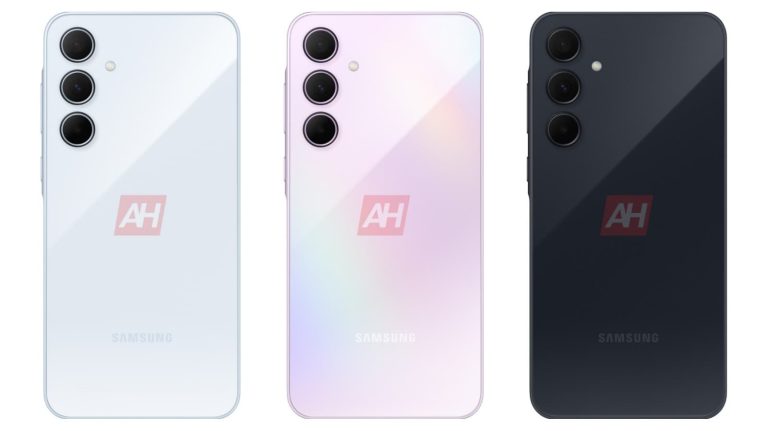
Shortly after launching the Galaxy A15 and Galaxy A25 in the US, Samsung is gearing up to unveil a couple more Galaxy A series mid-range smartphones. The Galaxy A55 and Galaxy A35 are expected to go official within the next few months. We recently leaked exclusive official renders of the phones. The latter is now another step closer to its debut. The FCC has just certified the Galaxy A35 for a US release.
Samsung’s Galaxy A35 spotted on the FCC website
The American regulatory body certified the Galaxy A35 with the model numbers SM-A356U, SM-A356U1, SM-A356V, and SM-A356E. The former three are the locked, unlocked, Verizon versions of the phone for the US, while the latter is the global version. The model number is of the least importance in this certification listing, though. The FCC also confirmed a few key specs of the device.
As you might expect, the Galaxy A35 will boast 5G cellular connectivity. Samsung will also equip it with Bluetooth, NFC, and Wi-Fi 6 connectivity options. The phone will support a wide range of navigation systems and feature a microSD card slot for expanding the storage space externally. While we don’t have details, the device could come in 128GB and 256GB storage variants, paired with 6-8GB RAM.
The FCC tested the Galaxy A35 with a Samsung charger bearing the model number EP-TA800. It delivers a maximum output power of 25W. We don’t expect the Korean firm to offer faster charging on the upcoming mid-range phone. It has stuck to that speed for the past few years and doesn’t seem bothered to go higher—Plus and Ultra flagship models charge at 45W.
While this is all we can make from the Galaxy A35’s appearance on the FCC’s website, the phone previously appeared on the benchmarking site Geekbench to reveal a Samsung Exynos 1380 processor. It showed up with 6GB RAM and Android 14 onboard. Rumors have also hinted at a camera upgrade for the phone. Samsung could replace the aging 48MP primary rear camera with a newer 50MP unit.
The Galaxy A55 should arrive alongside this phone
If history is any indication, Samsung will unveil the Galaxy A35 alongside the Galaxy A55. The phones were initially expected to break cover in March but a recent report suggested a slight delay in the plan. The Korean firm may now be preparing to debut the new A-series phones in April. We should get to know more about the devices in the build-up to their launch.
During the Galaxy S24 launch last week, Samsung teased its upcoming smart ring. Aptly called Galaxy Ring, it is a fitness and health tracker that you can wear on your finger. However, the company didn’t reveal much about the product’s specs and features. It gave us a glimpse at the first-gen model’s design and confirmed that the ring is coming soon. We now have more details about the Galaxy Ring courtesy of a tech analyst.
Samsung is readying the Galaxy Ring in a lot of sizes
Tech analyst Avi Greengart, who has worked for Intel and JupiterResearch, claims to have recently gotten hands-on experience with Samsung‘s official prototypes of the Galaxy Ring. The company didn’t allow them to take pictures, so the teaser at the Galaxy Unpacked remains the only visual of the product. However, the analyst has something else to share. They say the ring comes in “a lot of” sizes and is “ridiculously” lightweight.
Greengart confirmed that the Galaxy Ring will come in three colors and will be available in sizes up to 13 (22.33mm diameter). The bigger unit could be a little heavier, but Samsung seems to have worked on making the ring comfortable to wear. TM Roh, the company’s head of mobile experience, recently suggested that the ring will be a comprehensive fitness tracker for people who don’t feel comfortable wearing smartwatches while sleeping.
Samsung’s teaser hinted at the presence of a heart rate monitor on the inside of the Galaxy Ring. We also saw pogo pins for charging. The ring is expected to feature blood oxygen monitoring, sleep tracking, activity tracking, and more health features. However, it is unclear whether all sizes will offer the same set of features or if the smaller ones will miss out on a few. The bigger Galaxy Rings might have bigger batteries.
Samsung plans to launch the wearable later this year
As far as the launch date is concerned, all we know is that Samsung plans to bring the Galaxy Ring to the market “later this year.” Pricing details are still a mystery. Whether we will get an official announcement during the Galaxy Z Fold 6 and Galaxy Z Flip 6 launch, only time will tell. The new foldables should arrive in late July or early August. We might hear more about the upcoming smart ring, the first product of its kind from Samsung, in the coming months as the company works on it behind the scenes.
Memcyco will showcase its solutions at Deloitte’s annual Cyber iCON event, demonstrating how organizations can build effective defenses to protect their customers against digital impersonation fraud
Memcyco Inc, the real-time digital impersonation detection and prevention solution provider, and Deloitte, the leading consulting, advisory, and audit services firm, today announced their strategic partnership in the cybersecurity sector. The partnership enables Deloitte to extend this range of solutions offering customers Memcyco’s industry-leading anti-impersonation software. The solutions will be offered globally in regions such as the EMEA, LATAM, USA, and others.
Deloitte and Memcyco’s pivotal collaboration combines the former’s consulting expertise with the latter’s cutting-edge platform for detecting and preventing digital impersonation fraud in real time. This alliance will elevate fraud prevention to a new level, helping government organizations, enterprises, and brands protect themselves from damage and safeguard their reputations from being tarnished through attacks that use phishing sites to target their customers.
By virtue of their partnership, Memcyco and Deloitte will leverage additional solutions related to integration and cooperation, such as Deloitte’s Strategic & Reputation Risk Services. This multidisciplinary synergy ensures a holistic response to threats, capitalizing on each organization’s area of expertise and accumulated experience, thus offering more robust and complete solutions to clients.
Memcyco provides a platform for real-time detection, protection, and response to online impersonation attacks, whereby malicious actors use phishing, smishing, and other techniques to direct customers to fake pages that look and feel much like the real thing. These attacks trick users into giving up their personal data, such as login credentials and credit card information, which is subsequently used for ATO (account takeover) and other online attacks, leading to data breaches, theft of funds, and ransomware.
Unlike other solutions, Memcyco is singularly able to safeguard the “window of exposure” between when a fake website goes live and when the attacker attempts to use stolen data to access company web pages, using real-time alerts to warn users not to trust the spoofed site, as well as tracking attacker and victim activity. Addressing this window is crucial for organizations to be able to protect themselves from data breaches, financial losses, and reputational damage while protecting their customers from identity theft and financial harm.
Memcyco also provides organizations with full insight into attacks, including a list of all victims. This data not only gives the organization improved visibility, but also helps risk engines to predict fraud more accurately, thereby significantly decreasing remediation costs.
“Memcyco is delighted to build a partnership with Deloitte due to its dedicated team, expertise, and innovation capabilities,” said Israel Mazin, CEO of Memcyco. “Our shared commitment to empowering organizations to make informed decisions about their cybersecurity strategy is at the heart of our collaboration. In the long term, this partnership will pave the way for organizations of all sizes to mitigate impersonation and brandjacking attacks and to gain more trust from their customers.”
Memcyco will showcase its solutions at the third annual Deloitte Cyber iCON event in Spain on Jan 23, 2024. Cyber iCON allows businesses to gain first-hand knowledge about the most prevalent and sophisticated cyber threats they face today. Attendees will be able to learn about the latest strategies and countermeasures they can employ to safeguard themselves against advanced threats via real-world, interactive scenarios. Memcyco’s representatives will join Deloitte’s experts on-stage to discuss the dangers presented by digital impersonation and to introduce businesses to their comprehensive solution for mitigating such risks. Memcyco will also participate in a joint panel discussion and presentation alongside Deloitte’s expert cybersecurity consultants.
About Memcyco
Memcyco provides real-time digital impersonation detection, protection and response solutions to companies and their customers. Their real-time, agentless solutions are unique in fully safeguarding the critical “window of exposure” between when a fake site goes live and when an attacker attempts to use stolen data to access company web-pages. Memcyco alerts users who visit fake sites and gives organizations complete visibility into the attack, allowing them to take remediating actions. Led by industry veterans, Memcyco is committed to ensuring the security and digital trust of its customers – and of their customers. For more information, visit www.memcyco.com/.
About Deloitte
Deloitte has contributed to the development of business organizations and society during its more than 175 years of history. Faced with a constantly evolving reality, it has established itself as the advisor of reference for the transformation of large national and multinational companies using a multidisciplinary approach based on excellence, technological innovation and the continuous development of the talent of its professionals, maintaining its position as a leading professional services firm. The organization has strengthened its position by impacting clients, communities and people through the Make an impact that matters initiative, which is implemented in social action programs -WorldClass-, action against climate change -WorldClimate-, and its ALL IN diversity and inclusion strategy. Globally, the firm is present in more than 150 countries, where more than 345,000 professionals work. Learn more at: www.deloitte.com/.
KYC/KYB compliance technology provider FinClusive said today it’s partnering with Verida and cheqd to launch an end-to-end platform for the creation and issuance of reusable and verifiable credentials that can be checked in real-time without impacting the privacy of clients. The partners say it’s a key innovation that promises to streamline client onboarding in both traditional finance and the nascent Web3 industry.
What they’re offering is a plug-and-play platform that can handle the KYC/KYB requirements of any financial services organization, and generate verifiable credentials that are reusable and portable, with full client privacy and embedded compliance.
The partnership builds on an earlier proof-of-concept demonstrated by FinClusive and Verida, which provides a mobile wallet for storing verifiable credentials. With the addition of cheqd into the mix, FinClusive said it can now offer the essential network infrastructure for Web3 companies to issue and verify credentials in seconds.
With their new solution, the companies are looking to tackle some of the most significant headaches faced by organizations in the traditional customer onboarding and verification process, which is both expensive and time-consuming. Issuing digital credentials that can be reused, helps to eliminate the high costs associated with KYC/KYB. Moreover, with its instantaneous check feature for AML assistance, risk scoring and other background screenings, the solution makes it simpler than ever to meet compliance requirements. Finally, by integrating real-time and verifiable data sharing into the solution, the companies say they can provide maximum assurance for businesses, without requiring them to perform any manual checks.
By addressing these headaches, Finclusive says it’s bringing significant value to businesses, reducing their operating costs and improving the efficiency of their screening processes.
Streamlined Customer Onboarding
Each of the partners brings its strengths to the table, offering a variety of capabilities that are needed to create a regulatory-compliant process for verifying and sharing KYC credentials. FinClusive handles the initial identity verification checks with support for more than 170 countries, while cheqd’s Credential Service enables verifiable digital credentials to be issued, based on the results of those checks, and shared with other parties. As for Verida, it provides a decentralized wallet infrastructure for businesses and individuals to cryptographically store their KYC/KYB credentials inside a secure Verida Vault.
As the companies explained, the biggest advantage for businesses and individuals is that they will only ever have to undergo KYC/KYB once, and then use their verified credentials to access any application or service without constantly repeating that process. However, the solution goes further than similar offerings, leveraging FinClusive’s compliance tech and cheqd’s infrastructure platform to provide instant lookups for AML screenings and other background checks, meaning that the credentials can be verified, issued, managed, shared and revoked at any time.
The beauty of this platform is that customers can maintain self-sovereign control of their KYC/KYB data, in keeping with regulations such as Europe’s existing GDPR and upcoming eIDAS, and the U.S. CCPA standard. Previously, where KYC/KYB data would have to be shared with multiple financial services providers, this information remains private yet fully verifiable. In this way, the partners are creating a more efficient market for identity verification while eliminating the need to replicate and store sensitive information.
Real-Time Monitoring
Uniquely, FinClusive and its partners can facilitate enhanced and ongoing KYC/KYB processes beyond the initial onboarding stage. In some financial markets, service providers have additional obligations such as ongoing client monitoring, dynamic risk scoring and continuous AML screening checks. Using FinClusive’s tools, the solution can automate real-time client monitoring processes within an easy-to-use dashboard, while also enabling the simultaneous verification and live “double-check” of KYC/KYB data.
Disrupting Regulated Industries
The companies cite several obvious use cases for their new solution, such as onboarding at any bank or nonbank financial service, plus any virtual asset service provider, at low cost and with more streamlined efficiency. The solution will also support KYC/KYB for eCommerce and online retailers, access to age-restricted content, government services and cross-border transactions. Finally, it also paves the way for KYC/KYB data to be paired with educational, employment, loyalty and health credentials to build higher levels of assurance and reinforce digital identities and reputations.
Following today’s announcement, the companies say they’re expecting to roll out the first verifiable credentials for KYC/KYB within the first quarter of this year, kick-starting a revolution that will modernize client onboarding and monitoring across both traditional finance and the Web3 industry.
Alex Tweeddale, a product lead at cheqd, said the collaboration is extremely innovative, paving the way for real-time monitoring and verification in a fully decentralized and private manner. “This is completely new to the market and enables us to provide a fully regulatory-compliant solution for customer onboarding and monitoring, while simultaneously being future-proofed for the new eIDAS 2.0 regulation for digital credentials,” he said. “This can revolutionize the existing paradigm for customer data sharing, reducing costs and friction within existing regulated industries and emerging markets where identity verification is currently too costly.”
Samsung unveiled its latest premium Galaxy S series phone, the Galaxy S24, and we’re all excited to get our hands on one. These phones are designed to be sturdy and high-quality, but ANY phone can use a good case. No matter how strong the Gorilla glass on it is, “Glass is glass, and glass breaks.” so, here’s a list of some of the best cases you can get for the Galaxy S24.
At the time of writing this list, these phones are up for pre-order. Using the links below will give you $50 off of your order. The Galaxy S24 starts at $799, and you can expect some nice trade-in deals. Be sure to check them out.
The Galaxy S24 has a beautiful design that’s the result of years of refinement. There are people who want to keep their phones protected while still showcasing that design. Well, this clear case from ESR is the case for you if you’re one of those people. Aside from being sturdy, it’s also incredibly convenient.
This case was shown off during CES 2024 along with other cases and accessories. This ESR case is a pretty straightforward accessory being crystal-clear. This way, you can still see what color you picked for your Galaxy S24. What’s neat about this is that the materials it uses also resist yellowing. So, you’ll be able to keep this case for a while without it looking gross on you.
When it comes to protection, this case protects the phone in several areas. For starters, the screen is usually the first part of a phone to get broken. The ESR Galaxy S24 Case has a raised edge that extends slightly above the screen. This means that, in the event of a fall, there’s less chance for the screen to make contact with the surface. The case will take the impact of that and keep the screen safe. There’s also a raised edge over the camera package that protects the protruding camera lenses.
The corners of the case keep the phone safe using Air Guard technology. This locks a layer of air between the case and the phone’s corner. It provides additional cushioning in the event of an impact. Adding to the overall security, the back of the case is made with scratch-resistant hard acrylic.
Another neat feature of this case is the aluminum alloy kickstand on the back of it. It swivels outward to support your phone. You’re able to prop your phone up in both portrait and landscape orientation.
When talking about protective cases, there are some companies that strive to give you 360 degrees of protection. This is what SPIDERCASE is looking to do with this clear case. Don’t be fooled by its sleek and slim profile, this case will envelope your Galaxy S24 to keep it fully protected in the event of a fall. $19.99 is a great price to pay for this kind of protection.
The SPIDERCASE Galaxy S24 case is a crystal-clear case that lets the phone’s design shine through. It’s made from a strong thermoplastic polyurethane material that resists yellowing and protects the phone. The case uses anti-slip materials that allow you to have a better grip on your phone. Sure, it can protect your phone in the case of a drop, but why not avoid as many drops as you can? It offers additional grip so that your phone won’t slip off of tables or chairs.
The edge of the case is raised 1.6mm, so it keeps the display and camera package protected in the event of a fall. Speaking of falls, this case was rated to keep phones protected from 10ft falls. With a rating like that, you shouldn’t be afraid if your phone takes a tumble from your pocket. The materials that this case is made up of are military-grade.
Again, this case offers 360 degrees of protection, and it does this with additional add-ons. For starters, this case comes with a set of two sturdy tempered glass screen protectors. These will sit over the phone’s screen and take the impact of a fall. This adds even more protection along with the raised lip, so your phone’s screen is well-protected. Along with the screen protector, the case comes with two camera lens protectors. These are metal cutouts reinforced with tempered glass to keep the camera safe.
You should already be familiar with Otterbox. This is the brand that brings extremely resilient cases that make your devices nearly indestructible. These are usually rather bulky cases that are composed of several parts that lock into place. Simply put, you can put your phone through a ton of abuse, and it won’t get a mark. However, Otterbox also makes sleek and formfitting cases that keep a low profile. The Otterbox Symmetry series of cases keeps your phone protected without weighing it down too much.
This case is sleek, but it’s not meek; it’s built from high-quality materials. So, if your phone does hit the pavement, it’s still protected. In fact, the case has an official MIL-STD-810G 516.6 rating. It was drop-tested at least from a height of 4ft dozens of times onto solid concrete, and it survived. So, if your phone slips from your pocket, just know that this case is designed to withstand much worse.
This should come as no surprise, but this case has a raised lip that extends past the screen and the camera package. This keeps these parts of your phone safe during a drop.
The case pictured above is the black version, but this case also comes in two more colors if black isn’t your thing. There’s also a pink colorway and an orange colorway. This is for people who want more of a pop of color. The Galaxy S24 currently doesn’t have a pink color, and the orange color is a Samsung.com-exclusive. So, if you want any one of those colors, this case is your chance.
The Otterbox Galaxy S24 Symmetry Case is made with more than 50% recycled materials. This makes it good for people who want to reduce their impact on the environment.
When you’re looking for a case, sometimes, you’ll want one that serves more than one purpose. There’s a ton of potential for cases to do more than just provide protection in the case of a fall. If you’re looking for a case that’s like a Swiss army knife, then you should look no further than this TAURI case. It comes with a few goodies that will make it a compelling offering for only $24.99.
Right off the bat, this is a durable case that will keep your Galaxy S24 from ruining its pretty little face. The case is crafted from high-quality materials that can take a ton of drops without showing any signs of damage. It’s made from sturdy TPU and TPE materials that provide all-around protection. There’s a raised lip that protects the screen and camera package, which is pretty par for the course.
While sturdy, this case still remains sleek. It’s not going to weigh the phone down or feel bulky when you hold it. It’s a formfitting case for people who don’t want to add too much heft to their phone.
The TAURI case has a few goodies that provide added utility to your phone. Starting off, there’s a sliding door that covers the camera package. This provides additional protection for the camera package, but it’s also a privacy feature. There’s no telling what apps could be using your camera without your permission. So, it blocks your rear cameras.
The camera cover also swings outward to act as a kickstand. You adjust the kickstand so that your phone sits at different angles. When you collapse the kickstand, it will sit relatively flat on the case.
Lastly, if you’re a person who likes to use MagSafe, then you’ll want to use this case. It comes with a magnetic ring right below the surface so you can use it with MagSafe accessories and chargers.
The great thing about many of the cases out there is the fact that they sometimes come with amazing color options. Red2Fire has a Galaxy S24 case that comes in some fun colors and designs. The Galaxy S24 is already a nice-looking device. However, if you’re going to cover up that design with a case, you’ll want that case to have a great design as well.
It’s easy to see that this $17.99 case is built to take a tumble. It has a rugged design with additional reinforcement where it counts. The case has a raised bezel that surrounds the screen. Not only that, but you see this raised bezel on the back of the phone. The Galaxy S24 has a glass back, so it’s definitely vulnerable to breaking during a fall. The bezel keeps as much impact force away from the back of the phone as possible. The bezel also keeps the cameras protected.
Speaking of keeping the camera protected, this case comes with two camera protectors that provide additional security. This protection extends to the front of the phone because this case comes with two tempered glass screen protectors. So, no matter what angle you drop your phone, there will always be something keeping it protected.
The Galaxy S24 has an under-display fingerprint scanner. Thankfully, the screen protectors don’t obscure the scanner, so you’ll be able to use it without any issues.
The case pictured above is only one of the colors that are available. For the Galaxy S24, there’s also a Light Green, Light Purple, Pink, and Sea Blue color. These are all fun colors that will make your phone stand out. However, if you just want to see the original color of your Galaxy S24, then you can opt for the clear color.
If you’re an outdoorsy person, then you’ll appreciate a case that goes above and beyond to protect your phone. FNTCASE has made some pretty compelling cases, and the company is back to protect your Galaxy S24. This is a case that’s made for people who always travel where no phone should be taken. To protect your $800 phone, a $23.99 purchase is well worth it.
For this case, it’s all about the layers. The FNTCASE case for the Galaxy S24 comes with four layers. Firstly, this case comes with a tempered glass screen protector. It will be pressed onto your screen and take the impact of a fall and spare your screen. The next layer is a tough Polycarbonate frame that extends from the screen a bit. This will further protect the screen from the force of a fall. The frame will sandwich the screen protector between it and the phone.
The next layer will sit behind the phone; it’s a rugged backplate that will protect the back of the phone. Along with that, it will also cover the corners of the Galaxy S24. The corners are raised slightly, so they’ll absorb more of the shock from a corner fall. The backplate also has a useful kickstand that swings out. You’re able to use the kickstand to prop the phone up when you’re in the mood to watch some content. The kickstand can stand the phone up in both portrait and landscape orientations.
Lastly, there’s a handy belt clip that you can use to attach your phone to your person. This is for people who don’t want to keep their phones in their pockets. It is a pretty sleek case, but it does add some bulk to your phone. There might not be enough space for it in your pocket. Also, you won’t have to worry about it being damaged while hanging from your belt; remember, this is a very sturdy case.
When looking for a new case for their phones, people sometimes tend to go for the more robust-looking cases with thick outer casings and included kickstands. These are all great options, but there are some people who just want a simple case to add some protection and give the phones a pop of color and personality. The GVIEWIN is a simple case at just $17.99, but it also brings a few neat features and a bunch of fun colors.
This model is the successor to a previous model, and it brings some added protection. The older version had a pill-shaped cutout that exposed the camera package. This time around, the case covers the area surrounding the camera lenses as well. The case rises about 0.1 inches above the cameras, so they won’t make contact with any surface. It also extends about 0.03 inches above the display.
As for the materials, the GVIEWIN case is made from silicone. This makes it flexible so that you can easily put it on and take it off of your phone. The material also means that it will take much of the impact from a fall. It’s a great case to use if you’re not looking for a bulky case. It’s rather slim, and it hugs your phone.
While this is a simple case, there are still a few goodies. Firstly, it comes with a screen protector included. It’s your typical tempered glass screen protector that will add some additional protection. Also, there’s a magnetic ring on the back that allows you to mount and wirelessly charge your phone.
This case comes in a ton of different fun and exciting colors that you can choose from. There are a whopping 30 colors that you can choose from. There are different shades of classic colors, pastel colors, saturated colors, etc. There’s plenty to choose from, so you’re sure to find your favorite color.
Oterskin makes a ton of different cases for phones, and their designs are always great. This company has a case for the Galaxy S24 that has an elegant and subdued design. While that’s the case, this case still offers ample protection for your phone for only $18.99. Also, this case comes in several different colors, so you’ll be able to find the right style for you.
The Oterskin Galaxy S24 case uses a combination of PC and TPU material to protect the phone. These materials are scratch-resistant so the case will look pristine for an extended period of time. The sides of the case are thicker to protect your phone’s frame and corners. While that’s the case, the back of the case is ultra-thin. It’s translucent enough for you to see your phone’s back. This gives the case a nice look. Since you can see your phone’s color through the back, the case’s colors will act as an accent.
The case rises 1mm above the screen and 1.2mm above the cameras, so they won’t make contact with the surface when the phone drops. It rises higher than most other cases, so you will have peace of mind.
The materials that this case is made from ensure that you have a comfortable grip on your phone. It’s nice to the touch, so you’ll want to hold your phone for extended periods of time. Also, these are anti-slip materials. This makes it harder for your phone to slip off of surfaces. So, you’ll be able to avoid more falls for the case to have to take.
If you use MagSafe accessories, then this case won’t get in the way. There’s a magnetic ring on the back of the case that lets it attach to magnetic attachments. This only adds to this case’s overall appeal.
The Oterskin Galaxy S24 case comes in six different colors for you to choose from. There’s Black, Dark Blue, Dark Purple, Light Green, Light Purple, and Orange. They all look nice and they’re sure to give your Galaxy S24 some flair.
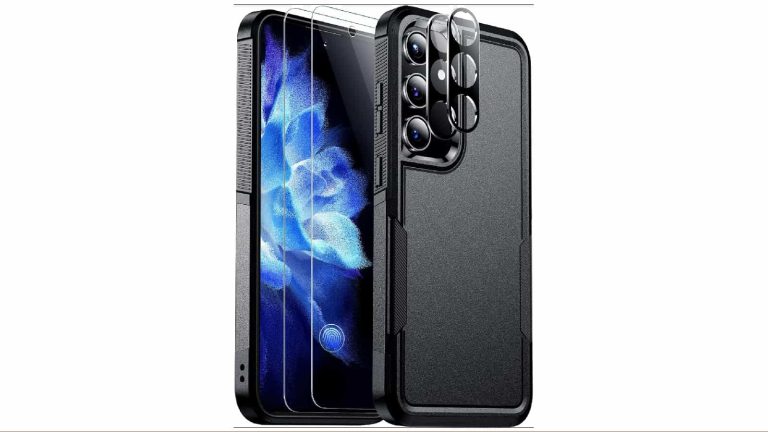
We often see cases that serve more than one purpose. They come with built-in attachments that expand their usability, and those are some of the best cases. This is the case of the Humixx Two-in-one case for the Galaxy S24. This case brings a very unique and stunning design along with additional functionality that people will enjoy.
Starting off, this case uses non-slip and scratch-resistant materials. This means that the case will look great even over an extended period of time. The scratch-resistant materials mean that you won’t have to worry about putting your phone into your pockets with your keys and coins. Also, you won’t have to worry about your phone slipping off of surfaces when you’re not looking.
The Humixx case is a slim case that hugs your phone tightly. Regardless, it’s still sturdy enough to protect your phone in the case of a drop. It’s made from strong TPU plastic, and it has thick edges to take the impact. There’s also a cover for the rear cameras that keep them from cracking.
This case has a visually appealing NeoFlex CarbonStyle design. It gives the case a sleek and stylized look. It’s like giving your phone a fancy business suit. With that style, it’s sure to make your phone stand out among the sea of phones.
This is a two-in-one case; it doubles as a wallet. There’s a magnetic ring on the back of this case that allows a small card holder to attach to it. The magnetic ring holds onto the cardholder tightly, so you won’t have to worry about it falling off. If you’re a person who doesn’t carry too many cards with you, then you can very well leave the house without your wallet. The cardholder can hold a few cards as well; you can pack your driver’s license along with your credit cards.
Apple‘s recent foray into the world of mixed reality with the Apple Vision Pro has generated significant buzz, but initial sales estimates by analyst Ming-Chi Kuo indicate a mixed start for the high-end MR headset. Priced at $3,499, the device sold between 160,000 to 180,000 units during its first pre-order, surpassing earlier production figures of only 60,000 to 80,000 units by the analyst.
However, concerns arose as shipping times became stagnant within a couple of hours after the pre-order opened. It goes to suggest a potential drop in demand after the core fan base completed their pre-orders.
Additionally, Kuo notes a departure in the pre-order pattern from that of the typical iPhone sales. According to him, iPhones usually experience a steady increase in shipping times 24 to 48 hours after pre-orders open, indicating sustained demand. The Vision Pro, targeted at a niche market due to its high price and the absence of mainstream apps like YouTube and Netflix, may struggle to maintain momentum beyond the initial surge in demand from its core users, notes Engadget.
The Apple Vision Pro sales in pre-order represent a mere 0.007 percent of Apple’s massive 1.2 billion active user base
Kuo highlights that even with the upper production figure of 80,000 units, the Apple Vision Pro sales represent a mere 0.007% of Apple’s massive 1.2 billion active user base, emphasizing its niche status. Apple is rumored to launch a more affordable model in the $1,500 to $2,500 range, potentially widening its appeal.
However, for now, the tech giant needs to stimulate and sustain demand for the headset before its global launch, speculated to be around June.
Kuo’s analysis of the Apple Vision Pro further emphasizes that despite supply chain efforts to meet demand, production efficiency improvements are still necessary. Additionally, the goal of shipping 500,000 units this year may face challenges due to the rapid tapering of demand post-initial sell-out.
In conclusion, Apple’s Vision Pro remains a niche product, and Apple’s strategy appears to be closely monitoring demand shifts in various markets and updating applications to adapt to evolving user needs.
Similar to ZuRu malware, a new malware has been found embedded in pirated macOS applications, which downloads and executes several payloads to compromise devices in the background. Specifically, these apps are hosted on Chinese pirate websites to entice more victims.
The malware specifically targets applications that are frequently downloaded illegally, including FinalShell, Microsoft Remote Desktop Client, Navicat Premium, SecureCRT, and UltraEdit.
“Once detonated, the malware will download and execute multiple payloads in the background to secretly compromise the victim’s machine,” Jamf Threat Labs shared with Cyber Security News.
DocumentFree Webinar
Compounding the problem are zero-day vulnerabilities like the MOVEit SQLi, Zimbra XSS, and 300+ such vulnerabilities that get discovered each month. Delays in fixing these vulnerabilities lead to compliance issues, these delay can be minimized with a unique feature on AppTrana that helps you to get “Zero vulnerability report” within 72 hours.
The Execution Of Malicious Activity
Researchers discovered an executable file with the extension “.fseventsd” that imitates a legitimate macOS process.
Nevertheless, additional research showed that this file was uploaded as a component of a larger disk image (DMG) file on Chinese piracy websites and was not signed by Apple.
Three pirated applications that had all been backdoored by the same malware have been detected after searching VirusTotal for comparable files. When these apps were looked for online, many of them were found to be hosted on macyy[.]cn, a Chinese website that offers links to a lot of applications that have been pirated.
The report said two further DMGs were trojanized in the same fashion but had not yet been detected by VirusTotal.
Malicious behavior was carried out as a result of every pirated application. The activities are as follows:
A malicious library that the application loads and runs as a dropper each time the application is opened. In terms of macOS malware, this method of connecting with the system through a malicious dylib is regarded as fairly sophisticated.
Unfortunately, the application signature is broken as a result. Because of this, the apps are being distributed online as unsigned applications, a fact that many people who download pirated applications probably don’t give thought to.
A binary that the malicious dylib downloaded and used the post-exploitation tool and Khepri open-source C2.
Attackers can download and upload files, obtain system information, and even open a remote shell with the Khepri backdoor.
A binary downloaded by the malicious dylib that enables persistence and downloads subsequent payloads. With the ability to run any payload from the attacker’s server, the executable serves as a persistent downloader.
According to researchers, given its targeted applications, modified load commands, and attacker infrastructure, this malware could be a successor of the ZuRu. It was originally found in pirated applications such as iTerm, SecureCRT, Navicat Premium, and Microsoft Remote Desktop Client.
Recommendation
It is critical to understand the risks that come with using software that has been pirated. It is recommended that users utilize macOS applications that identify and filter risks in addition to blocking access to websites known to host pirated software.
Try Kelltron’s cost-effective penetration testing services to evaluate digital systems security. Free demo available.
Researchers at Google’s Threat Analysis Group (TAG) have published their findings about a group they have dubbed Coldriver. The main targets of the Coldriver group are high-profile individuals in non-governmental organizations (NGOs), former intelligence and military officials, and NATO governments. These targets are approached in spear phishing attacks.
The group uses social engineering techniques to persuade their targets to open documents or download malware. Their activities are aligned with those of the Russian government, so it’s pretty safe to say that Coldriver is a state-sponsored group.
In December 2023, the US charged two Russians believed to be members of this group, for their role in a campaign that hacked government accounts.
Microsoft, who tracks the group as Star Blizzard, says the group targets individuals and organizations involved in international affairs, defense, and logistics support to Ukraine, as well as academia, information security companies, and other entities aligning with Russian state interests.
Typically, the group creates an impersonation account that pretends to be an expert in a field the target might be interested in or that is somehow affiliated with the target. Once a relationship has been established, the target will receive a phishing link or a document containing such a link.
To gain trust, Coldriver uses social media and professional marketing systems to build a profile of its target. With that information the group sets up email contacts, social media and other networking accounts that align with the target’s interests and appear legitimate.
Coldriver uses webmail addresses from different providers, including Outlook, Gmail, Yahoo and Proton Mail in the initial approach, impersonating known contacts of the target or well-known names in the target’s field of interest or sector. The group is also known to register malicious domains that mimic legitimate organizations.
Recently, TAG has noticed that the group uses “lure documents” to install a backdoor on the target’s system. These lure documents, which are harmless PDF files, are sent to the target, but when they open them the content appears to be encrypted.
When the target queries about the encryption, Coldriver sends the target a link to a decryption utility, typically hosted on a cloud storage site. This so-called decryption utility shows the target a normal PDF file, so that it appears as if the original was decrypted, but at the same time it installs a backdoor.
This backdoor is custom malware, likely developed by or for Coldriver, called Spica. Spica is written in the Rust programming language and supports, among others, these commands:
Execute arbitrary shell commands
Steal cookies from Chrome, Firefox, Opera, and Edge
Upload and download files
Analyze the filesystem by listing the content
Enumerate documents and copy them to an archive
The backdoor establishes persistence through an obfuscated PowerShell command that creates a scheduled task named CalendarChecker.
TAG suspects but has been unable to verify that there are multiple variants of Spica: one to match each lure document sent to targets.
YARA rule
YARA is a tool that can identify files that meet certain conditions. It is mainly in use by security researchers to classify malware.
TAG has created a YARA rule that cab help find the Spica backdoor.
Our business solutions remove all remnants of ransomware and prevent you from getting reinfected. Want to learn more about how we can help protect your business? Get a free trial below.
Before we get down to it, do note that the OnePlus 12 has already launched in China. The OnePlus 12R did too, but in the form of the OnePlus Ace 3. It simply has a different name in its homeland.
The OnePlus 12 and 12R retail boxes have surfaced ahead of the global launch
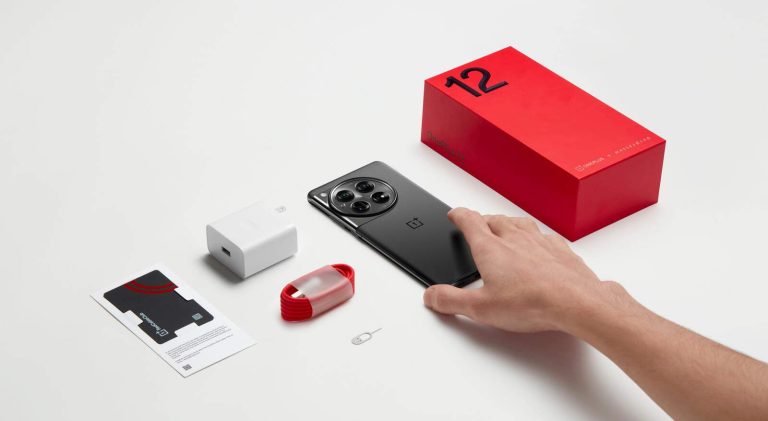
Having said that, the global units are coming, and in the three images below, you’ll see what you’ll be getting. The first image shows us the OnePlus 12 retail box and its contents, while the second is focused on the OnePlus 12R.
As you can see, you’ll be getting the phone itself, of course, along with a charger and a charging cable. We’re looking at a Type-A to Type-C charging cable here, by the way. Some paperwork is also included, along with a SIM ejector tool.
A case won’t be included in either box, it seems
That seems to be it, at least based on these images. To be quite honest, I expected a silicone/gel case to be included too. That doesn’t seem to be the case unless it was omitted from these images. We’ll find out soon.
Now, in addition to retail packages, some renders appeared too from the same source, Arsene Lupin. The tipster shared two renders of the OnePlus 12, and two of the OnePlus 12R.
The OnePlus 12 is shown in black and green iterations, while the OnePlus 12R poses in black and blue models. You can see all those variants in the gallery below.
As mentioned already, the designs of these two phones are not a secret, not at all. Both devices have already been launched in China, so there’s really nothing left to hide. These images do confirm these color options will launch globally, though.
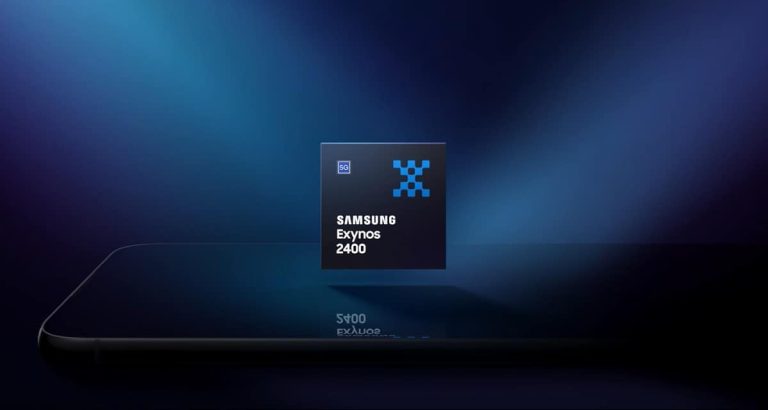
Samsung‘s Exynos processors seem to have bridged the gap with their Snapdragon counterparts. The Exynos 2400, which powers the Galaxy S24 and Galaxy S24+ in some regions, is giving a good fight to the Galaxy S24 Ultra‘s Snapdragon 8 Gen 3. Not only in benchmark tests but also during real-world usage. The Plus and Ultra models performed similarly in a YouTuber’s gaming test.
Exynos 2400 holds its own against Snapdragon 8 Gen 3 in gaming test
YouTube channel NL Tech recently tested the performance of the Exynos 2400-powered Galaxy S24+ and the Snapdragon 8 Gen 3-powered Galaxy S24 Ultra across several graphic-intense mobile games. They played games like Genshin Impact, PUBG Mobile, Mobile Legends, Fortnite, Call of Duty: Mobile, and War Thunder on the two devices. The results show the new Exynos chip is no slouch.
In Gehnshin Impact, both phones maintained a frame rate of about 60fps (frames per second). PUBG Mobile was played at Smooth graphics settings and the devices delivered a 90fps frame rate. In Fortnite, the YouTuber achieved a stable frame rate of around 90fps, with occasional drops to 70fps during combat. The Plus model lagged behind the Ultra in Call of Duty: Mobile, though.
While the Ultra maintained 120fps throughout the gameplay, the Plus only achieved 60fps. It was unclear what led to this stark difference. However, the Exynos 2400 doesn’t appear to be the culprit. That’s because it demolished the Snapdragon 8 Gen 3 in War Thunder. Samsung’s in-house chipset delivered a frame rate of around 100fps while the Qualcomm processor dropped down to 40fps.
It’s pertinent to mention here that War Thunder has ray tracing enabled. This suggests the Exynos 2400’s AMD-powered Xclipse 940 GPU did a better job at handling ray tracing. The whole observation bodes well for the Samsung processor because the Galaxy S24 Ultra has a bigger and better cooling system than the Galaxy S24+. Despite that, the Plus kept up with its pricier sibling, even outperforming it in some scenarios.
Do not write of Exynos just yet
The history of Samsung’s Exynos chips made people skeptical when the Korean firm launched the Galaxy S24 and Galaxy S24+ with the Exynos 2400. However, based on what we have seen so far, the company made this risky move because it is confident about the new Exynos. Of course, various factors come into play during benchmark runs and even real-world tests. But one shouldn’t write off the Exynos 2400 just yet. It appears to be as good as the Snapdragon 8 Gen 3.




![Humixx [Two in One] for Samsung Galaxy S24 Case](https://www.androidheadlines.com/wp-content/uploads/2024/01/Humixx-Two-in-One-for-Samsung-Galaxy-S24-Case-jpg.webp)