WhatsApp adds voice messages, polls & more to Channels

0
[ad_1]

WhatsApp has added new features to Channels, its one-way broadcasting tool. It now allows up to 16 admins for a Channel and lets them send voice messages to communicate any information or share an update. Admins can also run polls on Channels. Followers, meanwhile, can share Channel updates as their WhatsApp status.

WhatsApp Channels now support voice messages

Channels are relatively new to Meta’s messaging app, WhatsApp. They work similarly to Channels on Instagram, which is also owned by Meta. Owners or admins can communicate with their followers via one-way messages. Channels are particularly useful for brands, businesses, and social media personalities. Debuting in June 2023, WhatsApp rolled out Channels globally in September last year.

Since then, the firm has been regularly adding new features to the tool. As part of its effort to improve the app, WhatsApp has just announced that Channel owners can now share updates via voice messages. This could help drive engagement as voice messages are already quite popular on the platform—WhatsApp’s two billion global users send seven billion voice messages daily.

Another new addition that might help increase engagement in Channels is the ability to create polls. Businesses can use this tool to run polls about products or services they offer and followers can provide them with some valuable input. Earlier, followers could only react to messages in Channels with emojis. WhatsApp’s polling feature allows creators to define whether respondents can select all options or only one.

WhatsApp now also allows Channels to have as many as 16 admins. At launch, it only allowed one admin per channel. As the feature grew in popularity—over 500 million people use it monthly—it might have been difficult for bigger Channels to maintain active communication with their followers. Having 16 admins might help them distribute tasks and increase engagement.

Channel updates can now be shared as a WhatsApp status

The latest round of feature additions for WhatsApp Channels brings the ability to share updates as a status. Users can pick a message from a Channel they follow and share it as a status with their friends. Since the app already supports voice notes a status, this presumably means followers can also share voice messages from Channels.

All of these features are now rolling to WhatsApp users globally. Always keep the app updated to ensure that you don’t miss out on new features. You can download the latest version of WhatsApp from the Google Play Store.


[ad_2]
Source link

OpenAI just partnered with Arizona State University

0
[ad_1]

AI is making its way into more corners of our lives, and it’s already had an impact on the education system. Well, some universities are looking to work closely with AI technology to help empower their students. According to a new report, Arizona State University (ASU) entered a new partnership with ChatGPT maker OpenAI.

Last year, schools across the world were dealing with a pretty big issue. Countless students were using tools like ChatGPT to generate their school reports. Schools employed tools to help them spot AI-generated reports, but they just couldn’t with any sort of reliability.

However, the OpenAI and ASU partnership will be a bit different

This partnership involves OpenAI giving the school access to ChatGPT Enterprise. We don’t know the specifics of how the school plans to use ChatGPT. However, ASU Chief Information Officer Lev Gonick stated, “By providing access to advanced AI capabilities, these tools are leveling the playing field, allowing individuals and organizations — regardless of size or resources — to harness the power of AI for creative and innovative endeavors.”

Also, according to ASU President, the university is really committed to harnessing the power of AI technology. “Our collaboration with OpenAI reflects our philosophy and our commitment to participating directly to the responsible evolution of AI learning technologies.”

This is the first time that a higher education institution has collaborated with OpenAI, and this might chart the path for others to follow. Generative AI technology is still in its infancy, so we’re still learning about its potential impacts on certain industries. So, we’re going to have to wait and see how ChatGPT positively affects ASU.

What is ChatGPT Enterprise?

If you’re looking for a powerful AI tool, then you’ll want to look into ChatGPT Enterprise. This is the highest-paid tier of ChatGPT on the market, and it offers the most robust perks. The perks include unlimited high-speed access to GPT-4, shareable workflow templates, a 128K token context window, a Dedicated admin console, top-of-the-line data encryption, and many more. You can check it out on the ChatGPT Enterprise page.


[ad_2]
Source link

The most versatile camera smartphone in the world

0
[ad_1]

The OPPO Find X7 Ultra is the company’s latest flagship smartphone. This handset is a direct successor to the OPPO Find X6 Pro, as the company decided to ditch the ‘Pro’ name this year. The ‘Ultra’ name seems to have more appeal these days, and just looking at this phone and its spec sheet, that name is appropriate. Does the device meet our expectations, however? Well, you’ll have to read the entire OPPO Find X7 Ultra review below to get the details, but… spoiler alert… it does, very much so.

This smartphone builds upon what the OPPO Find X6 Pro delivered, with various improvements. That relates to the phone’s design, camera performance, and even software. The OPPO Find X7 Ultra is a well-rounded package and it was a pleasure reviewing it, that’s for sure. In any case, let’s get down to it, starting with the phone’s design.

Table of contents

OPPO Find X7 Ultra Review: Hardware / Design

The moment you lay your eyes on this phone you’ll realize it’s related to the OPPO Find X6 Pro. There’s that bold camera oreo on the back, that protrudes quite a bit. There’s a good reason for that, but we’ll get to it in the camera section. There are four cameras in there, and also a noticeable Hasselblad logo. Around the camera oreo there’s this ribbed etching that reminds us of some old-school cameras.

You’ll notice that the back side of the phone is split into two parts. The lower two-thirds of the back is covered by vegan leather. In our particular case, it’s the brown vegan leather, but blue and black models are also available. The top third of the phone’s back is taken by the camera oreo, and glass that looks like metal (on purpose). The camera oreo actually cuts into the vegan leather at some point, which creates this nice arch design, which looks great to me personally.

Vegan leather not only looks great, but it has a practical purpose

AH OPPO Find X7 Ultra image 3

The vegan leather on the back does have a practical purpose too, grip. If OPPO used only glass, the phone would be even more slippery, which is not the best combination. This way you can use it without a case if you want. And those of you who are brave enough should, it’s a real shame to cover this design. The camera oreo is also useful, as it’s an anchor for your index finger when you’re holding the device. I’ve noticed that with the OPPO Find N3 as well. It’s a feature, in a way, and I actually appreciate this.

If we flip the phone around, you’ll see a big, beautiful display, that is curved. There is a centered display camera hole located at the top, and the bezels are immensely thin. They’re still not uniform, though, unfortunately. The top and bottom bezels are a smidge thicker than the side bezels, it’s not as easy to notice.

The top and bottom sides of the phone are flat, but with curved edges, which makes the phone much more comfortable to hold. The sides are also nicely brushed and they fit with the curved display seamlessly. A SIM card tray sits at the bottom, along with a Type-C port, the main speaker, and one of the microphones. At the top, you’ll find the other speaker, an IR blaster, and a noise-canceling microphone.

There is an alert slider on the left-hand side

On the left side of the phone sits an alert slider. This is a three-step slider, and it’s really well-balanced and clicks into place with authority. It’s not too difficult to move either. It’s a perfect balance, basically. The top position activates the mute status, the middle one is for vibrate mode, and the bottom one will set your phone to ‘Ring’ mode. On the right side, you’ll find a power/lock button, and above it sit the volume rocker buttons. All those keys are nice and clicky.

This smartphone does come with an IP68 certification for water and dust resistance too, in case you were wondering. Overall, this is a rather beautiful package, that’s hard to deny, even though it may not appeal to everyone, of course. The phone screams ‘premium’, and it’s very comfortable to hold and use.

A case is included

The OPPO Find X7 Ultra does come with a case in the box. Considering that we reviewed the brown version of the phone, there was an orange-brown case included. This is your regular rubber case, there’s really nothing special about it. The thing is, it does offer plenty of protection. So, it’ll do a great job until you find something more premium that suits your needs. In fact, it’ll do a great job in general, if you like using rubber cases. It’s not particularly grippy, but it offers plenty of protection for the display and the cameras.

OPPO Find X7 Ultra Review: Display

The OPPO Find X7 Ultra has a gorgeous 6.82-inch display. This is an LTPO AMOLED panel, and it can project up to 1 billion colors. Its refresh rate goes from 1 to 120Hz, as it’s adaptive. This panel does support HDR10+ content, it has Dolby Vision support, and the resolution you’re getting is 3168 x 1440. On top of all that, the panel does get immensely bright. Its theoretical max brightness is 4,500 nits. You won’t really get that high, as you’ll get up to 1,600 nits in regular use, and up to 2,600 nits with HDR content. The panel is protected by the Gorilla Glass Victus 2.

This display is simply put… outstanding

These are some impressive specs, but what about real-life use/experience? This display is outstanding in basically every way. We have to start somewhere, though, so let me talk about brightness first. That’s not something you should worry about, as the display is plenty bright, even outside in direct sunlight. In these winter months, some sun did creep up, and I really never felt the need for this display to be brighter, not even close to that. The touch response of the panel was great. It felt extremely responsive and was very snappy to pick up my inputs. Once it did, everything ran very smoothly thanks to the high refresh rate. OPPO did a great job adapting everything here.

AH OPPO Find X7 Ultra image 37

The color pop, and the HDR content looks great

Needless to say, this display is also quite sharp, immensely sharp, actually. It has plenty of resolution to go around, so that’s not an issue either. The colors really do pop on it, and the blacks are as deep as you’d expect them to be. It also seemed quite color-accurate to me, and HDR content in particular looked outstanding. The viewing angles are also great here. Do note that the panel is curved, though. We’re not looking at extreme curvature here, but it’s noticeable. A centered display camera hole sits up top, while the bezels are extremely thin all around this panel. Do note that they’re not uniform, however. The top and bottom bezels are ever so slightly thicker than the side bezels, though many people may not even notice. The screen-to-body ratio here does go over 90%, slightly though.

That’s pretty much it. This display is great in pretty much every way. I did not spot anything worth criticizing and had a great time using the panel. I didn’t even have accidental presses or anything of the sort, so that’s always a plus. This is one of the best displays around at the moment.

OPPO Find X7 Ultra Review: Performance

The OPPO Find X7 Ultra is equipped with the Snapdragon 8 Gen 3 SoC, Qualcomm’s most powerful processor at the moment. The variant we reviewed also has 16GB of RAM and 512GB of internal storage. Do note that OPPO also released a 12GB RAM model and a 16GB RAM model with less storage (256GB in both). The company used LPDDR5X RAM and UFS 4.0 flash storage in all variants. With that in mind, the performance of the OPPO Find X7 Ultra is second-to-none. It was impressive throughout my usage, in all scenarios. I never experienced lag, well, not even while gaming. This thing was able to blast through Genshin Impact without a problem, which is what I expected.

The performance is smooth in every way, shape & form

Some phones do end up having issues with more trivial tasks, but that was not the issue here. The multitasking was very smooth, the phone launched apps quickly, while various other everyday tasks were not a problem either. I’ll talk about the software itself in a different section entirely, but in terms of sheer performance, the phone did a great job. It also didn’t get hot at any point, It did get very warm when I was testing out Genshin Impact and several other more intensive games, but as soon as I fired up chess, things changed. When I say “warm”, I do mean that you’ll feel the heat, but it’s not uncomfortable or anything like that. Most importantly, it did not affect the performance at all.

AH OPPO Find X7 Ultra image 43

Benchmarks

I’m not a fan of running benchmarks on any device. They’re never the best indicator of what the phone’s performance is, but at least they do give you a general idea of how powerful the device is. Below, you’ll find three different benchmarks. The first one is Geekbench, which gives you a general idea of how powerful the phone is, and the OPPO Find X7 Ultra performance here is interesting. It scored noticeably lower than the Galaxy S24 Ultra in the single-core and multi-core sections, but it confidently beat it in the GPU department. It’s possible OPPO’s software is doing its thing here, and pulls more power from the GPU when the benchmarks are running.

The second benchmark is the 3D Mark Wildlife Extreme Stress Test. This one is more useful, as it’s supposed to simulate using the phone. It runs continuous loops of simulated usage, 20 of them, putting the phone through hell, basically. You can see how well the phone performed on average, what’s the best loop it had, and how stable was it throughout the test.

The last benchmark has to do with video exporting. That’s also something we do on the phones we review. We use CapCut and export video in full HD resolution at 30 FPS. The video in its original form is a lot sharper, though. The OPPO Find X7 Ultra did really well here.

Geekbench 6

OPPO FInd X7 Ultra Geekbench 6

3D Mark Wildlife Extreme Stress Test

OPPO Find X7 Ultra stress test

Video export test

OPPO Find X7 Ultra video export

OPPO Find X7 Ultra Review: Battery

The OPPO Find X7 Ultra comes with a 5,000mAh battery. That’s basically a standard for large flagship smartphones these days. It’s the same battery capacity that the OPPO Find X6 Pro offers. The chipset inside the OPPO Find X7 Ultra should be more power efficient. Is that noticeable here? Well, truth be said, we’ve seen rather similar battery life to the OPPO Find X6 Pro, but that’s not a bad thing at all.

I was able to get over 8 hours of screen-on time

During my regular, everyday usage, I was able to pull out over 8 hours of screen-on-time from the OPPO Find X7 Ultra. Some days were a bit strange in terms of battery life, but those were only the initial days. Since then, getting over 8 hours of screen-on-time on a daily basis is not a problem. I can, of course, kill it faster than that by firing up some demanding games, pushing the screen brightness to the max, etc. I’m talking about my usage here, my standard usage. So if you like running your brightness at 100%, playing games, and so on, you’ll get noticeably worse results than these.

Switching from Wi-Fi to 5G didn’t impact battery life much

It is worth noting that I’ve been spending most of my days on Wi-Fi, though there were two days where 5G was in use 90% of the time, and I didn’t notice a significant impact on battery life, which is great. I’ve been processing images and videos, browsing, consuming multimedia via YouTube, taking plenty of pictures, streaming music from YouTube Music, and much more. Not a single action that I’ve listed had a significant impact on battery life. If an app drains your battery life too fast, the phone will warn you and offer to optimize it.

It can be fully charged in less than half an hour

What about charging? Well, getting to a full charge here is a piece of cake. You can reach 100% in 26 minutes, based on my testing. I’m talking about 120W charging with the included adapter here. Wireless charging is also very fast, at 50W. That’s not something I’ve tested, but I’m sure it’s plenty fast too, and capable of charging the phone in considerably less than an hour. You do also get reverse wireless charging at 5W, in case you need to charge up your wireless earbuds or something like that.

OPPO Find X7 Ultra Review: Camera

This is probably a section that many of you are most interested in. The OPPO Find X7 Ultra is, after all, a camera-centric smartphone. OPPO refers to this handset as a ‘Quad Main Camera’ smartphone. Why? Well, the company wanted to provide an excellent experience from all four cameras and mainly focused on 0.6-10x zoom ranges. OPPO wants you to be as confident taking the shot with 6x zoom (second periscope camera) as you are with 1x (main camera). The whole point is not to lose much quality in the process, of course. Is that achieved here? Well, we’ll get to that, let’s go over the camera hardware first.

There are four 50MP cameras on the back here, and all of them are extremely capable

The OPPO Find X7 Ultra is equipped with four 50-megapixel cameras on the back. Do note that this is the first smartphone in the market that utilizes Sony’s new LYT-900 camera sensor. It’s also the first smartphone that has two periscope telephoto cameras. Having said that, the main camera on the phone is a 50-megapixel unit with a 1-inch camera sensor (Sony LYT-900). It has an f/1.8 aperture lens and OIS support. OPPO also claims you’ll get 50% less lens reflection here compared to the previous model (OPPO Find X6 Pro). We’re looking at a focal length of 23mm here.

AH OPPO Find X7 Ultra image 70

A 50-megapixel ultrawide camera utilizes Sony’s LYT-600 sensor. That camera has a 14mm equivalent focal length, and that’s a 1.95-inch sensor we’re looking at. An f/2.0 aperture lens is in use, and this camera also has a focus distance of up to 4cm, so it can shoot macro too. The first tele camera is a 50-megapixel unit with Sony’s IMX890 sensor. That is a 1.56-inch sensor, and we’re looking at a 65mm focal length here. This camera offers 3x optical zoom. This camera has a 25cm focus distance and an f/2.6 aperture with Prism OIS. The last camera is another 50-megapixel tele camera, this one offers 6x optical zoom. It’s a 2.51-inch Sony IMX858 sensor, and we’re looking at a 135mm focal length here. This camera has a focus distance of 35cm, and an f/4.3 aperture lens with Prism OIS.

OPPO’s HyperTone processing is making a difference

OPPO focused a lot on “good computational photography” with these cameras. The company wanted for these cameras to show proper highlights and shadows while keeping rich mid-tones. That’s not an easy task, especially if you want quality images as a result. That is why OPPO threw something called ‘HyperTone’ in the mix. That’s basically the company image-processing software, though some of relies on hardware too, of course. This is an area where the OPPO Find X6 Pro did fall short at times, and OPPO wanted to fix that. Did it succeed? Well, from what I’ve seen in my testing, yes, definitely. HyperTone difference is easily noticeable, and this phone is… outstanding for photography. Let’s get into it.

During my testing, I took over 400 pictures with the OPPO Find X7 Ultra. You won’t see all of them in this review, of course, as that would simply be overbearing. Still, I’ve included plenty of images below for you to check out. My initial takeaway was that the phone does a great job of balancing the color scheme between sensors. That’s an area where many phones fall short. More often than not, images taken with the main camera and the ultrawide camera did look like they came from the same device, the same goes for the other two cameras, actually.

Night mode activates on its own, but you can disable it

Before I get to talk about each of the cameras separately, it’s also worth saying that the phone determines low-light situations on its own, there’s no dedicated mode that you can manually activate. Once the phone recognizes low light mode, however, you can disable it on the viewfinder. You can do the same for macro photography too, as the OPPO Find X7 Ultra can jump the gun on that, and activate macro photography when it’s not needed. In terms of low light, however, it does a great job of recognizing when it’s needed. The camera shutter is very fast, though I still feel it could be a split second faster. This is some major camera hardware the phone has to work with, so… keep that in mind. There’s also Hasselblad’s ‘Master’ mode in the camera, though I didn’t use it much. It makes the images darker and adds some vignetting to them. if you need some extra moody shots, though, this can be useful.

AH OPPO Find X7 Ultra image 73

The main camera is the star of the show, and it produces balanced shots in all scenarios

When it comes to the main camera, the photos look outstanding. These are some of the best shots I took with any camera. That actually goes for both good and bad lighting, in all honesty. The photos look rich, with great colors, without being overexposed or oversaturated. Even when the light was very dim, indoors, the phone did a fantastic job of capturing photos of my dog and cat, which is a chore for many smartphones due to their hair… especially when there’s not plenty of light around. The OPPO Find X7 Ultra not only did a great job in that aspect, but it did a great job in Portrait mode too. It tends to keep photos look more realistic by keeping them darker if they’re darker in real life, it won’t try to brighten up the scene to the point it looks extremely unrealistic.

The phone’s ultrawide camera does a great job of keeping the colors on the same level as the main camera, most of the time. I managed to fool it a couple of times in low light when there were a lot of neon signs around, and during the day when the sun was hitting the camera at a weird angle. It can’t be perfect, though, so… yeah. The photos from the ultrawide camera do look great, though, even in low light.

Dual periscope telephoto cameras provide all the versatility you’ll need

AH OPPO Find X7 Ultra image 53

I had great expectations from this smartphone, but I thought that the 3x and 6x cameras wouldn’t do as great as they did. I actually managed to capture some great photos and portraits with both of those cameras… in low light. Only a night light was around, and the TV was on. That’s it, and the cameras did an outstanding job. I never captured a 6x portrait in low light conditions that I was ready to use as it is, without tinkering… until now. The OPPO Find X7 Ultra does an outstanding job of balancing those shots, as you can see in the samples provided below. I’ve separated them into several galleries. Even at 10x the phone was able to keep things great in low light conditions, while anything over that is weaker in quality in such conditions, but can still be usable. In regards to 20x and 30x shots, they can be quite usable during the day. The artificial look is a lot less noticeable than on the OPPO Find X6 Pro. The phone can zoom up to 120x, but those shots are… not worth mentioning, as is the case on every other phone.

The skin colors were also consistent regardless of which camera I used, and in what lighting conditions. The phone also includes a live HDR preview, not many phones offer. It’s also worth saying that you won’t get a delay in many low-light situations when you’re shooting with the main camera. That sensor is extremely large and it can capture plenty of light. Even with its other cameras, the phone is very fast to take images in low light.

Main camera samples (day & night):

Various zoom ranges (day):

Various zoom ranges (night):

OPPO Find X7 Ultra Review: Software

The OPPO Find X7 Ultra comes with Android 14 out of the box. On top of it, you’ll find OPPO’s ColorOS 14, which is very similar to OnePlus’ OxygenOS. ColorOS 14 is actually really great overall, as was ColorOS 13. I would have preferred to have used the global version of it, to avoid a number of Chinese apps and services, but this device launched only in China thus far, so… there you have it. The good news is that you can choose what you want to install when you set up the phone. So you can avoid the vast majority of those apps from the get-go. Unfortunately, chances are you’ll still stumble upon a menu or two in Chinese while you’re using the phone.

You’ll need to install the Google Play Store manually, but after that everything runs great

Once you get everything set up, however, the software works great. This phone does support Google Play Services, though you may have to install the Google Play Store manually, depending on where you get the phone from. If it’s not already installed, you’ll need to go to one of the APK repositories, grab the APK, install it, and then it’s business as usual. You simply install apps you want from the Google Play Store, and that’s it. There is one big caveat when it comes to the Chinese version of ColorOS, however… it has a limitation for background push services. There’s no such thing on the global version.

AH OPPO Find X7 Ultra ColorOS image 4

There’s a limit for “Auto launch” apps, unfortunately

If this sounds a bit confusing, let me explain. Navigate to Settings -> Apps -> Auto launch menu, and you’ll see the apps that the phone figured out need Auto launch. If the software figured out that, then that’s great. Those apps have been recognized to need auto-launch in order to provide prompt notifications. If an app hasn’t been recognized, however, then it ends up in a separate section of that menu. The section is called “Turning off the options below will save power”. The thing is, all the apps that are in that menu are set to ‘off’ position by default, and you can flip the switch on a maximum of five of them. For example, Google Drive, Gmail, Huawei Health (for my smartwatch), Google Keep, Google Meet, my banking app, Slack, Google Tasks, and a number of other apps are disabled by default. I can enable a maximum of 5 of those apps, which means I’ll mix on prompt notifications for some of them.

Do note that there is a so-called ‘Associated launch’ menu that works in a similar fashion, but for different purposes, and you can also lock individual apps in multitasking. That number is also limited. All in all, if you need a ton of non-messaging apps to have access to push notifications and run readily in the background, a Chinese version of ColorOS may present a problem. The global variant is way more lenient when it comes to that, as I’ve been able to experience on the OPPO Find N3. Granted, that phone still runs Android 13 with ColorOS 13.2, but the experience is pretty much the same in this regard.

Animations are great, but I had to speed them up a bit

Now that we got that out of the way, it’s worth saying that the software works great otherwise. Once you set it up, it’ll serve you well, to say the least. It’s immensely fluid on this phone, and the animations are great. They were a bit too slow for my taste, as they are on pretty much every phone I used, so I decided to speed them up a bit via the Developer Options. Even then, the animations look great.

ColorOS 14 allows you to place your apps inside the app drawer,  or have them all on the screen (which is the default option). The notification shade and quick toggles are not separated into different sections, which is something I appreciate. The software looks consistent throughout in terms of the design, and there are a ton of options you can choose from here. All the standard ones are available. You can take advantage of a double tap to lock the screen or light up the screen. Raise to wake is available, split-screen works as expected, and you can even fire it up via gestures, and so on.

There are plenty of visual customization options included here

AH OPPO Find X7 Ultra ColorOS image 58

The ‘Wallpapers & style’ menu offers a number of customization options. You can allow the phone to pick up the colors for UI elements from your wallpaper, which is an Android feature. You can also change the font here, the icons, choose a different theme, utilize the Always-On Display and its customizations, change the fingerprint animations, and even change the shapes of UI elements. There are more customization options available, but these are the main ones. ColorOS 14 also allows you to change the grid of your home screen if you want, and you can swipe across the screen (top to bottom) to open up the notification shade.

Much like previous versions of ColorOS, this one does offer the ‘Smart Sidebar’. If you swipe from the right edge towards the center of the screen, on any screen, you’ll call up the Smart Sidebar. This menu shows you a bunch of apps (it’s customizable), and from there you can either fire up an app window or utilize split screen functionality. It’s readily available and quite useful. There’s also the ‘SImple mode’ that you can utilize here, for people who have troubles with their eyesight and hearing, and then there’s the ‘Flexible Window’ and ‘Split View’ settings too. Those are for the small app windows and split screen, basically. There’s even a Driving mode available here.

ColorOS 14 is also packed with security & privacy features

AH OPPO Find X7 Ultra ColorOS image 47

There are a ton of security and privacy features available within ColorOS 14 too. OPPO’s default gallery has a ton of editing options, and it even has a special ability to cut out people, animals, and various items from images. All you have to do is hold your finger on an object in an image, and the software will do its thing. This works really well, actually. It works just as well as I’ve experienced on Samsung’s and Apple’s devices. It’s not a new feature, but it’ll sure be useful for some of you.

There’s not much to dislike when it comes to ColorOS. People like to hate it because it’s different than stock Android, but it’s actually much closer to it now than it was a couple of years back. Even the notification shade looks great now, and everything is separated really well. I still don’t like that the Quick Toggles take up half the screen when you’re checking out your notifications. Also, the fact that slow swipe down across notification bundles doesn’t always do what you’d expect is also annoying. There are a number of other tiny things that are different from what I’m used to. Those are just tiny differences that won’t bother most of you.

It’s a shame a global version is not available, but this one works extremely well

As a whole, ColorOS has matured as an Android OS, and it’s definitely worth checking out if you haven’t used it. A global version is preferable, of course, but this one works great too once you set it up. Just keep in mind that you may be a bit limited when it comes to auto-launching apps.

OPPO Find X7 Ultra: Should you buy it?

Should you get the OPPO Find X7 Ultra? Well, the answer to that question would be a lot different if the phone would get a global variant. This way you do need to import it, plus there’s the Chinese version of ColorOS on it. The experience would certainly be better on the global version. Even this way, however, this phone is truly unique, and it may be worth importing if you can. It shines in pretty much every way. It’s an outstanding camera smartphone, one of the best. It covers everything from 0.6 to 10x zoom levels with utmost excellence. It looks premium, and it feels premium in the hand, not to mention that it looks great too. The battery life is great, the charging is extremely fast, and so on. There’s just so much to like here, I cannot emphasize that enough. The OPPO Find X7 Ultra is a contender for the best smartphone of the year, without a doubt. OPPO said it doesn’t have plans to launch it globally, but we really do hope that the company will change its mind. It would be a real shame not to share this smartphone with the world.

AH OPPO Find X7 Ultra image 82

You should buy the OPPO Find X7 Ultra if you:

…love its unique design, and vegan leather accents
…don’t mind the large camera bump on the back
…want one of the most capable camera smartphones in the market
…need great battery life and fast wired & wireless charging
…don’t want to buy a charger separately
…like ColorOS and its features
…appreciate outstanding smartphone displays
…need water and dust resistance

You shouldn’t buy the OPPO Find X7 Ultra if you:

…don’t want to deal with a Chinese version of ColorOS
…don’t mind importing the device, as it’s not available outside of China


[ad_2]
Source link

X finally rolls out audio and video calls on Android, too

0
[ad_1]

In October of last year, X (formerly Twitter) introduced video and audio call support for iOS users, allowing those with iPhones or iPads to enjoy the feature for quite some time now. Unfortunately, Android users were initially excluded, but now it looks like this is about to change.

It’s been a bit of a wait, but audio and video calls are finally making their way to the X app for Android. According to X developer Enrique Barragan (via The Verge), you might need to update the app to access this feature. Additionally, it seems that any user can receive calls, while the privilege of placing calls is reserved for X Premium subscribers.

Restricting outbound calling and other recently introduced features, including extended posts, to X Premium subscribers seems to be the company’s strategy to attract new subscribers. X Premium costs $8 per month or $84 annually. Actually, X Premium subscriptions kick off at $3 per month for the Basic (with ads) tier. However, it remains unclear from X’s Help Center which tier includes the perk of outbound video and audio calling.The rollout to all Android users might take a bit, but the feature is on its way soon. Whether you are on iOS or Android, tweaking it is simple – just head to Settings > Privacy and Safety > Direct Messages > Enable audio and video calling to turn it on or off.

If you enable it, you can also manage who can call you. You have the flexibility to set restrictions, allowing calls only from people in your address book, users you follow, or exclusively verified users.

X’s CEO, Linda Yaccarino, shared the news about video and audio chat hitting the platform back in August 2023. It’s all part of her and owner Elon Musk’s big idea to turn X into an “everything” app. And it looks like they’re getting closer to that vision because just recently, the company got its 15th money-transmitter license. That’s opening the door for new payment features, letting users send money to each other.


[ad_2]
Source link

CISA & FBI released Incident Response Guide for WWS Sector

0
[ad_1]

Malicious cyber incidents, such as ransomware and unauthorized access, have affected the Water and Wastewater Sector (WWS) in the past few years. Particularly, ransomware is a common tactic cybercriminals use to target WWS utilities.

Cyber threat actors target the WWS because it is a vital component of numerous U.S. critical infrastructure sectors, such as energy, healthcare, and public health.

A collaborative Incident Response Guide (IRG) for the WWS Sector was developed by CISA, the Environmental Protection Agency (EPA), and the Federal Bureau of Investigation (FBI) to address cybersecurity challenges in the WWS Sector.

The federal roles, resources, and responsibilities for each phase of the cyber incident response (IR) lifecycle are detailed for the owners and operators of the WWS Sector in this guide.

Document
Free Webinar

Compounding the problem are zero-day vulnerabilities like the MOVEit SQLi, Zimbra XSS, and 300+ such vulnerabilities that get discovered each month. Delays in fixing these vulnerabilities lead to compliance issues, these delay can be minimized with a unique feature on AppTrana that helps you to get “Zero vulnerability report” within 72 hours.

Four Incident Response Lifecycle Phases

The IR lifecycle comprises four phases:

  • Preparation
  • Detection and analysis
  • Containment, eradication, and recovery
  • Post-incident activities

“The IR lifecycle provides organizations with a step-by-step framework for identifying and responding to a cyber incident. This IRG leverages the IR lifecycle framework, allowing WWS utilities to augment their own IR plans with information on federal roles, responsibilities, and resources”, CISA stated in the guide.

IR lifecycle phases
IR lifecycle phases

An organization can prevent cyber disasters and minimize their damage by being prepared, which also shortens the time it takes to resume regular operations.

The detection and analysis phase includes two key components: Accurate and timely reporting and rapid collective analysis aimed at comprehending the complete extent and implications of a cyber occurrence.

In the IR lifecycle, Containment, Eradication, and Recovery is the next stage. This phase is centered on coordinated messaging and information sharing, remediation, and mitigation assistance.

All pertinent parties must perform an in-depth examination of the occurrence and the response efforts made by responders following any cyber incident. The total of post-incident actions establishes “lessons learned.” 

The guide also mentions special agents and computer scientists with expertise in cyber incident response make up the quick-reaction Cyber Action Team (CAT). The CAT offers assistance with investigations and crucial question resolution that may speed up the progress of a case.

The CAT can deploy across the nation in a matter of hours to respond to significant incidents because of its extensive training in malware analysis, forensic investigations, and computer intrusions.

“This system guides all levels of government, nongovernmental organizations, and the private sector on how to work together to prevent, protect against, mitigate, respond to, and recover from incidents,” CISA said.

Try Kelltron’s cost-effective penetration testing services to evaluate digital systems security. Free demo available.


[ad_2]
Source link

Google changes wording for Incognito browsing in Chrome

0
[ad_1]

Users of Chrome Canary have noticed some slight changes in the wording that Google uses for Incognito mode.

Chrome Canary is mainly intended for use by developers. It’s updated nearly daily with new features, and because it can be used alongside versions of the “normal” Chrome browser (known collectively as Chrome’s “Stable channel”), it can serve for testing and development purposes. So, these developers have access to the latest features and some of them noticed a few updates in the wording about Chrome’s Incognito mode.

Chrome’s Incognito mode aims to protect your privacy from other people who use the same device. It mitigates the risk of a spouse, roommate, or anyone on a public computer spying on your browsing habits. Private browsing mode does so by stopping your browser from saving your browsing information on your computer.

Incognito mode is also sometimes used for troubleshooting, because it ignores the installed browser extensions unless you specifically allow them to run in Incognito mode.

But, although the primary function of private browsing is to locally hide your browsing activity, Incognito mode has an interesting side effect—websites also see you as a new user when you come back in Incognito mode. This can come in handy, but should not be overrated.

You can open Incognito mode by clicking on the three dots in the right hand upper corner (More) of the browser menu and then on New Incognito window.

Screenshot of Chrome menu to open Íncognito mode
How to open an Incognito window

In the Stable channel build this is what you will see when you open an Incognito window.

You’ve gone Incognito

Now you can browse privately, and other people who use this device won’t see your activity. However, downloads, bookmarks and reading list items will be saved.

The new warning seen in Chrome Canary when you open an incognito window says:

“You’ve gone Incognito. Others who use this device won’t see your activity, so you can browse more privately. This won’t change how data is collected by websites you visit and the services they use, including Google.

It’s clear that Google has put more emphasis on users of the same device while moving away from the websites you visit. And it’s true that Incognito mode is primarily designed to keep your information private from other users of the same computer. It isn’t designed to keep your information private from the websites you visit, although that is sometimes a side effect. We have explained this in the past, but it’s noteworthy that Google has now added that it “won’t change how data is collected by websites you visit and the services they use, including Google.”

It’s generally assumed that the changes are tied to the fact that Google has indicated that it is ready to settle a class-action lawsuit filed in 2020 over the Incognito mode. Arising in the Northern District of California, the lawsuit accused Google of continuing to “track, collect, and identify [users’] browsing data in real time” even when they had opened a new Incognito window.

The judge rejected Google’s bid for summary judgement in August of 2023, pointing out that Google never revealed to its users that data collection continued even while surfing in Incognito mode.

Apparently many users, surely not our regular readers, where not aware that Incognito mode is not an anonymous mode. Websites and services, will still be able to track you and collect your data. Enabling the Block third-party cookies setting is more helpful.


We don’t just report on privacy—we offer you the option to use it.

Privacy risks should never spread beyond a headline. Keep your online privacy yours by using Malwarebytes Privacy VPN.


[ad_2]
Source link

Exynos 2400 outperforms Snapdragon 8 Gen 3 in benchmark test

0
[ad_1]

Many people question Samsung‘s decision to use the Exynos 2400 chipset in the Galaxy S24 and Galaxy S24+. This is because of how awful previous-gen Exynos processors have been. However, if a recent benchmark test is anything to go by, the company has turned the tide this year. The new Exynos chip appears to have better performance stability than the Snapdragon 8 Gen 3 that powers the phones in some markets.

Benchmark test shows Exynos 2400 is more stable than Snapdragon 8 Gen 3

After exclusively using a Snapdragon chip in the Galaxy S23 series last year, Samsung is back to its usual dual-chip strategy. The newly launched Galaxy S24 and Galaxy S24+ ship with the Snapdragon 8 Gen 3 (the For Galaxy version with an overclocked CPU) in some markets such as the US and the Exynos 2400 in others, including Europe. The Galaxy S24 Ultra gets the overclocked Snapdragon chip globally.

Thai media outlet Beartai recently ran a 3DMark benchmark test on the Exynos-powered Galaxy S24+ and Snapdragon-powered Galaxy S24 Ultra to compare the performances. More specifically, the devices were subjected to 3DMark’s Solar Bay Stress Test. It is a 20-minute test that evaluates a device’s performance under long periods of heavy gaming workload with ray tracing and advanced graphic experiences.

The test showed that the Exynos 2400 sustained its performance better than the Snapdragon 8 Gen 3. It achieved the highest loop score of 8,905 and the lowest loop score of 5,755. A simple calculation reveals that its performance stability was 64.6%. On the other hand, the Snapdragon chip achieved the highest and lowest loop scores of 8,249 and 3,984, respectively. Its performance stability was only 48.3%.

While benchmark runs don’t always give us the complete picture, things are looking good for the Exynos 2400. The devices used for the test make its win here more impressive. The Galaxy S24 Ultra has a larger cooling system, including a bigger vapor chamber than the Galaxy S24+. This suggests Samsung has improved the thermal management capabilities of the new Exynos chip.

The FOWLP tech may have helped

The Exynos 2400 is the first Exynos processor to feature the Fan-out wafer-level packaging (FOWLP) technology. It helps boost thermal management, keeping the chip cool during prolonged resource-intensive tasks. This might have come into play during this benchmark test. Hopefully, the new Exynos chip will deliver equally brilliant performance during everyday usage and gaming. If it falls behind the Snapdragon again, Samsung might have a tough time convincing people to buy flagship Galaxy phones with Exynos chips.

Galaxy S24 Exynos 2400 Snapdragon 8 Gen 3 benchmark stability


[ad_2]
Source link

New Sophisticated NFT Airdrop Attack Steals Funds

0
[ad_1]

The allure of NFTs, those shimmering digital tokens holding unique artworks and promises of fortune, has captivated the world. 

But amidst the buzz lurks a sinister shadow: the NFT scam. 

Recently, Check Point Research exposed a sophisticated airdrop scam targeting over 100 popular NFT projects, a stark reminder that vigilance is paramount even in the digital realm.

Document
Free Webinar

Compounding the problem are zero-day vulnerabilities like the MOVEit SQLi, Zimbra XSS, and 300+ such vulnerabilities that get discovered each month. Delays in fixing these vulnerabilities lead to compliance issues, these delay can be minimized with a unique feature on AppTrana that helps you to get “Zero vulnerability report” within 72 hours.

Imagine receiving an airdrop, a seemingly generous gift of NFTs, from a trusted source like Yuga Labs or Immutable X. 

This is the initial stage of the scam, where attackers exploit the trust associated with reputable entities. 

The airdrops, meticulously crafted to resemble genuine offers, entice unsuspecting victims with promises of exclusive rewards.

Sophisticated NFT Airdrop Attack
Attack Process

The Web of Lies Unfurled:

The airdrop leads to a beautifully woven web of deceit: a fraudulent website designed to mimic the aesthetics of the trusted entity. 

The interface, polished and familiar, further lulls victims into a false sense of security. This is where the trap snaps shut.

The website prompts the victim to connect their cryptocurrency wallet, ostensibly to claim the promised NFT. 

This seemingly innocuous action, mirrored in legitimate transactions, masks a sinister truth. 

Victims unknowingly grant the attackers full access by connecting their wallets and surrendering their digital treasure trove.

The scam’s sophistication extends beyond its deceptive appearance. 

The attackers wield sophisticated tools, like source spoofing, to manipulate transaction information. 

This creates the illusion that the airdrop originated from a trusted source, further blurring the lines of legitimacy.

The attackers employ a complex web of proxy contracts and unverified contract codes. 

These act as smoke and mirrors, obfuscating the true nature of the transaction and making it nearly impossible for both users and automated systems to discern the malicious intent.

A Roadmap to Safety

Heed these words:

  • Scrutinize links: Hover over them before clicking to reveal the true destination.
  • Understand smart contract interactions: Seek out resources to educate yourself about the potential risks.
  • Utilize trusted tools: Employ security scanners and transaction verifiers to analyze suspicious activity.
  • Maintain healthy skepticism: Remember, if something seems too good to be true, it probably is.

Try Kelltron’s cost-effective penetration testing services to evaluate digital systems security. Free demo available.


[ad_2]
Source link

CISA urges urgent patching of two actively exploited Citrix NetScaler vulnerabilities

0
[ad_1]

The Cybersecurity and Infrastructure Security Agency (CISA) has added two Citrix NetScaler vulnerabilities to its Known Exploited Vulnerabilities catalog, and it has set the “due date” a week after they were added.

Federal Civilian Executive Branch (FCEB) agencies are handed specific deadlines for when vulnerabilities must be dealt with. Normally, the Directive requires those agencies to remediate internet-facing vulnerabilities on its catalog within 15 days, and all others within 25 days.

The Citrix NetScaler vulnerabilities need to be patched by January 24, 2024. These issues only apply to customer-managed NetScaler ADC and NetScaler Gateway. Customers using Citrix-managed cloud services or Citrix-managed Adaptive Authentication are not impacted.

The Common Vulnerabilities and Exposures (CVE) database lists publicly disclosed computer security flaws. The CVEs that CISA has added to the catalog are:

CVE-2023-6548, an improper control of generation of code (code injection) vulnerability in NetScaler ADC and NetScaler Gateway with a CVSS score of 5.5 out of 10. It allows an attacker with access to NSIP, CLIP or SNIP with management interface to perform Authenticated (low privileged) remote code execution on the interface.

Because this vulnerability only impacts the management interface, network traffic to the appliance’s management interface should be separated, either physically or logically, from normal network traffic, and you should avoid exposing it to the internet.

CVE-2023-6549 is an improper restriction of operations within the bounds of a memory buffer in NetScaler ADC and NetScaler Gateway with a CVSS score of 8.2 out of 10. It allows unauthenticated denial of service. An attacker could exploit this vulnerability when a vulnerable appliance has been configured as a gateway (e.g. VPN, ICA Proxy, CVPN, RDP Proxy) or as a AAA virtual server.

The following supported versions of NetScaler ADC and NetScaler Gateway are affected by the vulnerabilities: 

  • NetScaler ADC and NetScaler Gateway 14.1 before 14.1-12.35
  • NetScaler ADC and NetScaler Gateway 13.1 before 13.1-51.15
  • NetScaler ADC and NetScaler Gateway 13.0 before 13.0-92.21
  • NetScaler ADC 13.1-FIPS before 13.1-37.176
  • NetScaler ADC 12.1-FIPS before 12.1-55.302
  • NetScaler ADC 12.1-NDcPP before 12.1-55.302

Note: NetScaler ADC and NetScaler Gateway version 12.1 is now End Of Life (EOL) and is vulnerable.

Citrix has also observed exploits on unpatched instances and strongly urges affected customers of NetScaler ADC and NetScaler Gateway to install the relevant updated versions as soon as possible.

A few months ago, CISA and the Federal Bureau of Investigation (FBI), along with other international agencies, warned that ransomware gangs are actively exploiting the Citrix Bleed vulnerability which was also found in Citrix NetScaler versions. This goes to show how popular these kind of vulnerabilities are among cybercriminals.


We don’t just report on vulnerabilities—we identify them, and prioritize action.

Cybersecurity risks should never spread beyond a headline. Keep vulnerabilities in tow by using ThreatDown Vulnerability and Patch Management.


[ad_2]
Source link

Titanium didn’t help the Galaxy S24 Ultra lose weight

0
[ad_1]

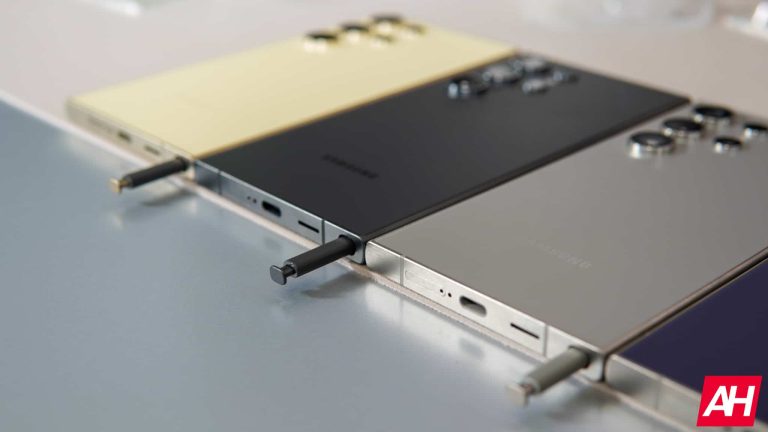
The Samsung Galaxy S24 Ultra is the very first smartphone from the company to use titanium. The phone comes with a titanium frame, just like the iPhone 15 Pro and iPhone 15 Pro Max. The thing is, unlike the two iPhones, the Galaxy S24 Ultra is not any lighter because of it.

Titanium didn’t help the Galaxy S24 Ultra lose weight, and that’s perfectly normal

The Galaxy S24 Ultra weighs 232 grams, while the Galaxy S23 Ultra weighs 234 grams. The difference here is only 2 grams, which is basically not noticeable. For comparison’s sake, the iPhone 15 Pro and iPhone 15 Pro Max weigh 187 grams and 221 grams, while their predecessors weigh 206 grams and 240 grams. That’s a considerable difference right there.

The battery is also the same in regards to the capacity, so… what’s the gist? Well, you have to keep in mind that the iPhone 14 Pro and iPhone 14 Pro Max used stainless steel instead of aluminum for its frame. The Galaxy S23 Ultra uses aluminum and a lighter version of aluminum at that.

So, the jump from already light aluminum to titanium is apparently not as considerable as some of you thought. A jump from stainless steel to titanium, however, sure is. I hope this clears it up, as some people seemed a bit disappointed by the Galaxy S24 Ultra weight.

The company announced its new flagship smartphone series a couple of days ago

As many of you know, Samsung announced three smartphones a couple of days ago, and one of them was the Galaxy S24 Ultra. The Galaxy S24 and Galaxy S24+ also arrived. Those two phones kept the aluminum build, however. They’re very similar to their predecessors when it comes to weight as well.

All three phones are fueled by the Snapdragon 8 Gen 3 for Galaxy in the US. In Europe, however, the Galaxy S24 and Galaxy S24+ come equipped with the Exynos 2400 instead.

All three phones have a matte glass finish on the back, and all three have seen slight design changes. The frame is completely flat on the Galaxy S24 and Galaxy S24+. The two phones also have slightly thinner bezels and slightly larger displays. The Galaxy S24 Ultra, on the other hand, now has a flat display, and its top and bottom sides are entirely flat.


[ad_2]
Source link