Google released a statement saying that it will appeal the ruling. Wilson White, vice president of government affairs and public policy at Google said, “Android and Google Play provide more choice and openness than any other major mobile platform. The trial made clear that we compete fiercely with Apple and its App Store, as well as app stores on Android devices and gaming consoles. We will continue to defend the Android business model and remain deeply committed to our users, partners, and the broader Android ecosystem.”
The next step in the suit will take place next year when a separate process will look at possible solutions that can be imposed on Google and its Play Store app storefront, and could change how Google collects fees from developers, or force Google to make it easier for Android users to access third-party app stores. It should be noted that, unlike iOS, Android does allow users to sideload apps via a third-party app storefront.
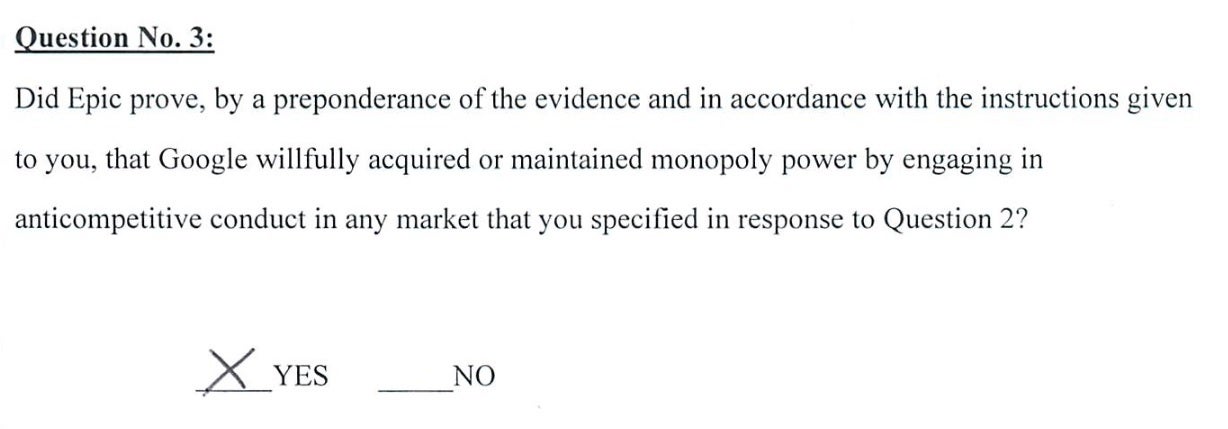
Verdict Form presented to the judge in the Epic v. Google trial
The whole battle took place in 2020 when Epic offered players of its popular Fortnite game the opportunity to purchase in-game currency directly from Epic for a discounted price. This violated Apple and Google’s rules which allow them to take as much as 30% of in-app revenue. Both Apple and Google kicked Fortnite out of their app stores leading the game developer to take both Apple and Google to court.
In the Epic v. Apple lawsuit, which was decided by a judge and not a jury, Apple was not declared a monopolist as Google was today. During her decision in Epic v. Apple, Judge Yvonne Gonzalez Rogers wrote, “Given the trial record, the Court cannot ultimately conclude that Apple is a monopolist under either federal or state antitrust laws.”
Like Apple did, Google is complaining that Epic profited from the high-visibility of the Play Store without contributing to the costs of running the platform.
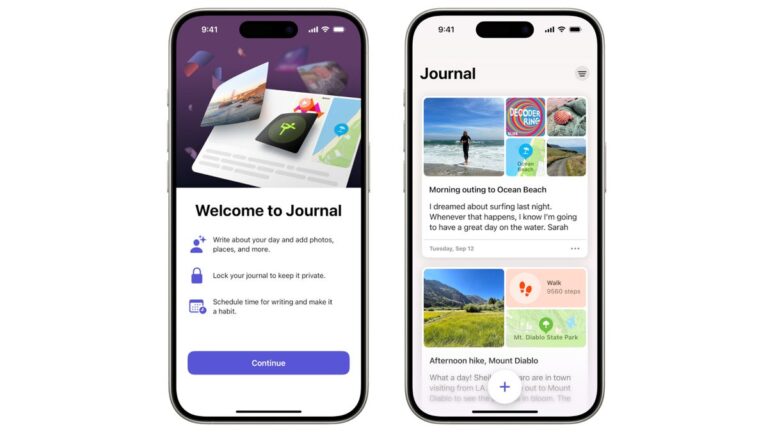
Teased back in October, Apple’s Journal app is now available for everyone with an iOS device. As the name suggests, the app is meant to help users keep track of special events in their lives by not just writing, but also capturing photos and videos.
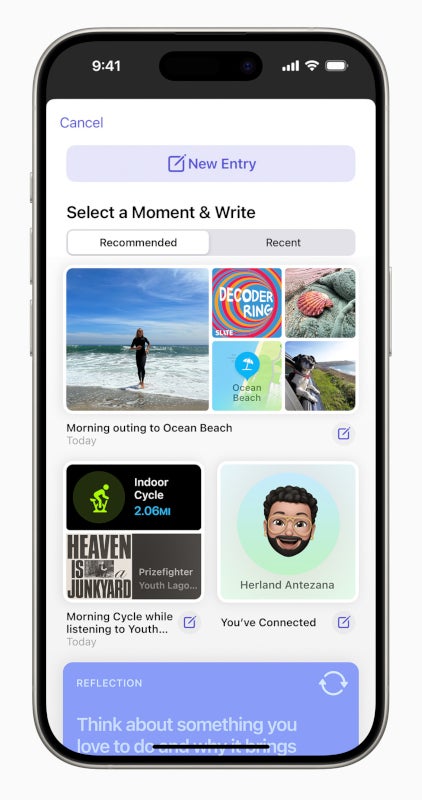
The new Journal app makes use of on-device machine learning to provide users with personalized suggestions to make it easier to write journal entries, as well as customizable notifications to help users develop specific writing habits.
“We are excited to bring the benefits of journaling to more people. Journal makes it easy to preserve rich and powerful memories, and practice gratitude by intelligently curating information that is personal to the user, right from their iPhone. And we’re making it possible for other journaling apps to offer the same personalized suggestions while maintaining the highest level of privacy,” said Bob Borchers, Apple’s vice president of Worldwide Product Marketing.Each written entry in the Journal app can be enriched with media content like photos, videos, locations, or audio recording to add more context. You’ll also be able to browse through your past entries, bookmark them, or filter for details like photos, workouts, places, and much more.
The suggestions offered by the app are “intelligently curated” and are designed to help users remember to write about an important moment in their lives. According to Apple, users can control the type of content that appears in Suggestions.
As far as privacy goes, Apple says its new Journal app encrypts all entries when iPhone is locked with a passcode. On top of that, users can enable secondary authentication, and lock the Journal app with their device passcode, Face ID, or Touch ID.
It’s also important to mention that all Journal entries are end-to-end encrypted when stored in iCloud to prevent anyone else from accessing them.
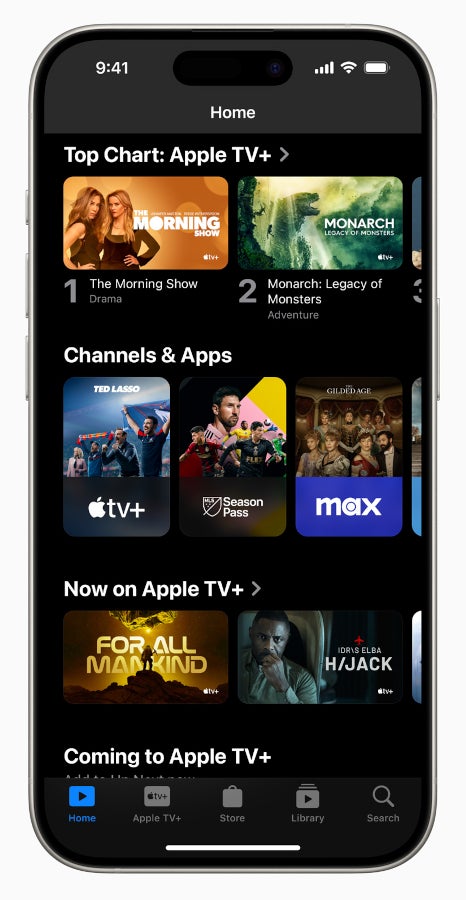
Apple TV users rejoice, as the app has just received a complete visual revamp to make it easier to navigate. The new app looks different on all iOS devices, so no matter where you prefer to watch your favorite series and films, you’ll benefit from all the changes.
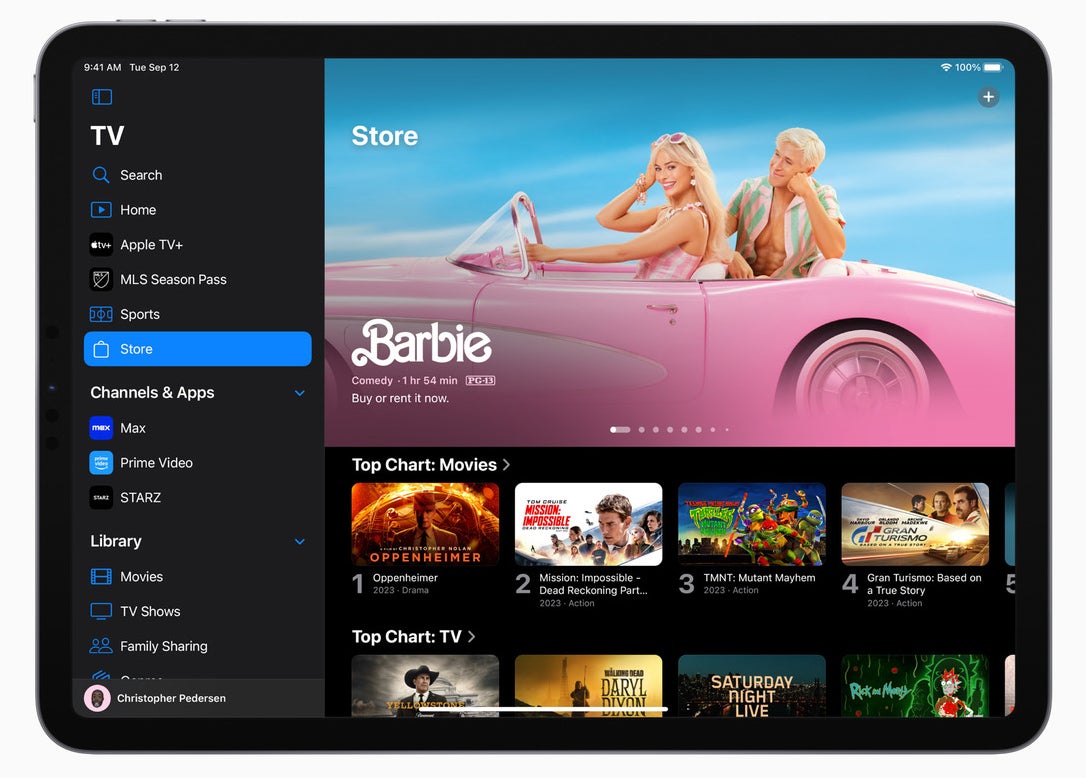
The most obvious change is the new, simplified interface that features a sidebar to make it easier for users to quickly navigate the app. The new sidebar provides access to Apple TV+ (home of Apple Original series and films), MLS Season Pass (home of Major League Soccer), Store (where users can buy and rent popular movies), and shortcuts to channels and apps viewers already have, including Disney+, Paramount+, and Max.
In addition to all the shortcuts, the new sidebar introduces the app’s new hub simply called Home, which is basically a unified guide for all the shows, movies, and sports.
The new hub features a Channels & Apps section that allows users to browse each of their subscribed channels or connected apps. Also, sections like New Shows & Movies, Top Charts, Trending, and For You are also available within Home.
For those owning living room devices, the sidebar features profiles to make it easier to switch between users to better personalization in Up Next and content recommendations across the app.
Furthermore, the Store tab in the Apple TV app now brings together movies and TV shows into one place so that users can easily access everything they wish to buy or rent. The same tab is also home to a new Add Channels & Apps shelf where users can explore popular streaming services.
Finally, Apple announced that starting today, the iTunes Store app on iPhone and iPad, as well as the iTunes Movies and iTunes TV Shows app on Apple TV 4K and Apple TV HD, will redirect users to the Apple TV app.
Sony may be getting ready to ditch the ‘Xperia’ brand & revamp smartphone business
In his post, he simply wrote “2008-2023 Xperia the best”. Needless to say, that looks like a memorial date, basically. The ‘Xperia’ lineup has been around since 2008, which is a long time. It had a 15-year run up until now.
It is hard to imagine a major company ditching its general smartphone brand, but based on this info, that’s exactly what Sony will do. With that, the company may revamp the design language of its phones too. In fact, if the rebranding happens, that’ll probably be a part of it.
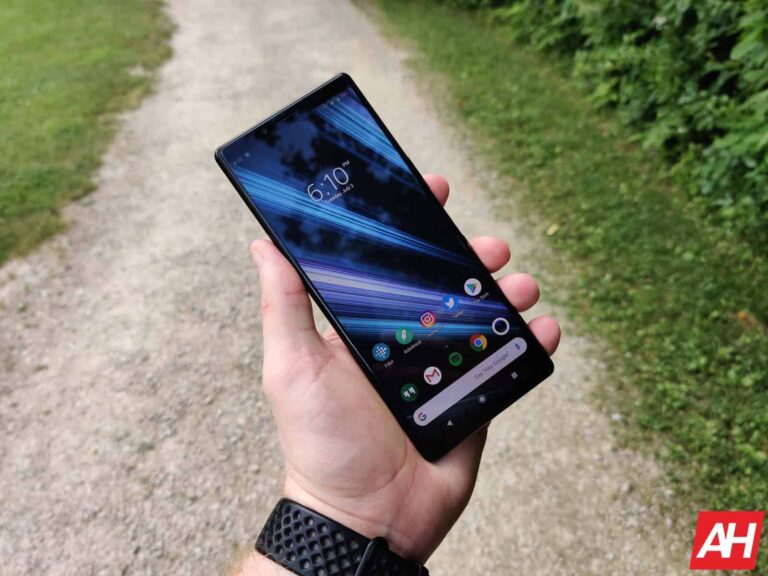
Sony has been using this tall and narrow, square-ish design language for a long time now. The company avoided using notches and display holes, but added a bit of extra bezel on the top and bottom instead.
Some people loved that design language, which is also quite understated. Others, not so much. Well, if this rumor comes to fruition, we may see something else entirely moving forward.
The Sony Xperia 1 V (or Xperia 1 VI) could be the last flagship smartphone under the ‘Xperia’ name
Based on that rumor, Sony may make a change next year. So, the Xperia 1 V (or Xperia 1 VI) could be the last flagship smartphone from the company under the ‘Xperia’ brand. We still do not know what other name could Sony use moving forward.
Sony smartphones haven’t exactly been flying off the shelves. The company had issues making its devices available soon after launch in the past, though that has somewhat improved in the last couple of years.
If Sony aims to improve its sales numbers, it’ll need more than just a rebrand. It will need to put a lot more effort in the marketing department, and also make its devices readily available in many markets. Luck will also play a factor in all that, not to mention actually making very reliable phones.
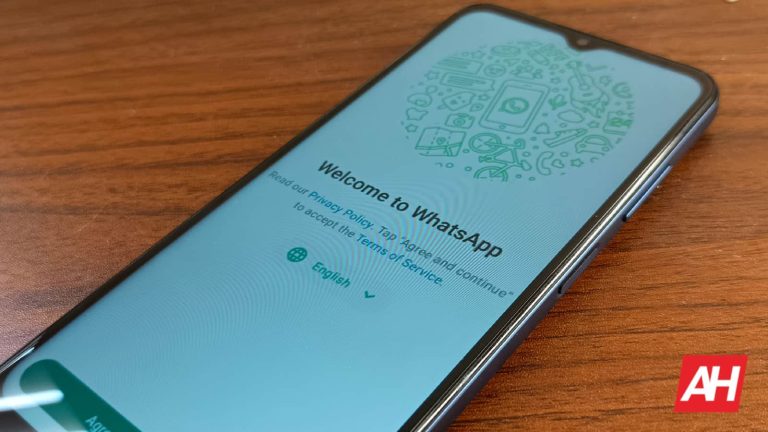
You’re used to sharing your photos and videos on WhatsApp, but they’re mostly in chats. The company allows you to set photos and videos as status updates, however. This is a neat way to clue people into what’s going on, and it’s about to get better. According to a new report, WhatsApp is working on bringing high-quality status updates to the app.
Right now, the Meta-owned company is working on increasing the size of the media that you can send in the app. Not too long ago, the company brought the ability to send high-quality media through messages. This is something that people have been wanting for some time. No one likes sending compressed media, especially if they’re sending it for business purposes. With that out of the way, the company is looking for more ways to let you send higher-quality media.
WhatsApp is working on letting you send high-quality media to your status
It seems likely that the company will release this feature to the public. However, we’re still talking about leaked information about the beta version of the Android app (V. 2.23.26.3). It’s still in beta testing, so there’s a chance that it could change, be delayed, or not even come out. Just keep that in mind.
If you’re looking to give your contacts a little insight into your day, you can update your status. This is a short post that people can look at on your profile. It gives WhatsApp a bit of a social media flair. As it stands, if you want to add a bit of media like a photo or video to your status, it will be noticeably compressed. Well, according to a new report, WhatsApp has heard the users’ pleas.
After the update, when a user uploads an image or video for their status, the app will show it in a higher quality. Right now, we don’t know too many details about this feature. For instance, we don’t know if the app will just upload the media in a higher quality or if it will preserve the original quality. If you try to upload a 4K video as your status, will the app preserve that quality or downscale it to 1080p? We don’t know just yet. We’ll need to wait for the company to launch this feature in the near future.
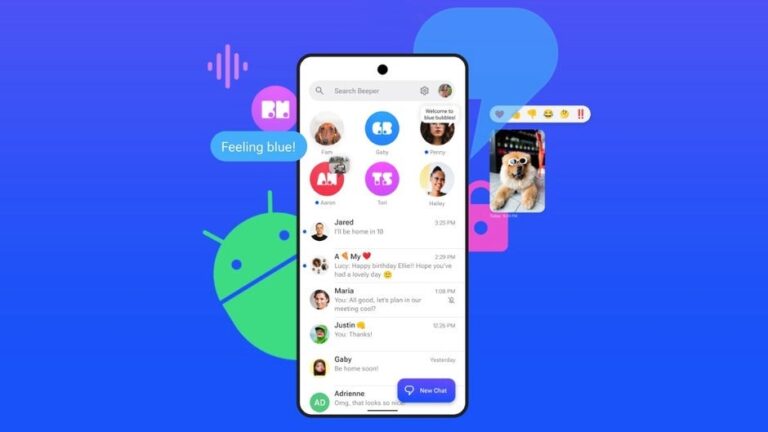
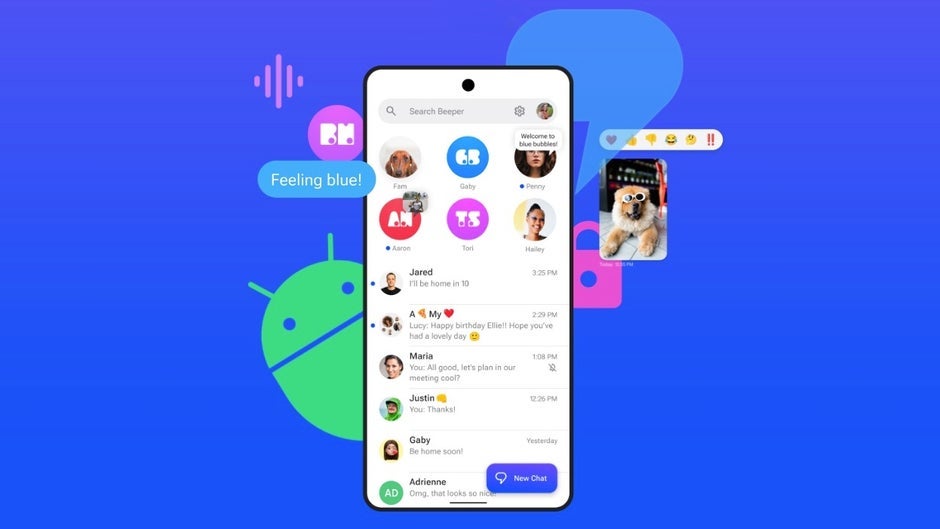
The Beeper Mini vs Apple cat and mouse game continues and the folks at Beeper have responded. Shortly after the Beeper Mini app was blocked by Apple last week, the app is back today with an update that restores functionality – thus with a caveat.
Beeper Mini launched last week to much fanfare, as it allowed Android users to use their actual phone numbers to send texts as iMessages to their iPhone counterparts, instead of an Apple ID email address as other solutions have offered in the past. However, this victory was short-lived as Apple effectively blocked the app three days later and issued a response citing significant risks to iPhone users’ security and privacy.
The Beeper team, however, did not sit on its laurels and worked over the weekend to identify the issue and work on a solution. Within 24 hours, they fixed the problem for the Beeper Cloud version, followed by a fix for Beeper Mini today. During the outage, Beeper also took steps to deregister phone numbers associated with the app.
The fix announced today is not yet on the Google Play Store. The Beeper team claims that they are doing some final testing before officially submitting the update, but those that don’t want to wait can go ahead and download the update directly from the Beeper site. This “fix” does not restore phone number registration, so all users must now sign in with an Apple ID. This means that your iMessages will be sent and received via the email address you have associated with your Apple ID and not your phone number. Beeper states that they are currently working on a fix to bring back phone number registration.
Additionally, Beeper Mini has dropped the subscription model for now. All users were on a 7-day free trial when the app first launched, which would make tomorrow the day the $2 a month subscription would take effect. The Beeper team says that with everything going on, they’ve decided to make the app free until things stabilize, at which point they’ll re-evaluate.
While Apple claimed that Beeper Mini’s techniques “exploited fake credentials” and “posed significant risks to user security and privacy,” Beeper’s team strongly refuted those claims, stating that the app actually “made communication between Android and iPhone users more secure.” What is perfectly clear, though, is that Apple will continue to try to shut down any efforts from the Beeper team to revive the app and restore phone number registration.
Valve, the developer of Counter Strike 2, is expected to address the rumours surrounding the new CS2 exploit. Meanwhile, be cautious and watch out for suspicious links from unknown senders.
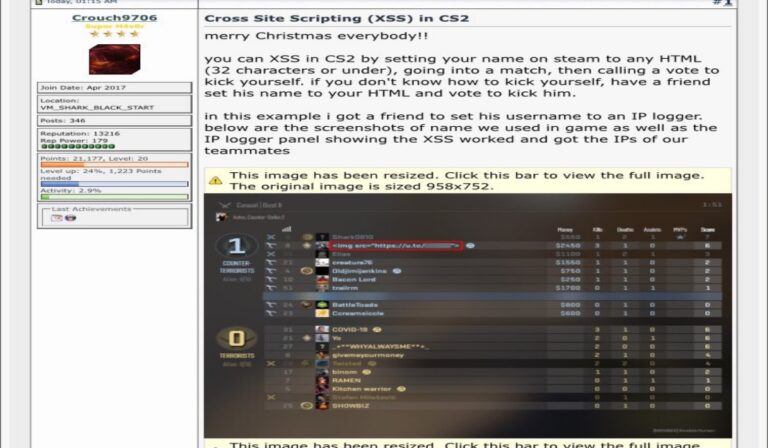
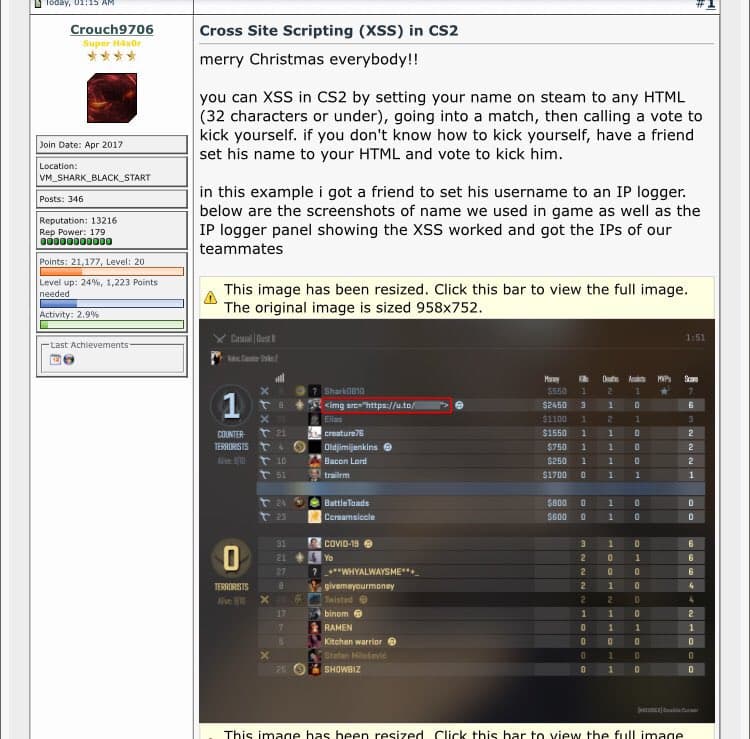
A recently uncovered CS2 exploit (apparently an XSS vulnerability) has raised concerns within the gaming community, posing a potential threat to player security. This exploit reportedly utilizes HTML code blocks in-game to display GIFs, placing gamers at risk.
A related screenshot has been circulating on Reddit and X (Twitter) – Credit: Ozzny on X
The implications extend to a broad spectrum of players, even those less inclined to frequent online play. Initially discovered by players experimenting with their Steam ID, the exploit allowed them to showcase NSFW GIFs to other players through the in-game kick menu.
Notable figures in the gaming community, including Ozzny, a CS2 creator with over 23,000 YouTube subscribers, have confirmed that those exploiting the glitch can access player IP addresses.
With concerns escalating about the exploit’s potential for executing code on gamers’ PCs, Ozzny and other experts strongly advise refraining from CS2 gameplay until the exploit is rectified.
HUGE SECURITY EXPLOIT IN CS2 RIGHT NOW⚠️
This image has been going around reddit for the last few hours (very explicit, blurred for obvious reasons). People were saying it’s fake, but it isn’t.
Apparently, there is a security exploit with Steam names inside CS2, which allows… pic.twitter.com/lcQqsAB5Ba
“Apparently, there is a security exploit with Steam names inside CS2, which allows people to change visual stuff inside the game with a simple HTML code linking an image. But this is not it you can also get the IPs of EVERYONE in the server using this method with the assistance of an IP Logger. (Not going to show much or explain how for obvious reasons, but it is very easy),” tweeted Ozzny.
In a Twitch video, Jason Thor Hall, an American cybersecurity researcher and game developer, highlighted the XSS vulnerability, urging gamers to refrain from CS2 until Valve, the developer, addresses the issue.
If you don’t want to just take my word from it, here’s an actual expert’s opinion validating this issue:
While the feasibility of code execution remains uncertain, the perceived risk is substantial, prompting a cautious approach. Gamers are strongly encouraged to suspend CS2 play until the exploit is patched, or clearance from Vavle is issued. The is expected to swiftly address the situation, with a fix expected shortly.
As a precautionary measure, users encountering a player with an in-game username resembling an HTML block are advised to exercise caution and avoid interaction. The safety of Steam accounts hinges on this vigilance. Updates will be provided as the situation develops.
If playing becomes unavoidable, it is crucial to remain vigilant against potential dangers, such as refraining from clicking on suspicious links or opening attachments from unknown senders.
What exactly is an XXS vulnerability
Cross-site scripting (XSS) is a type of computer security vulnerability typically found in web applications. It allows a malicious user to inject client-side scripts into a web page viewed by other users.
The malicious code can then be used to steal user data, hijack user sessions, or redirect users to malicious websites. Here is a simplified explanation of how XSS works:
A user visits a web page that contains an XSS vulnerability.
The vulnerable web page accepts input from the user, such as a comment or a forum post.
The user’s input is not properly sanitized or validated before being displayed on the web page.
The malicious code is injected into the web page and executed in the user’s browser.
There is a discussion about this ongoing issue on Steam Community. Stay tuned for further updates as this story unfolds.
WhatsApp has been working around the clock to be a better and more competitive app. Well, it’s one of the most popular messaging apps on the market, but there are some areas it can improve. One area it’s gotten better is the file size limit. For the longest time, the company only let you send files up to 100MB, but it increased it to 2GB in recent history. While that’s great, most businesses tend to send larger files. So, here’s how to send large files via WhatsApp.
The thing is that WhatsApp isn’t only for sending text-based messages. People who use it as a communication hub for their business most likely need to send important documents over the service. Thankfully, if you’ve been shot down by the file limit, there’s a way to work around it.
How to send large files on WhatsApp
Just to clear the air, there’s no native method to send files larger than 2GB over WhatsApp. So, this isn’t a guide to unlock some special hidden feature or hack the app. Sending larger files via WhatsApp will require the use of other apps. There are probably 1,001 ways to send larger files, but we’re going to go over one of the more intuitive methods.
This method is through cloud storage. you’re most likely using some cloud storage platform like Google Drive, iCloud, Microsoft One Drive, etc. These are all very fine methods of sending files. However, for the sake of this article, we’re going to be talking about Google Drive. Many of the users reading this most likely have a Google account; hence, they have access to at least 15GB of Google Drive storage.
For starters, you’ll need to upload the file to your Google Drive. It doesn’t matter if it’s to your main Google account or an auxiliary account. You just need to make sure you have access and can upload files. Once you upload your file to the account, you’ll need to locate the file and copy the link to it. After you do that, you’ll want to paste that link into the chat. From there, the users will be able to download the file right from the Drive.
Below, we’re going to go through using this method using both your computer and your smartphone. It’s a multi-step process, but it’s super simple once you get the hang of it.
Using Google Drive to share the file
Using Google is probably the most simple and straightforward for most Android users. It’s the default cloud service that comes with your Google account, and it provides you with 15GB of storage for free. If you want access to more storage, we have the different payment tiers listed at the bottom of this piece. They’re worth looking at.
The plans go up exponentially in storage (and in price), but those are definitely for those with a lot of stuff to store. Now, the process of sharing the files differs depending on whether you’re using your phone or your computer.
Using your smartphone
You’re most likely using your phone to handle your WhatsApp messaging. Thus, we’re going to cover the process for phones first. There’s a certain step that you need to do on both mobile and desktop platforms in order for this to work, and that’s managing the access to the file.
When you’re uploading the file via your phone, you can either go to the Google Drive app and tap on the colored “+” button on the bottom. From there, locate your file and upload it. You might want to upload it to a new folder or a location where you can easily find it.
Once it’s uploaded, tap on the three-dot menu on the right side of the file. Now, this is the important step: tap on Manage people and links. You’ll be taken to a page with your profile picture up top. Under that, you’ll see Link settings (or General access) and a Restricted setting right below. Tap on it, tap on the top button that reads “Restricted, Only people added can open”, and select the option that says “Anyone with a link”.
The thing is that, when you upload a file to Google Drive, its access is limited to only people who you added to Google Drive. This means that if you send it right away, other people won’t be able to open or view the file.
Now, with the Anyone with the link setting, other people will be able to open or access the file. Just know that you should keep the link away from people who you don’t trust.
Back out to that screen. The Link settings should say “Anyone with a link”. Tap on the little chain icon on the right of the setting to automatically copy the link. After that, just paste the link into your chat.
Here’s the pasted link.
Using a computer
If you’re using a computer, the process is just a little bit different. First, go to the Google Drive website (drive.google.com). From there, you can click the “+” button on the top left of the interface and locate the file you want to send. Either that or you can drag and drop the file.
Once your file is uploaded, you’ll then right-click on the file and click on the Share option. When you do that, you’ll see a popup with the options to change the permissions. Clicking on the Restricted button will summon a dropdown menu with the option to change it to Anyone with a link. When you change it, you’ll see the link up top go green. From that point, click the Copy Link button on the right of the link, and you’re ready to paste.
Google Drive tiers
If you’re using Google Drive and plan on storing a lot of large files to send on WhatsApp, then there are some additional storage options out there. If you’re happy with 15GB, then you don’t really have to worry, but that can fill up quickly if you’re not careful. The next tier up is the 100GB for $1.99/month ($19.99/year). For an extra dollar a month, you can double the storage to 200GB for $2.99/month ($29.99/year).
However, what if 100GB and 200GB are rookie numbers? Google’s got you covered with plans that are offer terabytes of storage. The 2TB plan only costs you $9.99/month ($99.99/year). You can also get 5TB for $24.99/month ($249/year).
The remaining payment tiers only have monthly billing. With them, you get 10TB for $49.99/month, 20TB for $99.99/month, or 30TB for $149/month.
Samsung continues to update its Galaxy devices to Android 14 and One UI 6.0. The big update for the Galaxy Z Fold 5 and Galaxy Z Flip 5 is now available widely in the US. The company has also released it for the Galaxy S21 FE, Galaxy M34, and Galaxy M14 5G in international markets.
Android 14 is available widely for the Galaxy Z Fold 5 and Flip 5 in the US
Samsung started pushing the Android 14-based One UI 6.0 update for the Galaxy Z Fold 5 and Galaxy Z Flip 5 in the US in the third week of November. It was first released for the carrier-locked units on Verizon’s network. The company gradually covered the foldable duo on other networks too. However, users with unlocked units had to wait longer.
The wait has now ended as both models are widely receiving the big update stateside. The new firmware build number for the Galaxy Z Fold 5 is F946U1UEU1BWK9 while that for the Galaxy Z Flip 5 is F731U1UEU1BWK9. Samsung has bundled the November 2023 security patch with the Android 14 update for the two foldables. It has already released the December patch for a few other models, including the Galaxy S23 series.
The foldable duo may receive this month’s security patch with a separate update in the coming weeks. It contains fixes for more than 60 vulnerabilities, at least seven of which are critical issues. While it is an important security update, the latest release brings a plethora of new features and improvements to your Samsung foldable. From new camera features to UI tweaks, there is a lot to look forward to.
The new Android version is also available for the Galaxy S21 FE globally
Last week, Samsung released the Android 14 update for the Galaxy S21 FE in the US. The new Android version is now available for the phone in international markets. It is rolling out with the build number G990BXXU6FWK3 or G990B2XXU5FWK3 depending on the model variant. The device misses out on the December security patch, with Samsung bundling last month’s security release.
The Galaxy M34 and Galaxy M14 5G are other Samsung phones that recently started receiving the Android 14 update. The former is picking up the update with the build number M346BXXUBWL1. It is M146BXXU2BWK8 for the latter. Both models are getting the November security patch with One UI 6.0. If you are using any of these Samsung Galaxy devices, you can check for updates from the Settings app.
Google Messages has been receiving a flurry of new features lately, making it more competitive with other famous messaging apps. The latest update includes photomoji, screen effects, noise cancellation for audio messages, and animated stickers. These features are currently available to beta users and will likely be rolled out to everyone soon.
However, even more exciting is the evidence found, courtesy of AssembleDebug from TheSpAndroid, that Google is working on a message editing feature. This feature has been highly requested by users and would be really helpful for fixing of typos or simply making changes to messages after they have been sent.
The evidence found that Google is working on adding a message editing feature is the existence of several new flags to the beta version of the Google Messages app. These flags were added in the beta releases that were released in the last week of November.
Furthermore, while digging into the Google Messages APK code, evidence was found that Google is creating a new table in the messages database to store details of edited messages. This table contains columns for the message ID, latest message ID, original RCS message ID, and timestamps for when the message was edited and received.
Currently, message editing is not a part of the RCS standard. However, Google has added features to RCS before that weren’t part of the standard, such as end-to-end encryption. It’s possible that Google will work to add message editing to the RCS standard in the future.
Apple’s recent decision to add RCS support to its iMessage application next year, could pave the way for more features like message editing to be added to the standard. This would be very convenient and a major win for users who have been waiting for these features for a long time. Currently, Apple does not plan to support Google’s flavor of RCS messaging, but rather the GSMA universal profile which does not include encryption.
Unfortunately, there’s no official word on when the message editing feature will be released to the public, but given that there are already hidden flags in the beta version of the application, this could potentially be a planned addition for a future Pixel Feature Drop. My hope is that we get to see this released in the first quarter of 2024.