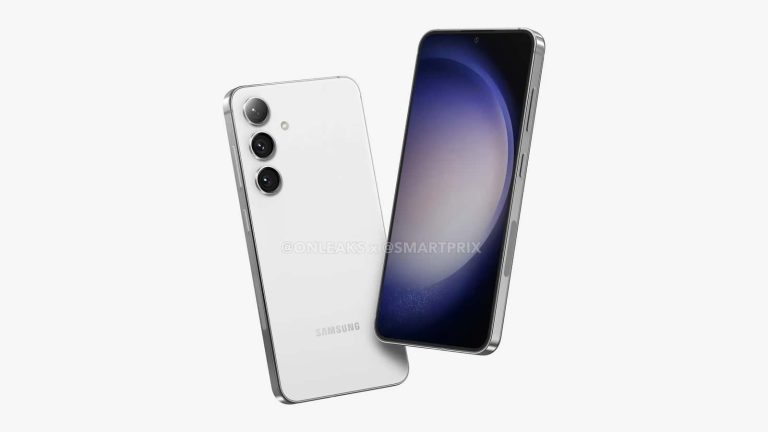
Samsung isn’t just unveiling the Galaxy S24 series early, it’s bringing the new phones to the market quicker too. According to the Korean media, the next-gen Galaxy flagships will go official on January 17 with pre-orders starting immediately after the launch event in San Jose, USA. The market release of the devices will take place on January 30.
Galaxy S24 release scheduled for late January 2024
We have long known that Samsung plans to launch the Galaxy S24 series earlier than the Galaxy S23. The company has zeroed in on the date of January 17, which is two weeks before the February 1 launch of the 2023 lineup. As expected, it’s a Wednesday. The Korean firm has mostly hosted its major Galaxy Unpacked events on Wednesdays, including the Galaxy S23 launch.
Usually, Samsung opens general sales of new flagships on the third Friday following the launch event (February 17 for the Galaxy S23 series). However, next year, the Galaxy S24 lineup will reportedly go on sale on January 30, which falls on a Tuesday. If the company maintained the same gap, the market release of the 2024 flagships would have taken place on February 2.
Following the January 17 launch, Samsung will open pre-orders for the Galaxy S24, Galaxy S24+, and Galaxy S24 Ultra in most countries, including the US (from January 19 in Korea). It plans to deliver and activate pre-order units between January 26 and January 30. “We decided to announce the Galaxy S24 series in San Jose, USA on the 17th local time,” The Elec quotes a Samsung official. “Sales will also begin immediately.”
Samsung has high hopes for its next-gen flagships
Reports say that Samsung is launching the Galaxy S24 series early to compete with Apple. Since the iPhone 15 series doesn’t have fresh competition in the market, the Korean firm wants to capitalize on that. An early release may be part of this strategy too. The company has even chosen San Jose as the location for the event because that is where Apple has its headquarters. It previously held the event in San Francisco.
Samsung is expecting the Galaxy S24 sales to increase at least ten percent over the Galaxy S23. The latest flagships are projected to cross 31 million annual shipments, so the target for the 2024 lineup is around 35 million units. Time will tell if the Korean behemoth manages to do that with an early release of the phones. More details about the Galaxy S24 trio should surface in the coming weeks.
Apple is expected to announce its next-gen iPhones towards the end of Q3 2024. We’re not even remotely close to that timeframe, but the iPhone 16 displays just got detailed by a Korean publication.
The iPhone 16 series displays get detailed very early
This information was relayed by Revegnus, a tipster, and it comes from Naver. That being said, the displays of all four iPhone 16 phones are detailed here. Let’s kick things off with the vanilla models, shall we.
The iPhone 16 and iPhone 16 Plus displays may be the most disappointing to users. Why? Well, because they’ll offer a 60Hz refresh rate. Much, much cheaper smartphones out there already feature 120Hz displays, so there’s really no excuse for Apple at this point.
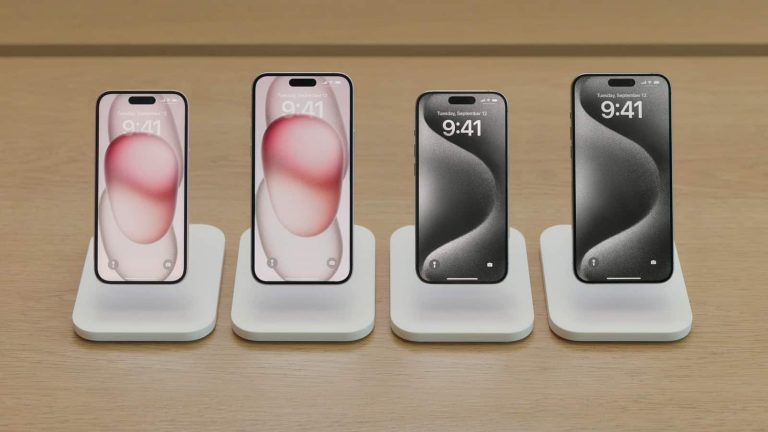
The iPhone 16 is said to feature a 6.12-inch LTPS display with a 60Hz refresh rate. The iPhone 16 Plus will include a 6.69-inch LTPS display with a 60Hz refresh rate. Both of them will include a pill-shaped cutout (Dynamic Island).
The iPhone 16 Pro and iPhone 16 Pro Max, on the other hand, will both have LTPO panels with a 120Hz refresh rate. The iPhone 16 Pro will include a 6.27-inch panel, while the Pro Max model will feature a 6.86-inch display. A Dynamic Island will be present on both phones.
Apple will likely utilize a hole punch display cutout in 2025
What’s disappointing when it comes to these two phones? Well, if you expected to get hole punch displays this time around, as some rumors suggested, well… that’s not happening. The iPhone 16 Pro and iPhone 16 Pro Max will retain a pill-shaped cutout on their displays.
Having said that, some of this info may be disappointing to you, but it’s not surprising. The fact that both the iPhone 16 and iPhone 16 Plus will include 60Hz panels was more or less expected. Also, nobody really expected the ‘Pro’ and ‘Pro Max’ models to feature a hole punch. That is a change that Apple is likely saving for the iPhone 17 Pro and iPhone 17 Pro Max.
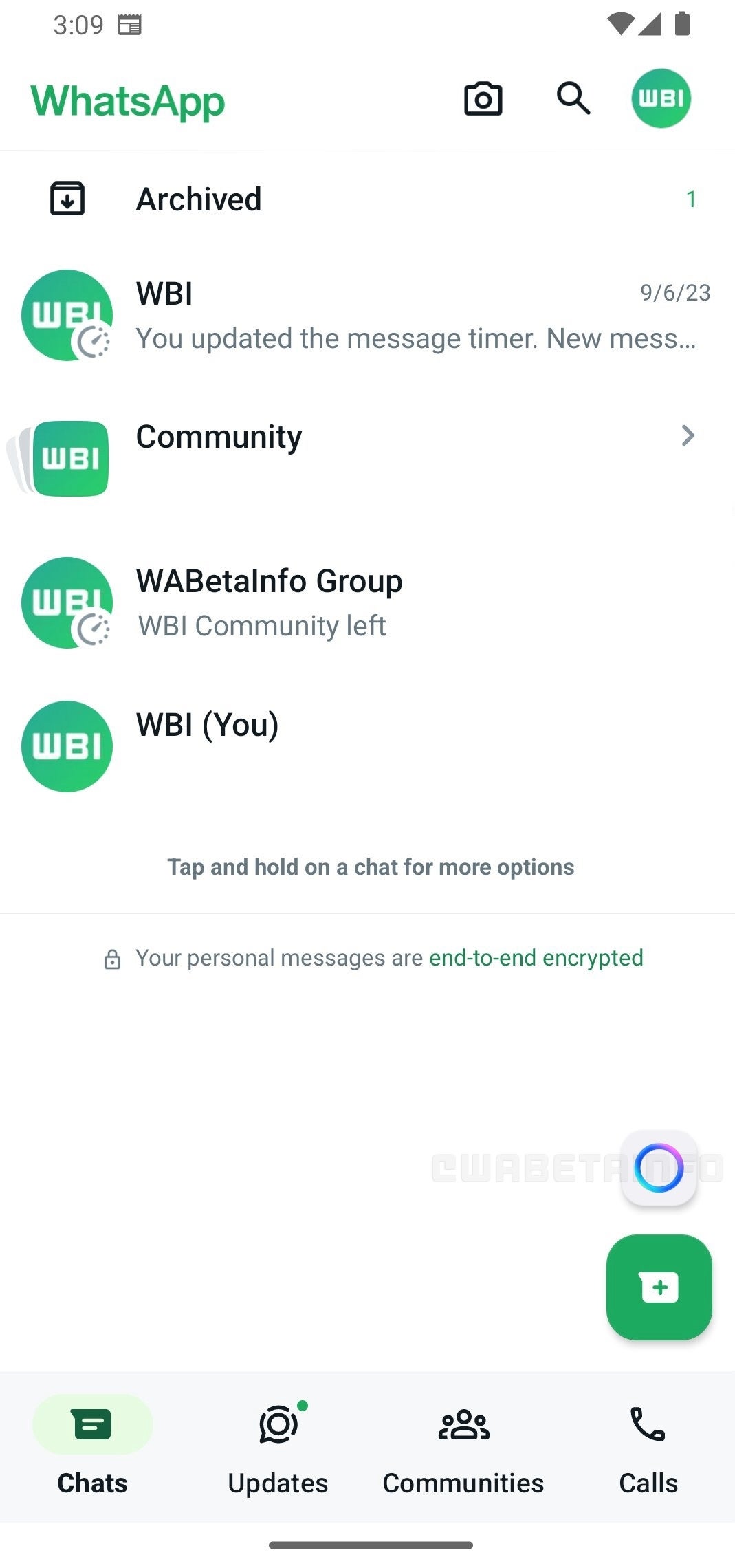
Earlier this fall, at Meta’s Connect event, Mark Zuckerberg unveiled the company’s intentions to integrate AI features, such as a new AI assistant and AI stickers, across Messenger, Instagram, and WhatsApp. The latest development in this plan is the introduction of a shortcut feature in WhatsApp, enabling quick access to AI-powered chats directly from the Chats tab.WABetaInfo, a go-to source for WhatsApp news and updates, reported that with the installation of the latest WhatsApp beta for Android 2.23.24.26 update, users can now see a new button in the Chats tab above the icon for starting new chats.
Image Credit–WABetaInfo
This button facilitates the swift opening of AI-powered chats, enhancing user convenience and streamlining the process. It’s worth noting that, at present, AI-powered chats are limited to a specific user group, and the exact timeline for a broader release remains undisclosed. However, there are ongoing plans to expand this feature to a wider audience in the future.
The addition of a dedicated shortcut allows users to access AI-powered chats directly from the Chats Tab without navigating through the contact list. Placing the shortcut prominently in the Chats tab ensures that users are well-informed about this feature, encouraging the seamless integration of AI-assisted interactions into their regular use of the messaging app.
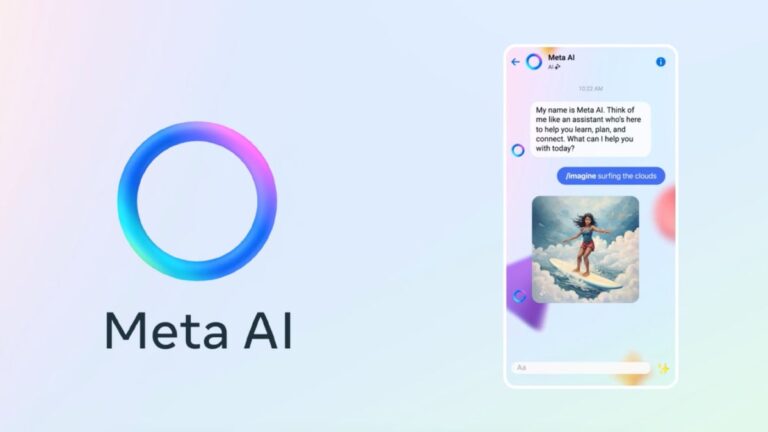
The Meta AI assistant is designed for one-on-one conversations or participation in group chats. According to the tech giant, it can provide quick recommendations, inject humor with a good joke, settle debates in group chats, and serve as a knowledgeable companion to answer questions or share new information.
A ransomware attack targeted Yamaha Motor Co., Ltd., resulting in a partial disclosure of the personal information maintained by the company.
Notably, a third party gained unauthorized access to one of the servers run by Yamaha Motor Philippines, Inc. (YMPH), its motorcycle manufacturing and sales division in the Philippines.
“Yamaha Motor Philippines, Inc. (YMPH) was accessed without authorization by a third party and hit by a ransomware attack, and a partial leakage of employees’ personal information stored by the company was confirmed,” the company said.
Upon learning of the attack, the company promptly established a countermeasures team, and they have been attempting to stop additional harm while assessing the extent of the effects.
Overview of the Ransomware Attack
On October 25, it was confirmed that YMPH was the target of a ransomware attack. The business filed a report with the Philippine authorities.
On November 16, it became clear that certain employees’ personal information kept by YMPH had been compromised.
DocumentFree Webinar
In the upcoming webinar, Karthik Krishnamoorthy, CTO and Vivek Gopalan, VP of Products at Indusface demonstrate how APIs could be hacked. The session will cover: an exploit of OWASP API Top 10 vulnerability, a brute force account take-over (ATO) attack on API, a DDoS attack on an API, how a WAAP could bolster security over an API gateway
“The attack was limited to one of the servers managed by YMPH and we have confirmed that it has not affected the headquarters or any other companies in the Yamaha Motor group,” the company said.
The company stated that the YMPH’s servers and systems that were unaffected by the attack have now been restored.
The attack has been linked to the ransomware group INC Ransom, which also claims to have exposed data taken from the Yamaha Motor Philippines network. Yamaha, in particular, has not linked the attack to any particular group.
The Inc. ransomware is a multi-extortion scheme that steals victims’ data and threatens to post it online if the victim doesn’t pay up.
After gaining access, they enter the network from several directions and gather and download private files for use as leverage in ransomware attacks.
The company keeps a close eye on the situation and works as fast as possible to fully restore the YMPH systems that were compromised in the attack.
Experience how StorageGuard eliminates the security blind spots in your storage systems by trying a 14-day free trial.
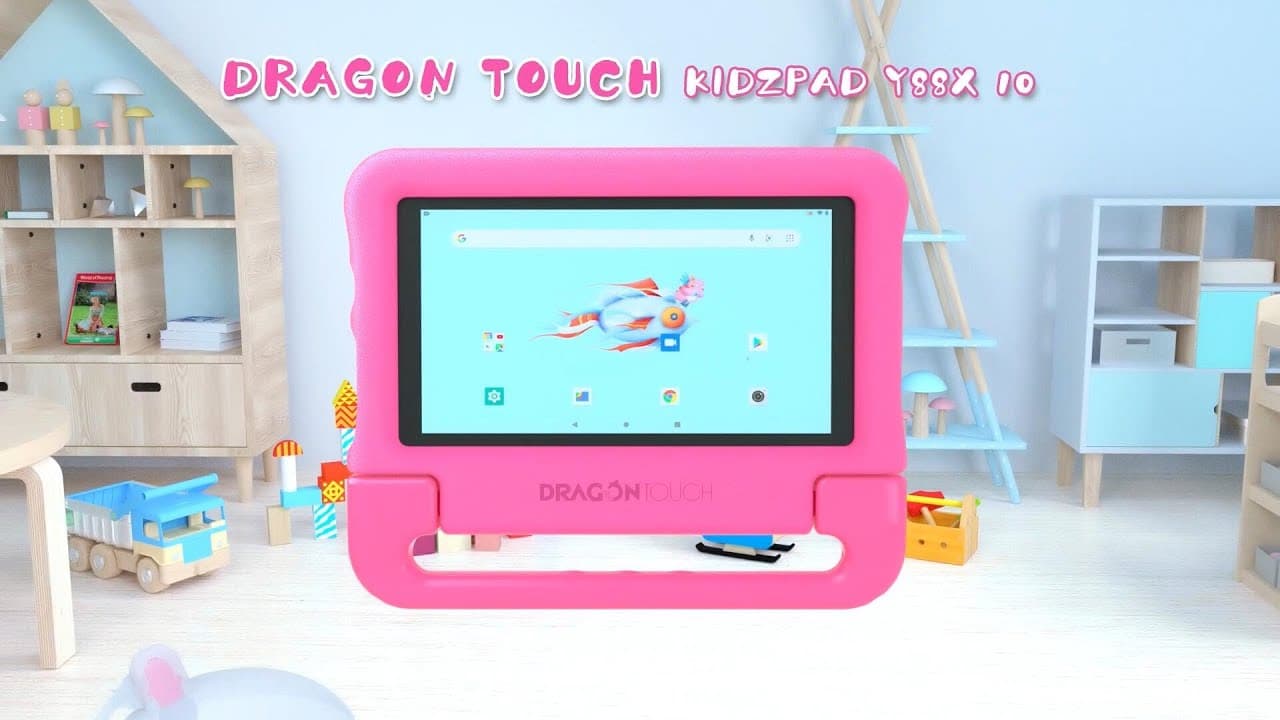
The Dragon Touch KidzPad Y88X 10 tablet on Amazon, analyzed by EFF researchers, also comes with preinstalled riskware and an outdated parental control app called KIDOZ.
Retailers like Amazon have played a significant role in popularizing low-cost Android devices for children. However, based on research conducted by the Electronic Frontier Foundation (EFF) on such devices, there is a possibility that they may contain malware.
EFF’s researchers examined the Dragon Touch KidzPad Y88X 10 tablet from Amazon and discovered not only malware but also preinstalled riskware, along with an outdated parental control app called KIDOZ. Following the EFF’s investigations, Amazon removed the product from the platform. However, other Y88X models are still being sold on the site.
Dragon Touch KidzPad Y88X 10 tablet
It is worth noting here that Amazon devices frequently face criticism due to the presence of preinstalled malware. In January 2023, the company gained attention for selling a T95 Android TV box that harboured sophisticated, persistent, and preinstalled malware embedded in its firmware.
Despite awareness of the issue, Amazon continued to sell these compromised devices until February 2023. In both instances, the devices were also infected by the same Corejava malware.
The Android Open Source Project (AOSP) is Google’s open-sourced Android operating system. Consequently, most Android devices available for purchase come equipped with AOSP, featuring multiple customization layers, commonly referred to as AOSP’s ‘skinned’ version.
In addition to beneficial features, these customized versions can facilitate the inclusion of undesired apps or bloatware. For instance, in 2019, Samsung pre-installed the Facebook app on its phones, allowing users only the option to disable it; however, it was later revealed to be a placeholder app. Nevertheless, in more malicious instances, customized versions can come with preinstalled malware.
That is precisely the case with the Dragon Touch Tablet. Researchers discovered that it harboured the notorious Corejava malware, as evidenced by the presence of directories such as “/data/system/Corejava” and “/data/system/Corejava/node” in the tablet’s firmware. These directories indicated the active presence of Corejava on the device. Another red flag was the inclusion of links to other manufacturers and unusual requests originating from the tablet.
Researchers initially powered on the tablet after the C2 servers of Corejava were taken down to prevent any attempts to download malicious payloads. However, the absence of any noticeable activity suggested a residual remnant of the malware, resembling a ‘copied homework,’ possibly a result of hurried production or left for potential future activities.
Moreover, this tablet was preloaded with Adups, which serve as “firmware over the air” (FOTA) update software and is also found on Android TV boxes. It was incorporated into the system under the name “Wireless Update.”
Adups is classified as malware, although there are supposedly “clean versions,” and one such version was present on this tablet. Adups comes preinstalled with the Dragon Touch OEM, and even after a factory reset, the application reappears, making it impossible to uninstall or disable.
Researchers also noted a significant correlation between Android TV box sellers and the Dragon Touch tablet. The group had registered multiple brands and shared an address with the tablet on Walmart. This led to the conclusion that all devices associated with this seller should undergo thorough scrutiny.
The Dragon Touch tablet is equipped with an outdated KIDOZ app that is apparently adware. Despite being COPPA Certified, this app functions as a mini operating system. Notably, its referrer, Tablet Express, is no longer operational.
This suggests that Dragon Touch has repurposed an old version of the app, which continues to collect and send data to Kidoz.net. The information includes details such as device model, brand, country, screen size, timezone, click events, view events, logtime of events, and the unique KID ID.
Furthermore, researchers discovered that the app Kids Paint FREE transmits precise GPS coordinates to an ad server, even though the server itself does not exist. This raises concerns about the privacy and security implications of the tablet’s preinstalled applications.
“This leakage of device-specific information over primarily HTTP (insecure) web requests can be targeted by bad actors who want to siphon information either on the device or by obtaining these defunct domains,” EFF blog post read.
Despite Amazon’s efforts to combat fake reviews, the marketplace giant needs to do more to address the escalating cybersecurity concerns, particularly when the targets are vulnerable children.
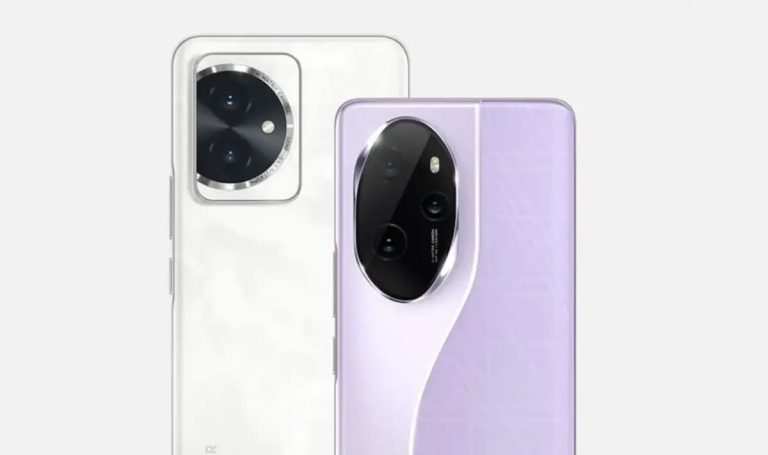
HONOR will announce two of its smartphones in a couple of days, on November 23. The phones in question are the HONOR 100 and HONOR 100 Pro, and their specs and price tags just surfaced.
The HONOR 100 series specs & prices leak just days before launch
This information comes from Weibo, though not from a regular source of rumors and leaks, so take the info with a grain of salt. It is said that the HONOR 100 will feature a 1.5K display with a hole punch.
The HONOR 100 Pro, on the other hand, is said to include a 6.78-inch 1.5K quad-curved display with 2,600 nits of peak brightness. Both smartphones will offer a 3,840Hz PWM dimming.
The HONOR 100 is said to utilize the Snapdragon 7 Gen 3, while the HONOR 100 Pro could include the Snapdragon 8 Gen 2 SoC. The vanilla model will include a larger battery, though. A 5,450mAh unit is tipped. The ‘Pro’ model is said to utilize a 5,000mAh unit. Both smartphones will support 100W charging.
The HONOR 100 Pro will include one extra camera on the back & front, in comparison to its sibling
What about the cameras? Well, the HONOR 100 is tipped to utilize a 50-megapixel main camera, and a 12-megapixel secondary camera. We’re guessing that the second camera will be an ultrawide one.
The HONOR 100, on the flip side, will have a 50-megapixel main camera, joined by 12-megapixel and 32-megapixel cameras. We’re guessing those are ultrawide and telephoto cameras.
On the front, both smartphones are said to include a 50-megapixel camera. The ‘Pro’ model will also have a 2-megapixel unit on the front.
What about the prices? Well, the HONOR 100 is said to start at CNY2,799 ($390) for the 12GB RAM model with 256GB of storage. The HONOR 100 Pro will cost CNY3,699 ($516) for the 12GB RAM model with 256GB of storage. Both smartphones will go up to 16GB RAM + 512GB storage.
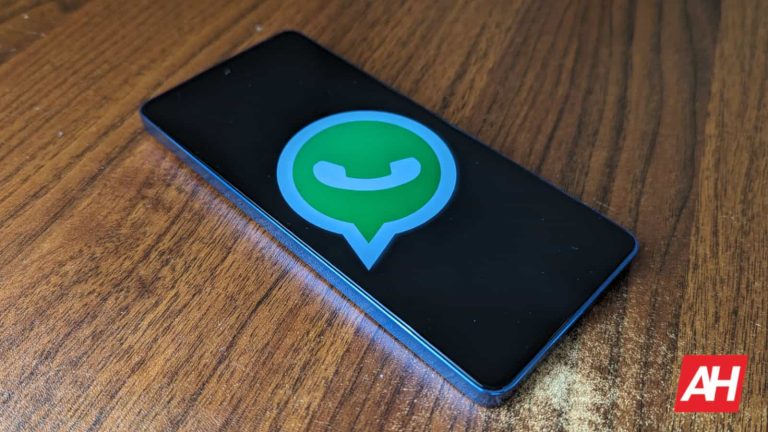
In the most recent WhatsApp Android beta update, users are getting to try out the new AI chatbot. This feature is currently accessible to some beta testers via the Chats Tab within the app interface. The icon used to access this new feature sits on the “New Message” icon that sits on the app’s home page.
A few weeks ago, Mark Zuckerberg announced that this new feature is going to hit beta testing on devices. At the moment, only beta testers in the US have access to this feature for usage. Its function is to help assist users with daily activities and a handy companion that people can start conversations with at any time of the day.
Soon, more users will get access to this AI-powered feature for usage in their day-to-day activities. The new AI-powered feature can also keep users entertained when they don’t have any friends online to chat with. Here are more details on this new feature that is now in beta testing for Android devices.
The WhatsApp AI chatbot is now available for usage to Android beta testers
This new AI-powered feature that beta testers are trying, outcomes with its shortcut. As pointed out a few paragraphs away, this shortcut sits above the “New Message” button and provides users with quick access to the AI chatbot. From the images WABetaInfo shared, this shortcut’s icon is a circle with some color blends.
The shortcut key stands out from the entire WhatsApp interface and can be easily spotted. Tapping on it will pull up the AI chatbot for users to ask questions or start conversations and get follow-up answers. They can use this to find out things or just to pass the time while using the app daily.
WhatsApp isn’t the first social media application to launch an AI chatbot for usage. Snapchat also has something similar to this known as “My AI” and it is currently available for usage. Users of this social media platform have had access to this AI chatbot for quite a while and they use it for various reasons.
Something similar to this is now preparing to roll out for usage by the WhatsApp community. There’s no information on how long this feature will remain accessible to only beta testers. But WhatsApp users can have it at the back of their mind that they’ll soon get an AI companion.
At the moment, not all beta testers in the US have access to this feature, as it’s still rolling out. In the coming days, more beta testers will get to try out the new WhatsApp AI chatbot. With time, this new AI-powered feature will become available for usage to the global audience via a Google Play Store or Apple App Store update.
Months after ensuring that the patch actually works, Google has now disclosed more details about active exploitation of a Zimbra zero-day vulnerability. The tech giant explained how the threat actors exploited the Zimbra zero-day in various malicious campaigns before and after the patch release.
Zimbra Zero-Day Flaw Exploited To Target Govt. Orgs – Says Google
In a recent post, Google elaborated on different malicious campaigns exploiting the Zimbra zero-day vulnerability patched earlier this year.
Specifically, in July, Zimbra addressed a severe zero-day flaw in Zimbra Collaboration Suite (ZCS) email servers, allowing XSS attacks. At that time, Zimbra didn’t share any details about actively exploiting the flaw. However, Google researchers disclosed detecting active exploitation attempts of the vulnerability. Yet, there weren’t many details about the attacks.
However, Google has now shared insights about the repeated exploitation of vulnerability to target different government organizations. As explained in their post, Google’s Threat Analysis Group (TAG) discovered this XSS vulnerability a month before the patch release. They observed three threat groups exploiting the flaw before the stable patch release.
Following the first exploitation against government organizations in Greece, Zimbra deployed a hotfix on GitHub. Nonetheless, it appeared that this hotfix brought the zero-day to the attention of other threat actor groups. Consequently, Google detected two more malicious campaigns exploiting this flaw to target users in Moldova and Tunisia. Google TAG attributed these campaigns to the Winter Vivern (UNC4907) APT Group.
Then, a third malicious campaign also caught Google’s attention as another, unidentified threat actor group exploited the zero-day to target a Vietnamese government firm. This phishing campaign aimed to steal webmail credentials.
While Zimbra released a working patch for the zero-day following the Vietnam campaign, the criminal hackers seemingly continued hunting for vulnerable systems. Consequently, a fourth malicious campaign to steal Zimbra authentication tokens surfaced online, targeting a Pakistani government organization.
Users Must Always Keep Their Systems Up-to-date
Besides disclosing the countries, Google hasn’t shared precise details about the victims and the outcome of these attacks. Yet, with the latest disclosure, Google emphasized on the importance of swift system updates to receive the latest security fixes.
Moreover, Google also highlighted how the threat actors keep monitoring open-source repositories to know about the latest vulnerability fixes so as to hunt for vulnerable systems.
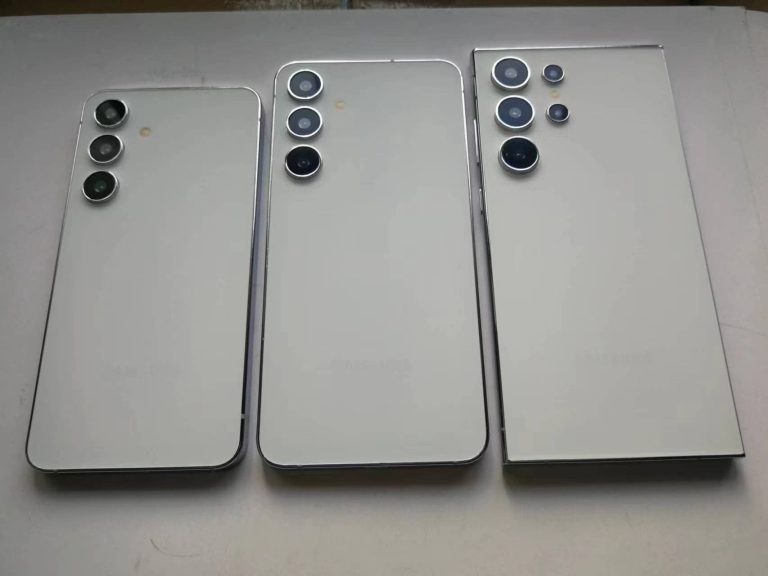
Samsung is preparing to launch the Galaxy S24 series in January 2024. While the devices are still two months away, leaks have already revealed their key specs and design. The upcoming Galaxy flagships will bring a handful of upgrades to the table, along with a notable design overhaul for the Ultra model. Leaked screen protectors have now visualized the size difference between the three models and confirmed a flat display for the Galaxy S24 Ultra.
Galaxy S24 screen protectors show up early
The latest Galaxy S24 leak comes from a noted industry insider known by the pseudonym Ice Universe on X (formerly Twitter). The tipster recently posted a picture that allegedly shows the screen protectors for the upcoming Samsung flagship trio. While the source didn’t share further information, the picture gives us a visual representation of the sizes of the phones.
As expected, the Galaxy S24 is the smallest of the lot. It is rumored to sport a 6.2-inch display with rounded corners. The Galaxy S24+ and Galaxy S24 Ultra will feature 6.6-inch and 6.8-inch screens, respectively. However, while the former has rounded corners, the latter sports a boxy design with sharp corners. This leak also confirms that all three models have slim and symmetrical bezels. This year’s Galaxy S23 Ultra has a thicker bottom bezel.
Additionally, we can see that the screen protector meant for the Galaxy S24 Ultra is a flat piece of glass. This is a further confirmation that the phone features a flat display. Samsung has moved over from the curved screen it used on its flagship phones for the past several years. The company is prioritizing functionality over aesthetics. A curved display looks sleek and is more comfortable to hold, particularly when the phone is as big as the Galaxy S24 Ultra.
However, it is prone to accidental touches and may break easily during a fall. Putting a screen protector on a curved display is also a pain. Moreover, the S Pen works perfectly on the edges if the screen is flat. Considering this all, not many may dislike this change from Samsung. The Galaxy S24 Ultra should be the most popular model among the three new Samsung flagships.
Samsung will unveil the devices in mid-January
The Galaxy S24 series doesn’t yet have a launch date. Samsung will reveal the date just a few weeks before the big launch event. However, leaks have hinted at a January 17 unveiling of the phones, with the event taking place in San Jose, USA. With two more months to go, we should see many leaks about the Galaxy S24 lineup in the build-up to its launch, so stay tuned.
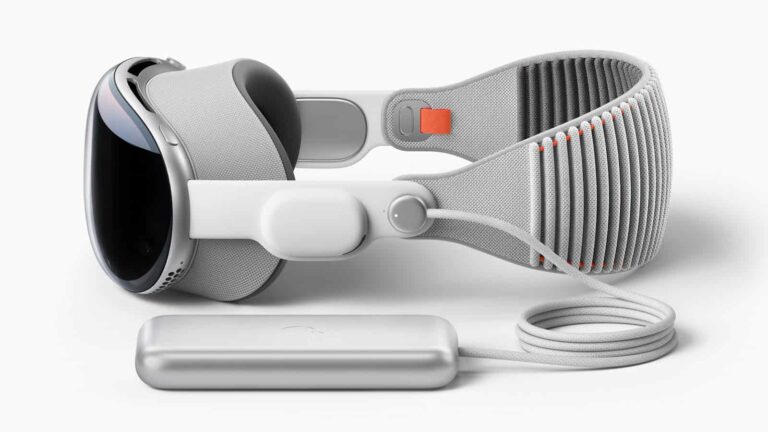
Apple seems to have set the launch date for the upcoming Vision Pro VR headset to March. Earlier this year, the company showed off its coming VR product, which will be the first of its kind and usher the company into the VRI industry. However, despite showing off the product to the global community, fans have to wait for months before they can get their hands on it.
A new report now defaults to previous info that this VR headset would hit the launch stage in January. A report from Mark Gurman points to March as the launch month of the upcoming Apple VR products. This launch will take place in the US before expanding access to other regions in the months following.
Apple initially thought that it could make this coming VR headset available for purchase in January 2024. However, this plan of the tech giant doesn’t seem to be possible as they are now pushing the launch date a few months further. This will give the company time to finalize things with the coming VR product before making it available for retail.
The Apple Vision Pro will become available for purchase in March 2024 along with some MacBooks
Apple is preparing its first product for the VR industry and it’ll launch in a few months. March 2024 has been set as the launch date of the coming products and it’ll be accompanied by MacBook Pro models. Just like the coming VR products, these MacBook Pro models will be the first of their kind to hit the global audience.
The MacBook Pro models to launch in March 2024 will feature OLED screen display technology. They might also bring some performance improvements thanks to a new processor. But the coming Vision Pro VR headsets don’t have a predecessor to outperform.
They are the first of their kind, and Apple will retail this product unlike they would any other product. Third-party sales of the Vision Pros might not be possible, as Apple will require buyers to customize their headsets. This customization will include prescription lenses, fitted headbands and so much more.
Giving third-party retailers access to all these customization parts might be quite daunting. For this reason, Apple will perform retails on their official website or physical stores via appointments. So getting one of these headsets might be a bit of a hassle for some buyers.
At the moment, the visionOS that’ll run on the coming VR headsets is in testing. Developers are getting their apps and services to run smoothly here for a great user experience. More details on this coming product will become available as its launch approaches.