The iOS 17.1.1 and macOS Sonoma 14.1.1 updates are now available on Apple iPhones and Mac products respectively. These updates are here to offer not only bug fixes to Apple users but also improve user experience. Users can start installing these updates on their devices and explore everything new that Apple has to offer them.
Most users of the recently launched Apple devices will expect these updates to bring fixes to some issues. Well, these updates fail to solve all the issues that users are facing with the new iPhone and Mac products. However, the updates bring certain fixes to older issues that have been affecting Apple users over the past few months.
If you use Apple products, then you’ll need to install these new updates on your device. Doing so is important as it helps build the security of your devices and makes them less vulnerable to attacks. Here’s everything that you can expect with these new updates that are rolling out to iPhones and Mac products.
Everything you need to know about the new iOS 17.1.1 and macOS Sonoma 14.1.1 updates
Kicking things off with the Apple iOS 17.1.1 update, this is succeeding the iOS 17.1 update that rolled out last month. This new update is now bringing fixes to the Lock Screen Weather widget, but there is more. The update also brings fixes to the NFC chip bug that prevents iPhone 15 models from connecting to a BMW wireless charger.
These are not the only bugs that are impacting the new iPhone 15 models. There are other bugs that users are seeing on their devices, but whether this update fixes the other bugs is unclear. But users can be sure that this update will bring patches to fix or crush bugs affecting their devices.
For the new macOS Sonoma 14.1.1 users can expect support for the new M3 Mac products. Some users might not see the effect of this update on the new Macs, but it brings some under-the-hood changes. All Mac users should move to install this update on their devices, whether it’s the new Macs or the old ones.
To install these new updates, users should head over to their device’s settings app. From here, they should navigate to the general settings page and access the software update section. Users should refresh the page and wait till the new update pops up for installation.
Once the update pops up, users should click the download and install button, to agree to the terms and proceed. Remember to ensure your devices have adequate power and internet connection during this process. Once the update is installed, users can restart their device to complete the process.
In a world rife with cyber threats, it is crucial for Managed Service Providers (MSPs) to conduct thorough assessments of their clients’ security posture. Even minor misconfigurations, if overlooked, can leave clients vulnerable to attacks.
Yet, lacking the necessary tools, many MSP IT teams are in the dark about the real status of their clients’ security, increasing the risk of cyber incidents for their customers.
The answer? A solution that enables organizations to visualize and improve their clients’ security posture in just a few minutes. Enter Security Advisor Site Scores for OneView.
Security Advisor for OneView vision
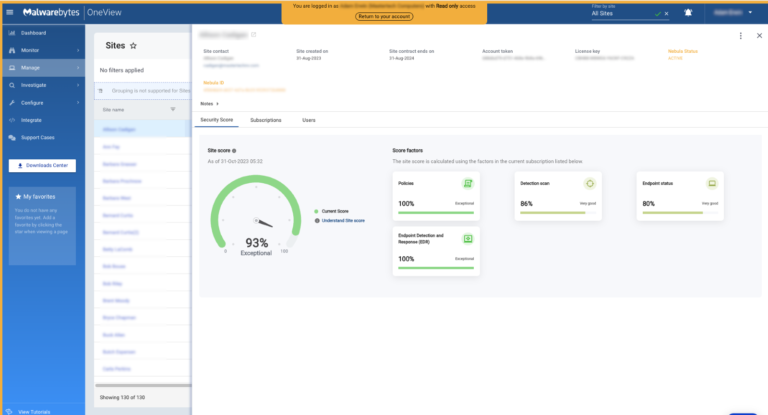
Security Advisor Site Scores for OneView enable MSPs to visualize the security posture of each client at a glance.
As Security Advisor for OneView further develops, it will empower MSP Admin users to closely monitor the overall health of their customer base, efficiently address issues, automate & scale actions, and facilitate seamless communication within our product.
For now, let’s explore the Security Advisor Site Scores available today.
Security Advisor Site Scores for OneView
Site Score Metric
Site Health Scores offer a clear snapshot of each client’s security posture, enabling MSP Admins to identify at-risk customers who require the most urgent action.
Factor Cards
Each client Site Score contains detailed information about the factors contributing to its specific score. A low score on any factor indicates that action for improvement is needed in that category.
Factors that apply to all Sites Health Scores include policy configuration, scheduled scans, and endpoint status. Paid add-on modules such as DNS Filtering and Vulnerability & Patch Management will only impact the Site Health Score if the site is licensed for these products.
Benefits of the Security Advisor Site Scores for OneView
Comprehensive List of all Sites Health Scores
Within the OneView Sites page we have included each individual Site Score for MSPs to have a global view of the statuses of their entire customer portfolio.
Comprehensive view of each end-customer health score
Immediate Assessment of Security Posture for eachclient
Site Health Scores per can be clicked into to get a detailed look at individual client security.
Site-level Health Score detail with Factors cards contributing to Site score
In-depth Information with Factor Cards per Site
By clicking on each Site Score, MSPs can view all the Factors cards that contribute to it. Low value on any factor directs the Admin user to the category of action they need to take within OneView console to improve the score.
Each client Site Score contains detailed information about the factors contributing to its specific score.
Continuous Threat Monitoring
Stay ahead of potential security issues with continuous assessment; client health scores are updated every 24 hours, with lower Site Scores indicating that action needs to be taken.
Try Security Advisor Today
Ready to transform security management for your clients? OneView users can start using Security Advisor today, free of charge.
Unwrapping a new smart TV on Christmas morning is everyone’s dream. And with our latest gift guide, you can be that person that gives that joy to someone else. Whether that’s your significant other, your parents, or someone else. There’s loads of great smart TVs on the market today, including many that are great, some that are good, and quite a few that just aren’t good at all. And that’s why we’ve made this gift guide, to help you get the best bang for your buck, depending on what the TV is going to be used for.
Best Overall Smart TV: Samsung S95C OLED
Samsung S95C OLED
Samsung’s S95C is not only the best OLED TV, but the best TV period
The Samsung S95C is the company’s new flagship TV for 2023, and it’s quite an impressive one. The first thing you’ll notice when you see it in person is, just how bright it truly is. This is because it is Samsung’s first QD-OLED TV on the market. QD-OLED is Quantum Dot Organic Light Emitting Diode, and it basically means that it’s going to make your TV a lot brighter, without distorting the colors. And just writing about it really doesn’t do this TV panel any justice. You really need to see it for yourself, and you will be amazed.
Now, since QD-OLED is still a fairly new technology, the prices are not cheap here. Starting at $1,897. Which is a few hundred bucks more than most regular OLED TVs. However, if you are planning to keep this TV for five years or more, it’s much more of an investment and worth the price. Samsung does offer this in 55-, 65-, and 75-inch models, and we’d recommend the 65-inch. We feel that is the sweet spot for most TVs and most living spaces. It’s a big screen, but not so big that it takes over the entire room.
Thanks to QD-OLED, movies look superb in any room, and in any lighting condition. Even dark movies like The Batman (2022), which was a very dark movie, and really hard to watch on any TV that wasn’t OLED or QLED. We watch it on this S95C and found that it was a huge upgrade.
This TV isn’t just great for watching content though, it’s also great for gaming. Plug your PlayStation 5 or Xbox Series X to the S95C OLED and you’ll be amazed at how good it looks. Not only because this is a QD-OLED TV, but it also has HDMI 2.1 included. That means you can game at 4K120, as well as getting variable refresh rate and auto-low latency mode. I’ve played a few games on this TV, and honestly, this would be my pick for the best gaming TV too.
For our honorable mention, we have another QD-OLED TV, which arguably is better than what Samsung has to offer, but it came down to price here. The Sony A95L OLED is a QD-OLED TV that starts at $2,798. It does come in three sizes: 55-, 65- and 77-inch. Again, we’d recommend the 65-inch model as that is the sweet spot for a TV size, and still big enough to really take advantage of the QD-OLED panel and its brightness.
The software on Sony’s A95L gets a bit interesting here. We’re looking at Google TV and Dolby Vision HDR being included. Google TV is interesting since it gives you just about every app and game you could want, including Netflix, Max, and YouTube. As well as support for Google Assistant and Google Cast.
Roku’s Plus series of TVs are good TVs that won’t break the bank
This year, Roku debuted its very first branded smart TVs. With the Roku Plus and Roku Select. The Roku Plus is the higher-end of those TV lines, but both are fairly inexpensive, to be quite honest. The Roku Plus is available in 55-, 65-, and 75-inch starting at $499. When I first started using this TV, I was wondering how far $500 could go with a smart TV, and as it turns out, quite far.
First off, this is a QLED TV. Which is already surprising to see on a sub-$500 smart TV in 2023. So it should go without saying that the visuals on this TV are pretty incredible. Not quite as good as the QD-OLED panels on the options above, of course. If I didn’t know the price of this TV, I would have said that it was a $750 or higher TV, but it’s not. A good reason for why the picture quality is so good here, is due to the local array dimming here, which helps keep the colors the way they were meant to be. And the black levels where they should be, black instead of gray.
It’s not all good with the Roku Plus, obviously to get to this low price tag Roku did need to leave out some features. Like 120Hz, and HDMI 2.1. While not having HDMI 2.1 and the ability to game at 4K120 does indeed hurt, many people looking to buy this TV, that’s not on their list of features. Not to mention, HDMI 2.1 is still a newer port and is quite expensive to add in. As far as the panel itself not being 120Hz, that does suck, but I can tell you, in day-to-day usage you won’t notice this. Unless you are watching a lot of sports, and even then it really only makes a difference for some sports that are fast paced like Basketball of Soccer. While using this TV, I never once thought “I wish this TV had 120Hz”.
The Roku Plus is a good TV, but not the best TV, however we do think it is the best sub-$500 smart TV on the market today.
Honorable Mention: Amazon Omni QLED Fire TV Series
Amazon Omni QLED Fire TV Series
The Amazon Omni Fire TV Series is a really good option if you’re a Fire TV user over Roku. This is another cheap, but very good, QLED TV on the market, with Fire TV built-in. I actually have this TV in my living room and have been using it for over a year so far. I absolutely love this TV and do think it is a great value for the money. Amazon’s Omni QLED series starts at $449, and comes in five sizes now: 43-, 50-, 55-, 65-, and 75-inch.
So what’s so great about this TV? Well first of all, if you are heavily invested in the Amazon ecosystem like myself, it does everything you could want. There’s hands-free Alexa built-in, this allows you to invoke Alexa at anytime, without the TV even being on. It also has Fire TV built-in, giving you access to all of your favorite apps as well as Live TV.
Samsung’s QN900C delivers all of the pixels you could ever want on a TV
The Samsung QN900C is arguably the best 8K TV you can buy from any brand right now. Samsung is really the only one pushing 8K TV right now, and this one is a beauty. It’s another Neo QLED TV, which means it does have that mini LED backlight, making it nice and bright, while also having a ton of pixels.
To really appreciate 8K resolution, you need to see it on a larger screen. And for that reason, Samsung only offers the QN900C in three sizes. Those are 65-, 75- and 85-inches. Pricing does start at $4,997. So this is not a cheap TV, but it is one that you can keep for the next decade or longer. So think of it as an investment over anything else. We’d recommend buying the 75-inch or 85-inch model, since the benefits of 8K aren’t really seen unless the display is 75-inches or larger.
Just to put things in perspective, an 8K TV like this one has over 33 million pixels, and has a resolution of 7,680 x 4,320. That’s a whole lot of pixels, and it just makes everything look so much better. Surprisingly, viewing angles are quite decent on this 8K TV, which is not something we can always say. On top of that, it is one of the brightest TVs on the market today, with a peak brightness of 2,300 nits.
In our experience, local dimming has worked extremely well on the QN900C. Providing the viewer with exceptional black levels, with minimal blooming. This is one of the few areas where a Samsung OLED TV would have an edge. However, the QN900C comes closer to OLED than any of Samsung’s other QLED offerings right now. Part of this is due to the many more pixels included in this TV.
Samsung claims that this TV is the “greatest of all time”, we’re not quite sure we’d call it the GOAT from our experience, but it is pretty close. Perhaps the best TV you can purchase today, but that might change in a few months (with CES 2024 coming up). It’s not just the stunning display panel that makes Samsung think this TV is the GOAT however.
Samsung’s incredible Gaming Hub is included on this TV. It makes it super easy to jump into different cloud gaming services like NVIDIA GeForce Now, Amazon Luna and Xbox Game Pass. It’s incredible how fast you can turn on the TV and jump into a game on any of these services. The combination of the QN900C and Samsung’s Gaming Hub has me rethinking whether I’ll ever buy another gaming console.
This is a bigger TV, but it is still razor thin, making it incredible that Samsung was able to include such incredible Dolby Atmos-capable speakers here. Just sitting in front of the QN900C, you’ll be blown away both visually and aurally.
There’s not many TV makers making 8K TVs like Samsung is, so it makes sense to see them here with the best 8K TV and the honorable mention. This TV is still not that cheap, but it is a bit older. Prices for the QN800A start at $2,497 for this TV, and it is available in 65-, 75- and 85-inch models.
The 8K display on the QN800A is pretty incredible. It does have fantastic peak brightness in SDR as well as HDR, and the 8K resolution does make text and images crisp and clear. But there is a downside here, and that comes from local dimming. Unfortunately, the local dimming does cause blooming around bright objects. This is going to be more noticeable with a dark or black background. The contrast ratio is also lower than most other VA panel TVs, in our experience. It is still a really great TV to take a look at, especially if you’re looking to make the jump over to 8K resolution.
For the longest time LG was the best OLED TV on the market. They didn’t have much competition, since they made all of the OLED panels used by competitors, but now that Samsung is getting into OLED TVs, there is some competition, and that forced LG to step it up a bit. The LG G3 OLED evo Smart TV is the result of that. A fantastic looking OLED TV, that starts at $1,996. It also comes in four sizes: 55-, 65-, 77- and 83-inches.
If you’re debating on buying this TV over another TV, just take a look at this one at your local Best Buy, and you’ll see why this is the one you should buy. It has such a great picture here, with many saying it’s the best picture quality on a TV so far. Of course, that will all change when the 2024 TVs come out next year. But right now, this is the best picture quality you can get. We also found that it had superb contrast and off-angle image. Meaning that you can have a party over for the Super Bowl and everyone will have a good viewing angle.
LG’s G3 is also surprisingly bright. This is a big deal for an OLED TV, because they are generally somewhat dark, this is because each pixel is backlit, allowing for better color reproduction, but that results in a darker picture altogether. This is rather surprising, since this is not a QD-OLED TV, but great to see. And it’s something you really can see.
Now the software on LG’s TVs might not be for everyone. It can be somewhat tough to navigate, but thankfully, there is support for Amazon Alexa and Google Assistant. This lets you just ask either assistant to open apps and start playing something. LG uses webOS for their TV software, yes that webOS.
The Sony A95K is a pretty pricey OLED TV, but if you want the best, here it is. It’s just a step behind the LG G3 above, due to the price, and the picture quality. Those are really the only two areas that the LG G3 OLED does better. Speaking of price, the A95K does start at $2,498, and comes in 55- or 65-inch.
In our time with the Sony A95K, we found that it was great to use in dark rooms, since it’s able to display deep blacks without any blooming around bright objects. This is something that a lot of OLED and even QLED TVs tend to suffer from. This is also a Sony TV, so of course it has all of the features for PlayStation 5. This includes HDMI 2.1, variable refresh rate and auto-low latency mode. This all makes for a fantastic gaming experience.
Samsung has built some stunning QLED TVs over the years, but none of them compare to the QN90B
Over the last few years, many more people have been gravitating towards QLED for their choice in TV display technologies. And it’s not hard to see why. QLED offers a lot of the same benefits as OLED, at a cheaper price and without burn-in. Samsung has really spear-headed this trend change, and the Samsung QN90B is probably the best QLED TV ever made, so far.
The QN90B starts at $1,197, so as you can see, about $500 cheaper than the best OLED TV. It also comes in a bunch of sizes, including 43-, 50-, 55-, 65-, 75- and 83-inch. Making it perfect to put in any room. We’d recommend the 43- or 50-inch model for a bedroom, and a 75-inch for the living room or a man cave. So you can really take advantage of that amazing display panel.
In fact, when we tried out the QN90B, we found that it was the best non-OLED picture quality available today. That is quite telling, considering there are some really good TVs out there. We also found that it was quite bright, all while not adding any blooming around bright objects on a dark or black background.
Not only does this TV have a brilliant display and picture quality, but it is also great for gaming. Playing my PlayStation 5 on this TV has been an incredible experience. But even if you don’t have a console, you can play Amazon Luna, NVIDIA GeForce Now and more, with an incredible experience. If you’re into cloud gaming, this is the best TV for that.
Enter our first Mini LED QLED TV, the TCL QM8. This is an exceptionally bright and color accurate TV, and if I were to buy a TV right now, this would be it. The TCL QM8 is one of the more expensive TVs from the company, with a starting price of $1,299, and it comes in three sizes: 65-, 75-, and 85-inch.
The TCL QM8 has extraordinary brightness, if you’re someone that watches a lot of darker movies and TV shows, then this is the TV to get. It also has plenty of gaming features, and the Google TV platform on-board. So you don’t need to worry about getting a streaming device to plug into this TV. The only downside here is the sound, but you should be buying a soundbar for a TV like this anyways.
Here’s the irony; AI, in most cases eliminates the need for manpower. Yet, in order to have AI, we need manpower. By that, we mean people to help develop the AI. Well, China is experiencing a shortage of AI workers, as Chinese competition is heating up in the country, according to a new report.
AI is the new big deal across the tech industry, and major companies are all trying to be at the top of the AI game. Amazon is working on a new AI model named Olympus. It’s set to have more parameters than GPT-4. Over in China, the story is much the same. A ton of giant companies including the former contender for “biggest smartphone company” Huawei.
There is a shortage of AI workers in China
It’s true that there are a lot of people in China, but a niche field is a niche field. With the revolution of generative AI many of China’s biggest tech firms are investing in building up their AI technology, and this investment involves swooping up talent to develop AI technology.
The biggest companies investing in AI tech are ByteDance (TikTok’s parent company), Meituan (food delivery service), Xiaohongshu (social media site), Alibaba, and Huawei. These were the top five tech firms to hire en masse for jobs between January and August this year. It’s in order from most to least. The sixth and seventh places belong to Baidu and Tencent, respectively.
The two positions that people are hiring for the most are algorithm development (46% of hires) and natural language processing (11% of hires).
With the increase in demand comes an increase in pay. The average salary for an AI worker rose about 6% to reach about 46,518 Yuan (about $6,688).
Companies aren’t only looking for people to develop AI, but they also want folks to study AI. There’s a high demand for people who are able to study chatbots like chatGPT. The demand is high and so is the pay. Researchers average about 66,000 yuan per month (about $9,065.44).
Where is all of the hiring happening?
At the top of the pack, we have Beijing which accounted for about 36% of the hiring. The rest of the cities are Shanghai, Shenzhen, Hangzhou, and Guangzhou. These cities make up about 80% of the hiring.
As the AI race heats up, we expect to see the demand rise while the available workers will fall.
You might recall that last year Google started a campaign to pressure Apple into supporting Rich Communication Services (RCS) which is a messaging platform for Android that includes many of the same features that iMessage delivers to iPhone users such as longer messages, high-quality photos and videos, read receipts, typing indicator, end-to-end encryption, and more. Like iMessage, once a non-RCS user joins a group chat, all of these features go away.
Google has pointed out that iPhone users are getting stuck viewing low-quality photos and videos from Android users and that this will change immediately once Apple agrees to support RCS on iMessage. Additionally, should Apple agree to support RCS, all of the great features that we listed above would still work whenever an RCS user messages an iPhone user on iMessage.
Apple believes that iMessage remains a huge selling point for iPhone buyers
The reason why Apple has turned a deaf ear toward Google’s requests so far is that the Cupertino-based tech giant believes that iMessage remains a huge selling point for the iPhone and adding RCS support might reduce the appeal of Apple’s messaging app reducing iPhone sales. So it’s clear that the only way Apple will support RCS is if it is forced to by regulators. This almost happened earlier this year when the EU’s Digital Markets Act (DMA) could have forced Apple to support RCS in its 27 member countries.
For this to have taken place, the EU would have had to designate iMessage as a “gatekeeper” which means that it would have to have 45 million monthly users in the EU, which it did not. As a result, Apple, at least for now, does not have to add RCS support to iMessage in the EU. “Gatekeeper” designations were given to Apple’s App Store, Safari browser, and iOS. Google Maps, Google Play, Google Shopping, Chrome, Android, YouTube, Google Search, and Google Ads were among the services owned by Google that were given the “gatekeeper” title by the EU.
The EU said that in February it will make its final decision about whether iMessage should be considered a “gatekeeper” and forced to support RCS. Meanwhile, Google is trying to persuade the EU to list iMessage as a “core platform service” under the DMA.
A letter read by The Financial Times and signed by an unnamed Google senior vice president along with the CEOs of Vodafone, Deutsche Telekom, Telefónica, and Orange, reportedly states, “Through iMessage, business users are only able to send enriched messages to iOS users and must rely on traditional SMS for all the other end users.” Because iMessage is an gateway between businesses and customers, this is “without doubt justification for Apple’s designation as gatekeeper for its iMessage service.” The letter was sent to internal market commissioner Thierry Breton.
Google says that iMessage meets the requirements to be a core platform service since it operated by a company with annual revenues of over €7.5 billion, and at least 10,000 monthly active business users in the EU. And that could allow the EU to point to the DMA and force Apple to support RCS.
Apple guided The Financial Times toward a comment it made that reads, “Consumers today have access to a wide variety of messaging apps, and often use many at once, which reflects how easy it is to switch between them.” Apple also said, “iMessage is designed and marketed for personal consumer communications, and we look forward to explaining to the commission why iMessage is outside the scope of the DMA.”
If Google does get its way, Apple could limit the breadth of the EU’s ruling by limiting RCS support in iMessage to the 27 EU member countries.
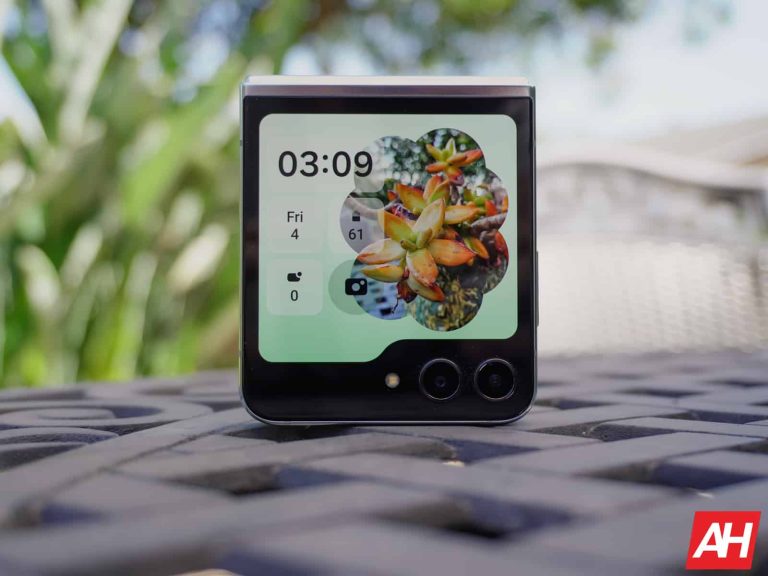
Yesterday, Samsung detailed the content of the November security patch for Galaxy devices and released the update for the Galaxy S21 series in international markets. The company also pushed the latest security patches to a few A-series models. It is now rolling out the November SMR (Security Maintenance Release) to the Galaxy Z Flip 5 and Galaxy A53 5G in the US.
Galaxy Z Flip 5 gets Samsung’s November update in the US
Samsung’s US unit has outpaced many other regional branches with the rollout of monthly security patches in recent months. It appears this trend will continue in November. The company has released this month’s security patch for the Galaxy Z Flip 5 and Galaxy A53 5G ahead of other regions. As of this writing, the carrier-locked variant of the new Flip model is getting the update with the firmware build number F731USQS1AWJ7.
Samsung will soon release the November SMR for the unlocked variant of the foldable. The update should also reach other markets in the coming weeks. As you might expect, this is just a security patch with no additional goodies. With the Android 14-based One UI 6.0 update just around the corner, the company isn’t pushing any new features and improvements with this security patch.
For the Galaxy A53 5G, Samsung is once again beginning the rollout with carrier-locked units. The new firmware build number for the premium mid-range handset is A536USQS8CWJ8 (via SamMobile). The changelog is as bland as the foldable. This phone is also eligible for the Android 14 update, which may come before the end of the year. Samsung should push the November SMR for it globally in the coming weeks.
The Korean firm has already revealed that the latest security patch contains fixes for 65 vulnerabilities. 48 of those are Android OS patches, which are for security issues found in various Android components. Google has labeled five patches “critical” in nature. Of the remaining 17 vulnerabilities, two concern issues with Samsung’s Exynos chips while the other 15 are for issues with Galaxy devices’ system components.
More Galaxy devices will get these security patches soon
Samsung will push these security patches to more Galaxy devices in the coming days. The company will also gradually release the Android 14 update for eligible models. The big Android upgrade is currently only available for the Galaxy S23 series. It’s expected to update all recent flagships to the new Android version before the end of the year. We will keep you posted on the rollouts.
Generative AI is proving to be a useful tool in several respects. While it’s scary for plenty of people, it can be helpful to others, and this is true for advertisers. On Wednesday, Google announced some new generative AI tools that will help advertisers reach their audiences.
The Google platform that people use to push their advertisements is called Performance Max. It was designed to be an AI-first advertising platform back in 2021, but the company announced generative AI tools for the platform earlier this year. Now, these tools are rolling out for people to use. So, if you use it, then things might change for the platform soon.
Google is bringing generative AI tools to advertisers
The first tool will use generative AI to generate assets for your campaigns. If you’re having trouble thinking of a captivating headline for your campaign, then the platform will give you some suggestions. You’ll enter your site’s link and answer some questions about what you’re trying to advertise. Then, it will create some suggestions for titles.
Along with the text generation, there’s also image generation, as Performance Max will also allow people to generate visual assets for their ads. The company will make sure that every image it generates is unique to your campaign. It will never generate two of the same image.
The company will also give you access to AI-powered editing for your images. If you need to create different variations of the same image, touch it up, resize it, etc. you’ll be able to do that using the powerful AI tools. Just like with other generative tools, you’re able to type in what you want it to do, and it will automatically edit the image to your liking.
You won’t only be able to edit your generated images, but you’ll also be able to edit your existing images.
Google is beta testing these new tools, right now, but the company announced that they will be available by early 2024.
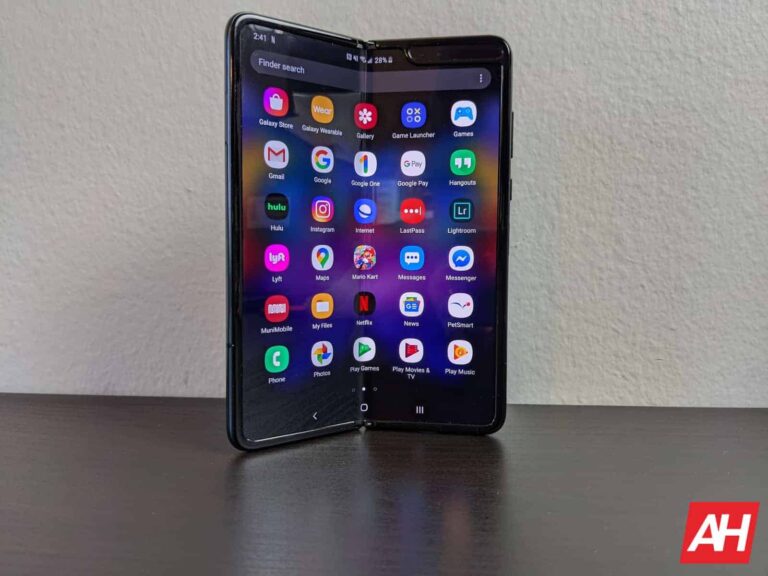
Samsung‘s Galaxy Fold, the world’s first globally available foldable smartphone, has reached its end of life. The device will no longer receive updates. The Korean firm has also stopped official update support for a bunch of Galaxy A series phones. A few models have been dropped to less frequent security patches.
Galaxy Fold stops getting software updates from Samsung
Samsung launched the Galaxy Fold in February 2019. The foldable was supposed to hit the market in April of that year but some unexpected design and durability issues delayed its release. After a few months of a rollercoaster ride, it eventually went on sale in September 2019, marking the beginning of a new era in smartphone evolution.
Over the past four years, Samsung has pushed countless updates to the Galaxy Fold. The device got regular security patches along with three major Android OS upgrades. It arrived with Android 9 Pie and received updates to Android 10, Android 11, and Android 12. Unfortunately, that is all it was ever supposed to get. The foldable wasn’t eligible for Android 13.
At the end of September this year, the Galaxy Fold has also lived through the four years of promised security updates. Expectedly, Samsung has now removed it from its support website. The company may still push one or two updates to patch critical security issues but the phone isn’t eligible for any more updates in an official capacity. If you’re using it, you should consider upgrading to a newer model sooner than later.
A few more Samsung devices are losing update support
Alongside the Galaxy Fold, Samsung has also ended official support for the Galaxy A20s, Galaxy A30s, Galaxy A50s, Galaxy A70s, and Galaxy Tab Active Pro (via SamMobile). All of these devices debuted between September and October 2019. Now that we have stepped onto November 2023, they have completed four years on the market. The same policy makes them ineligible for any more updates.
The Galaxy M22 and Galaxy M52 5G, on the other hand, have been dropped to less frequent security updates. These devices arrived in October 2021 and received quarterly security patches for two years. Going forward, they will get biannual security patches, i.e. two updates in a year. The updates will come at least until October 2025. Note that Samsung has expanded its software policy to include up to four major Android OS upgrades and five years of security patches. Newer Galaxy devices will get updates for a longer period.
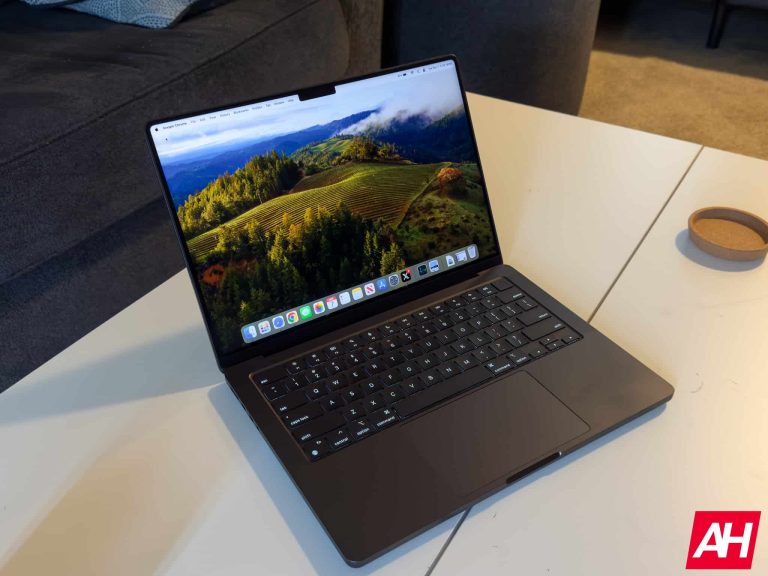
After Apple debuted the new M3 series of MacBook Pro’s last week, there was quite an uproar about the entry-level MacBook Pro. Apple got rid of the 13-inch model and moved it into the 14-inch model which brings in that stunning display and the redesigned body. But what caught everyone’s is that at $1,599, Apple is giving you 8GB of RAM (or unified memory) on the M3 MacBook Pro. Naturally, that made quite a few people upset.
Selling a “pro” laptop in 2023 with only 8GB of unified memory to start is not a good idea. Sure it might be enough for a lot of things, but “pros” are usually those doing some video editing, maybe some coding, and such, and 8GB of unified memory is not enough.
Apple, however, disagrees that it is not enough. In an interview spotted by MacRumors, the company’s product marketing lead Bob Borchers argued that 8GB of unified memory is equivalent to a 16GB RAM Windows PC.
Comparing our memory to other system’s memory actually isn’t equivalent, because of the fact that we have such an efficient use of memory, and we use memory compression, and we have a unified memory architecture.
Actually, 8GB on an M3 MacBook Pro is probably analogous to 16GB on other systems. We just happen to be able to use it much more efficiently.
While macOS is a lot more optimized compared to Windows, and Apple does use it a lot more efficiently, let’s remember that this is unified memory and not just RAM. Meaning it is used for more than just the CPU.
What is unified memory on a Mac?
In talking about Apple’s laptops and desktops, you’ll notice that the term “RAM” is not mentioned much. In fact, Apple uses “unified memory” because that is a more appropriate name for what this is. With the new M-series of chipsets that Apple debuted in 2020, they have essentially a pool of memory that is used for the CPU and GPU. So when you see a maxxed out MacBook Pro that has 128GB of unified memory and think that’s way to much, remember the GPU is also using that memory.
Unified memory is also soldered to the chipset, which makes it faster, as it has less to do. That does also mean that you can’t upgrade your system after the fact, however. Which is not great for repairability, nor the environment. Two things that Apple are big on these days. But the trade-offs do seem to be worth it.
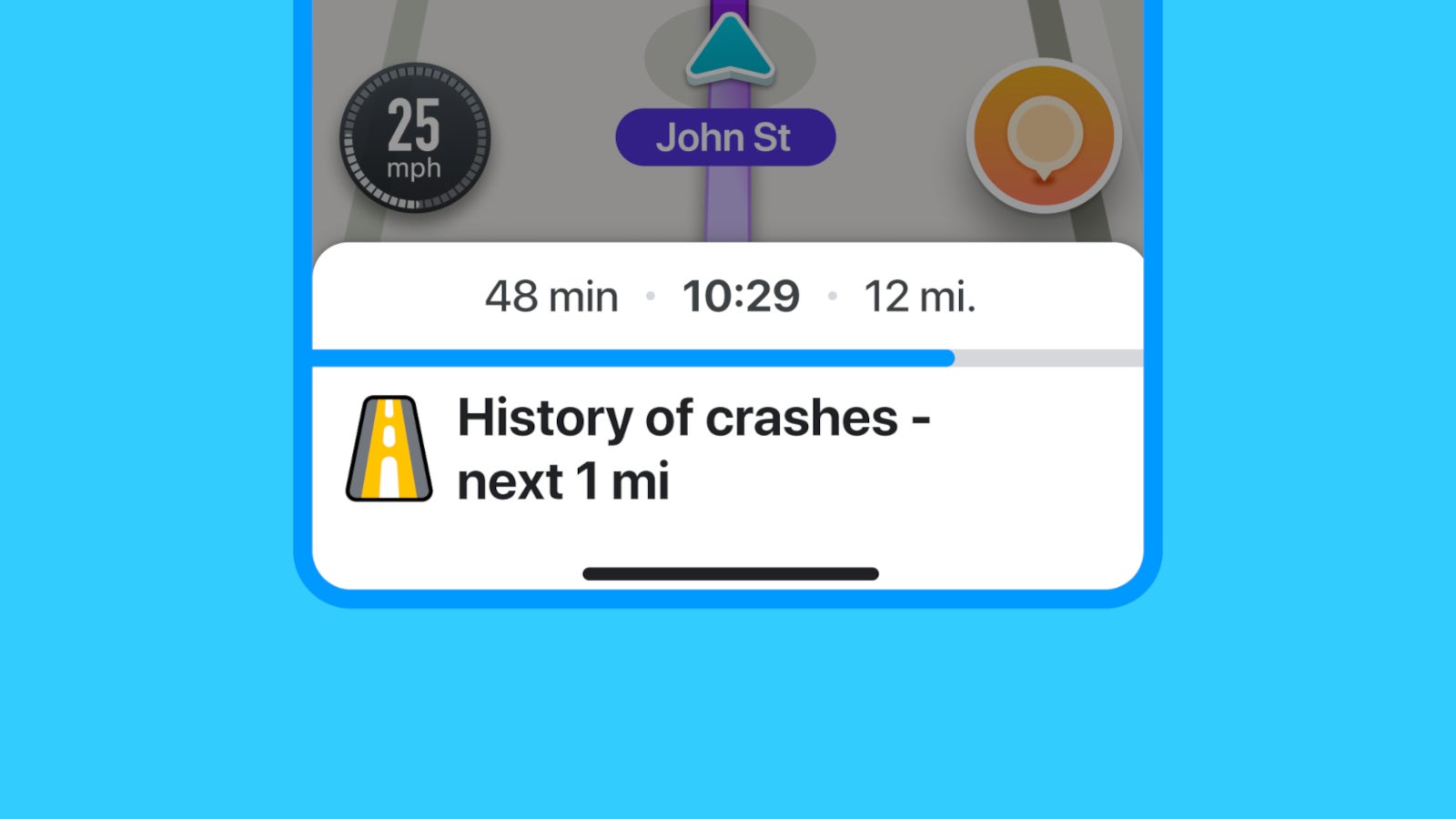
Waze announced this week that a new safety feature is now making its way to the navigation app’s users on both iOS and Android devices. The especially important new feature will allow drivers to see a road’s crash history before they start their journey.
Unsurprisingly, the safety feature is powered by AI (artificial intelligence), but the Waze community does have a contribution in this too. According to Waze, the crash history alerts provided by its app combine historical crash data and important information about route.
Depending on typical traffic levels, whether it’s a highway or local road, elevation, and more, a road can be more or less prone to crashes. Thankfully, Waze’s new feature takes into consideration all these aspects and provides you with an alert in case it decides that the road you are going to drive on is dangerous.
The new safety feature has been implemented in a way that allows drivers to keep their eye on the road all the time, even when they receive an alert from the app. In fact, Waze announced that it has limited the number of alerts drivers see, and they aren’t shown at all on roads they regularly navigate.
Crash history alerts should now be available for all Waze users on mobile, regardless of their location.