Windows phones, even today, are considered ahead of their time due to their implementation of features such as live tiles, accented apps, and seamless integration with all social media platforms. Now, in a recent interview with Business Insider, Microsoft CEO Satya Nadella echoed the statements of the general public by emphasizing that discontinuing Windows phones was a mistake.
According to Nadella, who assumed the CEO role in 2014 and was inherently responsible for the phone division, there might have been better strategies to address the Windows phone situation, considering it resulted in a staggering $7.6 billion write-off associated with the acquisition of Nokia’s phone business.
“The decision I think a lot of people talk about – and one of the most difficult decisions I made when I became CEO – was our exit of what I’ll call the mobile phone as defined then. In retrospect, I think there could have been ways we could have made it work by perhaps reinventing the category of computing between PCs, tablets, and phones,” said Nadella.
Why did Windows phones fail?
When the first Windows phone hit the market in 2010, it introduced much-needed competition to a market dominated by Symbian and iOS. However, shortly after its launch, it became an instant hit among users who had never seen such fluidity and animations in the operating system. The on-screen keyboard, superior notification management, and the lock screen made Windows phones direct rivals to iPhones.
However, in 2013, a game-changing development occurred that shifted the entire landscape in favour of Windows phones — cameras. This is because up until that point, smartphone cameras were largely secondary features, aimed at capturing the most basic photos. However, with the launch of the Nokia Lumia 1020, everything changed. The phone featured a massive 41-megapixel sensor that was ahead of its time, providing users with the capability to capture all their precious moments.
While the rise of Windows phones was largely due to its software, its downfall was also due to the same factor. This was because every time Microsoft released a new Windows phone, people wondered if it would have the support of essential apps like Instagram.
However, perhaps the most significant issue that led to the decline of Windows phones was the absence of Google apps, such as YouTube. Google seemed reluctant to allow the platform to emerge as a legitimate contender to Android, and this led them to do everything in their power to restrict Microsoft’s access to Google apps, ultimately causing manufacturers to abandon their projects involving Windows phones.
Other CEOs echo the same statement
Although the demise of Windows as a mobile platform occurred during Nadella’s tenure, he is not the only one who has acknowledged the mistakes made. This is because Microsoft’s co-founder and former CEO, Bill Gates, once admitted that failing to compete with Android was his “greatest mistake ever.” Additionally, former Microsoft CEO Steve Ballmer also acknowledged his mistake, saying, “I regret that there was a period in the early 2000s when we were so focused on what we had to do around Windows [Vista] that we couldn’t redirect our talent to the new device called the phone. That is the thing I regret the most.”
X is evolving faster than a Pokemon beast with something new to offer practically every other day or so.
This time, the platform is enabling audio and video calling capabilities. For now, the new feature is available only on iOS, but the X team (or do they call themselves X-Men back in the headquarters?) promises it will arrive on Android, too.
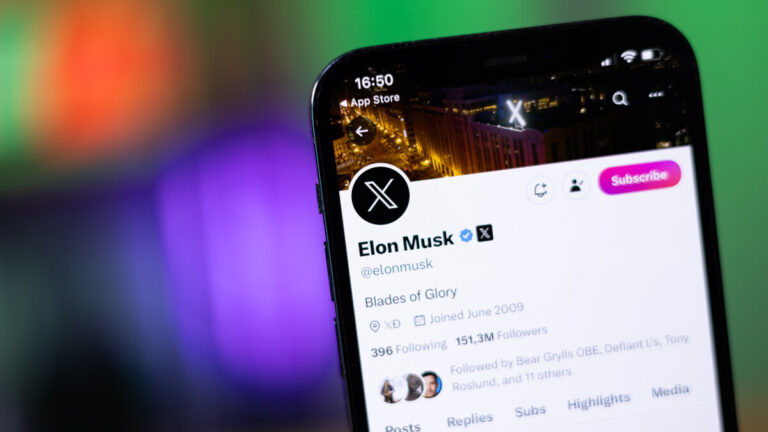
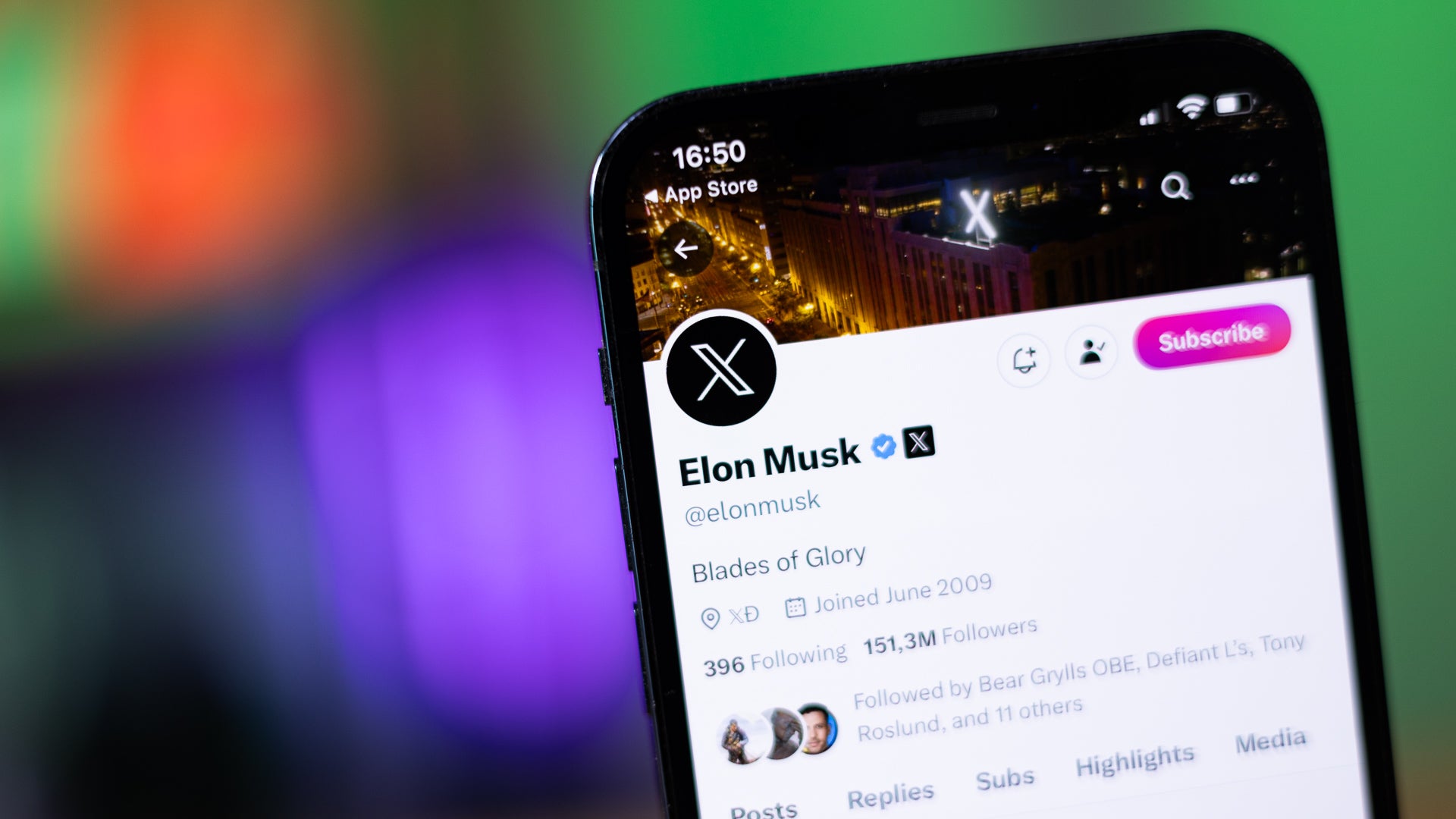
Here’s the X post that serves as an official announcement. Since it’s on Elon Musk’s profile, it’s no surprise that it’s less than ten words in total: “Early version of video & audio calling on X”. Thankfully, the X-Men (sorry, sorry – the X team) have compiled a somewhat more detailed and explanatory guide to the new X feature.It starts with: “We’re releasing a new way of communicating on X, Audio and Video Calling. Audio and Video calling is now available on iOS and will soon be available on Android”.
The basics
Premium subscribers have the ability to make audio and video calls.
All accounts are able to receive calls.
You’re able to control who can call you from the Direct Messages Settings.
By default, you’re able to receive calls from accounts you follow or have in your address book (if you’ve previously given us access to your address book).
To be able to call another user they must have sent you a Direct Message at least once before.
To make an audio or video call on iOS
Tap the envelope icon. You’ll be directed to your messages.
Tap on an existing DM conversation or start a new conversation.
Tap on the phone icon, from there you can:
Tap Audio call to start an audio call
Tap Video call to start a video call
The account that you call will receive a notification that you’re calling them and if they don’t pick up they’ll get a notification that they missed a call.
Manage an audio call
While on an audio call, you can:
Tap the audio icon to put the call on speaker.
Mute or unmute your microphone by tapping the microphone icon.
End the call by tapping the X button.
Manage a video call
While on a video call, you can:
Switch between the front or back-facing camera by tapping the flip camera icon.
Tap the audio icon to turn off speaker mode.
Turn your camera off by tapping the camera icon.
Mute your microphone by tapping the microphone icon.
End the call by tapping the X button.
How to control who can call you
Tap the envelope icon. You’ll be directed to your messages.
Tap the settings icon in the top right corner, this will open up your Messages settings.
In your messages settings you can control if you’d like the audio and video calling feature to be enabled or not.
If the audio and video calling feature is enabled, you can choose who is able to call you. You can choose to receive calls from:
– People in your address book – People you follow – Verified users
Right now, most major companies are hopping on the AI train, as the technology is proving to be lucrative. Lenovo is the latest company to unveil its plans to bring AI to its devices. During an event, Lenovo announced the upcoming MotoAI, which will be an AI force that will power Motorola and Lenovo devices.
This was announced during Lenovo Tech World ’23. This is the company’s tech event where it shows off some exciting and upcoming products that it and Motorola are working on.
One interesting device that Motorola is working on is a foldable phone that would actually fold backward. All foldable devices are made from two solid components connected by a movable hinge. Well, with this concept device, the chassis itself will bend. We see images of people using it to wrap around their wrists as if it were a smartwatch.
Lenovo unveils the upcoming MotoAI
Motorola hasn’t really been associated with AI, as it’s more of a hardware company. However, it seems that its parent company Lenovo wants to change that. During the event, Lenovo unveiled MotoAI. This is going to be an AI-powered personal assistant that will be on Lenovo and Motorola devices.
At this point, we don’t know too much about what this assistant will be able to do, but by the way the company described it, it sounds like it will be similar to Microsoft Co-Pilot. The assistant will feature a foundational model that will actually live on-device, which the company says will help it protect your privacy better.
MotoAI will use generative AI to help with functions like drafting messages, scheduling tasks, answering questions, etc. So, it will be just like the LLMs that we see on the internet. However, the AI will be housed on the device, so you might be able to access it without an internet connection.
At this point, we don’t know exactly when Lenovo is going to roll this out to the devices. However, there might not be too long of a wait.
VMWare has issued an update to address out-of-bounds write and information disclosure vulnerabilities in its server management software, vCenter Server.
VMWare has issued an update to address one out-of-bounds write and one information disclosure vulnerability in its server management software, vCenter Server.
Since there are no in-product workarounds, customers are advised to apply the updates urgently.
The affected products are VMware vCenter Server versions 7.0 and 8.0 and VMware Cloud Foundation versions 5.x and 4.x.
The Common Vulnerabilities and Exposures (CVE) database lists publicly disclosed computer security flaws. The CVEs patched in these updates are CVE-2023-34048 and CVE-2023-34056.
CVE-2023-34048, an out-of-bounds write vulnerability in the vCenter Server’s implementation of the DCERPC protocol. A malicious actor with network access to could trigger an out-of-bounds write, potentially leading to remote code execution (RCE). The vulnerability has a CVSS score of 9.8 out of 10.
DCE/RPC, which is short for “Distributed Computing Environment / Remote Procedure Calls”, is the remote procedure call system developed to allow programmers to write distributed software as if it were all working on the same computer, without having to worry about the underlying network code.
An out-of-bounds write or read flaw makes it possible to manipulate parts of the memory which are allocated to more critical functions. This could allow an attacker to write code to a part of the memory where it will be executed with permissions that the program and user should not have.
VMware is not currently aware of exploitation “in the wild,” but urges customers to considered this an emergency change, and your organization should consider acting quickly.
CVE-2023-34056, a partial information disclosure vulnerability. A malicious actor with non-administrative privileges to vCenter Server could use this issue to access unauthorized data. It has a CVSS score 4.3 out of 10.
Patching
While VMware normally does not mention end-of-life products in VMware Security Advisories, due to the critical severity of this vulnerability and the lack of a workaround, VMware has made a patch generally available for vCenter Server 6.7U3, 6.5U3, and VCF 3.x. For the same reasons, VMware has made additional patches available for vCenter Server 8.0U1.
Xreal is proud to be bringing the new Air 2 to its customers around the world. This new pair of reality glasses is a successor to the already existing Air that became official last year. Now its predecessor is here, and it brings a ton of improvements and upgrades from the previous model to boost user experience.
Upgrades on this new product from Xreal are in the display, audio, brightness, and overall design and finish. For the more stylish users, the new pair of reality glasses from Xreal brings a new color option. In terms of its pricing, this new product is just a few bucks more expensive than its predecessor but brings a ton of upgrades that will reflect on the overall usage.
In regions like China, Xreal fans have already been able to get their hands on this new pair of reality glasses. Now the brand is allowing the global audience to try out this piece of technology for themselves. To do that, fans will need to pre-order the new Xreal Air 2 directly from the brand’s official website, as global sales are not yet live.
Details and all the improvements on the new Xreal Air 2 in comparison with its predecessor
On paper, the new Xreal Air 2 is a very significant upgrade in comparison with its predecessor. With this new pair of reality glasses, Xreal was able to reduce the weight by 7g. The original Xreal Air weighs 79g, while the new entry that is now available for pre-order weighs 72g.
In front of the user’s eyes is a 330-inch Micro-OLED display that supports 120Hz refresh rate. This display is an improvement from the original Air’s display as it is Sony’s latest panel for reality glasses, measuring 0.55 inches. The display promises users high-fidelity color representation thanks to its TÜV Color Accuracy certification.
Fans who purchase the Pro version can get immersive one-touch controls. This will help them to control the Electrochromic Dimming levels depending on the lighting in their environment. Xreal adds Directional Audio technology to this new product, and this will help to reduce sound dispersion for a more personal experience.
Watching movies, gaming, and so many other activities are achievable with this pair of glasses. Users will also benefit from the 500 nits brightness that this product offers. With such a level of brightness, users will get protection from the flicker-free, low-blue light technology and Eye Comfort TÜV certification.
The Xreal Air 2 is now available for pre-order, and it starts at $399 on the brand’s official website. Users can also customize this product by ordering prescription lenses to go with their purchase. Color options here are red and black, giving users more flexibility with their style.
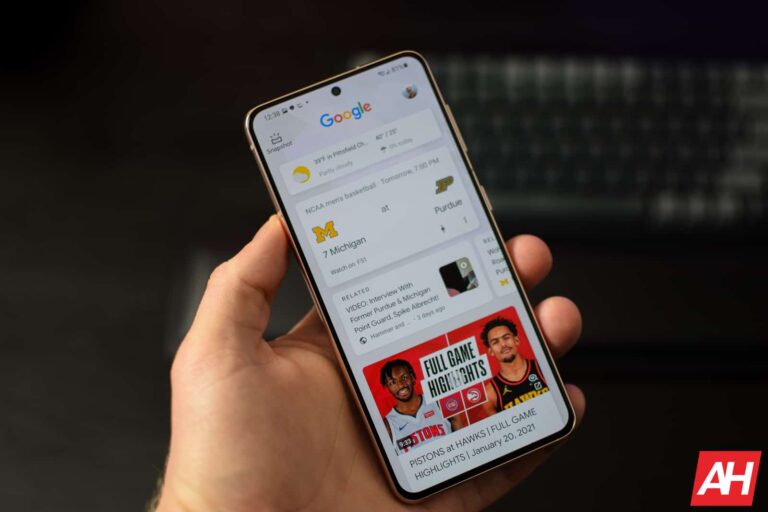
If you’ve used Android over the years, then you should know about the Google Discover feed. It’s easily accessible through the home screen, Google app, and Chrome. Even if you don’t know what it is, you’ve seen it. But, if you’re confused about what the Discover feed is or how to use it, well we’ve got you covered.
Here’s a handy guide to tell you everything you need to know about this feature. Whether you don’t know what it is, or you know what it is and you want to know how to use it, this guide will help you out. We’ll also tell you how to access it and customize your feed. Who knows, this could be your next favorite feature.
What is the Google Discover feed?
Okay, let’s start off with what we’re dealing with here. The Google Discover feed is a scrolling feed of relevant news headlines. These headlines could be relevant for different reasons. They could be based on your search history, your local area, or your preferences.
When you first open the feed, you’ll see headlines about certain topics that you’re interested in. If you typically search for results about fashion on Google, then you’ll see news articles about fashion. The same thing goes for any topic. This is Google we’re talking about; the company is big on using your data to charge its services. So, this shouldn’t surprise you.
All of the headlines take you to different publications. So, if you tap on one, then it will open a tab in your default browser.
Also, the Discover feed shows you information like your current weather, finances, sports, and the AQI (air quality index) in your area. These are displayed as little tiles above the news articles. While the feed of headlines could show you news about sports, the Sports tile will show you live updates on scores.
So, this is a personalized feed of the latest news updates you’d most likely be interested in.
How to customize your Discover feed
So, while the Discover feed is based on your history, it can be tailored by you. The thing is that we don’t always look up things that are in our best interest. That’s why Google is here. It’s meant to be the Everything website; you come to it for everything you need. So, you’ll search for things that align with your interests but, from time to time, you’ll need to search for things that aren’t.
Say, you have to do research for a class project. Well, your search results are going to be flooded with results about the fall of the Roman Empire for a brief moment. Google might think that you’ve become a history nut when, in reality, it was just for the project.
This is why you’re able to customize your feed. You’re able to pick and choose which topics and publications populate your feed. Customizing your feed could be a little time-consuming, but it’s worth it if you want to manage your feed.
There are a few ways that you can manage your feed. That’s great, as it gives you more control over what you can do.
Picking what you’re not interested in
So, a big part of seeing what you want is not seeing what you don’t want. The Discover feed lets you choose which topics and publications that you don’t want to see content from. If you find an article that doesn’t align with your interests, tap on the three-dot menu on the right side of the article. When you do, you’ll see a panel of options appear. The top options will read “Not interested in this” and “Not interested in this topic”.
If you’re just not interested in the article, tap on the top option. That article will be wiped from your feed. If you don’t want to receive any articles on that topic, then you can tap on the second option.
If you tap on the second option, there’s a chance that you’ll be taken to a sub-menu. This is because the article you’re blocking belongs to several topics. In the sub-menu, you’ll see a carousel of chips that you can tap on, and each chip will be a topic that this article belongs to. Simply tap on the topics that you want to block.
If you want to keep your feed tailored to your interest, then it’s good to check back every now and then to see if there are any topics that you don’t want. As time goes on and people search for more results on Google, it’s easy to introduce more topics to your feed.
Blocking publications
There are those publications that you just don’t like. It could be for any reason. Regardless of the reason, if you don’t like a publication, then you can tap on the third option in the panel. This will block all news publications from that specific publication.
If you accidentally block a publication that you didn’t mean to block, then you will have about five seconds to undo this. On the bottom of the screen, you’ll see a little graphic showing which publication you blocked. On the right of the graphic, you’ll see an Undo button. Tap on it to reverse your decision.
Adding interests
Now that you’ve gotten rid of what you don’t want to see, let’s add to what you want to see. Firstly, as you’re scrolling your feed, you can tap on the heart icon under news articles that you want to see more of. This will help the algorithm get to know what types of articles you want to see.
While you’re scrolling, you’ll see a section with a list of suggested topics that you can add. This won’t happen every time you open your Discover feed, unfortunately. The section will involve topics that you might be interested in. Just tap on the topics that you want to add, and they’ll be added to your interest list.
After you add topics, you’ll see a message on the bottom of the screen urging you to refresh the feed. When you refresh the feed, you’ll see it reflect your choice.
Managing your interests
If you want to keep track of the topics and interests that you added, it’s easy to manage them. Tap on the three-dot menu on any article. The same panel will come up. Tap on the Manage interests button. This will open a page with two options at the top. The first one will show you the interests that you’ve added. You’ll have the option to remove the interests or set them to notify you of new headlines.
If you go back to the previous page, you’ll see the second option named Not interested. In this section, you’ll see the list of topics and publications that you marked as “not interested.” Next to each of the items, you’ll see a little pink circle with a “-” symbol inside. Tapping on the circle will remove that item from your list and put that content back on your feed.
Disabling other feeds
As you scroll down your feed, you’ll see different sections with other feeds in them. For example, you’ll see a feed with your local news and a feed about the biggest headlines throughout the world.
If you don’t want to see news headlines from those extra feeds, you can tap on the three-dot menu. This time, you’ll see a much smaller panel pop up. Tap on the Hide this button. It will get rid of the feed.
With that, you know how to manage and customize your Google Discover feed. With this knowledge, you will know how to make the feed feel personal.
Several companies are investing a ton of money into AI in the hopes that it will have a large return investment… some day. While some companies have figured out a way to monetize their AI, several companies, including Google, haven’t. Well, according to a new report, it seems that Google might charge a subscription fee for its AI services.
We have to remember one of the reasons why Google went all in on generative AI. This was to keep products like ChatGPT from eating into the company’s revenue. Now, Google is spending millions upon millions of dollars on developing its AI technology, but there’s not really a way for the company to monetize it just yet.
Google CEO points to possible subscription fee for AI services
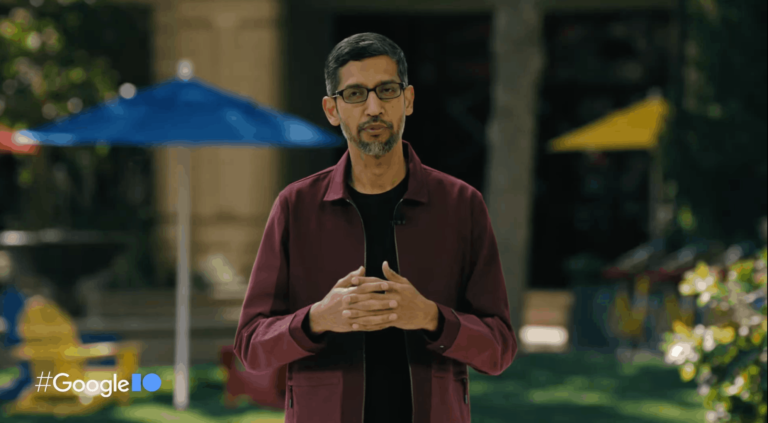
Google’s CEO Sundar Pichai, spoke to analyst Brian Nowak about Google and AI. Nowak asked Pichai if there is any sign that this major investment into AI will show any returns. One response Pichai gave was “I think with the AI work, there are subscription models as a possible path as well.”
Right now, we don’t know what this will entail, as this sounds like wishful thinking. Perhaps the company has been planning for a while, and it already has a model in the works.
At this point, Google has been working on Bard and other AI products to keep people from going to ChatGPT for their answers. At the end of the day, Google’s main source of revenue will always be selling ads. So, the company might not need to bring a subscription service right away.
At this point, we’re just waiting on more info on what Google is planning on doing. If the company does decide to charge for services, it might not affect the average user all that much. It might be for business enterprise usage.
Since the middle of September Google has been in the courtroom for its antitrust trial with the Justice Department, and you likely haven’t heard about a huge portion of it because much of it is being kept private. That’s not to say there hasn’t been some information coming to light and being made available for public viewing.
There are certainly some things that have been reported on. And it’s this reporting that has led to the outing of important details. Such as Google’s request for employees to avoid using certain words that could make them sound like monopolists. The trial has also ushered in more information on Google’s longtime exclusive deals with companies like Apple. Wherein Google would be paying Apple a sizeable sum of billions annually to keep Google as the search engine default on its Apple products.
Multiple competitors have testified that Google makes it unnecessarily difficult for users to change to a different search engine. All of this would likely never have been brought up to the public if it weren’t for this trial. And users would be none the wiser when it comes to Google’s alleged monopolistic business practices. And yet, it still feels like there’s a bunch of information that users aren’t privy to. There’s a good reason for that. Much of the US vs Google trial is being kept private. Behind closed doors and away from the view of anyone remotely interested in seeing what Google’s up to.
The Google trial is being kept private because Judge Amit Mehta is catering to involved companies
A big reason for the secrecy can probably be placed on the shoulders of Judge Amit Mehta. Throughout the trial Google and other involved companies such as Apple and Microsoft have made requests to redact specific information. Mehta has honored some of these requests. Which means there’s a good chance there are some important details about Google’s operations that could be harmful to consumers will never see the light of day.
In addition to the redacted information, some of the trial has been closed off from the public and from reporters. A sort of unprecedented decision given the sheer scope of a trial like this one. Some information that has been made public has only been done so recently. With it being closed off from public access for numerous weeks. As Slate reports, certain publications (of a handful that are able to cover the trial in person) like The New York Times have been advocating for public access to trial testimony. Not just access though, but quicker access. Slate notes that as of this week, the Times is still trying to get the court to provide the public with quicker access.
Whether or not that happens remains to be seen. And if Mehta does finally decide to cater more to the public in this regard, who’s to say it will matter. Google is now in its half of the trial where it gets to go on the defense. The trial is also only supposed to take until November 10 which is just a few weeks away. So depending on when (or if) quicker public access becomes a thing, it could end up being after most of the trial is already over. And after much of the most important testimony has already been kept behind closed doors.
The Pwn2Own hacking contest has once again highlighted that smartphones are always susceptible to attacks no matter how secure they are. Security researchers uncovered and exploited multiple zero-day vulnerabilities on the Samsung Galaxy S23 and Xiaomi 13 Pro. Both phones were hacked twice on the first day of the contest.
Pwn2Own exposes Galaxy S23 and Xiaomi 13 Pro’s security vulnerabilities
Pwn2Own is a computer hacking contest held twice a year. The contest invites security researchers from all over the world to try and breach the security of commonly used electronic devices such as smartphones, printers, smart speakers, surveillance cameras, Network Attached Storage (NAS) devices, and more. Researchers are awarded cash prizes for every successful hack. The prize money varies on the severity of the vulnerability and other factors.
The latest edition of Pwn2Own kicked off in Toronto, Canada yesterday, October 24. The organizers have more than $1,000,000 in cash and other forms of prizes available for contestants. We saw several successful hacking attempts on various products on the first day itself. The most notable of them were two zero-day exploits each of the latest flagship smartphones from Samsung and Xiaomi.
For the uninitiated, zero-day vulnerabilities are security flaws previously unknown to anyone, not even the developers of the product. If a hacker or security expert discovers such a vulnerability, they may be able to exploit it right away as the vendor doesn’t have a fix ready for it. This is what happened with the two phones at Pwn2Own. The first attack against the Galaxy S23 exploited an Improper Input Validation vulnerability.
Pentest Limited executed this attack and earned $50,000 in cash and five Master of Pwn points. Researchers at STAR Labs SG were able to “exploit a permissive list of allowed inputs” against the Samsung phone to earn $25,000 and five Master of Pwn points. Likewise, Team Viettel executed a single-bug attack against the Xiaomi 13 Pro to take home $40,000 and 4 Master of Pwn points. Finally, NCC Group exploited a zero-day vulnerability on the Xiaomi 13 Pro. The group earned a cash prize of $20,000 and 4 Master of Pwn points.
Both of these phones had the latest security patches installed
As per contest rules, all targeted devices were running the latest OS version with the latest security patch installed. Pwn2Own organizers say they have already awarded over $400,000 in prizes. The contest runs through October 27, so we might see more of these high-profile security breaches in the coming days. The Google Pixel 7 and iPhone 14 are other phones available to the contestants. Samsung’s Galaxy S22 was breached four times across the contest’s four-day span Pwn2Own hacking contest, including a hack executed in just 55 seconds.
Samsung has been a reputable name in the OLED manufacturing industry for many years now. The Galaxy lineup of phones is often touted for their impressive displays. And even Apple sources the majority of their OLED displays from Samsung. Now, it seems Samsung’s cheaper phones might also be getting these coveted screens.
OLED screens offer better visuals
The introduction of OLED displays to smartphones was a major turning point. OLED displays have pixels that can individually turn on or off instead of relying on a backlight. This means that images on OLED have deeper blacks and richer contrast. It also means less battery usage as black pixels don’t use power at all.
Samsung’s display manufacturing unit Samsung Display provides OLED displays to its biggest competitor; Apple. Samsung also provides OLED panels to Sony and LG for their TVs. With years of experience, Samsung has perfected cost-effective OLED displays. This new move will allow even more consumers access to their OLED screens and better visuals.
OLED coming to Galaxy A series phones
According to The Elec, Samsung is planning to introduce rigid OLED to its Galaxy A phones. The Galaxy A series is some of the more budget-friendly offerings from Samsung. Reportedly, even the really cost-friendly Galaxy A15 will be switching over to OLED.
The switch to OLED might not be the only upgrade the A15 is getting, however. According to Galaxy Club, the A15 will launch with a 5G-capable variant as well. Though both a 4G and a 5G version of the phone are expected to launch, this is big news. This news means even the cheapest Samsung phones will now offer up-to-date technology to consumers.
The Samsung Galaxy A24, another budget phone, was upgraded to OLED this year. It also received a 90Hz refresh rate over the traditional 60Hz. Samsung seems to be making big strides to bring all of its offerings to a level above the phones of yesteryear. This move could also set a precedent for other phone manufacturers. Soon we might see every phone in the world switch to OLED displays.
Samsung Display uses its A2 line for the production of rigid OLED displays. These displays are cost-effective and made to be used in cheaper phones. With a speculated operation rate of over 90%, Samsung seems poised for OLED to dominate the industry. This will hopefully provide much better options to people shopping for new phones going forward.