Just when you thought there was likely nothing left to leak for the Pixel 8 Pro, one more leak surfaces containing a fill list of hardware data. Basically leaving nothing to the imagination prior to Google unveiling the phone on October 4. The Pixel 8 Pro, which is slated to be revealed alongside the Pixel 8 and Pixel Watch 2 in just a couple of days, has had basically all details about it leaked at this point.
The latest leak comes from Brandon Lee on X (formerly Twitter), and details everything from the chipset to memory and more. Worth noting is that much of the information has leaked in some capacity before. But the difference now is that these details are being shown on the Pixel 8 Pro itself with the use of a third party app that mentions the specs.
Pixel 8 Pro hardware leak details Tensor 3’s cluster structure
For example, Google’s Pixel 8 Pro is running on the Tensor G3 chipset. That chipset is made up of 9 cores in a big.LITTLE architecture with 3 clusters. One cluster contains 1 core at 2.91GHz. Meanwhile the other two clusters use four cores each. With clocks at 2.37GHz and 1.70GHz respectively.
Another screenshot showcases the resolution of the front-facing camera. Which is 8.4MP for image resolution and 8.0MP for video resolution. As for the rear-facing camera, it’s a 13MP main sensor with multiple focus modes including macro, infinity, auto, continuous vide, and continuous picture.
In terms of other specs, you can see that the phone comes with 128GB of internal storage. As well as 12GB of RAM. Which is basically no change from last year’s Pixel 7 Pro device. For the most part it doesn’t look like there’s a ton of changes. As if most of the improvements made are minor and more about refining the phone than making it a lot faster and more powerful. In any case, you can view details of all the specs in the images below.
The launch of Huawei’s Mate 60 Pro, featuring the 7nm 5G-enabled Kirin 9000S chipset, has surely raised alarms in America, considering just last year, China’s SMIC was light years behind the competition. Now, in a recent development, SMIC has reportedly (via Phone Arena) placed big orders for the raw materials of the Kirin 9000S chip possibly in anticipation of stricter US sanctions.
The Crux of the issue
After the US first implemented trade sanctions on Huawei, the company lost its ability to buy chips from other US companies, including TSMC, the biggest smartphone chip producer. Although the US did allow Qualcomm to sell its Snapdragon 8+ Gen 1 chips to Huawei without enabling 5G services, the company started developing homegrown chips with SMIC, which was using the outdated 14nm process node at the time.
However, a significant change occurred with the launch of the Huawei Mate 60 Pro, as the chip powering the device, i.e., Kirin 9000S, not only accessed 5G services in the country but also ran on the much more efficient 7nm node process.
Despite Huawei still being two generations behind in the cutting-edge 3nm A17 Pro chip powering the latest iPhones, it is no surprise that the US government would be looking into this recent development.
Possible reasons behind SMIC stockpiling raw materials
While some in the industry believe it’s a proactive measure against potential new sanctions from the US, others argue that SMIC might be positioning itself to meet Huawei’s demands. This is because Huawei is optimistic about selling up to 20 million units of the Mate 60 Pro. Moreover, given that the device’s sales are expected to continue shipping into the next year, SMIC’s move to increase procurement of raw materials could allow Huawei to be on track to becoming the smartphone giant it once was.
“The United States may strengthen the tightening of its advanced process-related efforts to prepare in advance to avoid a chain-cutting crisis, or it may be necessary to Increase raw material inventory levels to meet customer order needs,” reads the translated report.
Although Cloudflare provides resilient DDoS protection, a researcher devised a strategy to bypass the security measures using Cloudflare itself. The process involves exploiting logic flaws in the firewall that allow an adversary to perform DDoS attacks on the target device.
Cloudflare DDoS Protection Bypass Discovered
In a recent blog post, security researcher Stefan Proksch from the ICT consulting firm Certitude explained how an adversary can bypass Cloudflare DDoS protections using the service itself.
Specifically, the researcher spotted two vulnerabilities in the Cloudflare firewall and DDoS protection measures that existed due to how the service works. The issue lies with Cloudflare’s “Authenticated Origin Pulls” and “Allowlist Cloudflare IP Addresses.”
These two mechanisms protect an origin server from malicious traffic by assigning a “trusted” status to the HTTPS requests from Cloudflare. The service then validates the traffic via an SSL/TLS certificate that customers can easily generate.
While this sounds reliable, the researcher explained that this generic trusted status to Cloudflare traffic empowers an adversary to use its own Cloudflare account for targeting a specific server. The attacker merely needs to know the victim server’s IP address to wage the DDoS attack. As stated in the post,
An attacker can setup a custom domain with Cloudflare and point the DNS A record to victims IP address. The attacker then disables all protection features for that custom domain in their tenant and tunnel their attack(s) through the Cloudflare infrastructure.
The researcher has shared the technical details about this issue in his post and a proof of concept.
Official Patch Yet To Arrive
Upon discovering the matter, the researcher responsible disclosed the vulnerability to Cloudflare via its HackerOne bug bounty program. However, after Cloudflare simply considered the report “informative,” the researcher decided on public disclosure.
While the service hasn’t released an official patch to address the flaws yet, the researcher has suggested mitigations for the users.
First, Proksch advises generating custom certificates with the “Authenticated Origin Pulls” mechanism, ditching the Cloudflare certificates to prevent unauthorized requests. Next, he advises users to consider the “Allowlist Cloudflare IP addresses” mechanism as a defense-in-depth strategy only, not the sole server protection mechanism.
The Google Pixel 8 and Pixel 8 Pro are only two days away. These phones have been leaked so much that we can give the presentation on them ourselves and save Sundar the trouble. As though these phones couldn’t be leaked any more, the Pixel 8 phones popped up in a new hands-on.
If you’re excited about these phones and the upcoming Pixel Watch 2, then you should mark your calendars. The official presentation will take place on October 4th. It’s expected to be a pretty short and sweet presentation. We’ll hear about the devices and we also expect to hear about Android 14.
The Pixel 8 was shown off in a surprise hands-on
Most hands-ons are in the form of a video, but this one was a spree of pictures on Imgur. In the images, we see both models of the phone, and we all see two of the colors. The lighting conditions and rushed photography don’t do the colors any justice. The base Pixel 8 is the black color and the Pro version is the new Sky Blue. The Sky Blue color seems to be the stand-out color of the year. It’s just like the Hazel color from last year.
The images give us a close-up look at the phones, and they confirm what we’ve been speculating. Both phones will have a more rounded design compared to the Pixel 7 and Pixel 6 series. They almost resemble the modern Galaxy S series phones (with the exception of the Ultra models, of course).
For the Pro model, we see the three camera lenses through the glass of the visor. This means that the phone will retain the main, ultrawide, and zoom telephoto cameras from the previous iterations. Another bit of news that was confirmed was the addition of the extra sensor. On the right side under the flash, we see the cutout for what we believe to be the temperature sensor.
With this hands-on, we know how these phones will look. While that’s the case, you should still check out the Pixel event live streaming on October 4th.
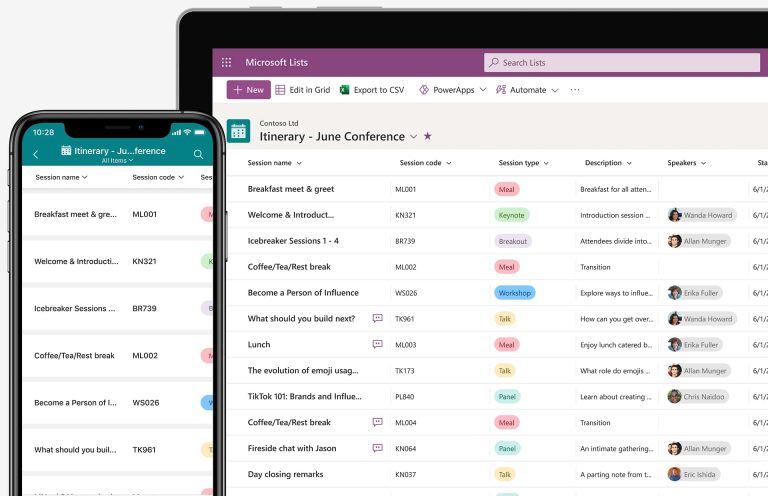
After several limited previews over the last two years, Microsoft is finally offering the Microsoft Lists preview to the public. Previously, Microsoft’s new task management app was only open to enterprise and business users. Anyone with a Microsoft account can now access Microsoft Lists on Android, iOS, and the web.
Not to be confused with Microsoft To-Do, Microsoft Lists is part of Microsoft 365, which includes Word, PowerPoint, Excel, and other apps. It allows you to create and manage lists for your daily tasks, events, routines, and projects.
Access Microsoft Lists with Your Personal Microsoft Account
Microsoft had already launched the Android and iOS apps for Microsoft Lists. However, the apps didn’t support personal Microsoft accounts. You had to be a member of an organization with a commercial subscription to access them.
But last week, Microsoft introduced Microsoft Lists preview for personal accounts. You can use the same free account you use to sign into Outlook or Xbox.
Microsoft Lists is available on mobile (Android and iOS), web, and desktop.
But you can sign in with multiple accounts if you don’t want your work and personal lists in the same place. The app makes it easy to switch between your personal Microsoft account and your work or school ID.
Organize Work and Personal Life with Microsoft Lists
Microsoft Lists is more than just a barebones to-do list, though. You can also share your lists with others. It was first developed for enterprise and business users. So, it features a ton of robust built-in templates for organizing your work. You’ll find templates for employee onboarding, recruitment tracking, asset management, and events.
For more heavy-duty project management, you can even switch Microsoft Lists to an AirTable or Asana-like layout. It lets you and your team track the status of issues and leave comments.
Microsoft Lists even comes with some basic automation features. You can set rules to automate based on changes made to lists — for example, marking a task done sends out a notification email.
It also has templates to maintain and organize your life. You can use it to create lists for recipes, bills, expenses, gift ideas, playlists, schedulers, and itineraries.
Seamless Syncing
Lists integrates with Excel and OneDrive to import your lists from spreadsheets or CSV files. And just like Excel, it offers conditional formatting to highlight elements. The lists and their contents seamlessly sync everywhere. Also, switching to a calendar, grid, gallery, or custom view is easy.
“We’re excited to see what sorts of information tracking goodness you create during the preview, and how you share it all. Create, use, and share your information with anyone, anywhere while on the go with a personalized, mobile-first experience,” Garima Wadhera, the Principal Product Manager, stated in the official press release.
Microsoft Lists is still in Preview (early access and awaiting feedback), and the company hasn’t shared when it’ll launch out of Preview.
After the news that Google – notorious for its ax-wielding obsession (think of the now shut down YouTube Originals, Google Stadia, YouTube Go, and more) – is going to put Google Podcasts to sleep, they’ve packed YouTube Music with a fancy new feature.
As you’ve probably already heard, YouTube Music is the app that will succeed Google Podcasts in the coming months, with the latter to be completely discontinued in 2024. Users are now reporting they’re seeing an auto-download option for podcasts in version 6.21 of YouTube Music (both for Android and iOS).
Users from selected countries have been granted access to podcast shows and episodes on YouTube Music since the beginning of 2023, and the US is one of them. So, how to enable auto-downloads? 9to5Google has the know-how and they explain the steps in a straightforward way:
After you open the YouTube Music app, tap the Podcasts filter that’s found at the home screen top. Visit a show page and tap the new settings gear icon to “Save/d to library.” This slides up the “Turn on auto-downloads” button. If selected, this will immediately download the most recent episode of that channel to your device for offline listening.
As of the moment, one key feature from Google Podcasts is still missing on the new host app – YouTube Music is not offering auto-removal settings. In Google Podcasts, there’s the “Remove completed episodes” option that lets users set an increment: after 24 hours, 7 days, 30 days, and 90 days.
Auto-downloads work on a per-show (and per-device) scheme so you have to enable them one by one, while Google Podcasts offers a dedicated Auto Downloading page to quickly toggle on/off downloads. Of course, there’s more than enough time for Google to pack those features in YouTube Music via a feature update if they choose to. The keyword here is “if”…
LightSpy malware, responsible for a watering hole attack conducted against iOS users in Hong Kong, has been discovered to be embedded with Android implant Core and its 14 related plugins from 20 active servers for attacking mobile users.
LightSpy is a Mobile Advanced Persistent Threat (mAPT) that uses new and sophisticated techniques to attack mobile users. This malware has been confirmed to be attributed to the state-sponsored group APT41.
Recent reports indicate that the malware has been using WeChat payment systems to access payment data, monitor private communications, and for performing various malicious activities.
LightSpy APT Attacking WeChat Users
According to the reports shared with Cyber Security News, LightSpy malware was a fully-featured modular surveillance toolset that was found to be using various plugins for private and payment data exfiltration. Additionally, the malware is strongly focused on the private information of the victim.
Its features include payment data exfiltration from WeChat Pay using its backend infrastructure and gaining audio-related functions from WeChat to record victims’ VOIP conversations.
However, this malware cannot run as a standalone application as it is also a plugin. Moreover, the malware’s core is responsible for performing all the functions required for the entire attack chain.
The core functionalities include device fingerprint gathering, control server connection establishment, retrieving commands from the server and updating itself, and the additional payload files, otherwise called as plugins.
14 Plugins of LightSpy
Multiple plugins have been added to the malware which includes soft list, baseinfo, bill, cameramodule, chatfile, filemanager, locationmodule, locationBaidu, qq, shell, soundrecord, telegram, wechat, and wifi.
PLUGIN
VERSION
BRIEF DESCRIPTION
softlist
3.3.3
Exfiltrates the list of installed/running applications and active usernames using toolbox/toybox utility and superuser access
baseinfo
2.3.4
Exfiltrates contact list, call history, and SMS messages. Can send and delete SMS messages by the command
bill
1.2.18
Exfiltrates payment history from WeChat Pay
cameramodule
2.6.1
Takes camera shots. Can do one shot, continuous shot, or some event-related shot (for instance phone call)
chatfile
1.3.4
Exfiltrates data from different messengers’ folders
filemanager
3.0.5
File exfiltration plugin
locationmodule
2.6.5
Precision location tracking plugin
locationBaidu
2.6.6
Another location-tracking plugin using different frameworks and Android native APIs
qq
5.1.71
Tencent QQ messenger database parsing and exfiltration plugin
shell
2.2.4
Remote shell plugin
soundrecord
2.7.4
Sound recording plugin: environment, calls, VOIP calls audio exfiltration
telegram
7.3.221
Telegram messenger data exfiltration plugin
wechat
6.7.271
WeChat data exfiltration plugin
wifi
2.3.3
Wi-Fi network data exfiltration plugin
Source: ThreatFabric
One of the most important plugins, as mentioned in the report, was the location module plugin, which was responsible for location tracking that can send a snapshot of the current location or can set up location tracking with specified time intervals. This plugin is based on two location-tracking frameworks: Tencent location SDK and Baidu location SDK.
Another important plugin was the Soundrecord plugin, which is responsible for recording audio. This plugin can also start the microphone recording immediately or at specified intervals. Moreover, this plugin can also record incoming phone calls.
Bill plugin is another important plugin that is responsible for gathering information about the payment history of the victim from WeChat Pay (Weixin Pay in China), which includes the last bill ID, bill type, transaction ID, date, and flag of the payment processed.
ANDROID PLUGIN SET
IOS PLUGIN SET
baseinfo
baseinfoaaa.dylib
filemanager
FileManage
qq
ios_qq
telegram
ios_telegram
wechat
ios_wechat
shell
ShellCommandaaa
softlist
SoftInfoaaa
wifi
WifiList
locationmodule
locationaaa.dylib
locationBaidu
N/A
soundrecord
EnvironmentalRecording
bill
light
cameramodule
Screenaaa
chatfile
launchctl
N/A
irc_loader
N/A
ircbin.plist
N/A
KeyChain
N/A
browser
Relationship between iOS and Android commands (Source: ThreatFabric)
A complete report about LightSpy has been published by ThreatFabric, which provides detailed information about the threat vector, source code, analysis, and other information.
Protect yourself from vulnerabilities using Patch Manager Plus to quickly patch over 850 third-party applications. Take advantage of the free trial to ensure 100% security.
If you know anything about Google, you’d know that the company is avid about adding AI into its services. One service getting the AI treatment is Files by Google. We’ve been following rumors about the new Smart Search feature coming to Files by Google, and it looks like it’s expanding to more people.
What is Smart Search? This is a new and interesting feature coming to the app. It will take your more important documents and categorize them for you. If you upload images of your Driver’s license, I.D, birth certificate, or other important documents, the app will group them together. This means that it will use AI to scan the documents for you.
After the app scans those documents, it will put them in a new Important tab on the bottom bar. That way, if you have any important documents on your phone, you’ll be able to access them more easily.
This serves two great purposes. Firstly, if you need to present those documents, you won’t have to go searching through your phone to find them. Secondly, you don’t want to keep those files on your phone for too long, but it can be easy to forget that you have them stored. This section keeps those documents surfaced, so you more easily remember to delete them.
Smart Search in Files by Google is expanding to more people
When people first started seeing this feature, it was not available to everyone. We were wondering about the company’s plan for this feature. However, according to Android Police, the Smart Search feature seems to be expanding to more people. It started showing up for more people and some of AP’s team members. The feature seems to be making its way around the world.
If you don’t like the thought of this feature, there are a few things to know. Firstly, Google states that the information it scans doesn’t leave the device. So, your information stays on your device. Secondly, if you don’t want the feature, you can disable it.
At this point, we don’t know how Google is expanding this feature, so you’ll just want to keep an eye out for the update.
Google is giving Chromebooks a new push with a fresh partnership with HP. The two companies will work together to produce Chromebooks in India where the Narendra Modi-led government is encouraging global tech giants to increase local production. Modi has launched a $2 billion “Make in India” initiative to have companies make the country one of their key manufacturing hubs.
Google and HP to produce Chromebooks in India
“We’re partnering with HP to manufacture Chromebooks in India – These are the first Chromebooks to be made in India and will make it easier for Indian students to have access to affordable and secure computing,” Google CEO Sundar Pichai said in an X post earlier today. While he didn’t share more details, HP separately revealed that the production is underway starting today, October 2.
The companies are manufacturing the Chromebooks at the Flex Facility in Chennai, the capital city of the Indian state of Tamilnadu. HP has been producing computing devices at this facility for the past few years, a TOI report notes. It has manufactured a range of laptops and desktops at this site since August 2020. It’s unclear whether the company has added new lines of production at the site for Chromebooks or if it’s reducing its laptop and desktop production.
Specs of the new Chromebooks coming through this partnership between Google and HP in India are not known. However, the companies say they will make “affordable PCs” primarily targeted at the education sector. The idea is to support the digital education ecosystem in the country while simultaneously reaffirming their commitment to the Modi government’s Make in India initiative.
More tech companies may start producing locally in India soon
India, the world’s most populous country, is emerging as a major contender for a tech manufacturing hub as companies look to diversify their production bases away from China amid growing US-China tensions. The Make in India initiative is also encouraging companies to establish new production facilities in the country. This partnership between Google and HP is an example of the country’s new appeal as a tech hub.
Moreover, India recently announced a restriction on imports of IT products such as laptops and tablets. The Modi government is pushing companies to increase their local production. The restriction is not yet effective as manufacturers need more time to figure out the best short-term and long-term solutions. However, it is looking increasingly likely that we will soon see many tech companies producing locally in India.
WhatsApp constantly receives new updates and features, some of which apply to all of Meta’s products, such as the newly introduced Meta AI assistant and AI Stickers, which we also expect in Facebook and Instagram. The latest beta update for WhatsApp hints at further integration within Meta’s ecosystem, featuring a familiar blue checkmark on verified WhatsApp Channels and businesses.WABetaInfo, the go-to for WhatsApp scoops, uncovered in version 2.23.20.18 of the WhatsApp beta for Android that the verified checkmark for Channels has transitioned from green to a more Meta-friendly blue. That is right, blue is the new green. Verified businesses are also in on the change.
A screenshot reveals WhatsApp’s plan to roll out the blue checkmark in a future app update, applying the transformation to Channels and verified businesses.
Image Credit–WABetaInfo
The not-so-surprising shift aligns with Mark Zuckerberg’s recent announcement. He hinted at a future where businesses on WhatsApp can subscribe to Meta Verified, offering a verification badge and perks like protection from impersonation and dedicated tech support.
The decision to switch the verification badge color to blue is not just cosmetic; it is a strategic move to harmonize with Meta’s branding. Meta aims to create a visually consistent identity across various Meta platforms. The development of the blue checkmark for verified channels and businesses is underway and expected to be part of a future app update.
Channels are different from regular WhatsApp chats; they are in a league of their own. When you decide to follow someone, it is like your secret mission – nobody else sees it, or in other words- those you choose to follow are invisible to others, highlighting a privacy-centric approach. With the Channels feature, you can explore a variety of channels and opt to track those that align with your interests.