As the launch of Android 14 approaches, the Google Photos app prepares to adopt the native screen-sharing menu. This is big news considering that it will unite the entire system interface for sharing content. Currently, some core Google apps make use of their sharing menu, which is different from that on the system’s interface.
This design difference is about to come to an end as Google is making Android a bit more in sync. With this coming change, users will be familiar with just one sharing menu across the system. Not only is this a major design change that is coming to the Google Photos app, but it’ll also bring some impressive performance changes.
According to the available reports on this topic, the Android 14 sharing menu is more capable. It gives users more choices and the freedom to make changes to the selected items for sharing. This new sharing menu will become available across the Android 14 system and on all apps, hence breaking the custom sharing menus some apps use.
Google Photos app will get the Android 14 native sharing menu once available
The Google Photos app is getting ready to adapt to a new design and functionality change. This change will come with the rollout of Android 14 and will bring a new sharing menu. The sharing menu in question will be native to Android 14, and it promises to bring a ton of improvements in various areas.
Currently, the sharing menu on Android 14 pops up with a total of three sections. Up top is the contact section that lets users select the contact they wish to share the image via email or RCS messaging. In the middle section, the nearby share and create link buttons for users to pick between.
As for the last section, it shows a list of apps that users can share the image with, as well as the Bluetooth sharing option. With Android 14, this entire sharing menu will see a major change that will redefine how users share images from the Google Photos app. The new sharing menu will come with four sections that users can benefit from while sharing images.
After selecting the images to be shared, users will get a pop-up sharing menu with four sections. The first section is the preview window, where users can confirm the images selected for sharing and modify them if necessary. This modification can include adding more images to the sharing list or removing images already on the list.
Moving to the second section reveals the create link button as well as other buttons. The next section is the contact section which will bring contacts from various channels (email, social media apps, etc.). The last section is a list of apps that can be used to share the image(s) the user selects.
Already, the update bringing this Android 14 native sharing menu to the Google Photos app is available for some users. The users that currently have access to this new sharing menu are few, mainly beta testers. More users will get the update in the coming weeks as the launch of Android 14 approaches.
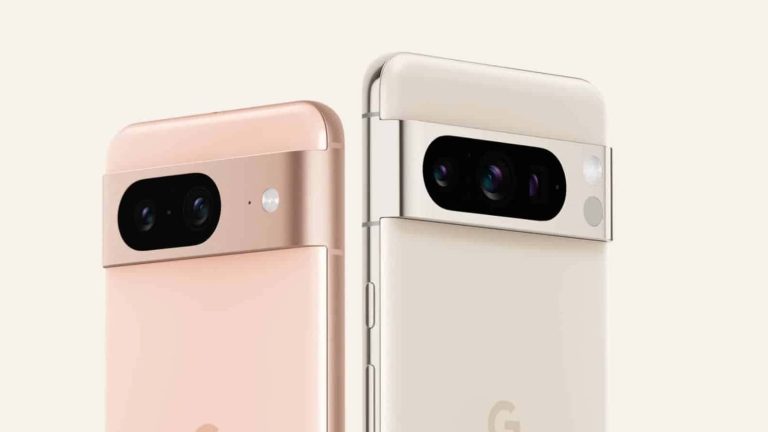
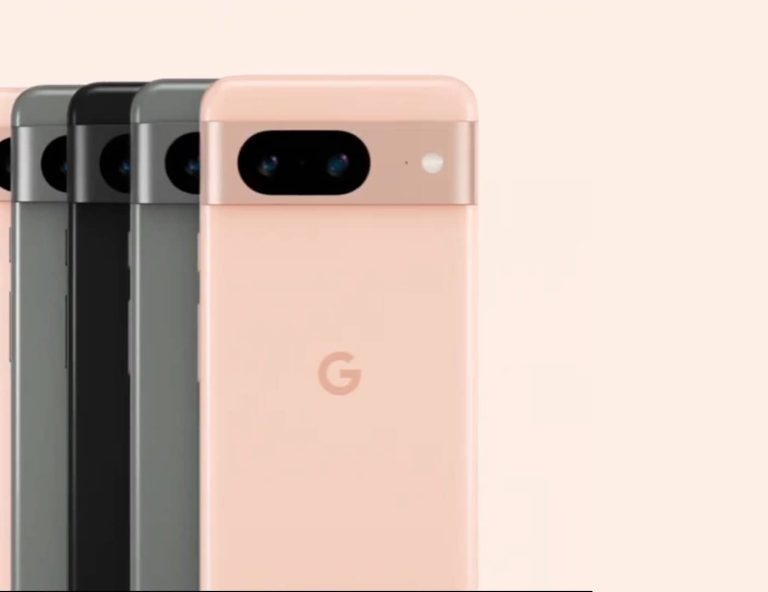
Google’s Pixel 8 and Pixel 8 Pro have leaked in a series of high-quality renders (via MySmartPrice) including what appears to be all color options for both devices. This isn’t the first time Google’s next phone generation has leaked. Back on September 6 Google accidentally put up a phone simulator for both devices on its website. The intention was for users to “get to know their hardware.” But it was most certainly not intended to be put up this early since Google has now taken that page down. Not to mention the two phones aren’t being announced until the company’s upcoming Fall event in early October.
That being said, today’s high-quality leaked renders of the Pixel 8 and Pixel 8 Pro look just like the phone shown in the simulator. So it’s clear this is what Google’s phones look like and what colors they’ll be available in.
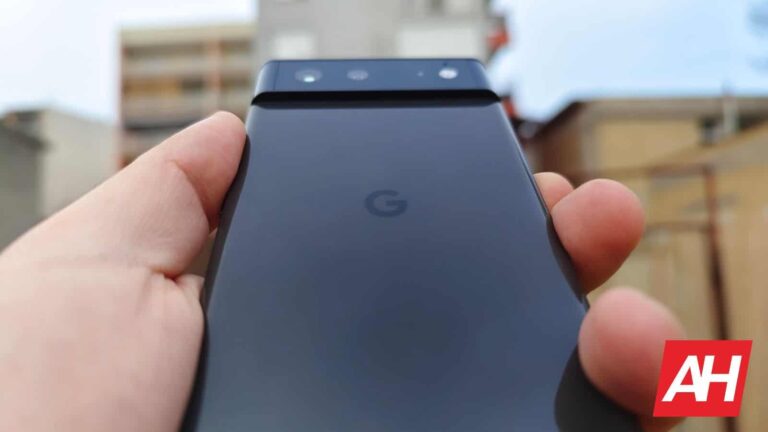
The Google Pixel 8 Pro will come in three colors
This isn’t much of a surprise since the leaks have popped up before. But this adds evidence to the obvious that Google will offer three colors for the Pro model. Which is pretty standard for Google at this point. The three colors are reportedly going to be called Obsidian Black, Porcelain, and Sky Blue.
As with past devices, Google is adding two unique colors to each model. So the unique colors here will be the Porcelain and the Sky Blue options. As Black always ends up being the standard across both. With these closeup shots you also get a really good look at the Pixel 8 Pro’s rear camera array. Which has three camera sensors with the LED flash.
The Pixel 8 will be offered in three colors as well
As for the Pixel 8’s three color options, Google will offer these in Obsidian Black, Gray, and Peony Rose. Out of both devices, the Sky Blue and the Peony Rose are the most interesting here. They provide a bright pop of subtle color that you don’t see all the time on smartphones. While the Gray and Obsidian Black are still nice and offer a more neutral look that a majority of people would be happy with.
The back of the phone is pretty much the same as the Pixel 8 Pro, but it loses one camera sensor. While the design and the colors now seem pretty much all but official, it’s still not clear if Google will offer all colors in all regions where the phones will be sold.
In a new update to the Gmail app for Android, Google is adding a new feature that will allow users to select all emails in their inbox at once, up to a maximum of 50. This feature has been available on the Gmail web app for some time, but is new to mobile.
This was originally reported by 9to5Google which found the new “Select All” button, what it does, and why it is useful. The button allows users to quickly and easily select all of the emails in their inbox, which can be useful for tasks such as deleting, archiving, marking as unread, or moving all selected emails to a specific folder.
Additionally, tasks like snoozing, changing labels, adding stars, marking as important, muting, and reporting spam, will also be available to perform for all selected emails at once by tapping on the three-dot menu button. This will be especially useful for users who have a large number of emails in their inbox.
Gmail’s new “Select All” button
The “Select All” button became available with version 2023.08.20.561750975 of the Gmail app for Android and so far has only been spotted on Google Pixel and Samsung Galaxy devices that are on both Android 13 and Android 14. However, it also appears that the feature is being pushed out server-side, so you may not be able to see it right away. It has not been confirmed by Google when this feature is expected to fully roll out to all users and devices.
Although this is hardly a new feature for those that use Gmail on the web, it will be a welcome addition to those that spend a good amount of time on a mobile device and would appreciate being able to declutter their inbox with ease. This also makes perfect sense considering Google’s recent push towards using larger screen devices, such as foldables and tablets.
The FTC is getting ready to file an antitrust lawsuit against Amazon as soon as next week Tuesday, Politico reports. Should this lawsuit end up going to trial, it would be the second case of this size against a major tech company in recent times. Google is currently in trial with the DOJ for antitrust practices after a lawsuit was filed back in January of this year.
According to the report, the FTC has been investigating Amazon for more than four years, and is ready to bring a case against it. Having spent most of the past year preparing the case after gathering evidence. But there are still no guarantees that the lawsuit will be filed right away on Tuesday. This is just the earliest possible time frame.
Whenever the lawsuit is filed, it’s also possible that some things within the lawsuit may change. Though it will be tough to know what those things are. As the details of the lawsuit have not been made public at this time.
The antitrust lawsuit from the FTC centers largely on Amazon Prime
Amazon Prime isn’t the only focus of the FTC but it does appear to be a big part of complaint. The big issue with Prime, according to the FTC, is that Amazon forces merchants to use its logistics and advertising services. While also blocking lower pricing on competing retail sites.
Before the antitrust lawsuit can be filed against Amazon however, the FTC needs to rally more support. Politico notes that the agency is currently trying get more state AG to sign on. If it can manage that, then Amazon could be in for a difficult road ahead. It’s already being sued by both Washington D.C and the state of California on separate cases. And an official suit from the FTC would only compound things. Amazon is also being sued by the FTC for allegedly tricking people into signing up for Amazon Prime. A suit which was filed back in June of this year.
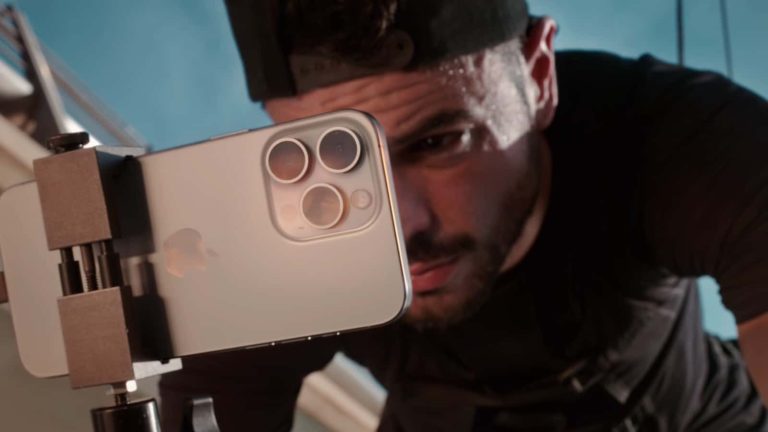
It’s iPhone launch day, which means it’s time for a teardown video. YouTube channel PBKreviews appears to be the first one to put out a teardown video of the new iPhone 15 Pro. This is the smaller Pro model, so that means we won’t get to see the inner workings of the new camera on the iPhone 15 Pro Max.
This particular model is the A3011. And you can see inside that there is a pretty large, L-shaped battery in there. Above the new Taptic Engine, which is actually a bit smaller than in previous iPhones. Apple said that it was able to make it use a smaller footprint, without making the experience any different.
The video came to a conclusion that the iPhone 15 Pro gets a repairability score of 7 out of 10. That is the same score that iFixit had given the iPhone 14 Pro last year, but it was recently lowered to a 4 out of 10, due to the parts pairing issue. iPhone’s are not known to be super repairable, but the iPhone 15 series is a lot more repairable this year, due to some changes that Apple made. Including the back glass which is now easier to repair and also much cheaper.
So what’s the purpose of this video?
Typically, the reason why someone might watch this video is, for educational purposes. Say you need to replace the battery, or maybe the display of your new iPhone 15 Pro. Though we hope that’s not the case already. This video can help you figure out how to do just that.
Apple hasn’t yet provided any instructions on how to fix your iPhone 15 Pro. That should be coming soon. But at this point, if there’s something wrong with your iPhone 15 Pro, it’s a better idea to take it back to Apple or your carrier.
You can watch the full video down below. It’s a fairly short, 11-minute video, all things considered.
Meta is developing an edit button for Threads, the social media app that is part of Instagram and aims to compete with X (Twitter) for the top spot in that category. The edit button would let users edit their posts within five minutes of publishing them.
The information was initially shared by Mobile Developer and Leaker Alessandro Paluzzi on X, adding a screenshot of what the feature will look like when it goes live. This will be huge considering that it is expected that this capability will be available at no extra cost.
The edit button is a highly requested feature by Threads users. It would allow users to fix typos or errors in their posts, or to add additional information. It would also give users more control over their content, as they would be able to edit their posts after they have been published — as long as it is done within that five minute window.
Instagram’s head honcho, Adam Mosseri, has been very active on Threads and sharing with the community his plans for future features and what his team is currently working on. It so happens that, to an extent, he shared this same update with the community in a list of upcoming features for the platform.
Given this, and considering how quickly all the previously promised features have continued to roll out, I wouldn’t think we will have to wait too long to see this one go live. Threads will also need to push out as many useful features as possible in order to reach and surpass the popularity of X, which may be seeing another mass exodus soon if indications that it will become an entirely paid platform end up panning out.
Another day, another data security incident at T-Mobile – Because why not! A cybersecurity year without a T-Mobile security incident is a rare occurrence.
T-Mobile US Inc. suffered a data breach, causing the exposure of users billing data.
The company claims the breach was caused by a ‘temporary system glitch” and not a security breach.
However, a database was posted on a hacker forum and the hacker stated that the data was stolen in a previous breach.
When examined, the database contained records worth 90GB of data.
The telecom firm has experienced a third data breach within a year.
The world’s leading telecom giant, T-Mobile USA, is in the news for a mistakenly conducted technology update that exposed the private information of some of its customers to other users.
The glitch was confirmed by many users who took to social media, informing the company that they were shown billing details (including credit card details, purchase history, current credit balance, and home address) of other customers instead of their own when they signed into their T-Mobile accounts.
Reportedly, this incident lasted for over three hours. T-Mobile confirmed that the issue occurred, claiming a faulty update caused it. The company also confirmed that a data breach or cyberattack didn’t cause it.
T-Mobile’s rep stated that a temporary system glitch happened while carrying out an already planned technology update, which involved limited account details of less than 100 customers. Moreover, the company claims that the issue was quickly resolved.
However, threat actors have posted a database on a hacker forum claiming that the information belonged to T-Mobile customers. As per their post, having the caption “T-Mobile, Connectivity Source,” the database contained data stolen from T-Mobile in April 2023.
Screenshot from the hacker forum where the alleged T-Mobile data has been leaked (Credit: Hackread.com)
It comprised private information such as email addresses, partial Social Security numbers, customer data, and the company’s sales and analytics data, etc., belonging to T-Mobile. For your information, the connectivity source refers to authorized retailers of T-Mobile offering services via T-Mobile branded stores.
Security experts who have examined the data assert that the post seems legitimate and claim that the database is gigantic, having 90GB worth of data.
T-Mobile, which Deutsche Telekom owns, has had a rocky year so far because the company has repeatedly become a target of data breaches in the past 12 months. Back in August 2021, the company lost data of 49 million T-Mobile account holders, whereas the hackers claimed they stole data of 100 million users.
T-Mobile has experienced at least five reported data breaches (1, 2, 3, 4, 5) between 2015 and 2021, making it safe to say that a cybersecurity year without a T-Mobile security incident is a rare occurrence.
[DISCALIMER: this article was written before Twitter Blue was changed to X Premium, so it will refer to the service as Twitter Blue.]
In late 2022, billionaire Elon Musk sent Twitter and its users through a whirlpool of drama. A lot of that drama centered around Twitter Blue. This prompted the whole service to go down for several weeks. It eventually made a return with some notable changes. If you want to know how the service has changed, what hasn’t, and whether it’s worth it, here’s a quick rundown.
What is Twitter Blue?
Twitter Blue is a subscription service that grants you some additional features. These features include different ways to view and interact with your posts along with early access to new and experimental features coming to the platform. It’s basically like Twitter on steroids.
As time goes on, you’ll see more features make their way to the subscription service, so you’ll be able to try them out before other users. That’s one of the main benefits of this service.
How much does this service cost?
The price is one of the major changes. Since it started, the price has jumped 168% from $2.99/month to $8/month. This was a move by Musk to make the platform more profitable. If you want a slight discount, you can get the yearly plan. That costs $84/year. That boils down to $7/month (a 12.5% discount).
Will I still see ads on Twitter with the Blue subscription?
[Updated April 2023] Yes. However, as a Twitter Blue user, you will see reduced ads. For the time being, it’s not quite as nice as it sounds. The company touts it as “a 50% reduction in ads”, but that only applies to the For You timeline and the Following timeline.
You will see the full number of ads everywhere else on the platform. This includes, but is not limited to, promoted content elsewhere on Twitter, including but not limited to “ads on profiles, ads in Tweet replies, promoted events in Explore, promoted trends, and promoted accounts to follow.”
Will I still have the 280-character limit with the subscription?
Yes. As of early 2023, rumors have it that Twitter is planning on increasing the character limit to increase the character limit to 4000 characters. At this point, we don’t know if this will be reserved for Twitter Blue users, so we’ll be on the lookout for developments on that front.
What features do you get with Twitter Blue?
There’s a handful of fun features that you can enjoy with Twitter Blue. And, as stated, you’ll see more features arise over time.
Editing tweets
If you’re a Twitter Blue user, you’re able to test out the ability to edit tweets before other users. [Updated June 2023: You now have up to an hour to edit your tweets] After you post a tweet, you’ll have 30 minutes to go in and make any changes you think are necessary.
After you edit a tweet, it will show the users that it was edited. Not only that but it will also give users a link to the original tweet so that they can see what you originally said.
Top articles
If you’re into reading the latest news articles, then you’ll love this feature. A Twitter Blue subscription will get you the Top Articles tab. This way, you’ll be able to see all of the latest articles from the people who you follow.
Long threads in reader mode
A subscription will let you read through long threads without any interruptions. Instead of having to select each entry in the thread and avoid the comments, you’ll be able to read the thread just like a regular page of text.
It helps make it easier when you’re reading a long thread of tweets. You can toggle the feature on and off if you want.
Undoing tweets
A lot of the time, we instantly regret sending a tweet. This could either be because we stated something we didn’t mean, we wanted to change what we typed up, or we made a typo in the tweet. If you’re a Twitter Blue user, you’ll be able to undo a tweet that was just sent.
When you send a tweet, you’ll have 60 seconds to review your tweet and undo it if need be. Once that 60-second window is up, you won’t be able to make any changes to the tweet. You’ll need to delete it and repost.
Added customizations
With Twitter Blue, you’ll also be able to change how your UI looks. There are several ways that you can go about doing this. For starters, you’re able to better organize your bookmark. The subscription gives you the ability to put your bookmarks into folders.
If you’re using the Twitter app for Android or iOS, you’ll be able to put your favorite pages right on your tab bar. This lets you customize it and tailor it to your tastes.
This next one is also for people using the app. If you’re a subscriber, you’ll have access to different app icons that show up on your phone’s home screen. This is for if you want to change things up visually on your phone.
Next, there’s a feature exclusively for iPhone users. There is a feature that will let you customize the theme of the app. We’re used to the blue theme present throughout Twitter. However, you will be able to pick your own accent color.
Ability to hide your likes
When someone sees your account, they can see a feed of the tweets that you’ve liked. However, if you’re a Twitter Blue user, you can hide that feed from others. So, they won’t be able to see what tweets you’ve liked.
Ability to hide your verification badge
Being a Twitter Blue user, you get the almighty verification badge thrown in. However, if, for any reason, you don’t want others to see that you’re verified, you can hide your badge.
Longer Tweets
If you’re a subscriber to Twitter Blue, you can make tweets that are up to 25,000 characters long. You can still add media to your tweets. Also, non-Twitter Blue users can still view them fully. With this extended length, users are able to type up full articles on the platform before hitting the ceiling.
Additional text formatting
If you’re a Twitter Blue user, you’re able to use bold and italic formats when typing out your tweets.
Longer video uploads
The first feature is the ability to upload longer videos. Twitter has a limit to how long your videos can be. Without a subscription, you can upload videos up to 2 minutes and 20 seconds. That’s much longer than the 45 seconds that we had before, but it’s still pretty short.
With the Twitter Blue subscription, you’ll be able to test uploading videos up to 10 minutes long. That’s more than quadruple the length.
1080p video uploads
Right now, Twitter doesn’t allow people to upload videos in 1080p quality. It’s been a gripe among users for a while, but Twitter Blue users will be able to test that out as well.
NFT profile pictures
If you’re into the whole NFT community, and you want to brandish your new purchase on your profile, you can. You’ll be able to post your NFT as your profile picture, and it will be housed in a hexagonal frame.
Tweet prioritization
If you’re a Twitter Blue user, your tweets will reach higher in the algorithm. This will make it easier for people to see them.
If you’re looking into getting Twitter Blue, you can sign up for it today.
Google has once again tried to prevent fake, AI-generated images from appearing at the top of search results. It recently surfaced a fake selfie as the featured search result for the term “tank man.” The company has since corrected the mistake, but not before the internet caught its inability to stop such occurrences.
Google failed to detect a fake, AI-generated “Tank Man”
Tank Man is associated with China’s infamous Tiananmen Square Massacre that took place in June 1989. It is the nickname given to an unidentified Chinese man who bravely stood in front of a column of Type 59 protesting the massacre. The photograph remains one of the most iconic images from the conflict in Beijing. It is often remembered by people on the internet.
However, 404media recently noticed that searching for “tank man” on Google showed a never-seen-before photo as the top result. It was a selfie of a man standing in front of a Type 59 tank at the same location. Quite clearly, it was a fake, AI-generated photo that imitated the historical event. The intention of the creator likely wasn’t to spread misinformation, but Google putting it up at the top of the search results highlights an entirely different problem.
The modern generative AI tools are so powerful that they can rewrite history with fake images, videos, texts, audio, and other forms of content, and unsuspecting people would never realize it. Social media is already full of such manipulative content. Online platforms need to step up their game and steer people away from potentially harmful or misleading AI-generated content, or at least help people differentiate between real and fake content.
However, Google Search failed here. What’s more baffling is that this AI-generated image of the Tank Man first appeared on the internet six months back. A user posted it on the subreddit Midjourney, named after the text-to-image AI tool. The user likely wanted to show their creation using the tool. But Google picked it up and passed it to users as a genuine photo from a 30-year-old historic event.
Google needs countermeasures to tackle AI prowess
While Google doesn’t ban AI-generated images for various reasons, this is another example that it must do something about such images. The company has made these kinds of errors on multiple occasions in the past. A few months back, it showed an AI-produced rendition of the Dutch painter Johannes Vermeer’s classic painting “Girl with a Pearl Earring” as the top result when simply searching with his name.
Google went on to remove those images from search results following media coverage. It has done so this time as well, saying that it isn’t always possible to detect fake images. Hopefully, the company will be able to tackle AI effectively sooner rather than later. It certainly needs countermeasures to tackle AI prowess and stop showing people potentially misleading content on Search.
“Given the scale of the open web… it’s possible that our systems might not always select the best images regardless of how those images are produced, AI-generated or not. In this case, we took action to remove the image from the Search feature, as our policies for this feature don’t allow inaccurate content on public interest topics like this,” part of the official statement reads.
X, formerly known as Twitter, has notified its users that it will be shutting down Circles, a feature that allowed users to share tweets with a limited group of people. X confirmed this decision on both its help pages and via an X post.
Twitter launched Circles since last year, before it subsequently became X, but the feature never gained widespread adoption. In its Help Center, X updated the feature description as follows:
X is deprecating Circles as of Oct 31st, 2023. After this date, you will not be able to create new posts that are limited to your Circle, nor will you be able to add people to your Circle. You will, however, be able to remove people from your Circle, by unfollowing them as described below.
X didn’t specify the reason why this feature will be deprecated, and it is unclear why it has chosen this moment to do so. Additionally, it remains to be seen how this decision to shut down Circles will be met by the users who actually use it.
Some have expressed that Circles is far too similar to the Communities feature, and that may be a reason why X has decided to do away with one. It does make sense that as X tries to curb expenses and further monetize the platform, they get rid of features that seem redundant focus on developing features that are more widely used.
Only time will tell whether Communities will be able to fill the void left by Circles. In the meantime, users who are looking for a way to share tweets with a limited group of people may want to consider using other platforms, such as Facebook Groups or Discord servers, among other existing platforms.
The feature will not be retired until October 31st though, so you will still have over a month to use it or find an alternative if this something you utilized often. One thing that is clear is that X is not done making changes to the way it operates, so it is definitely possible that more features should eventually meet the chopping block.