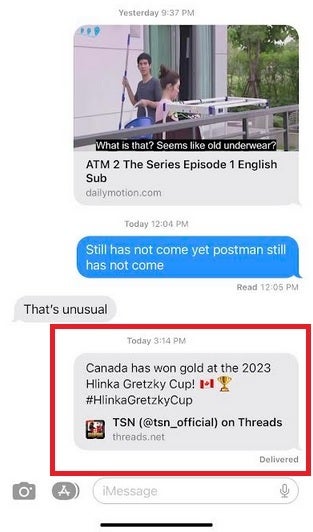
Meanwhile, according to 9to5Mac, Apple is doing its best to make Threads users feel right at home by showing rich post link previews in iMessage just as it does for Twitter and Mastodon. This means that when an iMessage user shares a Threads post, the chat bubble will show text from the post inline along with the avatar and username of the author. Since Apple has to include Threads in its whitelist of providers to support rich post links, the tech giant does consider Threads to be a legitimate competitor to X and Mastodon.
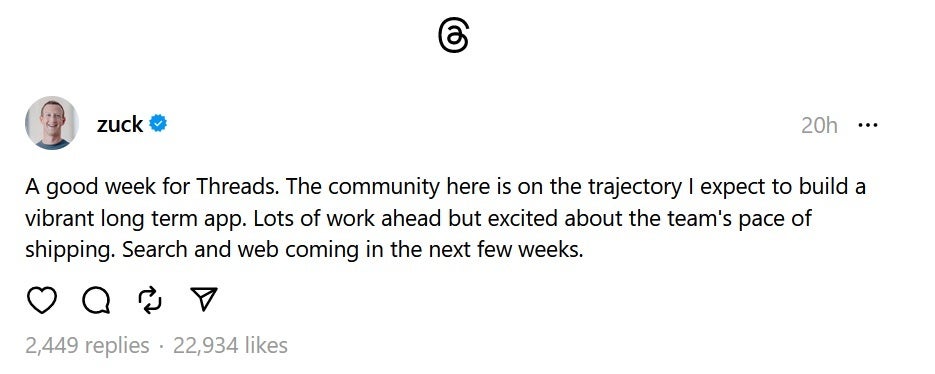
Zuckerberg says that a Threads website is just weeks away
Still, there is no @Apple account setup yet in Threads although there are profiles for Apple Music and Apple News; neither one has yet to put up a post. Apple Fellow Phil Schiller appears to be the only Apple executive with a Threads account so far.
Rich post links for Threads content on iMessage
Apple stopped advertising on Twitter/X, as did other major companies when Elon Musk bought the platform in October. But in December, Musk said that Apple had resumed placing ads on the site and last month Apple seemingly kicked off a new marketing campaign on X for mobile payment service Apple Pay. A report published last year cited sources who said that Apple spends over $100 million each year for ads on Twitter. Whether Apple feels that it will eventually get the same bang for the buck from advertising on Threads is unknown but the declining number of active users probably means that Apple has better places to spend its advertising dollars right now.
The new Ad privacy settings are now rolling out to more users globally. This rollout is taking place gradually, and it’d help give Android users more control over the ads that they get to see. More interesting is the fact that users get a wide range of choices when it comes to the type of ads they see directly from their smartphones.
Yes, with this new Android settings feature, you can customize your ad preferences to suit your needs. By tweaking a few toggles in the settings page, you can control what ads you receive while using apps on your device. This user privacy-focused feature has been undergoing testing for quite a while.
For a few months now, a few users have got the opportunity to try out this feature. Now, after successful testing and adjustments, the Ad privacy settings are ready for global usage. Despite it being ready, this new feature might take a while before making its way to your device.
Details on the new Ad privacy settings feature to help give you control over ads
The ads that this new setting gives users control over are ads that can be found within apps. Some apps on the Play Store often show users ads on various topics. However, at times these ads can be annoying as they might be unrelated to the viewers’ interests.
Now, the Google Privacy Sandbox initiative is giving apps the room to show users more private ads. This means that the user gets the opportunity to pick ads they want to interact with while using various apps. Android users that have already got this feature will get a notification informing them that the new ad privacy feature is available on their device.
Tapping on the notification will take users to a page where they will get more information about this feature. The choice for ads will be based on topics that users possibly have an interest in. Android will be able to identify this by the apps these users actively make use of.
Users can also pick between a wide range of topics to identify where their interest lies. Pixel users with Android 13 will be able to access this feature from their settings page (still rolling out via a Play Store update). Under ad privacy, these individuals will be able to pick the ads they are interested in.
More than that, they’d also be able to allow or prevent apps from suggesting ads to show them. Lastly, these new Ad privacy settings will give Pixel users control over ad measurement, which can be accessible to app developers. The introduction of this new feature gives users control over the ads they see while using their device, hence helping them block out unwanted ads.
A versatile Java-based RAT that is capable of keylogging and credential theft from browsers and email clients emerged in 2020 that is dubbed “STRRAT.”
The most recent updated version of STRRAT evolved dramatically, and since its discovery, it has been observed that it now does the following things:-
Incorporates “Crimson” Ransomware module.
Deploys a multitude of infection chains.
A new technique that involves two string obfuscation methods has been recently identified by the cybersecurity researchers at Cyble Research And Intelligence Labs (CRIL) to distribute STRRAT (version 1.6).
MalwareInfection chain
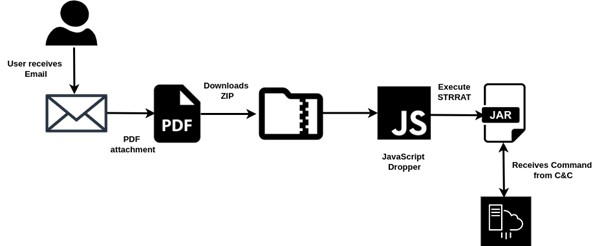
With a spam email posing as an electronic company, the infection chain begins, and here the email includes a PDF invoice attachment sent to the target.
Infection chain (Source – Cyble)
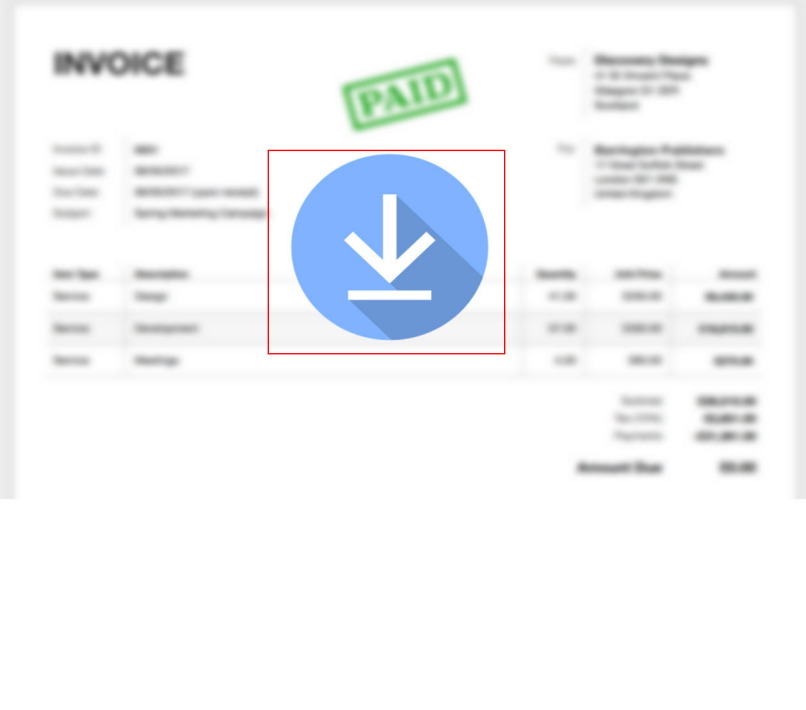
When the attached PDF is opened it displays a download image that prompts the user to click on it, which initiates the download of “Invo-0728403.zip” from the following URL:-
Downloaded Zip holds encrypted STRRAT payload in JavaScript. Upon execution, JS decrypts the payload, placing “lypbtrtr.txt” in the following directory:-
File type check reveals a disguised JAR (zip) file that extracts the “carLambo” folder and META-INF with classes, resources, and MANIFEST.MF which ensures it is “STRRAT malware.
Content of JAR file (Source – Cyble)
The analysis of the latest variant of STRRAT malware shows class name modifications and two string obfuscators (Allatori, ZKM) used, unlike the prior version that used only “Allatori.”
Distribution & Persistance
Since March 2023, the STRRAT malware (version 1.6) is actively distributed through multiple infection chains, and not only that in the wild more than 70 samples were detected.
For persistence, it sets the “Skype” task scheduler entry, and STRRAT 1.6 stores C&C server info in an encrypted Base64-encoded config.txt file with AES encryption, as in previous versions.
Here below we have mentioned the browsers that are targeted:-
Chrome
Firefox
Internet Explorer
Here below we have mentioned the email clients that are targeted:-
Outlook
Thunderbird
Foxmail
Recommendations
Here below we have mentioned all the recommendations that are offered by the security analysts:-
Always use strong email filter solutions.
Make sure to verify the links and attachments before opening them.
Always use robust endpoint security solutions.
Keep security tools updated with the latest available patches and updates.
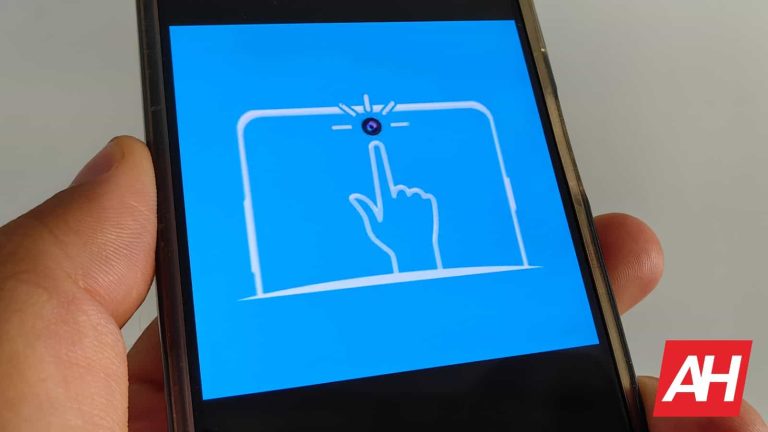
A lot of phones these days come with a display hole aka hole punch. That space is reserved for the camera, and is basically useful, it’s just poking you in the eye non-stop. Well, an app called ‘Touch The Notch’ actually makes it useful.
We’ve seen a couple of similar apps before, but this one works the best thus far. It’s currently holding a 4.8-star rating in the Google Play Store, and for a good reason.
Touch The Notch app actually makes your phone’s display hole useful
Once you set up the app, you’ll basically be able to use that display camera hole to activate various actions. For example, you can set it so that tapping on it activates the camera. That’s not all, though, not even close.
The long-press option is also available, and you can set it to open a different app, take a screenshot, or do something else entirely. It’s even useful when you’re listening to music, for example. It’s aware that you’re doing that, and swiping left and right across the hole punch will switch tracks back and forth.
These are only some examples, there are tons of different actions and gestures that you can utilize within the app. The options are vast. If you can make use of that hole punch, why not, right?
The options are vast
The app worked great for us, and all you have to do is provide it with accessibility access, and set it up the way you want. There are so many options here that basically everyone will find a use for this app. You can even open specific websites with specific actions, and so much more.
If you’d like to take a closer look at the menus, we’ve included a gallery with some official images below. There’s also a short YouTube video embedded down below, which will demonstrate the app real quick for you.
If you’re interested based on what you’ve read or seen, a download link is included below.
Contacting a doctor over the Internet is the simplest way to reach him/her. Many people may want to prefer talking to a doctor over the Internet, instead of visiting one face-to-face, if not absolutely necessary. Well, that’s where telemedicine apps come into play, and there are some really good ones offered in the Google Play Store. That is what we’re here to talk about.
In the list down below, you’ll spot nine telemedicine apps, all of which are quite compelling. We’ve hand-picked these applications, and they do differ in comparison. Each of these apps will connect you with a doctor over the Internet, in one way or the other. In many cases, contacting a doctor this way can replace physically visiting one. They can help you diagnose something over an audio or video call. Do note that the apps below are not listed in any specific order. If you’re interested, read on.
Best Telemedicine Android apps 2023
Below is a little more information on each app, a suggestion for the type of user the app is best suited to, and a direct link for easy downloading.
All download links go to the app’s Google Play Store listing. Users are always recommended to download apps from Google Play or an authorized app store.
Doctor On Demand
– Price: Free to download – In-app purchases: No – Size: 95MB – Google Play rating: 4.8 out of 5 stars
Doctor On Demand is one of the best telemedicine apps out there, and quite probably the best choice for most of you. You can use this app / service no matter if you have insurance or not. You will have to pay if you don’t, of course. The app can connect you with board-certified physicians and doctoral-level therapists in a matter of minutes. Best of all, the company claims that if you don’t have insurance, this is more affordable than visiting a clinic.
Now, the whole process works as if you actually physically visit a doctor. You’ll talk to a doctor via your mobile device, talk to him about your symptoms / problems. Once that is done, and all the questions have been asked, you’ll get your diagnosis and treatment, if possible. The doctor will also provide you a doctor’s note, if needed. This is actually ideal for a cold, flu, or something of the sort. The app’s UI design also looks really nice.
– Price: Free to download – In-app purchases: No – Size: Varies with device – Google Play rating: 4.1 out of 5 stars
Dialogue is an excellent choice for families. Why? Well, because you can add dependents without a problem, via the app. That is the main thing that Dialogue is promoting, for a reason, as you can cover your whole family without a problem. The service also offers free medicine delivery, right to your doorstep, if that turns out to be necessary, of course, depending on the diagnosis.
Other than that, it works similar to any other telemedicine app. You can reach out to Dialogue doctors and nurses via a test, audio call, or video call, whatever suits you best. The staff is well-equipped to assist you, and covers tons of medical fields. The design of this application is also quite simple, and yet the app is really functional, and works really well. All in all, it’s a joy to use.
– Price: Free to download – In-app purchases: No – Size: Varies with device – Google Play rating: 4.5 out of 5 stars
If you live in the UK, and you need to contact a doctor via the Internet, Babylon is a great choice. This app will provide with access to HNS healthcare and appointments with very qualified doctors. You can reach out to them whenever you want, they’re available 24/7. The app allows you to set up a phone or video appointment with ease. Babylon’s doctors can provide you with prescriptions, if necessary.
Babylon also offers a symptom checker. It is capable of analyzing millions of symptoms in seconds, which makes it quite capable. This company is regulated by the Care Quality Commission (CQC). Its doctors are GMC registered, and have an average of 10 years of GP experience. Therefore, the doctors are quite qualified, while the service is supervised. The app is also quite useful, and works well.
– Price: Free to download – In-app purchases: No – Size: Varies with device – Google Play rating: 4.3 out of 5 stars
Amwell is easily one of the best-designed telemedicine applications. The UI looks really great, while it’s also nice to look at, and it’s quite functional. The icons are well-designed, and the UI actually caters to all ages. Now aside from a well-designed UI, the app is quite useful as well. Amwell allows you to see a doctor over the Internet in a matter of minutes. It will connect you with board-certified doctors, who are quite experienced.
Once you download the app, you’ll need to specify the type of visit, and choose your medical provider. The service is available 24/7, so it’s always here for you. Do note that, if you don’t have insurance, urgent care will set you back $69 or less. Online therapy costs $95 or less, while you’ll end up paying $45 or less for a nutrition counseling visit. Amwell is a really good service, that’s for sure.
– Price: Free to download – In-app purchases: No – Size: Varies with device – Google Play rating: 4.5 out of 5 stars
LiveHealth is an excellent choice for common health issues. If you’re struggling with a cold, flu, allergies, skin infections or something of the sort, this service will diagnose and help you in no time. On top of that, LiveHealth offers licensed therapists. lactation consultants, and much more. All of its doctors are board-certified, and you can choose if you want to reach out to them via your phone, tablet, or computer.
The service is available 24/7, and it will connect you to a doctor in 10 minutes or less. This service can also issue prescriptions, which can be sent to a pharmacy of your choice. Now, if you’re a Spanish-speaking person, and would prefer that language over English, this can come in handy. Spanish language online visit experience is available using Ciudado Mexico on LiveHealth Online.
– Price: Free to download – In-app purchases: No – Size: Varies with device – Google Play rating: 4.6 out of 5 stars
If you prefer written information, look no further, as HealthTap is an excellent choice. HealthTap has a huge library of medical questions and answers that you can get access to. These questions have been submitted by patients, and answered by HealthTap’s doctors. There are hundreds of topics and conditions that you can browse to, just to research the issue before you talk to a doctor.
This service / app also offers a great symptom checker tool. If you do want to talk to a doctor as well, that’s not a problem. This service gives you access to one 24/7. All of HealthTap’s doctors are also board-certified, and you can communicate with them via text, phone, or video call. You’ll need to wait less than a minute, according to the company. Best of all, you can subscribe for unlimited visits for $119, if you think that you’ll need help often.
– Price: Free to download – In-app purchases: No – Size: Varies with device – Google Play rating: 4.4 out of 5 stars
Maple is here to cater to patients from Canada. If you live in Canada, and you’re in need of a doctor via the Internet, this is the way to go. Maple offers one of the best-looking apps on the list, and also a great service. Licensed doctors are hired here, and they’re available 24/7 for your online visits. The app will connect you to a doctor once you reach out, and you can talk to him / her via live chat or via video call.
Maple’s doctors will, if possible, provide you with a diagnosis, and a prescription, if necessary. They can also provide you with a sick note, or simply some medical advice, whatever you need. If you don’t have insurance, you’ll be required to pay. Maple offers you a chance to access specialists, and other healthcare providers, if necessary. You can chat with dermatologists, mental health specialists, sleep therapists, and so on.
– Price: Free to download – In-app purchases: No – Size: Varies with device – Google Play rating: 4.6 out of 5 stars
PlushCare is one of the best telemedicine services, if you have insurance. PlushCare takes appointments very frequently, every 15 minutes. It has stellar reviews in the Google Play Store for a good reason. PlushCare’s doctors come from the top 50 medical schools, and are licensed, and board-certified. On top of all that, all the doctors that are hired by PlushCare are from the US.
Their services are available 24/7, and they can provide you with prescriptions if necessary. This service is available if you don’t have insurance as well, though count on paying quite a bit for the service. This is also a great service for kids, and pediatricians are on the staff as well. PlushCare has a wide range of specialists on its staff, so no matter what’s the issue, chances are they’ll be able to help.
It seems that TikTok’s owner is in hot water again, as the company is now being sued. The lawsuit alleges that ByteDance has been scraping user data without consent, according to The Report. While TikTok is also under the watchful eye of the US government, that app isn’t the center of attention this time around.
The app in question is called CapCut. This is a video editor platform that you can use online, via the mobile app, or on your Windows computer. It heavily uses AI tools to add effects and help you edit your videos.
The lawsuit states that ByteDance takes user data without any form of consent
Nowadays, just about every service that you use collects user data for one reason or another. Most reasons are valid, but the lawsuit alleges that ByteDance’s reasons aren’t. The lawsuit was filed in Illinois. It claims that the company collects information from users like their date of birth, gender, location, photos/videos, face scans, and voiceprints. Also, it claims that the platform is capable of stealing SIM serial numbers and MAC addresses. Bear in mind that these are allegations at this point, so this information hasn’t been completely confirmed yet.
If these allegations are true, not only would it be bad in general, but the company will be in violation of Illinois’ Biometric Information Privacy ACT (BIPA). We’re still in the dark about some of the finer details of this case. So, we don’t know how much the state is asking in damages or what consequences ByteDance will suffer if found guilty.
There could be some ground to this case, as The Record says that the company’s privacy policy makes it hard to understand just what they’re agreeing to. That’s a major problem.
Also, one plaintiff states that, while in the seventh grade, they were able to use the app without needing to sign up, review a privacy policy, or get parental consent. This means that the company did not communicate that it was taking the information.
Why the fear?
The steam driving this case’s engine is the country where ByteDance is headquartered. Let’s just say that the US and China aren’t exactly buddy-buddy right now. Since ByteDance is in China, many believe that it could be compelled to give up information on American citizens to the Chinese government. This is why TikTok is also on thin ice in America. More information on this case will come out as time goes on, so stay tuned.
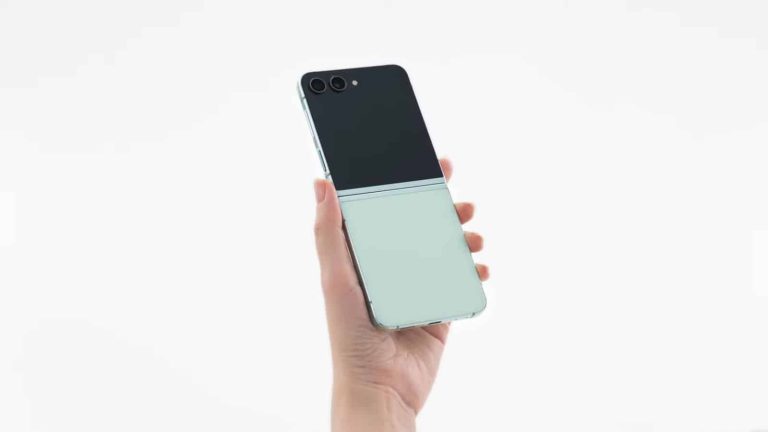
Samsung announced its new foldables last month, and the company has just shared some new promo videos for them. Official Galaxy Z Fold 5 and Flip 5 unboxing videos are now live.
Each of these two videos has a duration of around a minute and a half. Both of them are embedded below the article, by the way.
Samsung’s official Galaxy Z Fold 5 & Galaxy Z Flip 5 unboxing videos are live
Thanks to these two videos, you’ll get a better look at both the Galaxy Z Fold 5 and Galaxy Z Flip 5. In addition to that, you’ll see exactly what’s in the box, and some features are highlighted here too.
Samsung does show us all color variants for both phones here. One thing worth noting is that neither phone includes a charger in the box. That’s something we’re used to by now, when it comes to Samsung.
The Galaxy Z Fold 5 is very similar to its predecessor, design-wise. One major difference is that it folds flat, unlike the Galaxy Z Fold 4. Samsung used a different hinge this time around, which is why that’s possible.
The Galaxy Z Flip 5 brings more differences compared to its predecessor than the Fold 5 does
The Galaxy Z Flip 5, on the other hand, also folds flat. It has one other major difference compared to its predecessor, though, its cover display. That panel is now much larger, and thus much more useful.
You cannot use just about any app on it from the get-go, but an update for Samsung GoodLock is coming soon, which will make that possible. There is also a third-party app that allows you to do so-called CoverScreen OS.
If you’d like to find out more about the Galaxy Z Fold 5 or Galaxy Z Flip 5, feel free to check out our everything you need to know articles. We’re also working on a review of both phones at the moment, so stay tuned for that.
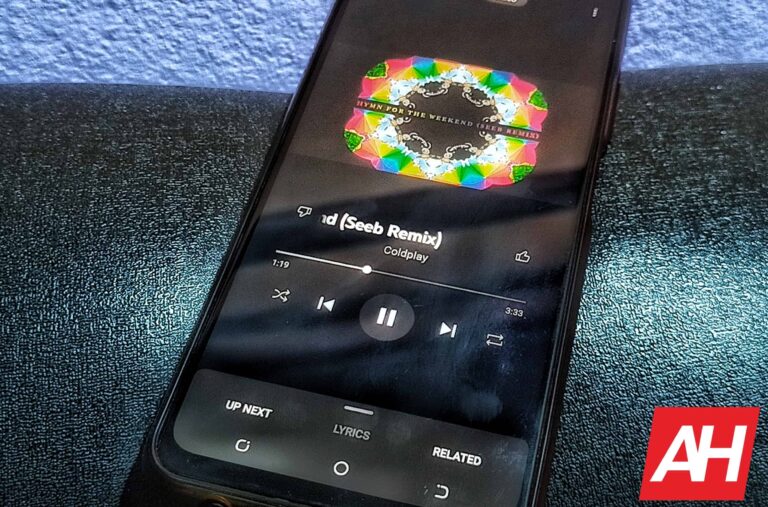
YouTube Music seems to have increased the number of songs you can have in your Liked Music playlist. Several users have found that the playlist now stores a lot more songs than the previous limit of 5,000 tracks. The company hasn’t officially announced this change, but the limit appears to have at least doubled to 10,000 songs if not more.
Like most other music streaming apps, YouTube Music also automatically creates a playlist of songs that you like by manually selecting the thumbs-up button. Every new song you like is added to the playlist in chronological order, though you can shuffle the playlist when listening to it. However, all this while, the app has had an annoyingly low limit on the maximum number of songs you can have in this playlist.
Since we tend to like songs more often than videos, the limit of 5,000 can be reached pretty quickly, more if you frequently listen to new music. The main problem with this limit is that YouTube Music removes the oldest track as you like a new one. The more new songs you like, the more of your old favorites are thrown out of the playlist. No wonder Apple Music has a limit of 100,000 songs, while Spotify’s Liked Music playlist can store unlimited songs.
Thankfully, YouTube Music is fixing this issue. A recent Reddit thread has several people confirming that their Liked Music playlist now has more than 5,000 songs. Most of them say 10,000 is the new limit, though some are claiming an even higher maximum. The company might be testing the change and has yet to finalize the new cap. Hopefully, the update will reach all users soon.
YouTube Music has been keeping track of all of your liked songs
Interestingly, users have found that their Liked Music playlist restored all of the songs removed earlier due to the limit. So YouTube Music wasn’t deleting the older songs all this while, but it blocked you from seeing them in the playlist. This also means the platform can already keep track of every song you like. The limit was an unnecessary constraint that annoyed users. Good that it’s going away.
It’s unclear when YouTube Music rolled out this update or how widely this change is available. If you have already reached the 5,000-song limit in your Liked Music playlist and the app doesn’t let you add more without deleting the old ones, you might want to check for an update for the app. You can click the button below to install the latest version of YouTube Music from the Google Play Store.
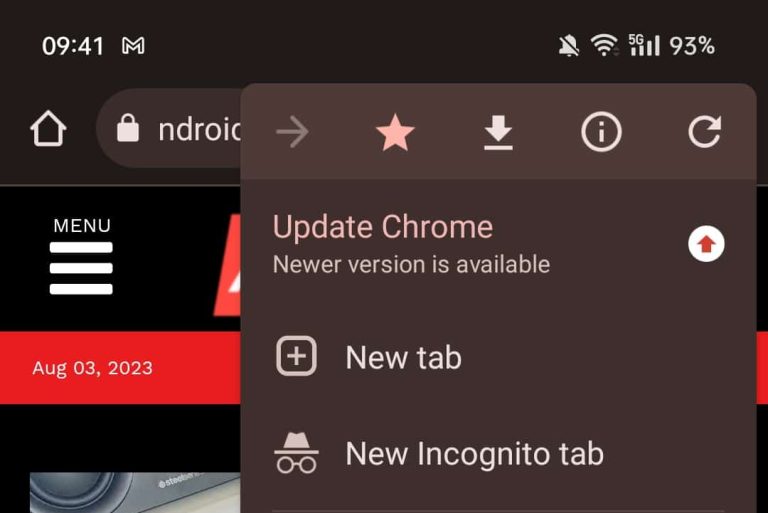
I’ve noticed something odd in Chrome recently. Whenever I open up an app, it prompts me to do an update. The thing is, the Google Play Store says the app is up to date. Chrome for Android basically has a rather annoying red arrow aka update bug.
Chrome for Android has a rather annoying red arrow bug
Let me explain. When I open up Chrome, there is a red arrow pointing upwards in the top-right corner. That’s where the three vertical dots usually it, for settings. That red arrow icon signalizes that an update is available for the app.
Now, of course, I decided to click on it, to see what’s going on, as I know the app is up to date, I checked shortly before that. Once I tapped it, the app prompted me to install Chrome Beta. Needless to say, that’s very weird, as I’m running a stable version of Chrome on the phone.
It seems like I’m not the only one that has this issue, as folks over at 9to5Google have faced something similar. It seems like the issue is happening on both Android 13 and 14 devices, by the way.
Users running a specific version of Chrome are seeing this
This seems to be happening for users who are on Chrome stable version 115.0.5790.166. We’re not sure if it’s visible to users on other versions of the app as well, but it’s possible.
This bug is annoying, of course, but it’s not dangerous or anything of the sort. You’ll just be annoyed when you open up Chrome every time, to see an update icon, even though an update is not available.
Chances are Google will fix this shortly, though, so it won’t be an annoyance for long. This should be a very easy fix for the company, and we presume that they’re very well aware of it at this point.
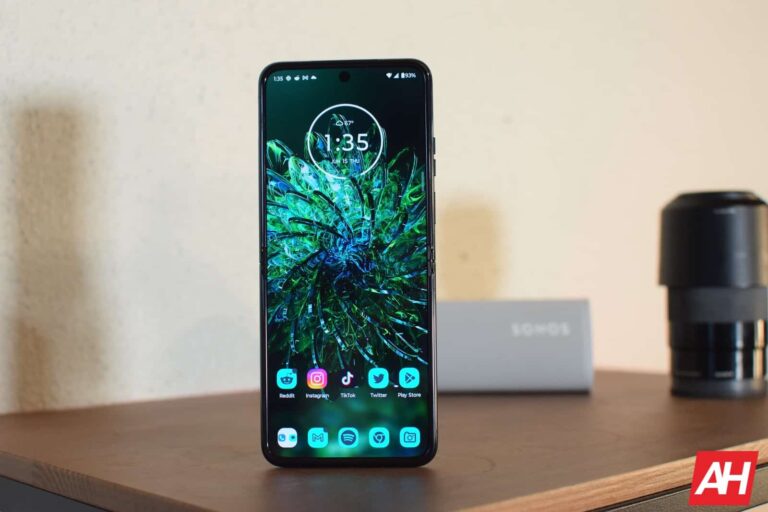
Motorola is rolling out a new update to its latest clamshell foldable, the Razr Plus (known as Razr 40 Ultra in some markets). It appears to be a relatively small update with some system stability improvements and security fixes. The device is picking up the July 2023 Android security patch.
According to Android Central, which first reported this update for the Motorola Razr Plus, the foldable is receiving the firmware build number T1TZS33.3-62-25-1-3 with the latest release. The official changelog supplied by the company doesn’t mention any new features or functional improvements. The company seems to be pushing last month’s security fixes and nothing more.
Motorola’s updated security bulletin reveals that the July security patch for its Android devices contains at least three critical vulnerability fixes and several dozen high-severity fixes. As usual, most of those come from Google, with the Android maker explaining that some of the critical security issues “could lead to remote code execution with no additional execution privileges needed.” These vulnerabilities don’t require user interaction for exploitation.
Unfortunately, this update doesn’t seem to have fixed some minor system bugs that Razr Plus users have been complaining about. The foldable reportedly produces selfies with an odd tint when captured using the rear cameras and the cover screen. Some users have also noticed issues with the external display’s calendar panel. Hopefully, the company will patch those bugs soon.
The Motorola Razr Plus will get bi-monthly updates
Motorola has never been great with software updates, but the company appears committed to improving that reputation. It has promised to deliver bi-monthly updates to the Razr Plus, at least in the initial years. The frequency may come down over time.
Overall, Motorola will push security updates to the Razr Plus for four years, i.e. until halfway through 2027. During this period, the foldable will also receive three major Android OS updates. It debuted with Android 13 and will get updates to Android 14, Android 15, and Android 16 in its lifetime. This is still not anywhere close to what Samsung offers, though.
The Korean firm will push four major Android OS updates to all of its recent flagships and select mid-range models. It will also push security updates up to five years after their launch, including budget handsets. On top of that, Samsung is usually the first to release the latest security patches. Case in point, it has already begun seeding the August patch when Motorola’s flagship foldable is getting the July release. Time will tell whether Motorola can follow up on its promise of bi-monthly updates for the Razr Plus.