One of the most prominent malware being distributed in the latest CapCut scam is BatLoader.
CapCut video editor, with a following of more than 200 million active users per month in the US alone, is the current target of threat actors, revealed a new report from Cyble Research and Intelligence Labs.
CapCut is a Chinese app that allows users to edit their videos. However, like many other apps of Chinese origin, CapCut is banned in several countries, including India, the USA, and Taiwan. So, users looking to edit their videos conveniently search for ways to install this app and get trapped. CapCut is created by ByteDance, which also owns TikTok.
Reportedly, threat actors are trapping unsuspecting users through CapCut phishing sites and tricking them into downloading BatLoader, Stealers, and other malware. Cyble researchers discovered several phishing websites designed to appear as video editing software.
One of the fake CapCut sites (Credit: Cyble)
However, these sites trick users into downloading/executing malware, including RATs and Stealers. Researchers observed that threat actors specifically targeted the CapCut tool in this campaign.
Researchers extensively explored the attackers’ modus operandi and noted that the scammers use Python to target victims. One of the stealer binary they identified had a SHA256 and it was compiled with PyInstaller.
The executable is available only for Windows 8 or later versions. Researchers could access the hidden Python script after extracting the installation successfully. Moreover, the script’s .py file imports the Fernet class to decrypt. It receives the file from the cryptography.fernet module.
In one of the campaigns observed by Cyble researchers, a phishing website was hosting the Offx stealer. In another instance, threat actors used a phishing site to host BatLoader malware and delivered RedLine stealer to the targeted system. This means that phishing websites come preloaded with RATs and malware.
Cyble researchers explained in their blog post that the primary objective of these stealers is collecting information about the victim and using it for malicious purposes.
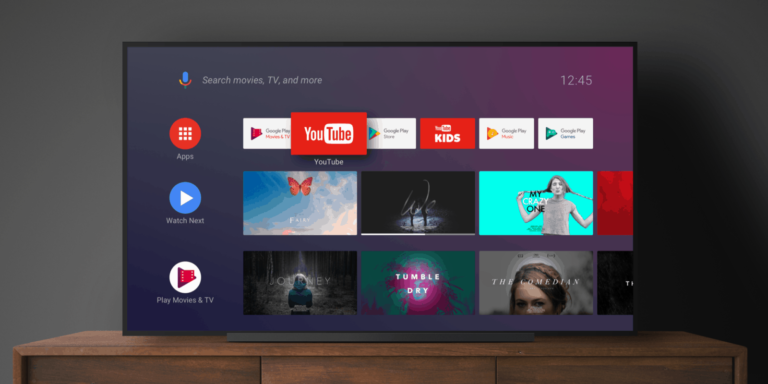
The YouTube app on Android TV is getting some new Google Assistant voice commands to make using the app and interacting with videos a little more hands-free.
It was already possible to use some Google Assistant voice commands in the YouTube app on Android TV and Google TV devices. But today users are getting just a few more to enhance the experience further. The new commands being added will allow users to like and dislike videos. You can say “Hey Google, like this video.” And Google will take care of hitting that thumbs up button for you.
You can also have it subscribe to channels for you. Say you liked someone’s content so much, you want more of it. Ask Google to subscribe to that creator’s channel. Alternatively, you have also have Google unsubscribe for you. This is in addition to the already existing voice commands for pause/play, rewind and more.
YouTube on Android TV also now has a podcast category
If you just love podcasts and want to access more of them in more places, well now you can. You can launch the YouTube app on Android TV and Google TV and pop open your favorite podcast to listen while you do basically anything else.
Say your TV is within earshot and within view of your kitchen. You can launch the app and pull up a podcast and listen/watch while you prepare food. YouTube for TV users will find the podcast category near the bottom of the explore section of the side bar. But as 9To5Google points out, it moves up the menu if you consume podcast content more often. So if you want it higher up, starting watching or listening to more podcasts.
These new additions to the app on TV should be live and accessible as of today.
Twitter has accused Microsoft of using the platform’s data “for unauthorized uses and purposes.” Elon Musk’s lawyer, Alex Spiro, has sent a letter to Microsoft to inform them about their violation of Twitter data use policy.
Microsoft Xbox, Bing, and advertising tools have been benefiting from Twitter API for many years. After Twitter charged companies up to $50,000 a month to access its API, Microsoft removed the social app from its social media management tool for advertisers in retaliation. Microsoft also prevented users from directly uploading clips and screenshots from Xbox and Windows Game Bar to Twitter.
The companies are now going head to head again over so-called unauthorized access to Twitter API. Spiro argues that “Microsoft may have violated multiple provisions of the agreement for an extended period of time.” Musk himself also reacted to the matter, saying, “They trained illegally using Twitter data. Lawsuit time.”
Microsoft is accused of unauthorized access to Twitter data
Every company that wants to access Twitter API should pay up to $50,000 a month, but Microsoft allegedly refused to pay that amount. Musk’s lawyer also accused Microsoft of sharing Twitter data with government agencies without permission.
In response to the allegations, a Microsoft spokesperson said, “We heard from a law firm representing Twitter with some questions about our previous use of the free Twitter API. We will review these questions and respond appropriately. We look forward to continuing our long term partnership with the company.”
Elon Musk‘s relationship with Microsoft has gone rough since the tech giant invested over $10 billion in OpenAI to take over ChatGPT. Musk co-founded OpenAI in 2015 and parted ways with the company after disagreements with chief executive Sam Altman. The billionaire also criticized OpenAI for turning into a for-profit business.
Musk has been a critic of ChatGPT since Microsoft’s takeover and warned about the danger of uneven development of artificial intelligence. Twitter’s chief executive claimed ChatGPT “is being trained to be politically correct.”
Musk is now working on a rival chatbot called TruthGPT that aims to be a “maximum truth-seeking AI that tries to understand the nature of the universe.”
Right now, it seems that there are a thousand and one alternatives to the microblogging site Twitter. Now, Facebook and Instagram owner Meta is looking to bring its own take on microblogging. Rumor has it that it’s going to release a Twitter clone for its Instagram users. According to The Independent, Twitter is not having any of it.
In a tweet posted by Twitter’s new head Linda Yaccario, we see that the bird app is ready to trade blows with Meta. The tweet has a Techcrunch article embedded talking about the Twitter clone. It’s accompanied by the text “Game on!”
Instagram will eventually come out with its own Twitter clone
Instagram is already the most popular photo-sharing platform despite its recent emphasis on video. However, Meta feels that the company could expand to new areas of the social media experience. We’ve been following rumors about the company’s take on microblogging.
We don’t really know much about this app. Last week, Meta shared details about this app. The app’s name is P92 or Barcelona internally. In a statement, Meta said “We’re exploring a standalone decentralised social media for sharing text updates.”, “We believe there’s an opportunity for a separate space where creators and public figures can share timely updates about their interests.”
This appears to be a new area where Instagram is looking to expand. while you can post captions for your pictures and videos, Instagram is still a picture/video-first application. You’re not allowed to embed links into your post. Also, your posts get cut off pretty quickly if you have an excess of characters.
The company did try to remedy this by letting people post short text updates that people can see under their messages tab. However, those are limited to 60 characters.
This new app could be a much better place for people to share what’s going on in their lives without there needing to be a visual aspect to it.
How will this work?
This will be a standalone app, but it seems like it’ll be similar to IGTV in that it’ll use your existing Instagram account. This means that your followers, content, and username will be carried over. No need to make a new account.
Social media consultant Navara said that the app will launch sometime this summer and that it’s targeting film and television actors, producers, Writers, directors, show Runners, athletes, and comedians to come to the app.
We’re pretty sure that Twitter is going to invite these guys on board first with public availability following. Allowing public figures onto the platform will entice more people to join. Stay tuned for more information on this upcoming app.
ChatGPT parent company OpenAI is reportedly working on an open-source AI model, XDA (via The Information) reports.
OpenAI is now arguably the most controversial company in the AI space. Elon Musk and Sam Altman founded The company in 2015 as a non-profit organization. However, following the successful launch of ChatGPT, Microsoft seized the opportunity to invest over $10 billion and take over the chatbot and its source code. Microsoft Bing is now benefiting from ChatGPT to challenge Google Search business.
The ChatGPT success has prompted OpenAI to launch an open-source AI model, which contradicts the current closed-source GPT-4, the most powerful language model developed by OpenAI. An open-source nature paves the way for developers to see what’s behind the scenes. It also allows further developments by third parties.
An open-source AI model is on the way by OpenAI
The OpenAI open-source AI model is unlikely to be a rival for the current GPT-4. The company is now charging users $20 per month to access ChatGPT Plus, which is powered by GPT-4. So an open-source AI model that simulates the premium version could distance users from the paid version.
Of course, it’s worth noting that taking the most powerful AI chatbot open-source could lead to subversive uses. In that case, cybercriminals could access and change the codes for the worse. For now, we should wait and see what the open-source variant of OpenAI looks like and how it differs from the current GPT-4.
OpenAI is not the first company to release an open-source AI model. A few months ago, Meta launched its open-source Large Language Model Meta AI (LLaMA) to the public. The AI model is now open to the public for any further improvement.
The open-source AI models are gaining popularity to challenge Google and ChatGPT. Their biggest advantage is that they are open to creative developers and sometimes can outperform the closed-source models. More companies are expected to jump on the bandwagon and launch an open-source AI model.
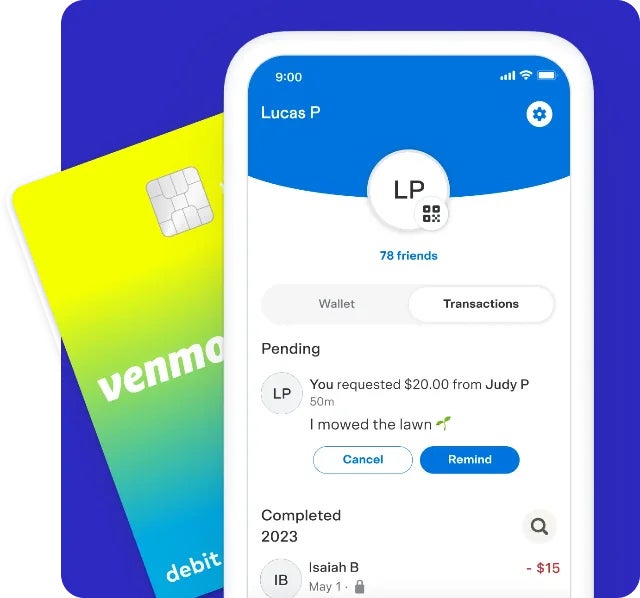
PayPal recently announced the launch of its new Venmo Teen Account, which is aimed at teenagers aged 13 to 17. Teenagers can create their own accounts, which are linked to their parents’ Venmo accounts, with parental supervision.
This new feature allows teens to send and receive money via the Venmo app, while also providing parents with greater control over their child’s finances. Parents can monitor their child’s spending habits and teach them about responsible spending and budgeting by setting spending limits and tracking transaction history.
PayPal has touted this offering as one of their ongoing efforts to expand its offerings to younger customers, as it already does with its student accounts and digital wallet for teens. PayPal also believes that by catering to this demographic, it positions them as meeting the needs of their next generation of customers, who will have significant purchasing power in the coming years.
Although still with parent oversight, teen accounts are considered separate and have a separate balance from the parent’s personal Venmo account. Additionally, teen accounts come with their own debit cards, so there won’t be a need to share a parent’s credit card number anymore.
Teens will also be able to track their own spending in the Venmo app and send and receive money among family and friends. Parents will have the power to view their teen’s balance, transaction history, and manage all aspects of the debit card.
There is no up-front expense to set up a Venmo Teen Account as there are no associated monthly fees and available no-fee cash withdrawals from participating ATMs. Direct Deposit from a part time job, for example, is also available to be set up for the account.
The Venmo Teen Account seems well-suited to appeal to both teenagers and their parents, with a focus on parental supervision, responsible spending, and financial education. It will be first rolling out next month to select customers and then will roll out to the rest in the coming weeks. Should you quality for a teen account, you should see start seeing the option to create one within the app once the rollout begins in June. You can also sign up to be notified when it’s available.
This week is Amazon’s Gaming Week, which has a ton of great deals on all sorts of gaming peripherals. The Gaming Week will last through May 28, 2023. And includes laptops, memory, storage, mice, smartphones and so much more. Here’s some of the bigger deals available this week.
MSI Katana 15
Amazon has the MSI Katana 15 gaming laptop on sale for $1,499, which is going to save you $100 off of its regular price.
The MSI Katana 15 is a powerful gaming laptop that offers a great balance of performance, portability, and price. It is powered by an Intel Core i7-13620H processor and an NVIDIA GeForce RTX 4060 graphics card, which can handle even the most demanding games. The 15.6-inch Full HD display has a 144Hz refresh rate, which provides smooth visuals for gaming and other multimedia applications. The Katana 15 also features a backlit keyboard and a variety of ports, making it a versatile and capable gaming laptop.
Need some extra storage? Well Amazon has the Samsung 990 Pro 2TB SSD on sale for just $169. That’s going to save you $120 off of its regular price.
The Samsung 990 Pro 2TB SSD is the ultimate PCIe 4.0 SSD, offering blazing-fast speeds and exceptional performance. With sequential read speeds of up to 7,400 MB/s and sequential write speeds of up to 5,300 MB/s, the 990 Pro is up to 2 times faster than PCIe 3.0 SSDs. This makes it the perfect choice for gamers, creative professionals, and anyone who demands the best possible performance.
The 990 Pro is also built with Samsung’s latest V-NAND technology and a new controller, which delivers consistent performance even under heavy workloads. It is also designed to be energy-efficient, consuming up to 50% less power than previous-generation SSDs.
Amazon is shaving $50 off of the regular price on this laptop. Which does bring it down to its lowest price in the past month. So now is a good time to pick it up.
The ASUS TUF Gaming F15 Laptop is a powerful and durable gaming laptop that is perfect for gamers who are looking for a reliable and affordable option. It is powered by up to an 11th Gen Intel Core i7 processor and an NVIDIA GeForce RTX 3070 graphics card, which can handle even the most demanding games. The 15.6-inch Full HD display has a 144Hz refresh rate, which provides smooth visuals for gaming and other multimedia applications. The TUF Gaming F15 also features a backlit keyboard and a variety of ports, making it a versatile and capable gaming laptop.
That’s just a few of the sales going on for Gaming Week this week. And you can check out all of the deals from Amazon by clicking here.
Sony WH-1000XM4
The Sony WH-1000XM4 are said to be the best pair of headphones on the market, and it’s hard to disagree. And right now, you can save $70 on them, bringing them down to $278.
The Sony WH-1000xm4 are the best noise canceling headphones on the market. They offer excellent noise cancellation, great sound quality, and a comfortable design.
The noise cancellation on the WH-1000xm4 is some of the best you’ll find. It can block out a wide range of noise, from traffic to people talking. This makes them perfect for use in noisy environments, such as on a plane or train.
The sound quality on the WH-1000xm4 is also excellent. They have a balanced sound signature with clear highs, mids, and lows. They also have a good amount of bass, which makes them great for listening to music.
Looking for a new robot vacuum? Amazon has you covered. The Shark AV993 Robot Vacuum is on sale for $219 right now, saving you $80 off of its regular price.
The Shark AV993 robot vacuum is a powerful and versatile robot vacuum that is perfect for homes with pets. It features a self-cleaning brushroll that helps to prevent hair tangles, and it has a HEPA filter that traps allergens and pollutants. The AV993 also has a variety of smart features, such as mapping and navigation, that allow you to control it with your smartphone.
Amazon has also discounted the Sony INZONE M3 Gaming Monitor, bringing it down to just $468. That is low enough for an all-time low here.
The Sony INZONE M3 gaming monitor is a great option for competitive gamers. It has a fast 240Hz refresh rate and a 1ms response time, which ensures smooth and fluid gameplay. It also has a DisplayHDR 400 certification, which means it can display a wide range of colors and contrast levels.
The cheapest Ring Video Doorbell is back on sale, now down to $69.99. That’s going to save you $30 off of its regular price.
The Ring Video Doorbell (Satin Nickel, 2020 release) is a smart and secure doorbell that allows you to see, hear, and speak to visitors from anywhere in the world. It has a wide-angle HD camera that provides a clear view of your front porch, and it has two-way audio so you can communicate with visitors even if you’re not home. The Ring Video Doorbell also has motion detection, so you can be alerted when someone is at your door, even if they don’t ring the bell.
The Ring Video Doorbell is easy to install and use. It comes with everything you need to get started, including a mounting bracket, screws, and a power adapter. You can connect the Ring Video Doorbell to your Wi-Fi network, and then you can use the Ring app to view live video, receive notifications, and talk to visitors.
Amazon has just announced that soon, you’ll be able to use its Amazon One palm-reading technology to purchase a beer. Or really any alcohol.
The company says Amazon One is being introduced at the Coors Field in Denver, Colorado. Which means stadium-goers will be able to more easily purchase their favorite boozy drinks. The time-saving purchase method should alleviate the need to whip out your wallet and pay for drinks through traditional means. For you that might mean paying with cash. Or it might mean a swipe of the old credit or debit card.
But no longer. At least, if you feel like using this technology. If everything goes smoothly, it might help attendees breeze more quickly through lines. And that could result in people getting back to their seats faster. No more worries about missing any important moments because you had to spend too much time in line. At least that seems to be the idea. Whether or not it works out that way in practice remains to be seen. But in theory the payment method should be faster and less of a hassle.
Amazon One also lets you verify you’re old enough to drink that beer
The new technology is useful for more than just payments. It can also let you verify with the bartender that you’re legally old enough to sip on beer and spirits. Thus cutting another part of the entire process of buying alcohol – showing your ID. Here’s how it works. You ask the bartender for a beer, you wave your hand to verify your age, then you wave again to pay. Simple. Quick. Painless.
The whole thing streamlines what can easily take an extra couple of minutes to finish the transaction. Of course worth noting is that the tech appears to be showing up in just two places within the stadium. This includes the SandLot Brewery, and the Silver Bullet Bar.
Amazon One is already available to use at Coors Field. The company says it will also be rolling the technology out to more places in the coming months.
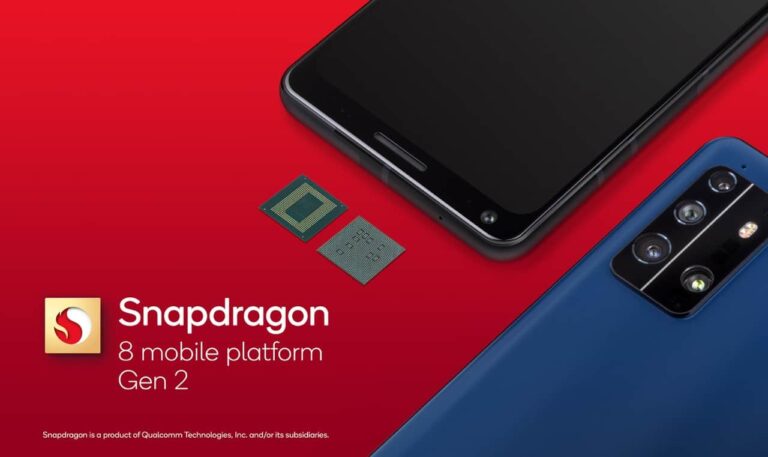
The Snapdragon 8 Gen 2 “for Galaxy” may not remain exclusive to the Galaxy S23 phones for much longer. And no, it isn’t coming to another Samsung phone. Instead, the overclocked or faster version of the latest Qualcomm will soon be available to other brands. More precisely, some Chinese firms are said to be readying new devices with this chip, though we don’t have specifics about the devices in question.
Qualcomm reserved the best of Snapdragon for Samsung this year. It offered an exclusive overclocked version of the Snapdragon 8 Gen 2 to the Korean firm, which used the chip in its latest flagships. The chip has a faster CPU (3.36GHz vs. 3.2GHz) and GPU (719MHz vs. 680MHz) than the standard Snapdragon 8 Gen 2 available to other brands. It also reportedly boasts an improved AI processor.
It appeared that this overclocked Snapdragon 8 Gen 2, which has the suffix “for Galaxy” on its name, will remain exclusive to the Galaxy S23 series. But the latest word from the rumor mill is that Qualcomm will sell it to other brands as well. A reputed Weibo tipster who goes by the username Digital Chat Station recently claimed that the Samsung monopoly of this chip will end soon (via). Some Chinese brands will use the processor in their upcoming devices.
As said earlier, there’s no word on the brands or devices in question here. But ASUS, OnePlus, and Xiaomi could be among those readying new phones with the overclocked Snapdragon 8 Gen 2. All of these firms are expected to launch new flagship devices in the coming months. If this claim from Digital Chat Station turns out to be accurate, the rumor mill should soon give us more information about those products.
The overclocked Snapdragon 8 Gen 2 may substitute the “Plus” edition this year
In recent years, Qualcomm has been following up its latest flagship chips with “Plus” editions a few months later. These upgrades usually come in the middle of the year and bring a CPU and GPU boost. However, there are rumors that the company won’t launch a mid-year refresh of the Snapdragon 8 Gen 2 this year. It plans to go straight to the Snapdargon 8 Gen 3 later this year.
Considering all of the recent developments, it’s likely that the overclocked version of the Snapdragon 8 Gen 2 will substitute this year’s “Plus” edition. The company will remove the “for Galaxy” suffix from the name for obvious reasons. So we wouldn’t be surprised if it arrives as the Snapdragon 8+ Gen 2. Stay tuned and we will let you know as soon as we have more information.
It’s hard to believe, but Father’s Day is right around the corner. Even though it feels like 2023 just started. Father’s Day lands on June 18 this year, and we’re here to help you find the best gifts.
It might seem a bit early to start talking about gifts for Father’s Day, but with the many shortages in tech going on this year, it’s never to early to start planning. In this gift guide, we’re going to have the best Father’s Day gifts, from soundbars, to TVs to everything in between.
Best Father’s Day Gifts
Below, you’ll find all of the gifts in this list, and if you scroll further down you can learn more about each product. These range from just $50 all the way up to nearly $3,500. So there’s something here for everyone’s budget.
This is one of the best OLED TVs on the market today. Coming from Sony, you know this is going to provide an excellent picture. Why? Because Sony is also a movie studio, and they do want their movies to look amazing on their own TVs.
This TV is powered by Google TV, so you’re getting a ton of great apps available here. That includes Netflix, Hulu, Amazon Prime Video and much more. It is also great for the PS5, since it does have HDMI 2.1 support as well as VRR.
The Surface Laptop is a great option to grab for Dad this Father’s Day. It’s under a thousand bucks, and is a pretty powerful laptop. This is the AMD Ryzen version, which has a specific version of the Ryzen 7 for Surface. Which Microsoft says is about 70% faster than before. It also has 8GB of RAM and 256GB of SSD storage inside.
The iPad Air is another great option for Father’s Day. This is a pretty lightweight iPad, that’s how it got the name. It’s also the most recent version of the Air. Which has an M1 chipset inside. Making it a pretty powerful tablet. Don’t forget that because this is an iPad, it does have a ton of great apps available that were made for the bigger screen.
The eight-piece Ring Alarm Pro is a great idea for Father’s Day. This kit includes one Alarm Pro Base Station, one Keypad, four Contact Sensors for windows/doors, one Motion Detector for one hallway/room, and one Alarm Range Extender. Allowing you to protect your home with ease.
It’s pretty easy to setup and use. And with the Ring Alarm Pro, there’s a built-in eero router, which is going to help improve your home’s signal too.
This is the latest from Sony, and your dad deserves the latest and greatest. This is the X90K series of 4K TVs from Sony. It includes Google TV built-in, like all of Sony’s TVs have for a while now.
It does also include Dolby Vision HDR, as well as HDMI 2.1. So it’ll be great for playing the PlayStation 5 or the Xbox Series X. Though, Sony does tease that there are some other PS5 exclusive features available with this TV.
The Chromecast with Google TV is a really good option for those Dad’s that love to watch TV. Google released this in late 2020, and it’s a great way to cut the cord and watch plenty of great content.
One of the best features of Google TV, is being able to get recommendations on the home screen, from different genres, across all of the apps installed on your Chromecast. It also has live TV listings for YouTube TV, if you use that.
Of course, it runs on Android TV, so all of your favorite apps are available here. That includes Netflix, Hulu, Amazon Prime Video, YouTube, STARZ, Showtime and much more. And it’s just $50.
The Jabra Elite 85t are the latest version of one of the best pairs of truly wireless earbuds on the market. The Elite 85t offer up really incredible battery life. Coming in at about five and a half hours of continuous playback and around 25 hours with the included carrying case.
Jabra allows you to customize the sound of the Elite 85t with the MyControls app. So you can add some bass, or up the treble if you like. But by default, the sound on the Elite 85t is already really impressive. And Jabra also has six mics included on these earbuds, so you can get some crystal clear calls, without worrying about getting a lot of background noise.
The NVIDIA SHIELD TV is very similar to the Chromecast with Google TV, but a bit more powerful. It doesn’t yet have the Google TV interface, but it is coming.
The SHIELD TV does run on Android TV, giving you access to a slew of great apps including Netflix, YouTube, Hulu, Disney+ and more. It also has the ability to Cast, as well as Google Assistant included.
What makes the SHIELD TV different though, is that it can also be used as a gaming console. You can game through NVIDIA GeForce Now, and play all sorts of games on your TV. Which is great news since, buying a PS5 is still almost impossible.
Who wouldn’t love to get an Meta Quest 2? It’s the latest virtual reality headset from Meta. And it comes in either 64GB or 256GB models. The 256GB model is $399. We’d recommend getting the 256GB model, particularly if you’re going to play a lot of games.
It’s a standalone VR headset, so you don’t need to have it hooked up to a computer to play games and such. Which is definitely a good thing here. And makes it a lot more convenient.
If your Pops is into smart home products, then the Nest Cam Indoor is a great option. This will allow him to keep tabs on the house when he is not at home. It offers 1080p video feed, at a 130-degree field-of-view. Making it easy to see an entire room.
The Nest Cam Indoor does also work with Google Assistant. And you can even see your feed of your home on your smartphone or the Nest Hub (and Google TV/Android TV). Making it even easier to keep an eye on what’s going on.
The Rachio 3 Smart Sprinkler Controller is a rather unique gift to get this year. It’s exactly what it sounds like, a smart sprinkler, so you can control when your lawn is watered, and in which areas, from your smartphone.
It works with Amazon Alexa, Apple Siri and Homekit as well as Google Assistant and Nest. So you can also control it from your voice.
The eero Pro 6 is a great option, if your Dad is complaining about the internet being slow. Or if he has a lot of smart home products in his home. As the eero Pro 6 will help with both. We chose the Pro version over the regular eero 6, because it is more future-proof, supporting up to 1Gbps speeds.
This is the three-pack eero Pro 6, which is why it is $599. But that will cover up to 6,000 square-feet. Meaning that you can easily blanket your home in internet coverage.
The Sonos One (Gen 2) is another great option for Dad this Father’s Day, as far as gifts are concerned. This new second-generation model of the Sonos One has better microphones and also works with AirPlay 2 a bit better. The cool thing with Sonos, is that you can use either Amazon Alexa or Google Assistant. Instead of it being one or the other.
The audio quality on the Sonos One is also really good. For a pretty small speaker, it definitely packs a punch. And works really well with other Sonos speakers for a multi-room setup in your home.
This is perhaps the best Roku TV that you can buy right now. This is the 6-series from TCL, which is a QLED TV that runs on Roku.
With QLED, you’re going to get a really impressive looking picture here. The some deep blacks and really crisp colors. It also has support for HDR, HDR10, HLG and Dolby Vision. Finally, the TCL 6-Series also has THX Certified Gaming Mode, making it great for pairing with a PS5 or Xbox Series X.
A secret in professional kitchens for decades, sous vide works by circulating heated water in a pot at a very precise temperature according to the desired doneness of your food, holding it there for the duration of your cook for exceptional results. With just 3º making the difference between a rare and medium-rare steak, precision is key in the kitchen.
This simple and approachable technique eliminates overcooked, dried out food and ensures edge-to-edge perfection every time you cook!
This is a great gift for Dad’s that are also runners.
Forerunner 35 is slim and lightweight — perfect for daily runs, training and racing. It features built-in wrist-based heart rate as well as GPS that tracks your distance, pace, intervals and more. And since all these stats are captured by the watch, your watch is all you need — no phone, no chest strap. Just put on Forerunner 35 and go.
The Ninja Foodi Smart XL is a great gift, no matter the occasion. I own one of these myself, and absolutely love it.
The Ninja Foodi Smart XL is able to grill, air fry, roast, bake and much more, all in one appliance. It also has a thermometer that is included, so you can see when your food is ready.
It’s fairly large at about four quarts, and big enough for four to six steaks, depending on the size of the steak.
The DJI Air 2s features a 1-inch CMOS sensor, powerful autonomous functions, and a compact body weighing less than 21 oz., DJI Air 2S is the ultimate drone for creators on the move. Take this all-in-one aerial powerhouse along anywhere to experience and record your world in stunning detail.
This is a really great drone to pick up for done some content, especially if you’re looking to get started with YouTube and do some sweet shots.
The Sonos Arc has been pretty tough to find since it was released last year. So if you do plan to get this for Father’s Day as a gift, you’d better plan early. As shipments are about 2-3 weeks out right now.
Sonos Arc is one of the best soundbars on the planet right now. Of course, it works really well with the rest of the Sonos ecosystem, but it also has Dolby Atmos included, which can really make your home shake.
This is the second-generation Nest Hub from Google, and it works really well with a number of smart home products. It also works well on a desk playing music, showing YouTube and even asking Google Assistant all kinds of questions.
This would also work well in a bedroom, since there is no camera. Instead it uses other sensors to see what’s going on in the room. Including the ability to track your sleeping. Which is rather neat.
The Beats Studio Buds are probably the best pair of earbuds Apple has ever made. For one simple reason, it includes fast pairing for Android and iOS. Instead of just the typical iOS feature. Which makes it great for Android users. The sound signature has been dialed back on Beats lately too, so it’s not super bass-heavy anymore.
These are rated at IPX4 for sweat and water resistance. They also offer up to 8 hours of continuous playback, and up to 24 hours with the included carrying case.
This is probably the best TV that you can buy right now. The LG C2 is the latest model to come out of LG, and we all know that OLED reigns supreme still. This is a massive 77-inch TV, which Dad is going to love using to watch sports and other things while he sits in his recliner struggling to not fall asleep.
It runs webOS, and has all of your favorite apps available. Including Netflix, Hulu, YouTube TV, Sling TV and much more. Both Google Assistant and Amazon Alexa are included too.
This is the Razer Blade 14 (AMD edition), which is very powerful. And whether your Dad likes to play games, or get some work done, this is a great option. It has a 14-inch 165Hz display, which is going to look absolutely stunning, and super smooth.
Internally, there is the AMD Ryzen 9 5900HX processor running the show. With 16GB of RAM and 1TB of SSD space. And there’s the NVIDIA RTX 3080 inside for some great graphics. Making this among the best Father’s day gifts that you can grab this year.